Customer Call Center Team Training Session 4: Netiquette
Why Email Etiquette? “ There are four ways, and only four ways, in which we have contact with the world. We are evaluated and classified by these four contacts: what we do, how we look,  what we say , and  how we say it ." - Dale Carnegie (1888-1955) American Educator
Today’s Session Business email basics Professional best practices FranConnect email templates Any questions?  Ok, let’s get started……
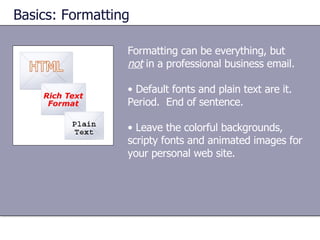
Formatting can be everything, but  not  in a professional business email. Default fonts and plain text are it.  Period.  End of sentence. Leave the colorful backgrounds, scripty fonts and animated images for your personal web site. Basics: Formatting
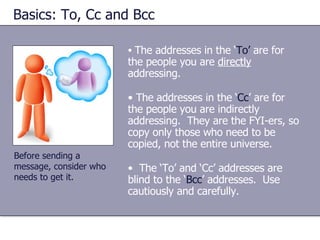
Basics: To, Cc and Bcc The addresses in the ‘ To’  are for the people you are  directly  addressing. The addresses in the ‘ Cc ’ are for the people you are indirectly addressing.  They are the FYI-ers, so copy only those who need to be copied, not the entire universe. The ‘To’ and ‘Cc’ addresses are blind to the ‘ Bcc ’ addresses.  Use cautiously and carefully. Before sending a message, consider who needs to get it.
Basics: Subject Line Be sure to write a meaningful and specific subject in the subject line so that the recipient knows what to expect. Which would  you  prefer to receive? Subject : Meeting Subject : April 22 Production Team Meeting Agenda
Basics:  Salutations The salutation or greeting is the opening for a new subject email. In a professional business communication, use Miss/Mrs./Ms./Mr. Smith. When you exchange several emails over the same topic, it is not necessary to include a greeting each time. Best Practice :  If you are unsure, stick to a formal salutation.  It’s the safest bet.
Basics:  Length of Message Try to keep the email brief, no more than one page printed or the length of your computer screen before scrolling.  Email is like a phone conversation, not the great American novel. Title any attachments in a way that is easy for the recipient to find once he/she downloads to his/her files. If you must send a long email, be sure to include: an executive summary,  a table of contents, and  how soon a response is required
Basics:  TOO MUCH PUNCTUATION!!!! Use capitalization and punctuation in the same way that you would in any other business correspondence. Excessive exclamation points are referred to as ‘ bangs ’ .  When something is important, it should be reflected in your message text, not in your punctuation. Best Practice :  use of upper-case words is the equivalent of ‘shouting’ at the recipient.  ONLY use upper-case words when trying to make a point (as just demonstrated).
Basics: Abbreviations and Acronyms Abbreviations or industry-specific acronyms can be confusing---or worse, irritating---to your recipient.  Use only abbreviations and/or acronyms that are common to the English language. Example:  FYI  (for your information).
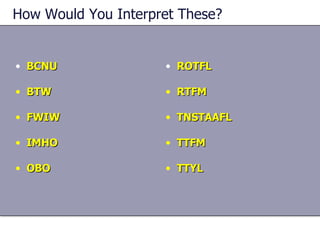
How Would You Interpret These? BCNU BTW FWIW IMHO OBO ROTFL RTFM TNSTAAFL TTFM TTYL
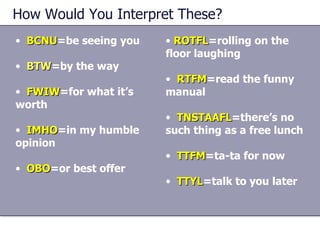
How Would You Interpret These? BCNU =be seeing you BTW =by the way FWIW =for what it’s worth IMHO =in my humble opinion OBO =or best offer ROTFL =rolling on the floor laughing RTFM =read the funny manual TNSTAAFL =there’s no such thing as a free lunch TTFM =ta-ta for now TTYL =talk to you later
Do You Know…  Emoticons  are: Symbols used to indicate a pleasant (or not-so-pleasant) email attachment. Strings of characters that convey the writer’s emotions. Robot-like communications.
Basics: Emoticons Since there are no visual or auditory cues with e-mail, users have come up with ‘ emoticons ’ or ‘ smilies ’ , strings of characters that convey the writer’s emotions.  The most common example of an emoticon is  :-)   Smilies have no place in a professional business email.  Save the cute stuff for personal communications.
Basics: Signatures In a first communication, the originator (you) is not always clear to the recipient. When your email is business-related, include your title, company name and contact information in the signature. Best Practice :  If you send it from the office, it comes from the office.  Do NOT include quotes, tag lines or  anything overly personal in a company-related business email.
Basics: Threads Once you send a first email, you will probably get a response.  The correct action is to ‘ Reply ’ in order to maintain the link---called a ‘ thread ’---between the original message and your response. It can get difficult for the users on each end to follow the sequence of messages, especially after several exchanges.  This becomes an even larger problem when several people may be replying to messages and trying to follow the thread of exchanged information.
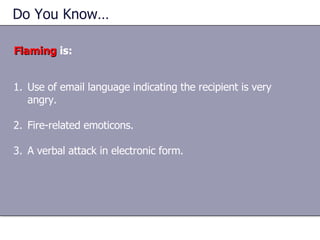
Do You Know…  Flaming  is: Use of email language indicating the recipient is very angry. Fire-related emoticons. A verbal attack in electronic form.
Basics: Flaming Flaming  is… Like this presentation and want to learn more?  Contact me, Kathy Muller [email_address] 281.256.4324

Netiquette

  • 1.
    Customer Call CenterTeam Training Session 4: Netiquette
  • 2.
    Why Email Etiquette?“ There are four ways, and only four ways, in which we have contact with the world. We are evaluated and classified by these four contacts: what we do, how we look, what we say , and how we say it ." - Dale Carnegie (1888-1955) American Educator
  • 3.
    Today’s Session Businessemail basics Professional best practices FranConnect email templates Any questions? Ok, let’s get started……
  • 4.
    Formatting can beeverything, but not in a professional business email. Default fonts and plain text are it. Period. End of sentence. Leave the colorful backgrounds, scripty fonts and animated images for your personal web site. Basics: Formatting
  • 5.
    Basics: To, Ccand Bcc The addresses in the ‘ To’ are for the people you are directly addressing. The addresses in the ‘ Cc ’ are for the people you are indirectly addressing. They are the FYI-ers, so copy only those who need to be copied, not the entire universe. The ‘To’ and ‘Cc’ addresses are blind to the ‘ Bcc ’ addresses. Use cautiously and carefully. Before sending a message, consider who needs to get it.
  • 6.
    Basics: Subject LineBe sure to write a meaningful and specific subject in the subject line so that the recipient knows what to expect. Which would you prefer to receive? Subject : Meeting Subject : April 22 Production Team Meeting Agenda
  • 7.
    Basics: SalutationsThe salutation or greeting is the opening for a new subject email. In a professional business communication, use Miss/Mrs./Ms./Mr. Smith. When you exchange several emails over the same topic, it is not necessary to include a greeting each time. Best Practice : If you are unsure, stick to a formal salutation. It’s the safest bet.
  • 8.
    Basics: Lengthof Message Try to keep the email brief, no more than one page printed or the length of your computer screen before scrolling. Email is like a phone conversation, not the great American novel. Title any attachments in a way that is easy for the recipient to find once he/she downloads to his/her files. If you must send a long email, be sure to include: an executive summary, a table of contents, and how soon a response is required
  • 9.
    Basics: TOOMUCH PUNCTUATION!!!! Use capitalization and punctuation in the same way that you would in any other business correspondence. Excessive exclamation points are referred to as ‘ bangs ’ . When something is important, it should be reflected in your message text, not in your punctuation. Best Practice : use of upper-case words is the equivalent of ‘shouting’ at the recipient. ONLY use upper-case words when trying to make a point (as just demonstrated).
  • 10.
    Basics: Abbreviations andAcronyms Abbreviations or industry-specific acronyms can be confusing---or worse, irritating---to your recipient. Use only abbreviations and/or acronyms that are common to the English language. Example: FYI (for your information).
  • 11.
    How Would YouInterpret These? BCNU BTW FWIW IMHO OBO ROTFL RTFM TNSTAAFL TTFM TTYL
  • 12.
    How Would YouInterpret These? BCNU =be seeing you BTW =by the way FWIW =for what it’s worth IMHO =in my humble opinion OBO =or best offer ROTFL =rolling on the floor laughing RTFM =read the funny manual TNSTAAFL =there’s no such thing as a free lunch TTFM =ta-ta for now TTYL =talk to you later
  • 13.
    Do You Know… Emoticons are: Symbols used to indicate a pleasant (or not-so-pleasant) email attachment. Strings of characters that convey the writer’s emotions. Robot-like communications.
  • 14.
    Basics: Emoticons Sincethere are no visual or auditory cues with e-mail, users have come up with ‘ emoticons ’ or ‘ smilies ’ , strings of characters that convey the writer’s emotions. The most common example of an emoticon is :-) Smilies have no place in a professional business email. Save the cute stuff for personal communications.
  • 15.
    Basics: Signatures Ina first communication, the originator (you) is not always clear to the recipient. When your email is business-related, include your title, company name and contact information in the signature. Best Practice : If you send it from the office, it comes from the office. Do NOT include quotes, tag lines or anything overly personal in a company-related business email.
  • 16.
    Basics: Threads Onceyou send a first email, you will probably get a response. The correct action is to ‘ Reply ’ in order to maintain the link---called a ‘ thread ’---between the original message and your response. It can get difficult for the users on each end to follow the sequence of messages, especially after several exchanges. This becomes an even larger problem when several people may be replying to messages and trying to follow the thread of exchanged information.
  • 17.
    Do You Know… Flaming is: Use of email language indicating the recipient is very angry. Fire-related emoticons. A verbal attack in electronic form.
  • 18.
    Basics: Flaming Flaming is… Like this presentation and want to learn more? Contact me, Kathy Muller [email_address] 281.256.4324

Editor's Notes

  • #2 Before you begin: Before you can send and see messages, Outlook must be configured correctly. Here’s a great place to go to start that process: “ Outlook Overview: Setting up e-mail accounts in Outlook” at http://office.microsoft.com/en-us/assistance/HA011248131033.aspx. In some corporations, message format is set when Outlook is installed. If this applies to your audience, only parts of this course may be useful for them. [ Note to trainer: For detailed help in customizing this template, see the very last slide. Also, look for additional lesson text in the notes pane of some slides.]