WHY WIKI? A Professional Development Workshop Presented by: William J. Valenti Educational Media Specialist, Director of Information Services , Shore Regional High School
WHAT THE HECK IS A WIKI? From a Hawaiian word that means “quick”, a wiki is a website that can be quickly edited by visitors to produce a kind of collaborative website. www. compukiss .com/ techionary /217.html a wiki is a website that visitors can edit using their browser. Groups can use a wiki to author documents collaboratively. An example is Wikipedia.org , the collaborative encyclopaedia. www.economicsnetwork.ac.uk/handbook/web/glossary.
REASONS FOR USING A WIKI What is a wiki? A wiki is  “a website that allows the visitors themselves to easily add, remove, and otherwise edit and change available content”  (Wikipedia). It is increasingly used in business and educational settings to enable people to collaborate online (time and place independent). One of the major advantages of using a wiki rather than emailing different documents: there is one central place where individuals create and improve content.
Besides online editing of texts and other content, there are other important functionalities, including version management, the (hyper)linking of pages, and the possibility to use numerous plugins, such as a discussion forum and polls. http:// hennistalk . blogspot .com/2007/11/wiki-in-classroom-experiences-and-tips.html
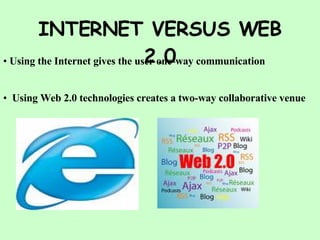
INTERNET VERSUS WEB 2.0 Using the Internet gives the user one-way communication Using Web 2.0 technologies creates a two-way collaborative venue
WHAT IS A WIDGET AND HOW DO I GET ONE? Widget is anything that can be embedded within a page of HTML, i.e. a web page. A widget adds some content to that page that is not static. Generally widgets are third party originated, though they can be home made. Widgets are also known as modules, snippets, and plug-ins. Rich media, interactive entertainment widgets were first syndicated in large volume in 2001 by miniclip. Widgets are now commonplace and are used by bloggers, social network users, auction sites and owners of personal web sites. They exist on home page sites such as iGoogle, Netvibes, Pageflakes, SpringWidgets and yourminis. Widgets are used as a distribution method by ad networks such as Google’s AdSense, by media sites such as Flickr, by video sites such as You Tube and by hundreds of other organizations. http://en.wikipedia.org/wiki/Web_widget
FINDING YOUR WIDGET Yahoo!  Widgets : useful, fun, beautiful little apps for Mac and Windows 1000s of free Widgets help you save time by bringing your favorite content and services right to you. http://www.widgets.yahoo.com/ - 40k Free Widgets for You 100s of Free Software Programs for Your Website. Impress Your Friends! userkit .com
More Widget Places  Widgets for Your Blog Free book, movie, and music widgets for Blogger, Word Press & Type Pad http:// AdaptiveBlue .com/widgets Free Website Widget  Content Gallery for blog and  website Free website content and widget gallery. Browse our free website content and widget gallery and place targeted free widgets and content on your website or ... http:// www. sumediaconnect .com/
Difference Between a blog and a wiki blog personal, less collaborative. a posting is owned by poster  text is considered to be static: once posted, the posting doesn't change (not true, of course, but expected)
wiki can be personal but open to collaboration. a node/topic is considered public space  aim is creation of documents (individual pages as well as the entire wikiweb)  tends towards expressing ideas as relationships between pages (Bernstein) http://199.17.178.148/~ morgan / cgi -bin/ blogsandwiki .pl? WikiAndBlog
Examples of Educational Wikis    http://www. theolive . wetpaint .com http://www. mrsmreadingcorner . wetpaint .com Wikis  in  Education  -  Wikis  in  Education This wiki is setup to provide educators and students with tips, suggestions, and templates for creating education wikis. - Wikis in Education. http:// wikisineducation . wetpaint .com/
7 Things You Should Know About Wikis  Seven Things You Should Know about  Wikis  provides a brief overview about wikis in education, asking the questions: What is it?  Who’s doing it?  How does it work?  Why is it significant?  What are the downsides?  Where is it going?  What are the implications for teaching and learning? This article from Educause says “Wikis might be the easiest and most effective Web-based collaboration tool in any instructional portfolio. Their inherent simplicity provides students with direct (and immediate) access to a site’s content, which is crucial in group editing or other collaborative project activities.” Featured in the May, 2008 issue of the  NJEA REVIEW
How To Use a Wiki How to use a Wiki Education Week’s  Digital Directions article  Wiki Wisdom: Lessons for Educators  contains a list of five wiki tips: Use built-in alerts so you know when students have made changes to the wiki.  Consider whether you should make your wiki public (it’s OK to limit it to just those you want to have access).  Educate your kids (and yourself) about copyright.  Instill a sense of professionalism in wiki posters--set guidelines.  Don’t post personal information. Featured in the May, 2008 issue of the  NJEA REVIEW
More Wiki Uses… Ways to use  Wikis  in Education  discusses how students use wikis for peer reviews, as group authors, to track projects, for data collection and class reviews. Using wiki in education  from The Science of Spectroscopy, a NASA-sponsored blog project, lists easily created webpages, project development with peer review, group authoring, data collection, and presentations. Links to wiki tools include  Jotspot  , the new Google set of collaboration tools.  Heavy Metal Umlaut   is an interesting video demonstration of the creation of a webpage. Or you can check out the You Tube videos listed in the sidebar. If You Tube is blocked by your filters you might be able to access the video from several of the educational sites listed in this column.  For Teachers New to  Wikis  covers “evolving information” for incorporating wikis in the classroom. This wiki covers topics on using wikis to facilitate teaching, writing development, and learning, finding appropriate wiki writing spaces, introducing wikis to students and types of obstacles you might encounter.  Featured in the May, 2008 issue of the  NJEA REVIEW
Ideas for Wikis An interesting wiki is the  Flat Classroom Project , based on the popular Thomas Friedman book,  The World is Flat . Students collaborate with students in other parts of the world on scenarios based on the book. Another good site is  Science Inquirer , which includes a  Science Misconception  podcast ,  Free Stuff for Science Teachers list ,  Super Slow Motion Video clips  and digital microscope images. The  AP calculus  dialogue wiki is subtitled “an interactive learning ecology for students and parents in…AP Calculus class.” The  Sam Jackson College Experience  is a Yale University freshman’s account of his “painfully extensive research on various college admissions related topics.” Also see  School Computing Homepage  for a collaborative guide to information technology in  K-12  schools.  Wiki in a K-12 Classroom  is a wiki from the University of Illinois suggesting uses for science fair projects, collaborative textbooks, student portfolios, wiki organization, collaborative understanding, collaboration between teachers and literature circles. Featured in the May, 2008 issue of the  NJEA REVIEW
How To Use Wikis in the Classroom How We Use  Wikis  in the Classroom  is a list of links to some very creative teacher- and student-created wikis used to create a school newspaper, make documentaries, create a history broadcast, create “geotopias” (to persuade their classmates and friends to live and/or visit their special place on earth, “their utopia” ), and for problem-based learning. It is also great for ESL students or an international project on plants. Featured in the May, 2008 issue of the  NJEA REVIEW
Wiki Tools to Use YouTube videos PB Wiki --(asks teachers “What is a Wiki?”)  Wikis  in Plain English --(from the wonderful CommonCraft series of video tutorials) or if you can’t access You Tube, try  Wikis  in Online Education Mac vs. PC Parody -- Wiki ,  Mac vs. PC Parody -- Wiki 2 --(see also #3-7) parodies of the popular Mac vs. PC commercials. These fun commentaries describe the easy-to-use and “add on” features of Wet Paint wiki pages  Wikispace  tutorial --a step-by-step walkthrough of how to set up your own wikispaces  Slideshows about wikis Wikis  in the classroom—by Vickie Davis  Wikis  That Work —addresses wikis and pedagogy and more Teaching in a Participatory Culture: How  Wikis  can support learning—covers using  wikis  for student and teacher collaboration  Featured in the May, 2008 issue of the  NJEA REVIEW
Examples of Classroom Wikis Educational  wikis —a  comprehensive list of existing educational  wikis   Classroom  blogs  and  wikis --classroom communication and collaboration Coops World – Who’s Doing What with  Wikis ? --examples and how-tos. My kids’ projects NJ Tech Teacher Musings --Kidpix projects on a wiki Featured in the May, 2008 issue of the  NJEA REVIEW
Miscellaneous Wiki Stuff Wiki Trivia  – quiz your students (or your colleagues)  Wiki Widgets --lets you add calendars, RSS feeds, images, instant messaging, maps, music, polls, and video to your wiki pages  Wikis  and Education  – Extensive annotated resource for rubrics/assessment, how tos, videos, research and articles Featured in the May, 2008 issue of the  NJEA REVIEW
Create Your Own Classroom Wiki Using Wetpaint Go to  www.wetpaint.com Find  start your own wiki website Have at it!!!!

Why Wiki

  • 1.
    WHY WIKI? AProfessional Development Workshop Presented by: William J. Valenti Educational Media Specialist, Director of Information Services , Shore Regional High School
  • 2.
    WHAT THE HECKIS A WIKI? From a Hawaiian word that means “quick”, a wiki is a website that can be quickly edited by visitors to produce a kind of collaborative website. www. compukiss .com/ techionary /217.html a wiki is a website that visitors can edit using their browser. Groups can use a wiki to author documents collaboratively. An example is Wikipedia.org , the collaborative encyclopaedia. www.economicsnetwork.ac.uk/handbook/web/glossary.
  • 3.
    REASONS FOR USINGA WIKI What is a wiki? A wiki is “a website that allows the visitors themselves to easily add, remove, and otherwise edit and change available content” (Wikipedia). It is increasingly used in business and educational settings to enable people to collaborate online (time and place independent). One of the major advantages of using a wiki rather than emailing different documents: there is one central place where individuals create and improve content.
  • 4.
    Besides online editingof texts and other content, there are other important functionalities, including version management, the (hyper)linking of pages, and the possibility to use numerous plugins, such as a discussion forum and polls. http:// hennistalk . blogspot .com/2007/11/wiki-in-classroom-experiences-and-tips.html
  • 5.
    INTERNET VERSUS WEB2.0 Using the Internet gives the user one-way communication Using Web 2.0 technologies creates a two-way collaborative venue
  • 6.
    WHAT IS AWIDGET AND HOW DO I GET ONE? Widget is anything that can be embedded within a page of HTML, i.e. a web page. A widget adds some content to that page that is not static. Generally widgets are third party originated, though they can be home made. Widgets are also known as modules, snippets, and plug-ins. Rich media, interactive entertainment widgets were first syndicated in large volume in 2001 by miniclip. Widgets are now commonplace and are used by bloggers, social network users, auction sites and owners of personal web sites. They exist on home page sites such as iGoogle, Netvibes, Pageflakes, SpringWidgets and yourminis. Widgets are used as a distribution method by ad networks such as Google’s AdSense, by media sites such as Flickr, by video sites such as You Tube and by hundreds of other organizations. http://en.wikipedia.org/wiki/Web_widget
  • 7.
    FINDING YOUR WIDGETYahoo! Widgets : useful, fun, beautiful little apps for Mac and Windows 1000s of free Widgets help you save time by bringing your favorite content and services right to you. http://www.widgets.yahoo.com/ - 40k Free Widgets for You 100s of Free Software Programs for Your Website. Impress Your Friends! userkit .com
  • 8.
    More Widget Places Widgets for Your Blog Free book, movie, and music widgets for Blogger, Word Press & Type Pad http:// AdaptiveBlue .com/widgets Free Website Widget Content Gallery for blog and website Free website content and widget gallery. Browse our free website content and widget gallery and place targeted free widgets and content on your website or ... http:// www. sumediaconnect .com/
  • 9.
    Difference Between ablog and a wiki blog personal, less collaborative. a posting is owned by poster text is considered to be static: once posted, the posting doesn't change (not true, of course, but expected)
  • 10.
    wiki can bepersonal but open to collaboration. a node/topic is considered public space aim is creation of documents (individual pages as well as the entire wikiweb) tends towards expressing ideas as relationships between pages (Bernstein) http://199.17.178.148/~ morgan / cgi -bin/ blogsandwiki .pl? WikiAndBlog
  • 11.
    Examples of EducationalWikis http://www. theolive . wetpaint .com http://www. mrsmreadingcorner . wetpaint .com Wikis in Education - Wikis in Education This wiki is setup to provide educators and students with tips, suggestions, and templates for creating education wikis. - Wikis in Education. http:// wikisineducation . wetpaint .com/
  • 12.
    7 Things YouShould Know About Wikis Seven Things You Should Know about Wikis provides a brief overview about wikis in education, asking the questions: What is it? Who’s doing it? How does it work? Why is it significant? What are the downsides? Where is it going? What are the implications for teaching and learning? This article from Educause says “Wikis might be the easiest and most effective Web-based collaboration tool in any instructional portfolio. Their inherent simplicity provides students with direct (and immediate) access to a site’s content, which is crucial in group editing or other collaborative project activities.” Featured in the May, 2008 issue of the NJEA REVIEW
  • 13.
    How To Usea Wiki How to use a Wiki Education Week’s Digital Directions article Wiki Wisdom: Lessons for Educators contains a list of five wiki tips: Use built-in alerts so you know when students have made changes to the wiki. Consider whether you should make your wiki public (it’s OK to limit it to just those you want to have access). Educate your kids (and yourself) about copyright. Instill a sense of professionalism in wiki posters--set guidelines. Don’t post personal information. Featured in the May, 2008 issue of the NJEA REVIEW
  • 14.
    More Wiki Uses…Ways to use Wikis in Education discusses how students use wikis for peer reviews, as group authors, to track projects, for data collection and class reviews. Using wiki in education from The Science of Spectroscopy, a NASA-sponsored blog project, lists easily created webpages, project development with peer review, group authoring, data collection, and presentations. Links to wiki tools include Jotspot , the new Google set of collaboration tools. Heavy Metal Umlaut is an interesting video demonstration of the creation of a webpage. Or you can check out the You Tube videos listed in the sidebar. If You Tube is blocked by your filters you might be able to access the video from several of the educational sites listed in this column. For Teachers New to Wikis covers “evolving information” for incorporating wikis in the classroom. This wiki covers topics on using wikis to facilitate teaching, writing development, and learning, finding appropriate wiki writing spaces, introducing wikis to students and types of obstacles you might encounter. Featured in the May, 2008 issue of the NJEA REVIEW
  • 15.
    Ideas for WikisAn interesting wiki is the Flat Classroom Project , based on the popular Thomas Friedman book, The World is Flat . Students collaborate with students in other parts of the world on scenarios based on the book. Another good site is Science Inquirer , which includes a Science Misconception podcast , Free Stuff for Science Teachers list , Super Slow Motion Video clips and digital microscope images. The AP calculus dialogue wiki is subtitled “an interactive learning ecology for students and parents in…AP Calculus class.” The Sam Jackson College Experience is a Yale University freshman’s account of his “painfully extensive research on various college admissions related topics.” Also see School Computing Homepage for a collaborative guide to information technology in K-12 schools. Wiki in a K-12 Classroom is a wiki from the University of Illinois suggesting uses for science fair projects, collaborative textbooks, student portfolios, wiki organization, collaborative understanding, collaboration between teachers and literature circles. Featured in the May, 2008 issue of the NJEA REVIEW
  • 16.
    How To UseWikis in the Classroom How We Use Wikis in the Classroom is a list of links to some very creative teacher- and student-created wikis used to create a school newspaper, make documentaries, create a history broadcast, create “geotopias” (to persuade their classmates and friends to live and/or visit their special place on earth, “their utopia” ), and for problem-based learning. It is also great for ESL students or an international project on plants. Featured in the May, 2008 issue of the NJEA REVIEW
  • 17.
    Wiki Tools toUse YouTube videos PB Wiki --(asks teachers “What is a Wiki?”) Wikis in Plain English --(from the wonderful CommonCraft series of video tutorials) or if you can’t access You Tube, try Wikis in Online Education Mac vs. PC Parody -- Wiki , Mac vs. PC Parody -- Wiki 2 --(see also #3-7) parodies of the popular Mac vs. PC commercials. These fun commentaries describe the easy-to-use and “add on” features of Wet Paint wiki pages Wikispace tutorial --a step-by-step walkthrough of how to set up your own wikispaces Slideshows about wikis Wikis in the classroom—by Vickie Davis Wikis That Work —addresses wikis and pedagogy and more Teaching in a Participatory Culture: How Wikis can support learning—covers using wikis for student and teacher collaboration Featured in the May, 2008 issue of the NJEA REVIEW
  • 18.
    Examples of ClassroomWikis Educational wikis —a comprehensive list of existing educational wikis Classroom blogs and wikis --classroom communication and collaboration Coops World – Who’s Doing What with Wikis ? --examples and how-tos. My kids’ projects NJ Tech Teacher Musings --Kidpix projects on a wiki Featured in the May, 2008 issue of the NJEA REVIEW
  • 19.
    Miscellaneous Wiki StuffWiki Trivia – quiz your students (or your colleagues) Wiki Widgets --lets you add calendars, RSS feeds, images, instant messaging, maps, music, polls, and video to your wiki pages Wikis and Education – Extensive annotated resource for rubrics/assessment, how tos, videos, research and articles Featured in the May, 2008 issue of the NJEA REVIEW
  • 20.
    Create Your OwnClassroom Wiki Using Wetpaint Go to www.wetpaint.com Find start your own wiki website Have at it!!!!