UNIX/Linux/Solaris: The NCSU Computing
Environment
Jon Ernstberger
September 27, 2006
Overview
Introduction
Basic UNIX Commands
Running Programs
Website
Remote Connections
Saving Space
Some More Advanced Commands
Backups
Introduction
UNIX environments are made readily available.
Has roots in servers.
Most machines you’ll see are:
1. Solaris (Sun Workstations)
2. Redhat Linux (PC’s)
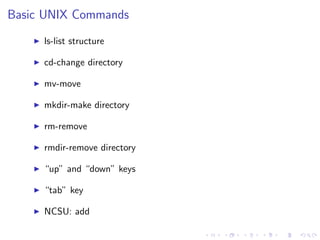
Basic UNIX Commands
ls-list structure
cd-change directory
mv-move
mkdir-make directory
rm-remove
rmdir-remove directory
“up” and “down” keys
“tab” key
NCSU: add
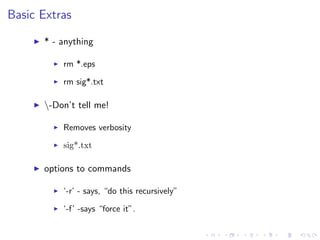
Basic Extras
* - anything
rm *.eps
rm sig*.txt
-Don’t tell me!
Removes verbosity
sig*.txt
options to commands
‘-r’ - says, “do this recursively”
‘-f’ -says “force it”.
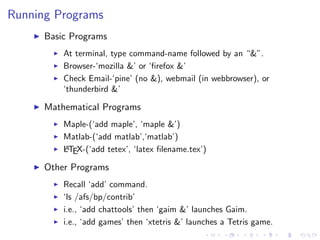
Running Programs
Basic Programs
At terminal, type command-name followed by an “&”.
Browser-‘mozilla &’ or ‘firefox &’
Check Email-‘pine’ (no &), webmail (in webbrowser), or
‘thunderbird &’
Mathematical Programs
Maple-(‘add maple’, ‘maple &’)
Matlab-(‘add matlab’,‘matlab’)
LATEX-(‘add tetex’, ‘latex filename.tex’)
Other Programs
Recall ‘add’ command.
‘ls /afs/bp/contrib’
i.e., ‘add chattools’ then ‘gaim &’ launches Gaim.
i.e., ‘add games’ then ‘xtetris &’ launches a Tetris game.
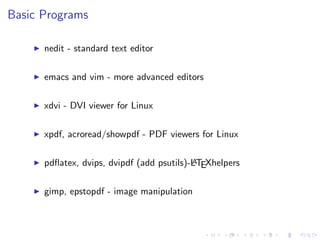
Basic Programs
nedit - standard text editor
emacs and vim - more advanced editors
xdvi - DVI viewer for Linux
xpdf, acroread/showpdf - PDF viewers for Linux
pdflatex, dvips, dvipdf (add psutils)-LATEXhelpers
gimp, epstopdf - image manipulation
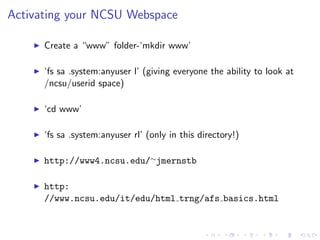
Activating your NCSU Webspace
Create a “www” folder-‘mkdir www’
‘fs sa .system:anyuser l’ (giving everyone the ability to look at
/ncsu/userid space)
‘cd www’
‘fs sa .system:anyuser rl’ (only in this directory!)
http://www4.ncsu.edu/∼jmernstb
http:
//www.ncsu.edu/it/edu/html trng/afs basics.html
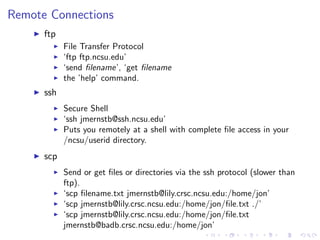
Remote Connections
ftp
File Transfer Protocol
‘ftp ftp.ncsu.edu’
‘send filename’, ‘get filename
the ’help’ command.
ssh
Secure Shell
‘ssh jmernstb@ssh.ncsu.edu’
Puts you remotely at a shell with complete file access in your
/ncsu/userid directory.
scp
Send or get files or directories via the ssh protocol (slower than
ftp).
‘scp filename.txt jmernstb@lily.crsc.ncsu.edu:/home/jon’
‘scp jmernstb@lily.crsc.ncsu.edu:/home/jon/file.txt ./’
‘scp jmernstb@lily.crsc.ncsu.edu:/home/jon/file.txt
jmernstb@badb.crsc.ncsu.edu:/home/jon’
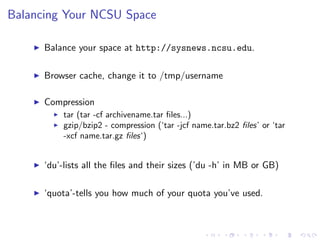
Balancing Your NCSU Space
Balance your space at http://sysnews.ncsu.edu.
Browser cache, change it to /tmp/username
Compression
tar (tar -cf archivename.tar files...)
gzip/bzip2 - compression (‘tar -jcf name.tar.bz2 files’ or ‘tar
-xcf name.tar.gz files‘)
‘du’-lists all the files and their sizes (’du -h’ in MB or GB)
‘quota’-tells you how much of your quota you’ve used.
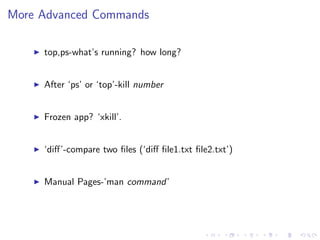
More Advanced Commands
top,ps-what’s running? how long?
After ‘ps’ or ‘top’-kill number
Frozen app? ‘xkill’.
‘diff’-compare two files (‘diff file1.txt file2.txt’)
Manual Pages-’man command’
Retreiving Backups
NCSU makes nightly backups of everyone’s space.
Identify your user volume name- ‘fs examine ’
Identify which cell your volume resides-‘fs whichcell ’
Mount the volume-‘fs mkmount -dir backup -vol
users.m.mcdaniel.backup -cell eos.ncsu.edu’
Then you have full access to your backups!
http://www.eos.ncsu.edu/guide/restore.html#self

NCSU MGSA Unix Presentation

  • 1.
    UNIX/Linux/Solaris: The NCSUComputing Environment Jon Ernstberger September 27, 2006
  • 2.
    Overview Introduction Basic UNIX Commands RunningPrograms Website Remote Connections Saving Space Some More Advanced Commands Backups
  • 3.
    Introduction UNIX environments aremade readily available. Has roots in servers. Most machines you’ll see are: 1. Solaris (Sun Workstations) 2. Redhat Linux (PC’s)
  • 4.
    Basic UNIX Commands ls-liststructure cd-change directory mv-move mkdir-make directory rm-remove rmdir-remove directory “up” and “down” keys “tab” key NCSU: add
  • 5.
    Basic Extras * -anything rm *.eps rm sig*.txt -Don’t tell me! Removes verbosity sig*.txt options to commands ‘-r’ - says, “do this recursively” ‘-f’ -says “force it”.
  • 6.
    Running Programs Basic Programs Atterminal, type command-name followed by an “&”. Browser-‘mozilla &’ or ‘firefox &’ Check Email-‘pine’ (no &), webmail (in webbrowser), or ‘thunderbird &’ Mathematical Programs Maple-(‘add maple’, ‘maple &’) Matlab-(‘add matlab’,‘matlab’) LATEX-(‘add tetex’, ‘latex filename.tex’) Other Programs Recall ‘add’ command. ‘ls /afs/bp/contrib’ i.e., ‘add chattools’ then ‘gaim &’ launches Gaim. i.e., ‘add games’ then ‘xtetris &’ launches a Tetris game.
  • 7.
    Basic Programs nedit -standard text editor emacs and vim - more advanced editors xdvi - DVI viewer for Linux xpdf, acroread/showpdf - PDF viewers for Linux pdflatex, dvips, dvipdf (add psutils)-LATEXhelpers gimp, epstopdf - image manipulation
  • 8.
    Activating your NCSUWebspace Create a “www” folder-‘mkdir www’ ‘fs sa .system:anyuser l’ (giving everyone the ability to look at /ncsu/userid space) ‘cd www’ ‘fs sa .system:anyuser rl’ (only in this directory!) http://www4.ncsu.edu/∼jmernstb http: //www.ncsu.edu/it/edu/html trng/afs basics.html
  • 9.
    Remote Connections ftp File TransferProtocol ‘ftp ftp.ncsu.edu’ ‘send filename’, ‘get filename the ’help’ command. ssh Secure Shell ‘ssh jmernstb@ssh.ncsu.edu’ Puts you remotely at a shell with complete file access in your /ncsu/userid directory. scp Send or get files or directories via the ssh protocol (slower than ftp). ‘scp filename.txt jmernstb@lily.crsc.ncsu.edu:/home/jon’ ‘scp jmernstb@lily.crsc.ncsu.edu:/home/jon/file.txt ./’ ‘scp jmernstb@lily.crsc.ncsu.edu:/home/jon/file.txt jmernstb@badb.crsc.ncsu.edu:/home/jon’
  • 10.
    Balancing Your NCSUSpace Balance your space at http://sysnews.ncsu.edu. Browser cache, change it to /tmp/username Compression tar (tar -cf archivename.tar files...) gzip/bzip2 - compression (‘tar -jcf name.tar.bz2 files’ or ‘tar -xcf name.tar.gz files‘) ‘du’-lists all the files and their sizes (’du -h’ in MB or GB) ‘quota’-tells you how much of your quota you’ve used.
  • 11.
    More Advanced Commands top,ps-what’srunning? how long? After ‘ps’ or ‘top’-kill number Frozen app? ‘xkill’. ‘diff’-compare two files (‘diff file1.txt file2.txt’) Manual Pages-’man command’
  • 12.
    Retreiving Backups NCSU makesnightly backups of everyone’s space. Identify your user volume name- ‘fs examine ’ Identify which cell your volume resides-‘fs whichcell ’ Mount the volume-‘fs mkmount -dir backup -vol users.m.mcdaniel.backup -cell eos.ncsu.edu’ Then you have full access to your backups! http://www.eos.ncsu.edu/guide/restore.html#self