MySQL Basics
Jamshid Hashimi
Trainer, Cresco Solution
http://www.jamshidhashimi.com
jamshid@netlinks.af
@jamshidhashimi
ajamshidhashimi
Afghanistan Workforce
Development Program
Agenda
• Introduction MySQL
• Simple Select
• MySQL Connect
• Comments
• Whitespace and Semi-colons
• Case Sensitivity
• SELECTing All Columns in All Rows
• SELECTing Specific Columns
• Sorting Records
• Sorting By a Single Column
• Sorting By Multiple Columns
• Sorting By Column Position
Agenda
• Ascending and Descending Sorts
• The WHERE Clause and Operator Symbols
• Checking for Equality
• Checking for Inequality
• Checking for Greater or Less Than
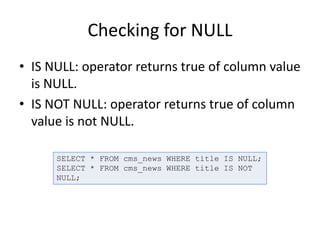
• Checking for NULL
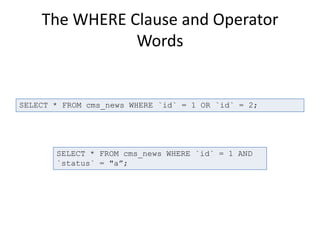
• The WHERE Clause and Operator Words
• The BETWEEN Operator
• The IN Operator
• The LIKE Operator
• The NOT Operator
• Checking Multiple Conditions
• AND, OR, Order of Evaluation
Introduction MySQL
• MySQL is a fast, easy-to-use RDBMS used being used for many small
and big businesses. MySQL was owned and sponsored by a single
for-profit firm, the Swedish company MySQL AB, now owned by
Oracle Corporation. MySQL is becoming so popular because of
many good reasons.
• MySQL is released under an open-source license. So you have
nothing to pay to use it.
• MySQL is a very powerful program in its own right. It handles a
large subset of the functionality of the most expensive and
powerful database packages.
• MySQL uses a standard form of the well-known SQL data language.
• MySQL works on many operating systems and with many languages
including PHP, PERL, C, C++, JAVA etc.
Introduction to MySQL
• MySQL works very quickly and works well even with
large data sets.
• MySQL is very friendly to PHP, the most appreciated
language for web development.
• MySQL supports large databases, up to 50 million rows
or more in a table. The default file size limit for a table
is 4GB, but you can increase this (if your operating
system can handle it) to a theoretical limit of 8 million
terabytes (TB).
• MySQL is customizable. The open source GPL license
allows programmers to modify the MySQL software to
fit their own specific environments.
Simple SELECT
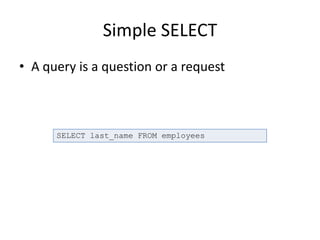
• A query is a question or a request
SELECT last_name FROM employees
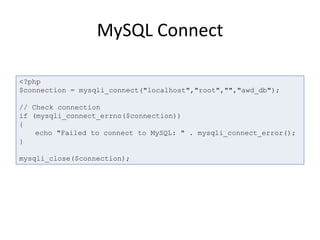
MySQL Connect
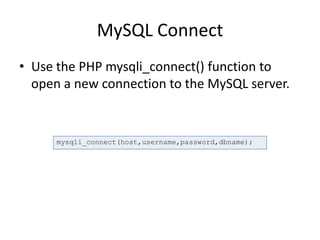
• Use the PHP mysqli_connect() function to
open a new connection to the MySQL server.
mysqli_connect(host,username,password,dbname);
MySQL Connect
<?php
$connection = mysqli_connect("localhost","root","","awd_db");
// Check connection
if (mysqli_connect_errno($connection))
{
echo "Failed to connect to MySQL: " . mysqli_connect_error();
}
mysqli_close($connection);
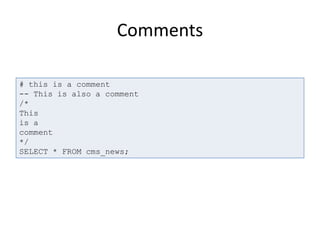
Comments
# this is a comment
-- This is also a comment
/*
This
is a
comment
*/
SELECT * FROM cms_news;
Whitespace and Semi-colons
DEMO
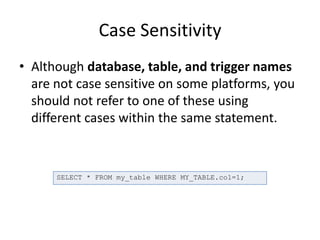
Case Sensitivity
• Although database, table, and trigger names
are not case sensitive on some platforms, you
should not refer to one of these using
different cases within the same statement.
SELECT * FROM my_table WHERE MY_TABLE.col=1;
Case Sensitivity
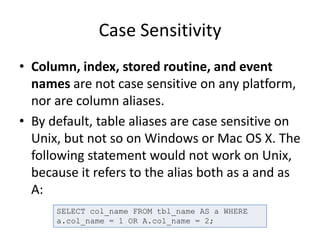
• Column, index, stored routine, and event
names are not case sensitive on any platform,
nor are column aliases.
• By default, table aliases are case sensitive on
Unix, but not so on Windows or Mac OS X. The
following statement would not work on Unix,
because it refers to the alias both as a and as
A:
SELECT col_name FROM tbl_name AS a WHERE
a.col_name = 1 OR A.col_name = 2;
SELECTing All Columns in All Rows
• SELECT Syntax
SELECT expressions_and_columns FROM table_name
[WHERE some_condition_is_true]
[ORDER BY some_column [ASC | DESC]]
[LIMIT offset, rows]
SELECT * FROM tbl_name;
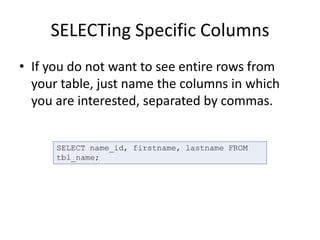
SELECTing Specific Columns
• If you do not want to see entire rows from
your table, just name the columns in which
you are interested, separated by commas.
SELECT name_id, firstname, lastname FROM
tbl_name;
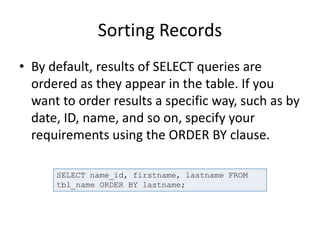
Sorting Records
• By default, results of SELECT queries are
ordered as they appear in the table. If you
want to order results a specific way, such as by
date, ID, name, and so on, specify your
requirements using the ORDER BY clause.
SELECT name_id, firstname, lastname FROM
tbl_name ORDER BY lastname;
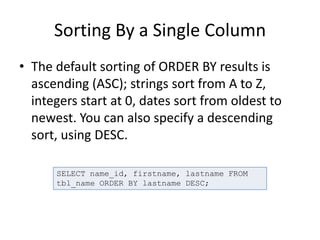
Sorting By a Single Column
• The default sorting of ORDER BY results is
ascending (ASC); strings sort from A to Z,
integers start at 0, dates sort from oldest to
newest. You can also specify a descending
sort, using DESC.
SELECT name_id, firstname, lastname FROM
tbl_name ORDER BY lastname DESC;
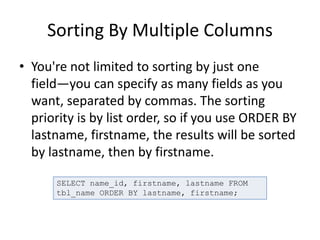
Sorting By Multiple Columns
• You're not limited to sorting by just one
field—you can specify as many fields as you
want, separated by commas. The sorting
priority is by list order, so if you use ORDER BY
lastname, firstname, the results will be sorted
by lastname, then by firstname.
SELECT name_id, firstname, lastname FROM
tbl_name ORDER BY lastname, firstname;
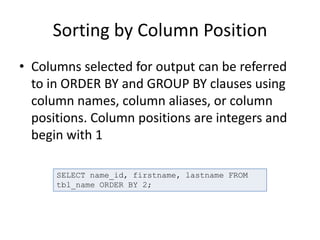
Sorting by Column Position
• Columns selected for output can be referred
to in ORDER BY and GROUP BY clauses using
column names, column aliases, or column
positions. Column positions are integers and
begin with 1
SELECT name_id, firstname, lastname FROM
tbl_name ORDER BY 2;
The WHERE Clause and Operator
Symbols
• We can use a conditional clause called WHERE clause
to filter out results. Using WHERE clause we can
specify a selection criteria to select required records
from a table.
• You can use one or more tables separated by comma
to include various condition using a WHERE clause. But
WHERE clause is an optional part of SELECT command.
• You can specify any condition using WHERE clause.
• You can specify more than one conditions using AND or
OR operators.
• A WHERE clause can be used along with DELETE or
UPDATE SQL command also to specify a condition.
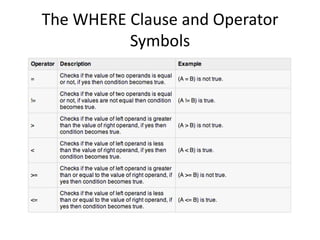
The WHERE Clause and Operator
Symbols
The WHERE Clause and Operator
Symbols
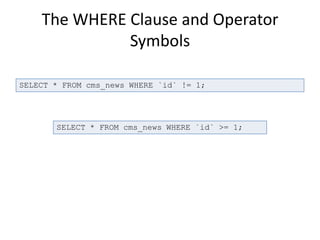
SELECT * FROM cms_news WHERE `id` != 1;
SELECT * FROM cms_news WHERE `id` >= 1;
Checking for Equality
DEMO
Checking for Inequality
DEMO
Checking for Greater or Less Than
DEMO
Checking for NULL
• IS NULL: operator returns true of column value
is NULL.
• IS NOT NULL: operator returns true of column
value is not NULL.
SELECT * FROM cms_news WHERE title IS NULL;
SELECT * FROM cms_news WHERE title IS NOT
NULL;
The WHERE Clause and Operator
Words
SELECT * FROM cms_news WHERE `id` = 1 OR `id` = 2;
SELECT * FROM cms_news WHERE `id` = 1 AND
`status` = "a”;
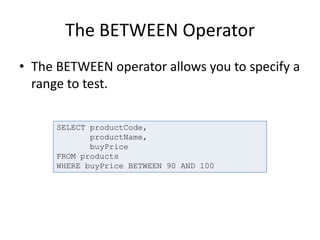
The BETWEEN Operator
• The BETWEEN operator allows you to specify a
range to test.
SELECT productCode,
productName,
buyPrice
FROM products
WHERE buyPrice BETWEEN 90 AND 100
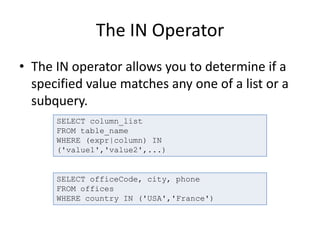
The IN Operator
• The IN operator allows you to determine if a
specified value matches any one of a list or a
subquery.
SELECT column_list
FROM table_name
WHERE (expr|column) IN
('value1','value2',...)
SELECT officeCode, city, phone
FROM offices
WHERE country IN ('USA','France')
The LIKE Operator
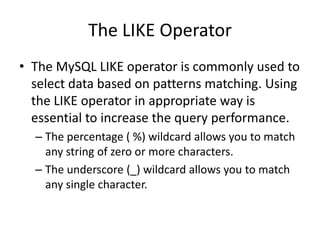
• The MySQL LIKE operator is commonly used to
select data based on patterns matching. Using
the LIKE operator in appropriate way is
essential to increase the query performance.
– The percentage ( %) wildcard allows you to match
any string of zero or more characters.
– The underscore (_) wildcard allows you to match
any single character.
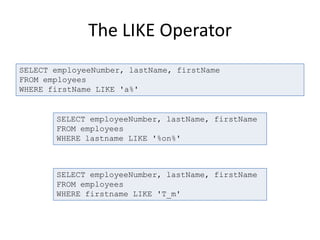
The LIKE Operator
SELECT employeeNumber, lastName, firstName
FROM employees
WHERE firstName LIKE 'a%'
SELECT employeeNumber, lastName, firstName
FROM employees
WHERE lastname LIKE '%on%'
SELECT employeeNumber, lastName, firstName
FROM employees
WHERE firstname LIKE 'T_m'
DEMO
QUESTIONS?

MySQL basics

  • 1.
    MySQL Basics Jamshid Hashimi Trainer,Cresco Solution http://www.jamshidhashimi.com jamshid@netlinks.af @jamshidhashimi ajamshidhashimi Afghanistan Workforce Development Program
  • 2.
    Agenda • Introduction MySQL •Simple Select • MySQL Connect • Comments • Whitespace and Semi-colons • Case Sensitivity • SELECTing All Columns in All Rows • SELECTing Specific Columns • Sorting Records • Sorting By a Single Column • Sorting By Multiple Columns • Sorting By Column Position
  • 3.
    Agenda • Ascending andDescending Sorts • The WHERE Clause and Operator Symbols • Checking for Equality • Checking for Inequality • Checking for Greater or Less Than • Checking for NULL • The WHERE Clause and Operator Words • The BETWEEN Operator • The IN Operator • The LIKE Operator • The NOT Operator • Checking Multiple Conditions • AND, OR, Order of Evaluation
  • 4.
    Introduction MySQL • MySQLis a fast, easy-to-use RDBMS used being used for many small and big businesses. MySQL was owned and sponsored by a single for-profit firm, the Swedish company MySQL AB, now owned by Oracle Corporation. MySQL is becoming so popular because of many good reasons. • MySQL is released under an open-source license. So you have nothing to pay to use it. • MySQL is a very powerful program in its own right. It handles a large subset of the functionality of the most expensive and powerful database packages. • MySQL uses a standard form of the well-known SQL data language. • MySQL works on many operating systems and with many languages including PHP, PERL, C, C++, JAVA etc.
  • 5.
    Introduction to MySQL •MySQL works very quickly and works well even with large data sets. • MySQL is very friendly to PHP, the most appreciated language for web development. • MySQL supports large databases, up to 50 million rows or more in a table. The default file size limit for a table is 4GB, but you can increase this (if your operating system can handle it) to a theoretical limit of 8 million terabytes (TB). • MySQL is customizable. The open source GPL license allows programmers to modify the MySQL software to fit their own specific environments.
  • 6.
    Simple SELECT • Aquery is a question or a request SELECT last_name FROM employees
  • 7.
    MySQL Connect • Usethe PHP mysqli_connect() function to open a new connection to the MySQL server. mysqli_connect(host,username,password,dbname);
  • 8.
    MySQL Connect <?php $connection =mysqli_connect("localhost","root","","awd_db"); // Check connection if (mysqli_connect_errno($connection)) { echo "Failed to connect to MySQL: " . mysqli_connect_error(); } mysqli_close($connection);
  • 9.
    Comments # this isa comment -- This is also a comment /* This is a comment */ SELECT * FROM cms_news;
  • 10.
  • 11.
    Case Sensitivity • Althoughdatabase, table, and trigger names are not case sensitive on some platforms, you should not refer to one of these using different cases within the same statement. SELECT * FROM my_table WHERE MY_TABLE.col=1;
  • 12.
    Case Sensitivity • Column,index, stored routine, and event names are not case sensitive on any platform, nor are column aliases. • By default, table aliases are case sensitive on Unix, but not so on Windows or Mac OS X. The following statement would not work on Unix, because it refers to the alias both as a and as A: SELECT col_name FROM tbl_name AS a WHERE a.col_name = 1 OR A.col_name = 2;
  • 13.
    SELECTing All Columnsin All Rows • SELECT Syntax SELECT expressions_and_columns FROM table_name [WHERE some_condition_is_true] [ORDER BY some_column [ASC | DESC]] [LIMIT offset, rows] SELECT * FROM tbl_name;
  • 14.
    SELECTing Specific Columns •If you do not want to see entire rows from your table, just name the columns in which you are interested, separated by commas. SELECT name_id, firstname, lastname FROM tbl_name;
  • 15.
    Sorting Records • Bydefault, results of SELECT queries are ordered as they appear in the table. If you want to order results a specific way, such as by date, ID, name, and so on, specify your requirements using the ORDER BY clause. SELECT name_id, firstname, lastname FROM tbl_name ORDER BY lastname;
  • 16.
    Sorting By aSingle Column • The default sorting of ORDER BY results is ascending (ASC); strings sort from A to Z, integers start at 0, dates sort from oldest to newest. You can also specify a descending sort, using DESC. SELECT name_id, firstname, lastname FROM tbl_name ORDER BY lastname DESC;
  • 17.
    Sorting By MultipleColumns • You're not limited to sorting by just one field—you can specify as many fields as you want, separated by commas. The sorting priority is by list order, so if you use ORDER BY lastname, firstname, the results will be sorted by lastname, then by firstname. SELECT name_id, firstname, lastname FROM tbl_name ORDER BY lastname, firstname;
  • 18.
    Sorting by ColumnPosition • Columns selected for output can be referred to in ORDER BY and GROUP BY clauses using column names, column aliases, or column positions. Column positions are integers and begin with 1 SELECT name_id, firstname, lastname FROM tbl_name ORDER BY 2;
  • 19.
    The WHERE Clauseand Operator Symbols • We can use a conditional clause called WHERE clause to filter out results. Using WHERE clause we can specify a selection criteria to select required records from a table. • You can use one or more tables separated by comma to include various condition using a WHERE clause. But WHERE clause is an optional part of SELECT command. • You can specify any condition using WHERE clause. • You can specify more than one conditions using AND or OR operators. • A WHERE clause can be used along with DELETE or UPDATE SQL command also to specify a condition.
  • 20.
    The WHERE Clauseand Operator Symbols
  • 21.
    The WHERE Clauseand Operator Symbols SELECT * FROM cms_news WHERE `id` != 1; SELECT * FROM cms_news WHERE `id` >= 1;
  • 22.
  • 23.
  • 24.
    Checking for Greateror Less Than DEMO
  • 25.
    Checking for NULL •IS NULL: operator returns true of column value is NULL. • IS NOT NULL: operator returns true of column value is not NULL. SELECT * FROM cms_news WHERE title IS NULL; SELECT * FROM cms_news WHERE title IS NOT NULL;
  • 26.
    The WHERE Clauseand Operator Words SELECT * FROM cms_news WHERE `id` = 1 OR `id` = 2; SELECT * FROM cms_news WHERE `id` = 1 AND `status` = "a”;
  • 27.
    The BETWEEN Operator •The BETWEEN operator allows you to specify a range to test. SELECT productCode, productName, buyPrice FROM products WHERE buyPrice BETWEEN 90 AND 100
  • 28.
    The IN Operator •The IN operator allows you to determine if a specified value matches any one of a list or a subquery. SELECT column_list FROM table_name WHERE (expr|column) IN ('value1','value2',...) SELECT officeCode, city, phone FROM offices WHERE country IN ('USA','France')
  • 29.
    The LIKE Operator •The MySQL LIKE operator is commonly used to select data based on patterns matching. Using the LIKE operator in appropriate way is essential to increase the query performance. – The percentage ( %) wildcard allows you to match any string of zero or more characters. – The underscore (_) wildcard allows you to match any single character.
  • 30.
    The LIKE Operator SELECTemployeeNumber, lastName, firstName FROM employees WHERE firstName LIKE 'a%' SELECT employeeNumber, lastName, firstName FROM employees WHERE lastname LIKE '%on%' SELECT employeeNumber, lastName, firstName FROM employees WHERE firstname LIKE 'T_m'
  • 31.
  • 32.