MUSIC VIDEO
PRODUCTION
PROCESS
LOG
JAMIE BROWN
PRODUCTION LOG:
GUIDANCE
• This document is for you to track the progress of your
production – filming, editing and post-production.
• This is so you can track what you did and how you did it,
explaining and amendments and changes you made and
tracking the decisions that have shaped the practical
creation of your music video.
• The more detail you include about how you made your music
video, the better. The document is broken down in to two
sections, Filming and Editing, each of these is then made of
specific elements that occur in both.
• For each slide there is a prompt detailing what you should
include, delete the prompt after you have complete the slide.
• Remember, images often show what you’ve done more
effectively than words. Use text to explain an illustration.
FILMING
Explain what worked and didn’t work about your filming and how you
managed this covering the following areas:
• Technical – using the cameras and any technical equipment; this
could be how you did your lip sync, used the green screen, dealt
with problems with batteries, etc
• Logistical – did your locations work? Did you have any access
problems? Did it rain?
• Personnel – how were your cast/crew? Did anyone let you down?
How did you manage this?
• Planning – did your planning help? Do you think it could have
worked better? How?
• Next steps – do you need to re-film? Film more? Have you
changed your video? How/why?
TECHNICAL
• The technical area of my music video was fairly easy to
deal with as I prepared my camera beforehand in order
to ensure that everything was charged and working
correctly. When lip-syncing towards the camera I already
knew the lyrics to the song however I had them on a
piece of paper behind the camera just in case I forget
them, this made my music video more professional
because there was no faults when it came to lip-syncing
• For lighting I used multiple phone torches and set up
LED Lights in one of the areas that I was filming in, I set
up these lights because I knew that there was not very
good lighting where I was going to be filming, so before
recording I attached LED'S to different parts of the wall to
create some lighting behind me for when I was
performing.
LOGISTICAL
• I had planned to go to multiple locations for filming and some
didn’t work out. I tried to go to one spot that I spotted a while
ago and when arriving there it was too dark to actually be able
to see anything so I had to think on my toes and think of other
locations that I could film at. There was another location that I
wanted to film at however because I was relying on someone
to take me there, I wasn’t able to go because the person that
was meant to take me was busy, so I found myself a little stuck
at that point.
• In one of the locations, I wanted the sky to be slightly darker
than usual however when I went to the location there was
people in the exact spot that I was needing to film at, so I had
to wait for them to leave causing it to get darker and darker
leaving me with no natural light when finally filming.
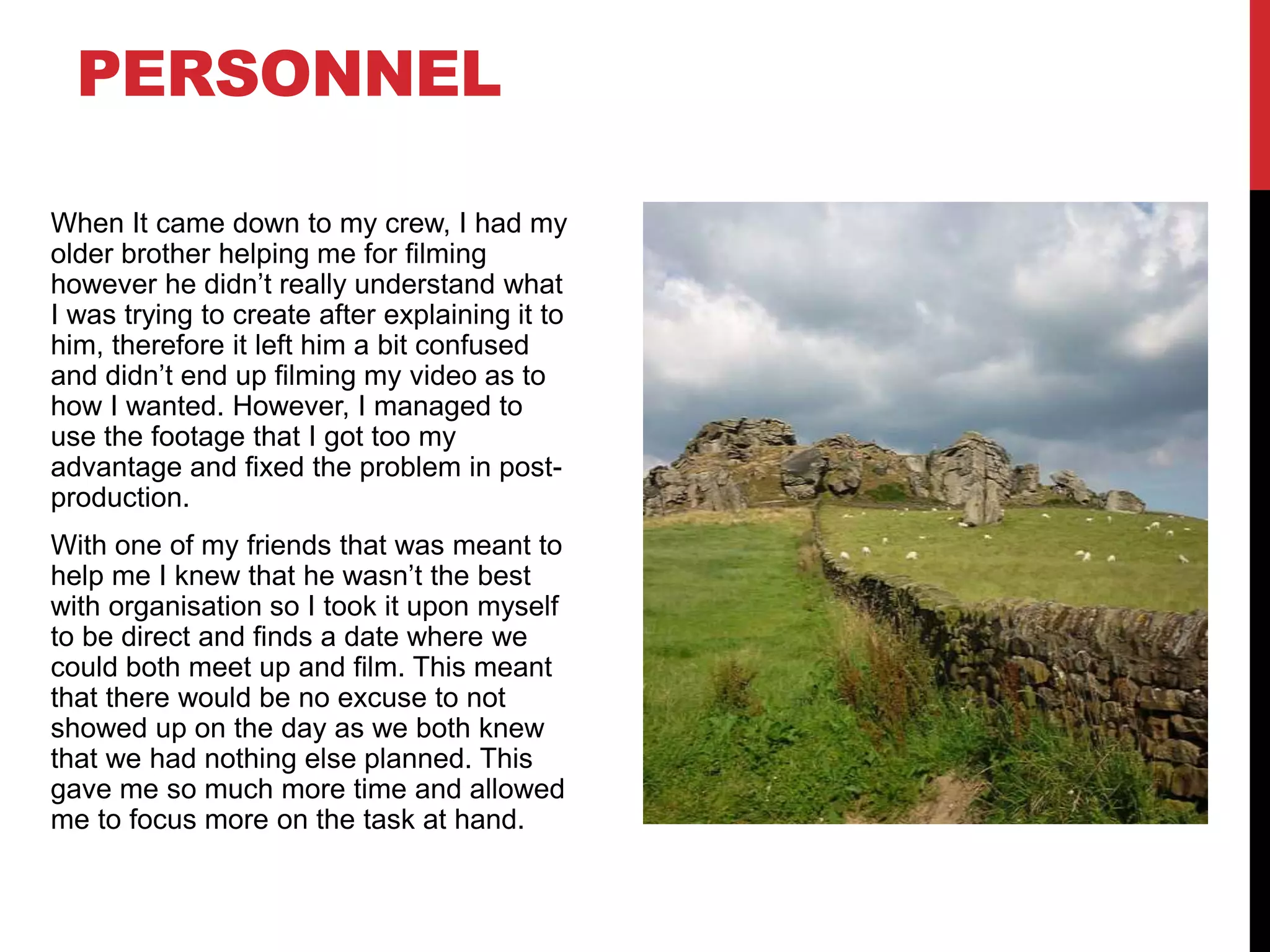
When It came down to my crew, I had my
older brother helping me for filming
however he didn’t really understand what
I was trying to create after explaining it to
him, therefore it left him a bit confused
and didn’t end up filming my video as to
how I wanted. However, I managed to
use the footage that I got too my
advantage and fixed the problem in post-
production.
With one of my friends that was meant to
help me I knew that he wasn’t the best
with organisation so I took it upon myself
to be direct and finds a date where we
could both meet up and film. This meant
that there would be no excuse to not
showed up on the day as we both knew
that we had nothing else planned. This
gave me so much more time and allowed
me to focus more on the task at hand.
PERSONNEL
PLANNING
• I found that my planning was very helpful because it allowed me
to have something to refer back to when it came to production.
For example, my storyboard was very helpful as it gave me
an insight as to what my music video would look like visually.
However, I feel as if my planning could have worked better
because when it came to filming, I found myself drifting away from
my plan leaving me confused as to what I should be doing. By
doing this I didn’t want my music video to seem messy and
unorganised however I feel as if I made the right choice as my
plan didn’t work 100% as there was different problems with
lighting and access in certain locations
• My shot list allowed me to have a clear list as to what shots I
need, and which order they would come up in the video once it is
edited. However, I felt as if I could have added more shots as I ran
out quite quick leading me to drift away from my plan.
EDITING
• Record your edit progress, decisions, problems, etc. in
this section
• Include screenshots with annotations, statements, etc
where possible
• Try to explain how you worked and justify why you chose
to work the way you did.
• Follow the structure and what to include on each slide as
this is necessary for evidence for assessment
• Pick notable moments in the editing process and discuss
them, what worked/didn’t work and why, how you adjusted
to problems. Discuss how you worked and what you
learned from the process
WHAT WENT WELL
[3 EXAMPLES]
• I feel as if the editing that I done to make the video feel more vintage and older
(Colour Correction) . This made the video feel more professional because colour of
certain shots where edited in order to retain the viewers' attention by including cool
looking shots. In order to make the shots look like this I changed the hue and
saturation slightly to give the video a slight yellow tint. I also increased the noise of
some shots so it would be less clear and blurrier to try and create a vintage tint.
• I also found a pre-set online that I then incorporated into my music video. This pre-
set was a VHS tape filter that I would apply on certain shots to make the video more
intriguing. This was something that I had planned to include into my video, and I
feel as if it worked well with the video. However, when I first applied this onto my
video, I wasn’t too happy with how it looked so I therefore tweaked certain
aspects of the pre-set to then make effect as to my liking. For example, I decreased
the radius of the effect which reduced the overall impact of the effect as I felt as if it
was too strong.
• One more thing that I felt went well was when I used the invert tool to invert all the
colours. This was something that I used throughout the video and felt as if it made
my video seem more professional and unique. Saying that I feel as if the video
didn’t need it to be included as it almost felt out of place, knowing that I would take
that piece of information into future projects. For example, I shouldn’t add effects in
just for the sake of it. However, I didn’t feel as if it had much impact and was just a
fun effect that I wanted to try out.
WHAT PROBLEMS DID
YOU HAVE? [3
EXAMPLES]
I had a problem with the footage that I had filmed. When I got home to
look at the footage I noticed that almost all of the footage was blurry. I
originally thought that this would be a massive problem however I
managed to find a way around it by editing certain clips to fit the
blurry/vintage vibe. Some of my footage also became corrupted and lost
quite a few shots which was a pain however I left myself some extra
time to film just in case something like this was to happen so I went to
the same location as before and decided to re-shoot it.
I also feel like I overused certain effects in premiere as it began to look
a bit too much and when looking back at it I would have liked to reduce
the number of effects that I had applied to certain shots. For example,
one effect that I used that wasn’t necessary was the radiant blur effect,
this effect is useful in certain situations however my video did not need
to have them and almost made the video look too blurry
The final problem that I had with my video is that song that I had chosen
became quite repetitive which therefore made me cut some of the song
out as I didn’t want the audience to become bored.
NEXT STEPS…
What are the main things you’ve learned from this project? Pick a
minimum of 5 to discuss…
• I have learned to manage my time better as I feel as if I could of
allocated myself to have more time on editing rather than filming.
• I have learned how to edit on premiere pro, and I have also learned
how to use certain effects to my advantage
• One other thing that I have learned in this project is how important
the planning process is, the planning part of this project was
something that I found myself needing to look back at during
production.
• I have also learned that I don’t need to over complicate the editing
phase and sometimes less is more.
• The final thing that I have learned is that I need to have backup
locations prepared before hand because I found that I was lost and
didn’t know where to go after losing out on multiple locations.

MV Process Log Form 2020 (1).pptx

  • 1.
  • 2.
    PRODUCTION LOG: GUIDANCE • Thisdocument is for you to track the progress of your production – filming, editing and post-production. • This is so you can track what you did and how you did it, explaining and amendments and changes you made and tracking the decisions that have shaped the practical creation of your music video. • The more detail you include about how you made your music video, the better. The document is broken down in to two sections, Filming and Editing, each of these is then made of specific elements that occur in both. • For each slide there is a prompt detailing what you should include, delete the prompt after you have complete the slide. • Remember, images often show what you’ve done more effectively than words. Use text to explain an illustration.
  • 3.
    FILMING Explain what workedand didn’t work about your filming and how you managed this covering the following areas: • Technical – using the cameras and any technical equipment; this could be how you did your lip sync, used the green screen, dealt with problems with batteries, etc • Logistical – did your locations work? Did you have any access problems? Did it rain? • Personnel – how were your cast/crew? Did anyone let you down? How did you manage this? • Planning – did your planning help? Do you think it could have worked better? How? • Next steps – do you need to re-film? Film more? Have you changed your video? How/why?
  • 4.
    TECHNICAL • The technicalarea of my music video was fairly easy to deal with as I prepared my camera beforehand in order to ensure that everything was charged and working correctly. When lip-syncing towards the camera I already knew the lyrics to the song however I had them on a piece of paper behind the camera just in case I forget them, this made my music video more professional because there was no faults when it came to lip-syncing • For lighting I used multiple phone torches and set up LED Lights in one of the areas that I was filming in, I set up these lights because I knew that there was not very good lighting where I was going to be filming, so before recording I attached LED'S to different parts of the wall to create some lighting behind me for when I was performing.
  • 5.
    LOGISTICAL • I hadplanned to go to multiple locations for filming and some didn’t work out. I tried to go to one spot that I spotted a while ago and when arriving there it was too dark to actually be able to see anything so I had to think on my toes and think of other locations that I could film at. There was another location that I wanted to film at however because I was relying on someone to take me there, I wasn’t able to go because the person that was meant to take me was busy, so I found myself a little stuck at that point. • In one of the locations, I wanted the sky to be slightly darker than usual however when I went to the location there was people in the exact spot that I was needing to film at, so I had to wait for them to leave causing it to get darker and darker leaving me with no natural light when finally filming.
  • 6.
    When It camedown to my crew, I had my older brother helping me for filming however he didn’t really understand what I was trying to create after explaining it to him, therefore it left him a bit confused and didn’t end up filming my video as to how I wanted. However, I managed to use the footage that I got too my advantage and fixed the problem in post- production. With one of my friends that was meant to help me I knew that he wasn’t the best with organisation so I took it upon myself to be direct and finds a date where we could both meet up and film. This meant that there would be no excuse to not showed up on the day as we both knew that we had nothing else planned. This gave me so much more time and allowed me to focus more on the task at hand. PERSONNEL
  • 7.
    PLANNING • I foundthat my planning was very helpful because it allowed me to have something to refer back to when it came to production. For example, my storyboard was very helpful as it gave me an insight as to what my music video would look like visually. However, I feel as if my planning could have worked better because when it came to filming, I found myself drifting away from my plan leaving me confused as to what I should be doing. By doing this I didn’t want my music video to seem messy and unorganised however I feel as if I made the right choice as my plan didn’t work 100% as there was different problems with lighting and access in certain locations • My shot list allowed me to have a clear list as to what shots I need, and which order they would come up in the video once it is edited. However, I felt as if I could have added more shots as I ran out quite quick leading me to drift away from my plan.
  • 8.
    EDITING • Record youredit progress, decisions, problems, etc. in this section • Include screenshots with annotations, statements, etc where possible • Try to explain how you worked and justify why you chose to work the way you did. • Follow the structure and what to include on each slide as this is necessary for evidence for assessment • Pick notable moments in the editing process and discuss them, what worked/didn’t work and why, how you adjusted to problems. Discuss how you worked and what you learned from the process
  • 9.
    WHAT WENT WELL [3EXAMPLES] • I feel as if the editing that I done to make the video feel more vintage and older (Colour Correction) . This made the video feel more professional because colour of certain shots where edited in order to retain the viewers' attention by including cool looking shots. In order to make the shots look like this I changed the hue and saturation slightly to give the video a slight yellow tint. I also increased the noise of some shots so it would be less clear and blurrier to try and create a vintage tint. • I also found a pre-set online that I then incorporated into my music video. This pre- set was a VHS tape filter that I would apply on certain shots to make the video more intriguing. This was something that I had planned to include into my video, and I feel as if it worked well with the video. However, when I first applied this onto my video, I wasn’t too happy with how it looked so I therefore tweaked certain aspects of the pre-set to then make effect as to my liking. For example, I decreased the radius of the effect which reduced the overall impact of the effect as I felt as if it was too strong. • One more thing that I felt went well was when I used the invert tool to invert all the colours. This was something that I used throughout the video and felt as if it made my video seem more professional and unique. Saying that I feel as if the video didn’t need it to be included as it almost felt out of place, knowing that I would take that piece of information into future projects. For example, I shouldn’t add effects in just for the sake of it. However, I didn’t feel as if it had much impact and was just a fun effect that I wanted to try out.
  • 10.
    WHAT PROBLEMS DID YOUHAVE? [3 EXAMPLES] I had a problem with the footage that I had filmed. When I got home to look at the footage I noticed that almost all of the footage was blurry. I originally thought that this would be a massive problem however I managed to find a way around it by editing certain clips to fit the blurry/vintage vibe. Some of my footage also became corrupted and lost quite a few shots which was a pain however I left myself some extra time to film just in case something like this was to happen so I went to the same location as before and decided to re-shoot it. I also feel like I overused certain effects in premiere as it began to look a bit too much and when looking back at it I would have liked to reduce the number of effects that I had applied to certain shots. For example, one effect that I used that wasn’t necessary was the radiant blur effect, this effect is useful in certain situations however my video did not need to have them and almost made the video look too blurry The final problem that I had with my video is that song that I had chosen became quite repetitive which therefore made me cut some of the song out as I didn’t want the audience to become bored.
  • 11.
    NEXT STEPS… What arethe main things you’ve learned from this project? Pick a minimum of 5 to discuss… • I have learned to manage my time better as I feel as if I could of allocated myself to have more time on editing rather than filming. • I have learned how to edit on premiere pro, and I have also learned how to use certain effects to my advantage • One other thing that I have learned in this project is how important the planning process is, the planning part of this project was something that I found myself needing to look back at during production. • I have also learned that I don’t need to over complicate the editing phase and sometimes less is more. • The final thing that I have learned is that I need to have backup locations prepared before hand because I found that I was lost and didn’t know where to go after losing out on multiple locations.