Why and How I use MongoDB
{name:”Macro Huang”,
github:”macrohuang”,
location:”Beijing”,
email:[“macrohuang.whu@gamil.com”,”macroh
uang@126.com”]
}
Content
Where do I use MongoDB
Why I choose MongoDB
How I use MongoDB
What is the benefit of using MongoDB
Q&A
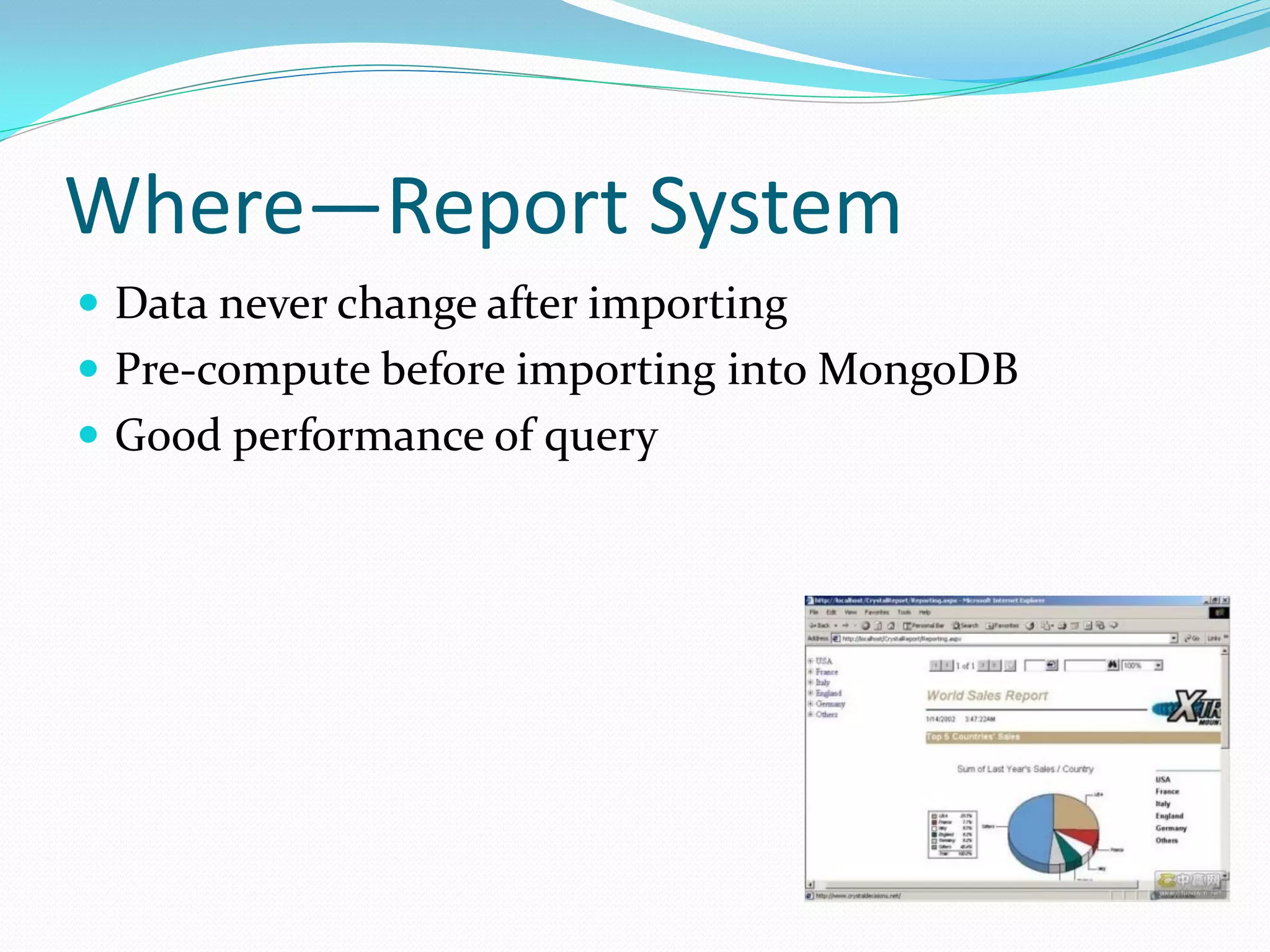
Where—Report System
 Data never change after importing
 Pre-compute before importing into MongoDB
 Good performance of query
Where—Log System
 Huge data totally
 Data grows very quickly
 Data never change
 No transaction required
 A little complex query
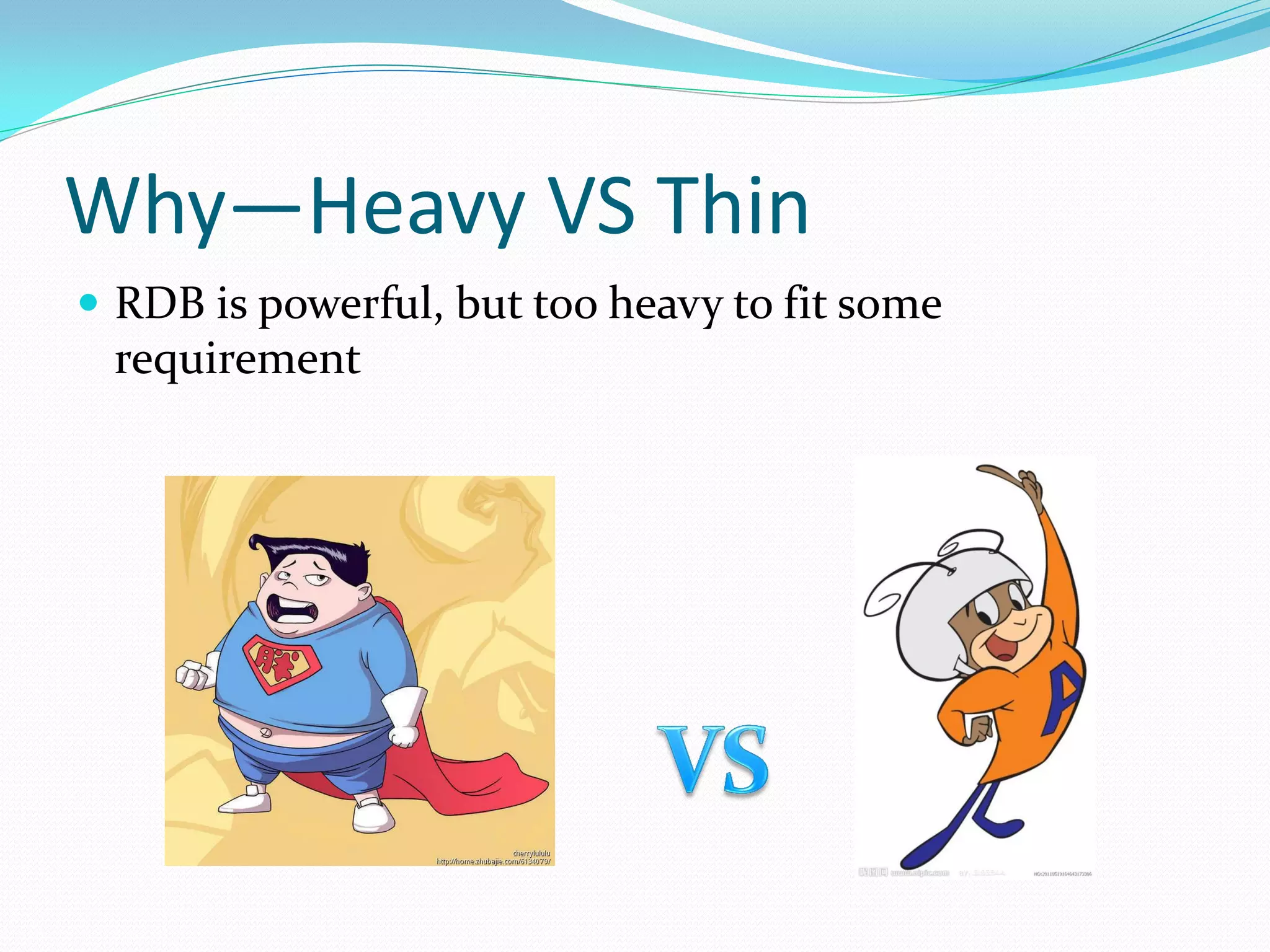
Why—Heavy VS Thin
 RDB is powerful, but too heavy to fit some
 requirement
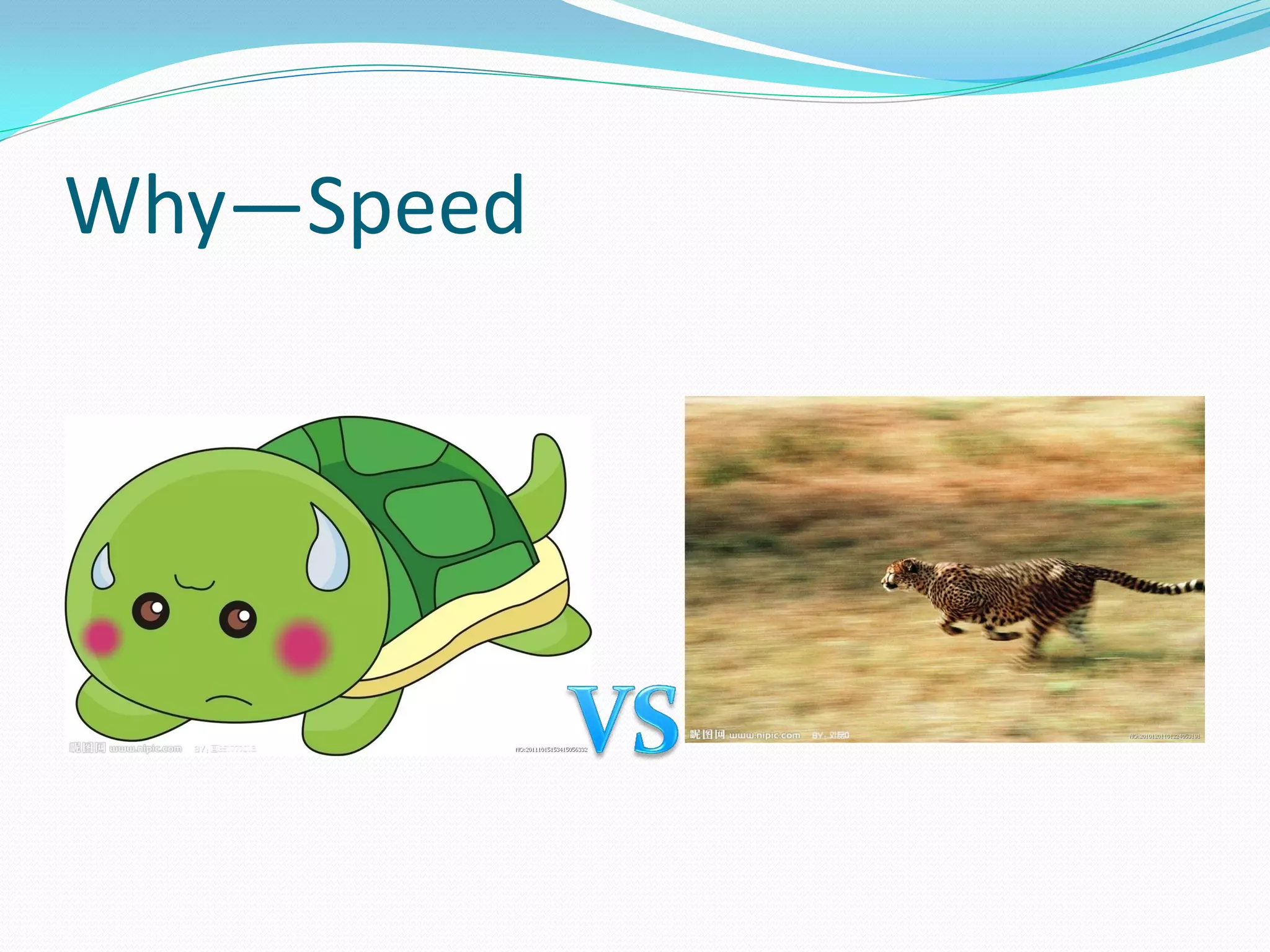
Why—Speed
 RDB is poor of performance while there is huge data
 {“CPU”:” Intel(R) Core(TM)2 Duo CPU        E7200 @
 2.53GHz”,
 ”RAM”:”8G DDR2 667”,
 ”Disk”:”SATA”,
 ”OS”:”Redhat 5.5”}
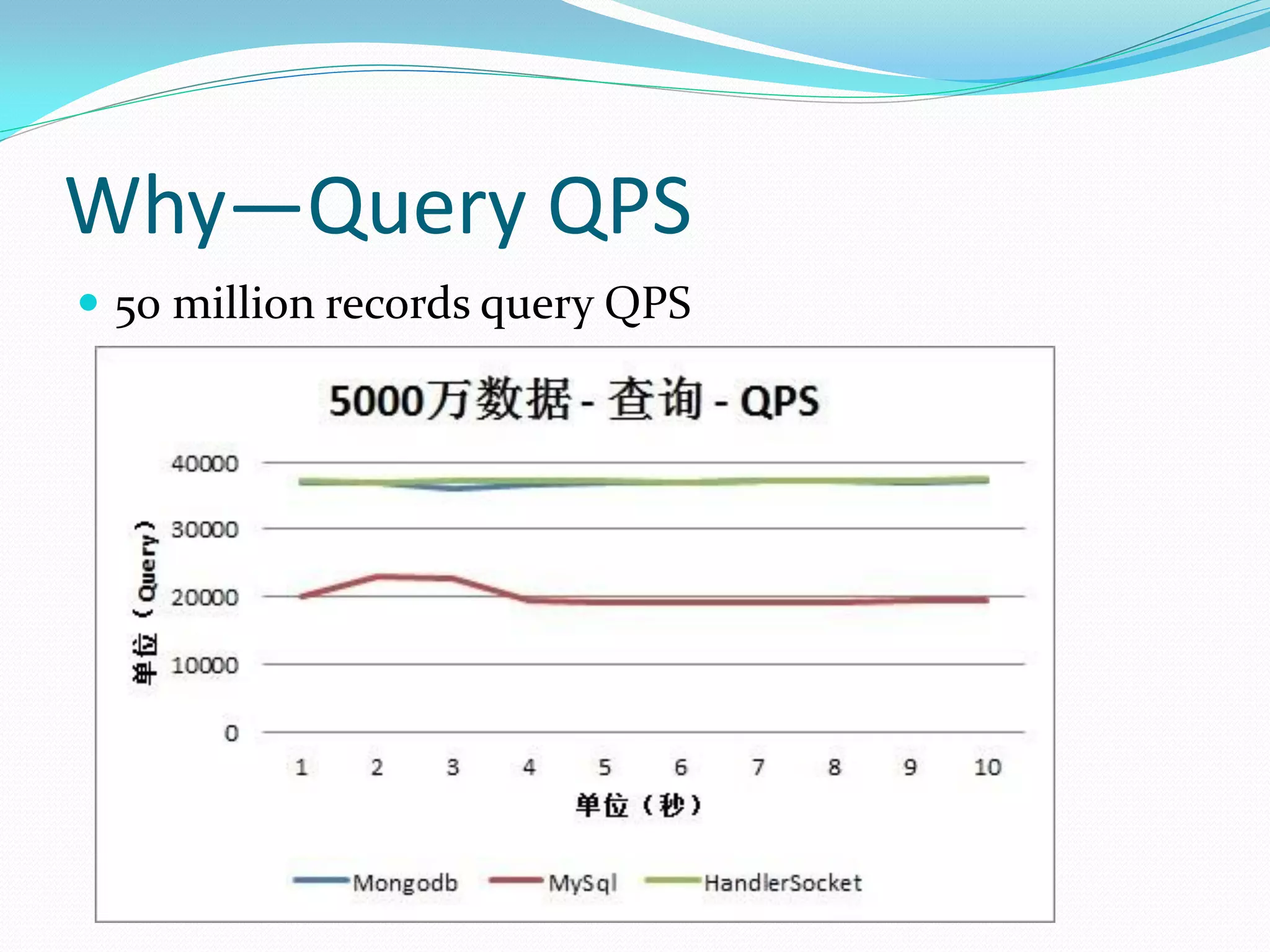
Why—Query QPS
 50 million records query QPS
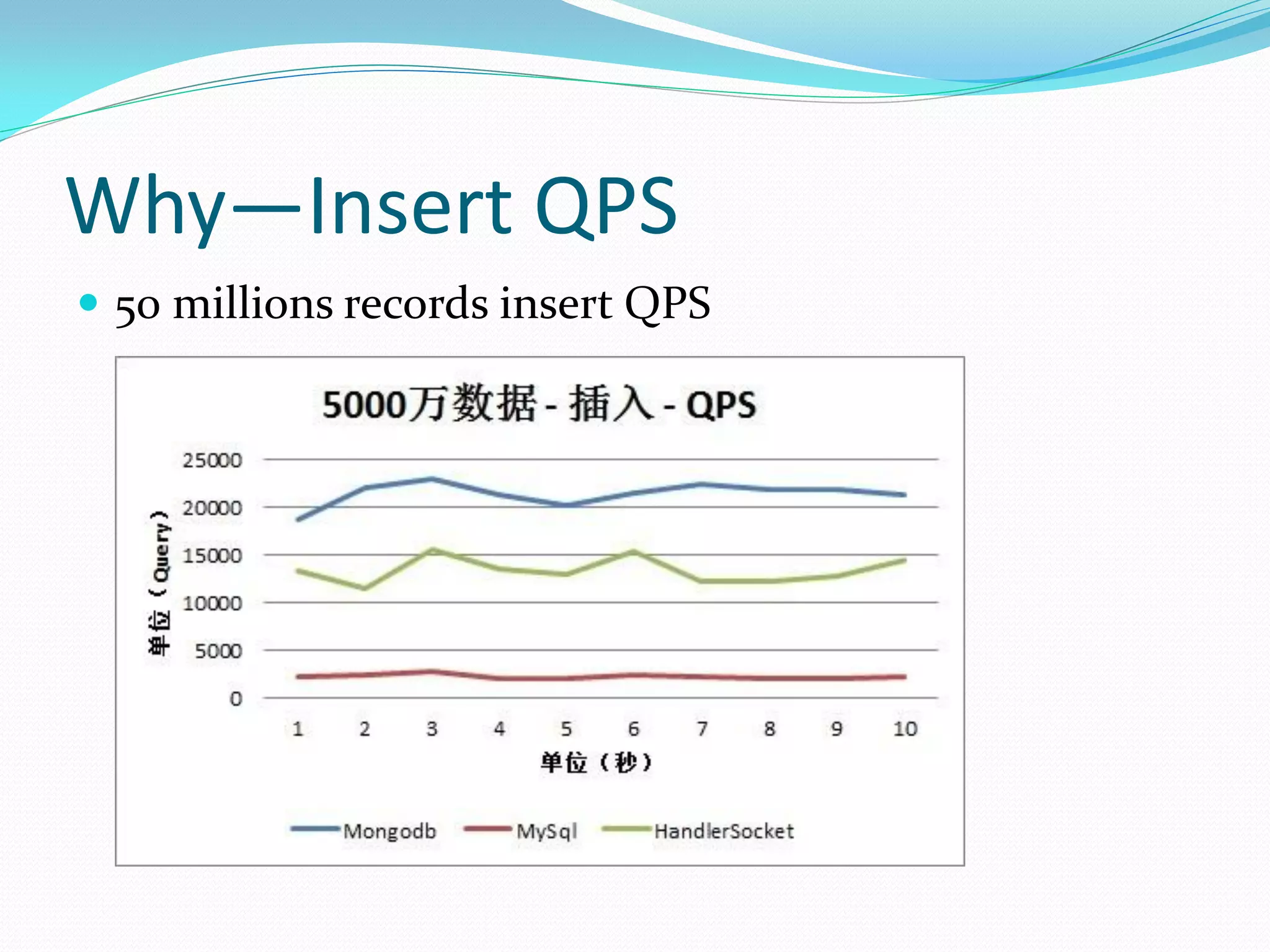
Why—Insert QPS
 50 millions records insert QPS
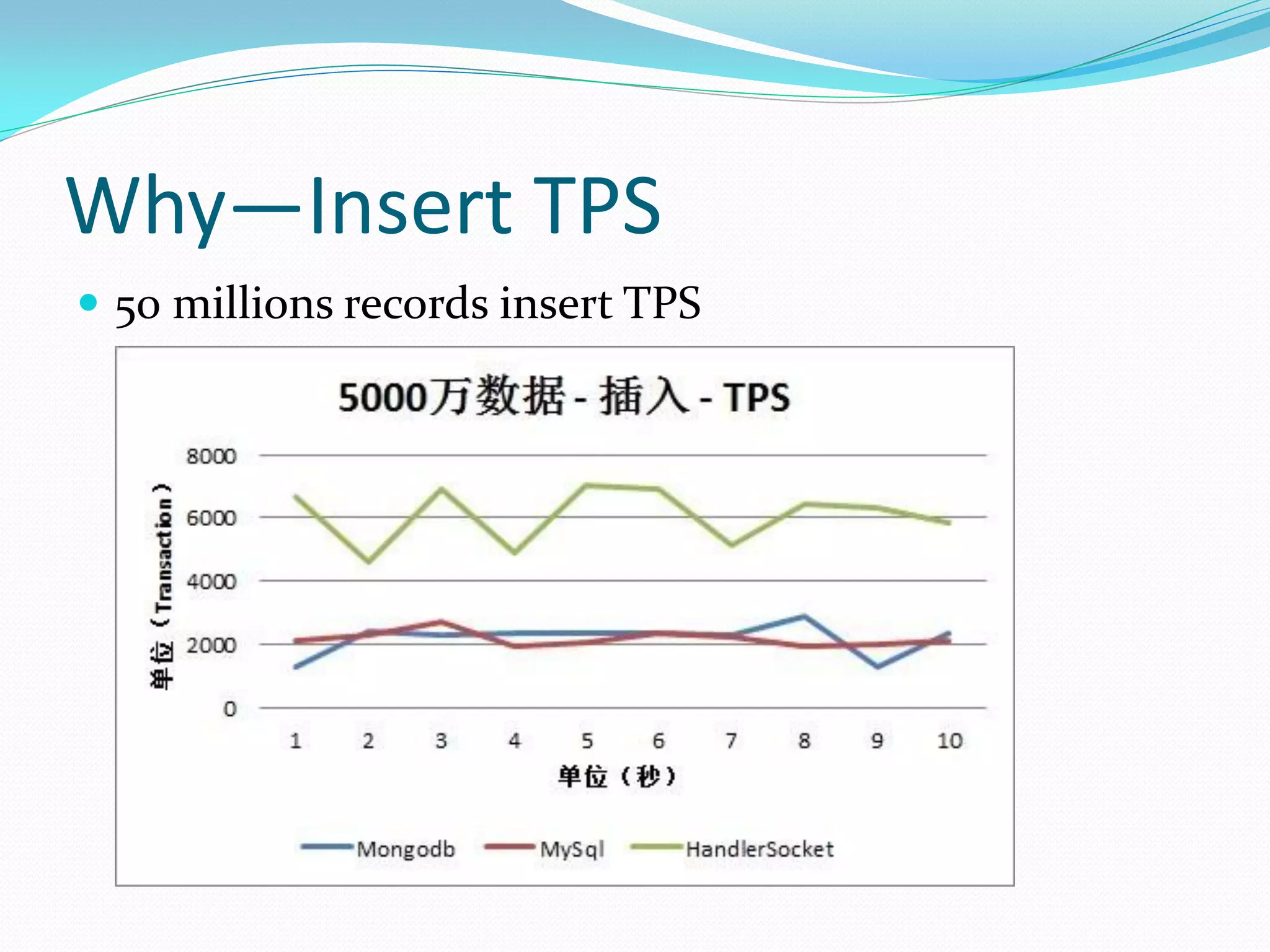
Why—Insert TPS
 50 millions records insert TPS
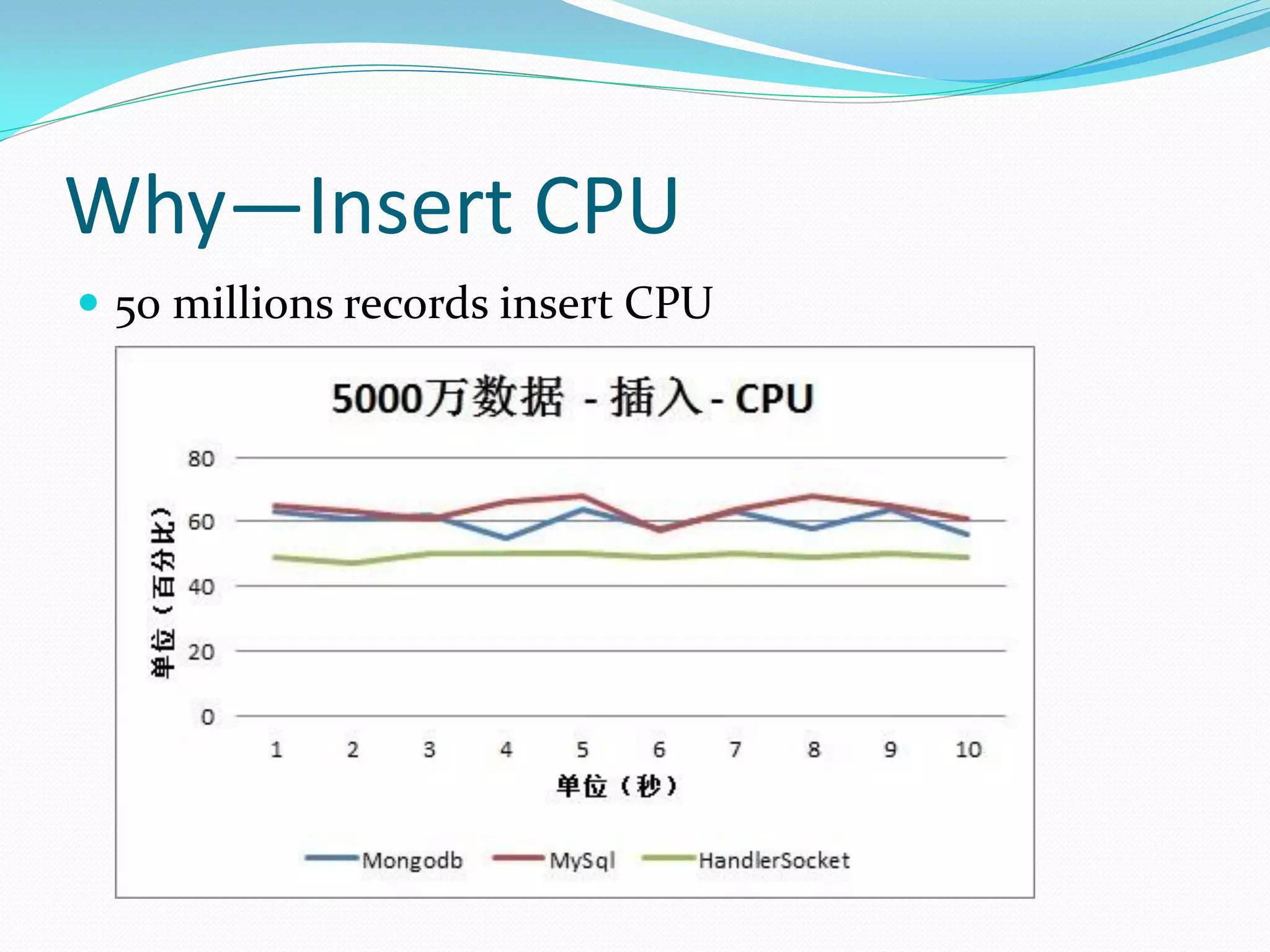
Why—Insert CPU
 50 millions records insert CPU
Why—Speed
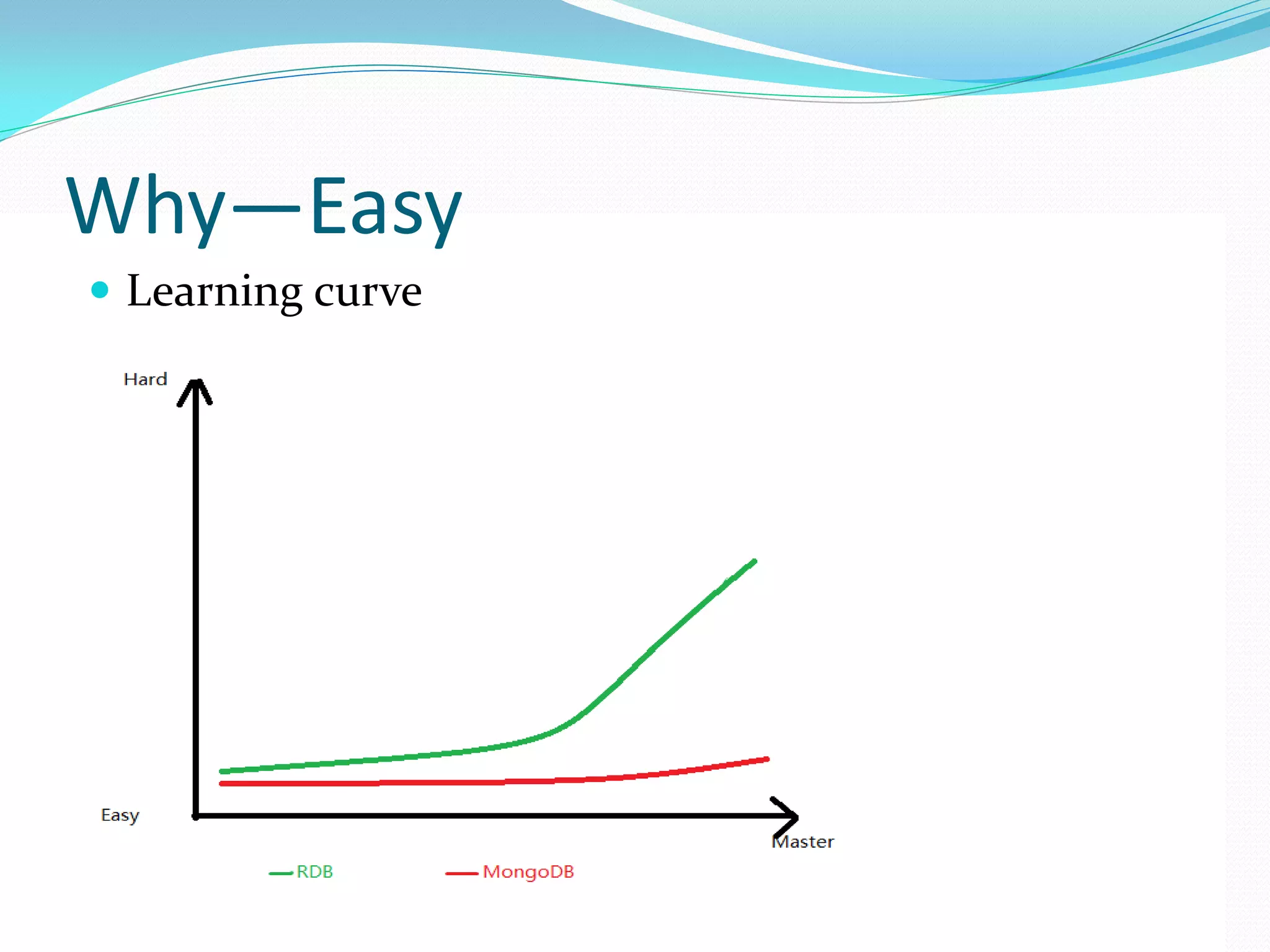
Why—Easy
 Learning curve
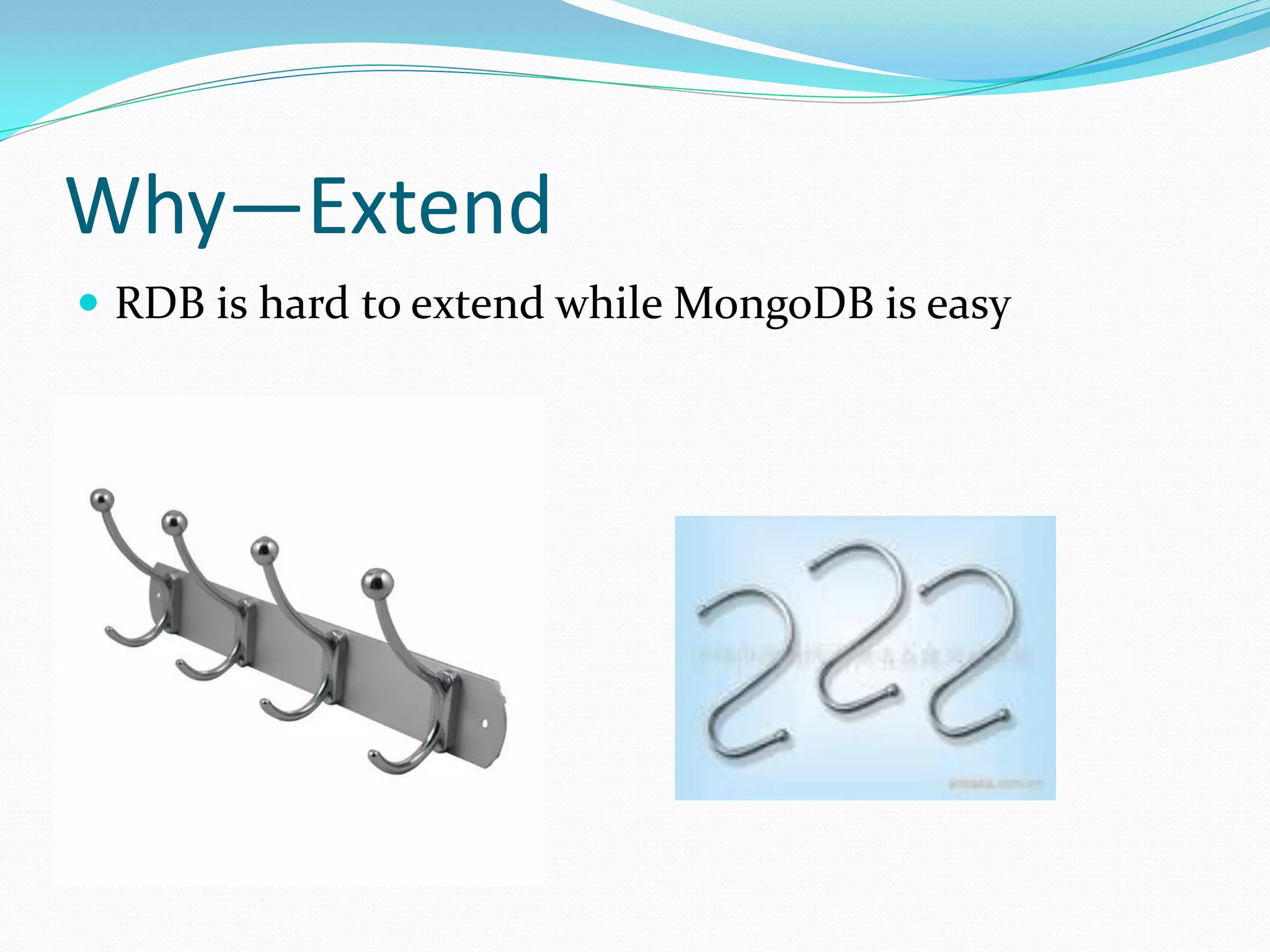
Why—Extend
 RDB is hard to extend while MongoDB is easy
Why– Other
 Huge data will grow fast
 No transaction
 A little complex query
 Index support
 Multiple language support
 Auto sharding
 Map/Reduce support
 GridFS
How –Rule
 The rule is THINK and DESIGN
How – ODM
 Use ODM to minimize the cost of learning
 Spring Data,
 Morm(https://github.com/macrohuang/mongo-orm)
 and so on
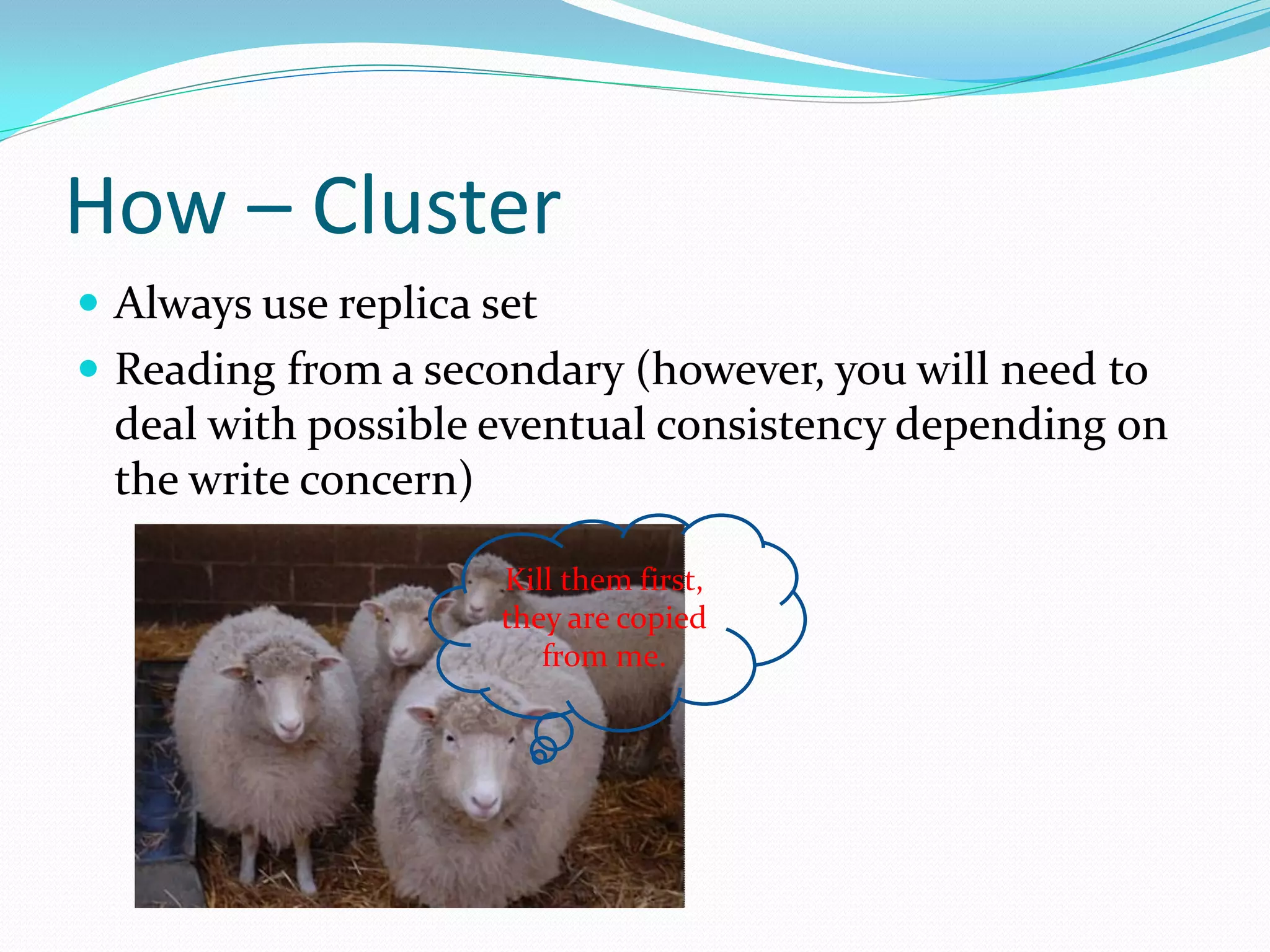
How – Cluster
 Always use replica set
 Reading from a secondary (however, you will need to
 deal with possible eventual consistency depending on
 the write concern)

                      Kill them first,
                      they are copied
                         from me.
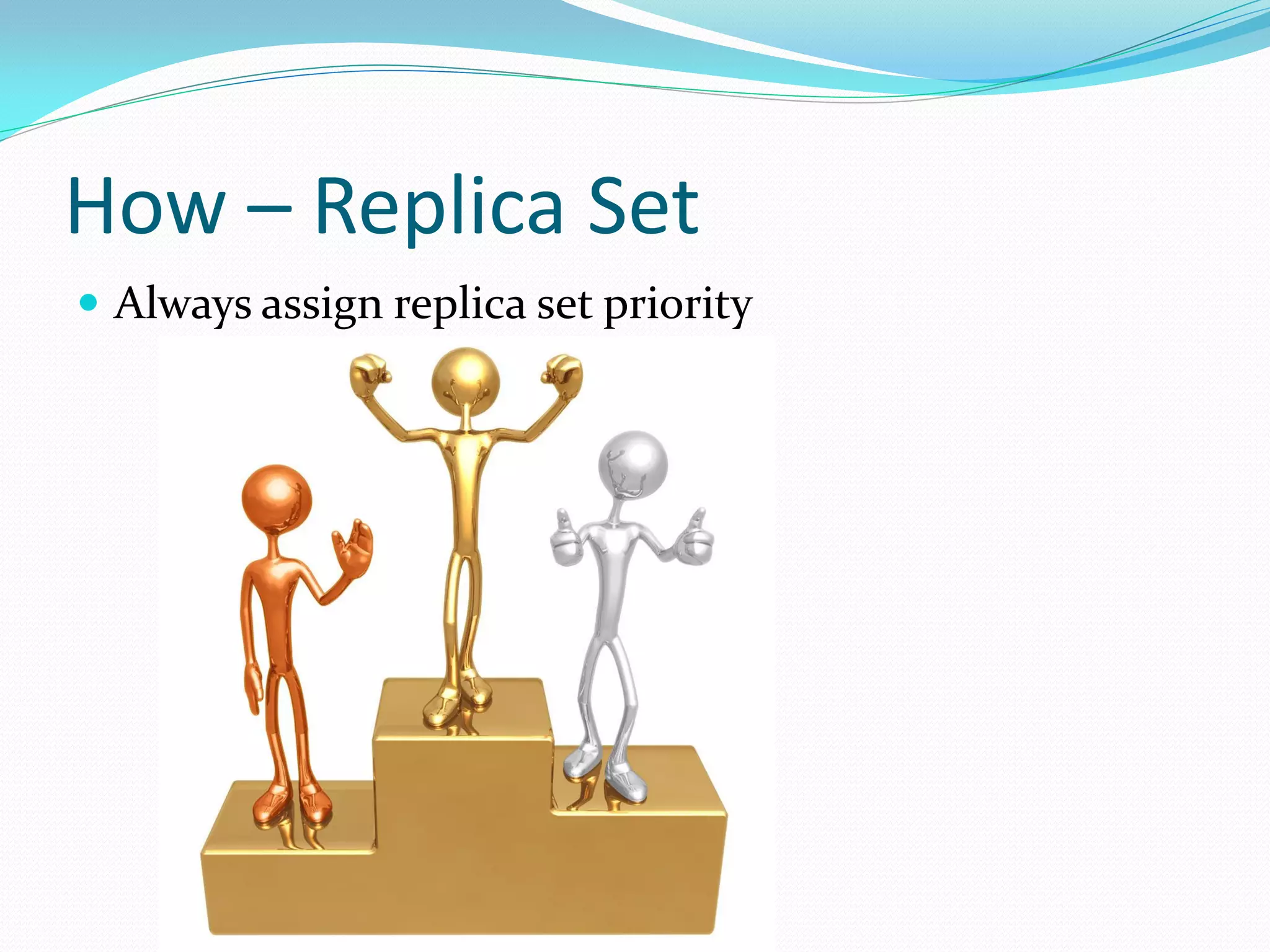
How – Replica Set
 Always assign replica set priority
How – Key design
 Keep document key short to save space
How – _id
 Customize your own _id
How – Sort rule
 Never sort on un-index field with lots of result
How – Index
 Keep all your indexes in RAM(for maximum
 performance, but not required)
What – TPS
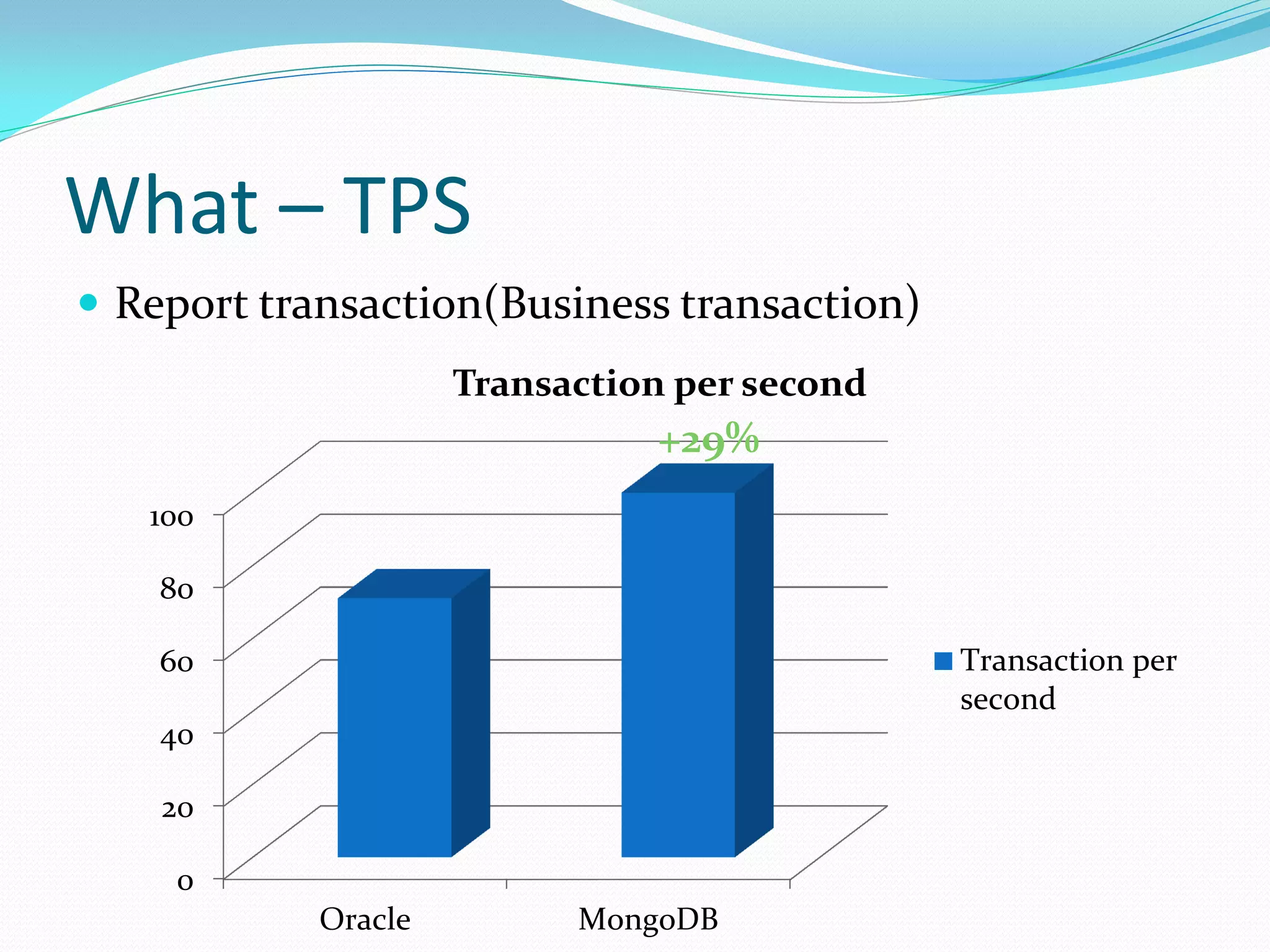
 Report transaction(Business transaction)
                     Transaction per second
                               +29%
   100

    80

    60                                        Transaction per
                                              second
    40

    20

     0
            Oracle         MongoDB
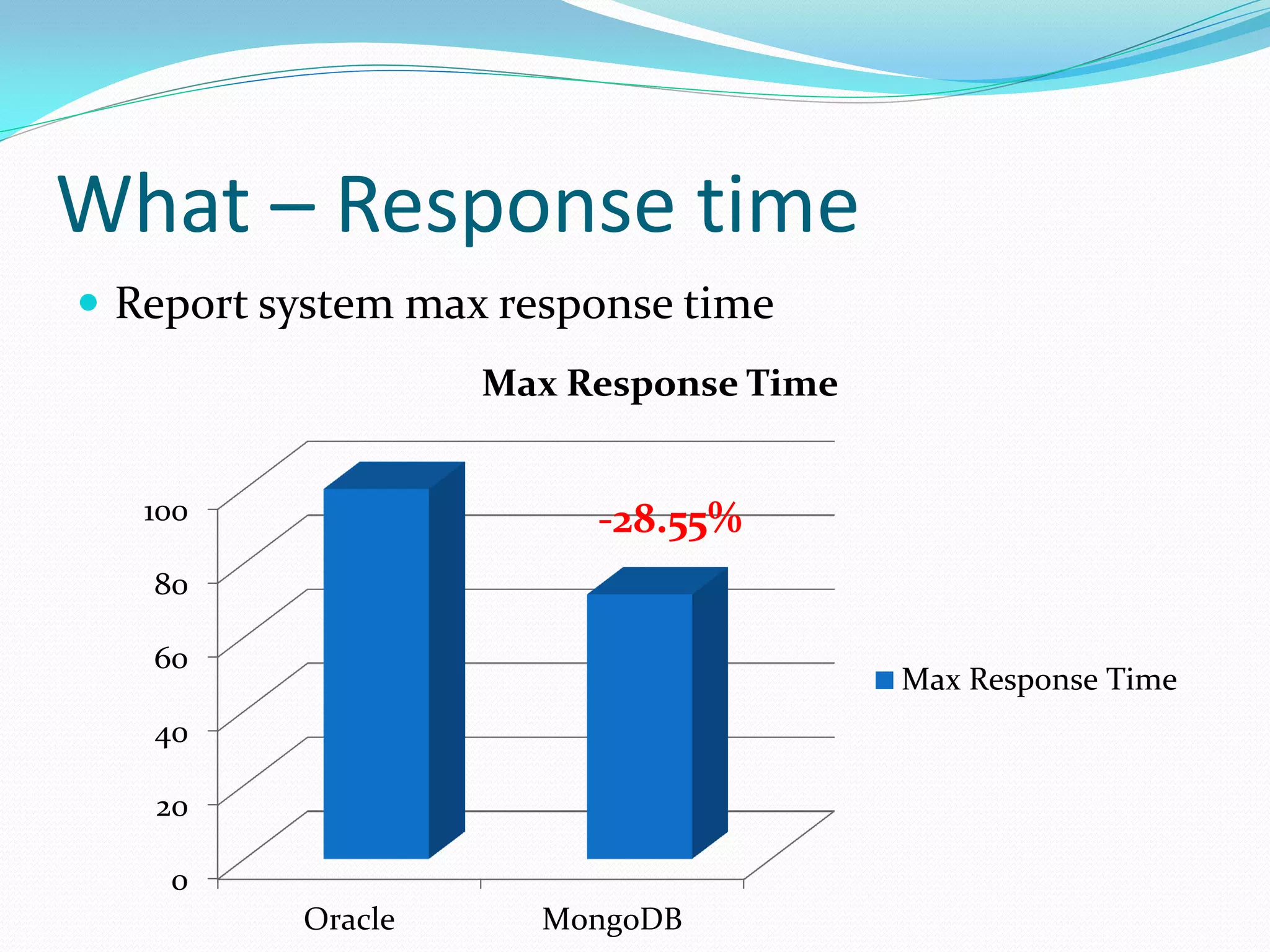
What – Response time
 Report system max response time
                   Max Response Time


   100                  -28.55%
   80

   60
                                       Max Response Time
   40

   20

    0
          Oracle      MongoDB
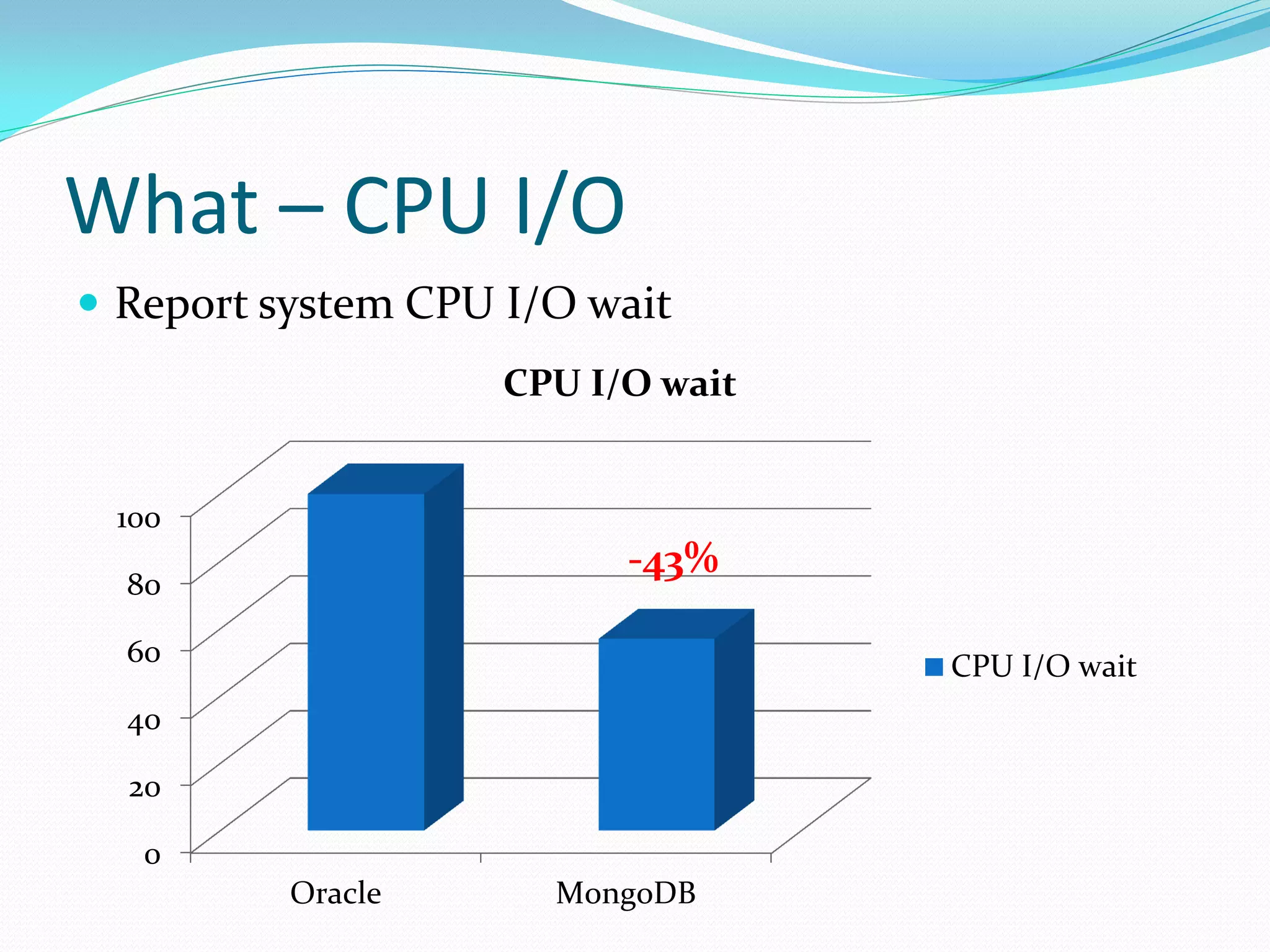
What – CPU I/O
 Report system CPU I/O wait
                    CPU I/O wait


 100
                          -43%
  80

  60                               CPU I/O wait
  40

  20

   0
          Oracle      MongoDB
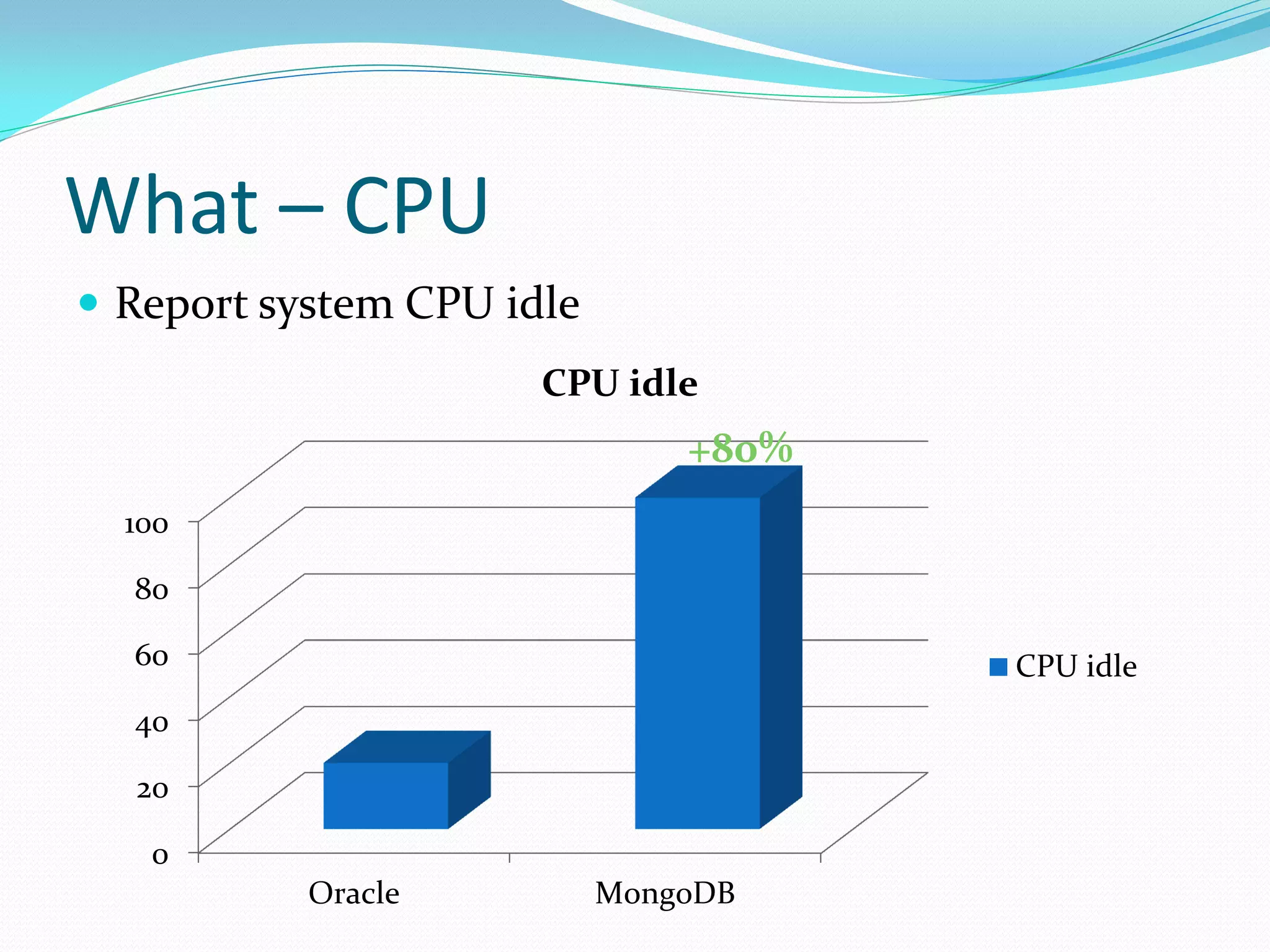
What – CPU
 Report system CPU idle
                      CPU idle
                               +80%
  100

  80

  60                                  CPU idle
  40

  20

   0
           Oracle          MongoDB
What – Log system
 3 nodes replica set storing 2 billion documents
 12 million documents grow everyday
 100 thousand query request within 2 seconds average
 response time
Q&A

How We Use MongoDB in Our Advertising System

  • 1.
    Why and HowI use MongoDB {name:”Macro Huang”, github:”macrohuang”, location:”Beijing”, email:[“macrohuang.whu@gamil.com”,”macroh uang@126.com”] }
  • 2.
    Content Where do Iuse MongoDB Why I choose MongoDB How I use MongoDB What is the benefit of using MongoDB Q&A
  • 3.
    Where—Report System  Datanever change after importing  Pre-compute before importing into MongoDB  Good performance of query
  • 4.
    Where—Log System  Hugedata totally  Data grows very quickly  Data never change  No transaction required  A little complex query
  • 5.
    Why—Heavy VS Thin RDB is powerful, but too heavy to fit some requirement
  • 6.
    Why—Speed  RDB ispoor of performance while there is huge data  {“CPU”:” Intel(R) Core(TM)2 Duo CPU E7200 @ 2.53GHz”, ”RAM”:”8G DDR2 667”, ”Disk”:”SATA”, ”OS”:”Redhat 5.5”}
  • 7.
    Why—Query QPS  50million records query QPS
  • 8.
    Why—Insert QPS  50millions records insert QPS
  • 9.
    Why—Insert TPS  50millions records insert TPS
  • 10.
    Why—Insert CPU  50millions records insert CPU
  • 11.
  • 12.
  • 13.
    Why—Extend  RDB ishard to extend while MongoDB is easy
  • 14.
    Why– Other  Hugedata will grow fast  No transaction  A little complex query  Index support  Multiple language support  Auto sharding  Map/Reduce support  GridFS
  • 15.
    How –Rule  Therule is THINK and DESIGN
  • 16.
    How – ODM Use ODM to minimize the cost of learning  Spring Data, Morm(https://github.com/macrohuang/mongo-orm) and so on
  • 17.
    How – Cluster Always use replica set  Reading from a secondary (however, you will need to deal with possible eventual consistency depending on the write concern) Kill them first, they are copied from me.
  • 18.
    How – ReplicaSet  Always assign replica set priority
  • 19.
    How – Keydesign  Keep document key short to save space
  • 20.
    How – _id Customize your own _id
  • 21.
    How – Sortrule  Never sort on un-index field with lots of result
  • 22.
    How – Index Keep all your indexes in RAM(for maximum performance, but not required)
  • 23.
    What – TPS Report transaction(Business transaction) Transaction per second +29% 100 80 60 Transaction per second 40 20 0 Oracle MongoDB
  • 24.
    What – Responsetime  Report system max response time Max Response Time 100 -28.55% 80 60 Max Response Time 40 20 0 Oracle MongoDB
  • 25.
    What – CPUI/O  Report system CPU I/O wait CPU I/O wait 100 -43% 80 60 CPU I/O wait 40 20 0 Oracle MongoDB
  • 26.
    What – CPU Report system CPU idle CPU idle +80% 100 80 60 CPU idle 40 20 0 Oracle MongoDB
  • 27.
    What – Logsystem  3 nodes replica set storing 2 billion documents  12 million documents grow everyday  100 thousand query request within 2 seconds average response time
  • 28.