
Module 1 / unit 3
  Processors
    By Kenneth Ayebazibwe
 256774185458 / 256702555890
      kynaye@gmail.com
Objectives
• On completion of this unit, you will be able to:
• Define the following processor terminology;
    –   Data bus and address bus
    –   Registers
    –   Manufacturing process
    –   Packaging
    –   Instruction set
    –   Cache
    –   Clock speed, throttling and overclocking
• Understand technologies for improving performance, such as
  multitasking, multi processing, superscalar design and dual core
• Describe features of Intel and AMD desktop and mobile CPUs
• Describe characteristics and CPU compatibility of processor sockets
• Describe different CPU cooling solutions
Central Processing Unit (CPU)
•   The Central Processing Unit (CPU) is the "brain" of the computer--it is the 'compute'
    in computer. Without the CPU, you have no computer. Computer CPU's (processors)
    are composed of thin layers of thousands of transistors. Transistors are tiny, nearly
    microscopic bits of material that will block electricity when the electricity is only a
    weak charge, but will allow the electricity pass through when the electricity is strong
    enough. The transistors transition from being a non-conductor (resist the electricity) to
    a conductor (they conduct electricity) when the electrical change is strong enough. The
    material the transistor is made of loses its resistance to electricity and becomes a
    conductor when the electricity gets strong enough. The ability of these materials
    (called semi-conductors) to transition from a non-conducting to a conducting state
    allows them to take two electrical inputs and produce a different output only when one
    or both inputs are switched on. A computer CPU is composed of millions (and soon
    billions) of transistors. Because CPU's are so small, they are often referred to as
    microprocessors. So, the terms processor, microprocessor and CPU are
    interchangeable. AMD, IBM, Intel, Motorola, SGI and Sun are just a few of the
    companies that make most of the CPU's used for various kinds of computers
    including home desktops, office computers, mainframes and supercomputers.
• Modern CPU's are what are called 'integrated chips'. The idea behind an
  integrated chip is that several types of components are integrated into a single
  piece of silicon (a single CPU), such as one or more execution
  cores, arithmetic logic unit (ALU) or 'floating point'
  processor, registers, instruction memory, cache memory and the input/output
  controller (bus controller).
• Each transistor is a receives a set of inputs and produces output. When one
  or more of the inputs receive electricity, the combined charge changes the
  state of the transistor internally and you get a result out the other side. This
  simple effect of the transistor is what makes it possible for the computer to
  count and perform logical operations, all of which we call processing.
• A modern computer's CPU usually contains an execution core with two or
  more instruction pipelines, a data and address bus, a dedicated arithmetic
  logic unit (ALU, also called the math co-processor), and in some cases special
  high-speed memory for caching program instructions from RAM.
• The CPU's in most PC's and servers are general purpose integrated chips
  composed of several smaller dedicated-purpose components which together
  create the processing capabilities of the modern computer.
• For example, Intel makes a Pentium, while AMD makes the Athlon, and
  Duron (no memory cache).
• CPU manufacturers engineer new ways to do processing that requires some
  significant re-engineering of the current chip design. When they create this
  new design that changes the number of bits the chip can handle, or some
  other major way in which the chip performs its job, they are creating a new
  generation of processors.
CPU Components
• A lot of components go into building a modern computer processor
  and just what goes in changes with every generation as engineers and
  scientists find new, more efficient ways to do old tasks.
    –   Execution Core(s)
    –   Data Bus
    –   Address Bus
    –   Math Co-processor
    –   Instruction sets / Microcode
    –   Multimedia extensions
    –   Registers
    –   Flags
    –   Pipelining
    –   Memory Controller
    –   Cache Memory (L1, L2 and L3)
Measuring Speed: Bits, Cycles and
              Execution Cores
Bit Width
    – The first way of describing a processor is to say how many bits it processes in a
      single instruction or transports across the processor's internal bus in a single cycle
      (not exactly correct, but close enough). The number of bits used in the CPU's
      instructions and registers and how many bits the buses can transfer simultaneously
      is usually expressed in multiples of 8 bits. It is possible for the registers and the
      bus to have different sizes. Current chip designs are 64 bit chips (as of 2008).
    – More bits usually means more processing capability and more speed.
Clock Cycles
    – The second way of describing a processor is to say how many cycles per second
      the chip operates at. This is how many times per second a charge of electricity
      passes through the chip. The more cycles, the faster the processor.
      Currently, chips operate in the billions of cycles per second range. When you're
      talking about billions of anything in computer terms, you're talking about 'giga'
      something. When you're talking about how many cycles per second, your talking
      about 'hertz'. Putting the two together, you get gigahertz.
    – More clock cycles usually means more processing capability and more speed.
• Execution Cores
   – The third way of describing a processor is to say how many execution
     cores are in the chip. The most advanced chips today have eight execution
     cores. More execution cores means you can get more work done at the
     same time, but it doesn't necessarily mean a single program will run faster.
     To put it another way, a processor with one execution core might be able
     to run your MP3 music, your web browser, a graphics program and that's
     about where it starts to slow down enough, it's not worth it running more
     programs. A system with a processor with 8 cores could run all that plus
     ten more applications without even seeming to slow down (of course, this
     assumes you have enough RAM to load all of this software at the same
     time).
   – More execution cores means more processing capability, but not
     necessarily more speed.
   – The most advanced processors available are 64-bit processors with 8
     cores, running as fast as 3-4 gigahertz. Intel has released quad-core 64-bit
     chips as has AMD.
• Multi-Processor Computers
    – And if you're still needing more processing power, some computers are designed to run
      more than one processor chip at the same time. Many companies that manufacture servers
      make models that accept two, four, eight, sixteen even thirty two processors in a single
      chassis. The biggest supercomputers are running hundreds of thousands of quad-core
      processors in parallel to do major calculations for such applications as thermonuclear
      weapons simulations, radioactive decay simulations, weather simulations, high energy physics
      calculations and more.
CPU Speed Measurements
• The main measurement quoted by manufacturers as a supposed indication of
  processing speed, is the clock speed of the chip measured in hertz. The
  theory goes that the higher the number of mega or gigahertz, the faster the
  processor.
• However comparing raw speeds is not always a good comparison between
  chips. Counting how many instructions are processed per second
  (MIPS, BIPS, TIPS for millions, billions and trillions of instructions per
  second) is a better measurement. Still others use the number of mathematical
  calculations per second to rate the speed of a processor.
• Of course, what measurement is most important and most helpful to you
  depends on what you use a computer for. If you primarily do intensive math
  calculations, measuring the number of calculations per second is most
  important. If you are measuring how fast the computer runs an
  application, then instructions per second are most important.
Processor Manufacturers
•   American Micro Devices (AMD)
•   Intel
•   IBM
•   Motorola
•   Cyrix
•   Texas Instruments
     – AMD and Intel have pretty much dominated the market. AMD and Intel are for IBM
          compatible machines. Motorola chips are made for MacIntoshes. Cyrix (another IBM
          compatible chip maker) runs a distant fourth place in terms of number of chips sold.
     – Today all chip manufacturers produce chips whose input and output are identical, though the
          internal architecture may be different. This means that though they may not be built the
          same way, they DO all run the same software.
     – The CPU is built using logic gates, and contains a small number of programs called
          'microcode' built into the chip to perform certain basic processes (like reading data from the
          bus and writing to a device). Current chips use a 'reduced instruction set' or RISC
          architectures. Chips can also be measured in terms of instructions processed per second
          (MIPS).
Symbols, Instructions and Microcode
• Symbols
    – Symbols represent binary values. Symbols are the simplest representation of the relationship
      between computer binary values and the information that computers process. A symbol
      might be a particular tone your modem screeches that represents a series of bits (zeroes and
      ones). A symbol also might be a specific electrical voltage on the phone line that represents a
      pattern of bits.
• Instructions
    – Instructions are basic commands composed of one or more symbols that when passed to a
      processor as input, produce a specific output pattern. Functions an instruction can perform
      include adding two numbers, subtracting two numbers, reading a byte from input, writing a
      byte to output and more.
    – At the lowest level, computer processors execute instructions. Computers must be given
      information and then told what to do with it. Binary data is the information and instructions
      are the 'what to do'. The computer's clock cycles in a regular pattern between zero and
      one, releasing pulses of electricity into the rest of the computer's circuitry. Each pulse is
      called a 'clock cycle'. During each clock cycle, the computer executes part or all of an
      instruction. Some instructions take more than one clock cycle, others take only part of a
      clock cycle.
• Microcode
   – Microcode is a logically organized set of instructions that allows the computer to perform a
     basic task such as writing information to video memory, reading a keystroke from the
     keyboard buffer, or performing a math calculation each of which is embedded in the design
     of the transistors in an integrated chip and forms the basis of a CPU instruction set.
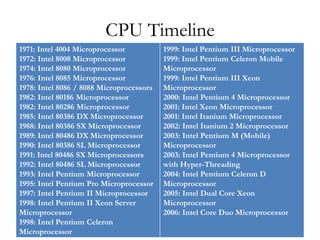
CPU Timeline
1971: Intel 4004 Microprocessor           1999: Intel Pentium III Microprocessor
1972: Intel 8008 Microprocessor           1999: Intel Pentium Celeron Mobile
1974: Intel 8080 Microprocessor           Microprocessor
1976: Intel 8085 Microprocessor           1999: Intel Pentium III Xeon
1978: Intel 8086 / 8088 Microprocessors   Microprocessor
1982: Intel 80186 Microprocessor          2000: Intel Pentium 4 Microprocessor
1982: Intel 80286 Microprocessor          2001: Intel Xeon Microprocessor
1985: Intel 80386 DX Microprocessor       2001: Intel Itanium Microprocessor
1988: Intel 80386 SX Microprocessor       2002: Intel Itanium 2 Microprocessor
1989: Intel 80486 DX Microprocessor       2003: Intel Pentium M (Mobile)
1990: Intel 80386 SL Microprocessor       Microprocessor
1991: Intel 80486 SX Microprocessors      2003: Intel Pentium 4 Microprocessor
1992: Intel 80486 SL Microprocessor       with Hyper-Threading
1993: Intel Pentium Microprocessor        2004: Intel Pentium Celeron D
1995: Intel Pentium Pro Microprocessor    Microprocessor
1997: Intel Pentium II Microprocessor     2005: Intel Dual Core Xeon
1998: Intel Pentium II Xeon Server        Microprocessor
Microprocessor                            2006: Intel Core Duo Microprocessor
1998: Intel Pentium Celeron
Microprocessor
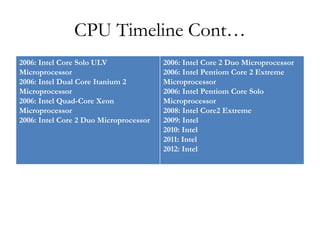
CPU Timeline Cont…
2006: Intel Core Solo ULV               2006: Intel Core 2 Duo Microprocessor
Microprocessor                          2006: Intel Pentiom Core 2 Extreme
2006: Intel Dual Core Itanium 2         Microprocessor
Microprocessor                          2006: Intel Pentiom Core Solo
2006: Intel Quad-Core Xeon              Microprocessor
Microprocessor                          2008: Intel Core2 Extreme
2006: Intel Core 2 Duo Microprocessor   2009: Intel
                                        2010: Intel
                                        2011: Intel
                                        2012: Intel
Review Questions
          Processors
Follow on face book group page
     Thanks for attending

Module 1 unit 3

  • 1.
    Module 1 /unit 3 Processors By Kenneth Ayebazibwe 256774185458 / 256702555890 kynaye@gmail.com
  • 2.
    Objectives • On completionof this unit, you will be able to: • Define the following processor terminology; – Data bus and address bus – Registers – Manufacturing process – Packaging – Instruction set – Cache – Clock speed, throttling and overclocking • Understand technologies for improving performance, such as multitasking, multi processing, superscalar design and dual core • Describe features of Intel and AMD desktop and mobile CPUs • Describe characteristics and CPU compatibility of processor sockets • Describe different CPU cooling solutions
  • 3.
    Central Processing Unit(CPU) • The Central Processing Unit (CPU) is the "brain" of the computer--it is the 'compute' in computer. Without the CPU, you have no computer. Computer CPU's (processors) are composed of thin layers of thousands of transistors. Transistors are tiny, nearly microscopic bits of material that will block electricity when the electricity is only a weak charge, but will allow the electricity pass through when the electricity is strong enough. The transistors transition from being a non-conductor (resist the electricity) to a conductor (they conduct electricity) when the electrical change is strong enough. The material the transistor is made of loses its resistance to electricity and becomes a conductor when the electricity gets strong enough. The ability of these materials (called semi-conductors) to transition from a non-conducting to a conducting state allows them to take two electrical inputs and produce a different output only when one or both inputs are switched on. A computer CPU is composed of millions (and soon billions) of transistors. Because CPU's are so small, they are often referred to as microprocessors. So, the terms processor, microprocessor and CPU are interchangeable. AMD, IBM, Intel, Motorola, SGI and Sun are just a few of the companies that make most of the CPU's used for various kinds of computers including home desktops, office computers, mainframes and supercomputers.
  • 4.
    • Modern CPU'sare what are called 'integrated chips'. The idea behind an integrated chip is that several types of components are integrated into a single piece of silicon (a single CPU), such as one or more execution cores, arithmetic logic unit (ALU) or 'floating point' processor, registers, instruction memory, cache memory and the input/output controller (bus controller). • Each transistor is a receives a set of inputs and produces output. When one or more of the inputs receive electricity, the combined charge changes the state of the transistor internally and you get a result out the other side. This simple effect of the transistor is what makes it possible for the computer to count and perform logical operations, all of which we call processing. • A modern computer's CPU usually contains an execution core with two or more instruction pipelines, a data and address bus, a dedicated arithmetic logic unit (ALU, also called the math co-processor), and in some cases special high-speed memory for caching program instructions from RAM.
  • 5.
    • The CPU'sin most PC's and servers are general purpose integrated chips composed of several smaller dedicated-purpose components which together create the processing capabilities of the modern computer. • For example, Intel makes a Pentium, while AMD makes the Athlon, and Duron (no memory cache).
  • 6.
    • CPU manufacturersengineer new ways to do processing that requires some significant re-engineering of the current chip design. When they create this new design that changes the number of bits the chip can handle, or some other major way in which the chip performs its job, they are creating a new generation of processors.
  • 7.
    CPU Components • Alot of components go into building a modern computer processor and just what goes in changes with every generation as engineers and scientists find new, more efficient ways to do old tasks. – Execution Core(s) – Data Bus – Address Bus – Math Co-processor – Instruction sets / Microcode – Multimedia extensions – Registers – Flags – Pipelining – Memory Controller – Cache Memory (L1, L2 and L3)
  • 8.
    Measuring Speed: Bits,Cycles and Execution Cores Bit Width – The first way of describing a processor is to say how many bits it processes in a single instruction or transports across the processor's internal bus in a single cycle (not exactly correct, but close enough). The number of bits used in the CPU's instructions and registers and how many bits the buses can transfer simultaneously is usually expressed in multiples of 8 bits. It is possible for the registers and the bus to have different sizes. Current chip designs are 64 bit chips (as of 2008). – More bits usually means more processing capability and more speed. Clock Cycles – The second way of describing a processor is to say how many cycles per second the chip operates at. This is how many times per second a charge of electricity passes through the chip. The more cycles, the faster the processor. Currently, chips operate in the billions of cycles per second range. When you're talking about billions of anything in computer terms, you're talking about 'giga' something. When you're talking about how many cycles per second, your talking about 'hertz'. Putting the two together, you get gigahertz. – More clock cycles usually means more processing capability and more speed.
  • 9.
    • Execution Cores – The third way of describing a processor is to say how many execution cores are in the chip. The most advanced chips today have eight execution cores. More execution cores means you can get more work done at the same time, but it doesn't necessarily mean a single program will run faster. To put it another way, a processor with one execution core might be able to run your MP3 music, your web browser, a graphics program and that's about where it starts to slow down enough, it's not worth it running more programs. A system with a processor with 8 cores could run all that plus ten more applications without even seeming to slow down (of course, this assumes you have enough RAM to load all of this software at the same time). – More execution cores means more processing capability, but not necessarily more speed. – The most advanced processors available are 64-bit processors with 8 cores, running as fast as 3-4 gigahertz. Intel has released quad-core 64-bit chips as has AMD.
  • 10.
    • Multi-Processor Computers – And if you're still needing more processing power, some computers are designed to run more than one processor chip at the same time. Many companies that manufacture servers make models that accept two, four, eight, sixteen even thirty two processors in a single chassis. The biggest supercomputers are running hundreds of thousands of quad-core processors in parallel to do major calculations for such applications as thermonuclear weapons simulations, radioactive decay simulations, weather simulations, high energy physics calculations and more.
  • 11.
    CPU Speed Measurements •The main measurement quoted by manufacturers as a supposed indication of processing speed, is the clock speed of the chip measured in hertz. The theory goes that the higher the number of mega or gigahertz, the faster the processor. • However comparing raw speeds is not always a good comparison between chips. Counting how many instructions are processed per second (MIPS, BIPS, TIPS for millions, billions and trillions of instructions per second) is a better measurement. Still others use the number of mathematical calculations per second to rate the speed of a processor. • Of course, what measurement is most important and most helpful to you depends on what you use a computer for. If you primarily do intensive math calculations, measuring the number of calculations per second is most important. If you are measuring how fast the computer runs an application, then instructions per second are most important.
  • 12.
    Processor Manufacturers • American Micro Devices (AMD) • Intel • IBM • Motorola • Cyrix • Texas Instruments – AMD and Intel have pretty much dominated the market. AMD and Intel are for IBM compatible machines. Motorola chips are made for MacIntoshes. Cyrix (another IBM compatible chip maker) runs a distant fourth place in terms of number of chips sold. – Today all chip manufacturers produce chips whose input and output are identical, though the internal architecture may be different. This means that though they may not be built the same way, they DO all run the same software. – The CPU is built using logic gates, and contains a small number of programs called 'microcode' built into the chip to perform certain basic processes (like reading data from the bus and writing to a device). Current chips use a 'reduced instruction set' or RISC architectures. Chips can also be measured in terms of instructions processed per second (MIPS).
  • 13.
    Symbols, Instructions andMicrocode • Symbols – Symbols represent binary values. Symbols are the simplest representation of the relationship between computer binary values and the information that computers process. A symbol might be a particular tone your modem screeches that represents a series of bits (zeroes and ones). A symbol also might be a specific electrical voltage on the phone line that represents a pattern of bits. • Instructions – Instructions are basic commands composed of one or more symbols that when passed to a processor as input, produce a specific output pattern. Functions an instruction can perform include adding two numbers, subtracting two numbers, reading a byte from input, writing a byte to output and more. – At the lowest level, computer processors execute instructions. Computers must be given information and then told what to do with it. Binary data is the information and instructions are the 'what to do'. The computer's clock cycles in a regular pattern between zero and one, releasing pulses of electricity into the rest of the computer's circuitry. Each pulse is called a 'clock cycle'. During each clock cycle, the computer executes part or all of an instruction. Some instructions take more than one clock cycle, others take only part of a clock cycle.
  • 14.
    • Microcode – Microcode is a logically organized set of instructions that allows the computer to perform a basic task such as writing information to video memory, reading a keystroke from the keyboard buffer, or performing a math calculation each of which is embedded in the design of the transistors in an integrated chip and forms the basis of a CPU instruction set.
  • 15.
    CPU Timeline 1971: Intel4004 Microprocessor 1999: Intel Pentium III Microprocessor 1972: Intel 8008 Microprocessor 1999: Intel Pentium Celeron Mobile 1974: Intel 8080 Microprocessor Microprocessor 1976: Intel 8085 Microprocessor 1999: Intel Pentium III Xeon 1978: Intel 8086 / 8088 Microprocessors Microprocessor 1982: Intel 80186 Microprocessor 2000: Intel Pentium 4 Microprocessor 1982: Intel 80286 Microprocessor 2001: Intel Xeon Microprocessor 1985: Intel 80386 DX Microprocessor 2001: Intel Itanium Microprocessor 1988: Intel 80386 SX Microprocessor 2002: Intel Itanium 2 Microprocessor 1989: Intel 80486 DX Microprocessor 2003: Intel Pentium M (Mobile) 1990: Intel 80386 SL Microprocessor Microprocessor 1991: Intel 80486 SX Microprocessors 2003: Intel Pentium 4 Microprocessor 1992: Intel 80486 SL Microprocessor with Hyper-Threading 1993: Intel Pentium Microprocessor 2004: Intel Pentium Celeron D 1995: Intel Pentium Pro Microprocessor Microprocessor 1997: Intel Pentium II Microprocessor 2005: Intel Dual Core Xeon 1998: Intel Pentium II Xeon Server Microprocessor Microprocessor 2006: Intel Core Duo Microprocessor 1998: Intel Pentium Celeron Microprocessor
  • 16.
    CPU Timeline Cont… 2006:Intel Core Solo ULV 2006: Intel Core 2 Duo Microprocessor Microprocessor 2006: Intel Pentiom Core 2 Extreme 2006: Intel Dual Core Itanium 2 Microprocessor Microprocessor 2006: Intel Pentiom Core Solo 2006: Intel Quad-Core Xeon Microprocessor Microprocessor 2008: Intel Core2 Extreme 2006: Intel Core 2 Duo Microprocessor 2009: Intel 2010: Intel 2011: Intel 2012: Intel
  • 17.
    Review Questions Processors Follow on face book group page Thanks for attending