ABAP Chapter 5 Modularization Catch Statement
Modularization
Modularization Internal Subroutine Call External Subroutine Call Function Module
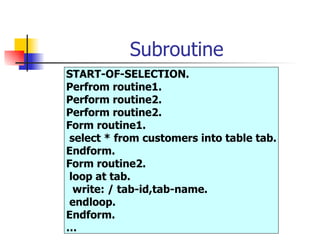
Subroutine START-OF-SELECTION. Perfrom routine1. Perform routine2. Perform routine2. Form routine1. select * from customers into table tab. Endform. Form routine2. loop at tab. write: / tab-id,tab-name.  endloop. Endform. …
Modularization Avoid redundancy Make your program easy to read & improve their structure Re-use Program components
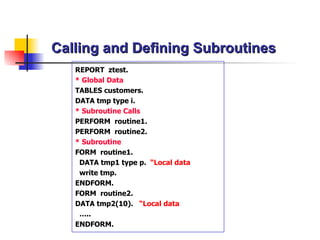
Calling and Defining Subroutines REPORT  ztest. * Global Data TABLES  customers. DATA  tmp type i. * Subroutine Calls PERFORM  routine1. PERFORM  routine2. * Subroutine  FORM  routine1. DATA  tmp1 type p.   “Local data write tmp. ENDFORM . FORM  routine2. DATA  tmp2(10).   “Local data … .. ENDFORM .
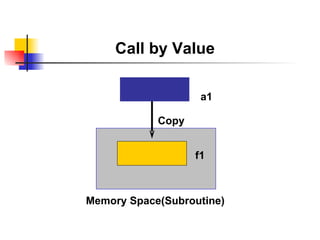
Call by Value a1 Memory Space(Subroutine) f1 Copy
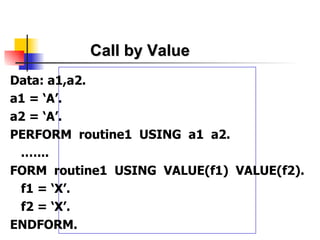
Call by Value Data: a1,a2. a1 = ‘A’. a2 = ‘A’. PERFORM  routine1  USING  a1  a2. .…... FORM  routine1  USING  VALUE(f1)  VALUE(f2). f1 = ‘X’. f2 = ‘X’. ENDFORM.
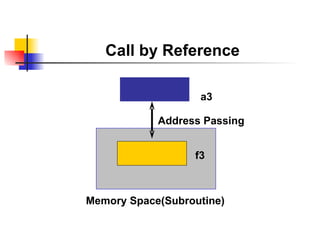
Call by Reference a3 Memory Space(Subroutine) f3 Address Passing
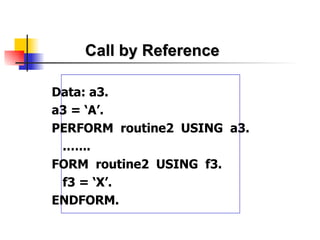
Call by Reference Data: a3. a3 = ‘A’. PERFORM  routine2  USING  a3. .…... FORM  routine2  USING  f3. f3 = ‘X’. ENDFORM.
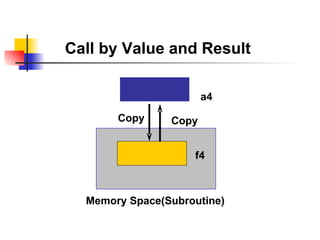
Call by Value and Result a4 Memory Space(Subroutine) f4 Copy Copy
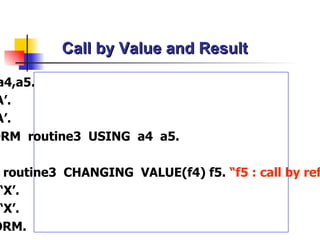
Call by Value and Result Data: a4,a5. a4 = ‘A’. a5 = ‘A’. PERFORM  routine3  USING  a4  a5. .…... FORM  routine 3   CHANGING  VALUE(f4) f5.  “ f5 : call by  reference f4 = ‘X’. f5 = ‘X’. ENDFORM.
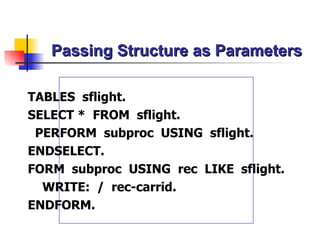
Passing Structure as Parameters TABLES  sflight. SELECT *  FROM  sflight. PERFORM  subproc  USING  sflight. ENDSELECT. FORM  subproc  USING  rec  LIKE  sflight. WRITE:  /  rec-carrid. ENDFORM.
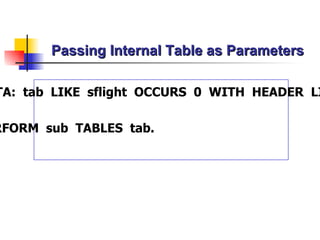
Passing Internal Table as Parameters DATA:  tab  LIKE  sflight  OCCURS  0  WITH  HEADER  LINE. … PERFORM  sub   TABLES  tab.
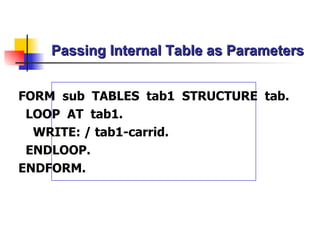
Passing Internal Table as Parameters FORM  sub  TABLES  tab1  STRUCTURE  tab. LOOP  AT  tab1. WRITE: / tab1-carrid. ENDLOOP. ENDFORM.
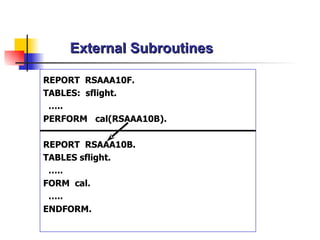
External Subroutines REPORT  RSAAA10F. TABLES:  sflight. … .. PERFORM  cal(RSAAA10B). REPORT  RSAAA10B. TABLES sflight. … .. FORM  cal. … .. ENDFORM.
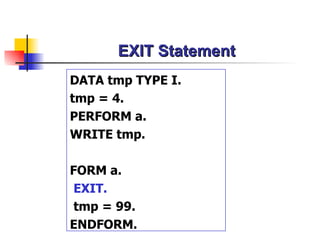
EXIT Statement DATA tmp TYPE I. tmp = 4. PERFORM a. WRITE tmp. FORM a. EXIT. tmp = 99. ENDFORM.
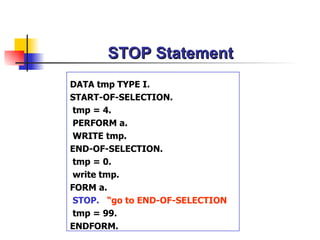
STOP Statement DATA tmp TYPE I. START-OF-SELECTION. tmp = 4.  PERFORM a. WRITE tmp. END-OF-SELECTION. tmp = 0. write tmp. FORM a. STOP.   “go to END-OF-SELECTION tmp = 99. ENDFORM.
Function Module
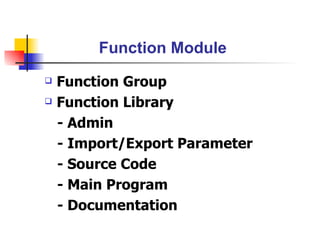
Function Module Function Group Function Library - Admin - Import/Export Parameter - Source Code - Main Program - Documentation
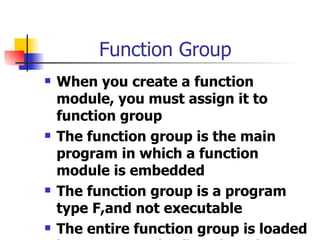
Function Group When you create a function module, you must assign it to function group The function group is the main program in which a function module is embedded The function group is a program type F,and not executable The entire function group is loaded in a program the first time that you call a function module that belongs to it
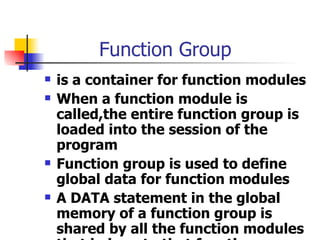
Function Group is a container for function modules When a function module is called,the entire function group is loaded into the session of the program Function group is used to define global data for function modules A DATA statement in the global memory of a function group is shared by all the function modules that belong to that function group
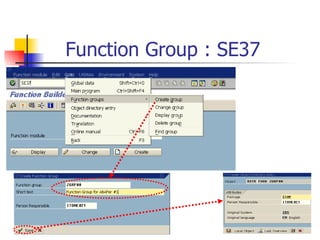
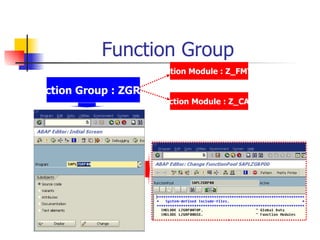
Function Group : SE37
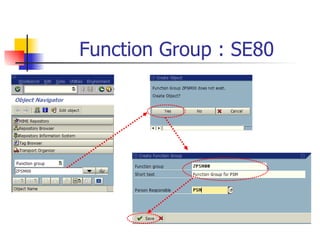
Function Group   : SE80
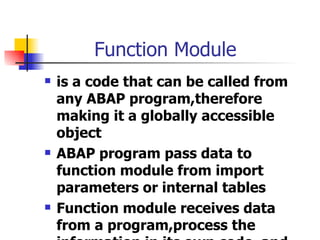
Function Module is a code that can be called from any ABAP program,therefore making it a globally accessible object  ABAP program pass data to function module from import parameters or internal tables Function module receives data from a program,process the information in its own code, and then sends back information in the export parameters or internal tables
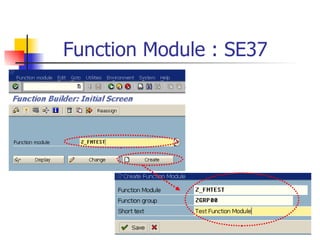
Function Module : SE37
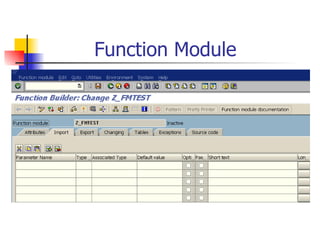
Function Module
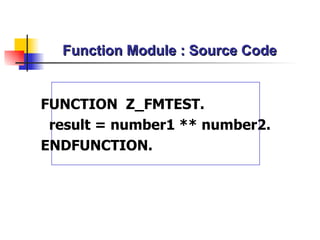
Function Module : Source Code FUNCTION  Z_FMTEST. result = number1 ** number2. ENDFUNCTION.
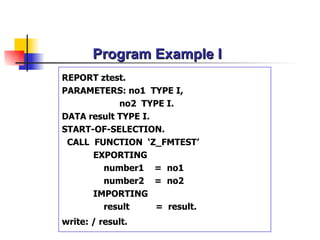
Program Example I REPORT ztest. PARAMETERS:  no1   TYPE  I , no2  TYPE I. DATA  result TYPE I . START-OF-SELECTION. CALL  FUNCTION  ‘Z_ FMTEST ’ EXPORTING number1   =  no1 number2   =  no2 IMPORTING result   =  result. write: / result.
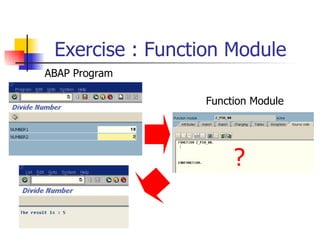
Exercise : Function Module ? ABAP Program Function Module
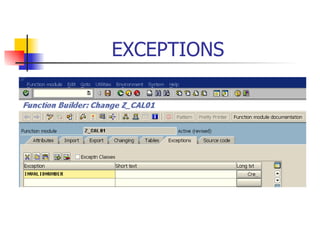
EXCEPTIONS
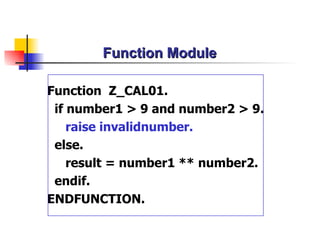
Function Module Function  Z_CAL01. if number1 > 9 and number2 > 9. raise invalidnumber. else. result = number1 ** number2. endif. ENDFUNCTION.
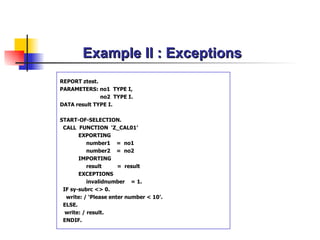
Example II : Exceptions REPORT ztest. PARAMETERS:  no1   TYPE  I , no2  TYPE I. DATA  result TYPE I . START-OF-SELECTION. CALL  FUNCTION  ‘Z_ CAL01 ’ EXPORTING number1   =  no1 number2   =  no2 IMPORTING result   =  result EXCEPTIONS invalidnumber  = 1. IF sy-subrc <> 0. write: / ‘Please enter number < 10’. ELSE. write: / result. ENDIF.
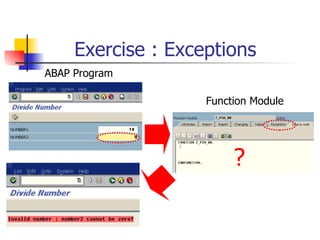
Exercise : Exceptions ? ABAP Program Function Module
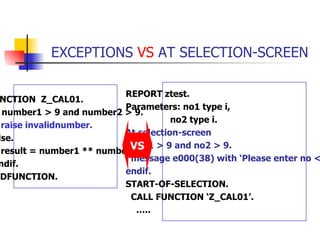
EXCEPTIONS  VS  AT SELECTION-SCREEN FUNCTION  Z_CAL01. if number1 > 9 and number2 > 9. raise invalidnumber. else. result = number1 ** number2. endif. ENDFUNCTION. REPORT ztest. Parameters: no1 type i, no2 type i.  At selection-screen if no1 > 9 and no2 > 9. message e000(38) with ‘Please enter no < 10’.  endif. START-OF-SELECTION. CALL FUNCTION ‘Z_CAL01’. … .. VS
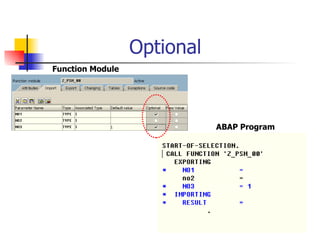
Optional ABAP Program Function Module
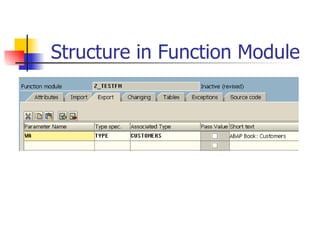
Structure in Function Module
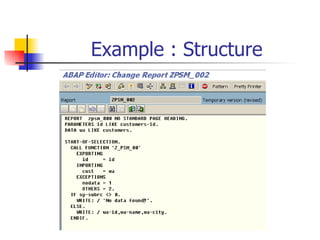
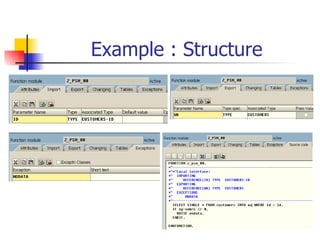
Example : Structure
Example : Structure
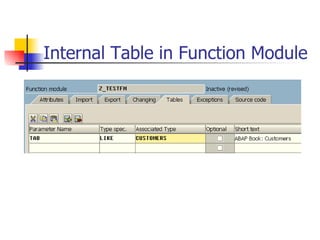
Internal Table in Function Module
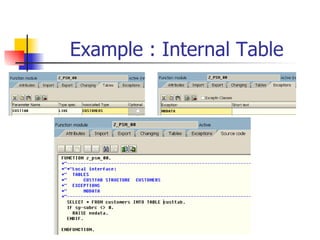
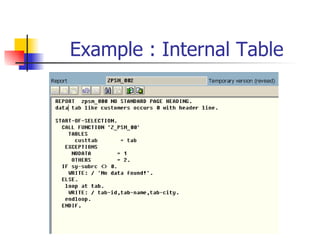
Example : Internal Table
Function Group Function Group : ZGRP00 Function Module : Z_FMTEST Function Module : Z_CAL01
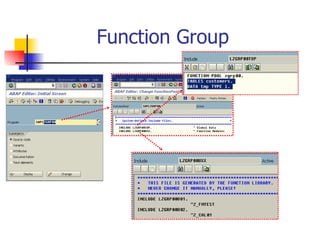
Function Group
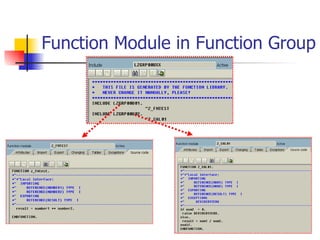
Function Module in Function Group
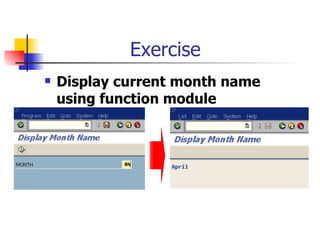
Exercise Display current month name using function module
Catch Statement
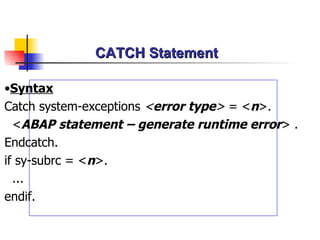
CATCH Statement  Syntax Catch system-exceptions  < error type >  =  < n > . < ABAP statement – generate runtime error >  .  Endcatch. if sy-subrc = < n >. ... endif.
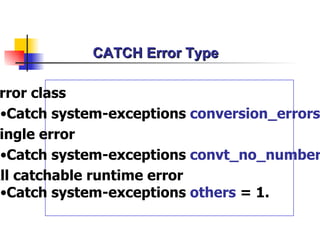
CATCH Error Type Error class Catch system-exceptions  conversion_errors  = 1. Single error Catch system-exceptions  convt_no_number  = 1. All catchable runtime error Catch system-exceptions  others  = 1.
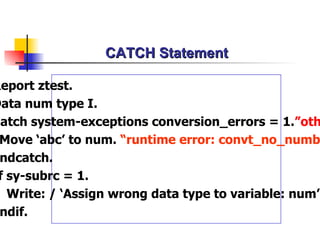
CATCH Statement Report ztest. Data num type I. Catch system-exceptions conversion_errors = 1. ”others Move ‘abc’ to num.  “runtime error: convt_no_number Endcatch. If sy-subrc = 1. Write: / ‘Assign wrong data type to variable: num’. Endif.
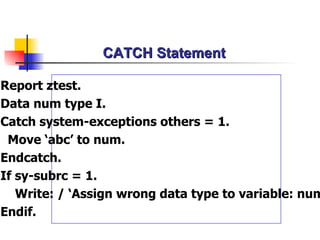
CATCH Statement Report ztest. Data num type I. Catch system-exceptions  other s = 1. Move ‘abc’ to num.  Endcatch. If sy-subrc = 1. Write: / ‘Assign wrong data type to variable: num’. Endif.
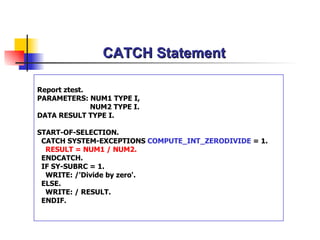
CATCH Statement Report ztest. PARAMETERS: NUM1 TYPE I,   NUM2 TYPE I. DATA RESULT TYPE I. START-OF-SELECTION. CATCH SYSTEM-EXCEPTIONS  COMPUTE_INT_ZERODIVIDE  = 1. RESULT = NUM1 / NUM2. ENDCATCH. IF SY-SUBRC = 1. WRITE: /'Divide by zero'. ELSE. WRITE: / RESULT. ENDIF.
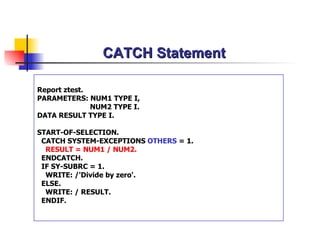
CATCH Statement Report ztest. PARAMETERS: NUM1 TYPE I,   NUM2 TYPE I. DATA RESULT TYPE I. START-OF-SELECTION. CATCH SYSTEM-EXCEPTIONS  OTHERS  = 1. RESULT = NUM1 / NUM2. ENDCATCH. IF SY-SUBRC = 1. WRITE: /'Divide by zero'. ELSE. WRITE: / RESULT. ENDIF.
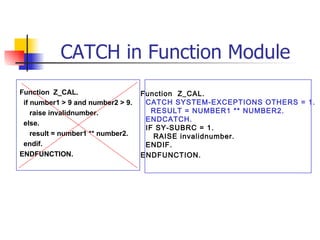
CATCH in Function Module Function  Z_CAL. if number1 > 9 and number2 > 9. raise invalidnumber. else. result = number1 ** number2. endif. ENDFUNCTION. Function  Z_CAL. CATCH SYSTEM-EXCEPTIONS OTHERS = 1. RESULT = NUMBER1 ** NUMBER2. ENDCATCH. IF SY-SUBRC = 1. RAISE invalidnumber. ENDIF. ENDFUNCTION.
ABAP Practice

Modularization & Catch Statement

  • 1.
    ABAP Chapter 5Modularization Catch Statement
  • 2.
  • 3.
    Modularization Internal SubroutineCall External Subroutine Call Function Module
  • 4.
    Subroutine START-OF-SELECTION. Perfromroutine1. Perform routine2. Perform routine2. Form routine1. select * from customers into table tab. Endform. Form routine2. loop at tab. write: / tab-id,tab-name. endloop. Endform. …
  • 5.
    Modularization Avoid redundancyMake your program easy to read & improve their structure Re-use Program components
  • 6.
    Calling and DefiningSubroutines REPORT ztest. * Global Data TABLES customers. DATA tmp type i. * Subroutine Calls PERFORM routine1. PERFORM routine2. * Subroutine FORM routine1. DATA tmp1 type p. “Local data write tmp. ENDFORM . FORM routine2. DATA tmp2(10). “Local data … .. ENDFORM .
  • 7.
    Call by Valuea1 Memory Space(Subroutine) f1 Copy
  • 8.
    Call by ValueData: a1,a2. a1 = ‘A’. a2 = ‘A’. PERFORM routine1 USING a1 a2. .…... FORM routine1 USING VALUE(f1) VALUE(f2). f1 = ‘X’. f2 = ‘X’. ENDFORM.
  • 9.
    Call by Referencea3 Memory Space(Subroutine) f3 Address Passing
  • 10.
    Call by ReferenceData: a3. a3 = ‘A’. PERFORM routine2 USING a3. .…... FORM routine2 USING f3. f3 = ‘X’. ENDFORM.
  • 11.
    Call by Valueand Result a4 Memory Space(Subroutine) f4 Copy Copy
  • 12.
    Call by Valueand Result Data: a4,a5. a4 = ‘A’. a5 = ‘A’. PERFORM routine3 USING a4 a5. .…... FORM routine 3 CHANGING VALUE(f4) f5. “ f5 : call by reference f4 = ‘X’. f5 = ‘X’. ENDFORM.
  • 13.
    Passing Structure asParameters TABLES sflight. SELECT * FROM sflight. PERFORM subproc USING sflight. ENDSELECT. FORM subproc USING rec LIKE sflight. WRITE: / rec-carrid. ENDFORM.
  • 14.
    Passing Internal Tableas Parameters DATA: tab LIKE sflight OCCURS 0 WITH HEADER LINE. … PERFORM sub TABLES tab.
  • 15.
    Passing Internal Tableas Parameters FORM sub TABLES tab1 STRUCTURE tab. LOOP AT tab1. WRITE: / tab1-carrid. ENDLOOP. ENDFORM.
  • 16.
    External Subroutines REPORT RSAAA10F. TABLES: sflight. … .. PERFORM cal(RSAAA10B). REPORT RSAAA10B. TABLES sflight. … .. FORM cal. … .. ENDFORM.
  • 17.
    EXIT Statement DATAtmp TYPE I. tmp = 4. PERFORM a. WRITE tmp. FORM a. EXIT. tmp = 99. ENDFORM.
  • 18.
    STOP Statement DATAtmp TYPE I. START-OF-SELECTION. tmp = 4. PERFORM a. WRITE tmp. END-OF-SELECTION. tmp = 0. write tmp. FORM a. STOP. “go to END-OF-SELECTION tmp = 99. ENDFORM.
  • 19.
  • 20.
    Function Module FunctionGroup Function Library - Admin - Import/Export Parameter - Source Code - Main Program - Documentation
  • 21.
    Function Group Whenyou create a function module, you must assign it to function group The function group is the main program in which a function module is embedded The function group is a program type F,and not executable The entire function group is loaded in a program the first time that you call a function module that belongs to it
  • 22.
    Function Group isa container for function modules When a function module is called,the entire function group is loaded into the session of the program Function group is used to define global data for function modules A DATA statement in the global memory of a function group is shared by all the function modules that belong to that function group
  • 23.
  • 24.
  • 25.
    Function Module isa code that can be called from any ABAP program,therefore making it a globally accessible object ABAP program pass data to function module from import parameters or internal tables Function module receives data from a program,process the information in its own code, and then sends back information in the export parameters or internal tables
  • 26.
  • 27.
  • 28.
    Function Module :Source Code FUNCTION Z_FMTEST. result = number1 ** number2. ENDFUNCTION.
  • 29.
    Program Example IREPORT ztest. PARAMETERS: no1 TYPE I , no2 TYPE I. DATA result TYPE I . START-OF-SELECTION. CALL FUNCTION ‘Z_ FMTEST ’ EXPORTING number1 = no1 number2 = no2 IMPORTING result = result. write: / result.
  • 30.
    Exercise : FunctionModule ? ABAP Program Function Module
  • 31.
  • 32.
    Function Module Function Z_CAL01. if number1 > 9 and number2 > 9. raise invalidnumber. else. result = number1 ** number2. endif. ENDFUNCTION.
  • 33.
    Example II :Exceptions REPORT ztest. PARAMETERS: no1 TYPE I , no2 TYPE I. DATA result TYPE I . START-OF-SELECTION. CALL FUNCTION ‘Z_ CAL01 ’ EXPORTING number1 = no1 number2 = no2 IMPORTING result = result EXCEPTIONS invalidnumber = 1. IF sy-subrc <> 0. write: / ‘Please enter number < 10’. ELSE. write: / result. ENDIF.
  • 34.
    Exercise : Exceptions? ABAP Program Function Module
  • 35.
    EXCEPTIONS VS AT SELECTION-SCREEN FUNCTION Z_CAL01. if number1 > 9 and number2 > 9. raise invalidnumber. else. result = number1 ** number2. endif. ENDFUNCTION. REPORT ztest. Parameters: no1 type i, no2 type i. At selection-screen if no1 > 9 and no2 > 9. message e000(38) with ‘Please enter no < 10’. endif. START-OF-SELECTION. CALL FUNCTION ‘Z_CAL01’. … .. VS
  • 36.
    Optional ABAP ProgramFunction Module
  • 37.
  • 38.
  • 39.
  • 40.
    Internal Table inFunction Module
  • 41.
  • 42.
  • 43.
    Function Group FunctionGroup : ZGRP00 Function Module : Z_FMTEST Function Module : Z_CAL01
  • 44.
  • 45.
    Function Module inFunction Group
  • 46.
    Exercise Display currentmonth name using function module
  • 47.
  • 48.
    CATCH Statement Syntax Catch system-exceptions < error type > = < n > . < ABAP statement – generate runtime error > . Endcatch. if sy-subrc = < n >. ... endif.
  • 49.
    CATCH Error TypeError class Catch system-exceptions conversion_errors = 1. Single error Catch system-exceptions convt_no_number = 1. All catchable runtime error Catch system-exceptions others = 1.
  • 50.
    CATCH Statement Reportztest. Data num type I. Catch system-exceptions conversion_errors = 1. ”others Move ‘abc’ to num. “runtime error: convt_no_number Endcatch. If sy-subrc = 1. Write: / ‘Assign wrong data type to variable: num’. Endif.
  • 51.
    CATCH Statement Reportztest. Data num type I. Catch system-exceptions other s = 1. Move ‘abc’ to num. Endcatch. If sy-subrc = 1. Write: / ‘Assign wrong data type to variable: num’. Endif.
  • 52.
    CATCH Statement Reportztest. PARAMETERS: NUM1 TYPE I, NUM2 TYPE I. DATA RESULT TYPE I. START-OF-SELECTION. CATCH SYSTEM-EXCEPTIONS COMPUTE_INT_ZERODIVIDE = 1. RESULT = NUM1 / NUM2. ENDCATCH. IF SY-SUBRC = 1. WRITE: /'Divide by zero'. ELSE. WRITE: / RESULT. ENDIF.
  • 53.
    CATCH Statement Reportztest. PARAMETERS: NUM1 TYPE I, NUM2 TYPE I. DATA RESULT TYPE I. START-OF-SELECTION. CATCH SYSTEM-EXCEPTIONS OTHERS = 1. RESULT = NUM1 / NUM2. ENDCATCH. IF SY-SUBRC = 1. WRITE: /'Divide by zero'. ELSE. WRITE: / RESULT. ENDIF.
  • 54.
    CATCH in FunctionModule Function Z_CAL. if number1 > 9 and number2 > 9. raise invalidnumber. else. result = number1 ** number2. endif. ENDFUNCTION. Function Z_CAL. CATCH SYSTEM-EXCEPTIONS OTHERS = 1. RESULT = NUMBER1 ** NUMBER2. ENDCATCH. IF SY-SUBRC = 1. RAISE invalidnumber. ENDIF. ENDFUNCTION.
  • 55.