“
”
Managing input and output
operations in c
CREATED BY NIYAMATH
INDEX
INTRODUCTION
UNFORMATED INPUT AND OUTPUT FUNCTION
FORMATTED INPUT
FORMATTED OUTPUT
 SOFTWARE ENGINEERING
TIPES
INTRODUCTION
 C Does not contain any build in function in input and output function.
 C carrys input and output operations in library function like printf() and scanf().
 In standared I/O operations include header file called stdio.h
 C program using must begin with the statement
FUNCTIONS
1. Scanf( )
2. Printf( )
3. Getchar( )
4. Putchar( )
5. Gets( )
6. Puts( )
This all functions are transfers data between computers and standard I/O devices
like monitors and keyboard
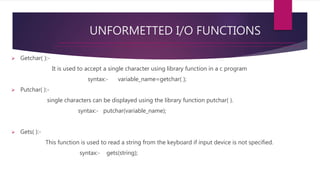
UNFORMETTED I/O FUNCTIONS
 Getchar( ):-
It is used to accept a single character using library function in a c program
syntax:- variable_name=getchar( );
 Putchar( ):-
single characters can be displayed using the library function putchar( ).
syntax:- putchar(variable_name);
 Gets( ):-
This function is used to read a string from the keyboard if input device is not specified.
syntax:- gets(string);
 Puts( ):-
It is used to print sting type of data.it also takes single arguments.
syntax:- puts(expression);
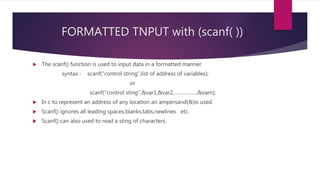
FORMATTED TNPUT with (scanf( ))
 The scanf() function is used to input data in a formatted manner.
syntax:- scanf(“control string”,list of address of variables);
or
scanf(“control sting”,&var1,&var2,…………….,&varn);
 In c to represent an address of any location an ampersand(&)is used.
 Scanf() ignores all leading spaces,blanks,tabs,newlines etc.
 Scanf() can also used to read a sting of characters.
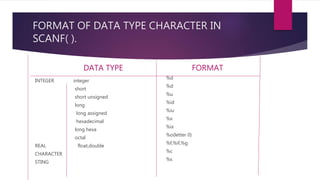
FORMAT OF DATA TYPE CHARACTER IN
SCANF( ).
DATA TYPE
INTEGER integer
short
short unsigned
long
long assigned
hexadecimal
long hexa
octal
REAL float,double
CHARACTER
STING
FORMAT
%d
%d
%u
%id
%iu
%x
%ix
%o(letter 0)
%f,%if,%g
%c
%s
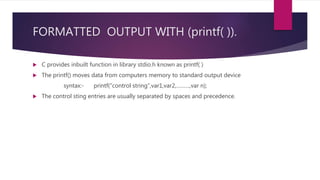
FORMATTED OUTPUT WITH (printf( )).
 C provides inbuilt function in library stdio.h known as printf( )
 The printf() moves data from computers memory to standard output device
syntax:- printf(“control string”,var1,var2,………,var n);
 The control sting entries are usually separated by spaces and precedence.
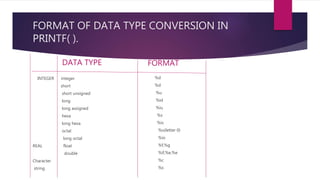
FORMAT OF DATA TYPE CONVERSION IN
PRINTF( ).
DATA TYPE
INTEGER integer
short
short unsigned
long
long assigned
hexa
long hexa
octal
long octal
REAL float
double
Character
string
FORMAT
%d
%d
%u
%id
%iu
%x
%ix
%o(letter 0)
%io
%f,%g
%if,%e,%e
%c
%s
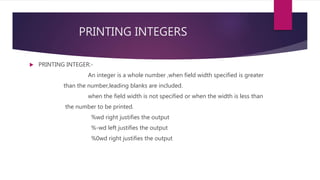
PRINTING INTEGERS
 PRINTING INTEGER:-
An integer is a whole number ,when field width specified is greater
than the number,leading blanks are included.
when the field width is not specified or when the width is less than
the number to be printed.
%wd right justifies the output
%-wd left justifies the output
%0wd right justifies the output
FORMAT
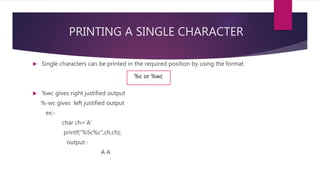
PRINTING A SINGLE CHARACTER
 Single characters can be printed in the required position by using the format.
 %wc gives right justified output
%-wc gives left justified output
ex:-
char ch=‘A’
printf(“%5c%c”,ch,ch);
output:-
A A
%c or %wc
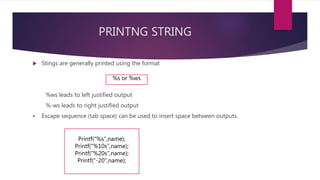
PRINTNG STRING
 Stings are generally printed using the format
%ws leads to left justified output
%-ws leads to right justified output
 Escape sequence (tab space) can be used to insert space between outputs.
%s or %ws
Printf(“%s”,name);
Printf(“%10s”,name);
Printf(“%20s”,name);
Printf(“-20”,name);
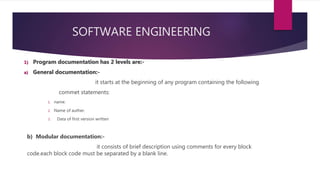
SOFTWARE ENGINEERING
1) Program documentation has 2 levels are:-
a) General documentation:-
it starts at the beginning of any program containing the following
commet statements:
1. name.
2. Name of auther.
3. Data of first version written
b) Modular documentation:-
it consists of brief description using comments for every block
code.each block code must be separated by a blank line.
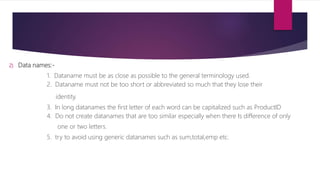
2) Data names:-
1. Dataname must be as close as possible to the general terminology used.
2. Dataname must not be too short or abbreviated so much that they lose their
identity.
3. In long datanames the first letter of each word can be capitalized such as ProductID
4. Do not create datanames that are too similar especially when there Is difference of only
one or two letters.
5. try to avoid using generic datanames such as sum,total,emp etc.

Managing input and output operations in c

  • 1.
    “ ” Managing input andoutput operations in c CREATED BY NIYAMATH
  • 2.
    INDEX INTRODUCTION UNFORMATED INPUT ANDOUTPUT FUNCTION FORMATTED INPUT FORMATTED OUTPUT  SOFTWARE ENGINEERING TIPES
  • 3.
    INTRODUCTION  C Doesnot contain any build in function in input and output function.  C carrys input and output operations in library function like printf() and scanf().  In standared I/O operations include header file called stdio.h  C program using must begin with the statement
  • 4.
    FUNCTIONS 1. Scanf( ) 2.Printf( ) 3. Getchar( ) 4. Putchar( ) 5. Gets( ) 6. Puts( ) This all functions are transfers data between computers and standard I/O devices like monitors and keyboard
  • 5.
    UNFORMETTED I/O FUNCTIONS Getchar( ):- It is used to accept a single character using library function in a c program syntax:- variable_name=getchar( );  Putchar( ):- single characters can be displayed using the library function putchar( ). syntax:- putchar(variable_name);  Gets( ):- This function is used to read a string from the keyboard if input device is not specified. syntax:- gets(string);
  • 6.
     Puts( ):- Itis used to print sting type of data.it also takes single arguments. syntax:- puts(expression);
  • 7.
    FORMATTED TNPUT with(scanf( ))  The scanf() function is used to input data in a formatted manner. syntax:- scanf(“control string”,list of address of variables); or scanf(“control sting”,&var1,&var2,…………….,&varn);  In c to represent an address of any location an ampersand(&)is used.  Scanf() ignores all leading spaces,blanks,tabs,newlines etc.  Scanf() can also used to read a sting of characters.
  • 8.
    FORMAT OF DATATYPE CHARACTER IN SCANF( ). DATA TYPE INTEGER integer short short unsigned long long assigned hexadecimal long hexa octal REAL float,double CHARACTER STING FORMAT %d %d %u %id %iu %x %ix %o(letter 0) %f,%if,%g %c %s
  • 9.
    FORMATTED OUTPUT WITH(printf( )).  C provides inbuilt function in library stdio.h known as printf( )  The printf() moves data from computers memory to standard output device syntax:- printf(“control string”,var1,var2,………,var n);  The control sting entries are usually separated by spaces and precedence.
  • 10.
    FORMAT OF DATATYPE CONVERSION IN PRINTF( ). DATA TYPE INTEGER integer short short unsigned long long assigned hexa long hexa octal long octal REAL float double Character string FORMAT %d %d %u %id %iu %x %ix %o(letter 0) %io %f,%g %if,%e,%e %c %s
  • 11.
    PRINTING INTEGERS  PRINTINGINTEGER:- An integer is a whole number ,when field width specified is greater than the number,leading blanks are included. when the field width is not specified or when the width is less than the number to be printed. %wd right justifies the output %-wd left justifies the output %0wd right justifies the output
  • 12.
  • 13.
    PRINTING A SINGLECHARACTER  Single characters can be printed in the required position by using the format.  %wc gives right justified output %-wc gives left justified output ex:- char ch=‘A’ printf(“%5c%c”,ch,ch); output:- A A %c or %wc
  • 14.
    PRINTNG STRING  Stingsare generally printed using the format %ws leads to left justified output %-ws leads to right justified output  Escape sequence (tab space) can be used to insert space between outputs. %s or %ws Printf(“%s”,name); Printf(“%10s”,name); Printf(“%20s”,name); Printf(“-20”,name);
  • 15.
    SOFTWARE ENGINEERING 1) Programdocumentation has 2 levels are:- a) General documentation:- it starts at the beginning of any program containing the following commet statements: 1. name. 2. Name of auther. 3. Data of first version written b) Modular documentation:- it consists of brief description using comments for every block code.each block code must be separated by a blank line.
  • 16.
    2) Data names:- 1.Dataname must be as close as possible to the general terminology used. 2. Dataname must not be too short or abbreviated so much that they lose their identity. 3. In long datanames the first letter of each word can be capitalized such as ProductID 4. Do not create datanames that are too similar especially when there Is difference of only one or two letters. 5. try to avoid using generic datanames such as sum,total,emp etc.