Mobile Testing
Ravindran Antonysamy
QA Head,
Nimbuzz Internet India

@senthazalravi
Overview – Day 1
   Introduction to mobile application development /
    testing
   Mobile OS Market Coverage
   Mobile testing tools available in the market
   Challenges in Mobile testing industry
   How to make use of free testing tools (Robotium /
    Python)
   Mobile testing environment setup / SDK setup
   Using In-build SDK for testing (Ex: Monkeyrunner)
   API Overview (Android / iOS)
   Demo in Testing the app using any OS
Overview – Day 2
   Testing the app using the Tool identified
   Demo on Log capturing / Enabling (from Eclipse and
    from XCode)
   Screencapture applications
   Saving the Logs
   Monkey and Monkeyrunner
   GorillaLogic
   SeeTest
   TestPlant
   Python
   Monkeytalk
Setup
   Setup adb as a global tool in the PC
   Setup Xcode 4.0
   Setup Eclipse Pulser
   Setup Android Screencast
   Setup Python
   Setup Java
   Setup Sikuli
Intro
 Why   mobile testing
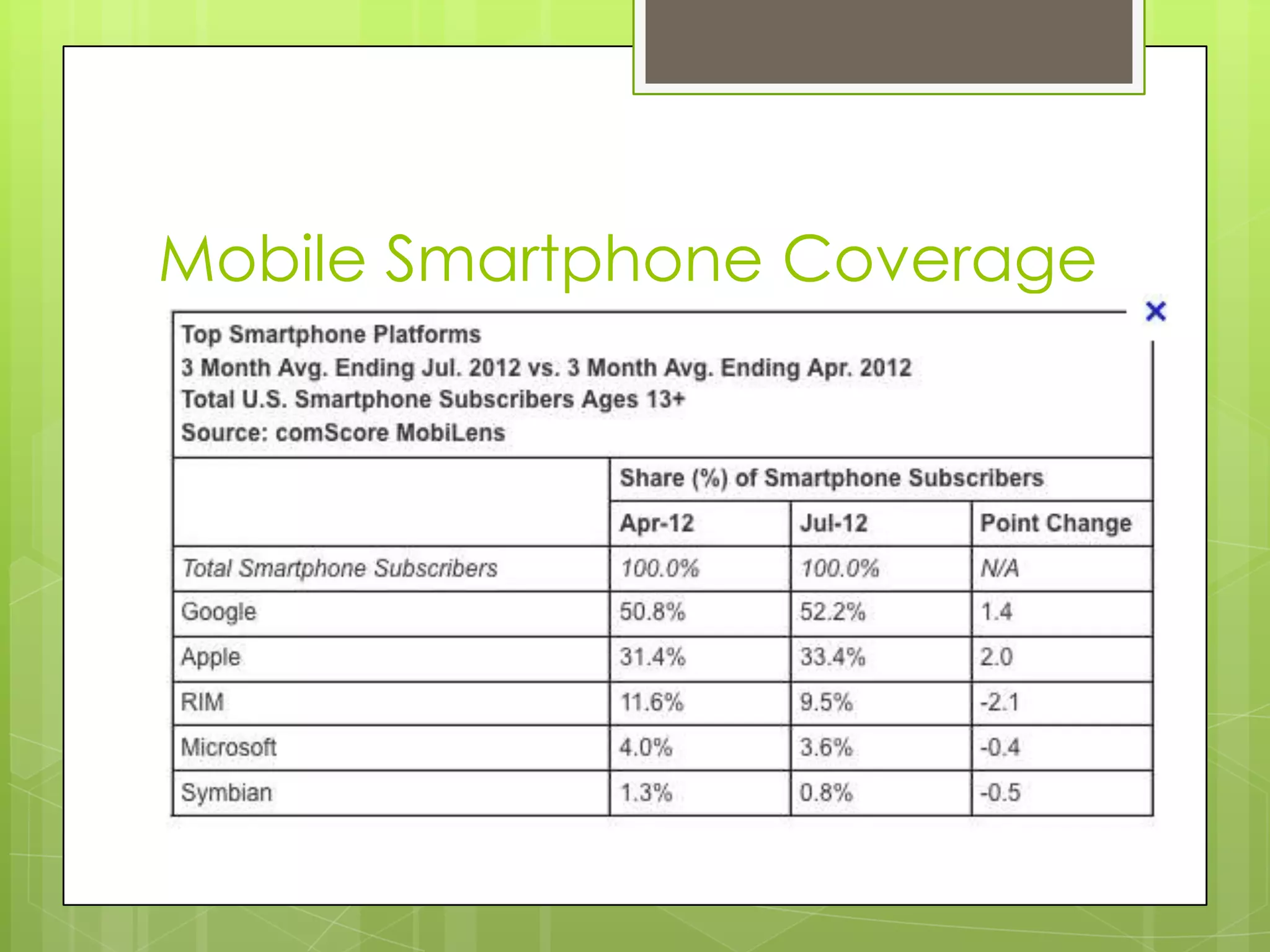
Mobile Smartphone Coverage
OEM Coverage
Android !!!!
Android accounts for a total of around 99
million units sold, captured 64% of the
smartphone market for the quarter, compared
to 43.4% a year ago. Samsung’s Galaxy counts
for a total of half of all Android sales, reaching
45.6 million units sold while Apple’s iPhone saw a
total growth selling nearly 29 million units. Both
Symbian and RIM saw a big drops hovering
between 5% and 6% market share, while
Samsung’s Bada and Microsoft’s saw an
average….
Market Places
 Google  Play
 Apple App Store / iTunes
 OVI Store for Symbian
 Blackberry App World
 Windows 7 Marketplace
 GetJar (MIDP)
 Appia / Softpedia / Intel App store
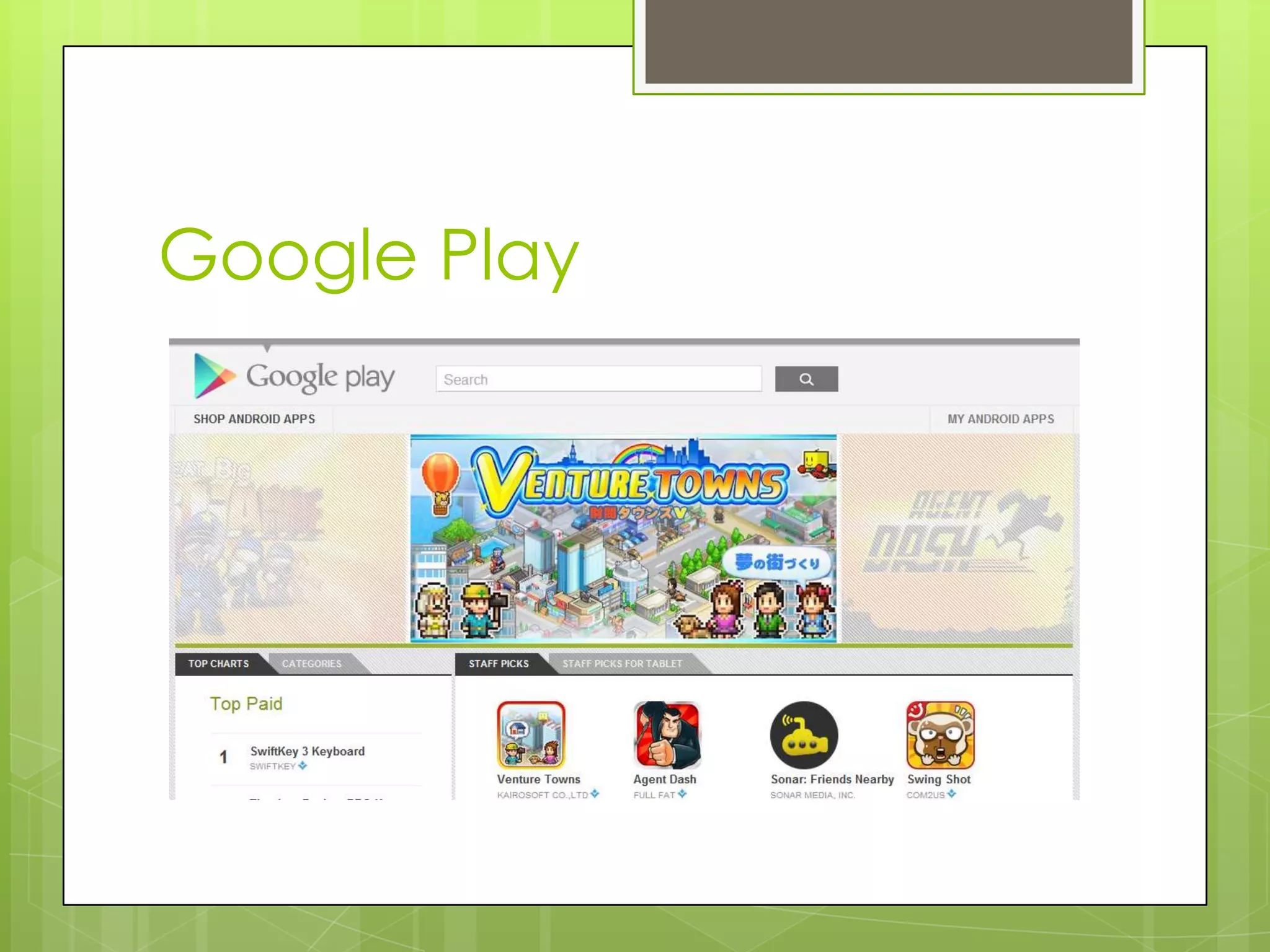
Google Play
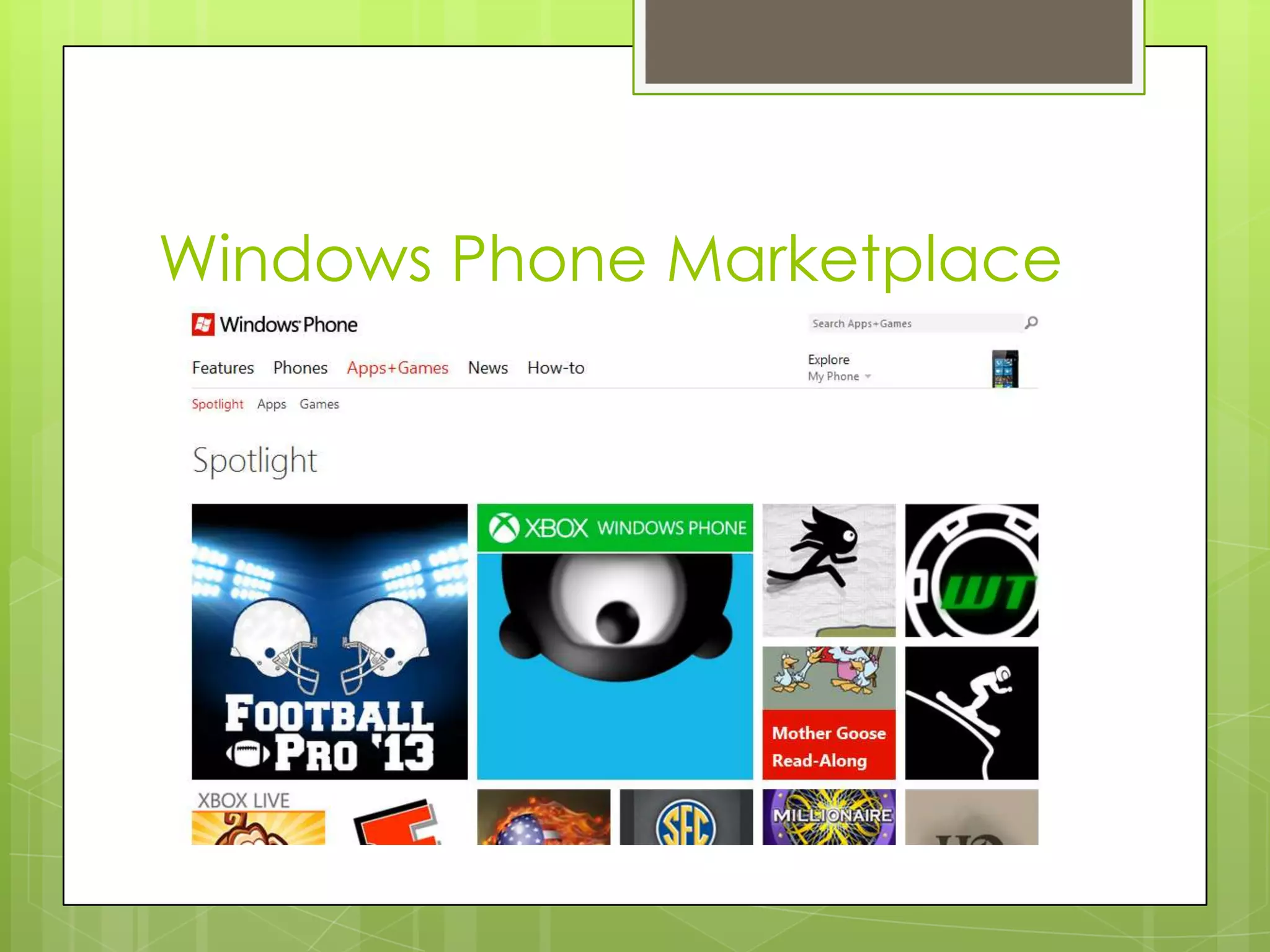
Windows Phone Marketplace
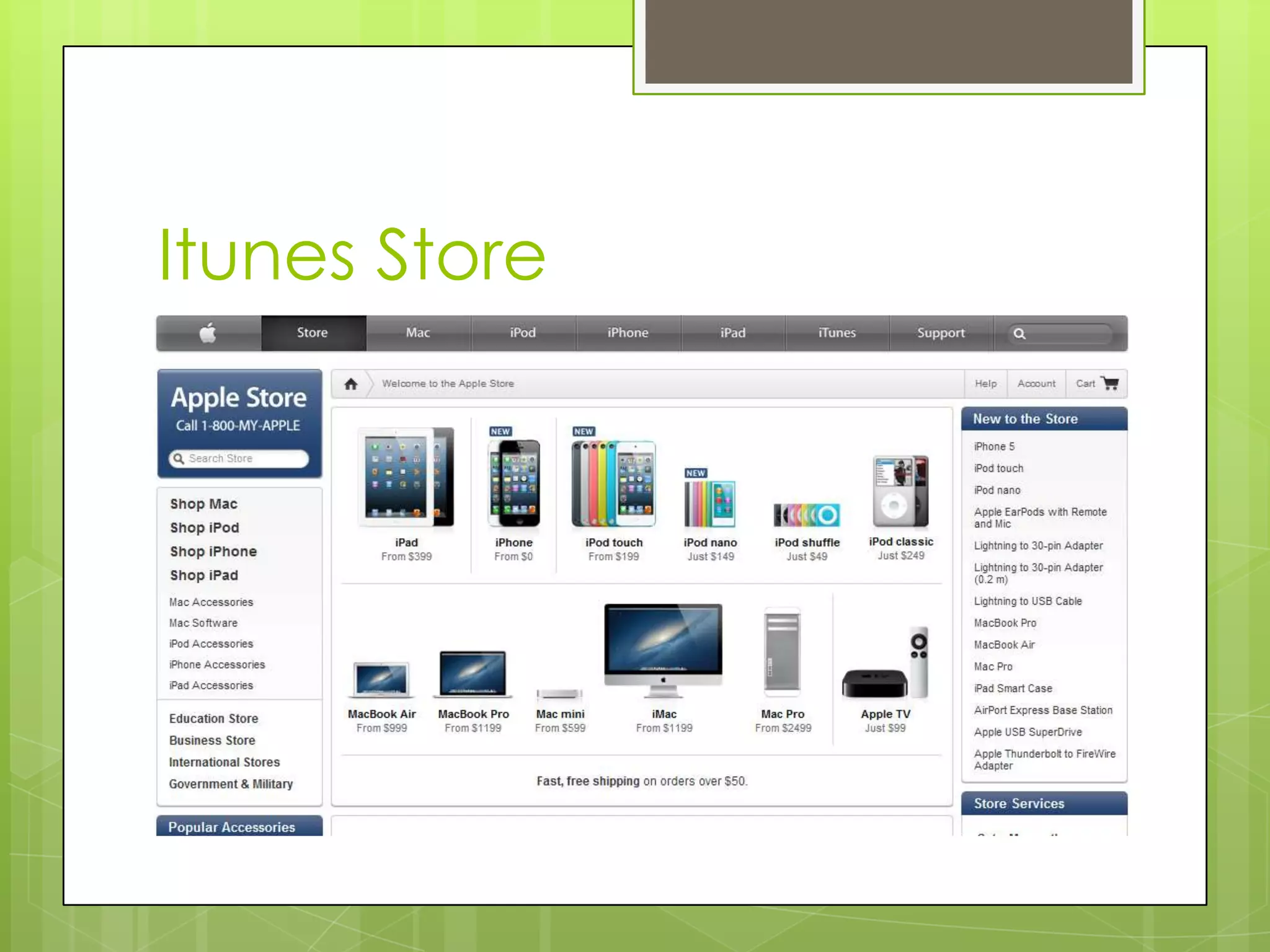
Itunes Store
Android Tools
Monkey
adb shell monkey -p com.example -v 500
MokeyRunner
Run the Python Application
AndroidScreencast
Java Applet, a rooted phone is required.
Robotium
Note Pad example.
Monkeytalk (Android / iOS / Flux)
Run the monkey talk application and show Android / iOS
testing
Telerik for iOS
List of Mobile Platforms / OS
JAVA
MTK
Mstar
Bada
Android (1.6, 2.1, 2.2, 2.3, 3.1, 4.1)
iOS
BB
WP
Palm / Pocket PC / Web OS / Symbian / Lenaro
/ LIMO/ Meego (Deprecated)
Standards / Organizations
3GPP
3GPP3
GCF
PTCRB
FCS
GSMA
ITU-T
IEEE
Bluetooth SIG
IRDA Association
NFC Forum
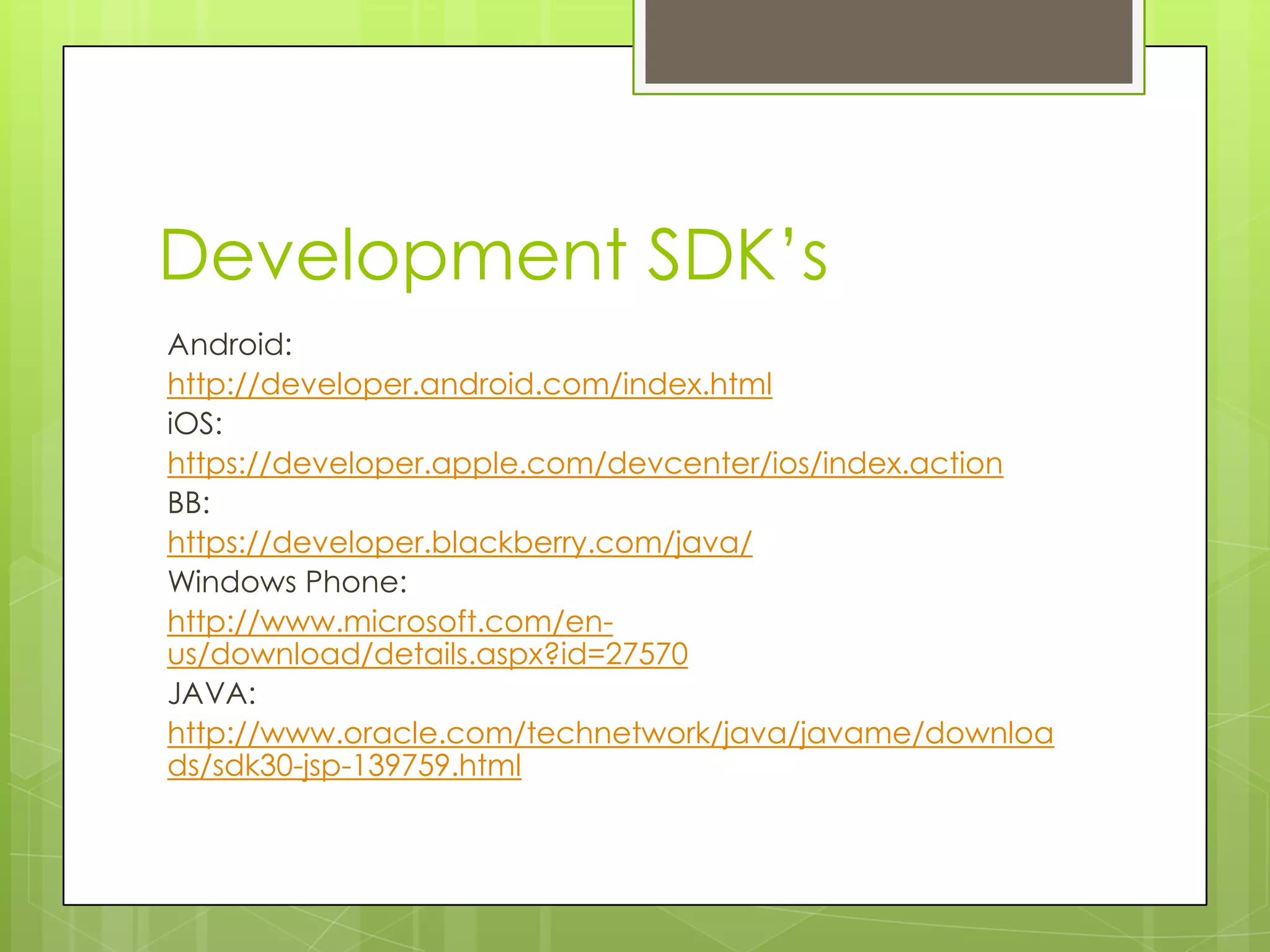
Development SDK’s
Android:
http://developer.android.com/index.html
iOS:
https://developer.apple.com/devcenter/ios/index.action
BB:
https://developer.blackberry.com/java/
Windows Phone:
http://www.microsoft.com/en-
us/download/details.aspx?id=27570
JAVA:
http://www.oracle.com/technetwork/java/javame/downloa
ds/sdk30-jsp-139759.html
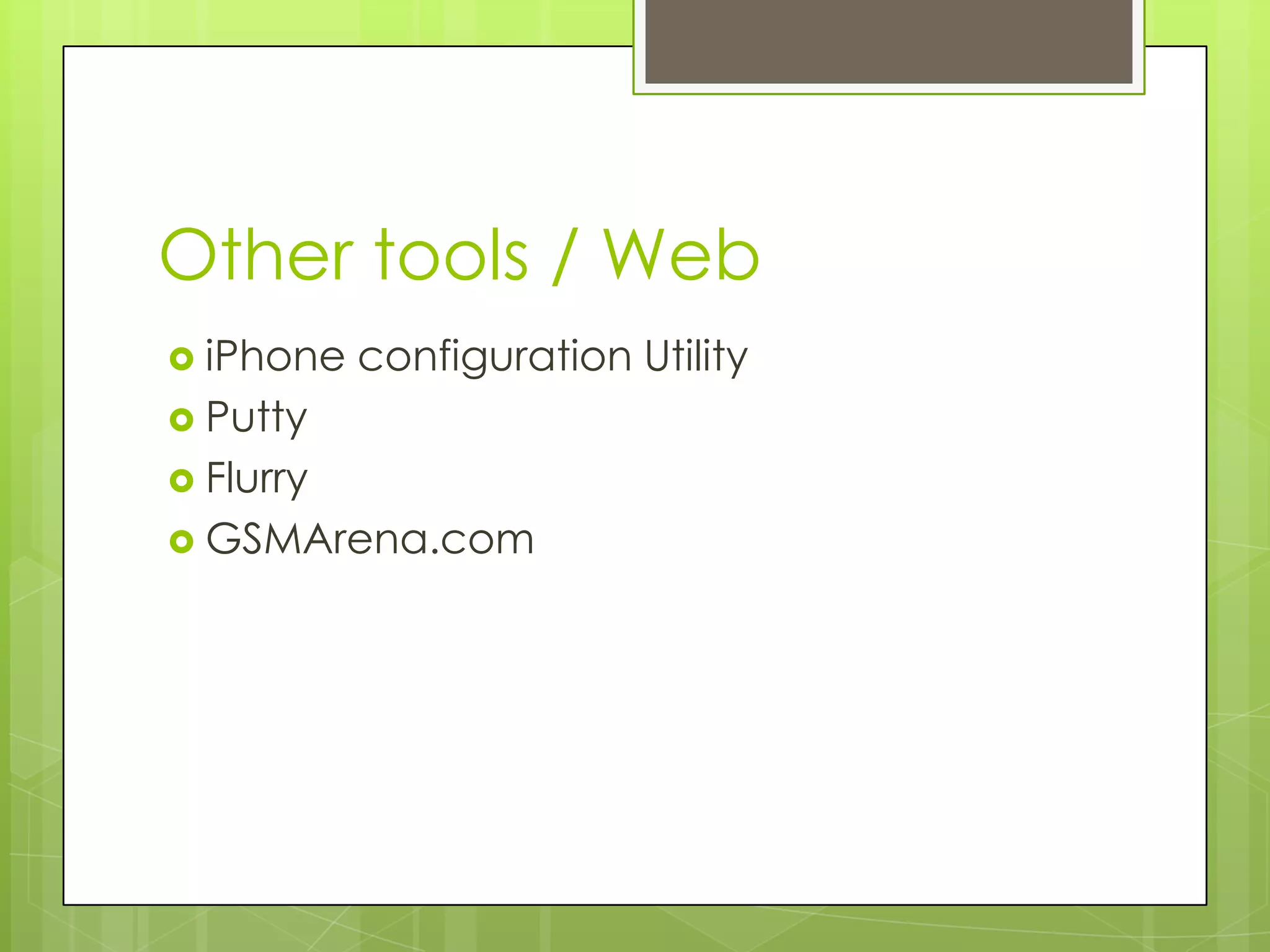
Other tools / Web
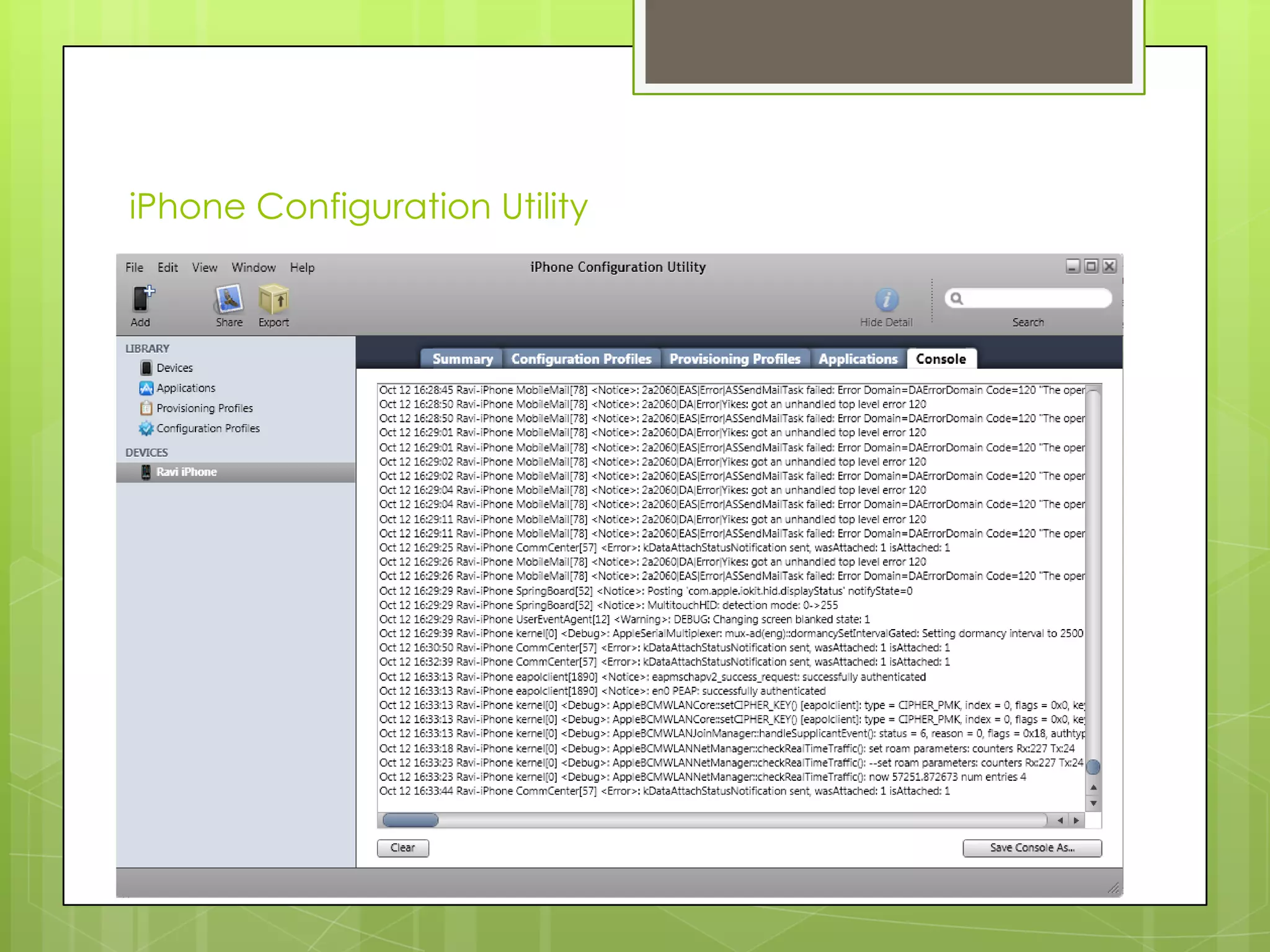
 iPhone   configuration Utility
 Putty
 Flurry
 GSMArena.com
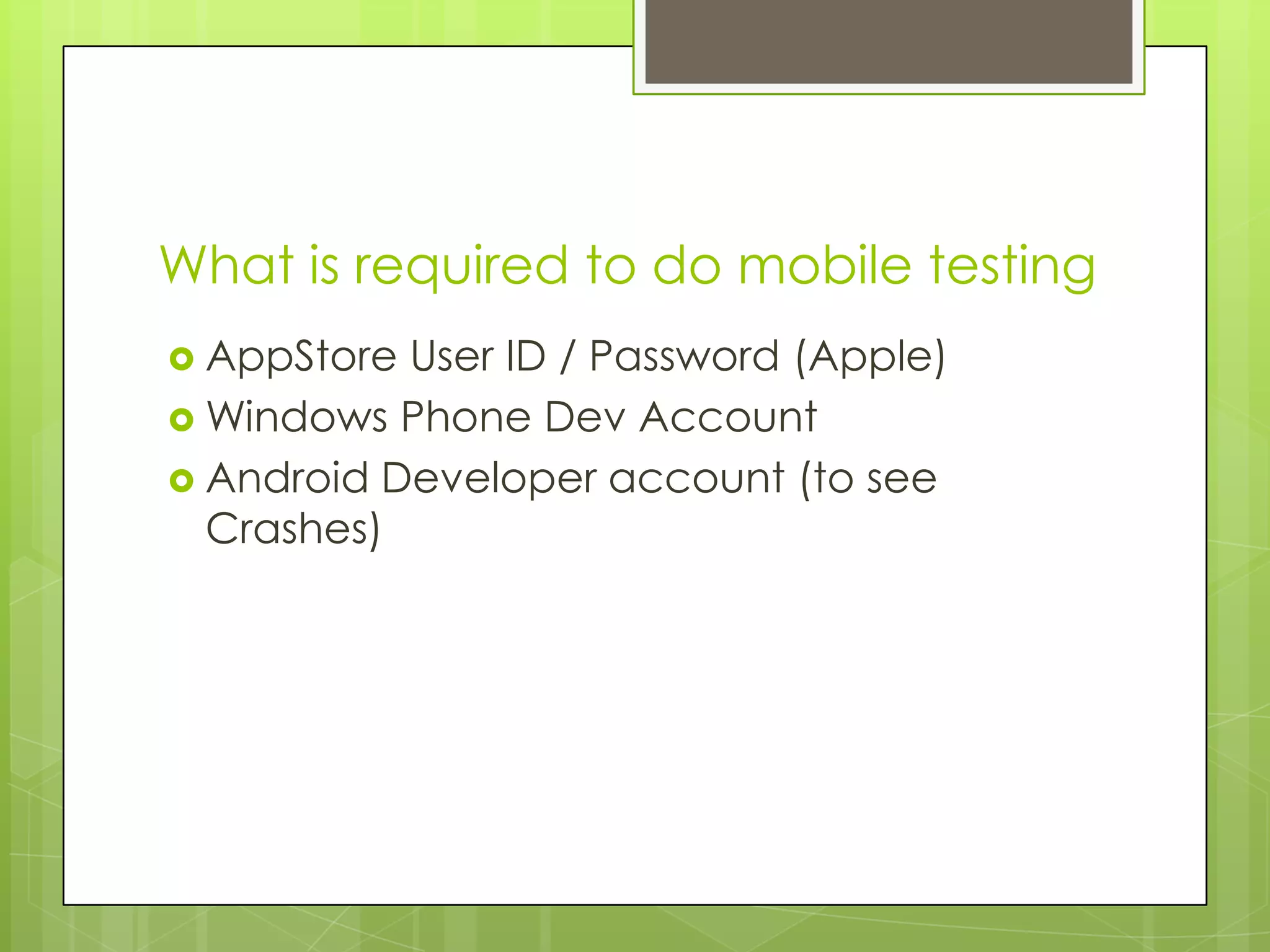
What is required to do mobile testing
 AppStore User ID / Password (Apple)
 Windows Phone Dev Account
 Android Developer account (to see
  Crashes)
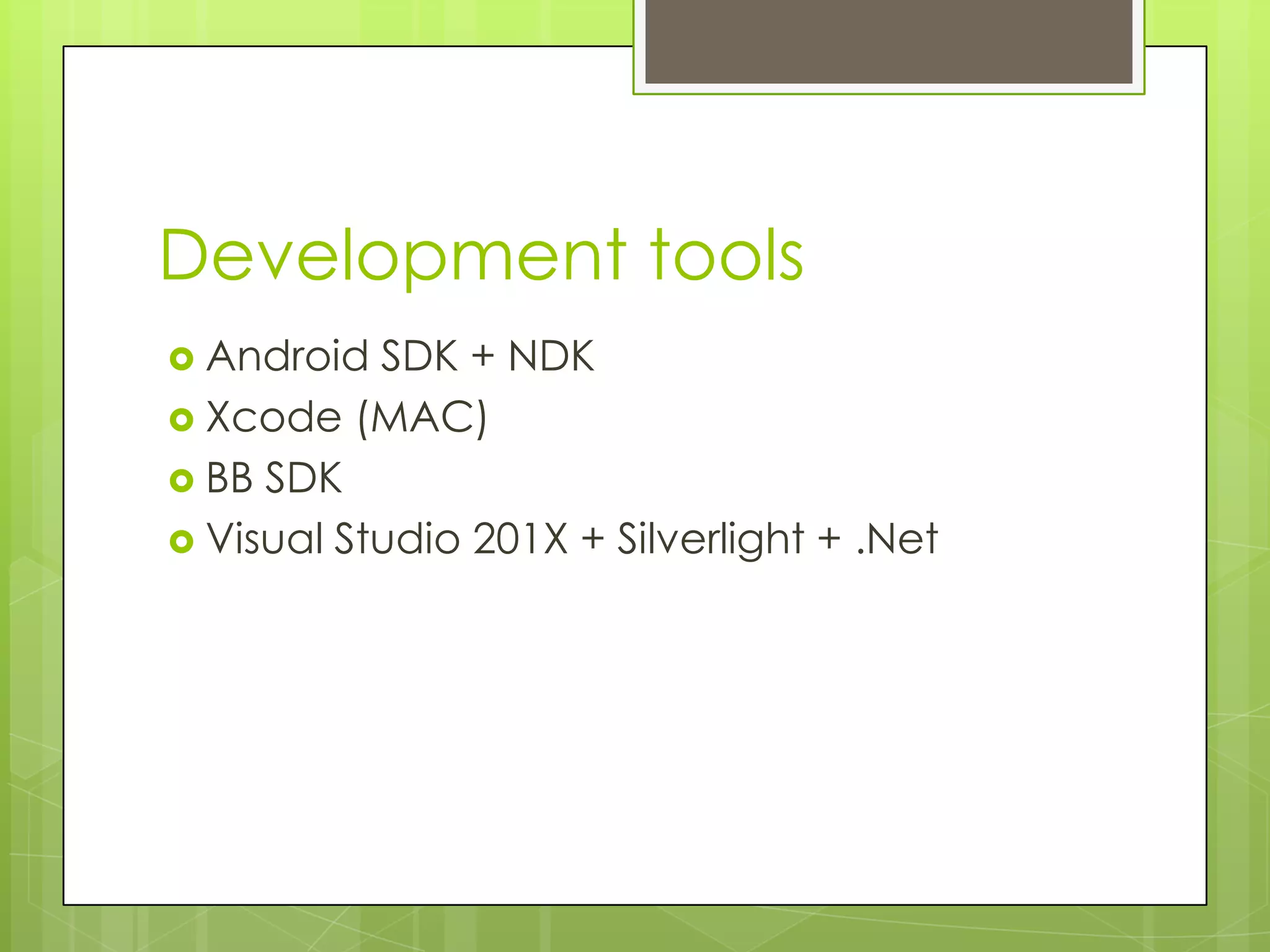
Development tools
 Android  SDK + NDK
 Xcode (MAC)
 BB SDK
 Visual Studio 201X + Silverlight + .Net
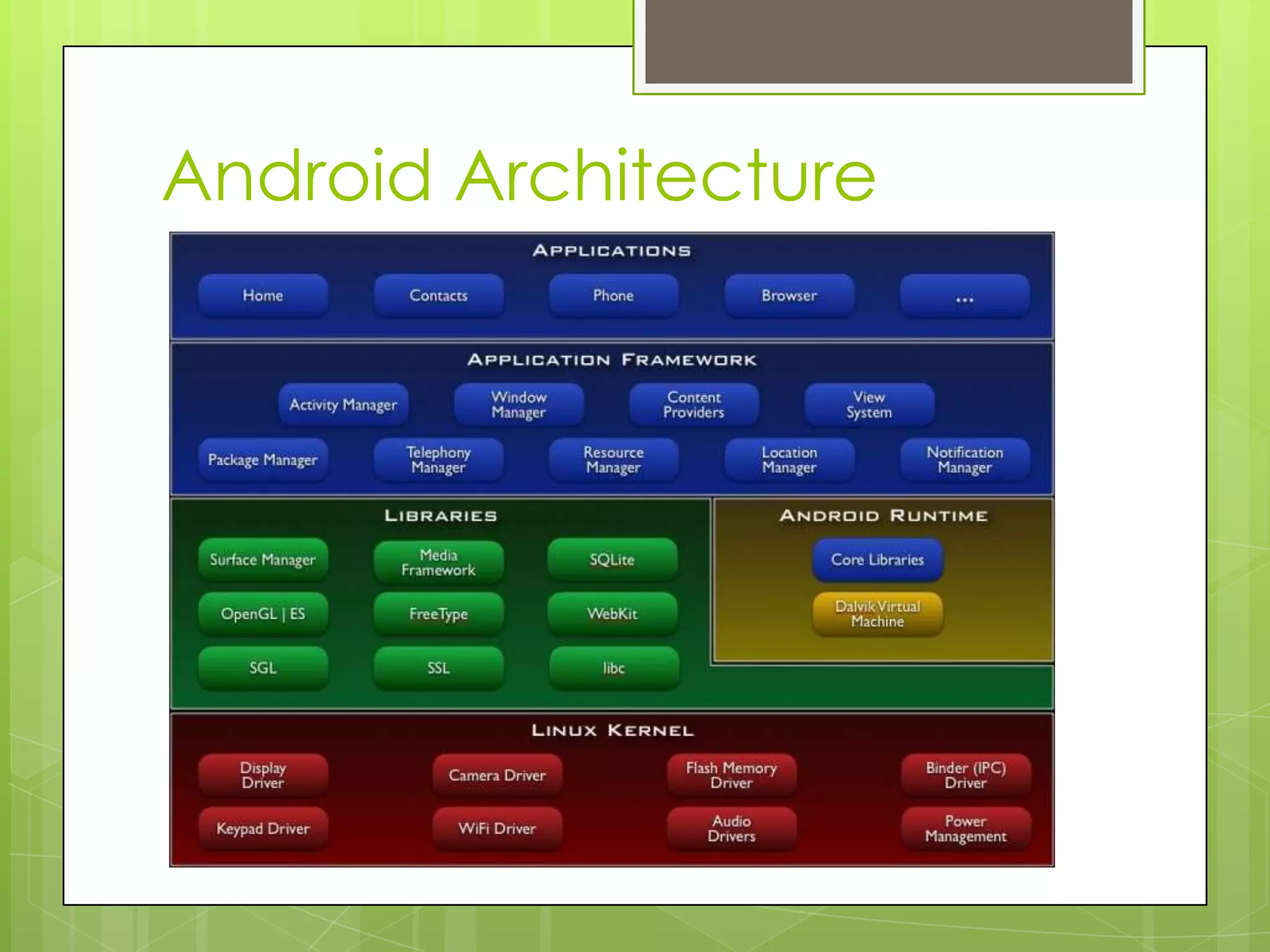
Android Architecture
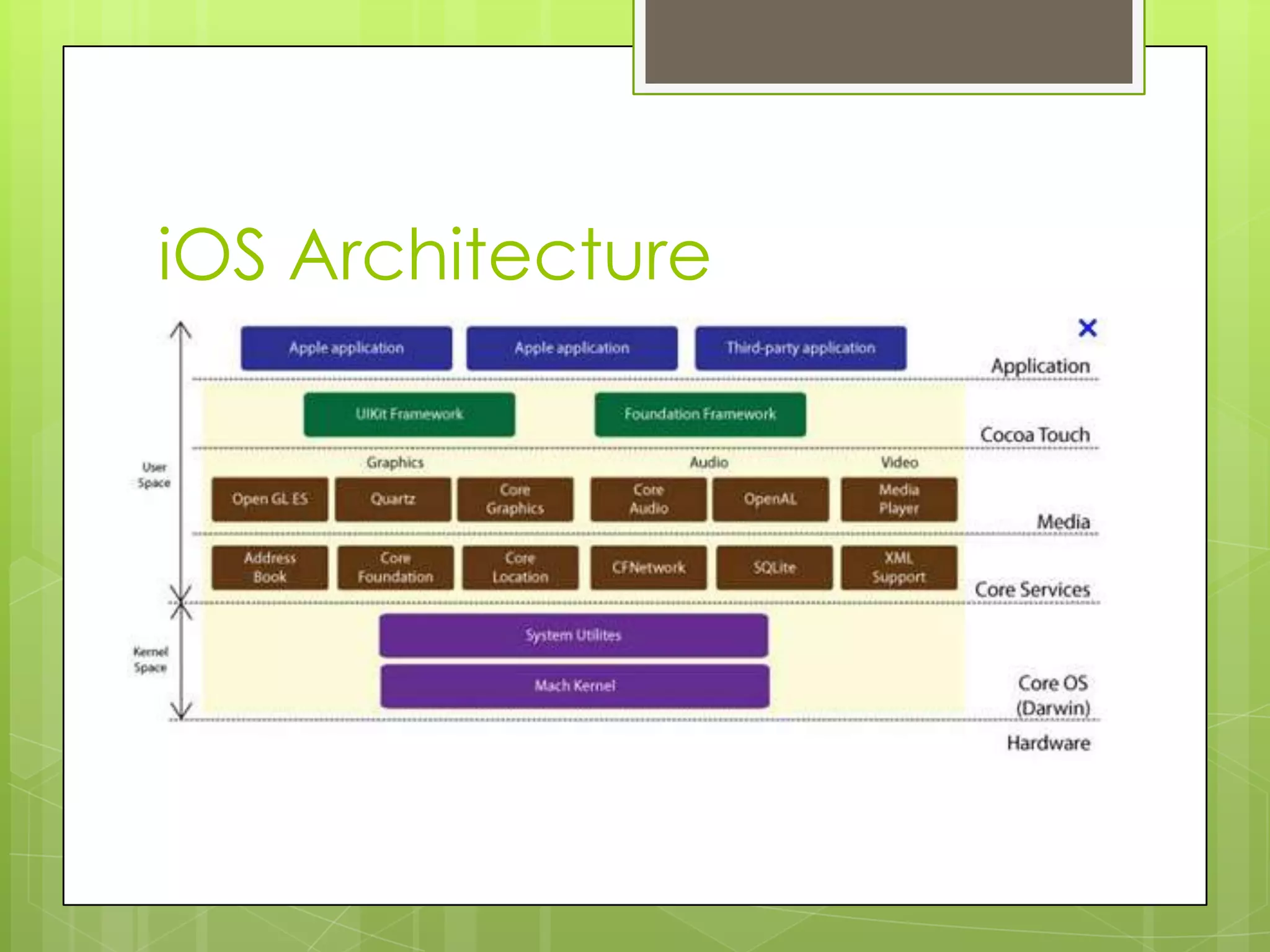
iOS Architecture
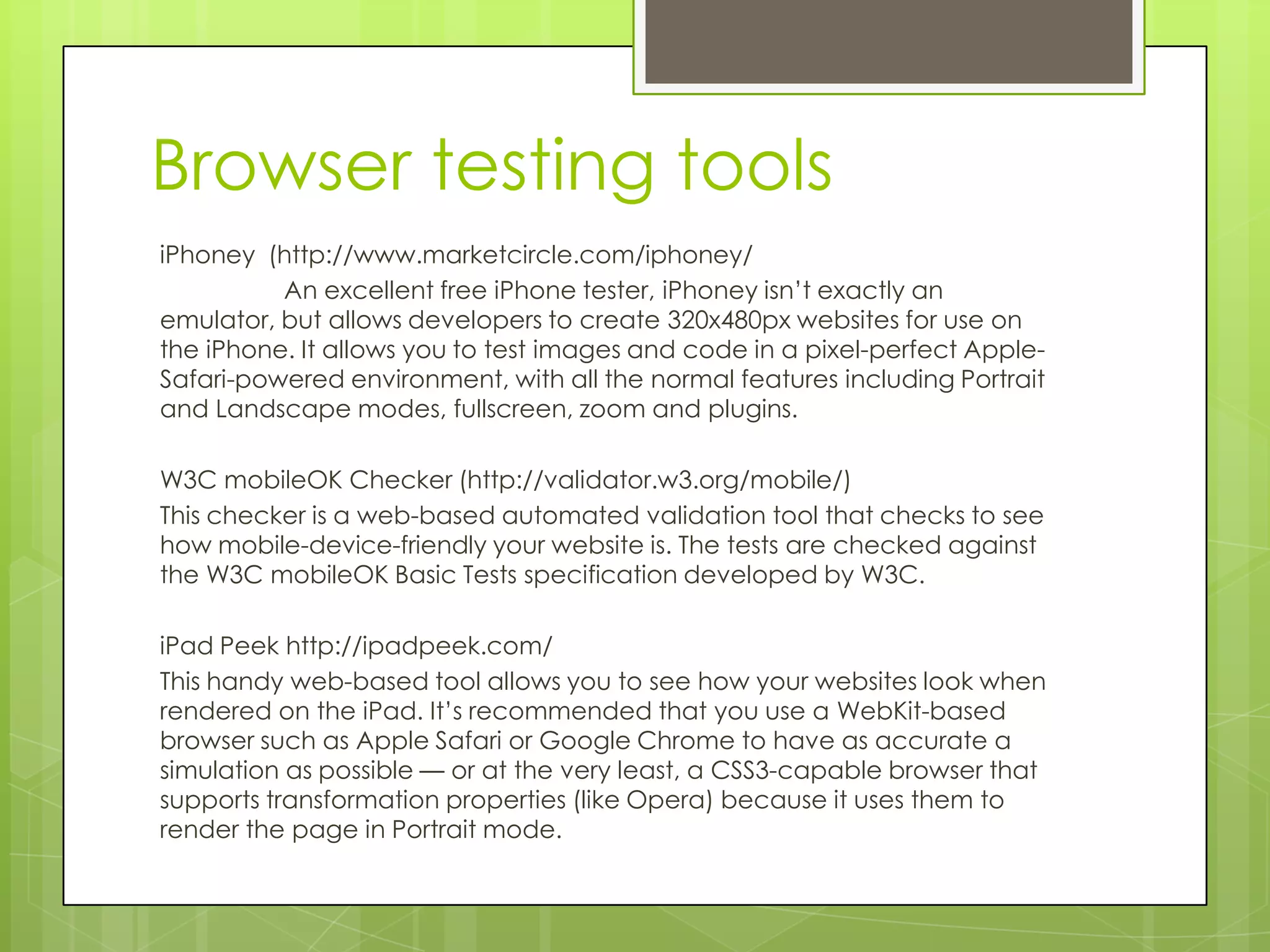
Browser testing tools
iPhoney (http://www.marketcircle.com/iphoney/
          An excellent free iPhone tester, iPhoney isn’t exactly an
emulator, but allows developers to create 320x480px websites for use on
the iPhone. It allows you to test images and code in a pixel-perfect Apple-
Safari-powered environment, with all the normal features including Portrait
and Landscape modes, fullscreen, zoom and plugins.

W3C mobileOK Checker (http://validator.w3.org/mobile/)
This checker is a web-based automated validation tool that checks to see
how mobile-device-friendly your website is. The tests are checked against
the W3C mobileOK Basic Tests specification developed by W3C.

iPad Peek http://ipadpeek.com/
This handy web-based tool allows you to see how your websites look when
rendered on the iPad. It’s recommended that you use a WebKit-based
browser such as Apple Safari or Google Chrome to have as accurate a
simulation as possible — or at the very least, a CSS3-capable browser that
supports transformation properties (like Opera) because it uses them to
render the page in Portrait mode.
4.        Modify Headers Add-on for Firefox
(https://addons.mozilla.org/en-US/firefox/addon/modify-headers/)
           An excellent free iPhone tester, iPhoney isn’t exactly an
emulator, but allows developers to create 320x480px websites for use
on the iPhone. It allows you to test images and code in a pixel-perfect
Apple-Safari-powered environment, with all the normal features
including Portrait and Landscape modes, fullscreen, zoom and
plugins. The mobile user agent of the phones needs to be searched
and it can be used for testing.

5.         Adobe Device Central CS5
(http://www.adobe.com/products/devicecentral.html)
           As part of the latest Adobe Creative Suite, Device Central
emulates the operation of mobile devices on your desktop allowing
you to test HTML and Flash from the comfort of your desktop.
6.         Google Mobilizer http://www.google.com/gwt/n
           Google Mobilizer is a simple web tool that lets you input a
web page address and then makes the page mobile-web-friendly by
trimming the content down to its bare essentials. This is an excellent
tool for seeing where you can make performance optimizations on
your site.
iPhone Configuration Utility
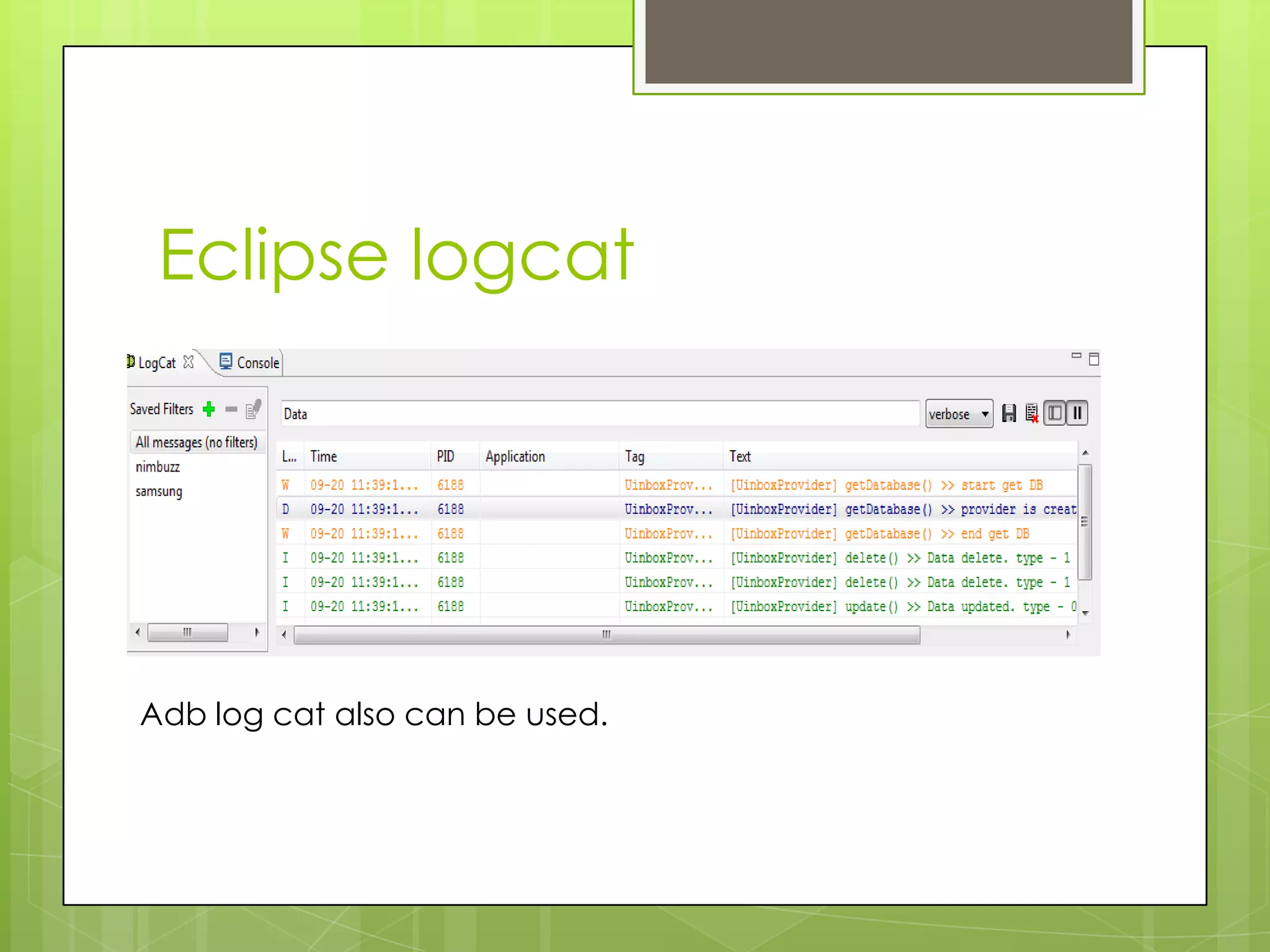
Eclipse logcat


Adb log cat also can be used.
References
http://code.google.com/p/androidscreencast/ (Android
Screencast)
MobileQAZone.com
Mobiletesttech.blogspot.com
http://www.gorillalogic.com/testing-tools/monkeytalk/download
http://www.quirksmode.org/m/tests/widthtest.html
W3 Best Practices for Mobile Web: http://www.w3.org/TR/mobile-
bp/
Closure Memory Test Code:
http://www.jakearchibald.com/jsperformance/closurememory/
Usable Forms Script:
http://www.quirksmode.org/dom/usableforms.html
http://mobile.smashingmagazine.com/2012/09/24/establishing-an-open-
device-lab/
Tools
HTML5 in Mobile Devices: http://en.wikipedia.org/wiki/HTML5_in_mobile_devices
CSS Mobile Profile 2 : http://www.w3.org/TR/css-mobile/
Mobile Usability :
http://www.bughuntress.com/files1/Mobile_Usability_Testing_Report.pdf
Fully Compatible mobile website : http://www.taptu.com
To Test HTML5 : http://html5test.com/
Test Canvas Support : http://www.quirksmode.org/m/tests/canvas.html
JQuery Touch test page : http://www.jqtouch.com/preview/demos/main/#home
Sencha Touch Events test Page :
http://dev.sencha.com/deploy/touch/examples/kitchensink/
Misc tests : http://www.quirksmode.org/m/
http://www.appperfect.com/products/web-testing/iphone-apps-testing.html

Mobile testing

  • 1.
    Mobile Testing Ravindran Antonysamy QAHead, Nimbuzz Internet India @senthazalravi
  • 2.
    Overview – Day1  Introduction to mobile application development / testing  Mobile OS Market Coverage  Mobile testing tools available in the market  Challenges in Mobile testing industry  How to make use of free testing tools (Robotium / Python)  Mobile testing environment setup / SDK setup  Using In-build SDK for testing (Ex: Monkeyrunner)  API Overview (Android / iOS)  Demo in Testing the app using any OS
  • 3.
    Overview – Day2  Testing the app using the Tool identified  Demo on Log capturing / Enabling (from Eclipse and from XCode)  Screencapture applications  Saving the Logs  Monkey and Monkeyrunner  GorillaLogic  SeeTest  TestPlant  Python  Monkeytalk
  • 4.
    Setup  Setup adb as a global tool in the PC  Setup Xcode 4.0  Setup Eclipse Pulser  Setup Android Screencast  Setup Python  Setup Java  Setup Sikuli
  • 5.
    Intro  Why mobile testing
  • 6.
  • 7.
  • 8.
    Android !!!! Android accountsfor a total of around 99 million units sold, captured 64% of the smartphone market for the quarter, compared to 43.4% a year ago. Samsung’s Galaxy counts for a total of half of all Android sales, reaching 45.6 million units sold while Apple’s iPhone saw a total growth selling nearly 29 million units. Both Symbian and RIM saw a big drops hovering between 5% and 6% market share, while Samsung’s Bada and Microsoft’s saw an average….
  • 9.
    Market Places  Google Play  Apple App Store / iTunes  OVI Store for Symbian  Blackberry App World  Windows 7 Marketplace  GetJar (MIDP)  Appia / Softpedia / Intel App store
  • 10.
  • 11.
  • 12.
  • 13.
    Android Tools Monkey adb shellmonkey -p com.example -v 500 MokeyRunner Run the Python Application AndroidScreencast Java Applet, a rooted phone is required. Robotium Note Pad example. Monkeytalk (Android / iOS / Flux) Run the monkey talk application and show Android / iOS testing Telerik for iOS
  • 14.
    List of MobilePlatforms / OS JAVA MTK Mstar Bada Android (1.6, 2.1, 2.2, 2.3, 3.1, 4.1) iOS BB WP Palm / Pocket PC / Web OS / Symbian / Lenaro / LIMO/ Meego (Deprecated)
  • 15.
  • 16.
  • 17.
    Other tools /Web  iPhone configuration Utility  Putty  Flurry  GSMArena.com
  • 18.
    What is requiredto do mobile testing  AppStore User ID / Password (Apple)  Windows Phone Dev Account  Android Developer account (to see Crashes)
  • 19.
    Development tools  Android SDK + NDK  Xcode (MAC)  BB SDK  Visual Studio 201X + Silverlight + .Net
  • 20.
  • 21.
  • 22.
    Browser testing tools iPhoney(http://www.marketcircle.com/iphoney/ An excellent free iPhone tester, iPhoney isn’t exactly an emulator, but allows developers to create 320x480px websites for use on the iPhone. It allows you to test images and code in a pixel-perfect Apple- Safari-powered environment, with all the normal features including Portrait and Landscape modes, fullscreen, zoom and plugins. W3C mobileOK Checker (http://validator.w3.org/mobile/) This checker is a web-based automated validation tool that checks to see how mobile-device-friendly your website is. The tests are checked against the W3C mobileOK Basic Tests specification developed by W3C. iPad Peek http://ipadpeek.com/ This handy web-based tool allows you to see how your websites look when rendered on the iPad. It’s recommended that you use a WebKit-based browser such as Apple Safari or Google Chrome to have as accurate a simulation as possible — or at the very least, a CSS3-capable browser that supports transformation properties (like Opera) because it uses them to render the page in Portrait mode.
  • 23.
    4. Modify Headers Add-on for Firefox (https://addons.mozilla.org/en-US/firefox/addon/modify-headers/) An excellent free iPhone tester, iPhoney isn’t exactly an emulator, but allows developers to create 320x480px websites for use on the iPhone. It allows you to test images and code in a pixel-perfect Apple-Safari-powered environment, with all the normal features including Portrait and Landscape modes, fullscreen, zoom and plugins. The mobile user agent of the phones needs to be searched and it can be used for testing. 5. Adobe Device Central CS5 (http://www.adobe.com/products/devicecentral.html) As part of the latest Adobe Creative Suite, Device Central emulates the operation of mobile devices on your desktop allowing you to test HTML and Flash from the comfort of your desktop. 6. Google Mobilizer http://www.google.com/gwt/n Google Mobilizer is a simple web tool that lets you input a web page address and then makes the page mobile-web-friendly by trimming the content down to its bare essentials. This is an excellent tool for seeing where you can make performance optimizations on your site.
  • 24.
  • 25.
    Eclipse logcat Adb logcat also can be used.
  • 26.
    References http://code.google.com/p/androidscreencast/ (Android Screencast) MobileQAZone.com Mobiletesttech.blogspot.com http://www.gorillalogic.com/testing-tools/monkeytalk/download http://www.quirksmode.org/m/tests/widthtest.html W3 BestPractices for Mobile Web: http://www.w3.org/TR/mobile- bp/ Closure Memory Test Code: http://www.jakearchibald.com/jsperformance/closurememory/ Usable Forms Script: http://www.quirksmode.org/dom/usableforms.html http://mobile.smashingmagazine.com/2012/09/24/establishing-an-open- device-lab/
  • 27.
    Tools HTML5 in MobileDevices: http://en.wikipedia.org/wiki/HTML5_in_mobile_devices CSS Mobile Profile 2 : http://www.w3.org/TR/css-mobile/ Mobile Usability : http://www.bughuntress.com/files1/Mobile_Usability_Testing_Report.pdf Fully Compatible mobile website : http://www.taptu.com To Test HTML5 : http://html5test.com/ Test Canvas Support : http://www.quirksmode.org/m/tests/canvas.html JQuery Touch test page : http://www.jqtouch.com/preview/demos/main/#home Sencha Touch Events test Page : http://dev.sencha.com/deploy/touch/examples/kitchensink/ Misc tests : http://www.quirksmode.org/m/ http://www.appperfect.com/products/web-testing/iphone-apps-testing.html