
Practical software Testing for
mobile apps --- 24May2014
By Alex Hung (alex@crossover-int.com)
CEO, Crossover
MBA, MSc(ISM), BSc(CS)
Agenda
1. Mobile Trends
2. Mobile Platforms
3. Mobile Development Platforms
4. Mobile Apps Testing
5. Practical case sharing
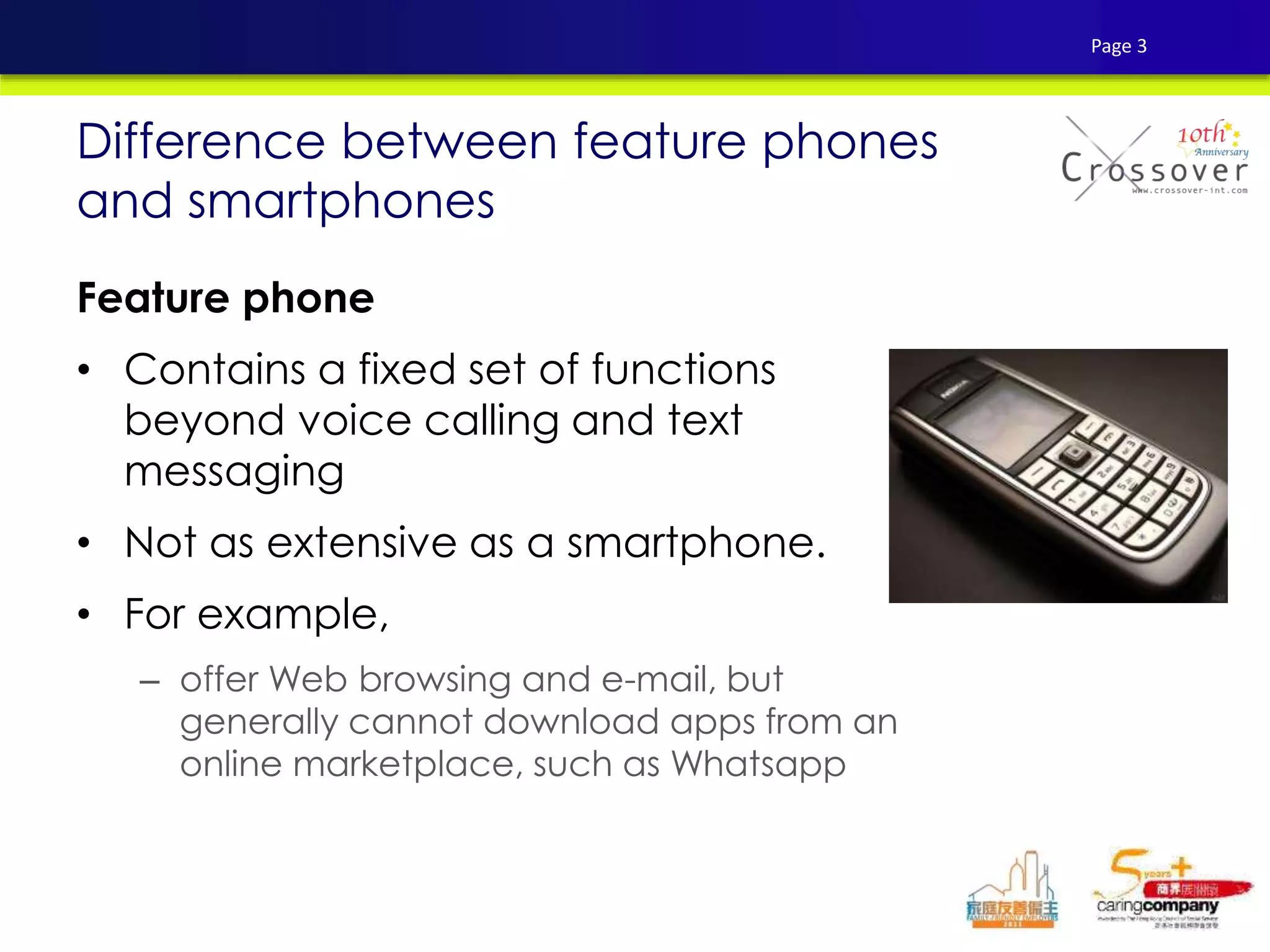
Feature phone
• Contains a fixed set of functions
beyond voice calling and text
messaging
• Not as extensive as a smartphone.
• For example,
– offer Web browsing and e-mail, but
generally cannot download apps from an
online marketplace, such as Whatsapp
Difference between feature phones
and smartphones
Page 3
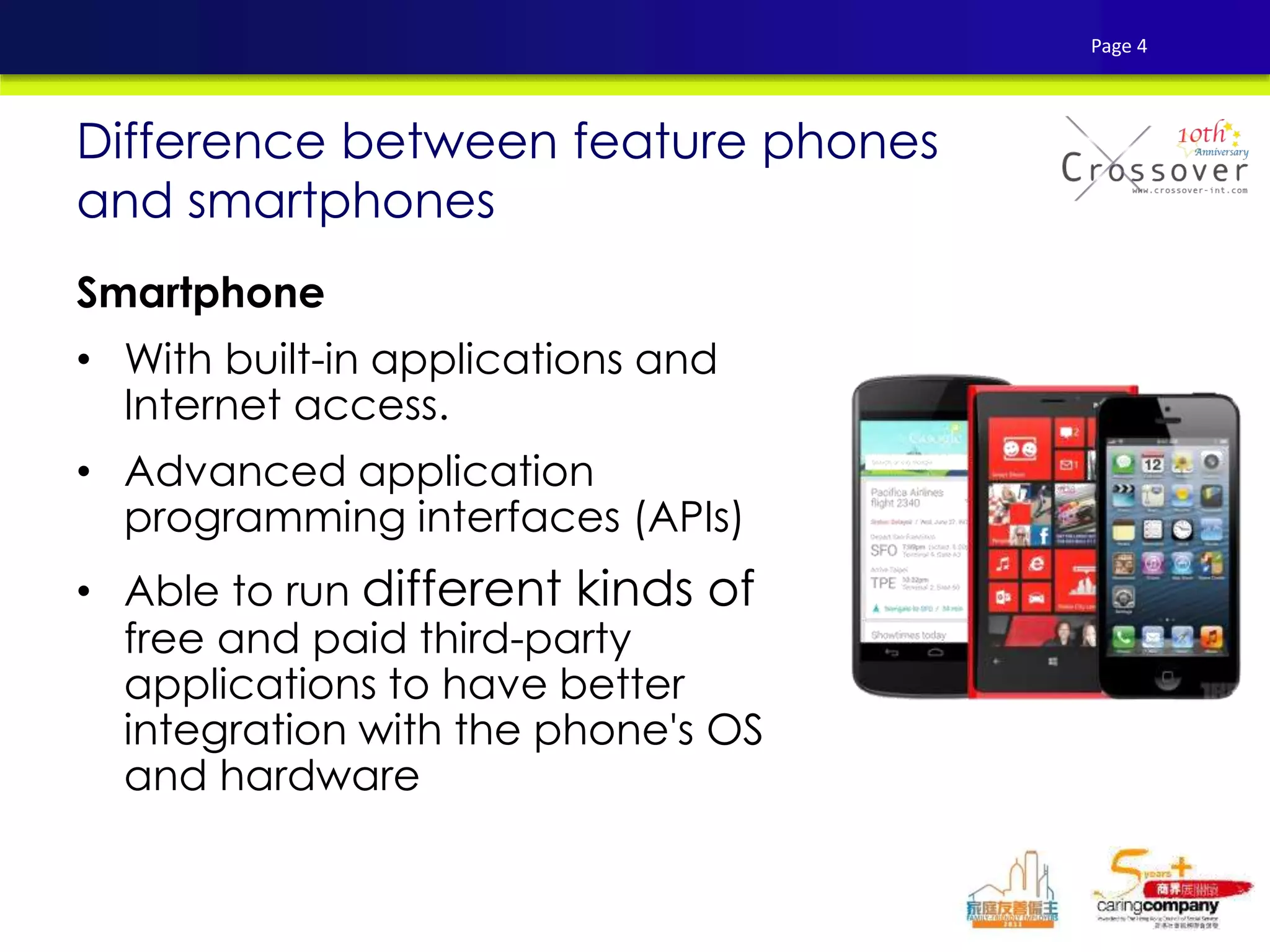
Smartphone
• With built-in applications and
Internet access.
• Advanced application
programming interfaces (APIs)
• Able to run different kinds of
free and paid third-party
applications to have better
integration with the phone's OS
and hardware
Difference between feature phones
and smartphones
Page 4
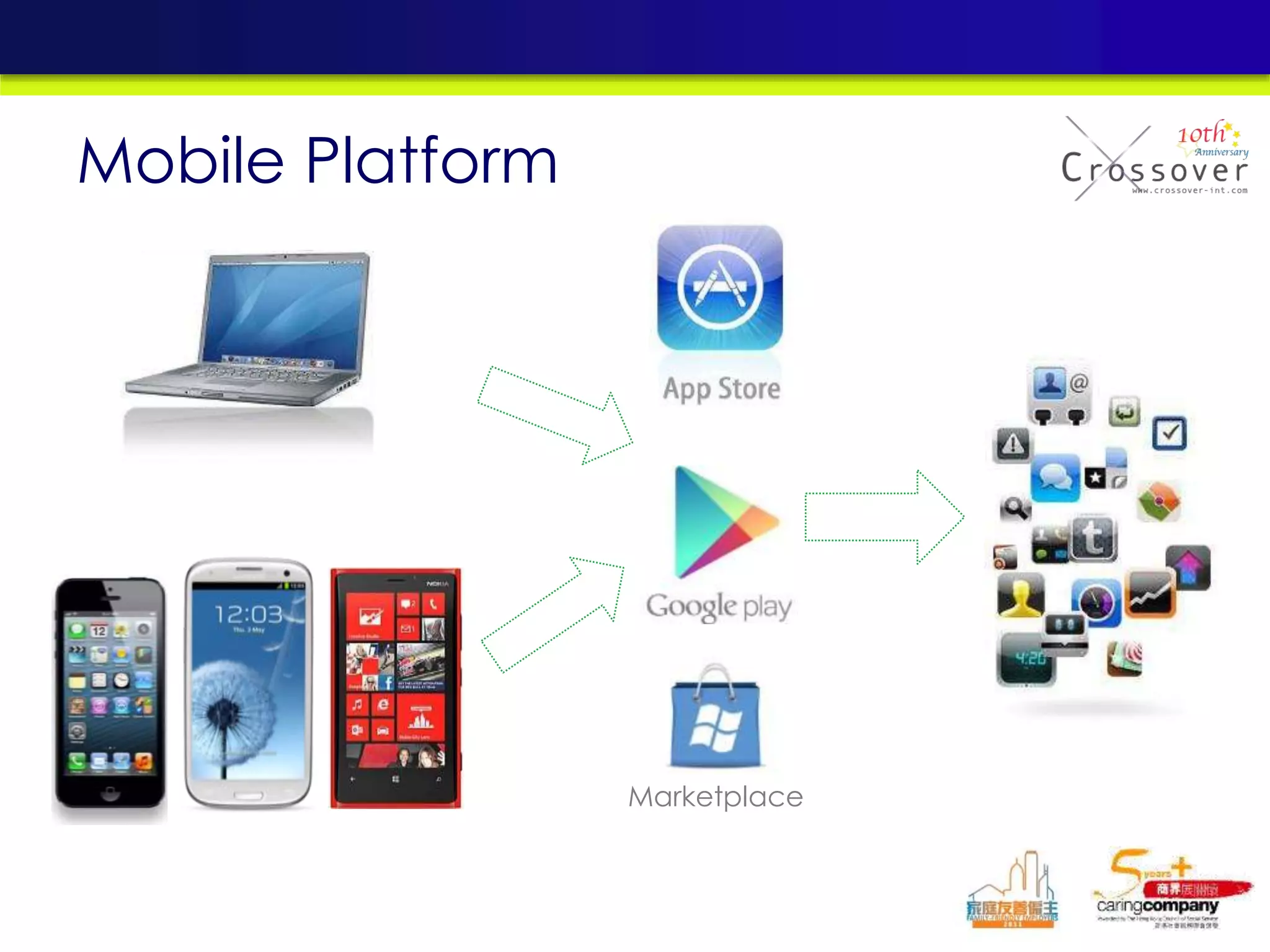
Marketplace
Mobile Platform
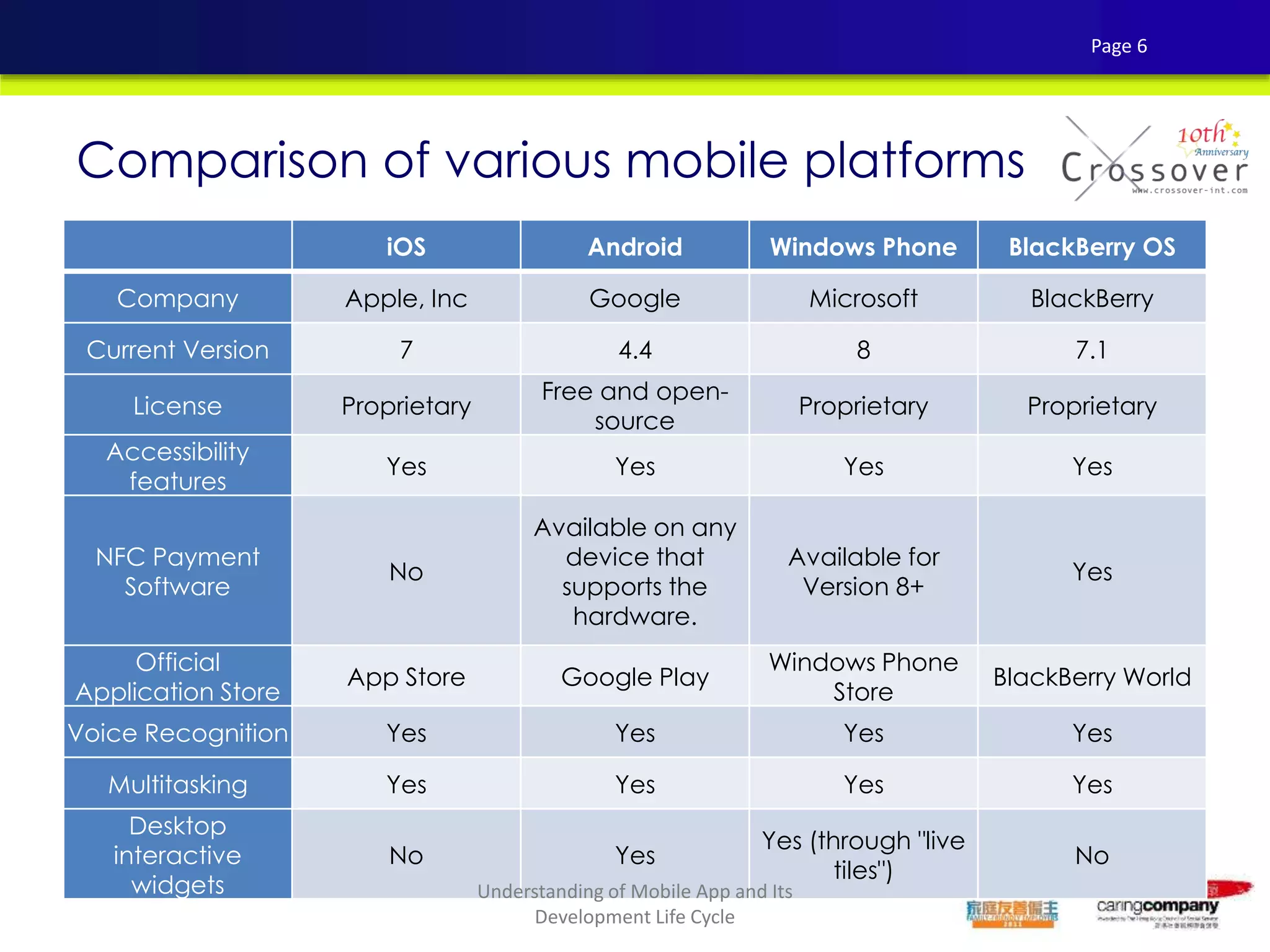
iOS Android Windows Phone BlackBerry OS
Company Apple, Inc Google Microsoft BlackBerry
Current Version 7 4.4 8 7.1
License Proprietary
Free and open-
source
Proprietary Proprietary
Accessibility
features
Yes Yes Yes Yes
NFC Payment
Software
No
Available on any
device that
supports the
hardware.
Available for
Version 8+
Yes
Official
Application Store
App Store Google Play
Windows Phone
Store
BlackBerry World
Voice Recognition Yes Yes Yes Yes
Multitasking Yes Yes Yes Yes
Desktop
interactive
widgets
No Yes
Yes (through "live
tiles")
No
Comparison of various mobile platforms
Page 6
Understanding of Mobile App and Its
Development Life Cycle
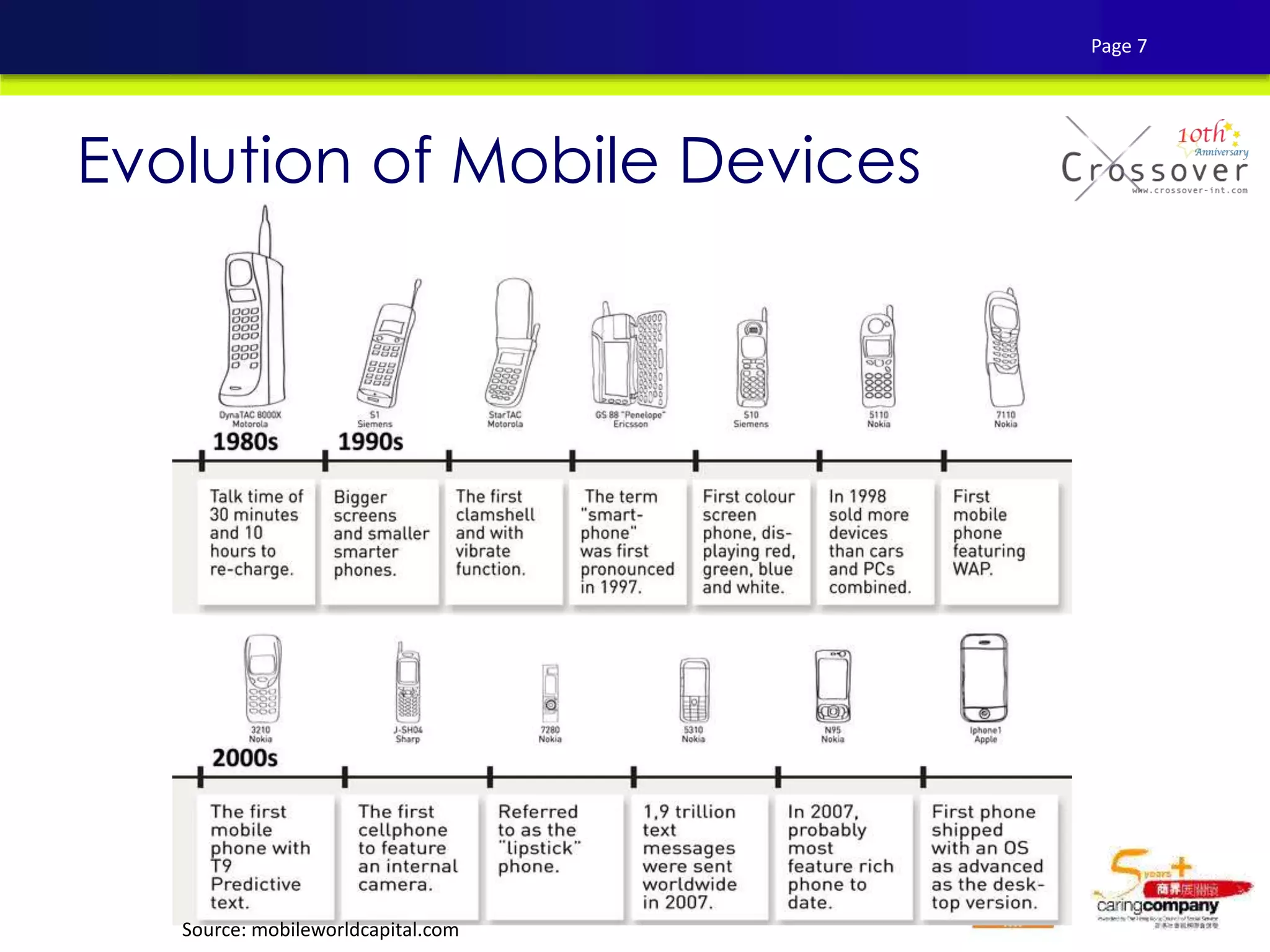
Evolution of Mobile Devices
Source: mobileworldcapital.com
Page 7
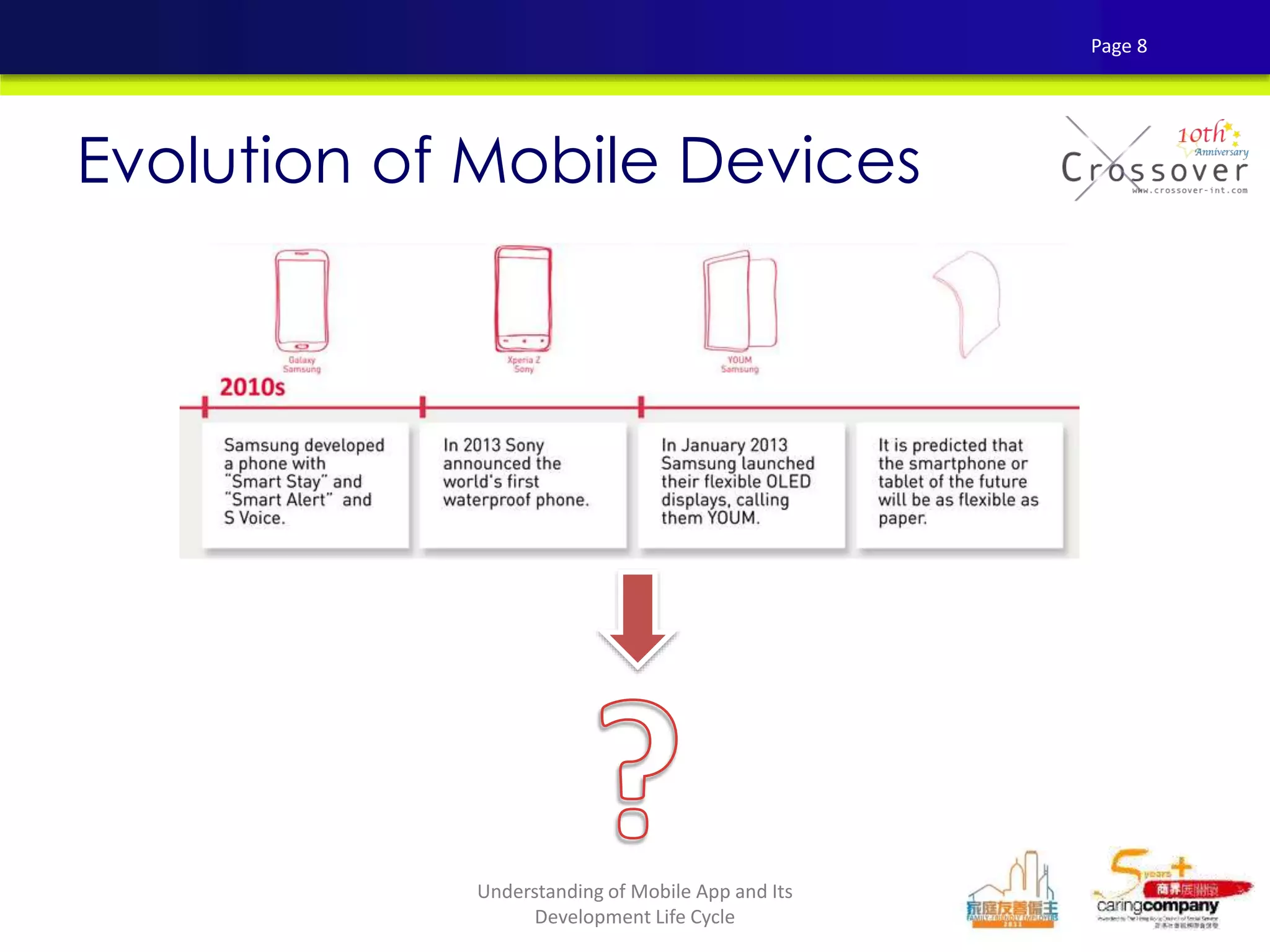
Evolution of Mobile Devices
Page 8
Understanding of Mobile App and Its
Development Life Cycle
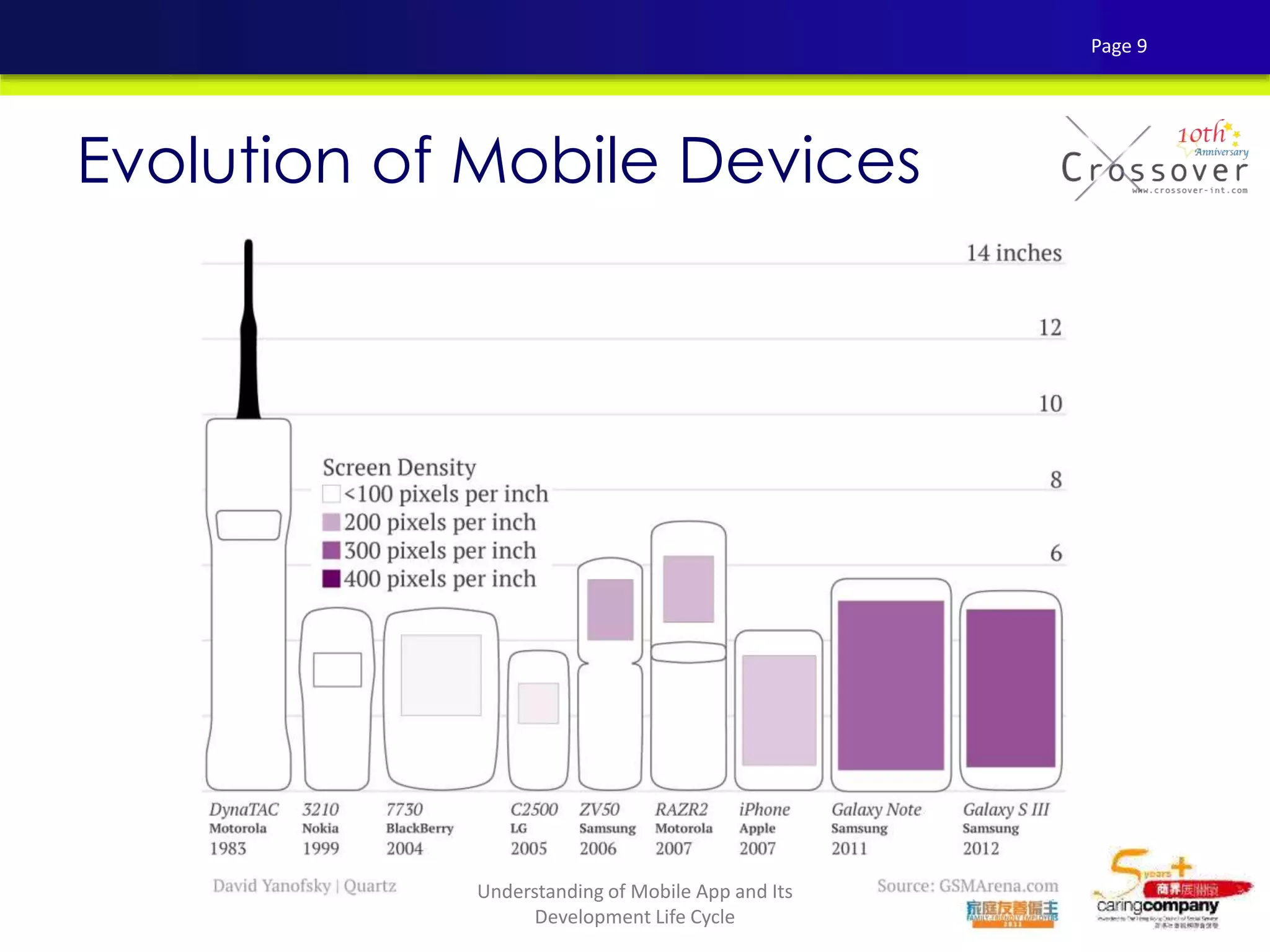
Evolution of Mobile Devices
Page 9
Understanding of Mobile App and Its
Development Life Cycle
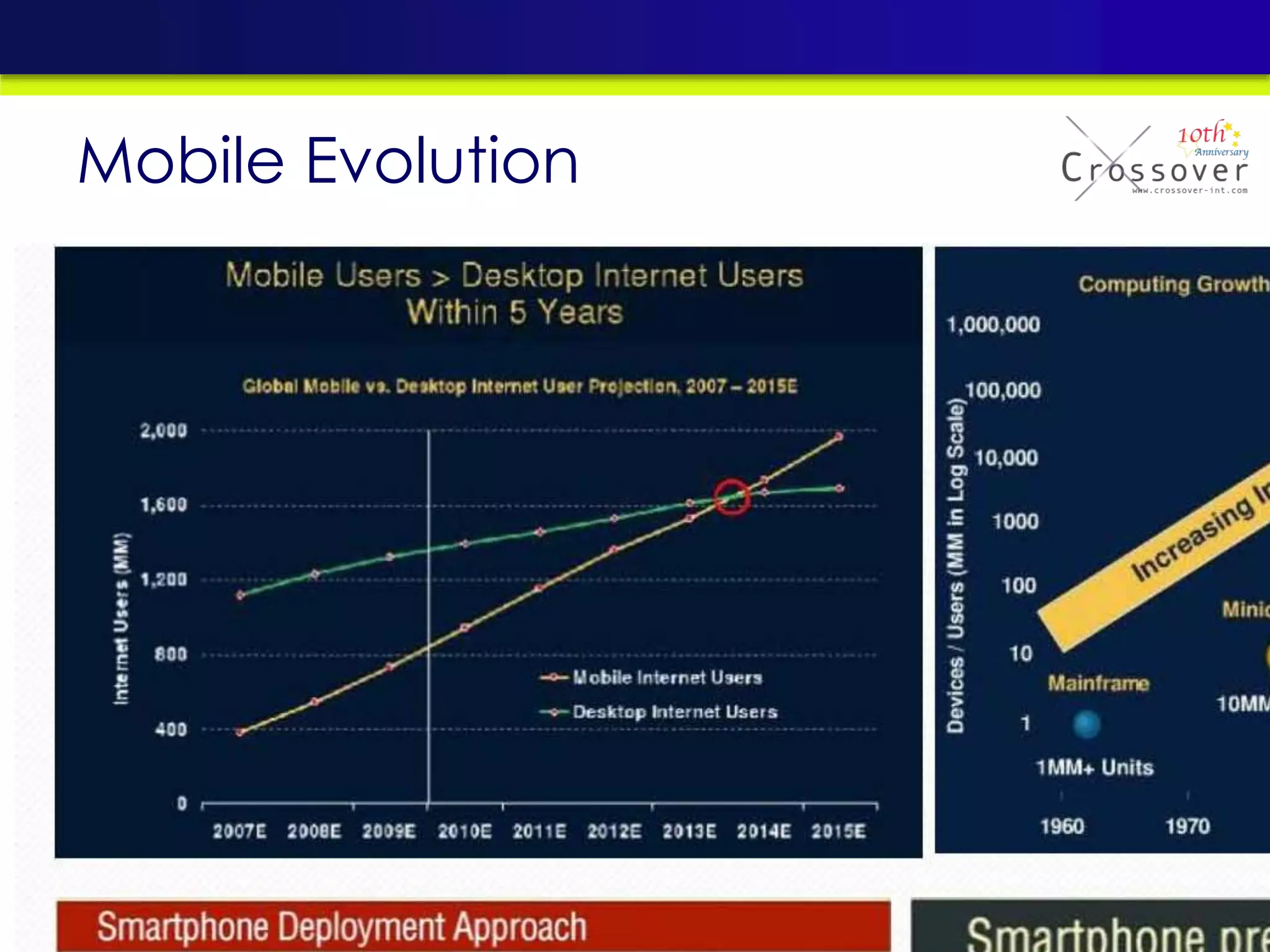
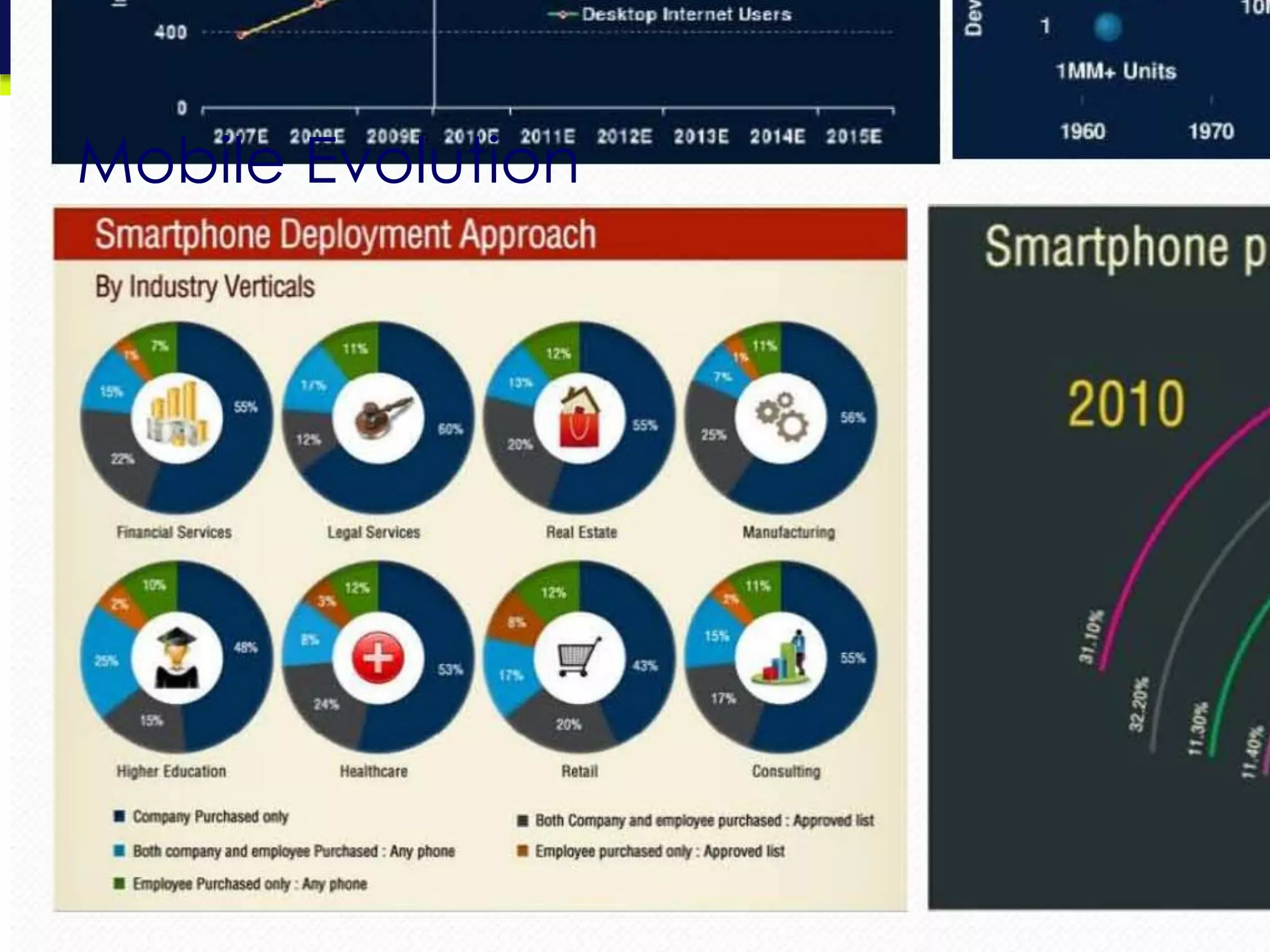
Mobile Evolution
Mobile Evolution
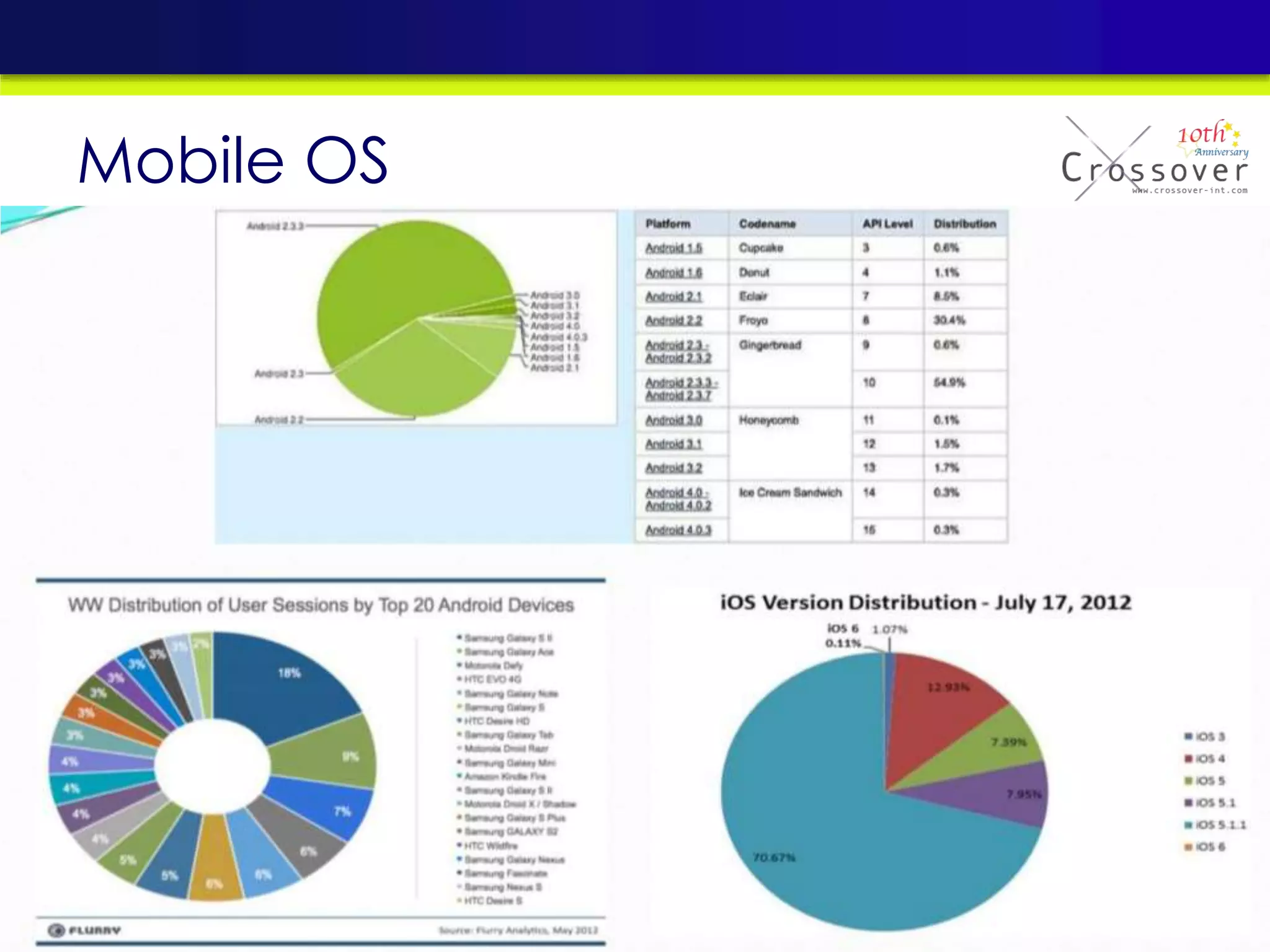
Mobile OS
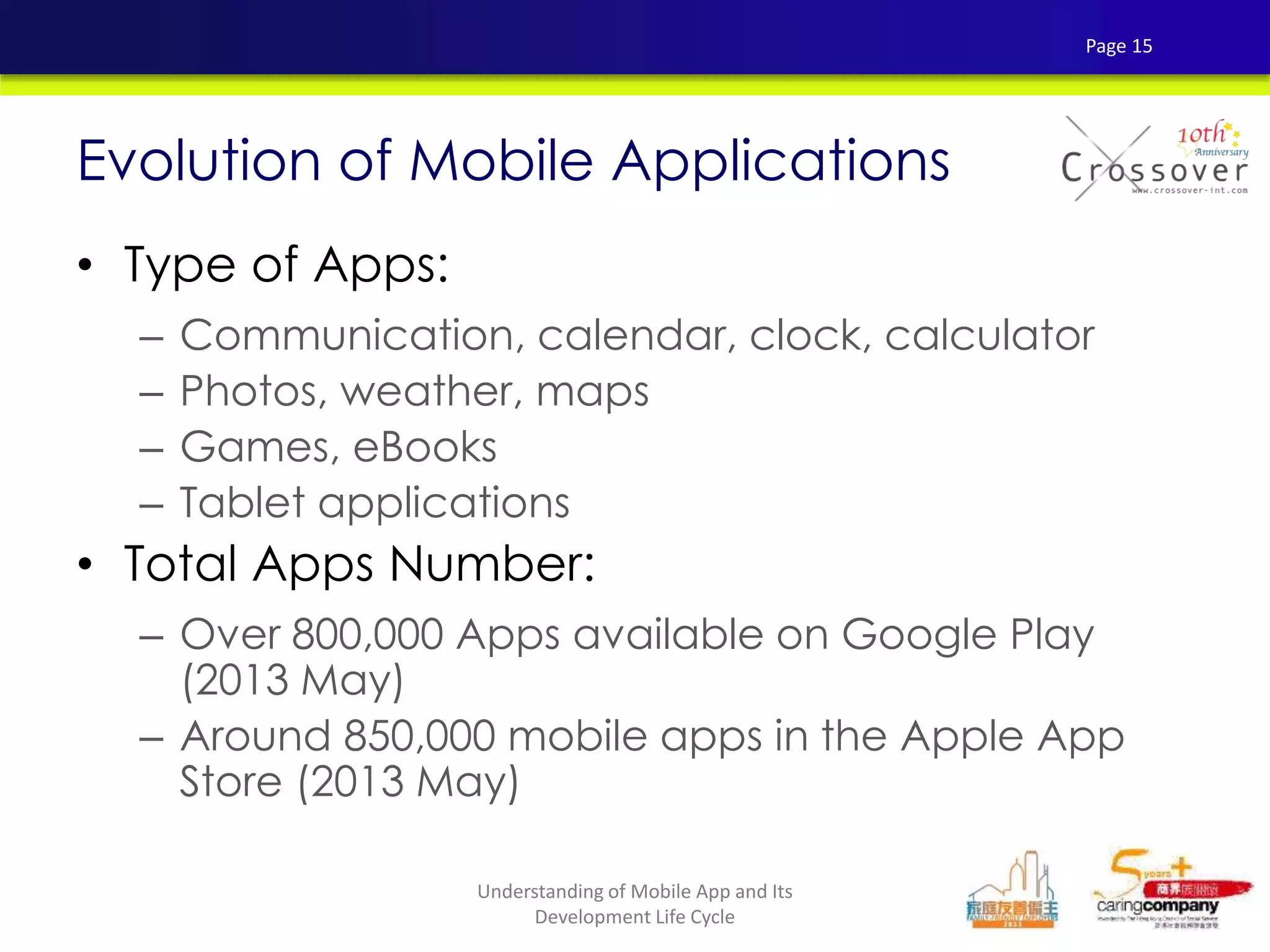
• Type of Apps:
– Communication, calendar, clock, calculator
– Photos, weather, maps
– Games, eBooks
– Tablet applications
• Total Apps Number:
– Over 800,000 Apps available on Google Play
(2013 May)
– Around 850,000 mobile apps in the Apple App
Store (2013 May)
Evolution of Mobile Applications
Page 15
Understanding of Mobile App and Its
Development Life Cycle
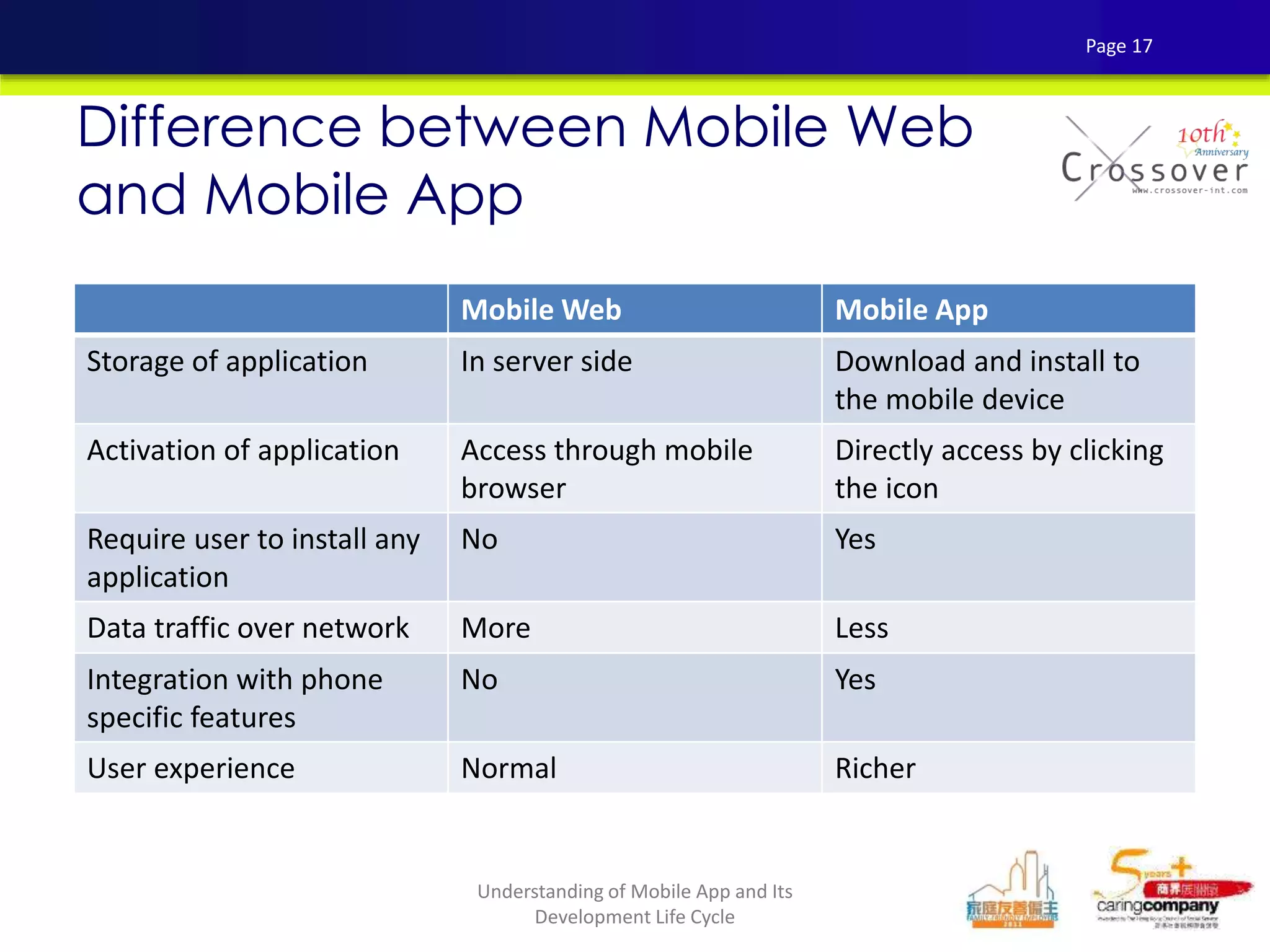
Difference between Mobile Web
and Mobile App
Mobile Web Mobile App
Storage of application In server side Download and install to
the mobile device
Activation of application Access through mobile
browser
Directly access by clicking
the icon
Require user to install any
application
No Yes
Data traffic over network More Less
Integration with phone
specific features
No Yes
User experience Normal Richer
Page 17
Understanding of Mobile App and Its
Development Life Cycle
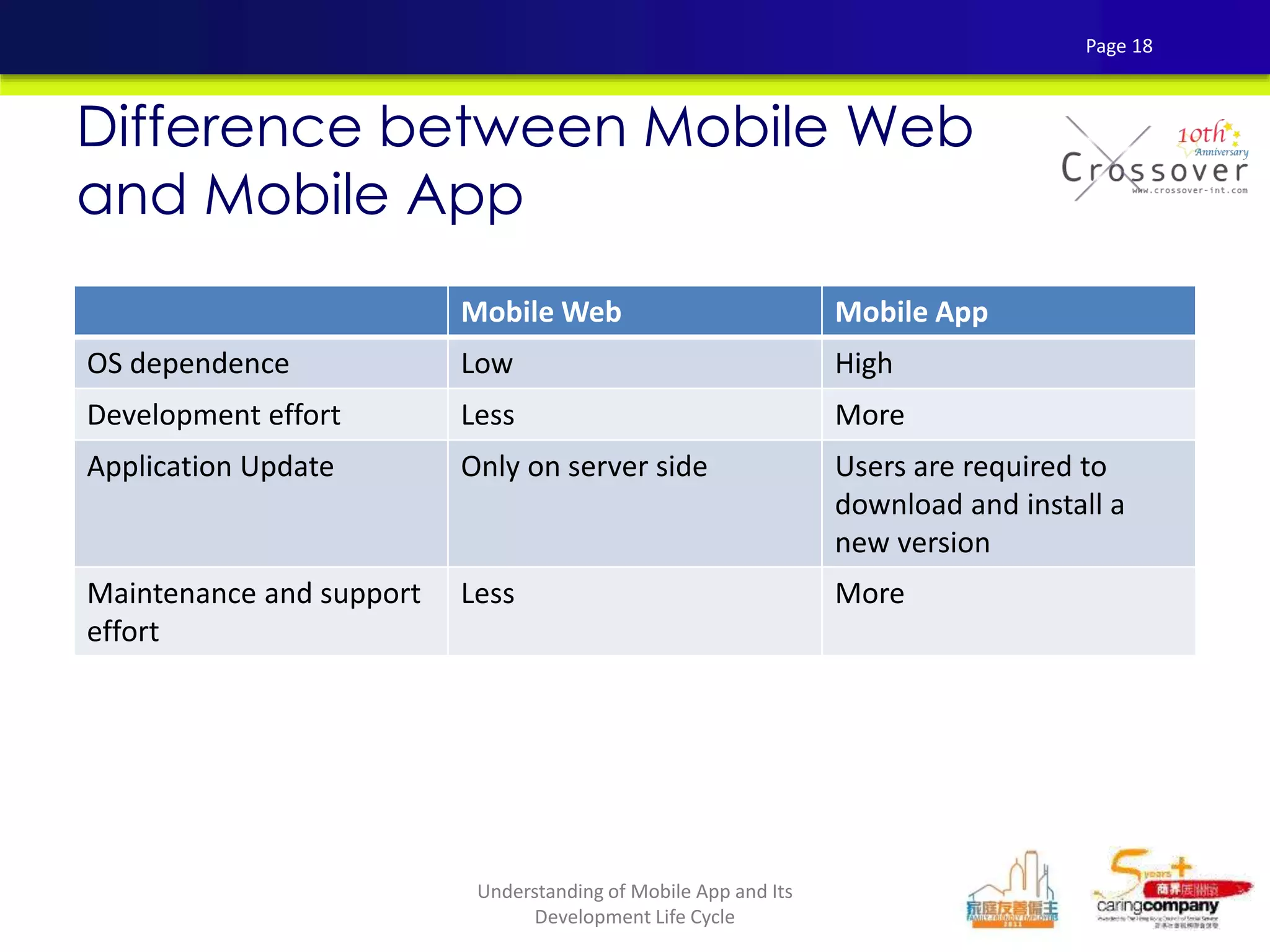
Difference between Mobile Web
and Mobile App
Mobile Web Mobile App
OS dependence Low High
Development effort Less More
Application Update Only on server side Users are required to
download and install a
new version
Maintenance and support
effort
Less More
Page 18
Understanding of Mobile App and Its
Development Life Cycle
Moblie Apps Development platforms
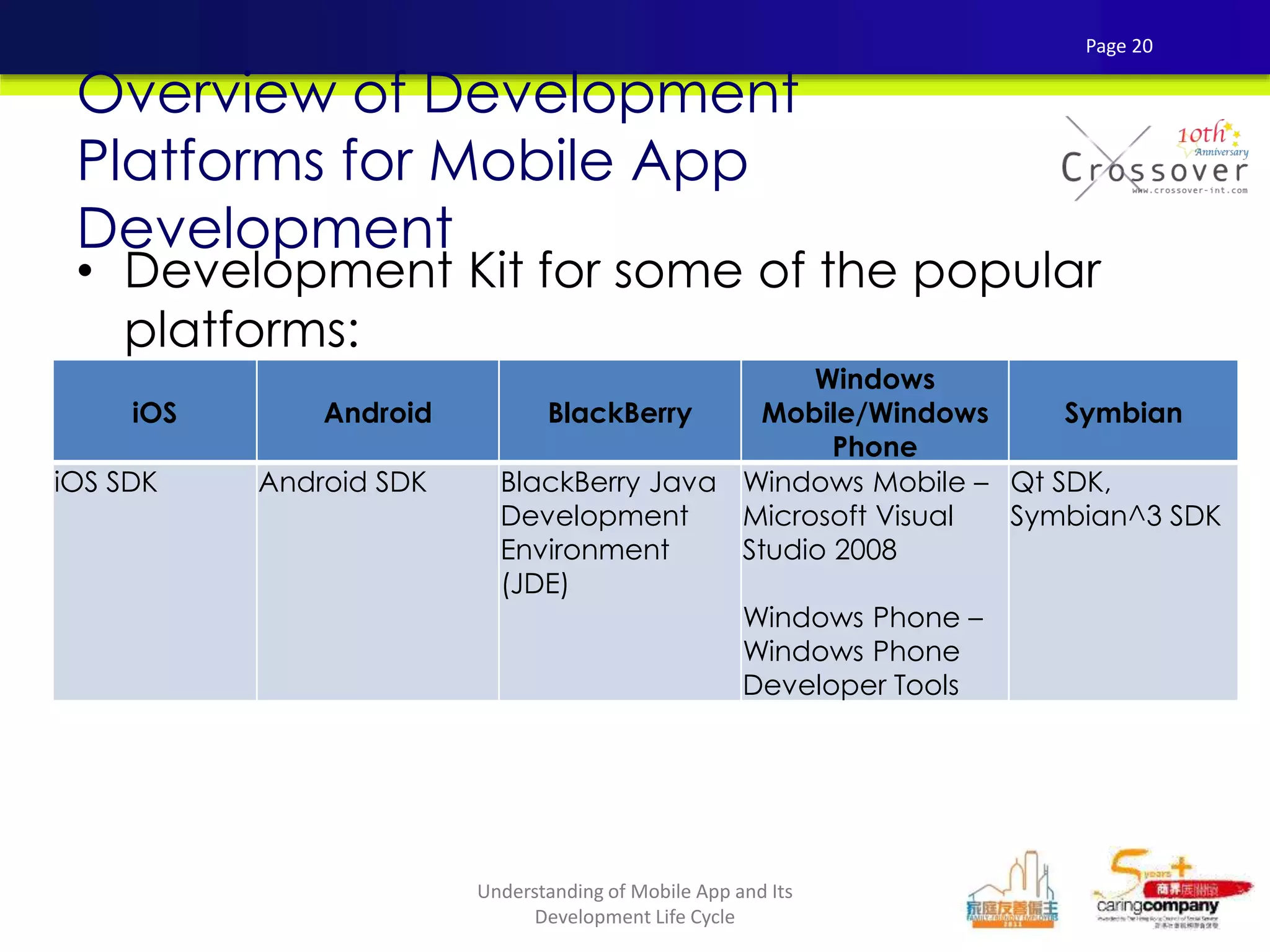
• Development Kit for some of the popular
platforms:
Overview of Development
Platforms for Mobile App
Development
iOS Android BlackBerry
Windows
Mobile/Windows
Phone
Symbian
iOS SDK Android SDK BlackBerry Java
Development
Environment
(JDE)
Windows Mobile –
Microsoft Visual
Studio 2008
Windows Phone –
Windows Phone
Developer Tools
Qt SDK,
Symbian^3 SDK
Page 20
Understanding of Mobile App and Its
Development Life Cycle
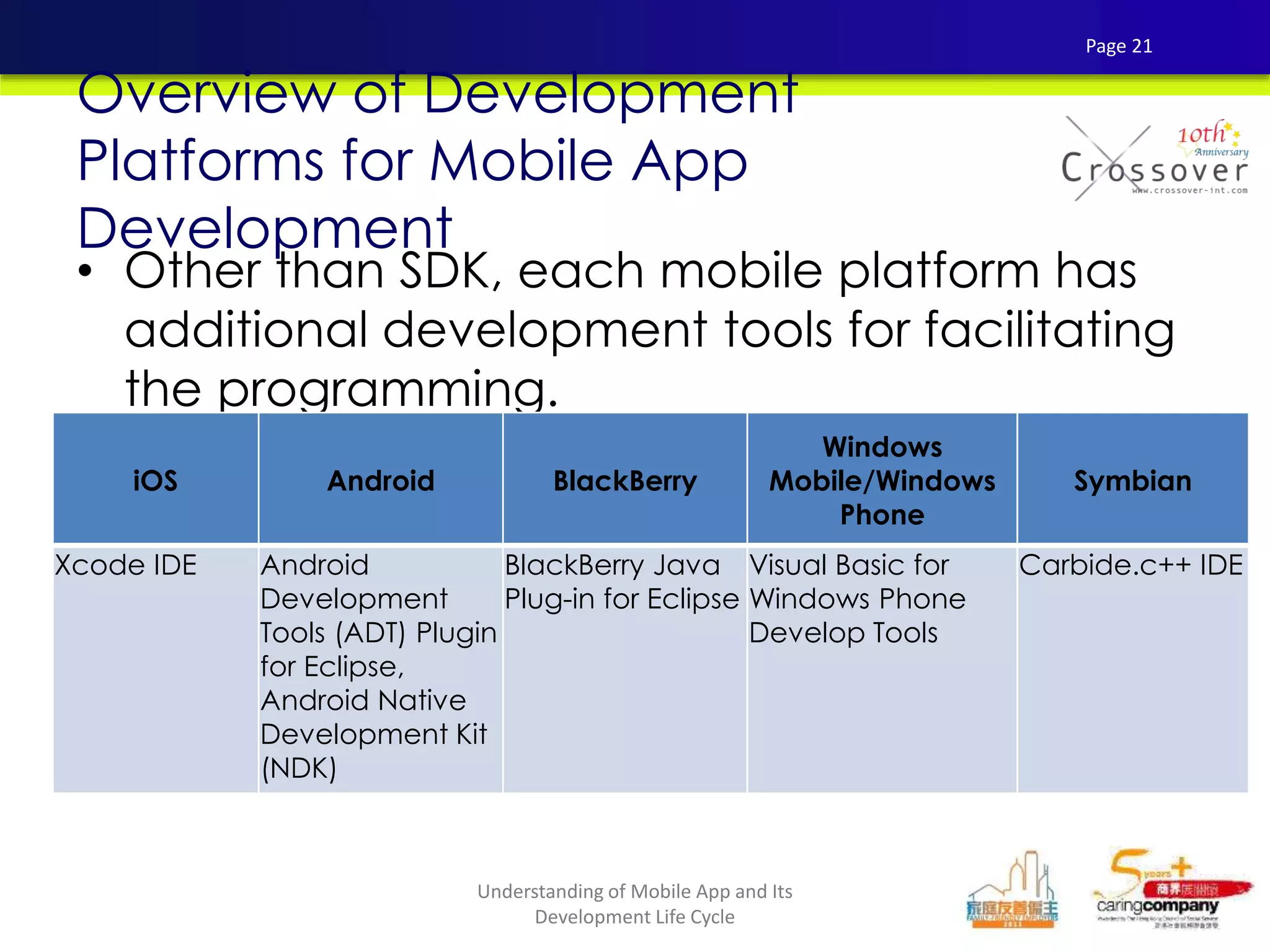
• Other than SDK, each mobile platform has
additional development tools for facilitating
the programming.
Overview of Development
Platforms for Mobile App
Development
iOS Android BlackBerry
Windows
Mobile/Windows
Phone
Symbian
Xcode IDE Android
Development
Tools (ADT) Plugin
for Eclipse,
Android Native
Development Kit
(NDK)
BlackBerry Java
Plug-in for Eclipse
Visual Basic for
Windows Phone
Develop Tools
Carbide.c++ IDE
Page 21
Understanding of Mobile App and Its
Development Life Cycle
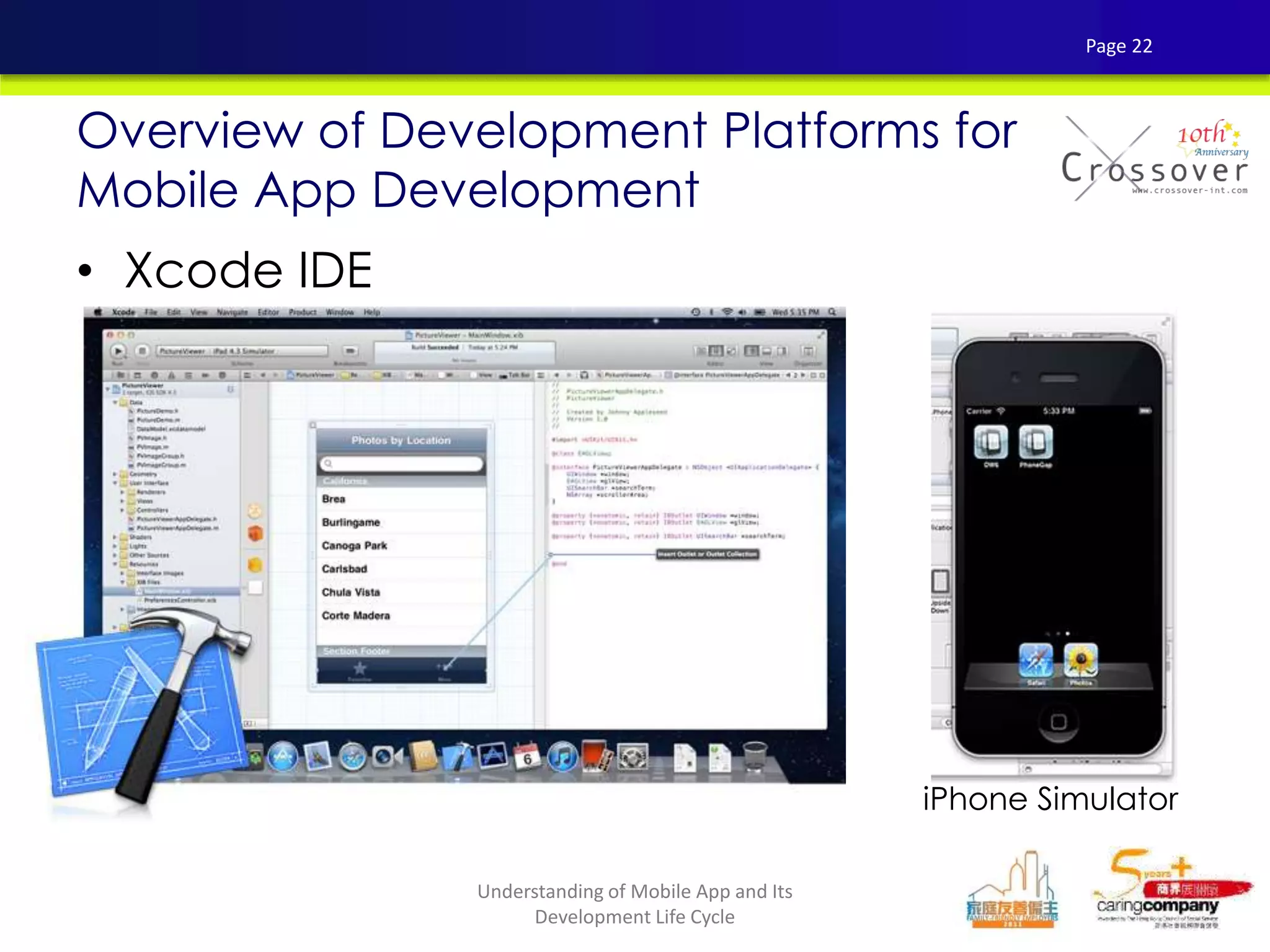
• Xcode IDE
Overview of Development Platforms for
Mobile App Development
iPhone Simulator
Page 22
Understanding of Mobile App and Its
Development Life Cycle
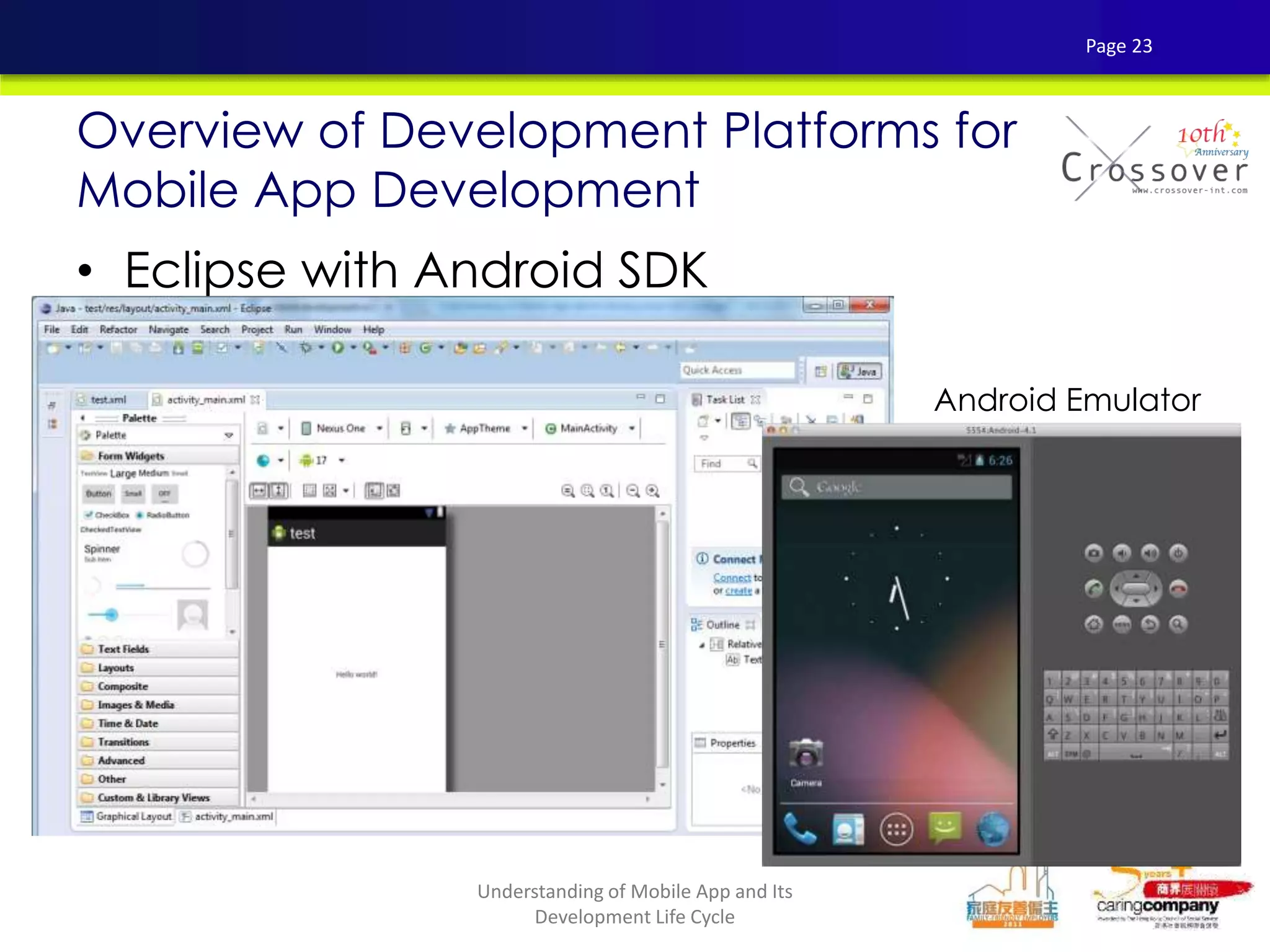
• Eclipse with Android SDK
Overview of Development Platforms for
Mobile App Development
Android Emulator
Page 23
Understanding of Mobile App and Its
Development Life Cycle
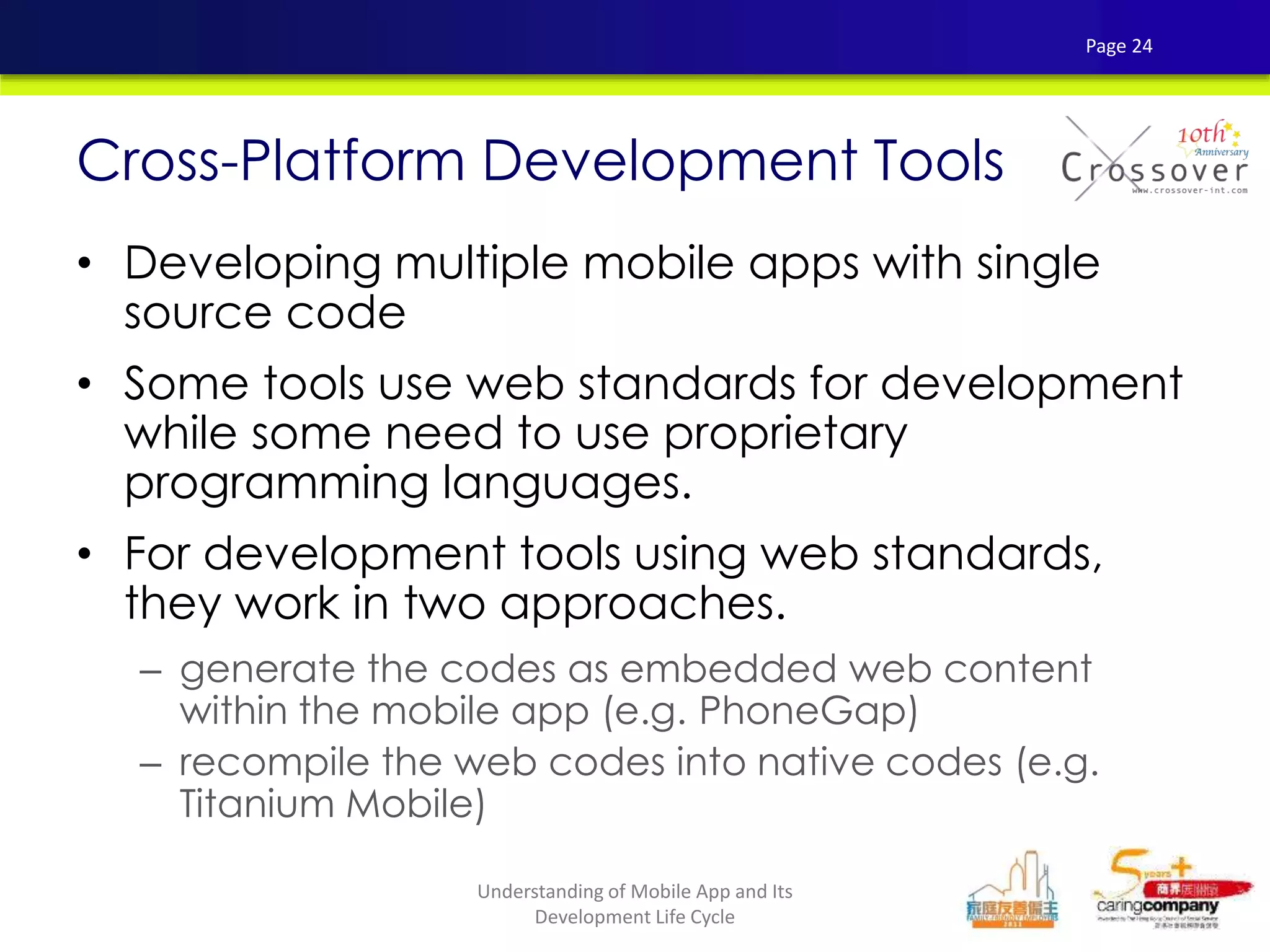
• Developing multiple mobile apps with single
source code
• Some tools use web standards for development
while some need to use proprietary
programming languages.
• For development tools using web standards,
they work in two approaches.
– generate the codes as embedded web content
within the mobile app (e.g. PhoneGap)
– recompile the web codes into native codes (e.g.
Titanium Mobile)
Cross-Platform Development Tools
Page 24
Understanding of Mobile App and Its
Development Life Cycle
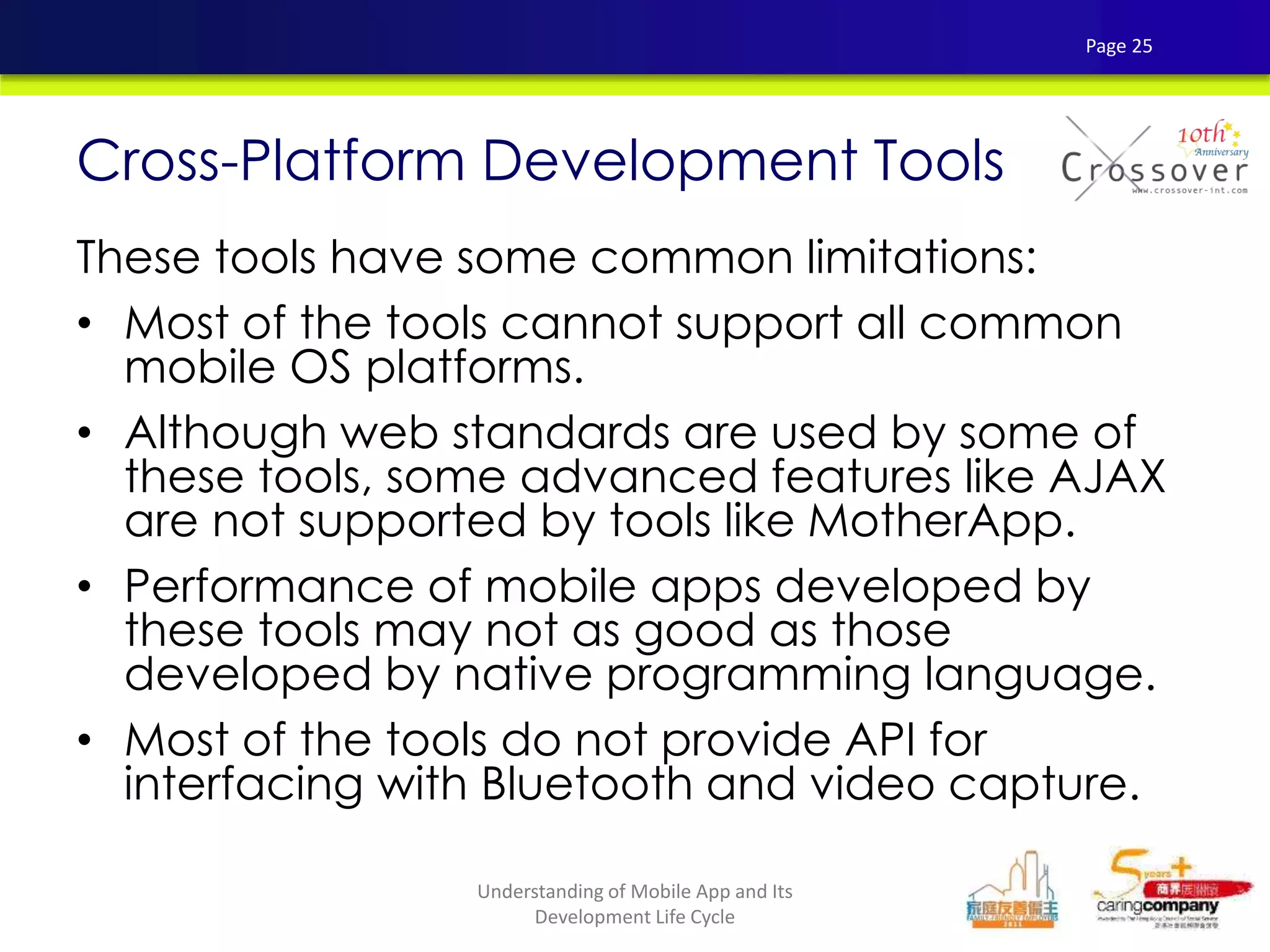
These tools have some common limitations:
• Most of the tools cannot support all common
mobile OS platforms.
• Although web standards are used by some of
these tools, some advanced features like AJAX
are not supported by tools like MotherApp.
• Performance of mobile apps developed by
these tools may not as good as those
developed by native programming language.
• Most of the tools do not provide API for
interfacing with Bluetooth and video capture.
Cross-Platform Development Tools
Page 25
Understanding of Mobile App and Its
Development Life Cycle
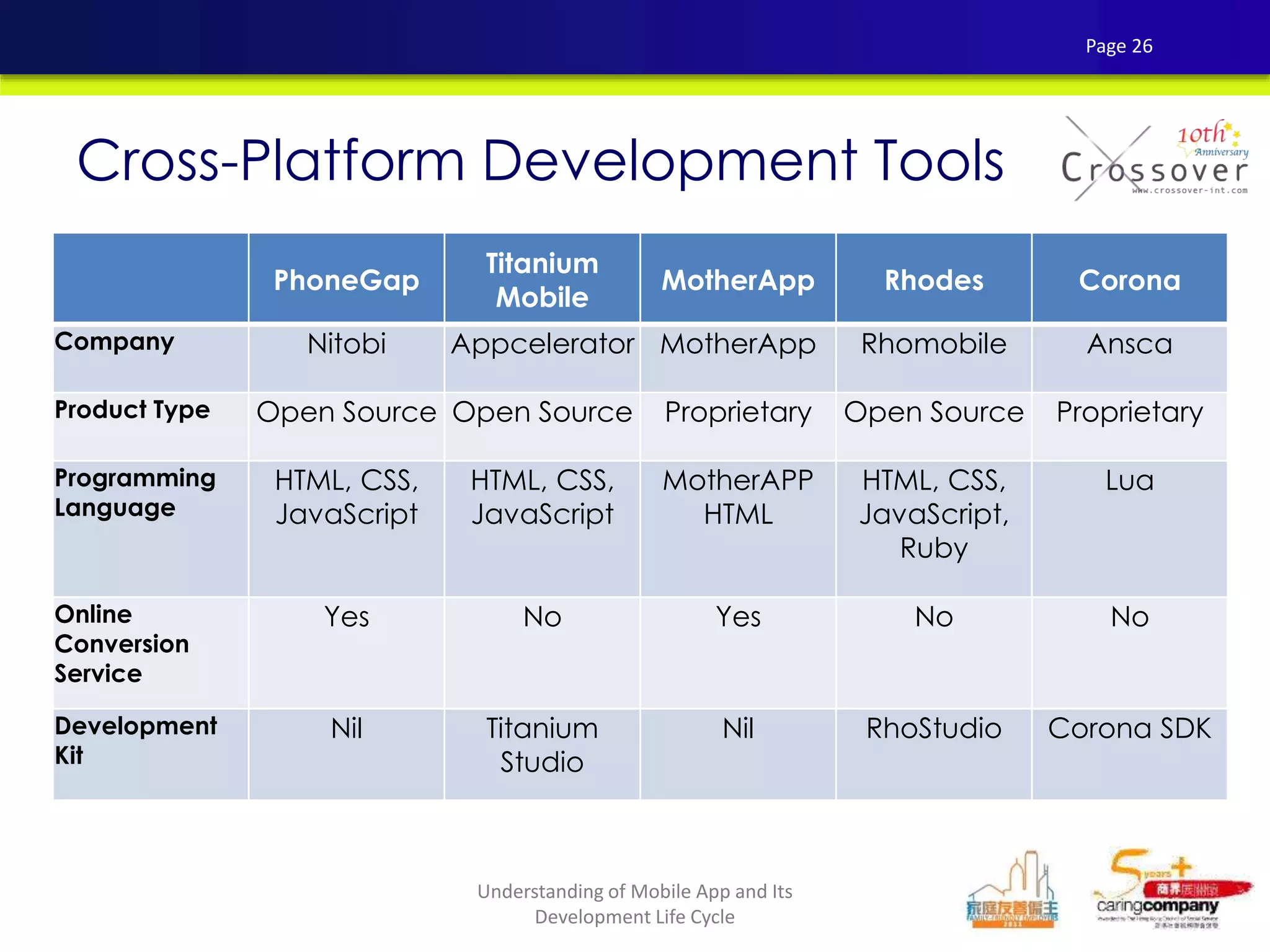
PhoneGap
Titanium
Mobile
MotherApp Rhodes Corona
Company Nitobi Appcelerator MotherApp Rhomobile Ansca
Product Type Open Source Open Source Proprietary Open Source Proprietary
Programming
Language
HTML, CSS,
JavaScript
HTML, CSS,
JavaScript
MotherAPP
HTML
HTML, CSS,
JavaScript,
Ruby
Lua
Online
Conversion
Service
Yes No Yes No No
Development
Kit
Nil Titanium
Studio
Nil RhoStudio Corona SDK
Cross-Platform Development Tools
Page 26
Understanding of Mobile App and Its
Development Life Cycle
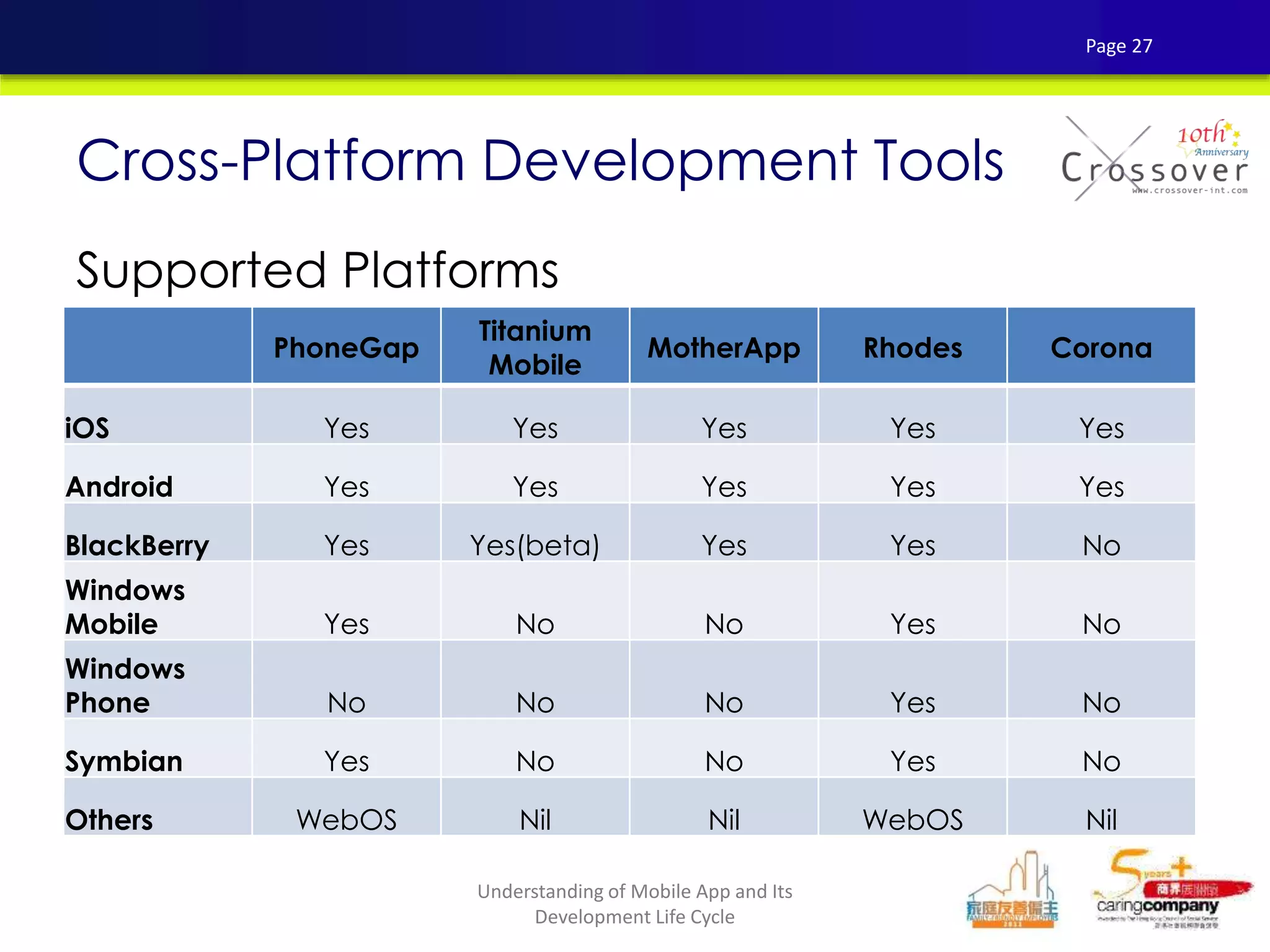
Supported Platforms
Cross-Platform Development Tools
PhoneGap
Titanium
Mobile
MotherApp Rhodes Corona
iOS Yes Yes Yes Yes Yes
Android Yes Yes Yes Yes Yes
BlackBerry Yes Yes(beta) Yes Yes No
Windows
Mobile Yes No No Yes No
Windows
Phone No No No Yes No
Symbian Yes No No Yes No
Others WebOS Nil Nil WebOS Nil
Page 27
Understanding of Mobile App and Its
Development Life Cycle
MOBILE APPS TESTING
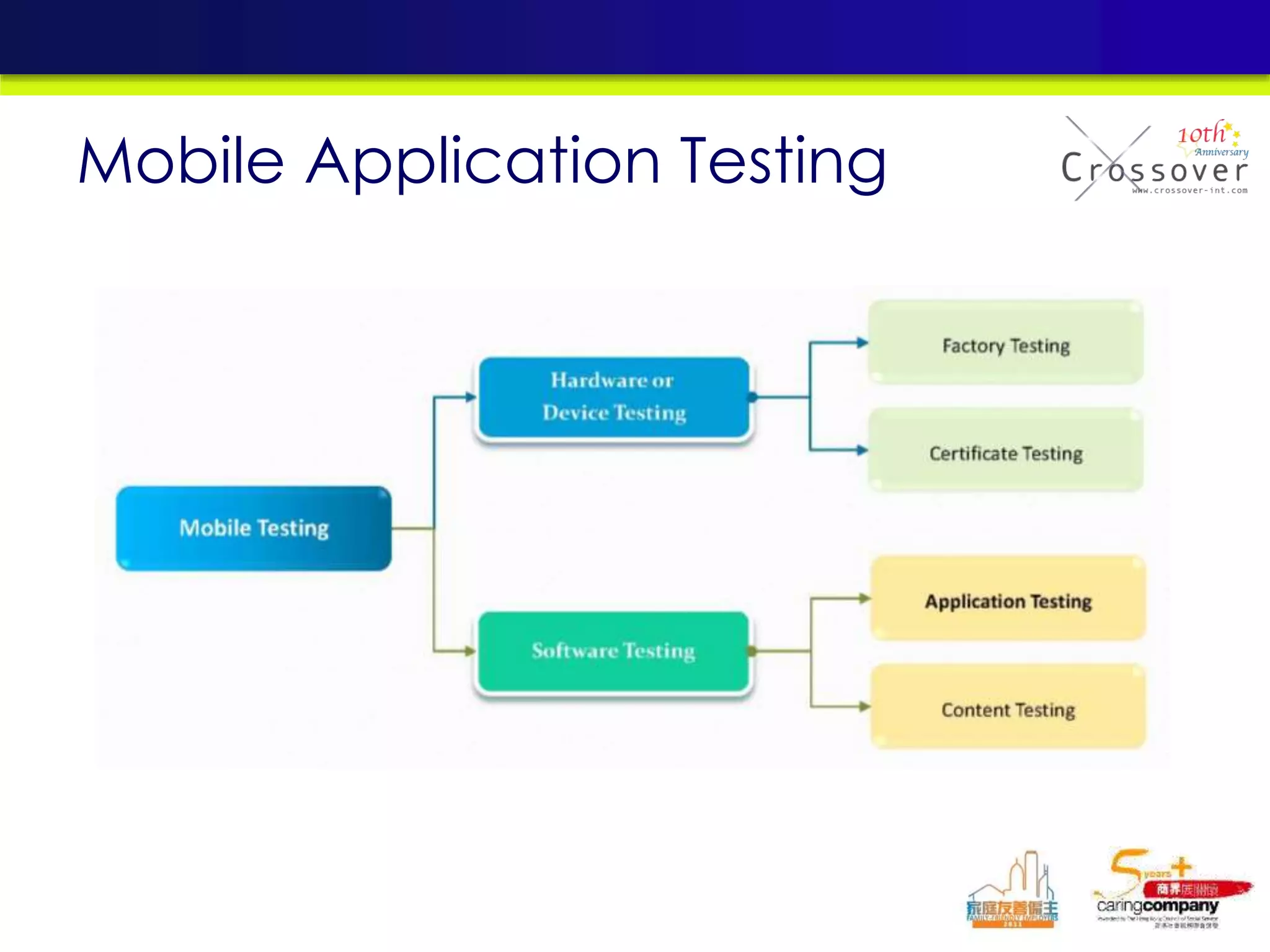
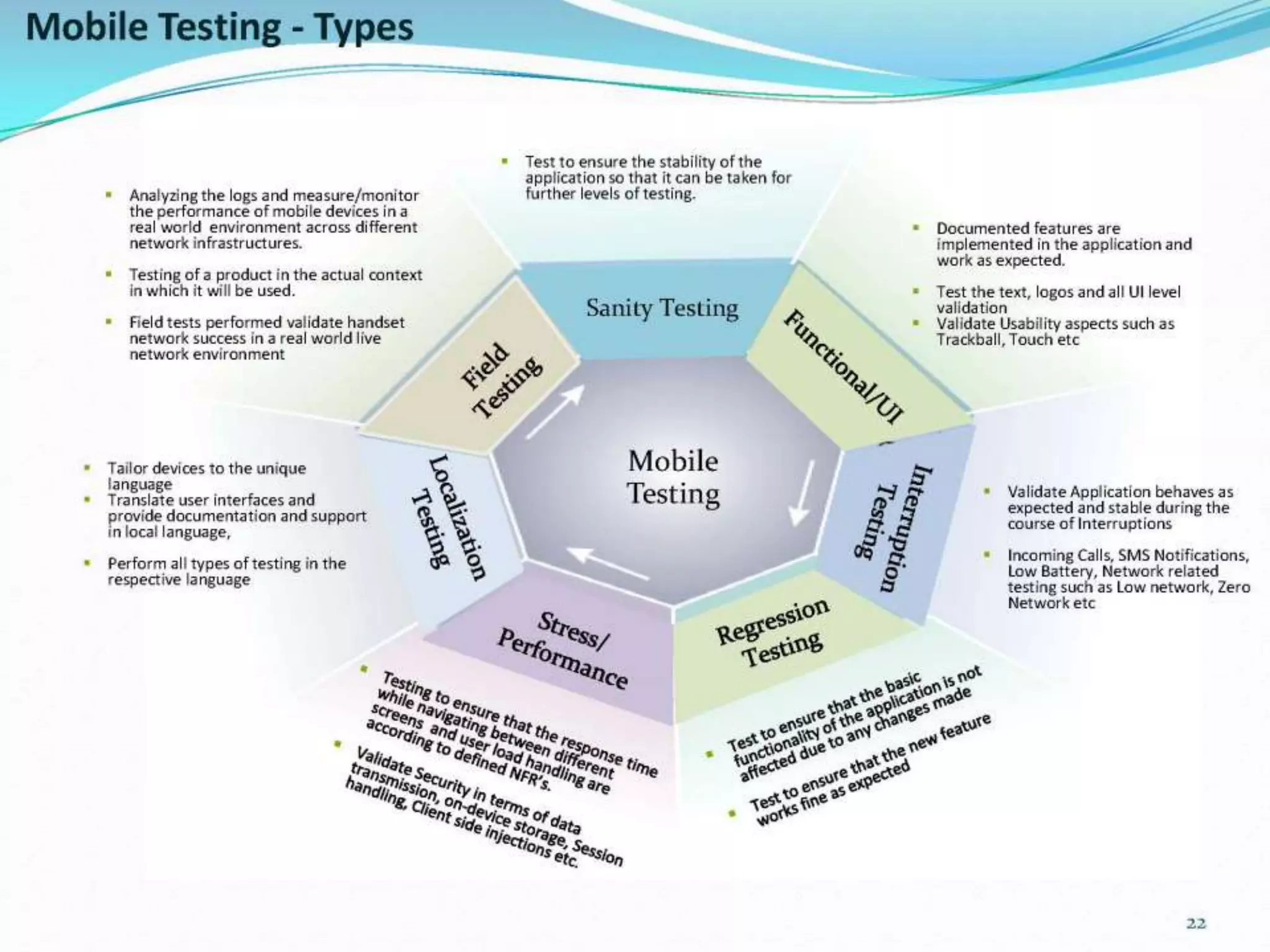
Mobile Application Testing
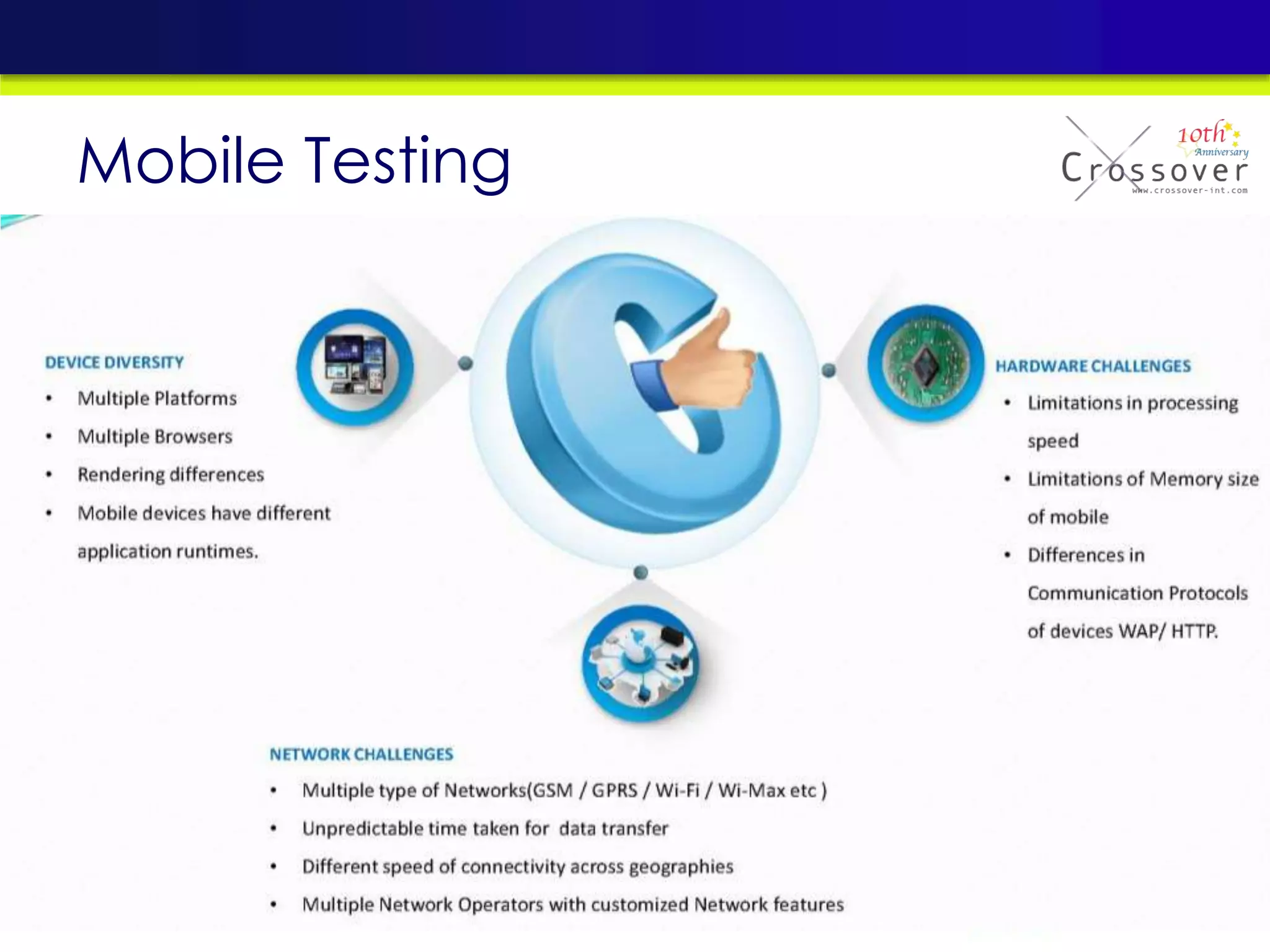
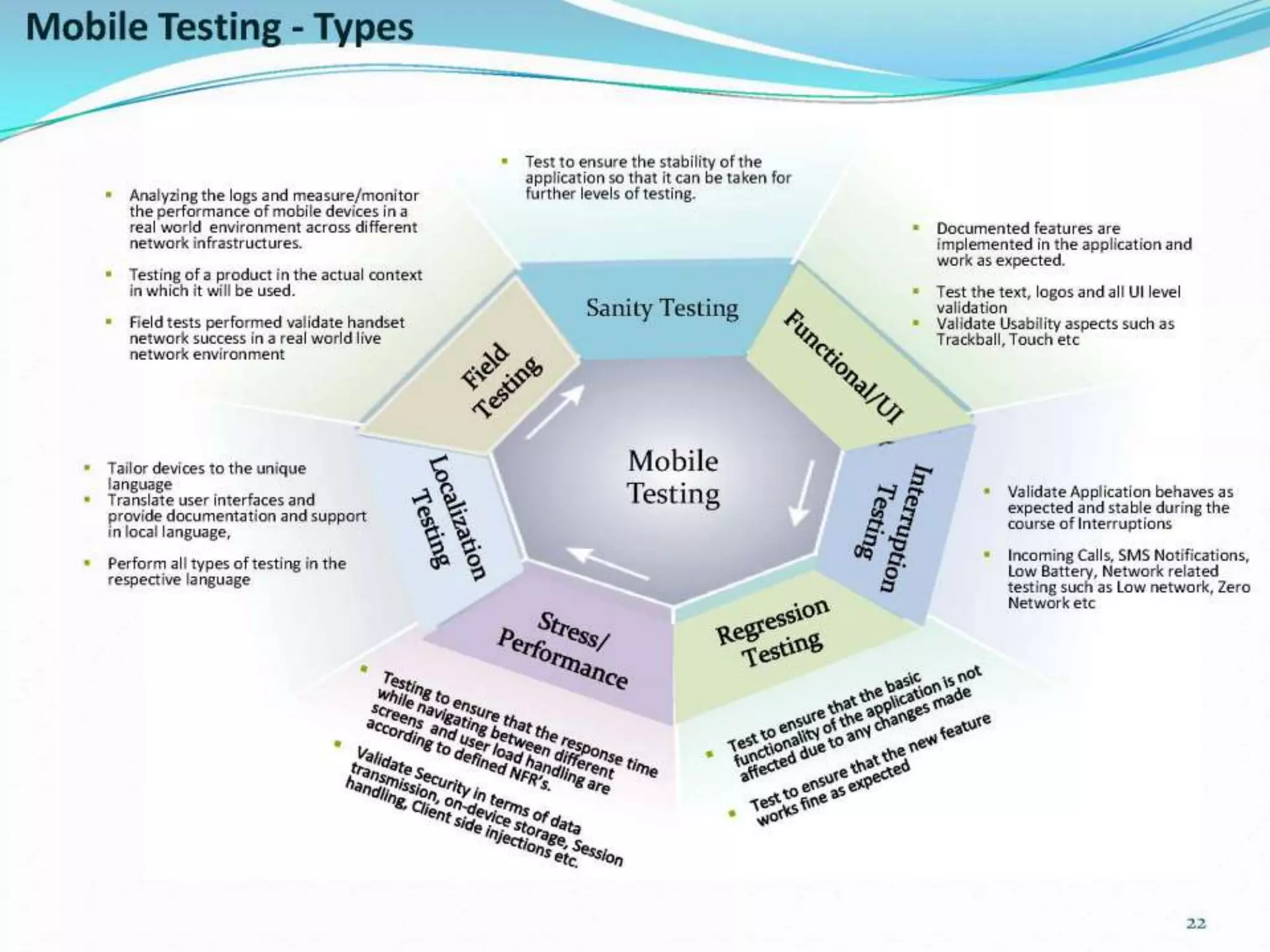
Mobile Testing
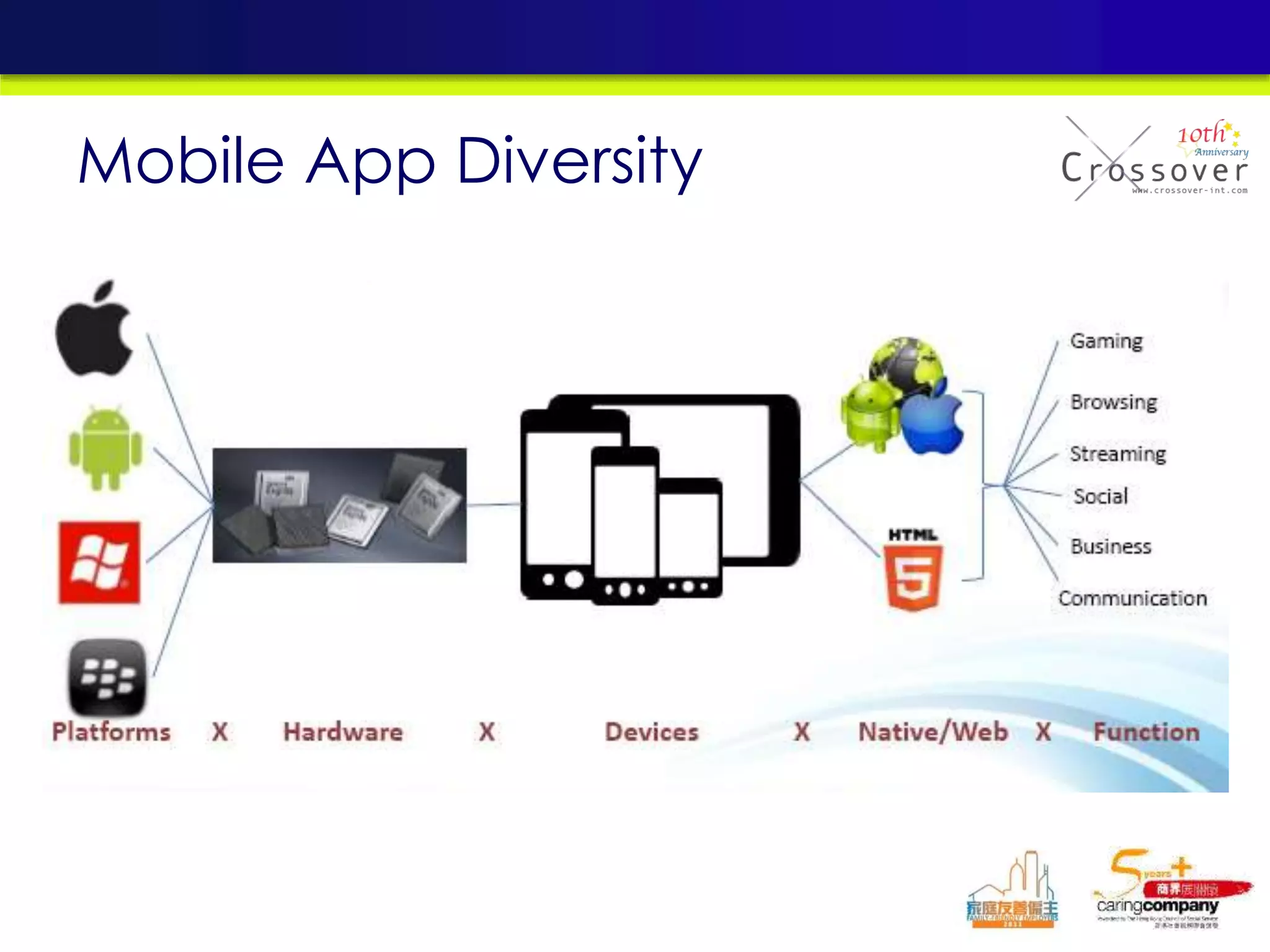
Mobile App Diversity
• Integration with existing Systems
• Accelerated Development
• Performance & Security
• Backward Compatibility
Challenges
• Quick swipe (user experience, quit app
scenarios)
• Orientation
• Different devices (resolutions, compatibility)
• No network scenario
• Features Test (esp. cross app cases)
• Stress Test (including server side)
Testing Strategy for Mobile App
Page 36
Understanding of Mobile App and Its
Development Life Cycle
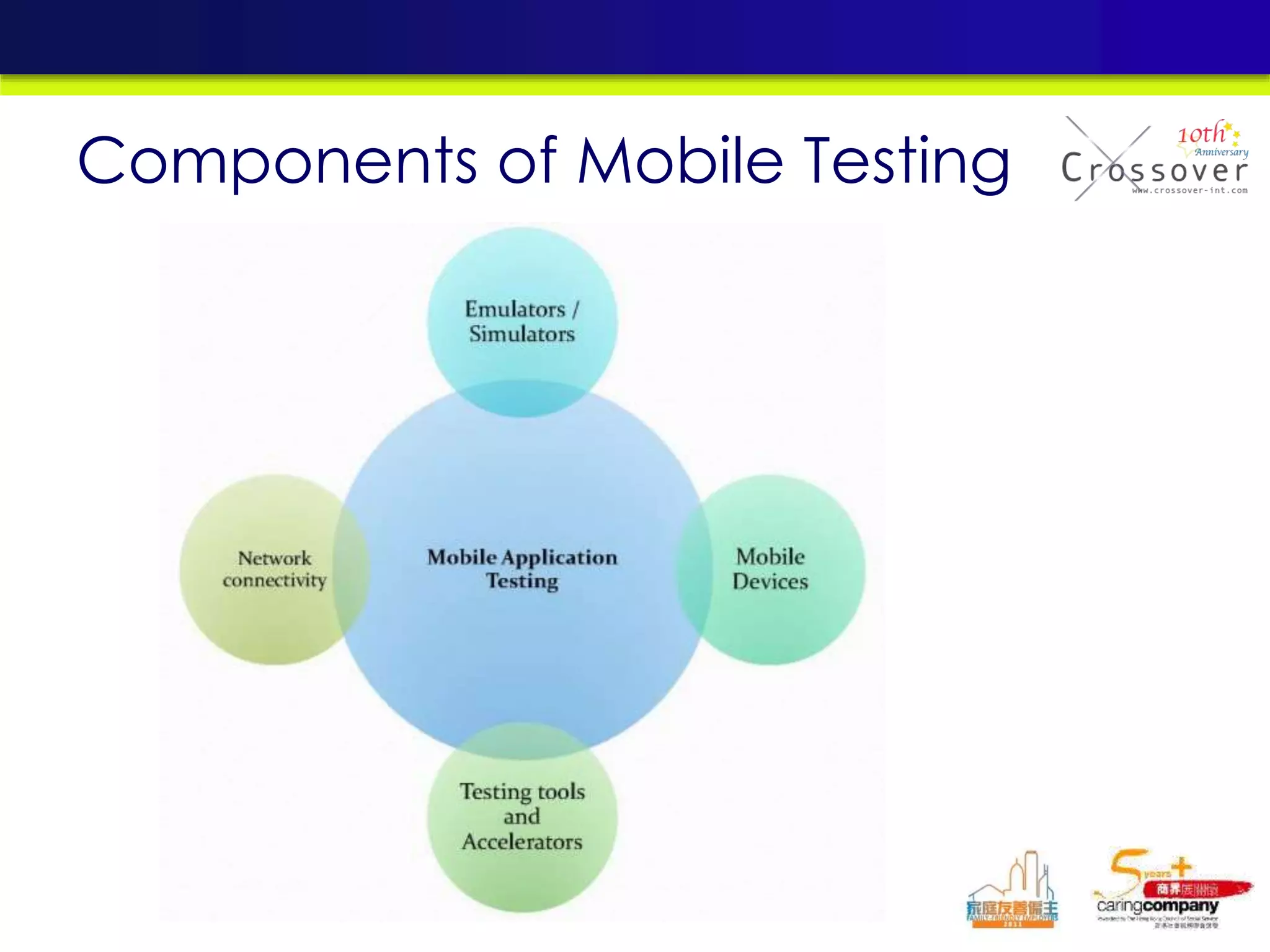
Components of Mobile Testing
• Mobile emulator provides an easy way for testing
the application without the needs of actual device.
• Emulator cannot perform some hardware related
testing
– onboard camera
– GPS,
– sensors,
– multitouch,
– telephony,
– accelerometer feedback
• Testing with actual device must be conducted
before the application is released.
Testing Strategy for Mobile App
Page 39
Understanding of Mobile App and Its
Development Life Cycle
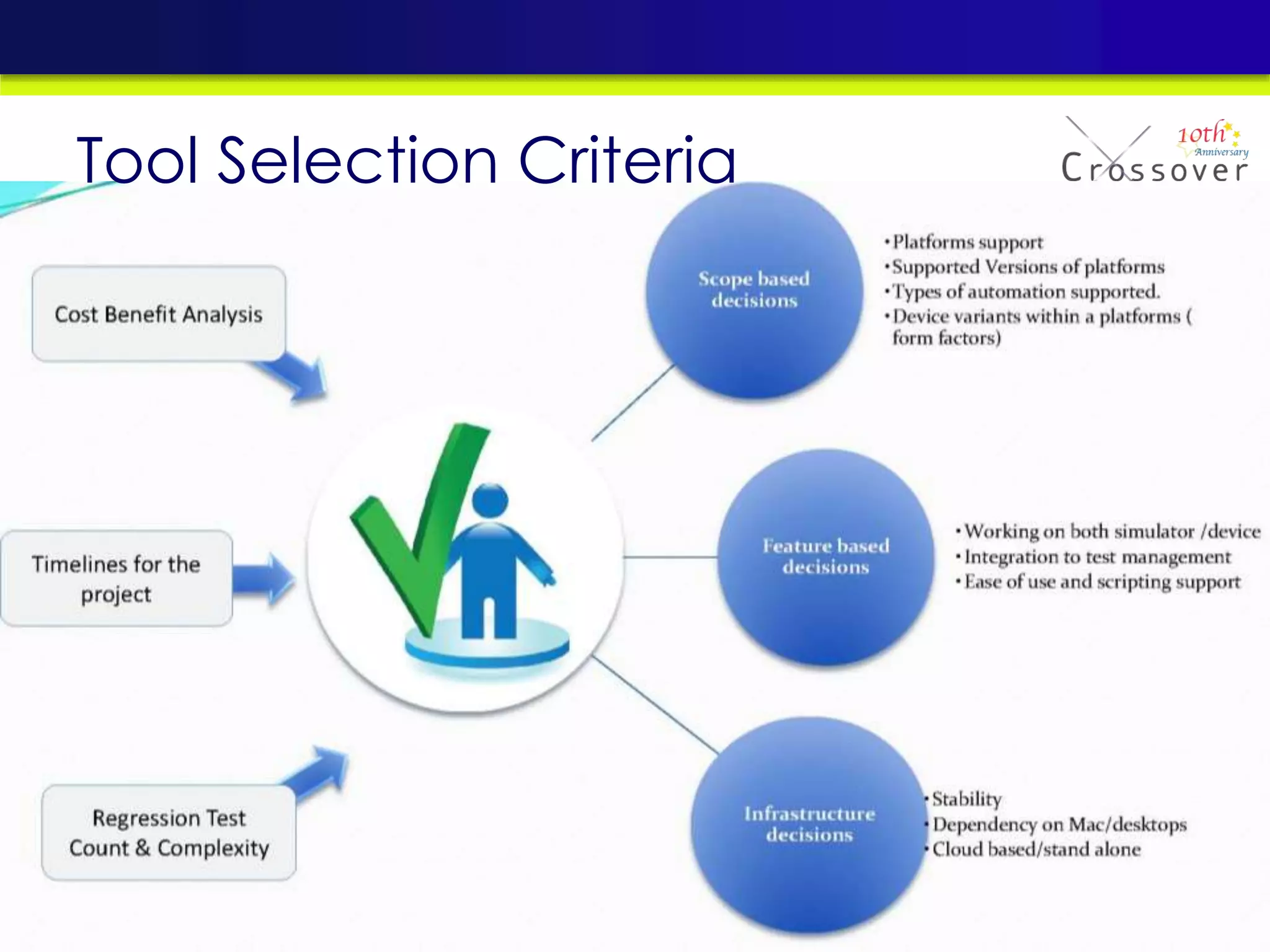
Tool Selection Criteria
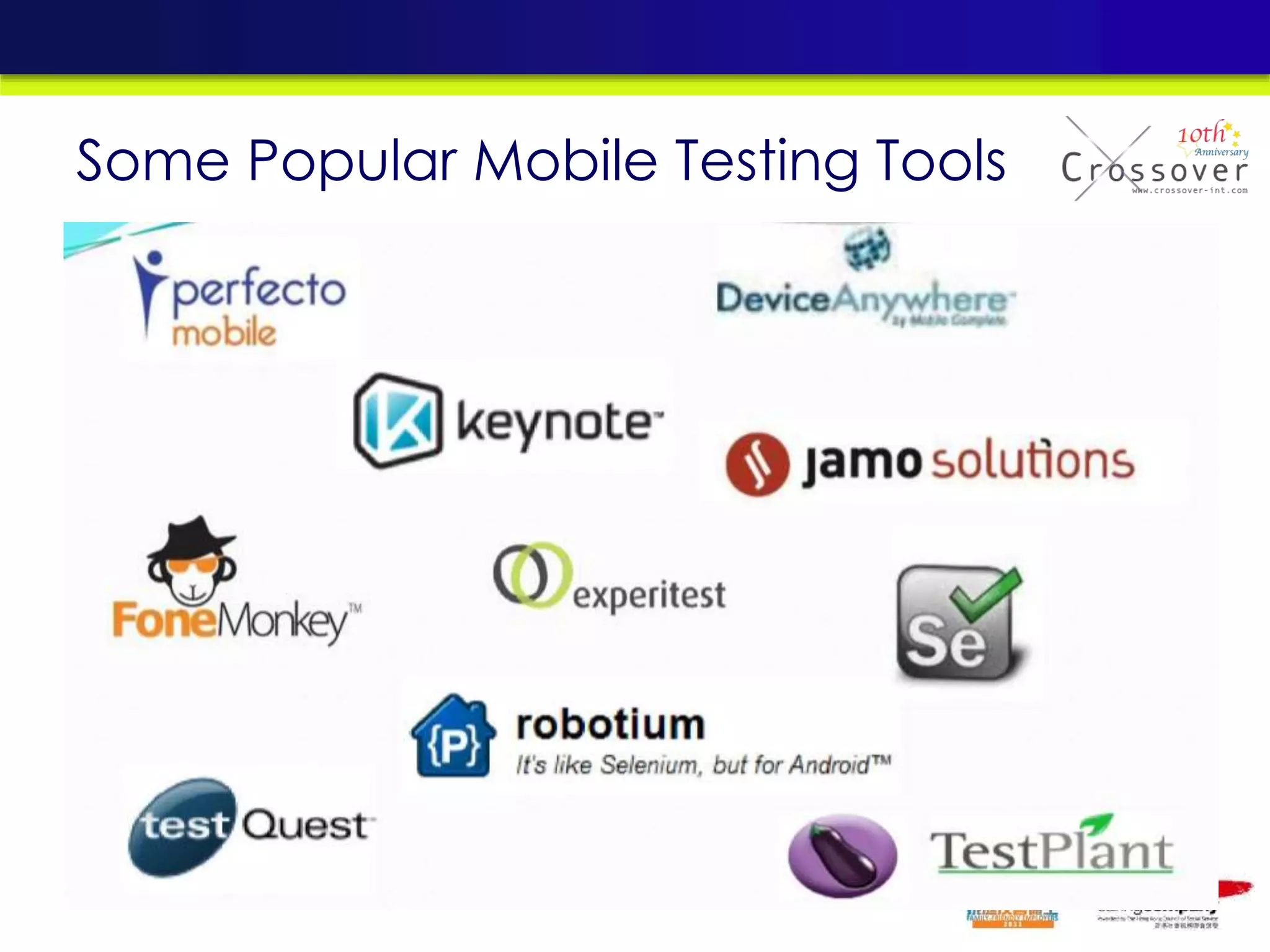
Some Popular Mobile Testing Tools
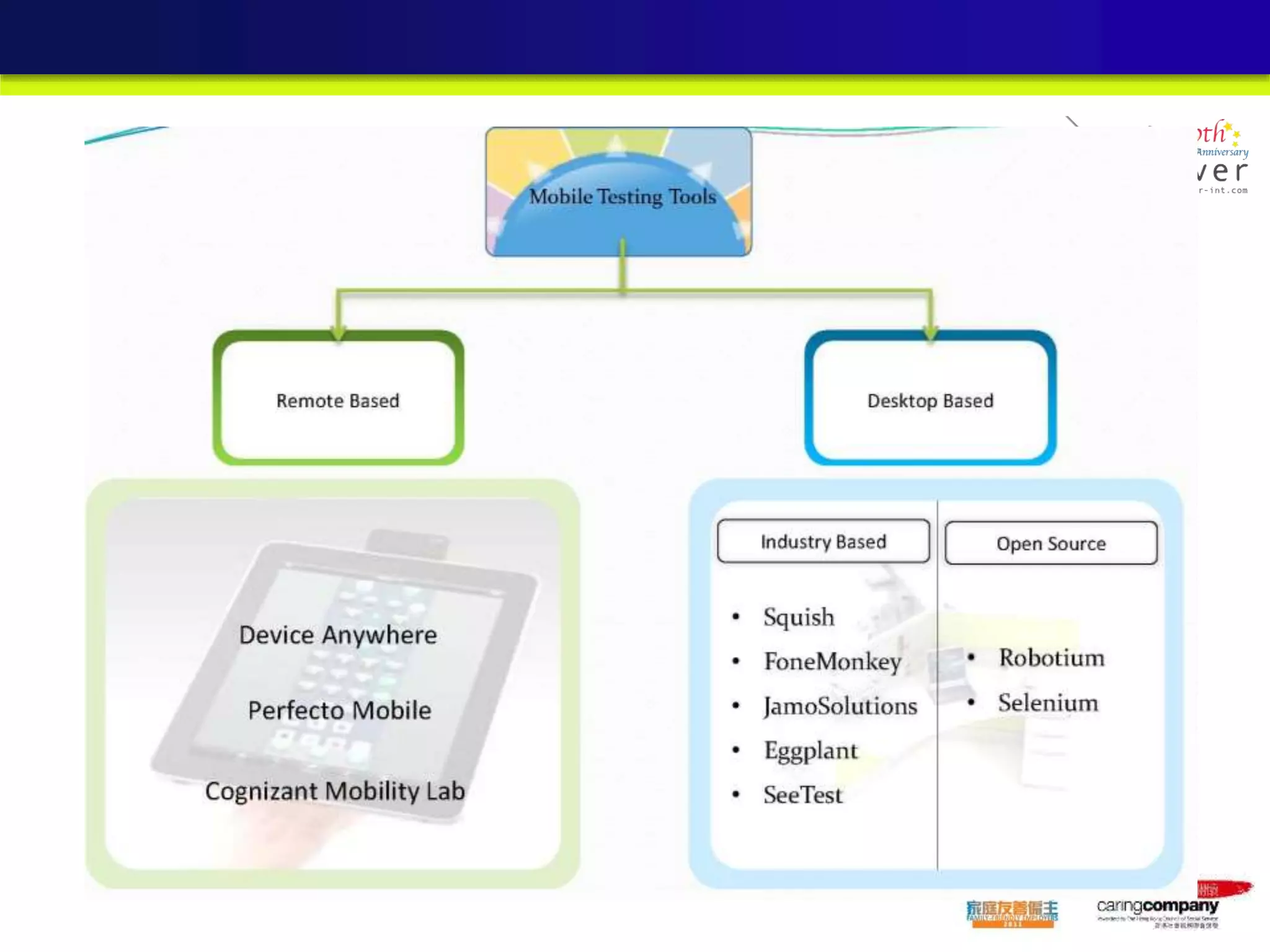
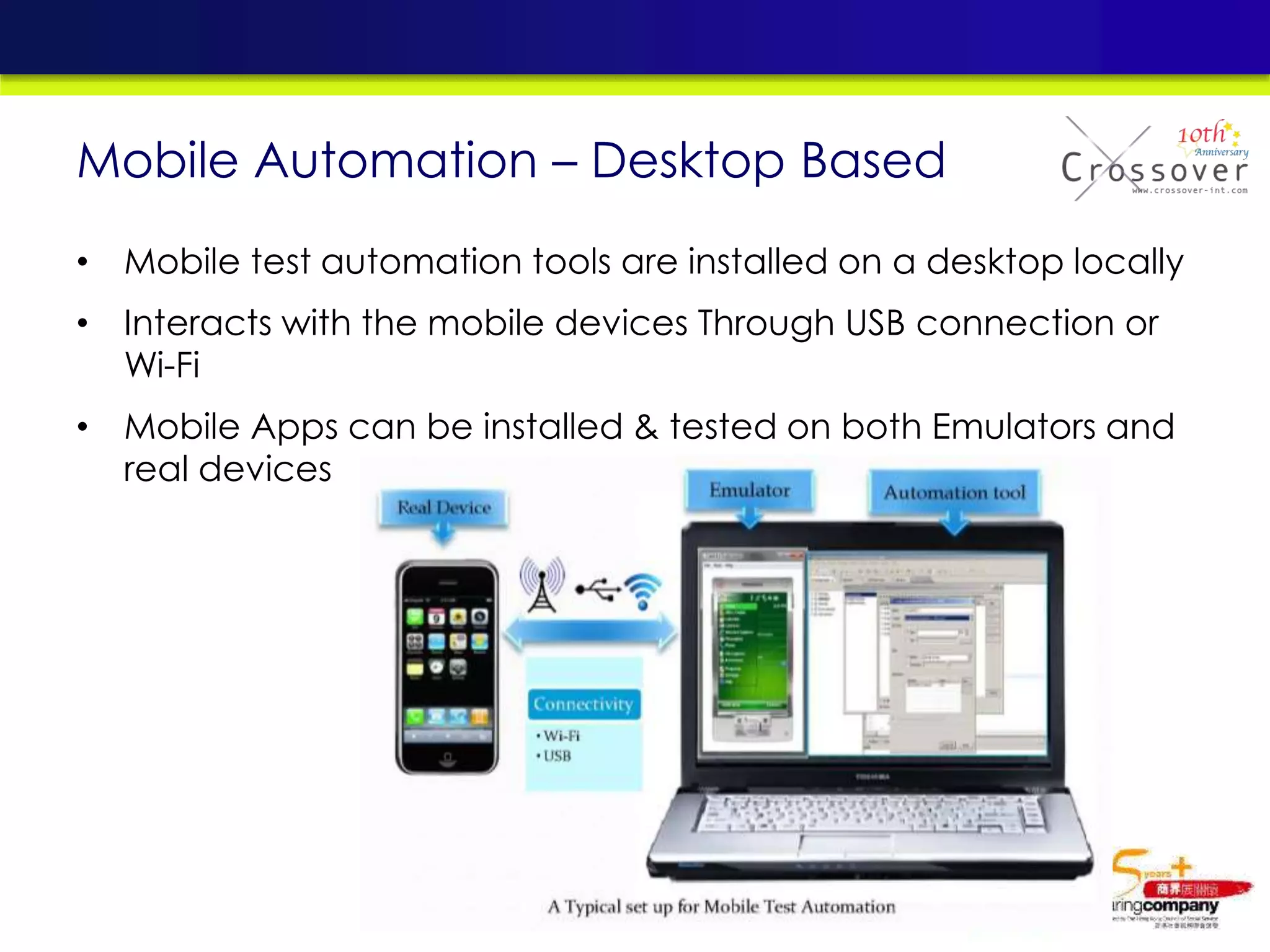
Mobile Automation – Desktop Based
• Mobile test automation tools are installed on a desktop locally
• Interacts with the mobile devices Through USB connection or
Wi-Fi
• Mobile Apps can be installed & tested on both Emulators and
real devices
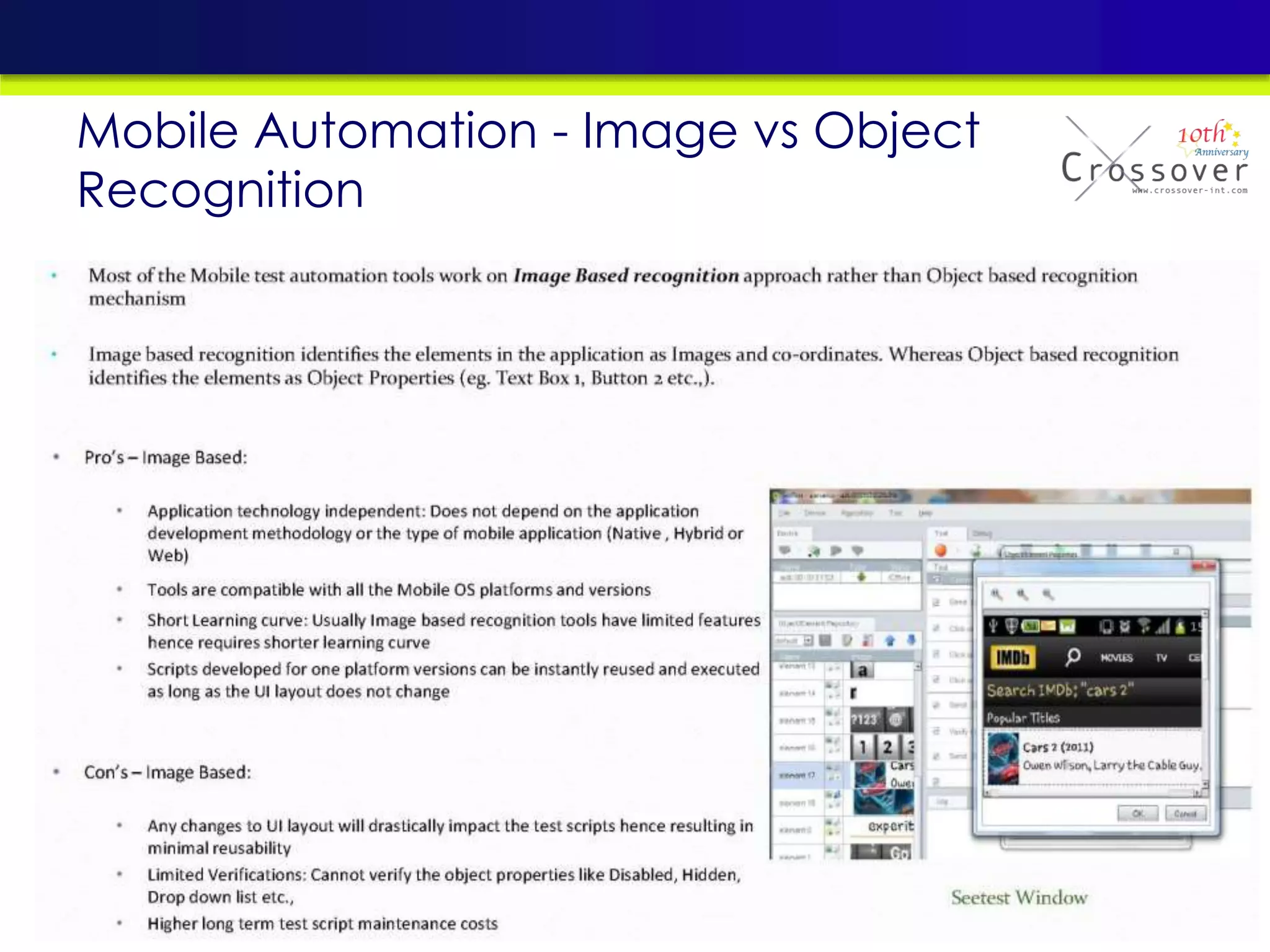
Mobile Automation - Image vs Object
Recognition
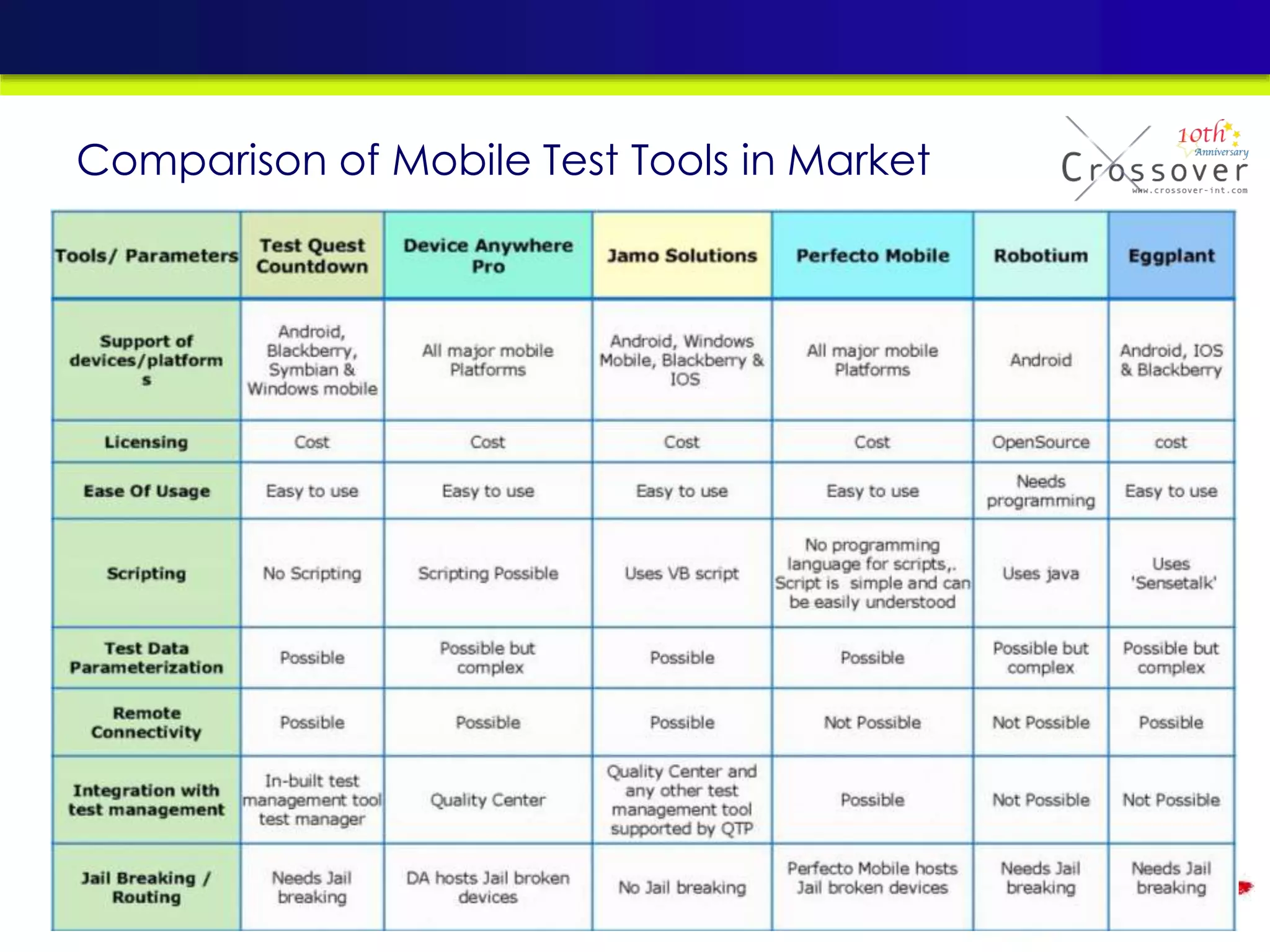
Comparison of Mobile Test Tools in Market
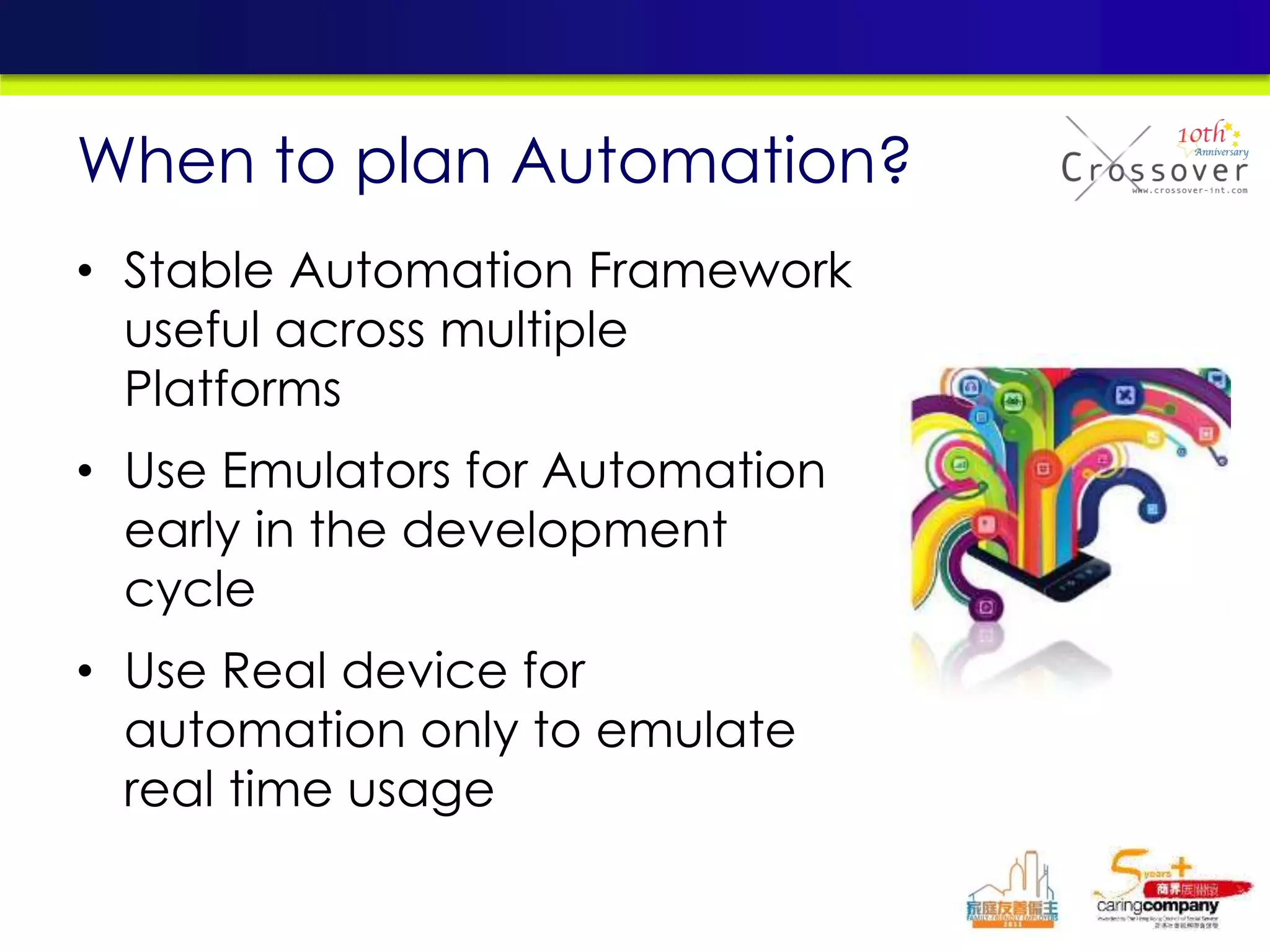
• Stable Automation Framework
useful across multiple
Platforms
• Use Emulators for Automation
early in the development
cycle
• Use Real device for
automation only to emulate
real time usage
When to plan Automation?
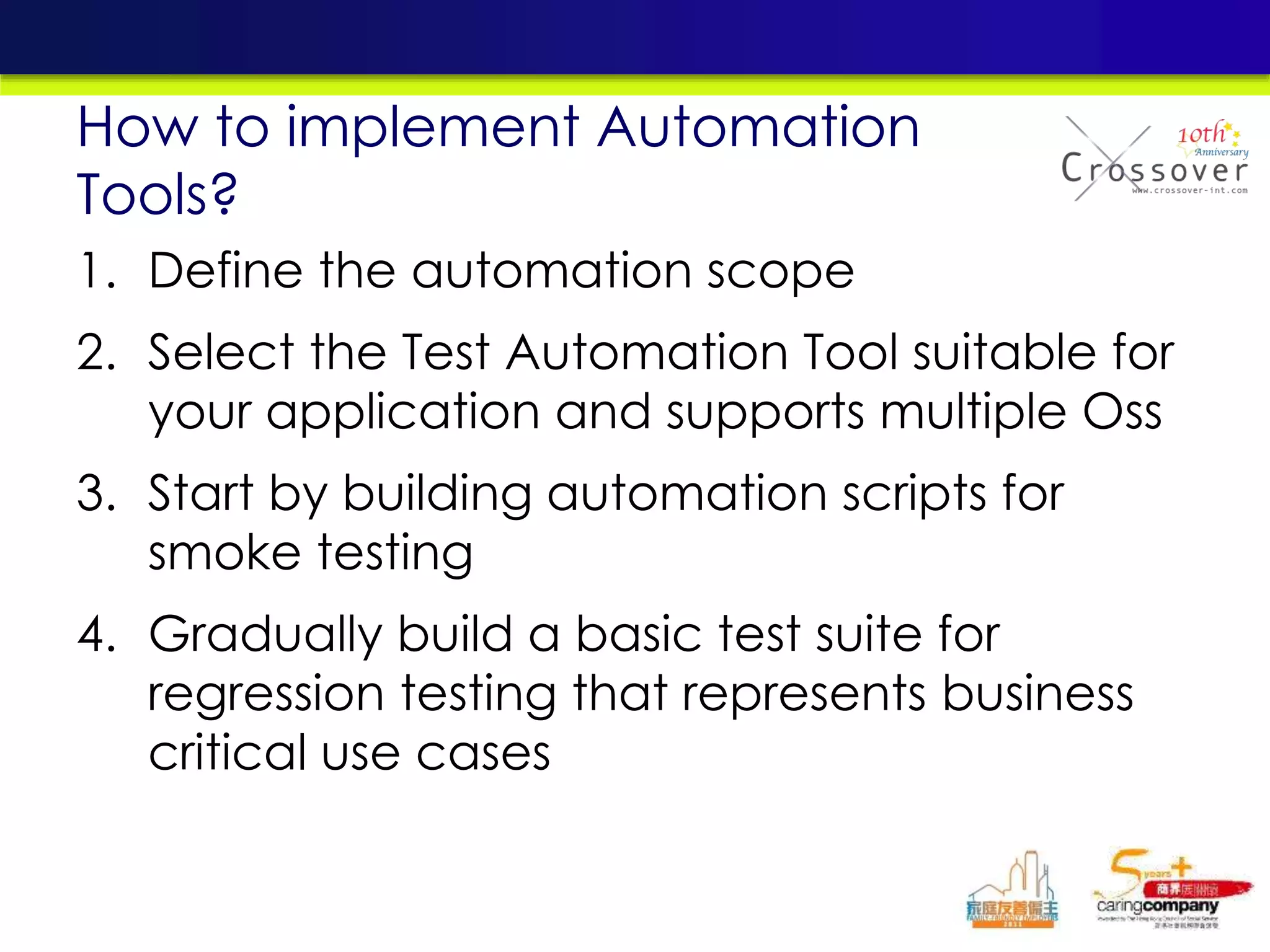
1. Define the automation scope
2. Select the Test Automation Tool suitable for
your application and supports multiple Oss
3. Start by building automation scripts for
smoke testing
4. Gradually build a basic test suite for
regression testing that represents business
critical use cases
How to implement Automation
Tools?
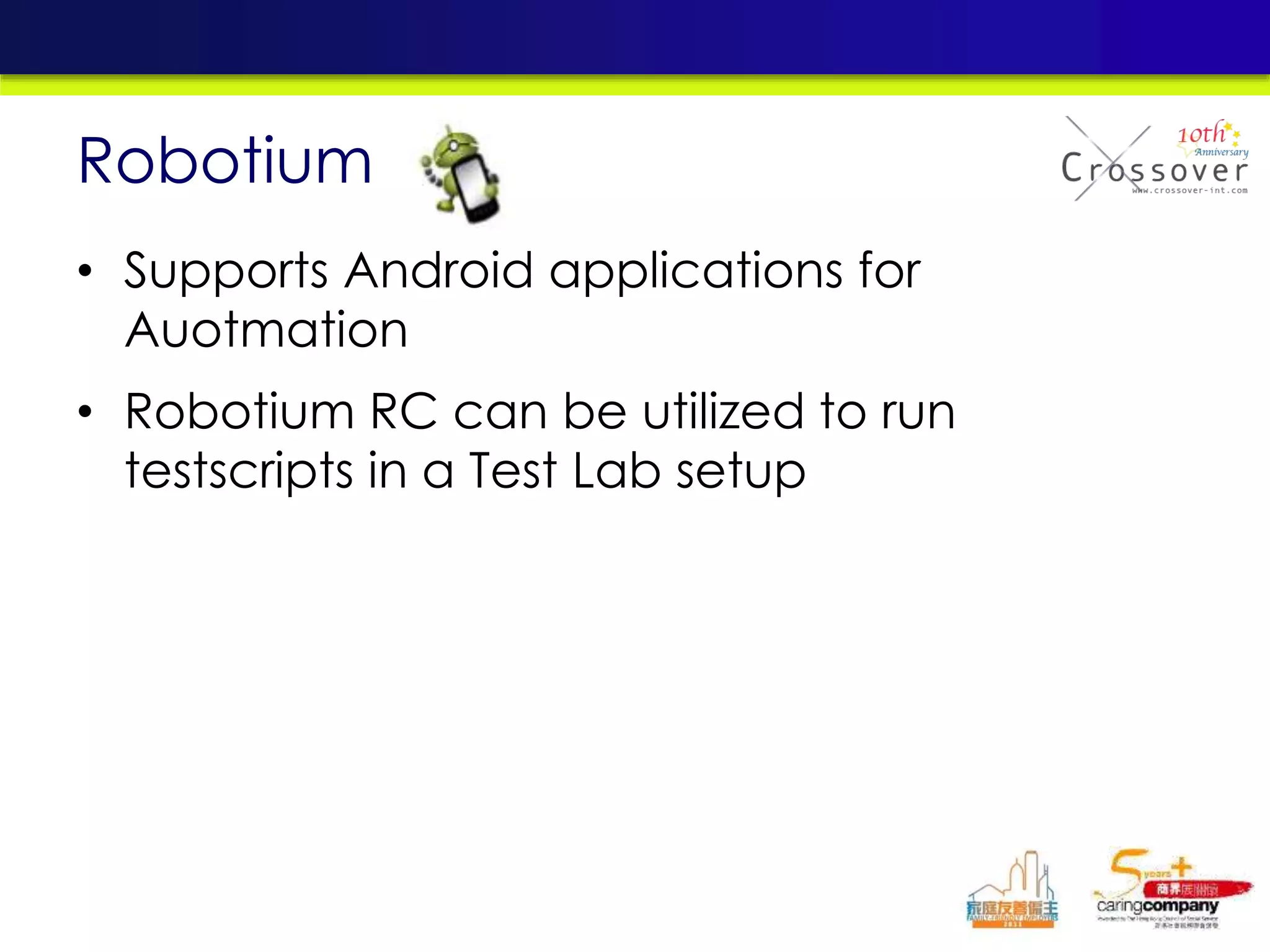
• Supports Android applications for
Auotmation
• Robotium RC can be utilized to run
testscripts in a Test Lab setup
Robotium
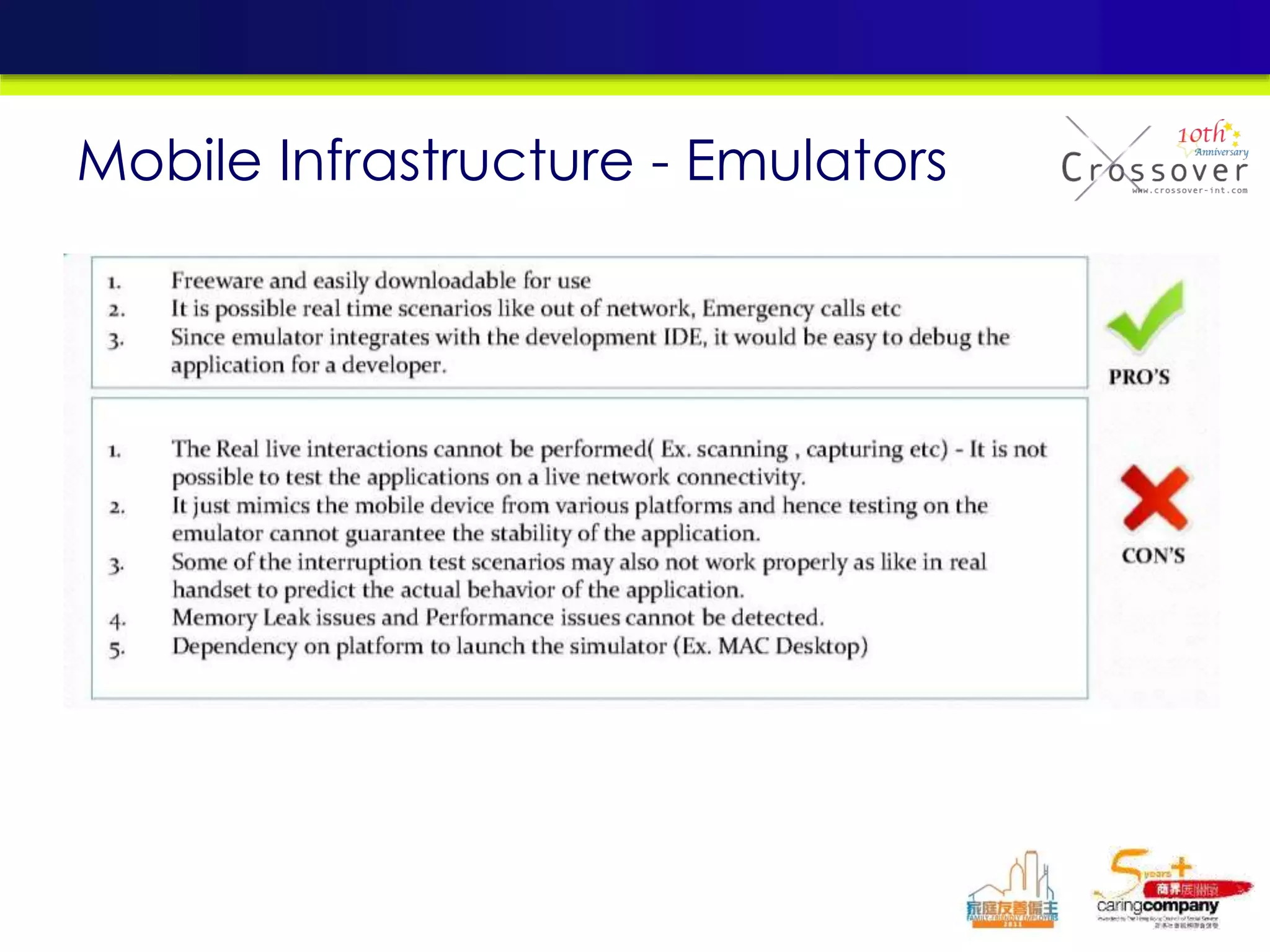
Mobile Infrastructure - Emulators
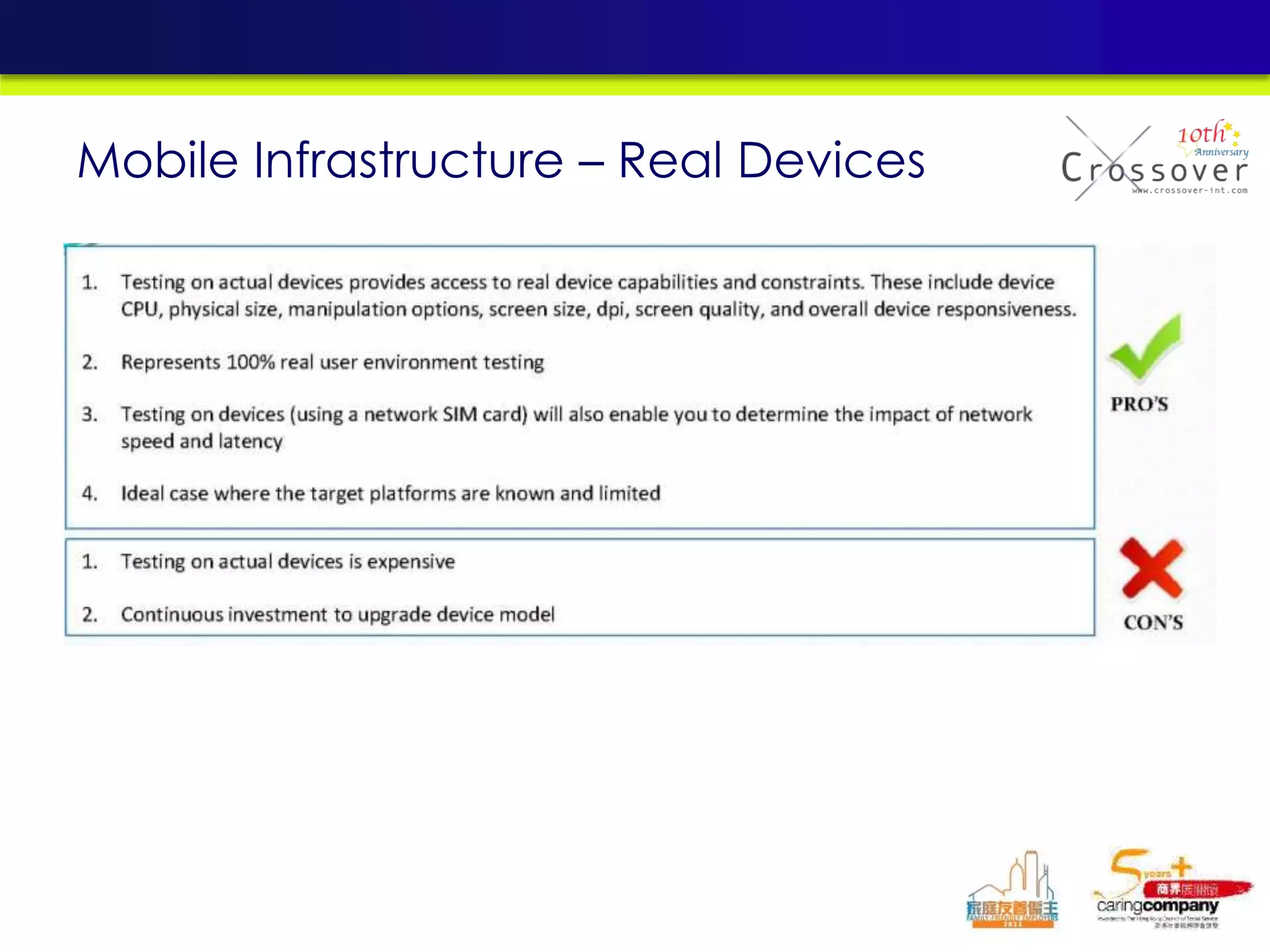
Mobile Infrastructure – Real Devices
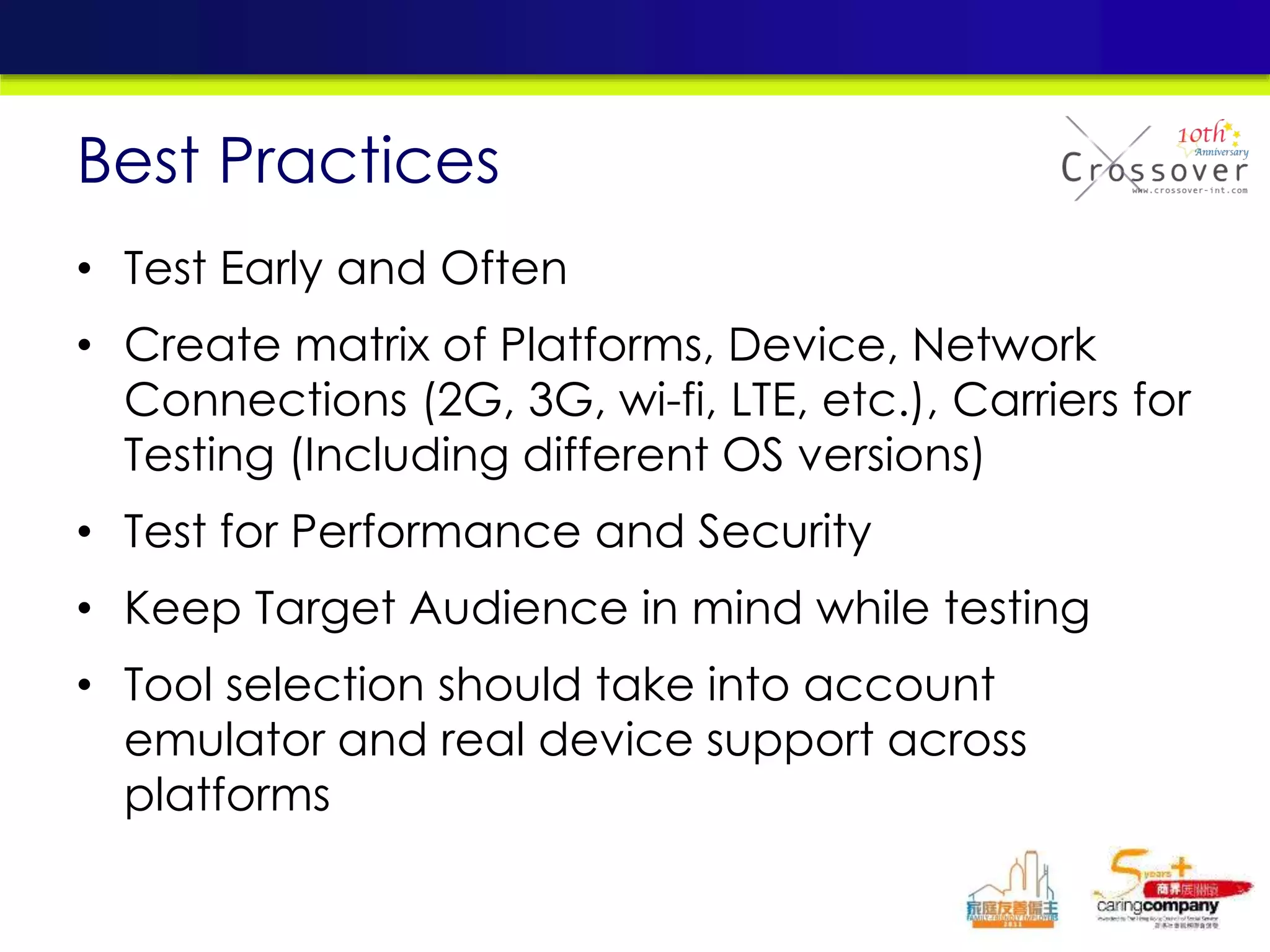
• Test Early and Often
• Create matrix of Platforms, Device, Network
Connections (2G, 3G, wi-fi, LTE, etc.), Carriers for
Testing (Including different OS versions)
• Test for Performance and Security
• Keep Target Audience in mind while testing
• Tool selection should take into account
emulator and real device support across
platforms
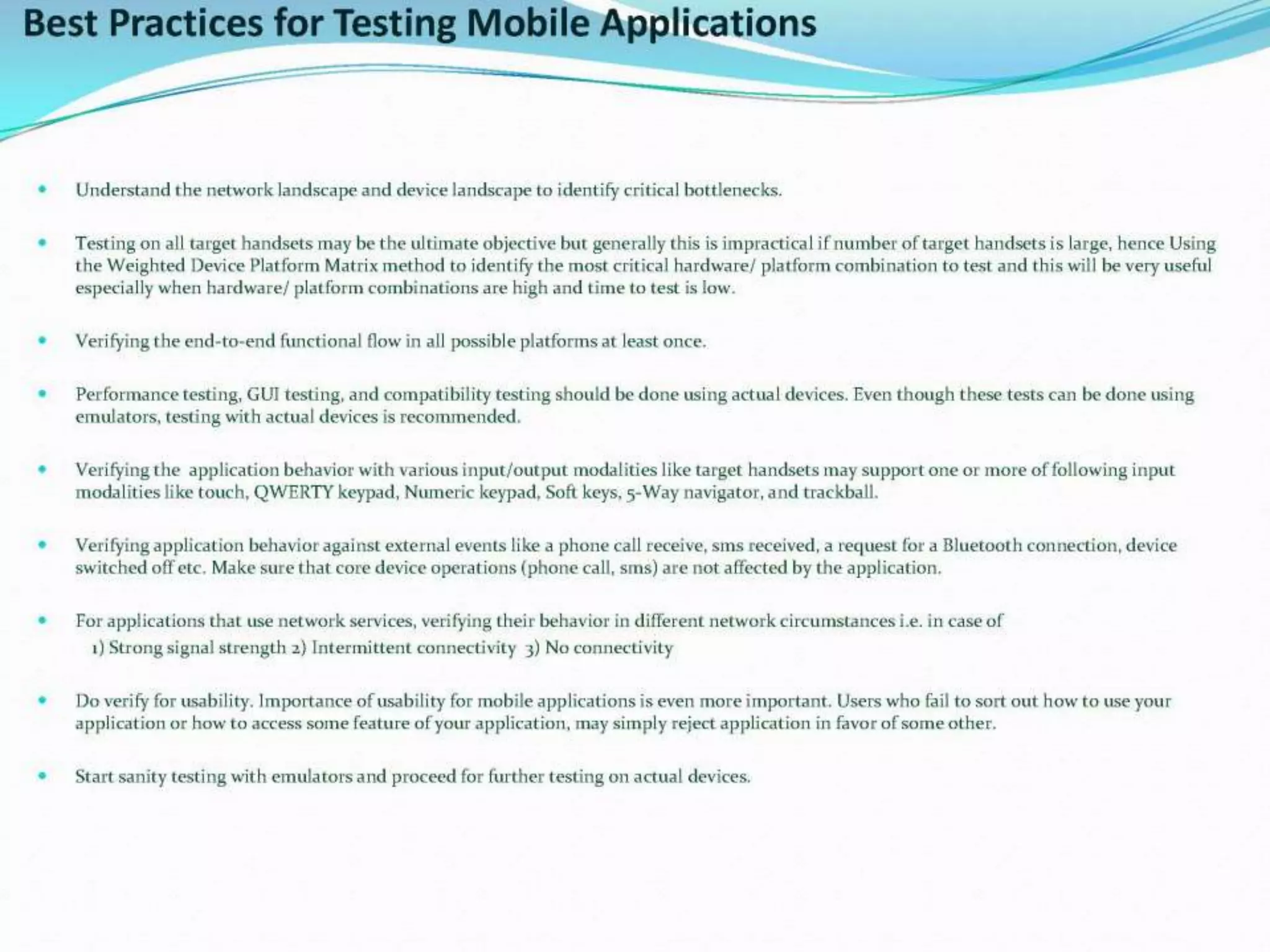
Best Practices
PRACTICAL CASE SHARING
Sick Bird Free
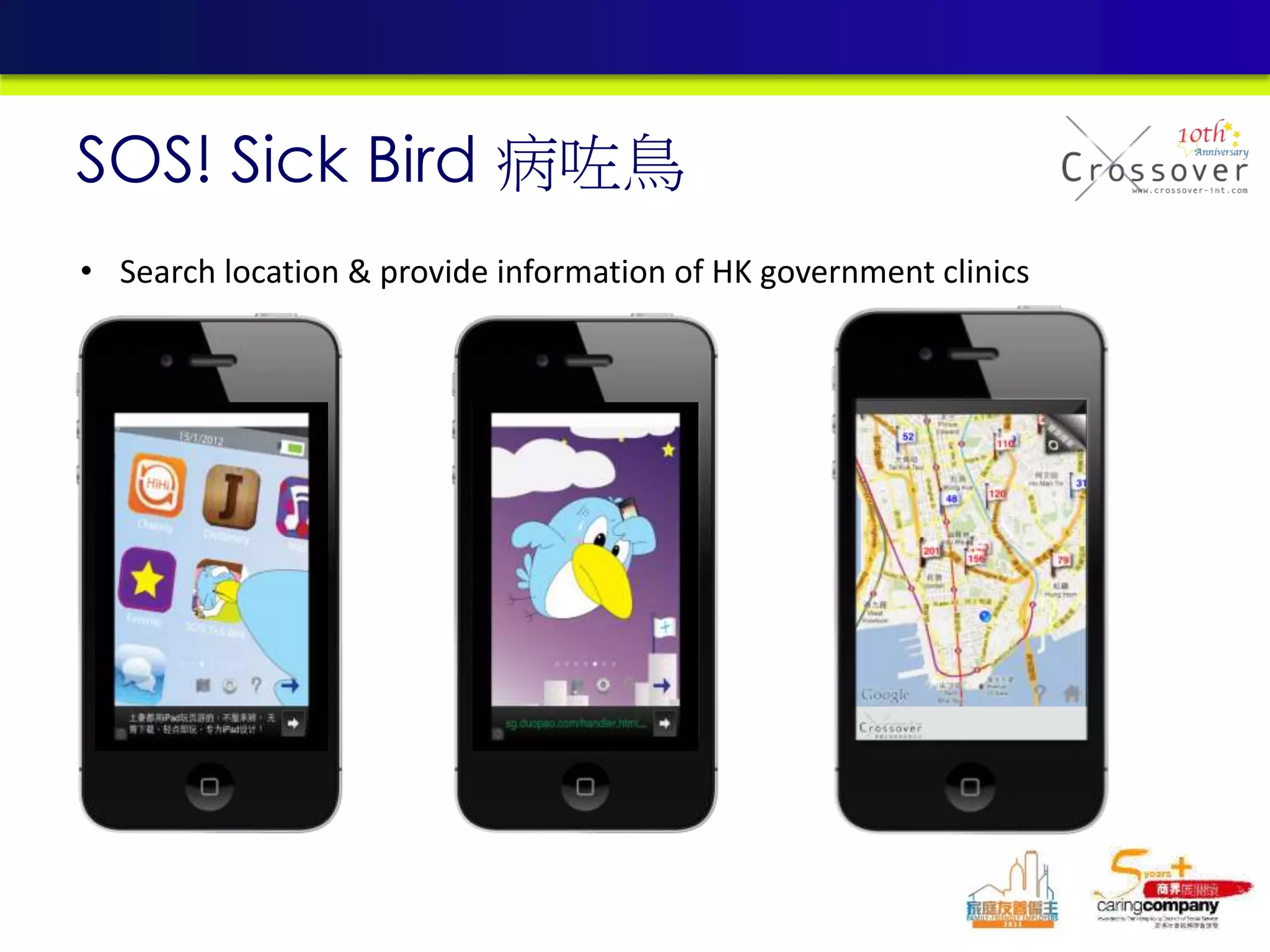
SOS! Sick Bird
病咗鳥
SOS! Sick Bird 病咗鳥
• Search location & provide information of HK government clinics
• Search the nearest government clinic
• Provide telephone number and address of
the clinic
• Provide map view to identify the locations
• Augmented reality (AR) function
• Service target: Hong Kong residents / visitors
Introduction
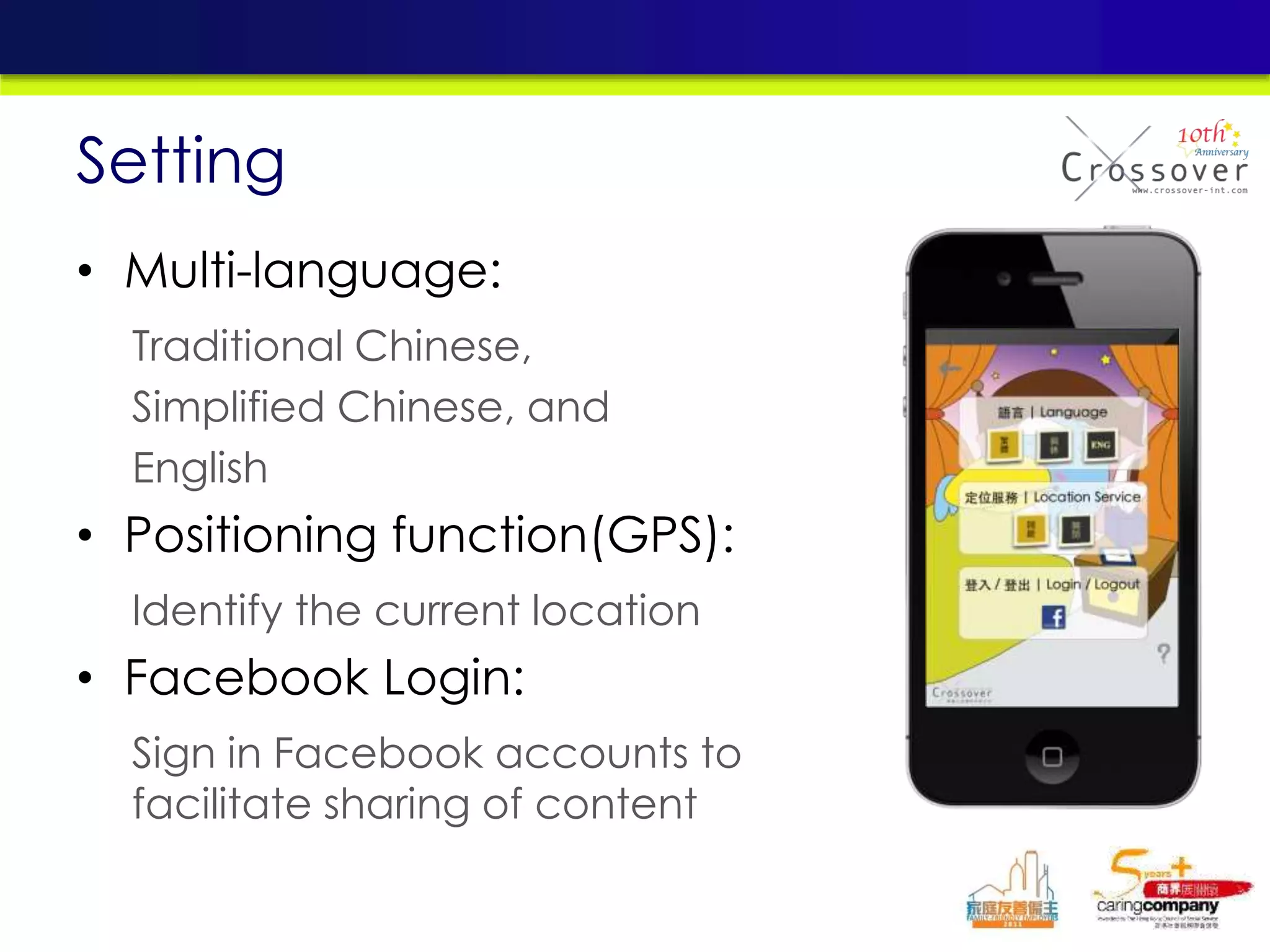
• Multi-language:
Traditional Chinese,
Simplified Chinese, and
English
• Positioning function(GPS):
Identify the current location
• Facebook Login:
Sign in Facebook accounts to
facilitate sharing of content
Setting
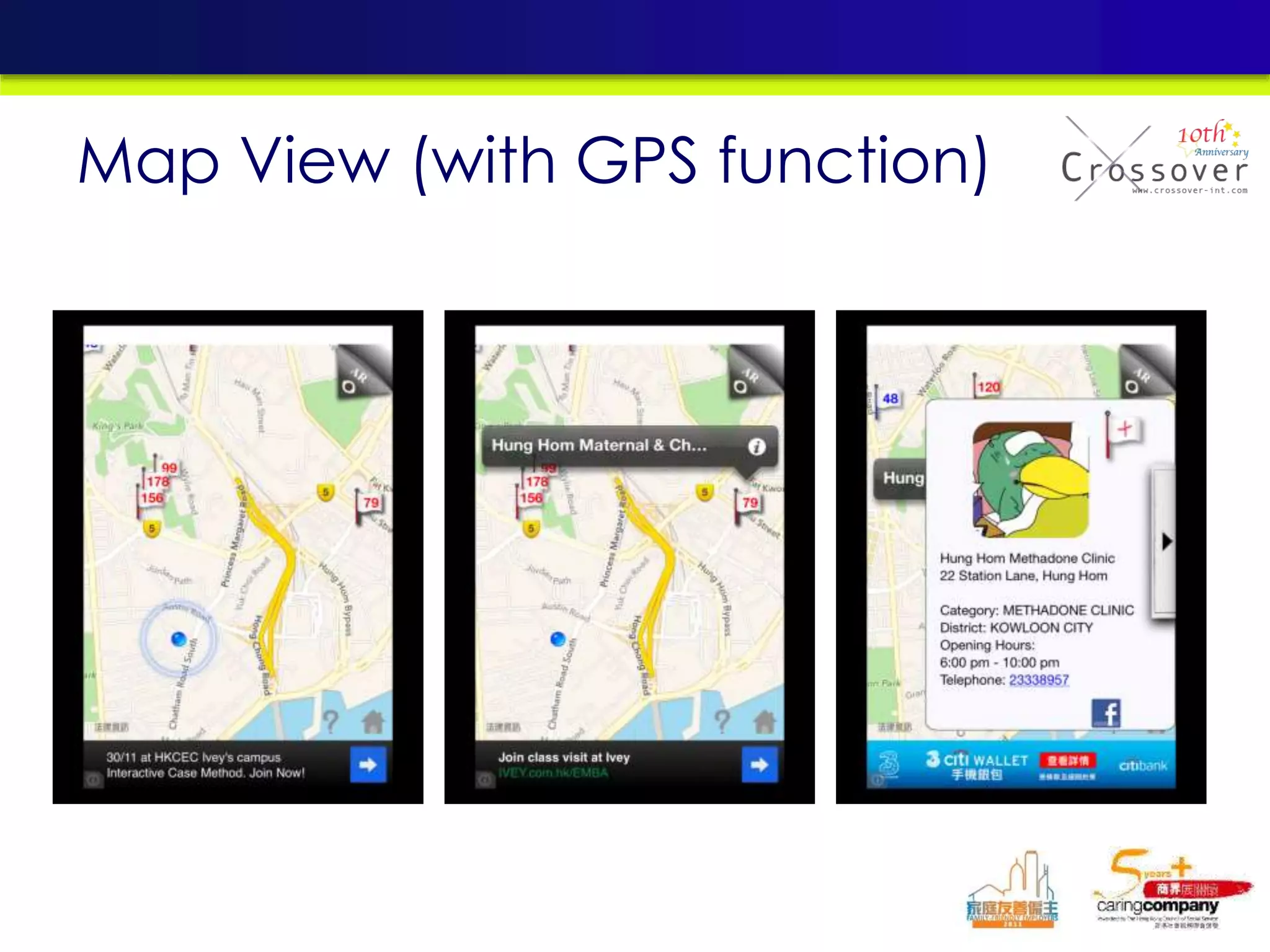
Map View (with GPS function)
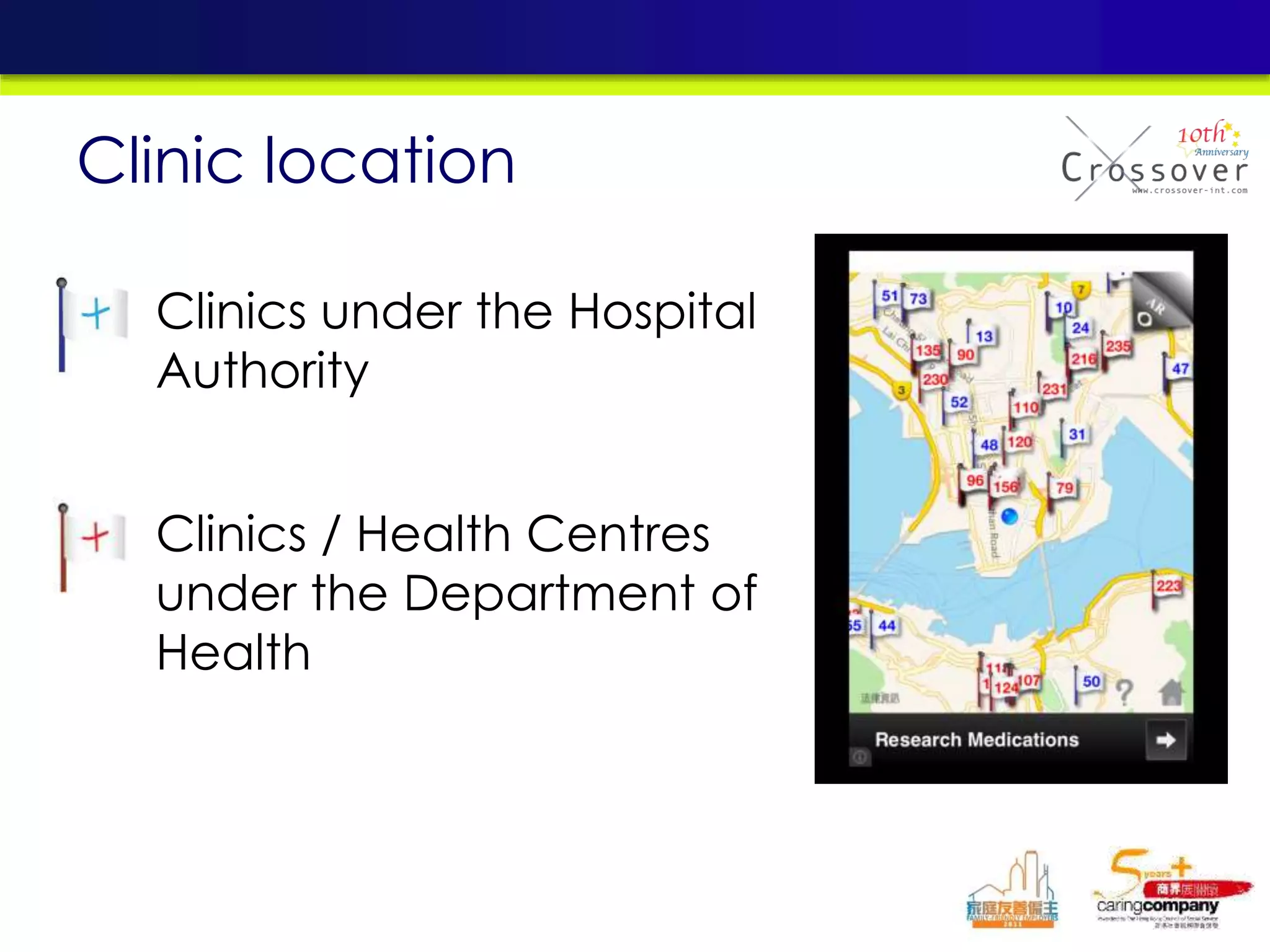
• Clinics under the Hospital
Authority
• Clinics / Health Centres
under the Department of
Health
Clinic location
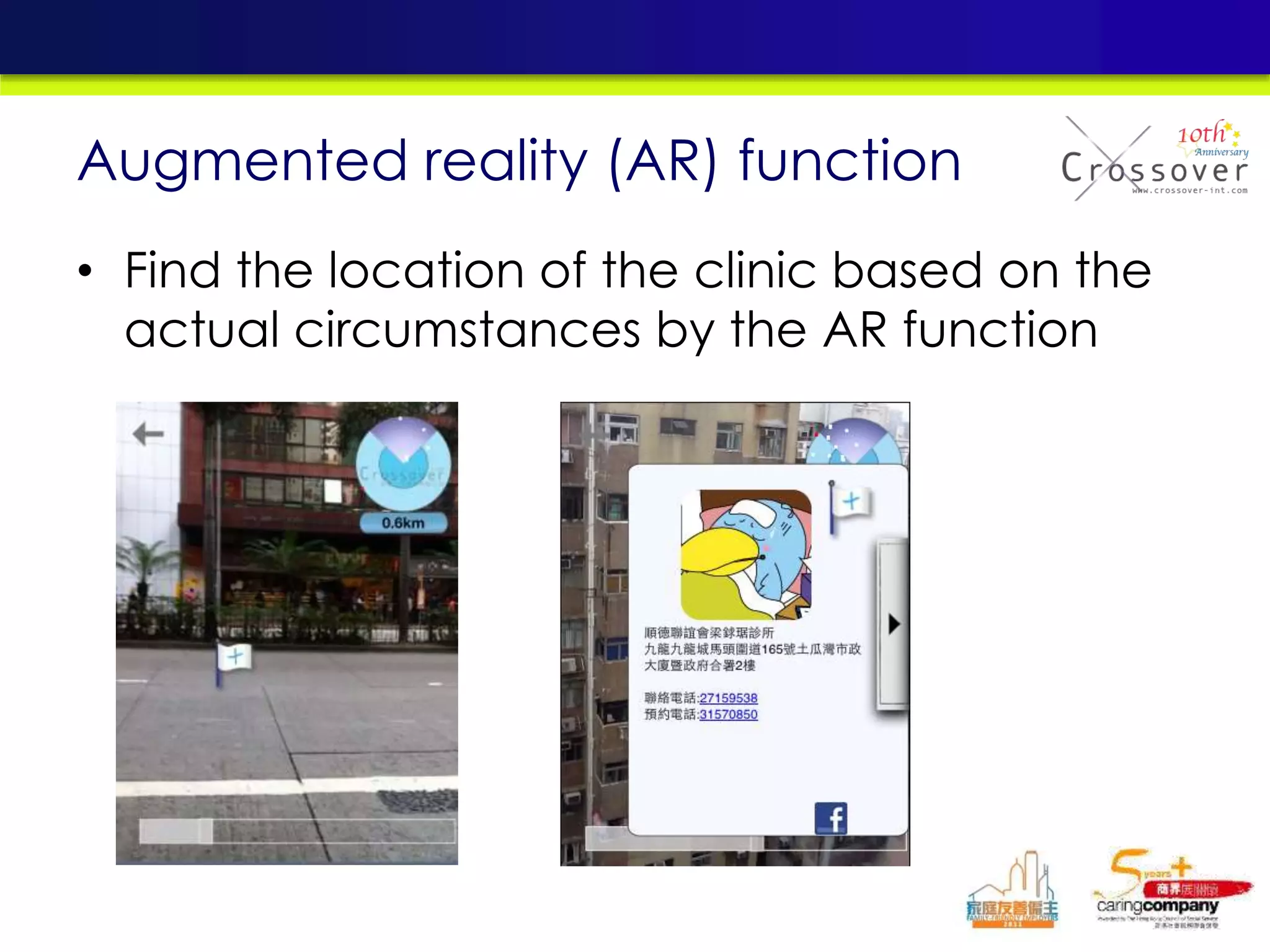
• Find the location of the clinic based on the
actual circumstances by the AR function
Augmented reality (AR) function
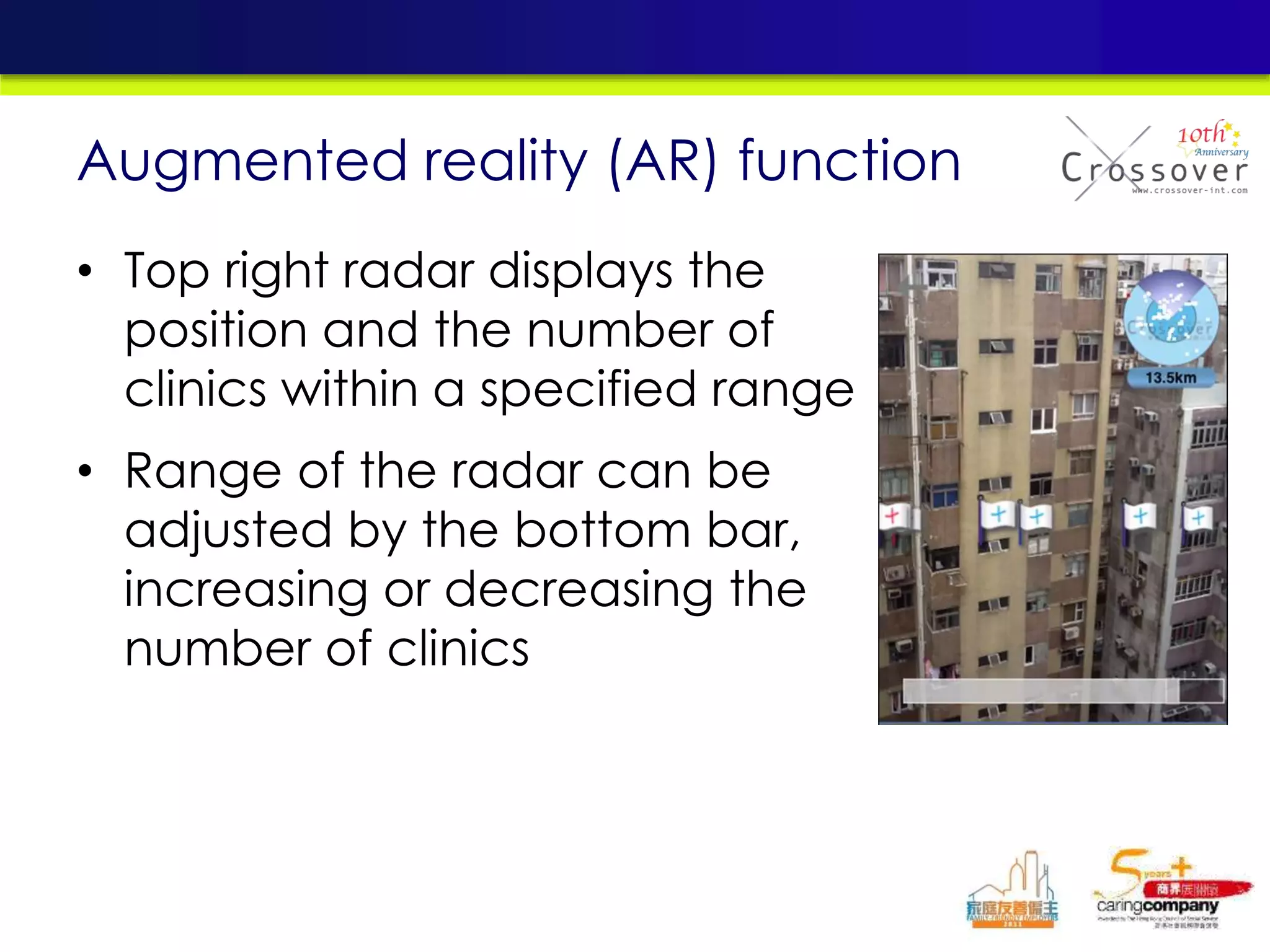
• Top right radar displays the
position and the number of
clinics within a specified range
• Range of the radar can be
adjusted by the bottom bar,
increasing or decreasing the
number of clinics
Augmented reality (AR) function
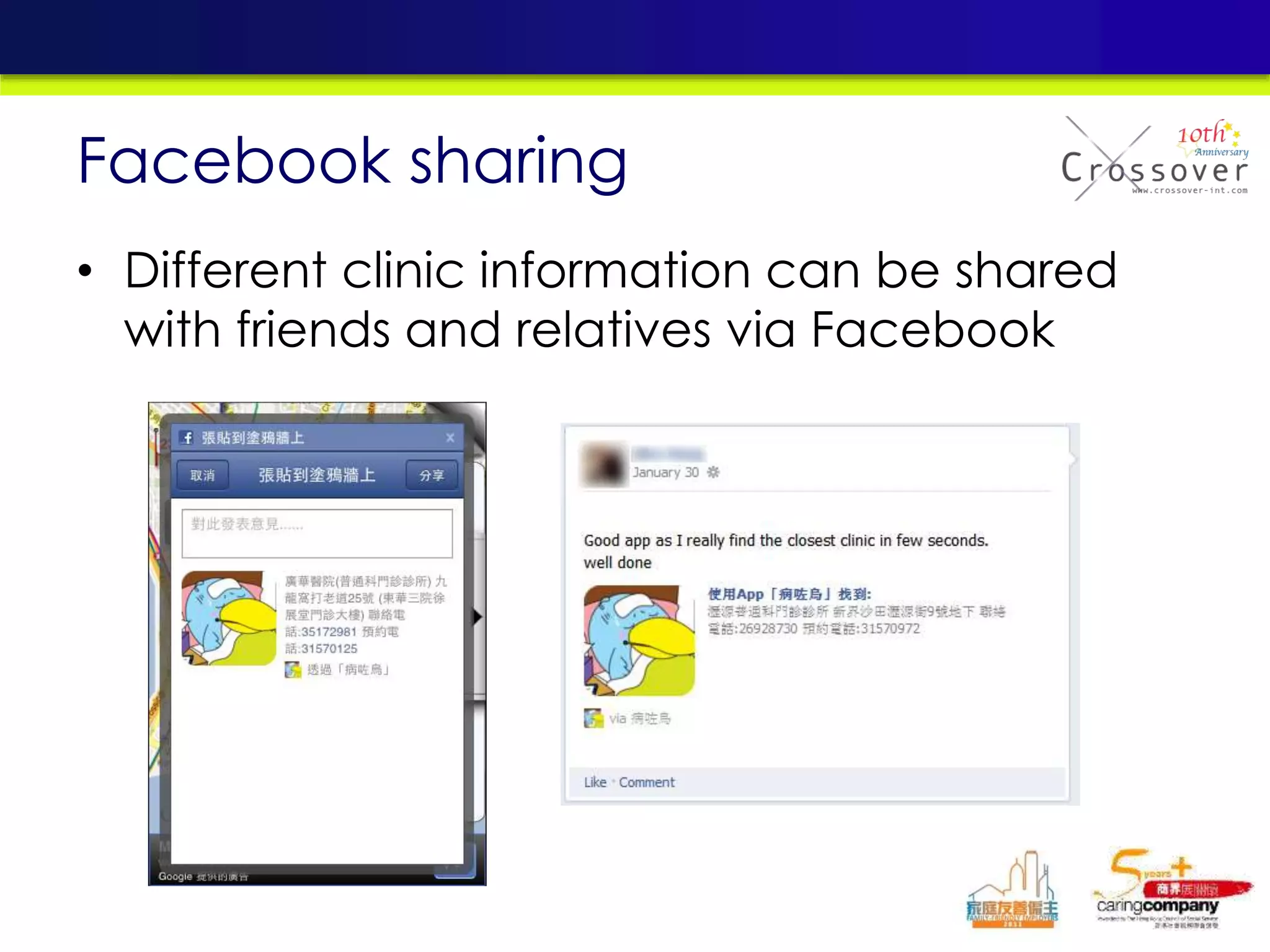
• Different clinic information can be shared
with friends and relatives via Facebook
Facebook sharing
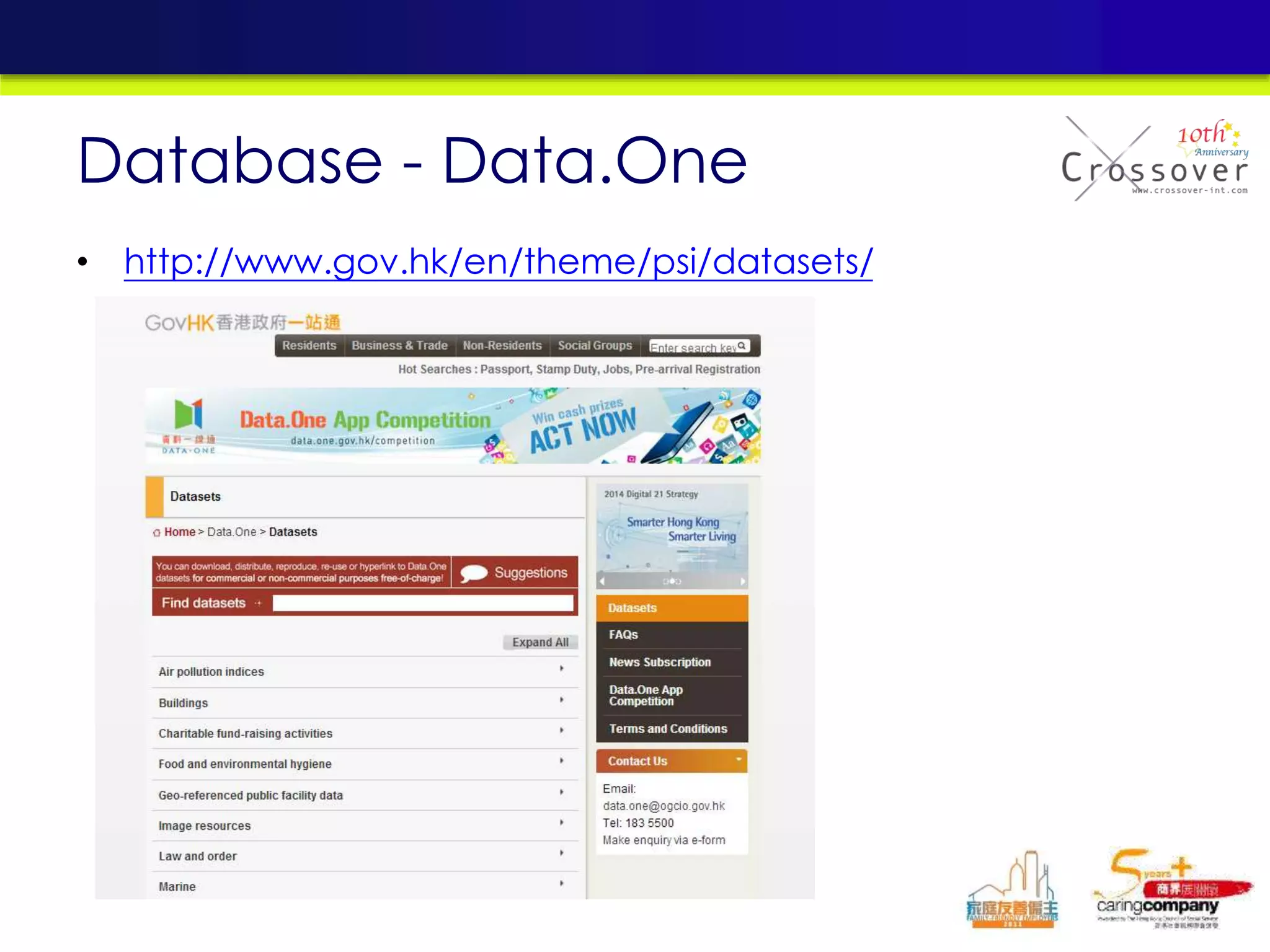
• http://www.gov.hk/en/theme/psi/datasets/
Database - Data.One
Thanks
More Apps in
www.crossover-int.com
Contact: Alex Hung alex@crossover-int.com

Mobile testing

  • 1.
    Practical software Testingfor mobile apps --- 24May2014 By Alex Hung (alex@crossover-int.com) CEO, Crossover MBA, MSc(ISM), BSc(CS)
  • 2.
    Agenda 1. Mobile Trends 2.Mobile Platforms 3. Mobile Development Platforms 4. Mobile Apps Testing 5. Practical case sharing
  • 3.
    Feature phone • Containsa fixed set of functions beyond voice calling and text messaging • Not as extensive as a smartphone. • For example, – offer Web browsing and e-mail, but generally cannot download apps from an online marketplace, such as Whatsapp Difference between feature phones and smartphones Page 3
  • 4.
    Smartphone • With built-inapplications and Internet access. • Advanced application programming interfaces (APIs) • Able to run different kinds of free and paid third-party applications to have better integration with the phone's OS and hardware Difference between feature phones and smartphones Page 4
  • 5.
  • 6.
    iOS Android WindowsPhone BlackBerry OS Company Apple, Inc Google Microsoft BlackBerry Current Version 7 4.4 8 7.1 License Proprietary Free and open- source Proprietary Proprietary Accessibility features Yes Yes Yes Yes NFC Payment Software No Available on any device that supports the hardware. Available for Version 8+ Yes Official Application Store App Store Google Play Windows Phone Store BlackBerry World Voice Recognition Yes Yes Yes Yes Multitasking Yes Yes Yes Yes Desktop interactive widgets No Yes Yes (through "live tiles") No Comparison of various mobile platforms Page 6 Understanding of Mobile App and Its Development Life Cycle
  • 7.
    Evolution of MobileDevices Source: mobileworldcapital.com Page 7
  • 8.
    Evolution of MobileDevices Page 8 Understanding of Mobile App and Its Development Life Cycle
  • 9.
    Evolution of MobileDevices Page 9 Understanding of Mobile App and Its Development Life Cycle
  • 10.
  • 11.
  • 12.
  • 13.
    • Type ofApps: – Communication, calendar, clock, calculator – Photos, weather, maps – Games, eBooks – Tablet applications • Total Apps Number: – Over 800,000 Apps available on Google Play (2013 May) – Around 850,000 mobile apps in the Apple App Store (2013 May) Evolution of Mobile Applications Page 15 Understanding of Mobile App and Its Development Life Cycle
  • 14.
    Difference between MobileWeb and Mobile App Mobile Web Mobile App Storage of application In server side Download and install to the mobile device Activation of application Access through mobile browser Directly access by clicking the icon Require user to install any application No Yes Data traffic over network More Less Integration with phone specific features No Yes User experience Normal Richer Page 17 Understanding of Mobile App and Its Development Life Cycle
  • 15.
    Difference between MobileWeb and Mobile App Mobile Web Mobile App OS dependence Low High Development effort Less More Application Update Only on server side Users are required to download and install a new version Maintenance and support effort Less More Page 18 Understanding of Mobile App and Its Development Life Cycle
  • 16.
  • 17.
    • Development Kitfor some of the popular platforms: Overview of Development Platforms for Mobile App Development iOS Android BlackBerry Windows Mobile/Windows Phone Symbian iOS SDK Android SDK BlackBerry Java Development Environment (JDE) Windows Mobile – Microsoft Visual Studio 2008 Windows Phone – Windows Phone Developer Tools Qt SDK, Symbian^3 SDK Page 20 Understanding of Mobile App and Its Development Life Cycle
  • 18.
    • Other thanSDK, each mobile platform has additional development tools for facilitating the programming. Overview of Development Platforms for Mobile App Development iOS Android BlackBerry Windows Mobile/Windows Phone Symbian Xcode IDE Android Development Tools (ADT) Plugin for Eclipse, Android Native Development Kit (NDK) BlackBerry Java Plug-in for Eclipse Visual Basic for Windows Phone Develop Tools Carbide.c++ IDE Page 21 Understanding of Mobile App and Its Development Life Cycle
  • 19.
    • Xcode IDE Overviewof Development Platforms for Mobile App Development iPhone Simulator Page 22 Understanding of Mobile App and Its Development Life Cycle
  • 20.
    • Eclipse withAndroid SDK Overview of Development Platforms for Mobile App Development Android Emulator Page 23 Understanding of Mobile App and Its Development Life Cycle
  • 21.
    • Developing multiplemobile apps with single source code • Some tools use web standards for development while some need to use proprietary programming languages. • For development tools using web standards, they work in two approaches. – generate the codes as embedded web content within the mobile app (e.g. PhoneGap) – recompile the web codes into native codes (e.g. Titanium Mobile) Cross-Platform Development Tools Page 24 Understanding of Mobile App and Its Development Life Cycle
  • 22.
    These tools havesome common limitations: • Most of the tools cannot support all common mobile OS platforms. • Although web standards are used by some of these tools, some advanced features like AJAX are not supported by tools like MotherApp. • Performance of mobile apps developed by these tools may not as good as those developed by native programming language. • Most of the tools do not provide API for interfacing with Bluetooth and video capture. Cross-Platform Development Tools Page 25 Understanding of Mobile App and Its Development Life Cycle
  • 23.
    PhoneGap Titanium Mobile MotherApp Rhodes Corona CompanyNitobi Appcelerator MotherApp Rhomobile Ansca Product Type Open Source Open Source Proprietary Open Source Proprietary Programming Language HTML, CSS, JavaScript HTML, CSS, JavaScript MotherAPP HTML HTML, CSS, JavaScript, Ruby Lua Online Conversion Service Yes No Yes No No Development Kit Nil Titanium Studio Nil RhoStudio Corona SDK Cross-Platform Development Tools Page 26 Understanding of Mobile App and Its Development Life Cycle
  • 24.
    Supported Platforms Cross-Platform DevelopmentTools PhoneGap Titanium Mobile MotherApp Rhodes Corona iOS Yes Yes Yes Yes Yes Android Yes Yes Yes Yes Yes BlackBerry Yes Yes(beta) Yes Yes No Windows Mobile Yes No No Yes No Windows Phone No No No Yes No Symbian Yes No No Yes No Others WebOS Nil Nil WebOS Nil Page 27 Understanding of Mobile App and Its Development Life Cycle
  • 25.
  • 26.
  • 27.
  • 28.
  • 29.
    • Integration withexisting Systems • Accelerated Development • Performance & Security • Backward Compatibility Challenges
  • 30.
    • Quick swipe(user experience, quit app scenarios) • Orientation • Different devices (resolutions, compatibility) • No network scenario • Features Test (esp. cross app cases) • Stress Test (including server side) Testing Strategy for Mobile App Page 36 Understanding of Mobile App and Its Development Life Cycle
  • 32.
  • 33.
    • Mobile emulatorprovides an easy way for testing the application without the needs of actual device. • Emulator cannot perform some hardware related testing – onboard camera – GPS, – sensors, – multitouch, – telephony, – accelerometer feedback • Testing with actual device must be conducted before the application is released. Testing Strategy for Mobile App Page 39 Understanding of Mobile App and Its Development Life Cycle
  • 35.
  • 36.
    Some Popular MobileTesting Tools
  • 37.
    Mobile Automation –Desktop Based • Mobile test automation tools are installed on a desktop locally • Interacts with the mobile devices Through USB connection or Wi-Fi • Mobile Apps can be installed & tested on both Emulators and real devices
  • 38.
    Mobile Automation -Image vs Object Recognition
  • 39.
    Comparison of MobileTest Tools in Market
  • 40.
    • Stable AutomationFramework useful across multiple Platforms • Use Emulators for Automation early in the development cycle • Use Real device for automation only to emulate real time usage When to plan Automation?
  • 41.
    1. Define theautomation scope 2. Select the Test Automation Tool suitable for your application and supports multiple Oss 3. Start by building automation scripts for smoke testing 4. Gradually build a basic test suite for regression testing that represents business critical use cases How to implement Automation Tools?
  • 42.
    • Supports Androidapplications for Auotmation • Robotium RC can be utilized to run testscripts in a Test Lab setup Robotium
  • 43.
  • 44.
  • 45.
    • Test Earlyand Often • Create matrix of Platforms, Device, Network Connections (2G, 3G, wi-fi, LTE, etc.), Carriers for Testing (Including different OS versions) • Test for Performance and Security • Keep Target Audience in mind while testing • Tool selection should take into account emulator and real device support across platforms Best Practices
  • 46.
  • 48.
  • 49.
    SOS! Sick Bird病咗鳥 • Search location & provide information of HK government clinics
  • 50.
    • Search thenearest government clinic • Provide telephone number and address of the clinic • Provide map view to identify the locations • Augmented reality (AR) function • Service target: Hong Kong residents / visitors Introduction
  • 51.
    • Multi-language: Traditional Chinese, SimplifiedChinese, and English • Positioning function(GPS): Identify the current location • Facebook Login: Sign in Facebook accounts to facilitate sharing of content Setting
  • 52.
    Map View (withGPS function)
  • 53.
    • Clinics underthe Hospital Authority • Clinics / Health Centres under the Department of Health Clinic location
  • 54.
    • Find thelocation of the clinic based on the actual circumstances by the AR function Augmented reality (AR) function
  • 55.
    • Top rightradar displays the position and the number of clinics within a specified range • Range of the radar can be adjusted by the bottom bar, increasing or decreasing the number of clinics Augmented reality (AR) function
  • 56.
    • Different clinicinformation can be shared with friends and relatives via Facebook Facebook sharing
  • 57.
  • 61.