Special Thanks to our Sponsors
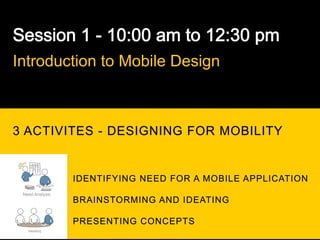
Introduction to Mobile Design


3 ACTIVITES - DESIGNING FOR MOBILITY


                 IDENTIFYING NEED FOR A MOBILE APPLICATION
 Need Analysis
                 BRAINSTORMING AND IDEATING

                 PRESENTING CONCEPTS
   Ideating
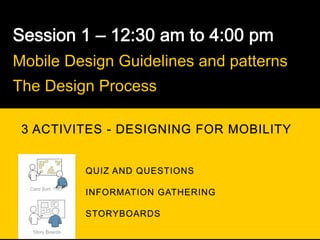
Mobile Design Guidelines and patterns
The Design Process

 3 ACTIVITES - DESIGNING FOR MOBILITY


  Card Sort


   Story Boards
MOBILE IS GROWING

LIKE CRAZY
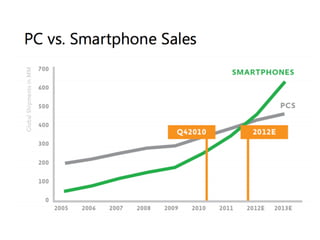
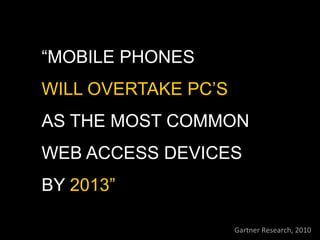
“MOBILE PHONES
WILL OVERTAKE PC’S
AS THE MOST COMMON
WEB ACCESS DEVICES
BY 2013”

                     Gartner	
  Research,	
  2010	
  
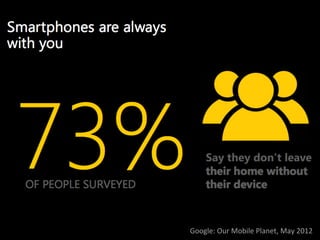
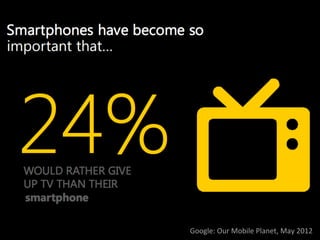
Google:	
  Our	
  Mobile	
  Planet,	
  May	
  2012	
  
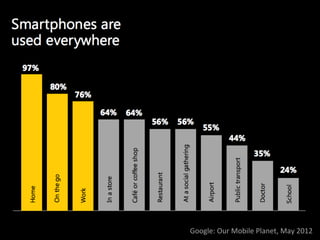
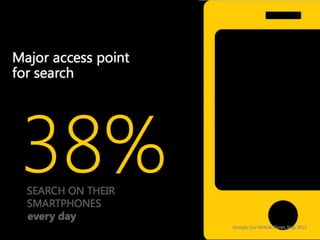
Google:	
  Our	
  Mobile	
  Planet,	
  May	
  2012	
  
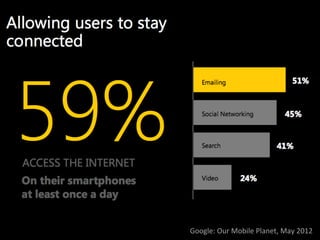
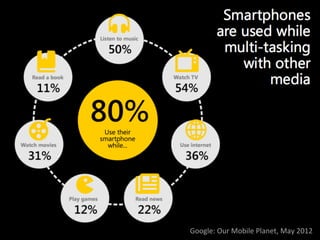
Google:	
  Our	
  Mobile	
  Planet,	
  May	
  2012	
  
Google:	
  Our	
  Mobile	
  Planet,	
  May	
  2012	
  
Google:	
  Our	
  Mobile	
  Planet,	
  May	
  2012	
  
MOBILE PRESENTS AN
OPPORTUNITY TO INVENT
NEW WAYS FOR USERS TO
INTERACT WITH
INFORMATION.
NEXT	
  BIG	
  QUESTION	


WHAT	
  TYPE	
  OF	
  MOBILE	
  APP	
  TO	
  START	
  WITH	


RESPONSIVE	
  
WEBSITE?	


WEB	
  APP	
  ?	


NATIVE	
  APP?	


HYBRID	
  APPS?	
  
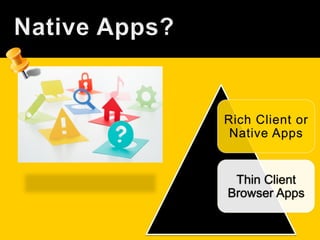
Thin Client
Browser Apps
PROS
CONS
Rich Client
Native Apps
PROS
CONS	
  
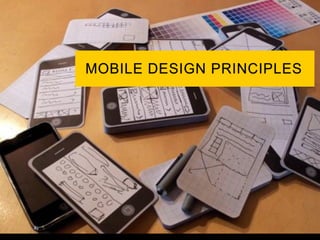
MOBILE DESIGN
CHALLENGES
AND
GUIDELINES
Who are the users?

What do you know about them?

What type of behavior can you assume or predict about
the users?

What is happening?

What are the circumstances in which the users will best
absorb the content you intend to present?
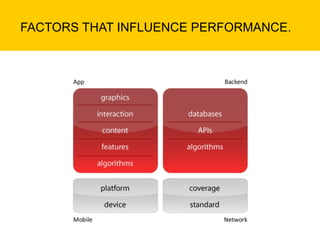
FACTORS THAT INFLUENCE PERFORMANCE.
OPTIMIZE
YOUR
APP FOR
HIGH
PERFORMANCE
ONLY DESIGN WHAT
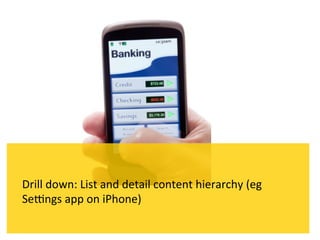
MAKES SENSE FOR A
MOBILE CONTEXT
COMMON FEATURES
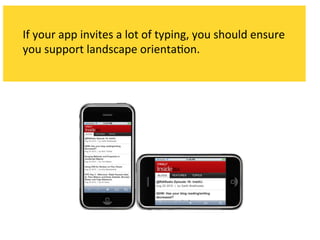
THAT IMPACT THE
USER EXPERIENCE
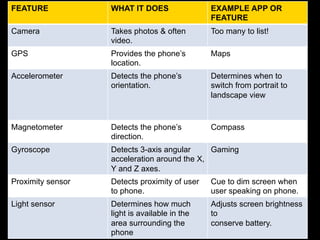
FEATURE            WHAT IT DOES                EXAMPLE APP OR
                                               FEATURE
Camera             Takes photos & often        Too many to list!
                   video.
GPS                Provides the phone’s        Maps
                   location.
Accelerometer      Detects the phone’s         Determines when to
                   orientation.                switch from portrait to
                                               landscape view


Magnetometer       Detects the phone’s         Compass
                   direction.
Gyroscope          Detects 3-axis angular     Gaming
                   acceleration around the X,
                   Y and Z axes.
Proximity sensor   Detects proximity of user   Cue to dim screen when
                   to phone.                   user speaking on phone.
Light sensor       Determines how much         Adjusts screen brightness
                   light is available in the   to
                   area surrounding the        conserve battery.
                   phone
How can food joints use mobile
devices to improve their customer
experience?
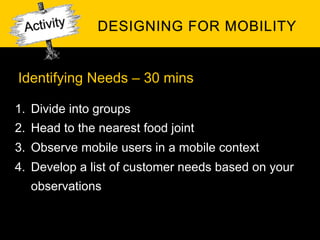
Identifying Needs – 30 mins

1.  Divide into groups
2.  Head to the nearest food joint
3.  Observe mobile users in a mobile context
4.  Develop a list of customer needs based on your
   observations
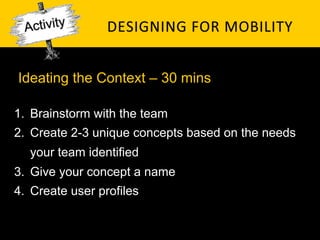
Ideating the Context – 30 mins

1.  Brainstorm with the team
2.  Create 2-3 unique concepts based on the needs
   your team identified
3.  Give your concept a name
4.  Create user profiles
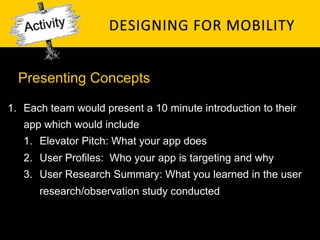
Presenting Concepts

1.  Each team would present a 10 minute introduction to their
   app which would include
   1.  Elevator Pitch: What your app does
   2.  User Profiles: Who your app is targeting and why
   3.  User Research Summary: What you learned in the user
      research/observation study conducted
MOBILE MINDSET
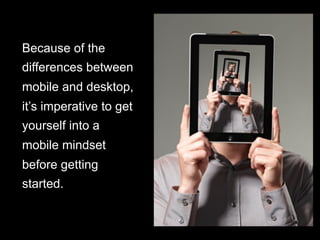
Because of the
differences between
mobile and desktop,
it’s imperative to get
yourself into a
mobile mindset
before getting
started.
Be	
  focused:	
  More	
  is	
  not	
  bePer.	
  Edit	
  your	
  features	
  
1   ruthlessly.	
  You	
  are	
  going	
  to	
  have	
  to	
  leave	
  stuff	
  out	
  
2   Be	
  unique:	
  Know	
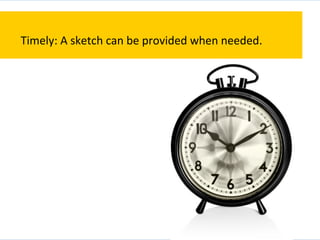
  what	
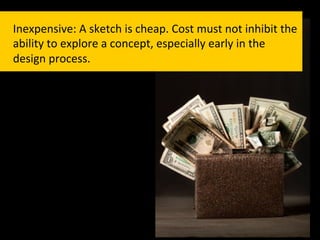
  makes	
  your	
  app	
  different	
  and	
  
    amplify	
  it.	


    There	
  are	
  lots	
  of	
  fish	
  in	
  the	
  sea	
  of	
  mobile	
  apps.	
  If	
  there’s	
  
    nothing	
  special	
  about	
  your	
  app,	
  why	
  would	
  anyone	
  pick	
  
    it?	
  
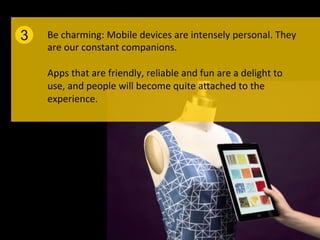
3   Be	
  charming:	
  Mobile	
  devices	
  are	
  intensely	
  personal.	
  They	
  
    are	
  our	
  constant	
  companions.	


    Apps	
  that	
  are	
  friendly,	
  reliable	
  and	
  fun	
  are	
  a	
  delight	
  to	
  
    use,	
  and	
  people	
  will	
  become	
  quite	
  aPached	
  to	
  the	
  
    experience.	


Be	
  considerate:	
  App	
  developers	
  too	
  o]en	
  focus	
  on	
  what	
  
4   would	
  be	
  fun	
  to	
  develop,	
  their	
  own	
  mental	
  model	
  of	
  the	
  
    app	
  or	
  their	
  personal	
  business	
  goals.	


    These	
  are	
  good	
  places	
  to	
  start,	
  but	
  you	
  have	
  to	
  put	
  
    yourself	
  in	
  your	
  user’s	
  shoes	
  if	
  you	
  ever	
  hope	
  to	
  create	
  an	
  
    engaging	
  experience.	
  
MOBILE CONTEXTS
IS THIS THE
CONTEXTS?
It	
  is	
  certainly	
  one	
  context,	
  but	
  it’s	
  not	
  the	
  only	
  one.	
  
To	
  begin	
  to	
  put	
  ourselves	
  in	
  the	
  shoes	
  of	
  our	
  users,	
  we	
  
need	
  to	
  consider	
  three	
  major	
  mobile	
  contexts	
  
There	
  are	
  a	
  lot	
  of	
  people	
  using	
  their	
  smartphones	
  on	
  
the	
  couch	
  at	
  home.	
  In	
  this	
  context,	
  immersive	
  and	
  
deligh_ul	
  experiences	
  geared	
  toward	
  a	
  longer	
  usage	
  
session	
  are	
  a	
  great	
  fit.	


  S`ll,	
  interrup`ons	
  are	
  highly	
  likely,	
  so	
  be	
  sure	
  your	
  
app	
  can	
  pick	
  up	
  where	
  your	
  user	
  le]	
  off.	
  Examples:	
  
Facebook,	
  TwiPer,	
  Angry	
  Birds,	
  web	
  browser.	


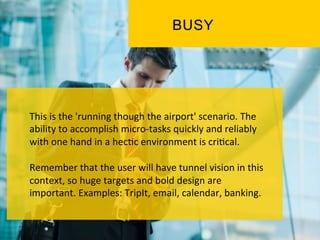
This	
  is	
  the	
  'running	
  though	
  the	
  airport'	
  scenario.	
  The	
  
ability	
  to	
  accomplish	
  micro-­‐tasks	
  quickly	
  and	
  reliably	
  
with	
  one	
  hand	
  in	
  a	
  hec`c	
  environment	
  is	
  cri`cal.	


Remember	
  that	
  the	
  user	
  will	
  have	
  tunnel	
  vision	
  in	
  this	
  
context,	
  so	
  huge	
  targets	
  and	
  bold	
  design	
  are	
  
important.	
  Examples:	
  TripIt,	
  email,	
  calendar,	
  banking.	
  
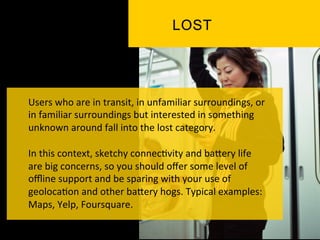
Users	
  who	
  are	
  in	
  transit,	
  in	
  unfamiliar	
  surroundings,	
  or	
  
in	
  familiar	
  surroundings	
  but	
  interested	
  in	
  something	
  
unknown	
  around	
  fall	
  into	
  the	
  lost	
  category.	


In	
  this	
  context,	
  sketchy	
  connec`vity	
  and	
  baPery	
  life	
  
are	
  big	
  concerns,	
  so	
  you	
  should	
  offer	
  some	
  level	
  of	
  
offline	
  support	
  and	
  be	
  sparing	
  with	
  your	
  use	
  of	
  
geoloca`on	
  and	
  other	
  baPery	
  hogs.	
  Typical	
  examples:	
  
Maps,	
  Yelp,	
  Foursquare.	
  
COMMUNICATIONS
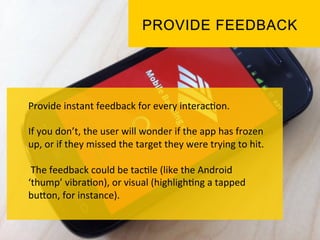
Provide	
  instant	
  feedback	
  for	
  every	
  interac`on.	


If	
  you	
  don’t,	
  the	
  user	
  will	
  wonder	
  if	
  the	
  app	
  has	
  frozen	
  
up,	
  or	
  if	
  they	
  missed	
  the	
  target	
  they	
  were	
  trying	
  to	
  hit.	


  The	
  feedback	
  could	
  be	
  tac`le	
  (like	
  the	
  Android	
  
‘thump’	
  vibra`on),	
  or	
  visual	
  (highligh`ng	
  a	
  tapped	
  
buPon,	
  for	
  instance).	
  	
  
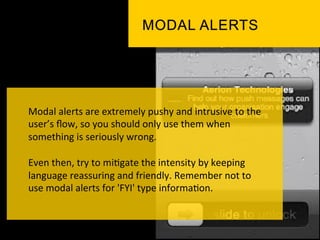
Modal	
  alerts	
  are	
  extremely	
  pushy	
  and	
  intrusive	
  to	
  the	
  
user’s	
  flow,	
  so	
  you	
  should	
  only	
  use	
  them	
  when	
  
something	
  is	
  seriously	
  wrong.	


Even	
  then,	
  try	
  to	
  mi`gate	
  the	
  intensity	
  by	
  keeping	
  
language	
  reassuring	
  and	
  friendly.	
  Remember	
  not	
  to	
  
use	
  modal	
  alerts	
  for	
  'FYI'	
  type	
  informa`on.	
  
When	
  you	
  have	
  to	
  ask	
  a	
  user	
  to	
  confirm	
  an	
  ac`on,	
  it’s	
  
acceptable	
  to	
  display	
  a	
  modal	
  confirma`on	
  dialog	
  
(such	
  as	
  'Are	
  you	
  sure	
  you	
  want	
  to	
  delete	
  this	
  dra]?').	


  Confirma`ons	
  are	
  less	
  intrusive	
  than	
  alerts	
  because	
  
they	
  are	
  in	
  response	
  to	
  a	
  user	
  ac`on	
  and	
  therefore	
  in	
  
context	
  and	
  perhaps	
  even	
  expected.	
  	
  
GLOBAL GUIDELINES
Different	
  apps	
  call	
  for	
  different	
  approaches,	
  designs	
  
and	
  techniques.	


The	
  inherent	
  nature	
  of	
  a	
  pocket-­‐sized	
  touchscreen	
  
device	
  suggests	
  several	
  global	
  guidelines;	
  ie,	
  the	
  stuff	
  
that	
  always	
  maPers.	
  
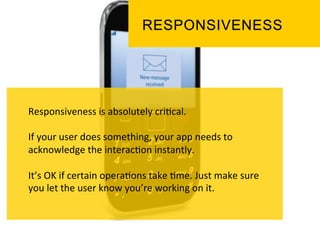
Responsiveness	
  is	
  absolutely	
  cri`cal.	


If	
  your	
  user	
  does	
  something,	
  your	
  app	
  needs	
  to	
  
acknowledge	
  the	
  interac`on	
  instantly.	


It’s	
  OK	
  if	
  certain	
  opera`ons	
  take	
  `me.	
  Just	
  make	
  sure	
  
you	
  let	
  the	
  user	
  know	
  you’re	
  working	
  on	
  it.	
  
Polish	
  is	
  extremely	
  valuable.	


Because	
  of	
  the	
  'constant	
  companion'	
  nature	
  of	
  our	
  
rela`onship	
  to	
  smartphones,	
  paying	
  a	
  lot	
  of	
  aPen`on	
  
to	
  gekng	
  the	
  liPle	
  details	
  perfect	
  will	
  be	
  no`ced	
  and	
  
appreciated.	


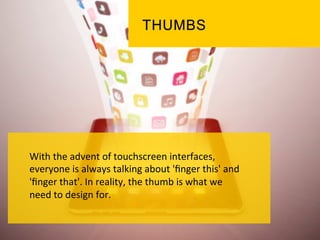
With	
  the	
  advent	
  of	
  touchscreen	
  interfaces,	
  
everyone	
  is	
  always	
  talking	
  about	
  'finger	
  this'	
  and	
  
'finger	
  that'.	
  In	
  reality,	
  the	
  thumb	
  is	
  what	
  we	
  
need	
  to	
  design	
  for.	


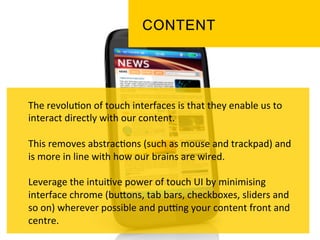
The	
  revolu`on	
  of	
  touch	
  interfaces	
  is	
  that	
  they	
  enable	
  us	
  to	
  
interact	
  directly	
  with	
  our	
  content.	


This	
  removes	
  abstrac`ons	
  (such	
  as	
  mouse	
  and	
  trackpad)	
  and	
  
is	
  more	
  in	
  line	
  with	
  how	
  our	
  brains	
  are	
  wired.	


Leverage	
  the	
  intui`ve	
  power	
  of	
  touch	
  UI	
  by	
  minimising	
  
interface	
  chrome	
  (buPons,	
  tab	
  bars,	
  checkboxes,	
  sliders	
  and	
  
so	
  on)	
  wherever	
  possible	
  and	
  pukng	
  your	
  content	
  front	
  and	
  
centre.	
  
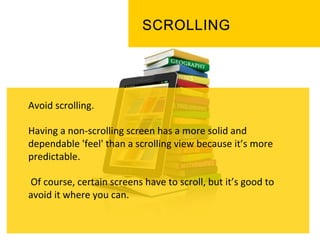
Avoid	
  scrolling.	


Having	
  a	
  non-­‐scrolling	
  screen	
  has	
  a	
  more	
  solid	
  and	
  
dependable	
  'feel'	
  than	
  a	
  scrolling	
  view	
  because	
  it’s	
  more	
  
predictable.	


  Of	
  course,	
  certain	
  screens	
  have	
  to	
  scroll,	
  but	
  it’s	
  good	
  to	
  
avoid	
  it	
  where	
  you	
  can.	


NAVIGATION MODEL
There	
  are	
  plenty	
  of	
  novel	
  naviga`on	
  models	
  
for	
  mobile	
  apps	
  but	
  if	
  you're	
  going	
  to	
  use	
  one	
  
of	
  common	
  naviga`on	
  models,	
  be	
  sure	
  to	
  pick	
  
the	
  one	
  that	
  makes	
  the	
  most	
  sense	
  for	
  your	
  
app.	
  
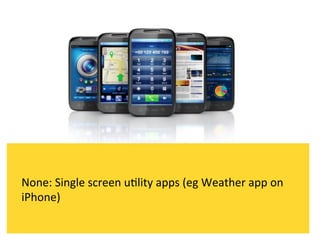
None:	
  Single	
  screen	
  u`lity	
  apps	
  (eg	
  Weather	
  app	
  on	
  
iPhone)	
  
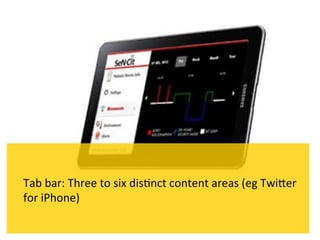
Tab	
  bar:	
  Three	
  to	
  six	
  dis`nct	
  content	
  areas	
  (eg	
  TwiPer	
  
for	
  iPhone)	
  
Drill	
  down:	
  List	
  and	
  detail	
  content	
  hierarchy	
  (eg	
  
Sekngs	
  app	
  on	
  iPhone)	
  
USER INPUT
Typing	
  s`nks	
  even	
  on	
  the	
  best	
  devices,	
  so	
  you	
  should	
  
do	
  what	
  you	
  can	
  to	
  make	
  it	
  easier	
  for	
  your	
  users.	
  
If	
  your	
  app	
  invites	
  a	
  lot	
  of	
  typing,	
  you	
  should	
  ensure	
  
you	
  support	
  landscape	
  orienta`on.	
  
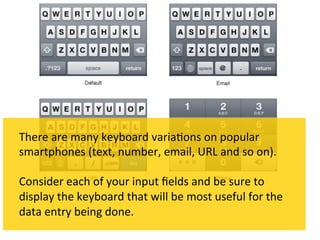
There	
  are	
  many	
  keyboard	
  varia`ons	
  on	
  popular	
  
smartphones	
  (text,	
  number,	
  email,	
  URL	
  and	
  so	
  on).	


Consider	
  each	
  of	
  your	
  input	
  fields	
  and	
  be	
  sure	
  to	
  
display	
  the	
  keyboard	
  that	
  will	
  be	
  most	
  useful	
  for	
  the	
  
data	
  entry	
  being	
  done.	
  
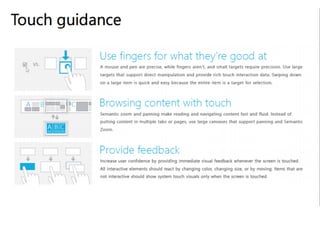
GESTURES
One	
  of	
  the	
  most	
  iconic	
  aspects	
  of	
  modern	
  touch	
  
interfaces	
  is	
  that	
  they	
  support	
  gesture-­‐based	
  
user	
  interac`on.	
  	
  
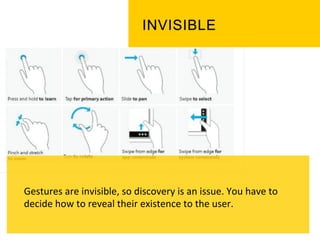
Gestures	
  are	
  invisible,	
  so	
  discovery	
  is	
  an	
  issue.	
  You	
  have	
  to	
  
decide	
  how	
  to	
  reveal	
  their	
  existence	
  to	
  the	
  user.	
  
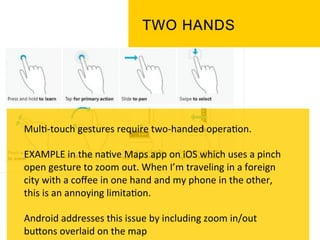
Mul`-­‐touch	
  gestures	
  require	
  two-­‐handed	
  opera`on.	


EXAMPLE	
  in	
  the	
  na`ve	
  Maps	
  app	
  on	
  iOS	
  which	
  uses	
  a	
  pinch	
  
open	
  gesture	
  to	
  zoom	
  out.	
  When	
  I’m	
  traveling	
  in	
  a	
  foreign	
  
city	
  with	
  a	
  coffee	
  in	
  one	
  hand	
  and	
  my	
  phone	
  in	
  the	
  other,	
  
this	
  is	
  an	
  annoying	
  limita`on.	


Android	
  addresses	
  this	
  issue	
  by	
  including	
  zoom	
  in/out	
  
buPons	
  overlaid	
  on	
  the	
  map	
  	
  
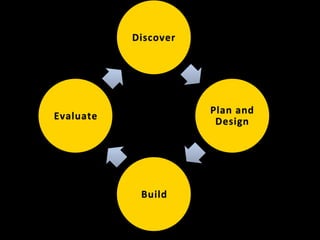
Discover	


Understand	
  and	
  iden`fy	
  the	
  core	
  	
  
problems	
  first	
  	
  
HOW	
  DO	
  WE	
  	
  
DEFINE	
  	
  
PROBLEMS?	
  
CULTURAL	
   A ND	
   S OCIAL	
  
CHALLENGES	
   	
  
AND	
   	
  
NEEDS	
  
DEMOGRAPHICS	
   A ND	
   A BILITIES	
   	
  
ENVIRONMENTAL	
   A ND	
  
CONTEXTUAL	
  
HOW	
  DO	
  WE	


IDENTIFY	


PROBLEMS?	
  
STAKEHOLDER	
   I NTERVIEWS	
  
KICKOFF	
   M EETINGS	
  
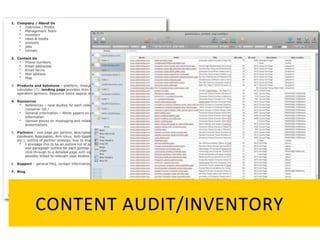
CONTENT	
   A UDIT/INVENTORY	
  
FOCUS	
   G ROUP	
  
CONTEXTUAL	
   I NQUIRIES	
  
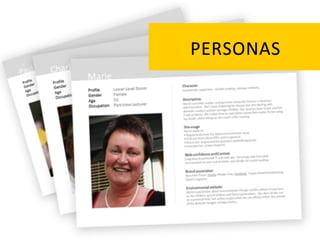
PERSONAS	
  
PLAN	


Iden`fy	
  possible	
  solu`ons	
  and	
  plan	
  	
  
execu`on	
  	
  
Design	


Create	
  designs	
  that	
  resolve	
  the	
  core	
  	
  
problems	
  	
  
HOW	
  DO	
  WE	
  	
  
RESOLVE	
  
THE	
  
PROBLEMS?	
  
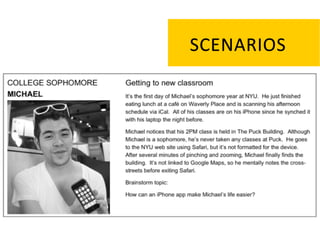
SCENARIOS	
  
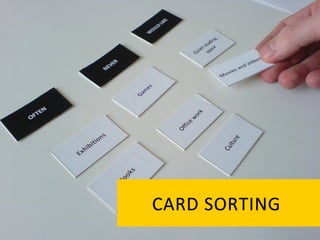
CARD	
   S ORTING	
  
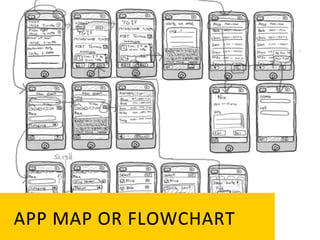
APP	
   M AP	
   O R	
   F LOWCHART	
  
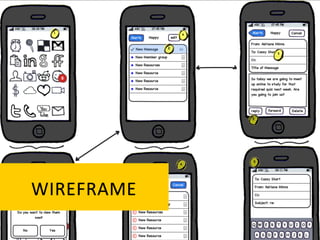
WIREFRAME	
  
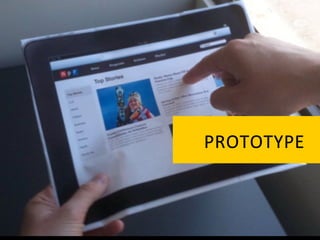
PROTOTYPE	
  
USABILITY	
   T ESTING	
  
BUILD	


Develop	
  func`onal	
  code	
  based	
  on	
  the	
  	
  
designs	
  	
  
EVALUATE	


Review,	
  test,	
  and	
  analyze	
  effec`veness	
  	
  
of	
  the	
  design	
  	
  
RECAP
How can food joints use mobile
devices to improve their customer
experience?
INFORMATION	
   G ATHERING	
  

Information Gathering– 45 mins

1.  Note down a list of possible features for your app
    concept
2.  Prepare the cards
3.  Execute card sorting
4.  Analyze the results
15 MINUTES BREAK
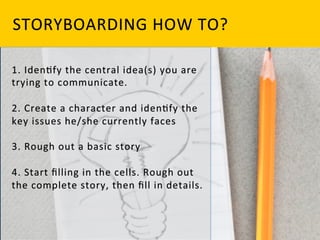
STORYBOARDING	
  

Storyboarding – 60 mins

1.  Based on your previous activities, Identify the central
   idea(s) you are trying to communicate.
2.  Storyboard one scenario using the templates provided.
3.  Remember to identify the key issues the character faces
   and rough out the complete story before filling in details.
4.  Present a small demo of your storyboard concept
MOBILE PROTOTYPING ESSENTIALS


2 ACTIVITES - DESIGNING FOR MOBILITY


                 QUIZ
 Need Analysis
                 DESIGNING AND TESTING PAPER PROTOTYPES


   Ideating
MOBILE PROTOTYPING ESSENTIALS


3 ACTIVITES - DESIGNING FOR MOBILITY


                 IN DEVICE INTERACTIVE PROTOTYPES

 Need Analysis   MOBILE BROWSER PROTOTYPE

                 MOBILE PROTOTYPE USING PRESENTATION
                 SOFTWARE
   Ideating
Mobile
Prototyping
Tools and
Methods
What is
Prototyping?
THE	
  WORD	
  
                 PROTOTYPE	
  comes	
  
                 from	
  the	
  Greek	
  	
  
FIRST	
          pratos,	
  	
  
                 which	
  means	
  "first,"	
  
IMPRESSION	
     	
  
                 and	
  typos.	
  which	
  
                 means	
  
                 "impression.”	
  	
  
Why	
  
Prototyping?	
  
Prototypes	
  can	
  help	
  you	
  
solve	
  design	
  problems,	
  
evaluate	
  designs	
  and	
  
communicate	
  design	
  
ideas	
  
SOLVE	
   D ESIGN	
   P ROBLEMS	


Prototypes	
  can	
  be	
  an	
  efficient	
  way	
  to	
  
work	
  through	
  design	
  problems	
  before	
  
gekng	
  deep	
  into	
  coding.	


SOLVE DESIGN PROBLEMS


They	
  can	
  help	
  address	
  everything	
  from	
  
higher-­‐level	
  conceptual	
  issues	
  to	
  lower-­‐
level	
  interac`ons.	
  
EVALUATE	
   D ESIGN	
   I DEAS	


Prototypes are often used to evaluate
design ideas, concepts, flows, and
Interactions before investing
development time.
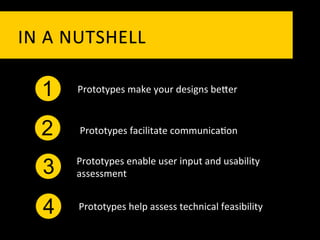
IN	
   A 	
   N UTSHELL	
  

    1       Prototypes	
  make	
  your	
  designs	
  bePer	


    2       Prototypes	
  facilitate	
  communica`on	
  

           Prototypes	
  enable	
  user	
  input	
  and	
  usability	
  
     3     assessment	


     4      Prototypes	
  help	
  assess	
  technical	
  feasibility	
  
THE PROTOTYPING
SPECTRUM
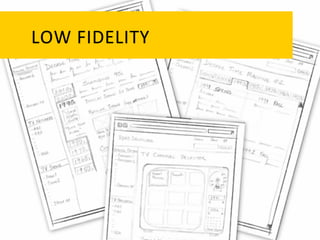
LOW	
   F IDELITY	
  
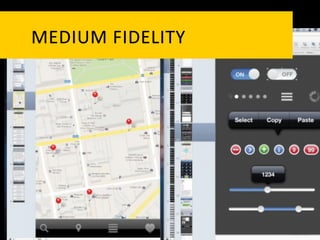
MEDIUM	
   F IDELITY	
  
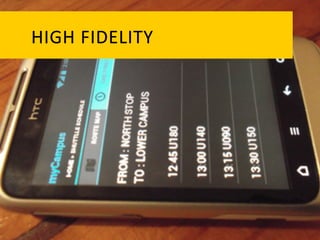
HIGH	
   F IDELITY	
  
THE PROTOTYPING
GENRES
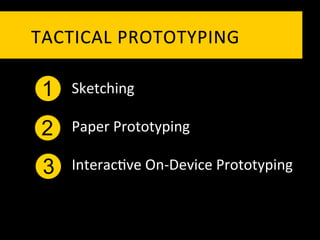
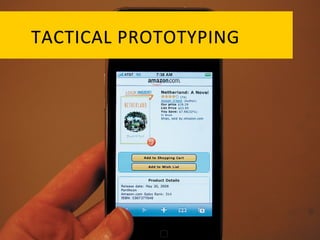
TACTICAL	
   P ROTOTYPING	
  

 1   Sketching	
  

 2   Paper	
  Prototyping	
  

 3   Interac`ve	
  On-­‐Device	
  Prototyping	
  
Interac`ve	
  On-­‐Device	
  Prototyping	
  includes:	
  

    1   In-­‐screen	
  mobile	
  prototype	


    2   Mobile	
  browser	
  prototype	


    3   Mobile	
  prototype	
  using	
  presenta`on	
  so]ware	


    4   Pla_orm	
  specific	
  prototype	
  
    4
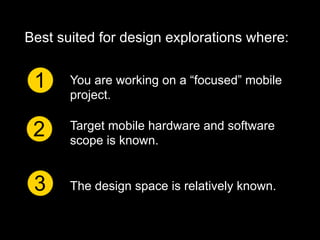
Best suited for design explorations where:


 1     You are working on a “focused” mobile
       project.


 2     Target mobile hardware and software
       scope is known.


 3     The design space is relatively known.
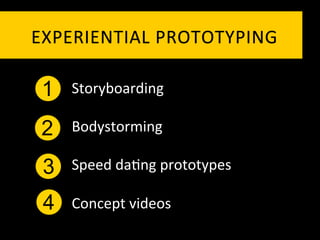
EXPERIENTIAL	
   P ROTOTYPING	
  

 1   Storyboarding	
  

 2   Bodystorming	
  

 3   Speed	
  da`ng	
  prototypes	
  

 4   Concept	
  videos	
  
Best suited for design explorations where:


 1     You are working on a “broader” mobile
       project.

       Target mobile hardware and software
 2     scope is unknown (perhaps being
       created).

 3     The design space is relatively unchartered.
TACTICAL	
   P ROTOTYPING	
  
TACTICAL	
   P ROTOTYPING	
  

 1   Sketching	
  

 2   Paper	
  Prototyping	
  

 3   Interac`ve	
  On-­‐Device	
  Prototyping	
  
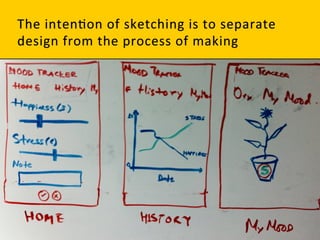
Sketching	
  is	
  rapid,	
  freehand	
  drawing	
  that	
  we	
  
do	
  with	
  no	
  inten`on	
  of	
  its	
  becoming	
  a	
  
finished	
  product.	
  	
  
Sketching	
  is	
  a	
  founda`on	
  upon	
  which	
  
we	
  can	
  overlay	
  our	
  actual	
  design	
  work.	
  
SKETCHING	
   B ENEFITS	
  
Quick:	
  A	
  sketch	
  is	
  quick	
  to	
  make,	
  or	
  at	
  least	
  gives	
  that	
  
impression.	
  
Timely:	
  A	
  sketch	
  can	
  be	
  provided	
  when	
  needed.	
  
Inexpensive:	
  A	
  sketch	
  is	
  cheap.	
  Cost	
  must	
  not	
  inhibit	
  the	
  
ability	
  to	
  explore	
  a	
  concept,	
  especially	
  early	
  in	
  the	
  
design	
  process.	
  
WHEN	
  DO	
  WE	
  USE	
  THESE	
  SKETCH	
  	
  
PROTOTYPES?	
  
DESIGNING	
  INTERFACES	


•	
  Visualizing	
  concepts	


•	
  Exploring	
  alterna`ves	


•	
  Resolving	
  feature	
  details	


•	
  Developing	
  interac`on	
  scenarios	
  
TESTING	
  INTERFACES	


•	
  Intelligibility	
  -­‐	
  can	
  you	
  read	
  or	
  interpret	
  this?	


•	
  Trackability	
  -­‐	
  can	
  you	
  follow	
  this?	


•	
  Fumble	
  factor	
  -­‐	
  can	
  you	
  make	
  this	
  work?	
  	
  
PRESENTING	
  INTERFACE	
  IDEAS	


•	
  To	
  UI	
  designers	
  -­‐	
  looking	
  at	
  all	
  parts	
  of	
  the	
  
interface	


•	
  To	
  programmers	
  -­‐	
  implemen`ng	
  the	
  interface	


•	
  To	
  marke`ng	
  and	
  management	
  -­‐	
  determining	
  
applica`on	
  features	


•	
  To	
  users	
  -­‐	
  gekng	
  early	
  feedback	
  
TACTICAL	
   P ROTOTYPING	
  

 1   Sketching	
  

 2   Paper	
  Prototyping	
  

 3   Interac`ve	
  On-­‐Device	
  Prototyping	
  
PAPER	
  PROTOTYPE?	
  
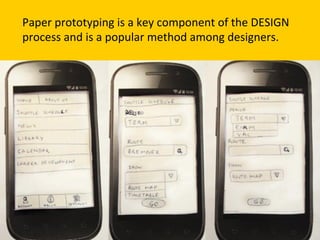
Paper	
  prototyping	
  is	
  a	
  key	
  component	
  of	
  the	
  DESIGN	
  
process	
  and	
  is	
  a	
  popular	
  method	
  among	
  designers.	
  
Paper	
  prototypes	
  are	
  essen`ally	
  paper	
  
models	
  of	
  your	
  smartphone	
  apps	
  	
  
PAPER	
   P ROTOTYPE	
   B ENEFITS	
  
Quick	
  itera+ons	


Paper	
  prototypes	
  enable	
  you	
  to	
  rapidly	
  iterate	
  and	
  experiment	
  
with	
  many	
  ideas.	
  The	
  modest	
  `me	
  investment	
  makes	
  it	
  easier	
  to	
  
throw	
  away	
  less	
  promising	
  direc`ons.	
  
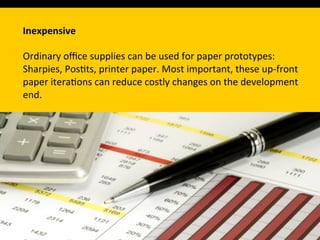
Inexpensive	


Ordinary	
  office	
  supplies	
  can	
  be	
  used	
  for	
  paper	
  prototypes:	
  
Sharpies,	
  Pos`ts,	
  printer	
  paper.	
  Most	
  important,	
  these	
  up-­‐front	
  
paper	
  itera`ons	
  can	
  reduce	
  costly	
  changes	
  on	
  the	
  development	
  
end.	
  	
  
Collabora+ve	


Paper	
  prototypes	
  do	
  not	
  require	
  any	
  technical	
  skills;	
  thus	
  everyone	
  
(users,	
  too!)	
  can	
  par`cipate.	
  
Easy	
  to	
  edit	


You	
  or	
  your	
  users	
  can	
  edit	
  paper	
  prototypes	
  on	
  the	
  &	
  y	
  (e.g.,	
  
change	
  labels,	
  add	
  screens,	
  add	
  buPons)	
  
PAPER	
   P ROTOTYPE	
   C HALLENGES	


  Paper	
  prototypes	
  are	
  less	
  suitable	
  for	
  
  refining	
  low-­‐level	
  interac`ons	
  such	
  as	
  
  transi`ons,	
  scrolling,	
  and	
  swiping.	
  
PAPER	
   P ROTOTYPE	
   C HALLENGES	


 Less	
  useful	
  for	
  certain	
  classes	
  of	
  apps,	
  
 such	
  as	
  musical	
  instruments,	
  videos,	
  and	
  
 games.	
  
User	
  experience	
  issues	
  o]en	
  explored	
  with	
  paper	
  
prototypes	
  include	
  
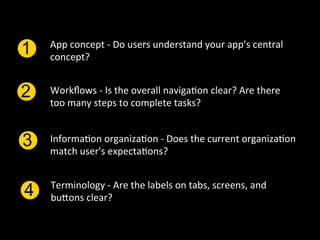
App	
  concept	
  -­‐	
  Do	
  users	
  understand	
  your	
  app’s	
  central	
  
1   concept?	


2   Workflows	
  -­‐	
  Is	
  the	
  overall	
  naviga`on	
  clear?	
  Are	
  there	
  
    too	
  many	
  steps	
  to	
  complete	
  tasks?	


3   Informa`on	
  organiza`on	
  -­‐	
  Does	
  the	
  current	
  organiza`on	
  
    match	
  user's	
  expecta`ons?	


    Terminology	
  -­‐	
  Are	
  the	
  labels	
  on	
  tabs,	
  screens,	
  and	
  
4   buPons	
  clear?	
  
PAPER	
   P ROTOTYPING	
   	
  
HOW	
   T O?	
  
PAPER,	
  PEN,	
  CARDBOARD,	
  REMOVABLE	
  TAPE,	
  GLUE,	
  
CORRECTION	
  	
  FLUID,	
  AND	
  SCISSORS.	
  
At	
  some	
  point	
  your	
  designs	
  will	
  have	
  to	
  match	
  the	
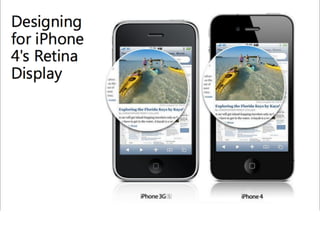
  PHONE	
  
screen	
  dimensions—320	
  ×	
  480	
  pixels	
  (640	
  ×	
  960	
  for	
  iPhone	
  4)
—but	
  paper	
  prototypes	
  can	
  be	
  less	
  exact.	
  Using	
  a	
  larger	
  form	
  
factor	
  will	
  make	
  it	
  easier	
  for	
  others	
  to	
  interact	
  with	
  the	
  design	
  
(e.g.,	
  rearrange	
  the	
  layout	
  and	
  write	
  in	
  text	
  Fields)	
  
Your	
  prototype	
  will	
  include	
  a	
  background,	
  the	
  screens,	
  and	
  the	
  
user	
  interface	
  controls.	
  	
  
RECAP
How can food joints use mobile
devices to improve their customer
experience?
PAPER	
   P ROTOTYPE	
  

Create Paper Prototype – 60 mins

1.  Create a paper prototype that illustrates 3 major tasks for
   your interface / interaction design, likely (but not
   necessarily) based on your storyboards.
2.  The prototype should be complete enough to "run" a new
   user through each task.
PAPER	
   P ROTOTYPE	
  

Test Paper Prototype – 60 mins

1.  Prepare for testing your paper prototype
2.  Identify a participant as user, provide him a test script
3.  Identify and make notes of your finding
LUNCH	
  
TACTICAL	
   P ROTOTYPING	
  

 1   Sketching	
  

 2   Paper	
  Prototyping	
  

 3   Interac`ve	
  On-­‐Device	
  Prototyping	
  
Interac`ve	
  On-­‐Device	
  Prototyping	
  includes:	
  

   1    In-­‐screen	
  mobile	
  prototype	


   2    Mobile	
  browser	
  prototype	


   3    Mobile	
  prototype	
  using	
  presenta`on	
  so]ware	


   4    Pla_orm	
  specific	
  prototype	
  
   4
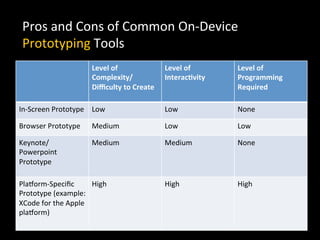
Pros	
  and	
  Cons	
  of	
  Common	
  On-­‐Device	
  
 Prototyping	
  Tools	
  
                                 Level	
  of	
                  Level	
  of	
      Level	
  of	
  
                                 Complexity/                    Interac+vity	
     Programming	
  
                                 Difficulty	
  to	
  Create	
                        Required	
  

In-­‐Screen	
  Prototype	
   Low	
                              Low	
              None	
  

Browser	
  Prototype	
           Medium	
                       Low	
              Low	
  

Keynote/                         Medium	
                       Medium	
           None	
  
Powerpoint	
  
Prototype	
  

Pla_orm-­‐Specific	
              High	
                         High	
             High	
  
Prototype	
  (example:	
  
XCode	
  for	
  the	
  Apple	
  
pla_orm)	
  
Interac`ve	
  On-­‐Device	
  Prototyping	


 Given	
  the	
  limita`ons	
  of	
  sta`c	
  image	
  prototypes,	
  
 Interac`ve	
  On-­‐Device	
  Prototyping	
  are	
  interac`ve	
  
 prototyping	
  techniques.	
  
ISSUES	
  TO	
  EXPLORE	


You	
  can	
  explore	
  almost	
  any	
  aspect	
  of	
  the	
  user	
  
experience.	


In	
  contrast	
  to	
  sta`c	
  image	
  prototypes,	
  you	
  can	
  provide	
  
forms,	
  transi`ons,	
  and	
  scrolling	
  content.	
  
CHALLENGES	


Although	
  interac`ve	
  prototypes	
  are	
  powerful,	
  there	
  are	
  
s`ll	
  some	
  aspects	
  that	
  differen`ate	
  them	
  from	
  the	
  
“real”	
  experience.	


In	
  par`cular,	
  you	
  will	
  s`ll	
  likely	
  need	
  to	
  fake	
  the	
  current	
  
loca`on	
  informa`on,	
  live	
  data	
  feeds,	
  and	
  the	
  handling	
  
of	
  interrup`ons	
  (what	
  happens	
  when	
  the	
  connec`on	
  is	
  
lost	
  or	
  disrupted?).	
  
In-­‐screen	
  mobile	
  prototype	


  The	
  idea	
  behind	
  this	
  technique	
  is	
  simple:	
  place	
  
  the	
  paper	
  prototype	
  of	
  the	
  mobile	
  applica`on	
  
  inside	
  the	
  mobile	
  device.	
  
In-­‐screen	
  mobile	
  prototype	


  This	
  prototyping	
  technique	
  is	
  prac`cal	
  since	
  it	
  
  leverages	
  prototypes	
  that	
  are	
  likely	
  to	
  have	
  
  been	
  previously	
  made	
  for	
  tes`ng.	
  	
  
In-­‐screen	
  mobile	
  prototype	


   If	
  a	
  designer	
  has	
  sketched	
  a	
  number	
  of	
  paper	
  
   prototypes	
  to	
  conduct	
  a	
  usability	
  test	
  or	
  a	
  
   heuris`c	
  evalua`on,	
  these	
  can	
  be	
  easily	
  turned	
  
   into	
  paper-­‐in-­‐screen	
  prototypes.	
  
In-­‐screen	
  Mobile	
  Prototype	
  
How	
  to	
  	
  
IN-­‐SCREEN	
   P ROTOTYPE	
  

In-Screen Prototype – 60 mins

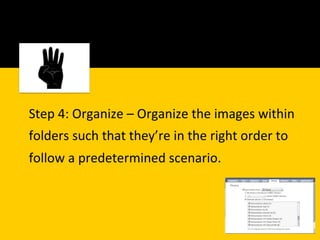
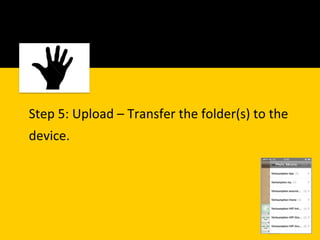
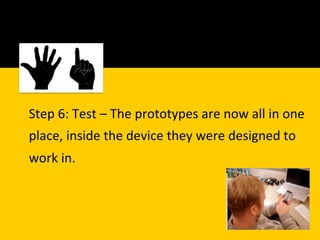
1.  Identify one of the scenarios/flows from your previous
   exercise
2.  Create a quick paper version of the prototype
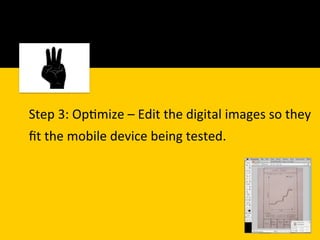
3.  Take pictures from your camera, upload it, optimize it and
   test it
10	
   M INS	
   B REAK	
  
MOBILE	
   B ROWSER	
   P ROTOTYPE	


   A	
  browser	
  prototype	
  is	
  simply	
  a	
  prototype	
  that	
  is	
  
   rendered	
  by	
  using	
  your	
  mobile	
  device’s	
  browser,	
  
   which	
  is	
  using	
  HTML	
  and	
  other	
  browser-­‐based	
  
   programming	
  such	
  as	
  JavaScript.	
  
MOBILE	
   B ROWSER	
   P ROTOTYPE	


         1
  For	
  those	
  less	
  familiar	
  with	
  extensive	
  markup,	
  
  you	
  can	
  easily	
  upload	
  a	
  series	
  of	
  linked	
  image	
  
  maps	
  of	
  screen	
  layouts	
  and	
  view	
  them	
  through	
  
  your	
  phone’s	
  browser.	


MOBILE	
   B ROWSER	
   P ROTOTYPE	
  
BENEFITS	


 Mobile	
  Browser	
  Prototypes	
  are	
  medium	
  fidelity,	
  very	
  
 interac`ve	
  and	
  hence	
  can	
  be	
  tested	
  with	
  full	
  
 interac`ons	
  
Mobile	
  Browser	
  Prototype	
  
How	
  to	
  	
  
MOBILE	
   B ROWSER	
   P ROTOTYPE	


Mobile Browser Prototype – 30 mins

1.  Identify one of the scenarios/flows from your previous
   exercises
2.  Create a click through version of your App
3.  Test it in mobile browser or emulators
MOBILE	
  PROTOTYPE	
  USING	
  PRESENTATION	
  	
  
       SOFTWARE	


Crea`ng	
  prototypes	
  using	
  presenta`on	
  so]ware	
  such	
  
as	
  Apple	
  Keynote	
  or	
  Microso]	
  PowerPoint	
  is	
  an	
  
efficient	
  way	
  to	
  prototype	
  interac`vity	
  and	
  transi`ons	
  
on	
  a	
  mobile	
  device.	


MOBILE	
  PROTOTYPE	
  USING	
  PRESENTATION	
  	
  
SOFTWARE	


You	
  can	
  easily	
  download	
  pla_orm	
  components	
  from	
  
the	
  Web,	
  build	
  your	
  prototype	
  using	
  the	
  presenta`on	
  
so]ware,	
  fine-­‐tune	
  the	
  interac`ons	
  and	
  transi`ons	
  
included	
  in	
  the	
  so]ware,	
  and	
  download	
  the	
  file	
  to	
  
your	
  mobile	
  device.	


MOBILE	
  PROTOTYPE	
  USING	
  PRESENTATION	
  	
  
SOFTWARE	


 While	
  designers	
  use	
  various	
  types	
  of	
  tools	
  to	
  
 document	
  their	
  wireframe	
  ideas,	
  presenta`on	
  
 so]ware	
  is	
  emerging	
  as	
  a	
  favorite	
  tool	
  in	
  the	
  mobile	
  
 UX	
  realm.	


MOBILE	
  PROTOTYPE	
  USING	
  PRESENTATION	
  	
  
SOFTWARE	
  -­‐	
  BENEFITS	


 In	
  addi`on	
  to	
  specifying	
  the	
  placement	
  of	
  design	
  
 elements	
  on	
  a	
  screen,	
  presenta`on	
  so]ware	
  
 enables	
  designers	
  to	
  turn	
  their	
  work	
  into	
  low-­‐
 fidelity	
  on-­‐device	
  prototypes.	
  	
  
MOBILE	
  PROTOTYPE	
  USING	
  PRESENTATION	
  	
  
SOFTWARE	
  -­‐	
  BENEFITS	


  Instead	
  of	
  flat,	
  sta`c	
  documents,	
  presenta`on	
  
  so]ware	
  offers	
  designers	
  the	
  ability	
  to	
  
  experiment	
  with	
  transi`ons	
  and	
  interac`vity.	
  
MOBILE	
  PROTOTYPE	
  USING	
  PRESENTATION	
  	
  
SOFTWARE	
  -­‐	
  HOW	
  TO	
  
MOBILE	
   P ROTOTYPING	


Mobile Prototyping – 30 mins

1.  Identify one of the scenarios/flows from your previous
   exercises
2.  Create a click through prototype using power point or
   keynote
3.  Upload your design file into mobile device
4.  Test it on device
BREAK	
  
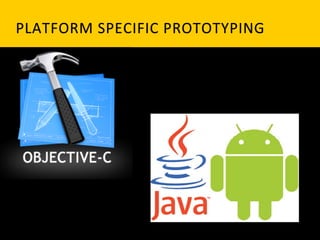
PLATFORM	
   S PECIFIC	
   P ROTOTYPING	
  
PLATFORM	
   S PECIFIC	
   P ROTOTYPING	


  Is	
  a	
  technique	
  where	
  pla_orm	
  specific	
  
  prototypes	
  are	
  created	
  using	
  na`ve	
  
  SDK’s	
  
PLATFORM	
   S PECIFIC	
   P ROTOTYPING	
   – 	
   	
  
CHALLENGES	


   Requires	
  pla_orm	
  specialized	
  
   Programming	
  skills	
  	
  
PLATFORM	
   S PECIFIC	
   P ROTOTYPING	
   – 	
   	
  
CHALLENGES	


   Development	
  `me	
  and	
  effort	
  is	
  more	
  
PLATFORM	
   S PECIFIC	
   P ROTOTYPING	
   – 	
   	
  
BENEFITS	


   Completely	
  interac`ve	
  and	
  can	
  
   leverage	
  device’s	
  na`ve	
  capabili`es	
  
EXPERIENTIAL	
   P ROTOTYPING	
  
EXPERIENTIAL	
   P ROTOTYPING	
  

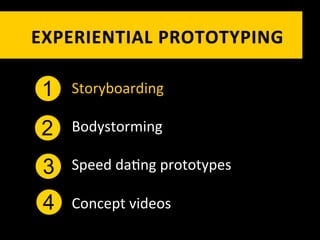
 1   Storyboarding	
  

 2   Bodystorming	
  

 3   Speed	
  da`ng	
  prototypes	
  

 4   Concept	
  videos	
  
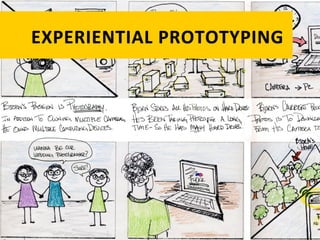
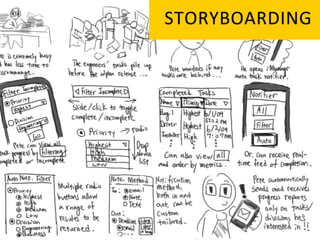
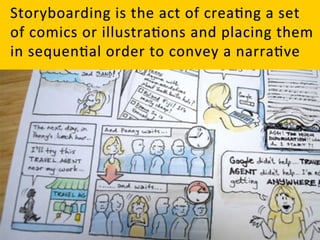
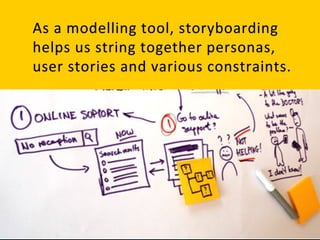
STORYBOARDING	
  
is	
  a	
  powerful	
  UX	
  technique	
  borrowed	
  
from	
  the	
  filmmaking	
  process	
  
Storyboarding	
  helps	
  us	
  to	
  understand	
  
exis`ng	
  scenarios,	
  a	
  well	
  as	
  test	
  
hypotheses	
  for	
  poten`al	
  scenarios.	
  
STORYBOARDING	
   H OW	
   T O?	
  
EXPERIENTIAL	
   P ROTOTYPING	
  

 1   Storyboarding	
  

 2   Bodystorming	
  

 3   Speed	
  da`ng	
  prototypes	
  

 4   Concept	
  videos	
  
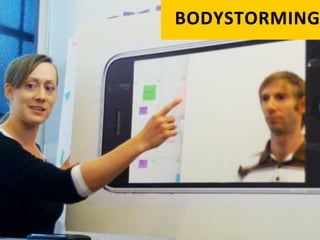
BODYSTORMING
Body storming is a technique that
helps capture and harness these
messy yet essential aspects of
human behavior and account for
them in the mobile design process.
Body storming involves acting out
possible scenarios or use cases with
actors and props. 	
  
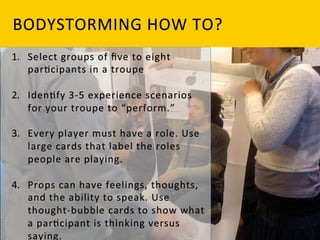
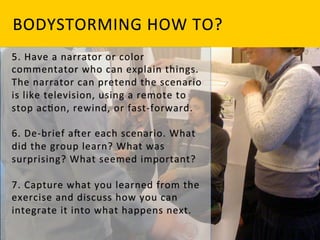
BODYSTORMING	
   H OW	
   T O?	
  
BODYSTORMING	
   H OW	
   T O?	
  
Bodystorming will help you capture the
emotional tenor of mobile interactions
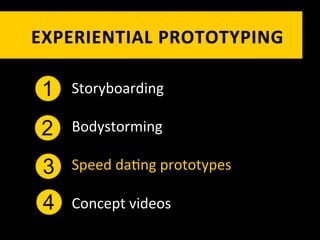
EXPERIENTIAL	
   P ROTOTYPING	
  

 1   Storyboarding	
  

 2   Bodystorming	
  

 3   Speed	
  da`ng	
  prototypes	
  

 4   Concept	
  videos	
  
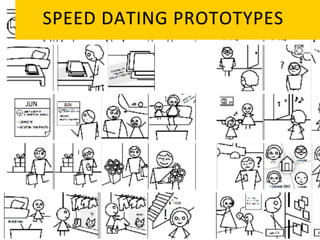
SPEED	
   D ATING	
   P ROTOTYPES	
  
Speed	
  Da`ng	
  Prototypes	
  are	
  especially	
  well-­‐
suited	
  for	
  gathering	
  user	
  impressions	
  of	
  	
  
a	
  new-­‐to-­‐the-­‐world	
  experience	


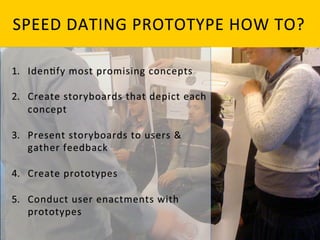
SPEED	
   D ATING	
   P ROTOTYPE	
   H OW	
   T O?	
  
Mobile Prototyping
Mobile Prototyping

Mobile Prototyping

  • 1.
    Special Thanks toour Sponsors
  • 6.
    Introduction to MobileDesign 3 ACTIVITES - DESIGNING FOR MOBILITY IDENTIFYING NEED FOR A MOBILE APPLICATION Need Analysis BRAINSTORMING AND IDEATING PRESENTING CONCEPTS Ideating
  • 8.
    Mobile Design Guidelinesand patterns The Design Process 3 ACTIVITES - DESIGNING FOR MOBILITY   Card Sort Story Boards
  • 12.
  • 14.
    “MOBILE PHONES WILL OVERTAKEPC’S AS THE MOST COMMON WEB ACCESS DEVICES BY 2013” Gartner  Research,  2010  
  • 16.
    Google:  Our  Mobile  Planet,  May  2012  
  • 17.
    Google:  Our  Mobile  Planet,  May  2012  
  • 18.
    Google:  Our  Mobile  Planet,  May  2012  
  • 19.
    Google:  Our  Mobile  Planet,  May  2012  
  • 21.
    Google:  Our  Mobile  Planet,  May  2012  
  • 22.
    MOBILE PRESENTS AN OPPORTUNITYTO INVENT NEW WAYS FOR USERS TO INTERACT WITH INFORMATION.
  • 23.
    NEXT  BIG  QUESTION     WHAT  TYPE  OF  MOBILE  APP  TO  START  WITH    
  • 24.
    RESPONSIVE   WEBSITE?     WEB  APP  ?     NATIVE  APP?     HYBRID  APPS?  
  • 26.
  • 27.
  • 33.
  • 38.
  • 39.
  • 45.
  • 48.
  • 61.
    Who are theusers? What do you know about them? What type of behavior can you assume or predict about the users? What is happening? What are the circumstances in which the users will best absorb the content you intend to present?
  • 64.
  • 65.
  • 67.
    ONLY DESIGN WHAT MAKESSENSE FOR A MOBILE CONTEXT
  • 68.
    COMMON FEATURES THAT IMPACTTHE USER EXPERIENCE
  • 69.
    FEATURE WHAT IT DOES EXAMPLE APP OR FEATURE Camera Takes photos & often Too many to list! video. GPS Provides the phone’s Maps location. Accelerometer Detects the phone’s Determines when to orientation. switch from portrait to landscape view Magnetometer Detects the phone’s Compass direction. Gyroscope Detects 3-axis angular Gaming acceleration around the X, Y and Z axes. Proximity sensor Detects proximity of user Cue to dim screen when to phone. user speaking on phone. Light sensor Determines how much Adjusts screen brightness light is available in the to area surrounding the conserve battery. phone
  • 70.
    How can foodjoints use mobile devices to improve their customer experience?
  • 71.
    Identifying Needs –30 mins 1.  Divide into groups 2.  Head to the nearest food joint 3.  Observe mobile users in a mobile context 4.  Develop a list of customer needs based on your observations
  • 72.
    Ideating the Context– 30 mins 1.  Brainstorm with the team 2.  Create 2-3 unique concepts based on the needs your team identified 3.  Give your concept a name 4.  Create user profiles
  • 73.
    Presenting Concepts 1.  Eachteam would present a 10 minute introduction to their app which would include 1.  Elevator Pitch: What your app does 2.  User Profiles: Who your app is targeting and why 3.  User Research Summary: What you learned in the user research/observation study conducted
  • 76.
  • 77.
    Because of the differencesbetween mobile and desktop, it’s imperative to get yourself into a mobile mindset before getting started.
  • 78.
    Be  focused:  More  is  not  bePer.  Edit  your  features   1 ruthlessly.  You  are  going  to  have  to  leave  stuff  out  
  • 79.
    2 Be  unique:  Know  what  makes  your  app  different  and   amplify  it.       There  are  lots  of  fish  in  the  sea  of  mobile  apps.  If  there’s   nothing  special  about  your  app,  why  would  anyone  pick   it?  
  • 80.
    3 Be  charming:  Mobile  devices  are  intensely  personal.  They   are  our  constant  companions.       Apps  that  are  friendly,  reliable  and  fun  are  a  delight  to   use,  and  people  will  become  quite  aPached  to  the   experience.    
  • 81.
    Be  considerate:  App  developers  too  o]en  focus  on  what   4 would  be  fun  to  develop,  their  own  mental  model  of  the   app  or  their  personal  business  goals.     These  are  good  places  to  start,  but  you  have  to  put   yourself  in  your  user’s  shoes  if  you  ever  hope  to  create  an   engaging  experience.  
  • 82.
  • 83.
  • 84.
    It  is  certainly  one  context,  but  it’s  not  the  only  one.  
  • 85.
    To  begin  to  put  ourselves  in  the  shoes  of  our  users,  we   need  to  consider  three  major  mobile  contexts  
  • 86.
    There  are  a  lot  of  people  using  their  smartphones  on   the  couch  at  home.  In  this  context,  immersive  and   deligh_ul  experiences  geared  toward  a  longer  usage   session  are  a  great  fit.      S`ll,  interrup`ons  are  highly  likely,  so  be  sure  your   app  can  pick  up  where  your  user  le]  off.  Examples:   Facebook,  TwiPer,  Angry  Birds,  web  browser.    
  • 87.
    This  is  the  'running  though  the  airport'  scenario.  The   ability  to  accomplish  micro-­‐tasks  quickly  and  reliably   with  one  hand  in  a  hec`c  environment  is  cri`cal.       Remember  that  the  user  will  have  tunnel  vision  in  this   context,  so  huge  targets  and  bold  design  are   important.  Examples:  TripIt,  email,  calendar,  banking.  
  • 88.
    Users  who  are  in  transit,  in  unfamiliar  surroundings,  or   in  familiar  surroundings  but  interested  in  something   unknown  around  fall  into  the  lost  category.       In  this  context,  sketchy  connec`vity  and  baPery  life   are  big  concerns,  so  you  should  offer  some  level  of   offline  support  and  be  sparing  with  your  use  of   geoloca`on  and  other  baPery  hogs.  Typical  examples:   Maps,  Yelp,  Foursquare.  
  • 89.
  • 90.
    Provide  instant  feedback  for  every  interac`on.       If  you  don’t,  the  user  will  wonder  if  the  app  has  frozen   up,  or  if  they  missed  the  target  they  were  trying  to  hit.      The  feedback  could  be  tac`le  (like  the  Android   ‘thump’  vibra`on),  or  visual  (highligh`ng  a  tapped   buPon,  for  instance).    
  • 91.
    Modal  alerts  are  extremely  pushy  and  intrusive  to  the   user’s  flow,  so  you  should  only  use  them  when   something  is  seriously  wrong.       Even  then,  try  to  mi`gate  the  intensity  by  keeping   language  reassuring  and  friendly.  Remember  not  to   use  modal  alerts  for  'FYI'  type  informa`on.  
  • 92.
    When  you  have  to  ask  a  user  to  confirm  an  ac`on,  it’s   acceptable  to  display  a  modal  confirma`on  dialog   (such  as  'Are  you  sure  you  want  to  delete  this  dra]?').      Confirma`ons  are  less  intrusive  than  alerts  because   they  are  in  response  to  a  user  ac`on  and  therefore  in   context  and  perhaps  even  expected.    
  • 93.
  • 94.
    Different  apps  call  for  different  approaches,  designs   and  techniques.       The  inherent  nature  of  a  pocket-­‐sized  touchscreen   device  suggests  several  global  guidelines;  ie,  the  stuff   that  always  maPers.  
  • 95.
    Responsiveness  is  absolutely  cri`cal.     If  your  user  does  something,  your  app  needs  to   acknowledge  the  interac`on  instantly.     It’s  OK  if  certain  opera`ons  take  `me.  Just  make  sure   you  let  the  user  know  you’re  working  on  it.  
  • 96.
    Polish  is  extremely  valuable.       Because  of  the  'constant  companion'  nature  of  our   rela`onship  to  smartphones,  paying  a  lot  of  aPen`on   to  gekng  the  liPle  details  perfect  will  be  no`ced  and   appreciated.        
  • 97.
    With  the  advent  of  touchscreen  interfaces,   everyone  is  always  talking  about  'finger  this'  and   'finger  that'.  In  reality,  the  thumb  is  what  we   need  to  design  for.          
  • 98.
    The  revolu`on  of  touch  interfaces  is  that  they  enable  us  to   interact  directly  with  our  content.       This  removes  abstrac`ons  (such  as  mouse  and  trackpad)  and   is  more  in  line  with  how  our  brains  are  wired.       Leverage  the  intui`ve  power  of  touch  UI  by  minimising   interface  chrome  (buPons,  tab  bars,  checkboxes,  sliders  and   so  on)  wherever  possible  and  pukng  your  content  front  and   centre.  

  • 99.
    Avoid  scrolling.     Having  a  non-­‐scrolling  screen  has  a  more  solid  and   dependable  'feel'  than  a  scrolling  view  because  it’s  more   predictable.      Of  course,  certain  screens  have  to  scroll,  but  it’s  good  to   avoid  it  where  you  can.        
  • 100.
  • 101.
    There  are  plenty  of  novel  naviga`on  models   for  mobile  apps  but  if  you're  going  to  use  one   of  common  naviga`on  models,  be  sure  to  pick   the  one  that  makes  the  most  sense  for  your   app.  
  • 102.
    None:  Single  screen  u`lity  apps  (eg  Weather  app  on   iPhone)  
  • 103.
    Tab  bar:  Three  to  six  dis`nct  content  areas  (eg  TwiPer   for  iPhone)  
  • 104.
    Drill  down:  List  and  detail  content  hierarchy  (eg   Sekngs  app  on  iPhone)  
  • 105.
  • 106.
    Typing  s`nks  even  on  the  best  devices,  so  you  should   do  what  you  can  to  make  it  easier  for  your  users.  
  • 107.
    If  your  app  invites  a  lot  of  typing,  you  should  ensure   you  support  landscape  orienta`on.  
  • 108.
    There  are  many  keyboard  varia`ons  on  popular   smartphones  (text,  number,  email,  URL  and  so  on).       Consider  each  of  your  input  fields  and  be  sure  to   display  the  keyboard  that  will  be  most  useful  for  the   data  entry  being  done.  
  • 109.
  • 110.
    One  of  the  most  iconic  aspects  of  modern  touch   interfaces  is  that  they  support  gesture-­‐based   user  interac`on.    
  • 111.
    Gestures  are  invisible,  so  discovery  is  an  issue.  You  have  to   decide  how  to  reveal  their  existence  to  the  user.  
  • 112.
    Mul`-­‐touch  gestures  require  two-­‐handed  opera`on.     EXAMPLE  in  the  na`ve  Maps  app  on  iOS  which  uses  a  pinch   open  gesture  to  zoom  out.  When  I’m  traveling  in  a  foreign   city  with  a  coffee  in  one  hand  and  my  phone  in  the  other,   this  is  an  annoying  limita`on.     Android  addresses  this  issue  by  including  zoom  in/out   buPons  overlaid  on  the  map    
  • 116.
    Discover   Understand  and  iden`fy  the  core     problems  first    
  • 117.
    HOW  DO  WE     DEFINE     PROBLEMS?  
  • 118.
    CULTURAL   AND   S OCIAL  
  • 119.
    CHALLENGES     AND     NEEDS  
  • 120.
    DEMOGRAPHICS   AND   A BILITIES    
  • 121.
    ENVIRONMENTAL   AND   CONTEXTUAL  
  • 122.
    HOW  DO  WE     IDENTIFY     PROBLEMS?  
  • 123.
    STAKEHOLDER   INTERVIEWS  
  • 124.
    KICKOFF   MEETINGS  
  • 125.
    CONTENT   AUDIT/INVENTORY  
  • 126.
    FOCUS   GROUP  
  • 127.
    CONTEXTUAL   INQUIRIES  
  • 128.
  • 129.
    PLAN   Iden`fy  possible  solu`ons  and  plan     execu`on    
  • 130.
    Design   Create  designs  that  resolve  the  core     problems    
  • 131.
    HOW  DO  WE     RESOLVE   THE   PROBLEMS?  
  • 132.
  • 133.
    CARD   SORTING  
  • 134.
    APP   MAP   O R   F LOWCHART  
  • 135.
  • 136.
  • 137.
    USABILITY   TESTING  
  • 138.
    BUILD   Develop  func`onal  code  based  on  the     designs    
  • 139.
    EVALUATE   Review,  test,  and  analyze  effec`veness     of  the  design    
  • 141.
    RECAP How can foodjoints use mobile devices to improve their customer experience?
  • 142.
    INFORMATION   GATHERING   Information Gathering– 45 mins 1.  Note down a list of possible features for your app concept 2.  Prepare the cards 3.  Execute card sorting 4.  Analyze the results
  • 143.
  • 144.
    STORYBOARDING   Storyboarding –60 mins 1.  Based on your previous activities, Identify the central idea(s) you are trying to communicate. 2.  Storyboard one scenario using the templates provided. 3.  Remember to identify the key issues the character faces and rough out the complete story before filling in details. 4.  Present a small demo of your storyboard concept
  • 151.
    MOBILE PROTOTYPING ESSENTIALS 2ACTIVITES - DESIGNING FOR MOBILITY QUIZ Need Analysis DESIGNING AND TESTING PAPER PROTOTYPES Ideating
  • 153.
    MOBILE PROTOTYPING ESSENTIALS 3ACTIVITES - DESIGNING FOR MOBILITY IN DEVICE INTERACTIVE PROTOTYPES Need Analysis MOBILE BROWSER PROTOTYPE MOBILE PROTOTYPE USING PRESENTATION SOFTWARE Ideating
  • 154.
  • 155.
  • 156.
    THE  WORD   PROTOTYPE  comes   from  the  Greek     FIRST   pratos,     which  means  "first,"   IMPRESSION     and  typos.  which   means   "impression.”    
  • 157.
  • 158.
    Prototypes  can  help  you   solve  design  problems,   evaluate  designs  and   communicate  design   ideas  
  • 159.
    SOLVE   DESIGN   P ROBLEMS   Prototypes  can  be  an  efficient  way  to   work  through  design  problems  before   gekng  deep  into  coding.      
  • 160.
    SOLVE DESIGN PROBLEMS They  can  help  address  everything  from   higher-­‐level  conceptual  issues  to  lower-­‐ level  interac`ons.  
  • 161.
    EVALUATE   DESIGN   I DEAS   Prototypes are often used to evaluate design ideas, concepts, flows, and Interactions before investing development time.
  • 162.
    IN   A   N UTSHELL   1 Prototypes  make  your  designs  bePer   2 Prototypes  facilitate  communica`on   Prototypes  enable  user  input  and  usability   3 assessment   4 Prototypes  help  assess  technical  feasibility  
  • 163.
  • 165.
    LOW   FIDELITY  
  • 166.
    MEDIUM   FIDELITY  
  • 167.
    HIGH   FIDELITY  
  • 168.
  • 170.
    TACTICAL   PROTOTYPING   1 Sketching   2 Paper  Prototyping   3 Interac`ve  On-­‐Device  Prototyping  
  • 171.
    Interac`ve  On-­‐Device  Prototyping  includes:   1 In-­‐screen  mobile  prototype     2 Mobile  browser  prototype   3 Mobile  prototype  using  presenta`on  so]ware   4 Pla_orm  specific  prototype   4
  • 172.
    Best suited fordesign explorations where: 1 You are working on a “focused” mobile project. 2 Target mobile hardware and software scope is known. 3 The design space is relatively known.
  • 173.
    EXPERIENTIAL   PROTOTYPING   1 Storyboarding   2 Bodystorming   3 Speed  da`ng  prototypes   4 Concept  videos  
  • 174.
    Best suited fordesign explorations where: 1 You are working on a “broader” mobile project. Target mobile hardware and software 2 scope is unknown (perhaps being created). 3 The design space is relatively unchartered.
  • 175.
    TACTICAL   PROTOTYPING  
  • 176.
    TACTICAL   PROTOTYPING   1 Sketching   2 Paper  Prototyping   3 Interac`ve  On-­‐Device  Prototyping  
  • 178.
    Sketching  is  rapid,  freehand  drawing  that  we   do  with  no  inten`on  of  its  becoming  a   finished  product.    
  • 179.
    Sketching  is  a  founda`on  upon  which   we  can  overlay  our  actual  design  work.  
  • 180.
    SKETCHING   BENEFITS  
  • 181.
    Quick:  A  sketch  is  quick  to  make,  or  at  least  gives  that   impression.  
  • 182.
    Timely:  A  sketch  can  be  provided  when  needed.  
  • 183.
    Inexpensive:  A  sketch  is  cheap.  Cost  must  not  inhibit  the   ability  to  explore  a  concept,  especially  early  in  the   design  process.  
  • 184.
    WHEN  DO  WE  USE  THESE  SKETCH     PROTOTYPES?  
  • 185.
    DESIGNING  INTERFACES     •  Visualizing  concepts     •  Exploring  alterna`ves     •  Resolving  feature  details       •  Developing  interac`on  scenarios  
  • 186.
    TESTING  INTERFACES     •  Intelligibility  -­‐  can  you  read  or  interpret  this?     •  Trackability  -­‐  can  you  follow  this?     •  Fumble  factor  -­‐  can  you  make  this  work?    
  • 187.
    PRESENTING  INTERFACE  IDEAS     •  To  UI  designers  -­‐  looking  at  all  parts  of  the   interface     •  To  programmers  -­‐  implemen`ng  the  interface     •  To  marke`ng  and  management  -­‐  determining   applica`on  features     •  To  users  -­‐  gekng  early  feedback  
  • 189.
    TACTICAL   PROTOTYPING   1 Sketching   2 Paper  Prototyping   3 Interac`ve  On-­‐Device  Prototyping  
  • 190.
  • 191.
    Paper  prototyping  is  a  key  component  of  the  DESIGN   process  and  is  a  popular  method  among  designers.  
  • 192.
    Paper  prototypes  are  essen`ally  paper   models  of  your  smartphone  apps    
  • 193.
    PAPER   PROTOTYPE   B ENEFITS  
  • 194.
    Quick  itera+ons     Paper  prototypes  enable  you  to  rapidly  iterate  and  experiment   with  many  ideas.  The  modest  `me  investment  makes  it  easier  to   throw  away  less  promising  direc`ons.  
  • 195.
    Inexpensive     Ordinary  office  supplies  can  be  used  for  paper  prototypes:   Sharpies,  Pos`ts,  printer  paper.  Most  important,  these  up-­‐front   paper  itera`ons  can  reduce  costly  changes  on  the  development   end.    
  • 196.
    Collabora+ve     Paper  prototypes  do  not  require  any  technical  skills;  thus  everyone   (users,  too!)  can  par`cipate.  
  • 197.
    Easy  to  edit     You  or  your  users  can  edit  paper  prototypes  on  the  &  y  (e.g.,   change  labels,  add  screens,  add  buPons)  
  • 198.
    PAPER   PROTOTYPE   C HALLENGES   Paper  prototypes  are  less  suitable  for   refining  low-­‐level  interac`ons  such  as   transi`ons,  scrolling,  and  swiping.  
  • 199.
    PAPER   PROTOTYPE   C HALLENGES   Less  useful  for  certain  classes  of  apps,   such  as  musical  instruments,  videos,  and   games.  
  • 200.
    User  experience  issues  o]en  explored  with  paper   prototypes  include  
  • 201.
    App  concept  -­‐  Do  users  understand  your  app’s  central   1 concept?   2 Workflows  -­‐  Is  the  overall  naviga`on  clear?  Are  there   too  many  steps  to  complete  tasks?     3 Informa`on  organiza`on  -­‐  Does  the  current  organiza`on   match  user's  expecta`ons?   Terminology  -­‐  Are  the  labels  on  tabs,  screens,  and   4 buPons  clear?  
  • 202.
    PAPER   PROTOTYPING     HOW   T O?  
  • 203.
    PAPER,  PEN,  CARDBOARD,  REMOVABLE  TAPE,  GLUE,   CORRECTION    FLUID,  AND  SCISSORS.  
  • 204.
    At  some  point  your  designs  will  have  to  match  the  PHONE   screen  dimensions—320  ×  480  pixels  (640  ×  960  for  iPhone  4) —but  paper  prototypes  can  be  less  exact.  Using  a  larger  form   factor  will  make  it  easier  for  others  to  interact  with  the  design   (e.g.,  rearrange  the  layout  and  write  in  text  Fields)  
  • 205.
    Your  prototype  will  include  a  background,  the  screens,  and  the   user  interface  controls.    
  • 206.
    RECAP How can foodjoints use mobile devices to improve their customer experience?
  • 207.
    PAPER   PROTOTYPE   Create Paper Prototype – 60 mins 1.  Create a paper prototype that illustrates 3 major tasks for your interface / interaction design, likely (but not necessarily) based on your storyboards. 2.  The prototype should be complete enough to "run" a new user through each task.
  • 208.
    PAPER   PROTOTYPE   Test Paper Prototype – 60 mins 1.  Prepare for testing your paper prototype 2.  Identify a participant as user, provide him a test script 3.  Identify and make notes of your finding
  • 209.
  • 210.
    TACTICAL   PROTOTYPING   1 Sketching   2 Paper  Prototyping   3 Interac`ve  On-­‐Device  Prototyping  
  • 211.
    Interac`ve  On-­‐Device  Prototyping  includes:   1 In-­‐screen  mobile  prototype     2 Mobile  browser  prototype   3 Mobile  prototype  using  presenta`on  so]ware   4 Pla_orm  specific  prototype   4
  • 212.
    Pros  and  Cons  of  Common  On-­‐Device   Prototyping  Tools   Level  of   Level  of   Level  of   Complexity/ Interac+vity   Programming   Difficulty  to  Create   Required   In-­‐Screen  Prototype   Low   Low   None   Browser  Prototype   Medium   Low   Low   Keynote/ Medium   Medium   None   Powerpoint   Prototype   Pla_orm-­‐Specific   High   High   High   Prototype  (example:   XCode  for  the  Apple   pla_orm)  
  • 213.
    Interac`ve  On-­‐Device  Prototyping   Given  the  limita`ons  of  sta`c  image  prototypes,   Interac`ve  On-­‐Device  Prototyping  are  interac`ve   prototyping  techniques.  
  • 214.
    ISSUES  TO  EXPLORE   You  can  explore  almost  any  aspect  of  the  user   experience.       In  contrast  to  sta`c  image  prototypes,  you  can  provide   forms,  transi`ons,  and  scrolling  content.  
  • 215.
    CHALLENGES   Although  interac`ve  prototypes  are  powerful,  there  are   s`ll  some  aspects  that  differen`ate  them  from  the   “real”  experience.     In  par`cular,  you  will  s`ll  likely  need  to  fake  the  current   loca`on  informa`on,  live  data  feeds,  and  the  handling   of  interrup`ons  (what  happens  when  the  connec`on  is   lost  or  disrupted?).  
  • 216.
    In-­‐screen  mobile  prototype     The  idea  behind  this  technique  is  simple:  place   the  paper  prototype  of  the  mobile  applica`on   inside  the  mobile  device.  
  • 217.
    In-­‐screen  mobile  prototype     This  prototyping  technique  is  prac`cal  since  it   leverages  prototypes  that  are  likely  to  have   been  previously  made  for  tes`ng.    
  • 218.
    In-­‐screen  mobile  prototype     If  a  designer  has  sketched  a  number  of  paper   prototypes  to  conduct  a  usability  test  or  a   heuris`c  evalua`on,  these  can  be  easily  turned   into  paper-­‐in-­‐screen  prototypes.  
  • 219.
  • 226.
    IN-­‐SCREEN   PROTOTYPE   In-Screen Prototype – 60 mins 1.  Identify one of the scenarios/flows from your previous exercise 2.  Create a quick paper version of the prototype 3.  Take pictures from your camera, upload it, optimize it and test it
  • 227.
    10   MINS   B REAK  
  • 228.
    MOBILE   BROWSER   P ROTOTYPE   A  browser  prototype  is  simply  a  prototype  that  is   rendered  by  using  your  mobile  device’s  browser,   which  is  using  HTML  and  other  browser-­‐based   programming  such  as  JavaScript.  
  • 229.
    MOBILE   BROWSER   P ROTOTYPE     1 For  those  less  familiar  with  extensive  markup,   you  can  easily  upload  a  series  of  linked  image   maps  of  screen  layouts  and  view  them  through   your  phone’s  browser.      
  • 230.
    MOBILE   BROWSER   P ROTOTYPE   BENEFITS   Mobile  Browser  Prototypes  are  medium  fidelity,  very   interac`ve  and  hence  can  be  tested  with  full   interac`ons  
  • 231.
  • 235.
    MOBILE   BROWSER   P ROTOTYPE   Mobile Browser Prototype – 30 mins 1.  Identify one of the scenarios/flows from your previous exercises 2.  Create a click through version of your App 3.  Test it in mobile browser or emulators
  • 236.
    MOBILE  PROTOTYPE  USING  PRESENTATION     SOFTWARE   Crea`ng  prototypes  using  presenta`on  so]ware  such   as  Apple  Keynote  or  Microso]  PowerPoint  is  an   efficient  way  to  prototype  interac`vity  and  transi`ons   on  a  mobile  device.      
  • 237.
    MOBILE  PROTOTYPE  USING  PRESENTATION     SOFTWARE   You  can  easily  download  pla_orm  components  from   the  Web,  build  your  prototype  using  the  presenta`on   so]ware,  fine-­‐tune  the  interac`ons  and  transi`ons   included  in  the  so]ware,  and  download  the  file  to   your  mobile  device.      
  • 238.
    MOBILE  PROTOTYPE  USING  PRESENTATION     SOFTWARE   While  designers  use  various  types  of  tools  to   document  their  wireframe  ideas,  presenta`on   so]ware  is  emerging  as  a  favorite  tool  in  the  mobile   UX  realm.    
  • 239.
    MOBILE  PROTOTYPE  USING  PRESENTATION     SOFTWARE  -­‐  BENEFITS   In  addi`on  to  specifying  the  placement  of  design   elements  on  a  screen,  presenta`on  so]ware   enables  designers  to  turn  their  work  into  low-­‐ fidelity  on-­‐device  prototypes.    
  • 240.
    MOBILE  PROTOTYPE  USING  PRESENTATION     SOFTWARE  -­‐  BENEFITS   Instead  of  flat,  sta`c  documents,  presenta`on   so]ware  offers  designers  the  ability  to   experiment  with  transi`ons  and  interac`vity.  
  • 241.
    MOBILE  PROTOTYPE  USING  PRESENTATION     SOFTWARE  -­‐  HOW  TO  
  • 246.
    MOBILE   PROTOTYPING   Mobile Prototyping – 30 mins 1.  Identify one of the scenarios/flows from your previous exercises 2.  Create a click through prototype using power point or keynote 3.  Upload your design file into mobile device 4.  Test it on device
  • 247.
  • 248.
    PLATFORM   SPECIFIC   P ROTOTYPING  
  • 249.
    PLATFORM   SPECIFIC   P ROTOTYPING   Is  a  technique  where  pla_orm  specific   prototypes  are  created  using  na`ve   SDK’s  
  • 250.
    PLATFORM   SPECIFIC   P ROTOTYPING   –     CHALLENGES   Requires  pla_orm  specialized   Programming  skills    
  • 251.
    PLATFORM   SPECIFIC   P ROTOTYPING   –     CHALLENGES   Development  `me  and  effort  is  more  
  • 252.
    PLATFORM   SPECIFIC   P ROTOTYPING   –     BENEFITS   Completely  interac`ve  and  can   leverage  device’s  na`ve  capabili`es  
  • 253.
    EXPERIENTIAL   PROTOTYPING  
  • 254.
    EXPERIENTIAL   PROTOTYPING   1 Storyboarding   2 Bodystorming   3 Speed  da`ng  prototypes   4 Concept  videos  
  • 255.
  • 257.
    is  a  powerful  UX  technique  borrowed   from  the  filmmaking  process  
  • 259.
    Storyboarding  helps  us  to  understand   exis`ng  scenarios,  a  well  as  test   hypotheses  for  poten`al  scenarios.  
  • 260.
    STORYBOARDING   HOW   T O?  
  • 261.
    EXPERIENTIAL   PROTOTYPING   1 Storyboarding   2 Bodystorming   3 Speed  da`ng  prototypes   4 Concept  videos  
  • 262.
  • 263.
    Body storming isa technique that helps capture and harness these messy yet essential aspects of human behavior and account for them in the mobile design process.
  • 264.
    Body storming involvesacting out possible scenarios or use cases with actors and props.  
  • 265.
    BODYSTORMING   HOW   T O?  
  • 266.
    BODYSTORMING   HOW   T O?  
  • 267.
    Bodystorming will helpyou capture the emotional tenor of mobile interactions
  • 268.
    EXPERIENTIAL   PROTOTYPING   1 Storyboarding   2 Bodystorming   3 Speed  da`ng  prototypes   4 Concept  videos  
  • 269.
    SPEED   DATING   P ROTOTYPES  
  • 270.
    Speed  Da`ng  Prototypes  are  especially  well-­‐ suited  for  gathering  user  impressions  of     a  new-­‐to-­‐the-­‐world  experience    
  • 271.
    SPEED   DATING   P ROTOTYPE   H OW   T O?