11/1/2009 Mobile Learning 2010   Look Mum! - No Wires ... Leo Gaggl - Chief Propellerhead Brightcookie.com Educational Technologies SA Fire and Emergency Services Commission Adelaide - 29th January 2010
11/1/2009 WHAT IS MOBILE LEARNING: No clear definitions Learning while in a mobile state Learning using mobile devices  Anything, Anywhere, Any time Any sort of learning that happens when the learner is not at a fixed, predetermined location,  or  learning that happens when the learner takes advantage of the learning opportunities offered by mobile technologies. [Wikipedia.org] Photo credit (Creative Commons): http://www.flickr.com/photos/curiouslee/
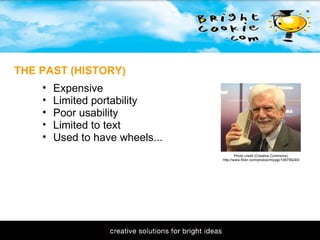
11/1/2009 Expensive Limited portability Poor usability Limited to text Used to have wheels...  THE PAST (HISTORY) Photo credit (Creative Commons): http://www.flickr.com/photos/miyagi/106756240/
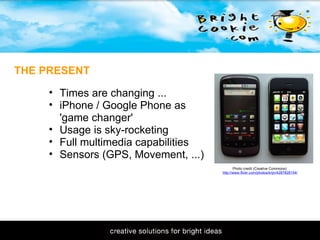
11/1/2009 THE PRESENT Photo credit (Creative Commons): http://www.flickr.com/photos/krijn/4287828104/ Times are changing ... iPhone / Google Phone as 'game changer' Usage is sky-rocketing Full multimedia capabilities Sensors (GPS, Movement, ...)
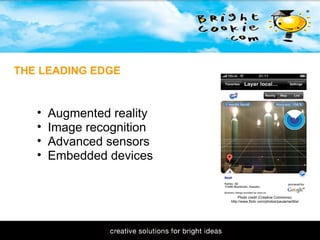
11/1/2009 Augmented reality Image recognition Advanced sensors Embedded devices THE LEADING EDGE Photo credit (Creative Commons): http://www.flickr.com/photos/paulamarttila/
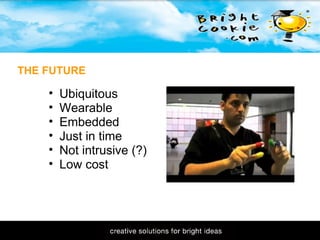
11/1/2009 THE FUTURE Ubiquitous Wearable Embedded Just in time Not intrusive (?) Low cost 
11/1/2009   M-LEARNING MYTHS Needs lots of $$$ Needs software development Needs expensive hardware  Need to hand out devices Photo credit (Creative Commons): http://www.flickr.com/photos/91524358@N00/
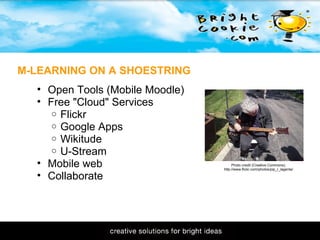
11/1/2009 M-LEARNING ON A SHOESTRING Open Tools (Mobile Moodle) Free "Cloud" Services Flickr Google Apps Wikitude U-Stream Mobile web Collaborate Photo credit (Creative Commons): http://www.flickr.com/photos/pip_r_lagenta/
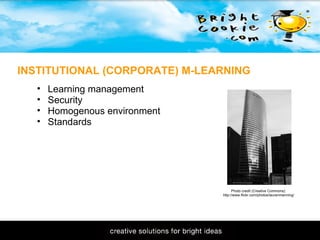
11/1/2009 INSTITUTIONAL (CORPORATE) M-LEARNING Learning management  Security Homogenous environment Standards Photo credit (Creative Commons): http://www.flickr.com/photos/laurenmanning/
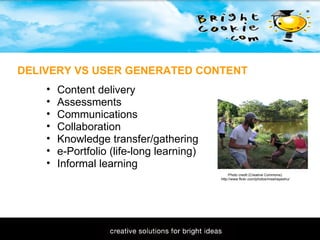
11/1/2009 DELIVERY VS USER GENERATED CONTENT Photo credit (Creative Commons): http://www.flickr.com/photos/misshepeshu/ Content delivery  Assessments Communications Collaboration Knowledge transfer/gathering e-Portfolio (life-long learning) Informal learning 
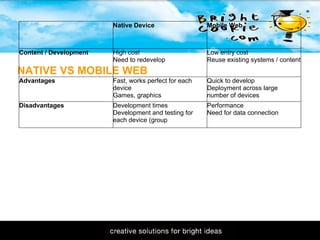
11/1/2009 NATIVE VS MOBILE WEB  Native Device  Mobile Web Content / Development High cost Need to redevelop Low entry cost Reuse existing systems / content Advantages Fast, works perfect for each device Games, graphics Quick to develop Deployment across large number of devices Disadvantages Development times Development and testing for each device (group Performance Need for data connection
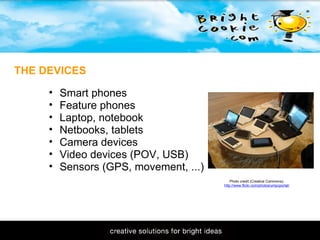
11/1/2009 THE DEVICES Photo credit (Creative Commons): http://www.flickr.com/photos/umpcportal/ Smart phones Feature phones Laptop, notebook Netbooks, tablets Camera devices Video devices (POV, USB) Sensors (GPS, movement, ...)
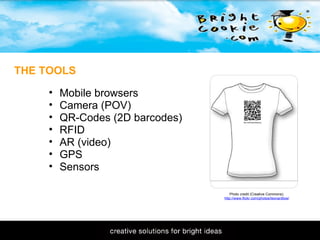
11/1/2009 THE TOOLS Photo credit (Creative Commons): http://www.flickr.com/photos/leonardlow/ Mobile browsers Camera (POV) QR-Codes (2D barcodes) RFID AR (video) GPS Sensors 
11/1/2009 CHALLENGES Batteries, batteries, batteries, ... Screen size No internet connection? Privacy?  Technological change Photo credit (Creative Commons): http://www.flickr.com/photos/johnson7/
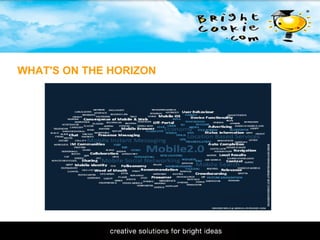
11/1/2009 WHAT'S ON THE HORIZON
11/1/2009 LIVE DEMOS QR-Codes Using Google Docs mobile data gathering Google Goggles Wikitude U-Stream Photo credit (Creative Commons): http://www.flickr.com/photos/erikwdavis/
11/1/2009 Practical Educational 'Mashups'  Wikipedia:  http://en.wikipedia.org/wiki/MLearning Wikitude:  http://wikitude.org Layar:  http://www.layar.com MobileMoodle:  http://www.mobilemoodle.org U-Stream:  http://www.ustream.com  Point of View Video:  http://www.edupov.com   LINKS & REFERENCES
Practical Educational 'Mashups'  Twitter: leogaggl Skype: leogaggl Del.icio.us: leogaggl Twine: leogaggl Wave: leogaggl  Email: leo@brightcookie.com QUESTIONS? IDEAS? COMMENTS?

Mobile Learning 2010

  • 1.
    11/1/2009 Mobile Learning2010   Look Mum! - No Wires ... Leo Gaggl - Chief Propellerhead Brightcookie.com Educational Technologies SA Fire and Emergency Services Commission Adelaide - 29th January 2010
  • 2.
    11/1/2009 WHAT ISMOBILE LEARNING: No clear definitions Learning while in a mobile state Learning using mobile devices  Anything, Anywhere, Any time Any sort of learning that happens when the learner is not at a fixed, predetermined location, or learning that happens when the learner takes advantage of the learning opportunities offered by mobile technologies. [Wikipedia.org] Photo credit (Creative Commons): http://www.flickr.com/photos/curiouslee/
  • 3.
    11/1/2009 Expensive Limitedportability Poor usability Limited to text Used to have wheels... THE PAST (HISTORY) Photo credit (Creative Commons): http://www.flickr.com/photos/miyagi/106756240/
  • 4.
    11/1/2009 THE PRESENTPhoto credit (Creative Commons): http://www.flickr.com/photos/krijn/4287828104/ Times are changing ... iPhone / Google Phone as 'game changer' Usage is sky-rocketing Full multimedia capabilities Sensors (GPS, Movement, ...)
  • 5.
    11/1/2009 Augmented realityImage recognition Advanced sensors Embedded devices THE LEADING EDGE Photo credit (Creative Commons): http://www.flickr.com/photos/paulamarttila/
  • 6.
    11/1/2009 THE FUTUREUbiquitous Wearable Embedded Just in time Not intrusive (?) Low cost 
  • 7.
    11/1/2009   M-LEARNINGMYTHS Needs lots of $$$ Needs software development Needs expensive hardware  Need to hand out devices Photo credit (Creative Commons): http://www.flickr.com/photos/91524358@N00/
  • 8.
    11/1/2009 M-LEARNING ONA SHOESTRING Open Tools (Mobile Moodle) Free "Cloud" Services Flickr Google Apps Wikitude U-Stream Mobile web Collaborate Photo credit (Creative Commons): http://www.flickr.com/photos/pip_r_lagenta/
  • 9.
    11/1/2009 INSTITUTIONAL (CORPORATE)M-LEARNING Learning management  Security Homogenous environment Standards Photo credit (Creative Commons): http://www.flickr.com/photos/laurenmanning/
  • 10.
    11/1/2009 DELIVERY VSUSER GENERATED CONTENT Photo credit (Creative Commons): http://www.flickr.com/photos/misshepeshu/ Content delivery  Assessments Communications Collaboration Knowledge transfer/gathering e-Portfolio (life-long learning) Informal learning 
  • 11.
    11/1/2009 NATIVE VSMOBILE WEB  Native Device  Mobile Web Content / Development High cost Need to redevelop Low entry cost Reuse existing systems / content Advantages Fast, works perfect for each device Games, graphics Quick to develop Deployment across large number of devices Disadvantages Development times Development and testing for each device (group Performance Need for data connection
  • 12.
    11/1/2009 THE DEVICESPhoto credit (Creative Commons): http://www.flickr.com/photos/umpcportal/ Smart phones Feature phones Laptop, notebook Netbooks, tablets Camera devices Video devices (POV, USB) Sensors (GPS, movement, ...)
  • 13.
    11/1/2009 THE TOOLSPhoto credit (Creative Commons): http://www.flickr.com/photos/leonardlow/ Mobile browsers Camera (POV) QR-Codes (2D barcodes) RFID AR (video) GPS Sensors 
  • 14.
    11/1/2009 CHALLENGES Batteries,batteries, batteries, ... Screen size No internet connection? Privacy?  Technological change Photo credit (Creative Commons): http://www.flickr.com/photos/johnson7/
  • 15.
  • 16.
    11/1/2009 LIVE DEMOSQR-Codes Using Google Docs mobile data gathering Google Goggles Wikitude U-Stream Photo credit (Creative Commons): http://www.flickr.com/photos/erikwdavis/
  • 17.
    11/1/2009 Practical Educational'Mashups' Wikipedia: http://en.wikipedia.org/wiki/MLearning Wikitude: http://wikitude.org Layar: http://www.layar.com MobileMoodle: http://www.mobilemoodle.org U-Stream: http://www.ustream.com  Point of View Video: http://www.edupov.com   LINKS & REFERENCES
  • 18.
    Practical Educational 'Mashups' Twitter: leogaggl Skype: leogaggl Del.icio.us: leogaggl Twine: leogaggl Wave: leogaggl Email: leo@brightcookie.com QUESTIONS? IDEAS? COMMENTS?

Editor's Notes

  • #2 show of hands to see which devices people use: mobile smartphone  netbook tablet digital camera