OPTIC 2007 Online Public Transport Information Committee   Mobile Customer Information - Concepts, Examples, Strategy Walter Adamson Digital Investor [email_address] Melbourne, June 2007
Content – Part 1 Mobile phones – concepts and capabilities What's the fuss about? Why is it confusing? Core Concepts, 1 - 5 Local Direct Interaction Keep It Simple Stupid !
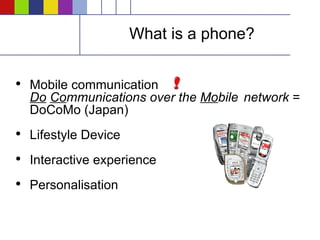
What is a phone? Mobile communication    Do   Co mmunications over the  Mo bile  network  =  DoCoMo (Japan) Lifestyle Device Interactive experience Personalisation
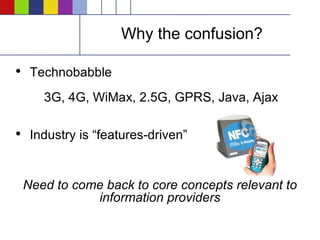
Why the confusion? Technobabble    3G, 4G, WiMax, 2.5G, GPRS, Java, Ajax  Industry is “features-driven” Need to come back to core concepts relevant to information providers
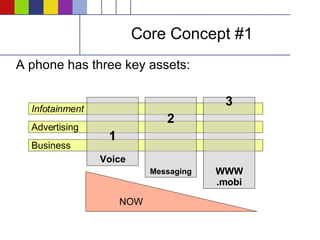
Core Concept #1 A phone has three key assets: Infotainment Advertising Business 1 Voice 2 Messaging 3 WWW .mobi NOW
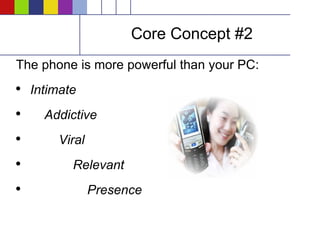
Core Concept #2 The phone is more powerful than your PC: Intimate Addictive Viral Relevant Presence
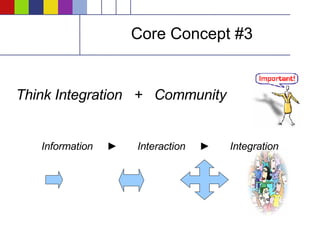
Core Concept #3 Think Integration  +  Community Information  ►   Interaction  ►   Integration
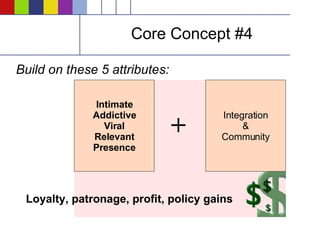
Core Concept #4 Build on these 5 attributes: Intimate Addictive Viral Relevant Presence Integration & Community + Loyalty, patronage, profit, policy gains
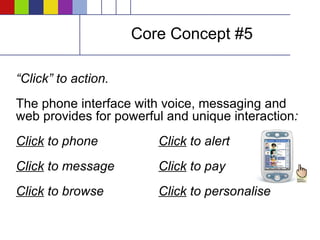
Core Concept #5 “ Click” to action. The phone interface with voice, messaging and web provides for powerful and unique interaction :   Click  to phone Click  to alert Click  to message Click  to pay Click  to browse Click  to personalise
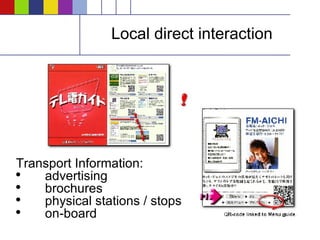
Local direct interaction Transport Information: advertising brochures physical stations / stops on-board
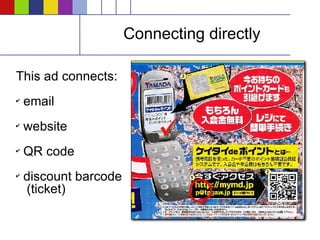
Connecting directly This ad connects: email   website QR code discount barcode   (ticket)
Keep It Simple If it becomes too complicated, people won't use it. The status quo: Voice SMS text On Deck (applications, games, & standalone entities which run in the phone,  once you can get it in there ) Personalised "style" content (screensavers, ringtones) Mobile email MMS
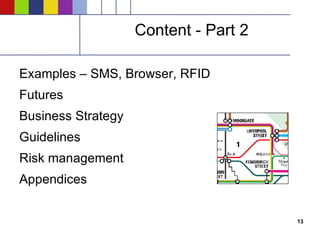
Content - Part 2 Examples – SMS, Browser, RFID Futures Business Strategy Guidelines Risk management Appendices
Current examples – SMS Plusdial and HKL (Helsinki City Transport): First in the world (2001) to offer the opportunity to buy metro and tram tickets via SMS in Helsinki. Customer shows the SMS message to the driver or conductor. Popular with people  under 30  & approximately half of the users  in this age group  are buying tickets by SMS on a weekly basis. About 11,000,000 mobile tickets have been delivered SMS ticket makes public transport services more flexible & faster.
Current examples – SMS Dublin Bus Timetable BUSTXT: “ Dublin Bus timetables in the palm of your hand” Text BUS followed by the bus route number e.g.. BUS10 to 53503 and send Receive a response containing times for the next 3 buses in each direction Text to pre-plan a journey e.g.. BUS10 1800 for the times of the 10 route from 1800 onwards Plan tomorrow's journey e.g.. BUS10 0930 TOMORROW for the times of the 10 route from 0930 onwards tomorrow.
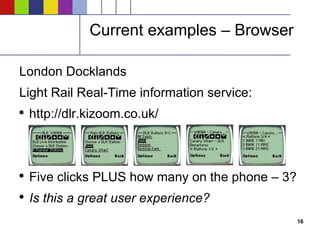
Current examples – Browser London Docklands Light Rail Real-Time information service:  http://dlr.kizoom.co.uk/ Five clicks PLUS how many on the phone – 3? Is this a great user experience?
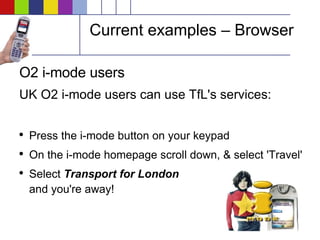
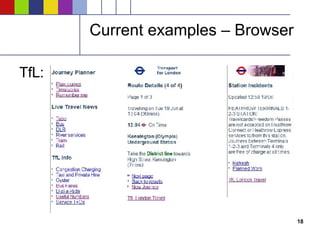
Current examples – Browser O2 i-mode users UK O2 i-mode users can use TfL's services: Press the i-mode button on your keypad  On the i-mode homepage scroll down, & select 'Travel'  Select  Transport for London and you're away!
Current examples – Browser TfL:
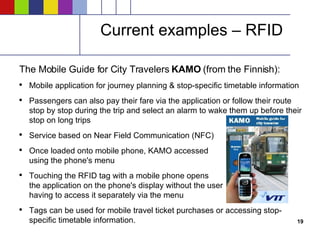
Current examples – RFID The Mobile Guide for City Travelers  KAMO  (from the Finnish): Mobile application for journey planning & stop-specific timetable information Passengers can also pay their fare via the application or follow their route stop by stop during the trip and select an alarm to wake them up before their stop on long trips Service based on Near Field Communication (NFC) Once loaded onto mobile phone, KAMO accessed using the phone's menu Touching the RFID tag with a mobile phone opens the application on the phone's display without the user having to access it separately via the menu Tags can be used for mobile travel ticket purchases or accessing stop-specific timetable information.
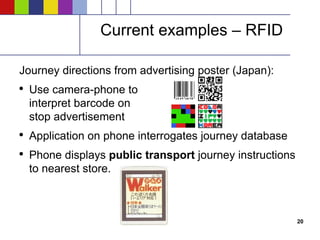
Current examples – RFID Journey directions from advertising poster (Japan): Use camera-phone to interpret barcode on stop advertisement Application on phone interrogates journey database Phone displays  public transport  journey instructions to nearest store.
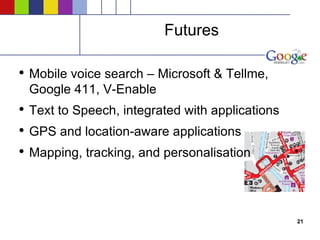
Futures Mobile voice search – Microsoft & Tellme, Google 411, V-Enable Text to Speech, integrated with applications GPS and location-aware applications Mapping, tracking, and personalisation
Business strategy Information > Interaction > Integration Step by step, taking into account technology assets and ability of consumers to absorb Segment into customer groupings Value of technology for each segment? (Value = Benefits – Cost) Target applications and business case Understand complete cost-chain (complex)
Guidelines “ Network-wide” basis “ Product” and industry-level thinking is needed Coordinate technology and marketing efforts Convenience is key Aim for a more seamless and integrated experience
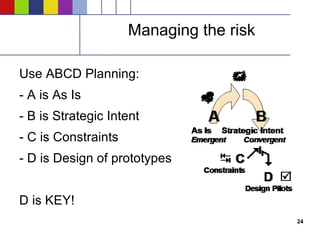
Managing the risk Use ABCD Planning: - A is As Is - B is Strategic Intent - C is Constraints - D is Design of prototypes D is KEY!
Contact Walter Adamson [email_address] m: 0403 345 632  Skype: walter www.digitalinvestor.com.au
Appendices Mobile data - status Mobile is a minefield Development guidelines
Mobile data - status 2006 was a banner year for mobile data: Revenues from mobile data increased for all major carriers across all major regions around the world with data contributing 10-30% to overall revenues In Q1 2007, US carriers recorded over $5B in data revenues with mobile data contributing to over 16% of the more than $32B in carrier service revenues Average Revenue Per User (ARPU) from data jumped 43% from last year.  Driven initially by SMS messaging, the market embraced ringtones, graphics, music, and gaming, each creating multi-billion dollar markets.
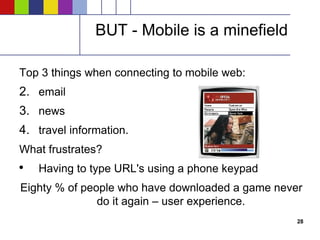
BUT - Mobile is a minefield Top 3 things when connecting to mobile web: email news travel information. What frustrates? Having to type URL's using a phone keypad Eighty % of people who have downloaded a game never do it again – user experience.
Mobile is a minefield Common complaints – globally: (J2ME):  The variations in implementation are intolerable and the multiple mutations under way in the JSR process are needless . Take a look at .NET Compact Framework. It is not perfect, but it is a model of sanity compared to Java on devices . Making sure our Java games boutique serves up the correct portfolio of games for the handset that is visiting at any particular moment. This has been a nightmare for us . Widgets, AJAX, Javascript, on top of MIDP.
Development guidelines Alternatives to Java have not taken off: For smartphone development, stick with the native environment for the platform: C# and .NET Compact Framework on Windows Mobile, C++ and Nokia's S60 and Symbian classes For anything other than a smartphone you are stuck with J2ME FlashLite, and the Microsoft Presentation Layer will become more important System programming will be in C# and .NET on Microsoft platforms, Java on RIM (they let third parties access a Java ME variant with RIM-native UI classes) and a couple other platforms, and everyone else struggles along with C and C++.

Mobile Customer Information

  • 1.
    OPTIC 2007 OnlinePublic Transport Information Committee Mobile Customer Information - Concepts, Examples, Strategy Walter Adamson Digital Investor [email_address] Melbourne, June 2007
  • 2.
    Content – Part1 Mobile phones – concepts and capabilities What's the fuss about? Why is it confusing? Core Concepts, 1 - 5 Local Direct Interaction Keep It Simple Stupid !
  • 3.
    What is aphone? Mobile communication Do Co mmunications over the Mo bile network = DoCoMo (Japan) Lifestyle Device Interactive experience Personalisation
  • 4.
    Why the confusion?Technobabble 3G, 4G, WiMax, 2.5G, GPRS, Java, Ajax Industry is “features-driven” Need to come back to core concepts relevant to information providers
  • 5.
    Core Concept #1A phone has three key assets: Infotainment Advertising Business 1 Voice 2 Messaging 3 WWW .mobi NOW
  • 6.
    Core Concept #2The phone is more powerful than your PC: Intimate Addictive Viral Relevant Presence
  • 7.
    Core Concept #3Think Integration + Community Information ► Interaction ► Integration
  • 8.
    Core Concept #4Build on these 5 attributes: Intimate Addictive Viral Relevant Presence Integration & Community + Loyalty, patronage, profit, policy gains
  • 9.
    Core Concept #5“ Click” to action. The phone interface with voice, messaging and web provides for powerful and unique interaction : Click to phone Click to alert Click to message Click to pay Click to browse Click to personalise
  • 10.
    Local direct interactionTransport Information: advertising brochures physical stations / stops on-board
  • 11.
    Connecting directly Thisad connects: email website QR code discount barcode (ticket)
  • 12.
    Keep It SimpleIf it becomes too complicated, people won't use it. The status quo: Voice SMS text On Deck (applications, games, & standalone entities which run in the phone, once you can get it in there ) Personalised "style" content (screensavers, ringtones) Mobile email MMS
  • 13.
    Content - Part2 Examples – SMS, Browser, RFID Futures Business Strategy Guidelines Risk management Appendices
  • 14.
    Current examples –SMS Plusdial and HKL (Helsinki City Transport): First in the world (2001) to offer the opportunity to buy metro and tram tickets via SMS in Helsinki. Customer shows the SMS message to the driver or conductor. Popular with people under 30 & approximately half of the users in this age group are buying tickets by SMS on a weekly basis. About 11,000,000 mobile tickets have been delivered SMS ticket makes public transport services more flexible & faster.
  • 15.
    Current examples –SMS Dublin Bus Timetable BUSTXT: “ Dublin Bus timetables in the palm of your hand” Text BUS followed by the bus route number e.g.. BUS10 to 53503 and send Receive a response containing times for the next 3 buses in each direction Text to pre-plan a journey e.g.. BUS10 1800 for the times of the 10 route from 1800 onwards Plan tomorrow's journey e.g.. BUS10 0930 TOMORROW for the times of the 10 route from 0930 onwards tomorrow.
  • 16.
    Current examples –Browser London Docklands Light Rail Real-Time information service: http://dlr.kizoom.co.uk/ Five clicks PLUS how many on the phone – 3? Is this a great user experience?
  • 17.
    Current examples –Browser O2 i-mode users UK O2 i-mode users can use TfL's services: Press the i-mode button on your keypad On the i-mode homepage scroll down, & select 'Travel' Select Transport for London and you're away!
  • 18.
  • 19.
    Current examples –RFID The Mobile Guide for City Travelers KAMO (from the Finnish): Mobile application for journey planning & stop-specific timetable information Passengers can also pay their fare via the application or follow their route stop by stop during the trip and select an alarm to wake them up before their stop on long trips Service based on Near Field Communication (NFC) Once loaded onto mobile phone, KAMO accessed using the phone's menu Touching the RFID tag with a mobile phone opens the application on the phone's display without the user having to access it separately via the menu Tags can be used for mobile travel ticket purchases or accessing stop-specific timetable information.
  • 20.
    Current examples –RFID Journey directions from advertising poster (Japan): Use camera-phone to interpret barcode on stop advertisement Application on phone interrogates journey database Phone displays public transport journey instructions to nearest store.
  • 21.
    Futures Mobile voicesearch – Microsoft & Tellme, Google 411, V-Enable Text to Speech, integrated with applications GPS and location-aware applications Mapping, tracking, and personalisation
  • 22.
    Business strategy Information> Interaction > Integration Step by step, taking into account technology assets and ability of consumers to absorb Segment into customer groupings Value of technology for each segment? (Value = Benefits – Cost) Target applications and business case Understand complete cost-chain (complex)
  • 23.
    Guidelines “ Network-wide”basis “ Product” and industry-level thinking is needed Coordinate technology and marketing efforts Convenience is key Aim for a more seamless and integrated experience
  • 24.
    Managing the riskUse ABCD Planning: - A is As Is - B is Strategic Intent - C is Constraints - D is Design of prototypes D is KEY!
  • 25.
    Contact Walter Adamson[email_address] m: 0403 345 632 Skype: walter www.digitalinvestor.com.au
  • 26.
    Appendices Mobile data- status Mobile is a minefield Development guidelines
  • 27.
    Mobile data -status 2006 was a banner year for mobile data: Revenues from mobile data increased for all major carriers across all major regions around the world with data contributing 10-30% to overall revenues In Q1 2007, US carriers recorded over $5B in data revenues with mobile data contributing to over 16% of the more than $32B in carrier service revenues Average Revenue Per User (ARPU) from data jumped 43% from last year. Driven initially by SMS messaging, the market embraced ringtones, graphics, music, and gaming, each creating multi-billion dollar markets.
  • 28.
    BUT - Mobileis a minefield Top 3 things when connecting to mobile web: email news travel information. What frustrates? Having to type URL's using a phone keypad Eighty % of people who have downloaded a game never do it again – user experience.
  • 29.
    Mobile is aminefield Common complaints – globally: (J2ME): The variations in implementation are intolerable and the multiple mutations under way in the JSR process are needless . Take a look at .NET Compact Framework. It is not perfect, but it is a model of sanity compared to Java on devices . Making sure our Java games boutique serves up the correct portfolio of games for the handset that is visiting at any particular moment. This has been a nightmare for us . Widgets, AJAX, Javascript, on top of MIDP.
  • 30.
    Development guidelines Alternativesto Java have not taken off: For smartphone development, stick with the native environment for the platform: C# and .NET Compact Framework on Windows Mobile, C++ and Nokia's S60 and Symbian classes For anything other than a smartphone you are stuck with J2ME FlashLite, and the Microsoft Presentation Layer will become more important System programming will be in C# and .NET on Microsoft platforms, Java on RIM (they let third parties access a Java ME variant with RIM-native UI classes) and a couple other platforms, and everyone else struggles along with C and C++.