REST
         Ivano Malavolta
    ivano.malavolta@univaq.it
http://www.di.univaq.it/malavolta
Roadmap

•   The REST Architectural Style
•   Resources
•   Representations
•   Actions
•   Security
REST
It stands for


REpresentational State Transfer

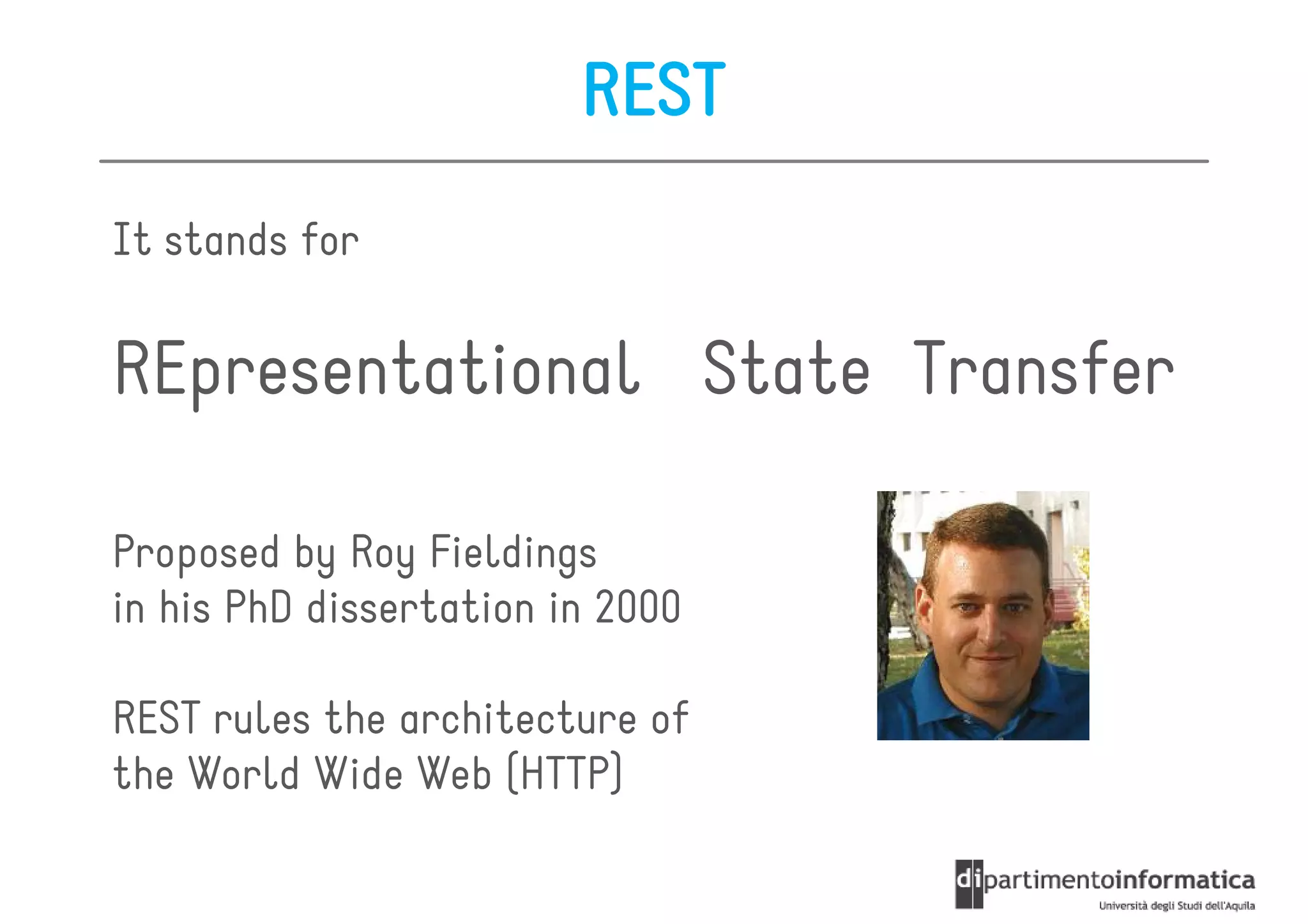
Proposed by Roy Fieldings
in his PhD dissertation in 2000

REST rules the architecture of
the World Wide Web (HTTP)
Major players
REST Architectural Style

REST is not a technology, nor a framework

REST is an Architectural Style
  a set of principles + constraints

Thos constraints help us in developing applications
  that are “easy” to maintain and extend
REST Main Constraints
A RESTful system should be

  client-
• client-server
• stateless
   – there should be no need for the service to keep users’
     sessions
   – each request should be independent of others
• it has to support a caching system
• it has to be uniformly accessible
   – each resource must have a unique address and a valid
     point of access
The (static) Web as a RESTful system

1. you type a URL into your browser to reach a
   specific HTML page

2. the browser gets and displays the elements of the
   HTML page

      the browser is getting a representation
      of the current state of that resource
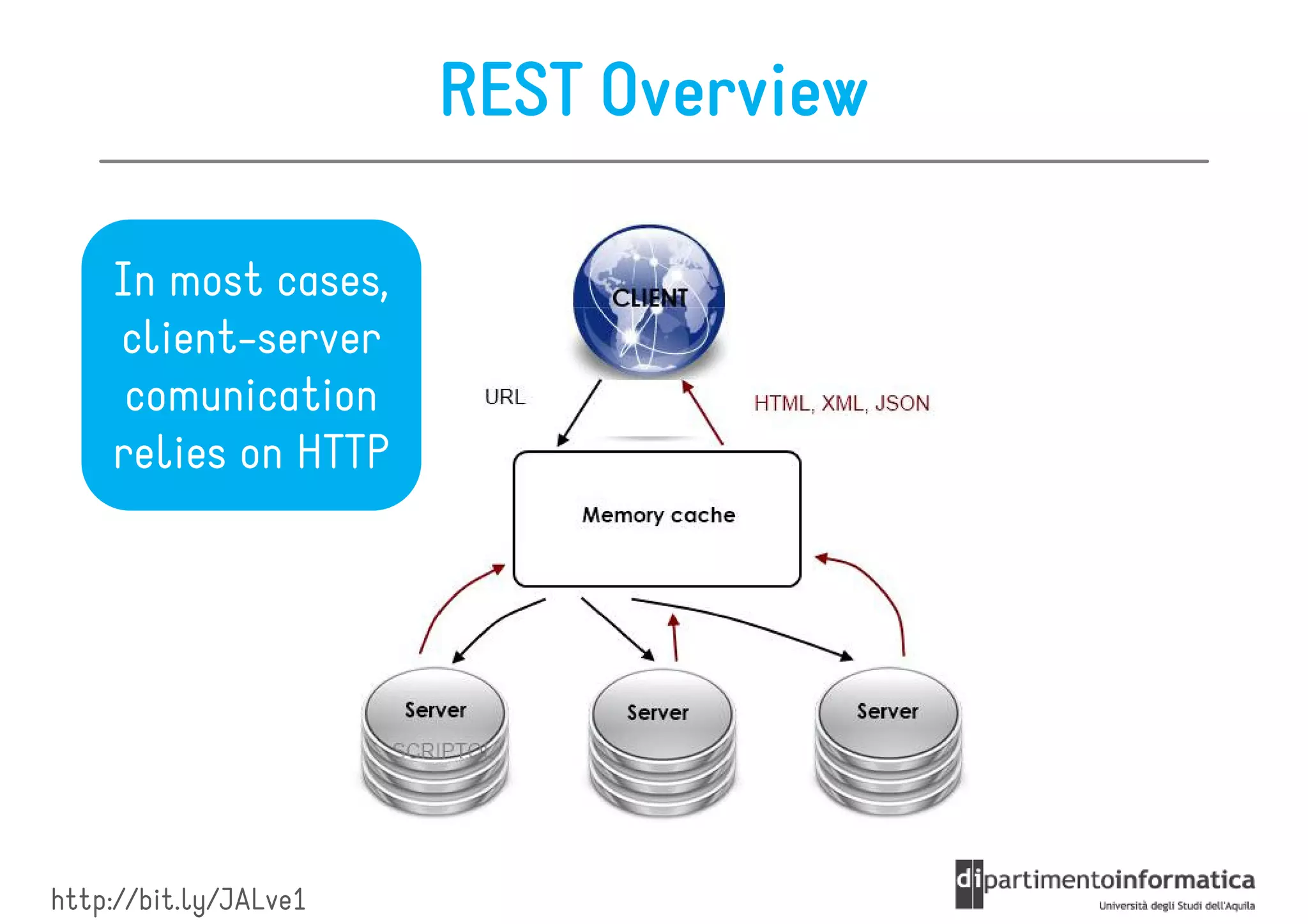
REST Overview

    In most cases,
    client-server
     comunication
    relies on HTTP


http://bit.ly/JALve1
REST Main Actors

These are the abstractions that make a RESTful system:

• Resources

• Representations

• Actions
Roadmap

•   The REST Architectural Style
•   Resources
•   Representations
•   Actions
•   Security
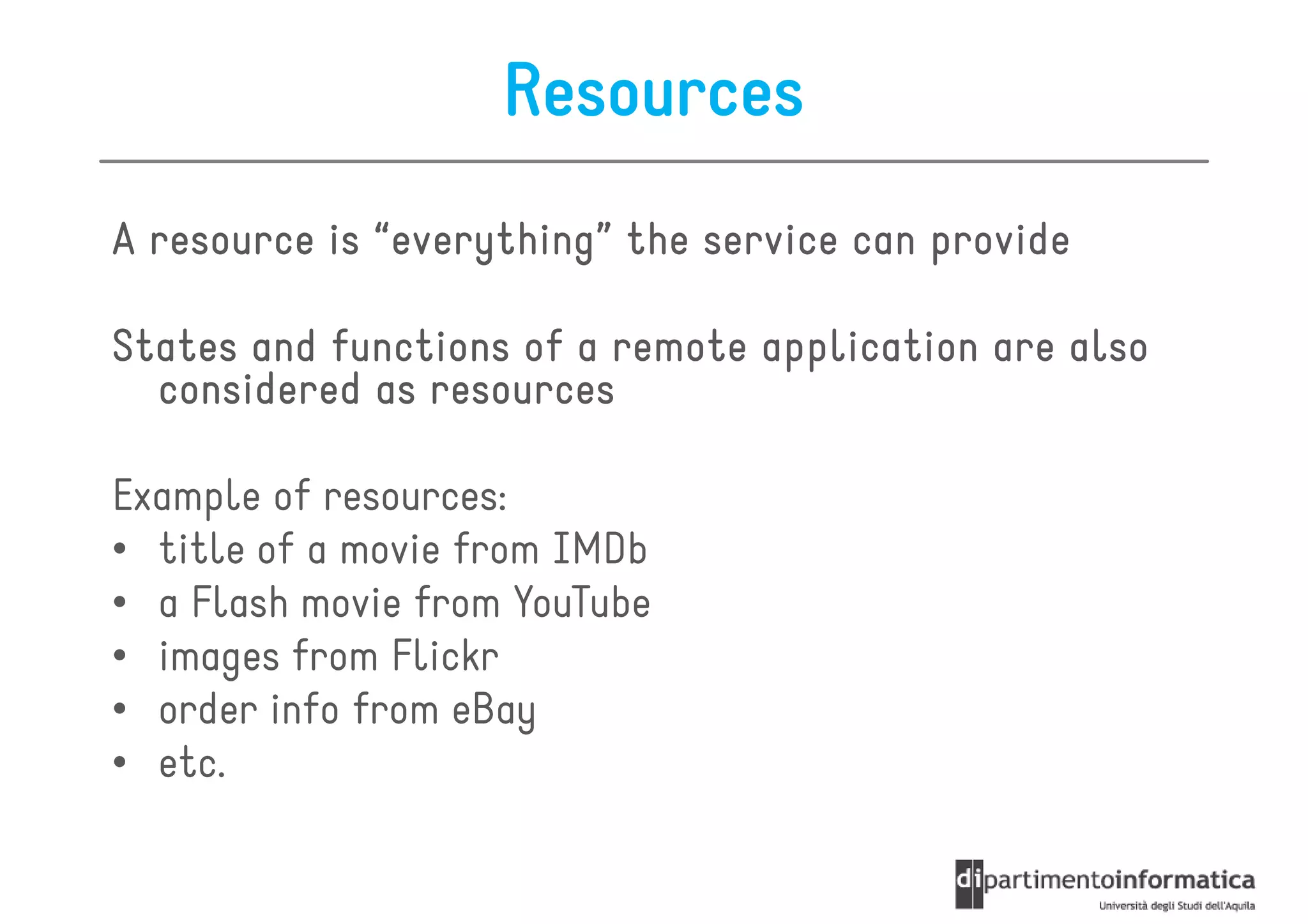
Resources
A resource is “everything” the service can provide
               everything”

States and functions of a remote application are also
  considered as resources

Example of resources:
• title of a movie from IMDb
• a Flash movie from YouTube
• images from Flickr
• order info from eBay
• etc.
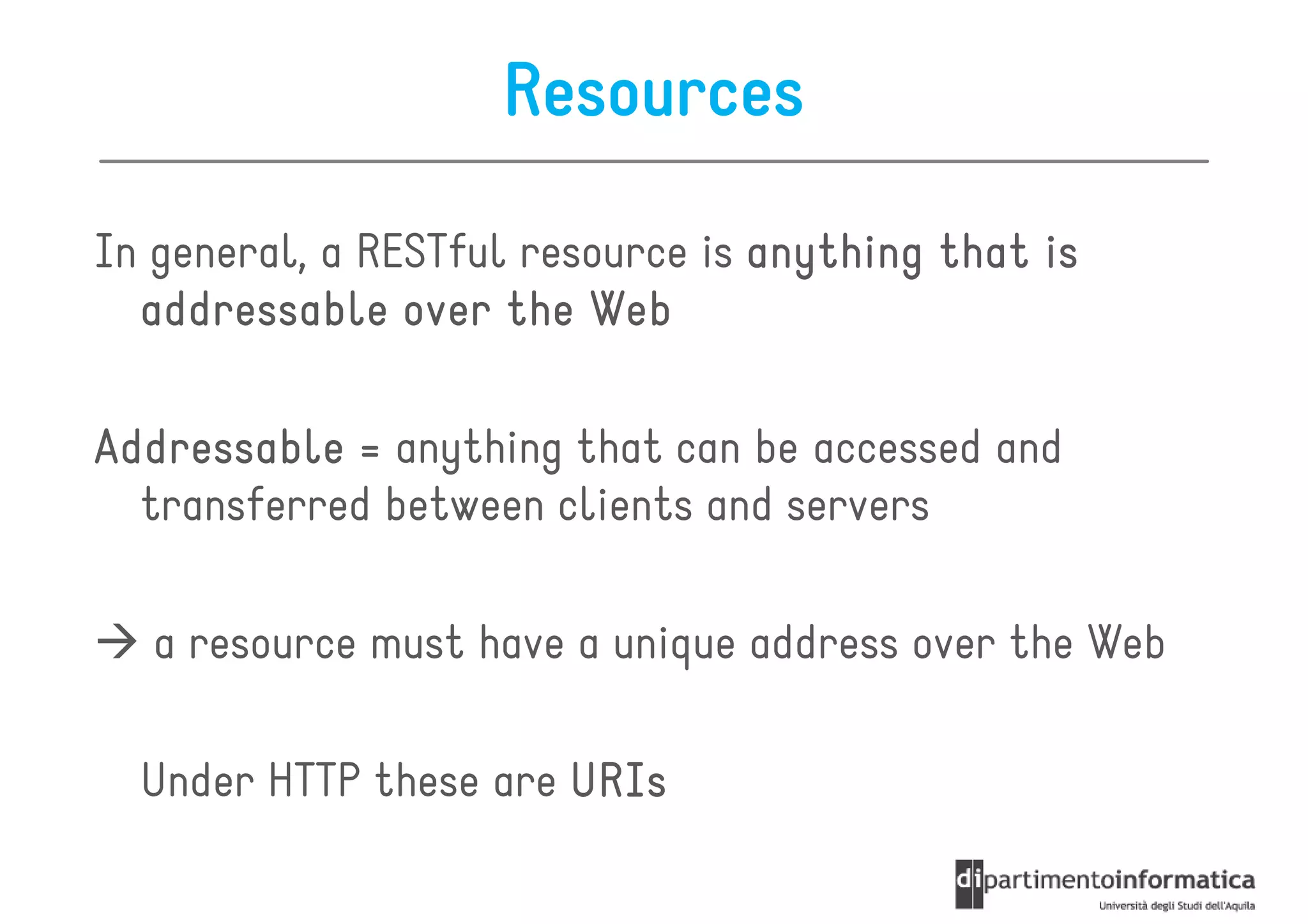
Resources

In general, a RESTful resource is anything that is
  addressable over the Web

Addressable = anything that can be accessed and
  transferred between clients and servers

   a resource must have a unique address over the Web

  Under HTTP these are URIs
URIs
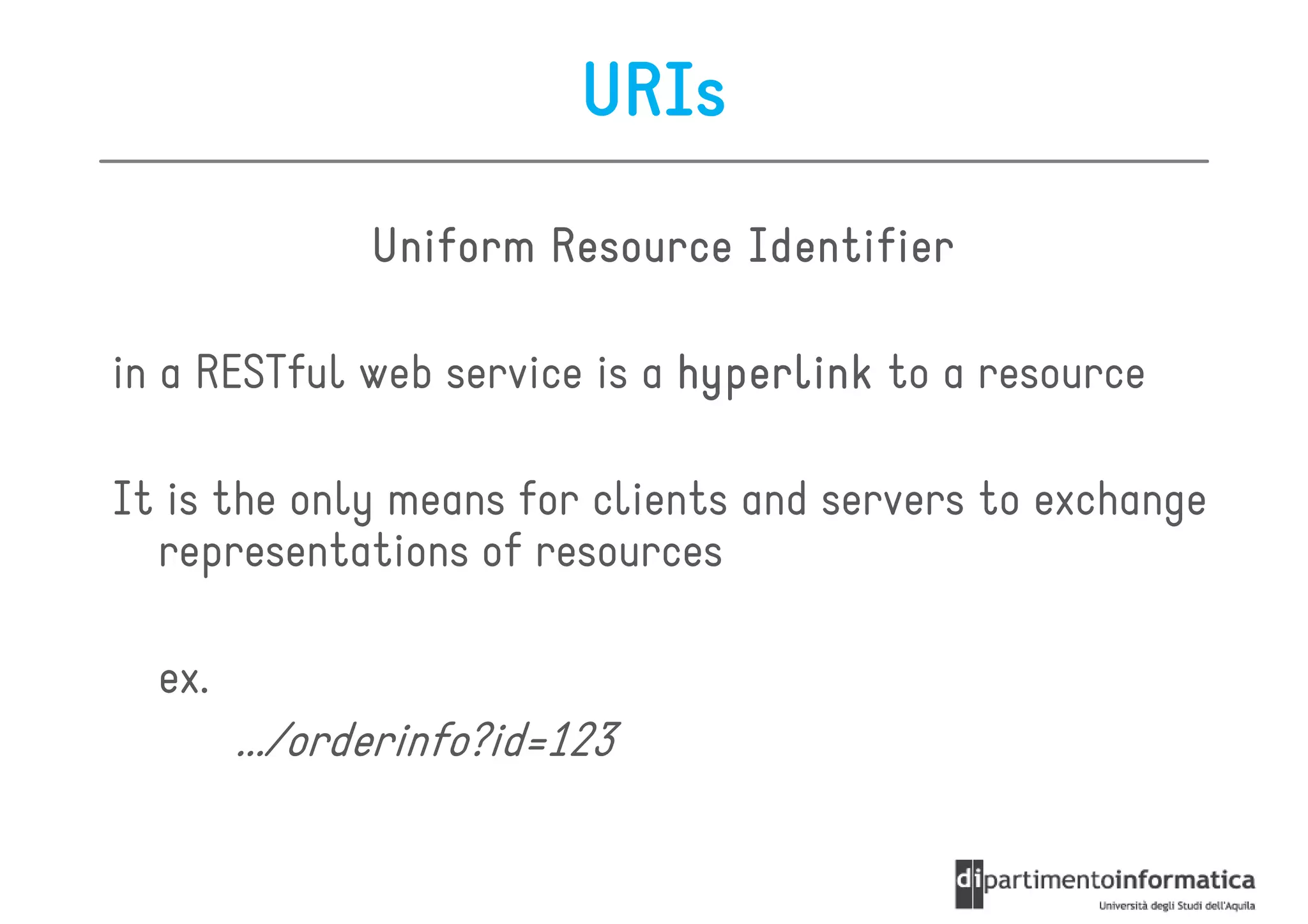
               Uniform Resource Identifier

in a RESTful web service is a hyperlink to a resource

It is the only means for clients and servers to exchange
  representations of resources

  ex.
        .../orderinfo?id=123
URIs
The URI is not meant to change over time
   it is the only means to locate a specific resource

URIs are also used to negotiate representations of a given
  resource

In the url you give certain parameters that define which
   information you want the server to return to you (just
   like giving GET variables to a page)

The server will respond you with a resource representation
  containing the information you’ve asked
URIs

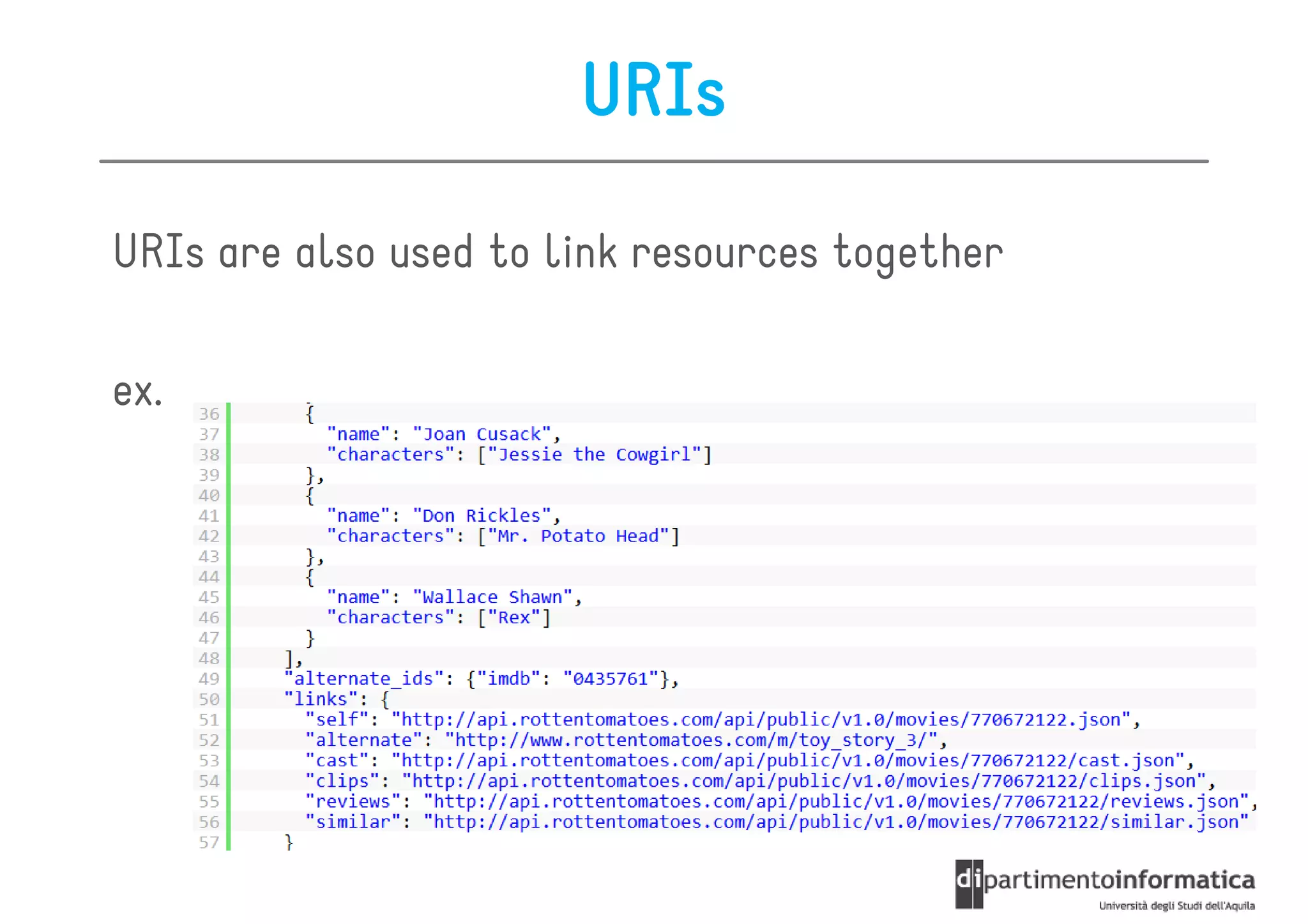
URIs are also used to link resources together

ex.
Roadmap

•   The REST Architectural Style
•   Resources
•   Representations
•   Actions
•   Security
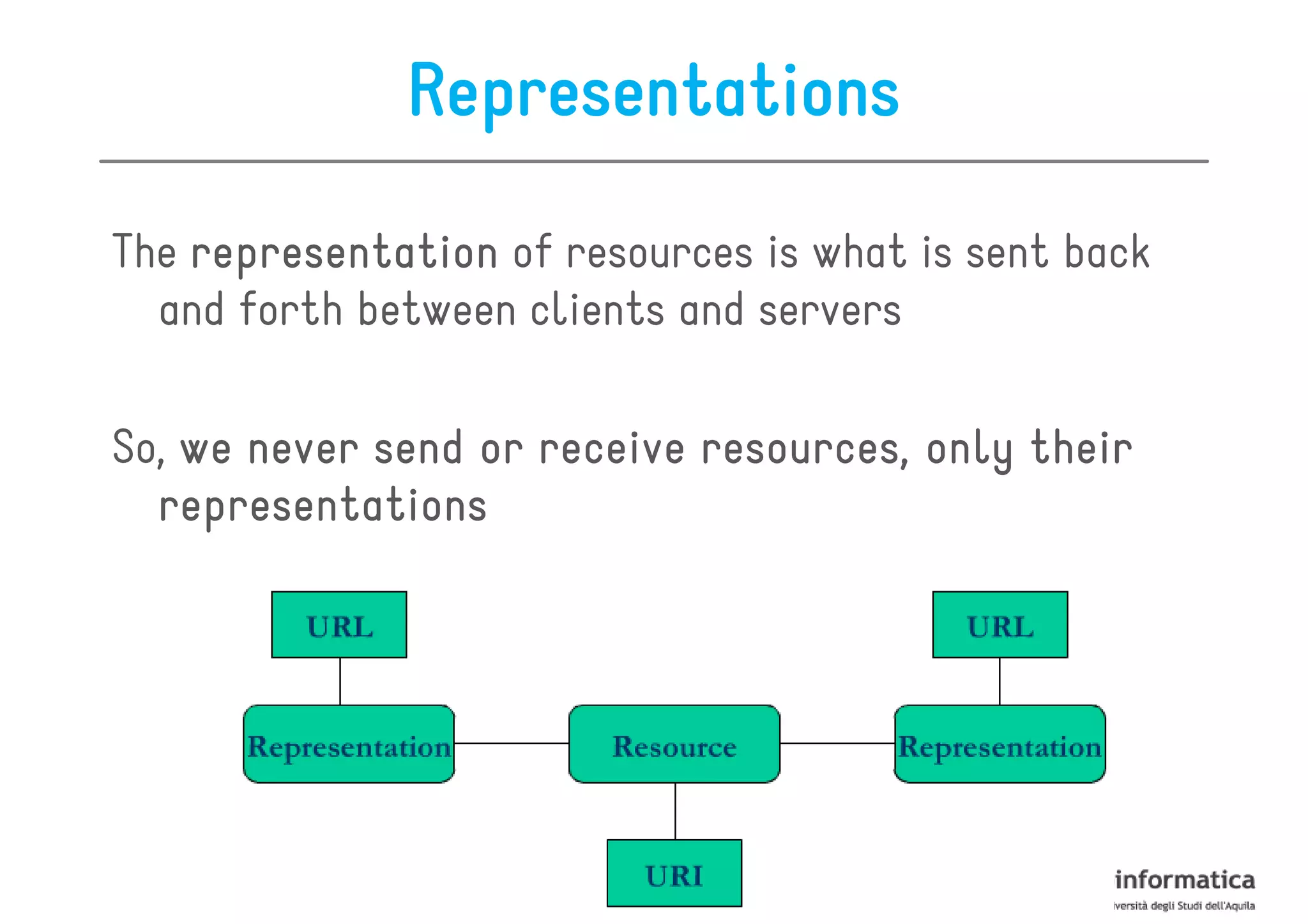
Representations

The representation of resources is what is sent back
  and forth between clients and servers

So, we never send or receive resources, only their
  representations
URL
                Uniform Resource Locator

A URL is a specialization of URI that defines the network
  location of a specific resource

Unlike a URI, the URL defines how the resource can be
  obtained

  es.
        http://some.domain.com/orderinfo?id=123
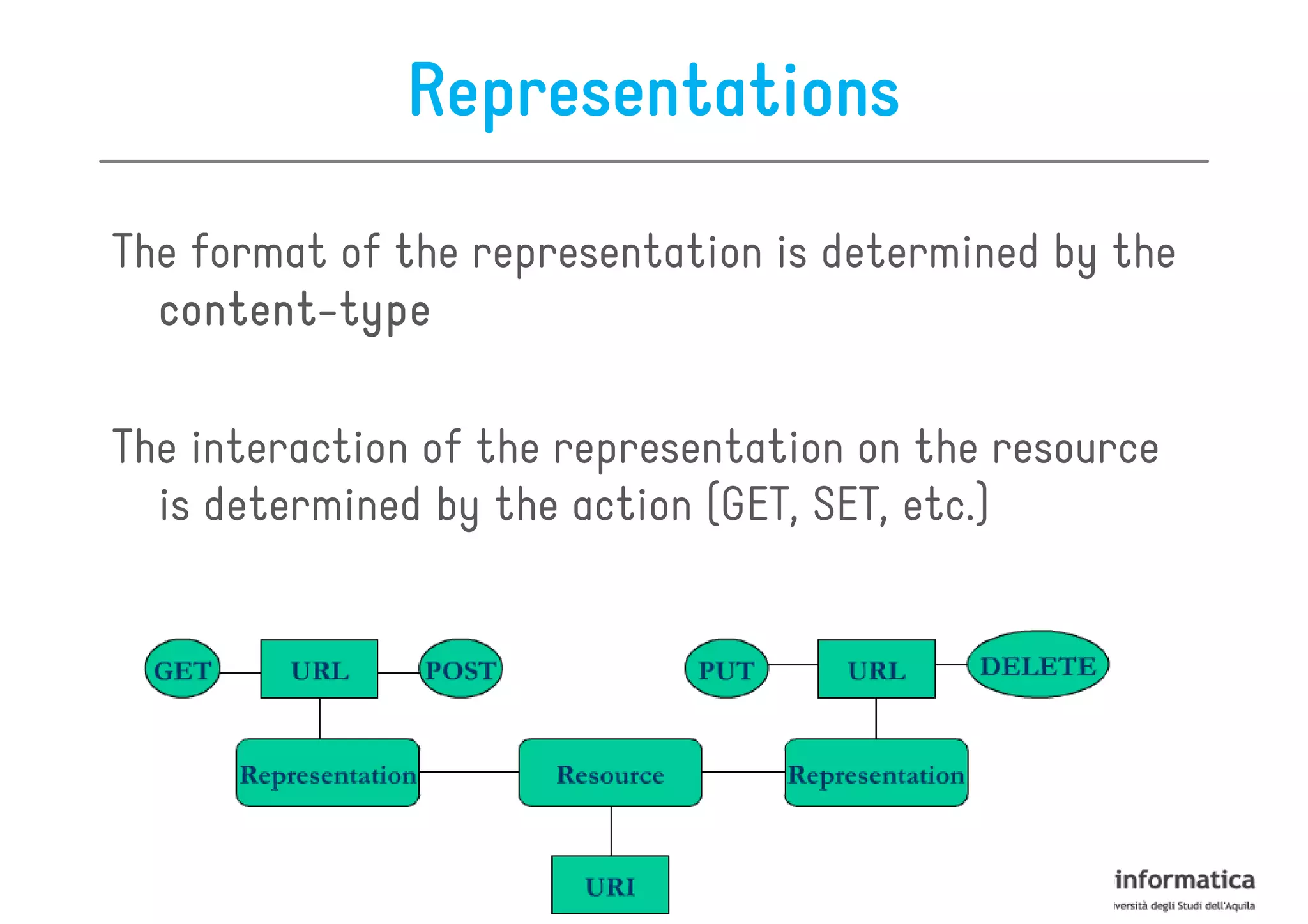
Representations

The format of the representation is determined by the
  content-
  content-type

The interaction of the representation on the resource
  is determined by the action (GET, SET, etc.)
Content-types
Since we are using HTTP to communicate, we can transfer
   any kind of information that can be passed between
   clients and servers

ex. text files, PDF documents, images, videos, etc.

In any case, the data is streamed over TCP/IP and the
   browser knows how to interpret the binary streams
   because of the HTTP protocol response header Content-
  Type
Representation Formats
Different clients are able to consume different
   representations of the same resource

A representation can take various forms such as:
                                  forms,

•   image
•   a text file
•   an XML stream
•   a JSON stream

but its resource has to be available through the same
  URI
Representation Formats

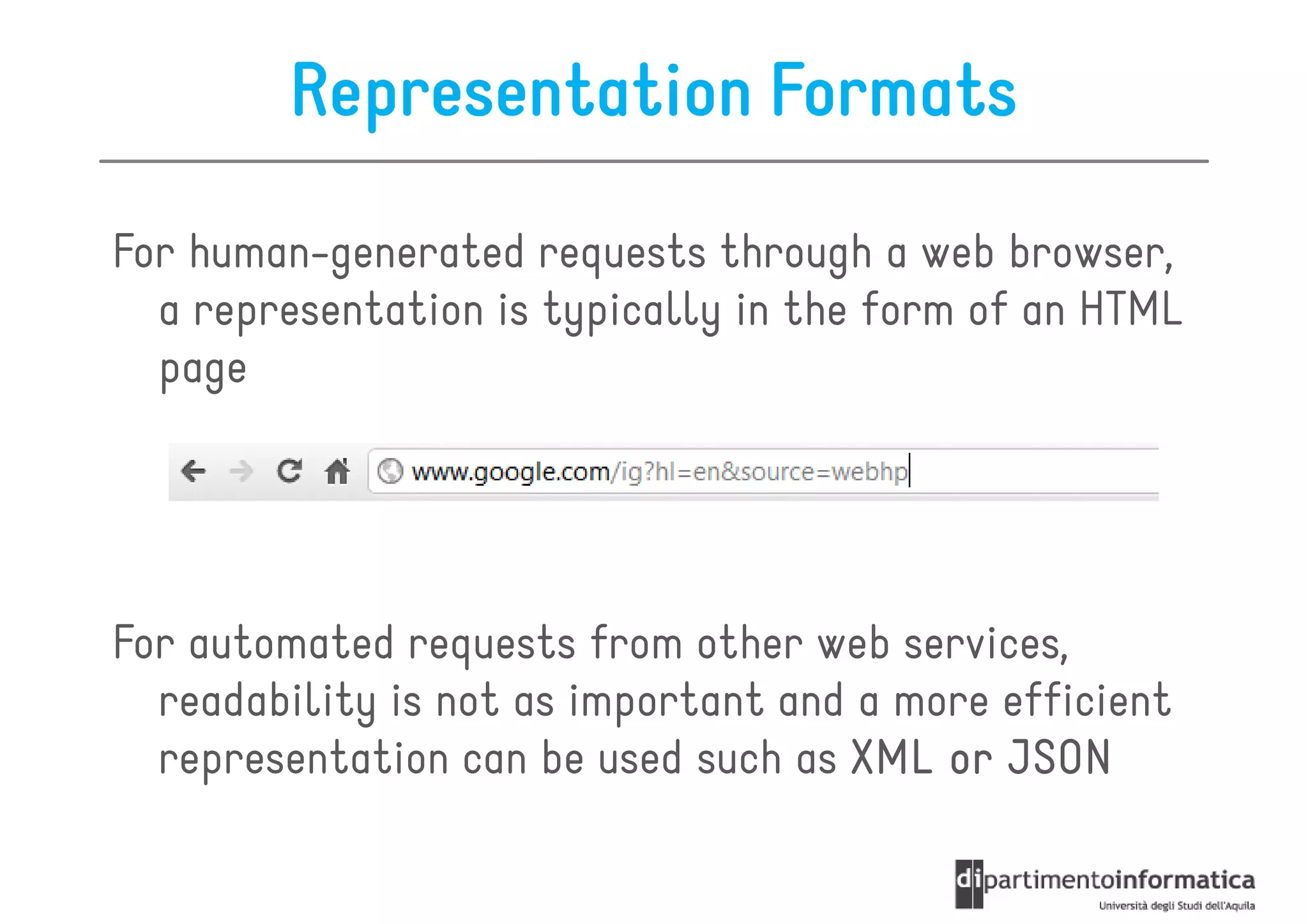
For human-generated requests through a web browser,
  a representation is typically in the form of an HTML
  page


For automated requests from other web services,
  readability is not as important and a more efficient
  representation can be used such as XML or JSON
Roadmap

•   The REST Architectural Style
•   Resources
•   Representations
•   Actions
•   Security
Actions

Actions are used to operate on resources

For example, they can be used for
    – getting info about a movie
    – adding a photo to Flickr
    – deleting a file from a folder


The data transmitted to and from the resource is a
  representation of it
HTTP-based Actions

Under HTTP, actions are standard HTTP request:


      GET
      POST
      PUT
      DELETE

They make up the uniform interface used for
  client/server data transfers
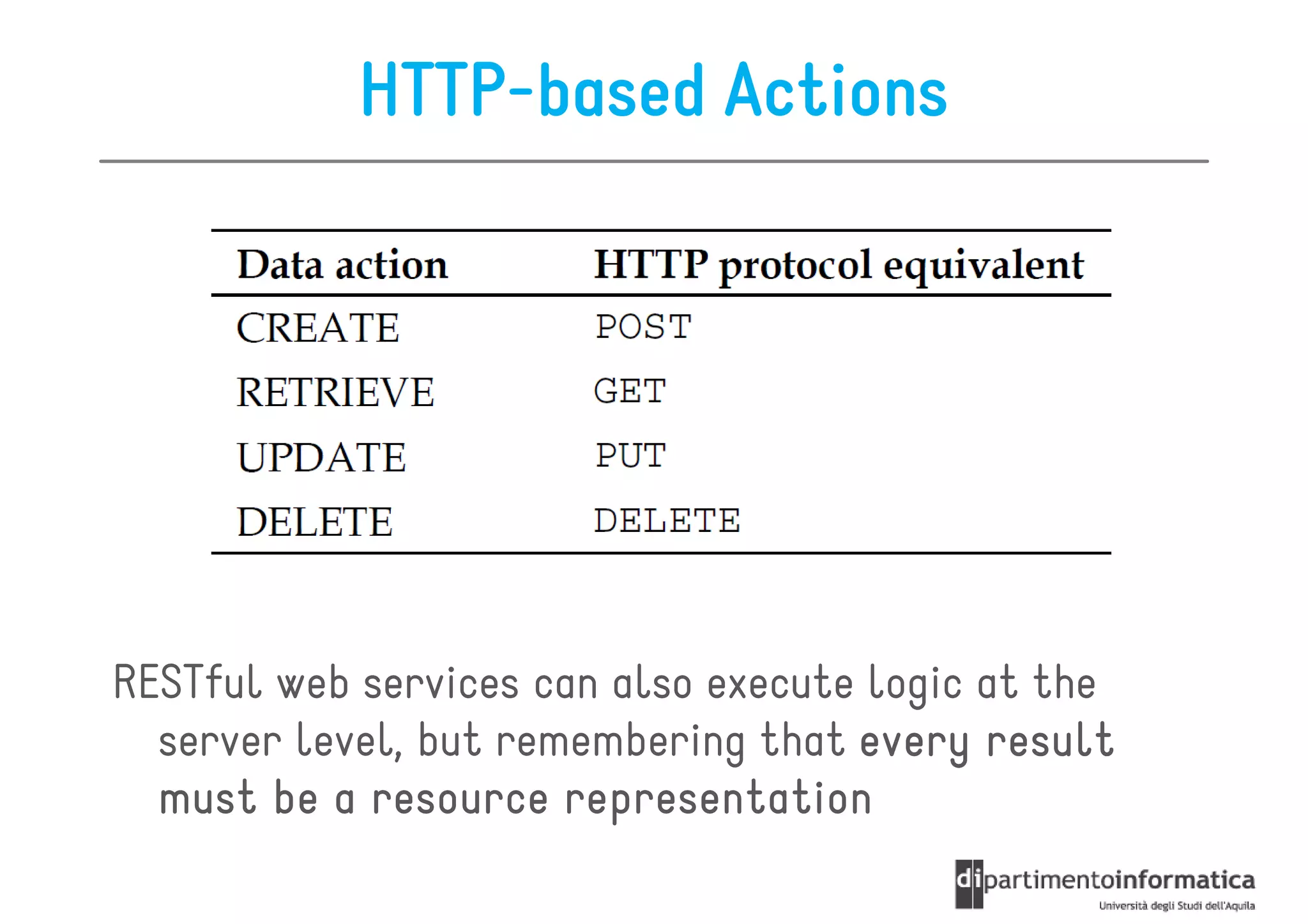
HTTP-based Actions


RESTful web services can also execute logic at the
  server level, but remembering that every result
  must be a resource representation
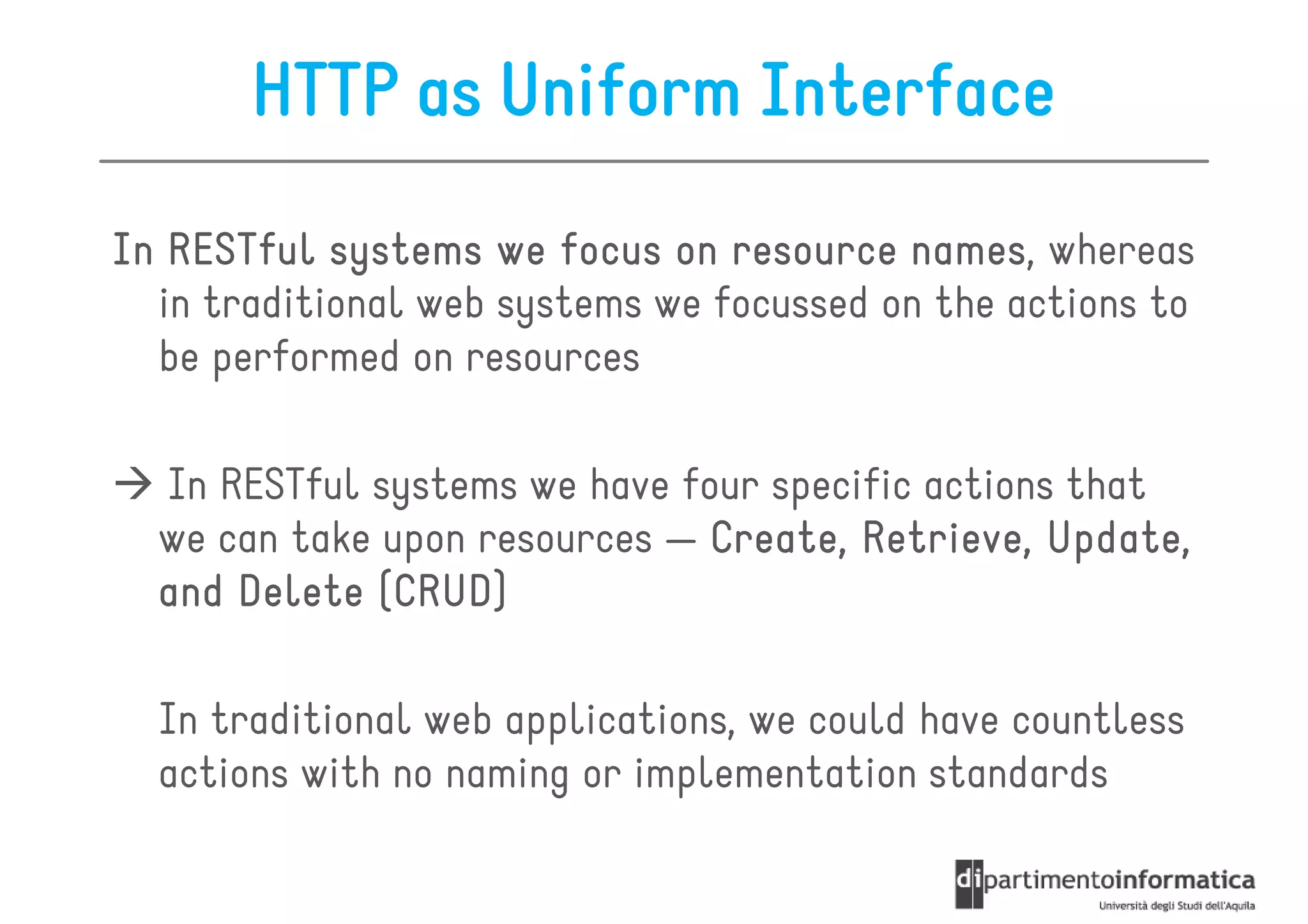
HTTP as Uniform Interface
In RESTful systems we focus on resource names whereas
                                          names,
  in traditional web systems we focussed on the actions to
  be performed on resources
  In RESTful systems we have four specific actions that
  we can take upon resources — Create, Retrieve, Update,
  and Delete (CRUD)

  In traditional web applications, we could have countless
  actions with no naming or implementation standards
The Classroom Example

Artificial example of a web service handling students
  in some classroom

Location of the service = http://restfuljava.com/

Resources are represented as XML streams
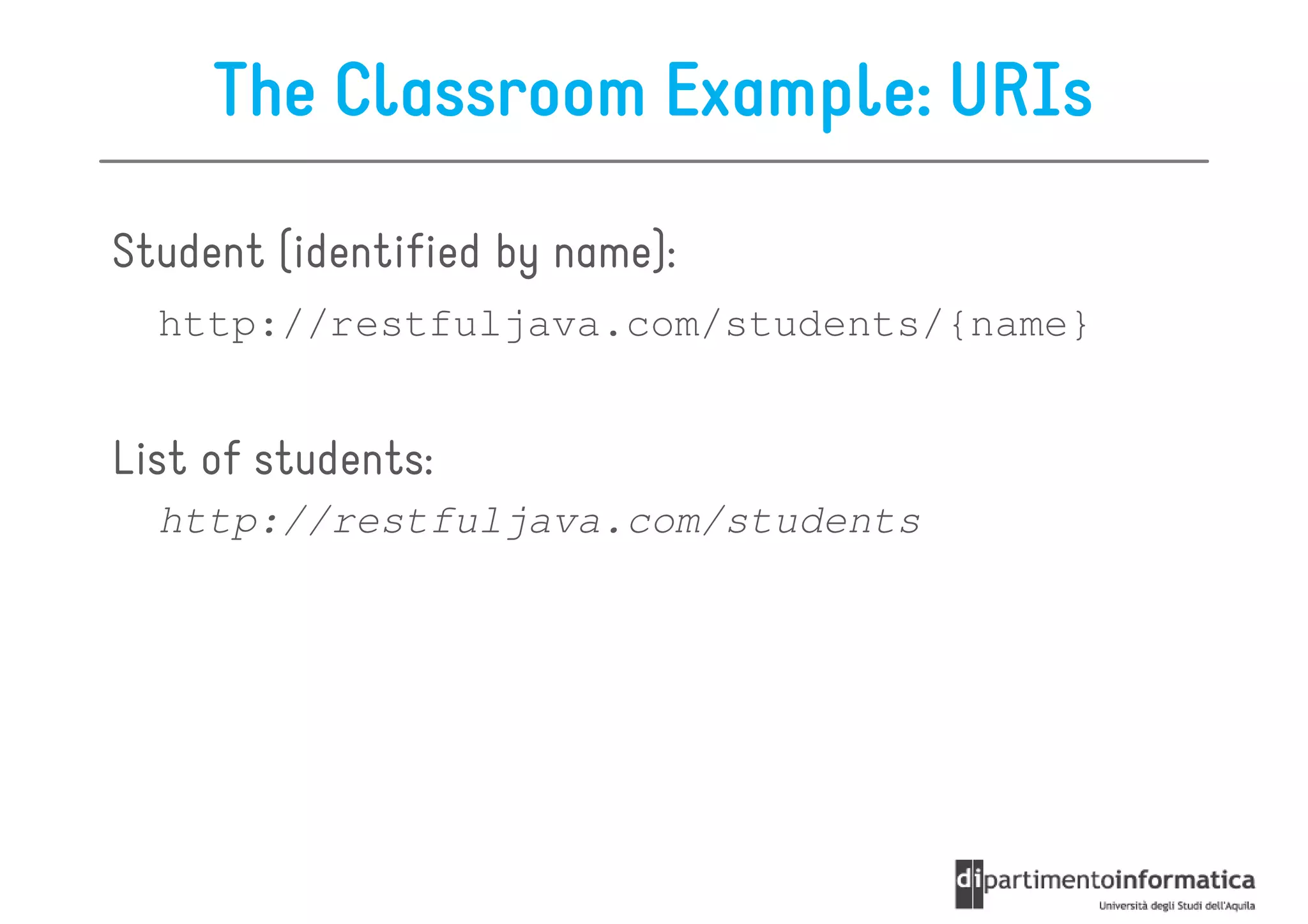
The Classroom Example: URIs

Student (identified by name):
  http://restfuljava.com/students/{name}


List of students:
  http://restfuljava.com/students
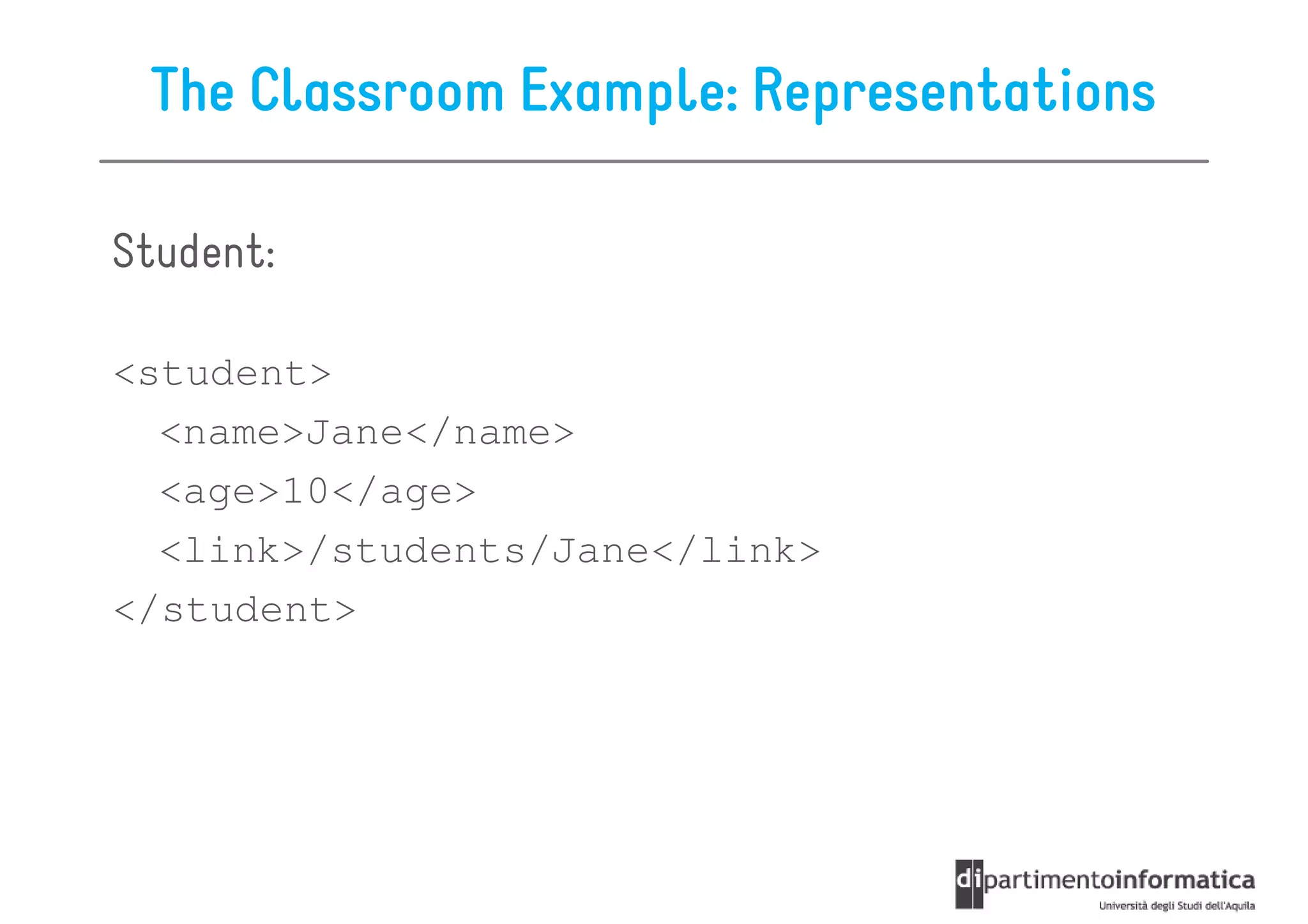
The Classroom Example: Representations

Student:

<student>
  <name>Jane</name>
  <age>10</age>
  <link>/students/Jane</link>
</student>
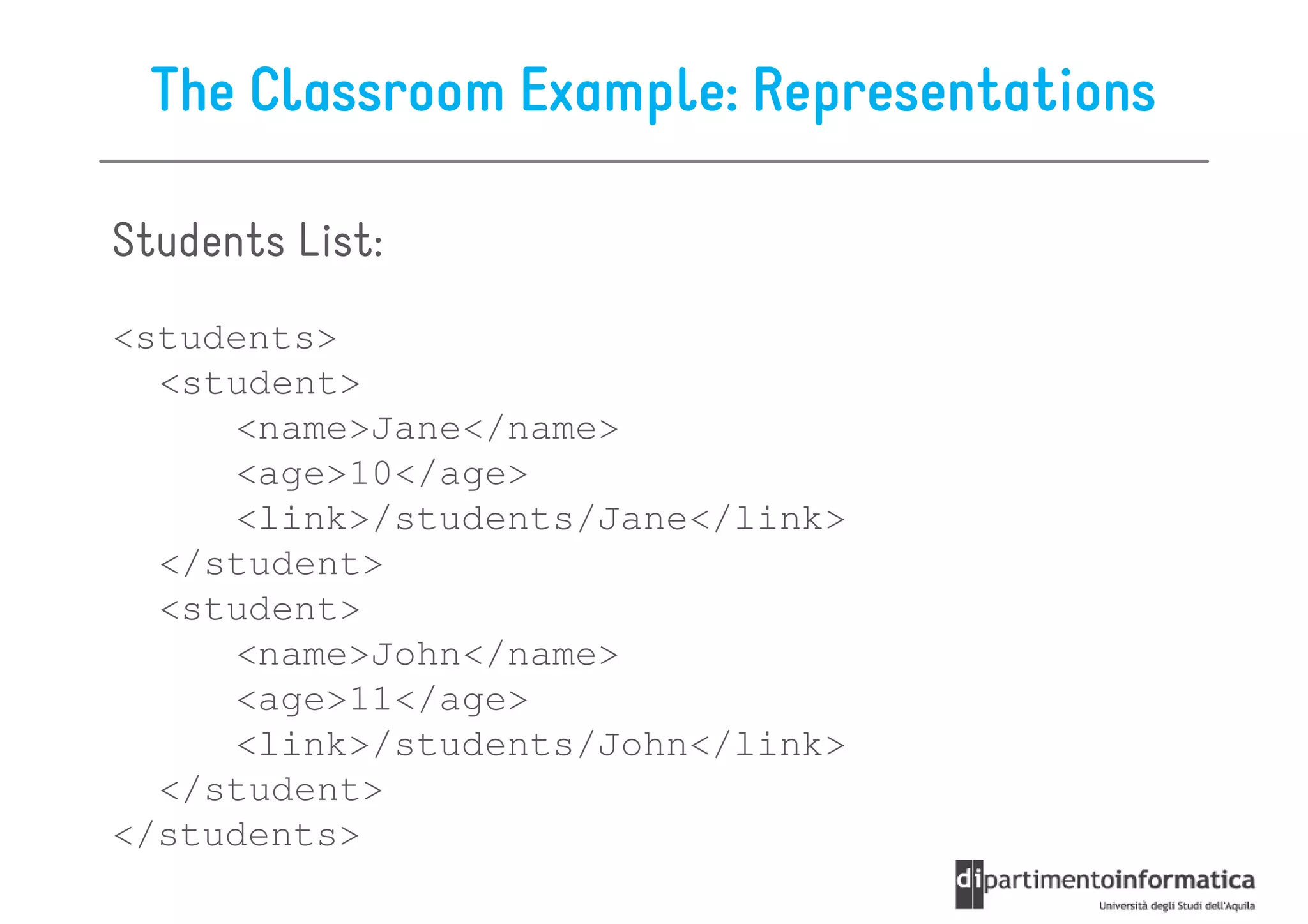
The Classroom Example: Representations

Students List:
<students>
  <student>
     <name>Jane</name>
     <age>10</age>
     <link>/students/Jane</link>
  </student>
  <student>
     <name>John</name>
     <age>11</age>
     <link>/students/John</link>
  </student>
</students>
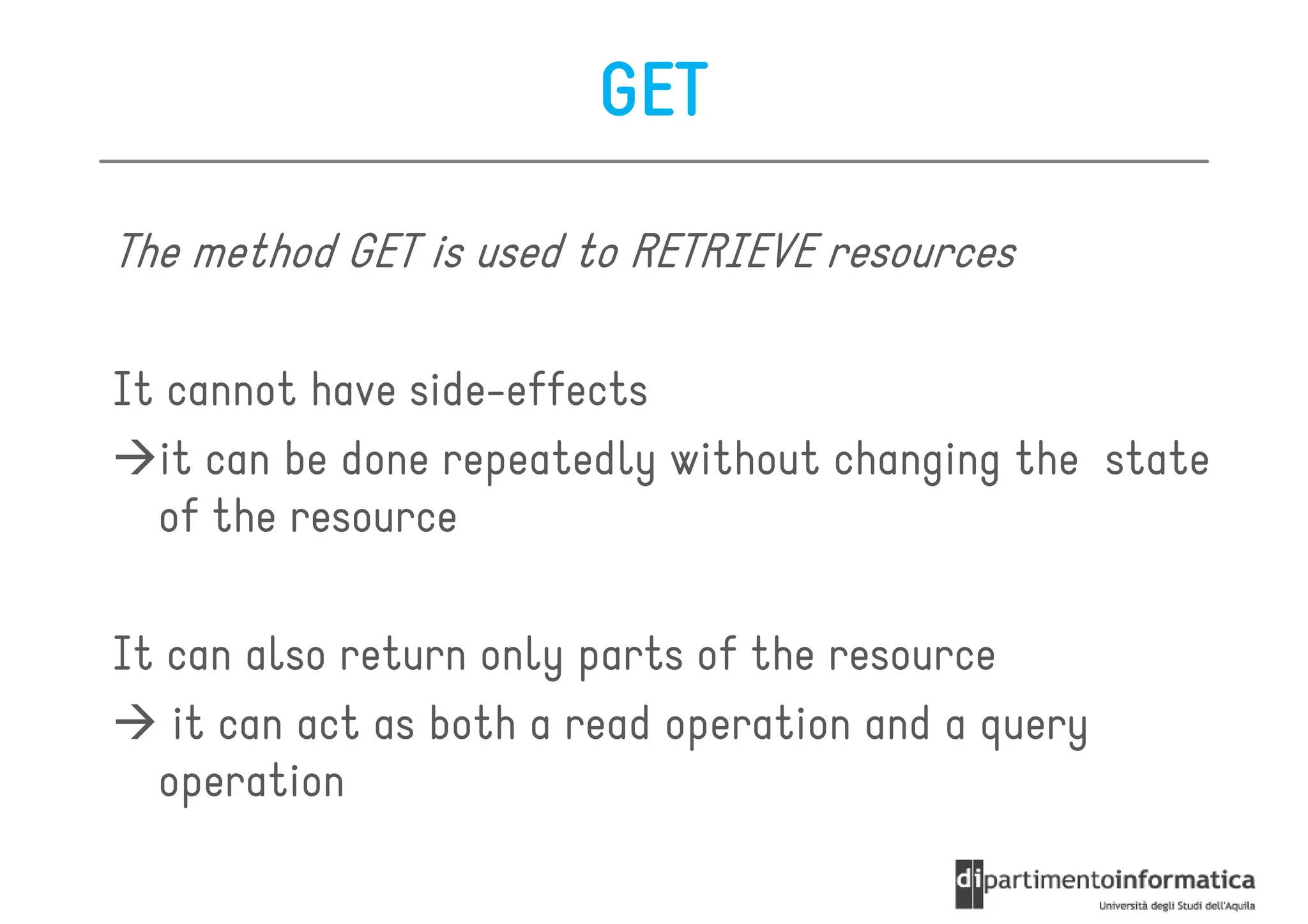
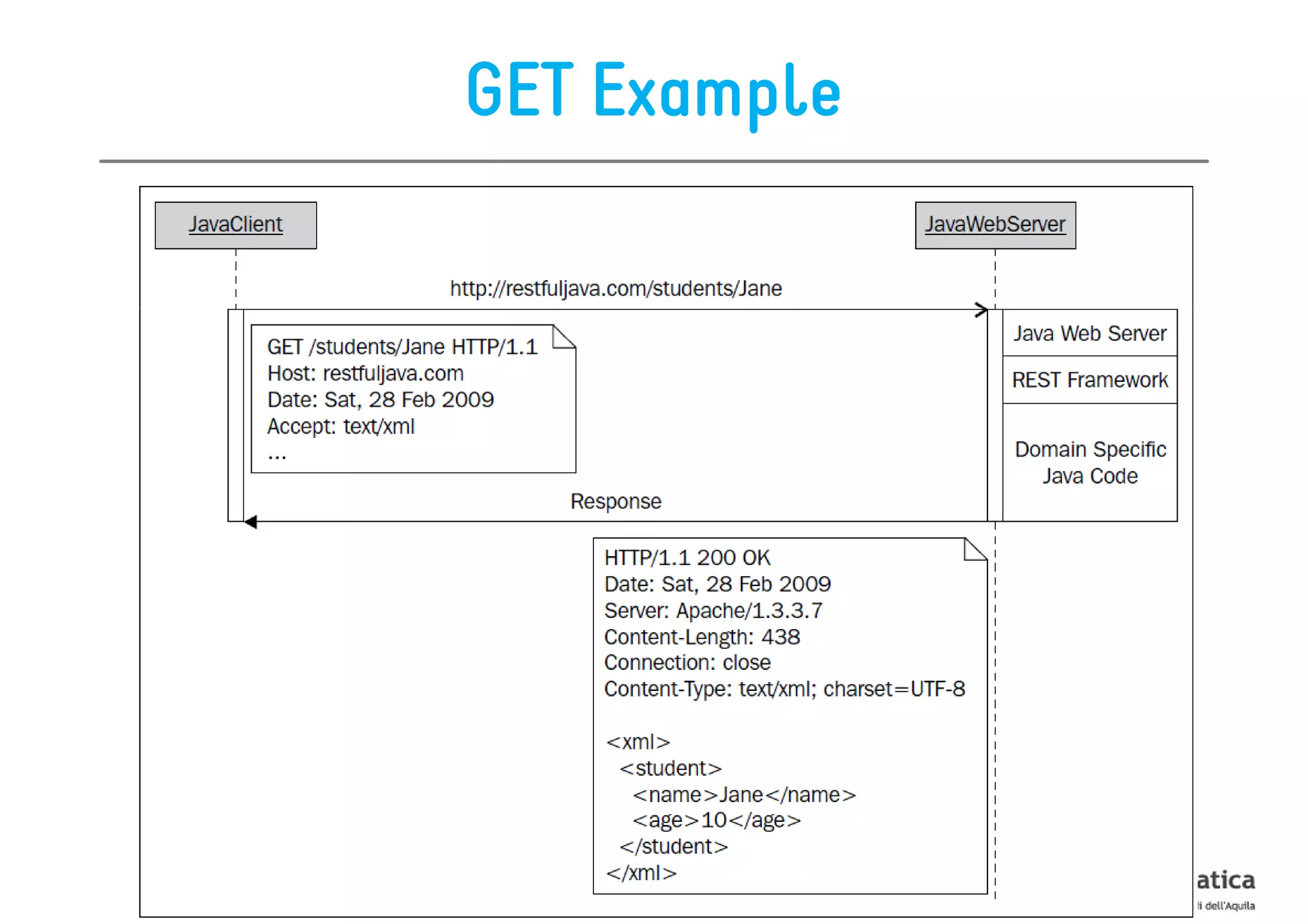
GET

The method GET is used to RETRIEVE resources

It cannot have side-effects
  it can be done repeatedly without changing the state
  of the resource

It can also return only parts of the resource
   it can act as both a read operation and a query
  operation
GET Example
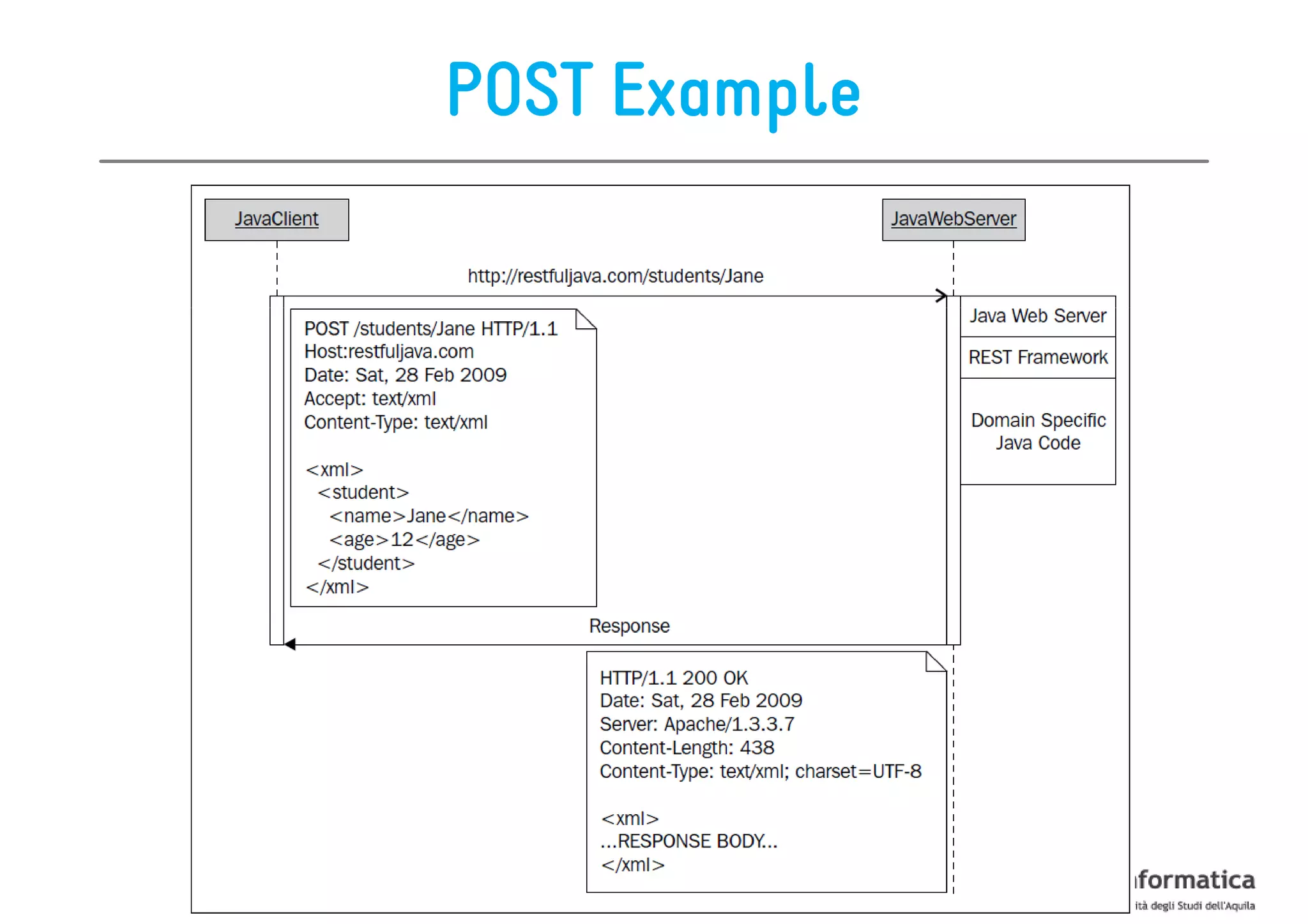
POST

The method POST is used to CREATE resources


Usually, the resource identity/URL is not known at
  creation time

   The URL of the newly created resource is usually
      created automatically by the server
POST Example
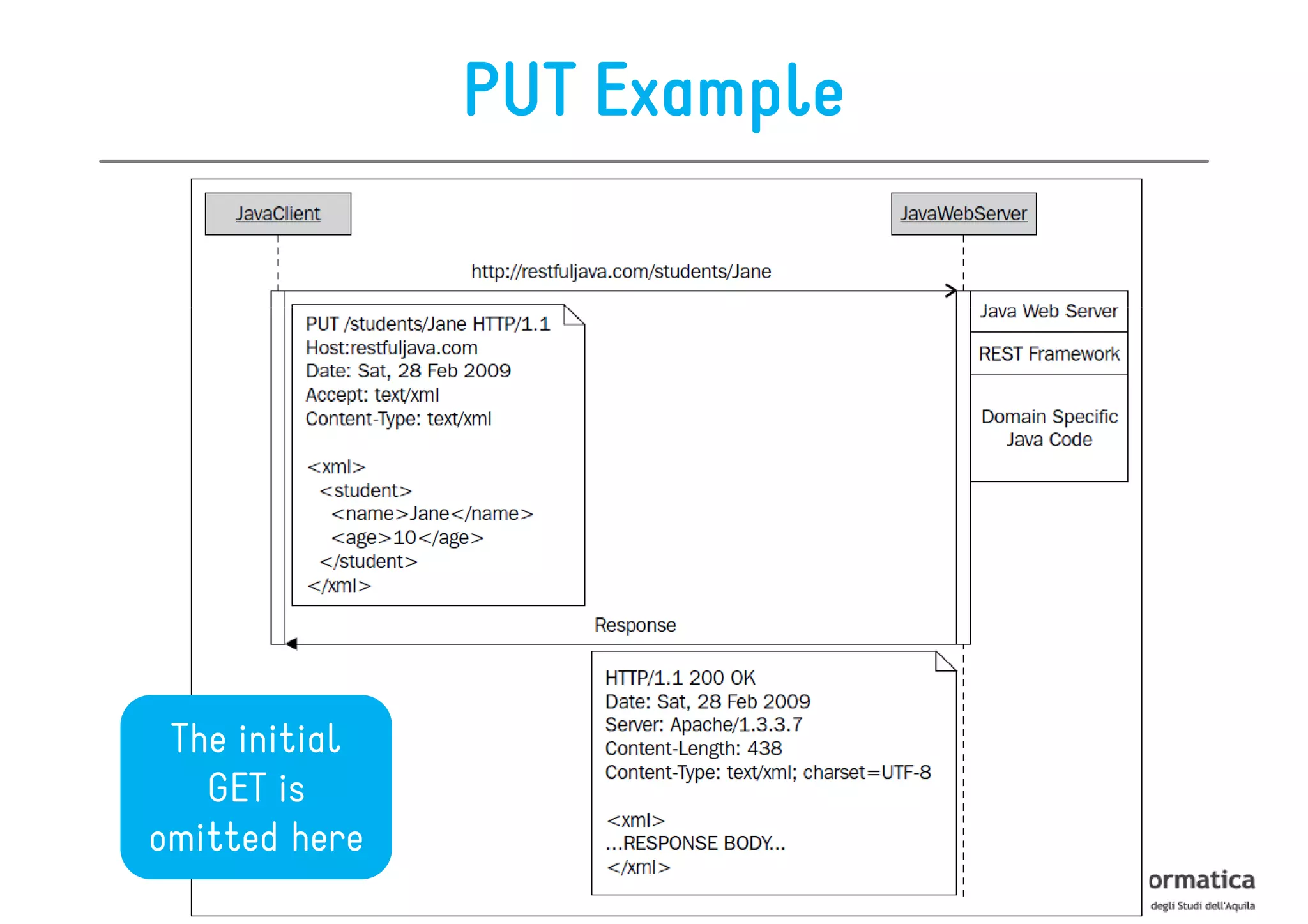
PUT

The method PUT is used to UPDATE resources

Recurrent PUT workflow:
1. we first GET the representation of the resource we
   need to update
2. in the client we update the resource with the new
   value(s)
3. we update the resource using a PUT request
   together with the representation as its payload
PUT Example


 The initial
   GET is
omitted here
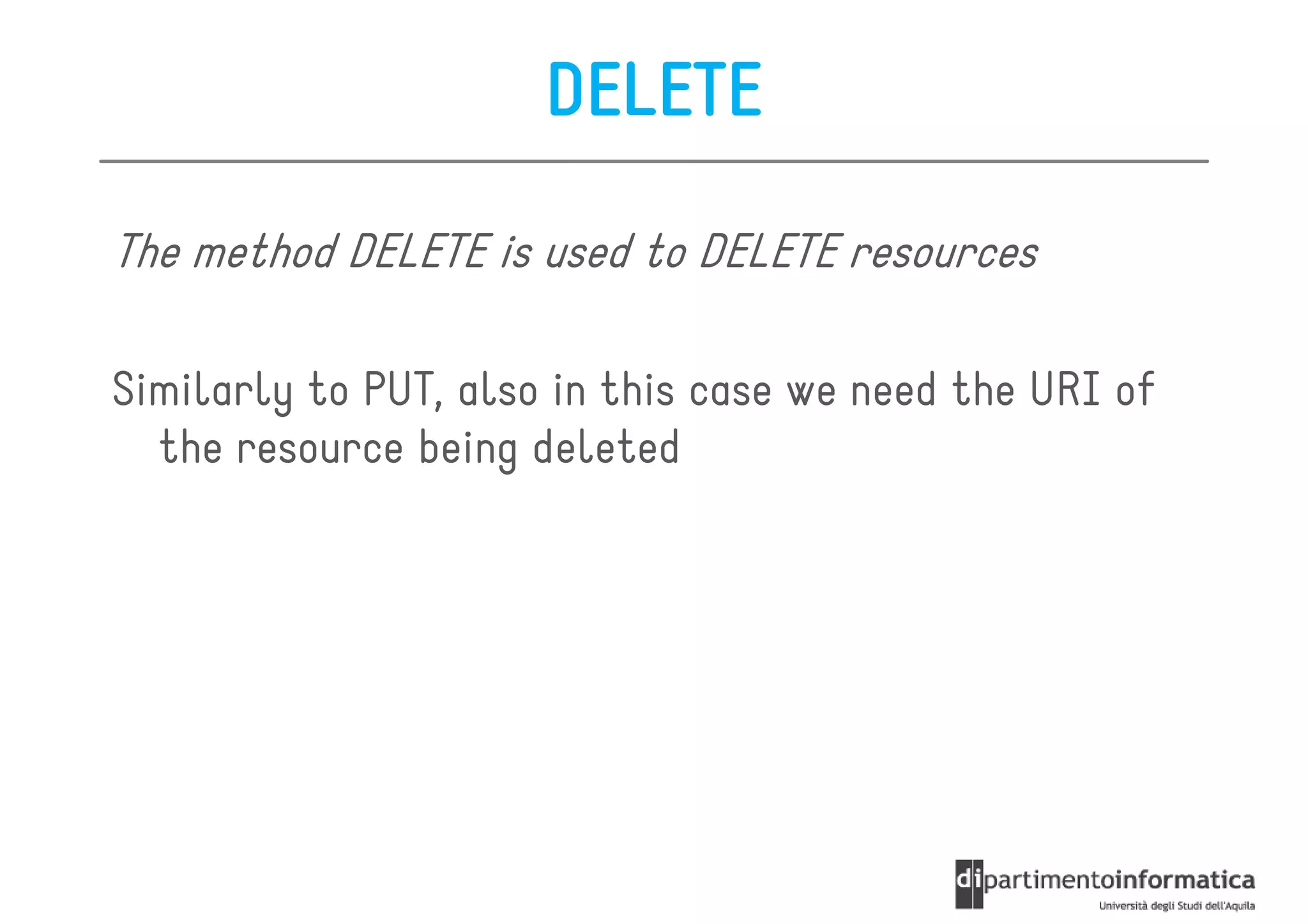
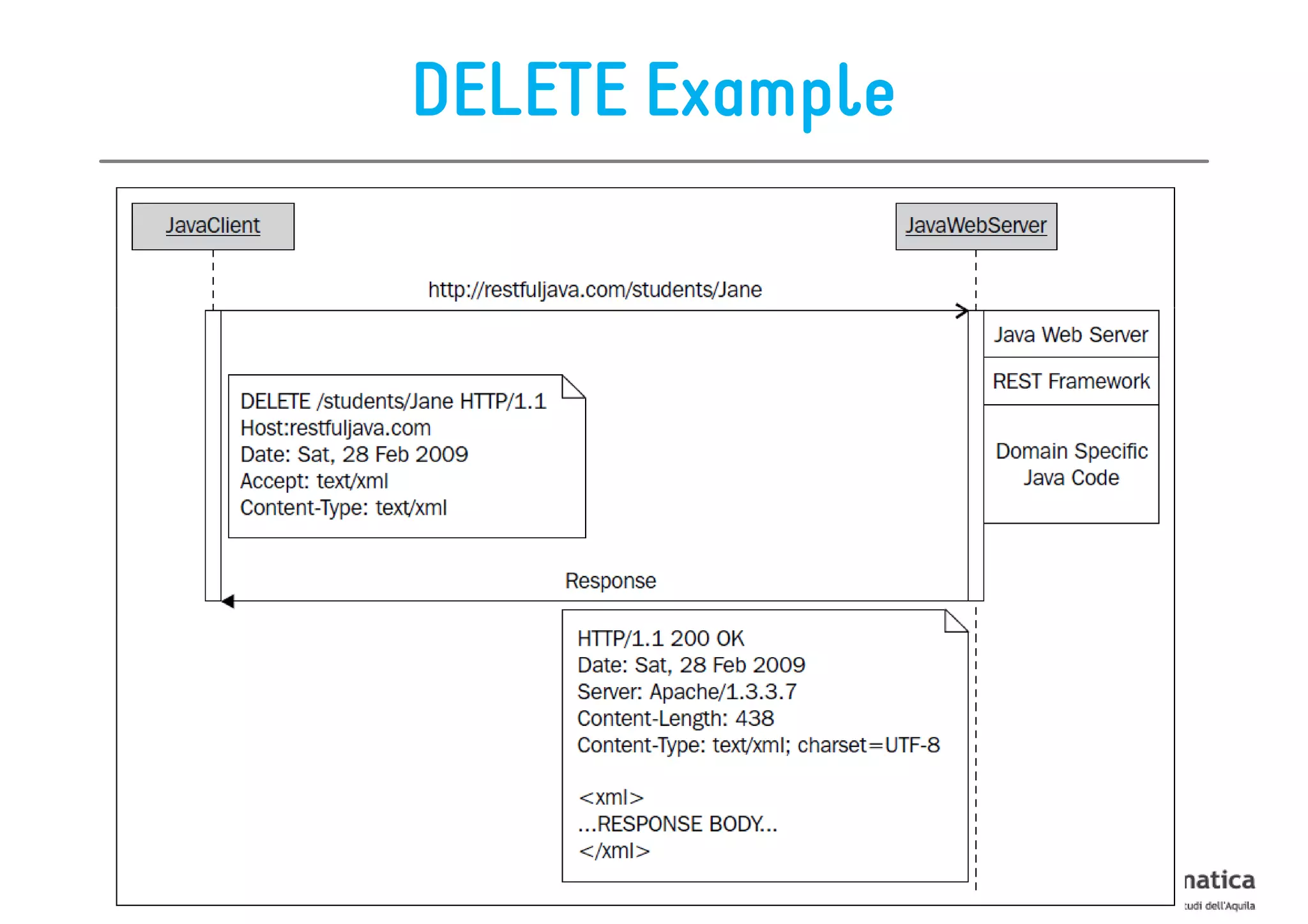
DELETE

The method DELETE is used to DELETE resources

Similarly to PUT, also in this case we need the URI of
  the resource being deleted
DELETE Example
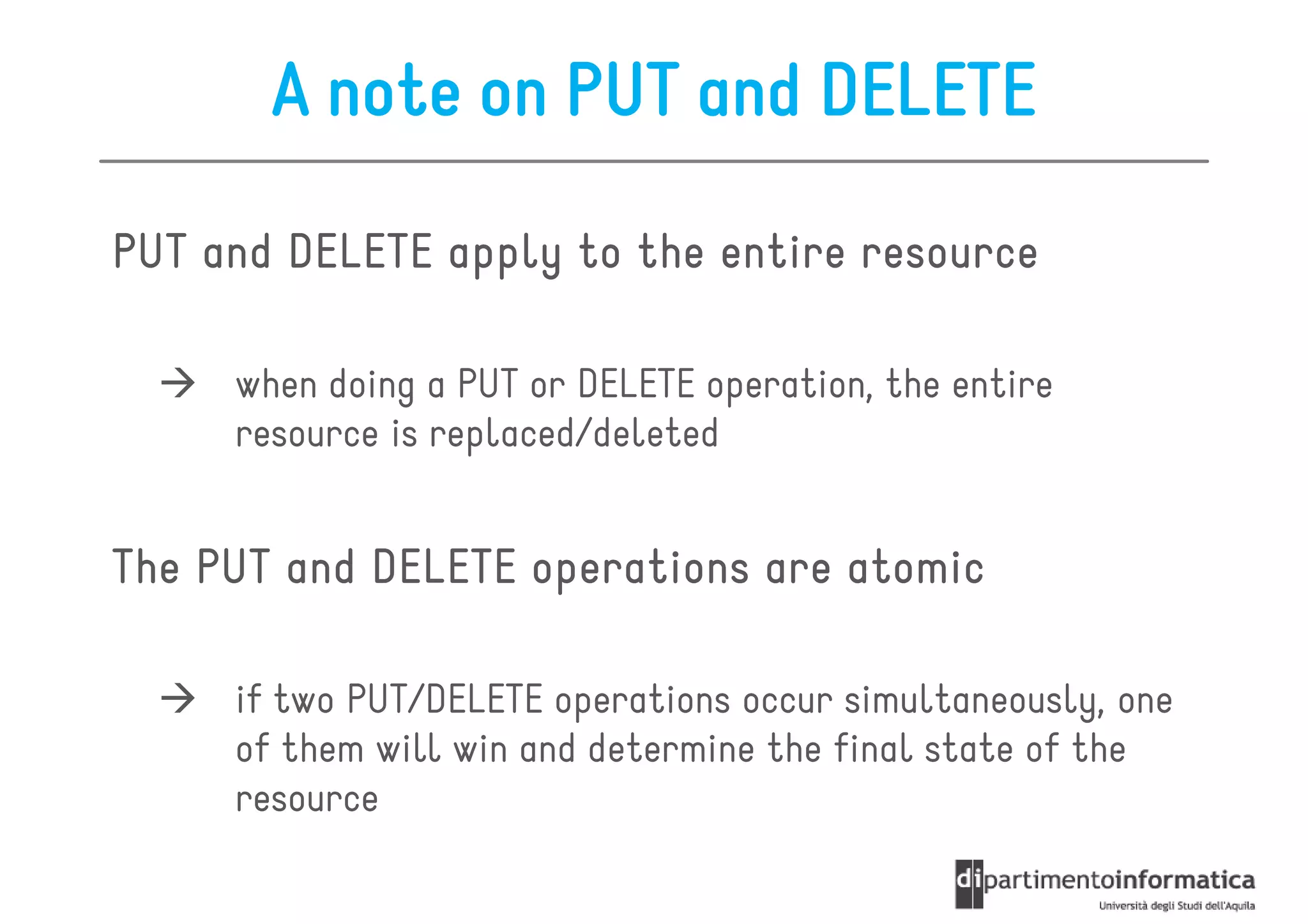
A note on PUT and DELETE

PUT and DELETE apply to the entire resource

     when doing a PUT or DELETE operation, the entire
     resource is replaced/deleted


The PUT and DELETE operations are atomic

     if two PUT/DELETE operations occur simultaneously, one
     of them will win and determine the final state of the
     resource
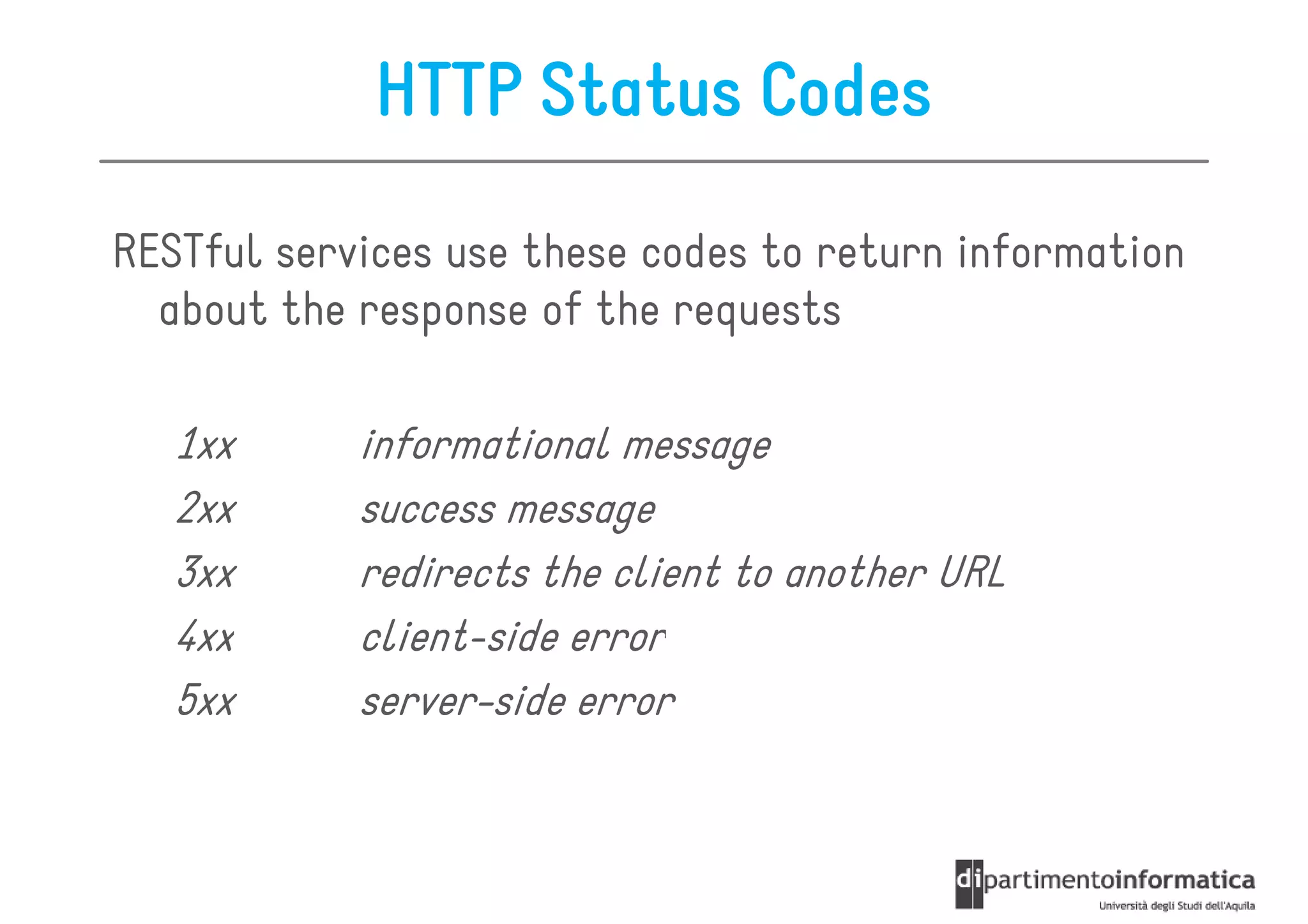
HTTP Status Codes

RESTful services use these codes to return information
  about the response of the requests

   1xx      informational message
   2xx      success message
   3xx      redirects the client to another URL
   4xx      client-side error
   5xx      server-side error
Roadmap

•   The REST Architectural Style
•   Resources
•   Representations
•   Actions
•   Security
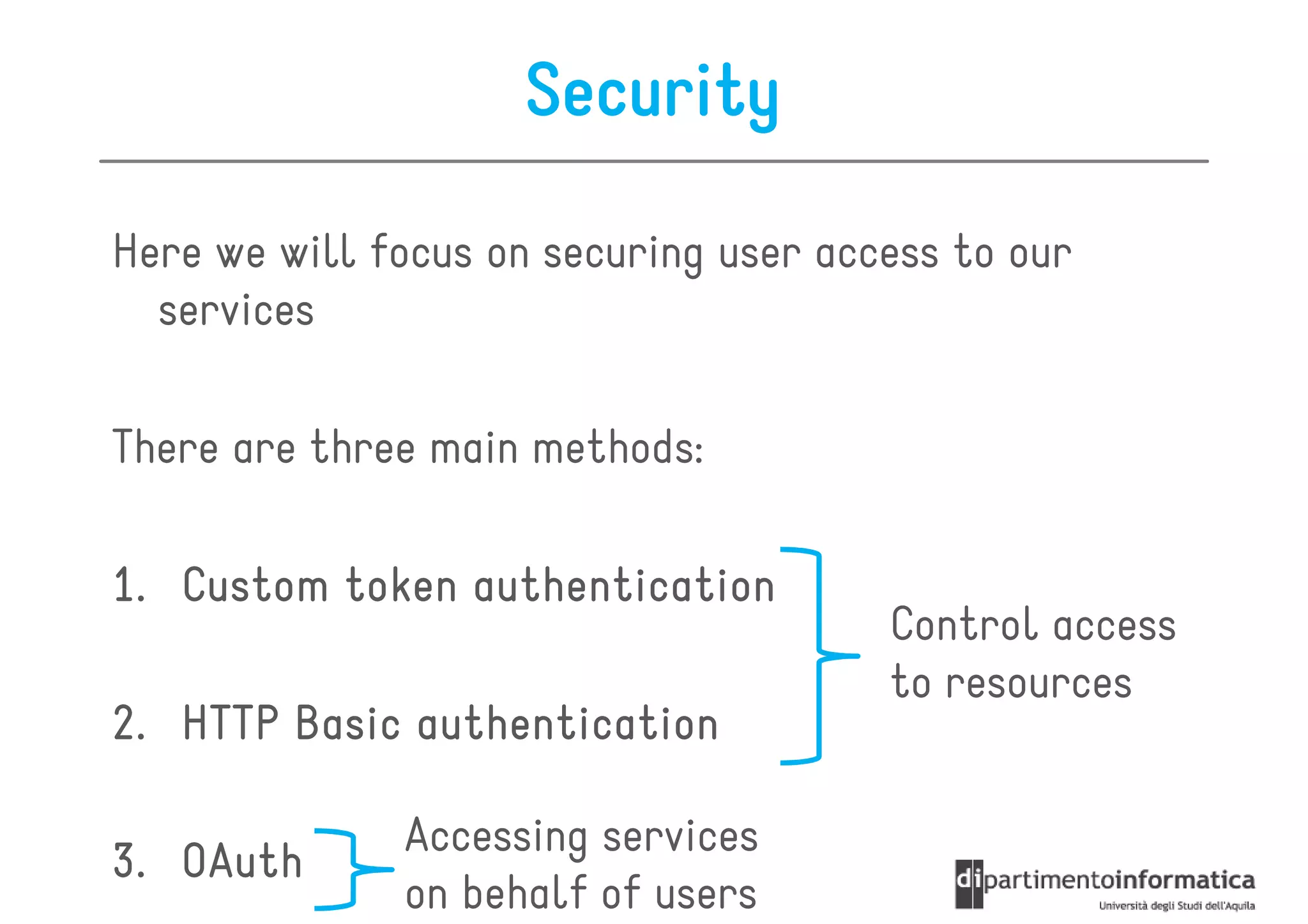
Security

Here we will focus on securing user access to our
  services

There are three main methods:

1. Custom token authentication
                                       Control access
                                       to resources
2. HTTP Basic authentication

              Accessing services
3. OAuth
              on behalf of users
Custom Token Authentication

2-steps process

1. The server generates a unique token for a registered
   API user
2. The registered user sends the generated token for
   authentication with every request to the service

The token can be used to enable a specific user, to check
   if traffic limits have been exceeded, etc.
Pros and Cons

+ The generation of an access token is independent
  of the web service
+ It is a simple approach
  – while creating a user registration process, the server
    generates a unique token per accountAccess

+ data exchange can be logged and verified
  – since access is controlled for each request

- This method is not secure
  – The passed token can be copied and reused without
    authorization
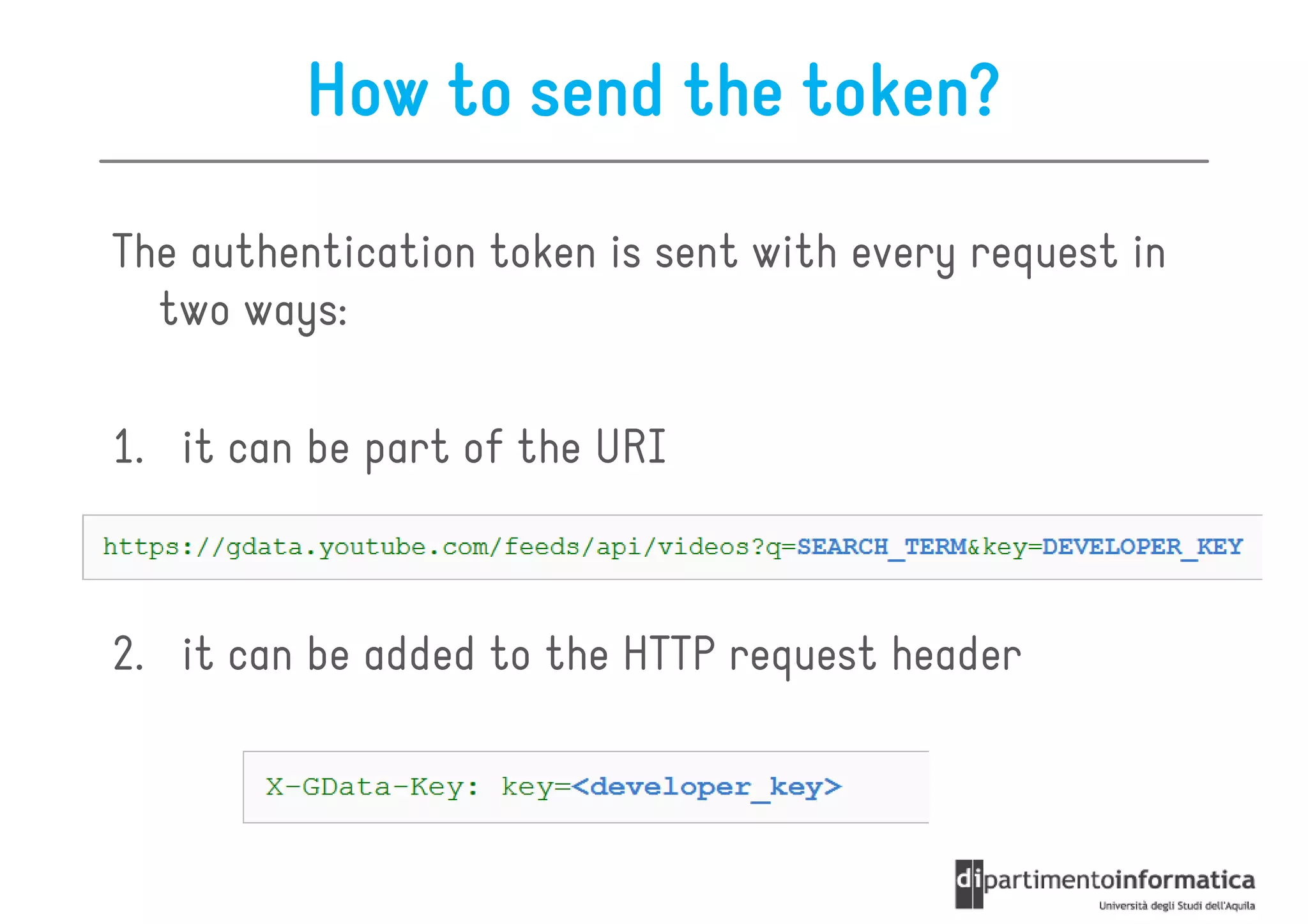
How to send the token?

The authentication token is sent with every request in
  two ways:

1. it can be part of the URI


2. it can be added to the HTTP request header
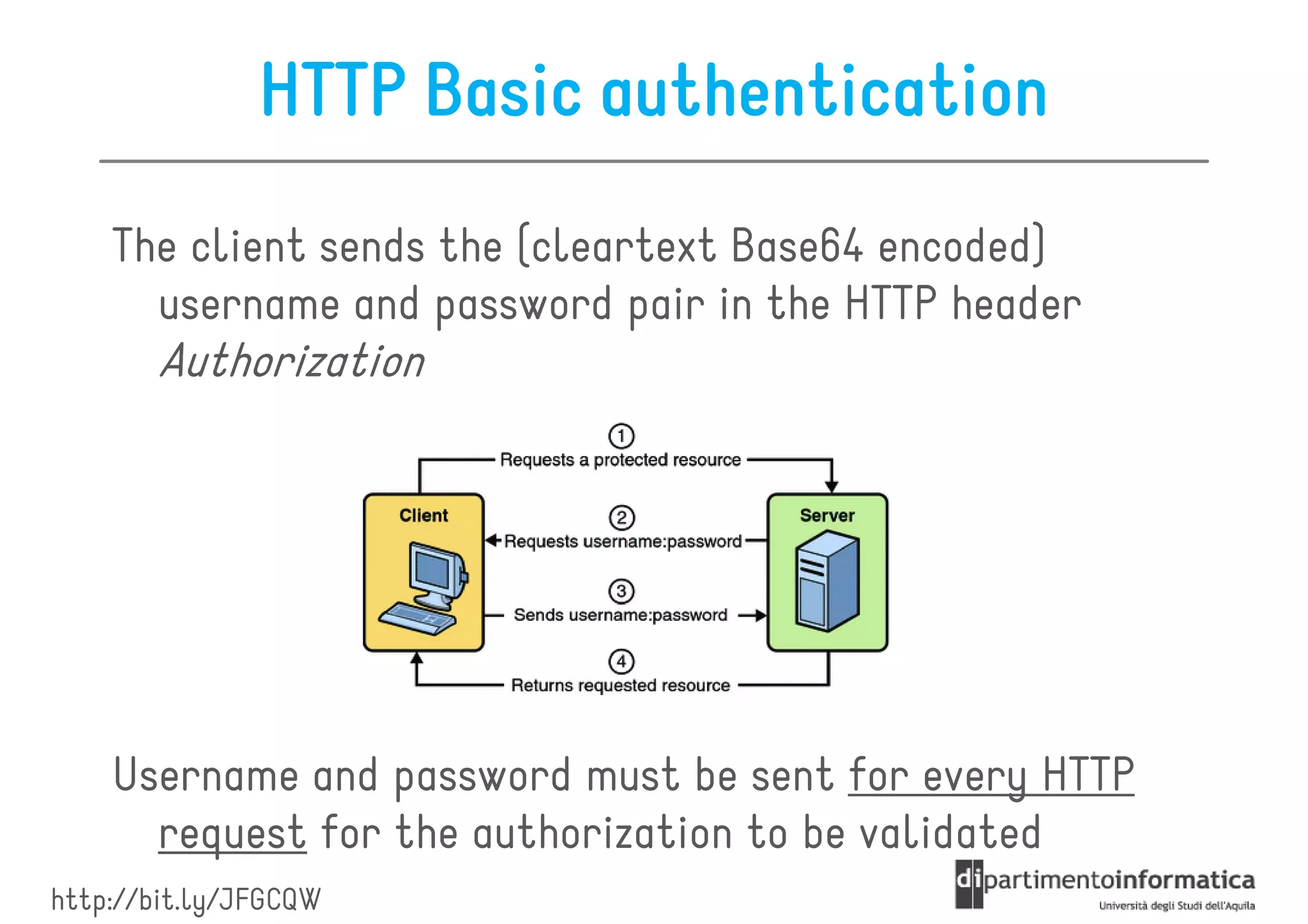
HTTP Basic authentication
    The client sends the (cleartext Base64 encoded)
      username and password pair in the HTTP header
       Authorization


    Username and password must be sent for every HTTP
      request for the authorization to be validated
http://bit.ly/JFGCQW
Pros and Cons

+ clients must manage server authorization requests

- in general, it is not secure
   - because usernames and passwords are only encoded using
     Base64 encoding, which can be easily deciphered


+ this potential security hole can be solved by using
  HTTPS (SSL)
Client/server transaction
It can take 2 forms:

1. a client makes a request to the server without
   authentication credentials
  –   the server sends a response with an HTTP error code of 401
      (unauthorized access)
  –   we need to programmatically intercept the 401 response and
      then provide valid credentials to complete the original
      request

2. a client makes a request to the server with
   authentication credentials from the beginning
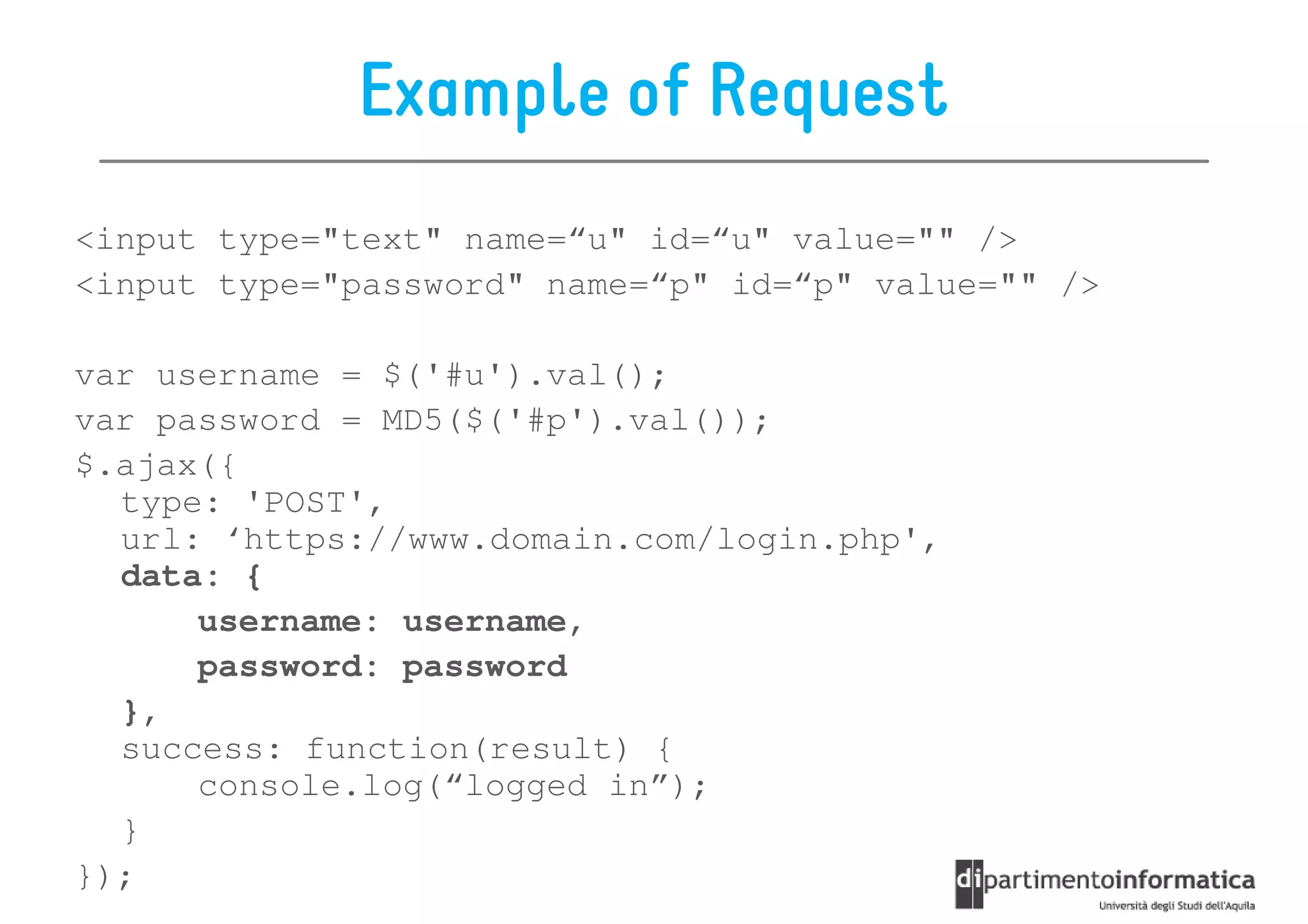
Example of Request
<input type="text" name=“u" id=“u" value="" />
<input type="password" name=“p" id=“p" value="" />

var username = $('#u').val();
var password = MD5($('#p').val());
$.ajax({
  type: 'POST',
  url: ‘https://www.domain.com/login.php',
  data: {
      username: username,
      password: password
  },
  success: function(result) {
      console.log(“logged in”);
  }
});
Oauth 2.0

OAuth's authorization protocol is becoming the
  preferred authorization scheme

It is simple and easy to
integrate to RESTful services

Open source protocol
 pen
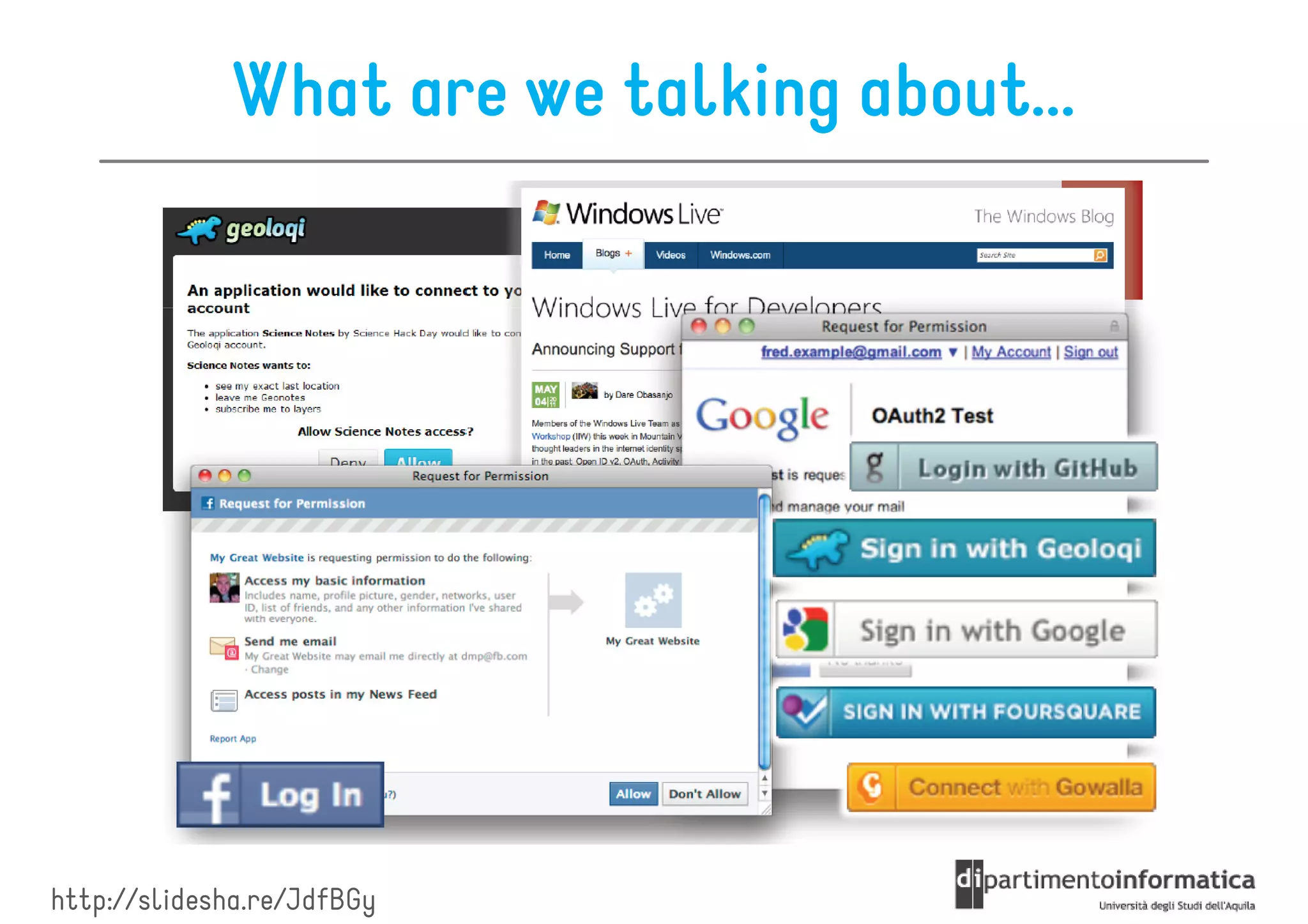
What are we talking about...


http://slidesha.re/JdfBGy
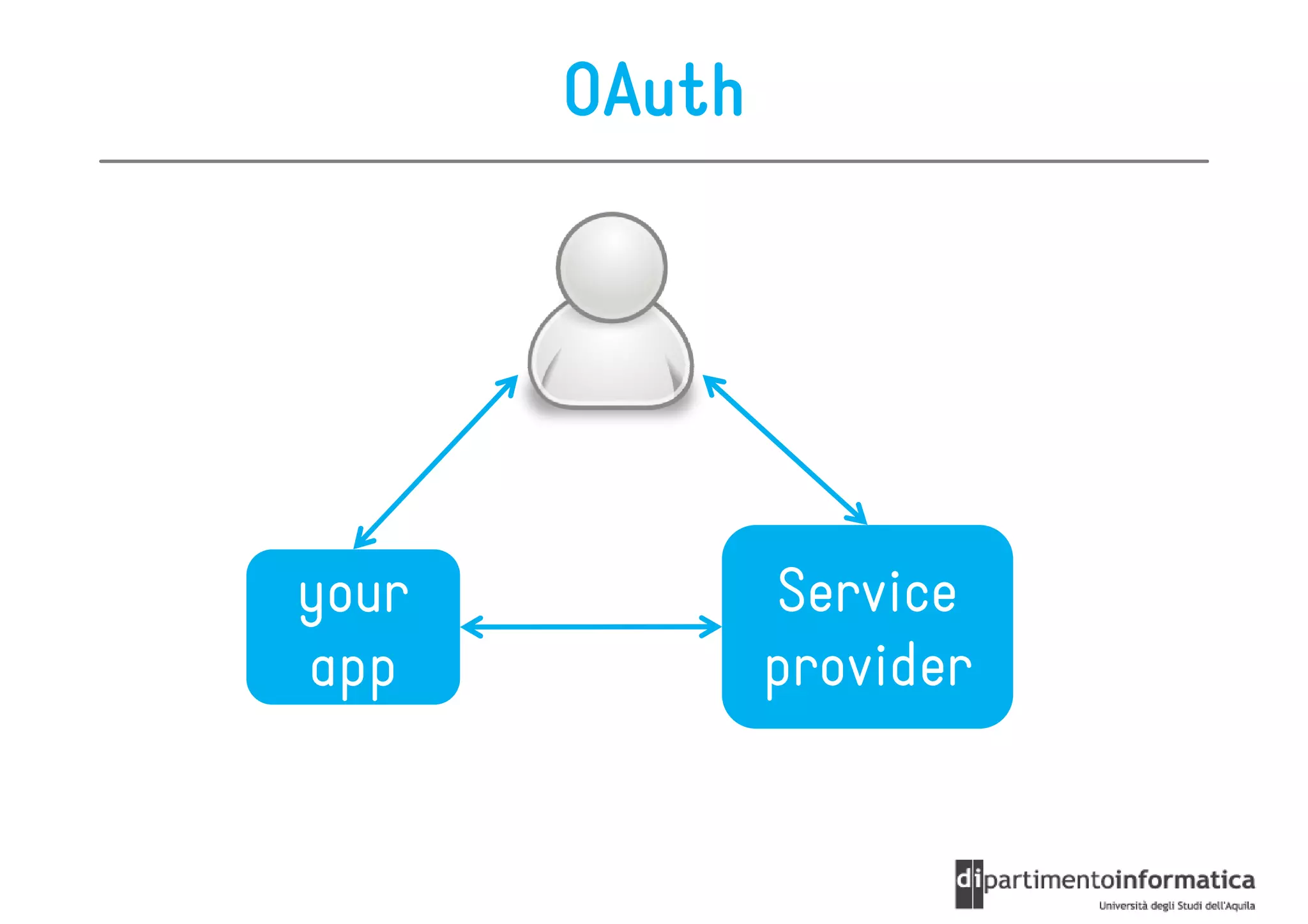
OAuth


your           Service
app            provider
OAuth 2.0
It is used for accessing web services on the behalf of
  the user

OAuth is an authorization protocol that allows
  third-
  third-party web service creators (you) to get
  access to users' data stored in a different web
  service

This can happen only with users' consent and without a
  username and password exchange
OAuth 2.0

Before OAuth, users needed to pass login information
  to multiple third party services

With OAuth, users don’t divulge their login information
  authorization is granted from the provider service,
  where both user’s data and credentials are stored

   the consumer service only receives an authorization
  token that is used to access data from the provider
  service
OAuth Basics
Authentication
• Need to log in to access parts of a website
   –   ex: view user profile
   –   post a photo
   –   add a friend
   –   view private messages


Token-
Token-based Authentication
• Logged-in user has a unique token used to access
  data from your app
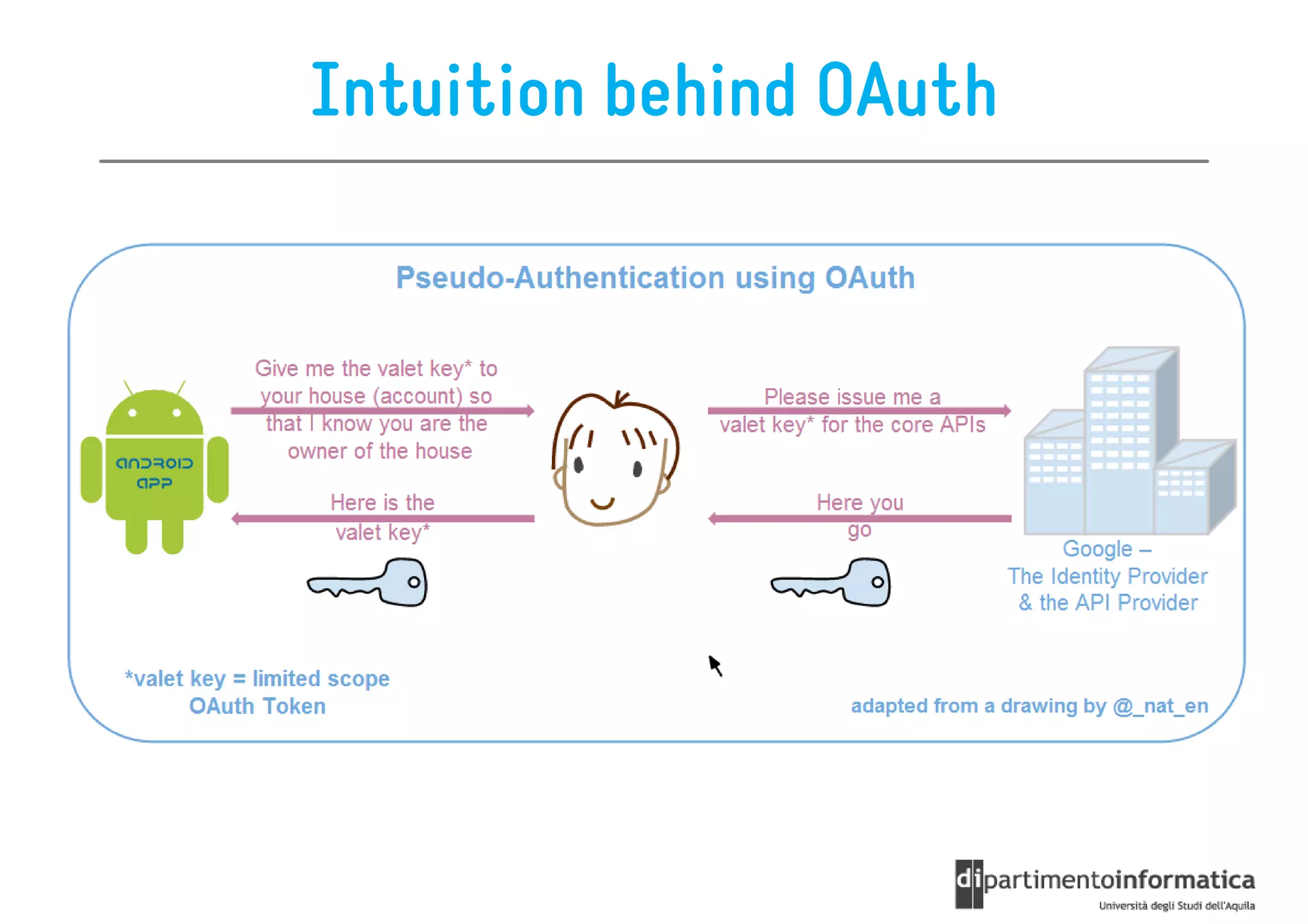
Intuition behind OAuth
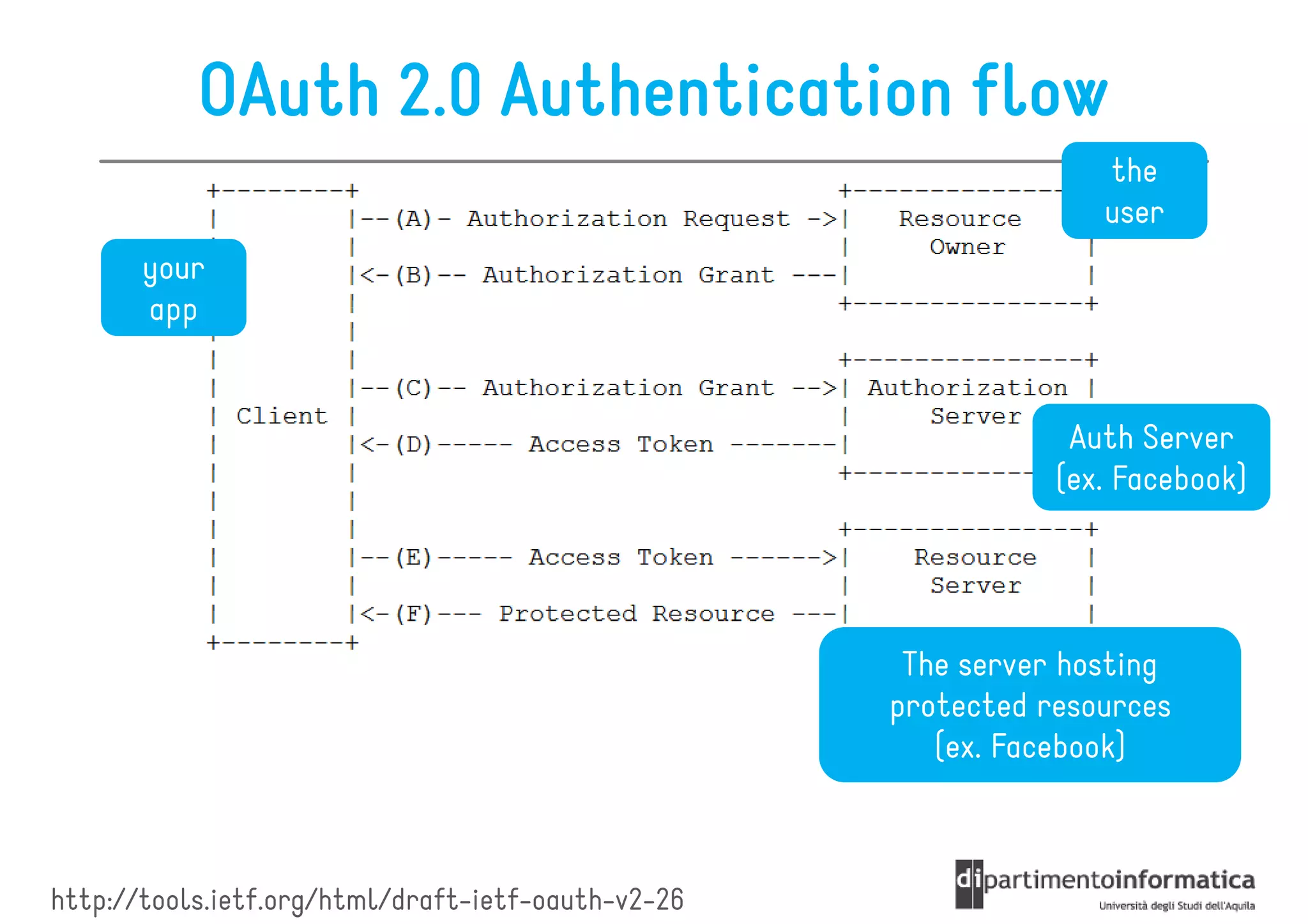
OAuth 2.0 Authentication flow
                                                                  the
                                                                  user
       your
       app


                                                                Auth Server
                                                               (ex. Facebook)


                                                     The server hosting
                                                    protected resources
                                                       (ex. Facebook)


http://tools.ietf.org/html/draft-ietf-oauth-v2-26
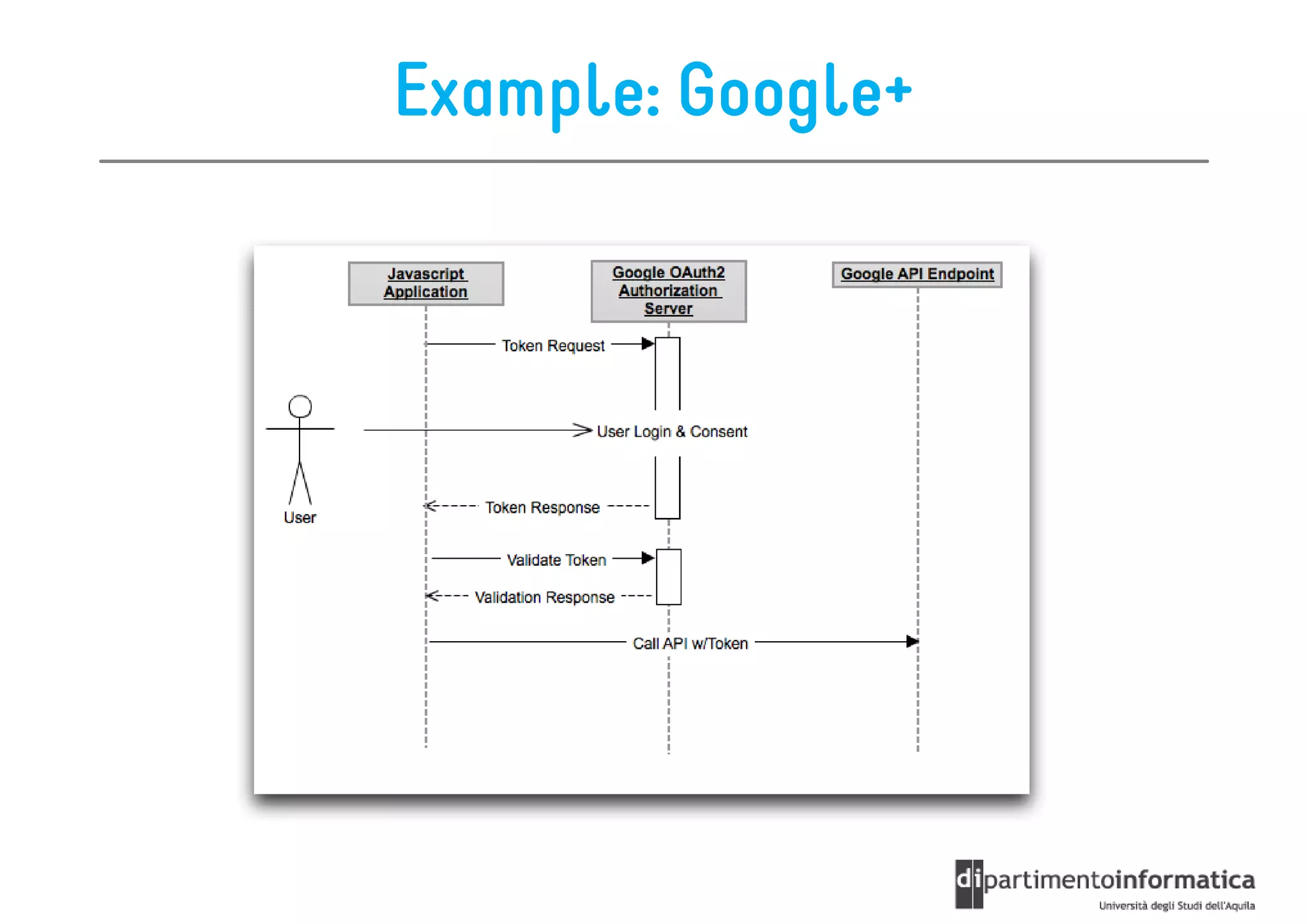
Example: Google+
References


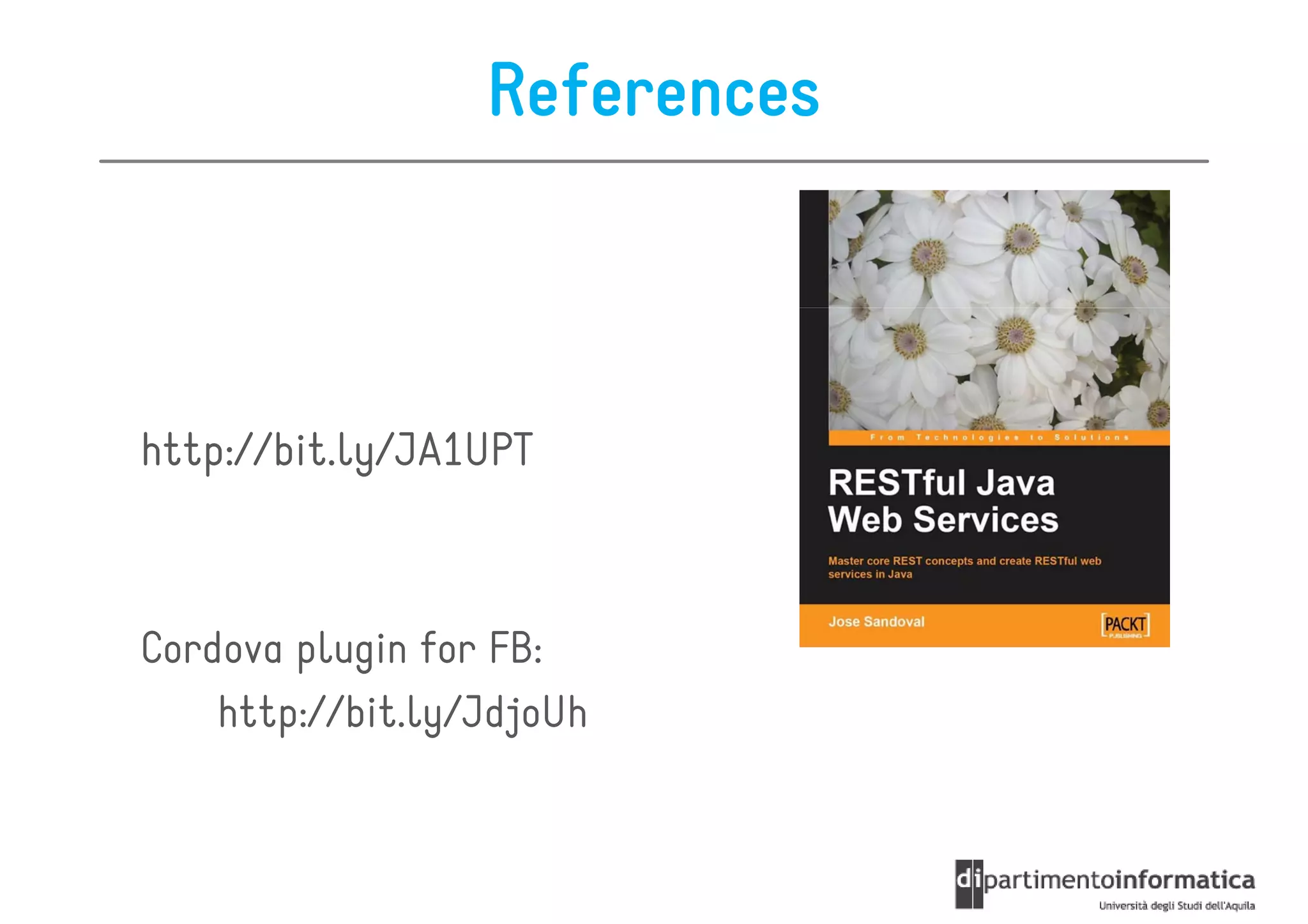
http://bit.ly/JA1UPT


Cordova plugin for FB:
    http://bit.ly/JdjoUh

REST Basics

  • 1.
    REST Ivano Malavolta ivano.malavolta@univaq.it http://www.di.univaq.it/malavolta
  • 2.
    Roadmap • The REST Architectural Style • Resources • Representations • Actions • Security
  • 3.
    REST It stands for REpresentationalState Transfer Proposed by Roy Fieldings in his PhD dissertation in 2000 REST rules the architecture of the World Wide Web (HTTP)
  • 4.
  • 5.
    REST Architectural Style RESTis not a technology, nor a framework REST is an Architectural Style a set of principles + constraints Thos constraints help us in developing applications that are “easy” to maintain and extend
  • 6.
    REST Main Constraints ARESTful system should be client- • client-server • stateless – there should be no need for the service to keep users’ sessions – each request should be independent of others • it has to support a caching system • it has to be uniformly accessible – each resource must have a unique address and a valid point of access
  • 7.
    The (static) Webas a RESTful system 1. you type a URL into your browser to reach a specific HTML page 2. the browser gets and displays the elements of the HTML page the browser is getting a representation of the current state of that resource
  • 8.
    REST Overview In most cases, client-server comunication relies on HTTP http://bit.ly/JALve1
  • 9.
    REST Main Actors Theseare the abstractions that make a RESTful system: • Resources • Representations • Actions
  • 10.
    Roadmap • The REST Architectural Style • Resources • Representations • Actions • Security
  • 11.
    Resources A resource is“everything” the service can provide everything” States and functions of a remote application are also considered as resources Example of resources: • title of a movie from IMDb • a Flash movie from YouTube • images from Flickr • order info from eBay • etc.
  • 12.
    Resources In general, aRESTful resource is anything that is addressable over the Web Addressable = anything that can be accessed and transferred between clients and servers a resource must have a unique address over the Web Under HTTP these are URIs
  • 13.
    URIs Uniform Resource Identifier in a RESTful web service is a hyperlink to a resource It is the only means for clients and servers to exchange representations of resources ex. .../orderinfo?id=123
  • 14.
    URIs The URI isnot meant to change over time it is the only means to locate a specific resource URIs are also used to negotiate representations of a given resource In the url you give certain parameters that define which information you want the server to return to you (just like giving GET variables to a page) The server will respond you with a resource representation containing the information you’ve asked
  • 15.
    URIs URIs are alsoused to link resources together ex.
  • 16.
    Roadmap • The REST Architectural Style • Resources • Representations • Actions • Security
  • 17.
    Representations The representation ofresources is what is sent back and forth between clients and servers So, we never send or receive resources, only their representations
  • 18.
    URL Uniform Resource Locator A URL is a specialization of URI that defines the network location of a specific resource Unlike a URI, the URL defines how the resource can be obtained es. http://some.domain.com/orderinfo?id=123
  • 19.
    Representations The format ofthe representation is determined by the content- content-type The interaction of the representation on the resource is determined by the action (GET, SET, etc.)
  • 20.
    Content-types Since we areusing HTTP to communicate, we can transfer any kind of information that can be passed between clients and servers ex. text files, PDF documents, images, videos, etc. In any case, the data is streamed over TCP/IP and the browser knows how to interpret the binary streams because of the HTTP protocol response header Content- Type
  • 21.
    Representation Formats Different clientsare able to consume different representations of the same resource A representation can take various forms such as: forms, • image • a text file • an XML stream • a JSON stream but its resource has to be available through the same URI
  • 22.
    Representation Formats For human-generatedrequests through a web browser, a representation is typically in the form of an HTML page For automated requests from other web services, readability is not as important and a more efficient representation can be used such as XML or JSON
  • 23.
    Roadmap • The REST Architectural Style • Resources • Representations • Actions • Security
  • 24.
    Actions Actions are usedto operate on resources For example, they can be used for – getting info about a movie – adding a photo to Flickr – deleting a file from a folder The data transmitted to and from the resource is a representation of it
  • 25.
    HTTP-based Actions Under HTTP,actions are standard HTTP request: GET POST PUT DELETE They make up the uniform interface used for client/server data transfers
  • 26.
    HTTP-based Actions RESTful webservices can also execute logic at the server level, but remembering that every result must be a resource representation
  • 27.
    HTTP as UniformInterface In RESTful systems we focus on resource names whereas names, in traditional web systems we focussed on the actions to be performed on resources In RESTful systems we have four specific actions that we can take upon resources — Create, Retrieve, Update, and Delete (CRUD) In traditional web applications, we could have countless actions with no naming or implementation standards
  • 28.
    The Classroom Example Artificialexample of a web service handling students in some classroom Location of the service = http://restfuljava.com/ Resources are represented as XML streams
  • 29.
    The Classroom Example:URIs Student (identified by name): http://restfuljava.com/students/{name} List of students: http://restfuljava.com/students
  • 30.
    The Classroom Example:Representations Student: <student> <name>Jane</name> <age>10</age> <link>/students/Jane</link> </student>
  • 31.
    The Classroom Example:Representations Students List: <students> <student> <name>Jane</name> <age>10</age> <link>/students/Jane</link> </student> <student> <name>John</name> <age>11</age> <link>/students/John</link> </student> </students>
  • 32.
    GET The method GETis used to RETRIEVE resources It cannot have side-effects it can be done repeatedly without changing the state of the resource It can also return only parts of the resource it can act as both a read operation and a query operation
  • 33.
  • 34.
    POST The method POSTis used to CREATE resources Usually, the resource identity/URL is not known at creation time The URL of the newly created resource is usually created automatically by the server
  • 35.
  • 36.
    PUT The method PUTis used to UPDATE resources Recurrent PUT workflow: 1. we first GET the representation of the resource we need to update 2. in the client we update the resource with the new value(s) 3. we update the resource using a PUT request together with the representation as its payload
  • 37.
    PUT Example Theinitial GET is omitted here
  • 38.
    DELETE The method DELETEis used to DELETE resources Similarly to PUT, also in this case we need the URI of the resource being deleted
  • 39.
  • 40.
    A note onPUT and DELETE PUT and DELETE apply to the entire resource when doing a PUT or DELETE operation, the entire resource is replaced/deleted The PUT and DELETE operations are atomic if two PUT/DELETE operations occur simultaneously, one of them will win and determine the final state of the resource
  • 41.
    HTTP Status Codes RESTfulservices use these codes to return information about the response of the requests 1xx informational message 2xx success message 3xx redirects the client to another URL 4xx client-side error 5xx server-side error
  • 42.
    Roadmap • The REST Architectural Style • Resources • Representations • Actions • Security
  • 43.
    Security Here we willfocus on securing user access to our services There are three main methods: 1. Custom token authentication Control access to resources 2. HTTP Basic authentication Accessing services 3. OAuth on behalf of users
  • 44.
    Custom Token Authentication 2-stepsprocess 1. The server generates a unique token for a registered API user 2. The registered user sends the generated token for authentication with every request to the service The token can be used to enable a specific user, to check if traffic limits have been exceeded, etc.
  • 45.
    Pros and Cons +The generation of an access token is independent of the web service + It is a simple approach – while creating a user registration process, the server generates a unique token per accountAccess + data exchange can be logged and verified – since access is controlled for each request - This method is not secure – The passed token can be copied and reused without authorization
  • 46.
    How to sendthe token? The authentication token is sent with every request in two ways: 1. it can be part of the URI 2. it can be added to the HTTP request header
  • 47.
    HTTP Basic authentication The client sends the (cleartext Base64 encoded) username and password pair in the HTTP header Authorization Username and password must be sent for every HTTP request for the authorization to be validated http://bit.ly/JFGCQW
  • 48.
    Pros and Cons +clients must manage server authorization requests - in general, it is not secure - because usernames and passwords are only encoded using Base64 encoding, which can be easily deciphered + this potential security hole can be solved by using HTTPS (SSL)
  • 49.
    Client/server transaction It cantake 2 forms: 1. a client makes a request to the server without authentication credentials – the server sends a response with an HTTP error code of 401 (unauthorized access) – we need to programmatically intercept the 401 response and then provide valid credentials to complete the original request 2. a client makes a request to the server with authentication credentials from the beginning
  • 50.
    Example of Request <inputtype="text" name=“u" id=“u" value="" /> <input type="password" name=“p" id=“p" value="" /> var username = $('#u').val(); var password = MD5($('#p').val()); $.ajax({ type: 'POST', url: ‘https://www.domain.com/login.php', data: { username: username, password: password }, success: function(result) { console.log(“logged in”); } });
  • 51.
    Oauth 2.0 OAuth's authorizationprotocol is becoming the preferred authorization scheme It is simple and easy to integrate to RESTful services Open source protocol pen
  • 52.
    What are wetalking about... http://slidesha.re/JdfBGy
  • 53.
    OAuth your Service app provider
  • 54.
    OAuth 2.0 It isused for accessing web services on the behalf of the user OAuth is an authorization protocol that allows third- third-party web service creators (you) to get access to users' data stored in a different web service This can happen only with users' consent and without a username and password exchange
  • 55.
    OAuth 2.0 Before OAuth,users needed to pass login information to multiple third party services With OAuth, users don’t divulge their login information authorization is granted from the provider service, where both user’s data and credentials are stored the consumer service only receives an authorization token that is used to access data from the provider service
  • 56.
    OAuth Basics Authentication • Needto log in to access parts of a website – ex: view user profile – post a photo – add a friend – view private messages Token- Token-based Authentication • Logged-in user has a unique token used to access data from your app
  • 57.
  • 58.
    OAuth 2.0 Authenticationflow the user your app Auth Server (ex. Facebook) The server hosting protected resources (ex. Facebook) http://tools.ietf.org/html/draft-ietf-oauth-v2-26
  • 59.
  • 60.