Програмування під
мобільні платформи
Що таке мобільна програма?
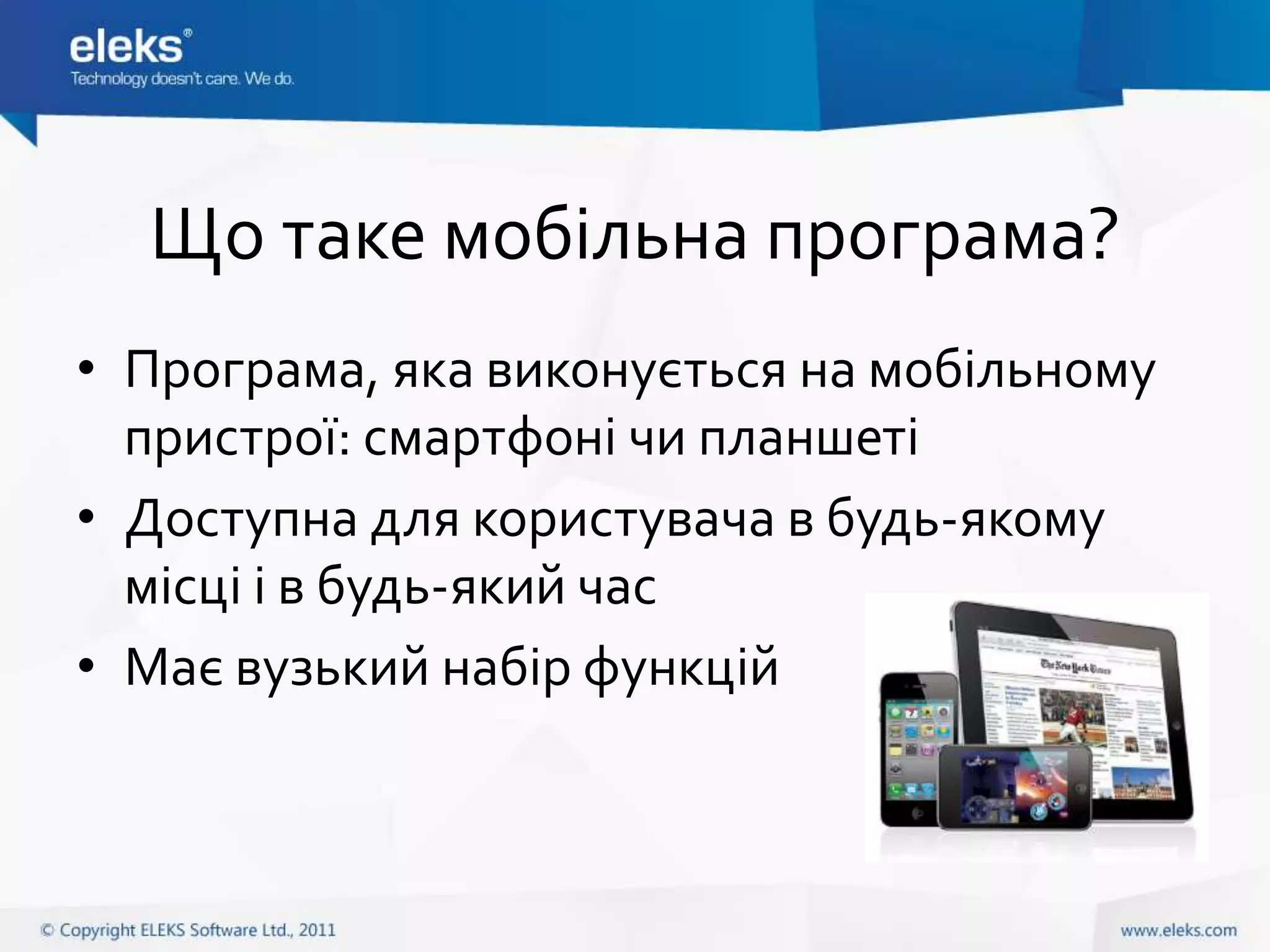
• Програма, яка виконується на мобільному
  пристрої: смартфоні чи планшеті
• Доступна для користувача в будь-якому
  місці і в будь-який час
• Має вузький набір функцій
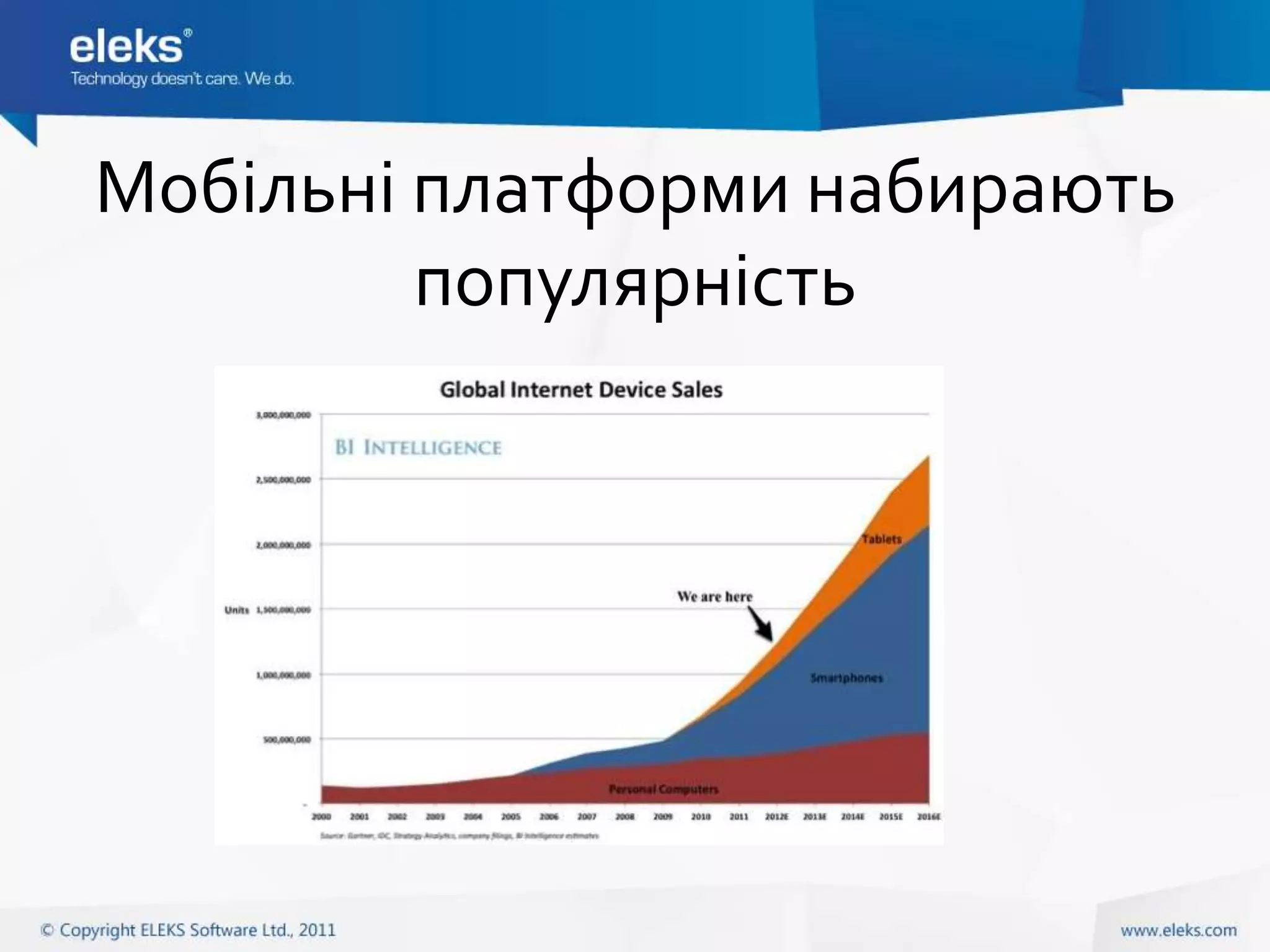
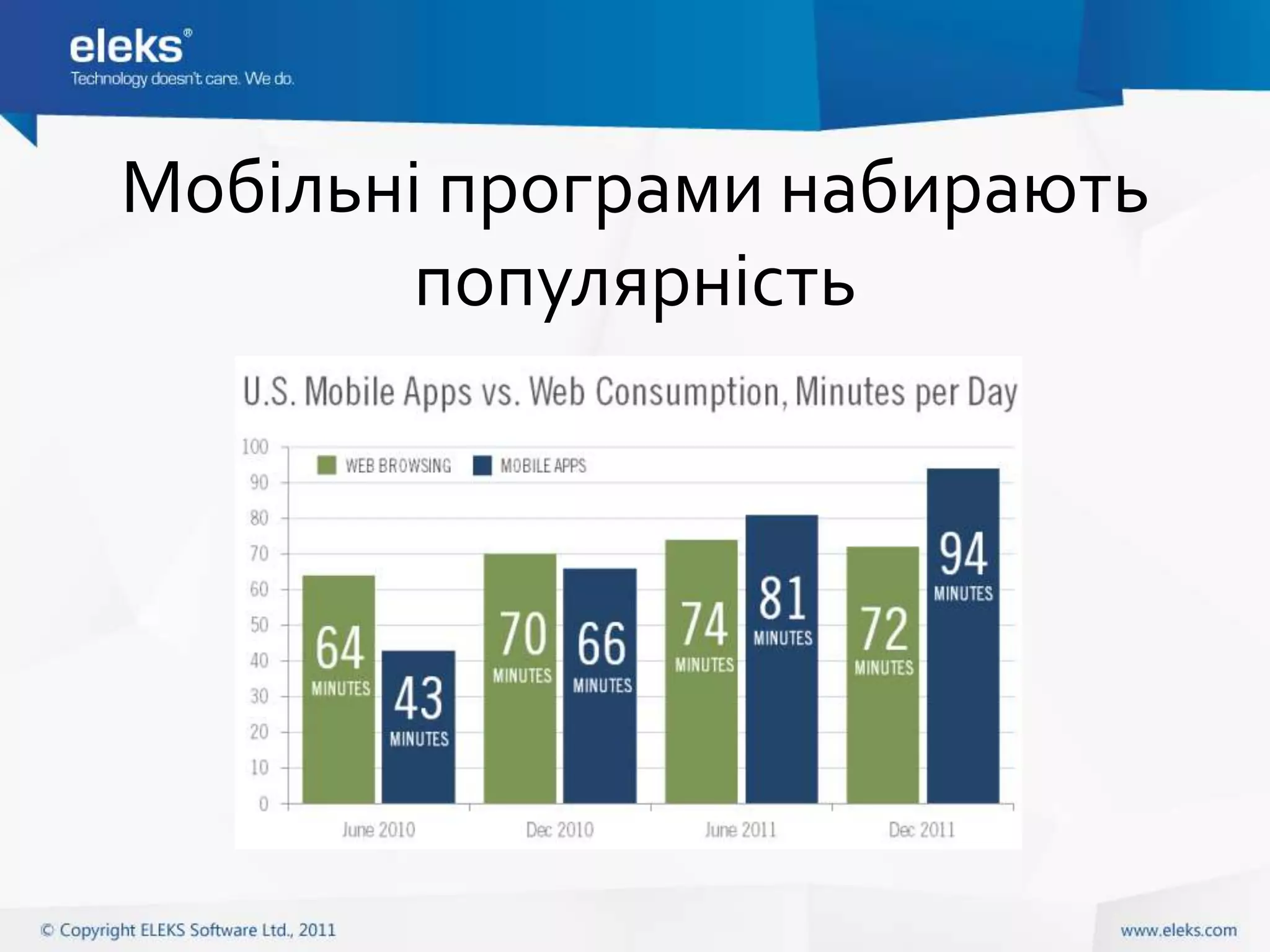
Мобільні платформи набирають
         популярність
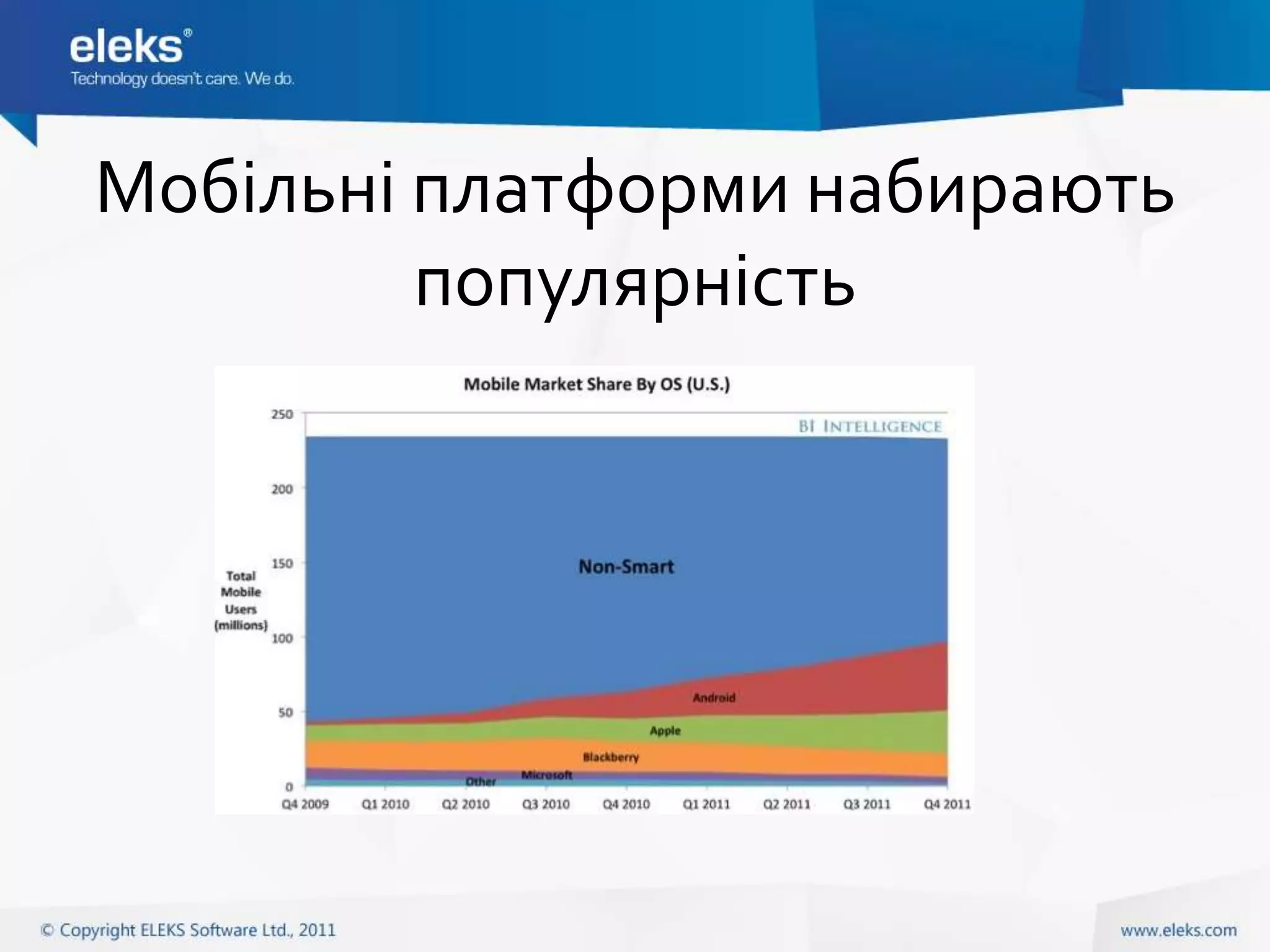
Мобільні платформи набирають
         популярність
Мобільні програми набирають
        популярність
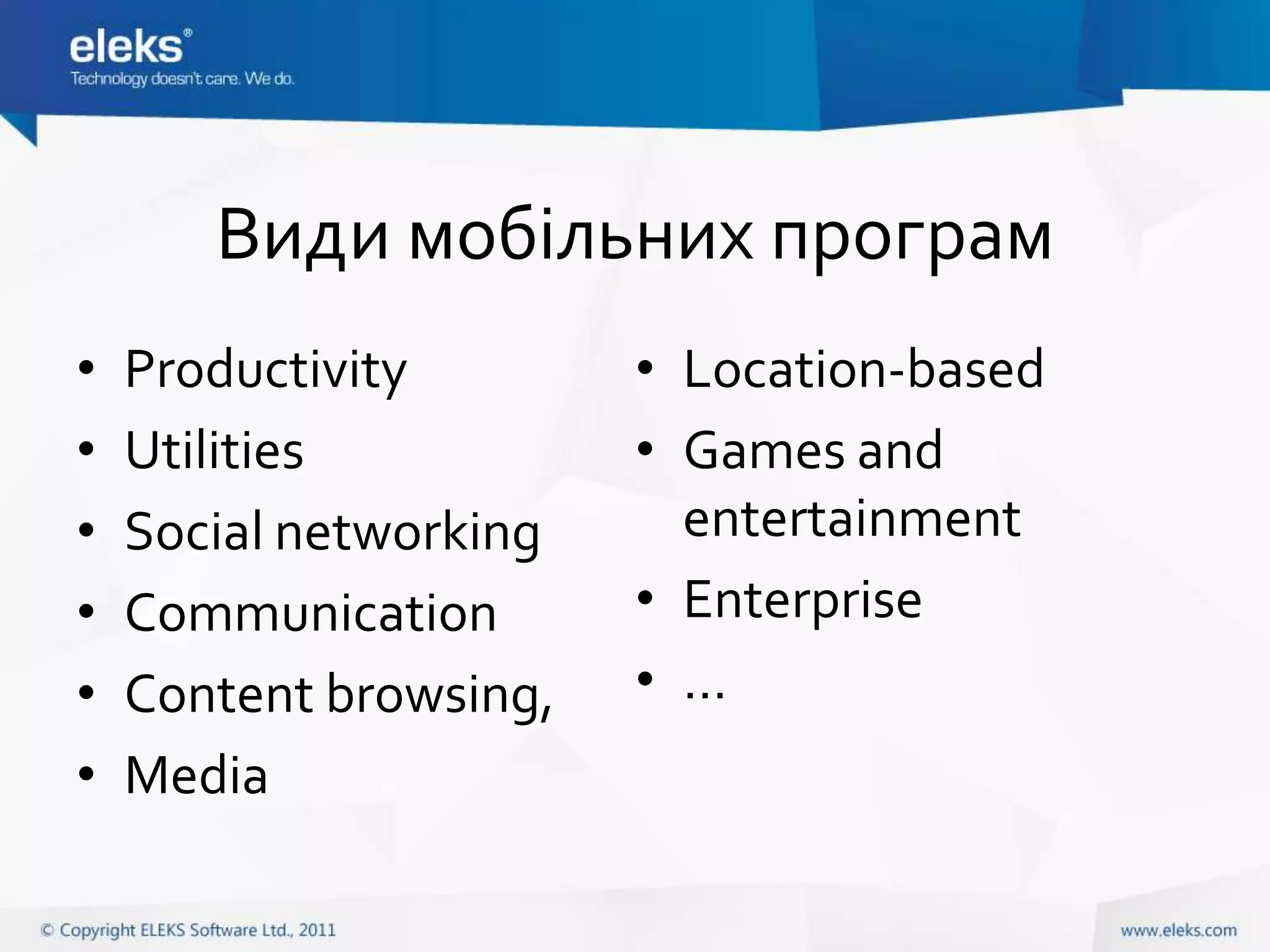
Види мобільних програм
•   Productivity        • Location-based
•   Utilities           • Games and
•   Social networking     entertainment
•   Communication       • Enterprise
•   Content browsing,   • …
•   Media
Типи мобільних програм
• Native apps
• Web apps
• Hybrid
Native apps
• Compiled binary deployed to device
• Use native framework
• Access to all device-specific features
Web apps
• Web-site displayed in mobile browser
• HTML5, CSS, Javascript
• Frameworks: jQuery mobile, Sencha Touch,
  etc.
• Can imitate native UI
• Can hide browser controls and be added to
  device screen alongside with other apps
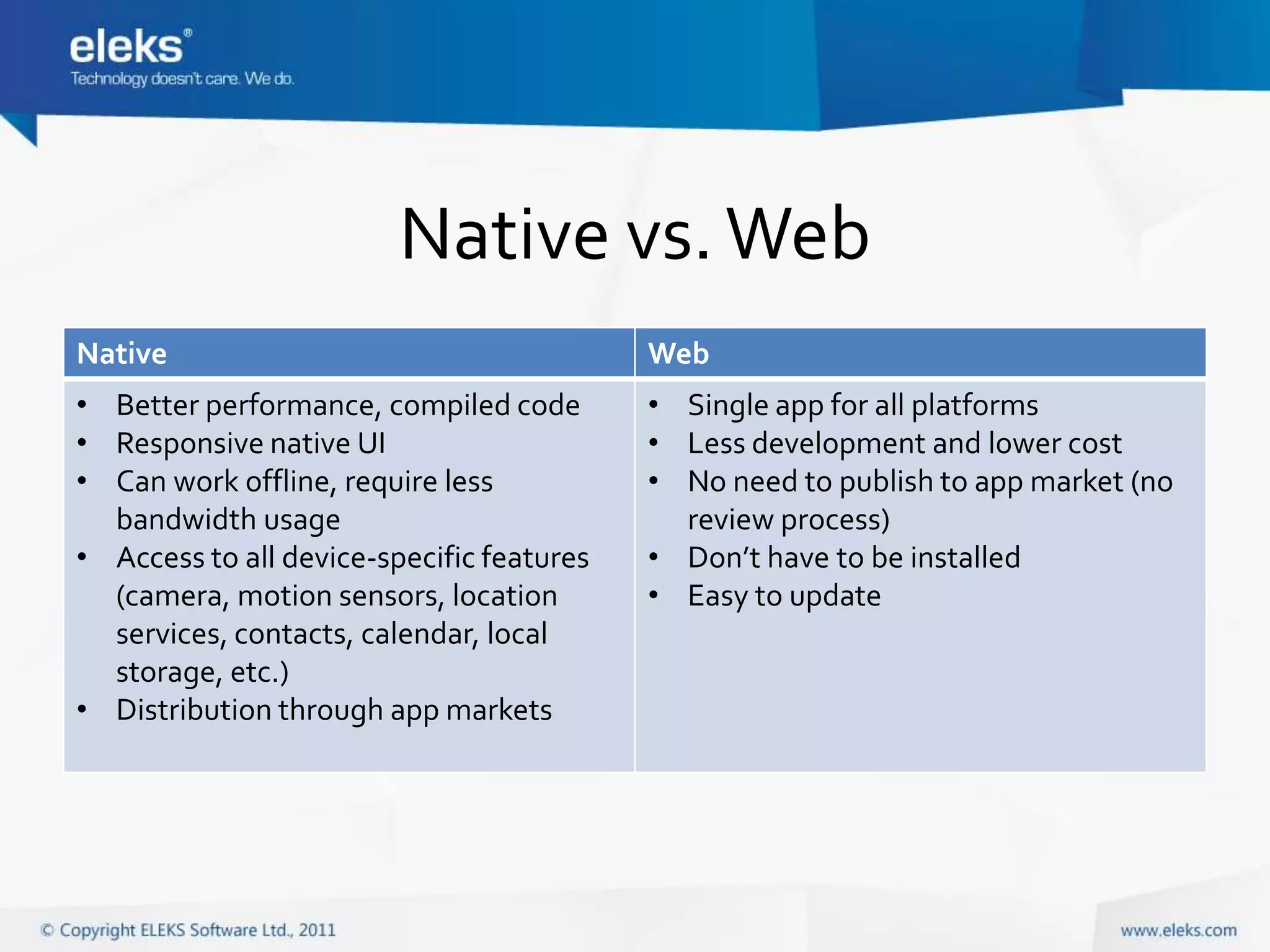
Native vs. Web
Native                                     Web
• Better performance, compiled code        • Single app for all platforms
• Responsive native UI                     • Less development and lower cost
• Can work offline, require less           • No need to publish to app market (no
  bandwidth usage                            review process)
• Access to all device-specific features   • Don’t have to be installed
  (camera, motion sensors, location        • Easy to update
  services, contacts, calendar, local
  storage, etc.)
• Distribution through app markets
Hybrid apps
• Native app combined with web view
  component (“shell apps”)
• Frameworks: PhoneGap, Appcelerator
  Titanium
Основні мобільні ОС
• Android
• iOS
• Windows Phone 7

• Windows 8 (!) – not released yet
• Інші (менш популярні та ті, що втрачають позиції):
  Symbian, Blackberry OS, Samsung Bada, Meego, HP WebOS,
  Windows Mobile, …
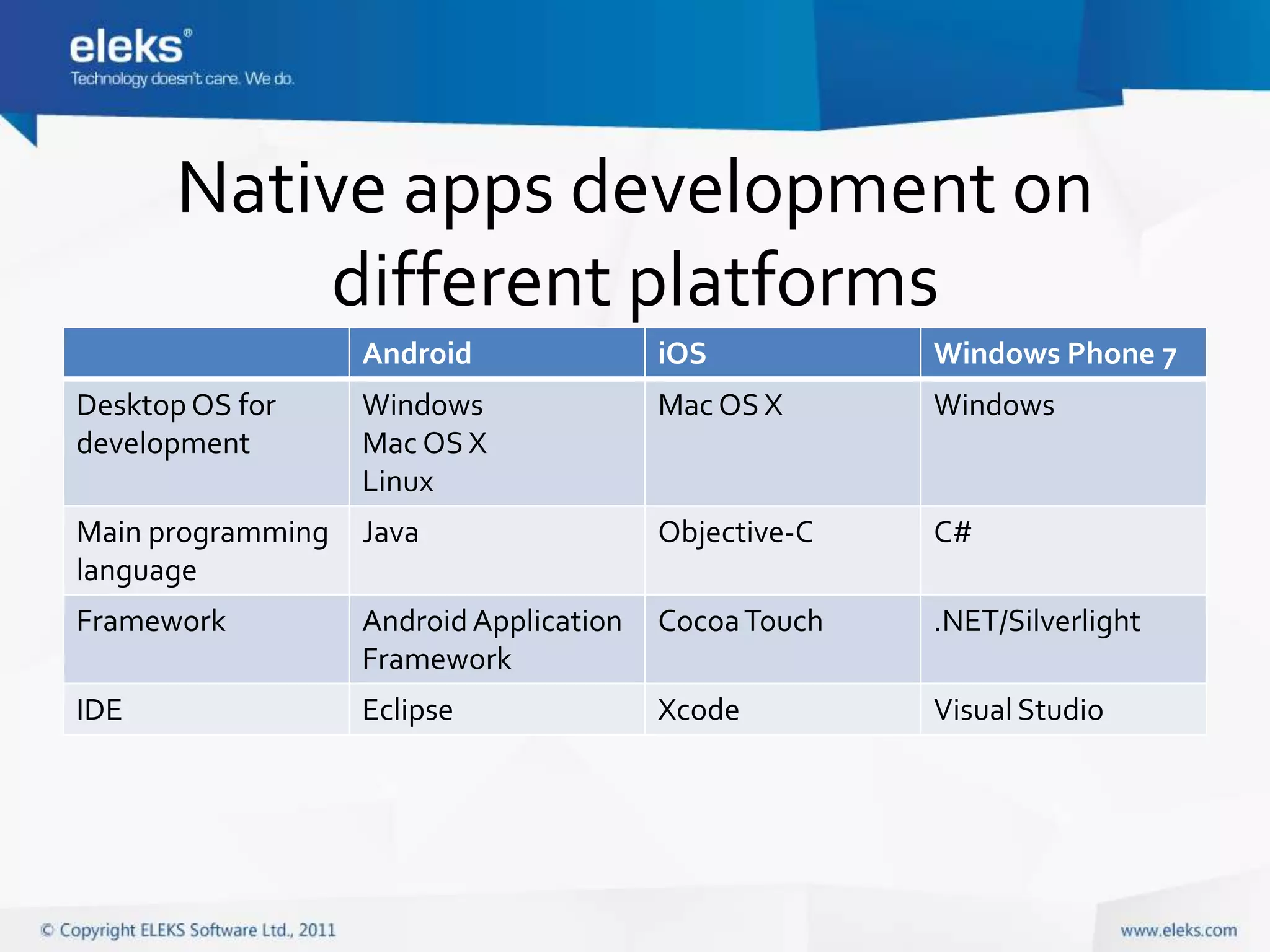
Native apps development on
          different platforms
                   Android               iOS           Windows Phone 7
Desktop OS for     Windows               Mac OS X      Windows
development        Mac OS X
                   Linux
Main programming   Java                  Objective-C   C#
language
Framework          Android Application   Cocoa Touch   .NET/Silverlight
                   Framework
IDE                Eclipse               Xcode         Visual Studio
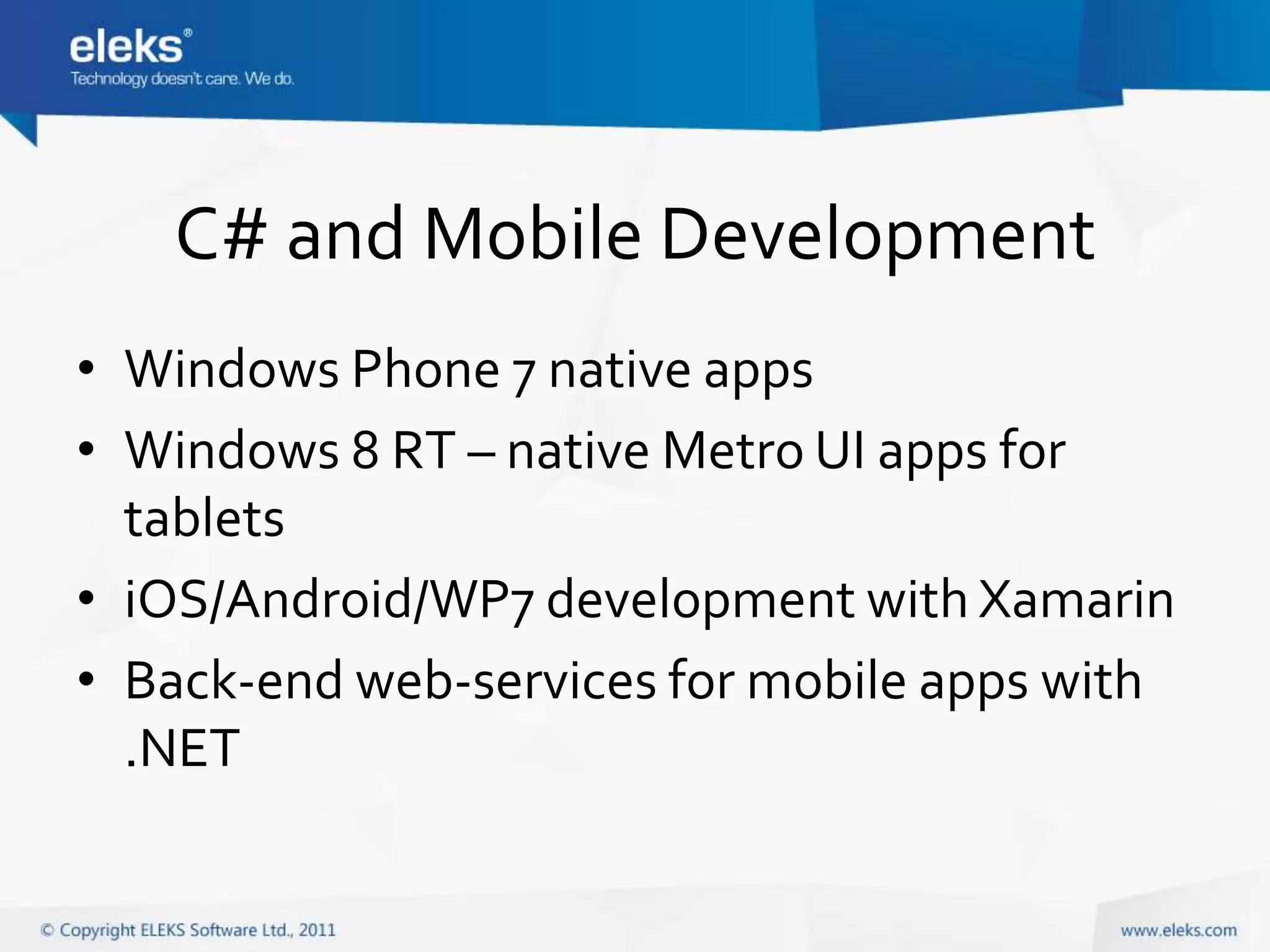
C# and Mobile Development
• Windows Phone 7 native apps
• Windows 8 RT – native Metro UI apps for
  tablets
• iOS/Android/WP7 development with Xamarin
• Back-end web-services for mobile apps with
  .NET
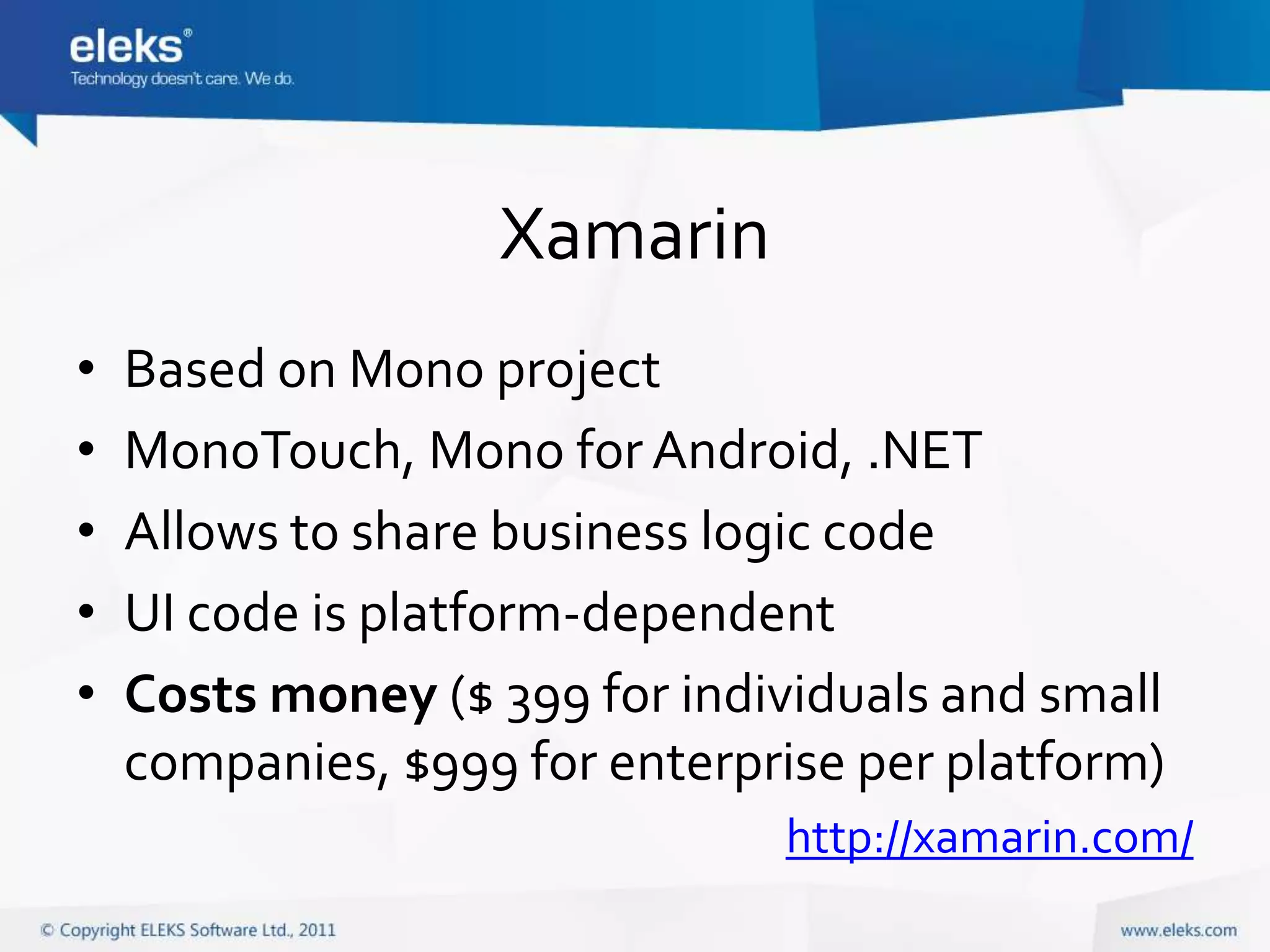
Xamarin
•   Based on Mono project
•   MonoTouch, Mono for Android, .NET
•   Allows to share business logic code
•   UI code is platform-dependent
•   Costs money ($ 399 for individuals and small
    companies, $999 for enterprise per platform)
                               http://xamarin.com/
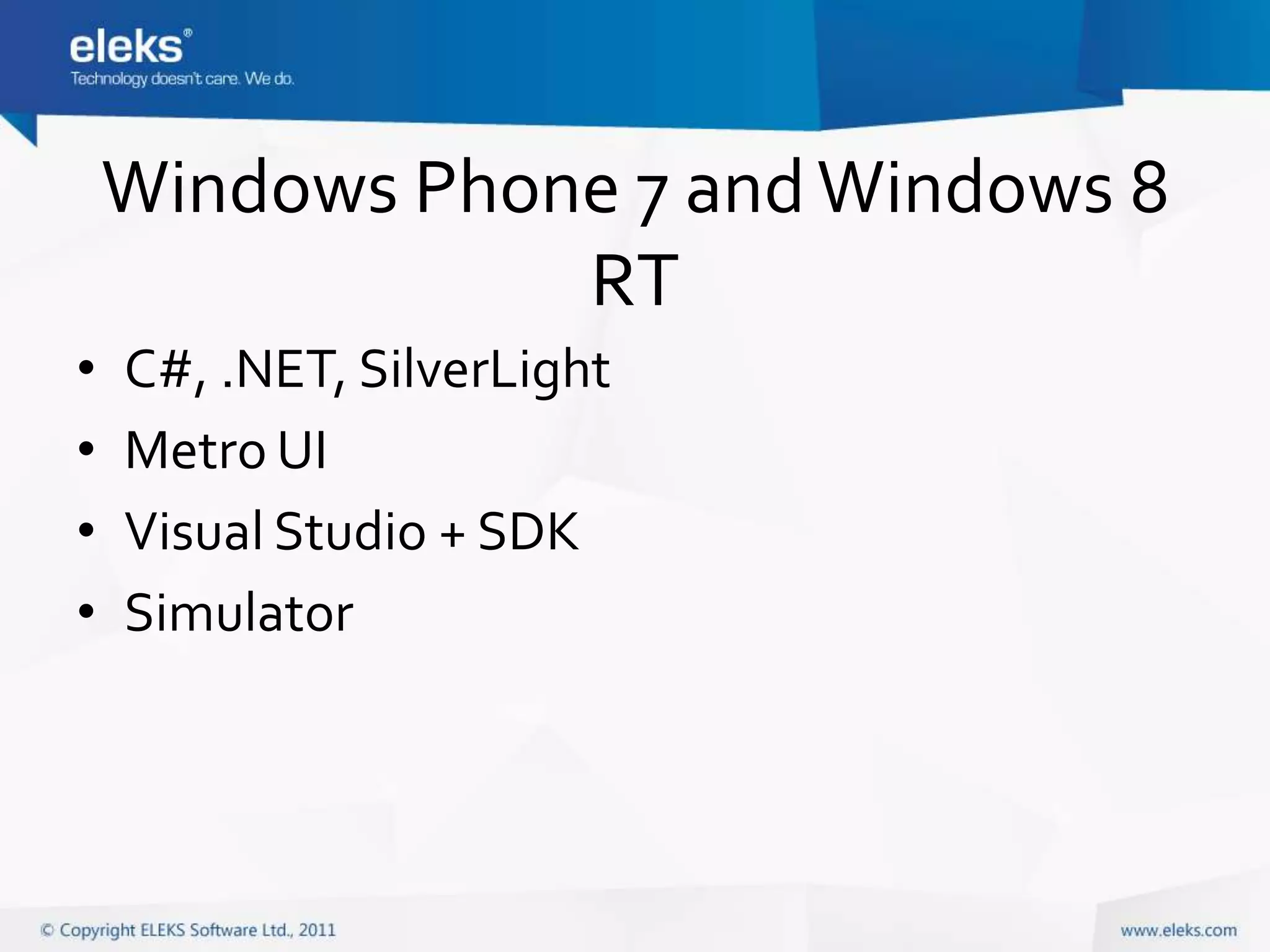
Windows Phone 7 and Windows 8
                RT
•   C#, .NET, SilverLight
•   Metro UI
•   Visual Studio + SDK
•   Simulator
Процес розробки
•   SDK
•   IDE
•   Simulator
•   Device
App Distribution
• Publish to app market (App Store, Google
  Play, Windows Marketplace)
• Ad-hoc distribution for in-house enterprise
  apps
Особливості мобільних програм
• Mobile device is not desktop!
• Hardware constraints:
  Memory size, CPU speed, battery life, small screen,
  network availability
• Different UI and interaction
Mobile UI
•   Small screen
•   Touch interface, gestures
•   Consistency
•   Simplicity, focus on content and task
•   Specific UI elements
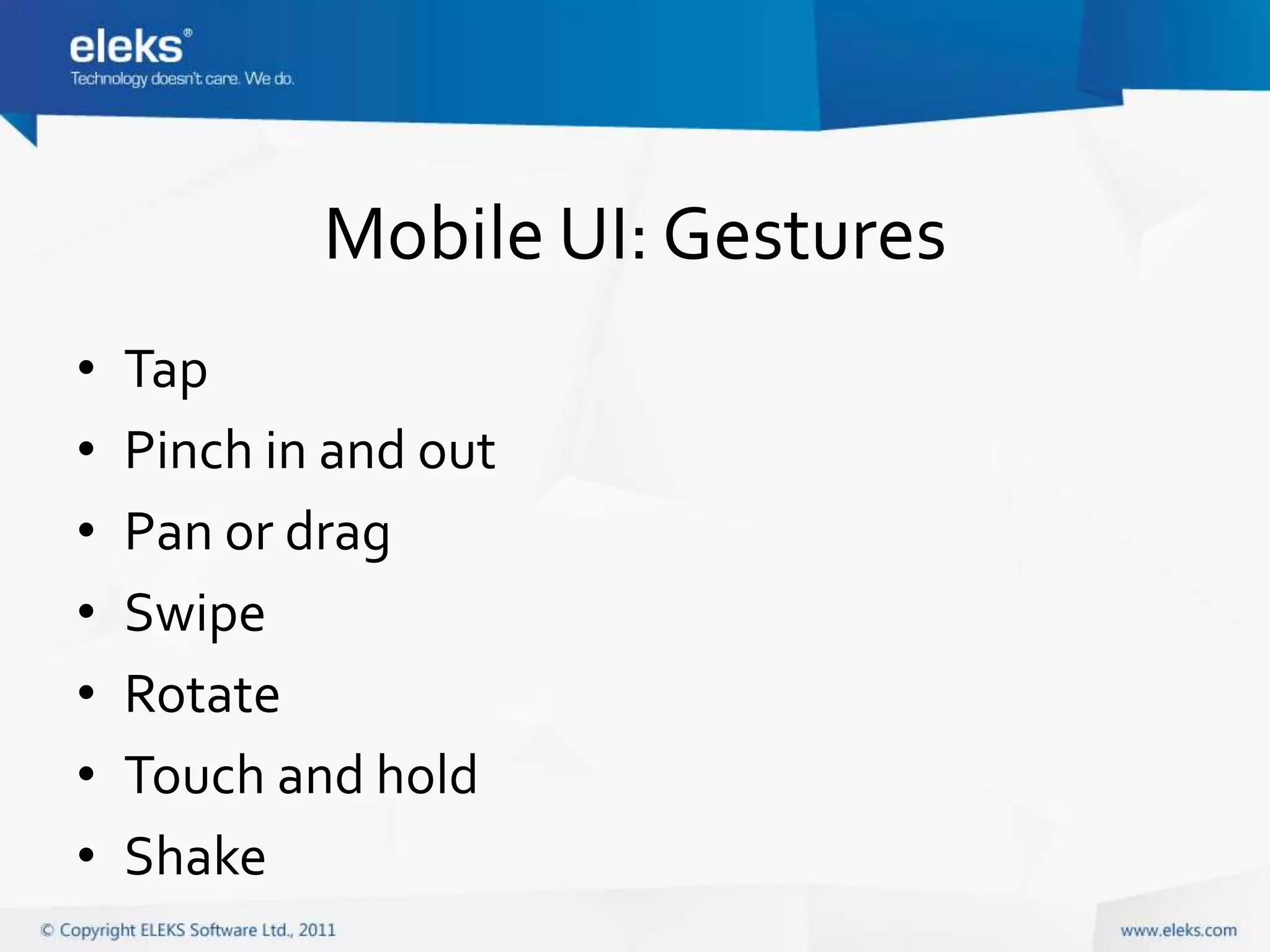
Mobile UI: Small Screen
• User interacts with single app at a time
• Apps usually have single window
• Use hierarchical structure to browse content,
  animated transition between screens
• Device orientation can change
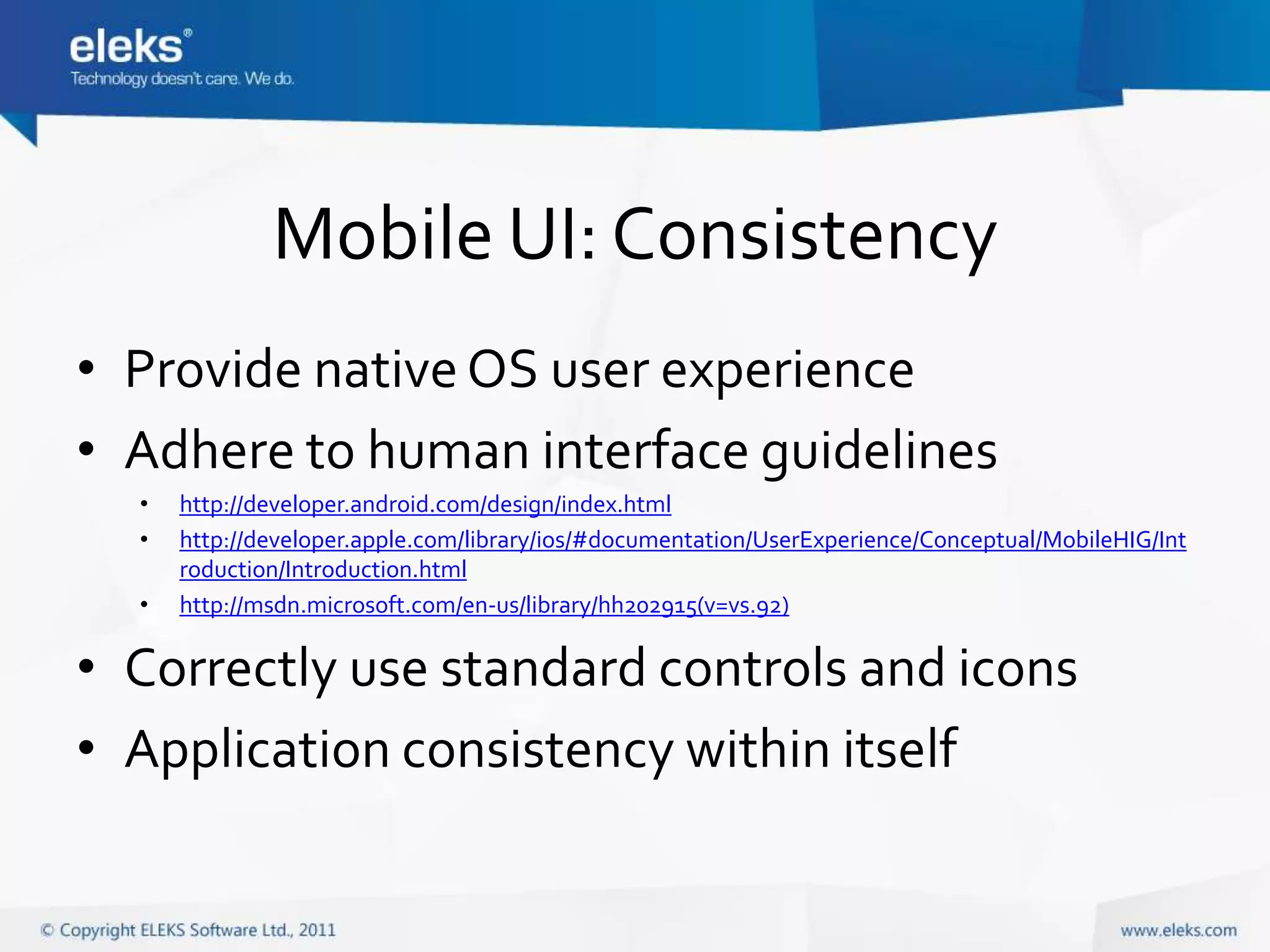
Mobile UI: Gestures
•   Tap
•   Pinch in and out
•   Pan or drag
•   Swipe
•   Rotate
•   Touch and hold
•   Shake
Mobile UI: Consistency
• Provide native OS user experience
• Adhere to human interface guidelines
  •   http://developer.android.com/design/index.html
  •   http://developer.apple.com/library/ios/#documentation/UserExperience/Conceptual/MobileHIG/Int
      roduction/Introduction.html
  •   http://msdn.microsoft.com/en-us/library/hh202915(v=vs.92)

• Correctly use standard controls and icons
• Application consistency within itself
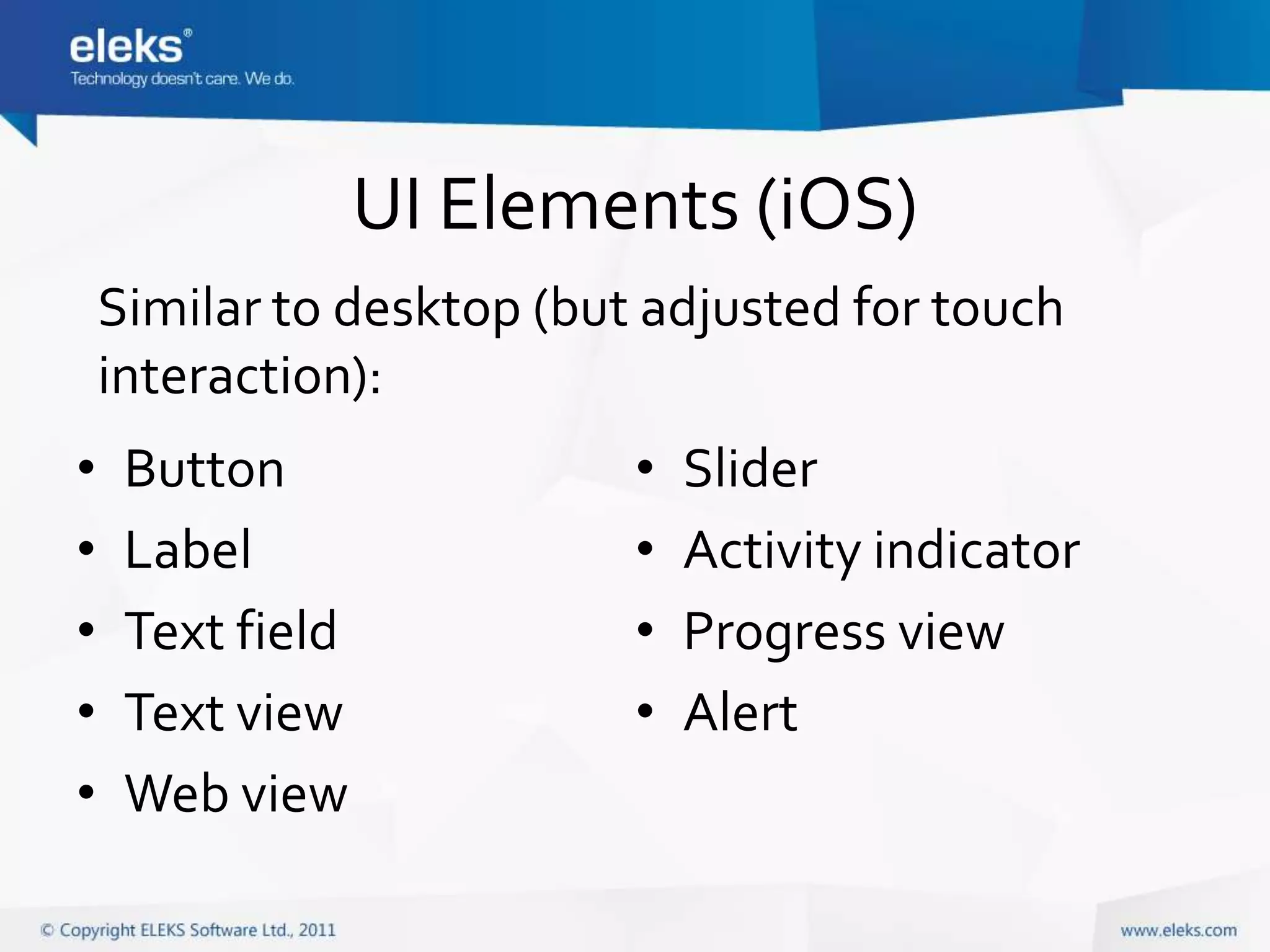
UI Elements (iOS)
    Similar to desktop (but adjusted for touch
    interaction):
•    Button                •   Slider
•    Label                 •   Activity indicator
•    Text field            •   Progress view
•    Text view             •   Alert
•    Web view
UI Elements (iOS)
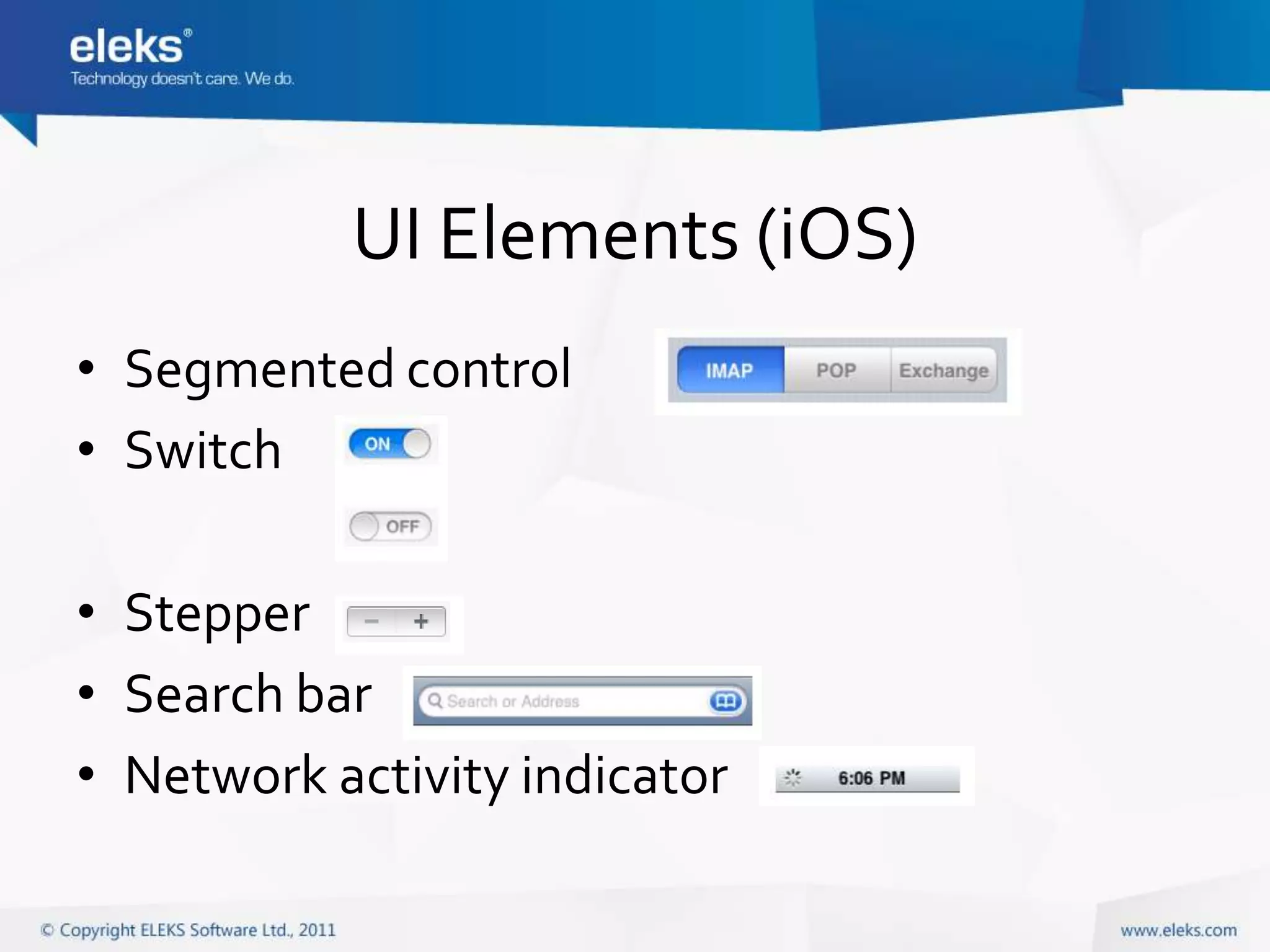
• Segmented control
• Switch

• Stepper
• Search bar
• Network activity indicator
UI Elements (iOS)
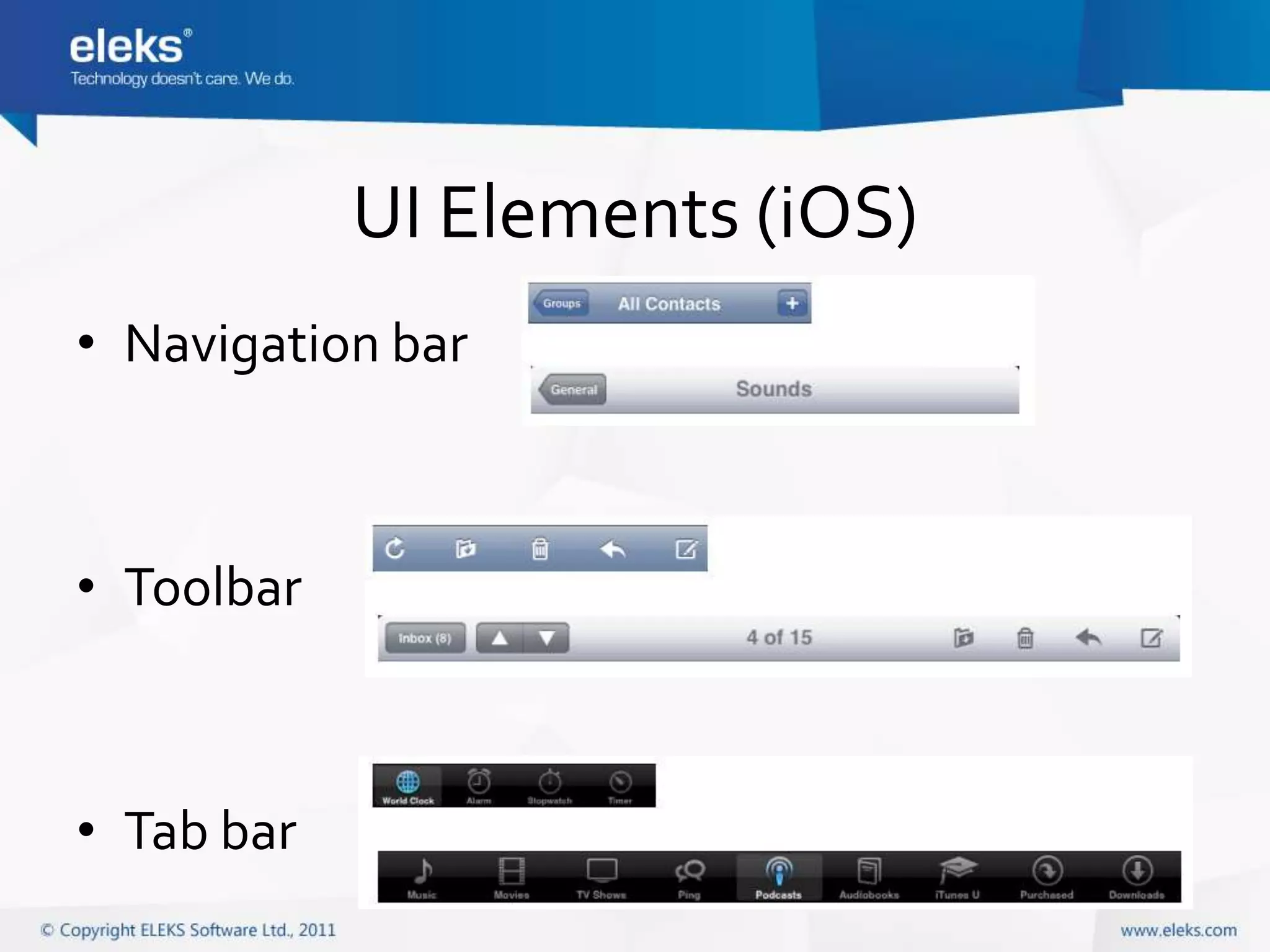
• Navigation bar


• Toolbar


• Tab bar
UI Elements (iOS)
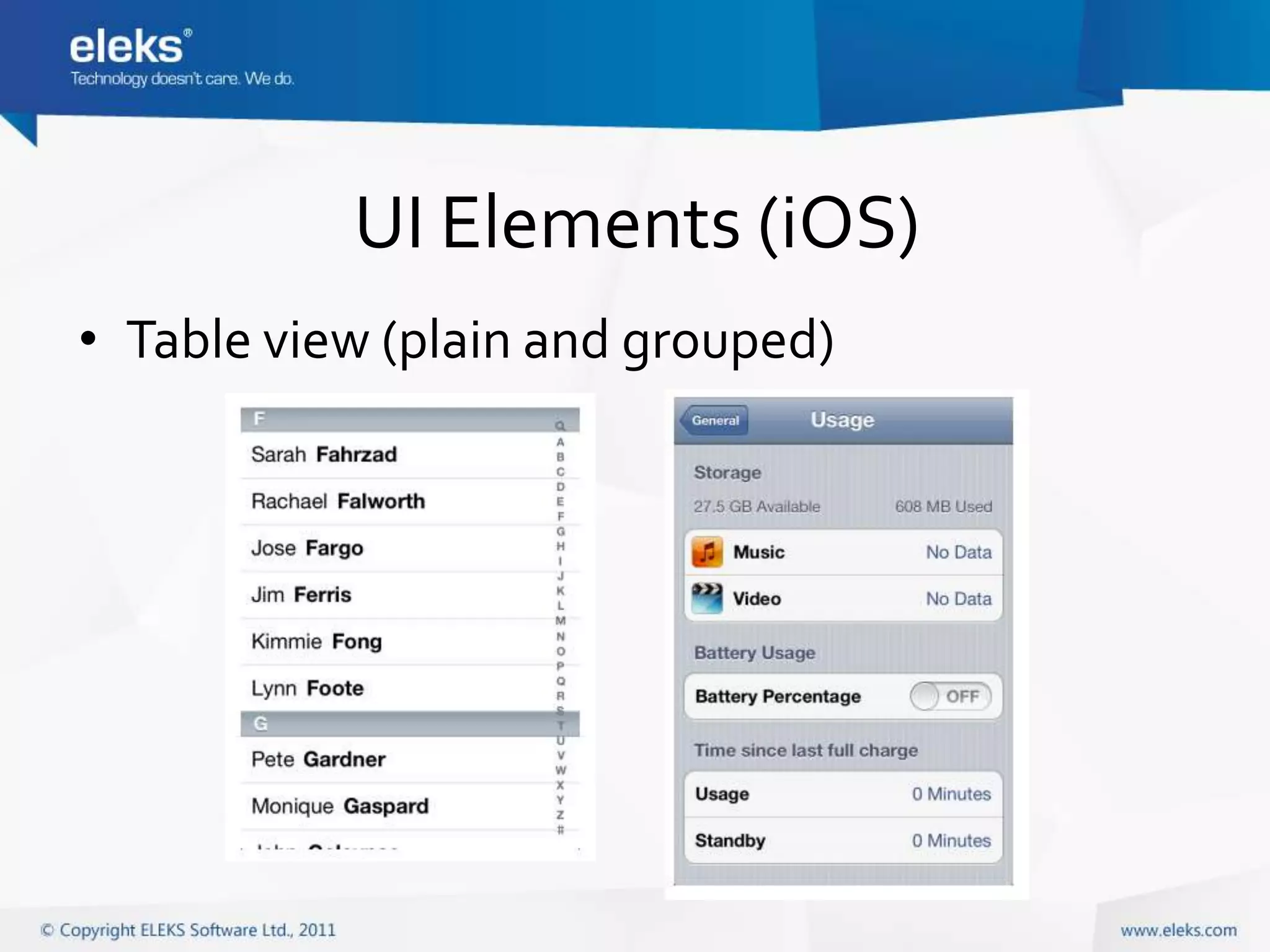
• Table view (plain and grouped)
UI Elements (iOS)
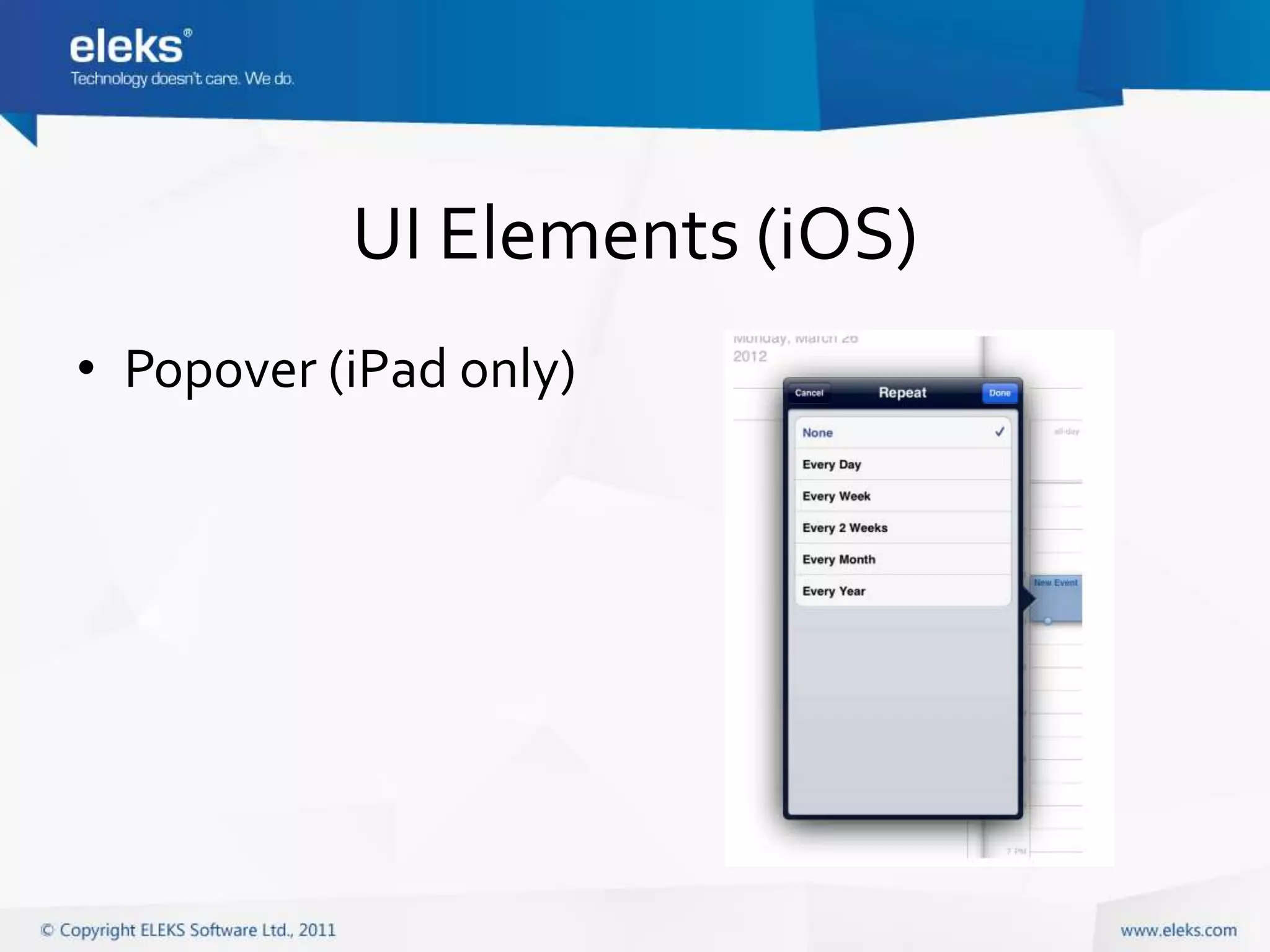
• Popover (iPad only)
UI Elements (iOS)
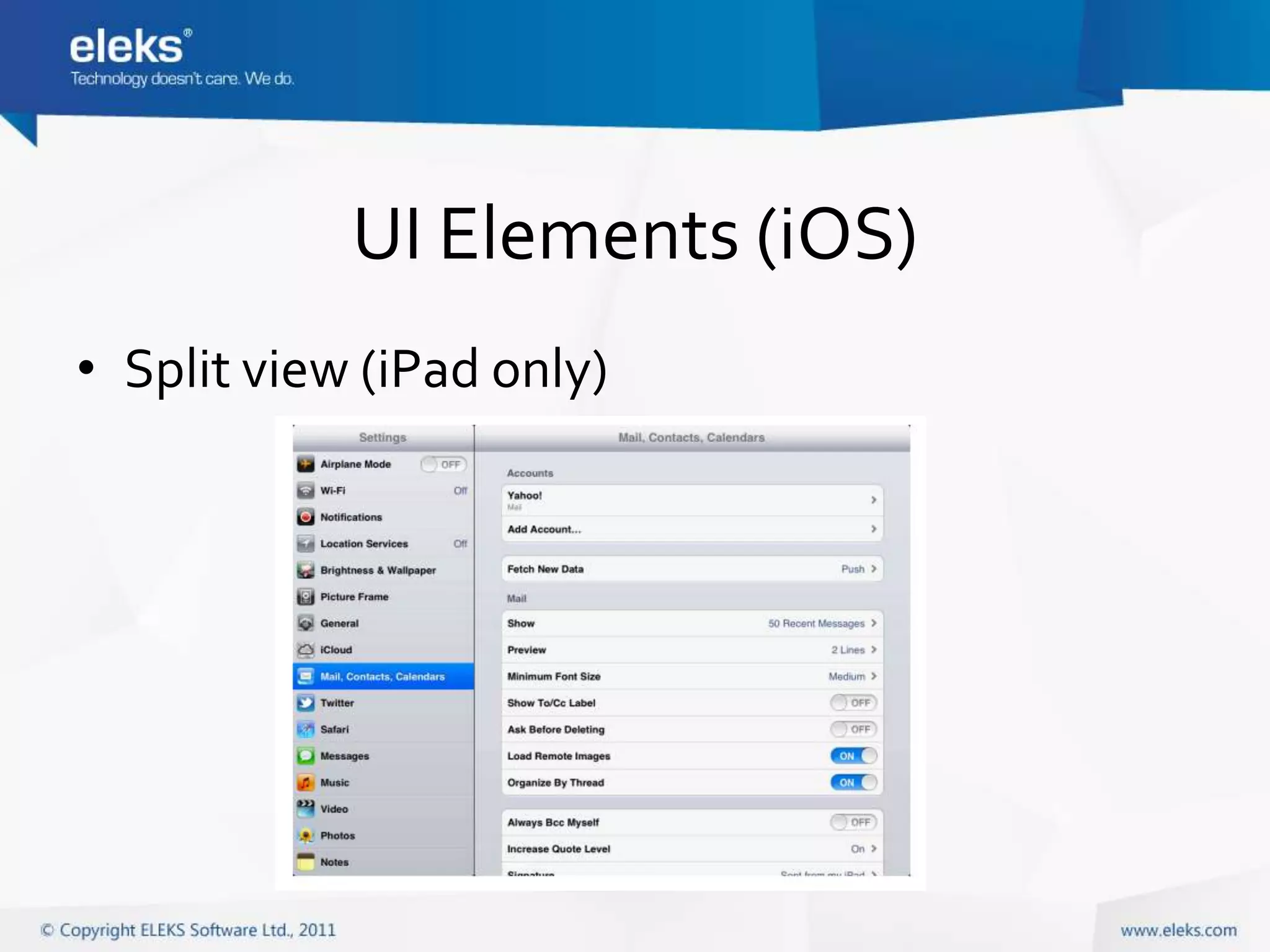
• Split view (iPad only)
UI Elements (iOS)
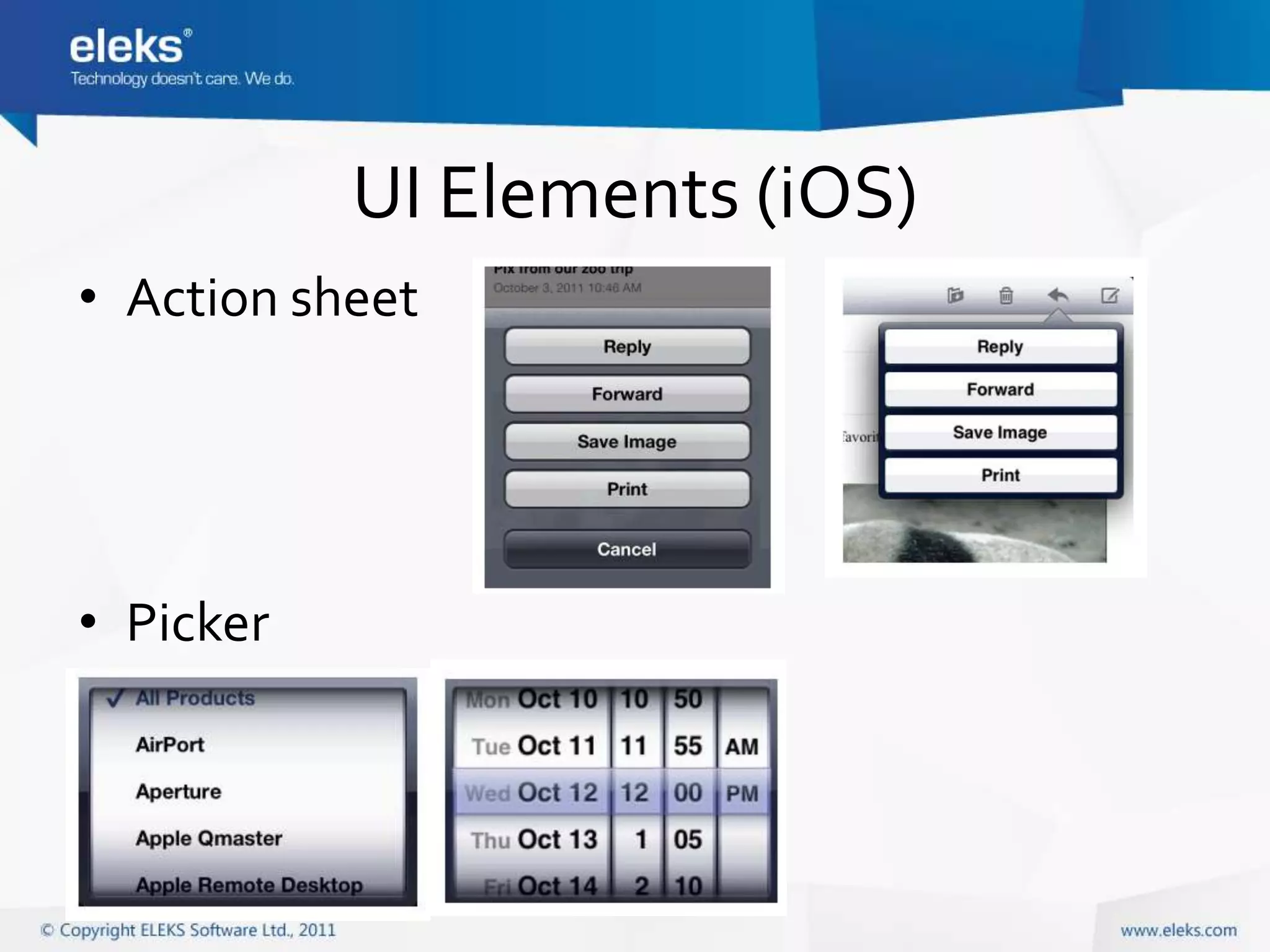
• Action sheet


• Picker
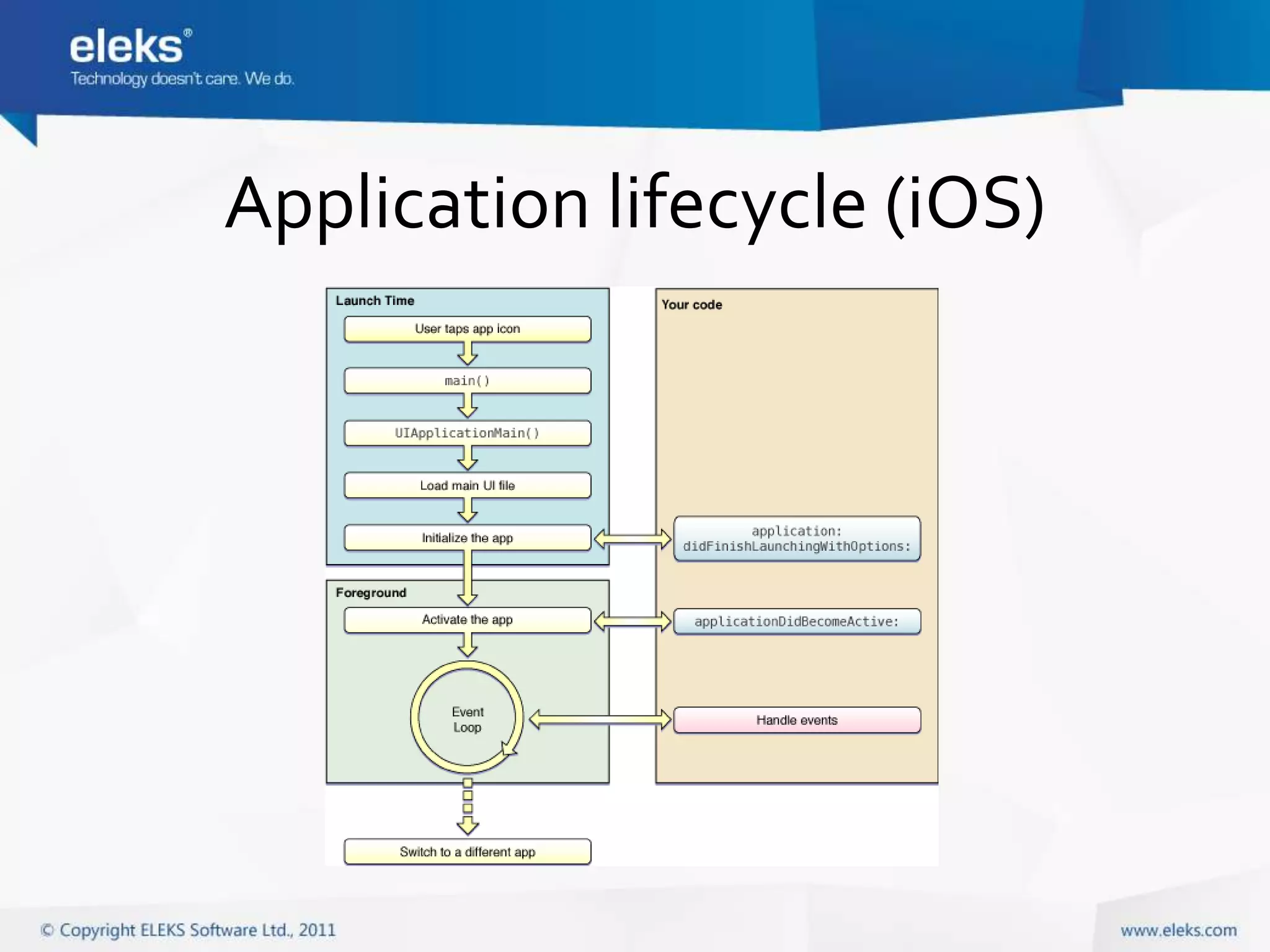
Application lifecycle (iOS)
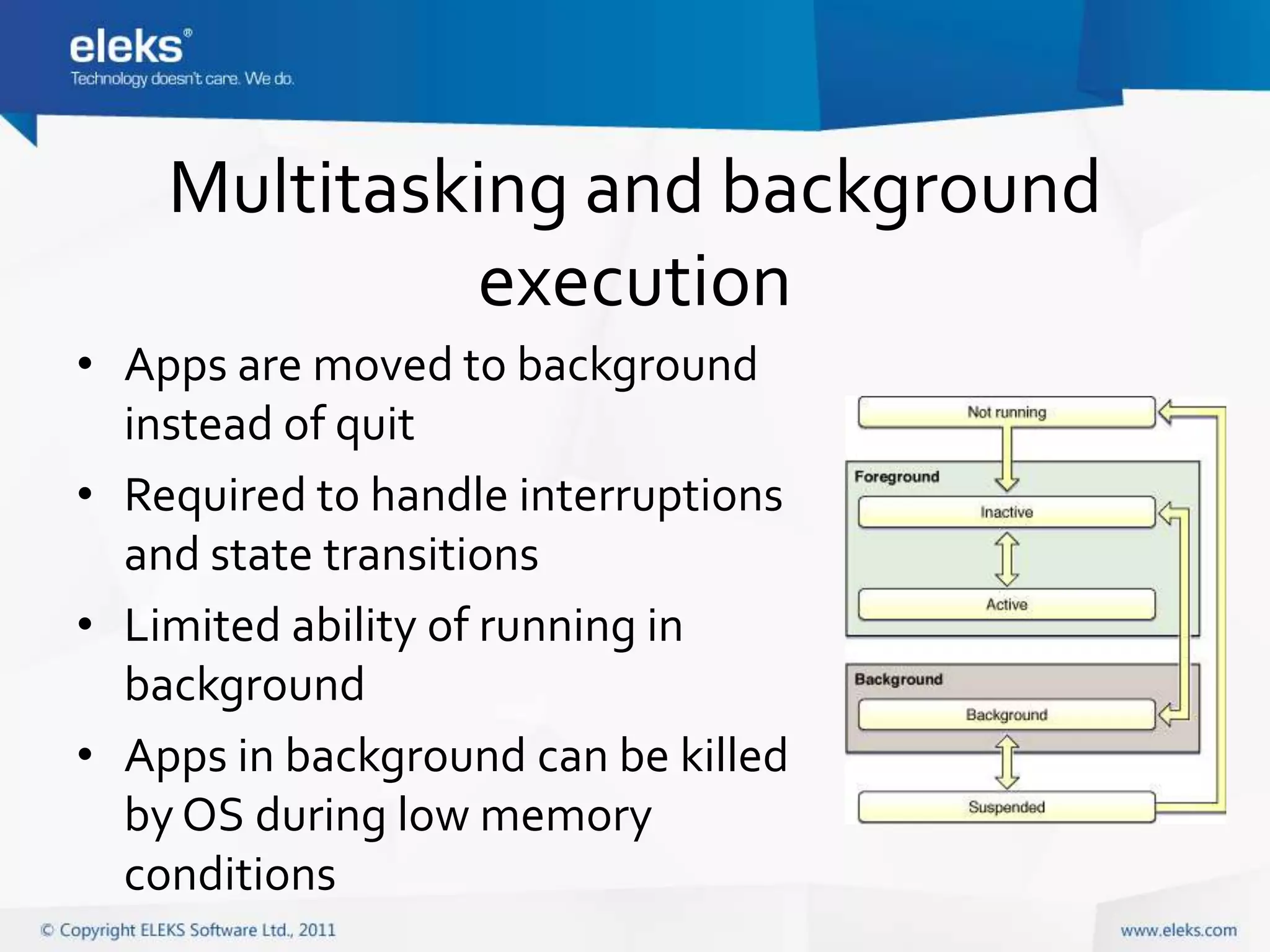
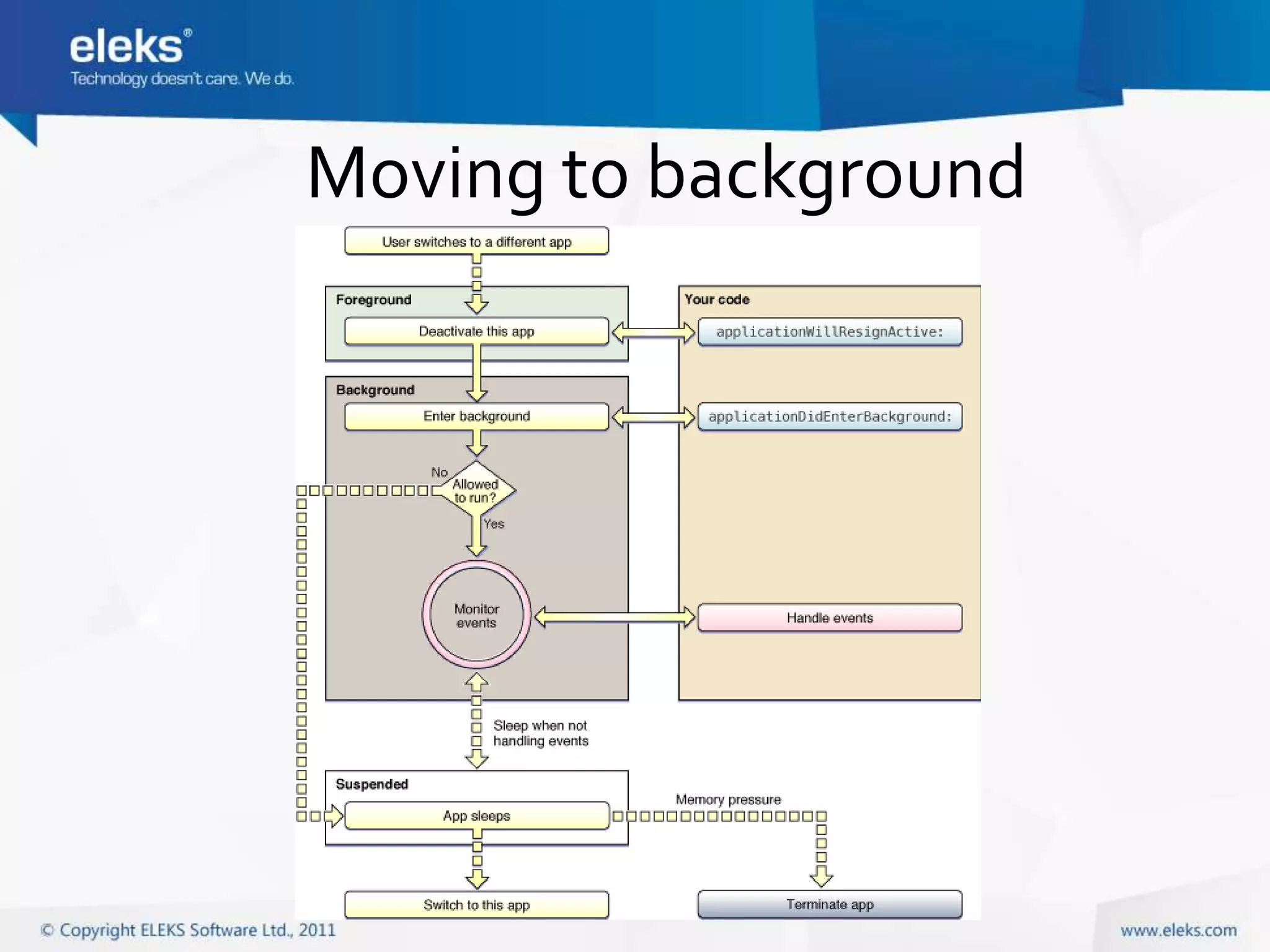
Multitasking and background
             execution
• Apps are moved to background
  instead of quit
• Required to handle interruptions
  and state transitions
• Limited ability of running in
  background
• Apps in background can be killed
  by OS during low memory
  conditions
Moving to background
Device and features
•   Multi-touch
•   Sensors: accelerometer, gyroscope, magnetometer
•   Media (audio & video playback and recording)
•   Camera
•   GPS and location
•   Networking
•   Local storage: file system, SQLite, ORMs
•   OpenGL ES

Mobile applications development

  • 1.
  • 2.
    Що таке мобільнапрограма? • Програма, яка виконується на мобільному пристрої: смартфоні чи планшеті • Доступна для користувача в будь-якому місці і в будь-який час • Має вузький набір функцій
  • 3.
  • 4.
  • 5.
  • 6.
    Види мобільних програм • Productivity • Location-based • Utilities • Games and • Social networking entertainment • Communication • Enterprise • Content browsing, • … • Media
  • 7.
    Типи мобільних програм •Native apps • Web apps • Hybrid
  • 8.
    Native apps • Compiledbinary deployed to device • Use native framework • Access to all device-specific features
  • 9.
    Web apps • Web-sitedisplayed in mobile browser • HTML5, CSS, Javascript • Frameworks: jQuery mobile, Sencha Touch, etc. • Can imitate native UI • Can hide browser controls and be added to device screen alongside with other apps
  • 10.
    Native vs. Web Native Web • Better performance, compiled code • Single app for all platforms • Responsive native UI • Less development and lower cost • Can work offline, require less • No need to publish to app market (no bandwidth usage review process) • Access to all device-specific features • Don’t have to be installed (camera, motion sensors, location • Easy to update services, contacts, calendar, local storage, etc.) • Distribution through app markets
  • 11.
    Hybrid apps • Nativeapp combined with web view component (“shell apps”) • Frameworks: PhoneGap, Appcelerator Titanium
  • 12.
    Основні мобільні ОС •Android • iOS • Windows Phone 7 • Windows 8 (!) – not released yet • Інші (менш популярні та ті, що втрачають позиції): Symbian, Blackberry OS, Samsung Bada, Meego, HP WebOS, Windows Mobile, …
  • 13.
    Native apps developmenton different platforms Android iOS Windows Phone 7 Desktop OS for Windows Mac OS X Windows development Mac OS X Linux Main programming Java Objective-C C# language Framework Android Application Cocoa Touch .NET/Silverlight Framework IDE Eclipse Xcode Visual Studio
  • 14.
    C# and MobileDevelopment • Windows Phone 7 native apps • Windows 8 RT – native Metro UI apps for tablets • iOS/Android/WP7 development with Xamarin • Back-end web-services for mobile apps with .NET
  • 15.
    Xamarin • Based on Mono project • MonoTouch, Mono for Android, .NET • Allows to share business logic code • UI code is platform-dependent • Costs money ($ 399 for individuals and small companies, $999 for enterprise per platform) http://xamarin.com/
  • 16.
    Windows Phone 7and Windows 8 RT • C#, .NET, SilverLight • Metro UI • Visual Studio + SDK • Simulator
  • 17.
    Процес розробки • SDK • IDE • Simulator • Device
  • 18.
    App Distribution • Publishto app market (App Store, Google Play, Windows Marketplace) • Ad-hoc distribution for in-house enterprise apps
  • 19.
    Особливості мобільних програм •Mobile device is not desktop! • Hardware constraints: Memory size, CPU speed, battery life, small screen, network availability • Different UI and interaction
  • 20.
    Mobile UI • Small screen • Touch interface, gestures • Consistency • Simplicity, focus on content and task • Specific UI elements
  • 21.
    Mobile UI: SmallScreen • User interacts with single app at a time • Apps usually have single window • Use hierarchical structure to browse content, animated transition between screens • Device orientation can change
  • 22.
    Mobile UI: Gestures • Tap • Pinch in and out • Pan or drag • Swipe • Rotate • Touch and hold • Shake
  • 23.
    Mobile UI: Consistency •Provide native OS user experience • Adhere to human interface guidelines • http://developer.android.com/design/index.html • http://developer.apple.com/library/ios/#documentation/UserExperience/Conceptual/MobileHIG/Int roduction/Introduction.html • http://msdn.microsoft.com/en-us/library/hh202915(v=vs.92) • Correctly use standard controls and icons • Application consistency within itself
  • 24.
    UI Elements (iOS) Similar to desktop (but adjusted for touch interaction): • Button • Slider • Label • Activity indicator • Text field • Progress view • Text view • Alert • Web view
  • 25.
    UI Elements (iOS) •Segmented control • Switch • Stepper • Search bar • Network activity indicator
  • 26.
    UI Elements (iOS) •Navigation bar • Toolbar • Tab bar
  • 27.
    UI Elements (iOS) •Table view (plain and grouped)
  • 28.
    UI Elements (iOS) •Popover (iPad only)
  • 29.
    UI Elements (iOS) •Split view (iPad only)
  • 30.
    UI Elements (iOS) •Action sheet • Picker
  • 31.
  • 32.
    Multitasking and background execution • Apps are moved to background instead of quit • Required to handle interruptions and state transitions • Limited ability of running in background • Apps in background can be killed by OS during low memory conditions
  • 33.
  • 34.
    Device and features • Multi-touch • Sensors: accelerometer, gyroscope, magnetometer • Media (audio & video playback and recording) • Camera • GPS and location • Networking • Local storage: file system, SQLite, ORMs • OpenGL ES