


















@ClubPowerBI @aosComm @GUSS_FRANCEPower Saturday 2019
14 et 15 juin 2019, Paris
Power
Saturday
@ClubPowerBI @aosComm @GUSS_FRANCEPower Saturday 2019
Power
Saturday
Microsoft Flow Advanced with Doctor Flow
@ClubPowerBI @aosComm @GUSS_FRANCEPower Saturday 2019
3 communautés pour partager,
échanger et apprendre
Power BI, Data, IA, Power Platform, Office 365, SharePoint, etc.
Office Apps & services MVP
Business Applications MVP
O365 Architect
@sergeluca
ShareQL Brussels
Office365
Flow
Dev
Architecture
Bullshit
Doctor Flow aka “Serge Luca”
https://myignite.techcommunity.microsoft.com/sessions/66476
Key Questions
Any Flow showstopper ?
Do I need to use a third party tool ?
Robust ?
Very easy ? Expensive ?
Here is our experience after 3 years
and 9 enterprise flow projects…
Microsoft
flow and
citizen
developers
Demo:
Automatic timesheet
Microsoft
flow and
developers
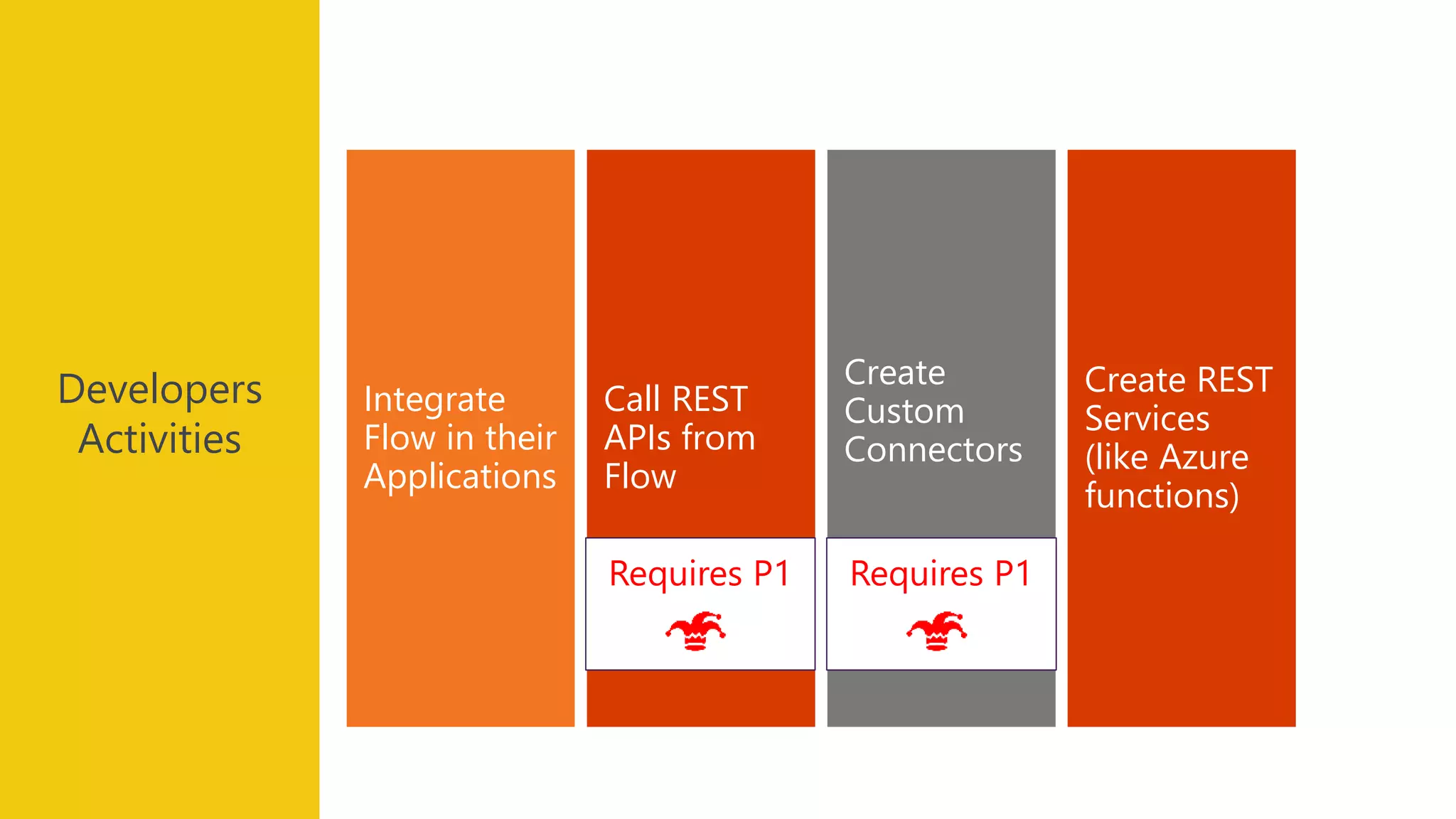
Create REST
Services
(like Azure
functions)
Create
Custom
Connectors
Call REST
APIs from
Flow
Integrate
Flow in their
Applications
Developers
Activities
Requires P1Requires P1
Demo:
Calling
the Graph API
Requires P1
Demo:
Custom Connector
Requires P1
Patterns
and
limitations
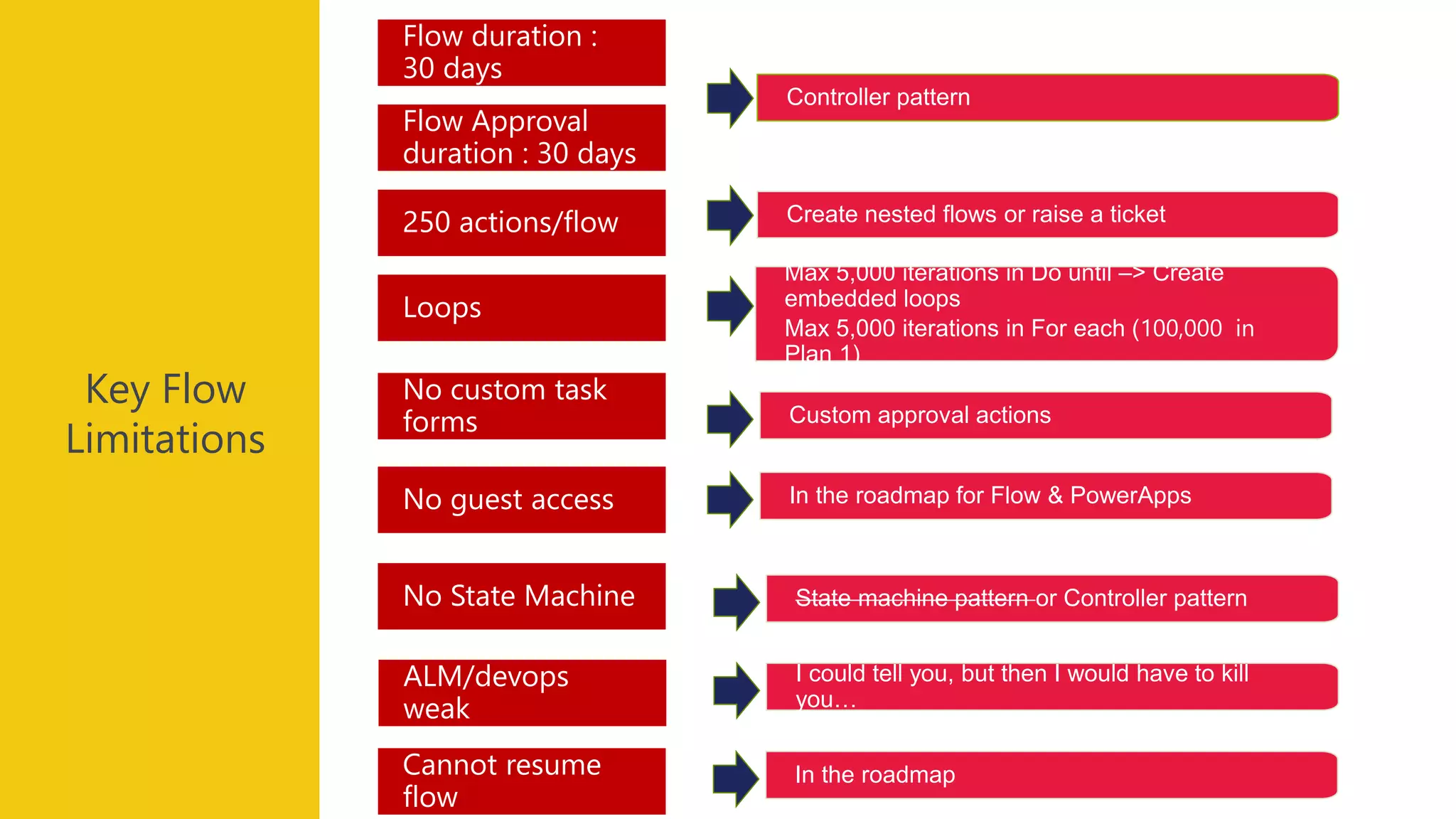
Key Flow
Limitations
State machine pattern or Controller patternNo State Machine
No custom task
forms
Max 5,000 iterations in Do until –> Create
embedded loops
Max 5,000 iterations in For each (100,000 in
Plan 1)
Loops
Create nested flows or raise a ticket250 actions/flow
Flow Approval
duration : 30 days
Flow duration :
30 days
No guest access
Controller pattern
In the roadmap for Flow & PowerApps
ALM/devops
weak
I could tell you, but then I would have to kill
you…
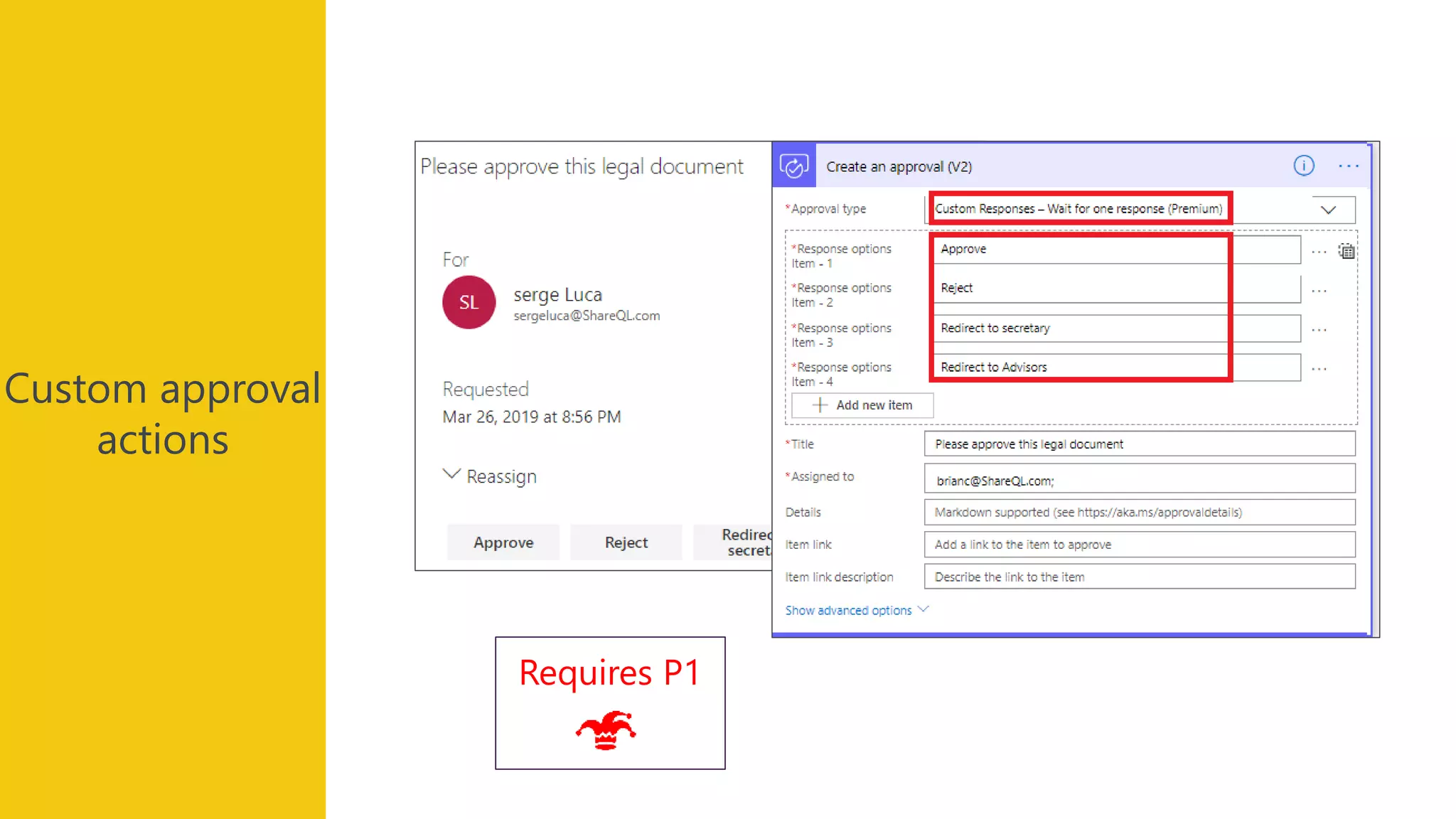
Custom approval actions
Cannot resume
flow
In the roadmap
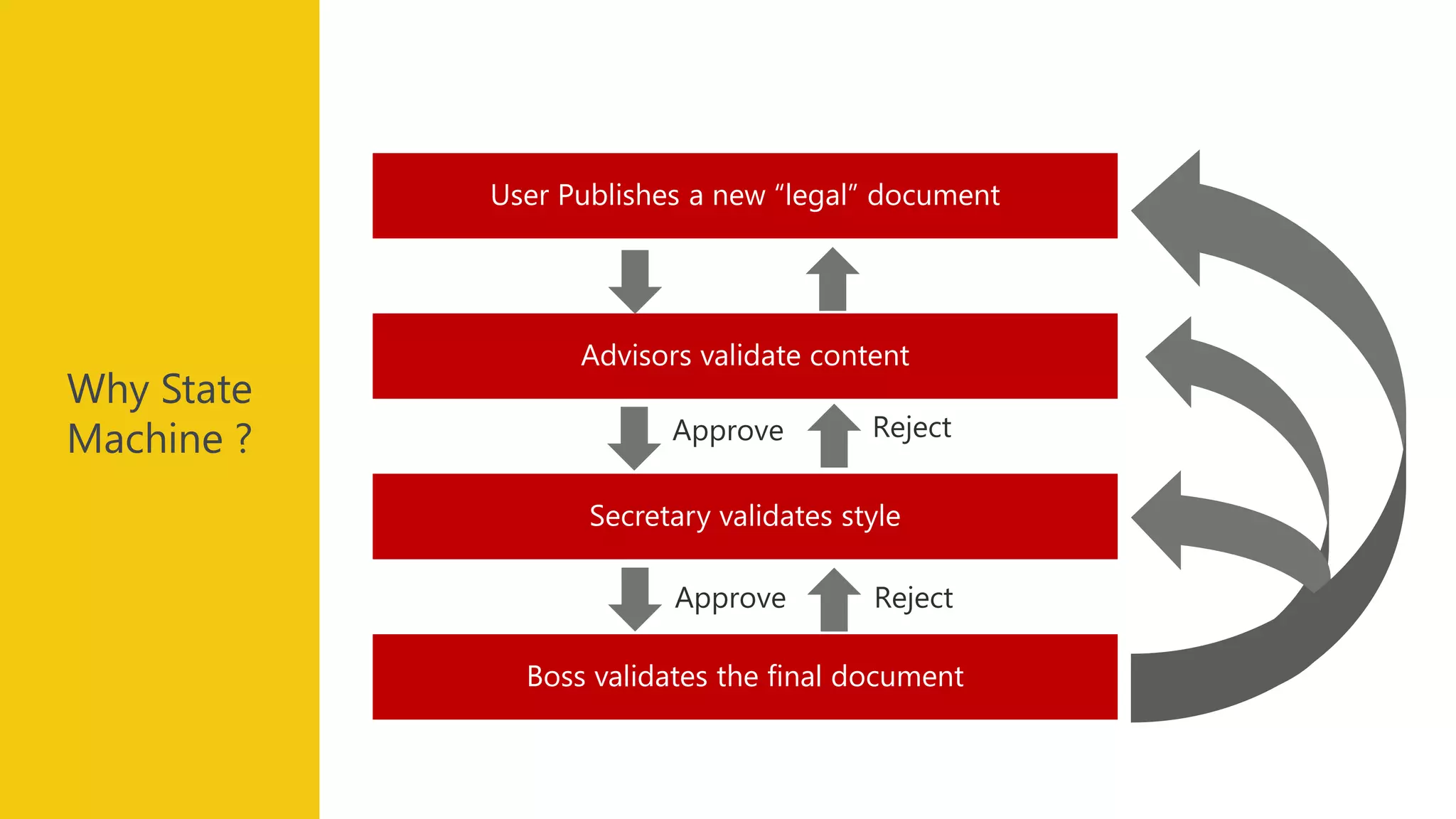
Boss validates the final document
Secretary validates style
Advisors validate content
User Publishes a new “legal” document
Why State
Machine ?
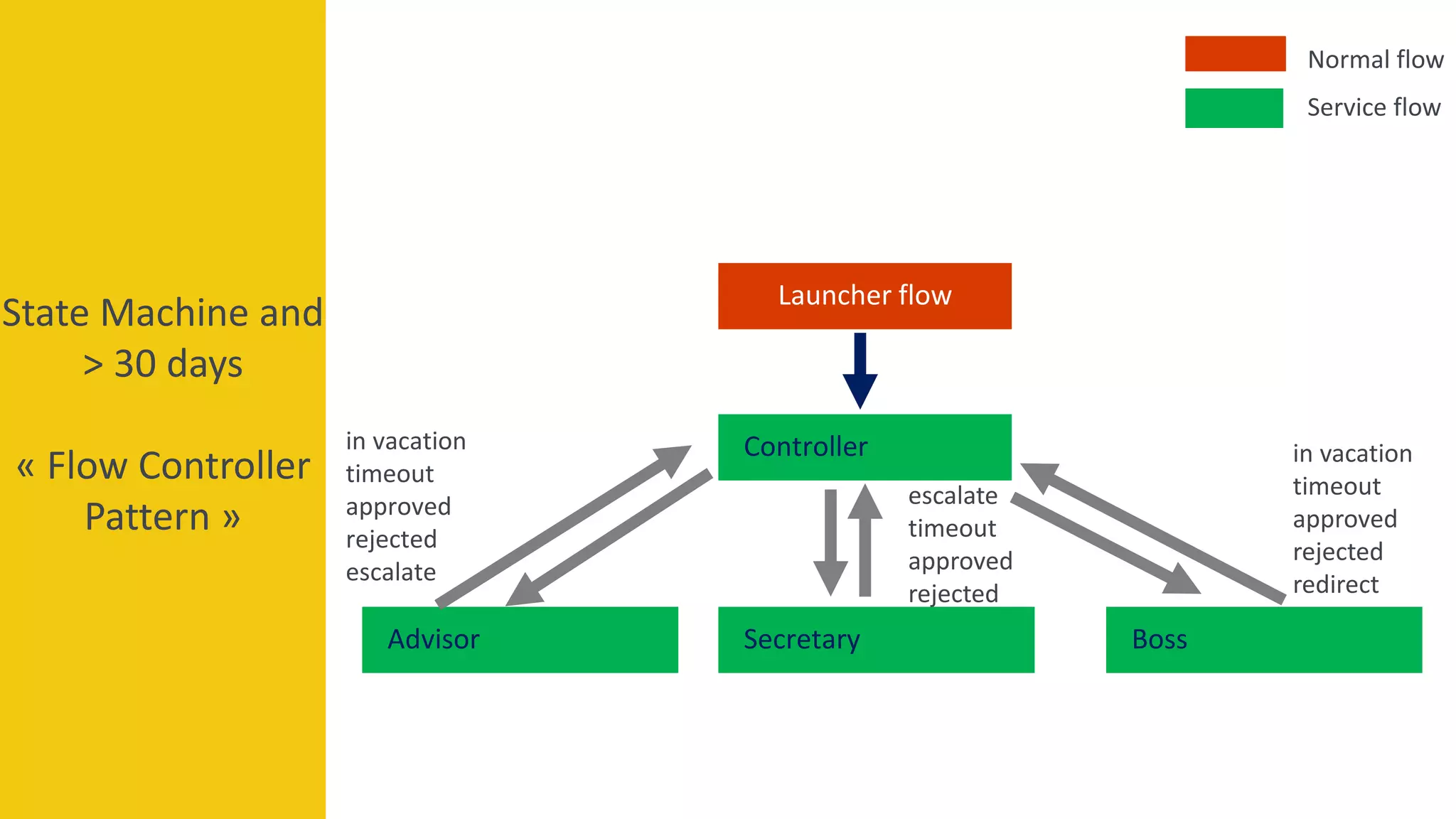
State Machine and
> 30 days
« Flow Controller
Pattern »
Controller
Launcher flow
SecretaryAdvisor Boss
escalate
timeout
approved
rejected
in vacation
timeout
approved
rejected
redirect
in vacation
timeout
approved
rejected
escalate
Normal flow
Service flow
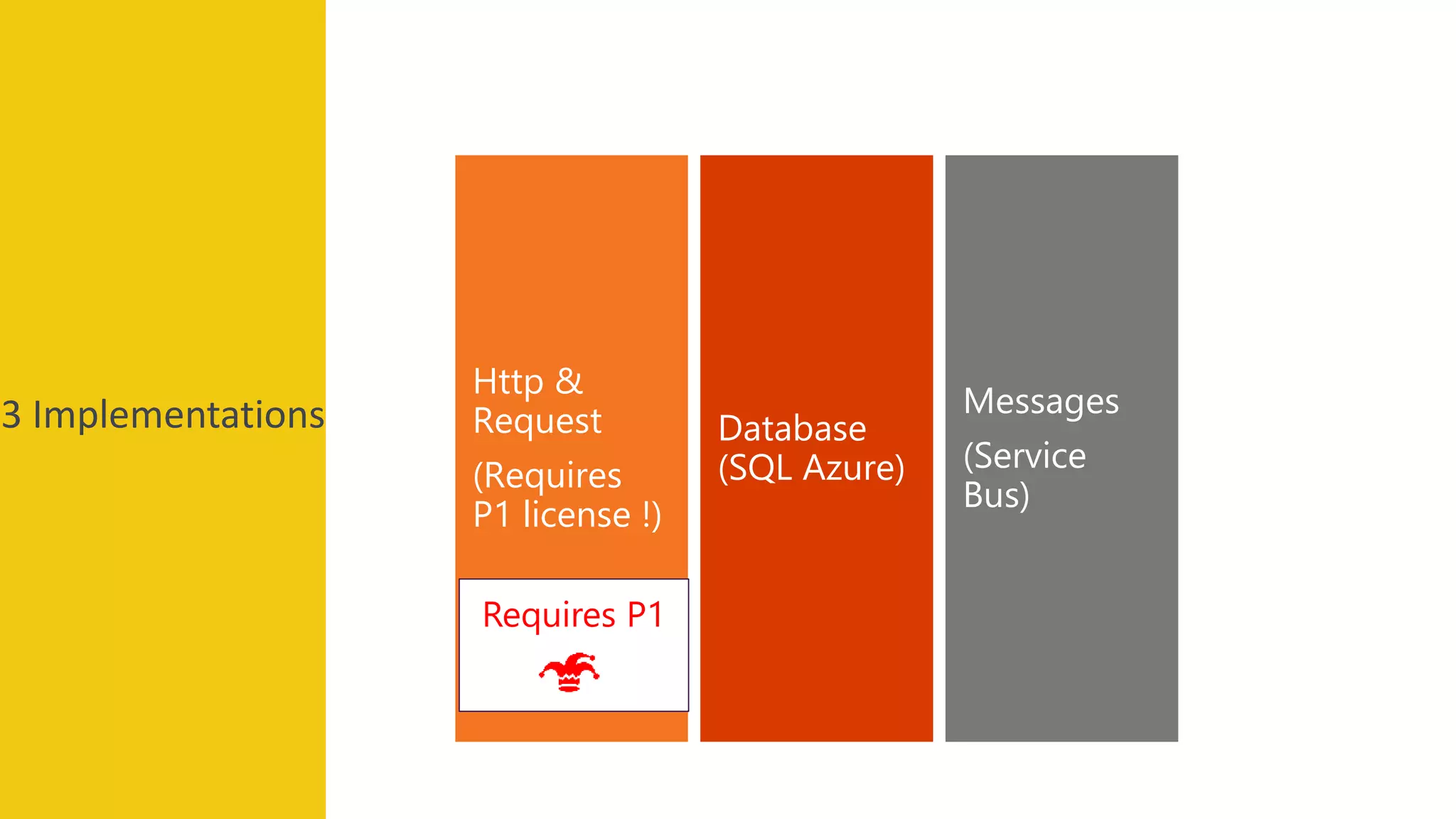
3 Implementations Messages
(Service
Bus)
Database
(SQL Azure)
Http &
Request
(Requires
P1 license !)
Requires P1
Demo:
Approval escalation
Approval analytics
Controller pattern
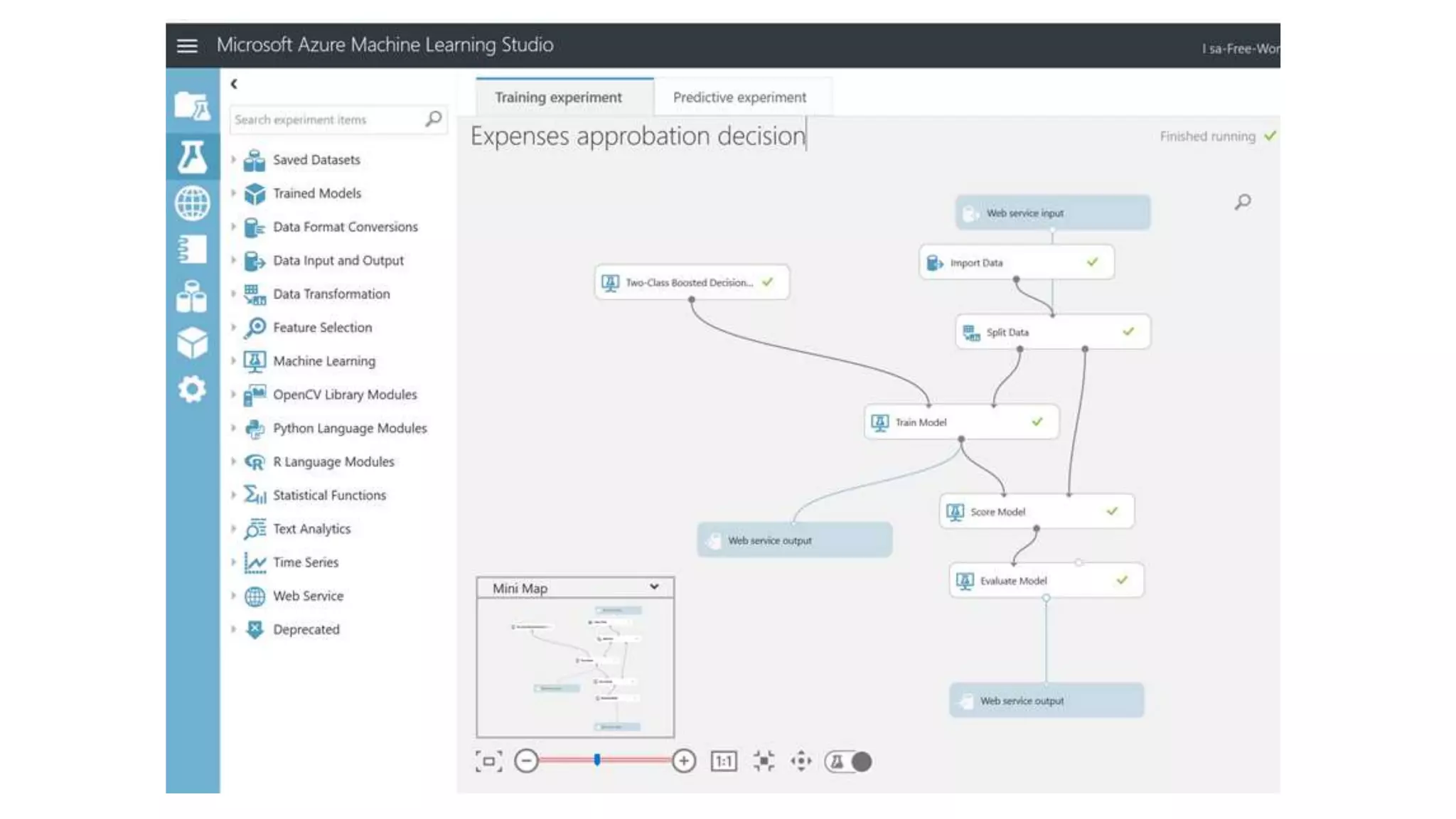
Machine Learning
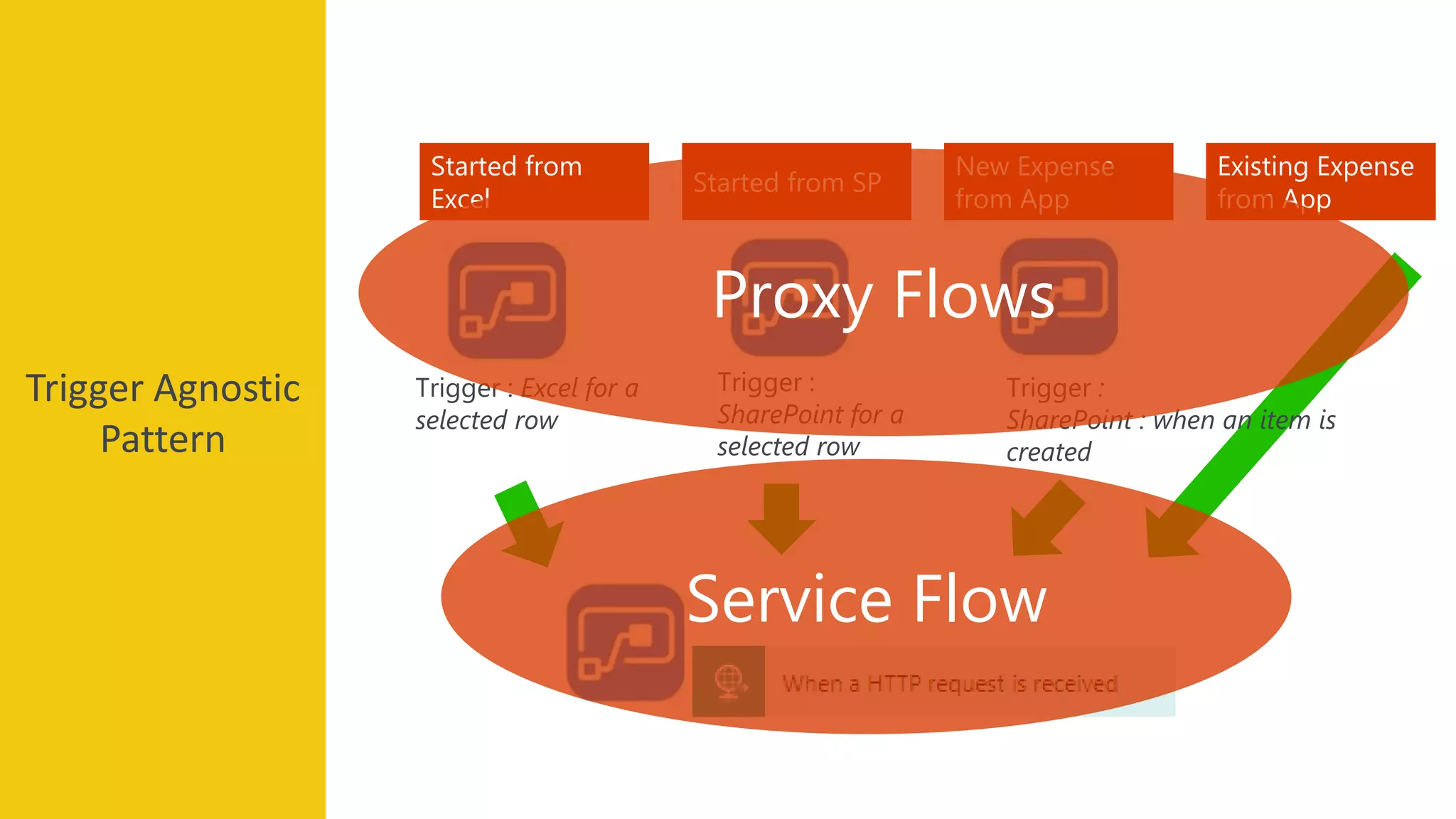
Started from
Excel
Started from SP
New Expense
from App
Trigger : Excel for a
selected row
Trigger :
SharePoint for a
selected row
Existing Expense
from App
Trigger :
SharePoint : when an item is
created
Proxy Flows
Service Flow
Trigger Agnostic
Pattern
Custom approval
actions
Requires P1
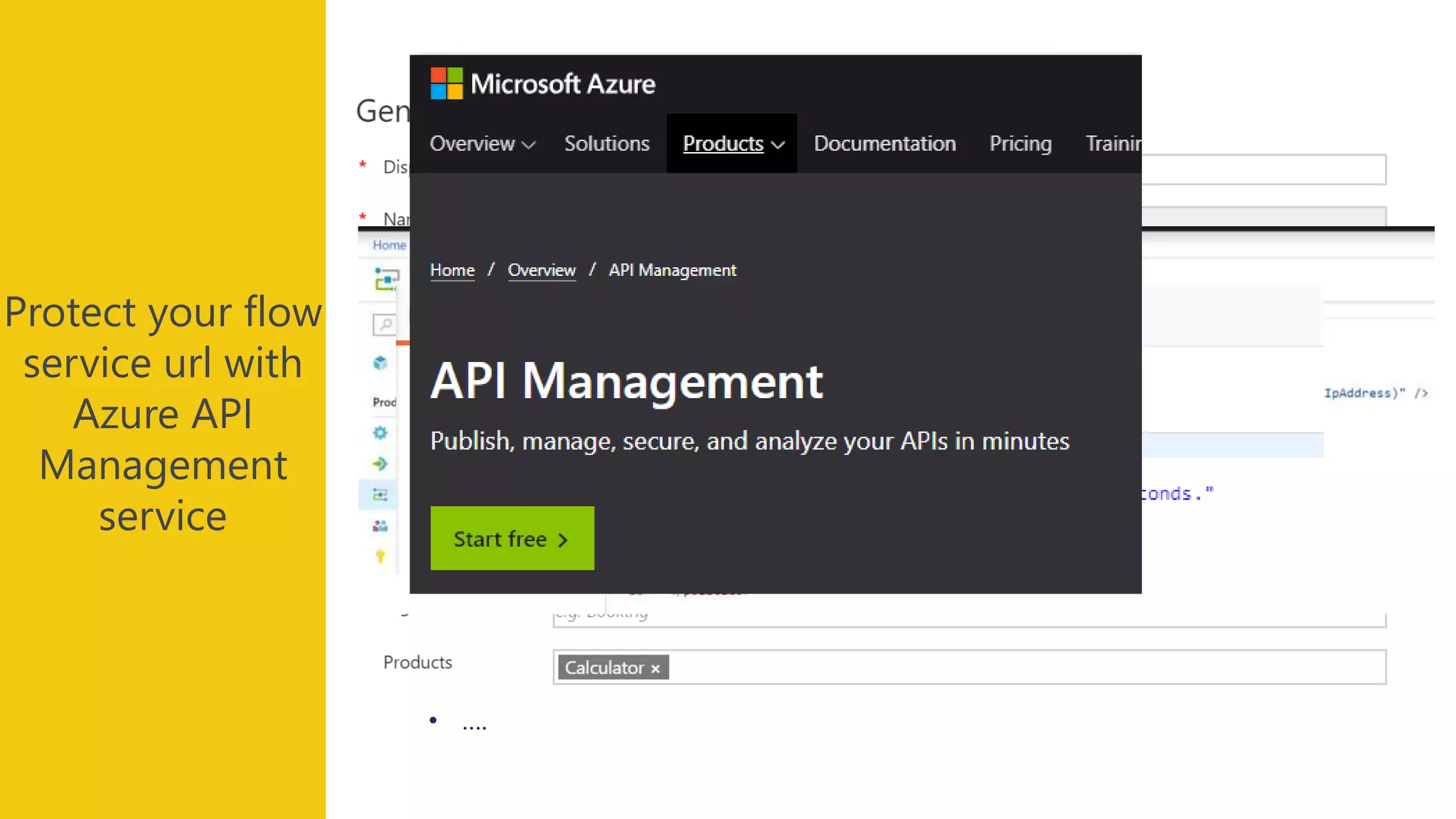
Protect your flow
service url with
Azure API
Management
service
• the url might change, we want to use a stable vanity url like
https://flowdemo.azure-api.net
• you might need to protect it : authentication
• throttling
• restricting the callers to some specific network locations
• ….
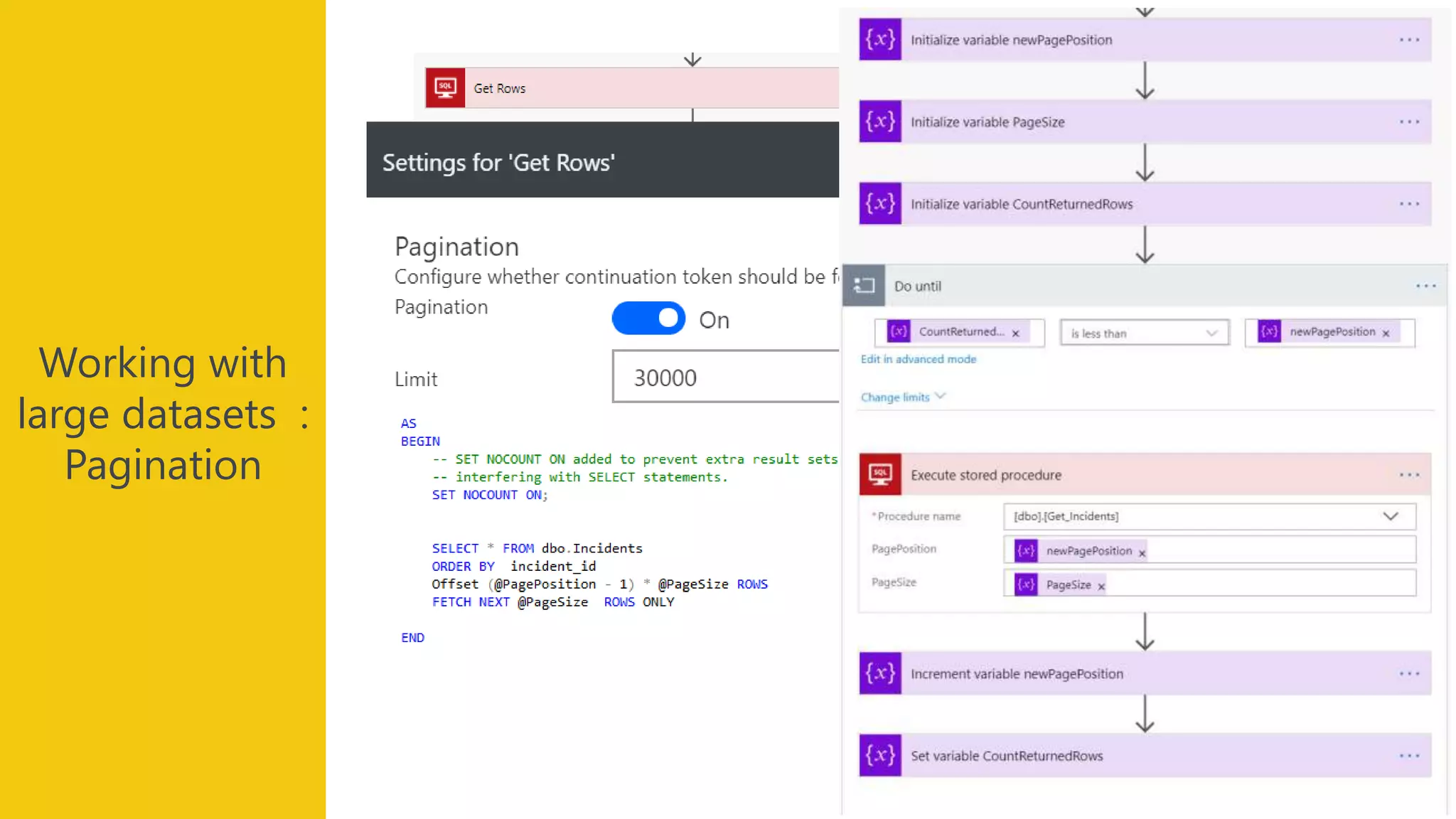
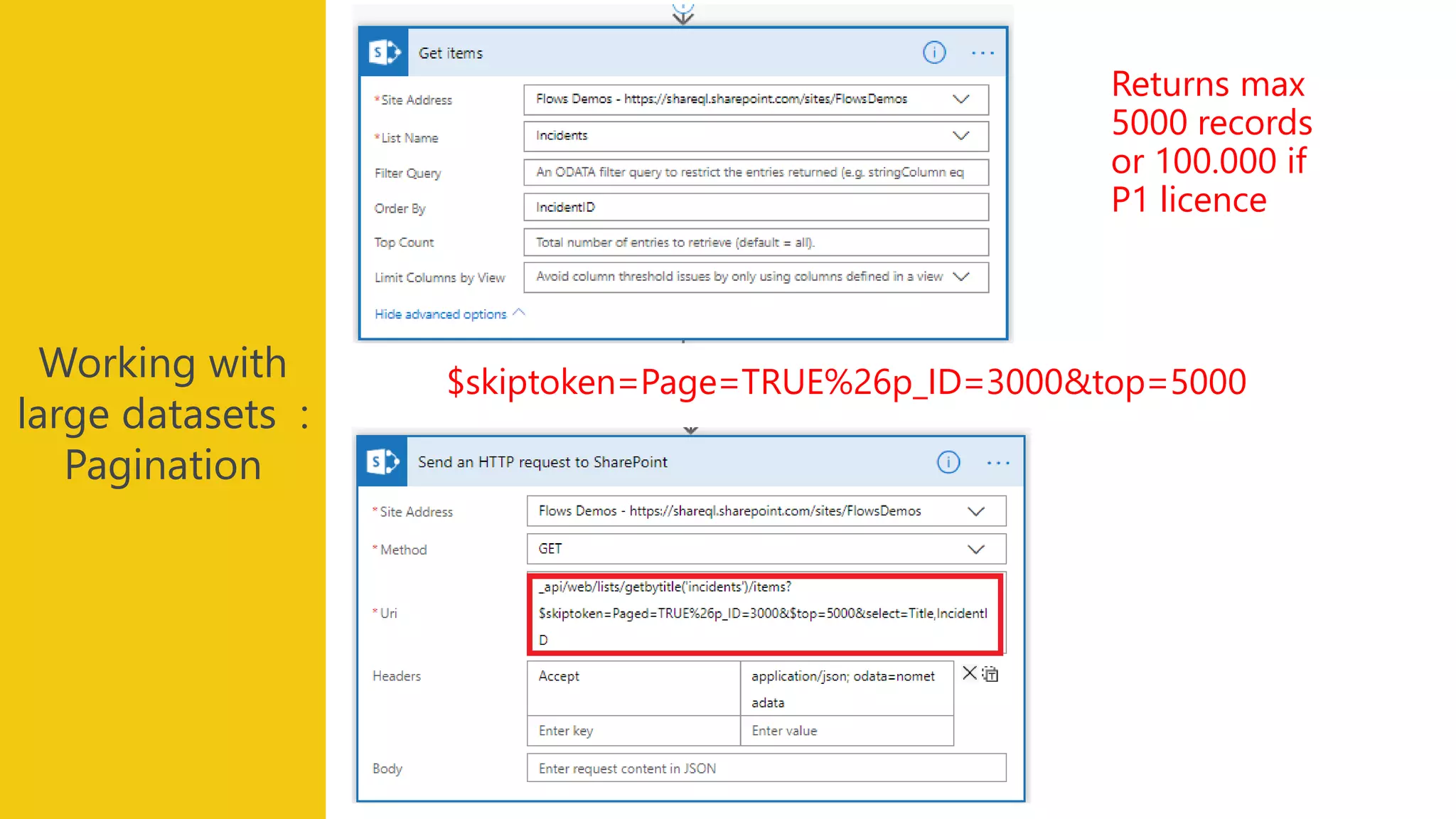
Working with
large datasets :
Pagination
Returns max
2048 records
Working with
large datasets :
Pagination
Returns max
5000 records
or 100.000 if
P1 licence
$skiptoken=Page=TRUE%26p_ID=3000&top=5000
Demo:
Manage errors
Demo:
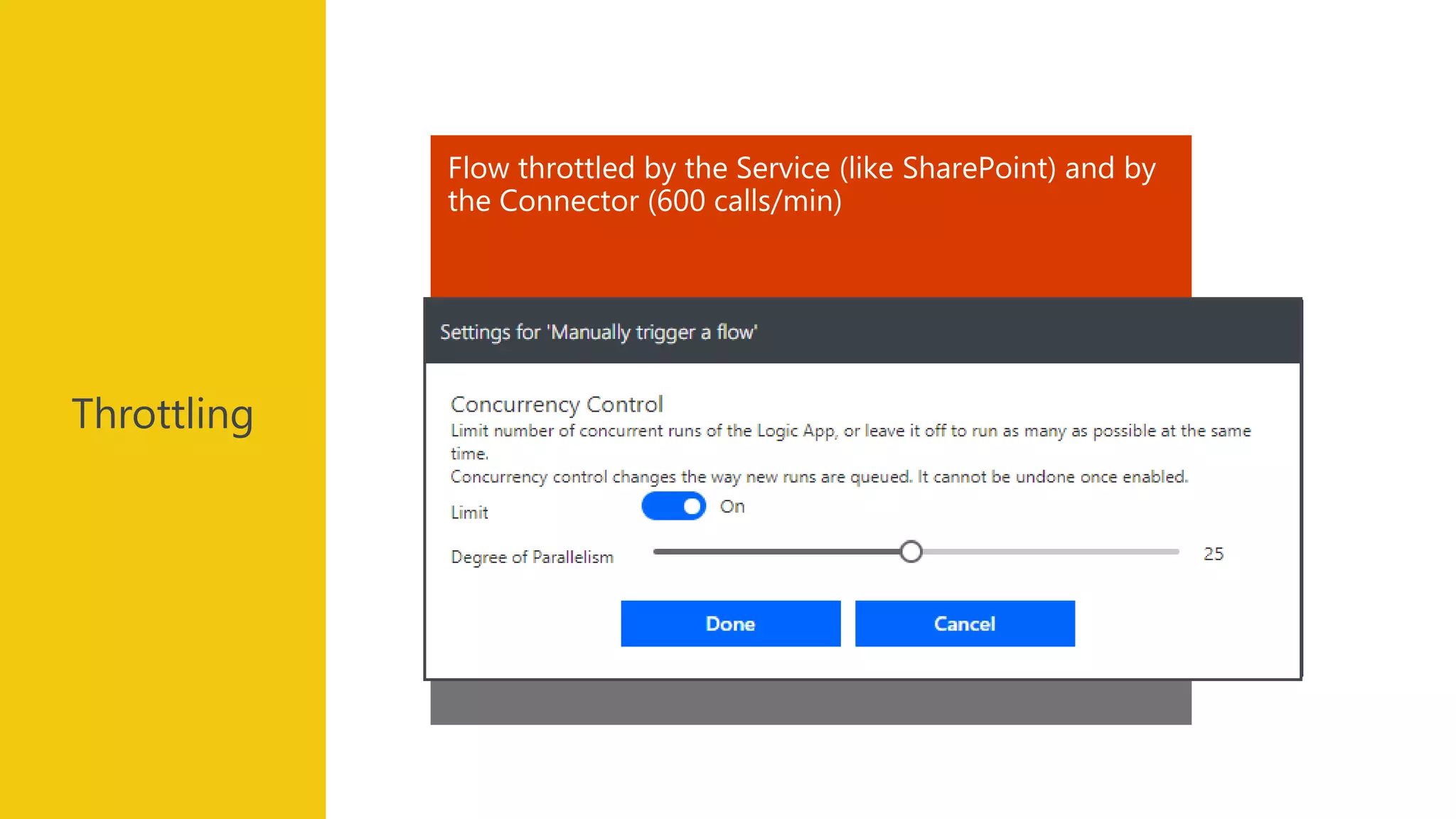
Manage parallelism
Adapt retry policy
Reduce flow concurrency
Use several connectors
Error HTTP 429 : « I’m too busy » come later (in 10 sec)
Flow throttled by the Service (like SharePoint) and by
the Connector (600 calls/min)
Throttling
202 ACCEPTED
The request has been accepted for
processing, but the processing has not been
completed.
Long Call Duration
Pattern
Requires P1
Demo:
Manage Long calls
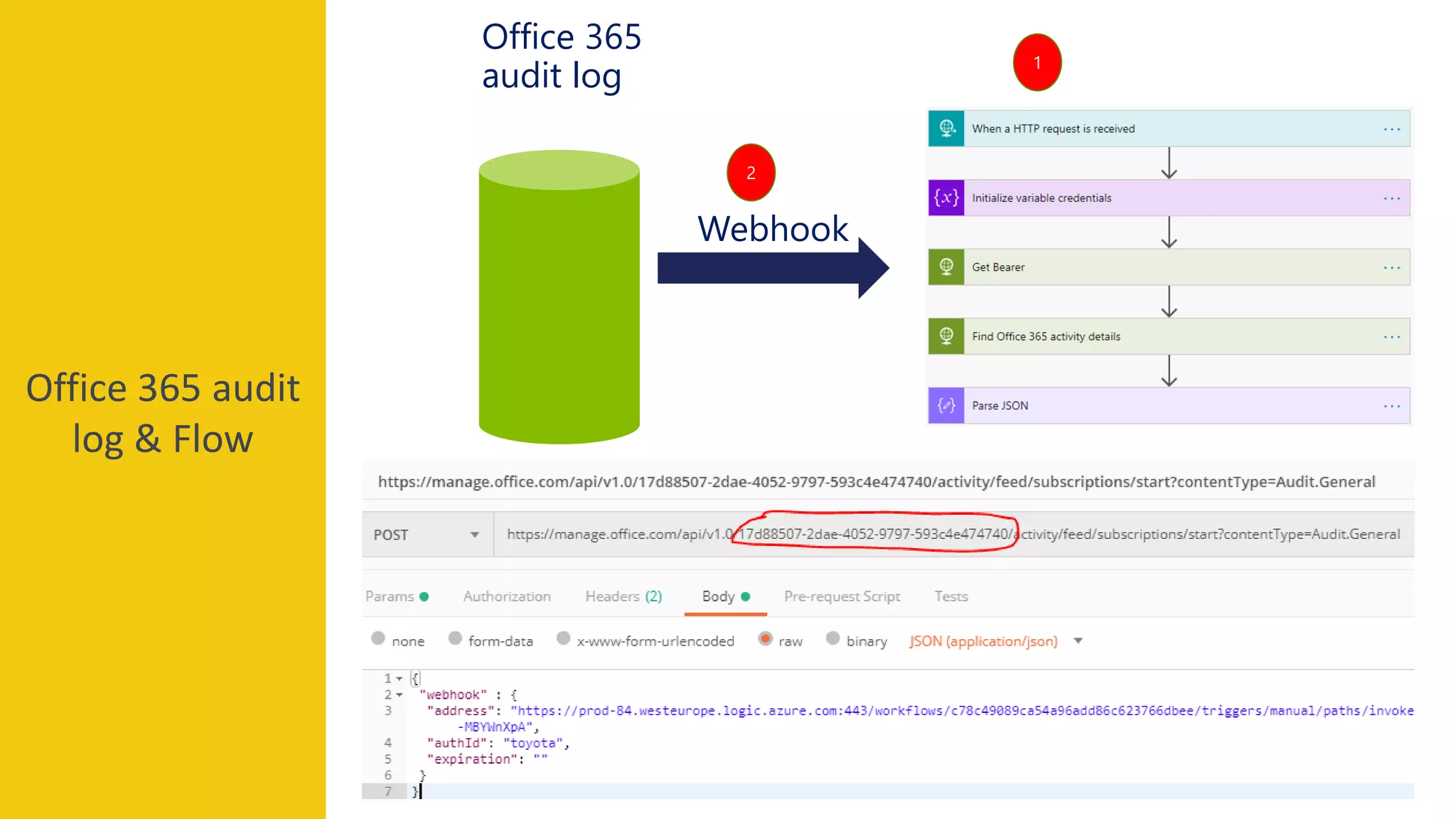
Office 365 audit
log & Flow
Office 365
audit log
Webhook
1
2
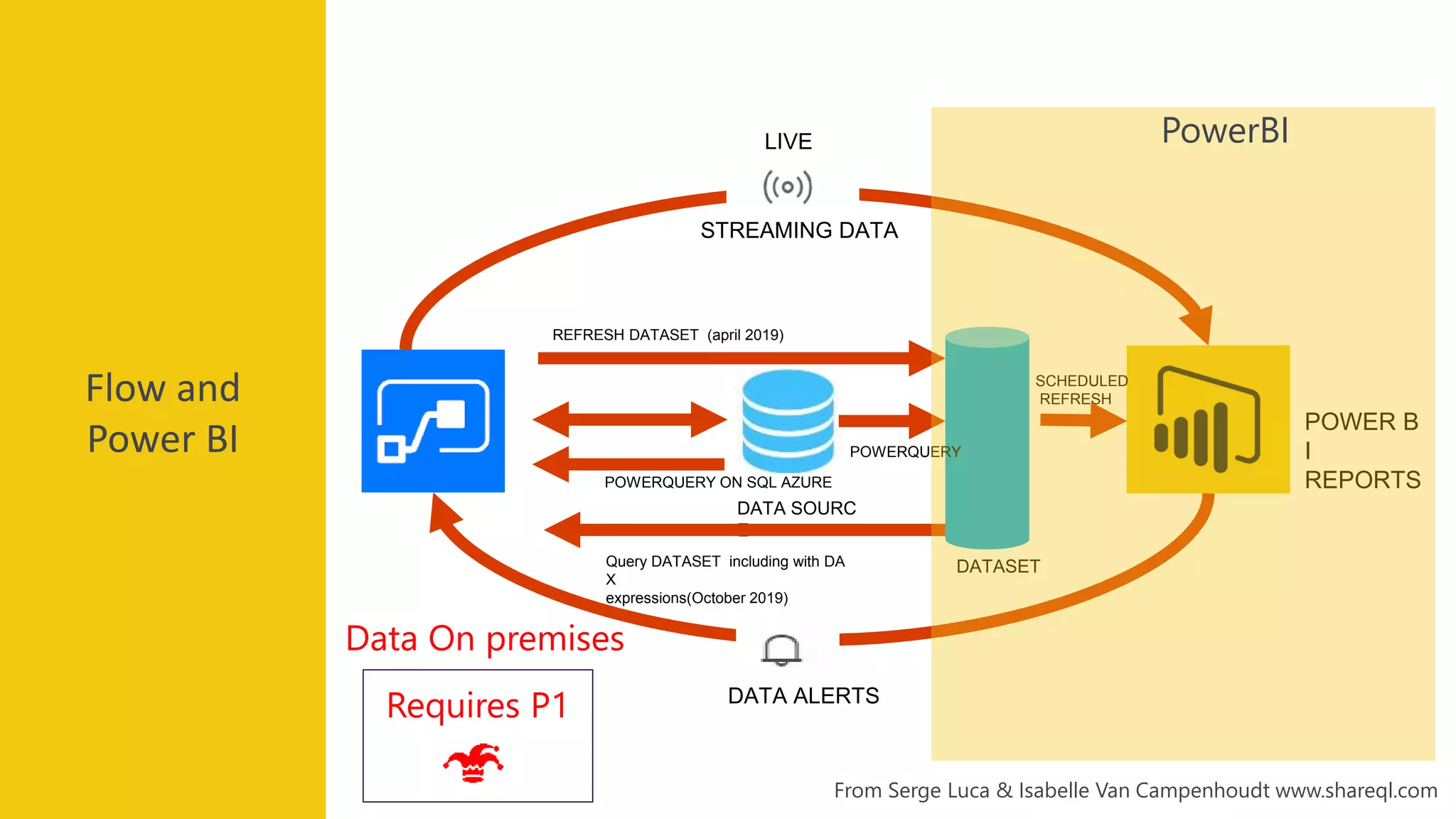
Microsoft
flow and
PowerBI
FLOW
DATA ALERTS
DATA SOURC
E
POWER B
I
REPORTS
SCHEDULED
REFRESH
STREAMING DATA
LIVE
Flow and
Power BI
POWERQUERY ON SQL AZURE
Requires P1
Data On premises
REFRESH DATASET (april 2019)
DATASETQuery DATASET including with DA
X
expressions(October 2019)
POWERQUERY
From Serge Luca & Isabelle Van Campenhoudt www.shareql.com
PowerBI
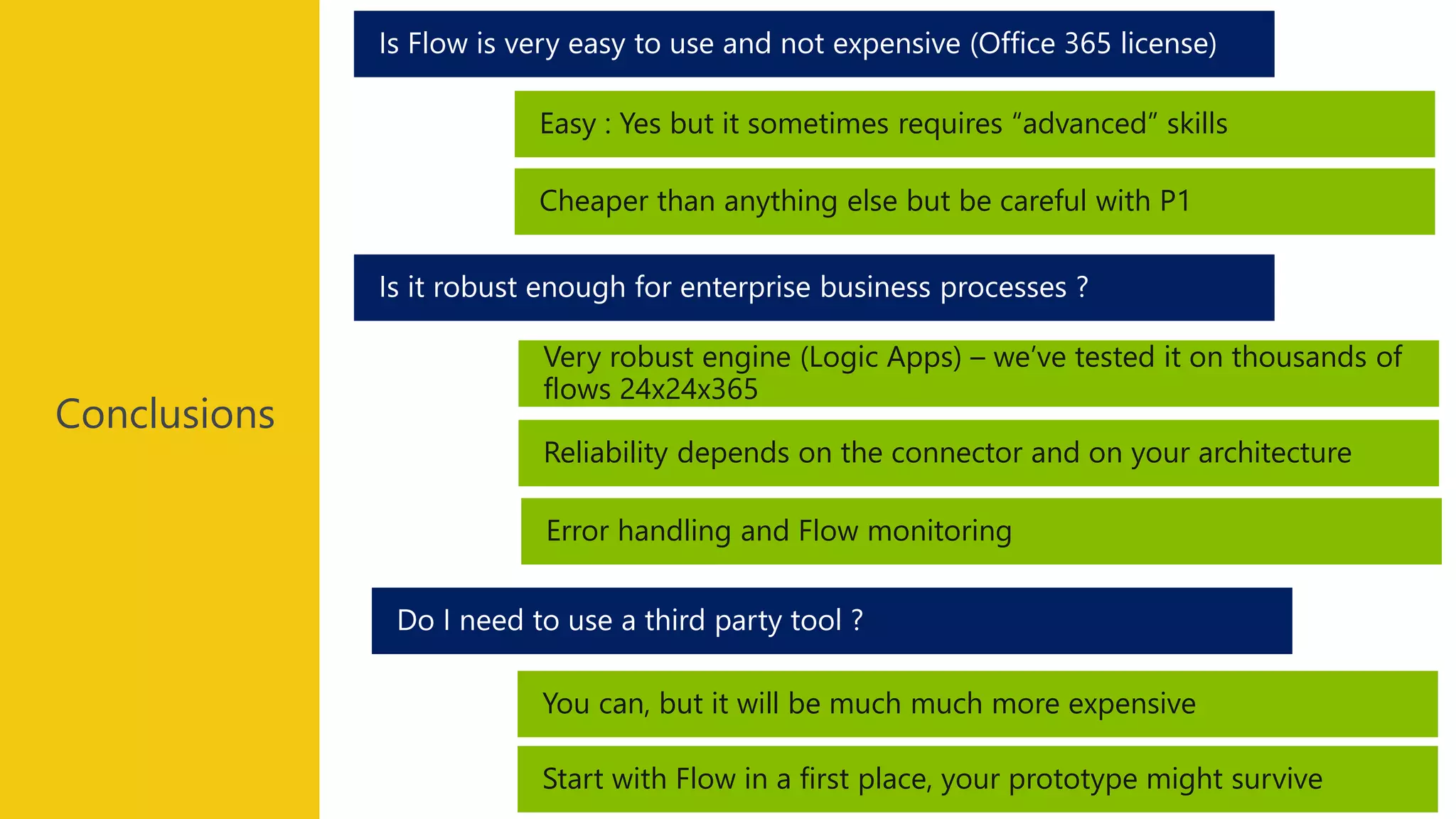
Conclusions
Conclusions
You can, but it will be much much more expensive
Do I need to use a third party tool ?
Is it robust enough for enterprise business processes ?
Is Flow is very easy to use and not expensive (Office 365 license)
Easy : Yes but it sometimes requires “advanced” skills
Cheaper than anything else but be careful with P1
Very robust engine (Logic Apps) – we’ve tested it on thousands of
flows 24x24x365
Reliability depends on the connector and on your architecture
Error handling and Flow monitoring
Start with Flow in a first place, your prototype might survive
Conclusions
I ALWAYS define UML Use Cases
I often define UML Activity Diagrams
I often define RACI matrices (Responsibility assignments)
@ClubPowerBI @aosComm @GUSS_FRANCEPower Saturday 2019
Merci!
@ClubPowerBI @aosComm @GUSS_FRANCEPower Saturday 2019
Evaluations
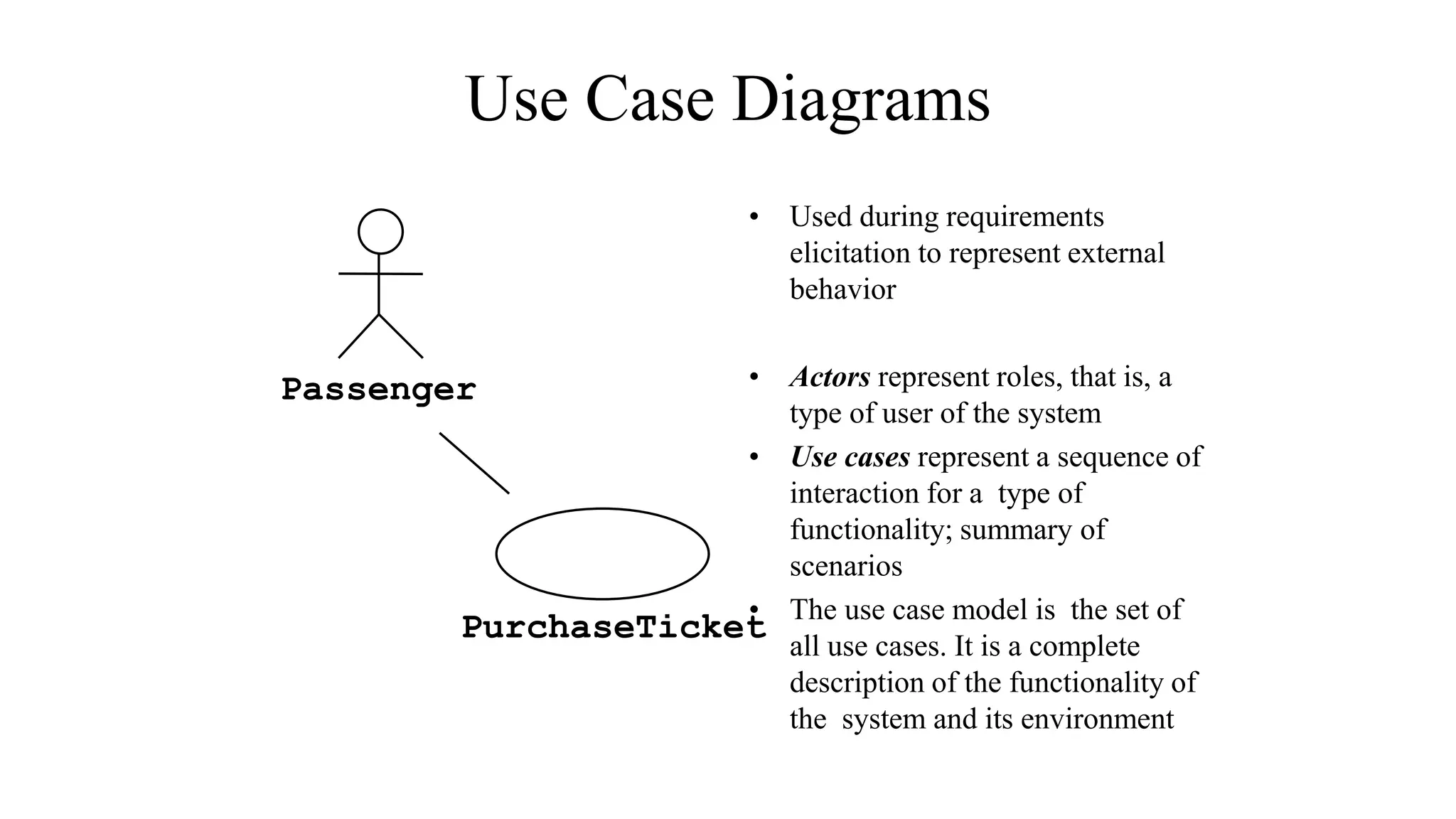
Use Case Diagrams
• Used during requirements
elicitation to represent external
behavior
• Actors represent roles, that is, a
type of user of the system
• Use cases represent a sequence of
interaction for a type of
functionality; summary of
scenarios
• The use case model is the set of
all use cases. It is a complete
description of the functionality of
the system and its environment
Passenger
PurchaseTicket

Microsoft flow best practices with Doctor Flow. PowerSaturday 2019, Paris