






Microsoft
Flow
Tips, pitfalls, problems and warnings
to be known before starting a real
project
Serge Luca-Isabelle Van
campenhoudt
2
Serge Luca
Managing Partner at ShareQL
About Serge
11 x SharePoint MVP,
BrusselsSharePoint since 2002
O365 Architect (Admin, Dev,
governance)
Worked for the MS workflow team
Blog:
http://sergeluca.wordpress.com/
sergeluca@shareql.com
@sergeluca
SharePoint
Flow
Dev
Architecture
Bullshit
Professional Skills
3
Isabelle Van Campenhoudt
Managing Partner at ShareQL
About Isabelle
6X Data Platform MVP,
BrusselsConsultant, Speaker Trainer,
PASS Community Leader
SQL server since 1999
SharePoint BI & Power BI since it starts
Blog: theSQLGrrrl.wordpress.com
ivc@shareql.com
Twitter: @theSQLgrrrl
http://GUSS.pro
SQL
BI
Tuning
Architecture
Coffee
making
Professional Skills
Agenda
Agenda
Agenda
Agenda
5
Agenda
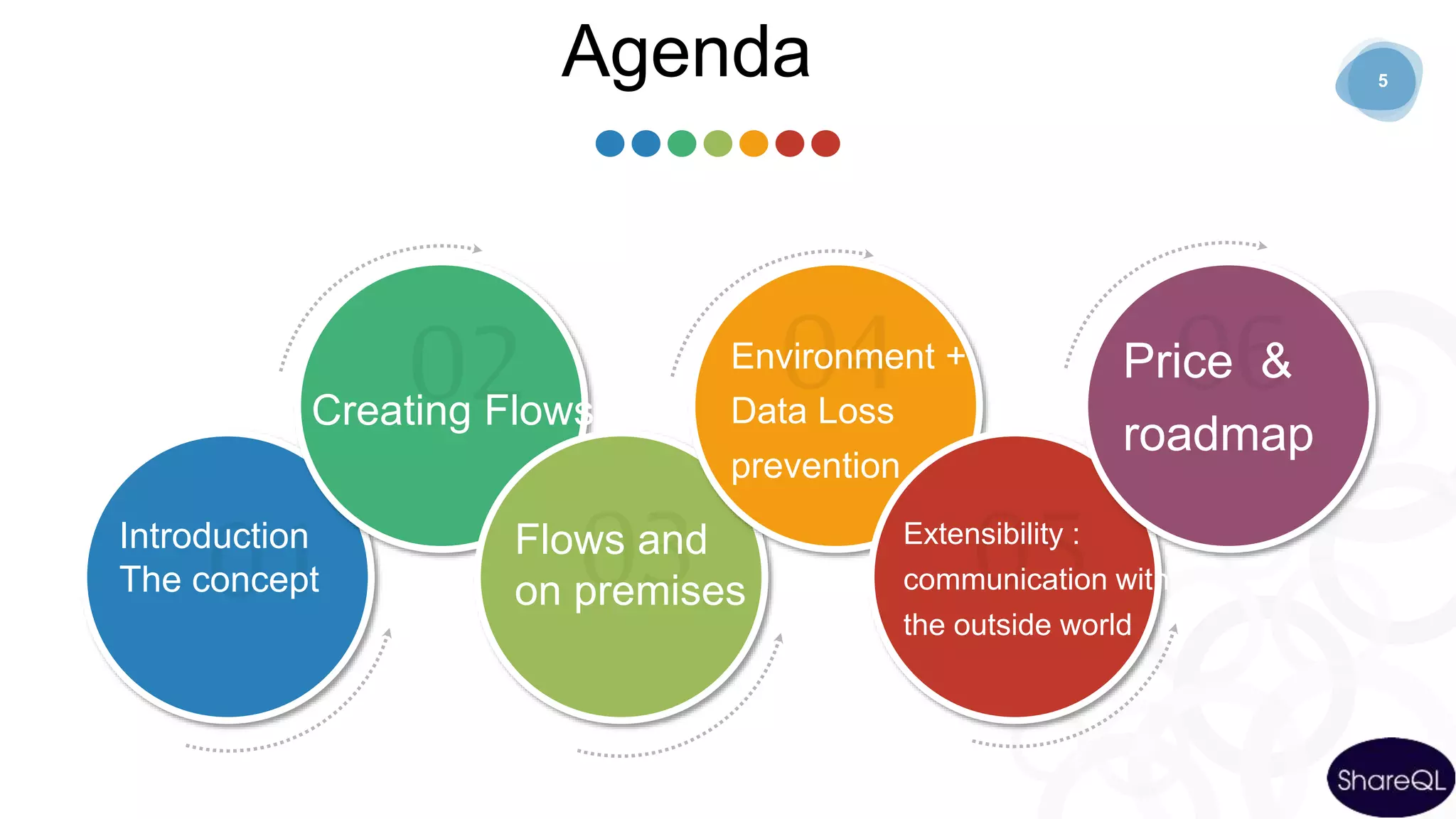
Introduction
The concept
Creating Flows
Flows and
on premises
Environment +
Data Loss
prevention
Extensibility :
communication with
the outside world
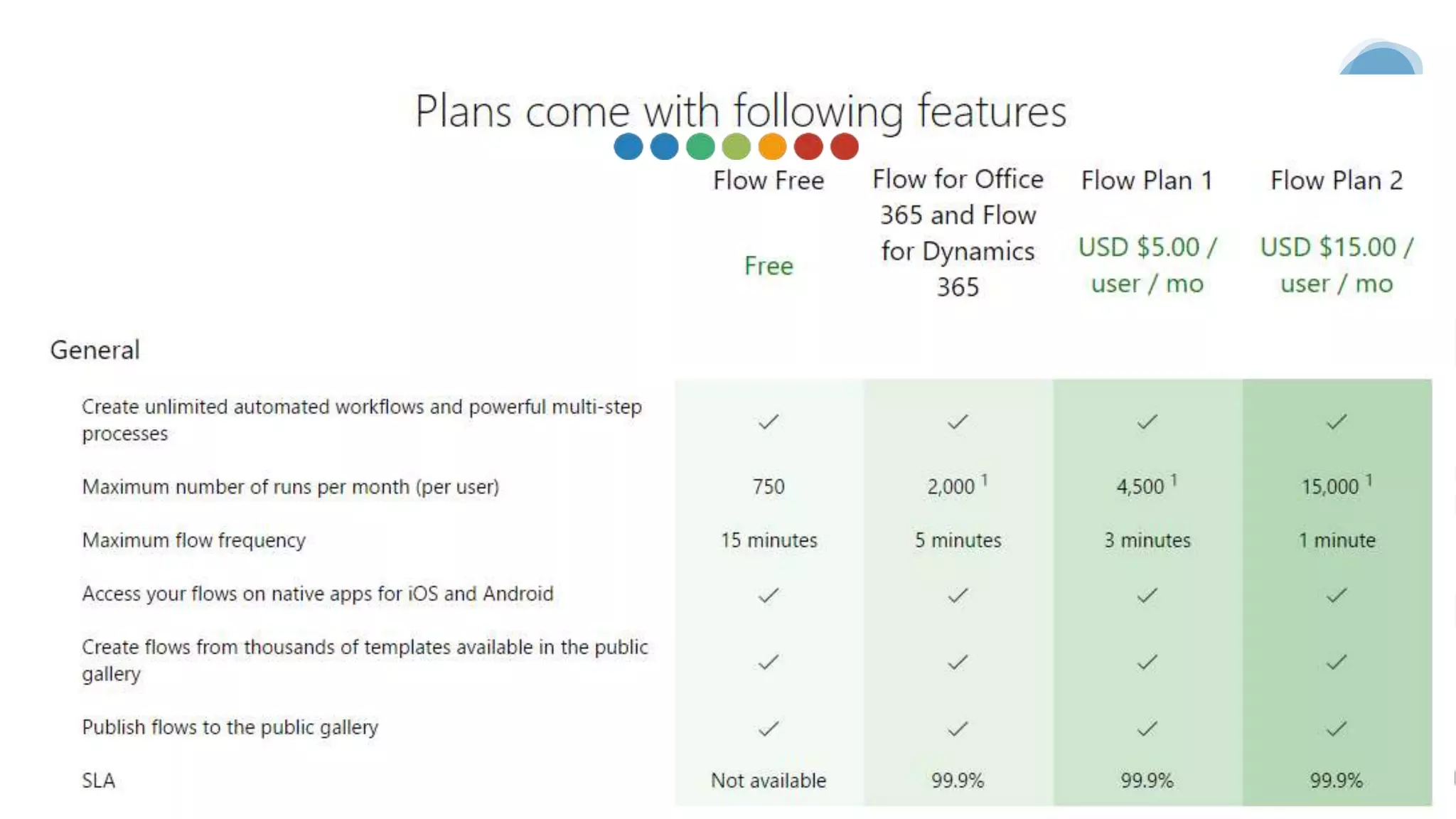
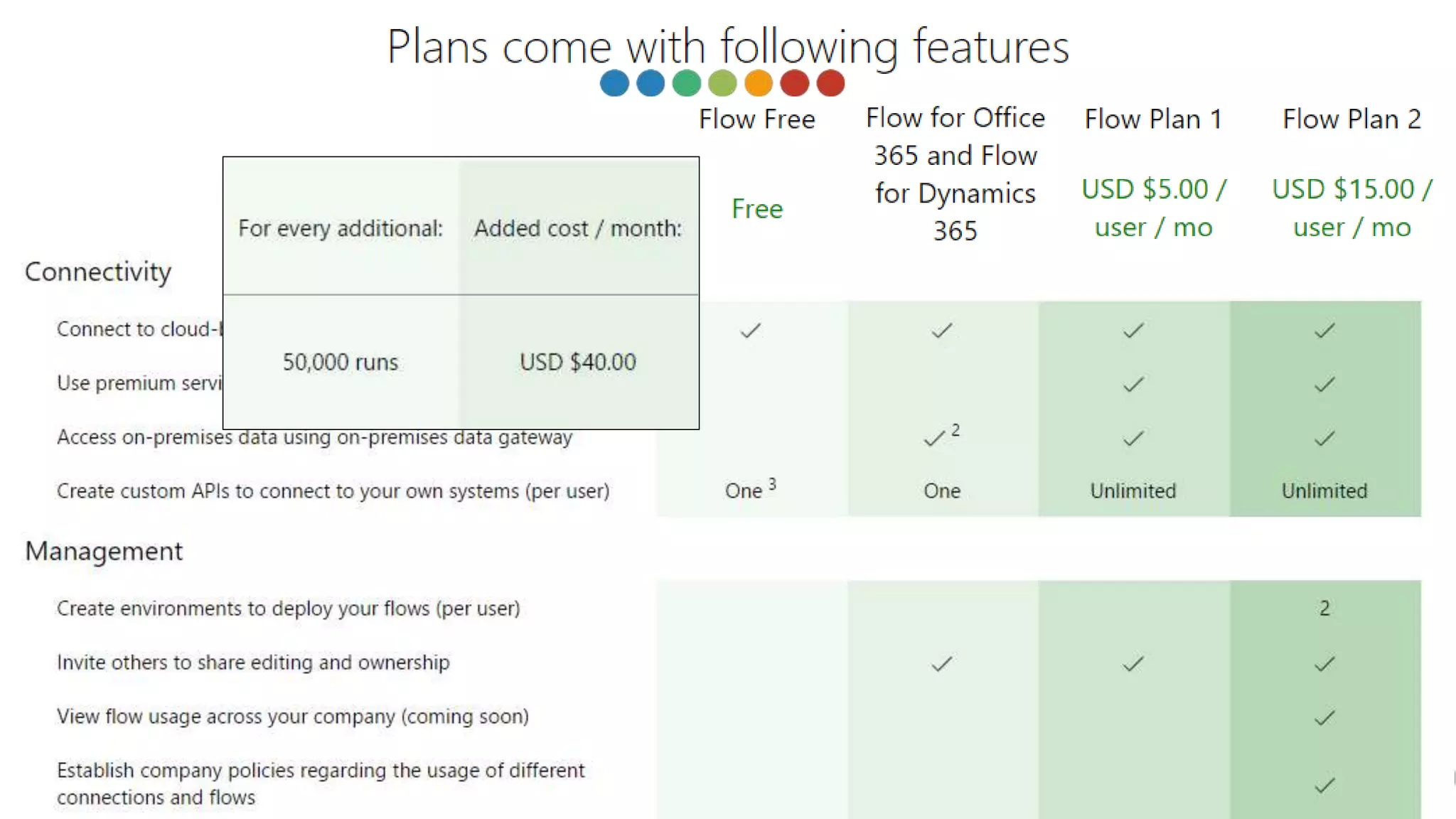
Price &
roadmap
Agenda
Agenda
Agenda
The Concept
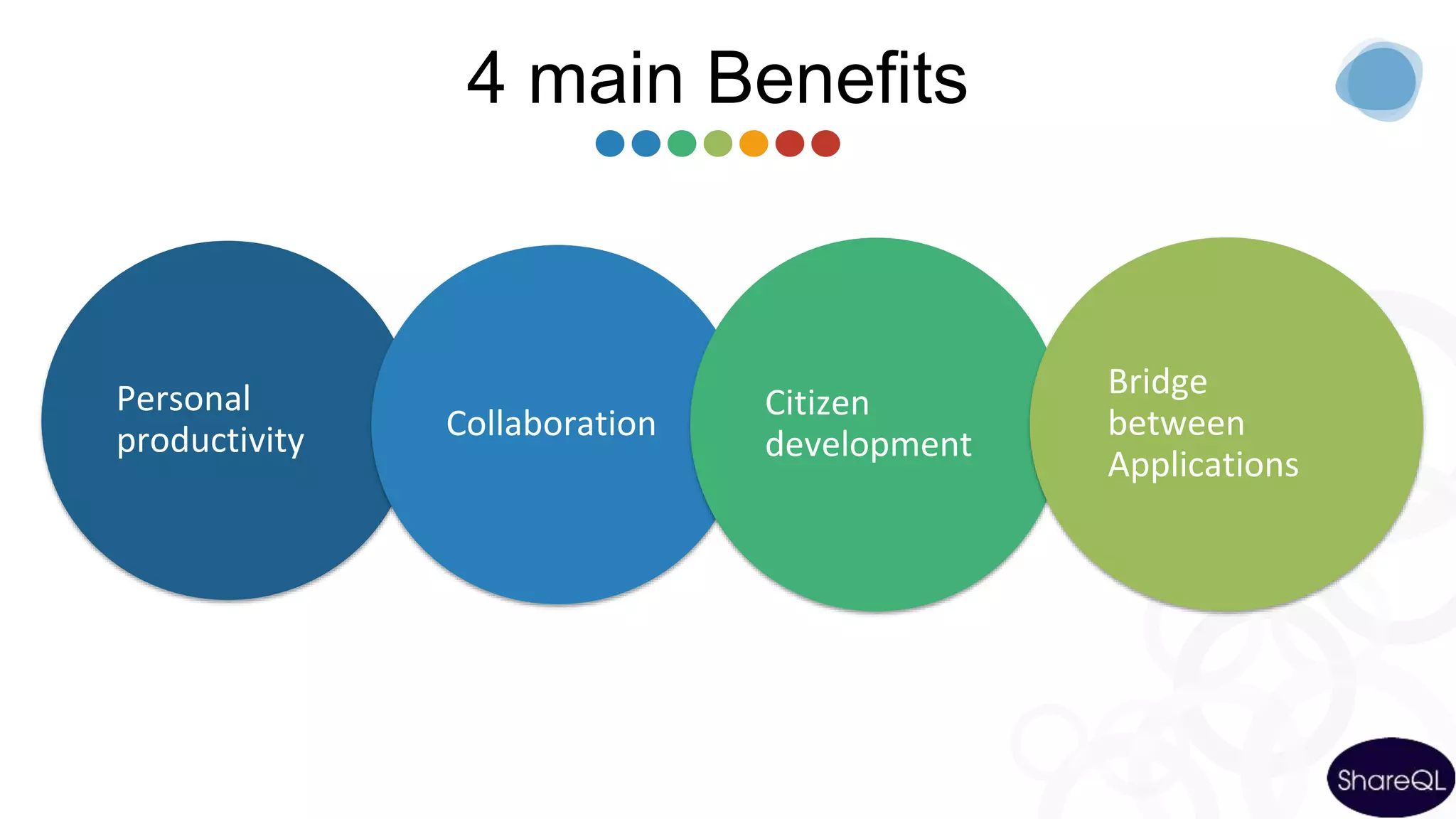
Personal
productivity Collaboration
Citizen
development
Bridge
between
Applications
4 main Benefits
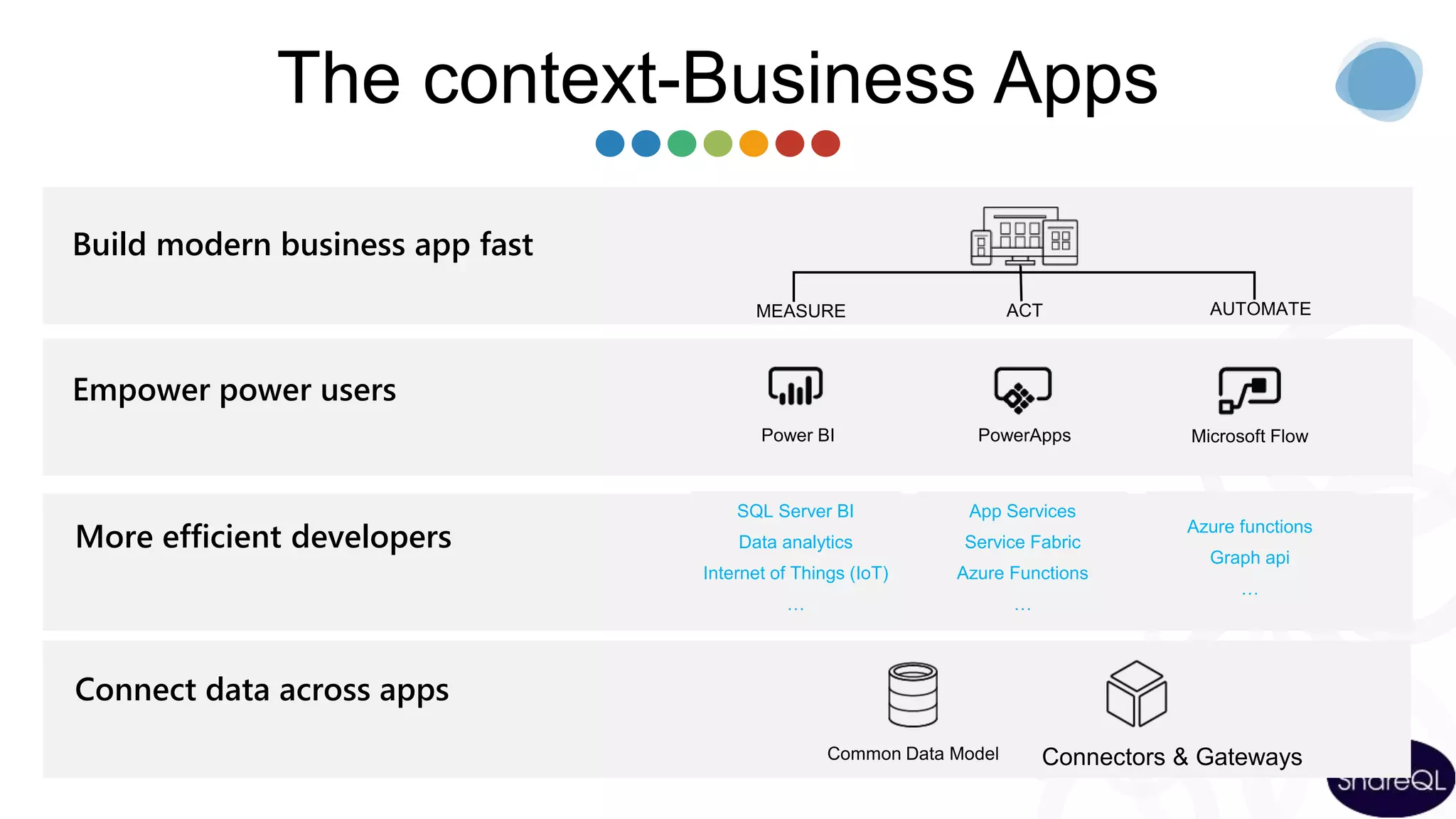
The context-Business Apps
Empower power users
Connect data across apps
More efficient developers
App Services
Service Fabric
Azure Functions
…
Azure functions
Graph api
…
SQL Server BI
Data analytics
Internet of Things (IoT)
…
Build modern business app fast
Agenda
Creating Flow
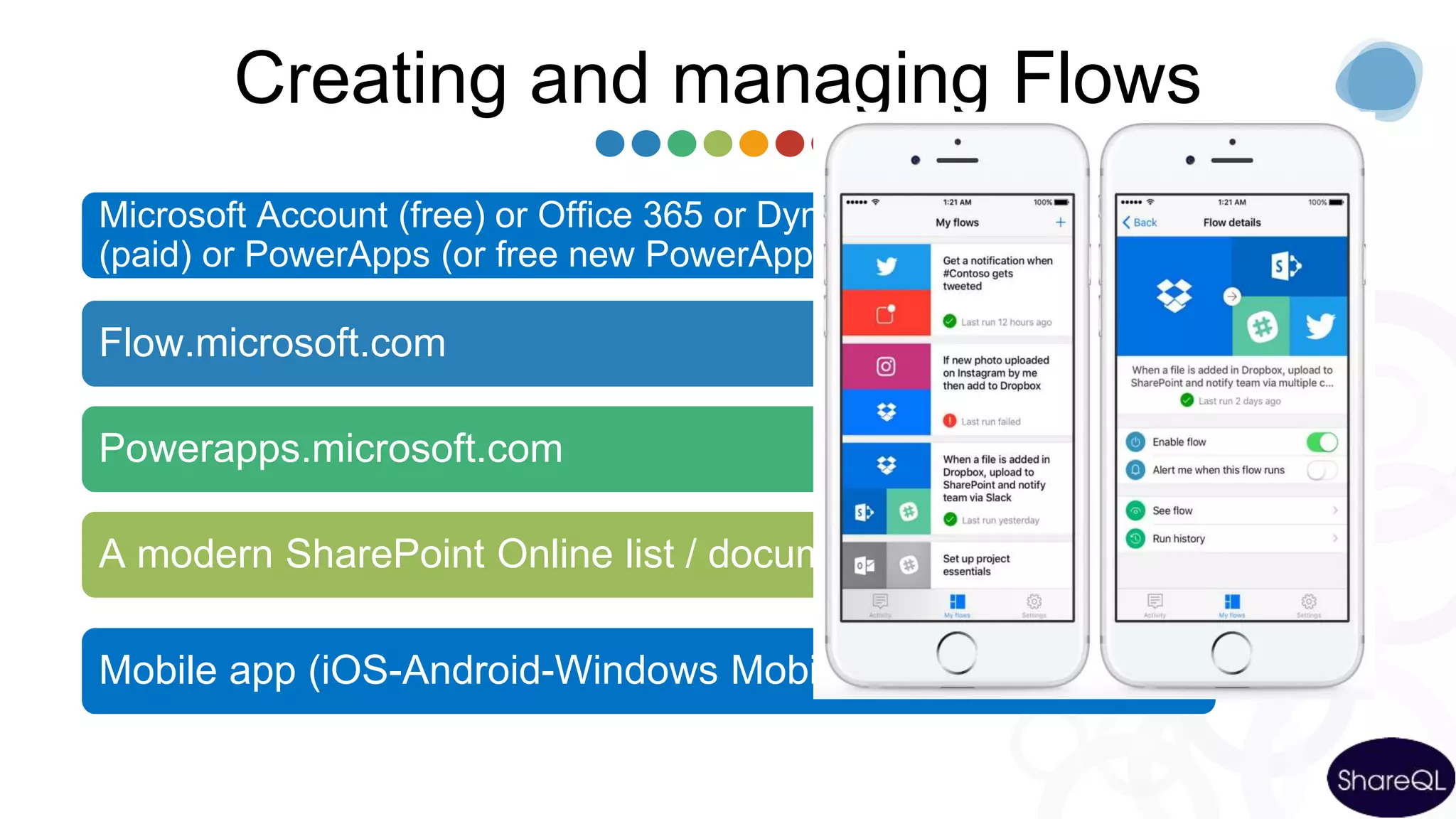
Creating and managing Flows
Microsoft Account (free) or Office 365 or Dynamics 365 or Flow
(paid) or PowerApps (or free new PowerApps Community Plan)
Flow.microsoft.com
Powerapps.microsoft.com
A modern SharePoint Online list / document library
Mobile app (iOS-Android-Windows Mobile)
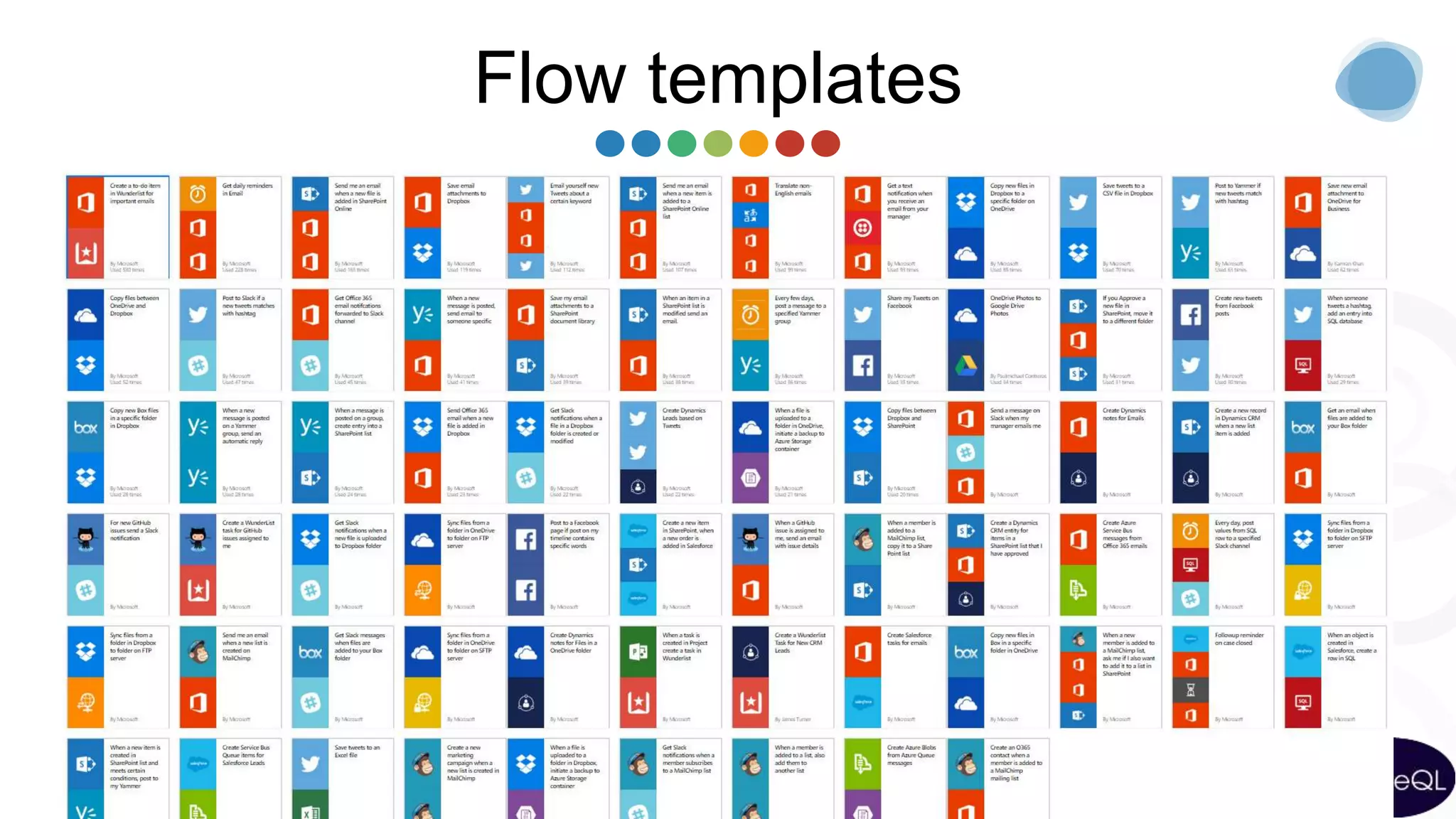
Flow templates
demo
EXPENSE REPORT
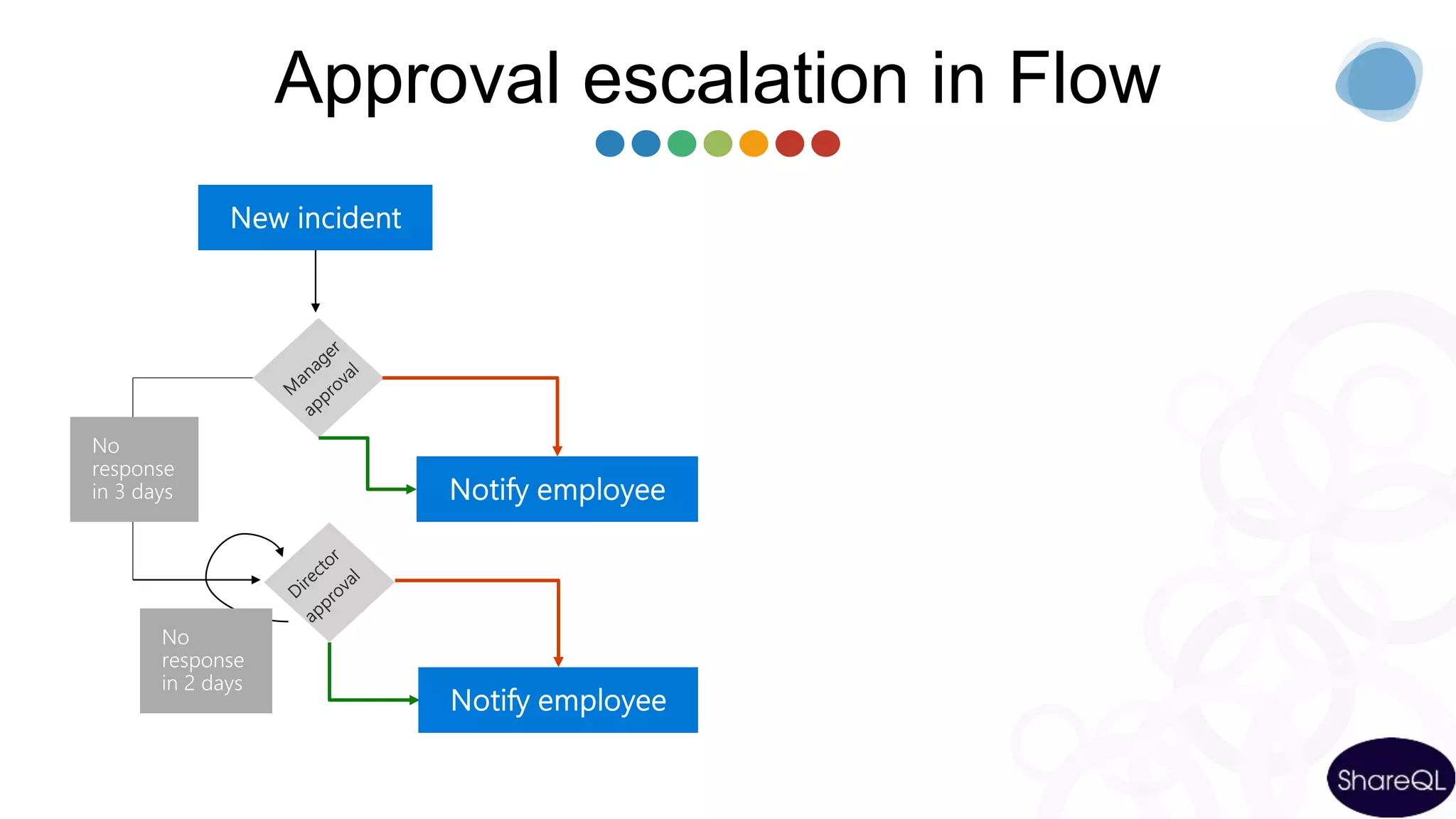
Approval escalation in Flow
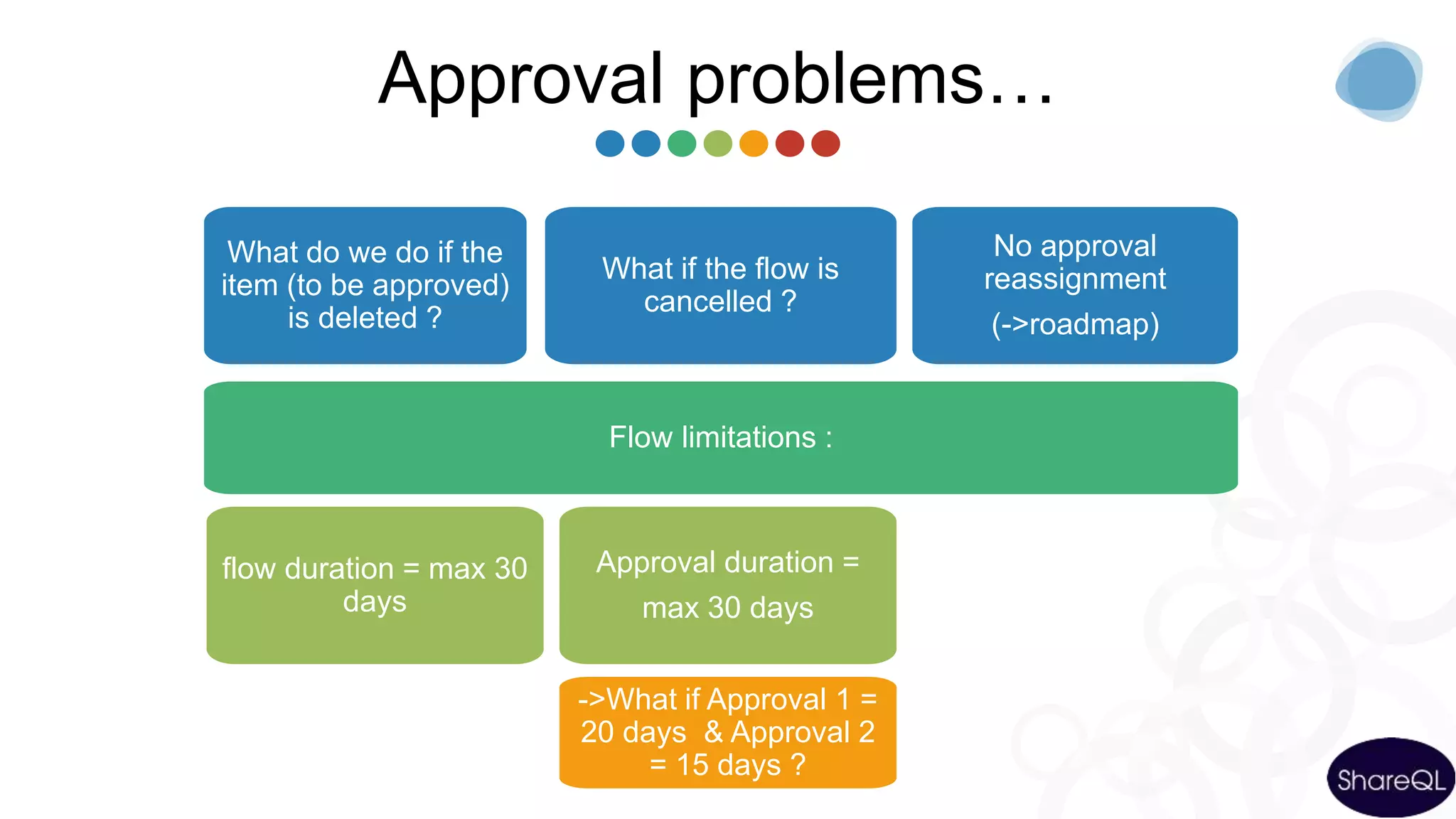
Approval problems…
What do we do if the
item (to be approved)
is deleted ?
What if the flow is
cancelled ?
No approval
reassignment
(->roadmap)
Flow limitations :
flow duration = max 30
days
Approval duration =
max 30 days
->What if Approval 1 =
20 days & Approval 2
= 15 days ?
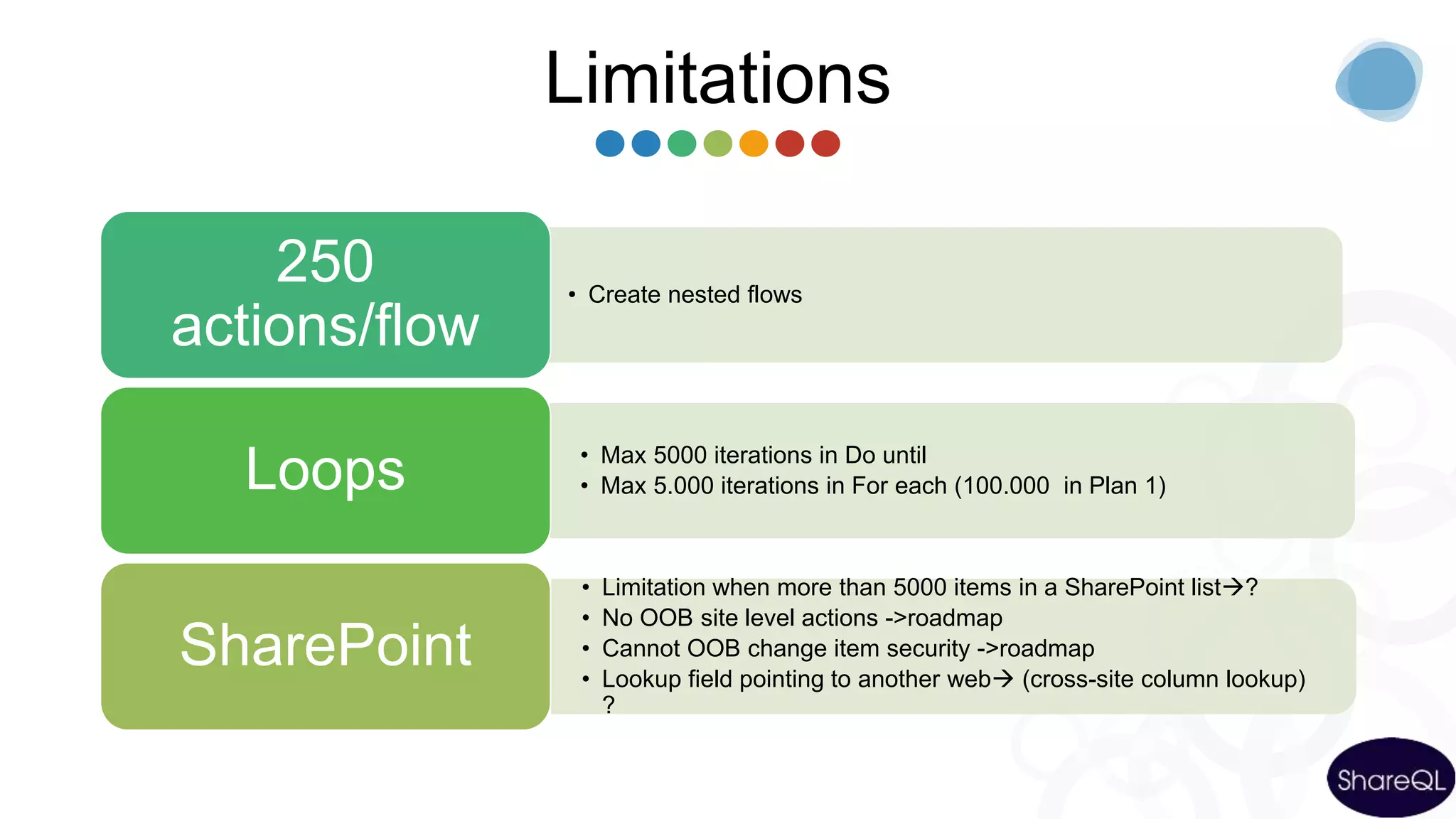
Limitations
• Create nested flows
250
actions/flow
• Max 5000 iterations in Do until
• Max 5.000 iterations in For each (100.000 in Plan 1)Loops
• Limitation when more than 5000 items in a SharePoint list?
• No OOB site level actions ->roadmap
• Cannot OOB change item security ->roadmap
• Lookup field pointing to another web (cross-site column lookup)
?
SharePoint
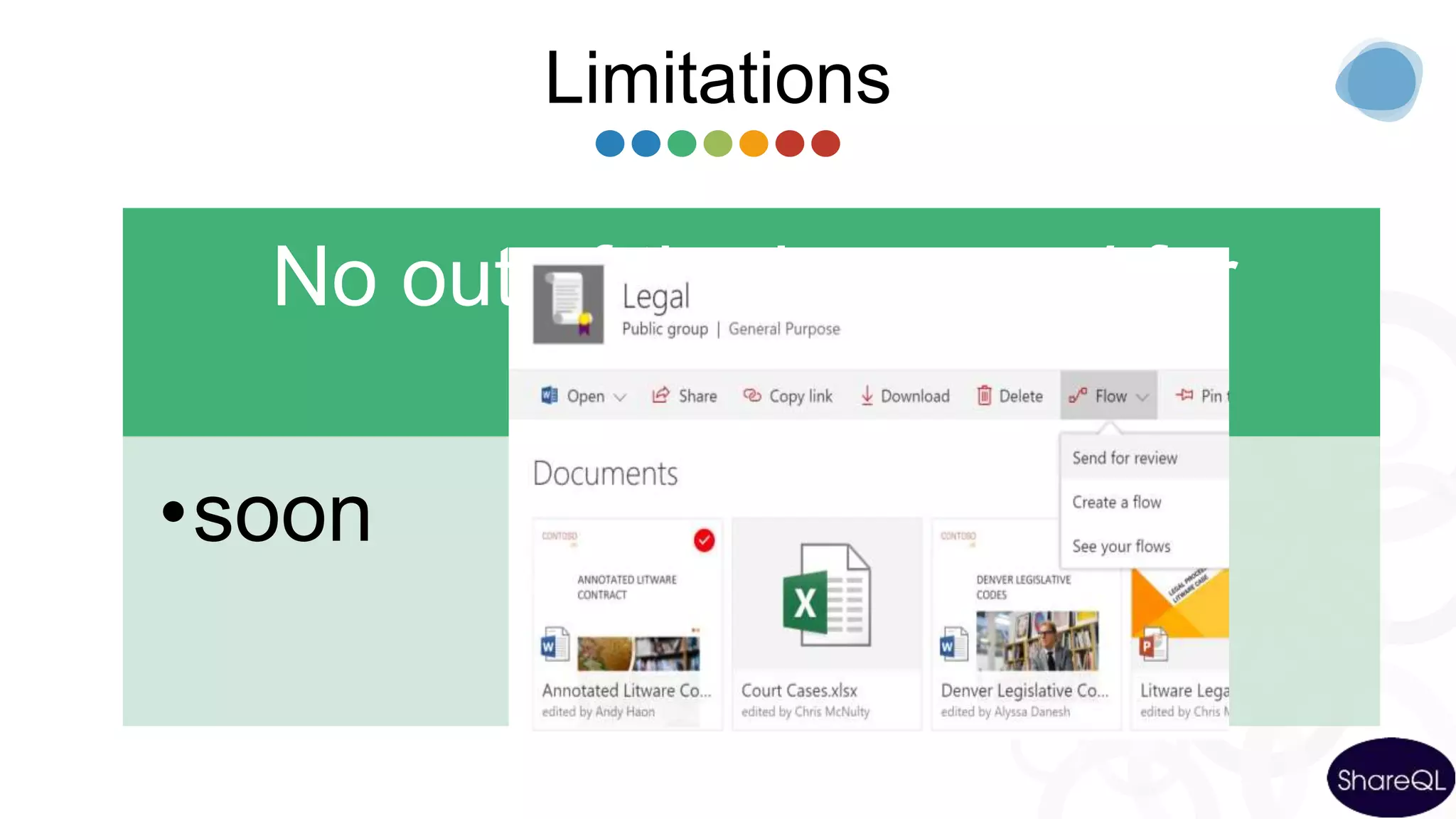
Limitations
No out of the box send for
review
•soon
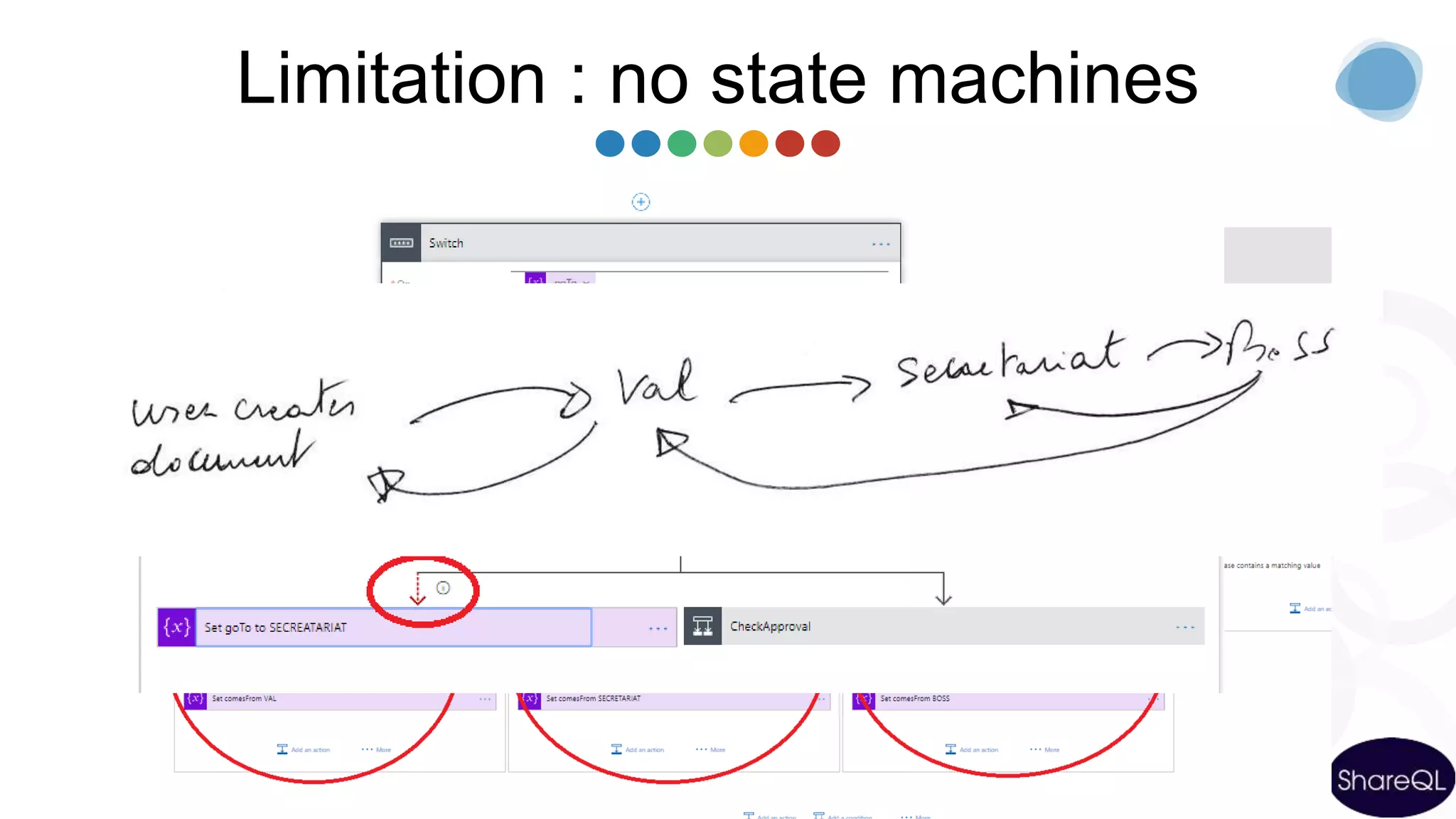
Limitation : no state machines
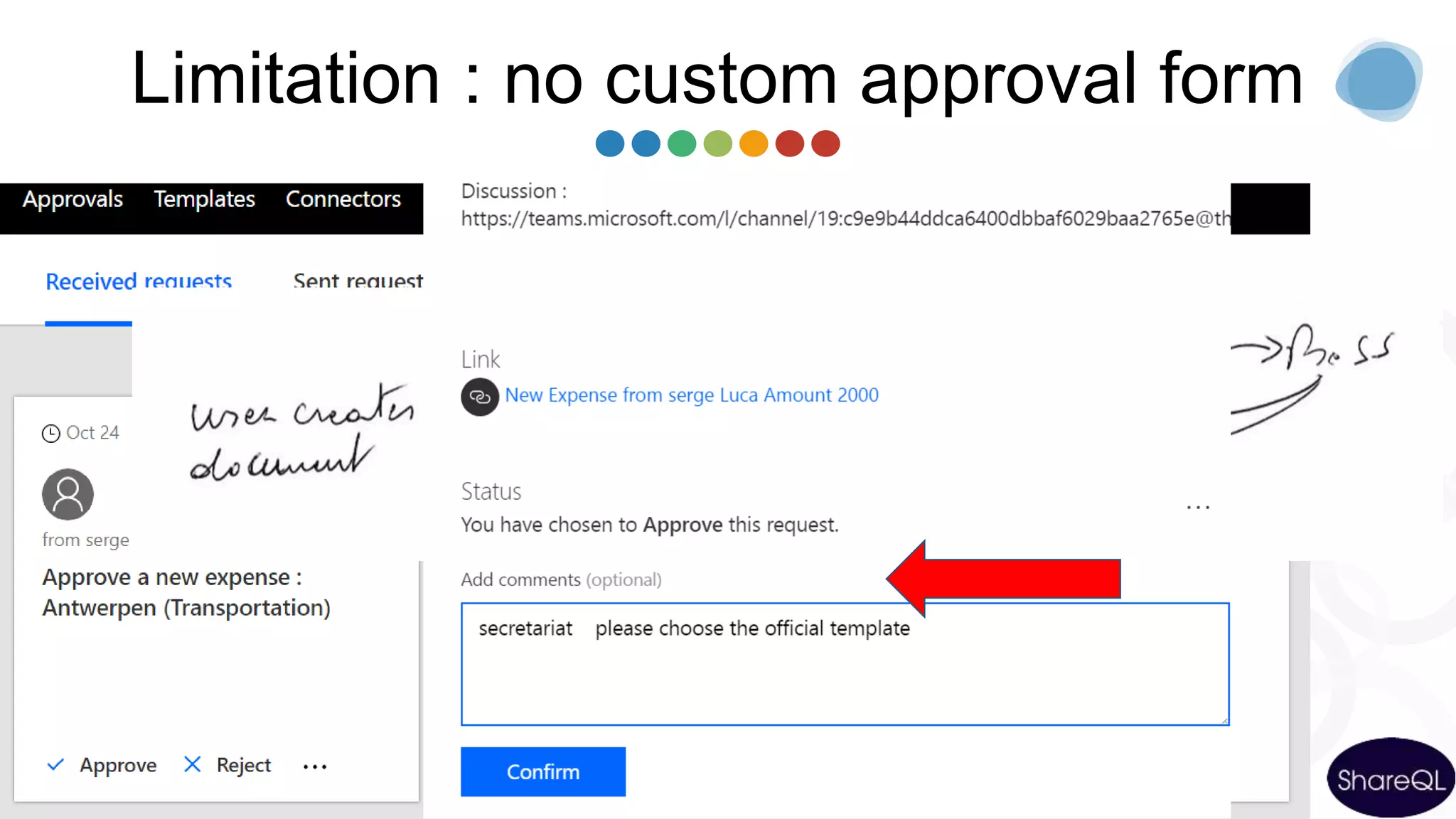
Limitation : no custom approval form
Agenda
Microsoft Flow
and On
Premises
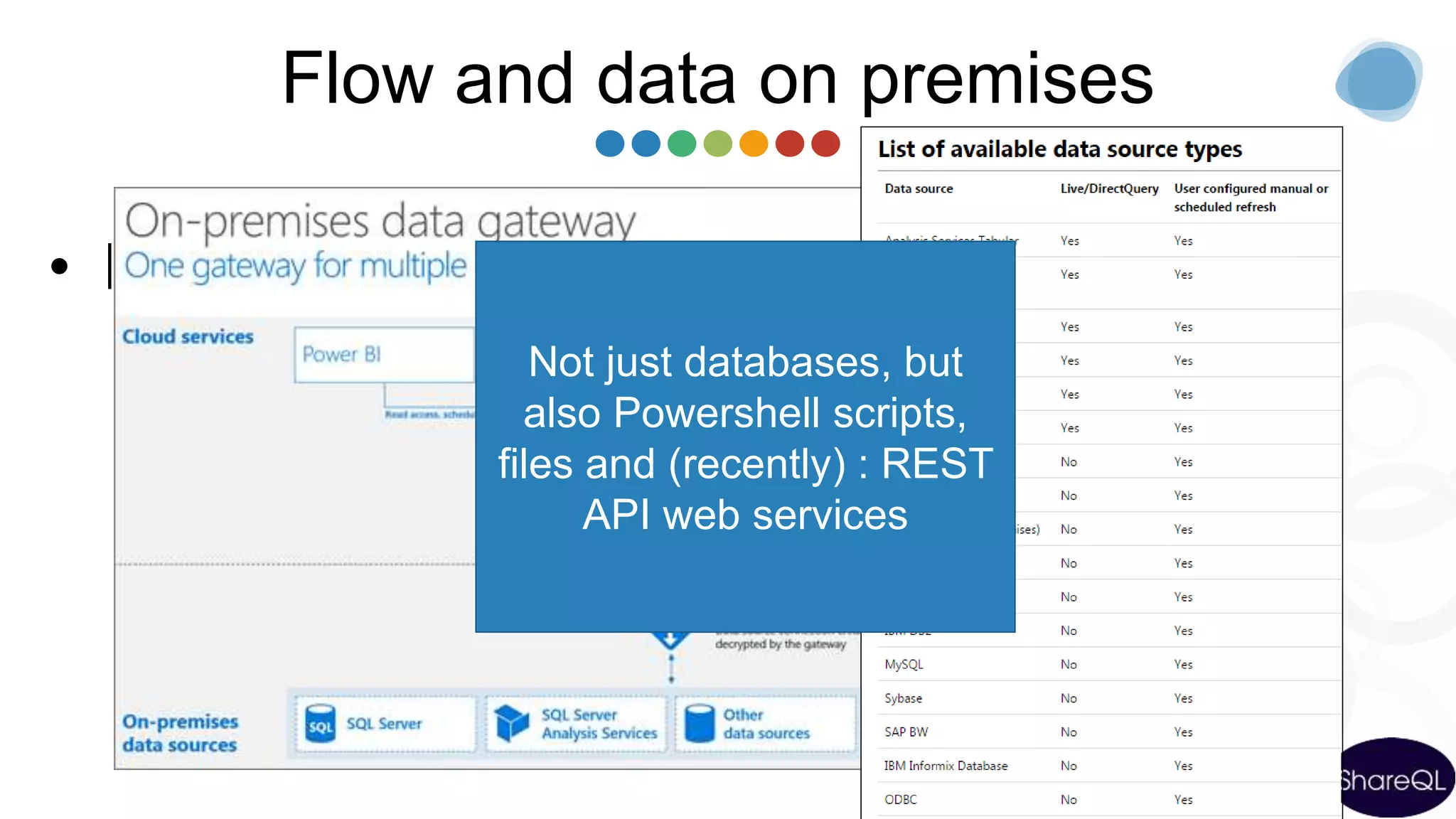
Flow and data on premises
• Install the « on Premises data gateway »
(shared between PowerBI, PowerApps and Azure Logic
Apps)
Not just databases, but
also Powershell scripts,
files and (recently) : REST
API web services
demo
FLOW & DATA ON PREM
Environments
Environments & compliance
Isolated spaces
where Flows/Data
are running/stored
Ex HR, Marketing,
Operations, Legal,
DEV, TEST, UAT,
PROD…
Different rules
(DLP)
Ex marketing can
use twitter, Legal
and Production
cannot
Different regions if
needed
[Plan 2 for
creating & using
several Env]
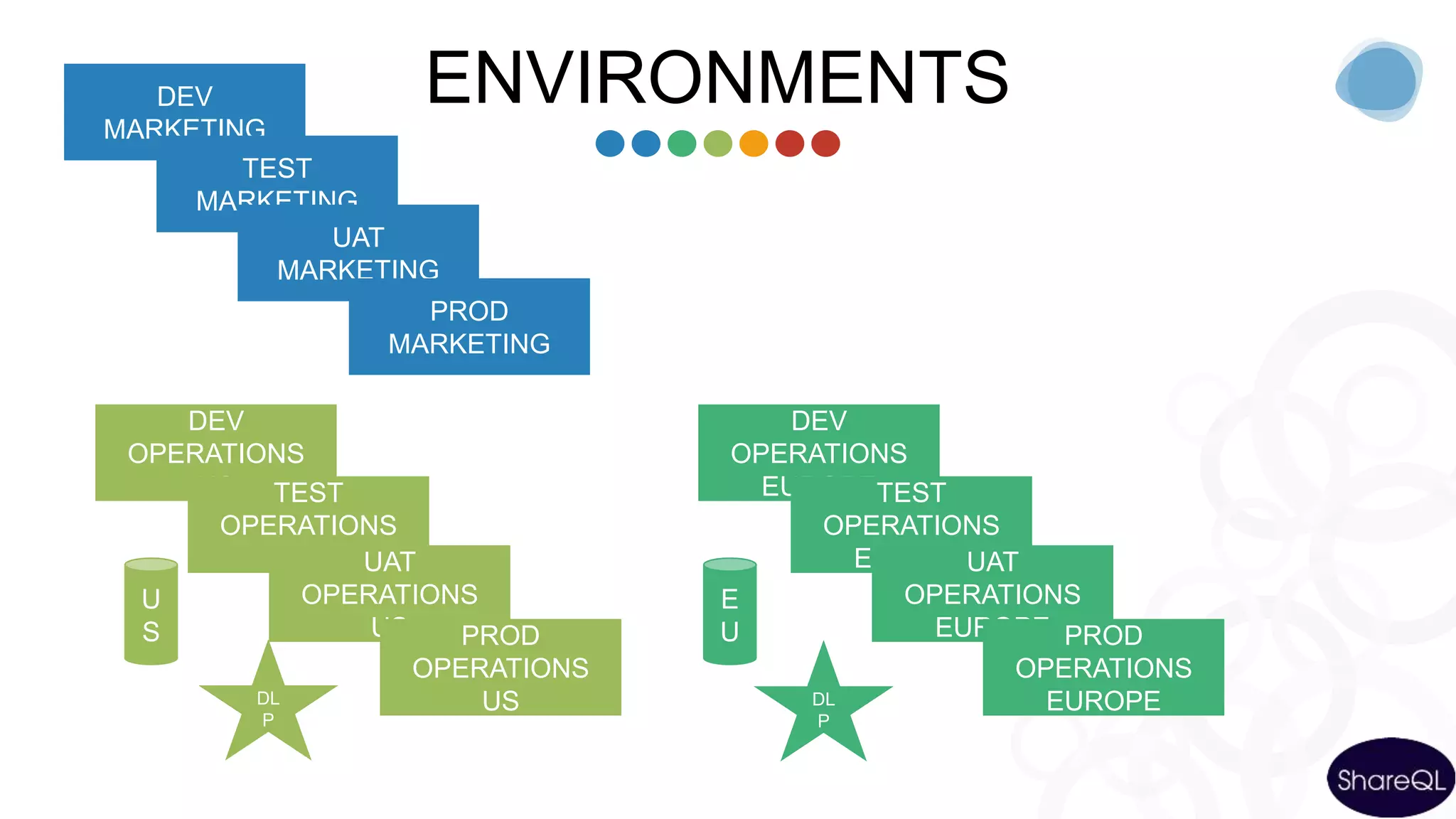
ENVIRONMENTSDEV
MARKETING
TEST
MARKETING
UAT
MARKETING
PROD
MARKETING
DEV
OPERATIONS
US TEST
OPERATIONS
US UAT
OPERATIONS
US PROD
OPERATIONS
US
U
S
DL
P
DEV
OPERATIONS
EUROPETEST
OPERATIONS
EUROPEUAT
OPERATIONS
EUROPE PROD
OPERATIONS
EUROPE
E
U
DL
P
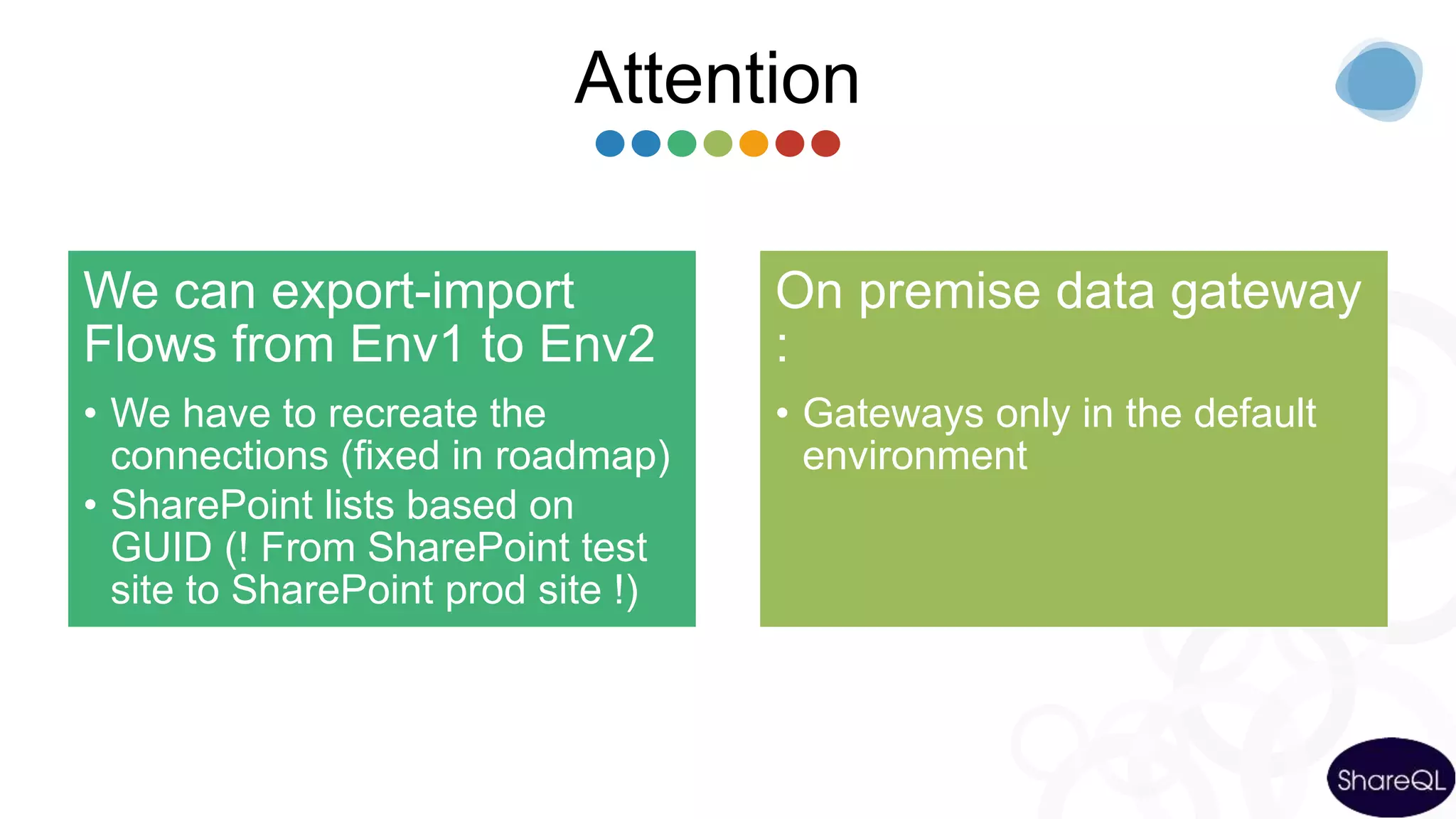
Attention
We can export-import
Flows from Env1 to Env2
• We have to recreate the
connections (fixed in roadmap)
• SharePoint lists based on
GUID (! From SharePoint test
site to SharePoint prod site !)
On premise data gateway
:
• Gateways only in the default
environment
Extensibility &
Communication with the
outside world
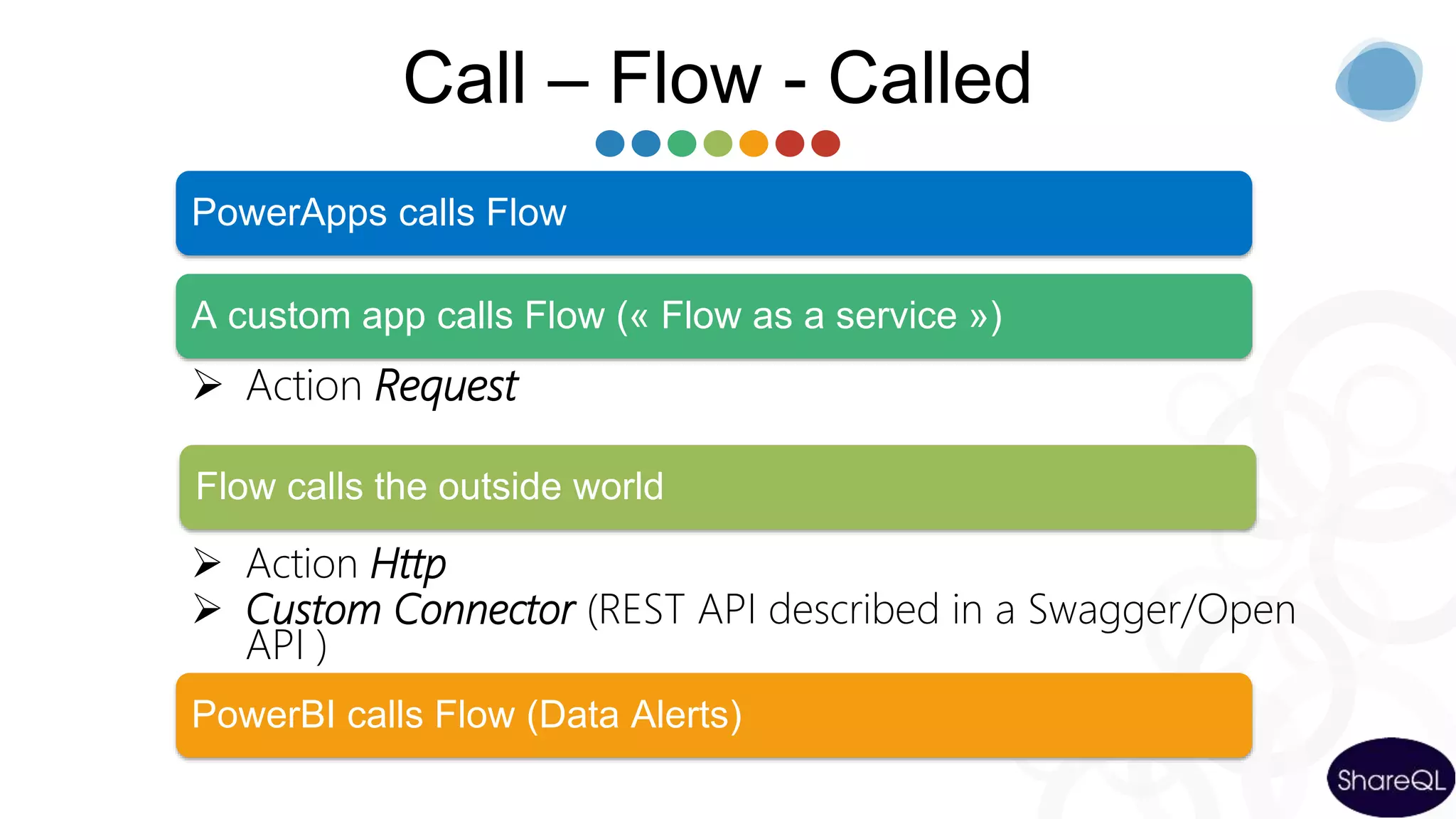
Call – Flow - Called
 Action Request
 Action Http
 Custom Connector (REST API described in a Swagger/Open
API )
PowerApps calls Flow
A custom app calls Flow (« Flow as a service »)
PowerBI calls Flow (Data Alerts)
Flow calls the outside world
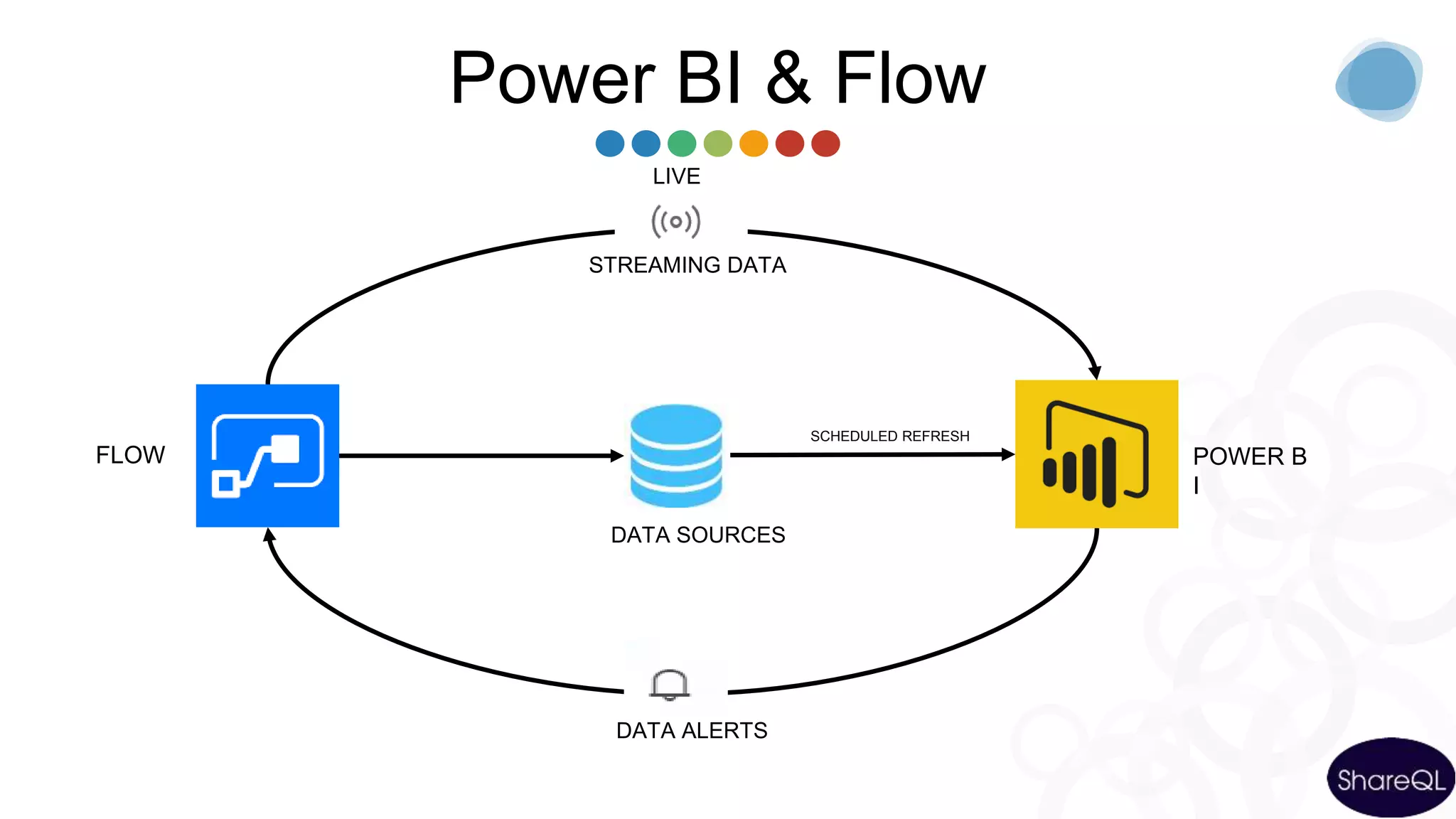
Power BI & Flow
FLOW
DATA ALERTS
DATA SOURCES
POWER B
I
SCHEDULED REFRESH
STREAMING DATA
LIVE
Pricing &
roadmap
Tarifs: Comparaison
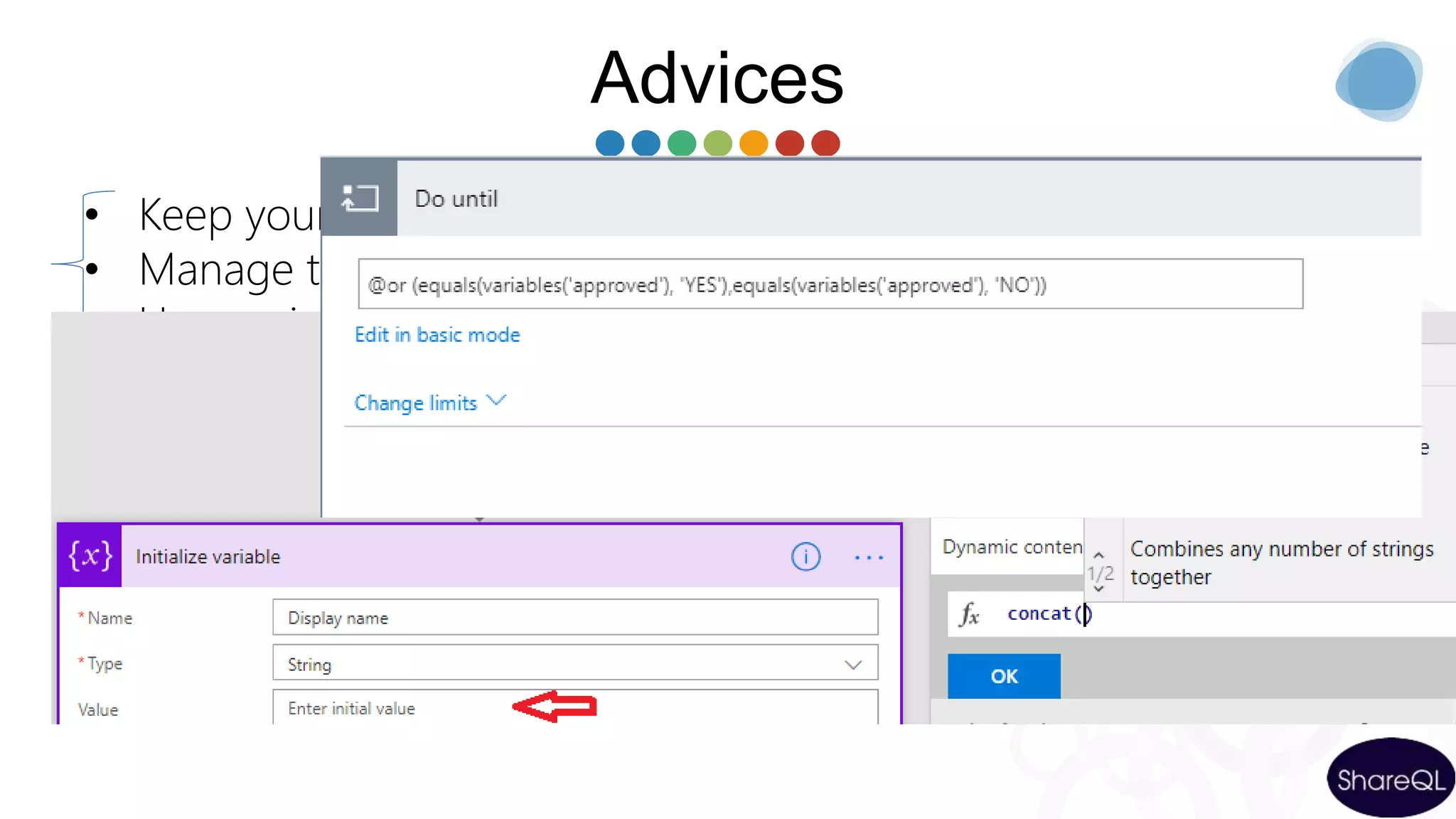
Advices
• Keep your forms as simple as possible
• Manage the business logic in the workflow
• Use environments
• Define system accounts for your connections
• Limitations
• Learn the Logic Apps Workflow Definition Language
(WDL)
– Read my blog post
https://sergeluca.wordpress.com/2017/04/26/using-the-azure-
logic-apps-workflow-definition-language-in-microsoft-flow-
part-1/
Conclusions
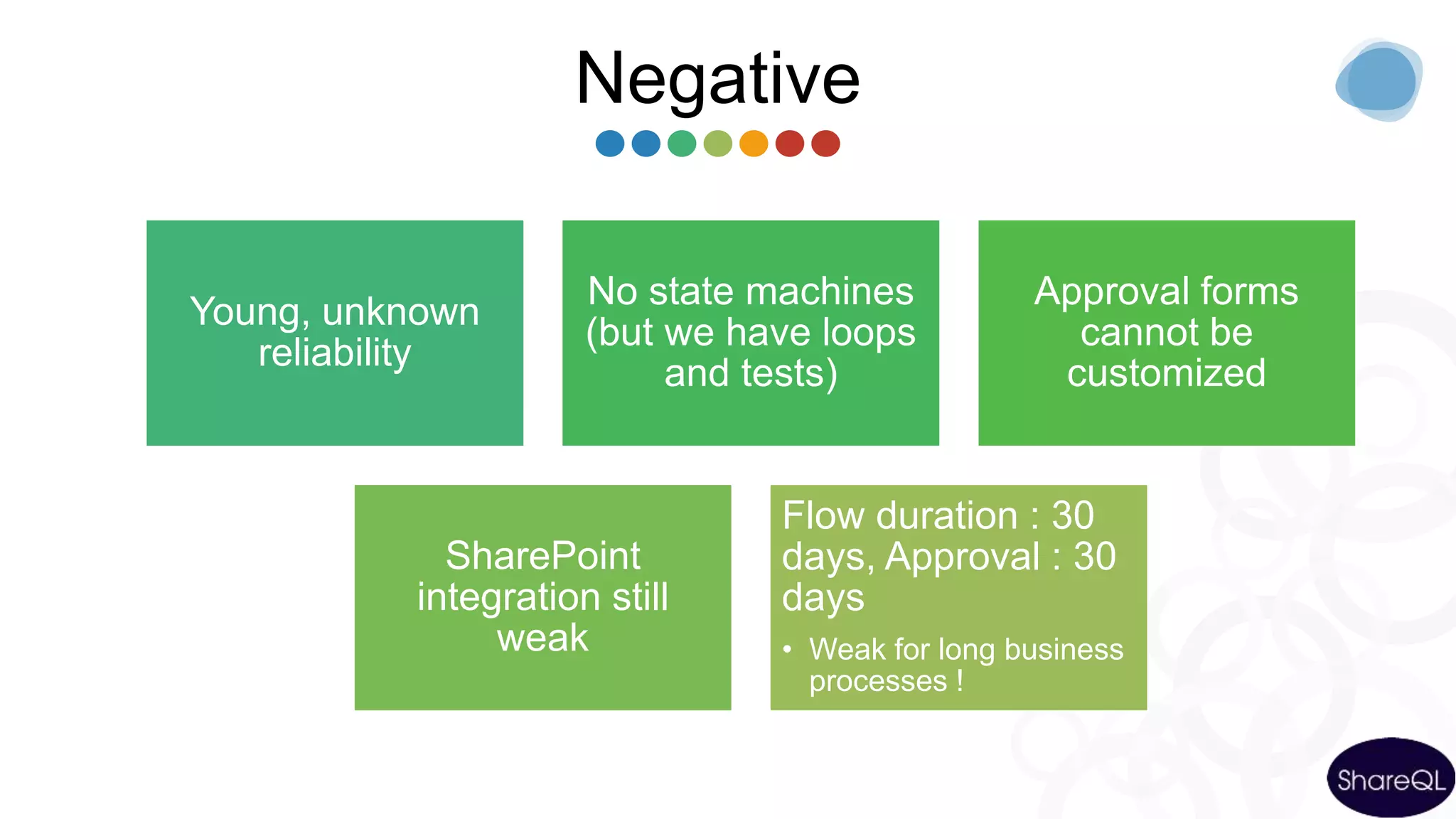
Negative
Young, unknown
reliability
No state machines
(but we have loops
and tests)
Approval forms
cannot be
customized
SharePoint
integration still
weak
Flow duration : 30
days, Approval : 30
days
• Weak for long business
processes !
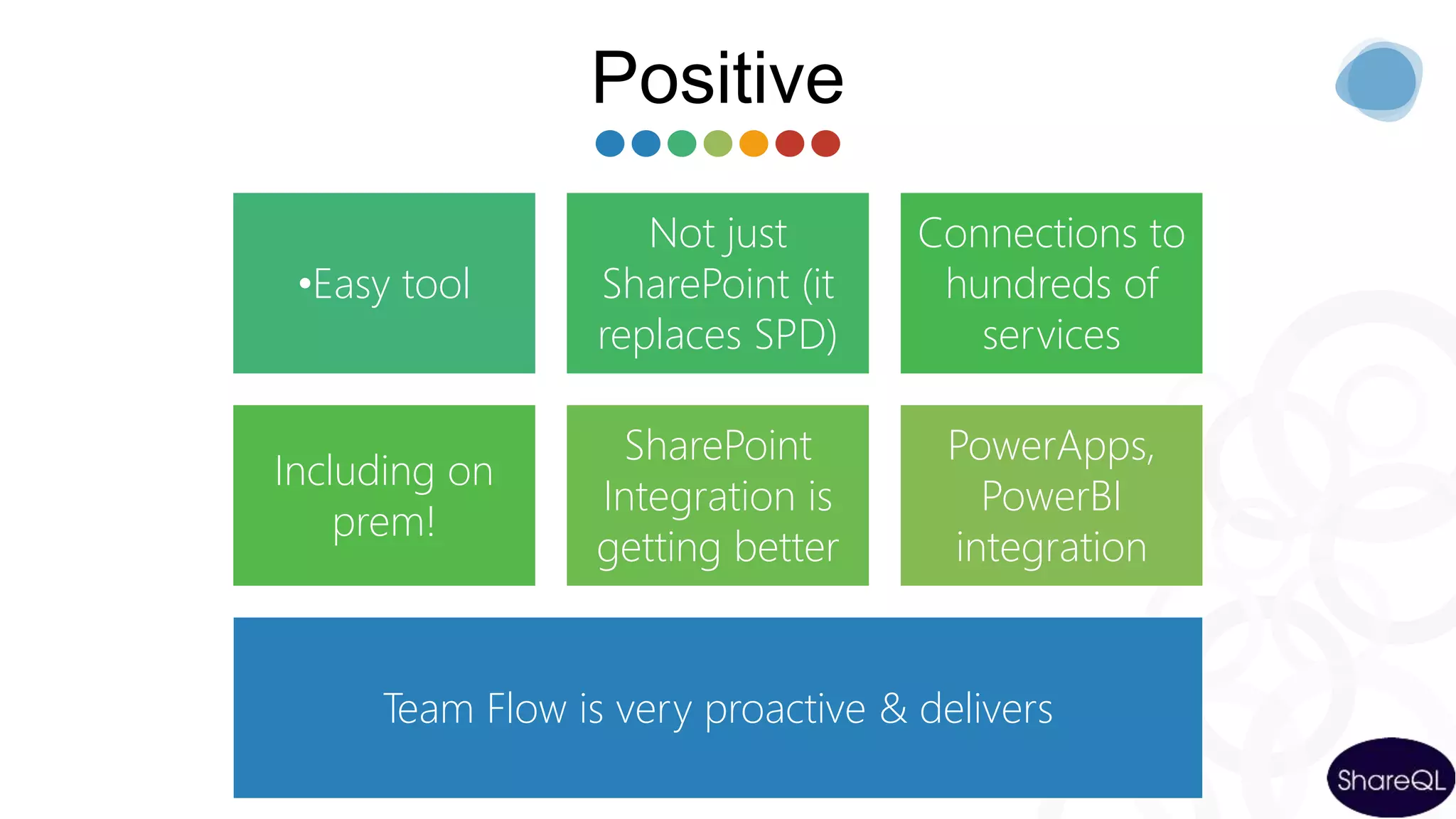
Positive
•Easy tool
Not just
SharePoint (it
replaces SPD)
Connections to
hundreds of
services
Including on
prem!
SharePoint
Integration is
getting better
PowerApps,
PowerBI
integration
Team Flow is very proactive & delivers
37
Let’s get in touch
Send your message, advice, and suggestion at
Serge&Isa@ShareQL.com
Come visit us at
We speak all around the world, come and meet us!!
https://www.shareql.com/events
Read our Blogs
http://www.sergeluca.com
http://theSqlGrrrl.wordpress.com
Follow and like us
@sergeluca
@theSQLgrrrl
https://www.shareql.com/masterclassflow
Vote for > 30 days ! :
https://sergeluca.wordpress.com
/
THANK YOU
Thanks for your time
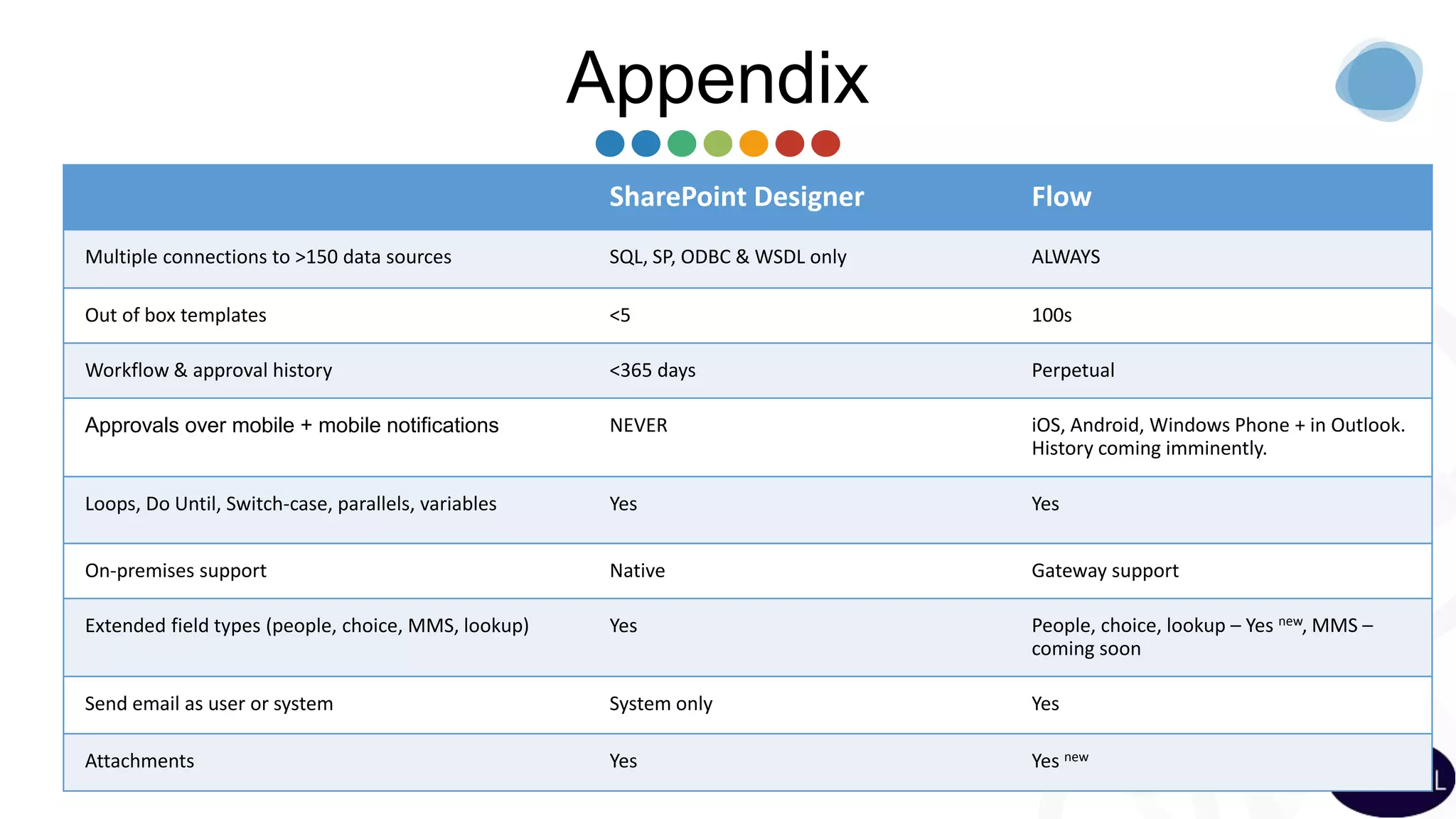
Appendix
SharePoint Designer Flow
Multiple connections to >150 data sources SQL, SP, ODBC & WSDL only ALWAYS
Out of box templates <5 100s
Workflow & approval history <365 days Perpetual
Approvals over mobile + mobile notifications NEVER iOS, Android, Windows Phone + in Outlook.
History coming imminently.
Loops, Do Until, Switch-case, parallels, variables Yes Yes
On-premises support Native Gateway support
Extended field types (people, choice, MMS, lookup) Yes People, choice, lookup – Yes new, MMS –
coming soon
Send email as user or system System only Yes
Attachments Yes Yes new
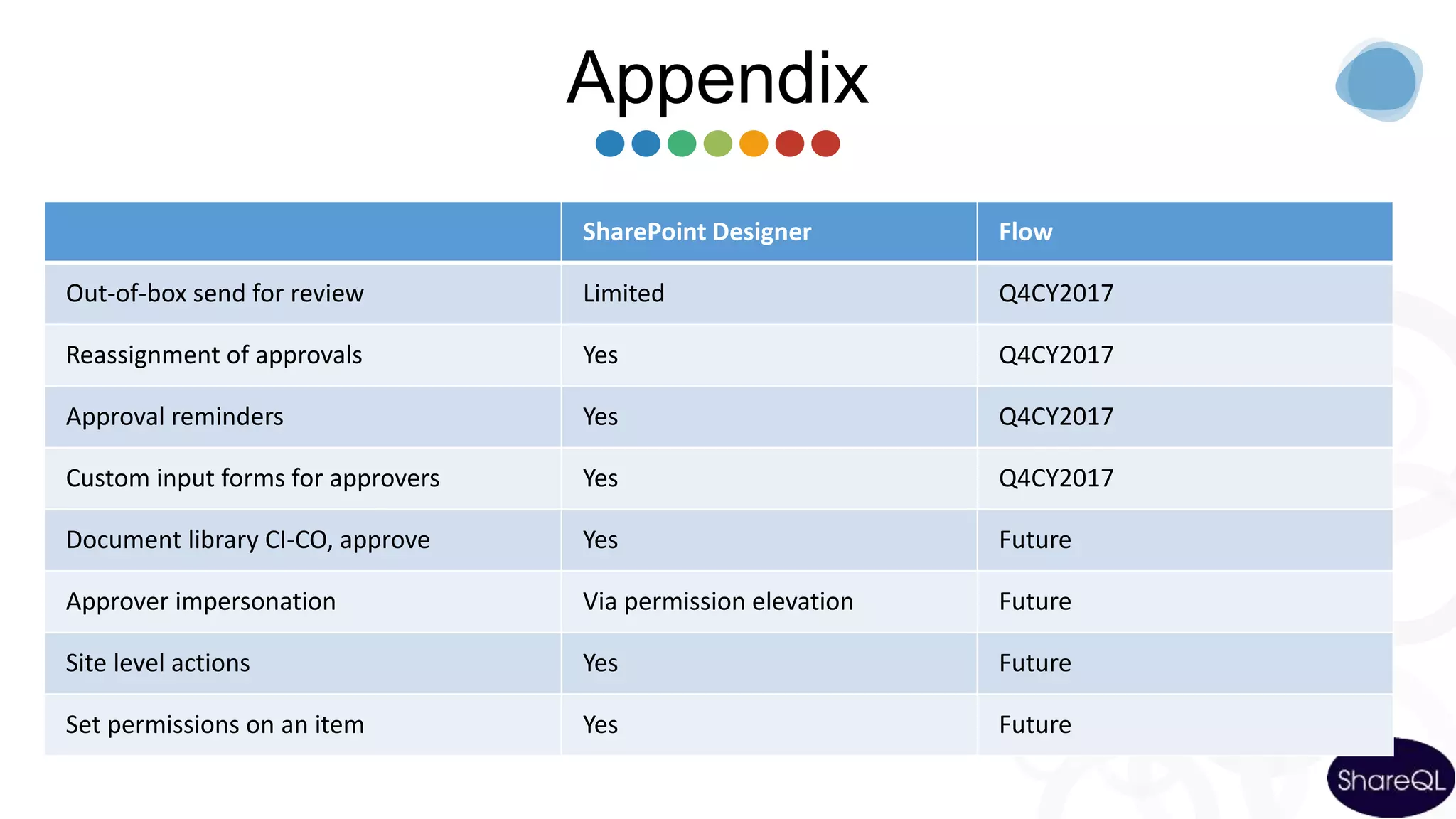
Appendix
SharePoint Designer Flow
Out-of-box send for review Limited Q4CY2017
Reassignment of approvals Yes Q4CY2017
Approval reminders Yes Q4CY2017
Custom input forms for approvers Yes Q4CY2017
Document library CI-CO, approve Yes Future
Approver impersonation Via permission elevation Future
Site level actions Yes Future
Set permissions on an item Yes Future

Microsoft Flow advanced: tips, pitfalls, problems and warnings to be known before starting a real project

  • 1.
    Microsoft Flow Tips, pitfalls, problemsand warnings to be known before starting a real project Serge Luca-Isabelle Van campenhoudt
  • 2.
    2 Serge Luca Managing Partnerat ShareQL About Serge 11 x SharePoint MVP, BrusselsSharePoint since 2002 O365 Architect (Admin, Dev, governance) Worked for the MS workflow team Blog: http://sergeluca.wordpress.com/ sergeluca@shareql.com @sergeluca SharePoint Flow Dev Architecture Bullshit Professional Skills
  • 3.
    3 Isabelle Van Campenhoudt ManagingPartner at ShareQL About Isabelle 6X Data Platform MVP, BrusselsConsultant, Speaker Trainer, PASS Community Leader SQL server since 1999 SharePoint BI & Power BI since it starts Blog: theSQLGrrrl.wordpress.com ivc@shareql.com Twitter: @theSQLgrrrl http://GUSS.pro SQL BI Tuning Architecture Coffee making Professional Skills
  • 4.
  • 5.
    5 Agenda Introduction The concept Creating Flows Flowsand on premises Environment + Data Loss prevention Extensibility : communication with the outside world Price & roadmap
  • 6.
  • 7.
  • 8.
    The context-Business Apps Empowerpower users Connect data across apps More efficient developers App Services Service Fabric Azure Functions … Azure functions Graph api … SQL Server BI Data analytics Internet of Things (IoT) … Build modern business app fast
  • 9.
  • 10.
    Creating and managingFlows Microsoft Account (free) or Office 365 or Dynamics 365 or Flow (paid) or PowerApps (or free new PowerApps Community Plan) Flow.microsoft.com Powerapps.microsoft.com A modern SharePoint Online list / document library Mobile app (iOS-Android-Windows Mobile)
  • 11.
  • 12.
  • 13.
  • 14.
    Approval problems… What dowe do if the item (to be approved) is deleted ? What if the flow is cancelled ? No approval reassignment (->roadmap) Flow limitations : flow duration = max 30 days Approval duration = max 30 days ->What if Approval 1 = 20 days & Approval 2 = 15 days ?
  • 15.
    Limitations • Create nestedflows 250 actions/flow • Max 5000 iterations in Do until • Max 5.000 iterations in For each (100.000 in Plan 1)Loops • Limitation when more than 5000 items in a SharePoint list? • No OOB site level actions ->roadmap • Cannot OOB change item security ->roadmap • Lookup field pointing to another web (cross-site column lookup) ? SharePoint
  • 16.
    Limitations No out ofthe box send for review •soon
  • 17.
    Limitation : nostate machines
  • 18.
    Limitation : nocustom approval form
  • 19.
  • 20.
    Flow and dataon premises • Install the « on Premises data gateway » (shared between PowerBI, PowerApps and Azure Logic Apps) Not just databases, but also Powershell scripts, files and (recently) : REST API web services
  • 21.
  • 22.
  • 23.
    Environments & compliance Isolatedspaces where Flows/Data are running/stored Ex HR, Marketing, Operations, Legal, DEV, TEST, UAT, PROD… Different rules (DLP) Ex marketing can use twitter, Legal and Production cannot Different regions if needed [Plan 2 for creating & using several Env]
  • 24.
    ENVIRONMENTSDEV MARKETING TEST MARKETING UAT MARKETING PROD MARKETING DEV OPERATIONS US TEST OPERATIONS US UAT OPERATIONS USPROD OPERATIONS US U S DL P DEV OPERATIONS EUROPETEST OPERATIONS EUROPEUAT OPERATIONS EUROPE PROD OPERATIONS EUROPE E U DL P
  • 25.
    Attention We can export-import Flowsfrom Env1 to Env2 • We have to recreate the connections (fixed in roadmap) • SharePoint lists based on GUID (! From SharePoint test site to SharePoint prod site !) On premise data gateway : • Gateways only in the default environment
  • 26.
  • 27.
    Call – Flow- Called  Action Request  Action Http  Custom Connector (REST API described in a Swagger/Open API ) PowerApps calls Flow A custom app calls Flow (« Flow as a service ») PowerBI calls Flow (Data Alerts) Flow calls the outside world
  • 28.
    Power BI &Flow FLOW DATA ALERTS DATA SOURCES POWER B I SCHEDULED REFRESH STREAMING DATA LIVE
  • 29.
  • 31.
  • 32.
    Advices • Keep yourforms as simple as possible • Manage the business logic in the workflow • Use environments • Define system accounts for your connections • Limitations • Learn the Logic Apps Workflow Definition Language (WDL) – Read my blog post https://sergeluca.wordpress.com/2017/04/26/using-the-azure- logic-apps-workflow-definition-language-in-microsoft-flow- part-1/
  • 33.
  • 34.
    Negative Young, unknown reliability No statemachines (but we have loops and tests) Approval forms cannot be customized SharePoint integration still weak Flow duration : 30 days, Approval : 30 days • Weak for long business processes !
  • 35.
    Positive •Easy tool Not just SharePoint(it replaces SPD) Connections to hundreds of services Including on prem! SharePoint Integration is getting better PowerApps, PowerBI integration Team Flow is very proactive & delivers
  • 36.
    37 Let’s get intouch Send your message, advice, and suggestion at Serge&Isa@ShareQL.com Come visit us at We speak all around the world, come and meet us!! https://www.shareql.com/events Read our Blogs http://www.sergeluca.com http://theSqlGrrrl.wordpress.com Follow and like us @sergeluca @theSQLgrrrl https://www.shareql.com/masterclassflow Vote for > 30 days ! : https://sergeluca.wordpress.com /
  • 37.
  • 38.
    Appendix SharePoint Designer Flow Multipleconnections to >150 data sources SQL, SP, ODBC & WSDL only ALWAYS Out of box templates <5 100s Workflow & approval history <365 days Perpetual Approvals over mobile + mobile notifications NEVER iOS, Android, Windows Phone + in Outlook. History coming imminently. Loops, Do Until, Switch-case, parallels, variables Yes Yes On-premises support Native Gateway support Extended field types (people, choice, MMS, lookup) Yes People, choice, lookup – Yes new, MMS – coming soon Send email as user or system System only Yes Attachments Yes Yes new
  • 39.
    Appendix SharePoint Designer Flow Out-of-boxsend for review Limited Q4CY2017 Reassignment of approvals Yes Q4CY2017 Approval reminders Yes Q4CY2017 Custom input forms for approvers Yes Q4CY2017 Document library CI-CO, approve Yes Future Approver impersonation Via permission elevation Future Site level actions Yes Future Set permissions on an item Yes Future

Editor's Notes

  • #8 Quickly create (0 code) Business Processes apps
  • #13 Jusqu’ici: 7 min Duréee 8-10 min Demo scan Ondrive If doesn’t work set filepath is the content parameter (send mail) https://shareql.sharepoint.com/demosharepoint/nintext/ Show how to login App launcher ? SharePoint list online Show services https://flow.microsoft.com/en-us/services/ ( > 60 services) Show templates Type « SharePoint » to see sharepoint actions and « Office 365 » Triggers ( show triggers) Triggers in SharePoint Show flow « ShareQL expense » When a new item is created in expenses, ask my manager approve it if it is > 500 euros
  • #17 16’
  • #22 Jusqu’ici: 7 min Duréee 8-10 min Demo scan Ondrive If doesn’t work set filepath is the content parameter (send mail) https://shareql.sharepoint.com/demosharepoint/nintext/ Show how to login App launcher ? SharePoint list online Show services https://flow.microsoft.com/en-us/services/ ( > 60 services) Show templates Type « SharePoint » to see sharepoint actions and « Office 365 » Triggers ( show triggers) Triggers in SharePoint Show flow « ShareQL expense » When a new item is created in expenses, ask my manager approve it if it is > 500 euros
  • #27 Jusqu’ici: 7 min Duréee 8-10 min Demo scan Ondrive If doesn’t work set filepath is the content parameter (send mail) https://shareql.sharepoint.com/demosharepoint/nintext/ Show how to login App launcher ? SharePoint list online Show services https://flow.microsoft.com/en-us/services/ ( > 60 services) Show templates Type « SharePoint » to see sharepoint actions and « Office 365 » Triggers ( show triggers) Triggers in SharePoint Show flow « ShareQL expense » When a new item is created in expenses, ask my manager approve it if it is > 500 euros