Introduction à Microsoft
Flow
Serge Luca
Isabelle Van Campenhoudt
Sabrine Chouk14 octobre 2017
#SPSParis
Merci pour votre soutien
Serge Luca
11 x SharePoint MVP, Brussels
SharePoint since 2002
Architect (Admin, Dev, gouvernance)
Managing partner of www.shareql.com
Worked for the MS workflow team
Blog: http://sergeluca.wordpress.com/
sergeluca@shareql.com
@sergeluca
SQL Server MVP, Brussels
Consultant, speaker, trainer, GUSS Board Member, PASS V-Chapter Leader
Managing partner de www.ShareQL.com
SQL Server since 1999
Blog: http://thesqlgrrrl.wordpress.com/
ivc@ShareQL.com
@thesqlgrrrl
Isabelle Van Campenhoudt
• Consultante Office 365 & SharePoint Chez
Orange Application For Business
• Pseller Office 365 chez Microsoft
• Membre de L'AOS community
• Blog: http://sharepointsabrine.wordpre
ss.com/
• Sabrine.chouk@orange.com
• @ChoukSabrine
Sabrine CHOUK
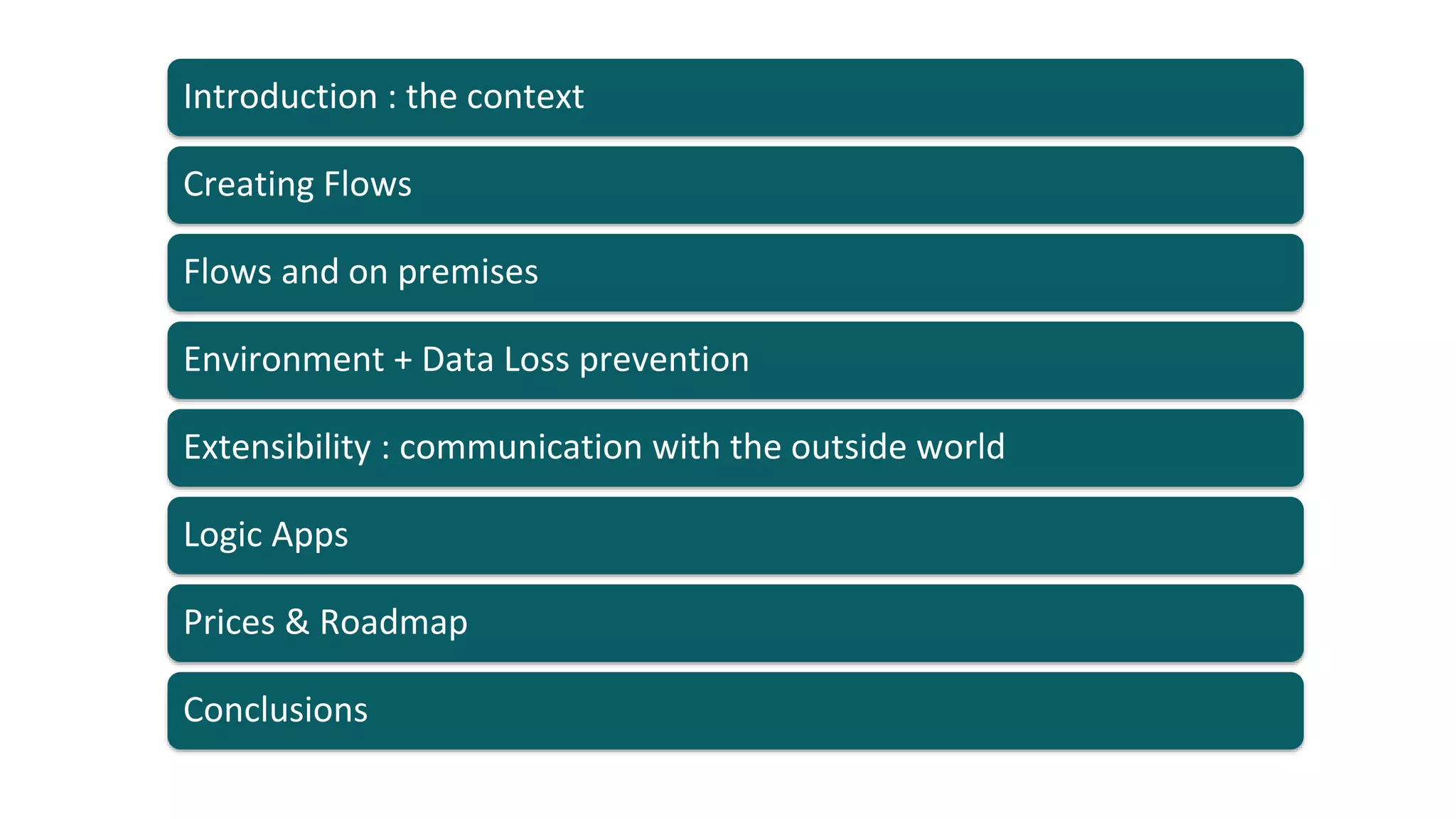
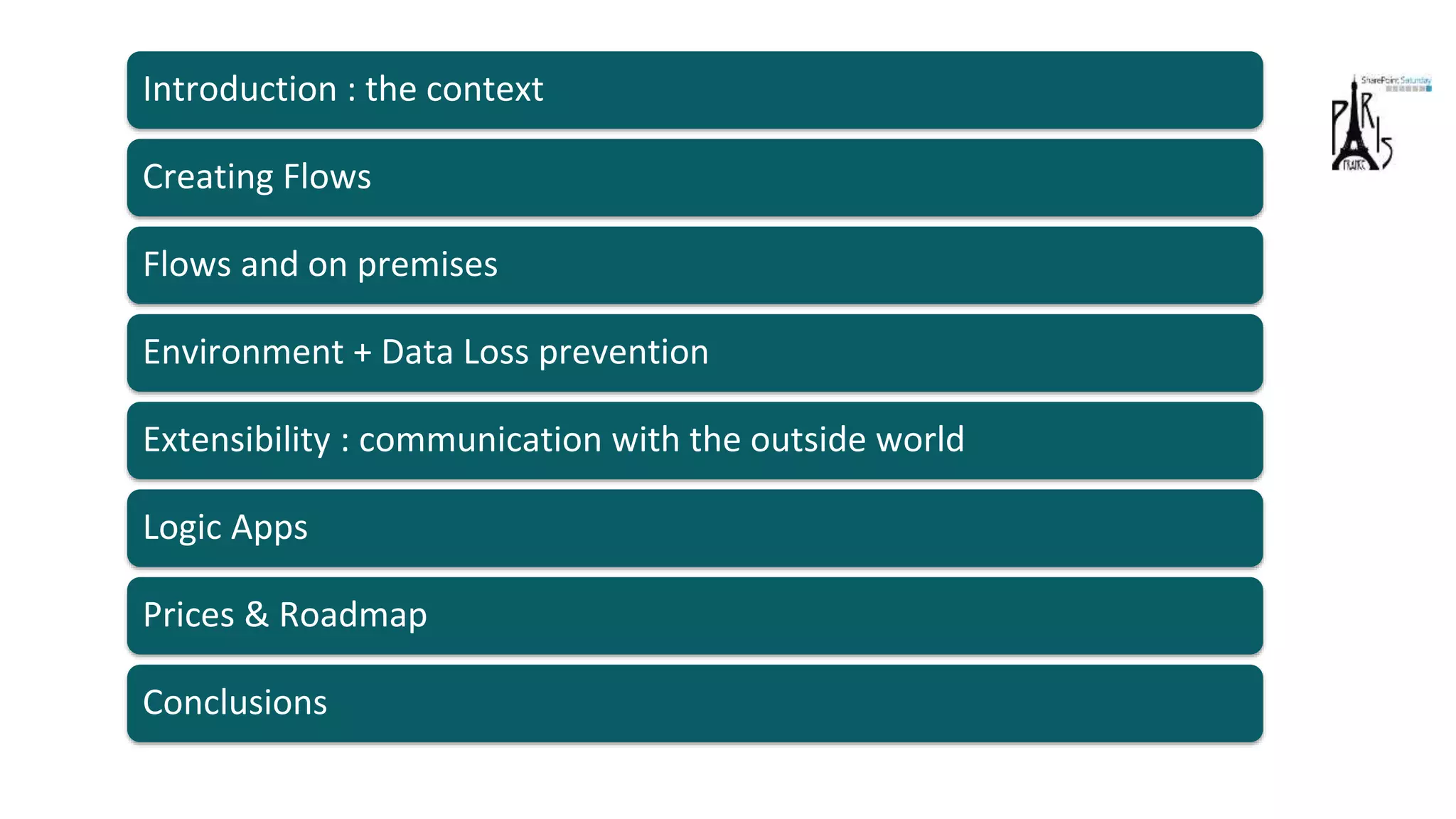
Flows and on premises
Environment + Data Loss prevention
Extensibility : communication with the outside world
Logic Apps
Prices & Roadmap
Creating Flows
Introduction : the context
Conclusions
Introduction : the context
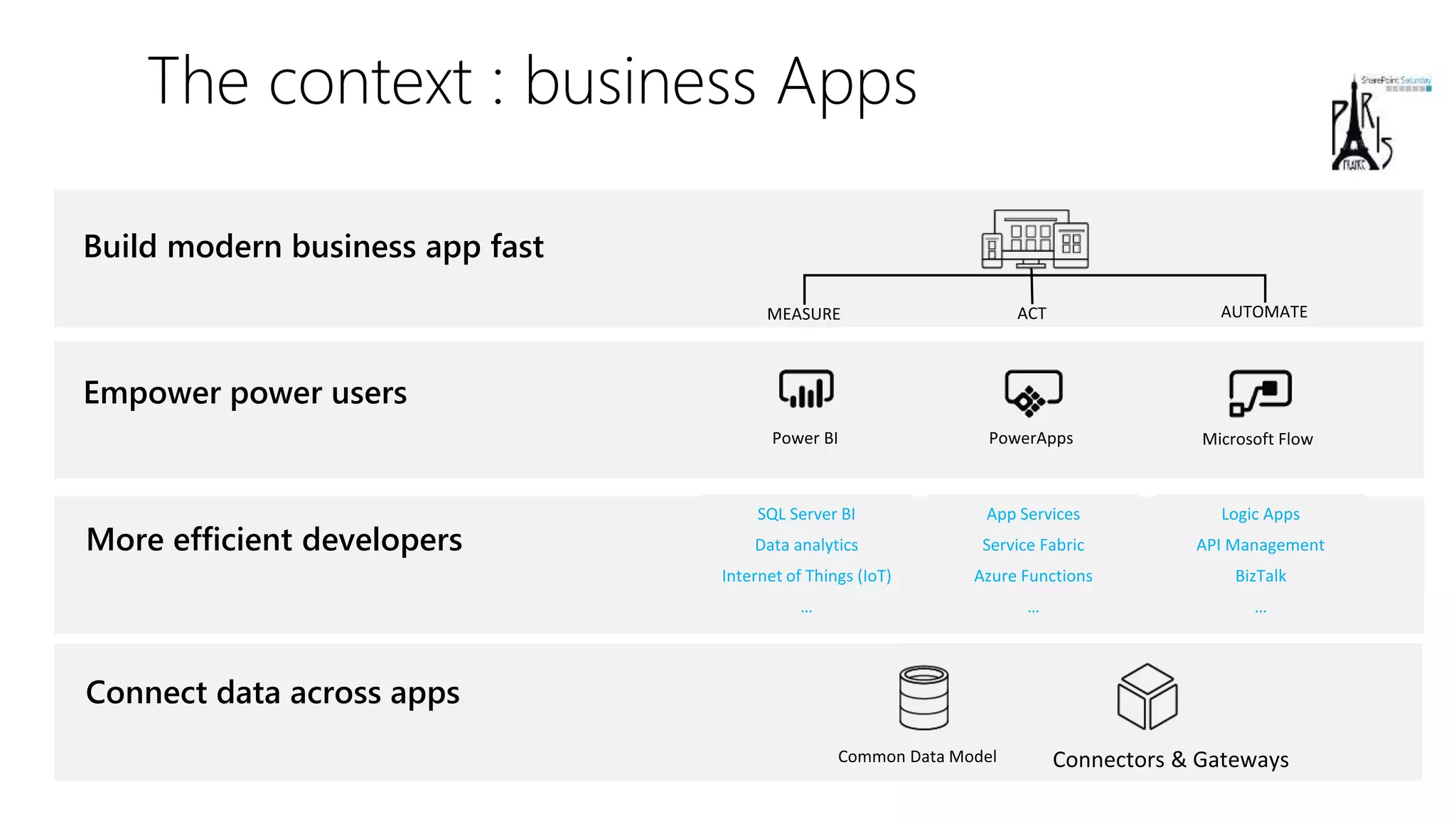
The context : business Apps
Empower power users
Connect data across apps
More efficient developers
App Services
Service Fabric
Azure Functions
…
Logic Apps
API Management
BizTalk
…
SQL Server BI
Data analytics
Internet of Things (IoT)
…
Build modern business app fast
Creating Flows
Introduction : the context
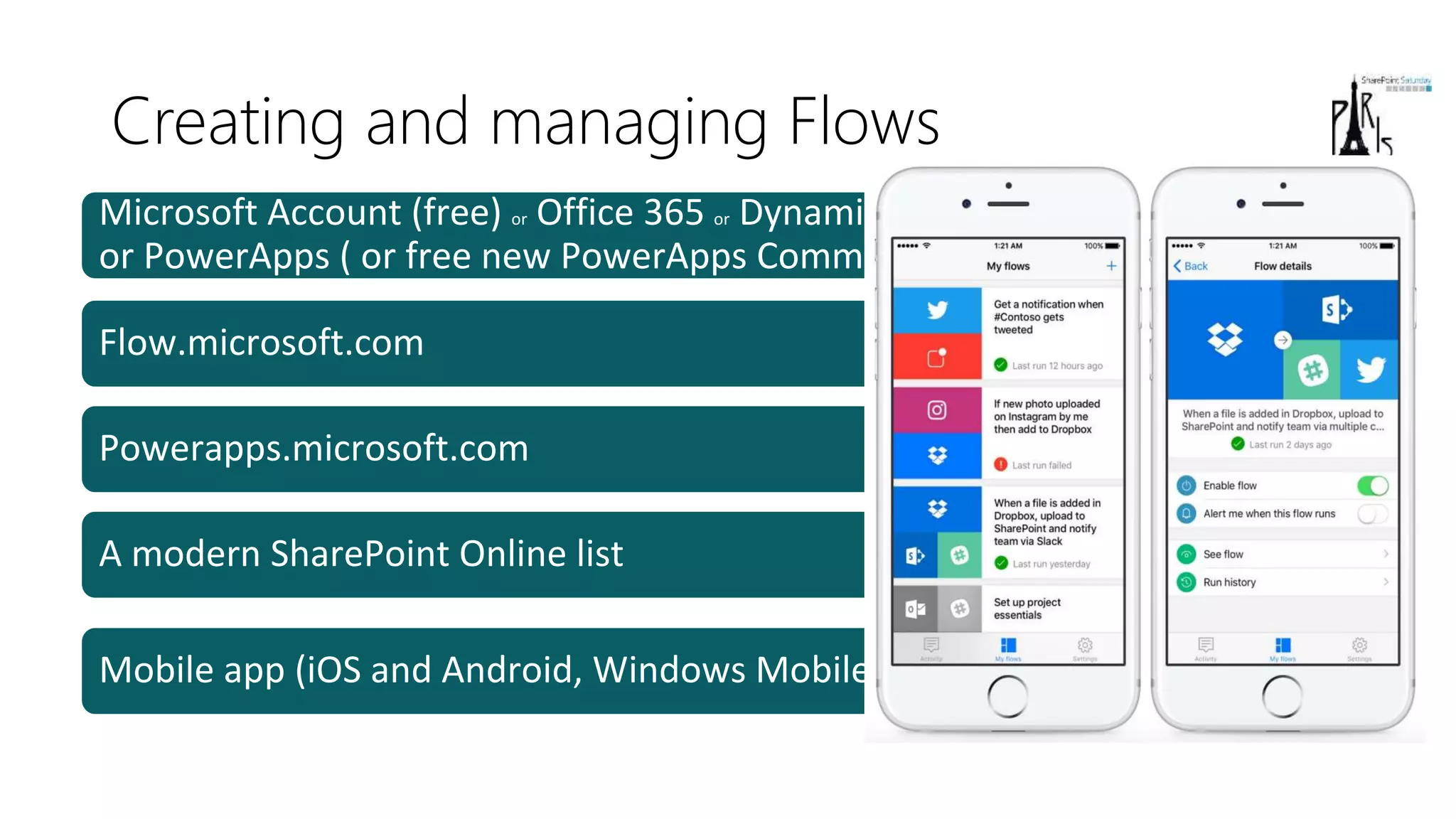
Creating and managing Flows
Microsoft Account (free) or Office 365 or Dynamics 365 or Flow (paid)
or PowerApps ( or free new PowerApps Community Plan)
Flow.microsoft.com
Powerapps.microsoft.com
A modern SharePoint Online list
Mobile app (iOS and Android, Windows Mobile is coming)
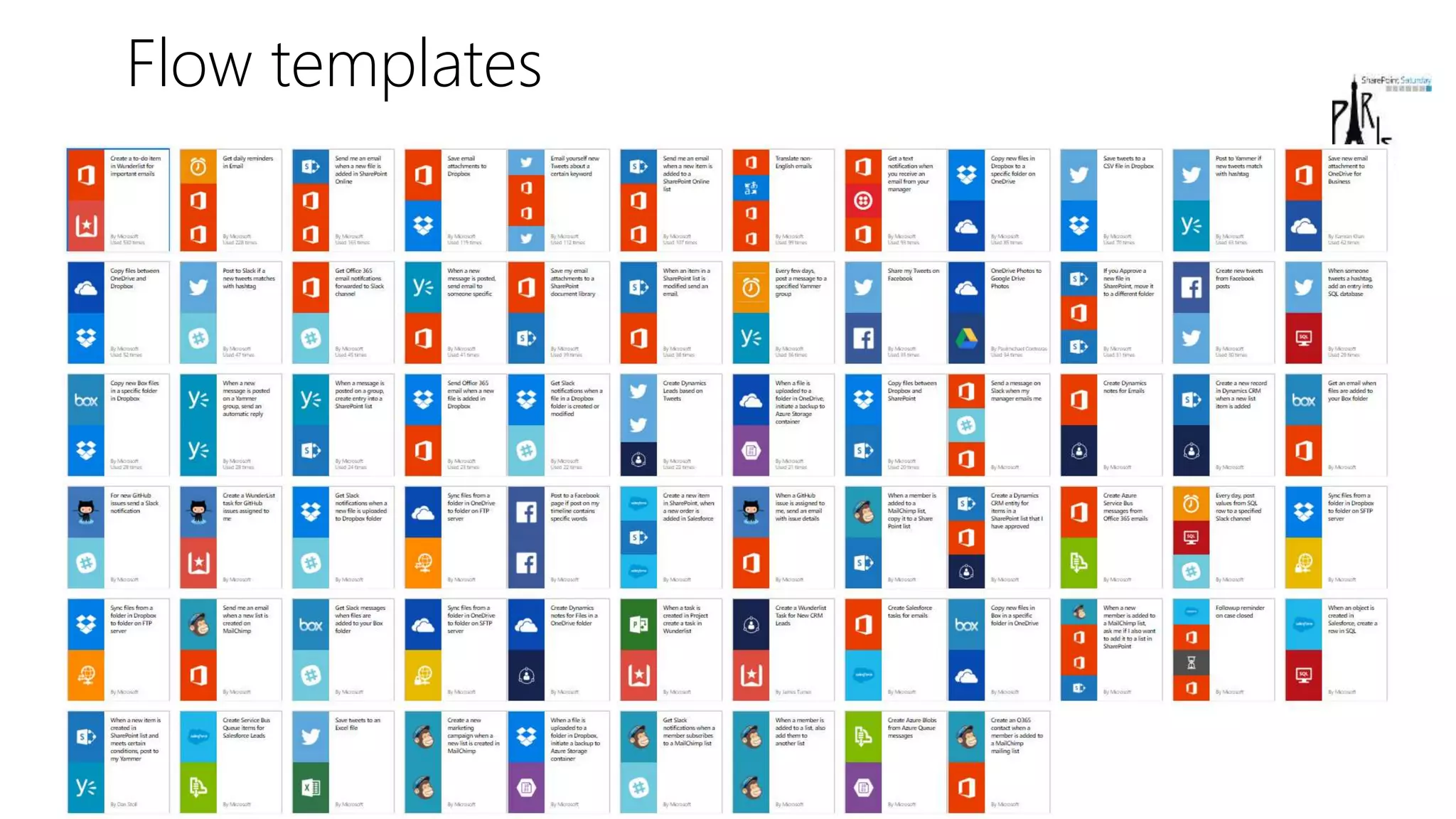
Flow templates
demoEXPENSE REPORT
Flows and on premises
Creating Flows
Introduction : the context
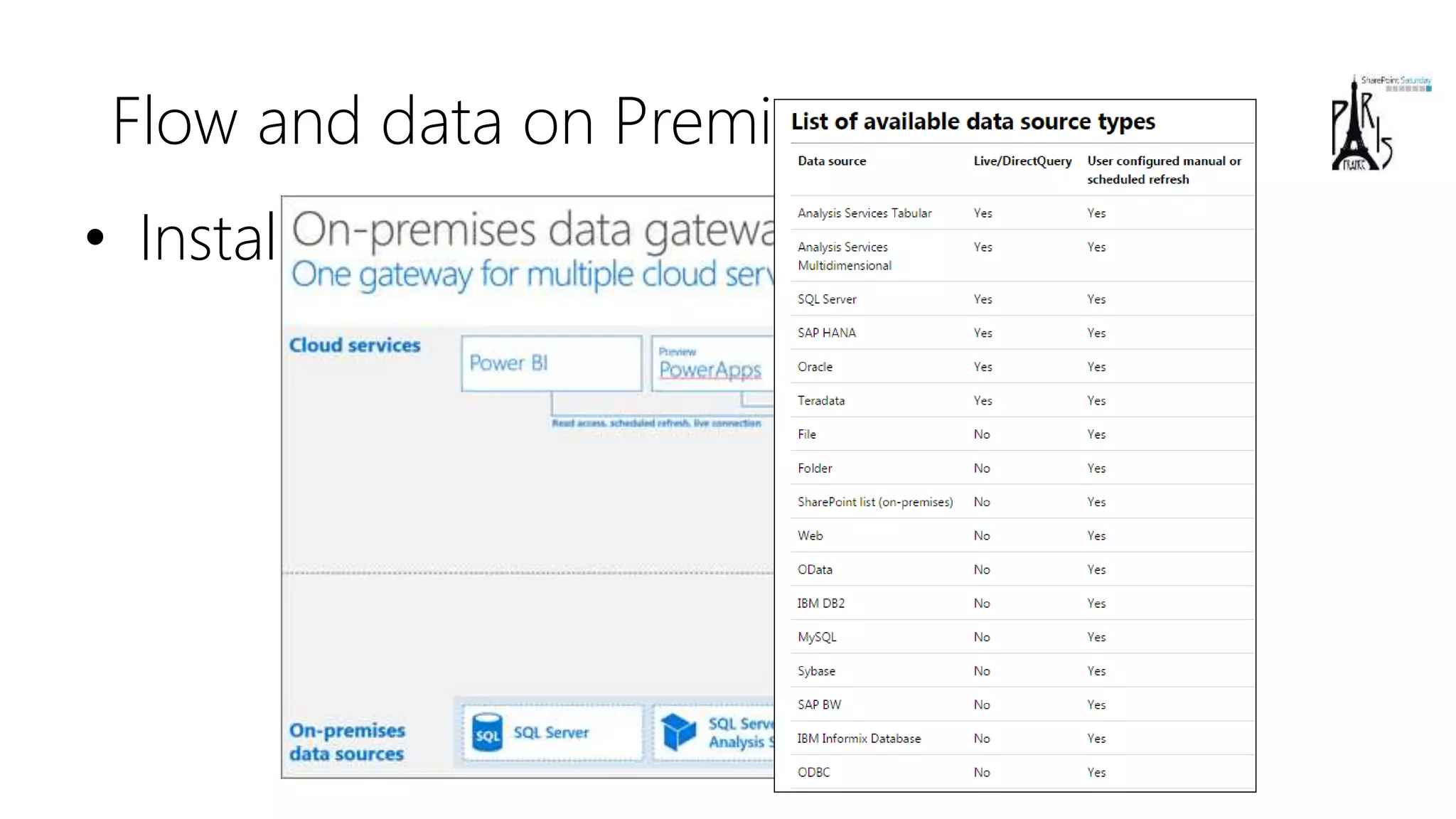
Flow and data on Premises
• Install the « on Premises data gateway »
(shared between PowerBI, PowerApps and Azure Logic
Apps)
demoFLOW AND DATA ON PREMISES
Flows and on premises
Environment + Data Loss prevention
Creating Flows
Introduction : the context
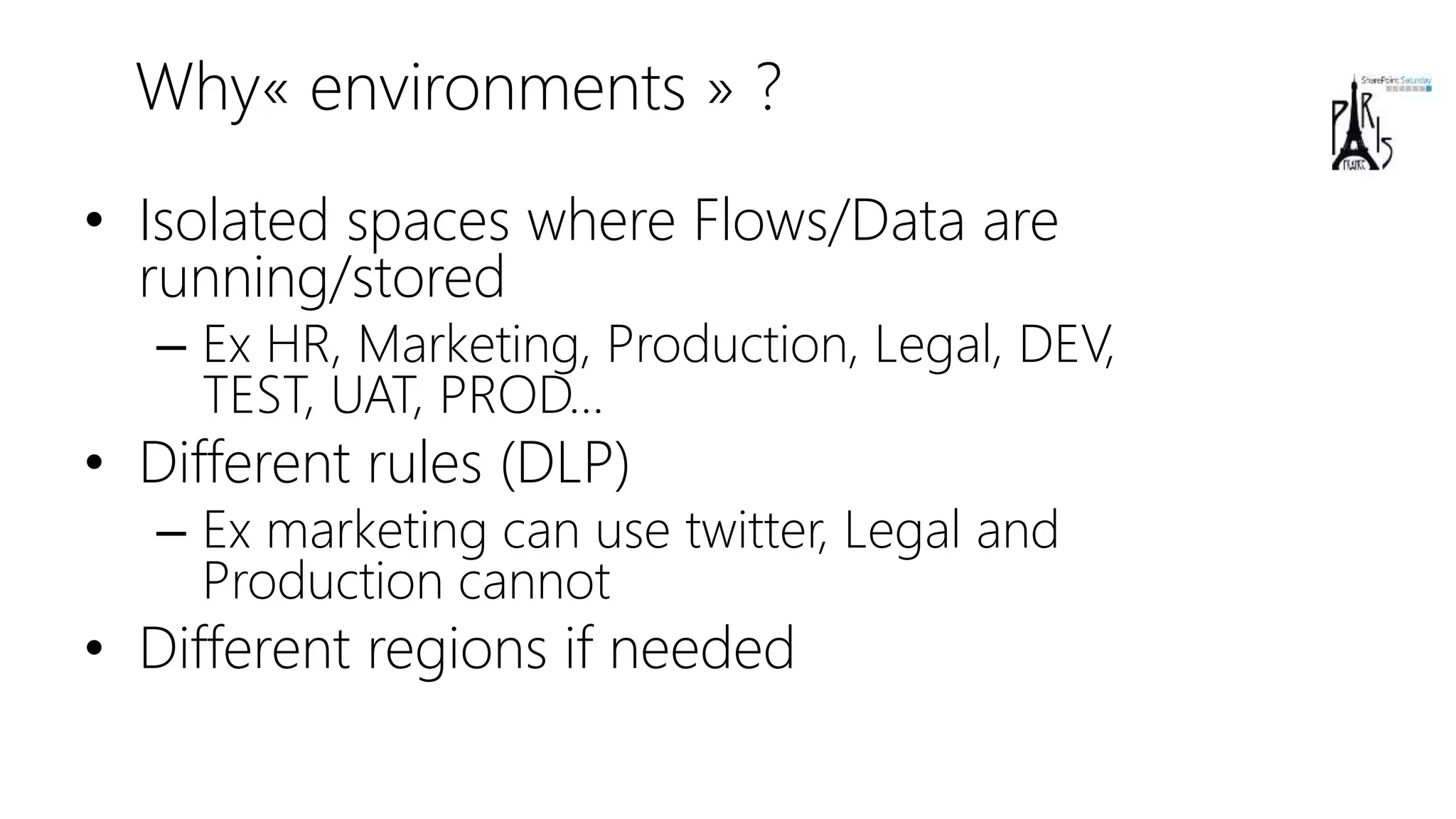
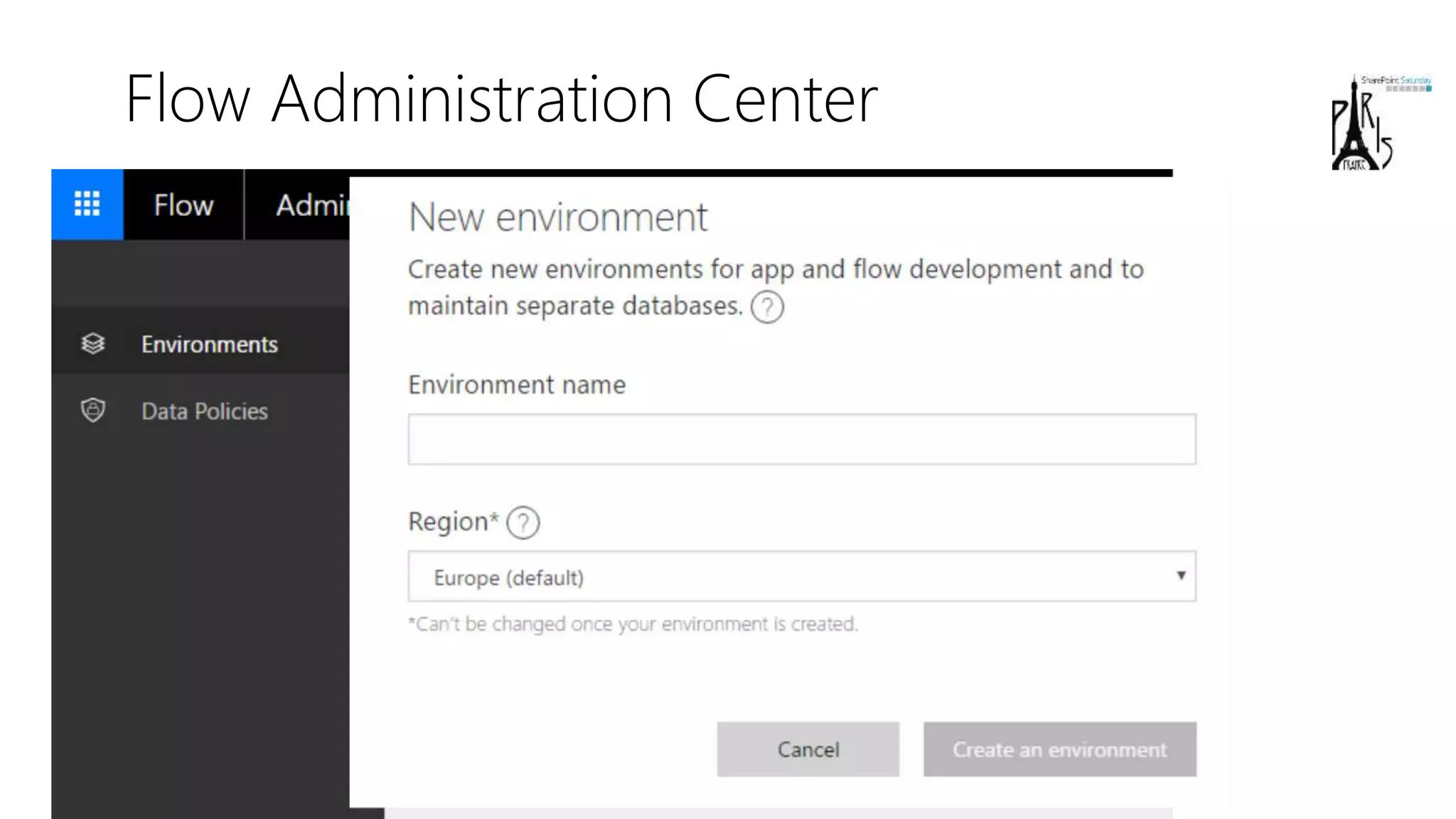
Why« environments » ?
• Isolated spaces where Flows/Data are
running/stored
– Ex HR, Marketing, Production, Legal, DEV,
TEST, UAT, PROD…
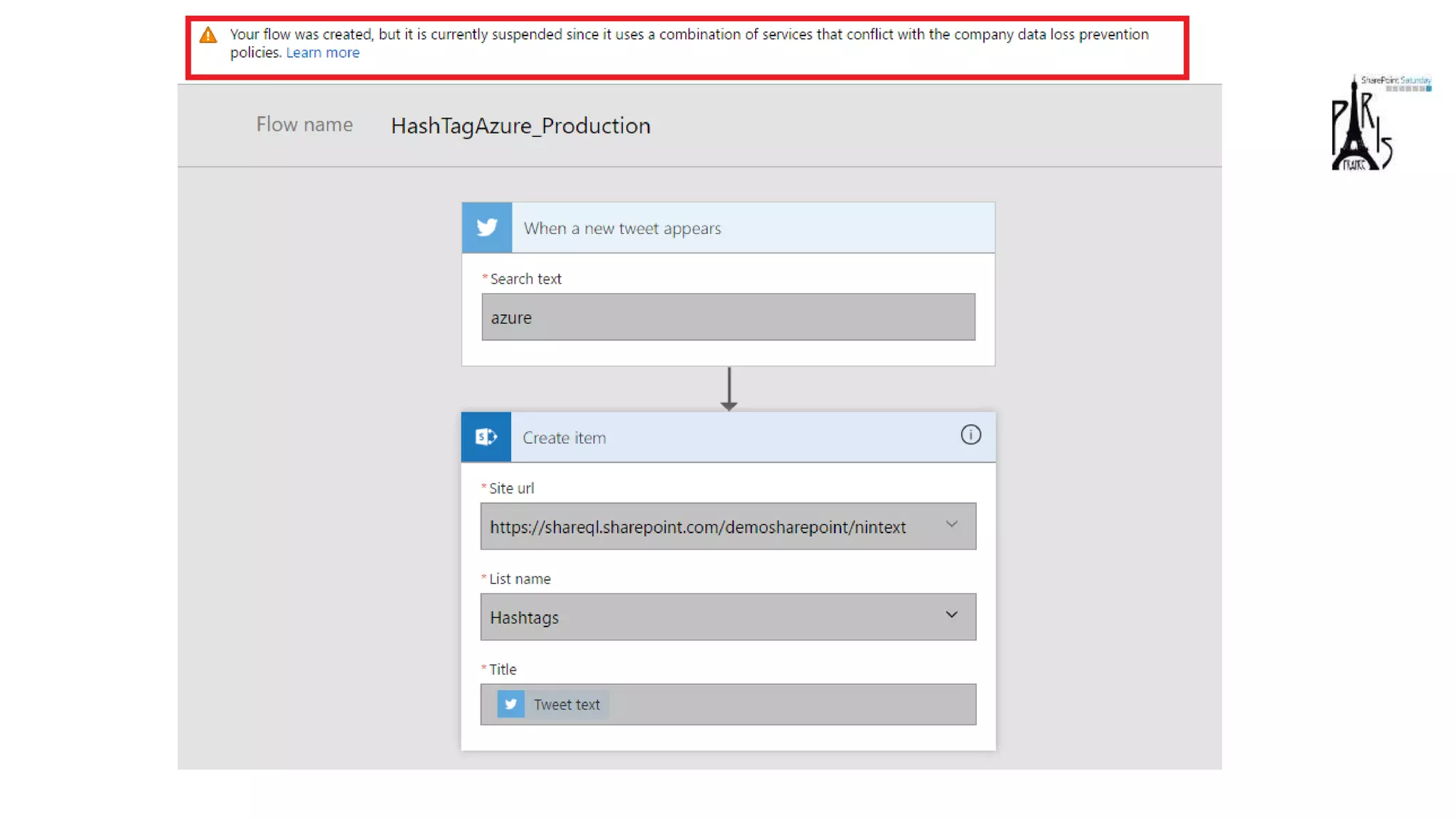
• Different rules (DLP)
– Ex marketing can use twitter, Legal and
Production cannot
• Different regions if needed
Flow Administration Center
demoENVIRONMENTS & DLP
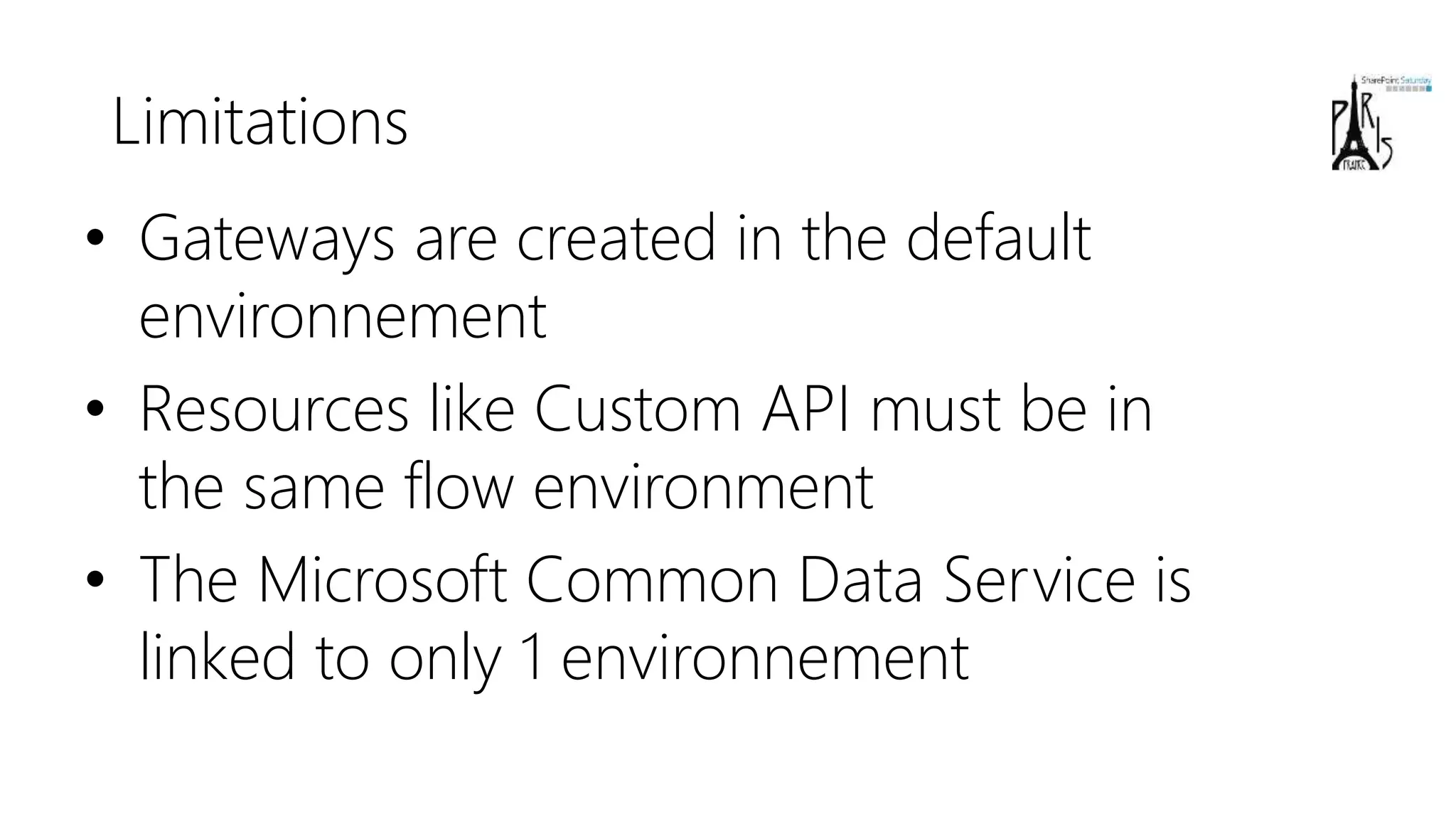
Limitations
• Gateways are created in the default
environnement
• Resources like Custom API must be in
the same flow environment
• The Microsoft Common Data Service is
linked to only 1 environnement
Flows and on premises
Environment + Data Loss prevention
Extensibility : communication with the outside world
Creating Flows
Introduction : the context
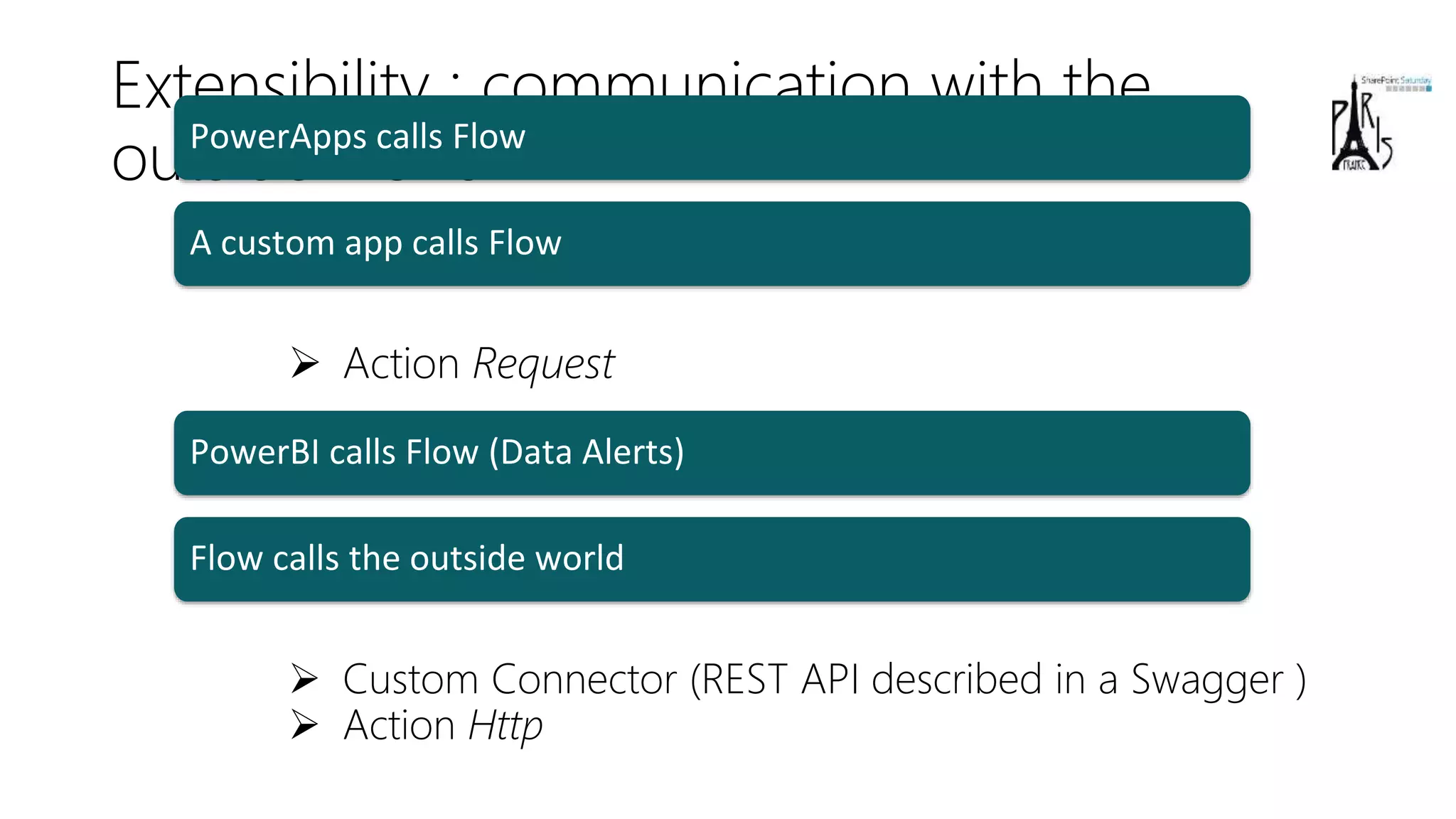
Extensibility : communication with the
outside world
 Action Request
 Custom Connector (REST API described in a Swagger )
 Action Http
PowerApps calls Flow
A custom app calls Flow
PowerBI calls Flow (Data Alerts)
Flow calls the outside world
demoPOWERAPPS CALLS FLOW
demoA CUSTOM APPLICATION CALLS
FLOW
demoFLOW CALLS THE OUTSIDE WORLD
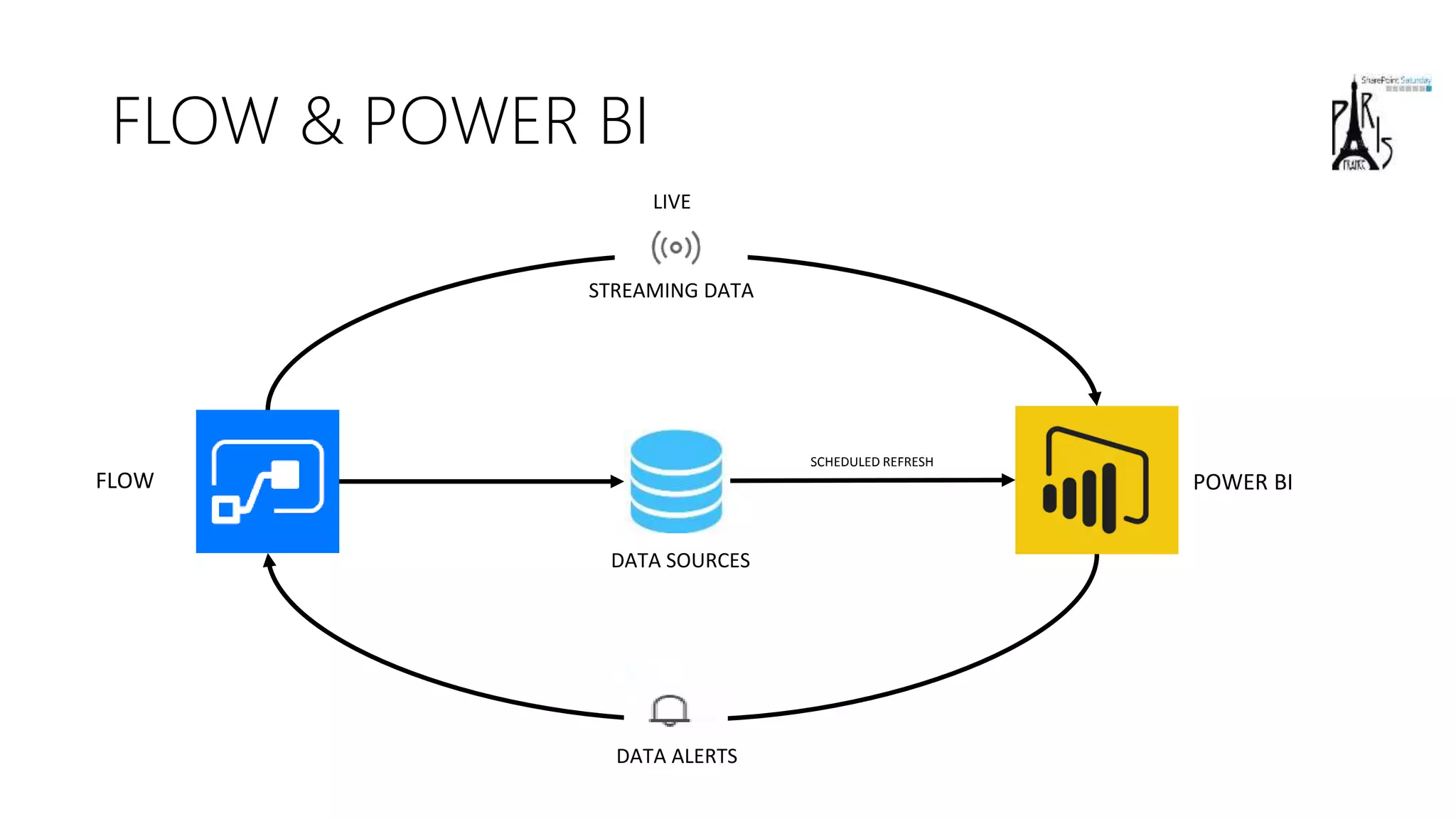
FLOW & POWER BI
FLOW
DATA ALERTS
DATA SOURCES
POWER BI
SCHEDULED REFRESH
STREAMING DATA
LIVE
demoFLOW & POWERBI
demoPOWERBI CALLS FLOW (data alerts)
)
Flows and on premises
Environment + Data Loss prevention
Extensibility : communication with the outside world
Logic Apps
Creating Flows
Introduction : the context
Logic Apps
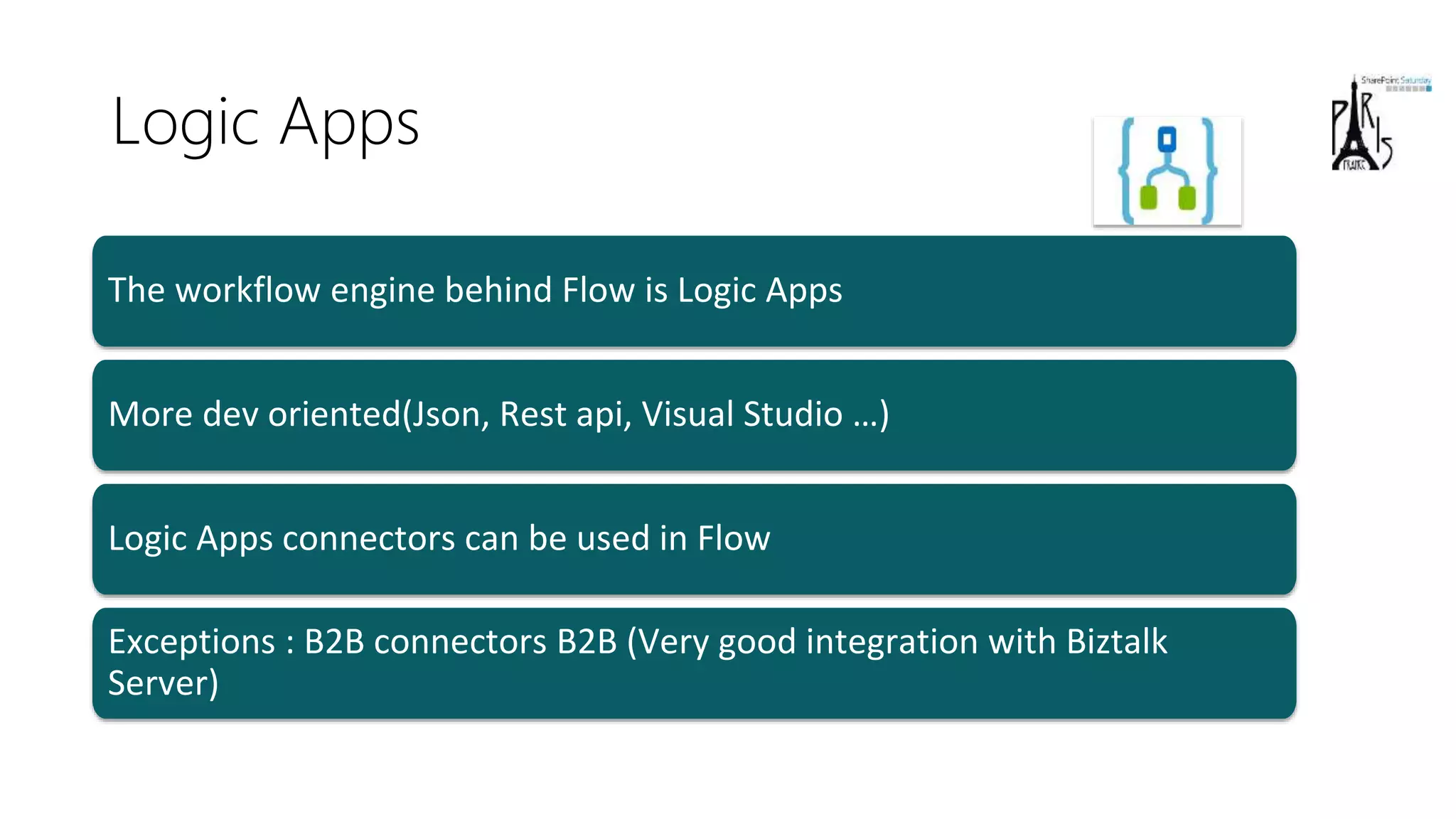
More dev oriented(Json, Rest api, Visual Studio …)
Logic Apps connectors can be used in Flow
Exceptions : B2B connectors B2B (Very good integration with Biztalk
Server)
The workflow engine behind Flow is Logic Apps
demoLogic Apps
)
Flows and on premises
Environment + Data Loss prevention
Extensibility : communication with the outside world
Logic Apps
Prices & Roadmap
Creating Flows
Introduction : the context
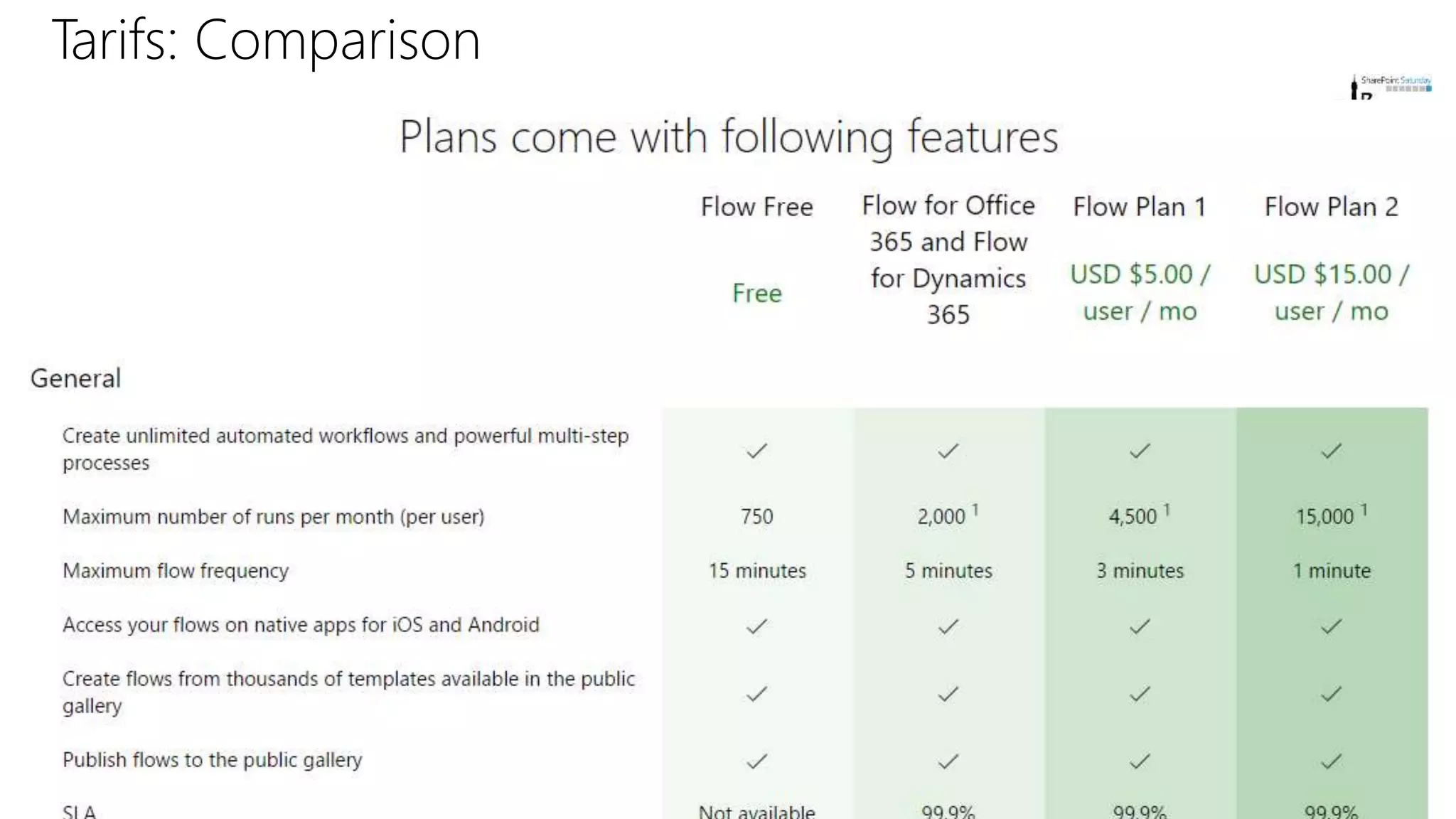
Tarifs: Comparison
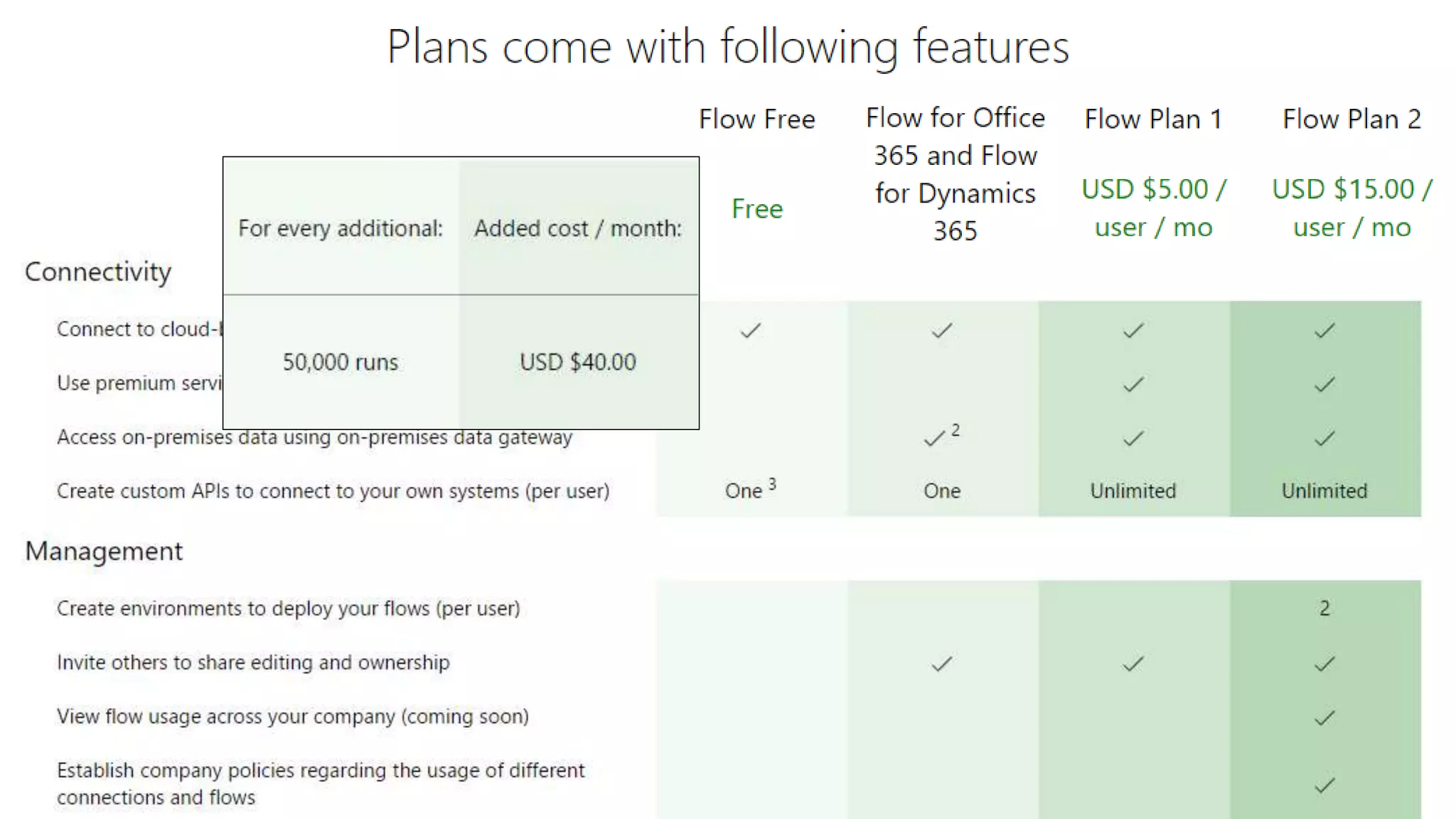
Tarifs: Comparaison
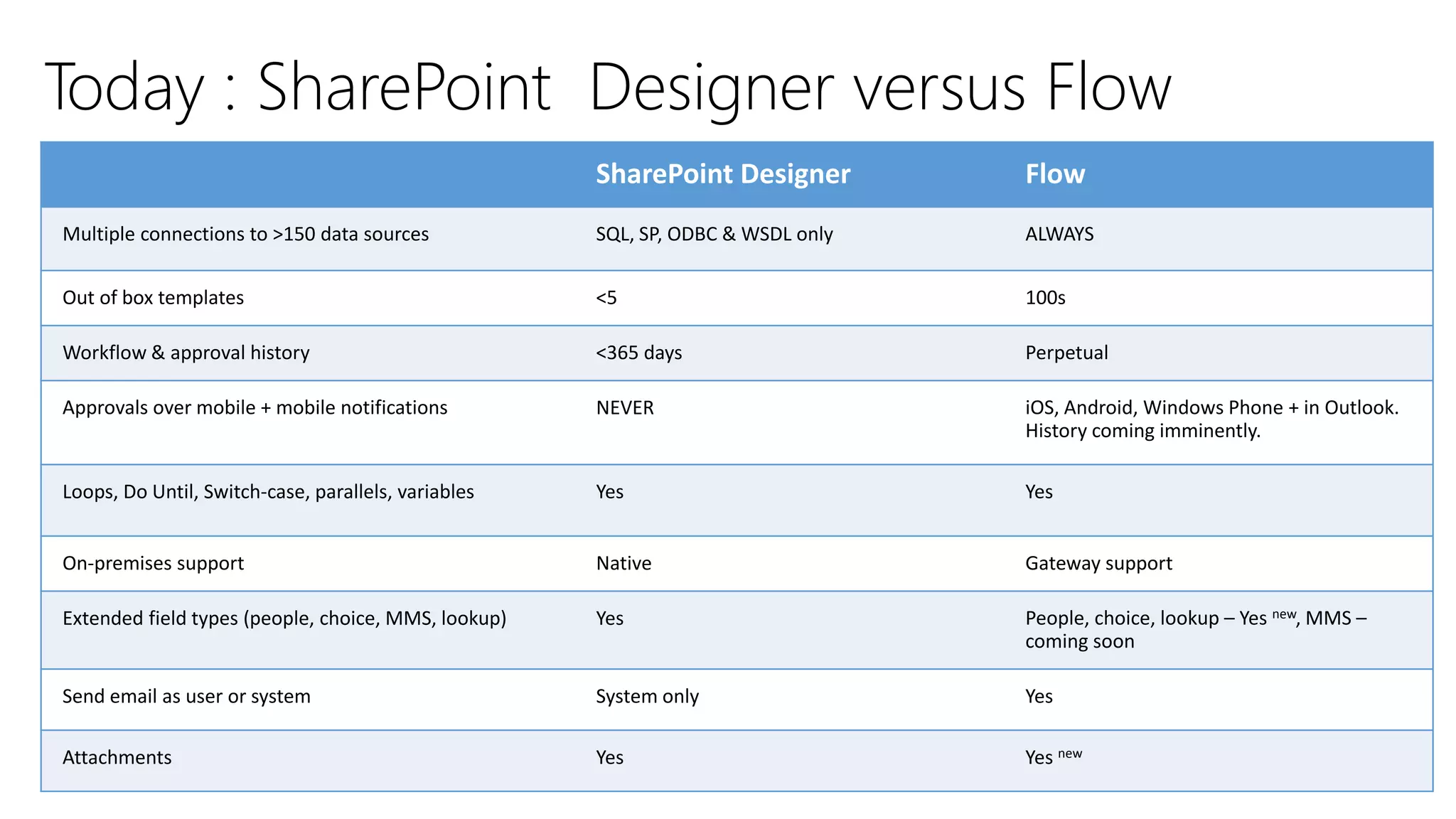
Today : SharePoint Designer versus Flow
SharePoint Designer Flow
Multiple connections to >150 data sources SQL, SP, ODBC & WSDL only ALWAYS
Out of box templates <5 100s
Workflow & approval history <365 days Perpetual
Approvals over mobile + mobile notifications NEVER iOS, Android, Windows Phone + in Outlook.
History coming imminently.
Loops, Do Until, Switch-case, parallels, variables Yes Yes
On-premises support Native Gateway support
Extended field types (people, choice, MMS, lookup) Yes People, choice, lookup – Yes new, MMS –
coming soon
Send email as user or system System only Yes
Attachments Yes Yes new
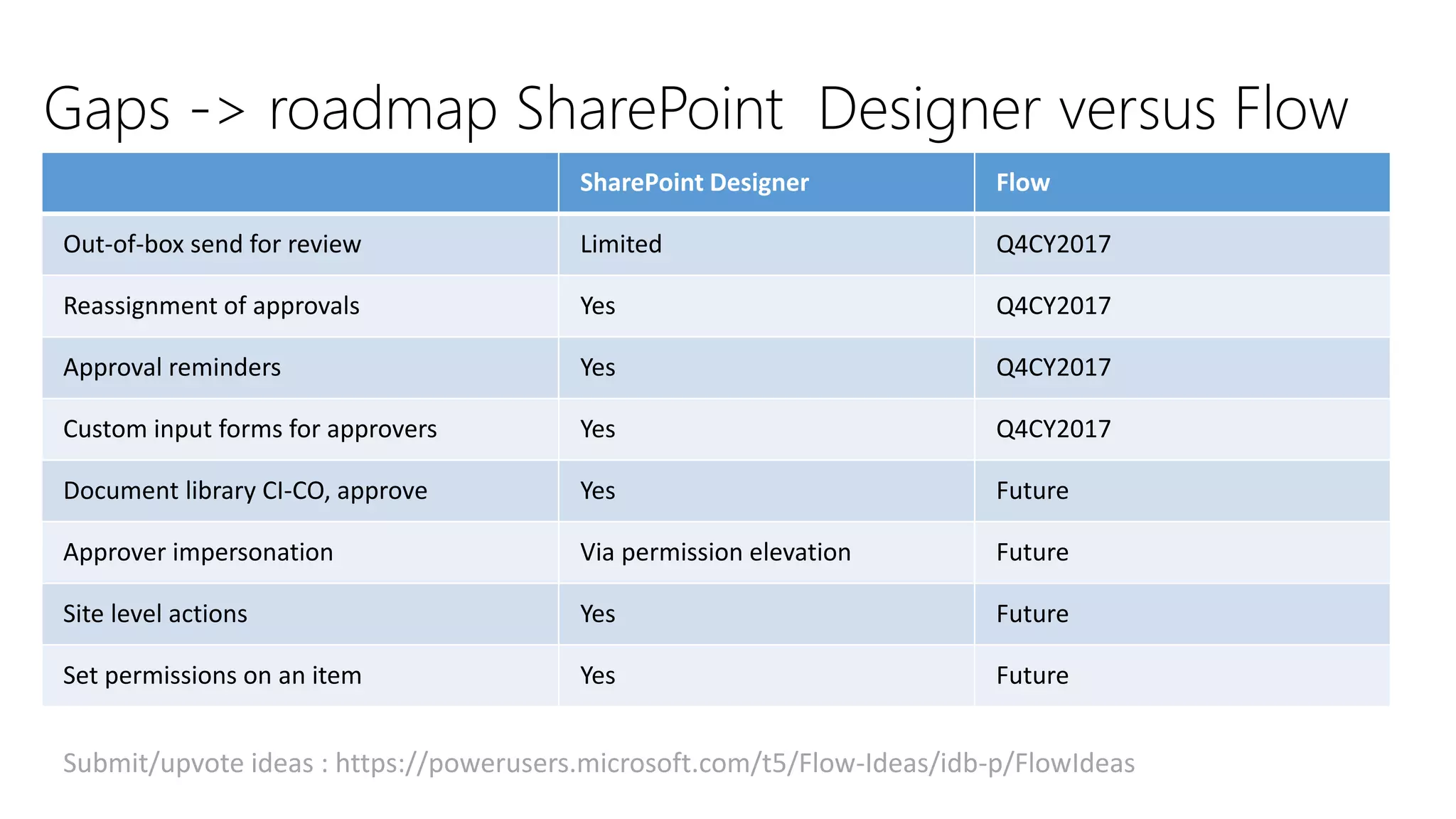
Gaps -> roadmap SharePoint Designer versus Flow
SharePoint Designer Flow
Out-of-box send for review Limited Q4CY2017
Reassignment of approvals Yes Q4CY2017
Approval reminders Yes Q4CY2017
Custom input forms for approvers Yes Q4CY2017
Document library CI-CO, approve Yes Future
Approver impersonation Via permission elevation Future
Site level actions Yes Future
Set permissions on an item Yes Future
Submit/upvote ideas : https://powerusers.microsoft.com/t5/Flow-Ideas/idb-p/FlowIdeas
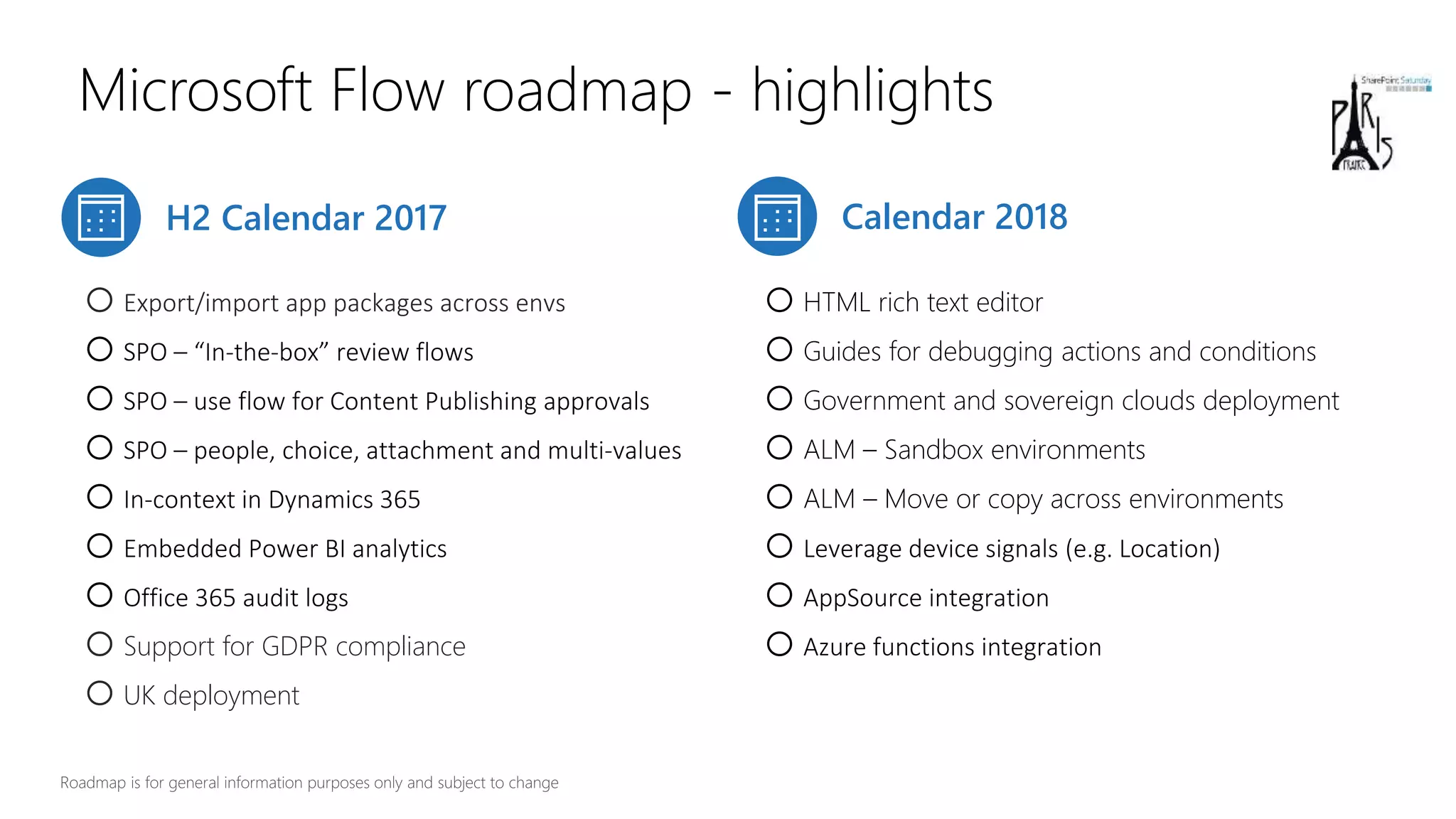
Microsoft Flow roadmap - highlights
H2 Calendar 2017 Calendar 2018
oExport/import app packages across envs
oSPO – “In-the-box” review flows
oSPO – use flow for Content Publishing approvals
oSPO – people, choice, attachment and multi-values
oIn-context in Dynamics 365
oEmbedded Power BI analytics
oOffice 365 audit logs
oSupport for GDPR compliance
oUK deployment
oHTML rich text editor
oGuides for debugging actions and conditions
oGovernment and sovereign clouds deployment
oALM – Sandbox environments
oALM – Move or copy across environments
oLeverage device signals (e.g. Location)
oAppSource integration
oAzure functions integration
Flows and on premises
Environment + Data Loss prevention
Extensibility : communication with the outside world
Logic Apps
Prices & Roadmap
Creating Flows
Introduction : the context
Conclusions
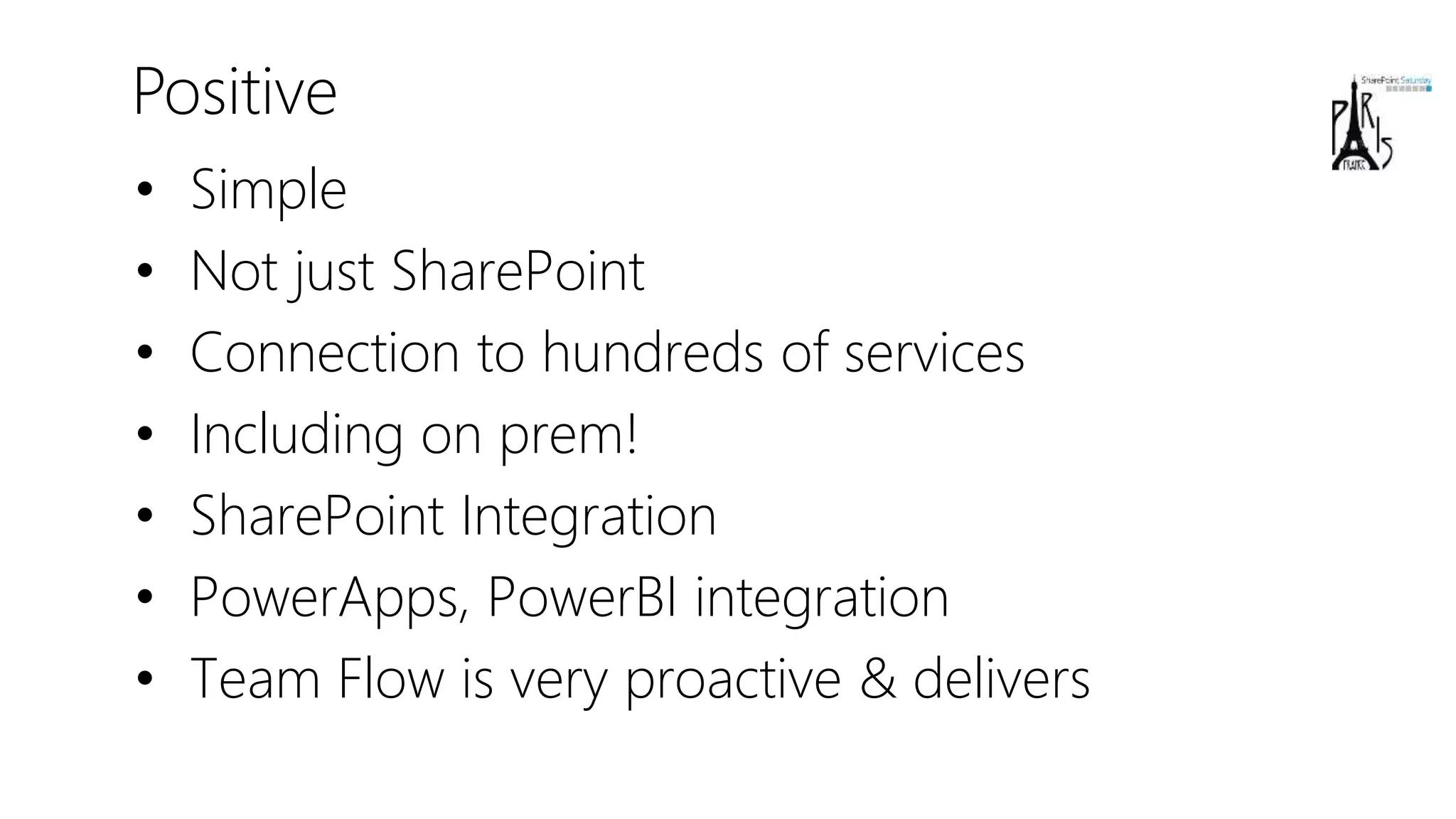
Positive
• Simple
• Not just SharePoint
• Connection to hundreds of services
• Including on prem!
• SharePoint Integration
• PowerApps, PowerBI integration
• Team Flow is very proactive & delivers
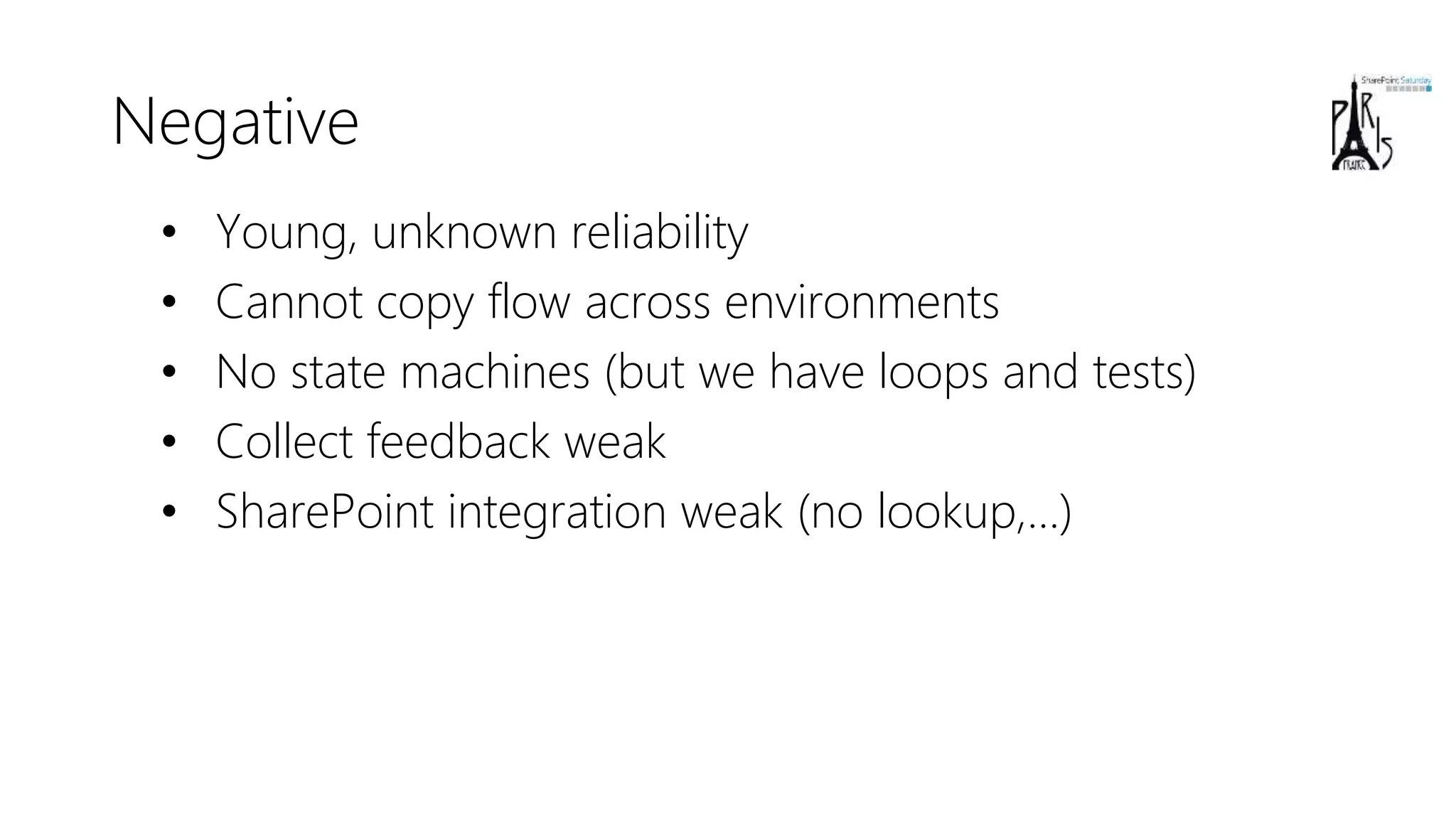
Negative
• Young, unknown reliability
• Cannot copy flow across environments
• No state machines (but we have loops and tests)
• Collect feedback weak
• SharePoint integration weak (no lookup,…)
Advices
• Keep your forms as simple as possible
• Manage the business logic in the workflow
• Learn the Logic Apps Workflow Definition
Language (WDL)
– Read my blog post
https://sergeluca.wordpress.com/2017/04/26/u
sing-the-azure-logic-apps-workflow-
definition-language-in-microsoft-flow-part-1/
Thank you, for your for #SPSParis

B5 - Introduction à Microsoft Flow - Isabelle Van Campenhoudt, Sabrine chouk, Serge Luca

  • 1.
    Introduction à Microsoft Flow SergeLuca Isabelle Van Campenhoudt Sabrine Chouk14 octobre 2017 #SPSParis
  • 2.
  • 3.
    Serge Luca 11 xSharePoint MVP, Brussels SharePoint since 2002 Architect (Admin, Dev, gouvernance) Managing partner of www.shareql.com Worked for the MS workflow team Blog: http://sergeluca.wordpress.com/ sergeluca@shareql.com @sergeluca
  • 4.
    SQL Server MVP,Brussels Consultant, speaker, trainer, GUSS Board Member, PASS V-Chapter Leader Managing partner de www.ShareQL.com SQL Server since 1999 Blog: http://thesqlgrrrl.wordpress.com/ ivc@ShareQL.com @thesqlgrrrl Isabelle Van Campenhoudt
  • 5.
    • Consultante Office365 & SharePoint Chez Orange Application For Business • Pseller Office 365 chez Microsoft • Membre de L'AOS community • Blog: http://sharepointsabrine.wordpre ss.com/ • Sabrine.chouk@orange.com • @ChoukSabrine Sabrine CHOUK
  • 7.
    Flows and onpremises Environment + Data Loss prevention Extensibility : communication with the outside world Logic Apps Prices & Roadmap Creating Flows Introduction : the context Conclusions
  • 8.
  • 9.
    The context :business Apps Empower power users Connect data across apps More efficient developers App Services Service Fabric Azure Functions … Logic Apps API Management BizTalk … SQL Server BI Data analytics Internet of Things (IoT) … Build modern business app fast
  • 10.
  • 11.
    Creating and managingFlows Microsoft Account (free) or Office 365 or Dynamics 365 or Flow (paid) or PowerApps ( or free new PowerApps Community Plan) Flow.microsoft.com Powerapps.microsoft.com A modern SharePoint Online list Mobile app (iOS and Android, Windows Mobile is coming)
  • 12.
  • 13.
  • 14.
    Flows and onpremises Creating Flows Introduction : the context
  • 15.
    Flow and dataon Premises • Install the « on Premises data gateway » (shared between PowerBI, PowerApps and Azure Logic Apps)
  • 16.
    demoFLOW AND DATAON PREMISES
  • 17.
    Flows and onpremises Environment + Data Loss prevention Creating Flows Introduction : the context
  • 18.
    Why« environments »? • Isolated spaces where Flows/Data are running/stored – Ex HR, Marketing, Production, Legal, DEV, TEST, UAT, PROD… • Different rules (DLP) – Ex marketing can use twitter, Legal and Production cannot • Different regions if needed
  • 19.
  • 21.
  • 22.
    Limitations • Gateways arecreated in the default environnement • Resources like Custom API must be in the same flow environment • The Microsoft Common Data Service is linked to only 1 environnement
  • 23.
    Flows and onpremises Environment + Data Loss prevention Extensibility : communication with the outside world Creating Flows Introduction : the context
  • 24.
    Extensibility : communicationwith the outside world  Action Request  Custom Connector (REST API described in a Swagger )  Action Http PowerApps calls Flow A custom app calls Flow PowerBI calls Flow (Data Alerts) Flow calls the outside world
  • 25.
  • 26.
  • 27.
    demoFLOW CALLS THEOUTSIDE WORLD
  • 28.
    FLOW & POWERBI FLOW DATA ALERTS DATA SOURCES POWER BI SCHEDULED REFRESH STREAMING DATA LIVE
  • 29.
  • 30.
    demoPOWERBI CALLS FLOW(data alerts) )
  • 31.
    Flows and onpremises Environment + Data Loss prevention Extensibility : communication with the outside world Logic Apps Creating Flows Introduction : the context
  • 32.
    Logic Apps More devoriented(Json, Rest api, Visual Studio …) Logic Apps connectors can be used in Flow Exceptions : B2B connectors B2B (Very good integration with Biztalk Server) The workflow engine behind Flow is Logic Apps
  • 33.
  • 34.
    Flows and onpremises Environment + Data Loss prevention Extensibility : communication with the outside world Logic Apps Prices & Roadmap Creating Flows Introduction : the context
  • 35.
  • 36.
  • 37.
    Today : SharePointDesigner versus Flow SharePoint Designer Flow Multiple connections to >150 data sources SQL, SP, ODBC & WSDL only ALWAYS Out of box templates <5 100s Workflow & approval history <365 days Perpetual Approvals over mobile + mobile notifications NEVER iOS, Android, Windows Phone + in Outlook. History coming imminently. Loops, Do Until, Switch-case, parallels, variables Yes Yes On-premises support Native Gateway support Extended field types (people, choice, MMS, lookup) Yes People, choice, lookup – Yes new, MMS – coming soon Send email as user or system System only Yes Attachments Yes Yes new
  • 38.
    Gaps -> roadmapSharePoint Designer versus Flow SharePoint Designer Flow Out-of-box send for review Limited Q4CY2017 Reassignment of approvals Yes Q4CY2017 Approval reminders Yes Q4CY2017 Custom input forms for approvers Yes Q4CY2017 Document library CI-CO, approve Yes Future Approver impersonation Via permission elevation Future Site level actions Yes Future Set permissions on an item Yes Future Submit/upvote ideas : https://powerusers.microsoft.com/t5/Flow-Ideas/idb-p/FlowIdeas
  • 39.
    Microsoft Flow roadmap- highlights H2 Calendar 2017 Calendar 2018 oExport/import app packages across envs oSPO – “In-the-box” review flows oSPO – use flow for Content Publishing approvals oSPO – people, choice, attachment and multi-values oIn-context in Dynamics 365 oEmbedded Power BI analytics oOffice 365 audit logs oSupport for GDPR compliance oUK deployment oHTML rich text editor oGuides for debugging actions and conditions oGovernment and sovereign clouds deployment oALM – Sandbox environments oALM – Move or copy across environments oLeverage device signals (e.g. Location) oAppSource integration oAzure functions integration
  • 40.
    Flows and onpremises Environment + Data Loss prevention Extensibility : communication with the outside world Logic Apps Prices & Roadmap Creating Flows Introduction : the context Conclusions
  • 41.
    Positive • Simple • Notjust SharePoint • Connection to hundreds of services • Including on prem! • SharePoint Integration • PowerApps, PowerBI integration • Team Flow is very proactive & delivers
  • 42.
    Negative • Young, unknownreliability • Cannot copy flow across environments • No state machines (but we have loops and tests) • Collect feedback weak • SharePoint integration weak (no lookup,…)
  • 43.
    Advices • Keep yourforms as simple as possible • Manage the business logic in the workflow • Learn the Logic Apps Workflow Definition Language (WDL) – Read my blog post https://sergeluca.wordpress.com/2017/04/26/u sing-the-azure-logic-apps-workflow- definition-language-in-microsoft-flow-part-1/
  • 44.
    Thank you, foryour for #SPSParis