









Today’s Agenda
The Automation Landscape
Microsoft Power Automate
The Difference with Power Automate
Automation for All
Demo: Approval Demo
Advanced Capabilities
Customer Evidence
Get Started Today
The Automation Landscape
Automation delivers
immediate and
lasting results
Source: Mckinsey
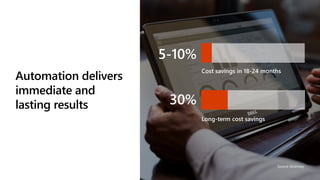
5-10%
Cost savings in 18-24 months
Long-term cost savings
30%
Take advantage of the opportunities
SOURCE: MCKINSEY
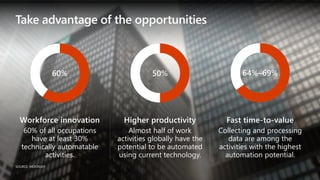
Fast time-to-value
Collecting and processing
data are among the
activities with the highest
automation potential.
Workforce innovation
60% of all occupations
have at least 30%
technically automatable
activities.
Higher productivity
Almost half of work
activities globally have the
potential to be automated
using current technology.
64%–69%50%60%
Microsoft Power Automate
Empower your people to drive
more business value
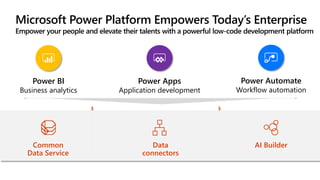
Microsoft Power Platform Empowers Today’s Enterprise
Empower your people and elevate their talents with a powerful low-code development platform
Power BI
Business analytics
Power Apps
Application development
Power Automate
Workflow automation
Data
connectors
AI BuilderCommon
Data Service
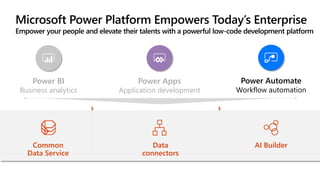
Microsoft Power Platform Empowers Today’s Enterprise
Empower your people and elevate their talents with a powerful low-code development platform
Power BI
Business analytics
Power Apps
Application development
Power Automate
Workflow automation
Data
connectors
AI BuilderCommon
Data Service
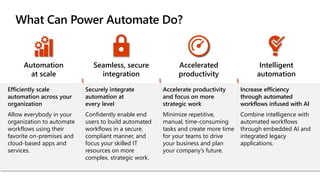
What Can Power Automate Do?
Automation
at scale
Seamless, secure
integration
Accelerated
productivity
Intelligent
automation
Efficiently scale
automation across your
organization
Allow everybody in your
organization to automate
workflows using their
favorite on-premises and
cloud-based apps and
services.
Securely integrate
automation at
every level
Confidently enable end
users to build automated
workflows in a secure,
compliant manner, and
focus your skilled IT
resources on more
complex, strategic work.
Accelerate productivity
and focus on more
strategic work
Minimize repetitive,
manual, time-consuming
tasks and create more time
for your teams to drive
your business and plan
your company’s future.
Increase efficiency
through automated
workflows infused with AI
Combine intelligence with
automated workflows
through embedded AI and
integrated legacy
applications.
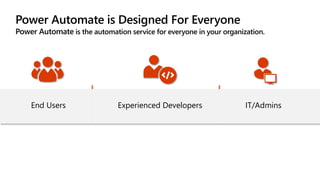
Power Automate is Designed For Everyone
Power Automate is the automation service for everyone in your organization.
Experienced Developers IT/AdminsEnd Users
The Difference With
Power Automate
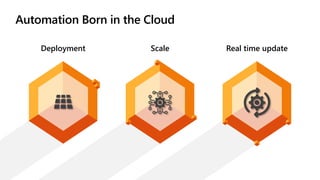
Automation Born in the Cloud
Deployment Scale Real time update
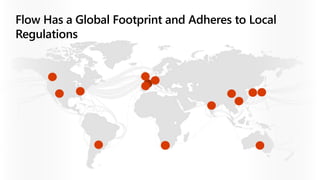
Flow Has a Global Footprint and Adheres to Local
Regulations
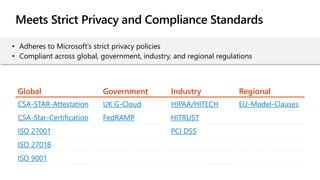
Meets Strict Privacy and Compliance Standards
Global Government Industry Regional
CSA-STAR-Attestation UK G-Cloud HIPAA/HITECH EU-Model-Clauses
CSA-Star-Certification FedRAMP HITRUST
ISO 27001 PCI DSS
ISO 27018
ISO 9001
• Adheres to Microsoft’s strict privacy policies
• Compliant across global, government, industry, and regional regulations
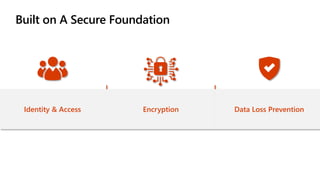
Built on A Secure Foundation
Identity & Access Encryption Data Loss Prevention
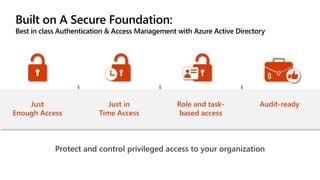
Built on A Secure Foundation:
Best in class Authentication & Access Management with Azure Active Directory
Protect and control privileged access to your organization
Just
Enough Access
Just in
Time Access
Role and task-
based access
Audit-ready
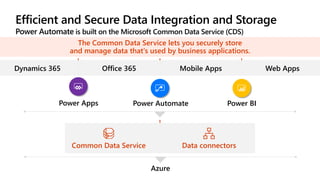
Efficient and Secure Data Integration and Storage
Power Automate is built on the Microsoft Common Data Service (CDS)
The Common Data Service lets you securely store
and manage data that's used by business applications.
Dynamics 365 Office 365 Mobile Apps Web Apps
Power Apps Power Automate Power BI
Data connectorsCommon Data Service
Azure
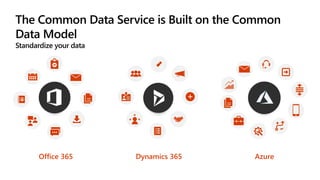
The Common Data Service is Built on the Common
Data Model
Standardize your data
Dynamics 365Office 365 Azure
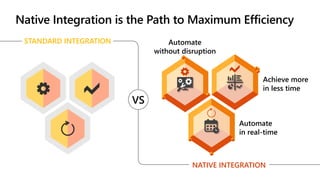
Achieve more
in less time
Automate
without disruption
Automate
in real-time
Native Integration is the Path to Maximum Efficiency
STANDARD INTEGRATION
NATIVE INTEGRATION
VS
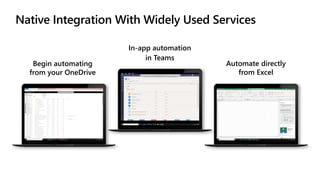
Native Integration With Widely Used Services
Begin automating
from your OneDrive
In-app automation
in Teams
Automate directly
from Excel
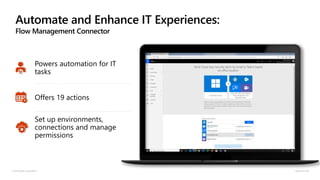
Automate and Enhance IT Experiences:
Flow Management Connector
© Microsoft Corporation Dynamics 365
Powers automation for IT
tasks
Offers 19 actions
Set up environments,
connections and manage
permissions
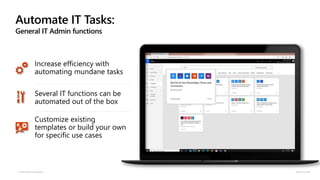
Automate IT Tasks:
General IT Admin functions
© Microsoft Corporation Dynamics 365
Increase efficiency with
automating mundane tasks
Several IT functions can be
automated out of the box
Customize existing
templates or build your own
for specific use cases
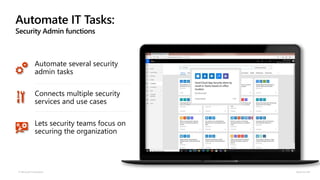
Automate IT Tasks:
Security Admin functions
© Microsoft Corporation Dynamics 365
Automate several security
admin tasks
Connects multiple security
services and use cases
Lets security teams focus on
securing the organization
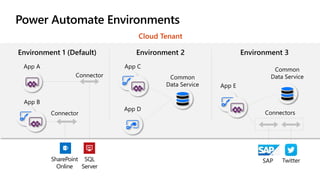
Power Automate Environments
Cloud Tenant
App A
Connector
Connector
App B
App C
App D
Common
Data Service App E
Connectors
Common
Data Service
Environment 1 (Default) Environment 2 Environment 3
SharePoint
Online
SQL
Server
TwitterSAP
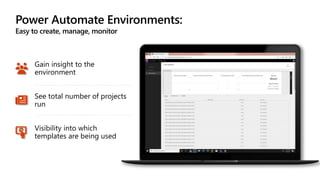
Power Automate Environments:
Easy to create, manage, monitor
Gain insight to the
environment
See total number of projects
run
Visibility into which
templates are being used
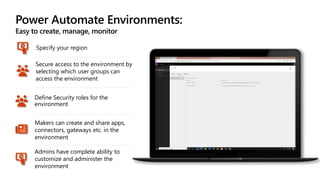
Power Automate Environments:
Easy to create, manage, monitor
Define Security roles for the
environment
Makers can create and share apps,
connectors, gateways etc. in the
environment
Admins have complete ability to
customize and administer the
environment
Specify your region
Secure access to the environment by
selecting which user groups can
access the environment
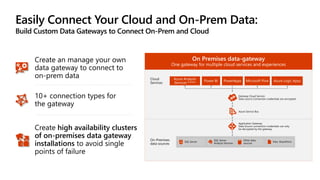
Easily Connect Your Cloud and On-Prem Data:
Build Custom Data Gateways to Connect On-Prem and Cloud
10+ connection types for
the gateway
Create high availability clusters
of on-premises data gateway
installations to avoid single
points of failure
Create an manage your own
data gateway to connect to
on-prem data
On Premises data-gateway
One gateway for multiple cloud services and experiences
Azure Analysis
Services Preview Power BI PowerApps Microsoft Flow Azure Logic Apps
Gateway Cloud Service
Data source Connection credentials are encrypted
Azure Service Bus
Application Gateway
Data Source connection credentials can only
be decrypted by the gateway
On-Premises
data sources
SQL Server
SQL Server
Analysis Services
Other data
sources
Files, SharePoint
Cloud
Services
Automation For All
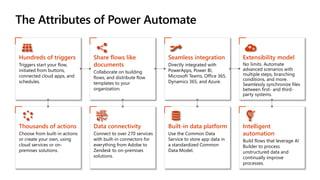
The Attributes of Power Automate
Hundreds of triggers
Triggers start your flow,
initiated from buttons,
connected cloud apps, and
schedules.
Share flows like
documents
Collaborate on building
flows, and distribute flow
templates to your
organization.
Seamless integration
Directly integrated with
PowerApps, Power BI,
Microsoft Teams, Office 365,
Dynamics 365, and Azure.
Extensibility model
No limits. Automate
advanced scenarios with
multiple steps, branching
conditions, and more.
Seamlessly synchronize files
between first- and third-
party systems.
Thousands of actions
Choose from built-in actions
or create your own, using
cloud services or on-
premises solutions.
Data connectivity
Connect to over 270 services
with built-in connectors for
everything from Adobe to
Zendesk to on-premises
solutions.
Built-in data platform
Use the Common Data
Service to store app data in
a standardized Common
Data Model.
Intelligent
automation
Build flows that leverage AI
Builder to process
unstructured data and
continually improve
processes.
(including on-prem applications)
More than 270
app connectors
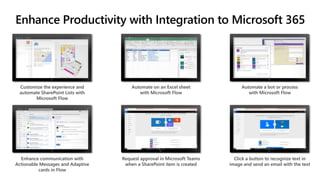
Customize the experience and
automate SharePoint Lists with
Microsoft Flow
Automate on an Excel sheet
with Microsoft Flow
Automate a bot or process
with Microsoft Flow
Enhance Productivity with Integration to Microsoft 365
Enhance communication with
Actionable Messages and Adaptive
cards in Flow
Request approval in Microsoft Teams
when a SharePoint item is created
Click a button to recognize text in
image and send an email with the text
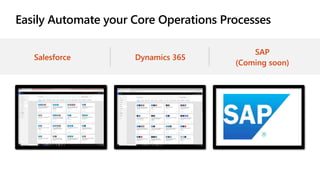
Easily Automate your Core Operations Processes
Salesforce Dynamics 365
SAP
(Coming soon)
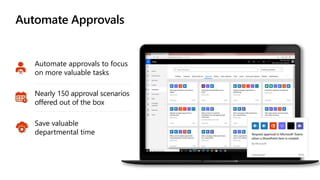
Automate Approvals
Automate approvals to focus
on more valuable tasks
Nearly 150 approval scenarios
offered out of the box
Save valuable
departmental time
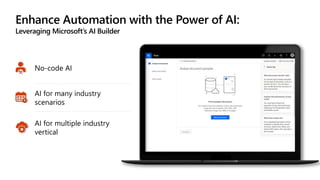
Enhance Automation with the Power of AI:
Leveraging Microsoft’s AI Builder
No-code AI
AI for many industry
scenarios
AI for multiple industry
vertical
Demo
Advanced Capabilities
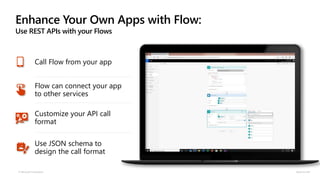
Enhance Your Own Apps with Flow:
Use REST APIs with your Flows
© Microsoft Corporation Dynamics 365
Call Flow from your app
Flow can connect your app
to other services
Customize your API call
format
Use JSON schema to
design the call format
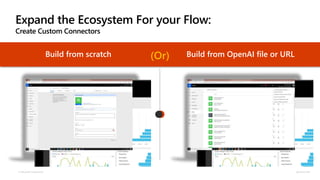
Expand the Ecosystem For your Flow:
Create Custom Connectors
© Microsoft Corporation Dynamics 365
Build from scratch Build from OpenAI file or URL(Or)
© Microsoft Corporation Dynamics 365
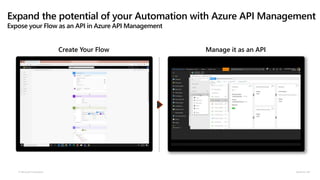
Create Your Flow Manage it as an API
Expand the potential of your Automation with Azure API Management
Expose your Flow as an API in Azure API Management
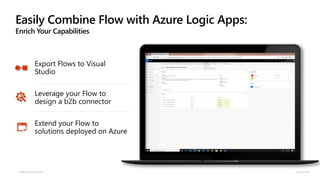
Easily Combine Flow with Azure Logic Apps:
Enrich Your Capabilities
© Microsoft Corporation Dynamics 365
Export Flows to Visual
Studio
Leverage your Flow to
design a b2b connector
Extend your Flow to
solutions deployed on Azure
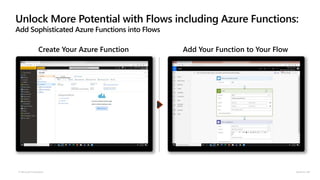
Unlock More Potential with Flows including Azure Functions:
Add Sophisticated Azure Functions into Flows
© Microsoft Corporation Dynamics 365
Create Your Azure Function Add Your Function to Your Flow
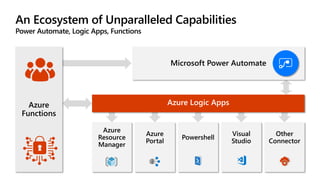
Azure
Functions
Microsoft Power Automate
Azure
Resource
Manager
Visual
Studio
Powershell
Azure
Portal
Other
Connector
An Ecosystem of Unparalleled Capabilities
Power Automate, Logic Apps, Functions
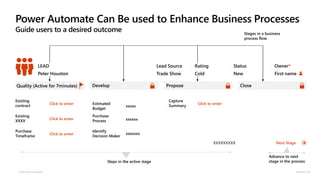
Power Automate Can Be used to Enhance Business Processes
Guide users to a desired outcome
© Microsoft Corporation Dynamics 365
Steps in the active stage
Advance to next
stage in the process
Next Stage XXXXXXXXX
Existing
contract
Click to enter
Existing
XXXX
Click to enter
Purchase
Timeframe
Click to enter
Estimated
Budget
xxxxx
Purchase
Process xxxxxx
Identify
Decision Maker
xxxxxxx
Capture
Summary
Click to enter
Quality (Active for 7minutes) Develop Propose Close
Stages in a business
process flow
Owner*
First name
Status
New
Lead Source
Trade Show
Rating
Cold
LEAD
Peter Houston
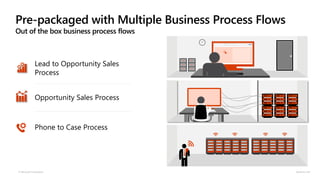
Pre-packaged with Multiple Business Process Flows
Out of the box business process flows
© Microsoft Corporation Dynamics 365
SALES
Lead to Opportunity Sales
Process
Opportunity Sales Process
Phone to Case Process
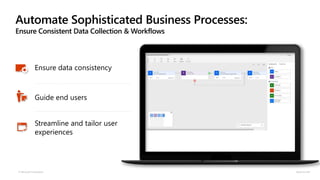
Automate Sophisticated Business Processes:
Ensure Consistent Data Collection & Workflows
© Microsoft Corporation Dynamics 365
Ensure data consistency
Guide end users
Streamline and tailor user
experiences
Join the Power Automate Community
Microsoft Power Automate Community
Follow all the latest Power Automate news on the Power Automate Blog
Monday & Tuesday Video Series on YouTube
Power Automate Tutorial YouTube Channel
Power Automate Product Roadmap
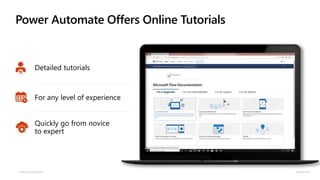
Power Automate Offers Online Tutorials
© Microsoft Corporation Dynamics 365
Detailed tutorials
For any level of experience
Quickly go from novice
to expert
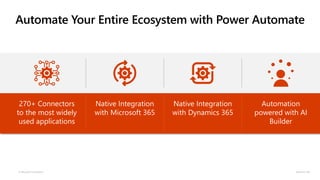
Automate Your Entire Ecosystem with Power Automate
© Microsoft Corporation Dynamics 365
270+ Connectors
to the most widely
used applications
Native Integration
with Microsoft 365
Native Integration
with Dynamics 365
Automation
powered with AI
Builder
Intelligent automation with Microsoft Power Automate

Intelligent automation with Microsoft Power Automate

  • 3.
    Today’s Agenda The AutomationLandscape Microsoft Power Automate The Difference with Power Automate Automation for All Demo: Approval Demo Advanced Capabilities Customer Evidence Get Started Today
  • 4.
  • 5.
    Automation delivers immediate and lastingresults Source: Mckinsey 5-10% Cost savings in 18-24 months Long-term cost savings 30%
  • 6.
    Take advantage ofthe opportunities SOURCE: MCKINSEY Fast time-to-value Collecting and processing data are among the activities with the highest automation potential. Workforce innovation 60% of all occupations have at least 30% technically automatable activities. Higher productivity Almost half of work activities globally have the potential to be automated using current technology. 64%–69%50%60%
  • 7.
  • 8.
    Empower your peopleto drive more business value
  • 9.
    Microsoft Power PlatformEmpowers Today’s Enterprise Empower your people and elevate their talents with a powerful low-code development platform Power BI Business analytics Power Apps Application development Power Automate Workflow automation Data connectors AI BuilderCommon Data Service
  • 10.
    Microsoft Power PlatformEmpowers Today’s Enterprise Empower your people and elevate their talents with a powerful low-code development platform Power BI Business analytics Power Apps Application development Power Automate Workflow automation Data connectors AI BuilderCommon Data Service
  • 11.
    What Can PowerAutomate Do? Automation at scale Seamless, secure integration Accelerated productivity Intelligent automation Efficiently scale automation across your organization Allow everybody in your organization to automate workflows using their favorite on-premises and cloud-based apps and services. Securely integrate automation at every level Confidently enable end users to build automated workflows in a secure, compliant manner, and focus your skilled IT resources on more complex, strategic work. Accelerate productivity and focus on more strategic work Minimize repetitive, manual, time-consuming tasks and create more time for your teams to drive your business and plan your company’s future. Increase efficiency through automated workflows infused with AI Combine intelligence with automated workflows through embedded AI and integrated legacy applications.
  • 12.
    Power Automate isDesigned For Everyone Power Automate is the automation service for everyone in your organization. Experienced Developers IT/AdminsEnd Users
  • 13.
  • 14.
    Automation Born inthe Cloud Deployment Scale Real time update
  • 15.
    Flow Has aGlobal Footprint and Adheres to Local Regulations
  • 16.
    Meets Strict Privacyand Compliance Standards Global Government Industry Regional CSA-STAR-Attestation UK G-Cloud HIPAA/HITECH EU-Model-Clauses CSA-Star-Certification FedRAMP HITRUST ISO 27001 PCI DSS ISO 27018 ISO 9001 • Adheres to Microsoft’s strict privacy policies • Compliant across global, government, industry, and regional regulations
  • 17.
    Built on ASecure Foundation Identity & Access Encryption Data Loss Prevention
  • 18.
    Built on ASecure Foundation: Best in class Authentication & Access Management with Azure Active Directory Protect and control privileged access to your organization Just Enough Access Just in Time Access Role and task- based access Audit-ready
  • 19.
    Efficient and SecureData Integration and Storage Power Automate is built on the Microsoft Common Data Service (CDS) The Common Data Service lets you securely store and manage data that's used by business applications. Dynamics 365 Office 365 Mobile Apps Web Apps Power Apps Power Automate Power BI Data connectorsCommon Data Service Azure
  • 20.
    The Common DataService is Built on the Common Data Model Standardize your data Dynamics 365Office 365 Azure
  • 21.
    Achieve more in lesstime Automate without disruption Automate in real-time Native Integration is the Path to Maximum Efficiency STANDARD INTEGRATION NATIVE INTEGRATION VS
  • 22.
    Native Integration WithWidely Used Services Begin automating from your OneDrive In-app automation in Teams Automate directly from Excel
  • 23.
    Automate and EnhanceIT Experiences: Flow Management Connector © Microsoft Corporation Dynamics 365 Powers automation for IT tasks Offers 19 actions Set up environments, connections and manage permissions
  • 24.
    Automate IT Tasks: GeneralIT Admin functions © Microsoft Corporation Dynamics 365 Increase efficiency with automating mundane tasks Several IT functions can be automated out of the box Customize existing templates or build your own for specific use cases
  • 25.
    Automate IT Tasks: SecurityAdmin functions © Microsoft Corporation Dynamics 365 Automate several security admin tasks Connects multiple security services and use cases Lets security teams focus on securing the organization
  • 26.
    Power Automate Environments CloudTenant App A Connector Connector App B App C App D Common Data Service App E Connectors Common Data Service Environment 1 (Default) Environment 2 Environment 3 SharePoint Online SQL Server TwitterSAP
  • 27.
    Power Automate Environments: Easyto create, manage, monitor Gain insight to the environment See total number of projects run Visibility into which templates are being used
  • 28.
    Power Automate Environments: Easyto create, manage, monitor Define Security roles for the environment Makers can create and share apps, connectors, gateways etc. in the environment Admins have complete ability to customize and administer the environment Specify your region Secure access to the environment by selecting which user groups can access the environment
  • 29.
    Easily Connect YourCloud and On-Prem Data: Build Custom Data Gateways to Connect On-Prem and Cloud 10+ connection types for the gateway Create high availability clusters of on-premises data gateway installations to avoid single points of failure Create an manage your own data gateway to connect to on-prem data On Premises data-gateway One gateway for multiple cloud services and experiences Azure Analysis Services Preview Power BI PowerApps Microsoft Flow Azure Logic Apps Gateway Cloud Service Data source Connection credentials are encrypted Azure Service Bus Application Gateway Data Source connection credentials can only be decrypted by the gateway On-Premises data sources SQL Server SQL Server Analysis Services Other data sources Files, SharePoint Cloud Services
  • 30.
  • 31.
    The Attributes ofPower Automate Hundreds of triggers Triggers start your flow, initiated from buttons, connected cloud apps, and schedules. Share flows like documents Collaborate on building flows, and distribute flow templates to your organization. Seamless integration Directly integrated with PowerApps, Power BI, Microsoft Teams, Office 365, Dynamics 365, and Azure. Extensibility model No limits. Automate advanced scenarios with multiple steps, branching conditions, and more. Seamlessly synchronize files between first- and third- party systems. Thousands of actions Choose from built-in actions or create your own, using cloud services or on- premises solutions. Data connectivity Connect to over 270 services with built-in connectors for everything from Adobe to Zendesk to on-premises solutions. Built-in data platform Use the Common Data Service to store app data in a standardized Common Data Model. Intelligent automation Build flows that leverage AI Builder to process unstructured data and continually improve processes.
  • 32.
  • 33.
    Customize the experienceand automate SharePoint Lists with Microsoft Flow Automate on an Excel sheet with Microsoft Flow Automate a bot or process with Microsoft Flow Enhance Productivity with Integration to Microsoft 365 Enhance communication with Actionable Messages and Adaptive cards in Flow Request approval in Microsoft Teams when a SharePoint item is created Click a button to recognize text in image and send an email with the text
  • 34.
    Easily Automate yourCore Operations Processes Salesforce Dynamics 365 SAP (Coming soon)
  • 35.
    Automate Approvals Automate approvalsto focus on more valuable tasks Nearly 150 approval scenarios offered out of the box Save valuable departmental time
  • 36.
    Enhance Automation withthe Power of AI: Leveraging Microsoft’s AI Builder No-code AI AI for many industry scenarios AI for multiple industry vertical
  • 37.
  • 38.
  • 39.
    Enhance Your OwnApps with Flow: Use REST APIs with your Flows © Microsoft Corporation Dynamics 365 Call Flow from your app Flow can connect your app to other services Customize your API call format Use JSON schema to design the call format
  • 40.
    Expand the EcosystemFor your Flow: Create Custom Connectors © Microsoft Corporation Dynamics 365 Build from scratch Build from OpenAI file or URL(Or)
  • 41.
    © Microsoft CorporationDynamics 365 Create Your Flow Manage it as an API Expand the potential of your Automation with Azure API Management Expose your Flow as an API in Azure API Management
  • 42.
    Easily Combine Flowwith Azure Logic Apps: Enrich Your Capabilities © Microsoft Corporation Dynamics 365 Export Flows to Visual Studio Leverage your Flow to design a b2b connector Extend your Flow to solutions deployed on Azure
  • 43.
    Unlock More Potentialwith Flows including Azure Functions: Add Sophisticated Azure Functions into Flows © Microsoft Corporation Dynamics 365 Create Your Azure Function Add Your Function to Your Flow
  • 44.
  • 45.
    Power Automate CanBe used to Enhance Business Processes Guide users to a desired outcome © Microsoft Corporation Dynamics 365 Steps in the active stage Advance to next stage in the process Next Stage XXXXXXXXX Existing contract Click to enter Existing XXXX Click to enter Purchase Timeframe Click to enter Estimated Budget xxxxx Purchase Process xxxxxx Identify Decision Maker xxxxxxx Capture Summary Click to enter Quality (Active for 7minutes) Develop Propose Close Stages in a business process flow Owner* First name Status New Lead Source Trade Show Rating Cold LEAD Peter Houston
  • 46.
    Pre-packaged with MultipleBusiness Process Flows Out of the box business process flows © Microsoft Corporation Dynamics 365 SALES Lead to Opportunity Sales Process Opportunity Sales Process Phone to Case Process
  • 47.
    Automate Sophisticated BusinessProcesses: Ensure Consistent Data Collection & Workflows © Microsoft Corporation Dynamics 365 Ensure data consistency Guide end users Streamline and tailor user experiences
  • 48.
    Join the PowerAutomate Community Microsoft Power Automate Community Follow all the latest Power Automate news on the Power Automate Blog Monday & Tuesday Video Series on YouTube Power Automate Tutorial YouTube Channel Power Automate Product Roadmap
  • 49.
    Power Automate OffersOnline Tutorials © Microsoft Corporation Dynamics 365 Detailed tutorials For any level of experience Quickly go from novice to expert
  • 50.
    Automate Your EntireEcosystem with Power Automate © Microsoft Corporation Dynamics 365 270+ Connectors to the most widely used applications Native Integration with Microsoft 365 Native Integration with Dynamics 365 Automation powered with AI Builder