

Boost your productivity with
Microsoft Flow – Power to the
People
Serge Luca
ShareQL, Belgium
Add
Speaker
Photo here
Serge Luca
11 x SharePoint MVP, Brussels
SharePoint since 2002
Architect (Admin, Dev, governance)
Managing partner of www.shareql.com
Worked for the MS workflow team
Blog: http://sergeluca.wordpress.com/
sergeluca@shareql.com
@sergeluca
Agenda
Environment + Data Loss prevention
Creating Flows
Introduction : the concept
Flows and on premises
Extensibility : communication with the outside world
Price & roadmap
Conclusions
The context
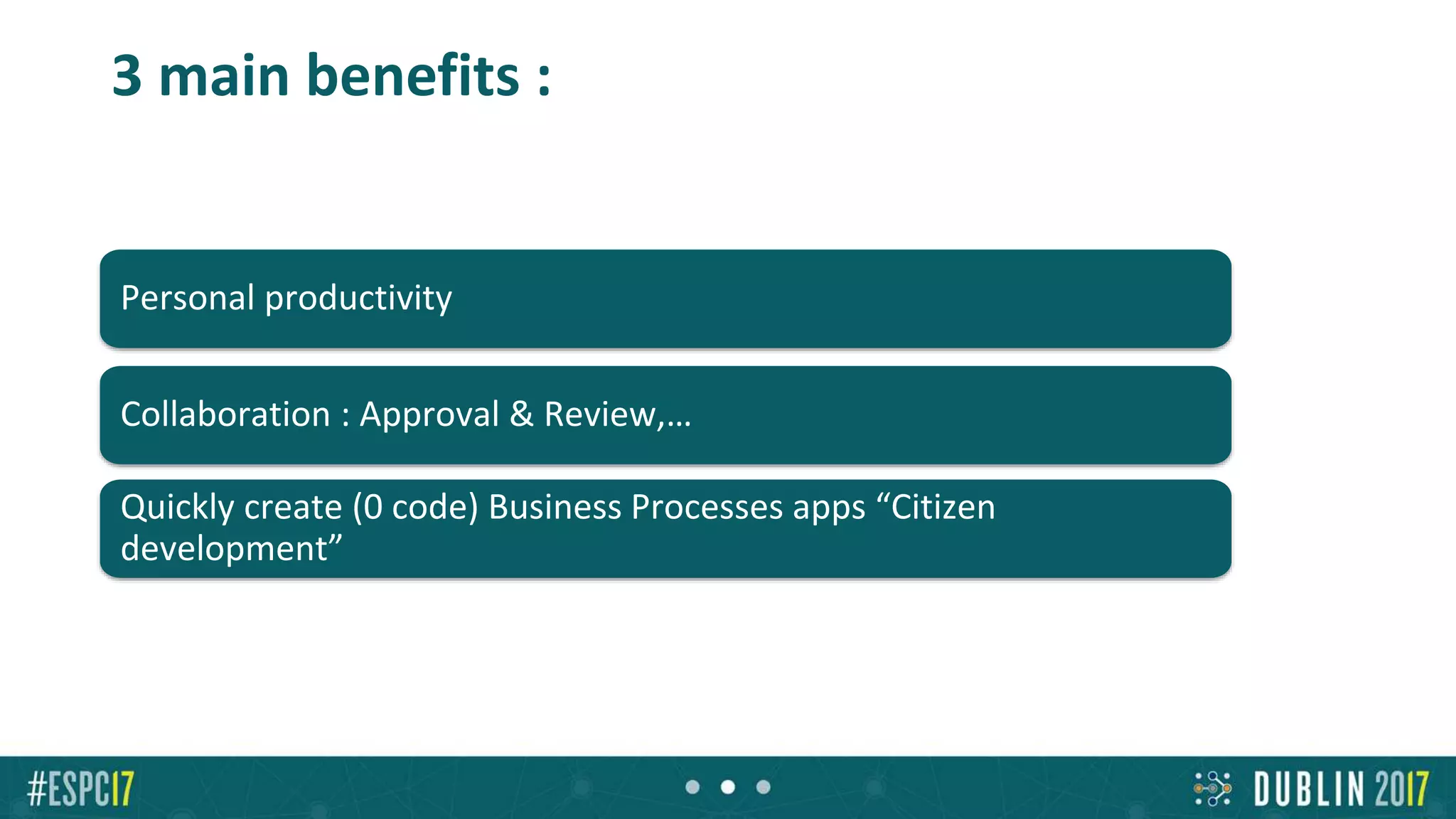
Personal productivity
Collaboration : Approval & Review,…
Quickly create (0 code) Business Processes apps “Citizen
development”
3 main benefits :
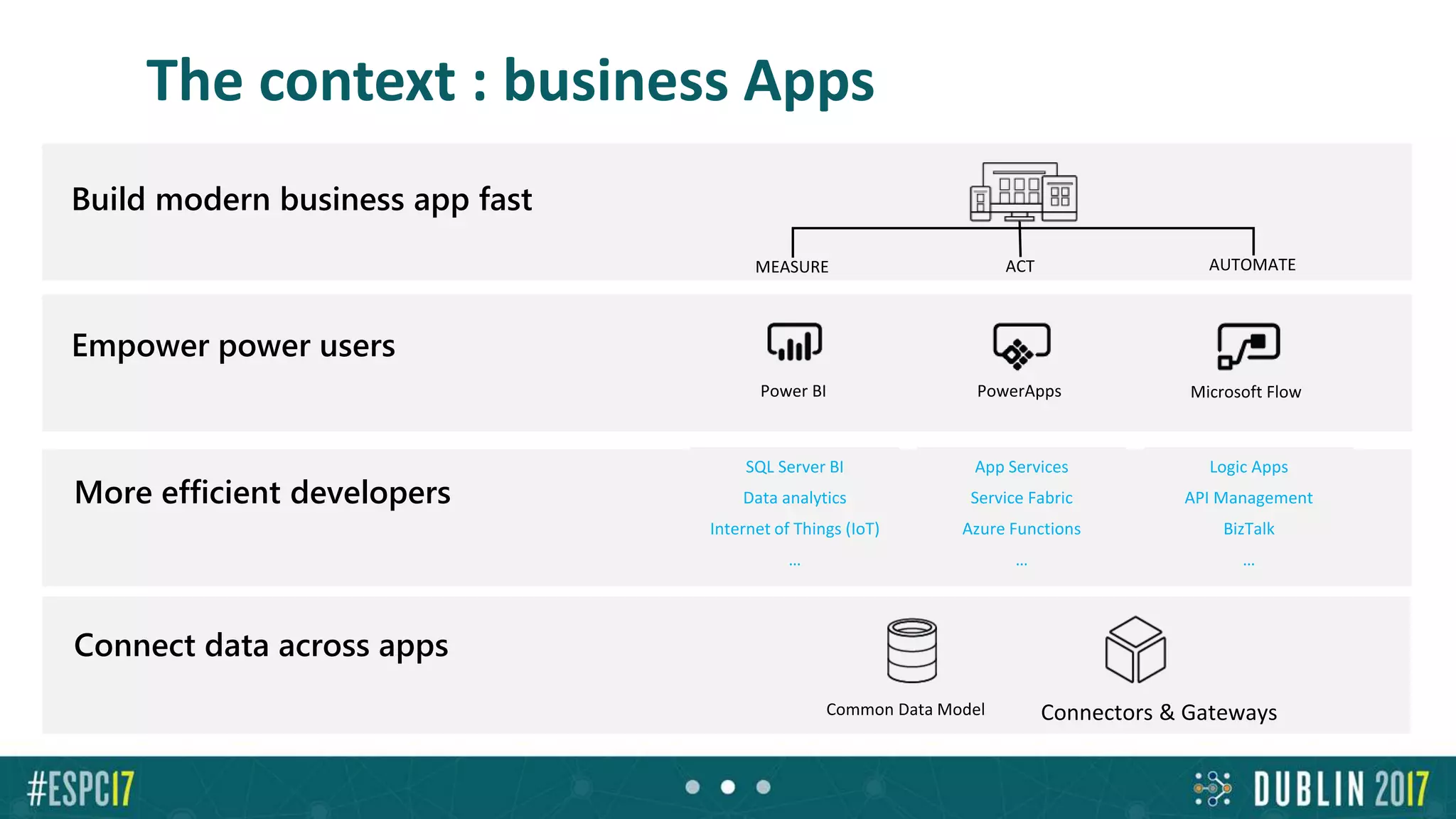
The context : business Apps
Empower power users
Connect data across apps
More efficient developers
App Services
Service Fabric
Azure Functions
…
Logic Apps
API Management
BizTalk
…
SQL Server BI
Data analytics
Internet of Things (IoT)
…
Build modern business app fast
Creating Flows
Creating and managing Flows
Microsoft Account (free) or Office 365 or Dynamics 365 or Flow (paid) or
PowerApps (or free new PowerApps Community Plan)
Flow.microsoft.com
Powerapps.microsoft.com
A modern SharePoint Online list
Mobile app (iOS-Android-Windows Mobile)
Flow templates
demoEXPENSE REPORT
Approval escalation in Flow
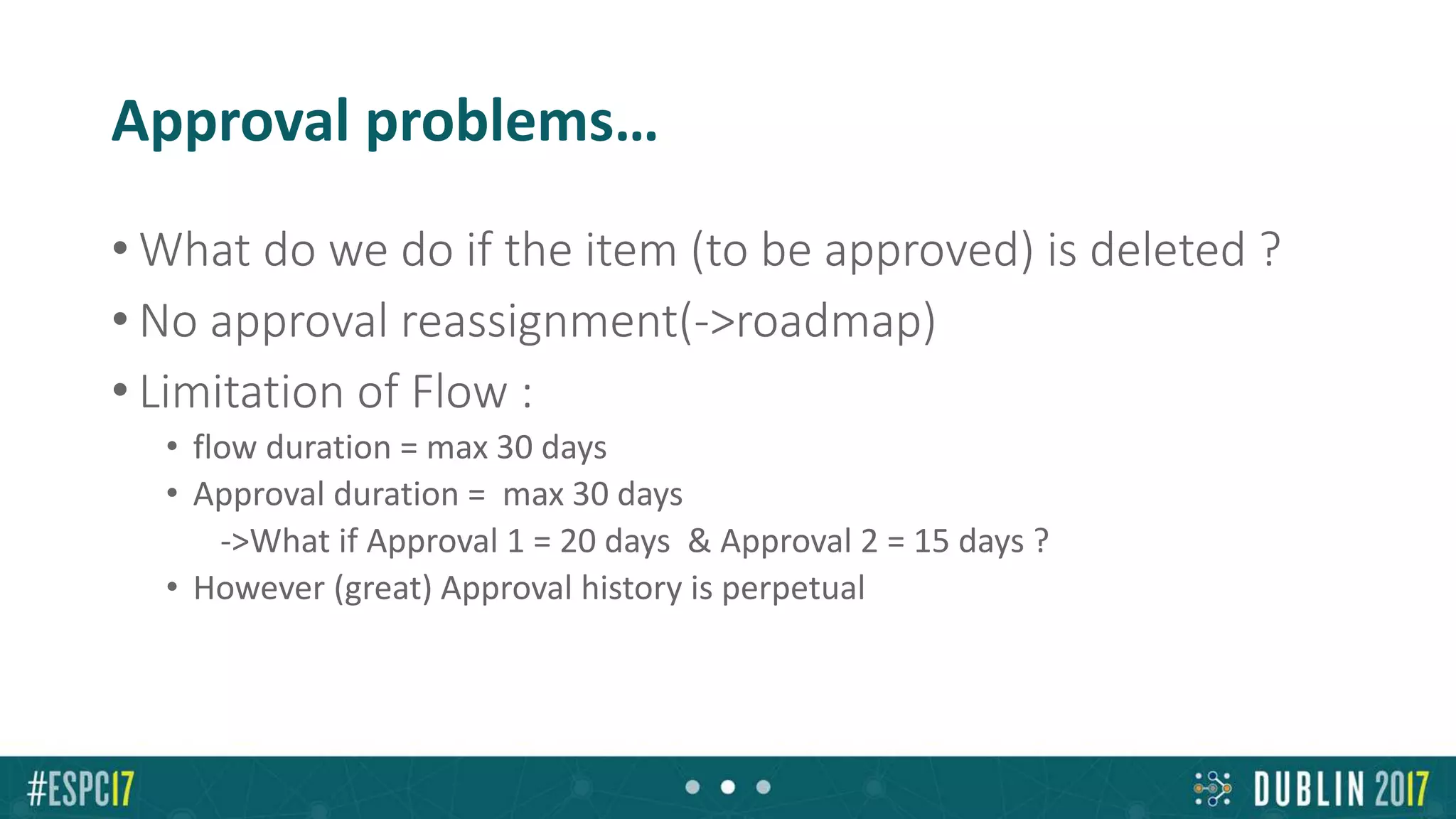
Approval problems…
• What do we do if the item (to be approved) is deleted ?
• No approval reassignment(->roadmap)
• Limitation of Flow :
• flow duration = max 30 days
• Approval duration = max 30 days
->What if Approval 1 = 20 days & Approval 2 = 15 days ?
• However (great) Approval history is perpetual
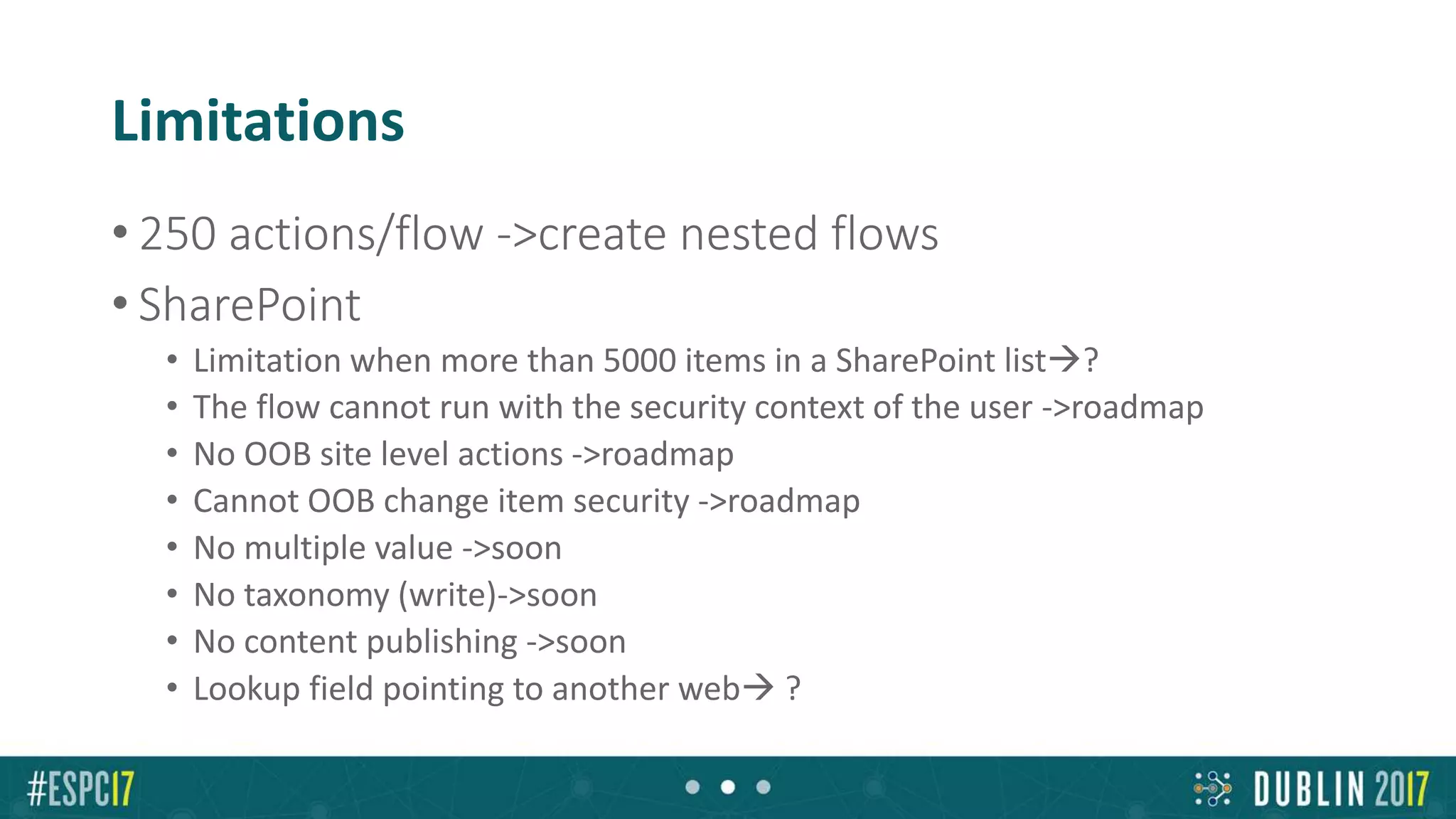
Limitations
• 250 actions/flow ->create nested flows
• SharePoint
• Limitation when more than 5000 items in a SharePoint list?
• The flow cannot run with the security context of the user ->roadmap
• No OOB site level actions ->roadmap
• Cannot OOB change item security ->roadmap
• No multiple value ->soon
• No taxonomy (write)->soon
• No content publishing ->soon
• Lookup field pointing to another web ?
Limitations
• No out of the box send for review ->soon
• No custom input forms for approvers->roadmap
• Flow duration : 30 days ; loops : max 5000 iteration->???
Microsoft Flows and On Premises
Flow and data on premises
• Install the « on Premises data gateway »
(shared between PowerBI, PowerApps and Azure Logic
Apps) Not just databases, but also
Powershell scripts, files and
(recently) : REST API web
services
demo
FLOW & DATA ON PREM
Environments
Environments & compliance
• Isolated spaces where Flows/Data are
running/stored
– Ex HR, Marketing, Operations, Legal, DEV, TEST,
UAT, PROD…
• Different rules (DLP)
– Ex marketing can use twitter, Legal and Production
cannot
• Different regions if needed
[Plan 2 for creating Env]
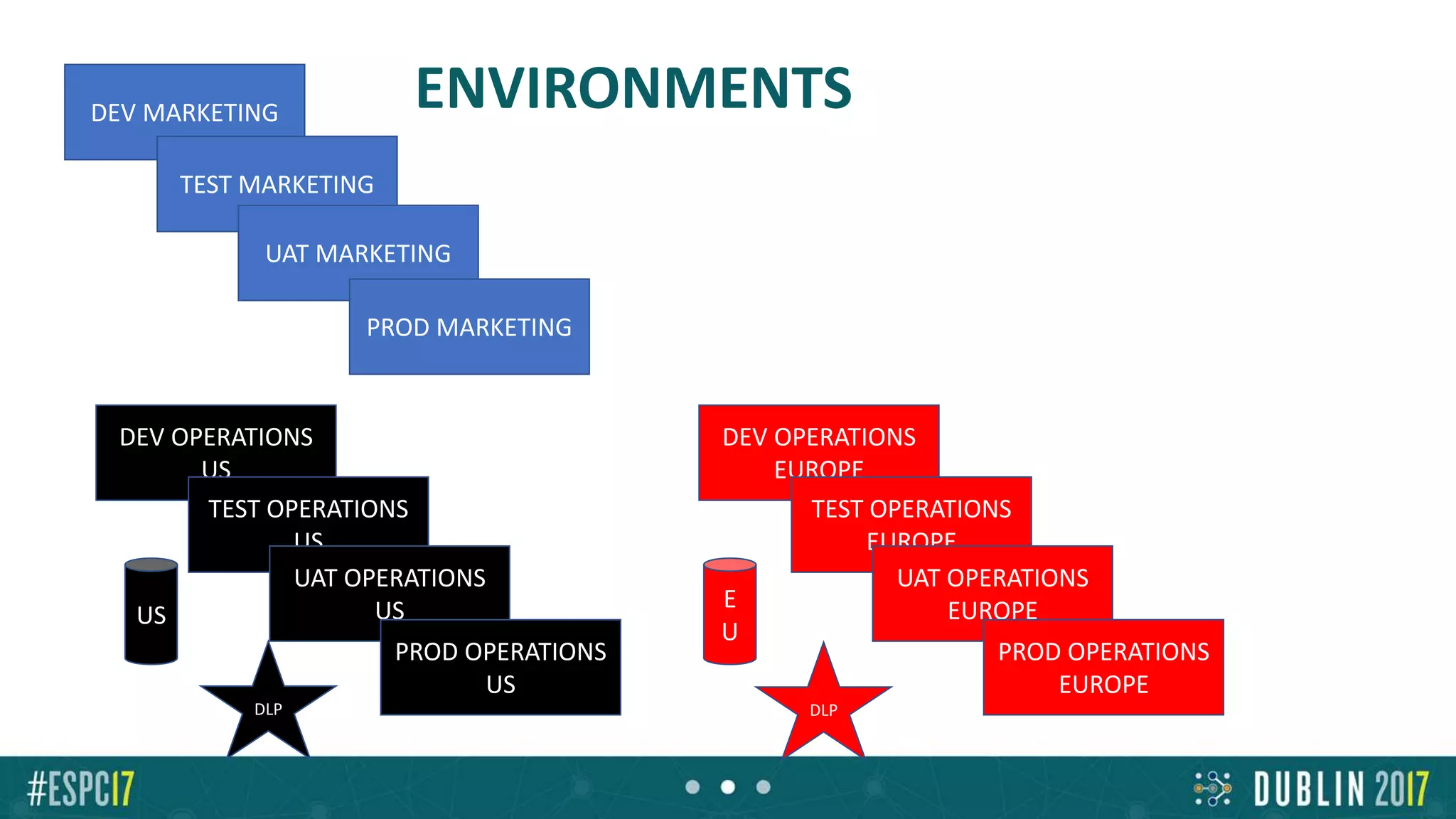
ENVIRONMENTSDEV MARKETING
TEST MARKETING
UAT MARKETING
PROD MARKETING
DEV OPERATIONS
US
TEST OPERATIONS
US
UAT OPERATIONS
US
PROD OPERATIONS
US
US
DLP
DEV OPERATIONS
EUROPE
TEST OPERATIONS
EUROPE
UAT OPERATIONS
EUROPE
PROD OPERATIONS
EUROPE
E
U
DLP
Attention
• We can export-import Flows from Env1 to Env2
• We have to recreate the connections (fixed in roadmap)
• SharePoint lists based on GUID (! From SharePoint test site to SharePoint prod
site !)
• On premise data gateway :
• Gateways only in the default environment
demo
ENVIRONMENTS
Extensibility &
Communication with the outside world
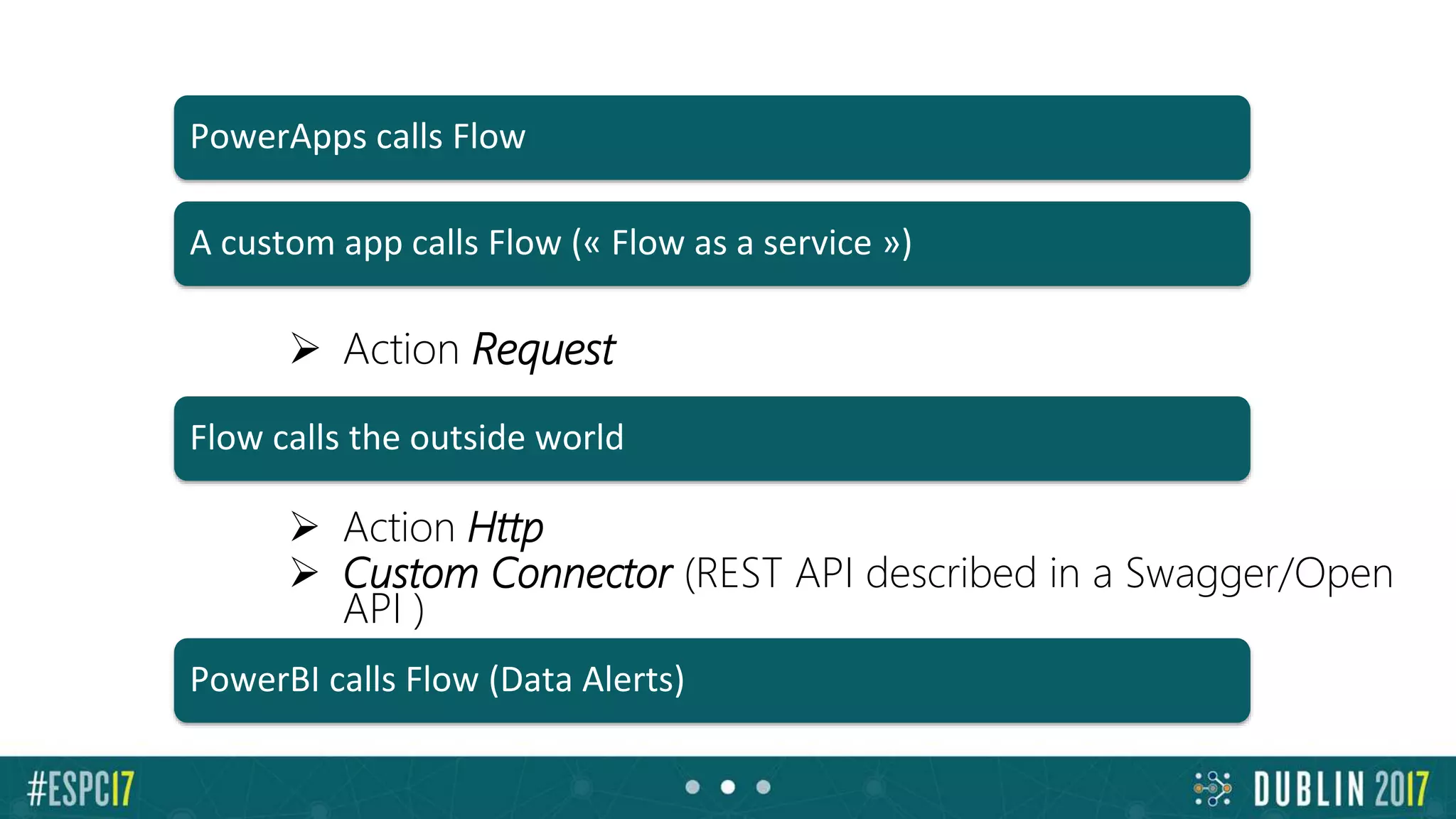
 Action Request
 Action Http
 Custom Connector (REST API described in a Swagger/Open
API )
PowerApps calls Flow
A custom app calls Flow (« Flow as a service »)
PowerBI calls Flow (Data Alerts)
Flow calls the outside world
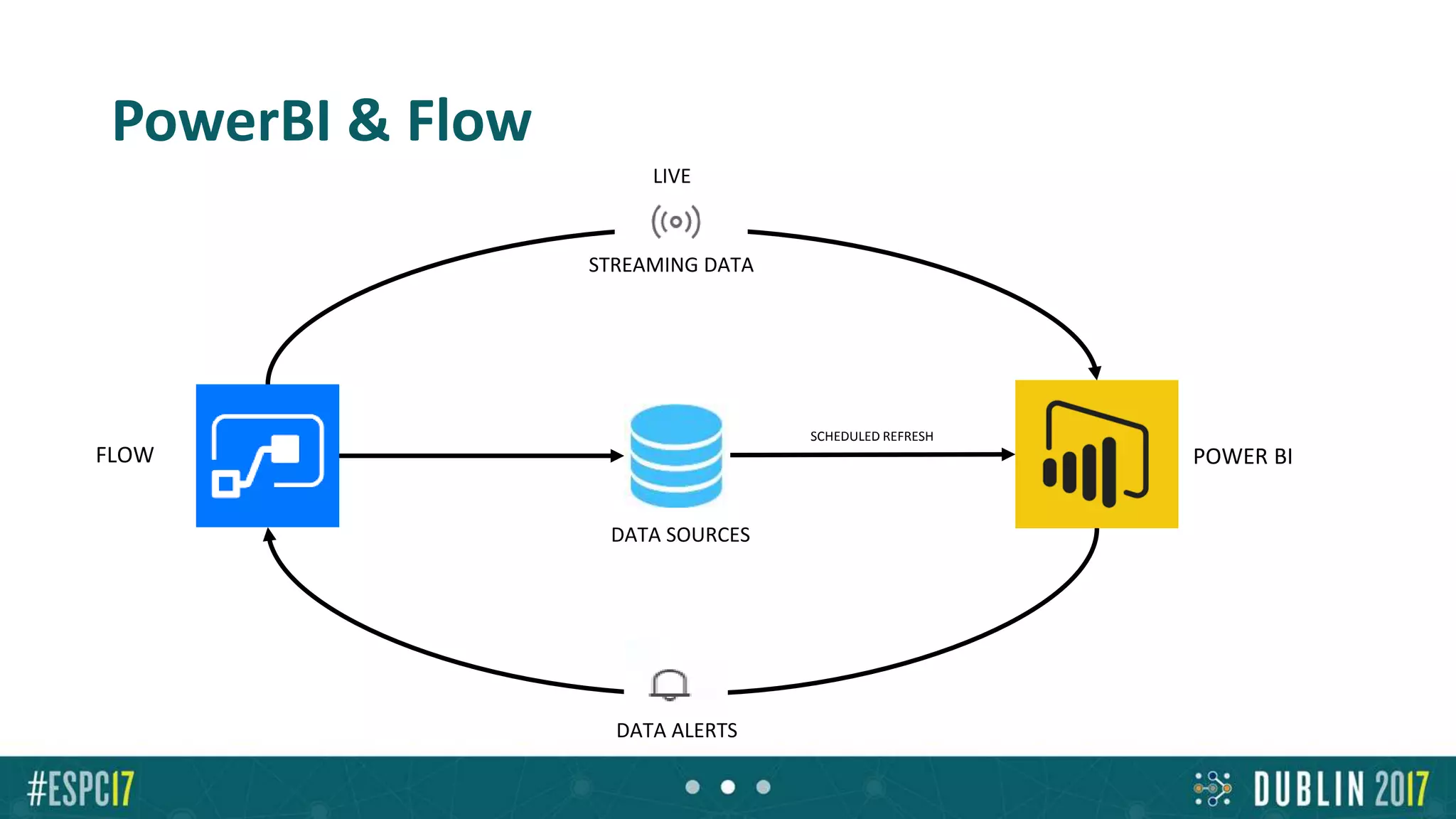
PowerBI & Flow
FLOW
DATA ALERTS
DATA SOURCES
POWER BI
SCHEDULED REFRESH
STREAMING DATA
LIVE
Pricing & roadmap
Tarifs: Comparaison
SharePoint Designer Flow
Multiple connections to >150 data sources SQL, SP, ODBC & WSDL only ALWAYS
Out of box templates <5 100s
Workflow & approval history <365 days Perpetual
Approvals over mobile + mobile notifications NEVER iOS, Android, Windows Phone + in Outlook.
History coming imminently.
Loops, Do Until, Switch-case, parallels, variables Yes Yes
On-premises support Native Gateway support
Extended field types (people, choice, MMS, lookup) Yes People, choice, lookup – Yes new, MMS –
coming soon
Send email as user or system System only Yes
Attachments Yes Yes new
SharePoint Designer Flow
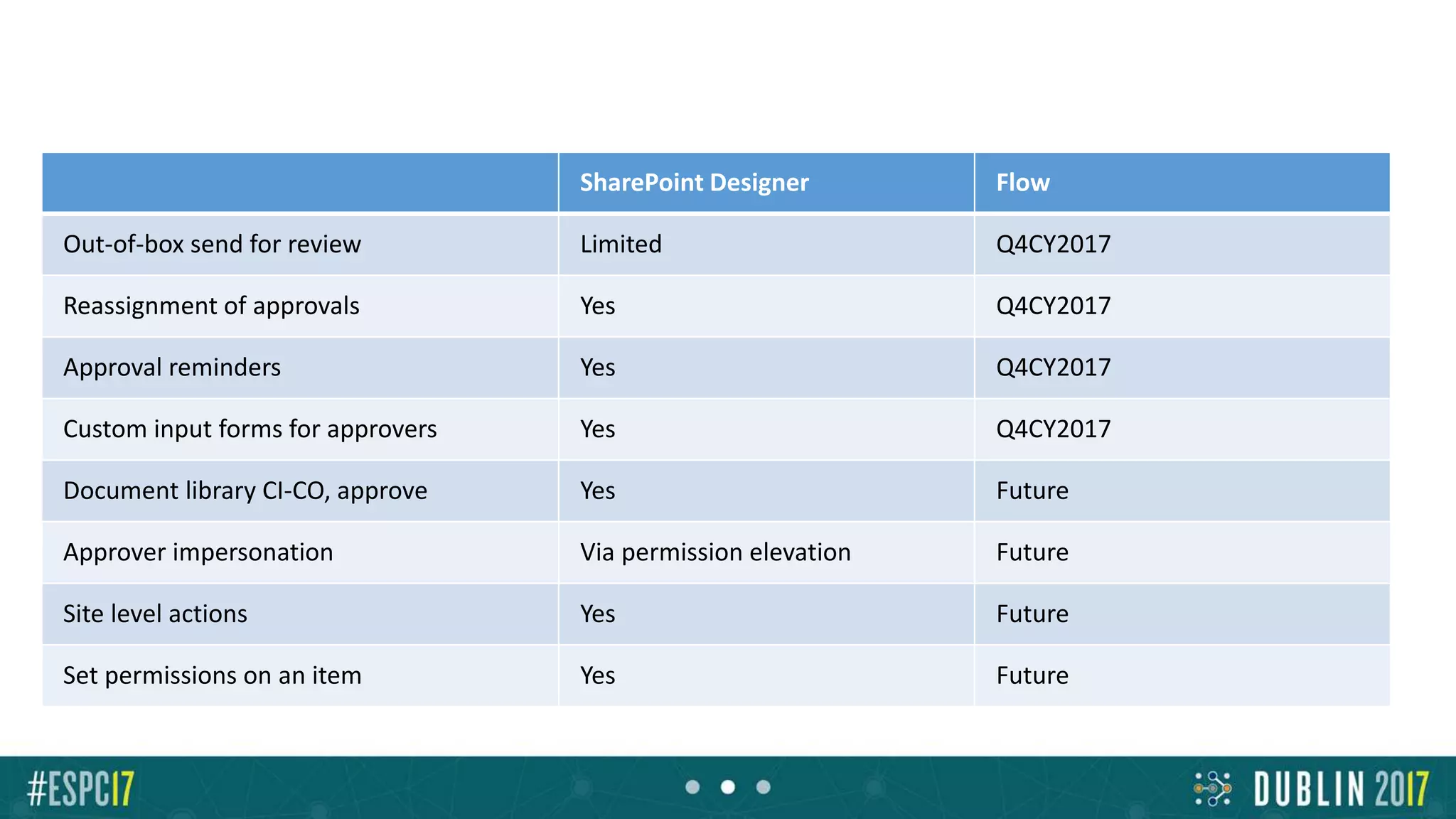
Out-of-box send for review Limited Q4CY2017
Reassignment of approvals Yes Q4CY2017
Approval reminders Yes Q4CY2017
Custom input forms for approvers Yes Q4CY2017
Document library CI-CO, approve Yes Future
Approver impersonation Via permission elevation Future
Site level actions Yes Future
Set permissions on an item Yes Future
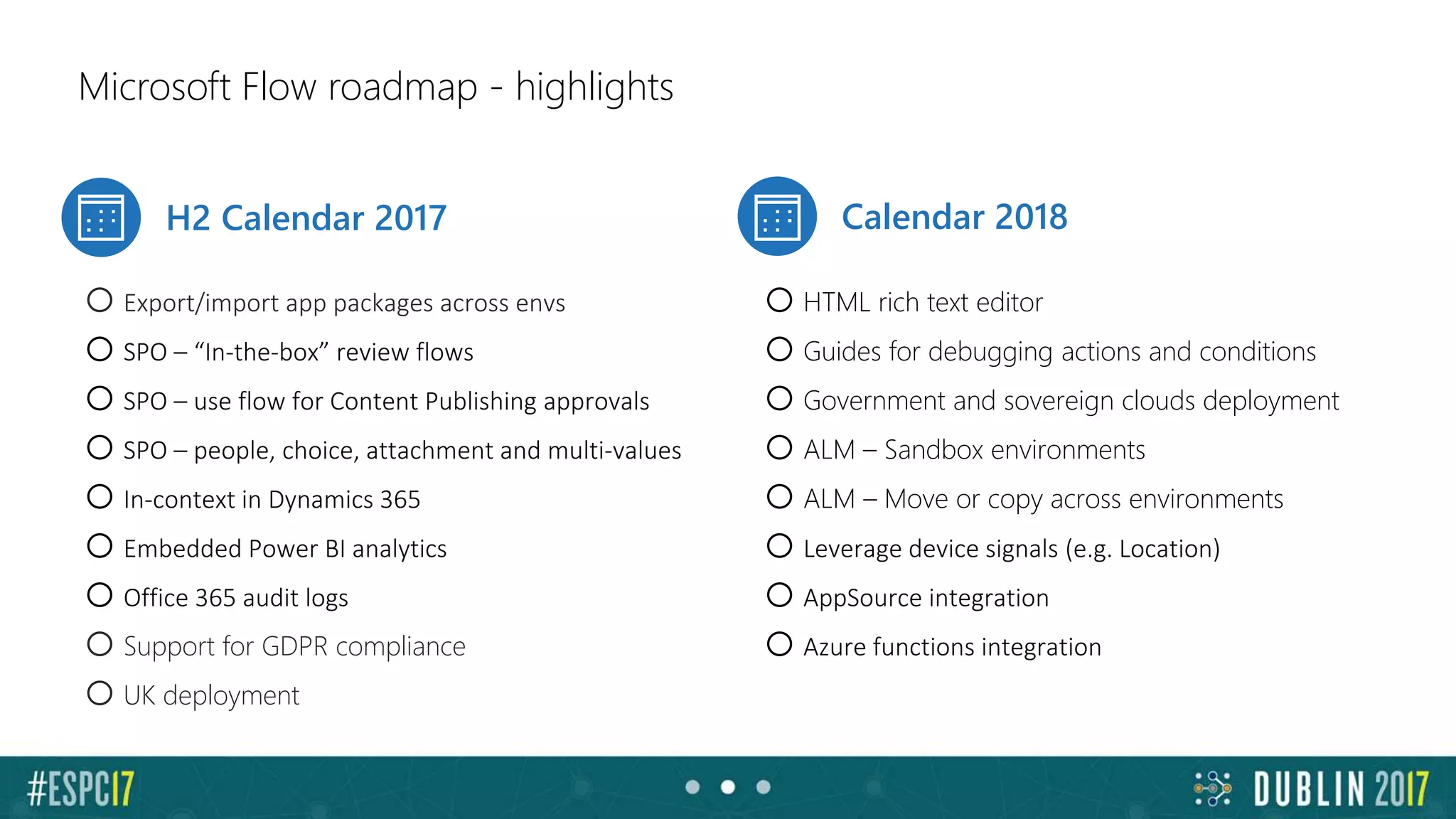
Microsoft Flow roadmap - highlights
H2 Calendar 2017 Calendar 2018
oExport/import app packages across envs
oSPO – “In-the-box” review flows
oSPO – use flow for Content Publishing approvals
oSPO – people, choice, attachment and multi-values
oIn-context in Dynamics 365
oEmbedded Power BI analytics
oOffice 365 audit logs
oSupport for GDPR compliance
oUK deployment
oHTML rich text editor
oGuides for debugging actions and conditions
oGovernment and sovereign clouds deployment
oALM – Sandbox environments
oALM – Move or copy across environments
oLeverage device signals (e.g. Location)
oAppSource integration
oAzure functions integration
Conclusions
Positive
• Easy tool
• Not just SharePoint (it replaces SPD)
• Connections to hundreds of services
• Including on prem!
• SharePoint Integration is getting better
• PowerApps, PowerBI integration
• Team Flow is very proactive & delivers
Negative
• Young, unknown reliability
• No state machines (but we have loops and tests)
• Collect feedback weak
• SharePoint integration still weak
• Flow duration : 30 days, Approval : 30 days
• Weak for long business processes
Advices
• Keep your forms as simple as possible
• Manage the business logic in the workflow
• Use environments
• Define system accounts for your connections
• Limitations
• Learn the Logic Apps Workflow Definition Language
(WDL)
– Read my blog post
https://sergeluca.wordpress.com/2017/04/26/using-the-azure-
logic-apps-workflow-definition-language-in-microsoft-flow-
part-1/

Improve your productivity with Microsoft Fow - Power to the people

  • 2.
    Boost your productivitywith Microsoft Flow – Power to the People Serge Luca ShareQL, Belgium Add Speaker Photo here
  • 3.
    Serge Luca 11 xSharePoint MVP, Brussels SharePoint since 2002 Architect (Admin, Dev, governance) Managing partner of www.shareql.com Worked for the MS workflow team Blog: http://sergeluca.wordpress.com/ sergeluca@shareql.com @sergeluca
  • 4.
  • 5.
    Environment + DataLoss prevention Creating Flows Introduction : the concept Flows and on premises Extensibility : communication with the outside world Price & roadmap Conclusions
  • 6.
  • 7.
    Personal productivity Collaboration :Approval & Review,… Quickly create (0 code) Business Processes apps “Citizen development” 3 main benefits :
  • 8.
    The context :business Apps Empower power users Connect data across apps More efficient developers App Services Service Fabric Azure Functions … Logic Apps API Management BizTalk … SQL Server BI Data analytics Internet of Things (IoT) … Build modern business app fast
  • 9.
  • 10.
    Creating and managingFlows Microsoft Account (free) or Office 365 or Dynamics 365 or Flow (paid) or PowerApps (or free new PowerApps Community Plan) Flow.microsoft.com Powerapps.microsoft.com A modern SharePoint Online list Mobile app (iOS-Android-Windows Mobile)
  • 11.
  • 12.
  • 13.
  • 14.
    Approval problems… • Whatdo we do if the item (to be approved) is deleted ? • No approval reassignment(->roadmap) • Limitation of Flow : • flow duration = max 30 days • Approval duration = max 30 days ->What if Approval 1 = 20 days & Approval 2 = 15 days ? • However (great) Approval history is perpetual
  • 15.
    Limitations • 250 actions/flow->create nested flows • SharePoint • Limitation when more than 5000 items in a SharePoint list? • The flow cannot run with the security context of the user ->roadmap • No OOB site level actions ->roadmap • Cannot OOB change item security ->roadmap • No multiple value ->soon • No taxonomy (write)->soon • No content publishing ->soon • Lookup field pointing to another web ?
  • 16.
    Limitations • No outof the box send for review ->soon • No custom input forms for approvers->roadmap • Flow duration : 30 days ; loops : max 5000 iteration->???
  • 17.
  • 18.
    Flow and dataon premises • Install the « on Premises data gateway » (shared between PowerBI, PowerApps and Azure Logic Apps) Not just databases, but also Powershell scripts, files and (recently) : REST API web services
  • 19.
  • 20.
  • 21.
    Environments & compliance •Isolated spaces where Flows/Data are running/stored – Ex HR, Marketing, Operations, Legal, DEV, TEST, UAT, PROD… • Different rules (DLP) – Ex marketing can use twitter, Legal and Production cannot • Different regions if needed [Plan 2 for creating Env]
  • 22.
    ENVIRONMENTSDEV MARKETING TEST MARKETING UATMARKETING PROD MARKETING DEV OPERATIONS US TEST OPERATIONS US UAT OPERATIONS US PROD OPERATIONS US US DLP DEV OPERATIONS EUROPE TEST OPERATIONS EUROPE UAT OPERATIONS EUROPE PROD OPERATIONS EUROPE E U DLP
  • 23.
    Attention • We canexport-import Flows from Env1 to Env2 • We have to recreate the connections (fixed in roadmap) • SharePoint lists based on GUID (! From SharePoint test site to SharePoint prod site !) • On premise data gateway : • Gateways only in the default environment
  • 24.
  • 25.
  • 26.
     Action Request Action Http  Custom Connector (REST API described in a Swagger/Open API ) PowerApps calls Flow A custom app calls Flow (« Flow as a service ») PowerBI calls Flow (Data Alerts) Flow calls the outside world
  • 27.
    PowerBI & Flow FLOW DATAALERTS DATA SOURCES POWER BI SCHEDULED REFRESH STREAMING DATA LIVE
  • 28.
  • 30.
  • 31.
    SharePoint Designer Flow Multipleconnections to >150 data sources SQL, SP, ODBC & WSDL only ALWAYS Out of box templates <5 100s Workflow & approval history <365 days Perpetual Approvals over mobile + mobile notifications NEVER iOS, Android, Windows Phone + in Outlook. History coming imminently. Loops, Do Until, Switch-case, parallels, variables Yes Yes On-premises support Native Gateway support Extended field types (people, choice, MMS, lookup) Yes People, choice, lookup – Yes new, MMS – coming soon Send email as user or system System only Yes Attachments Yes Yes new
  • 32.
    SharePoint Designer Flow Out-of-boxsend for review Limited Q4CY2017 Reassignment of approvals Yes Q4CY2017 Approval reminders Yes Q4CY2017 Custom input forms for approvers Yes Q4CY2017 Document library CI-CO, approve Yes Future Approver impersonation Via permission elevation Future Site level actions Yes Future Set permissions on an item Yes Future
  • 33.
    Microsoft Flow roadmap- highlights H2 Calendar 2017 Calendar 2018 oExport/import app packages across envs oSPO – “In-the-box” review flows oSPO – use flow for Content Publishing approvals oSPO – people, choice, attachment and multi-values oIn-context in Dynamics 365 oEmbedded Power BI analytics oOffice 365 audit logs oSupport for GDPR compliance oUK deployment oHTML rich text editor oGuides for debugging actions and conditions oGovernment and sovereign clouds deployment oALM – Sandbox environments oALM – Move or copy across environments oLeverage device signals (e.g. Location) oAppSource integration oAzure functions integration
  • 34.
  • 35.
    Positive • Easy tool •Not just SharePoint (it replaces SPD) • Connections to hundreds of services • Including on prem! • SharePoint Integration is getting better • PowerApps, PowerBI integration • Team Flow is very proactive & delivers
  • 36.
    Negative • Young, unknownreliability • No state machines (but we have loops and tests) • Collect feedback weak • SharePoint integration still weak • Flow duration : 30 days, Approval : 30 days • Weak for long business processes
  • 37.
    Advices • Keep yourforms as simple as possible • Manage the business logic in the workflow • Use environments • Define system accounts for your connections • Limitations • Learn the Logic Apps Workflow Definition Language (WDL) – Read my blog post https://sergeluca.wordpress.com/2017/04/26/using-the-azure- logic-apps-workflow-definition-language-in-microsoft-flow- part-1/

Editor's Notes

  • #2 This is the Pre-Title Screen. Please do not place any content on this screen.
  • #3 To add your image, first delete the place holder image as shown in the white box. Then insert your picture and scale it to be bigger than the size of the white box shown. Finally, right click on your image and select ‘Send to back’ – your image should now be framed correctly. Please add co-speaker image directly below, if applicable
  • #13 Jusqu’ici: 7 min Duréee 8-10 min Demo scan Ondrive If doesn’t work set filepath is the content parameter (send mail) https://shareql.sharepoint.com/demosharepoint/nintext/ Show how to login App launcher ? SharePoint list online Show services https://flow.microsoft.com/en-us/services/ ( > 60 services) Show templates Type « SharePoint » to see sharepoint actions and « Office 365 » Triggers ( show triggers) Triggers in SharePoint Show flow « ShareQL expense » When a new item is created in expenses, ask my manager approve it if it is > 500 euros
  • #18 16’
  • #21 Jusqu’ici: 7 min Duréee 8-10 min Demo scan Ondrive If doesn’t work set filepath is the content parameter (send mail) https://shareql.sharepoint.com/demosharepoint/nintext/ Show how to login App launcher ? SharePoint list online Show services https://flow.microsoft.com/en-us/services/ ( > 60 services) Show templates Type « SharePoint » to see sharepoint actions and « Office 365 » Triggers ( show triggers) Triggers in SharePoint Show flow « ShareQL expense » When a new item is created in expenses, ask my manager approve it if it is > 500 euros
  • #27 Jusqu’ici: 7 min Duréee 8-10 min Demo scan Ondrive If doesn’t work set filepath is the content parameter (send mail) https://shareql.sharepoint.com/demosharepoint/nintext/ Show how to login App launcher ? SharePoint list online Show services https://flow.microsoft.com/en-us/services/ ( > 60 services) Show templates Type « SharePoint » to see sharepoint actions and « Office 365 » Triggers ( show triggers) Triggers in SharePoint Show flow « ShareQL expense » When a new item is created in expenses, ask my manager approve it if it is > 500 euros