{
What have you learnt about
technologies from the process
of constructing this product?
Question 5 - Technology
Weebly
Weebly proved to be one of the most
difficult technology to use in my
opinion. I really struggled to embed
the different presentations into the
right page. It was also really difficult
to edit font and text size. Changing
the home screen image was also
really difficult. I found that Weebly,
despite looking simple, was actually
really challenging to control and get
it to do what I wanted it to do.
Weebly was difficult at first but
luckily I learnt how to do most of the
things that I couldn’t do at the start.
However as I went along I
learnt how to correctly
embed the videos and change
the image on the home
screen.
Although I still can’t figure
out how to change the font or
text size.
Vimeo and Youtube
Vimeo was a completely new
website for me to use. It is quite
similar to Youtube however it is on
a smaller scale. Over the course I
learnt how to upload my videos
onto Vimeo and also how to embed
my videos from Vimeo onto my
blog. All together I posted around
10 videos onto Vimeo including
preliminary tasks and focus group
videos.
I was already quite familiar with
Youtube however I had never
uploaded a video to it before. I used
Youtube to upload my video diary
entries during the course. In addition I
learnt to embed these from Youtube
onto my blog.
Final Cut Pro
Final cut pro was definitely the hardest technology I learnt to use
during the course but it was definitely the most useful. I learnt how to
cut each shot and edit it smoothly together. I also learnt how to add
different transitions and place titles onto my opening sequence. In
addition I experienced how to edit sound together and separate the
audio from the video. However my favorite thing that I learnt was
piecing my film all together. This was the most fun because you got to
see your film being created and being built up from lots of separate
shots.
One thing I found really
difficult when using this
software was keeping
continuity. In my
preliminary piece, ‘The
conversation’ ,we had to
cut and put back together
audio which was definitely
difficult.
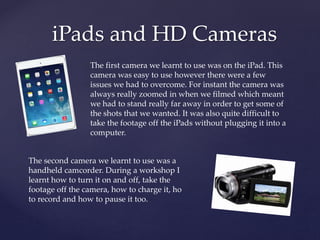
iPads and HD Cameras
The first camera we learnt to use was on the iPad. This
camera was easy to use however there were a few
issues we had to overcome. For instant the camera was
always really zoomed in when we filmed which meant
we had to stand really far away in order to get some of
the shots that we wanted. It was also quite difficult to
take the footage off the iPads without plugging it into a
computer.
The second camera we learnt to use was a
handheld camcorder. During a workshop I
learnt how to turn it on and off, take the
footage off the camera, how to charge it, ho
to record and how to pause it too.
Presentation software
These are the four main types of presentation I learnt to use. My
favorite is Prezi but the most difficult to use was definitely Powtoon.
Prezi Visme
eMaze Powtoon
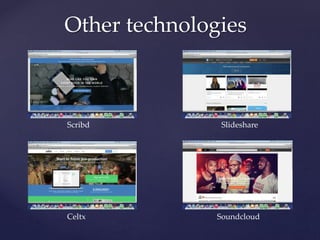
Other technologies
Scribd Slideshare
Celtx Soundcloud

Media Evaluation - technology

  • 1.
    { What have youlearnt about technologies from the process of constructing this product? Question 5 - Technology
  • 2.
    Weebly Weebly proved tobe one of the most difficult technology to use in my opinion. I really struggled to embed the different presentations into the right page. It was also really difficult to edit font and text size. Changing the home screen image was also really difficult. I found that Weebly, despite looking simple, was actually really challenging to control and get it to do what I wanted it to do. Weebly was difficult at first but luckily I learnt how to do most of the things that I couldn’t do at the start. However as I went along I learnt how to correctly embed the videos and change the image on the home screen. Although I still can’t figure out how to change the font or text size.
  • 3.
    Vimeo and Youtube Vimeowas a completely new website for me to use. It is quite similar to Youtube however it is on a smaller scale. Over the course I learnt how to upload my videos onto Vimeo and also how to embed my videos from Vimeo onto my blog. All together I posted around 10 videos onto Vimeo including preliminary tasks and focus group videos. I was already quite familiar with Youtube however I had never uploaded a video to it before. I used Youtube to upload my video diary entries during the course. In addition I learnt to embed these from Youtube onto my blog.
  • 4.
    Final Cut Pro Finalcut pro was definitely the hardest technology I learnt to use during the course but it was definitely the most useful. I learnt how to cut each shot and edit it smoothly together. I also learnt how to add different transitions and place titles onto my opening sequence. In addition I experienced how to edit sound together and separate the audio from the video. However my favorite thing that I learnt was piecing my film all together. This was the most fun because you got to see your film being created and being built up from lots of separate shots. One thing I found really difficult when using this software was keeping continuity. In my preliminary piece, ‘The conversation’ ,we had to cut and put back together audio which was definitely difficult.
  • 5.
    iPads and HDCameras The first camera we learnt to use was on the iPad. This camera was easy to use however there were a few issues we had to overcome. For instant the camera was always really zoomed in when we filmed which meant we had to stand really far away in order to get some of the shots that we wanted. It was also quite difficult to take the footage off the iPads without plugging it into a computer. The second camera we learnt to use was a handheld camcorder. During a workshop I learnt how to turn it on and off, take the footage off the camera, how to charge it, ho to record and how to pause it too.
  • 6.
    Presentation software These arethe four main types of presentation I learnt to use. My favorite is Prezi but the most difficult to use was definitely Powtoon. Prezi Visme eMaze Powtoon
  • 7.