Measuring Web Performance

       Patrick Meenan
       pmeenan@webpagetest.org
            @patmeenan
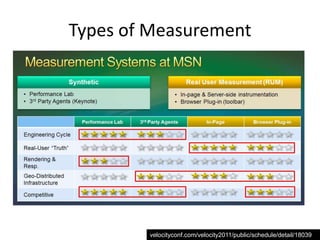
Types of Measurement


        velocityconf.com/velocity2011/public/schedule/detail/18039
Measuring Web Performance

SYNTHETIC TESTING
Active Testing
• Consistent results
  – Good for detecting and diagnosing issues that are 100% repeatable
    and on pages you are monitoring
• Lots of detail
• Availability monitoring
• Not representative of actual end-user
  performance
  – Usually tested from data centers
  – Sometimes co-located with CDN provider
    equipment
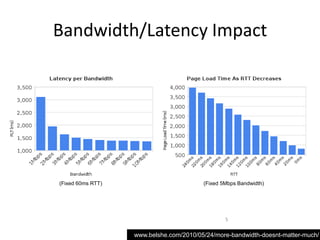
Bandwidth/Latency Impact


(Fixed 60ms RTT)                         (Fixed 5Mbps Bandwidth)


                                                 5

                   www.belshe.com/2010/05/24/more-bandwidth-doesnt-matter-much/
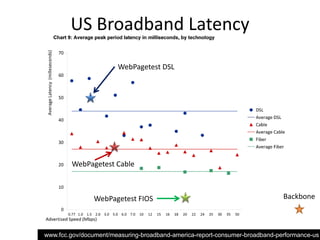
US Broadband Latency

                       WebPagetest DSL


        WebPagetest Cable


                WebPagetest FIOS                                             Backbone

                                                          6

www.fcc.gov/document/measuring-broadband-america-report-consumer-broadband-performance-us
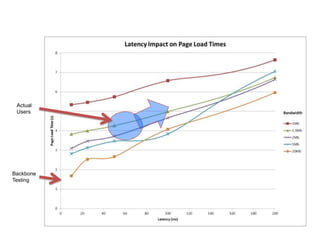
Actual
 Users


Backbone
Testing


           7
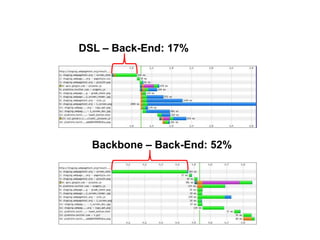
DSL – Back-End: 17%


  Backbone – Back-End: 52%


                        8
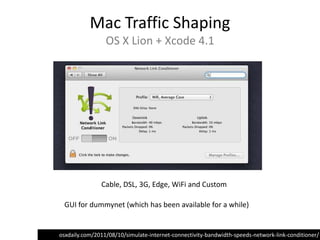
Mac Traffic Shaping
                 OS X Lion + Xcode 4.1


               Cable, DSL, 3G, Edge, WiFi and Custom

 GUI for dummynet (which has been available for a while)


osxdaily.com/2011/08/10/simulate-internet-connectivity-bandwidth-speeds-network-link-conditioner/
Synthetic Browsers
• Know HOW your active testing is done
  – Some only test the base page
  – Synthetic browsers usually not reflective of real
    browser
  – Real browser testing
  – Connectivity (backbone, last-mile)

• www.engadget.com
  – Synthetic Browser: 447 requests
  – IE 8: 241 requests
Measuring Web Performance

REAL USER MONITORING (RUM)
Real User Monitoring (RUM)
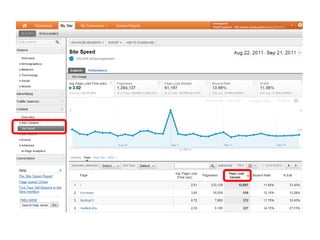
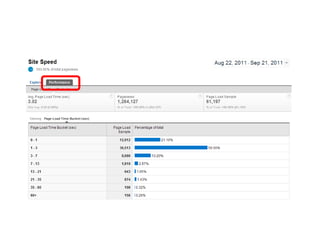
• Full coverage on all pages visited by users
• Real performance information for end-user
  experience
• No availability monitoring
• No competitive reference
• Limited detail
  – … but getting better
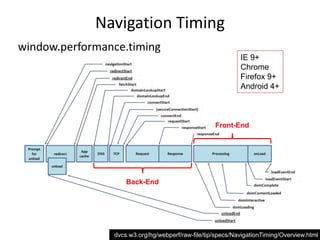
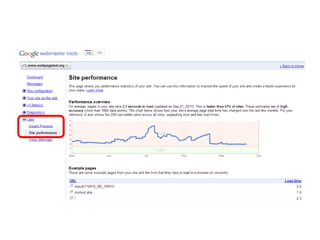
Navigation Timing
window.performance.timing
                                                            IE 9+
                                                            Chrome
                                                            Firefox 9+
                                                            Android 4+


                                                   Front-End


                    Back-End


                                                      13

                dvcs.w3.org/hg/webperf/raw-file/tip/specs/NavigationTiming/Overview.html
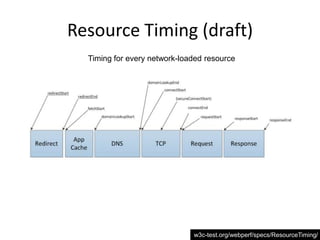
Resource Timing (draft)
  Timing for every network-loaded resource


                              w3c-test.org/webperf/specs/ResourceTiming/
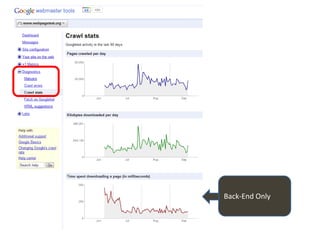
Back-End Only
Access Logs
•   Overall Response Times - %D (Apache)
•   Custom variables (app-specific timings)
•   Logster + graphite = graphs
•   Lots of data-mining opportunities
    – Broken links/content (404’s with useful referer information)

• Mike Brittain (Etsy) Presentation
    – http://www.slideshare.net/mikebrittain/web-performance-culture-
      and-tools-at-etsy-11159635
Measuring Web Performance

THE METRICS
When is “Done”?


Easy answer is onLoad
        But…
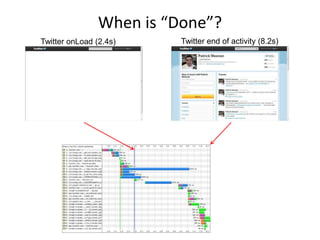
When is “Done”?
Twitter onLoad (2.4s)     Twitter end of activity (8.2s)
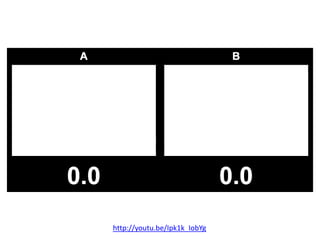
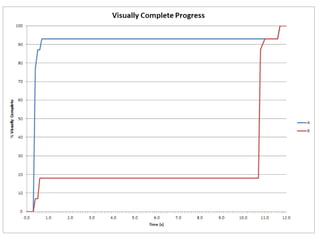
2 Pages, Identical Performance

              …
http://youtu.be/Ipk1k_IobYg
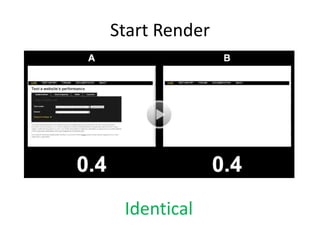
Start Render


 Identical
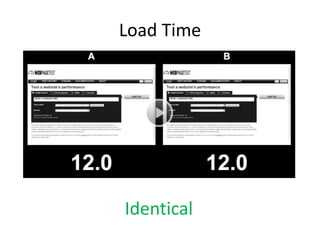
Load Time


Identical
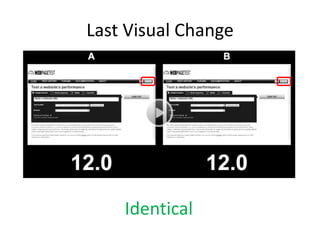
Last Visual Change


    Identical
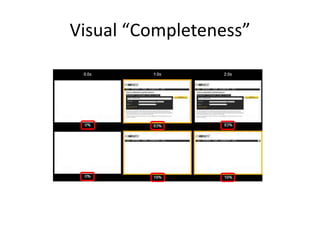
Visual “Completeness”
Measuring Web Performance

INTRODUCING…
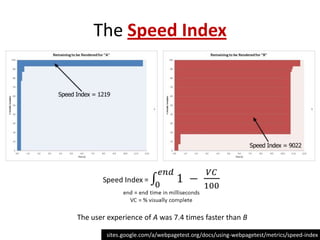
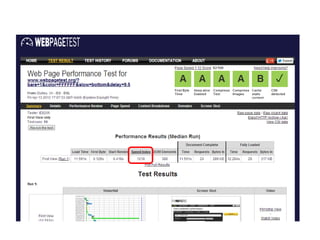
The Speed Index


The user experience of A was 7.4 times faster than B

         sites.google.com/a/webpagetest.org/docs/using-webpagetest/metrics/speed-index
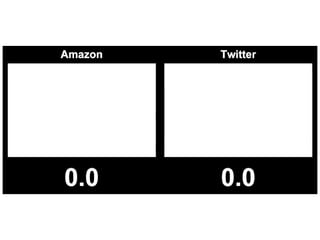
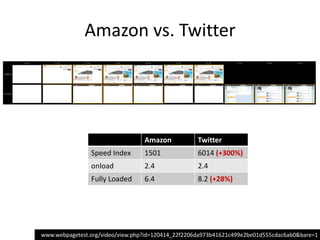
Amazon.com vs. Twitter

          …
Amazon vs. Twitter


                                  Amazon            Twitter
                Speed Index       1501              6014 (+300%)
                onload            2.4               2.4
                Fully Loaded      6.4               8.2 (+28%)


www.webpagetest.org/video/view.php?id=120414_22f2206da973b41621c499e2be01d555cdac6ab0&bare=1
Measuring Web Performance

WHAT’S NEW IN WEBPAGETEST
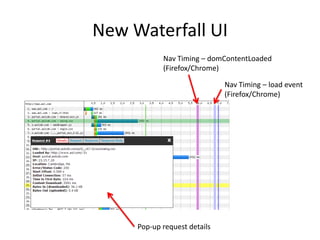
New Waterfall UI
            Nav Timing – domContentLoaded
            (Firefox/Chrome)

                              Nav Timing – load event
                              (Firefox/Chrome)


     Pop-up request details
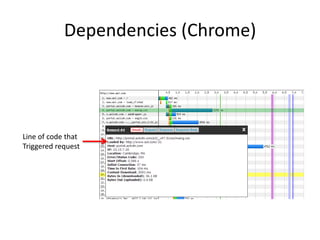
Dependencies (Chrome)


Line of code that
Triggered request
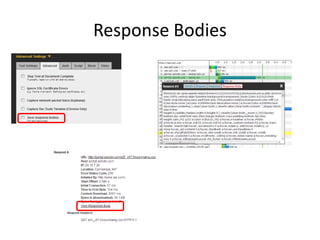
Response Bodies
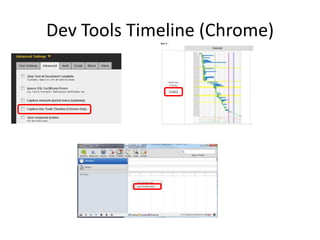
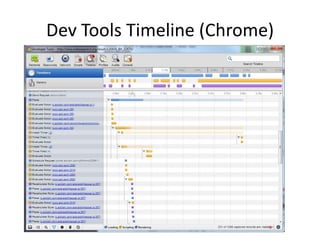
Dev Tools Timeline (Chrome)
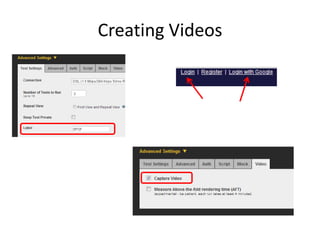
Creating Videos
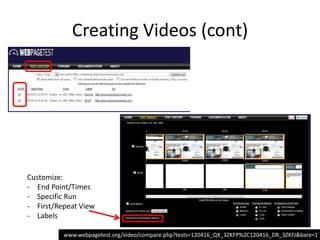
Creating Videos (cont)


Customize:
- End Point/Times
- Specific Run
- First/Repeat View
- Labels

          www.webpagetest.org/video/compare.php?tests=120416_QX_3ZKFP%2C120416_DR_3ZKFJ&bare=1
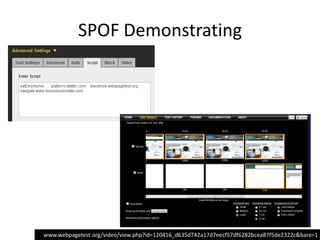
SPOF Demonstrating


www.webpagetest.org/video/view.php?id=120416_d635d742a17d7eecf57df6282bcea87f5de2322c&bare=1
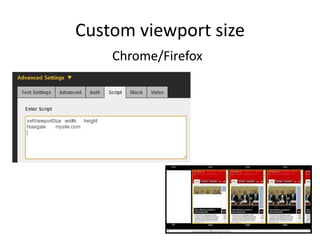
Custom viewport size
    Chrome/Firefox
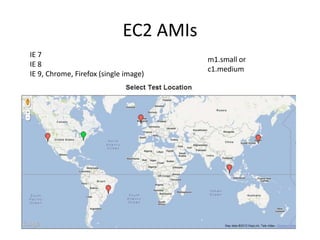
EC2 AMIs
IE 7
                                        m1.small or
IE 8
                                        c1.medium
IE 9, Chrome, Firefox (single image)
News/Updates

• Twitter:
  @patmeenan

• Google+
  PatMeenan@gmail.com
  WebPagetest


• WebPagetest Forums
  http://www.webpagetest.org/forums/

Measuring web performance