http://www.tutorialspoint.com/matlab/matlab_numbers.htm Copyright © tutorialspoint.com
MATLAB - NUMBERS
MATLAB supports various numeric classes that include signed and unsigned integers and single-precisionand
double-precisionfloating-point numbers. By default, MATLAB stores allnumeric values as double-precision
floating point numbers.
Youcanchoose to store any number or array of numbers as integers or as single-precisionnumbers.
Allnumeric types support basic array operations and mathematicaloperations.
Conversion to Various Numeric Data Types
MATLAB provides the following functions to convert to various numeric data types:
Function Purpose
double Converts to double precisionnumber
single Converts to single precisionnumber
int8 Converts to 8-bit signed integer
int16 Converts to 16-bit signed integer
int32 Converts to 32-bit signed integer
int64 Converts to 64-bit signed integer
uint8 Converts to 8-bit unsigned integer
uint16 Converts to 16-bit unsigned integer
uint32 Converts to 32-bit unsigned integer
uint64 Converts to 64-bit unsigned integer
Example
Create a script file and type the following code:
x = single([5.32 3.47 6.28]) .* 7.5
x = double([5.32 3.47 6.28]) .* 7.5
x = int8([5.32 3.47 6.28]) .* 7.5
x = int16([5.32 3.47 6.28]) .* 7.5
x = int32([5.32 3.47 6.28]) .* 7.5
x = int64([5.32 3.47 6.28]) .* 7.5
Whenyourunthe file, it shows the following result:
x =
39.9000 26.0250 47.1000
x =
39.9000 26.0250 47.1000
x =
38 23 45
x =
38 23 45
x =
38 23 45
x =
38 23 45
Example
Let us extend the previous example a little more. Create a script file and type the following code:
x = int32([5.32 3.47 6.28]) .* 7.5
x = int64([5.32 3.47 6.28]) .* 7.5
x = num2cell(x)
Whenyourunthe file, it shows the following result:
x =
38 23 45
x =
38 23 45
x =
[38] [23] [45]
Smallest and Largest Integers
The functions intmax() and intmin() returnthe maximumand minimumvalues that canbe represented withall
types of integer numbers.
Boththe functions take the integer data type as the argument, for example, intmax(int8) or intmin(int64) and
returnthe maximumand minimumvalues that youcanrepresent withthe integer data type.
Example
The following example illustrates how to obtainthe smallest and largest values of integers. Create a script file
and write the following code init:
% displaying the smallest and largest signed integer data
str = 'The range for int8 is:nt%d to %d ';
sprintf(str, intmin('int8'), intmax('int8'))
str = 'The range for int16 is:nt%d to %d ';
sprintf(str, intmin('int16'), intmax('int16'))
str = 'The range for int32 is:nt%d to %d ';
sprintf(str, intmin('int32'), intmax('int32'))
str = 'The range for int64 is:nt%d to %d ';
sprintf(str, intmin('int64'), intmax('int64'))
% displaying the smallest and largest unsigned integer data
str = 'The range for uint8 is:nt%d to %d ';
sprintf(str, intmin('uint8'), intmax('uint8'))
str = 'The range for uint16 is:nt%d to %d ';
sprintf(str, intmin('uint16'), intmax('uint16'))
str = 'The range for uint32 is:nt%d to %d ';
sprintf(str, intmin('uint32'), intmax('uint32'))
str = 'The range for uint64 is:nt%d to %d ';
sprintf(str, intmin('uint64'), intmax('uint64'))
Whenyourunthe file, it shows the following result:
ans =
The range for int8 is:
-128 to 127
ans =
The range for int16 is:
-32768 to 32767
ans =
The range for int32 is:
-2147483648 to 2147483647
ans =
The range for int64 is:
-9223372036854775808 to 9223372036854775807
ans =
The range for uint8 is:
0 to 255
ans =
The range for uint16 is:
0 to 65535
ans =
The range for uint32 is:
0 to 4294967295
ans =
The range for uint64 is:
0 to 1.844674e+19
Smallest and Largest Floating Point Numbers
The functions realmax() and realmin() returnthe maximumand minimumvalues that canbe represented with
floating point numbers.
Boththe functions whencalled withthe argument 'single', returnthe maximumand minimumvalues that youcan
represent withthe single-precisiondata type and whencalled withthe argument 'double', returnthe maximum
and minimumvalues that youcanrepresent withthe double-precisiondata type.
Example
The following example illustrates how to obtainthe smallest and largest floating point numbers. Create a script
file and write the following code init:
% displaying the smallest and largest single-precision
% floating point number
str = 'The range for single is:nt%g to %g andnt %g to %g';
sprintf(str, -realmax('single'), -realmin('single'), ...
realmin('single'), realmax('single'))
% displaying the smallest and largest double-precision
% floating point number
str = 'The range for double is:nt%g to %g andnt %g to %g';
sprintf(str, -realmax('double'), -realmin('double'), ...
realmin('double'), realmax('double'))
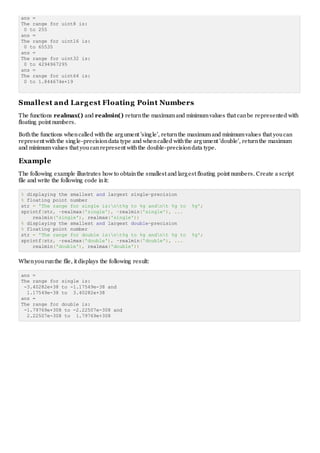
Whenyourunthe file, it displays the following result:
ans =
The range for single is:
-3.40282e+38 to -1.17549e-38 and
1.17549e-38 to 3.40282e+38
ans =
The range for double is:
-1.79769e+308 to -2.22507e-308 and
2.22507e-308 to 1.79769e+308

Matlab numbers

  • 1.
    http://www.tutorialspoint.com/matlab/matlab_numbers.htm Copyright ©tutorialspoint.com MATLAB - NUMBERS MATLAB supports various numeric classes that include signed and unsigned integers and single-precisionand double-precisionfloating-point numbers. By default, MATLAB stores allnumeric values as double-precision floating point numbers. Youcanchoose to store any number or array of numbers as integers or as single-precisionnumbers. Allnumeric types support basic array operations and mathematicaloperations. Conversion to Various Numeric Data Types MATLAB provides the following functions to convert to various numeric data types: Function Purpose double Converts to double precisionnumber single Converts to single precisionnumber int8 Converts to 8-bit signed integer int16 Converts to 16-bit signed integer int32 Converts to 32-bit signed integer int64 Converts to 64-bit signed integer uint8 Converts to 8-bit unsigned integer uint16 Converts to 16-bit unsigned integer uint32 Converts to 32-bit unsigned integer uint64 Converts to 64-bit unsigned integer Example Create a script file and type the following code: x = single([5.32 3.47 6.28]) .* 7.5 x = double([5.32 3.47 6.28]) .* 7.5 x = int8([5.32 3.47 6.28]) .* 7.5 x = int16([5.32 3.47 6.28]) .* 7.5 x = int32([5.32 3.47 6.28]) .* 7.5 x = int64([5.32 3.47 6.28]) .* 7.5 Whenyourunthe file, it shows the following result: x = 39.9000 26.0250 47.1000 x = 39.9000 26.0250 47.1000 x = 38 23 45 x = 38 23 45 x = 38 23 45
  • 2.
    x = 38 2345 Example Let us extend the previous example a little more. Create a script file and type the following code: x = int32([5.32 3.47 6.28]) .* 7.5 x = int64([5.32 3.47 6.28]) .* 7.5 x = num2cell(x) Whenyourunthe file, it shows the following result: x = 38 23 45 x = 38 23 45 x = [38] [23] [45] Smallest and Largest Integers The functions intmax() and intmin() returnthe maximumand minimumvalues that canbe represented withall types of integer numbers. Boththe functions take the integer data type as the argument, for example, intmax(int8) or intmin(int64) and returnthe maximumand minimumvalues that youcanrepresent withthe integer data type. Example The following example illustrates how to obtainthe smallest and largest values of integers. Create a script file and write the following code init: % displaying the smallest and largest signed integer data str = 'The range for int8 is:nt%d to %d '; sprintf(str, intmin('int8'), intmax('int8')) str = 'The range for int16 is:nt%d to %d '; sprintf(str, intmin('int16'), intmax('int16')) str = 'The range for int32 is:nt%d to %d '; sprintf(str, intmin('int32'), intmax('int32')) str = 'The range for int64 is:nt%d to %d '; sprintf(str, intmin('int64'), intmax('int64')) % displaying the smallest and largest unsigned integer data str = 'The range for uint8 is:nt%d to %d '; sprintf(str, intmin('uint8'), intmax('uint8')) str = 'The range for uint16 is:nt%d to %d '; sprintf(str, intmin('uint16'), intmax('uint16')) str = 'The range for uint32 is:nt%d to %d '; sprintf(str, intmin('uint32'), intmax('uint32')) str = 'The range for uint64 is:nt%d to %d '; sprintf(str, intmin('uint64'), intmax('uint64')) Whenyourunthe file, it shows the following result: ans = The range for int8 is: -128 to 127 ans = The range for int16 is: -32768 to 32767 ans = The range for int32 is: -2147483648 to 2147483647 ans = The range for int64 is: -9223372036854775808 to 9223372036854775807
  • 3.
    ans = The rangefor uint8 is: 0 to 255 ans = The range for uint16 is: 0 to 65535 ans = The range for uint32 is: 0 to 4294967295 ans = The range for uint64 is: 0 to 1.844674e+19 Smallest and Largest Floating Point Numbers The functions realmax() and realmin() returnthe maximumand minimumvalues that canbe represented with floating point numbers. Boththe functions whencalled withthe argument 'single', returnthe maximumand minimumvalues that youcan represent withthe single-precisiondata type and whencalled withthe argument 'double', returnthe maximum and minimumvalues that youcanrepresent withthe double-precisiondata type. Example The following example illustrates how to obtainthe smallest and largest floating point numbers. Create a script file and write the following code init: % displaying the smallest and largest single-precision % floating point number str = 'The range for single is:nt%g to %g andnt %g to %g'; sprintf(str, -realmax('single'), -realmin('single'), ... realmin('single'), realmax('single')) % displaying the smallest and largest double-precision % floating point number str = 'The range for double is:nt%g to %g andnt %g to %g'; sprintf(str, -realmax('double'), -realmin('double'), ... realmin('double'), realmax('double')) Whenyourunthe file, it displays the following result: ans = The range for single is: -3.40282e+38 to -1.17549e-38 and 1.17549e-38 to 3.40282e+38 ans = The range for double is: -1.79769e+308 to -2.22507e-308 and 2.22507e-308 to 1.79769e+308