Vector
Type Vector arrays for undefined length of arrays
HTTPS://WWW.SCRIBD.COM/DOCUMENT/2539561/LINUX-C-PROGRAMMING-HOWTO
Page 34: Onward
Why to use vector
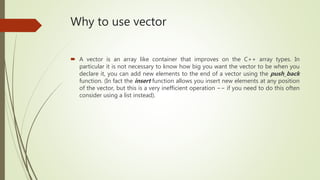
 A vector is an array like container that improves on the C++ array types. In
particular it is not necessary to know how big you want the vector to be when you
declare it, you can add new elements to the end of a vector using the push_back
function. (In fact the insert function allows you insert new elements at any position
of the vector, but this is a very inefficient operation −− if you need to do this often
consider using a list instead).
Constructing a vector
You can construct any type of vector. It can hold defined data types as well as class
objects
1. vector<int> v1;
2. vector<string> v2;
3. vector<ClassObject> v3;
Declaration and initialization
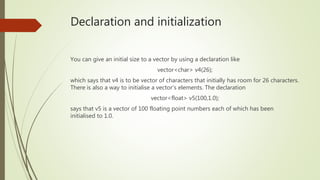
You can give an initial size to a vector by using a declaration like
vector<char> v4(26);
which says that v4 is to be vector of characters that initially has room for 26 characters.
There is also a way to initialise a vector's elements. The declaration
vector<float> v5(100,1.0);
says that v5 is a vector of 100 floating point numbers each of which has been
initialised to 1.0.
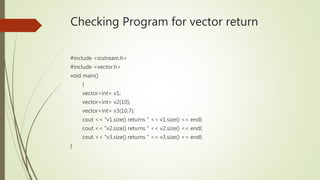
Checking Program for vector return
#include <iostream.h>
#include <vector.h>
void main()
{
vector<int> v1;
vector<int> v2(10);
vector<int> v3(10,7);
cout << "v1.size() returns " << v1.size() << endl;
cout << "v2.size() returns " << v2.size() << endl;
cout << "v3.size() returns " << v3.size() << endl;
}
Checking whether vector is empty or not
 VectorName.empty();
 Returns a Boolean value;
Accessing Elements of a Vector
You can access a vector's elements using operator[]. Thus, if you wanted to print out
all the elements in a vector you could use code like
vector<int> v;
// show loop and assign loop
for (int i=0; i<v.size(); i++)
cout << v[i];
for (int i=0; i<v.size(); i++)
v[i] = 2*i;
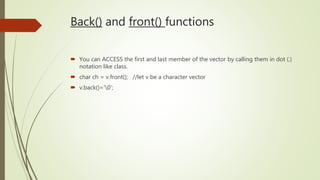
Back() and front() functions
 You can ACCESS the first and last member of the vector by calling them in dot (.)
notation like class.
 char ch = v.front(); //let v be a character vector
 v.back()=‘0’;
Inserting and Erasing Vector Elements
Along with operator[] as described above there are a number of other ways to
change or access the elementsin a vector.
1. push_back will add a new element to the end of a vector.
2. pop_back will remove the last element of a vector.
3. insert will insert one or more new elements, at a designated position, in the
vector
4. erase will remove one or more elements from a vector between designated
positions
Insert and Erase ++ Pop_back() and
Push_back(T) – an example
#include <iostream.h>
#include <vector.h>
void main()
{
vector<int> v;
for (int i=0; i<10; i++) v.push_back(i);
cout << "Vector initialised to:" << endl;
for (int i=0; i<10; i++) cout << v[i] << ' ' ;
cout << endl;
for (int i=0; i<3; i++) v.pop_back();
cout << "Vector length now: " << v.size() << endl;
cout << "It contains:" << endl;
//continued
for (int i=0; i<v.size(); i++) cout << v[i] << ' ';
cout << endl;
int a1[5];
for (int i=0; i<5; i++) a1[i] = 100;
v.insert(& v[3], & a1[0],& a1[3]);
cout << "Vector now contains:" << endl;
for (int i=0; i<v.size(); i++) cout << v[i] << '
';cout << endl;
v.erase(& v[4],& v[7]);
cout << "Vector now contains:" << endl;
for (int i=0; i<v.size(); i++) cout << v[i] << ' ';
cout << endl;
}
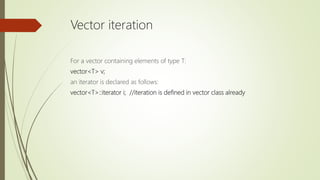
Vector iteration
For a vector containing elements of type T:
vector<T> v;
an iterator is declared as follows:
vector<T>::iterator i; //iteration is defined in vector class already
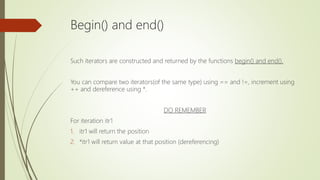
Begin() and end()
Such iterators are constructed and returned by the functions begin() and end().
You can compare two iterators(of the same type) using == and !=, increment using
++ and dereference using *.
DO REMEMBER
For iteration itr1
1. itr1 will return the position
2. *itr1 will return value at that position (dereferencing)
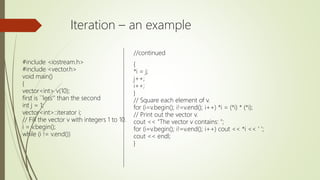
Iteration – an example
//continued
{
*i = j;
j++;
i++;
}
// Square each element of v.
for (i=v.begin(); i!=v.end(); i++) *i = (*i) * (*i);
// Print out the vector v.
cout << "The vector v contains: ";
for (i=v.begin(); i!=v.end(); i++) cout << *i << ' ';
cout << endl;
}
#include <iostream.h>
#include <vector.h>
void main()
{
vector<int> v(10);
first is ``less'' than the second
int j = 1;
vector<int>::iterator i;
// Fill the vector v with integers 1 to 10.
i = v.begin();
while (i != v.end())
Comparison of vectors
You can compare two vectors using == and <. == will return true only if both vectors
have the same number of elements and all elements are equal.
• (1,2,3,4) < (5,6,7,8,9,10) is false
• (1,2,3) < (1,2,3,4) is true
• (1,2,3,4) < (1,2,3) is false
• (0,1,2,3) < (1,2,3) is true
A good Example:
The < functions performs a lexicographic comparison of
the two vectors. This works by comparing the vectors
element by element. Suppose we are comparing v1 and
v2 (that is v1 < v2?). Set i=0. If v1[i] < v2[i] then return
true, if v1[i] > v2[i] then return false, otherwise increment
i(that is move on to the next element).
If the end of v1 is reached before v2 return “true”,
otherwise returns “false”. Lexicographic order is also
known as dictionary order.
Vector - Code
#include <vector.h>
#include <iostream.h>
void main()
{
vector<int> v1;
vector<int> v2;
for (int i=0; i<4; i++) v1.push_back(i+1);
for (int i=0; i<3; i++) v2.push_back(i+1);
cout << "v1: ";
for (int i=0; i<v1.size(); i++) cout << v1[i] << ' ';
cout << endl;
cout << "v2: ";
for (int i=0; i<v2.size(); i++) cout << v2[i] << ' ';
cout << endl;
cout << "v1 < v2 is: " << (v1<v2 ? "true" : "false") << endl;
}
END UP

Vector class in C++

  • 1.
    Vector Type Vector arraysfor undefined length of arrays HTTPS://WWW.SCRIBD.COM/DOCUMENT/2539561/LINUX-C-PROGRAMMING-HOWTO Page 34: Onward
  • 2.
    Why to usevector  A vector is an array like container that improves on the C++ array types. In particular it is not necessary to know how big you want the vector to be when you declare it, you can add new elements to the end of a vector using the push_back function. (In fact the insert function allows you insert new elements at any position of the vector, but this is a very inefficient operation −− if you need to do this often consider using a list instead).
  • 3.
    Constructing a vector Youcan construct any type of vector. It can hold defined data types as well as class objects 1. vector<int> v1; 2. vector<string> v2; 3. vector<ClassObject> v3;
  • 4.
    Declaration and initialization Youcan give an initial size to a vector by using a declaration like vector<char> v4(26); which says that v4 is to be vector of characters that initially has room for 26 characters. There is also a way to initialise a vector's elements. The declaration vector<float> v5(100,1.0); says that v5 is a vector of 100 floating point numbers each of which has been initialised to 1.0.
  • 5.
    Checking Program forvector return #include <iostream.h> #include <vector.h> void main() { vector<int> v1; vector<int> v2(10); vector<int> v3(10,7); cout << "v1.size() returns " << v1.size() << endl; cout << "v2.size() returns " << v2.size() << endl; cout << "v3.size() returns " << v3.size() << endl; }
  • 6.
    Checking whether vectoris empty or not  VectorName.empty();  Returns a Boolean value;
  • 7.
    Accessing Elements ofa Vector You can access a vector's elements using operator[]. Thus, if you wanted to print out all the elements in a vector you could use code like vector<int> v; // show loop and assign loop for (int i=0; i<v.size(); i++) cout << v[i]; for (int i=0; i<v.size(); i++) v[i] = 2*i;
  • 8.
    Back() and front()functions  You can ACCESS the first and last member of the vector by calling them in dot (.) notation like class.  char ch = v.front(); //let v be a character vector  v.back()=‘0’;
  • 9.
    Inserting and ErasingVector Elements Along with operator[] as described above there are a number of other ways to change or access the elementsin a vector. 1. push_back will add a new element to the end of a vector. 2. pop_back will remove the last element of a vector. 3. insert will insert one or more new elements, at a designated position, in the vector 4. erase will remove one or more elements from a vector between designated positions
  • 10.
    Insert and Erase++ Pop_back() and Push_back(T) – an example #include <iostream.h> #include <vector.h> void main() { vector<int> v; for (int i=0; i<10; i++) v.push_back(i); cout << "Vector initialised to:" << endl; for (int i=0; i<10; i++) cout << v[i] << ' ' ; cout << endl; for (int i=0; i<3; i++) v.pop_back(); cout << "Vector length now: " << v.size() << endl; cout << "It contains:" << endl; //continued for (int i=0; i<v.size(); i++) cout << v[i] << ' '; cout << endl; int a1[5]; for (int i=0; i<5; i++) a1[i] = 100; v.insert(& v[3], & a1[0],& a1[3]); cout << "Vector now contains:" << endl; for (int i=0; i<v.size(); i++) cout << v[i] << ' ';cout << endl; v.erase(& v[4],& v[7]); cout << "Vector now contains:" << endl; for (int i=0; i<v.size(); i++) cout << v[i] << ' '; cout << endl; }
  • 11.
    Vector iteration For avector containing elements of type T: vector<T> v; an iterator is declared as follows: vector<T>::iterator i; //iteration is defined in vector class already
  • 12.
    Begin() and end() Suchiterators are constructed and returned by the functions begin() and end(). You can compare two iterators(of the same type) using == and !=, increment using ++ and dereference using *. DO REMEMBER For iteration itr1 1. itr1 will return the position 2. *itr1 will return value at that position (dereferencing)
  • 13.
    Iteration – anexample //continued { *i = j; j++; i++; } // Square each element of v. for (i=v.begin(); i!=v.end(); i++) *i = (*i) * (*i); // Print out the vector v. cout << "The vector v contains: "; for (i=v.begin(); i!=v.end(); i++) cout << *i << ' '; cout << endl; } #include <iostream.h> #include <vector.h> void main() { vector<int> v(10); first is ``less'' than the second int j = 1; vector<int>::iterator i; // Fill the vector v with integers 1 to 10. i = v.begin(); while (i != v.end())
  • 14.
    Comparison of vectors Youcan compare two vectors using == and <. == will return true only if both vectors have the same number of elements and all elements are equal. • (1,2,3,4) < (5,6,7,8,9,10) is false • (1,2,3) < (1,2,3,4) is true • (1,2,3,4) < (1,2,3) is false • (0,1,2,3) < (1,2,3) is true A good Example: The < functions performs a lexicographic comparison of the two vectors. This works by comparing the vectors element by element. Suppose we are comparing v1 and v2 (that is v1 < v2?). Set i=0. If v1[i] < v2[i] then return true, if v1[i] > v2[i] then return false, otherwise increment i(that is move on to the next element). If the end of v1 is reached before v2 return “true”, otherwise returns “false”. Lexicographic order is also known as dictionary order.
  • 15.
    Vector - Code #include<vector.h> #include <iostream.h> void main() { vector<int> v1; vector<int> v2; for (int i=0; i<4; i++) v1.push_back(i+1); for (int i=0; i<3; i++) v2.push_back(i+1); cout << "v1: "; for (int i=0; i<v1.size(); i++) cout << v1[i] << ' '; cout << endl; cout << "v2: "; for (int i=0; i<v2.size(); i++) cout << v2[i] << ' '; cout << endl; cout << "v1 < v2 is: " << (v1<v2 ? "true" : "false") << endl; }
  • 16.