http://www.tutorialspoint.com/matlab/matlab_loops.htm Copyright © tutorialspoint.com
MATLAB - LOOP TYPES
There may be a situationwhenyouneed to execute a block of code severalnumber of times. Ingeneral,
statements are executed sequentially. The first statement ina functionis executed first, followed by the second,
and so on.
Programming languages provide various controlstructures that allow for more complicated executionpaths.
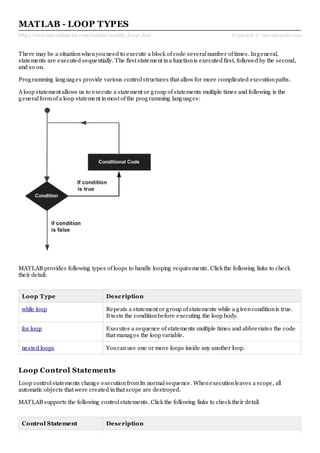
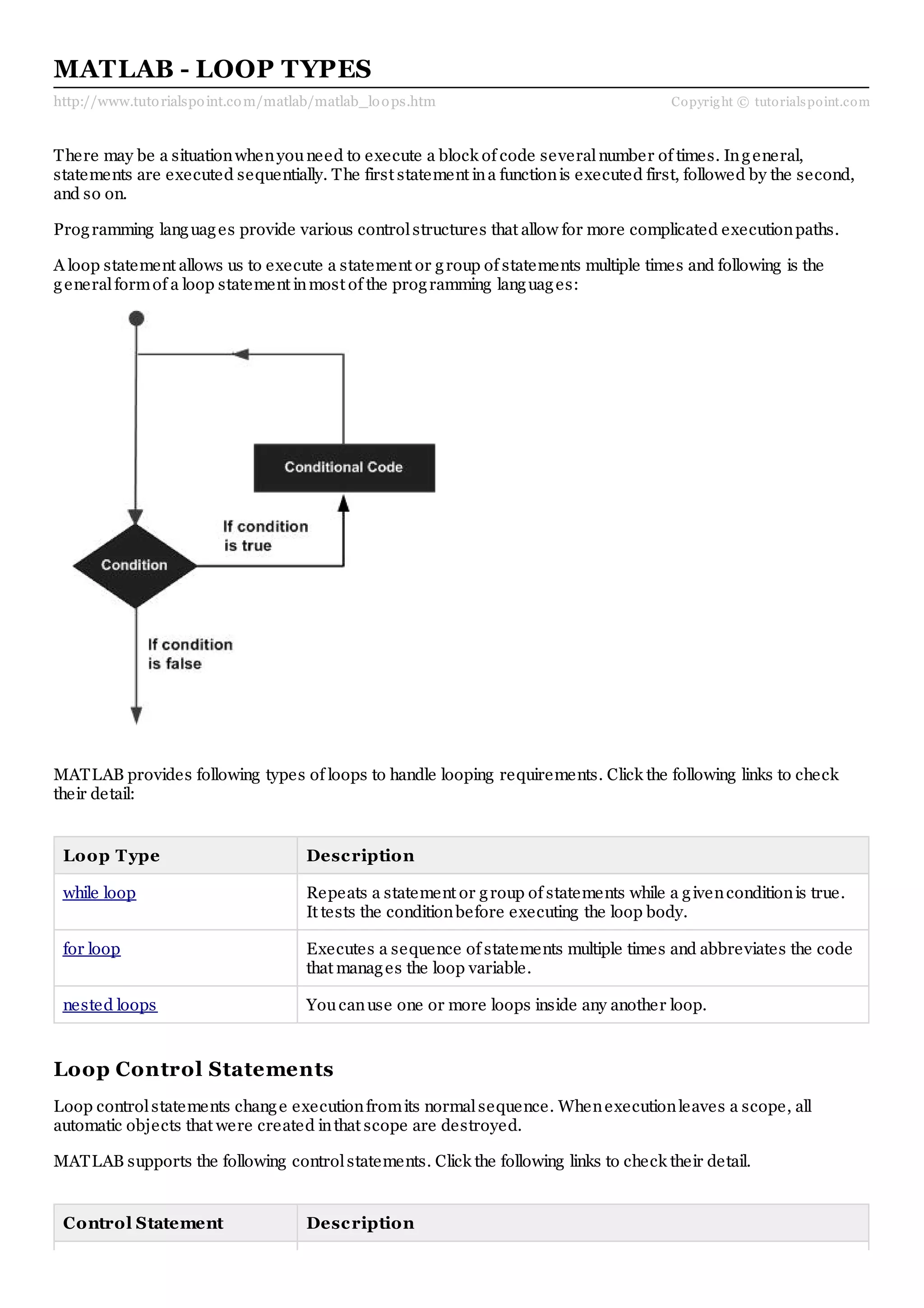
A loop statement allows us to execute a statement or group of statements multiple times and following is the
generalformof a loop statement inmost of the programming languages:
MATLAB provides following types of loops to handle looping requirements. Click the following links to check
their detail:
Loop Type Description
while loop Repeats a statement or group of statements while a givenconditionis true.
It tests the conditionbefore executing the loop body.
for loop Executes a sequence of statements multiple times and abbreviates the code
that manages the loop variable.
nested loops Youcanuse one or more loops inside any another loop.
Loop Control Statements
Loop controlstatements change executionfromits normalsequence. Whenexecutionleaves a scope, all
automatic objects that were created inthat scope are destroyed.
MATLAB supports the following controlstatements. Click the following links to check their detail.
Control Statement Description
break statement Terminates the loop statement and transfers executionto the statement
immediately following the loop.
continue statement Causes the loop to skip the remainder of its body and immediately retest its
conditionprior to reiterating.

Matlab loops

  • 1.
    http://www.tutorialspoint.com/matlab/matlab_loops.htm Copyright ©tutorialspoint.com MATLAB - LOOP TYPES There may be a situationwhenyouneed to execute a block of code severalnumber of times. Ingeneral, statements are executed sequentially. The first statement ina functionis executed first, followed by the second, and so on. Programming languages provide various controlstructures that allow for more complicated executionpaths. A loop statement allows us to execute a statement or group of statements multiple times and following is the generalformof a loop statement inmost of the programming languages: MATLAB provides following types of loops to handle looping requirements. Click the following links to check their detail: Loop Type Description while loop Repeats a statement or group of statements while a givenconditionis true. It tests the conditionbefore executing the loop body. for loop Executes a sequence of statements multiple times and abbreviates the code that manages the loop variable. nested loops Youcanuse one or more loops inside any another loop. Loop Control Statements Loop controlstatements change executionfromits normalsequence. Whenexecutionleaves a scope, all automatic objects that were created inthat scope are destroyed. MATLAB supports the following controlstatements. Click the following links to check their detail. Control Statement Description
  • 2.
    break statement Terminatesthe loop statement and transfers executionto the statement immediately following the loop. continue statement Causes the loop to skip the remainder of its body and immediately retest its conditionprior to reiterating.