Tag Manager Tutorial
ALLABOUT
TAG MANAGER
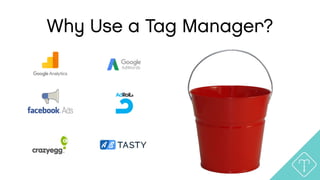
Why Use a Tag Manager?
“You can be brilliant and
still go out of business if
you’re too inefficient”
-Sam Walton
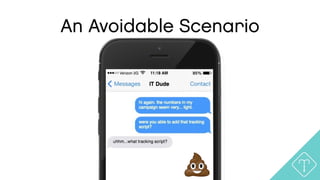
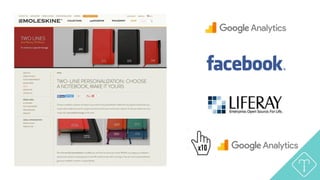
An Avoidable Scenario
TWO WEEKS LATER…
An Avoidable Scenario
“If time be of all things most
precious, wasting time must
be the greatest prodigality.”
-Benjamin Franklin
x10
“Get your shit together.”
-Nicolaus Copernicus
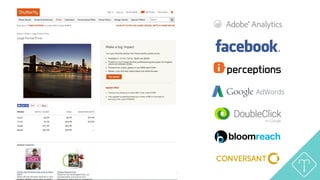
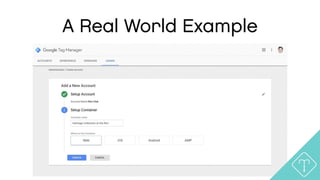
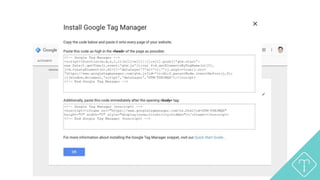
A Real World Example
Simple Tagging Exercises
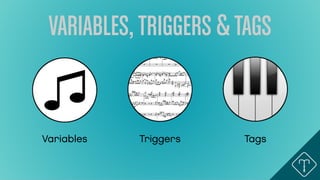
VARIABLES,TRIGGERS &TAGS
Variables Triggers Tags
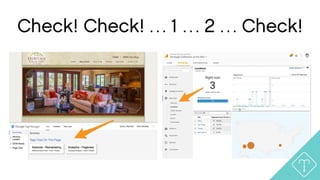
Check! Check! … 1 … 2 … Check!
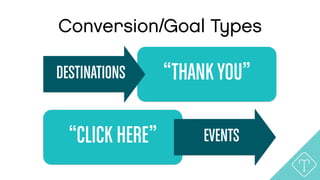
“THANKYOU”
Conversion/Goal Types
DESTINATIONS
“CLICK HERE” EVENTS
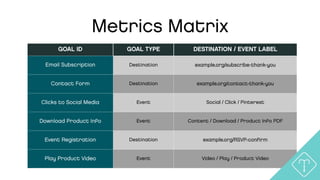
GOAL ID GOAL TYPE DESTINATION / EVENT LABEL
Email Subscription Destination example.org/subscribe-thank-you
Contact Form Destination example.org/contact-thank-you
Clicks to Social Media Event Social / Click / Pinterest
Download Product Info Event Content / Download / Product Info PDF
Event Registration Destination example.org/RSVP-confirm
Play Product Video Event Video / Play / Product Video
Metrics Matrix
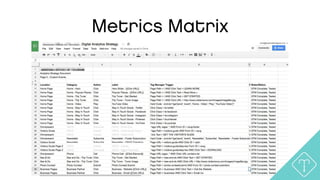
Metrics Matrix
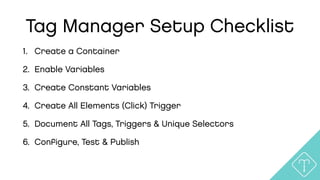
Tag Manager Setup Checklist
1. Create a Container
2. Enable Variables
3. Create Constant Variables
4. Create All Elements (Click) Trigger
5. Document All Tags, Triggers & Unique Selectors
6. Configure, Test & Publish
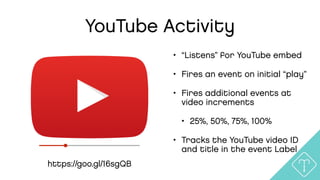
YouTube Activity
https://goo.gl/16sgQB
• “Listens” for YouTube embed
• Fires an event on initial “play”
• Fires additional events at
video increments
• 25%, 50%, 75%, 100%
• Tracks the YouTube video ID
and title in the event Label
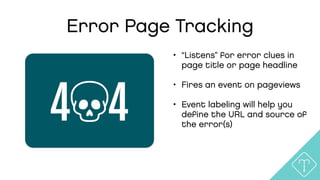
Error Page Tracking
• “Listens” for error clues in
page title or page headline
• Fires an event on pageviews
• Event labeling will help you
define the URL and source of
the error(s)
4 4
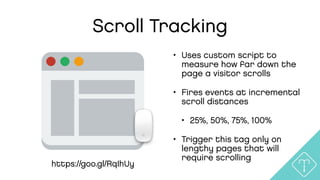
Scroll Tracking
• Uses custom script to
measure how far down the
page a visitor scrolls
• Fires events at incremental
scroll distances
• 25%, 50%, 75%, 100%
• Trigger this tag only on
lengthy pages that will
require scrolling
https://goo.gl/RqIhUy
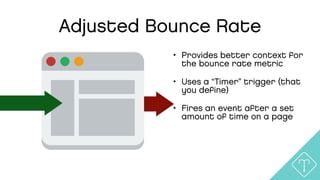
Adjusted Bounce Rate
• Provides better context for
the bounce rate metric
• Uses a “Timer” trigger (that
you define)
• Fires an event after a set
amount of time on a page
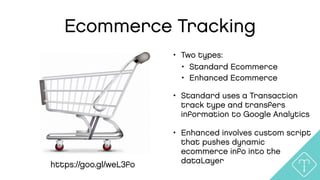
Ecommerce Tracking
• Two types:
• Standard Ecommerce
• Enhanced Ecommerce
• Standard uses a Transaction
track type and transfers
information to Google Analytics
• Enhanced involves custom script
that pushes dynamic
ecommerce info into the
dataLayerhttps://goo.gl/weL3fo
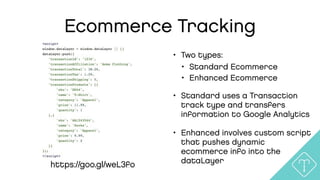
Ecommerce Tracking
• Two types:
• Standard Ecommerce
• Enhanced Ecommerce
• Standard uses a Transaction
track type and transfers
information to Google Analytics
• Enhanced involves custom script
that pushes dynamic
ecommerce info into the
dataLayerhttps://goo.gl/weL3fo
Tag Manager Resources
• Google Tag Manager Fundamentals
• https://analyticsacademy.withgoogle.com/course/5
• SimoAhava.com
• AnalyticsPros.com/blog
• AnalyticsMania.com
• MeasureSchool.com
• Google+ Community
• https://plus.google.com/communities/104865292981489764063
Chris Sietsema
• hello@teachtofishdigital.com
• @sietsema
• linkedin.com/in/sietsema
• 480.570.1636
PRESENTATION
MATERIALS:
teachtofishdigital.com/tags

Marketing Analytics: Tag Manager Tutorial

  • 1.
  • 2.
  • 3.
    Why Use aTag Manager?
  • 4.
    Why Use aTag Manager?
  • 5.
    “You can bebrilliant and still go out of business if you’re too inefficient” -Sam Walton
  • 6.
  • 7.
  • 8.
  • 9.
    “If time beof all things most precious, wasting time must be the greatest prodigality.” -Benjamin Franklin
  • 10.
  • 12.
    “Get your shittogether.” -Nicolaus Copernicus
  • 13.
    A Real WorldExample
  • 14.
    A Real WorldExample
  • 15.
  • 16.
  • 17.
    Check! Check! …1 … 2 … Check!
  • 18.
  • 19.
    GOAL ID GOALTYPE DESTINATION / EVENT LABEL Email Subscription Destination example.org/subscribe-thank-you Contact Form Destination example.org/contact-thank-you Clicks to Social Media Event Social / Click / Pinterest Download Product Info Event Content / Download / Product Info PDF Event Registration Destination example.org/RSVP-confirm Play Product Video Event Video / Play / Product Video Metrics Matrix
  • 20.
  • 21.
    Tag Manager SetupChecklist 1. Create a Container 2. Enable Variables 3. Create Constant Variables 4. Create All Elements (Click) Trigger 5. Document All Tags, Triggers & Unique Selectors 6. Configure, Test & Publish
  • 22.
    YouTube Activity https://goo.gl/16sgQB • “Listens”for YouTube embed • Fires an event on initial “play” • Fires additional events at video increments • 25%, 50%, 75%, 100% • Tracks the YouTube video ID and title in the event Label
  • 23.
    Error Page Tracking •“Listens” for error clues in page title or page headline • Fires an event on pageviews • Event labeling will help you define the URL and source of the error(s) 4 4
  • 24.
    Scroll Tracking • Usescustom script to measure how far down the page a visitor scrolls • Fires events at incremental scroll distances • 25%, 50%, 75%, 100% • Trigger this tag only on lengthy pages that will require scrolling https://goo.gl/RqIhUy
  • 25.
    Adjusted Bounce Rate •Provides better context for the bounce rate metric • Uses a “Timer” trigger (that you define) • Fires an event after a set amount of time on a page
  • 26.
    Ecommerce Tracking • Twotypes: • Standard Ecommerce • Enhanced Ecommerce • Standard uses a Transaction track type and transfers information to Google Analytics • Enhanced involves custom script that pushes dynamic ecommerce info into the dataLayerhttps://goo.gl/weL3fo
  • 27.
    Ecommerce Tracking • Twotypes: • Standard Ecommerce • Enhanced Ecommerce • Standard uses a Transaction track type and transfers information to Google Analytics • Enhanced involves custom script that pushes dynamic ecommerce info into the dataLayerhttps://goo.gl/weL3fo
  • 28.
    Tag Manager Resources •Google Tag Manager Fundamentals • https://analyticsacademy.withgoogle.com/course/5 • SimoAhava.com • AnalyticsPros.com/blog • AnalyticsMania.com • MeasureSchool.com • Google+ Community • https://plus.google.com/communities/104865292981489764063
  • 29.
    Chris Sietsema • hello@teachtofishdigital.com •@sietsema • linkedin.com/in/sietsema • 480.570.1636 PRESENTATION MATERIALS: teachtofishdigital.com/tags