Let Me In
This activity will allow the studentsto experience some communication tools that are useful for
sharing getting information.
1. Join a forum. Look for a forum which discusses a topic of your interest. Join the forum and
answer the following questions.
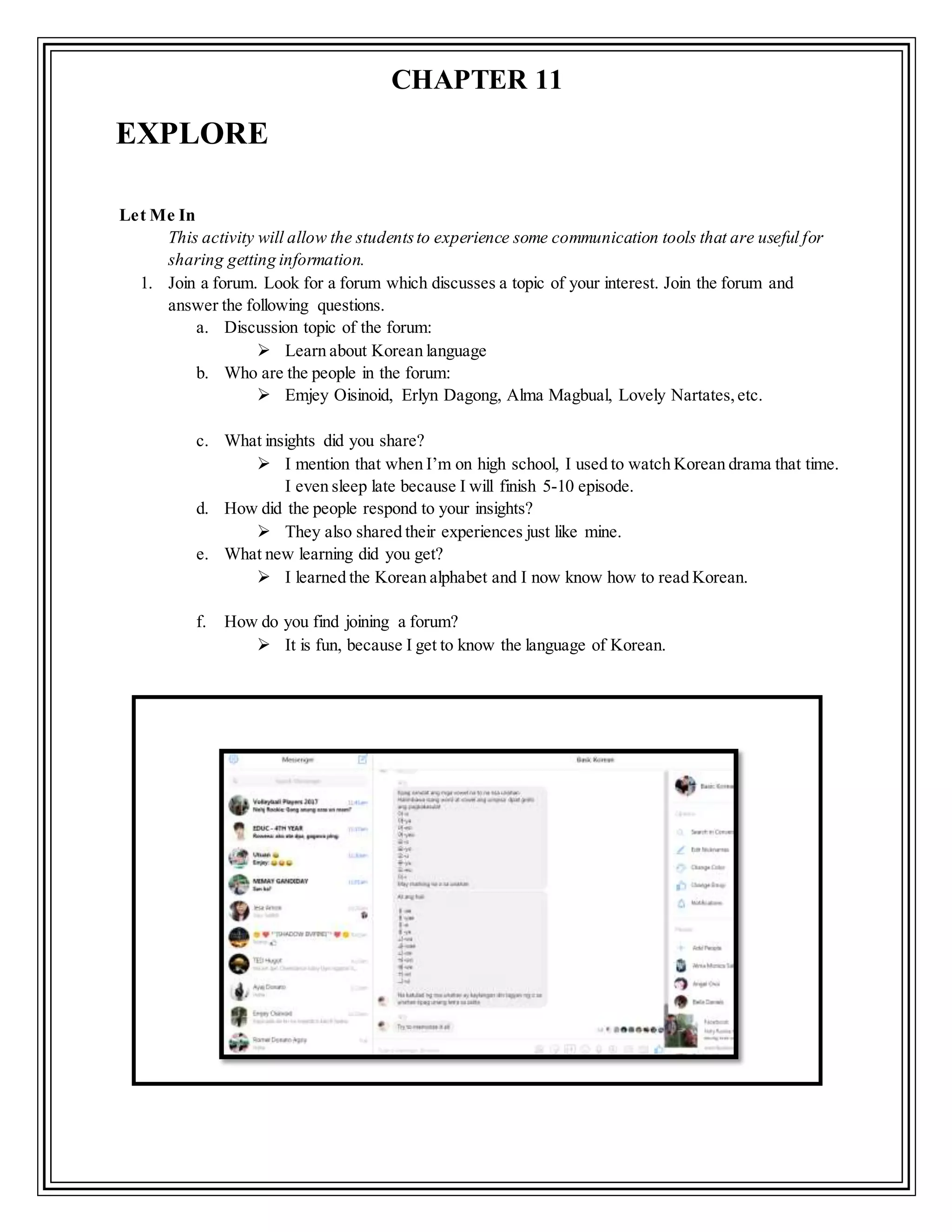
a. Discussion topic of the forum:
 Learn about Korean language
b. Who are the people in the forum:
 Emjey Oisinoid, Erlyn Dagong, Alma Magbual, Lovely Nartates,etc.
c. What insights did you share?
 I mention that when I’m on high school, I used to watch Korean drama that time.
I even sleep late because I will finish 5-10 episode.
d. How did the people respond to your insights?
 They also shared their experiences just like mine.
e. What new learning did you get?
 I learned the Korean alphabet and I now know how to read Korean.
f. How do you find joining a forum?
 It is fun, because I get to know the language of Korean.
EXPLORE
CHAPTER 11
2. Join a webinar. Look for a webinar that interest you that you can register for free. Answer the
following questions.
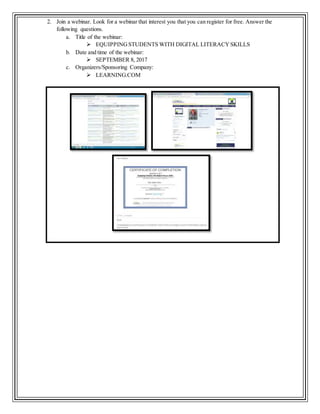
a. Title of the webinar:
 EQUIPPINGSTUDENTS WITH DIGITAL LITERACYSKILLS
b. Date and time of the webinar:
 SEPTEMBER 8, 2017
c. Organizers/Sponsoring Company:
 LEARNING.COM
Name: Mark Jastine R. Pertez Date:September 9, 2017
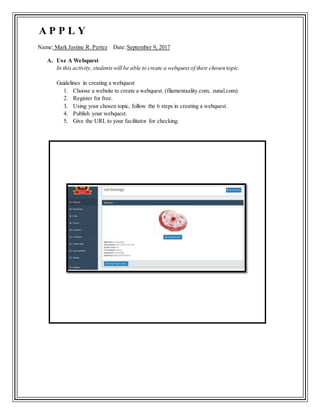
A. Use A Webquest
In this activity, studentswill be able to create a webquest of their chosen topic.
Guidelines in creating a webquest
1. Choose a website to create a webquest. (filamentaality.com, zunal.com)
2. Register for free.
3. Using your chosen topic, follow the 6 steps in creating a webquest.
4. Publish your webquest.
5. Give the URL to your facilitator for checking.
A P P L Y
B. The Activity Is Online
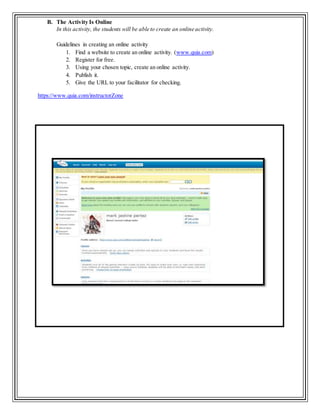
In this activity, the students will be able to create an online activity.
Guidelines in creating an online activity
1. Find a website to create an online activity. (www.quia.com)
2. Register for free.
3. Using your chosen topic, create an online activity.
4. Publish it.
5. Give the URL to your facilitator for checking.
https://www.quia.com/instructorZone
Name: Mark Jastine R. Pertez Date:September 9, 2017
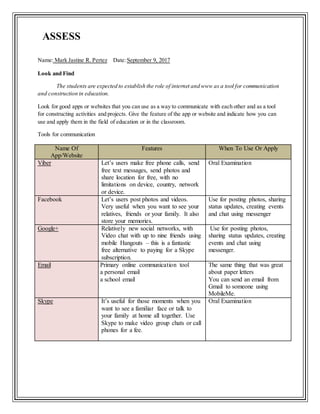
Look and Find
The students are expected to establish the role of internet and www as a tool for communication
and construction in education.
Look for good apps or websites that you can use as a way to communicate with each other and as a tool
for constructing activities and projects. Give the feature of the app or website and indicate how you can
use and apply them in the field of education or in the classroom.
Tools for communication
Name Of
App/Website
Features When To Use Or Apply
Viber Let’s users make free phone calls, send
free text messages, send photos and
share location for free, with no
limitations on device, country, network
or device.
Oral Examination
Facebook Let’s users post photos and videos.
Very useful when you want to see your
relatives, friends or your family. It also
store your memories.
Use for posting photos, sharing
status updates, creating events
and chat using messenger
Google+ Relatively new social networks, with
Video chat with up to nine friends using
mobile Hangouts – this is a fantastic
free alternative to paying for a Skype
subscription.
Use for posting photos,
sharing status updates, creating
events and chat using
messenger.
Email Primary online communication tool
a personal email
a school email
The same thing that was great
about paper letters
You can send an email from
Gmail to someone using
MobileMe.
Skype It’s useful for those moments when you
want to see a familiar face or talk to
your family at home all together. Use
Skype to make video group chats or call
phones for a fee.
Oral Examination
ASSESS
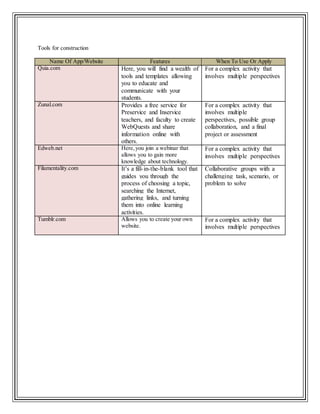
Tools for construction
Name Of App/Website Features When To Use Or Apply
Quia.com Here, you will find a wealth of
tools and templates allowing
you to educate and
communicate with your
students.
For a complex activity that
involves multiple perspectives
Zunal.com Provides a free service for
Preservice and Inservice
teachers, and faculty to create
WebQuests and share
information online with
others.
For a complex activity that
involves multiple
perspectives, possible group
collaboration, and a final
project or assessment
Edweb.net Here,you join a webinar that
allows you to gain more
knowledge about technology.
For a complex activity that
involves multiple perspectives
Filamentality.com It’s a fill-in-the-blank tool that
guides you through the
process of choosing a topic,
searching the Internet,
gathering links, and turning
them into online learning
activities.
Collaborative groups with a
challenging task, scenario, or
problem to solve
Tumblr.com Allows you to create your own
website.
For a complex activity that
involves multiple perspectives

Mark Jastine Pertez Chapter 11

  • 1.
    Let Me In Thisactivity will allow the studentsto experience some communication tools that are useful for sharing getting information. 1. Join a forum. Look for a forum which discusses a topic of your interest. Join the forum and answer the following questions. a. Discussion topic of the forum:  Learn about Korean language b. Who are the people in the forum:  Emjey Oisinoid, Erlyn Dagong, Alma Magbual, Lovely Nartates,etc. c. What insights did you share?  I mention that when I’m on high school, I used to watch Korean drama that time. I even sleep late because I will finish 5-10 episode. d. How did the people respond to your insights?  They also shared their experiences just like mine. e. What new learning did you get?  I learned the Korean alphabet and I now know how to read Korean. f. How do you find joining a forum?  It is fun, because I get to know the language of Korean. EXPLORE CHAPTER 11
  • 2.
    2. Join awebinar. Look for a webinar that interest you that you can register for free. Answer the following questions. a. Title of the webinar:  EQUIPPINGSTUDENTS WITH DIGITAL LITERACYSKILLS b. Date and time of the webinar:  SEPTEMBER 8, 2017 c. Organizers/Sponsoring Company:  LEARNING.COM
  • 3.
    Name: Mark JastineR. Pertez Date:September 9, 2017 A. Use A Webquest In this activity, studentswill be able to create a webquest of their chosen topic. Guidelines in creating a webquest 1. Choose a website to create a webquest. (filamentaality.com, zunal.com) 2. Register for free. 3. Using your chosen topic, follow the 6 steps in creating a webquest. 4. Publish your webquest. 5. Give the URL to your facilitator for checking. A P P L Y
  • 4.
    B. The ActivityIs Online In this activity, the students will be able to create an online activity. Guidelines in creating an online activity 1. Find a website to create an online activity. (www.quia.com) 2. Register for free. 3. Using your chosen topic, create an online activity. 4. Publish it. 5. Give the URL to your facilitator for checking. https://www.quia.com/instructorZone
  • 5.
    Name: Mark JastineR. Pertez Date:September 9, 2017 Look and Find The students are expected to establish the role of internet and www as a tool for communication and construction in education. Look for good apps or websites that you can use as a way to communicate with each other and as a tool for constructing activities and projects. Give the feature of the app or website and indicate how you can use and apply them in the field of education or in the classroom. Tools for communication Name Of App/Website Features When To Use Or Apply Viber Let’s users make free phone calls, send free text messages, send photos and share location for free, with no limitations on device, country, network or device. Oral Examination Facebook Let’s users post photos and videos. Very useful when you want to see your relatives, friends or your family. It also store your memories. Use for posting photos, sharing status updates, creating events and chat using messenger Google+ Relatively new social networks, with Video chat with up to nine friends using mobile Hangouts – this is a fantastic free alternative to paying for a Skype subscription. Use for posting photos, sharing status updates, creating events and chat using messenger. Email Primary online communication tool a personal email a school email The same thing that was great about paper letters You can send an email from Gmail to someone using MobileMe. Skype It’s useful for those moments when you want to see a familiar face or talk to your family at home all together. Use Skype to make video group chats or call phones for a fee. Oral Examination ASSESS
  • 6.
    Tools for construction NameOf App/Website Features When To Use Or Apply Quia.com Here, you will find a wealth of tools and templates allowing you to educate and communicate with your students. For a complex activity that involves multiple perspectives Zunal.com Provides a free service for Preservice and Inservice teachers, and faculty to create WebQuests and share information online with others. For a complex activity that involves multiple perspectives, possible group collaboration, and a final project or assessment Edweb.net Here,you join a webinar that allows you to gain more knowledge about technology. For a complex activity that involves multiple perspectives Filamentality.com It’s a fill-in-the-blank tool that guides you through the process of choosing a topic, searching the Internet, gathering links, and turning them into online learning activities. Collaborative groups with a challenging task, scenario, or problem to solve Tumblr.com Allows you to create your own website. For a complex activity that involves multiple perspectives