© Vigen Sahakyan 2016
Hadoop Tutorial
MapReduce Data Types
and Formats
© Vigen Sahakyan 2016
Agenda
● Data Types
● In/Out Format class Hierarchy
● File Formats
● XML, JSON and Sequence File
● Avro
● Parquet
● Custom Formats(e.g. csv)
© Vigen Sahakyan 2016
Data Types
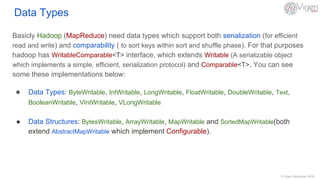
Basicly Hadoop (MapReduce) need data types which support both serialization (for efficient
read and write) and comparability ( to sort keys within sort and shuffle phase). For that purposes
hadoop has WritableComparable<T> interface, which extends Writable (A serializable object
which implements a simple, efficient, serialization protocol) and Comparable<T>. You can see
some these implementations below:
● Data Types: ByteWritable, IntWritable, LongWritable, FloatWritable, DoubleWritable, Text,
BooleanWritable, VIntWritable, VLongWritable
● Data Structures: BytesWritable, ArrayWritable, MapWritable and SortedMapWritable(both
extend AbstractMapWritable which implement Configurable).
© Vigen Sahakyan 2016
In/Out Format class Hierarchy
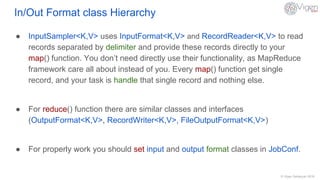
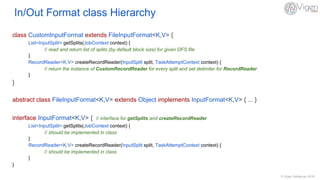
● InputSampler<K,V> uses InputFormat<K,V> and RecordReader<K,V> to read
records separated by delimiter and provide these records directly to your
map() function. You don’t need directly use their functionality, as MapReduce
framework care all about instead of you. Every map() function get single
record, and your task is handle that single record and nothing else.
● For reduce() function there are similar classes and interfaces
(OutputFormat<K,V>, RecordWriter<K,V>, FileOutputFormat<K,V>)
● For properly work you should set input and output format classes in JobConf.
© Vigen Sahakyan 2016
In/Out Format class Hierarchy
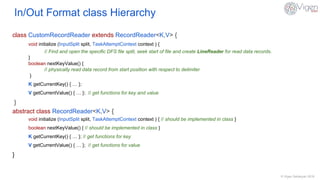
class CustomInputFormat extends FileInputFormat<K,V> {
List<InputSplit> getSplits(JobContext context) {
// read and return list of splits (by default block size) for given DFS file
}
RecordReader<K,V> createRecordReader(InputSplit split, TaskAttemptContext context) {
// return the instance of CustomRecordReader for every split and set delimiter for RecordReader
}
}
abstract class FileInputFormat<K,V> extends Object implements InputFormat<K,V> { ... }
interface InputFormat<K,V> { // interface for getSplits and createRecordReader
List<InputSplit> getSplits(JobContext context) {
// should be implemented in class
}
RecordReader<K,V> createRecordReader(InputSplit split, TaskAttemptContext context) {
// should be implemented in class
}
}
© Vigen Sahakyan 2016
In/Out Format class Hierarchy
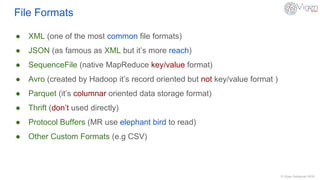
class CustomRecordReader extends RecordReader<K,V> {
void initialize (InputSplit split, TaskAttemptContext context ) {
// Find and open the specific DFS file split, seek start of file and create LineReader for read data records.
}
boolean nextKeyValue() {
// physically read data record from start position with respect to delimiter
}
K getCurrentKey() { … };
V getCurrentValue() { … }; // get functions for key and value
}
abstract class RecordReader<K,V> {
void initialize (InputSplit split, TaskAttemptContext context ) { // should be implemented in class }
boolean nextKeyValue() { // should be implemented in class }
K getCurrentKey() { … }; // get functions for key
V getCurrentValue() { … }; // get functions for value
}
© Vigen Sahakyan 2016
File Formats
● XML (one of the most common file formats)
● JSON (as famous as XML but it’s more reach)
● SequenceFile (native MapReduce key/value format)
● Avro (created by Hadoop it’s record oriented but not key/value format )
● Parquet (it’s columnar oriented data storage format)
● Thrift (don’t used directly)
● Protocol Buffers (MR use elephant bird to read)
● Other Custom Formats (e.g CSV)
© Vigen Sahakyan 2016
XML, JSON and Sequence File
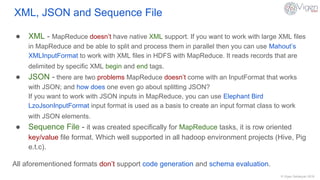
● XML - MapReduce doesn’t have native XML support. If you want to work with large XML files
in MapReduce and be able to split and process them in parallel then you can use Mahout’s
XMLInputFormat to work with XML files in HDFS with MapReduce. It reads records that are
delimited by specific XML begin and end tags.
● JSON - there are two problems MapReduce doesn’t come with an InputFormat that works
with JSON; and how does one even go about splitting JSON?
If you want to work with JSON inputs in MapReduce, you can use Elephant Bird
LzoJsonInputFormat input format is used as a basis to create an input format class to work
with JSON elements.
● Sequence File - it was created specifically for MapReduce tasks, it is row oriented
key/value file format. Which well supported in all hadoop environment projects (Hive, Pig
e.t.c).
All aforementioned formats don’t support code generation and schema evaluation.
© Vigen Sahakyan 2016
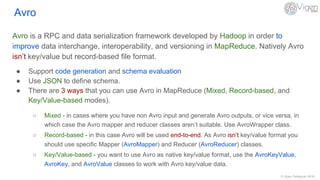
Avro
Avro is a RPC and data serialization framework developed by Hadoop in order to
improve data interchange, interoperability, and versioning in MapReduce. Natively Avro
isn’t key/value but record-based file format.
● Support code generation and schema evaluation
● Use JSON to define schema.
● There are 3 ways that you can use Avro in MapReduce (Mixed, Record-based, and
Key/Value-based modes).
○ Mixed - in cases where you have non Avro input and generate Avro outputs, or vice versa, in
which case the Avro mapper and reducer classes aren’t suitable. Use AvroWrapper class.
○ Record-based - in this case Avro will be used end-to-end. As Avro isn’t key/value format you
should use specific Mapper (AvroMapper) and Reducer (AvroReducer) classes.
○ Key/Value-based - you want to use Avro as native key/value format, use the AvroKeyValue,
AvroKey, and AvroValue classes to work with Avro key/value data.
© Vigen Sahakyan 2016
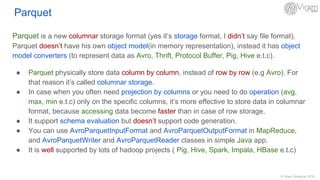
Parquet
Parquet is a new columnar storage format (yes it’s storage format, I didn’t say file format).
Parquet doesn’t have his own object model(in memory representation), instead it has object
model converters (to represent data as Avro, Thrift, Protocol Buffer, Pig, Hive e.t.c).
● Parquet physically store data column by column, instead of row by row (e.g Avro). For
that reason it’s called columnar storage.
● In case when you often need projection by columns or you need to do operation (avg,
max, min e.t.c) only on the specific columns, it’s more effective to store data in columnar
format, because accessing data become faster than in case of row storage.
● It support schema evaluation but doesn’t support code generation.
● You can use AvroParquetInputFormat and AvroParquetOutputFormat in MapReduce,
and AvroParquetWriter and AvroParquetReader classes in simple Java app.
● It is well supported by lots of hadoop projects ( Pig, Hive, Spark, Impala, HBase e.t.c)
© Vigen Sahakyan 2016
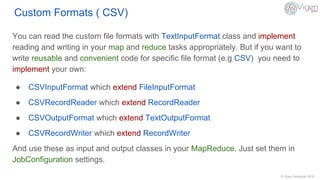
Custom Formats ( CSV)
You can read the custom file formats with TextInputFormat class and implement
reading and writing in your map and reduce tasks appropriately. But if you want to
write reusable and convenient code for specific file format (e.g CSV) you need to
implement your own:
● CSVInputFormat which extend FileInputFormat
● CSVRecordReader which extend RecordReader
● CSVOutputFormat which extend TextOutputFormat
● CSVRecordWriter which extend RecordWriter
And use these as input and output classes in your MapReduce. Just set them in
JobConfiguration settings.
© Vigen Sahakyan 2016
References
1. Hadoop in Practice 2nd Edition by Alex Holmes
http://www.amazon.com/Hadoop-Practice-Alex-Holmes/dp/1617292222
2. Hadoop: The Definitive Guide by Tom White
http://www.amazon.com/Hadoop-Definitive-Guide-Tom-White-ebook/dp/B00V7B1IZC
Thanks!
© Vigen Sahakyan 2016

Map Reduce data types and formats

  • 1.
    © Vigen Sahakyan2016 Hadoop Tutorial MapReduce Data Types and Formats
  • 2.
    © Vigen Sahakyan2016 Agenda ● Data Types ● In/Out Format class Hierarchy ● File Formats ● XML, JSON and Sequence File ● Avro ● Parquet ● Custom Formats(e.g. csv)
  • 3.
    © Vigen Sahakyan2016 Data Types Basicly Hadoop (MapReduce) need data types which support both serialization (for efficient read and write) and comparability ( to sort keys within sort and shuffle phase). For that purposes hadoop has WritableComparable<T> interface, which extends Writable (A serializable object which implements a simple, efficient, serialization protocol) and Comparable<T>. You can see some these implementations below: ● Data Types: ByteWritable, IntWritable, LongWritable, FloatWritable, DoubleWritable, Text, BooleanWritable, VIntWritable, VLongWritable ● Data Structures: BytesWritable, ArrayWritable, MapWritable and SortedMapWritable(both extend AbstractMapWritable which implement Configurable).
  • 4.
    © Vigen Sahakyan2016 In/Out Format class Hierarchy ● InputSampler<K,V> uses InputFormat<K,V> and RecordReader<K,V> to read records separated by delimiter and provide these records directly to your map() function. You don’t need directly use their functionality, as MapReduce framework care all about instead of you. Every map() function get single record, and your task is handle that single record and nothing else. ● For reduce() function there are similar classes and interfaces (OutputFormat<K,V>, RecordWriter<K,V>, FileOutputFormat<K,V>) ● For properly work you should set input and output format classes in JobConf.
  • 5.
    © Vigen Sahakyan2016 In/Out Format class Hierarchy class CustomInputFormat extends FileInputFormat<K,V> { List<InputSplit> getSplits(JobContext context) { // read and return list of splits (by default block size) for given DFS file } RecordReader<K,V> createRecordReader(InputSplit split, TaskAttemptContext context) { // return the instance of CustomRecordReader for every split and set delimiter for RecordReader } } abstract class FileInputFormat<K,V> extends Object implements InputFormat<K,V> { ... } interface InputFormat<K,V> { // interface for getSplits and createRecordReader List<InputSplit> getSplits(JobContext context) { // should be implemented in class } RecordReader<K,V> createRecordReader(InputSplit split, TaskAttemptContext context) { // should be implemented in class } }
  • 6.
    © Vigen Sahakyan2016 In/Out Format class Hierarchy class CustomRecordReader extends RecordReader<K,V> { void initialize (InputSplit split, TaskAttemptContext context ) { // Find and open the specific DFS file split, seek start of file and create LineReader for read data records. } boolean nextKeyValue() { // physically read data record from start position with respect to delimiter } K getCurrentKey() { … }; V getCurrentValue() { … }; // get functions for key and value } abstract class RecordReader<K,V> { void initialize (InputSplit split, TaskAttemptContext context ) { // should be implemented in class } boolean nextKeyValue() { // should be implemented in class } K getCurrentKey() { … }; // get functions for key V getCurrentValue() { … }; // get functions for value }
  • 7.
    © Vigen Sahakyan2016 File Formats ● XML (one of the most common file formats) ● JSON (as famous as XML but it’s more reach) ● SequenceFile (native MapReduce key/value format) ● Avro (created by Hadoop it’s record oriented but not key/value format ) ● Parquet (it’s columnar oriented data storage format) ● Thrift (don’t used directly) ● Protocol Buffers (MR use elephant bird to read) ● Other Custom Formats (e.g CSV)
  • 8.
    © Vigen Sahakyan2016 XML, JSON and Sequence File ● XML - MapReduce doesn’t have native XML support. If you want to work with large XML files in MapReduce and be able to split and process them in parallel then you can use Mahout’s XMLInputFormat to work with XML files in HDFS with MapReduce. It reads records that are delimited by specific XML begin and end tags. ● JSON - there are two problems MapReduce doesn’t come with an InputFormat that works with JSON; and how does one even go about splitting JSON? If you want to work with JSON inputs in MapReduce, you can use Elephant Bird LzoJsonInputFormat input format is used as a basis to create an input format class to work with JSON elements. ● Sequence File - it was created specifically for MapReduce tasks, it is row oriented key/value file format. Which well supported in all hadoop environment projects (Hive, Pig e.t.c). All aforementioned formats don’t support code generation and schema evaluation.
  • 9.
    © Vigen Sahakyan2016 Avro Avro is a RPC and data serialization framework developed by Hadoop in order to improve data interchange, interoperability, and versioning in MapReduce. Natively Avro isn’t key/value but record-based file format. ● Support code generation and schema evaluation ● Use JSON to define schema. ● There are 3 ways that you can use Avro in MapReduce (Mixed, Record-based, and Key/Value-based modes). ○ Mixed - in cases where you have non Avro input and generate Avro outputs, or vice versa, in which case the Avro mapper and reducer classes aren’t suitable. Use AvroWrapper class. ○ Record-based - in this case Avro will be used end-to-end. As Avro isn’t key/value format you should use specific Mapper (AvroMapper) and Reducer (AvroReducer) classes. ○ Key/Value-based - you want to use Avro as native key/value format, use the AvroKeyValue, AvroKey, and AvroValue classes to work with Avro key/value data.
  • 10.
    © Vigen Sahakyan2016 Parquet Parquet is a new columnar storage format (yes it’s storage format, I didn’t say file format). Parquet doesn’t have his own object model(in memory representation), instead it has object model converters (to represent data as Avro, Thrift, Protocol Buffer, Pig, Hive e.t.c). ● Parquet physically store data column by column, instead of row by row (e.g Avro). For that reason it’s called columnar storage. ● In case when you often need projection by columns or you need to do operation (avg, max, min e.t.c) only on the specific columns, it’s more effective to store data in columnar format, because accessing data become faster than in case of row storage. ● It support schema evaluation but doesn’t support code generation. ● You can use AvroParquetInputFormat and AvroParquetOutputFormat in MapReduce, and AvroParquetWriter and AvroParquetReader classes in simple Java app. ● It is well supported by lots of hadoop projects ( Pig, Hive, Spark, Impala, HBase e.t.c)
  • 11.
    © Vigen Sahakyan2016 Custom Formats ( CSV) You can read the custom file formats with TextInputFormat class and implement reading and writing in your map and reduce tasks appropriately. But if you want to write reusable and convenient code for specific file format (e.g CSV) you need to implement your own: ● CSVInputFormat which extend FileInputFormat ● CSVRecordReader which extend RecordReader ● CSVOutputFormat which extend TextOutputFormat ● CSVRecordWriter which extend RecordWriter And use these as input and output classes in your MapReduce. Just set them in JobConfiguration settings.
  • 12.
    © Vigen Sahakyan2016 References 1. Hadoop in Practice 2nd Edition by Alex Holmes http://www.amazon.com/Hadoop-Practice-Alex-Holmes/dp/1617292222 2. Hadoop: The Definitive Guide by Tom White http://www.amazon.com/Hadoop-Definitive-Guide-Tom-White-ebook/dp/B00V7B1IZC
  • 13.