Many Hands Makes Light
            Work

 Kathy Fernandes, Director, System-wide LMSS Project,
  CSU Office of the Chancellor
 Andrew Roderick, CIG Chair and Manager of Technology
  Development, San Francisco State University
 John Whitmer, Associate Director, System-wide LMSS Project,
  CSU Office of the Chancellor
Outline
1.   Moodle in the CSU System
2.   Strategic Campus Coordination
3.   Services Created / Delivered
4.   CSU Shared Code Base
5.   What’s next …
MOODLE IN THE CSU SYSTEM
The California State University

 23 campuses
 427,000 students systemwide
 44,000 faculty and staff systemwide
 LMSS efforts coordinated since 1997, within
  decentralized academic technology leadership
 Moodle coordination started with “Moodle
  Consortium”, transitioned to formal Moodle
  Governance in 2010
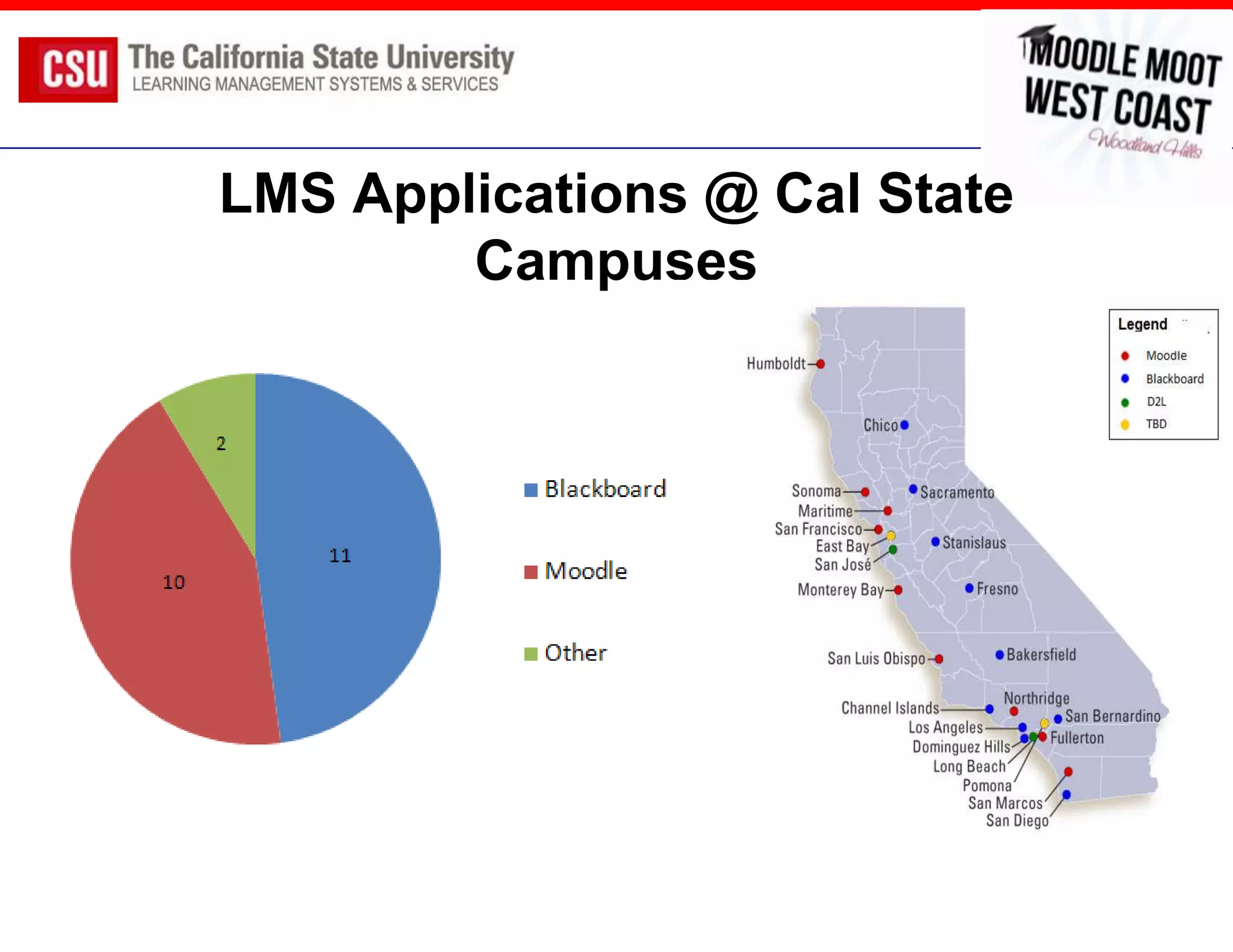
LMS Applications @ Cal State
        Campuses
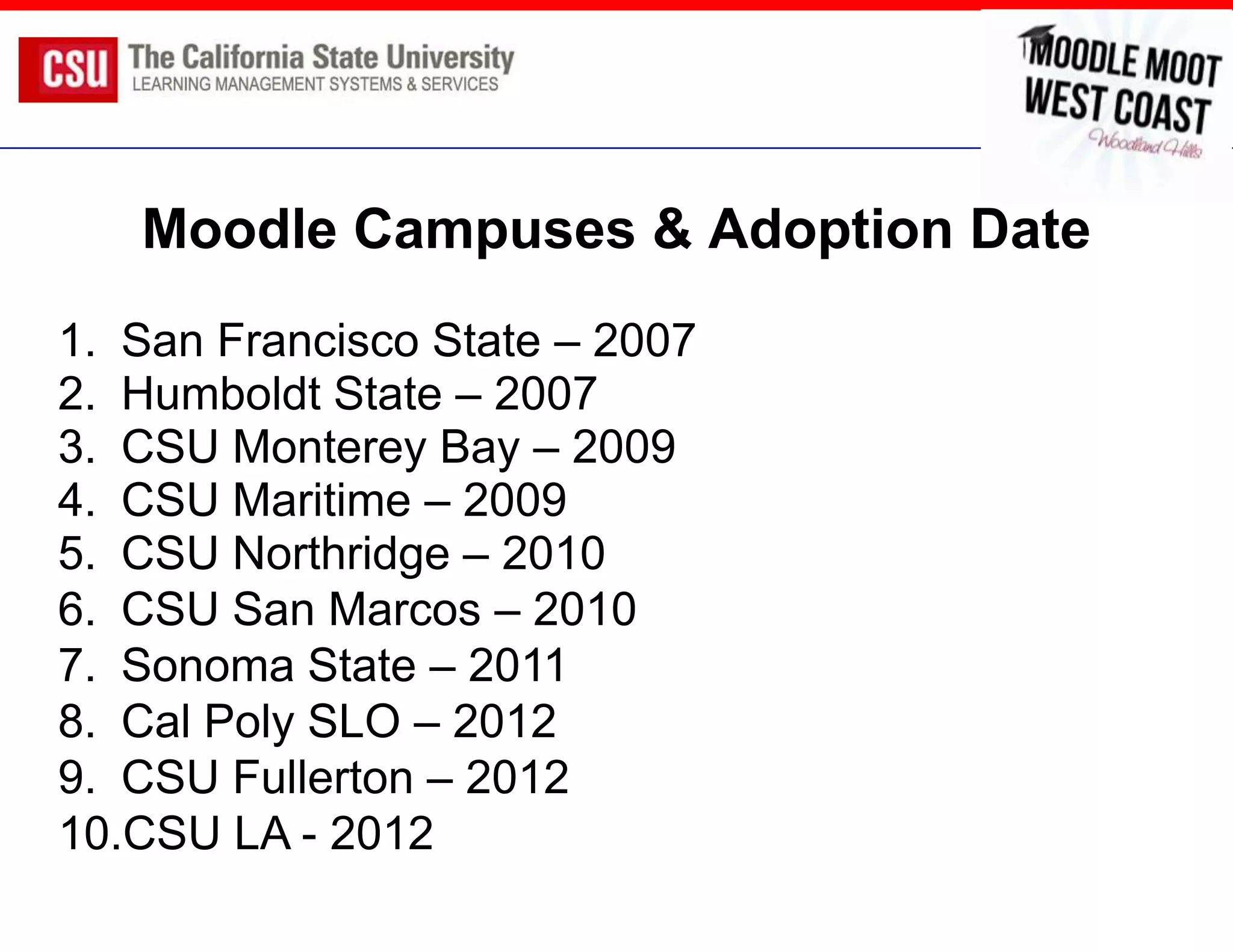
Moodle Campuses & Adoption Date
1. San Francisco State – 2007
2. Humboldt State – 2007
3. CSU Monterey Bay – 2009
4. CSU Maritime – 2009
5. CSU Northridge – 2010
6. CSU San Marcos – 2010
7. Sonoma State – 2011
8. Cal Poly SLO – 2012
9. CSU Fullerton – 2012
10.CSU LA - 2012
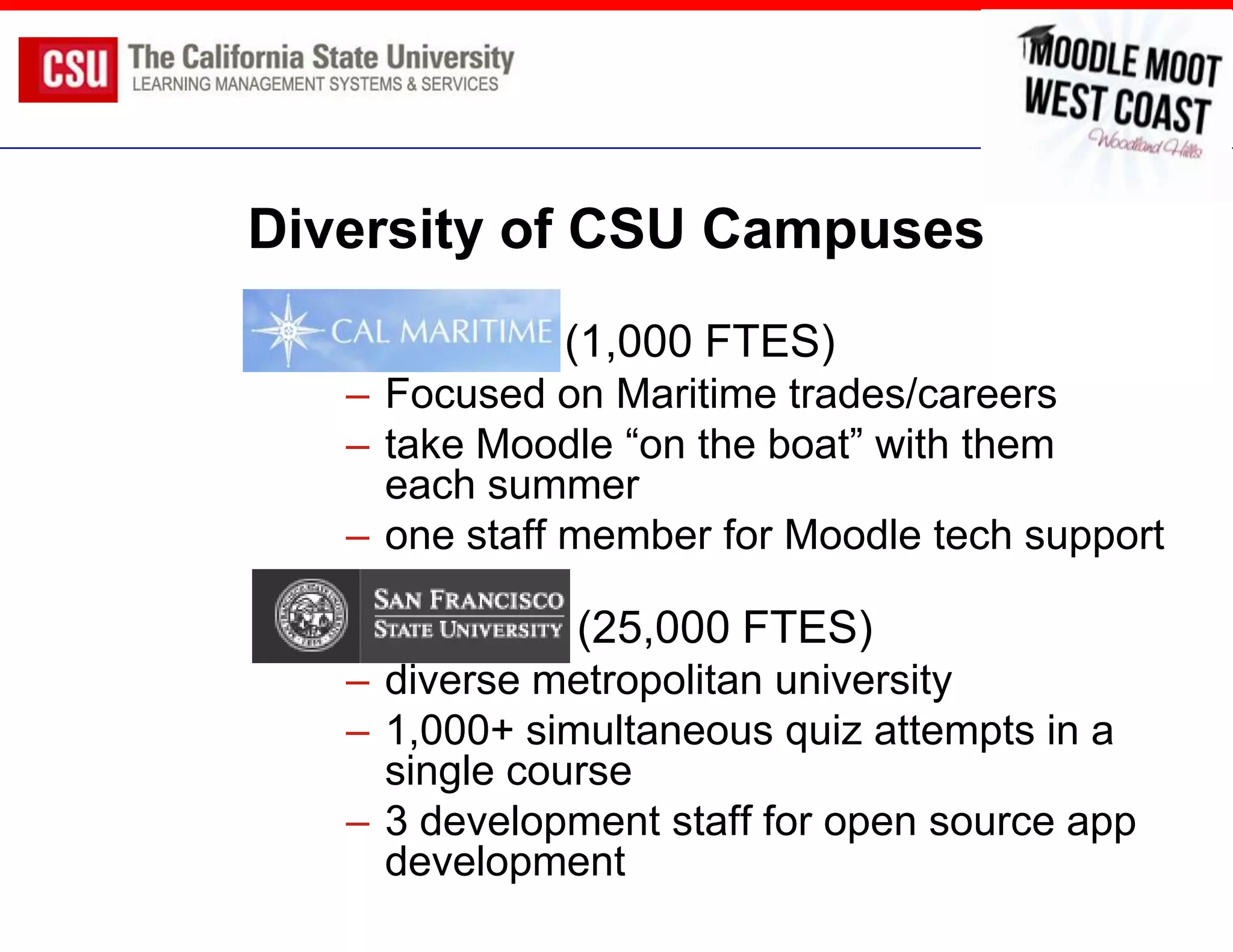
Diversity of CSU Campuses
               (1,000 FTES)
     – Focused on Maritime trades/careers
     – take Moodle “on the boat” with them
       each summer
     – one staff member for Moodle tech support

               (25,000 FTES)
     – diverse metropolitan university
     – 1,000+ simultaneous quiz attempts in a
       single course
     – 3 development staff for open source app
       development
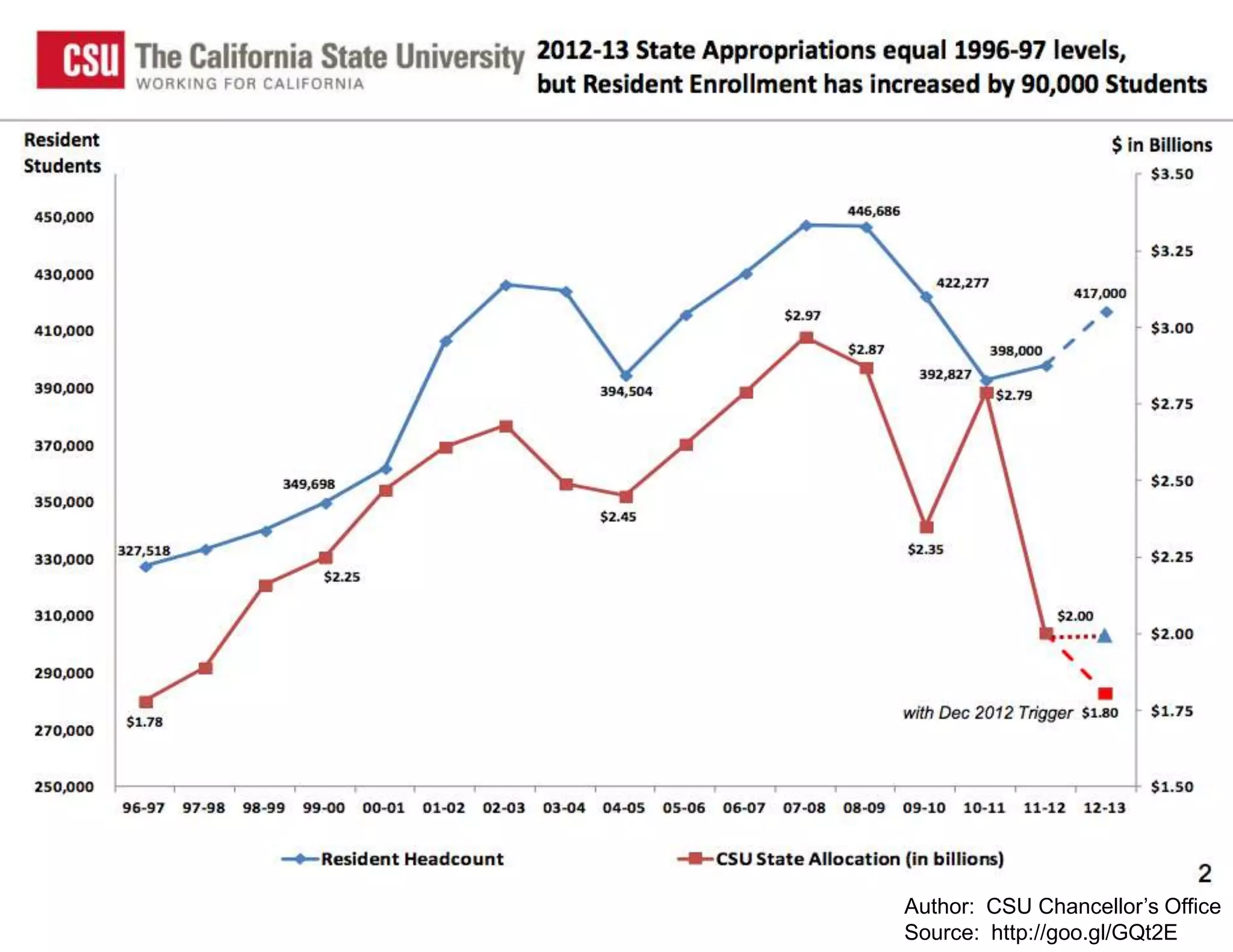
CSU Budget Crisis

 2011-2012 will reduce budget by at least $650M
  (reduction to $2.1B), 23% single year cut
 2009-2010 cut $625M (partially restored in 2010-
  2011)
 Increased tuition, reduced enrollments,
  doing less with more is status-quo
 Synergies, cost-savings, cost-avoidance all
  major motivators
                                      Author: CSU Chancellor’s Office
                                      Source: http://goo.gl/GQt2E
STRATEGIC CAMPUS
COORDINATION
Strategic Goals for Collaboration

1. Leverage CSU scale to reduce costs for AT
   services and educational content
2. Facilitate cooperation between campuses to
   deliver shared services that reduce costs and
   increase levels of service
3. Incubate transformative services that will
   enable easier adoption of innovations that
   reduce costs and improve services
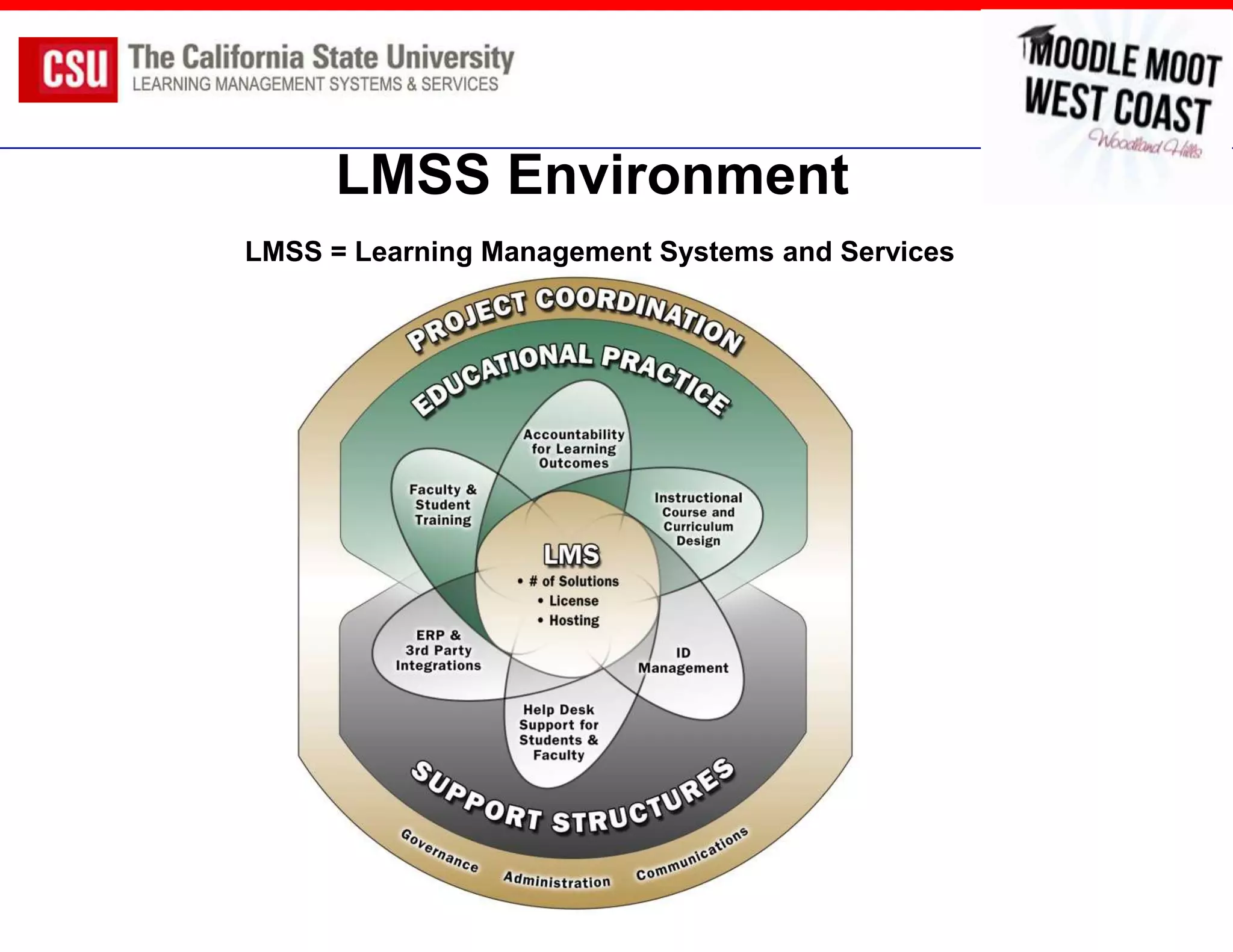
LMSS Environment
LMSS = Learning Management Systems and Services
System-wide LMSS Strategy
1. LMS Futures Group (Provosts, CIOs, Faculty)
   prepared 4 documents:
   –   LMS Critical Elements
   –   External Scan of Market & Higher Ed Systems
   –   CSU System-wide Recommendations
   –   LMS Governance Recommendations
2. Organize stakeholders to implement
   recommendations, starting with Moodle
LMS Futures Recommendations
 Recommendation #1: Provide an “opt-in” services approach to
  supporting the LMS with the baseline services being a collection of
  bext practices vs. minimal services

 Recommendation #2: Provide a centrally hosted “safety-net” LMS for
  campuses that are at risk. A system or consortium LMS service
  can result in significant cost savings, especially for small campuses
  currently using proprietary systems such as Blackboard

    – We recommend having a limited production available by July 2010.
      During spring 2010 we will need to determine the specific services
      available for this first production.
    – Moodle is the first LMS application that would be provided,
      followed by Blackboard
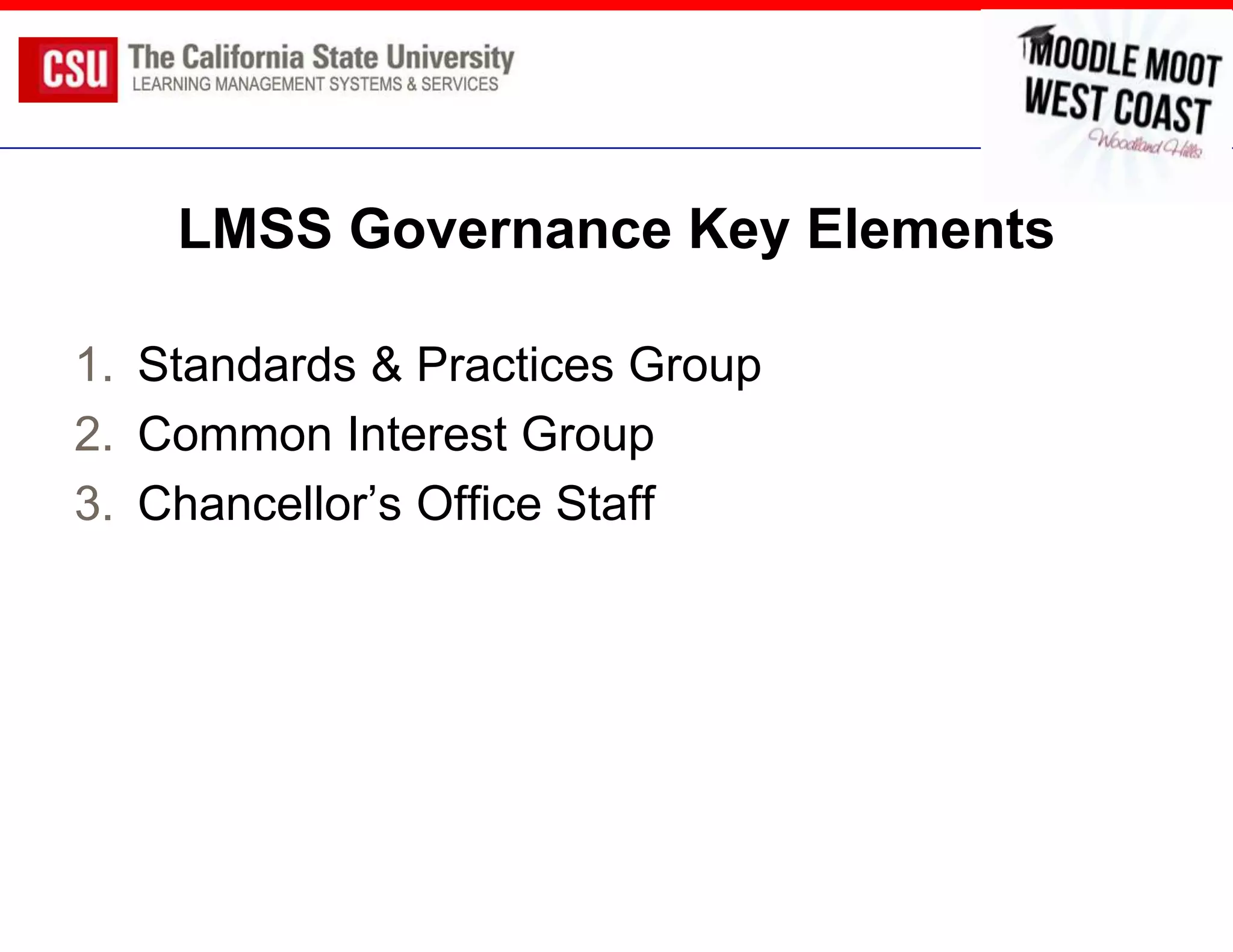
LMSS Governance Key Elements

1. Standards & Practices Group
2. Common Interest Group
3. Chancellor’s Office Staff
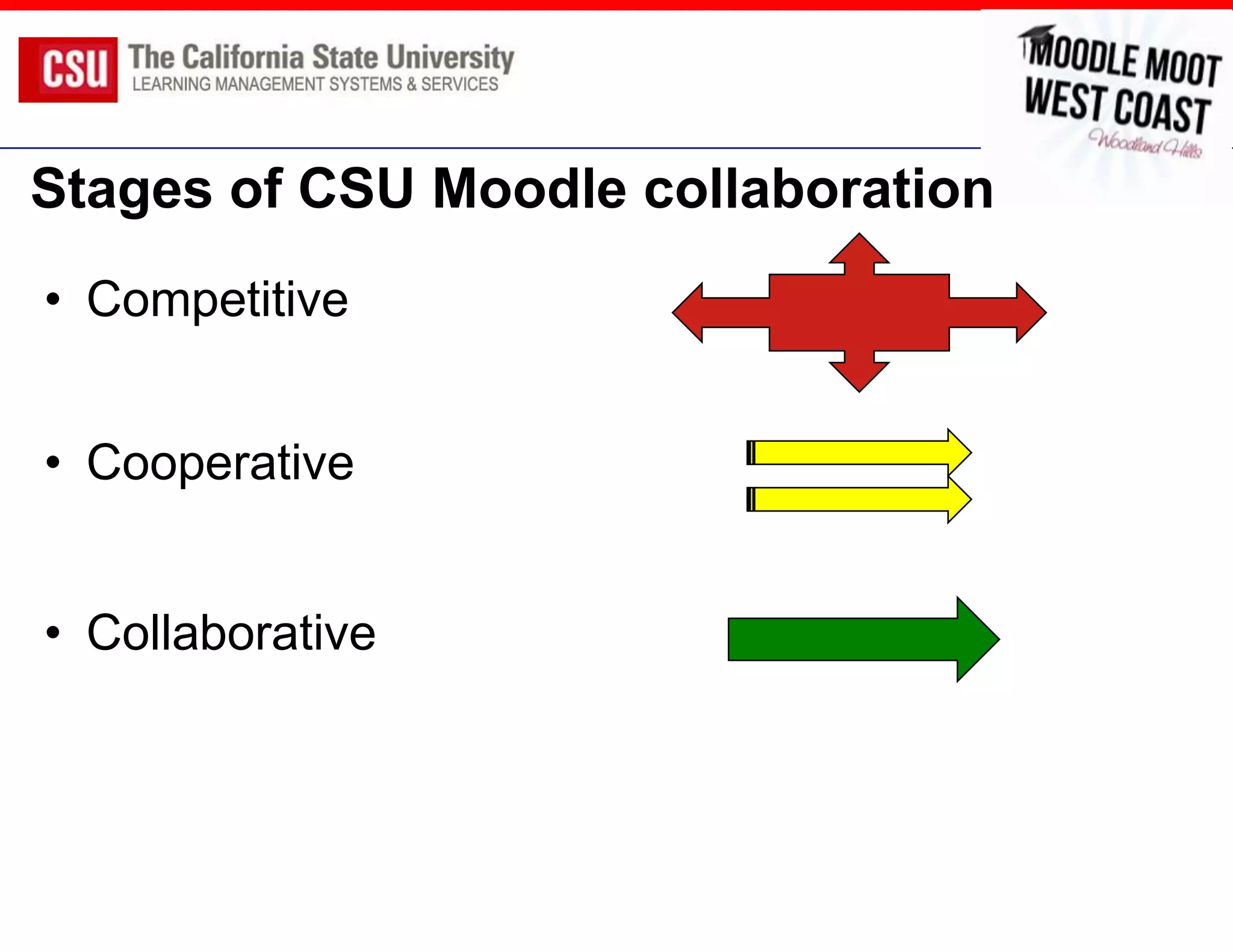
Stages of CSU Moodle collaboration
• Competitive


• Cooperative


• Collaborative
SERVICES CREATED & DELIVERED
Community Building is like Watercolor
Moodle Common Interest Group (CIG)

 Open membership - any interested CSU staff
 25-30 attendees per meeting
 Includes Programmers, Sys Admins,
  Instructional Designers, Faculty Support
 Campus updates, technically focused topics,
  Q&A
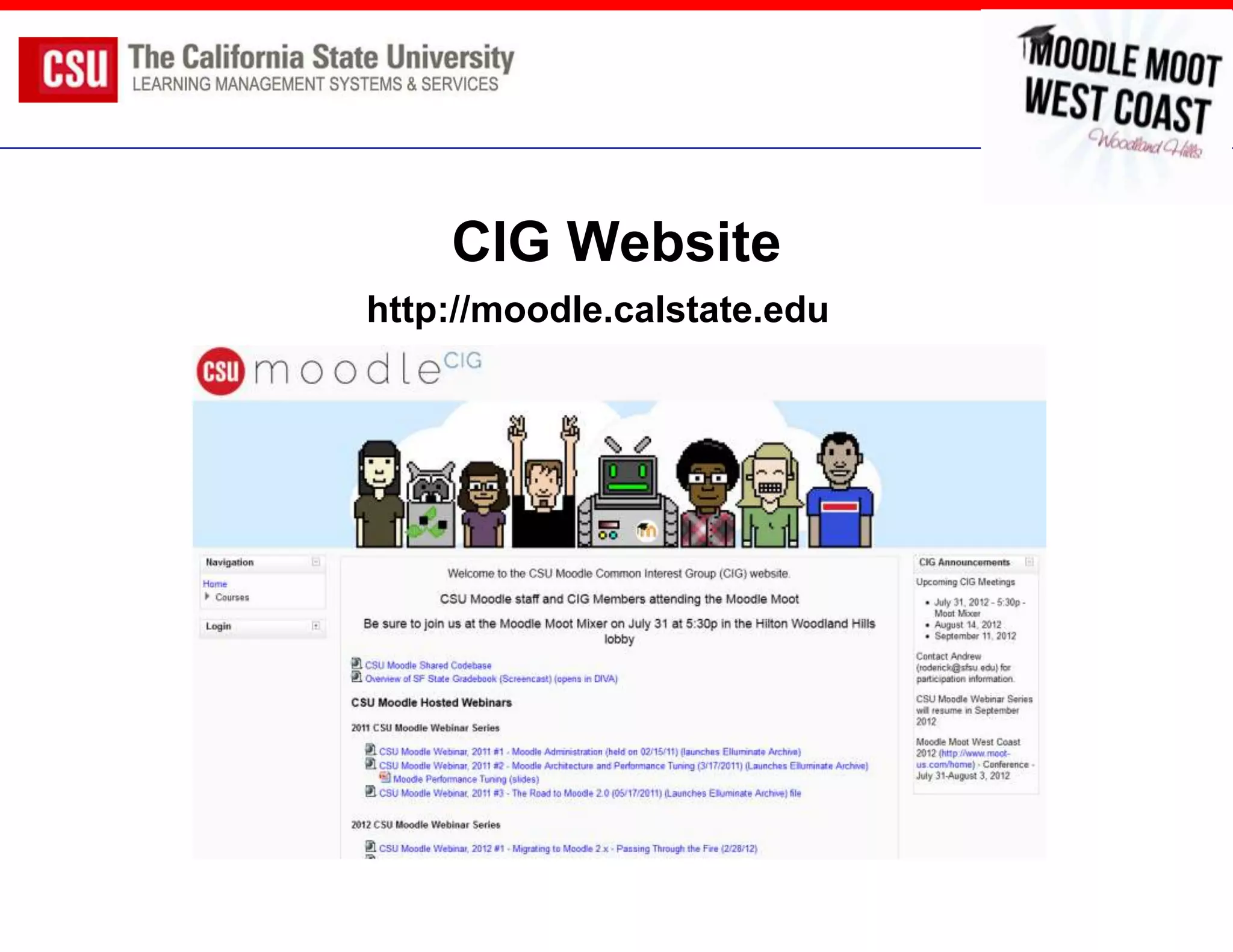
CIG Website
http://moodle.calstate.edu
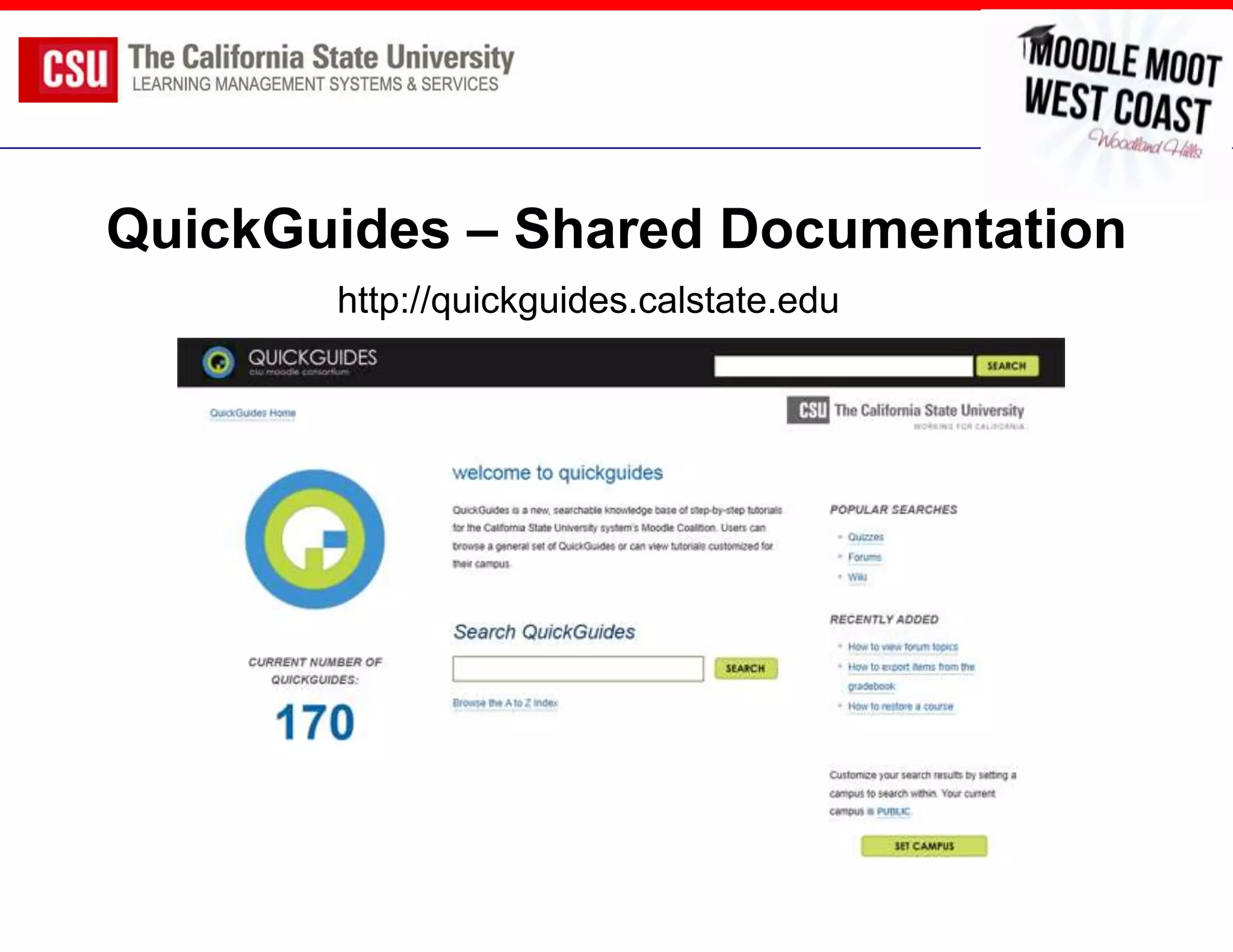
QuickGuides – Shared Documentation
       http://quickguides.calstate.edu
Lynda.com system-wide access

 Array of 1.9.x and 2.x learning materials
 For faculty
 Often accentuates local training
  resources
 Very important for newly
  adopting/migrating campuses
 Single sign-on access
CSU Moodle CIG Webinars

 Three sessions per season (semester)
 Nationally and internationally attended
 Topics focused on CSU CIG needs but usually
  are broadly relevant
 Mix presenters btw CSU and National Moodlers
 Usually about 100 attendees and archives
  available
Webinar Sessions

2011 CSU Moodle Webinar Series
 Moodle Administration (held on 02/15/11; SFSU, Cal Poly SLO, CSU San
  Marcos)
 Moodle Architecture and Performance Tuning (3/17/2011; SFSU)
 The Road to Moodle 2.0 (05/17/2011; CLAMP, UCLA, Cal Poly SLO)

2012 CSU Moodle Webinar Series
 Migrating to Moodle 2.x - Passing Through the Fire (2/28/12; UCSF, NCSU)
 Bringing the Library Into Moodle (3/29/12) (CSU, CSU Northridge)
 Moodle 2.0 File System Issues and Considerations (4/25/12) (Netspot,
  UCSB, Cal Poly SLO)
Support for Newly Adopting Campuses

A powerful outcome of the CIG has been
supporting campuses coming in to Moodle.
 Shared WebCT migration tool (CSUSM to
  Sonoma and others)
 Migration pilot and communication planning
 Strategies for course migration
 Shared support docs (QG’s and Lynda) as
  startup enhancement
Working Groups/Projects

 CSU Collaborative Documentation (revise
 QuickGuides)
 Quality Online Learning and Teaching (QOLT)
 Moodle Usage Reporting
 CSU Moodle Website
 Accessibility Product Template for 2.x

                Outcomes mixed!
Collaboration Challenges

 Management – participants have separate
  management who lack visibility, buy-in
 Workload – participants have significant local
  workload
 Timing – different campuses have different
  timing for workloads
 Project Management – lack of PM discipline
 Culture – campus independence
What’s Next?

 2.x Migration knowledge sharing
 Examine greater connections with
  UC counter-parts
 Promote webinars as Moodle-community wide
  contribution (still bound in CSU needs)
 Promote campus-to-campus collaboration (and
  use CIG to create visibility)
CSU MOODLE SHARED CODE
BASE
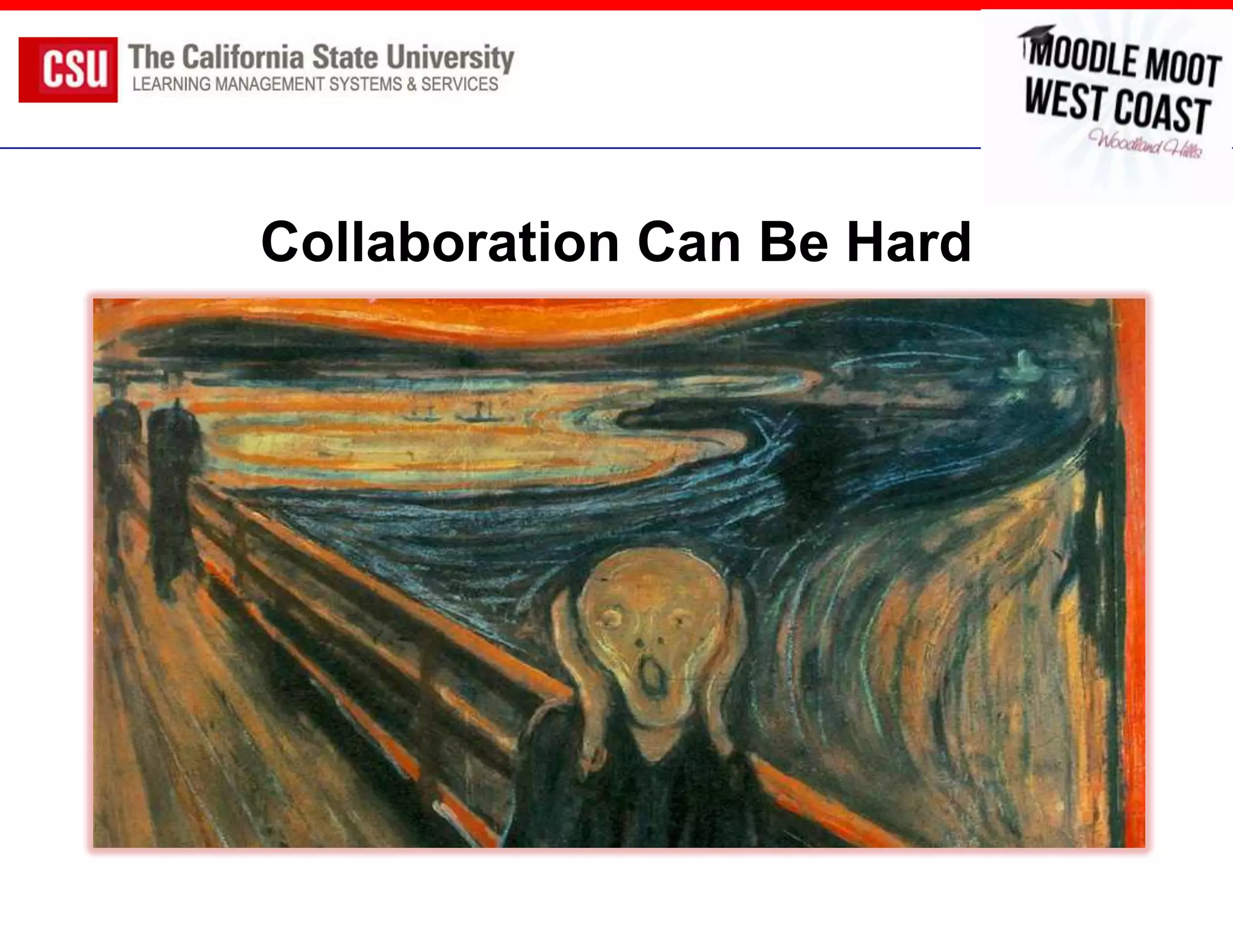
Collaboration Can Be Hard
Shared Code Base Goals

Early on, CSU campuses wanted to be on a
similar version to more consistently share
knowledge; desired SFSU customizations
 Share innovation, customizations
 Reduce redundancy of effort
 Extend other collaborations (support, training)
 Share in a software infrastructure
CSU Moodle Features

Built on 1.9.x
 Remote Import – import courses across instances
 Course Life Cycle – access to archive instances
 Gradebook Customization
 Analytics Block
    – First iteration
    – Still more features to add
 User-level Files Area (de-dupe, access across courses)
 CK Editor – switched out native editor
 For more documentation on each feature,
  visit http://moodle.calstate.edu/sharedcodebase
Project Details

 SCB released in Fall 2011
 Three campuses in production, a few tested
 Used GitHub for development
 Continued security patches, general
  maintenance until Spring 2013
What Happened?
Moodle 2.0
 Newly joining campuses opted to start on 2.x
 Dead-ending of 1.9 opened investment questions
 Questions of when existing campuses would
  move to 2.x
Campus Differences
 Mature vs. New Moodle deployments
 Small vs. Large campuses
 Formal vs. Informal IT and other approaches
 Customization vs. Plain Vanilla
Project Management
 Communication issues
 Local campus communication
 Who’s in charge?/Decision-making
 Strategy: Goal was for facilitating 100% usable
  development solution for all campuses
Value in Collaboration
 Was there value?
 Which campuses were in or out
 Capabilities vs. willingness to contribute
 Enlightened Self-Interest
Bottom Line
 Value was not there
 Required more formalization and commitment
  than was possible
 Common interest happens at a more granular
  level (at least in the CSU)
 Local work is usually required (100% solution)
What’s Next
 Focus on migration to 2.x across campuses
  (focus not on new development)
 Campus-to-campus sharing (enlightened self-
  interest)
 Campuses responsible for the last mile
Questions & Contact Information
Kathy Fernandes (kfernandes@csuchico.edu)
 Director of System-Wide LMS Initiatives


Andrew Roderick (roderick@sfsu.edu)
 CIG Chair, Technology Development Manager at San Francisco State
 University


John Whitmer (jwhitmer@csuchico.edu)
 Associate Director of System-Wide LMS Initiatives

Many Hands Makes Light Work: Collaborating on Moodle Services and Development

  • 1.
    Many Hands MakesLight Work  Kathy Fernandes, Director, System-wide LMSS Project, CSU Office of the Chancellor  Andrew Roderick, CIG Chair and Manager of Technology Development, San Francisco State University  John Whitmer, Associate Director, System-wide LMSS Project, CSU Office of the Chancellor
  • 2.
    Outline 1. Moodle in the CSU System 2. Strategic Campus Coordination 3. Services Created / Delivered 4. CSU Shared Code Base 5. What’s next …
  • 3.
    MOODLE IN THECSU SYSTEM
  • 4.
    The California StateUniversity  23 campuses  427,000 students systemwide  44,000 faculty and staff systemwide  LMSS efforts coordinated since 1997, within decentralized academic technology leadership  Moodle coordination started with “Moodle Consortium”, transitioned to formal Moodle Governance in 2010
  • 5.
    LMS Applications @Cal State Campuses
  • 6.
    Moodle Campuses &Adoption Date 1. San Francisco State – 2007 2. Humboldt State – 2007 3. CSU Monterey Bay – 2009 4. CSU Maritime – 2009 5. CSU Northridge – 2010 6. CSU San Marcos – 2010 7. Sonoma State – 2011 8. Cal Poly SLO – 2012 9. CSU Fullerton – 2012 10.CSU LA - 2012
  • 7.
    Diversity of CSUCampuses  (1,000 FTES) – Focused on Maritime trades/careers – take Moodle “on the boat” with them each summer – one staff member for Moodle tech support  (25,000 FTES) – diverse metropolitan university – 1,000+ simultaneous quiz attempts in a single course – 3 development staff for open source app development
  • 8.
    CSU Budget Crisis 2011-2012 will reduce budget by at least $650M (reduction to $2.1B), 23% single year cut  2009-2010 cut $625M (partially restored in 2010- 2011)  Increased tuition, reduced enrollments, doing less with more is status-quo  Synergies, cost-savings, cost-avoidance all major motivators Author: CSU Chancellor’s Office Source: http://goo.gl/GQt2E
  • 9.
  • 10.
    Strategic Goals forCollaboration 1. Leverage CSU scale to reduce costs for AT services and educational content 2. Facilitate cooperation between campuses to deliver shared services that reduce costs and increase levels of service 3. Incubate transformative services that will enable easier adoption of innovations that reduce costs and improve services
  • 11.
    LMSS Environment LMSS =Learning Management Systems and Services
  • 12.
    System-wide LMSS Strategy 1.LMS Futures Group (Provosts, CIOs, Faculty) prepared 4 documents: – LMS Critical Elements – External Scan of Market & Higher Ed Systems – CSU System-wide Recommendations – LMS Governance Recommendations 2. Organize stakeholders to implement recommendations, starting with Moodle
  • 13.
    LMS Futures Recommendations Recommendation #1: Provide an “opt-in” services approach to supporting the LMS with the baseline services being a collection of bext practices vs. minimal services  Recommendation #2: Provide a centrally hosted “safety-net” LMS for campuses that are at risk. A system or consortium LMS service can result in significant cost savings, especially for small campuses currently using proprietary systems such as Blackboard – We recommend having a limited production available by July 2010. During spring 2010 we will need to determine the specific services available for this first production. – Moodle is the first LMS application that would be provided, followed by Blackboard
  • 14.
    LMSS Governance KeyElements 1. Standards & Practices Group 2. Common Interest Group 3. Chancellor’s Office Staff
  • 15.
    Stages of CSUMoodle collaboration • Competitive • Cooperative • Collaborative
  • 16.
  • 17.
    Community Building islike Watercolor
  • 18.
    Moodle Common InterestGroup (CIG)  Open membership - any interested CSU staff  25-30 attendees per meeting  Includes Programmers, Sys Admins, Instructional Designers, Faculty Support  Campus updates, technically focused topics, Q&A
  • 19.
  • 20.
    QuickGuides – SharedDocumentation http://quickguides.calstate.edu
  • 21.
    Lynda.com system-wide access Array of 1.9.x and 2.x learning materials  For faculty  Often accentuates local training resources  Very important for newly adopting/migrating campuses  Single sign-on access
  • 22.
    CSU Moodle CIGWebinars  Three sessions per season (semester)  Nationally and internationally attended  Topics focused on CSU CIG needs but usually are broadly relevant  Mix presenters btw CSU and National Moodlers  Usually about 100 attendees and archives available
  • 23.
    Webinar Sessions 2011 CSUMoodle Webinar Series  Moodle Administration (held on 02/15/11; SFSU, Cal Poly SLO, CSU San Marcos)  Moodle Architecture and Performance Tuning (3/17/2011; SFSU)  The Road to Moodle 2.0 (05/17/2011; CLAMP, UCLA, Cal Poly SLO) 2012 CSU Moodle Webinar Series  Migrating to Moodle 2.x - Passing Through the Fire (2/28/12; UCSF, NCSU)  Bringing the Library Into Moodle (3/29/12) (CSU, CSU Northridge)  Moodle 2.0 File System Issues and Considerations (4/25/12) (Netspot, UCSB, Cal Poly SLO)
  • 24.
    Support for NewlyAdopting Campuses A powerful outcome of the CIG has been supporting campuses coming in to Moodle.  Shared WebCT migration tool (CSUSM to Sonoma and others)  Migration pilot and communication planning  Strategies for course migration  Shared support docs (QG’s and Lynda) as startup enhancement
  • 25.
    Working Groups/Projects  CSUCollaborative Documentation (revise QuickGuides)  Quality Online Learning and Teaching (QOLT)  Moodle Usage Reporting  CSU Moodle Website  Accessibility Product Template for 2.x Outcomes mixed!
  • 26.
    Collaboration Challenges  Management– participants have separate management who lack visibility, buy-in  Workload – participants have significant local workload  Timing – different campuses have different timing for workloads  Project Management – lack of PM discipline  Culture – campus independence
  • 27.
    What’s Next?  2.xMigration knowledge sharing  Examine greater connections with UC counter-parts  Promote webinars as Moodle-community wide contribution (still bound in CSU needs)  Promote campus-to-campus collaboration (and use CIG to create visibility)
  • 28.
  • 29.
  • 30.
    Shared Code BaseGoals Early on, CSU campuses wanted to be on a similar version to more consistently share knowledge; desired SFSU customizations  Share innovation, customizations  Reduce redundancy of effort  Extend other collaborations (support, training)  Share in a software infrastructure
  • 31.
    CSU Moodle Features Builton 1.9.x  Remote Import – import courses across instances  Course Life Cycle – access to archive instances  Gradebook Customization  Analytics Block – First iteration – Still more features to add  User-level Files Area (de-dupe, access across courses)  CK Editor – switched out native editor  For more documentation on each feature, visit http://moodle.calstate.edu/sharedcodebase
  • 32.
    Project Details  SCBreleased in Fall 2011  Three campuses in production, a few tested  Used GitHub for development  Continued security patches, general maintenance until Spring 2013
  • 33.
  • 34.
    Moodle 2.0  Newlyjoining campuses opted to start on 2.x  Dead-ending of 1.9 opened investment questions  Questions of when existing campuses would move to 2.x
  • 35.
    Campus Differences  Maturevs. New Moodle deployments  Small vs. Large campuses  Formal vs. Informal IT and other approaches  Customization vs. Plain Vanilla
  • 36.
    Project Management  Communicationissues  Local campus communication  Who’s in charge?/Decision-making  Strategy: Goal was for facilitating 100% usable development solution for all campuses
  • 37.
    Value in Collaboration Was there value?  Which campuses were in or out  Capabilities vs. willingness to contribute  Enlightened Self-Interest
  • 38.
    Bottom Line  Valuewas not there  Required more formalization and commitment than was possible  Common interest happens at a more granular level (at least in the CSU)  Local work is usually required (100% solution)
  • 39.
    What’s Next  Focuson migration to 2.x across campuses (focus not on new development)  Campus-to-campus sharing (enlightened self- interest)  Campuses responsible for the last mile
  • 40.
    Questions & ContactInformation Kathy Fernandes (kfernandes@csuchico.edu) Director of System-Wide LMS Initiatives Andrew Roderick (roderick@sfsu.edu) CIG Chair, Technology Development Manager at San Francisco State University John Whitmer (jwhitmer@csuchico.edu) Associate Director of System-Wide LMS Initiatives

Editor's Notes

  • #6 Looking at the trend over time, the pattern in clear: Moodle is growing in popularity and adoption across our system.If you’re interested in what we are doing as a system to coordinate efforts, can attend our session tomorrow afternoon