Moodle + Self-Contained
Instructional Units + Web 2.0 Tools =
 Affordable, Sustainable Instruction

            Rhonda Ficek, Ph.D.
    Director of Instructional Technology
                   Services
   Minnesota State University Moorhead
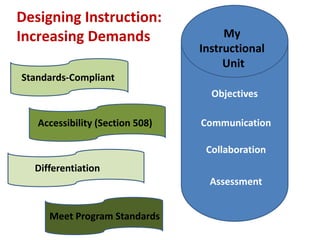
Designing Instruction:
Increasing Demands                    My
                                 Instructional
                                      Unit
Standards-Compliant
         d

                                   Objectives

   Accessibility (Section 508)   Communication

                                  Collaboration
  Differentiation
                                   Assessment


     Meet Program Standards
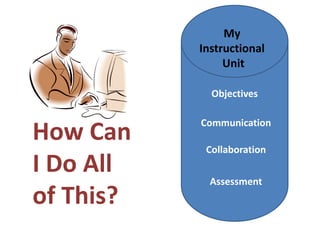
My
           Instructional
                Unit

             Objectives

           Communication
How Can     Collaboration
I Do All     Assessment
of This?
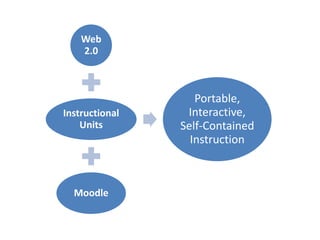
Web
    2.0


                   Portable,
Instructional    Interactive,
    Units       Self-Contained
                  Instruction


  Moodle
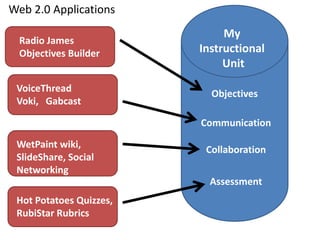
Web 2.0 Applications
                              My
  Radio James
  Objectives Builder     Instructional
                              Unit
 VoiceThread               Objectives
 Voki, Gabcast

                         Communication

 WetPaint wiki,           Collaboration
 SlideShare, Social
 Networking
                           Assessment
 Hot Potatoes Quizzes,
 RubiStar Rubrics
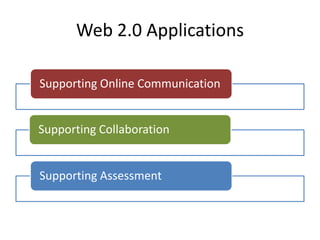
Web 2.0 Applications

Supporting Online Communication


Supporting Collaboration


Supporting Assessment
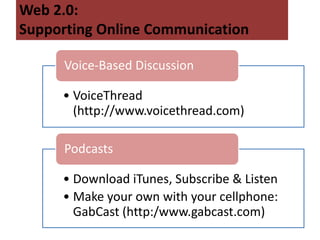
Web 2.0:
Supporting Online Communication

      Voice-Based Discussion

     • VoiceThread
       (http://www.voicethread.com)

      Podcasts

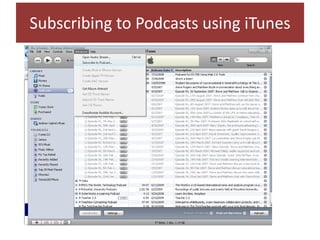
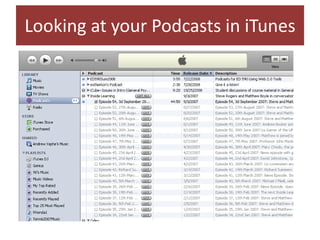
     • Download iTunes, Subscribe & Listen
     • Make your own with your cellphone:
       GabCast (http:/www.gabcast.com)
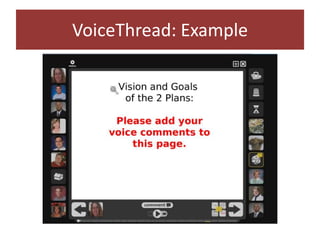
VoiceThread: Example
Subscribing to Podcasts using iTunes
Looking at your Podcasts in iTunes
Web 2.0:
Supporting Online Communication

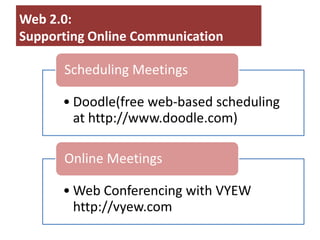
      Scheduling Meetings

      • Doodle(free web-based scheduling
        at http://www.doodle.com)

      Online Meetings

      • Web Conferencing with VYEW
        http://vyew.com
Web 2.0: Supporting Collaboration


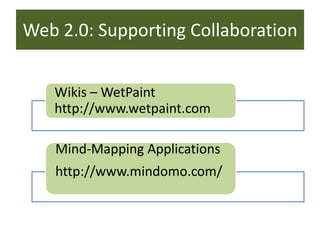
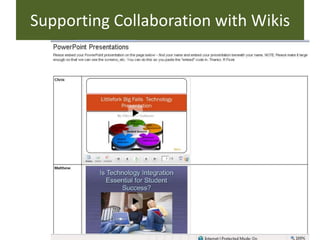
   Wikis – WetPaint
   http://www.wetpaint.com

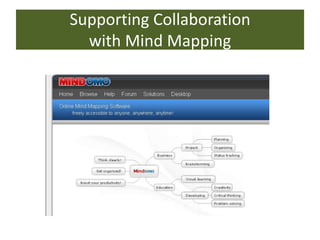
   Mind-Mapping Applications
   http://www.mindomo.com/
Supporting Collaboration with Wikis
Supporting Collaboration
  with Mind Mapping
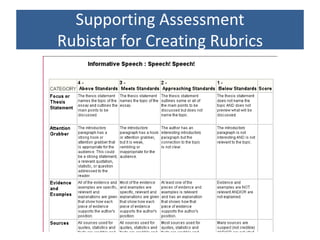
Supporting Assessment
Rubistar for Creating Rubrics
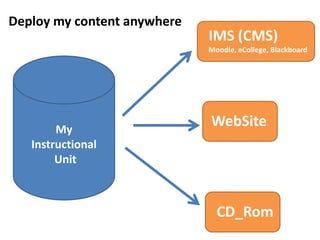
Deploy my content anywhere
                             IMS (CMS)
                             Moodle, eCollege, Blackboard


        My
                             WebSite
   Instructional
        Unit


                               CD_Rom
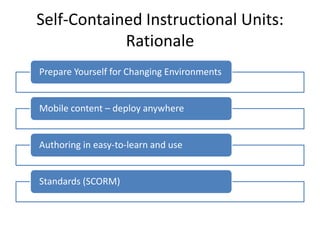
Self-Contained Instructional Units:
            Rationale
Prepare Yourself for Changing Environments


Mobile content – deploy anywhere


Authoring in easy-to-learn and use


Standards (SCORM)
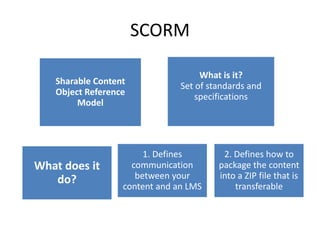
SCORM

                                    What is it?
   Sharable Content            Set of standards and
   Object Reference                specifications
        Model


                       1. Defines        2. Defines how to
What does it        communication       package the content
   do?               between your       into a ZIP file that is
                  content and an LMS        transferable
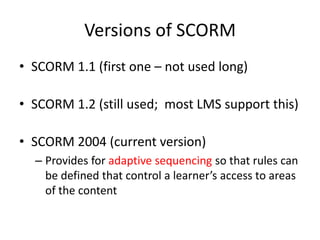
Versions of SCORM
• SCORM 1.1 (first one – not used long)

• SCORM 1.2 (still used; most LMS support this)

• SCORM 2004 (current version)
  – Provides for adaptive sequencing so that rules can
    be defined that control a learner’s access to areas
    of the content
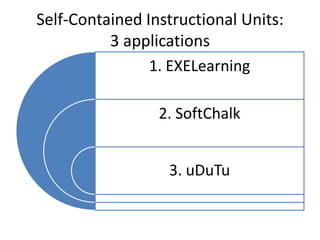
Self-Contained Instructional Units:
          3 applications
                1. EXELearning

                 2. SoftChalk


                  3. uDuTu
EXELearning.org
XHTML editor


Open Source authoring application


Publish web-based content easily


Export your content
EXELearning.org
Authoring     • Easily create
                web-based content
Application
Export your   • Self-contained web pages
              • SCORM 1.2
  Content     • IMS Content Package


              • Free download
Open Source   • Windows, Mac OS X, Linux
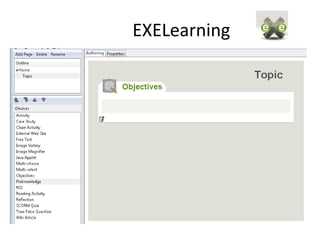
EXELearning
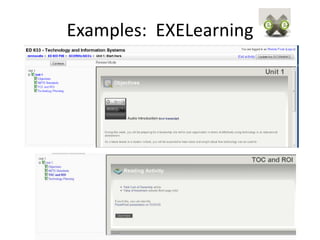
Examples: EXELearning
SoftChalk LessonBuilder
                    www.softchalk.com
Create interactive web-based lessons


Free 30-day trial of full version;
$500 per license


Publish web-based content easily


Export your content
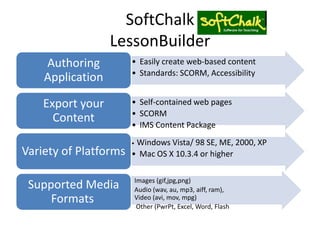
SoftChalk
                  LessonBuilder
    Authoring           • Easily create web-based content
                        • Standards: SCORM, Accessibility
    Application

    Export your         • Self-contained web pages
                        • SCORM
      Content           • IMS Content Package
                        •Windows Vista/ 98 SE, ME, 2000, XP
Variety of Platforms    • Mac OS X 10.3.4 or higher

                       • Images (gif,jpg,png)
 Supported Media       • Audio (wav, au, mp3, aiff, ram),
     Formats             Video (avi, mov, mpg)
                       • Other (PwrPt, Excel, Word, Flash
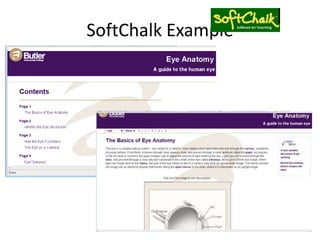
SoftChalk Example
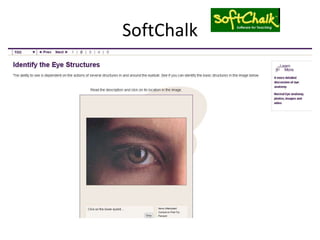
SoftChalk
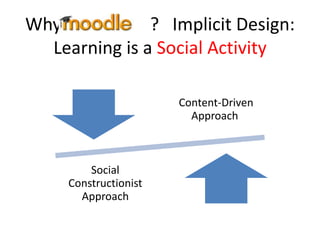
Why Moodle? ? Implicit Design:
  Learning is a Social Activity

                      Content-Driven
                        Approach


        Social
    Constructionist
      Approach
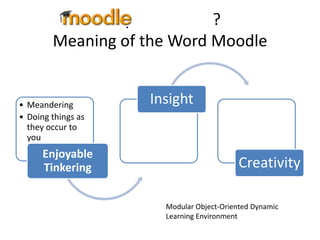
Why Moodle? ?
        Meaning of the Word Moodle


• Meandering        Insight
• Doing things as
  they occur to
  you
      Enjoyable
      Tinkering                           Creativity

                      Modular Object-Oriented Dynamic
                      Learning Environment
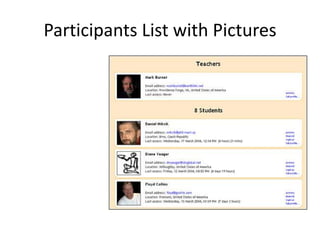
Participants List with Pictures
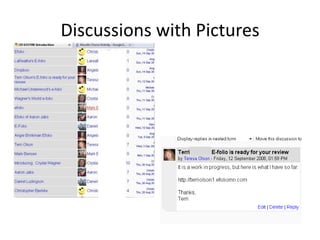
Discussions with Pictures
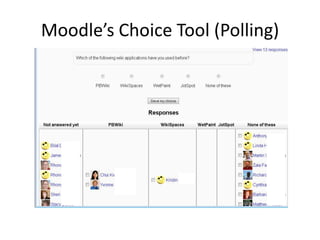
Moodle’s Choice Tool (Polling)
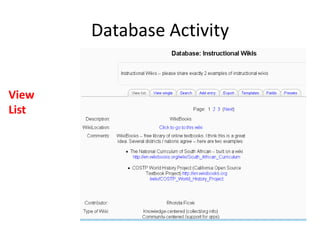
Database Activity


View
List
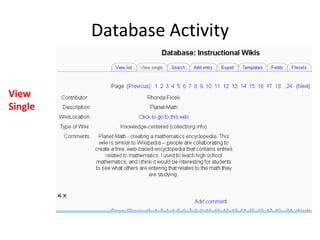
Database Activity


View
Single
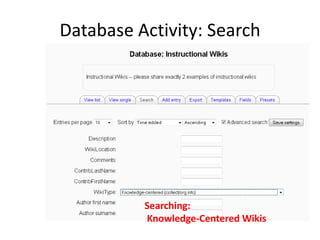
Database Activity: Search


          Searching:
          Knowledge-Centered Wikis
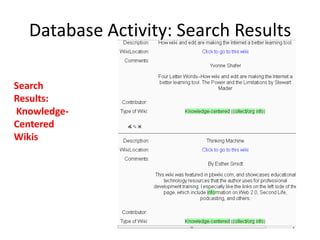
Database Activity: Search Results

Search
Results:
Knowledge-
Centered
Wikis
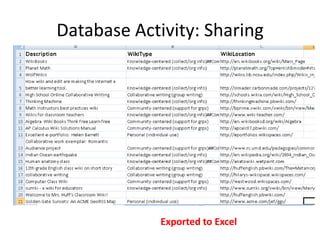
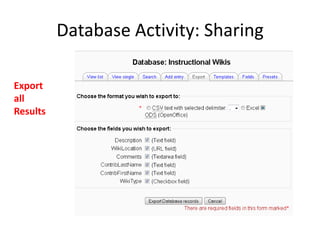
Database Activity: Sharing

Export
all
Results
Database Activity: Sharing


             Exported to Excel
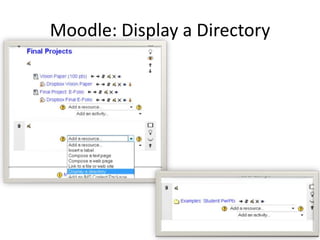
Moodle: Display a Directory
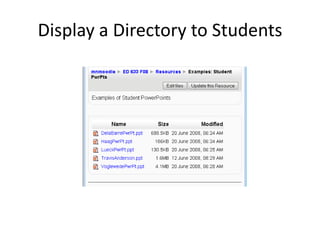
Display a Directory to Students
Why Moodle ? ?
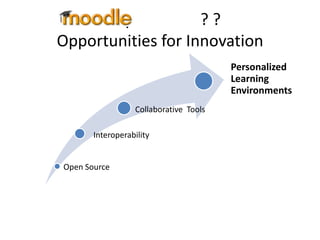
Opportunities for Innovation
                                        Personalized
                                        Learning
                                        Environments
                  Collaborative Tools

       Interoperability


Open Source
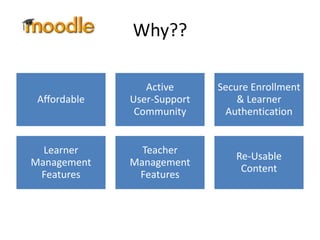
Why??

                 Active      Secure Enrollment
 Affordable   User-Support       & Learner
               Community      Authentication


  Learner       Teacher
                                Re-Usable
Management    Management
                                 Content
 Features      Features
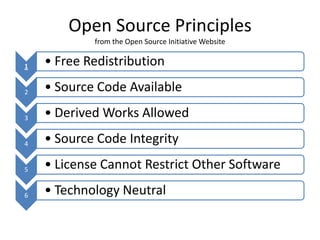
Open Source Principles
            from the Open Source Initiative Website


1   • Free Redistribution

2   • Source Code Available

3   • Derived Works Allowed

4   • Source Code Integrity

5   • License Cannot Restrict Other Software

6   • Technology Neutral
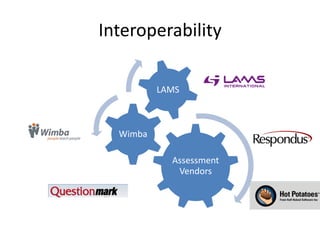
Interoperability

          LAMS


  Wimba

            Assessment
             Vendors
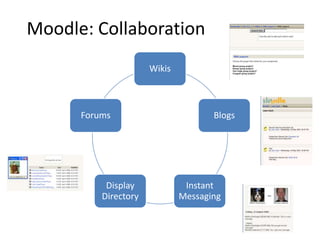
Moodle: Collaboration
                      Wikis


      Forums                         Blogs


           Display             Instant
          Directory           Messaging
Conclusion
       Prepare for change :

   Create content that is mobile
     between various delivery
             options
  (Web, CMS, CD, Mobile Devices)

Contact: Rhonda Ficek 701 866-3937
          ficek@mnstate.edu

Moodle + Self Contained Instructional Units + Web 2

  • 1.
    Moodle + Self-Contained InstructionalUnits + Web 2.0 Tools = Affordable, Sustainable Instruction Rhonda Ficek, Ph.D. Director of Instructional Technology Services Minnesota State University Moorhead
  • 2.
    Designing Instruction: Increasing Demands My Instructional Unit Standards-Compliant d Objectives Accessibility (Section 508) Communication Collaboration Differentiation Assessment Meet Program Standards
  • 3.
    My Instructional Unit Objectives Communication How Can Collaboration I Do All Assessment of This?
  • 4.
    Web 2.0 Portable, Instructional Interactive, Units Self-Contained Instruction Moodle
  • 5.
    Web 2.0 Applications My Radio James Objectives Builder Instructional Unit VoiceThread Objectives Voki, Gabcast Communication WetPaint wiki, Collaboration SlideShare, Social Networking Assessment Hot Potatoes Quizzes, RubiStar Rubrics
  • 6.
    Web 2.0 Applications SupportingOnline Communication Supporting Collaboration Supporting Assessment
  • 7.
    Web 2.0: Supporting OnlineCommunication Voice-Based Discussion • VoiceThread (http://www.voicethread.com) Podcasts • Download iTunes, Subscribe & Listen • Make your own with your cellphone: GabCast (http:/www.gabcast.com)
  • 8.
  • 9.
  • 10.
    Looking at yourPodcasts in iTunes
  • 11.
    Web 2.0: Supporting OnlineCommunication Scheduling Meetings • Doodle(free web-based scheduling at http://www.doodle.com) Online Meetings • Web Conferencing with VYEW http://vyew.com
  • 12.
    Web 2.0: SupportingCollaboration Wikis – WetPaint http://www.wetpaint.com Mind-Mapping Applications http://www.mindomo.com/
  • 13.
  • 14.
    Supporting Collaboration with Mind Mapping
  • 15.
  • 16.
    Deploy my contentanywhere IMS (CMS) Moodle, eCollege, Blackboard My WebSite Instructional Unit CD_Rom
  • 17.
    Self-Contained Instructional Units: Rationale Prepare Yourself for Changing Environments Mobile content – deploy anywhere Authoring in easy-to-learn and use Standards (SCORM)
  • 18.
    SCORM What is it? Sharable Content Set of standards and Object Reference specifications Model 1. Defines 2. Defines how to What does it communication package the content do? between your into a ZIP file that is content and an LMS transferable
  • 19.
    Versions of SCORM •SCORM 1.1 (first one – not used long) • SCORM 1.2 (still used; most LMS support this) • SCORM 2004 (current version) – Provides for adaptive sequencing so that rules can be defined that control a learner’s access to areas of the content
  • 20.
    Self-Contained Instructional Units: 3 applications 1. EXELearning 2. SoftChalk 3. uDuTu
  • 21.
    EXELearning.org XHTML editor Open Sourceauthoring application Publish web-based content easily Export your content
  • 22.
    EXELearning.org Authoring • Easily create web-based content Application Export your • Self-contained web pages • SCORM 1.2 Content • IMS Content Package • Free download Open Source • Windows, Mac OS X, Linux
  • 23.
  • 24.
  • 25.
    SoftChalk LessonBuilder www.softchalk.com Create interactive web-based lessons Free 30-day trial of full version; $500 per license Publish web-based content easily Export your content
  • 26.
    SoftChalk LessonBuilder Authoring • Easily create web-based content • Standards: SCORM, Accessibility Application Export your • Self-contained web pages • SCORM Content • IMS Content Package •Windows Vista/ 98 SE, ME, 2000, XP Variety of Platforms • Mac OS X 10.3.4 or higher • Images (gif,jpg,png) Supported Media • Audio (wav, au, mp3, aiff, ram), Formats Video (avi, mov, mpg) • Other (PwrPt, Excel, Word, Flash
  • 27.
  • 28.
  • 29.
    Why Moodle? ?Implicit Design: Learning is a Social Activity Content-Driven Approach Social Constructionist Approach
  • 30.
    Why Moodle? ? Meaning of the Word Moodle • Meandering Insight • Doing things as they occur to you Enjoyable Tinkering Creativity Modular Object-Oriented Dynamic Learning Environment
  • 31.
  • 32.
  • 33.
  • 34.
  • 35.
  • 36.
    Database Activity: Search Searching: Knowledge-Centered Wikis
  • 37.
    Database Activity: SearchResults Search Results: Knowledge- Centered Wikis
  • 38.
  • 39.
    Database Activity: Sharing Exported to Excel
  • 40.
  • 41.
  • 42.
    Why Moodle ?? Opportunities for Innovation Personalized Learning Environments Collaborative Tools Interoperability Open Source
  • 43.
    Why?? Active Secure Enrollment Affordable User-Support & Learner Community Authentication Learner Teacher Re-Usable Management Management Content Features Features
  • 44.
    Open Source Principles from the Open Source Initiative Website 1 • Free Redistribution 2 • Source Code Available 3 • Derived Works Allowed 4 • Source Code Integrity 5 • License Cannot Restrict Other Software 6 • Technology Neutral
  • 45.
    Interoperability LAMS Wimba Assessment Vendors
  • 46.
    Moodle: Collaboration Wikis Forums Blogs Display Instant Directory Messaging
  • 47.
    Conclusion Prepare for change : Create content that is mobile between various delivery options (Web, CMS, CD, Mobile Devices) Contact: Rhonda Ficek 701 866-3937 ficek@mnstate.edu