www.univa.com
www.univa.com
Ian Lumb
Solutions Architect
SUSE, Booth #1681
SC17, Denver, CO
Managing Containerized
HPC and AI Workloads on
TSUBAME3.0
www.univa.com
2
www.univa.com
3
www.univa.com
Copyright © Univa Corporation, 2017. All Rights Reserved. Internal Use Only. 4
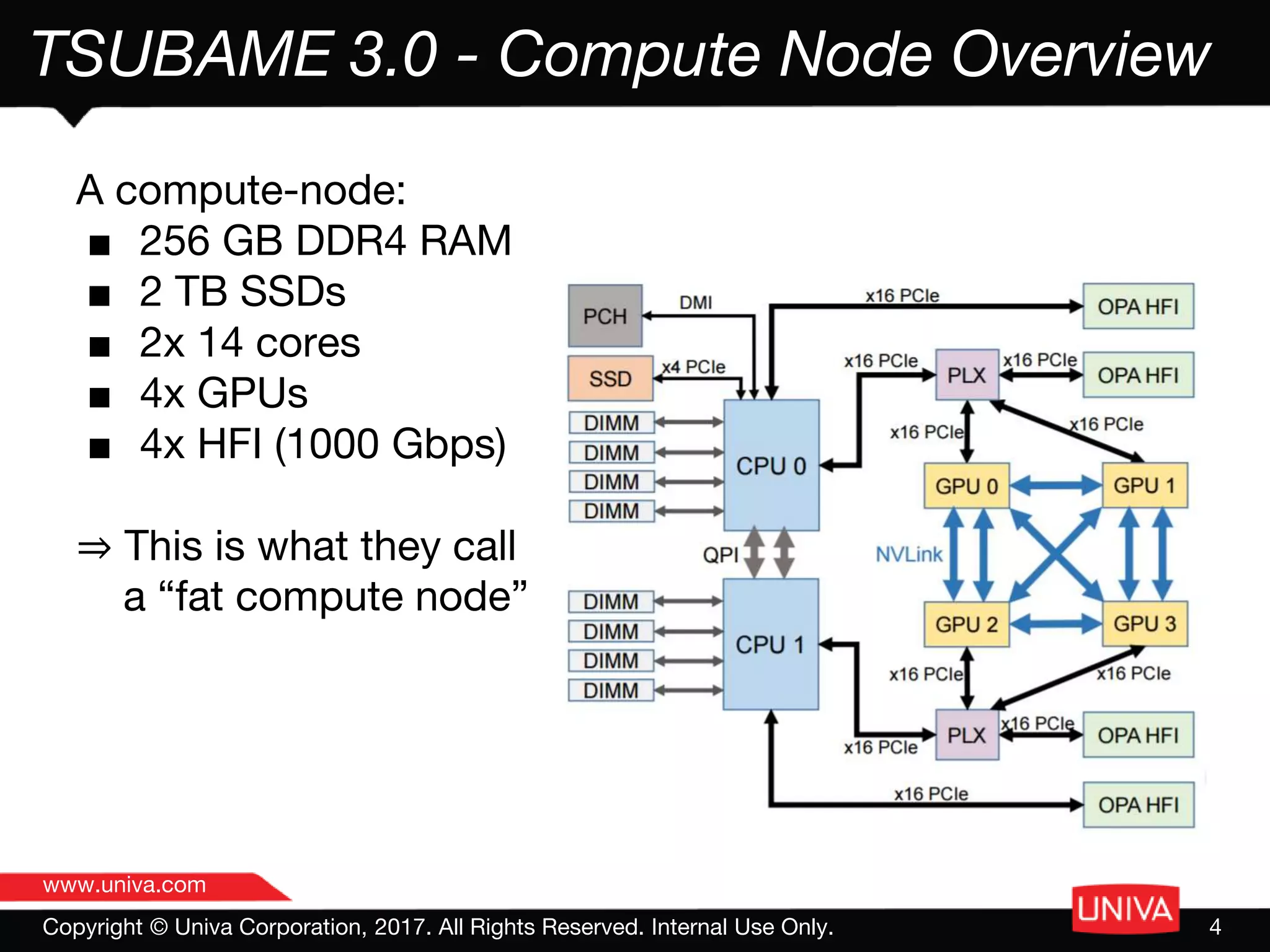
TSUBAME 3.0 - Compute Node Overview
A compute-node:
■ 256 GB DDR4 RAM
■ 2 TB SSDs
■ 2x 14 cores
■ 4x GPUs
■ 4x HFI (1000 Gbps)
⇒ This is what they call
a “fat compute node”
www.univa.com
Copyright © Univa Corporation, 2017. All Rights Reserved. Internal Use Only. 5
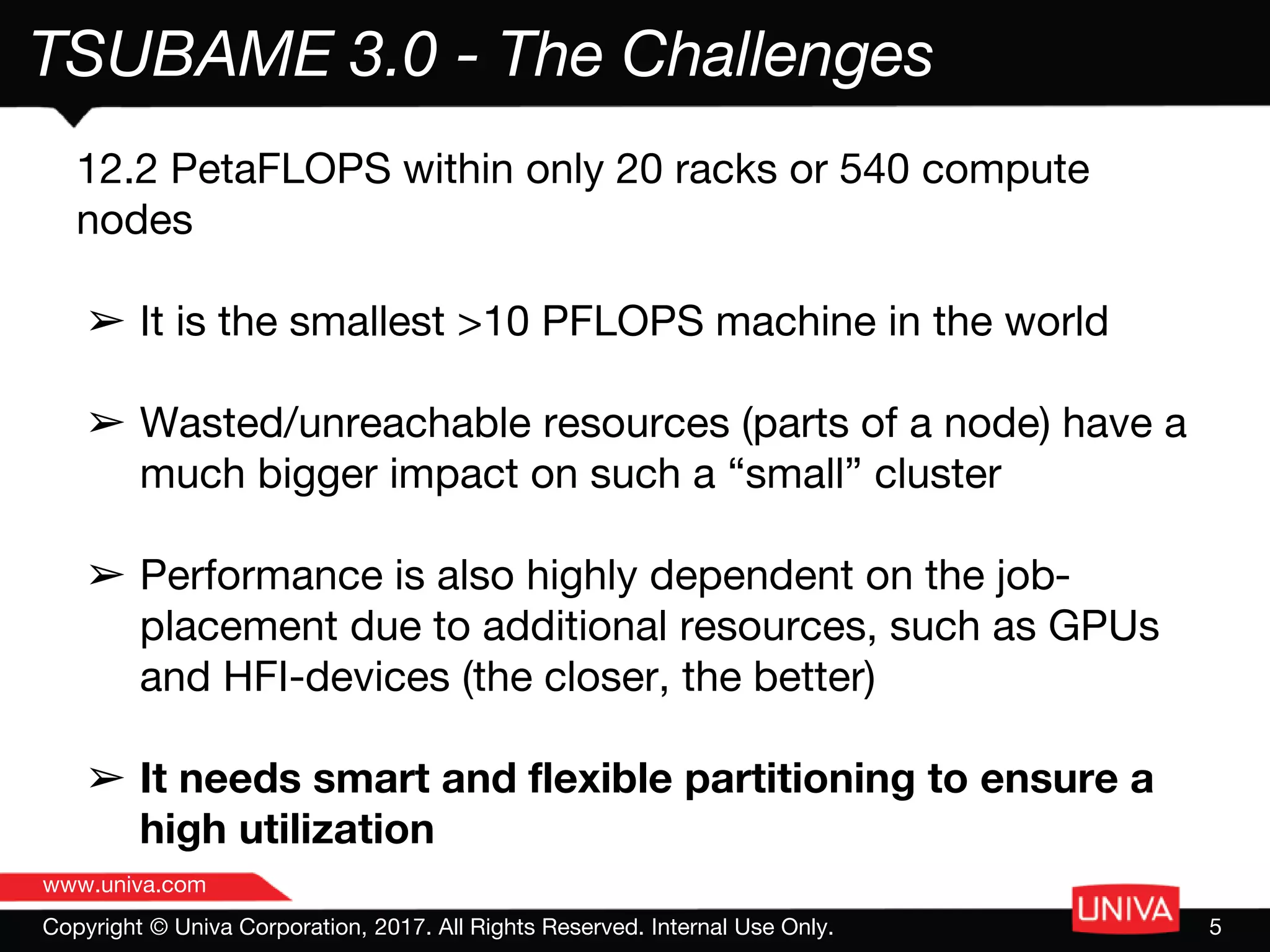
TSUBAME 3.0 - The Challenges
12.2 PetaFLOPS within only 20 racks or 540 compute
nodes
➢ It is the smallest >10 PFLOPS machine in the world
➢ Wasted/unreachable resources (parts of a node) have a
much bigger impact on such a “small” cluster
➢ Performance is also highly dependent on the job-
placement due to additional resources, such as GPUs
and HFI-devices (the closer, the better)
➢ It needs smart and flexible partitioning to ensure a
high utilization
www.univa.com
6
TSUBAME 3.0 - UGE Enhancements
▪ Core Bindings
▪ Enhanced PE support and strategies
▪ RSMAPS
▪ Enhanced PE support and chaining
▪ Docker
▪ Define unique but known container hostnames
▪ Configure Infiniband device in the container
▪ Map all job users into the container
▪ Provide execution host and Docker container hostnames to the job
www.univa.com
Copyright © Univa Corporation, 2017. All Rights Reserved. Internal Use Only. 7
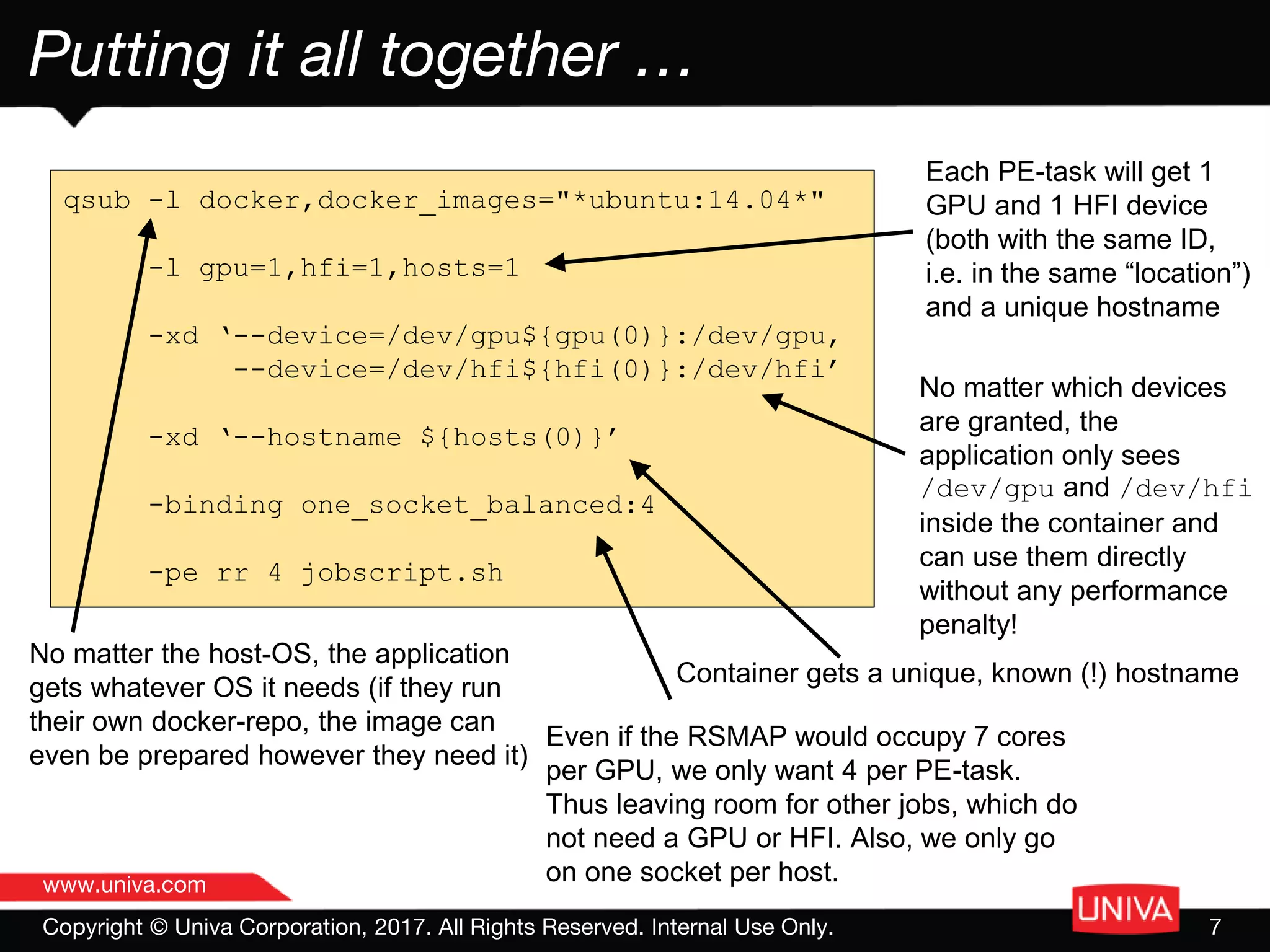
Putting it all together …
qsub -l docker,docker_images="*ubuntu:14.04*"
-l gpu=1,hfi=1,hosts=1
-xd ‘--device=/dev/gpu${gpu(0)}:/dev/gpu,
--device=/dev/hfi${hfi(0)}:/dev/hfi’
-xd ‘--hostname ${hosts(0)}’
-binding one_socket_balanced:4
-pe rr 4 jobscript.sh
No matter the host-OS, the application
gets whatever OS it needs (if they run
their own docker-repo, the image can
even be prepared however they need it)
Each PE-task will get 1
GPU and 1 HFI device
(both with the same ID,
i.e. in the same “location”)
and a unique hostname
No matter which devices
are granted, the
application only sees
/dev/gpu and /dev/hfi
inside the container and
can use them directly
without any performance
penalty!
Even if the RSMAP would occupy 7 cores
per GPU, we only want 4 per PE-task.
Thus leaving room for other jobs, which do
not need a GPU or HFI. Also, we only go
on one socket per host.
Container gets a unique, known (!) hostname
www.univa.com
8

Managing Containerized HPC and AI Workloads on TSUBAME3.0

  • 1.
    www.univa.com www.univa.com Ian Lumb Solutions Architect SUSE,Booth #1681 SC17, Denver, CO Managing Containerized HPC and AI Workloads on TSUBAME3.0
  • 2.
  • 3.
  • 4.
    www.univa.com Copyright © UnivaCorporation, 2017. All Rights Reserved. Internal Use Only. 4 TSUBAME 3.0 - Compute Node Overview A compute-node: ■ 256 GB DDR4 RAM ■ 2 TB SSDs ■ 2x 14 cores ■ 4x GPUs ■ 4x HFI (1000 Gbps) ⇒ This is what they call a “fat compute node”
  • 5.
    www.univa.com Copyright © UnivaCorporation, 2017. All Rights Reserved. Internal Use Only. 5 TSUBAME 3.0 - The Challenges 12.2 PetaFLOPS within only 20 racks or 540 compute nodes ➢ It is the smallest >10 PFLOPS machine in the world ➢ Wasted/unreachable resources (parts of a node) have a much bigger impact on such a “small” cluster ➢ Performance is also highly dependent on the job- placement due to additional resources, such as GPUs and HFI-devices (the closer, the better) ➢ It needs smart and flexible partitioning to ensure a high utilization
  • 6.
    www.univa.com 6 TSUBAME 3.0 -UGE Enhancements ▪ Core Bindings ▪ Enhanced PE support and strategies ▪ RSMAPS ▪ Enhanced PE support and chaining ▪ Docker ▪ Define unique but known container hostnames ▪ Configure Infiniband device in the container ▪ Map all job users into the container ▪ Provide execution host and Docker container hostnames to the job
  • 7.
    www.univa.com Copyright © UnivaCorporation, 2017. All Rights Reserved. Internal Use Only. 7 Putting it all together … qsub -l docker,docker_images="*ubuntu:14.04*" -l gpu=1,hfi=1,hosts=1 -xd ‘--device=/dev/gpu${gpu(0)}:/dev/gpu, --device=/dev/hfi${hfi(0)}:/dev/hfi’ -xd ‘--hostname ${hosts(0)}’ -binding one_socket_balanced:4 -pe rr 4 jobscript.sh No matter the host-OS, the application gets whatever OS it needs (if they run their own docker-repo, the image can even be prepared however they need it) Each PE-task will get 1 GPU and 1 HFI device (both with the same ID, i.e. in the same “location”) and a unique hostname No matter which devices are granted, the application only sees /dev/gpu and /dev/hfi inside the container and can use them directly without any performance penalty! Even if the RSMAP would occupy 7 cores per GPU, we only want 4 per PE-task. Thus leaving room for other jobs, which do not need a GPU or HFI. Also, we only go on one socket per host. Container gets a unique, known (!) hostname
  • 8.