Hydra
Chris Birchall
2014/2/17
M3 Tech Talk #m3dev
What is it?
https://github.com/addthis/hydra
● Hadoop-style distrib processing
framework, optimised for trees
● The Big Idea:
data processing = building and navigating
tree data structures
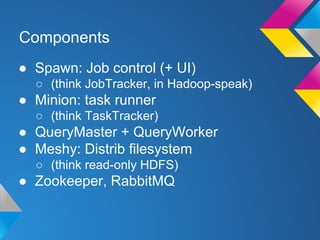
Components
● Spawn: Job control (+ UI)
○ (think JobTracker, in Hadoop-speak)

● Minion: task runner
○ (think TaskTracker)

● QueryMaster + QueryWorker
● Meshy: Distrib filesystem
○ (think read-only HDFS)

● Zookeeper, RabbitMQ
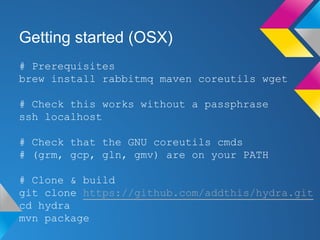
Getting started (OSX)
# Prerequisites
brew install rabbitmq maven coreutils wget
# Check this works without a passphrase
ssh localhost
# Check that the GNU coreutils cmds
# (grm, gcp, gln, gmv) are on your PATH
# Clone & build
git clone https://github.com/addthis/hydra.git
cd hydra
mvn package
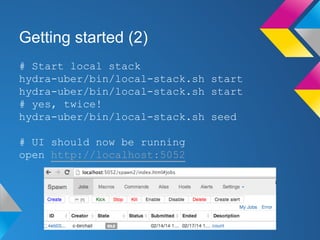
Getting started (2)
# Start local stack
hydra-uber/bin/local-stack.sh start
# yes, twice!
hydra-uber/bin/local-stack.sh seed
# UI should now be running
open http://localhost:5052
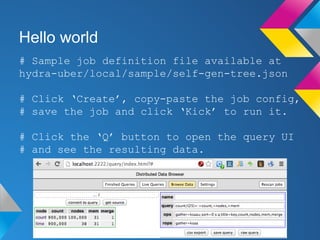
Hello world
# Sample job definition file available at
hydra-uber/local/sample/self-gen-tree.json
# Click ‘Create’, copy-paste the job config,
# save the job and click ‘Kick’ to run it.
# Click the ‘Q’ button to open the query UI
# and see the resulting data.
Analysing text files
# Tips:
## “files” source is broken. Use “mesh2”.
## Docs are out of date. Read the source
code!
# Mesh filesystem root is here:
hydra-local/streams/
# Here’s an example job config I used to
parse some TSV-formatted Apache logs
https://gist.github.com/cb372/9046464
Conclusions
● If you have Small Data,
use grep, awk, sort, uniq
● If you have Big Data,
use Hadoop
● If you really like trees,
use Hydra ;)

Hydra

  • 1.
  • 2.
    What is it? https://github.com/addthis/hydra ●Hadoop-style distrib processing framework, optimised for trees ● The Big Idea: data processing = building and navigating tree data structures
  • 3.
    Components ● Spawn: Jobcontrol (+ UI) ○ (think JobTracker, in Hadoop-speak) ● Minion: task runner ○ (think TaskTracker) ● QueryMaster + QueryWorker ● Meshy: Distrib filesystem ○ (think read-only HDFS) ● Zookeeper, RabbitMQ
  • 4.
    Getting started (OSX) #Prerequisites brew install rabbitmq maven coreutils wget # Check this works without a passphrase ssh localhost # Check that the GNU coreutils cmds # (grm, gcp, gln, gmv) are on your PATH # Clone & build git clone https://github.com/addthis/hydra.git cd hydra mvn package
  • 5.
    Getting started (2) #Start local stack hydra-uber/bin/local-stack.sh start hydra-uber/bin/local-stack.sh start # yes, twice! hydra-uber/bin/local-stack.sh seed # UI should now be running open http://localhost:5052
  • 6.
    Hello world # Samplejob definition file available at hydra-uber/local/sample/self-gen-tree.json # Click ‘Create’, copy-paste the job config, # save the job and click ‘Kick’ to run it. # Click the ‘Q’ button to open the query UI # and see the resulting data.
  • 7.
    Analysing text files #Tips: ## “files” source is broken. Use “mesh2”. ## Docs are out of date. Read the source code! # Mesh filesystem root is here: hydra-local/streams/ # Here’s an example job config I used to parse some TSV-formatted Apache logs https://gist.github.com/cb372/9046464
  • 8.
    Conclusions ● If youhave Small Data, use grep, awk, sort, uniq ● If you have Big Data, use Hadoop ● If you really like trees, use Hydra ;)