


1. A lot of eLearning courses use passive
information presentation (just a course
with a dump of text about a particular
subject with a few short exercises in it.)
2. Many eLearning courses look at lot like
the stereo-typical PowerPoint slide. They
don’t always come with a dashing,
stylized or a very user friendly design.
You need to create a
design that’s visually
inviting as possible.
Seek opportunities
where you can
include visuals.
eLearning needs to have visual
appeal, or it risks getting ignored
You have just a few seconds
to try and impress your
learner, so you better have
an attractive course that’s
visually appealing. The
visuals of a course will shape
the users’ impressions and
attitudes when approaching
it, and if the course looks
cheap, outdated, or
unprofessional, learners
won’t trust the quality of the
content.
If you feel lost when it comes to
the visual design of eLearning courses,
why not take a thematic
approach? Theme-based courses
make your content stand out. The
concept, color palette, fonts, design
elements and images you use
contribute to your course theme.
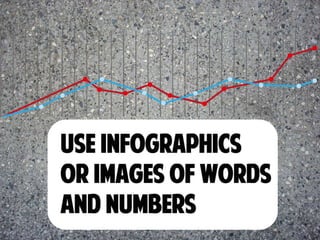
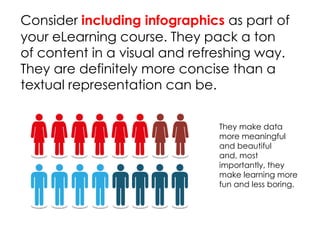
Consider including infographics as part of
your eLearning course. They pack a ton
of content in a visual and refreshing way.
They are definitely more concise than a
textual representation can be.
They make data
more meaningful
and beautiful
and, most
importantly, they
make learning more
fun and less boring.
Pictures are nice but moving images
are nicer. They can be a great visual
way to support your information, and
there are several circumstances that
lend themselves to this type of
visualization:
Need to explain how to
do something
technical? Avoid a text
explanation, and
instead consider
creating a how-to video
Want learners to hear
from multiple
perspectives? Include
an interview.
Want to demonstrate
how a product works?
Make it more
compelling with video!
eLearning courses that lack or include
very few and irrelevant visual elements
are extremely uninviting to the eye. At
the very least, include some kind of
relevant and engaging photo or
image on every screen of your course.
Please, just pick something that looks
high quality and professional
The usual menu is a text-only list or set of
topics. While there’s nothing wrong with
this approach, you can improve your
menu to benefit students by using visuals.
Click here for some ideas:
http://buff.ly/ZfveQE
Learners don't want to read a course
that's full of dense text, and nothing
else to break it up, right?
Add some bullet points, some
numbers, some bold headers, and
some images to make your content
look much more attractive.
What other ways can
you make your
courses more visually
stimulating?
Learn more about SHIFT here.
www.shiftelearning.com

Make your elearning more visual

  • 3.
    1. A lotof eLearning courses use passive information presentation (just a course with a dump of text about a particular subject with a few short exercises in it.) 2. Many eLearning courses look at lot like the stereo-typical PowerPoint slide. They don’t always come with a dashing, stylized or a very user friendly design.
  • 4.
    You need tocreate a design that’s visually inviting as possible. Seek opportunities where you can include visuals. eLearning needs to have visual appeal, or it risks getting ignored
  • 5.
    You have justa few seconds to try and impress your learner, so you better have an attractive course that’s visually appealing. The visuals of a course will shape the users’ impressions and attitudes when approaching it, and if the course looks cheap, outdated, or unprofessional, learners won’t trust the quality of the content.
  • 7.
    If you feellost when it comes to the visual design of eLearning courses, why not take a thematic approach? Theme-based courses make your content stand out. The concept, color palette, fonts, design elements and images you use contribute to your course theme.
  • 9.
    Consider including infographicsas part of your eLearning course. They pack a ton of content in a visual and refreshing way. They are definitely more concise than a textual representation can be. They make data more meaningful and beautiful and, most importantly, they make learning more fun and less boring.
  • 11.
    Pictures are nicebut moving images are nicer. They can be a great visual way to support your information, and there are several circumstances that lend themselves to this type of visualization: Need to explain how to do something technical? Avoid a text explanation, and instead consider creating a how-to video Want learners to hear from multiple perspectives? Include an interview. Want to demonstrate how a product works? Make it more compelling with video!
  • 13.
    eLearning courses thatlack or include very few and irrelevant visual elements are extremely uninviting to the eye. At the very least, include some kind of relevant and engaging photo or image on every screen of your course. Please, just pick something that looks high quality and professional
  • 15.
    The usual menuis a text-only list or set of topics. While there’s nothing wrong with this approach, you can improve your menu to benefit students by using visuals. Click here for some ideas: http://buff.ly/ZfveQE
  • 17.
    Learners don't wantto read a course that's full of dense text, and nothing else to break it up, right? Add some bullet points, some numbers, some bold headers, and some images to make your content look much more attractive.
  • 18.
    What other wayscan you make your courses more visually stimulating?
  • 19.
    Learn more aboutSHIFT here. www.shiftelearning.com