Learning @ Home
‘Making more of the on-line resources’
Reading Eggs
Reading Eggspress
Mathletics
Ultranet
Class Pages and Sub Pages
Blogs
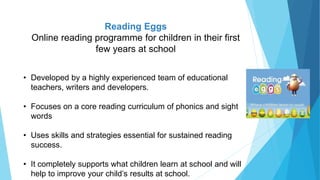
Reading Eggs
Online reading programme for children in their first
few years at school
• Developed by a highly experienced team of educational
teachers, writers and developers.
• Focuses on a core reading curriculum of phonics and sight
words
• Uses skills and strategies essential for sustained reading
success.
• It completely supports what children learn at school and will
help to improve your child’s results at school.
Reading Eggs
What are children learning in the programme?
• letter sound relationships, to recognise sight words
• Developing phonological awareness (syllables, blends, word endings)
• Developing key Spelling, Grammar and Vocabulary skills-
proof reading, compound words, plurals, homophones
(homonyms), meanings, speed and some spelling rules.
Overview
Reading Eggs is an online reading programme that makes learning essential
reading skills a fun and motivating experience.
Placement test- Ensures children are working at a level that matches
their reading ability
4
Reward component of programmes
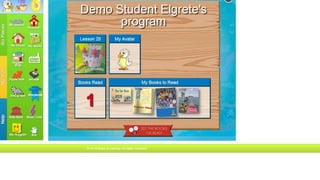
• Children create avatars/online characters.
• When a learning activity is completed children are rewarded with golden
eggs for their Egg Bank. These are used to pretend ‘buy’ fun and
educational games at the Arcade.
• My critters - earn a new reading critter at the end of every lesson.
• My awards - students receive a certificate for completing the quiz at the
end of each map.
Roshan 5
How can parents help/what is the role of the parent?
• The Map- make sure that your child knows their way around the map
• Task purpose- share purpose of the task with your child
• Monitor tasks - set tasks before allowing children to change
Avatar/Shopping/Playing games- use these for rewards
How do parents get help with programme or technical aspects?
Click parent link / Contact us: website
Roshan 6
Reading Eggspress
 aims to improve spelling skills and build reading
comprehension for 7–13 year olds
 is packed full of hundreds of great online activities, books,
and games
 activities motivate students to return regularly to complete
lessons, compete against others, earn rewards and
improve their skills
Main Components
Learning Areas
 The Library
 Comprehension Gym
 The Stadium
Reward Areas
 Mall
 Apartment
The ‘Library’
 more than 1600 fiction books for children between
5-12years
 factual e-books, including illustrated chapter books, full
colour non fiction books and a range of classics.
 Books match a child’s reading ability
 Children can select books of interest to them
 Shorter, easier books include a 5-or 10-question quiz
 Chapter books have a 6-question quiz at end of each
chapter.
Rewards
 Completing chapter quizzes earns students Golden Eggs.
 Trading Cards are awarded when chapters are completed-
this shows comprehension of the story has been achieved.
‘Comprehension Gym’
 200 comprehension lessons over 5 levels
Each lesson set
 has interactive comprehension lessons
 pre-reading activities that build comprehension strategies
 a 16-question comprehension quiz at the end
 Students can work through lessons in any order.
 Once all lessons completed they move to the next set.
 Lessons help children to think about and understand what
they read- the most important aspect
The Stadium
• Spelling
• Grammar
• Vocabulary
 Mathletics is NZ’s leading online resource for Maths.
 Mathletics can be accessed at both home and school
 Teachers set levels to individualise learning & target learning to your
child’s needs.
 Mathletics fits well with our digital vision for online learning at home and
school.
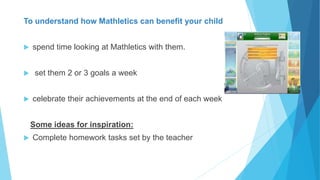
To understand how Mathletics can benefit your child
 spend time looking at Mathletics with them.
 set them 2 or 3 goals a week
 celebrate their achievements at the end of each week
Some ideas for inspiration:
 Complete homework tasks set by the teacher
 Work on activities yet to be mastered.
 Complete each activity at least 3 times or until mastery is achieved.
Different questions will be asked each time an activity is repeated.
 “Go for Gold” with each activity and turn blank, red or blue bars gold.
 Earn a participation Certificate every week by
gaining 1000 points or more from Monday
morning until Sunday night.
 Use the Support Centre to view examples
 Improve speed and accuracy when recalling basic facts by
attempting all levels of Live Mathletics that are available.
(10 minutes at the beginning or end of each session on
Mathletics is all it takes.)
Widen your child’s bank of strategies and help them gain more mathematical
knowledge by:
 Look up words in the Concept Search.
You can minimise this window to come back to it if you get stuck on a word or concept when
completing activities or tasks.
 Complete some of the Problem Solving or New Activities
questions.
Technical Support
 You will need Adobe Flash Player v.11.6.x.x or later for Mathletics to
work on your computer.
 If you have any questions you can email
customerservice@3plearning.co.nz or phone 0800 375 327.
Parent Access
 Free parent access-you can view your child’s progress and
certificates.
 Visit www.mathletics.co.nz/parent
 Fill in the required fields and submit
 Record your new username and password
Ultranet - Class pages
Overview
 Class page includes students learning for the week.
 Teachers add links, activities and learning games.
What are children learning in the programme?
 Reflect on their learning in class.
 Sharing their learning with family at home.
 Activities/links based on their needs and relevant
learning in class.
How should students use the programme?
 Share it with friends and family at home.
 Log in and discuss on the weekend.
 Use links to help further learning.
How can parents help/ what is the role of the parent?
 Discuss child’s learning with them – What have you been
learning in class?
 Extend learning by discussing/researching topics further.
How can parents get help with issues?
 Ask teacher if there are any issues logging in. Darniel
Accessing Photo Galleries
 ‘Media Galleries’ have photos of class and school events
 Click on the ‘Album’ to open
 Click on the image you want to see
 You can save an image for printing
eg right click and save in your ‘Pictures’
Darniel
Ultranet – Sub Pages
Sub pages are created to help us easily navigate to a
particular area of the curriculum.
For example
Numeracy Literacy Learning at home
Fractions Narrative Circles
Fraction games Examples Expectations
Roshan 22
What are they?
Sub pages are pages within pages, created to help us easily navigate
to a particular area of the curriculum.
What is the purpose?
To provide extra opportunities and resources in a particular
curriculum area. Students’ are able to explore a range of online
resources to help Practise particular skills.
Subpages can be found on the class page. Each class has
different Sub pages, however you will generally find:
• Numeracy
• Literacy
• Te Reo Maori
• Learning at home
• SPICE
Roshan 24

Learning @ Home-Online Spaces

  • 1.
    Learning @ Home ‘Makingmore of the on-line resources’ Reading Eggs Reading Eggspress Mathletics Ultranet Class Pages and Sub Pages Blogs
  • 2.
    Reading Eggs Online readingprogramme for children in their first few years at school • Developed by a highly experienced team of educational teachers, writers and developers. • Focuses on a core reading curriculum of phonics and sight words • Uses skills and strategies essential for sustained reading success. • It completely supports what children learn at school and will help to improve your child’s results at school.
  • 3.
    Reading Eggs What arechildren learning in the programme? • letter sound relationships, to recognise sight words • Developing phonological awareness (syllables, blends, word endings) • Developing key Spelling, Grammar and Vocabulary skills- proof reading, compound words, plurals, homophones (homonyms), meanings, speed and some spelling rules.
  • 4.
    Overview Reading Eggs isan online reading programme that makes learning essential reading skills a fun and motivating experience. Placement test- Ensures children are working at a level that matches their reading ability 4
  • 5.
    Reward component ofprogrammes • Children create avatars/online characters. • When a learning activity is completed children are rewarded with golden eggs for their Egg Bank. These are used to pretend ‘buy’ fun and educational games at the Arcade. • My critters - earn a new reading critter at the end of every lesson. • My awards - students receive a certificate for completing the quiz at the end of each map. Roshan 5
  • 6.
    How can parentshelp/what is the role of the parent? • The Map- make sure that your child knows their way around the map • Task purpose- share purpose of the task with your child • Monitor tasks - set tasks before allowing children to change Avatar/Shopping/Playing games- use these for rewards How do parents get help with programme or technical aspects? Click parent link / Contact us: website Roshan 6
  • 7.
    Reading Eggspress  aimsto improve spelling skills and build reading comprehension for 7–13 year olds  is packed full of hundreds of great online activities, books, and games  activities motivate students to return regularly to complete lessons, compete against others, earn rewards and improve their skills
  • 8.
    Main Components Learning Areas The Library  Comprehension Gym  The Stadium Reward Areas  Mall  Apartment
  • 9.
    The ‘Library’  morethan 1600 fiction books for children between 5-12years  factual e-books, including illustrated chapter books, full colour non fiction books and a range of classics.  Books match a child’s reading ability  Children can select books of interest to them
  • 10.
     Shorter, easierbooks include a 5-or 10-question quiz  Chapter books have a 6-question quiz at end of each chapter. Rewards  Completing chapter quizzes earns students Golden Eggs.  Trading Cards are awarded when chapters are completed- this shows comprehension of the story has been achieved.
  • 11.
    ‘Comprehension Gym’  200comprehension lessons over 5 levels Each lesson set  has interactive comprehension lessons  pre-reading activities that build comprehension strategies  a 16-question comprehension quiz at the end  Students can work through lessons in any order.  Once all lessons completed they move to the next set.  Lessons help children to think about and understand what they read- the most important aspect
  • 12.
    The Stadium • Spelling •Grammar • Vocabulary
  • 13.
     Mathletics isNZ’s leading online resource for Maths.  Mathletics can be accessed at both home and school  Teachers set levels to individualise learning & target learning to your child’s needs.  Mathletics fits well with our digital vision for online learning at home and school.
  • 14.
    To understand howMathletics can benefit your child  spend time looking at Mathletics with them.  set them 2 or 3 goals a week  celebrate their achievements at the end of each week Some ideas for inspiration:  Complete homework tasks set by the teacher
  • 15.
     Work onactivities yet to be mastered.  Complete each activity at least 3 times or until mastery is achieved. Different questions will be asked each time an activity is repeated.  “Go for Gold” with each activity and turn blank, red or blue bars gold.  Earn a participation Certificate every week by gaining 1000 points or more from Monday morning until Sunday night.
  • 16.
     Use theSupport Centre to view examples  Improve speed and accuracy when recalling basic facts by attempting all levels of Live Mathletics that are available. (10 minutes at the beginning or end of each session on Mathletics is all it takes.)
  • 17.
    Widen your child’sbank of strategies and help them gain more mathematical knowledge by:  Look up words in the Concept Search. You can minimise this window to come back to it if you get stuck on a word or concept when completing activities or tasks.  Complete some of the Problem Solving or New Activities questions.
  • 18.
    Technical Support  Youwill need Adobe Flash Player v.11.6.x.x or later for Mathletics to work on your computer.  If you have any questions you can email customerservice@3plearning.co.nz or phone 0800 375 327. Parent Access  Free parent access-you can view your child’s progress and certificates.  Visit www.mathletics.co.nz/parent  Fill in the required fields and submit  Record your new username and password
  • 19.
    Ultranet - Classpages Overview  Class page includes students learning for the week.  Teachers add links, activities and learning games. What are children learning in the programme?  Reflect on their learning in class.  Sharing their learning with family at home.  Activities/links based on their needs and relevant learning in class.
  • 20.
    How should studentsuse the programme?  Share it with friends and family at home.  Log in and discuss on the weekend.  Use links to help further learning. How can parents help/ what is the role of the parent?  Discuss child’s learning with them – What have you been learning in class?  Extend learning by discussing/researching topics further. How can parents get help with issues?  Ask teacher if there are any issues logging in. Darniel
  • 21.
    Accessing Photo Galleries ‘Media Galleries’ have photos of class and school events  Click on the ‘Album’ to open  Click on the image you want to see  You can save an image for printing eg right click and save in your ‘Pictures’ Darniel
  • 22.
    Ultranet – SubPages Sub pages are created to help us easily navigate to a particular area of the curriculum. For example Numeracy Literacy Learning at home Fractions Narrative Circles Fraction games Examples Expectations Roshan 22
  • 23.
    What are they? Subpages are pages within pages, created to help us easily navigate to a particular area of the curriculum. What is the purpose? To provide extra opportunities and resources in a particular curriculum area. Students’ are able to explore a range of online resources to help Practise particular skills.
  • 24.
    Subpages can befound on the class page. Each class has different Sub pages, however you will generally find: • Numeracy • Literacy • Te Reo Maori • Learning at home • SPICE Roshan 24