ATD TechKnowledge FR100
Run a Successful E-Learning Program
with (Almost) No Money
Katrina Baker, Resources of Fun Learning
www.ROFL411.com
© 2016 Resources of Fun Learning
CONTRIBUTE your ideas and be featured in
the NEW BOOK being released at ATD ICE!
© 2016 Resources of Fun Learning
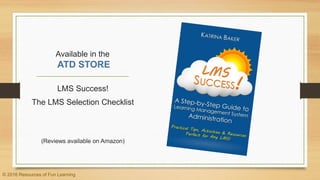
Available in the
ATD STORE
LMS Success!
The LMS Selection Checklist
(Reviews available on Amazon)
© 2016 Resources of Fun Learning
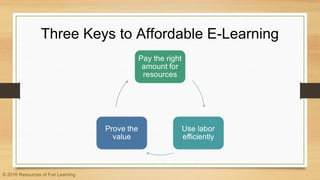
Three Keys to Affordable E-Learning
© 2016 Resources of Fun Learning
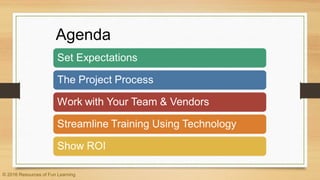
Agenda
© 2016 Resources of Fun Learning
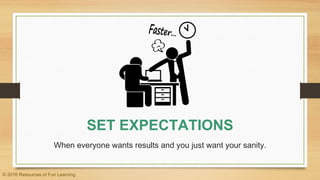
SET EXPECTATIONS
When everyone wants results and you just want your sanity.
© 2016 Resources of Fun Learning
Envision the Vision
• Who will the project or program serve?
• Set expectations for stakeholders
• Match the time and effort to the
size of the audience
© 2016 Resources of Fun Learning
Match the Strategy to the Project
• Use virtual classes to respond to urgent
training requests
• Don’t create a course if a PDF will do
• Consider using blended or long-form courses
© 2016 Resources of Fun Learning
YOUR PROJECT PROCESS
Is your process cramping your e-learning style?
© 2016 Resources of Fun Learning
See the Future
• Solicit and anticipate future projects
• Use surveys to determine training needs
• Create a course development process
• Modify the process for different project scopes
© 2016 Resources of Fun Learning
Consistency is Key
• Keep software and tools consistent
across projects
• Use common file formats
• Organize editable files and mark versions
• Release a standard set of templates and
elements
© 2016 Resources of Fun Learning
Trust Your Developers
• Create and communicate a project review
process
• Limit the cooks in the kitchen
• Encourage developers to try new things
and think for themselves
• Don’t expect immediate perfection
© 2016 Resources of Fun Learning
WORK WITH YOUR TEAM & VENDORS
Because synergy is a beautiful thing.
© 2016 Resources of Fun Learning
Third-Party Developers
• Sometimes the expert is worth
the extra $$$
• Be able to explain your vision
of the finished product
• Know how much you can
afford
• Get everything in writing
© 2016 Resources of Fun Learning
What You Don’t Ask, May Haunt You
• Does the project require frequent updates?
• Is the vendor in another country?
• Consider buying ready-made compliance
courses
• Ask about volume discounts
• Weigh the cost of templates vs. full courses
© 2016 Resources of Fun Learning
All Teams Can Create Training
• Pull in developers and SMEs from all
teams
• Departments can alternate releasing new
content related to their areas of expertise
• Create a way to share project workflows
© 2016 Resources of Fun Learning
Encourage Content Creation
• Use a “pay it forward” training technique for new
developers
• Have new developers lay the groundwork for complex
projects
• When buying software, be sure your computers meet
the minimum requirements. Test with a trial copy
• If course translations are regularly needed, get
someone certified in-house
© 2016 Resources of Fun Learning
STREAMLINE TRAINING
USING TECHNOLOGY
But don’t streamline it too much.
© 2016 Resources of Fun Learning
Using Webinars Wisely
• Train a few virtual instructors , then use a
buddy system to train additional instructors
• Track webinar attendance using your LMS
• Upload webinar recordings to the LMS as
training resources
• Have all departments generate webinar
topics and run past the training manager
© 2016 Resources of Fun Learning
Be Trendy with Your Tech
• BYOD (Bring Your Own Device) reduces
the need for corporate devices
• Mobile learning expands the reach of online
training
• Use gamification to drive interest in
learning initiatives
© 2016 Resources of Fun Learning
Sneaky Ways to Harness Technology
• Create IT video tutorials
• Use desktop wallpapers and emails to
promote classes
• Make some training initiatives mandatory
so employees are motivated to participate
© 2016 Resources of Fun Learning
Incorporating the LMS
• Keep a company- or region-wide calendar of
upcoming ILT and virtual classes
• Market ILT and virtual classes by email and
have employees register through the LMS
• Embed training materials on internal web sites
• Make sign-in sheets, handouts, assessments
and surveys available electronically through the
LMS
© 2016 Resources of Fun Learning
SHOW ROI
Announcing your results is half the battle.
© 2016 Resources of Fun Learning
SHOW ROI
• Collect post-course feedback from learners
• Accurate data starts with an all-inclusive
training data policy
• Two elements to successfully tracking ROI:
• Track the data that will accurately measure the
results you are trying to achieve
• Track consistently and completely
© 2016 Resources of Fun Learning
Thank you for chatting!
Katrina can be contacted at katrina.baker@yahoo.com,
on LinkedIn, or on Twitter at @ROFL411.

Keep E-Learning Affordable for Your Corporate Training Program

  • 1.
    ATD TechKnowledge FR100 Runa Successful E-Learning Program with (Almost) No Money Katrina Baker, Resources of Fun Learning www.ROFL411.com © 2016 Resources of Fun Learning
  • 2.
    CONTRIBUTE your ideasand be featured in the NEW BOOK being released at ATD ICE! © 2016 Resources of Fun Learning
  • 3.
    Available in the ATDSTORE LMS Success! The LMS Selection Checklist (Reviews available on Amazon) © 2016 Resources of Fun Learning
  • 4.
    Three Keys toAffordable E-Learning © 2016 Resources of Fun Learning
  • 5.
    Agenda © 2016 Resourcesof Fun Learning
  • 6.
    SET EXPECTATIONS When everyonewants results and you just want your sanity. © 2016 Resources of Fun Learning
  • 7.
    Envision the Vision •Who will the project or program serve? • Set expectations for stakeholders • Match the time and effort to the size of the audience © 2016 Resources of Fun Learning
  • 8.
    Match the Strategyto the Project • Use virtual classes to respond to urgent training requests • Don’t create a course if a PDF will do • Consider using blended or long-form courses © 2016 Resources of Fun Learning
  • 9.
    YOUR PROJECT PROCESS Isyour process cramping your e-learning style? © 2016 Resources of Fun Learning
  • 10.
    See the Future •Solicit and anticipate future projects • Use surveys to determine training needs • Create a course development process • Modify the process for different project scopes © 2016 Resources of Fun Learning
  • 11.
    Consistency is Key •Keep software and tools consistent across projects • Use common file formats • Organize editable files and mark versions • Release a standard set of templates and elements © 2016 Resources of Fun Learning
  • 12.
    Trust Your Developers •Create and communicate a project review process • Limit the cooks in the kitchen • Encourage developers to try new things and think for themselves • Don’t expect immediate perfection © 2016 Resources of Fun Learning
  • 13.
    WORK WITH YOURTEAM & VENDORS Because synergy is a beautiful thing. © 2016 Resources of Fun Learning
  • 14.
    Third-Party Developers • Sometimesthe expert is worth the extra $$$ • Be able to explain your vision of the finished product • Know how much you can afford • Get everything in writing © 2016 Resources of Fun Learning
  • 15.
    What You Don’tAsk, May Haunt You • Does the project require frequent updates? • Is the vendor in another country? • Consider buying ready-made compliance courses • Ask about volume discounts • Weigh the cost of templates vs. full courses © 2016 Resources of Fun Learning
  • 16.
    All Teams CanCreate Training • Pull in developers and SMEs from all teams • Departments can alternate releasing new content related to their areas of expertise • Create a way to share project workflows © 2016 Resources of Fun Learning
  • 17.
    Encourage Content Creation •Use a “pay it forward” training technique for new developers • Have new developers lay the groundwork for complex projects • When buying software, be sure your computers meet the minimum requirements. Test with a trial copy • If course translations are regularly needed, get someone certified in-house © 2016 Resources of Fun Learning
  • 18.
    STREAMLINE TRAINING USING TECHNOLOGY Butdon’t streamline it too much. © 2016 Resources of Fun Learning
  • 19.
    Using Webinars Wisely •Train a few virtual instructors , then use a buddy system to train additional instructors • Track webinar attendance using your LMS • Upload webinar recordings to the LMS as training resources • Have all departments generate webinar topics and run past the training manager © 2016 Resources of Fun Learning
  • 20.
    Be Trendy withYour Tech • BYOD (Bring Your Own Device) reduces the need for corporate devices • Mobile learning expands the reach of online training • Use gamification to drive interest in learning initiatives © 2016 Resources of Fun Learning
  • 21.
    Sneaky Ways toHarness Technology • Create IT video tutorials • Use desktop wallpapers and emails to promote classes • Make some training initiatives mandatory so employees are motivated to participate © 2016 Resources of Fun Learning
  • 22.
    Incorporating the LMS •Keep a company- or region-wide calendar of upcoming ILT and virtual classes • Market ILT and virtual classes by email and have employees register through the LMS • Embed training materials on internal web sites • Make sign-in sheets, handouts, assessments and surveys available electronically through the LMS © 2016 Resources of Fun Learning
  • 23.
    SHOW ROI Announcing yourresults is half the battle. © 2016 Resources of Fun Learning
  • 24.
    SHOW ROI • Collectpost-course feedback from learners • Accurate data starts with an all-inclusive training data policy • Two elements to successfully tracking ROI: • Track the data that will accurately measure the results you are trying to achieve • Track consistently and completely © 2016 Resources of Fun Learning
  • 25.
    Thank you forchatting! Katrina can be contacted at katrina.baker@yahoo.com, on LinkedIn, or on Twitter at @ROFL411.