 Localization is the process of customizing

your application for a given culture and
locale.


Globalization is the process of designing
and developing applications for multiple
cultures.








Languages depend upon the geographical
location.
For eg:fr is the code for French language.
fr-FR means French language in France.
So, fr specifies only the language whereas fr-FR
is the locale.
Similarly, fr-CA defines another locale implying
French language and culture in Canada.
If we use only fr, it implies a neutral culture (i.e.,
location neutral).
Culture & UICulture
•UICulture: gets/sets the user interface culture for the
currently executing thread.
•This property helps the runtime to load the resource
strings from a specific resource file (which we will see
later).
•This property can take neutral cultures as well as
locales. For example:
Thread.CurrentThread.CurrentUICulture = new
CultureInfo(“fr”);
Or,
Thread.CurrentThread.CurrentUICulture = new
CultureInfo(“fr-CA”);
• Culture: gets/sets the region specific culture
and formats of currency, dates etc.
•This needs language as well as location
(locale).

Thread.CurrentThread.CurrentCulture = new
CultureInfo(“fr-CA”); //correct as we have given
locale
Thread.CurrentThread.CurrentCulture = new
CultureInfo(“fr”); //wrong, will not work
Switching Locale
•Use the browser settings:
In IE, the user can change the culture by going
to
Internet Options->General->Languages.
For this to work, we need to set both the Culture and
the UICulture to auto and enableClientBasedCulture
= true as:
<GLOBALIZATION culture="auto" uiculture="auto"
enableClientBasedCulture="”true”" />
•User specified settings:
We can give an option for the user to
specify and change the culture and the language at
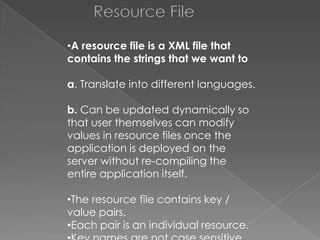
Resource File
•A resource file is a XML file that
contains the strings that we want to

a. Translate into different languages.
b. Can be updated dynamically so
that user themselves can modify
values in resource files once the
application is deployed on the
server without re-compiling the
entire application itself.
•The resource file contains key /
value pairs.
•Each pair is an individual resource.
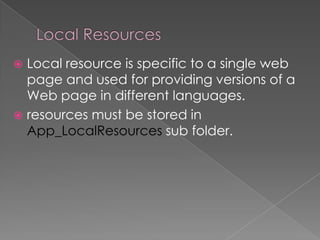
Local resource is specific to a single web
page and used for providing versions of a
Web page in different languages.
 resources must be stored in
App_LocalResources sub folder.

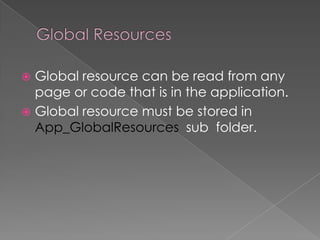
Global resource can be read from any
page or code that is in the application.
 Global resource must be stored in
App_GlobalResources sub folder.



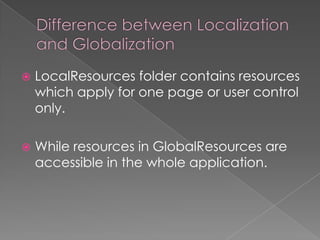
LocalResources folder contains resources
which apply for one page or user control
only.



While resources in GlobalResources are
accessible in the whole application.
 Design a fairly simple webpage with a few
label controls and a button control
 Tools

Generate Local Resource

This will create a corresponding
Default.aspx.resx resource file for your
webpage
in the App_LocalResources folder.
 Note: Controls removed from the page will still
show up in the resource file.
Make sure to clean the resource file if you have
•The attribute meta:resourcekey was added to
your controls.
•The attribute value corresponds to the resource
file control names
(e.g. meta:resourcekey="Label1Resource1"
corresponds to "Label1Resource1"
and all its properties in the Default.aspx.resx file).
<%@ Page Language="VB"
AutoEventWireup="false"
CodeFile="Default.aspx.vb" Inherits="_Default"
culture="es-MX"
meta:resourcekey="PageResource1"
uiculture="es" %>
Localization and globalization in c#

Localization and globalization in c#

  • 2.
     Localization isthe process of customizing your application for a given culture and locale.  Globalization is the process of designing and developing applications for multiple cultures.
  • 3.
          Languages depend uponthe geographical location. For eg:fr is the code for French language. fr-FR means French language in France. So, fr specifies only the language whereas fr-FR is the locale. Similarly, fr-CA defines another locale implying French language and culture in Canada. If we use only fr, it implies a neutral culture (i.e., location neutral).
  • 4.
    Culture & UICulture •UICulture:gets/sets the user interface culture for the currently executing thread. •This property helps the runtime to load the resource strings from a specific resource file (which we will see later). •This property can take neutral cultures as well as locales. For example: Thread.CurrentThread.CurrentUICulture = new CultureInfo(“fr”); Or, Thread.CurrentThread.CurrentUICulture = new CultureInfo(“fr-CA”);
  • 5.
    • Culture: gets/setsthe region specific culture and formats of currency, dates etc. •This needs language as well as location (locale). Thread.CurrentThread.CurrentCulture = new CultureInfo(“fr-CA”); //correct as we have given locale Thread.CurrentThread.CurrentCulture = new CultureInfo(“fr”); //wrong, will not work
  • 6.
    Switching Locale •Use thebrowser settings: In IE, the user can change the culture by going to Internet Options->General->Languages. For this to work, we need to set both the Culture and the UICulture to auto and enableClientBasedCulture = true as: <GLOBALIZATION culture="auto" uiculture="auto" enableClientBasedCulture="”true”" /> •User specified settings: We can give an option for the user to specify and change the culture and the language at
  • 7.
    Resource File •A resourcefile is a XML file that contains the strings that we want to a. Translate into different languages. b. Can be updated dynamically so that user themselves can modify values in resource files once the application is deployed on the server without re-compiling the entire application itself. •The resource file contains key / value pairs. •Each pair is an individual resource.
  • 8.
    Local resource isspecific to a single web page and used for providing versions of a Web page in different languages.  resources must be stored in App_LocalResources sub folder. 
  • 9.
    Global resource canbe read from any page or code that is in the application.  Global resource must be stored in App_GlobalResources sub folder. 
  • 10.
     LocalResources folder containsresources which apply for one page or user control only.  While resources in GlobalResources are accessible in the whole application.
  • 11.
     Design afairly simple webpage with a few label controls and a button control  Tools Generate Local Resource This will create a corresponding Default.aspx.resx resource file for your webpage in the App_LocalResources folder.  Note: Controls removed from the page will still show up in the resource file. Make sure to clean the resource file if you have
  • 12.
    •The attribute meta:resourcekeywas added to your controls. •The attribute value corresponds to the resource file control names (e.g. meta:resourcekey="Label1Resource1" corresponds to "Label1Resource1" and all its properties in the Default.aspx.resx file). <%@ Page Language="VB" AutoEventWireup="false" CodeFile="Default.aspx.vb" Inherits="_Default" culture="es-MX" meta:resourcekey="PageResource1" uiculture="es" %>