Live Streaming to Internal,
Remote and External
Locations
A PTZOptics Live Presentation
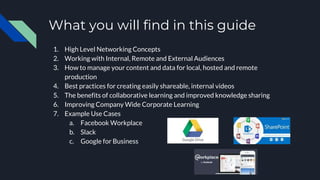
What you will find in this guide
1. High Level Networking Concepts
2. Working with Internal, Remote and External Audiences
3. How to manage your content and data for local, hosted and remote
production
4. Best practices for creating easily shareable, internal videos
5. The benefits of collaborative learning and improved knowledge sharing
6. Improving Company Wide Corporate Learning
7. Example Use Cases
a. Facebook Workplace
b. Slack
c. Google for Business
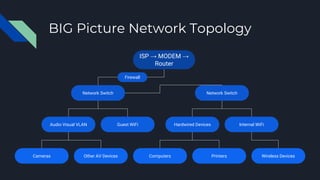
ISP → MODEM →
Router
Network SwitchNetwork Switch
Audio Visual VLAN Guest WiFi Hardwired Devices Internal WiFi
Cameras Other AV Devices Computers Printers Wireless Devices
BIG Picture Network Topology
Firewall
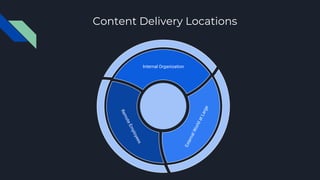
Content Delivery Locations
Internal Organization
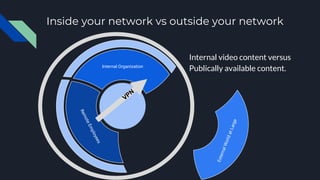
Inside your network vs outside your network
Internal Organization
Internal video content versus
Publically available content.
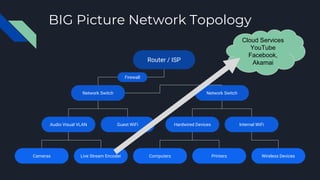
Router / ISP
Network SwitchNetwork Switch
Audio Visual VLAN Guest WiFi Hardwired Devices Internal WiFi
Cameras Live Stream Encoder Computers Printers Wireless Devices
BIG Picture Network Topology
Firewall
Cloud Services
YouTube
Facebook,
Akamai
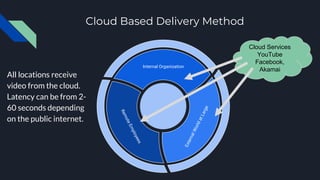
Cloud Based Delivery Method
Internal Organization
Cloud Services
YouTube
Facebook,
Akamai
All locations receive
video from the cloud.
Latency can be from 2-
60 seconds depending
on the public internet.
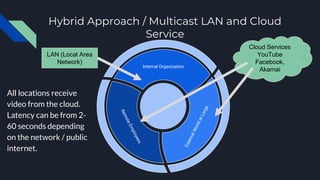
Hybrid Approach / Multicast LAN and Cloud
Service
Internal Organization
Cloud Services
YouTube
Facebook,
Akamai
All locations receive
video from the cloud.
Latency can be from 2-
60 seconds depending
on the network / public
internet.
LAN (Local Area
Network)
Creating a Plan
How often does your organization generate new
content or data via video?
It’s common for businesses to review data once a
week, month or once a quarter.
How can your message be presented in a way that
your organization can take action on?
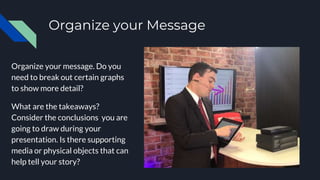
Organize your Message
Organize your message. Do you
need to break out certain graphs
to show more detail?
What are the takeaways?
Consider the conclusions you are
going to draw during your
presentation. Is there supporting
media or physical objects that can
help tell your story?
Create Video
Video Production
Studio
Data / Video
Organization
Content Delivery /
Collaboration /
Engagement
Organization on Shared
Internal Network
Share & Collaborate
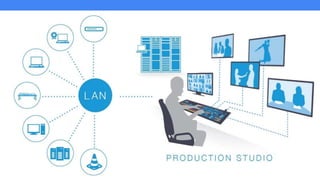
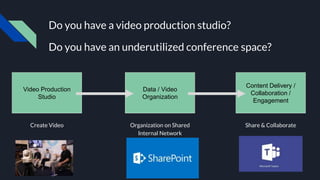
Do you have a video production studio?
Do you have an underutilized conference space?
Create Video
Video Production
Studio
Data / Video
Organization
Content Delivery /
Collaboration /
Engagement
Organization on Shared
Internal Network
Share & Collaborate
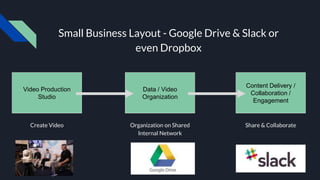
Small Business Layout - Google Drive & Slack or
even Dropbox
Media & Data Organization
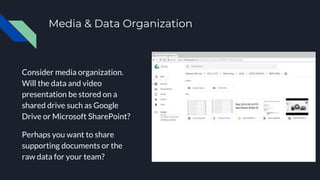
Consider media organization.
Will the data and video
presentation be stored on a
shared drive such as Google
Drive or Microsoft SharePoint?
Perhaps you want to share
supporting documents or the
raw data for your team?
Call your team to action
Consider collaboration & call
to action items that push the
conversation forward.
Do you want to prompt
collaboration on Slack?
Do you want to request
feedback via email?
Create a workflow
Create a template for easy
video reproduction. Where is
your content coming from? Do
you need an intro video? Are
there supporting video assets
to help display your message?
Download our video asset
jump start kit here.
Ideas for Successful Video Production
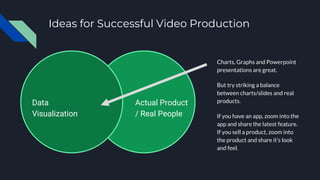
Charts, Graphs and Powerpoint
presentations are great.
But try striking a balance
between charts/slides and real
products.
If you have an app, zoom into the
app and share the latest feature.
If you sell a product, zoom into
the product and share it’s look
and feel.
Actual Product
/ Real People
Data
Visualization
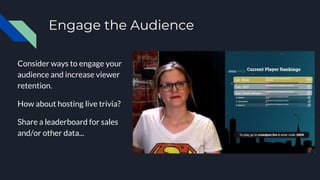
Engage the Audience
Consider ways to engage your
audience and increase viewer
retention.
How about hosting live trivia?
Share a leaderboard for sales
and/or other data...
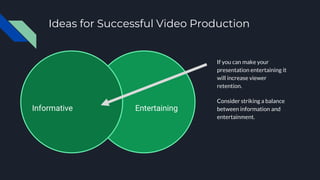
Ideas for Successful Video Production
If you can make your
presentation entertaining it
will increase viewer
retention.
Consider striking a balance
between information and
entertainment.
EntertainingInformative
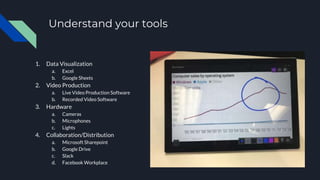
Understand your tools
1. Data Visualization
a. Excel
b. Google Sheets
2. Video Production
a. Live Video Production Software
b. Recorded Video Software
3. Hardware
a. Cameras
b. Microphones
c. Lights
4. Collaboration/Distribution
a. Microsoft Sharepoint
b. Google Drive
c. Slack
d. Facebook Workplace
Enhance Additional Benefits
1. Increase Transparency
2. Increase perceived access to CEO and/or other top executives
through video
3. Allows top executives to reach out to remote offices and remote
employees much more easily so they are now connected
4. Improving communication efficiency
5. Data organization benefits
6. Crowdsourcing of ideas
7. Community involvement
8. Immerses all levels and departments in company goals
Measuring the Pulse of your Business &
Results
Factual information can provide the basis for productive discussion and decision-making.
Once you have tracked your business data for a while you will be able to uncover patterns and
trends to predict the future.
Create a Scorecard. Reach the point where everyone in your organization has a number, a
meaningful, manageable measurable.
This will provide clear direction to your team and increase productivity.
Anything that is measured and watched is improved.
Bonus Tool!
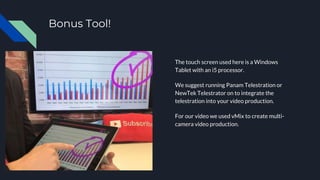
The touch screen used here is a Windows
Tablet with an i5 processor.
We suggest running Panam Telestration or
NewTek Telestrator on to integrate the
telestration into your video production.
For our video we used vMix to create multi-
camera video production.
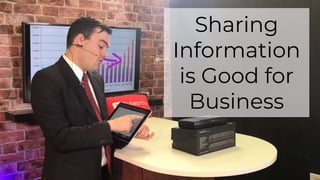
Sharing
Information
is Good for
Business
Interested in learning more?
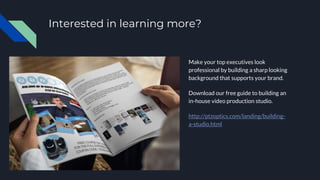
Make your top executives look
professional by building a sharp looking
background that supports your brand.
Download our free guide to building an
in-house video production studio.
http://ptzoptics.com/landing/building-
a-studio.html

Live streaming to internal, remote and external locations

  • 1.
    Live Streaming toInternal, Remote and External Locations A PTZOptics Live Presentation
  • 2.
    What you willfind in this guide 1. High Level Networking Concepts 2. Working with Internal, Remote and External Audiences 3. How to manage your content and data for local, hosted and remote production 4. Best practices for creating easily shareable, internal videos 5. The benefits of collaborative learning and improved knowledge sharing 6. Improving Company Wide Corporate Learning 7. Example Use Cases a. Facebook Workplace b. Slack c. Google for Business
  • 3.
    ISP → MODEM→ Router Network SwitchNetwork Switch Audio Visual VLAN Guest WiFi Hardwired Devices Internal WiFi Cameras Other AV Devices Computers Printers Wireless Devices BIG Picture Network Topology Firewall
  • 4.
  • 5.
    Inside your networkvs outside your network Internal Organization Internal video content versus Publically available content.
  • 6.
    Router / ISP NetworkSwitchNetwork Switch Audio Visual VLAN Guest WiFi Hardwired Devices Internal WiFi Cameras Live Stream Encoder Computers Printers Wireless Devices BIG Picture Network Topology Firewall Cloud Services YouTube Facebook, Akamai
  • 7.
    Cloud Based DeliveryMethod Internal Organization Cloud Services YouTube Facebook, Akamai All locations receive video from the cloud. Latency can be from 2- 60 seconds depending on the public internet.
  • 8.
    Hybrid Approach /Multicast LAN and Cloud Service Internal Organization Cloud Services YouTube Facebook, Akamai All locations receive video from the cloud. Latency can be from 2- 60 seconds depending on the network / public internet. LAN (Local Area Network)
  • 10.
    Creating a Plan Howoften does your organization generate new content or data via video? It’s common for businesses to review data once a week, month or once a quarter. How can your message be presented in a way that your organization can take action on?
  • 11.
    Organize your Message Organizeyour message. Do you need to break out certain graphs to show more detail? What are the takeaways? Consider the conclusions you are going to draw during your presentation. Is there supporting media or physical objects that can help tell your story?
  • 12.
    Create Video Video Production Studio Data/ Video Organization Content Delivery / Collaboration / Engagement Organization on Shared Internal Network Share & Collaborate Do you have a video production studio? Do you have an underutilized conference space?
  • 13.
    Create Video Video Production Studio Data/ Video Organization Content Delivery / Collaboration / Engagement Organization on Shared Internal Network Share & Collaborate Small Business Layout - Google Drive & Slack or even Dropbox
  • 14.
    Media & DataOrganization Consider media organization. Will the data and video presentation be stored on a shared drive such as Google Drive or Microsoft SharePoint? Perhaps you want to share supporting documents or the raw data for your team?
  • 15.
    Call your teamto action Consider collaboration & call to action items that push the conversation forward. Do you want to prompt collaboration on Slack? Do you want to request feedback via email?
  • 16.
    Create a workflow Createa template for easy video reproduction. Where is your content coming from? Do you need an intro video? Are there supporting video assets to help display your message? Download our video asset jump start kit here.
  • 17.
    Ideas for SuccessfulVideo Production Charts, Graphs and Powerpoint presentations are great. But try striking a balance between charts/slides and real products. If you have an app, zoom into the app and share the latest feature. If you sell a product, zoom into the product and share it’s look and feel. Actual Product / Real People Data Visualization
  • 18.
    Engage the Audience Considerways to engage your audience and increase viewer retention. How about hosting live trivia? Share a leaderboard for sales and/or other data...
  • 19.
    Ideas for SuccessfulVideo Production If you can make your presentation entertaining it will increase viewer retention. Consider striking a balance between information and entertainment. EntertainingInformative
  • 20.
    Understand your tools 1.Data Visualization a. Excel b. Google Sheets 2. Video Production a. Live Video Production Software b. Recorded Video Software 3. Hardware a. Cameras b. Microphones c. Lights 4. Collaboration/Distribution a. Microsoft Sharepoint b. Google Drive c. Slack d. Facebook Workplace
  • 21.
    Enhance Additional Benefits 1.Increase Transparency 2. Increase perceived access to CEO and/or other top executives through video 3. Allows top executives to reach out to remote offices and remote employees much more easily so they are now connected 4. Improving communication efficiency 5. Data organization benefits 6. Crowdsourcing of ideas 7. Community involvement 8. Immerses all levels and departments in company goals
  • 22.
    Measuring the Pulseof your Business & Results Factual information can provide the basis for productive discussion and decision-making. Once you have tracked your business data for a while you will be able to uncover patterns and trends to predict the future. Create a Scorecard. Reach the point where everyone in your organization has a number, a meaningful, manageable measurable. This will provide clear direction to your team and increase productivity. Anything that is measured and watched is improved.
  • 23.
    Bonus Tool! The touchscreen used here is a Windows Tablet with an i5 processor. We suggest running Panam Telestration or NewTek Telestrator on to integrate the telestration into your video production. For our video we used vMix to create multi- camera video production.
  • 24.
  • 25.
    Interested in learningmore? Make your top executives look professional by building a sharp looking background that supports your brand. Download our free guide to building an in-house video production studio. http://ptzoptics.com/landing/building- a-studio.html