36.5 Office 365 Features That

Will Increase Your Productivity


                             March 2013
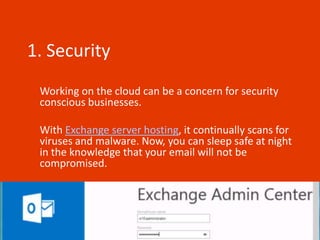
1. Security
 Working on the cloud can be a concern for security
 conscious businesses.
 With Exchange server hosting, it continually scans for
 viruses and malware. Now, you can sleep safe at night
 in the knowledge that your email will not be
 compromised.
2. Cost

 Office 365 offers a range of packages, designed to
 fit around your business needs.
 With everything included, it won’t cost you more
 than £15 per user, per month (£150 per year).
 You’ll probably spend more than that on biscuits
 for the office.
3. Everything Included
 Included in your £15 per user, per month, you’ll get access
 to pretty much everything you’d want, including:

 Subscription to the Office Suite across 5 devices
 Office Web Apps
 Office Mobile Apps
 Hosted Email,
 Web Conferencing
 Public Website
 Spam & Malware Protection
 Guaranteed 99.9% Uptime.
4. The Office You Know & Love

 That’s right: Word, Excel, PowerPoint, Outlook,
 OneNote, Access, Publisher and Lync are all
 available as web apps.
5. Compatibility

 Regardless of whether your employees prefer
 using devices running Windows 7 or later, or Mac
 OS X, they’ll be able to run Office 365.
6. Cleaner, standardised
navigation
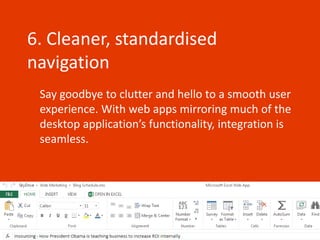
 Say goodbye to clutter and hello to a smooth user
 experience. With web apps mirroring much of the
 desktop application’s functionality, integration is
 seamless.
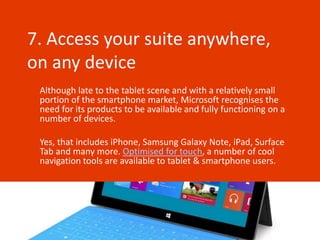
7. Access your suite anywhere,
on any device
 Although late to the tablet scene and with a relatively small
 portion of the smartphone market, Microsoft recognises the
 need for its products to be available and fully functioning on a
 number of devices.

 Yes, that includes iPhone, Samsung Galaxy Note, iPad, Surface
 Tab and many more. Optimised for touch, a number of cool
 navigation tools are available to tablet & smartphone users.
8. Great for small businesses
 Office 365 offers 5 packages to suit your personal and business
 needs:

 Home Premium
 Small Business Premium
 Pro Plus
 Enterprise
 University

 With up to 50 users able to be registered, small businesses can
 save money on unlimited packages such as Pro Plus and
 Enterprise and only pay for the services they need.
9. Money back guarantee

 As mentioned in #3, Microsoft guarantee 99.9%
 uptime, but if by some miracle, there is a problem
 with the server which causes more than 0.1%
 downtime over the course of the year, it’s refund
 time.
10. On Cloud Nine

 With no clunky servers taking up space in your
 office, you can trust Microsoft to safely store the
 majority of your data on the cloud.
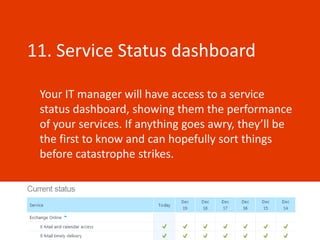
11. Service Status dashboard

 Your IT manager will have access to a service
 status dashboard, showing them the performance
 of your services. If anything goes awry, they’ll be
 the first to know and can hopefully sort things
 before catastrophe strikes.
12. On & Offline Working

 Sync your content in SharePoint and save it to
 your desktop with SkyDrive Pro. With your
 documents just a few clicks away, you can work
 both on and offline. Your files will be updated
 soon as you have an internet connection.
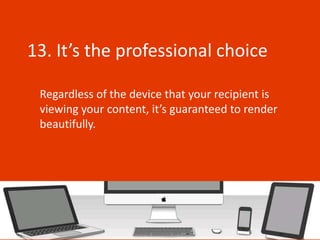
13. It’s the professional choice

 Regardless of the device that your recipient is
 viewing your content, it’s guaranteed to render
 beautifully.
14. 24 / 7 Support, 365 days a
year
 It’s all in the name really, Office 365. But not
 confined to Office hours, highly trained support
 staff are on hand in community forums to answer
 any questions that you may have.
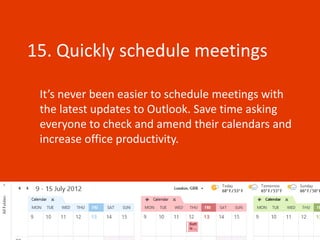
15. Quickly schedule meetings

 It’s never been easier to schedule meetings with
 the latest updates to Outlook. Save time asking
 everyone to check and amend their calendars and
 increase office productivity.
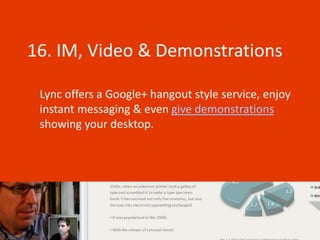
16. IM, Video & Demonstrations

 Lync offers a Google+ hangout style service, enjoy
 instant messaging & even give demonstrations
 showing your desktop.
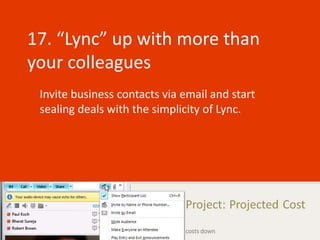
17. “Lync” up with more than
your colleagues
 Invite business contacts via email and start
 sealing deals with the simplicity of Lync.
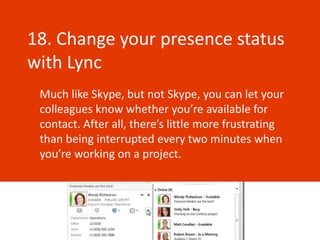
18. Change your presence status
with Lync
 Much like Skype, but not Skype, you can let your
 colleagues know whether you’re available for
 contact. After all, there’s little more frustrating
 than being interrupted every two minutes when
 you’re working on a project.
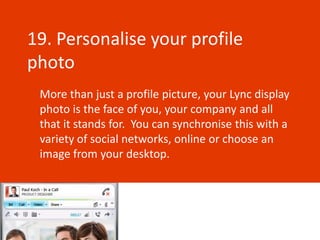
19. Personalise your profile
photo
 More than just a profile picture, your Lync display
 photo is the face of you, your company and all
 that it stands for. You can synchronise this with a
 variety of social networks, online or choose an
 image from your desktop.
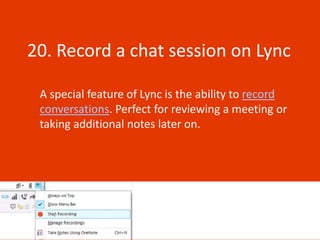
20. Record a chat session on Lync

 A special feature of Lync is the ability to record
 conversations. Perfect for reviewing a meeting or
 taking additional notes later on.
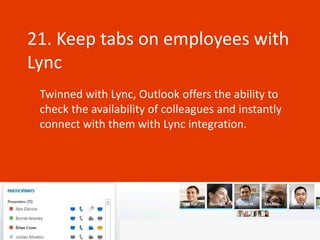
21. Keep tabs on employees with
Lync
 Twinned with Lync, Outlook offers the ability to
 check the availability of colleagues and instantly
 connect with them with Lync integration.
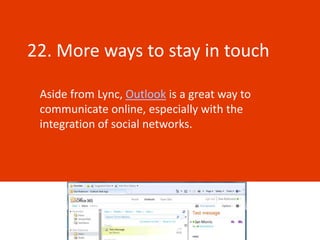
22. More ways to stay in touch

 Aside from Lync, Outlook is a great way to
 communicate online, especially with the
 integration of social networks.
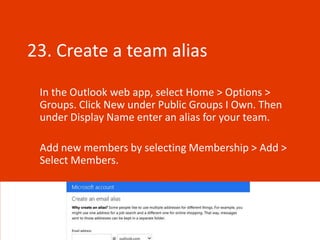
23. Create a team alias

 In the Outlook web app, select Home > Options >
 Groups. Click New under Public Groups I Own. Then
 under Display Name enter an alias for your team.

 Add new members by selecting Membership > Add >
 Select Members.
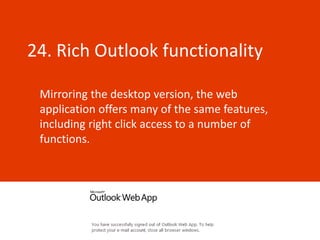
24. Rich Outlook functionality

 Mirroring the desktop version, the web
 application offers many of the same features,
 including right click access to a number of
 functions.
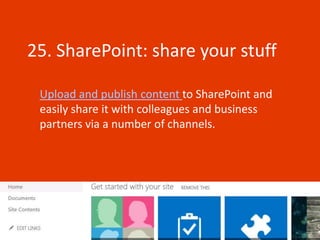
25. SharePoint: share your stuff

 Upload and publish content to SharePoint and
 easily share it with colleagues and business
 partners via a number of channels.
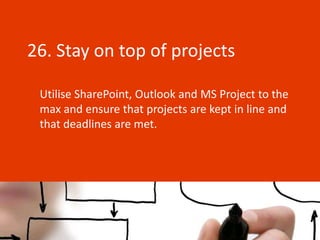
26. Stay on top of projects

 Utilise SharePoint, Outlook and MS Project to the
 max and ensure that projects are kept in line and
 that deadlines are met.
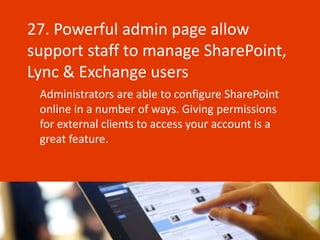
27. Powerful admin page allow
support staff to manage SharePoint,
Lync & Exchange users
 Administrators are able to configure SharePoint
 online in a number of ways. Giving permissions
 for external clients to access your account is a
 great feature.
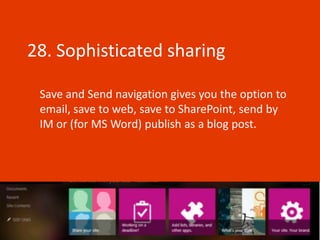
28. Sophisticated sharing

 Save and Send navigation gives you the option to
 email, save to web, save to SharePoint, send by
 IM or (for MS Word) publish as a blog post.
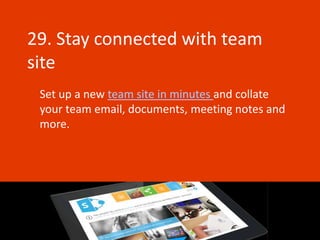
29. Stay connected with team
site
 Set up a new team site in minutes and collate
 your team email, documents, meeting notes and
 more.
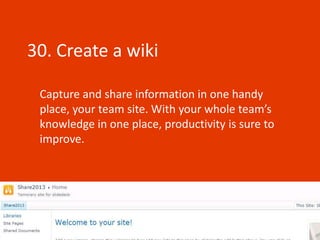
30. Create a wiki

 Capture and share information in one handy
 place, your team site. With your whole team’s
 knowledge in one place, productivity is sure to
 improve.
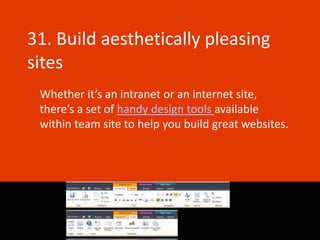
31. Build aesthetically pleasing
sites
 Whether it’s an intranet or an internet site,
 there’s a set of handy design tools available
 within team site to help you build great websites.
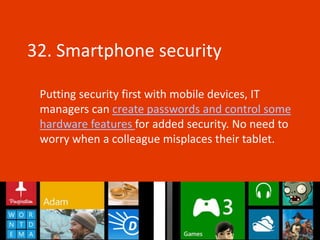
32. Smartphone security

 Putting security first with mobile devices, IT
 managers can create passwords and control some
 hardware features for added security. No need to
 worry when a colleague misplaces their tablet.
33. Easy to get started

 Designed with business in mind, you’ll find no
 complicated set up processes which means that
 your team can get to work straight away.
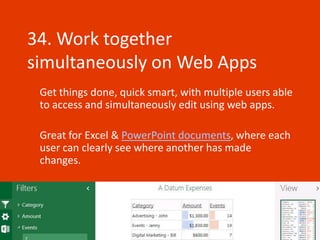
34. Work together
simultaneously on Web Apps
 Get things done, quick smart, with multiple users able
 to access and simultaneously edit using web apps.

 Great for Excel & PowerPoint documents, where each
 user can clearly see where another has made
 changes.
35. It’s the complete package

 With everything included in your subscription
 price, you need not worry about having to
 download further applications such as Google
 Drive, Dropbox or Skype.
36.Upgrade deals

 Some upgrade offers are available for those that
 have purchased previous versions within certain
 time frames.
36.5. Support 365.25 days of the
year
 Plus, half a reason to join the Office 365
 bandwagon is that its subscription runs for the
 calendar year, great for leap years – you’ll get an
 extra days’ productivity.
For the latest Microsoft Office news and
    discussion head over to our blog.

 Alternatively, if you’re looking for the
best Microsoft Office training, find us at
      www.microsofttraining.net


                                       March 2013

36.5 Office 365 Features That Will Increase Your Productivity

  • 1.
    36.5 Office 365Features That Will Increase Your Productivity March 2013
  • 2.
    1. Security Workingon the cloud can be a concern for security conscious businesses. With Exchange server hosting, it continually scans for viruses and malware. Now, you can sleep safe at night in the knowledge that your email will not be compromised.
  • 3.
    2. Cost Office365 offers a range of packages, designed to fit around your business needs. With everything included, it won’t cost you more than £15 per user, per month (£150 per year). You’ll probably spend more than that on biscuits for the office.
  • 4.
    3. Everything Included Included in your £15 per user, per month, you’ll get access to pretty much everything you’d want, including: Subscription to the Office Suite across 5 devices Office Web Apps Office Mobile Apps Hosted Email, Web Conferencing Public Website Spam & Malware Protection Guaranteed 99.9% Uptime.
  • 5.
    4. The OfficeYou Know & Love That’s right: Word, Excel, PowerPoint, Outlook, OneNote, Access, Publisher and Lync are all available as web apps.
  • 6.
    5. Compatibility Regardlessof whether your employees prefer using devices running Windows 7 or later, or Mac OS X, they’ll be able to run Office 365.
  • 7.
    6. Cleaner, standardised navigation Say goodbye to clutter and hello to a smooth user experience. With web apps mirroring much of the desktop application’s functionality, integration is seamless.
  • 8.
    7. Access yoursuite anywhere, on any device Although late to the tablet scene and with a relatively small portion of the smartphone market, Microsoft recognises the need for its products to be available and fully functioning on a number of devices. Yes, that includes iPhone, Samsung Galaxy Note, iPad, Surface Tab and many more. Optimised for touch, a number of cool navigation tools are available to tablet & smartphone users.
  • 9.
    8. Great forsmall businesses Office 365 offers 5 packages to suit your personal and business needs: Home Premium Small Business Premium Pro Plus Enterprise University With up to 50 users able to be registered, small businesses can save money on unlimited packages such as Pro Plus and Enterprise and only pay for the services they need.
  • 10.
    9. Money backguarantee As mentioned in #3, Microsoft guarantee 99.9% uptime, but if by some miracle, there is a problem with the server which causes more than 0.1% downtime over the course of the year, it’s refund time.
  • 11.
    10. On CloudNine With no clunky servers taking up space in your office, you can trust Microsoft to safely store the majority of your data on the cloud.
  • 12.
    11. Service Statusdashboard Your IT manager will have access to a service status dashboard, showing them the performance of your services. If anything goes awry, they’ll be the first to know and can hopefully sort things before catastrophe strikes.
  • 13.
    12. On &Offline Working Sync your content in SharePoint and save it to your desktop with SkyDrive Pro. With your documents just a few clicks away, you can work both on and offline. Your files will be updated soon as you have an internet connection.
  • 14.
    13. It’s theprofessional choice Regardless of the device that your recipient is viewing your content, it’s guaranteed to render beautifully.
  • 15.
    14. 24 /7 Support, 365 days a year It’s all in the name really, Office 365. But not confined to Office hours, highly trained support staff are on hand in community forums to answer any questions that you may have.
  • 16.
    15. Quickly schedulemeetings It’s never been easier to schedule meetings with the latest updates to Outlook. Save time asking everyone to check and amend their calendars and increase office productivity.
  • 17.
    16. IM, Video& Demonstrations Lync offers a Google+ hangout style service, enjoy instant messaging & even give demonstrations showing your desktop.
  • 18.
    17. “Lync” upwith more than your colleagues Invite business contacts via email and start sealing deals with the simplicity of Lync.
  • 19.
    18. Change yourpresence status with Lync Much like Skype, but not Skype, you can let your colleagues know whether you’re available for contact. After all, there’s little more frustrating than being interrupted every two minutes when you’re working on a project.
  • 20.
    19. Personalise yourprofile photo More than just a profile picture, your Lync display photo is the face of you, your company and all that it stands for. You can synchronise this with a variety of social networks, online or choose an image from your desktop.
  • 21.
    20. Record achat session on Lync A special feature of Lync is the ability to record conversations. Perfect for reviewing a meeting or taking additional notes later on.
  • 22.
    21. Keep tabson employees with Lync Twinned with Lync, Outlook offers the ability to check the availability of colleagues and instantly connect with them with Lync integration.
  • 23.
    22. More waysto stay in touch Aside from Lync, Outlook is a great way to communicate online, especially with the integration of social networks.
  • 24.
    23. Create ateam alias In the Outlook web app, select Home > Options > Groups. Click New under Public Groups I Own. Then under Display Name enter an alias for your team. Add new members by selecting Membership > Add > Select Members.
  • 25.
    24. Rich Outlookfunctionality Mirroring the desktop version, the web application offers many of the same features, including right click access to a number of functions.
  • 26.
    25. SharePoint: shareyour stuff Upload and publish content to SharePoint and easily share it with colleagues and business partners via a number of channels.
  • 27.
    26. Stay ontop of projects Utilise SharePoint, Outlook and MS Project to the max and ensure that projects are kept in line and that deadlines are met.
  • 28.
    27. Powerful adminpage allow support staff to manage SharePoint, Lync & Exchange users Administrators are able to configure SharePoint online in a number of ways. Giving permissions for external clients to access your account is a great feature.
  • 29.
    28. Sophisticated sharing Save and Send navigation gives you the option to email, save to web, save to SharePoint, send by IM or (for MS Word) publish as a blog post.
  • 30.
    29. Stay connectedwith team site Set up a new team site in minutes and collate your team email, documents, meeting notes and more.
  • 31.
    30. Create awiki Capture and share information in one handy place, your team site. With your whole team’s knowledge in one place, productivity is sure to improve.
  • 32.
    31. Build aestheticallypleasing sites Whether it’s an intranet or an internet site, there’s a set of handy design tools available within team site to help you build great websites.
  • 33.
    32. Smartphone security Putting security first with mobile devices, IT managers can create passwords and control some hardware features for added security. No need to worry when a colleague misplaces their tablet.
  • 34.
    33. Easy toget started Designed with business in mind, you’ll find no complicated set up processes which means that your team can get to work straight away.
  • 35.
    34. Work together simultaneouslyon Web Apps Get things done, quick smart, with multiple users able to access and simultaneously edit using web apps. Great for Excel & PowerPoint documents, where each user can clearly see where another has made changes.
  • 36.
    35. It’s thecomplete package With everything included in your subscription price, you need not worry about having to download further applications such as Google Drive, Dropbox or Skype.
  • 37.
    36.Upgrade deals Someupgrade offers are available for those that have purchased previous versions within certain time frames.
  • 38.
    36.5. Support 365.25days of the year Plus, half a reason to join the Office 365 bandwagon is that its subscription runs for the calendar year, great for leap years – you’ll get an extra days’ productivity.
  • 39.
    For the latestMicrosoft Office news and discussion head over to our blog. Alternatively, if you’re looking for the best Microsoft Office training, find us at www.microsofttraining.net March 2013