LiveMessage Partner
Training #3
Basics of Bulk Messaging
and Short Codes
jboucher@salesforce.com
@j_boucher
Jessica Boucher
Customer Success Manager
Forward-Looking Statements
Statement under the Private Securities Litigation Reform Act of 1995:
This presentation may contain forward-looking statements that involve risks, uncertainties, and assumptions. If any such uncertainties
materialize or if any of the assumptions proves incorrect, the results of salesforce.com, inc. could differ materially from the results expressed or
implied by the forward-looking statements we make. All statements other than statements of historical fact could be deemed forward-looking,
including any projections of product or service availability, subscriber growth, earnings, revenues, or other financial items and any statements
regarding strategies or plans of management for future operations, statements of belief, any statements concerning new, planned, or upgraded
services or technology developments and customer contracts or use of our services.
The risks and uncertainties referred to above include – but are not limited to – risks associated with developing and delivering new functionality
for our service, new products and services, our new business model, our past operating losses, possible fluctuations in our operating results
and rate of growth, interruptions or delays in our Web hosting, breach of our security measures, the outcome of any litigation, risks associated
with completed and any possible mergers and acquisitions, the immature market in which we operate, our relatively limited operating history,
our ability to expand, retain, and motivate our employees and manage our growth, new releases of our service and successful customer
deployment, our limited history reselling non-salesforce.com products, and utilization and selling to larger enterprise customers. Further
information on potential factors that could affect the financial results of salesforce.com, inc. is included in our annual report on Form 10-K for
the most recent fiscal year and in our quarterly report on Form 10-Q for the most recent fiscal quarter. These documents and others containing
important disclosures are available on the SEC Filings section of the Investor Information section of our Web site.
Any unreleased services or features referenced in this or other presentations, press releases or public statements are not currently available
and may not be delivered on time or at all. Customers who purchase our services should make the purchase decisions based upon features
that are currently available. Salesforce.com, inc. assumes no obligation and does not intend to update these forward-looking statements.
Objectives & Agenda
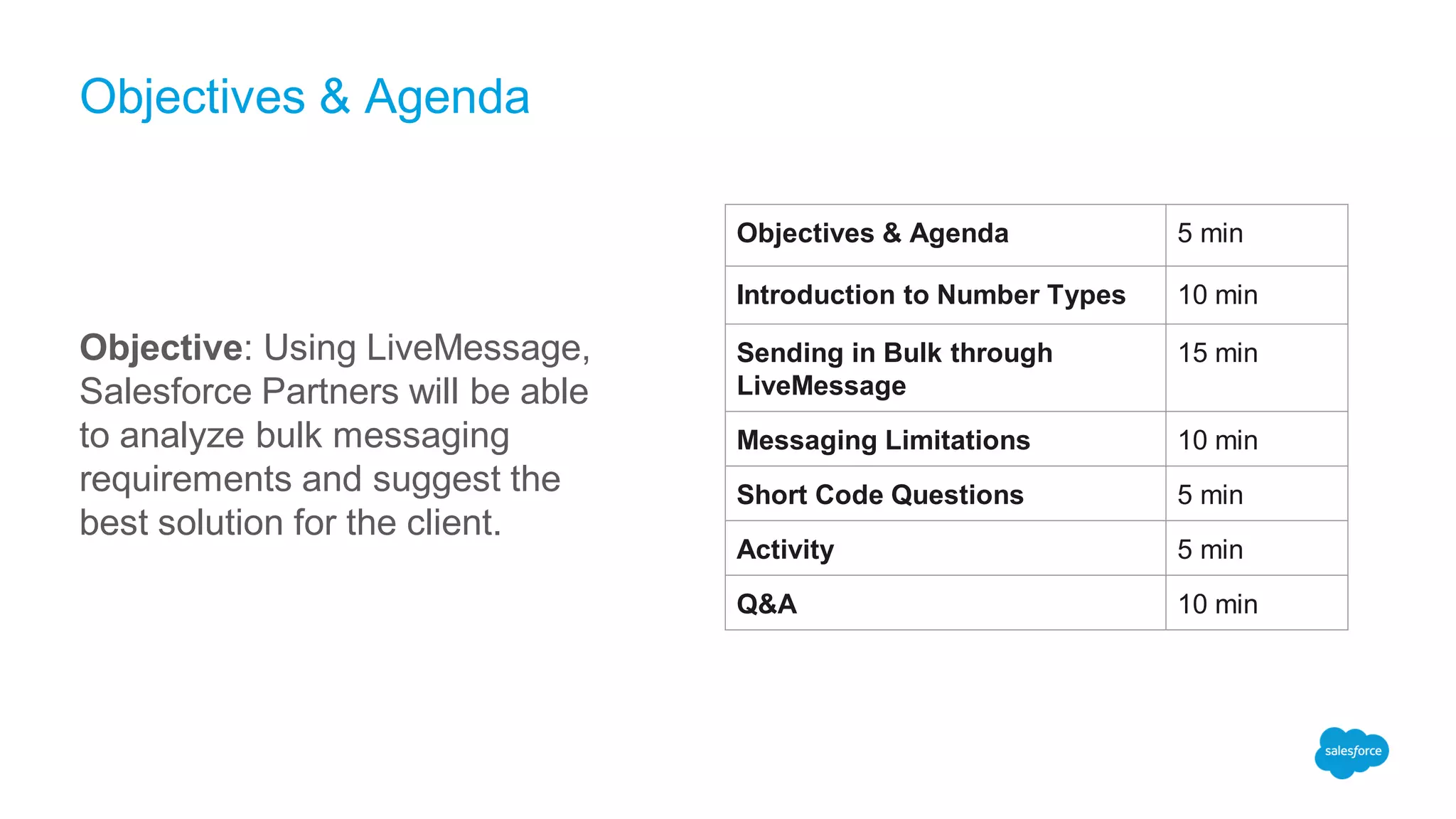
Objective: Using LiveMessage,
Salesforce Partners will be able
to analyze bulk messaging
requirements and suggest the
best solution for the client.
Objectives & Agenda 5 min
Introduction to Number Types 10 min
Sending in Bulk through
LiveMessage
15 min
Messaging Limitations 10 min
Short Code Questions 5 min
Activity 5 min
Q&A 10 min
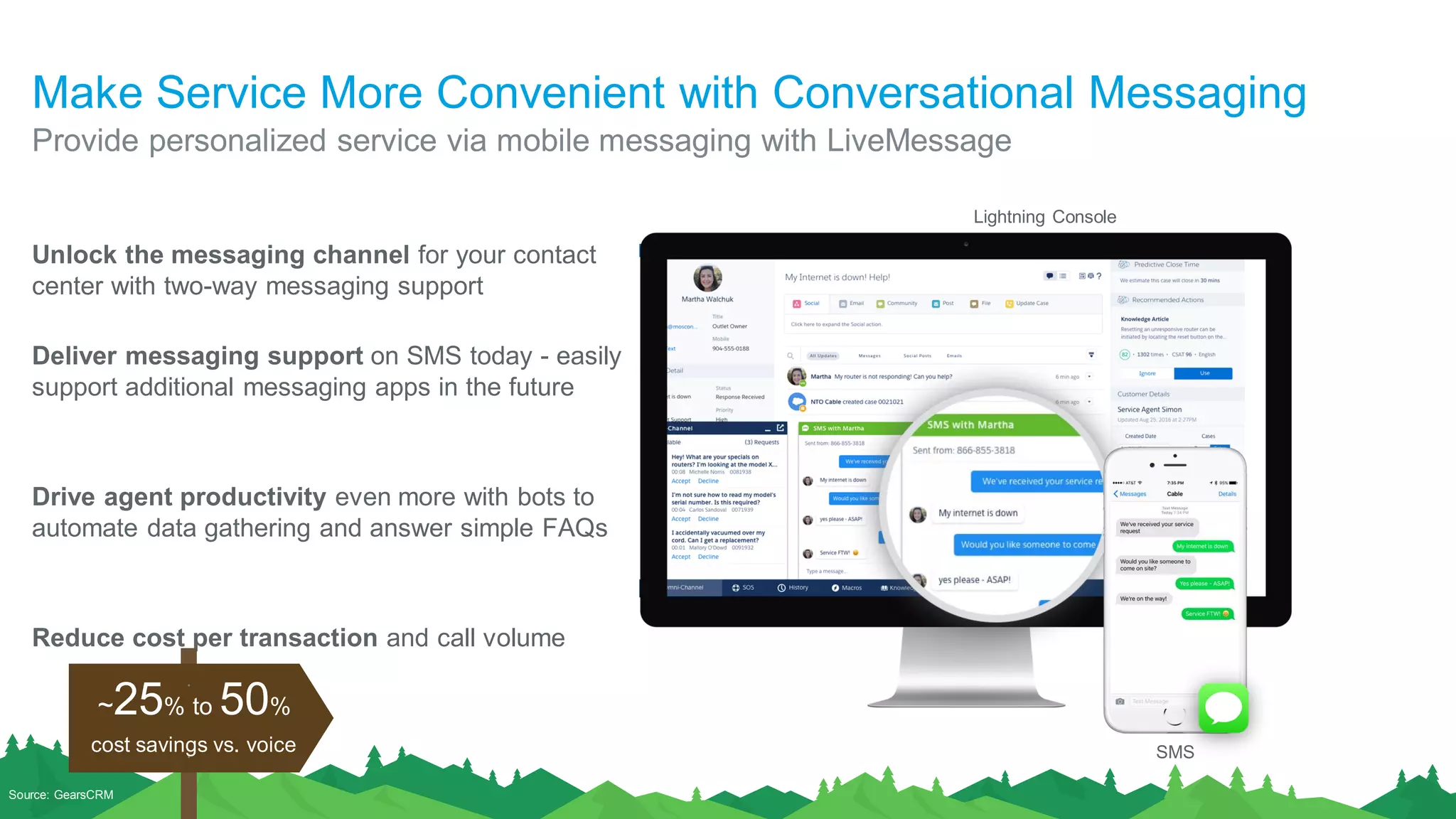
Make Service More Convenient with Conversational Messaging
Unlock the messaging channel for your contact
center with two-way messaging support
Deliver messaging support on SMS today - easily
support additional messaging apps in the future
Drive agent productivity even more with bots to
automate data gathering and answer simple FAQs
Reduce cost per transaction and call volume
Provide personalized service via mobile messaging with LiveMessage
Source: GearsCRM
cost savings vs. voice
~25% to 50%
SMS
Lightning Console
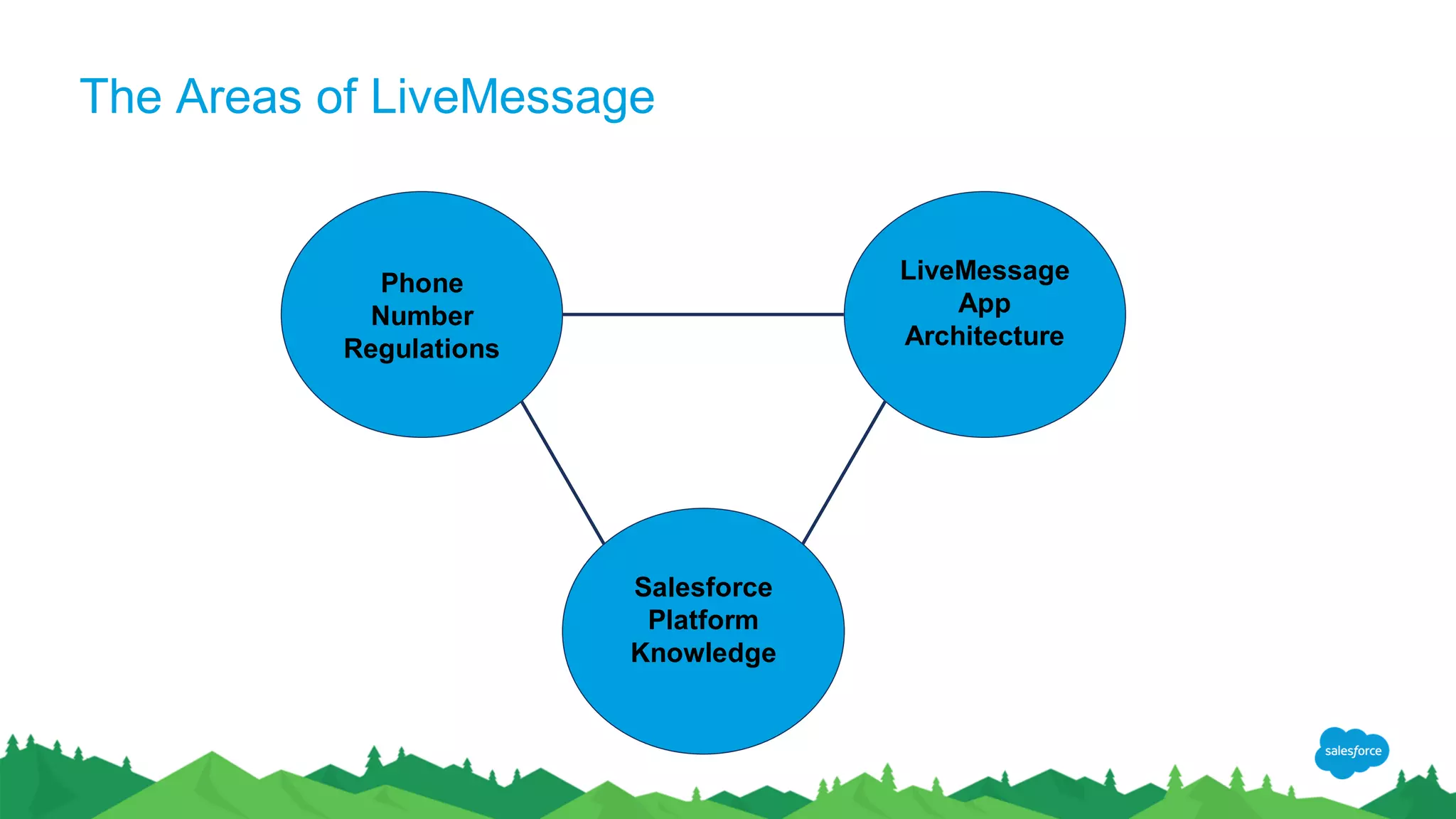
The Areas of LiveMessage
Phone
Number
Regulations
LiveMessage
App
Architecture
Salesforce
Platform
Knowledge
Introduction to
Number Types
Phone Number Regulations
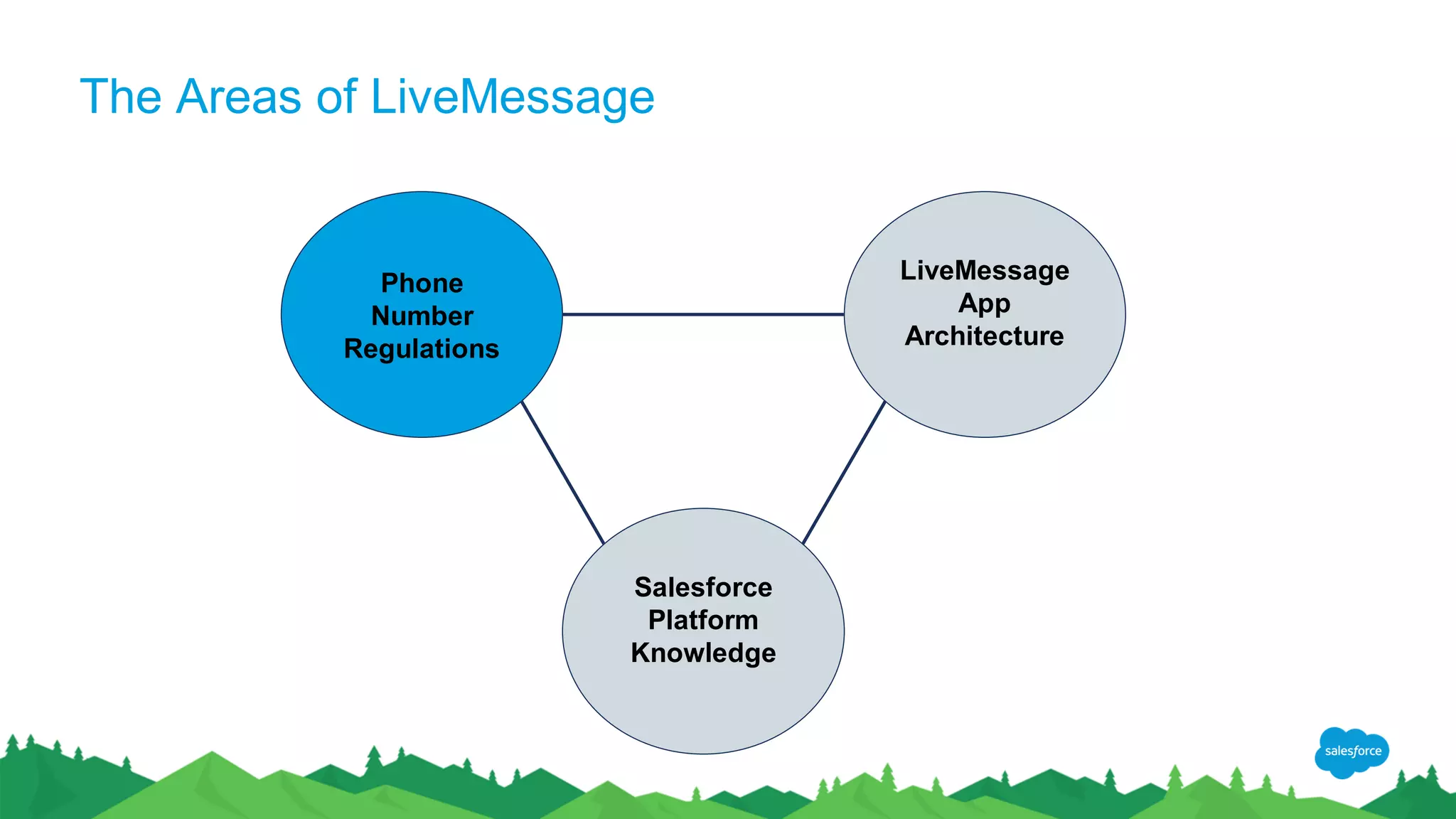
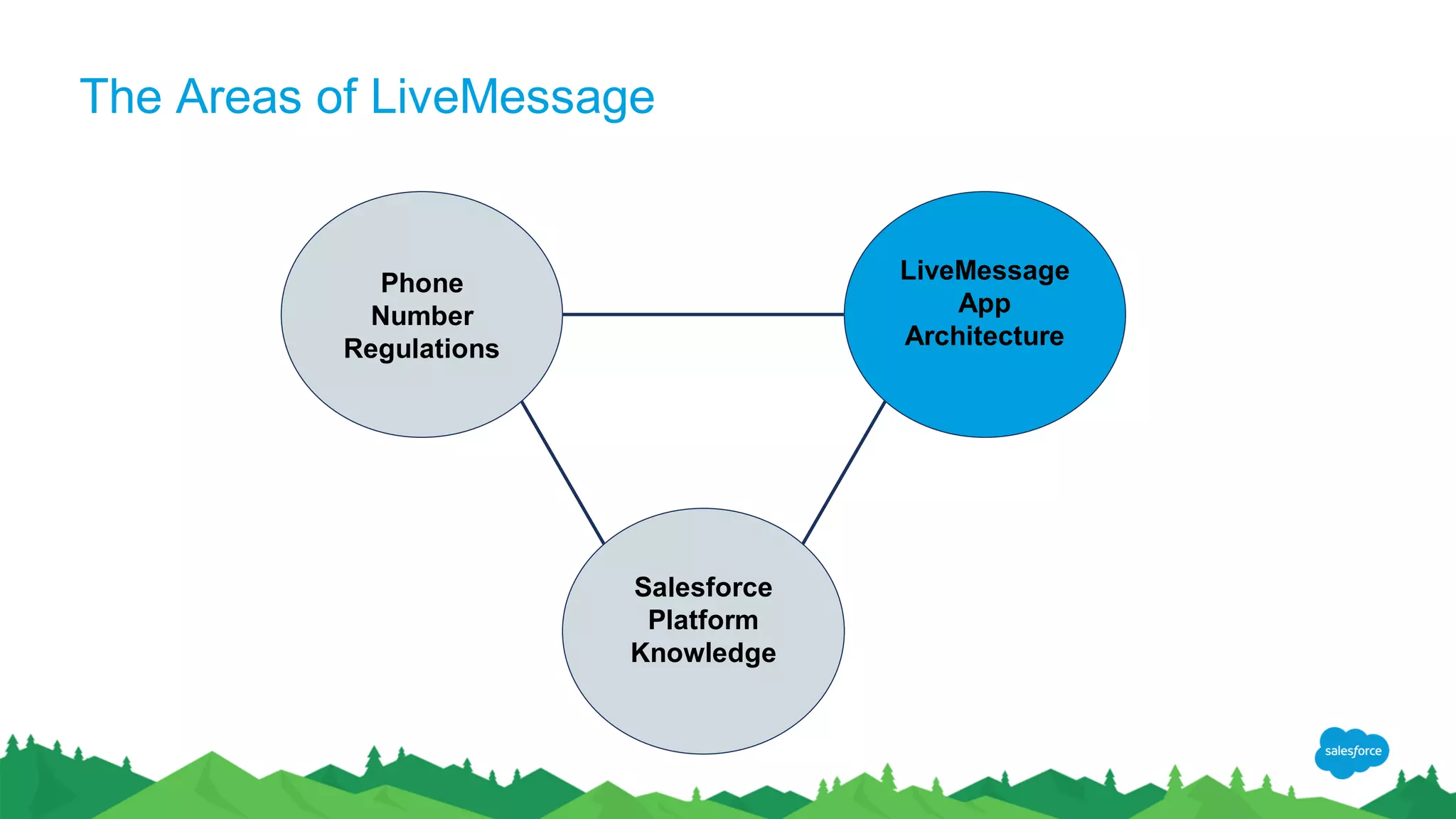
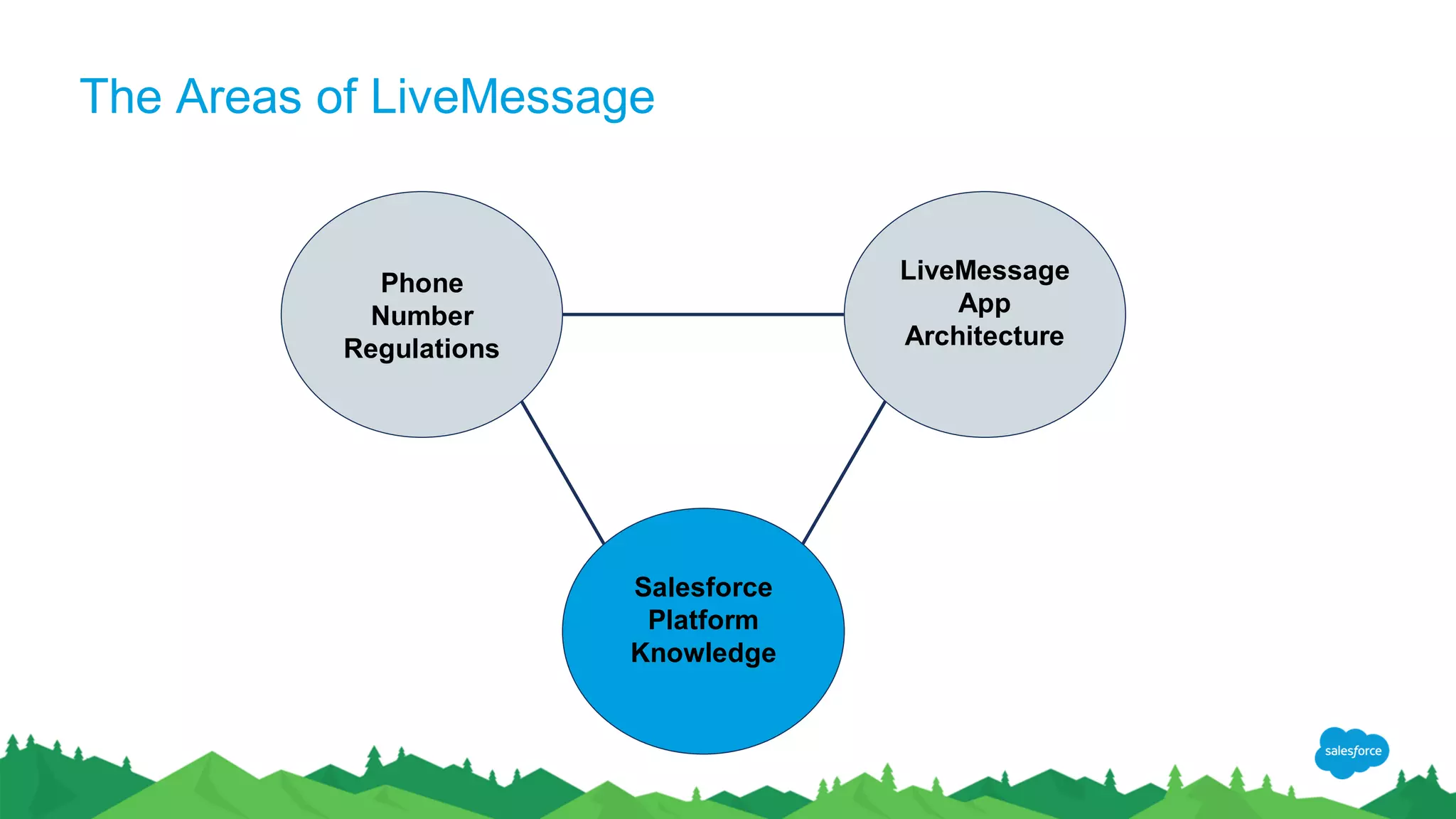
The Areas of LiveMessage
Phone
Number
Regulations
LiveMessage
App
Architecture
Salesforce
Platform
Knowledge
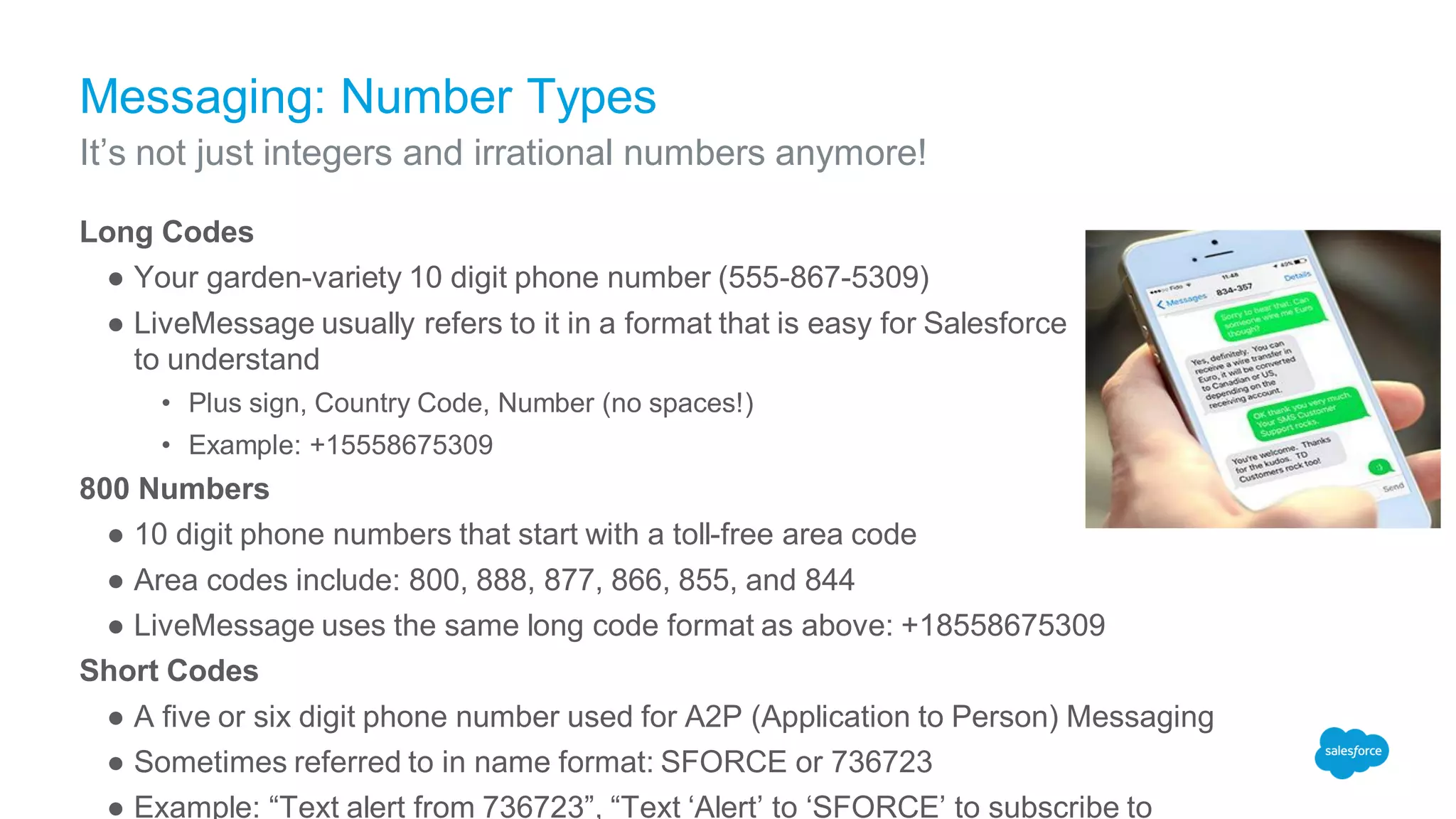
Messaging: Number Types
Long Codes
● Your garden-variety 10 digit phone number (555-867-5309)
● LiveMessage usually refers to it in a format that is easy for Salesforce
to understand
• Plus sign, Country Code, Number (no spaces!)
• Example: +15558675309
800 Numbers
● 10 digit phone numbers that start with a toll-free area code
● Area codes include: 800, 888, 877, 866, 855, and 844
● LiveMessage uses the same long code format as above: +18558675309
Short Codes
● A five or six digit phone number used for A2P (Application to Person) Messaging
● Sometimes referred to in name format: SFORCE or 736723
● Example: “Text alert from 736723”, “Text ‘Alert’ to ‘SFORCE’ to subscribe to
It’s not just integers and irrational numbers anymore!
Types of SMS Traffic
Person to Person (P2P) Traffic
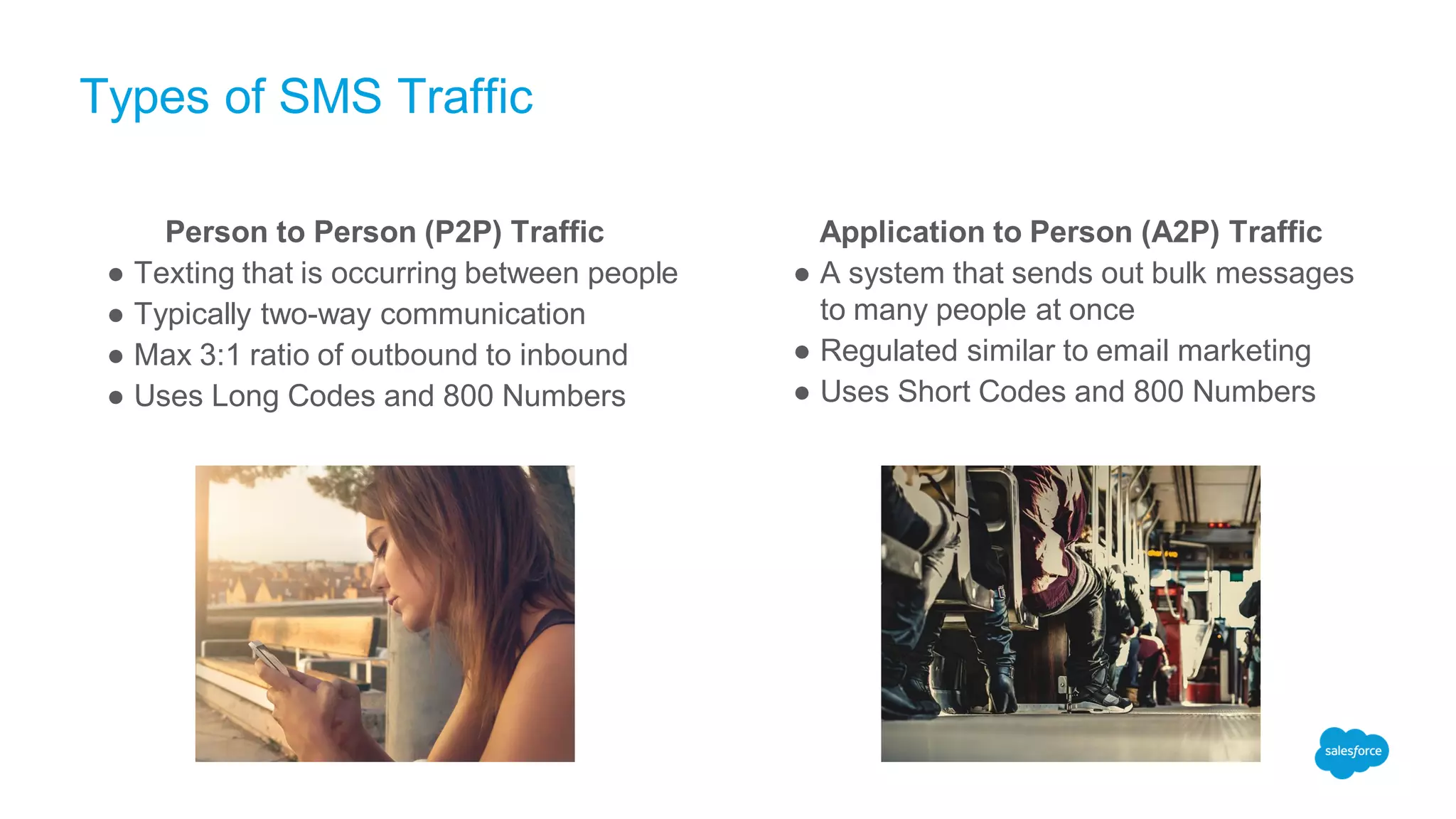
● Texting that is occurring between people
● Typically two-way communication
● Max 3:1 ratio of outbound to inbound
● Uses Long Codes and 800 Numbers
Application to Person (A2P) Traffic
● A system that sends out bulk messages
to many people at once
● Regulated similar to email marketing
● Uses Short Codes and 800 Numbers
Why do I need to care about P2P and A2P Messaging?
● LiveMessage is a leader in the Enterprise Messaging space
• As a partner: LiveMessage management shapes the way enterprise messaging is happening
globally
• As a carrier: LiveMessage authorizes texting on Long Codes, 800 Numbers, and Short Codes just
like any other phone provider
● Numbers that do not honor regulations could be blocked
• Carriers regularly run reports and block numbers that exceed P2P traffic
• Can be un-blocked with LiveMessage’s help
● LiveMessage stays on top of spam laws to keep ourselves as a good player in the market
• Including pre-built Opt-In / Opt-Out methodology in the package
• Running reports to make sure users are honoring when a customer texts “STOP”
Choosing the right solution will save a lot of headaches in the future!!!
Sending in Bulk through
LiveMessage
LiveMessage App Architecture
The Areas of LiveMessage
Phone
Number
Regulations
LiveMessage
App
Architecture
Salesforce
Platform
Knowledge
Bulk Sends through LiveMessage
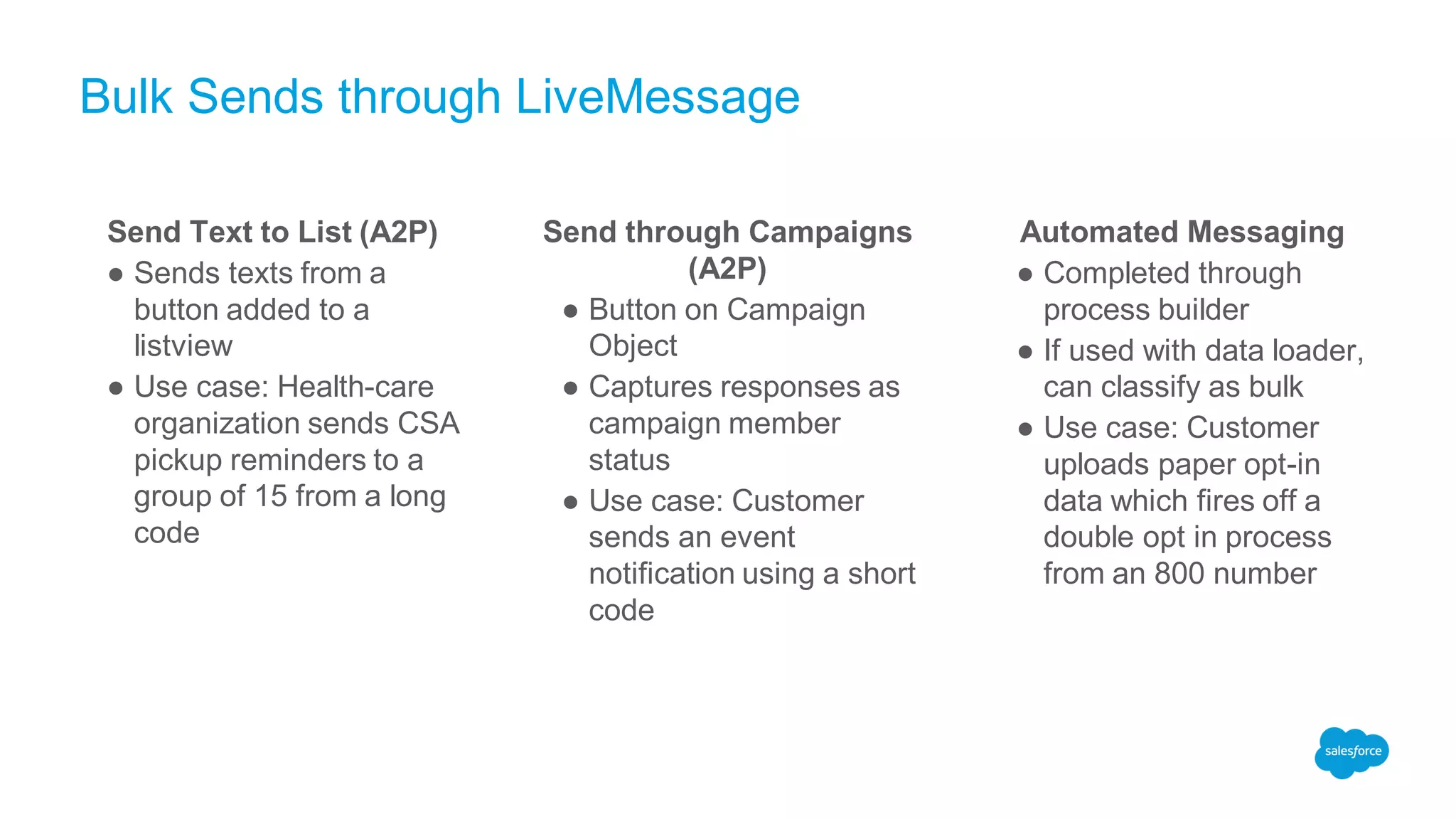
Send Text to List (A2P)
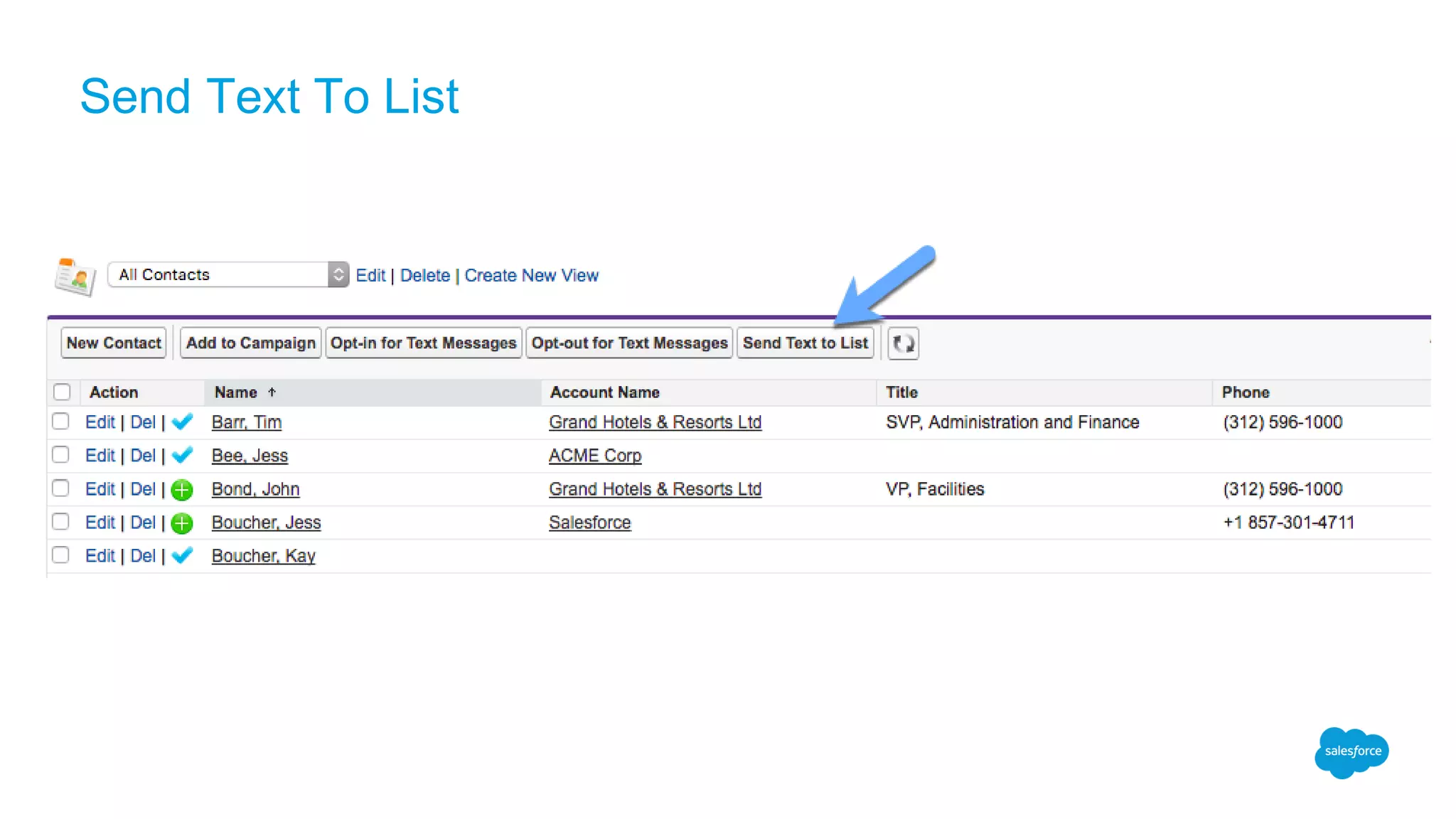
● Sends texts from a
button added to a
listview
● Use case: Health-care
organization sends CSA
pickup reminders to a
group of 15 from a long
code
Send through Campaigns
(A2P)
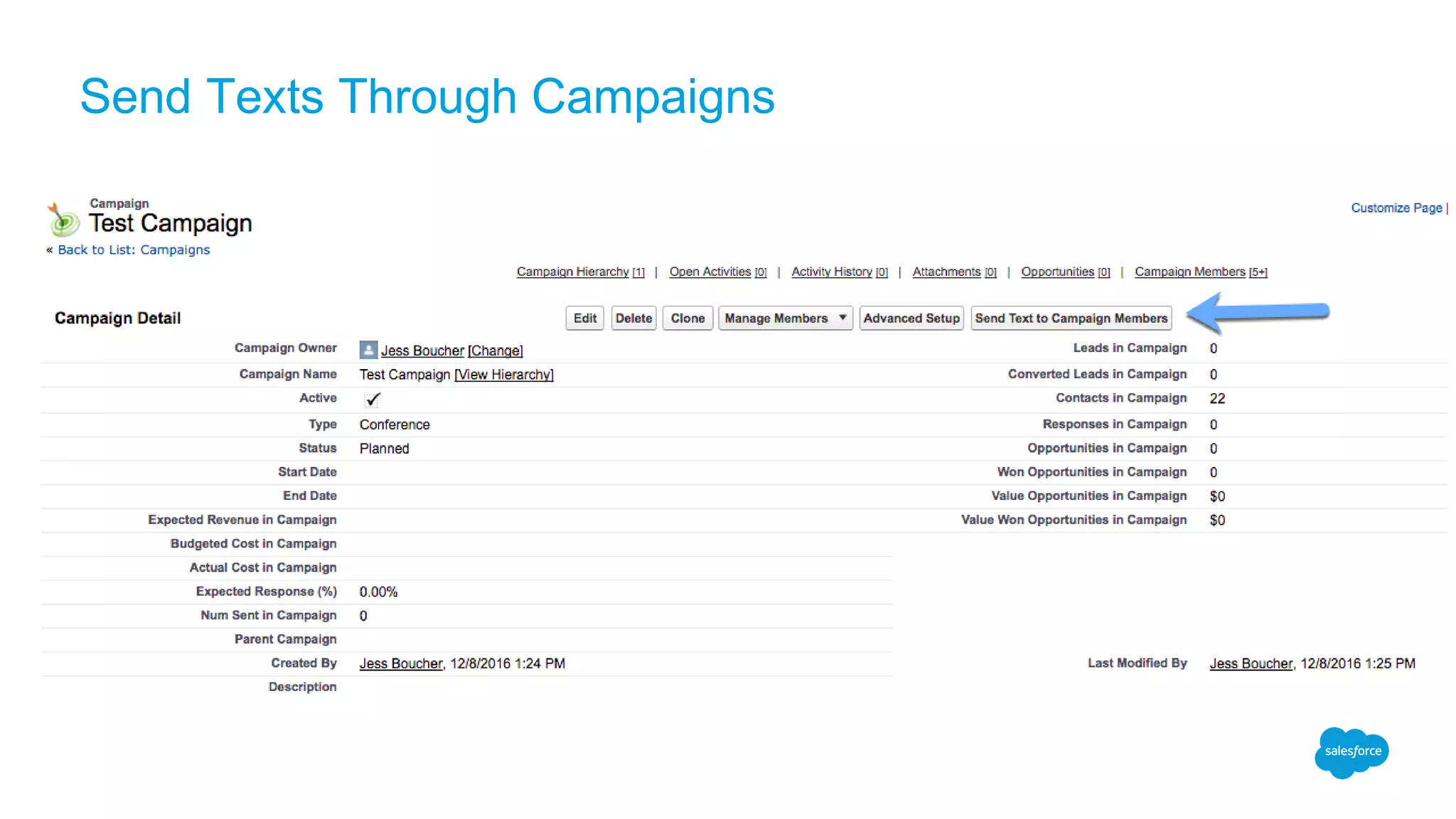
● Button on Campaign
Object
● Captures responses as
campaign member
status
● Use case: Customer
sends an event
notification using a short
code
Automated Messaging
● Completed through
process builder
● If used with data loader,
can classify as bulk
● Use case: Customer
uploads paper opt-in
data which fires off a
double opt in process
from an 800 number
Send Text To List
Send Texts Through Campaigns
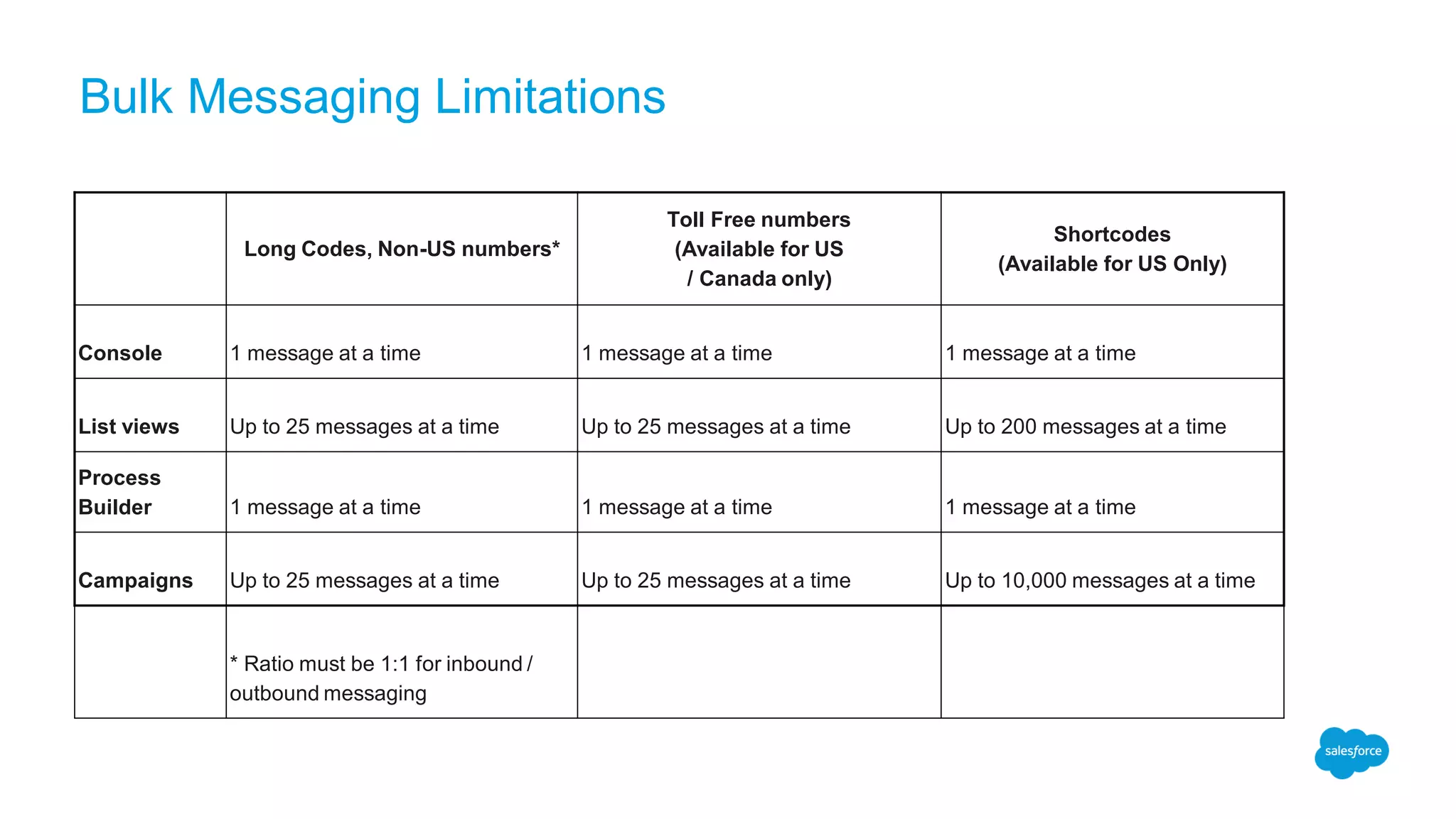
Bulk Messaging Limitations
Long Codes, Non-US numbers*
Toll Free numbers
(Available for US
/ Canada only)
Shortcodes
(Available for US Only)
Console 1 message at a time 1 message at a time 1 message at a time
List views Up to 25 messages at a time Up to 25 messages at a time Up to 200 messages at a time
Process
Builder 1 message at a time 1 message at a time 1 message at a time
Campaigns Up to 25 messages at a time Up to 25 messages at a time Up to 10,000 messages at a time
* Ratio must be 1:1 for inbound /
outbound messaging
Messaging Limitations
The Areas of LiveMessage
Phone
Number
Regulations
LiveMessage
App
Architecture
Salesforce
Platform
Knowledge
Platform Limits
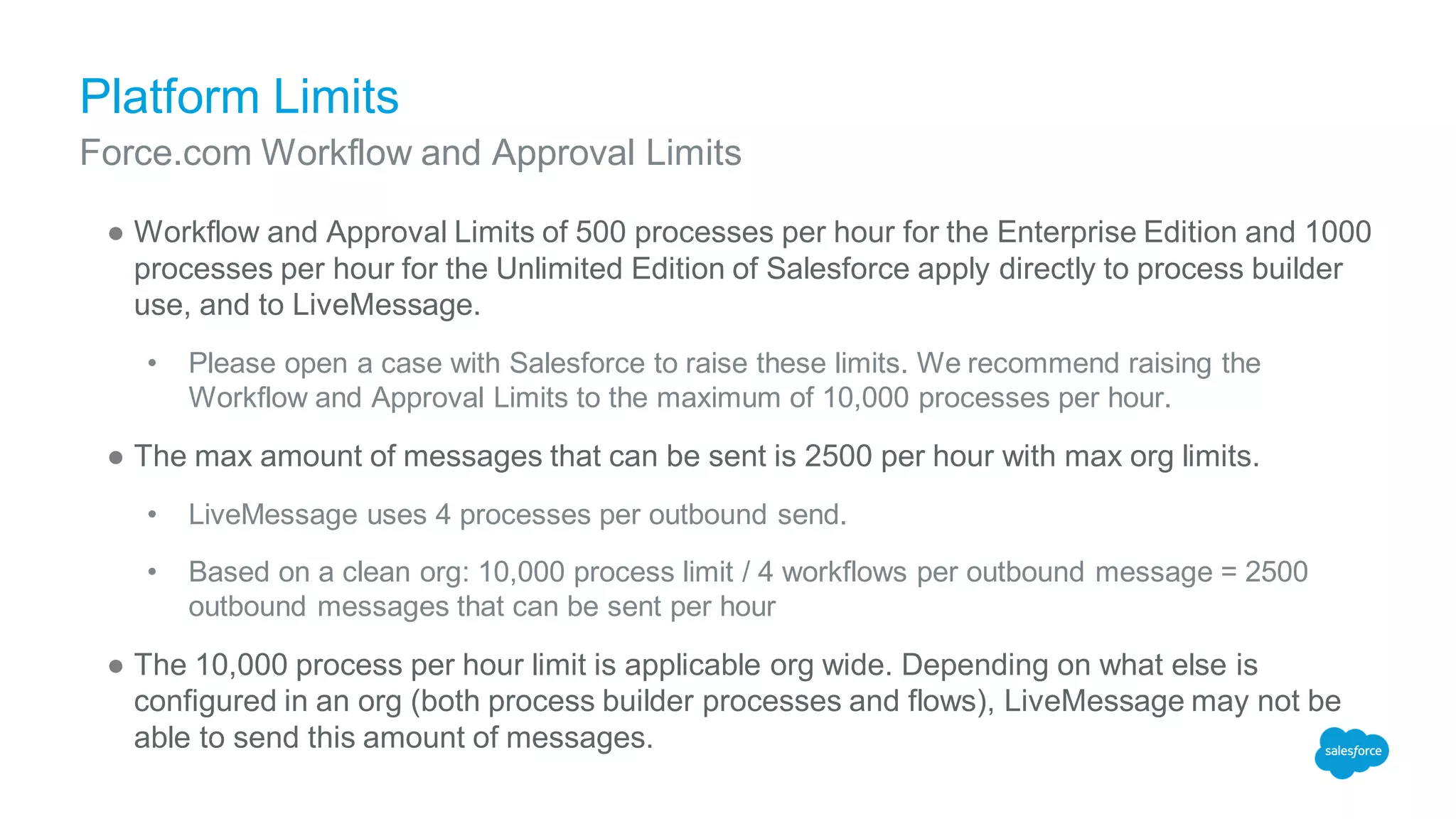
● Workflow and Approval Limits of 500 processes per hour for the Enterprise Edition and 1000
processes per hour for the Unlimited Edition of Salesforce apply directly to process builder
use, and to LiveMessage.
• Please open a case with Salesforce to raise these limits. We recommend raising the
Workflow and Approval Limits to the maximum of 10,000 processes per hour.
● The max amount of messages that can be sent is 2500 per hour with max org limits.
• LiveMessage uses 4 processes per outbound send.
• Based on a clean org: 10,000 process limit / 4 workflows per outbound message = 2500
outbound messages that can be sent per hour
● The 10,000 process per hour limit is applicable org wide. Depending on what else is
configured in an org (both process builder processes and flows), LiveMessage may not be
able to send this amount of messages.
Force.com Workflow and Approval Limits
Platform Limits
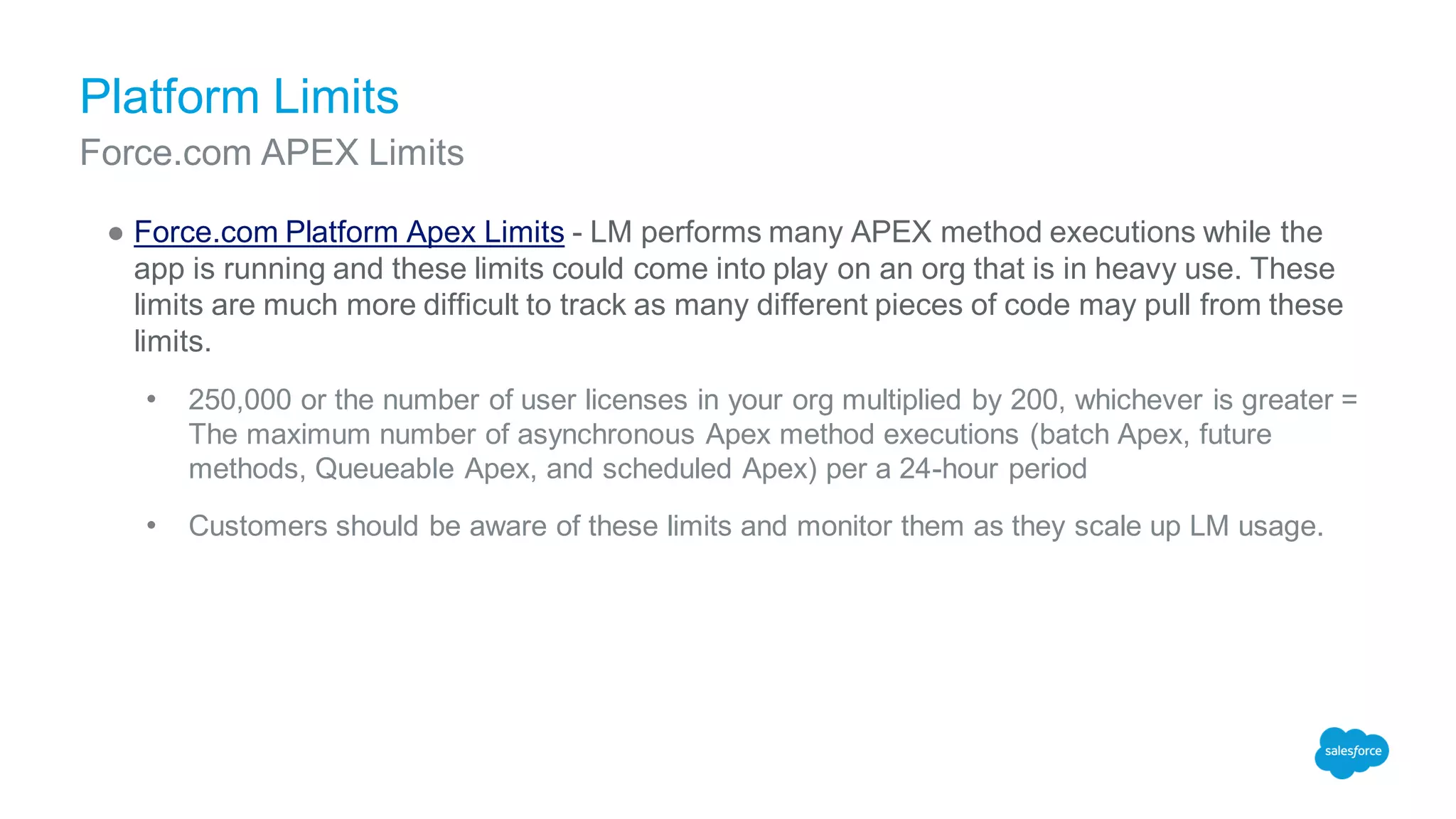
● Force.com Platform Apex Limits - LM performs many APEX method executions while the
app is running and these limits could come into play on an org that is in heavy use. These
limits are much more difficult to track as many different pieces of code may pull from these
limits.
• 250,000 or the number of user licenses in your org multiplied by 200, whichever is greater =
The maximum number of asynchronous Apex method executions (batch Apex, future
methods, Queueable Apex, and scheduled Apex) per a 24-hour period
• Customers should be aware of these limits and monitor them as they scale up LM usage.
Force.com APEX Limits
Workflow and Approval Limits
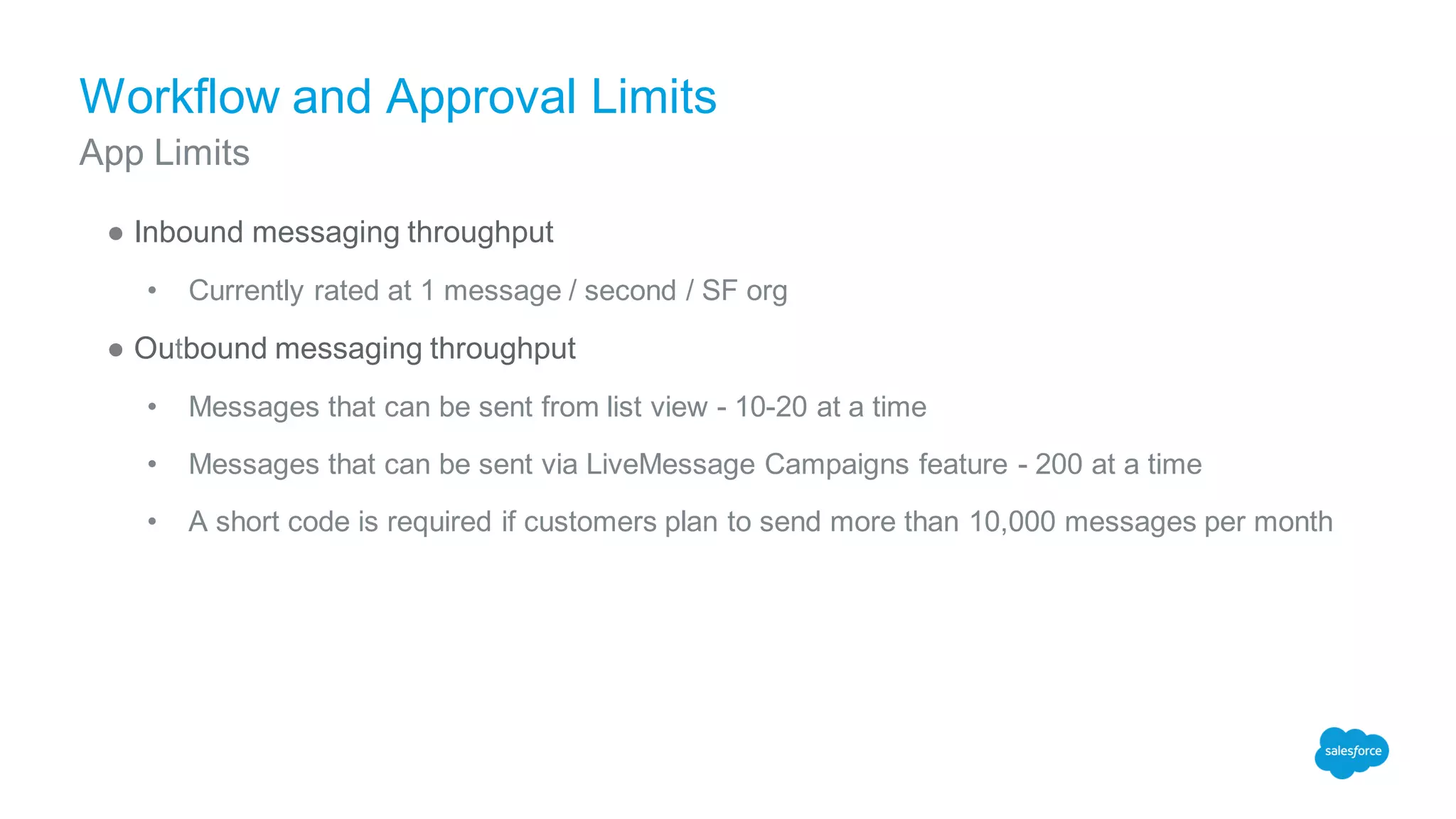
● Inbound messaging throughput
• Currently rated at 1 message / second / SF org
● Outbound messaging throughput
• Messages that can be sent from list view - 10-20 at a time
• Messages that can be sent via LiveMessage Campaigns feature - 200 at a time
• A short code is required if customers plan to send more than 10,000 messages per month
App Limits
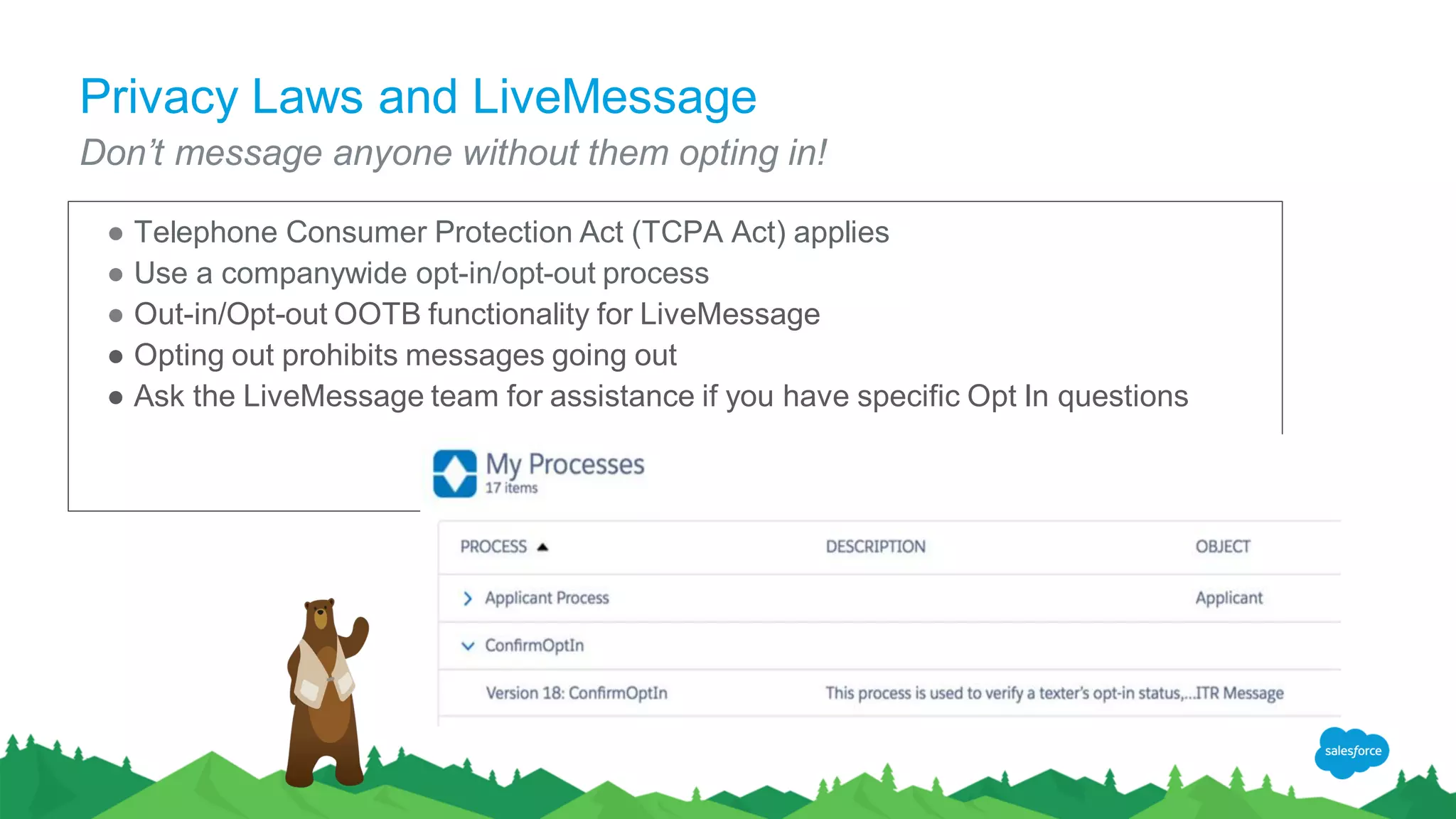
Privacy Laws and LiveMessage
Don’t message anyone without them opting in!
● Telephone Consumer Protection Act (TCPA Act) applies
● Use a companywide opt-in/opt-out process
● Out-in/Opt-out OOTB functionality for LiveMessage
● Opting out prohibits messages going out
● Ask the LiveMessage team for assistance if you have specific Opt In questions
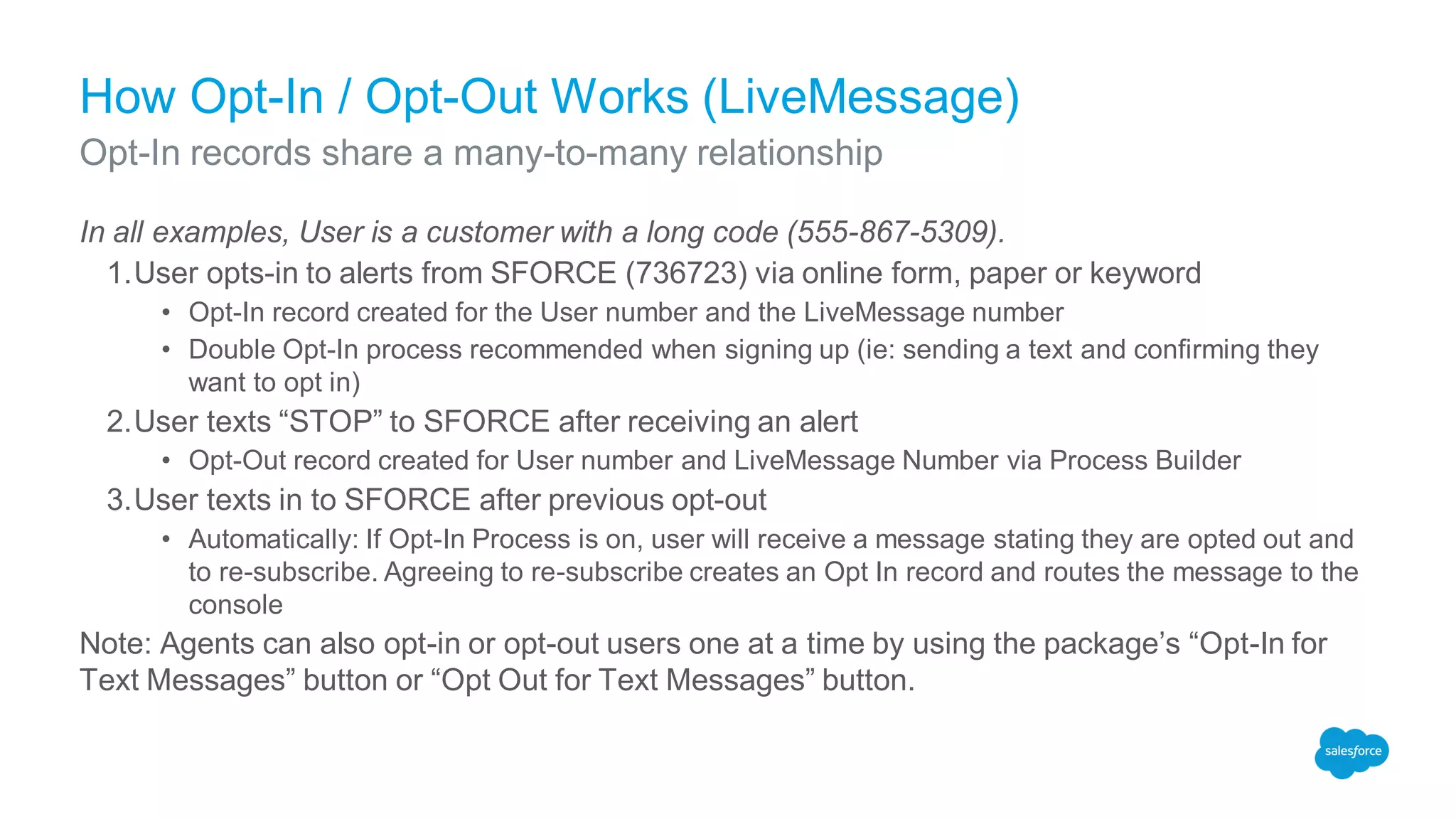
How Opt-In / Opt-Out Works (LiveMessage)
In all examples, User is a customer with a long code (555-867-5309).
1.User opts-in to alerts from SFORCE (736723) via online form, paper or keyword
• Opt-In record created for the User number and the LiveMessage number
• Double Opt-In process recommended when signing up (ie: sending a text and confirming they
want to opt in)
2.User texts “STOP” to SFORCE after receiving an alert
• Opt-Out record created for User number and LiveMessage Number via Process Builder
3.User texts in to SFORCE after previous opt-out
• Automatically: If Opt-In Process is on, user will receive a message stating they are opted out and
to re-subscribe. Agreeing to re-subscribe creates an Opt In record and routes the message to the
console
Note: Agents can also opt-in or opt-out users one at a time by using the package’s “Opt-In for
Text Messages” button or “Opt Out for Text Messages” button.
Opt-In records share a many-to-many relationship
Short Code Questions
So many answers for such a small number
LiveMessage Short Code FAQ
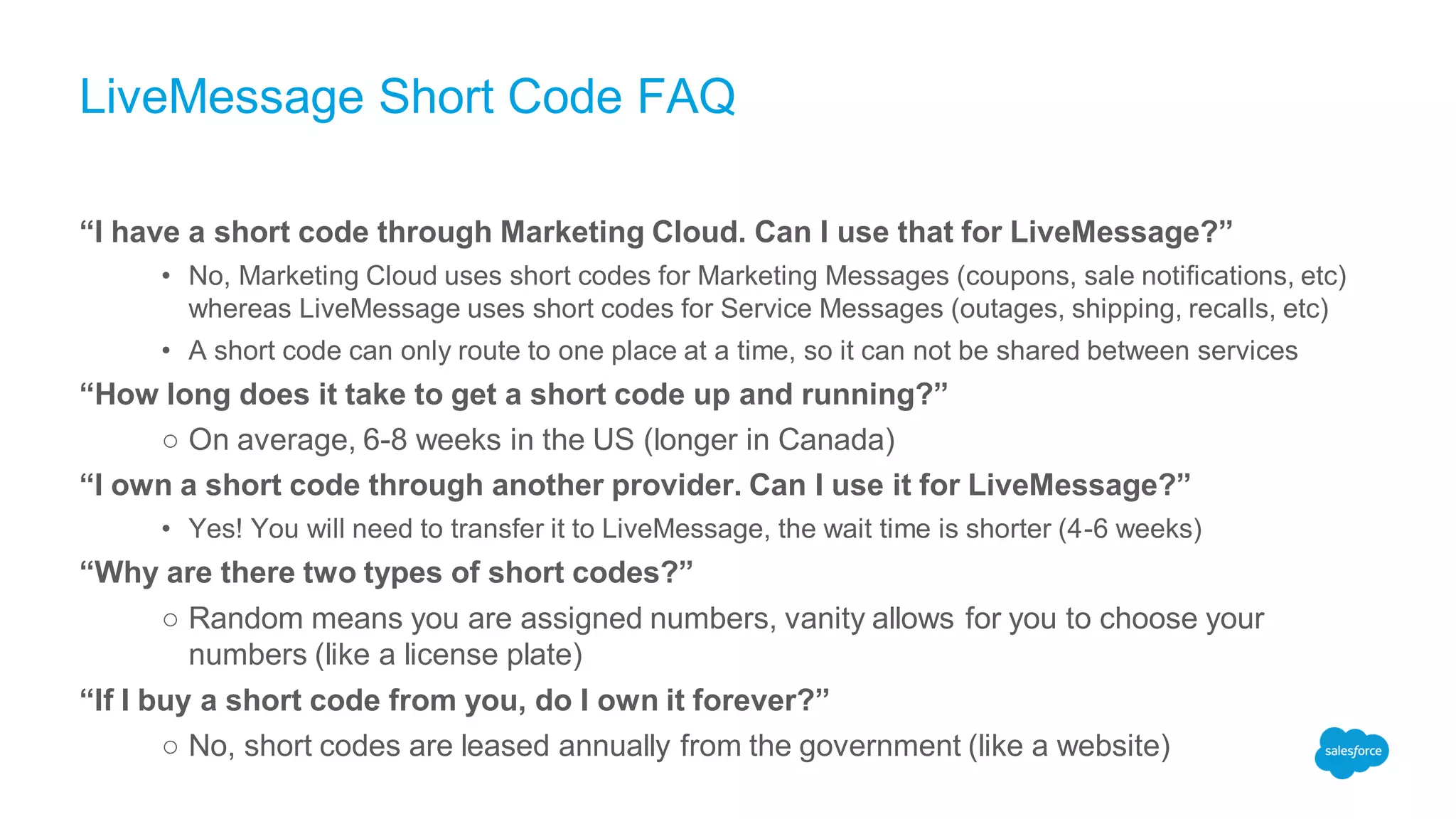
“I have a short code through Marketing Cloud. Can I use that for LiveMessage?”
• No, Marketing Cloud uses short codes for Marketing Messages (coupons, sale notifications, etc)
whereas LiveMessage uses short codes for Service Messages (outages, shipping, recalls, etc)
• A short code can only route to one place at a time, so it can not be shared between services
“How long does it take to get a short code up and running?”
○ On average, 6-8 weeks in the US (longer in Canada)
“I own a short code through another provider. Can I use it for LiveMessage?”
• Yes! You will need to transfer it to LiveMessage, the wait time is shorter (4-6 weeks)
“Why are there two types of short codes?”
○ Random means you are assigned numbers, vanity allows for you to choose your
numbers (like a license plate)
“If I buy a short code from you, do I own it forever?”
○ No, short codes are leased annually from the government (like a website)
LiveMessage Short Code FAQ (Continued)
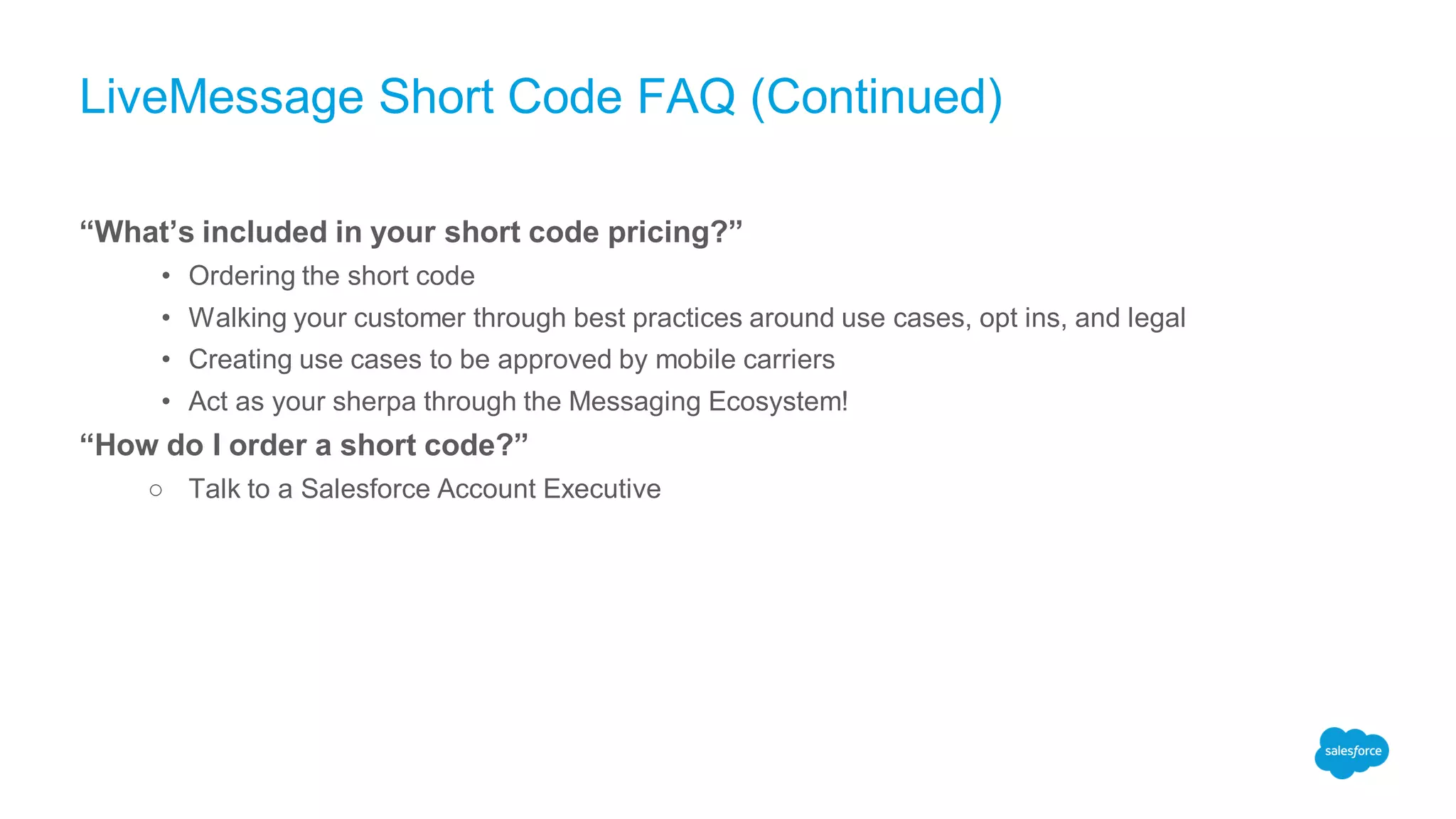
“What’s included in your short code pricing?”
• Ordering the short code
• Walking your customer through best practices around use cases, opt ins, and legal
• Creating use cases to be approved by mobile carriers
• Act as your sherpa through the Messaging Ecosystem!
“How do I order a short code?”
○ Talk to a Salesforce Account Executive
Activity
Use Case 1
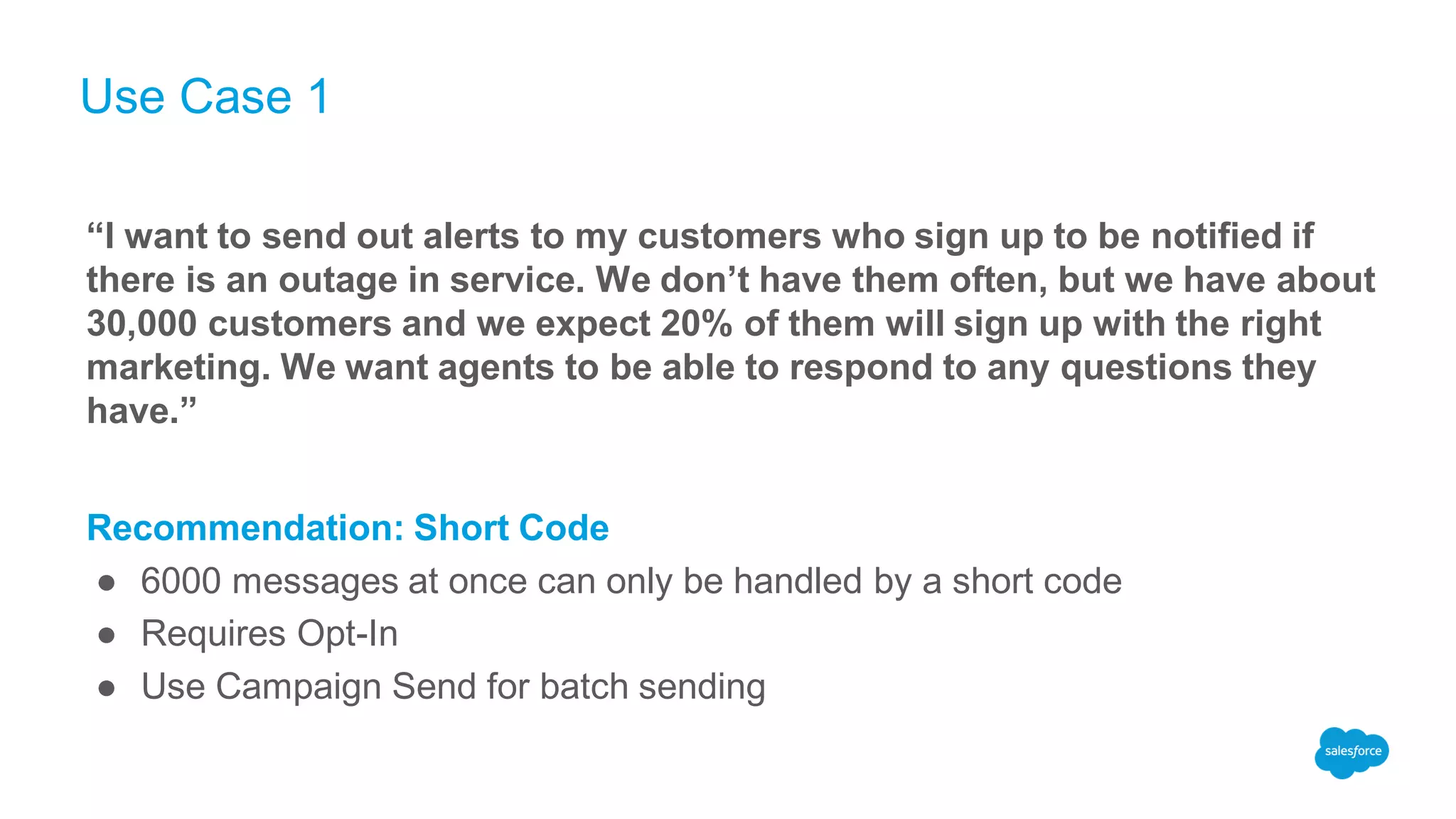
“I want to send out alerts to my customers who sign up to be notified if
there is an outage in service. We don’t have them often, but we have about
30,000 customers and we expect 20% of them will sign up with the right
marketing. We want agents to be able to respond to any questions they
have.”
Recommendation: Short Code
● 6000 messages at once can only be handled by a short code
● Requires Opt-In
● Use Campaign Send for batch sending
Use Case 2
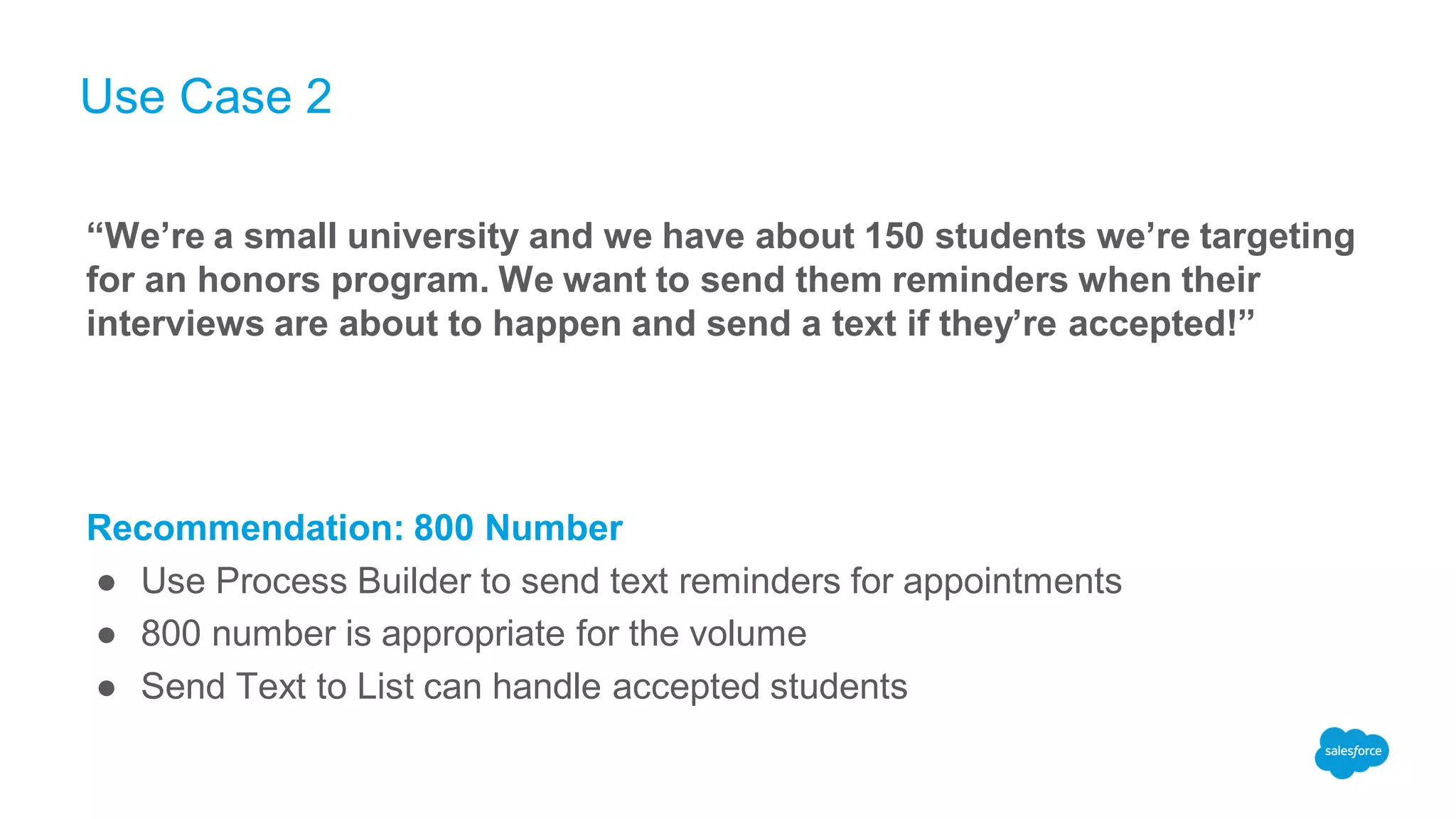
“We’re a small university and we have about 150 students we’re targeting
for an honors program. We want to send them reminders when their
interviews are about to happen and send a text if they’re accepted!”
Recommendation: 800 Number
● Use Process Builder to send text reminders for appointments
● 800 number is appropriate for the volume
● Send Text to List can handle accepted students
Questions & Answers
Live Message Partner Training (April 25, 2017)

Live Message Partner Training (April 25, 2017)

  • 1.
    LiveMessage Partner Training #3 Basicsof Bulk Messaging and Short Codes jboucher@salesforce.com @j_boucher Jessica Boucher Customer Success Manager
  • 2.
    Forward-Looking Statements Statement underthe Private Securities Litigation Reform Act of 1995: This presentation may contain forward-looking statements that involve risks, uncertainties, and assumptions. If any such uncertainties materialize or if any of the assumptions proves incorrect, the results of salesforce.com, inc. could differ materially from the results expressed or implied by the forward-looking statements we make. All statements other than statements of historical fact could be deemed forward-looking, including any projections of product or service availability, subscriber growth, earnings, revenues, or other financial items and any statements regarding strategies or plans of management for future operations, statements of belief, any statements concerning new, planned, or upgraded services or technology developments and customer contracts or use of our services. The risks and uncertainties referred to above include – but are not limited to – risks associated with developing and delivering new functionality for our service, new products and services, our new business model, our past operating losses, possible fluctuations in our operating results and rate of growth, interruptions or delays in our Web hosting, breach of our security measures, the outcome of any litigation, risks associated with completed and any possible mergers and acquisitions, the immature market in which we operate, our relatively limited operating history, our ability to expand, retain, and motivate our employees and manage our growth, new releases of our service and successful customer deployment, our limited history reselling non-salesforce.com products, and utilization and selling to larger enterprise customers. Further information on potential factors that could affect the financial results of salesforce.com, inc. is included in our annual report on Form 10-K for the most recent fiscal year and in our quarterly report on Form 10-Q for the most recent fiscal quarter. These documents and others containing important disclosures are available on the SEC Filings section of the Investor Information section of our Web site. Any unreleased services or features referenced in this or other presentations, press releases or public statements are not currently available and may not be delivered on time or at all. Customers who purchase our services should make the purchase decisions based upon features that are currently available. Salesforce.com, inc. assumes no obligation and does not intend to update these forward-looking statements.
  • 3.
    Objectives & Agenda Objective:Using LiveMessage, Salesforce Partners will be able to analyze bulk messaging requirements and suggest the best solution for the client. Objectives & Agenda 5 min Introduction to Number Types 10 min Sending in Bulk through LiveMessage 15 min Messaging Limitations 10 min Short Code Questions 5 min Activity 5 min Q&A 10 min
  • 4.
    Make Service MoreConvenient with Conversational Messaging Unlock the messaging channel for your contact center with two-way messaging support Deliver messaging support on SMS today - easily support additional messaging apps in the future Drive agent productivity even more with bots to automate data gathering and answer simple FAQs Reduce cost per transaction and call volume Provide personalized service via mobile messaging with LiveMessage Source: GearsCRM cost savings vs. voice ~25% to 50% SMS Lightning Console
  • 5.
    The Areas ofLiveMessage Phone Number Regulations LiveMessage App Architecture Salesforce Platform Knowledge
  • 6.
  • 7.
    The Areas ofLiveMessage Phone Number Regulations LiveMessage App Architecture Salesforce Platform Knowledge
  • 8.
    Messaging: Number Types LongCodes ● Your garden-variety 10 digit phone number (555-867-5309) ● LiveMessage usually refers to it in a format that is easy for Salesforce to understand • Plus sign, Country Code, Number (no spaces!) • Example: +15558675309 800 Numbers ● 10 digit phone numbers that start with a toll-free area code ● Area codes include: 800, 888, 877, 866, 855, and 844 ● LiveMessage uses the same long code format as above: +18558675309 Short Codes ● A five or six digit phone number used for A2P (Application to Person) Messaging ● Sometimes referred to in name format: SFORCE or 736723 ● Example: “Text alert from 736723”, “Text ‘Alert’ to ‘SFORCE’ to subscribe to It’s not just integers and irrational numbers anymore!
  • 9.
    Types of SMSTraffic Person to Person (P2P) Traffic ● Texting that is occurring between people ● Typically two-way communication ● Max 3:1 ratio of outbound to inbound ● Uses Long Codes and 800 Numbers Application to Person (A2P) Traffic ● A system that sends out bulk messages to many people at once ● Regulated similar to email marketing ● Uses Short Codes and 800 Numbers
  • 10.
    Why do Ineed to care about P2P and A2P Messaging? ● LiveMessage is a leader in the Enterprise Messaging space • As a partner: LiveMessage management shapes the way enterprise messaging is happening globally • As a carrier: LiveMessage authorizes texting on Long Codes, 800 Numbers, and Short Codes just like any other phone provider ● Numbers that do not honor regulations could be blocked • Carriers regularly run reports and block numbers that exceed P2P traffic • Can be un-blocked with LiveMessage’s help ● LiveMessage stays on top of spam laws to keep ourselves as a good player in the market • Including pre-built Opt-In / Opt-Out methodology in the package • Running reports to make sure users are honoring when a customer texts “STOP” Choosing the right solution will save a lot of headaches in the future!!!
  • 11.
    Sending in Bulkthrough LiveMessage LiveMessage App Architecture
  • 12.
    The Areas ofLiveMessage Phone Number Regulations LiveMessage App Architecture Salesforce Platform Knowledge
  • 13.
    Bulk Sends throughLiveMessage Send Text to List (A2P) ● Sends texts from a button added to a listview ● Use case: Health-care organization sends CSA pickup reminders to a group of 15 from a long code Send through Campaigns (A2P) ● Button on Campaign Object ● Captures responses as campaign member status ● Use case: Customer sends an event notification using a short code Automated Messaging ● Completed through process builder ● If used with data loader, can classify as bulk ● Use case: Customer uploads paper opt-in data which fires off a double opt in process from an 800 number
  • 14.
  • 15.
  • 16.
    Bulk Messaging Limitations LongCodes, Non-US numbers* Toll Free numbers (Available for US / Canada only) Shortcodes (Available for US Only) Console 1 message at a time 1 message at a time 1 message at a time List views Up to 25 messages at a time Up to 25 messages at a time Up to 200 messages at a time Process Builder 1 message at a time 1 message at a time 1 message at a time Campaigns Up to 25 messages at a time Up to 25 messages at a time Up to 10,000 messages at a time * Ratio must be 1:1 for inbound / outbound messaging
  • 17.
  • 18.
    The Areas ofLiveMessage Phone Number Regulations LiveMessage App Architecture Salesforce Platform Knowledge
  • 19.
    Platform Limits ● Workflowand Approval Limits of 500 processes per hour for the Enterprise Edition and 1000 processes per hour for the Unlimited Edition of Salesforce apply directly to process builder use, and to LiveMessage. • Please open a case with Salesforce to raise these limits. We recommend raising the Workflow and Approval Limits to the maximum of 10,000 processes per hour. ● The max amount of messages that can be sent is 2500 per hour with max org limits. • LiveMessage uses 4 processes per outbound send. • Based on a clean org: 10,000 process limit / 4 workflows per outbound message = 2500 outbound messages that can be sent per hour ● The 10,000 process per hour limit is applicable org wide. Depending on what else is configured in an org (both process builder processes and flows), LiveMessage may not be able to send this amount of messages. Force.com Workflow and Approval Limits
  • 20.
    Platform Limits ● Force.comPlatform Apex Limits - LM performs many APEX method executions while the app is running and these limits could come into play on an org that is in heavy use. These limits are much more difficult to track as many different pieces of code may pull from these limits. • 250,000 or the number of user licenses in your org multiplied by 200, whichever is greater = The maximum number of asynchronous Apex method executions (batch Apex, future methods, Queueable Apex, and scheduled Apex) per a 24-hour period • Customers should be aware of these limits and monitor them as they scale up LM usage. Force.com APEX Limits
  • 21.
    Workflow and ApprovalLimits ● Inbound messaging throughput • Currently rated at 1 message / second / SF org ● Outbound messaging throughput • Messages that can be sent from list view - 10-20 at a time • Messages that can be sent via LiveMessage Campaigns feature - 200 at a time • A short code is required if customers plan to send more than 10,000 messages per month App Limits
  • 22.
    Privacy Laws andLiveMessage Don’t message anyone without them opting in! ● Telephone Consumer Protection Act (TCPA Act) applies ● Use a companywide opt-in/opt-out process ● Out-in/Opt-out OOTB functionality for LiveMessage ● Opting out prohibits messages going out ● Ask the LiveMessage team for assistance if you have specific Opt In questions
  • 23.
    How Opt-In /Opt-Out Works (LiveMessage) In all examples, User is a customer with a long code (555-867-5309). 1.User opts-in to alerts from SFORCE (736723) via online form, paper or keyword • Opt-In record created for the User number and the LiveMessage number • Double Opt-In process recommended when signing up (ie: sending a text and confirming they want to opt in) 2.User texts “STOP” to SFORCE after receiving an alert • Opt-Out record created for User number and LiveMessage Number via Process Builder 3.User texts in to SFORCE after previous opt-out • Automatically: If Opt-In Process is on, user will receive a message stating they are opted out and to re-subscribe. Agreeing to re-subscribe creates an Opt In record and routes the message to the console Note: Agents can also opt-in or opt-out users one at a time by using the package’s “Opt-In for Text Messages” button or “Opt Out for Text Messages” button. Opt-In records share a many-to-many relationship
  • 24.
    Short Code Questions Somany answers for such a small number
  • 25.
    LiveMessage Short CodeFAQ “I have a short code through Marketing Cloud. Can I use that for LiveMessage?” • No, Marketing Cloud uses short codes for Marketing Messages (coupons, sale notifications, etc) whereas LiveMessage uses short codes for Service Messages (outages, shipping, recalls, etc) • A short code can only route to one place at a time, so it can not be shared between services “How long does it take to get a short code up and running?” ○ On average, 6-8 weeks in the US (longer in Canada) “I own a short code through another provider. Can I use it for LiveMessage?” • Yes! You will need to transfer it to LiveMessage, the wait time is shorter (4-6 weeks) “Why are there two types of short codes?” ○ Random means you are assigned numbers, vanity allows for you to choose your numbers (like a license plate) “If I buy a short code from you, do I own it forever?” ○ No, short codes are leased annually from the government (like a website)
  • 26.
    LiveMessage Short CodeFAQ (Continued) “What’s included in your short code pricing?” • Ordering the short code • Walking your customer through best practices around use cases, opt ins, and legal • Creating use cases to be approved by mobile carriers • Act as your sherpa through the Messaging Ecosystem! “How do I order a short code?” ○ Talk to a Salesforce Account Executive
  • 27.
  • 28.
    Use Case 1 “Iwant to send out alerts to my customers who sign up to be notified if there is an outage in service. We don’t have them often, but we have about 30,000 customers and we expect 20% of them will sign up with the right marketing. We want agents to be able to respond to any questions they have.” Recommendation: Short Code ● 6000 messages at once can only be handled by a short code ● Requires Opt-In ● Use Campaign Send for batch sending
  • 29.
    Use Case 2 “We’rea small university and we have about 150 students we’re targeting for an honors program. We want to send them reminders when their interviews are about to happen and send a text if they’re accepted!” Recommendation: 800 Number ● Use Process Builder to send text reminders for appointments ● 800 number is appropriate for the volume ● Send Text to List can handle accepted students
  • 30.