


1
Linux Kernel Debugging
Aleksandr Bulyshchenko
Lead Software Engineer, Engineering
March 2018
2
Agenda
1. DebugFS
2. SysRq
3. ftrace
4. GDB
33
DebugFS
4
DebugFS
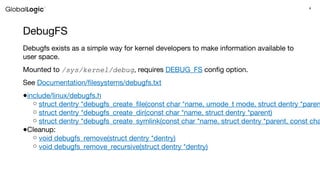
Debugfs exists as a simple way for kernel developers to make information available to
user space.
Mounted to /sys/kernel/debug, requires DEBUG_FS config option.
See Documentation/filesystems/debugfs.txt
●include/linux/debugfs.h
○ struct dentry *debugfs_create_file(const char *name, umode_t mode, struct dentry *paren
○ struct dentry *debugfs_create_dir(const char *name, struct dentry *parent)
○ struct dentry *debugfs_create_symlink(const char *name, struct dentry *parent, const cha
●Cleanup:
○ void debugfs_remove(struct dentry *dentry)
○ void debugfs_remove_recursive(struct dentry *dentry)
5
DebugFS functions
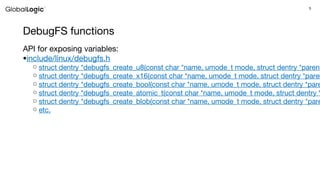
API for exposing variables:
●include/linux/debugfs.h
○ struct dentry *debugfs_create_u8(const char *name, umode_t mode, struct dentry *parent
○ struct dentry *debugfs_create_x16(const char *name, umode_t mode, struct dentry *paren
○ struct dentry *debugfs_create_bool(const char *name, umode_t mode, struct dentry *pare
○ struct dentry *debugfs_create_atomic_t(const char *name, umode_t mode, struct dentry *
○ struct dentry *debugfs_create_blob(const char *name, umode_t mode, struct dentry *pare
○ etc.
66
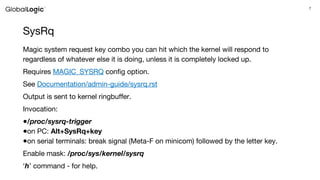
SysRq
7
SysRq
Magic system request key combo you can hit which the kernel will respond to
regardless of whatever else it is doing, unless it is completely locked up.
Requires MAGIC_SYSRQ config option.
See Documentation/admin-guide/sysrq.rst
Output is sent to kernel ringbuffer.
Invocation:
●/proc/sysrq-trigger
●on PC: Alt+SysRq+key
●on serial terminals: break signal (Meta-F on minicom) followed by the letter key.
Enable mask: /proc/sys/kernel/sysrq
‘h’ command - for help.
8
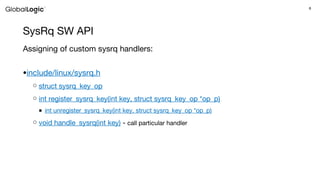
SysRq SW API
Assigning of custom sysrq handlers:
●include/linux/sysrq.h
○ struct sysrq_key_op
○ int register_sysrq_key(int key, struct sysrq_key_op *op_p)
■ int unregister_sysrq_key(int key, struct sysrq_key_op *op_p)
○ void handle_sysrq(int key) - call particular handler
99
ftrace
10
ftrace (Linux Kernel Function Tracer)
With its various tracer plugins, ftrace can be targeted at different static
tracepoints, such as scheduling events, interrupts, memory-mapped I/O,
CPU power state transitions, and operations related to file systems and
virtualization.
Also, dynamic tracking of kernel function calls is available, optionally
restrictable to a subset of functions by using globs, and with the possibility
to generate call graphs and provide stack usage reports.
At the same time, ftrace can be used to measure various latencies within the
Linux kernel, such as for how long interrupts or preemption are disabled.
See Documentation/trace/ftrace.txt
11
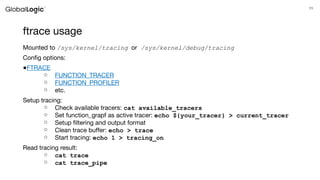
ftrace usage
Mounted to /sys/kernel/tracing or /sys/kernel/debug/tracing
Config options:
●FTRACE
○ FUNCTION_TRACER
○ FUNCTION_PROFILER
○ etc.
Setup tracing:
○ Check available tracers: cat available_tracers
○ Set function_grapf as active tracer: echo ${your_tracer} > current_tracer
○ Setup filtering and output format
○ Clean trace buffer: echo > trace
○ Start tracing: echo 1 > tracing_on
Read tracing result:
○ cat trace
○ cat trace_pipe
12
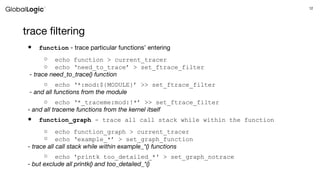
trace filtering
● function - trace particular functions’ entering
○ echo function > current_tracer
○ echo ‘need_to_trace’ > set_ftrace_filter
- trace need_to_trace() function
○ echo ‘*:mod:${MODULE}’ >> set_ftrace_filter
- and all functions from the module
○ echo ‘*_traceme:mod:!*’ >> set_ftrace_filter
- and all traceme functions from the kernel itself
● function_graph - trace all call stack while within the function
○ echo function_graph > current_tracer
○ echo ‘example_*’ > set_graph_function
- trace all call stack while within example_*() functions
○ echo 'printk too_detailed_*' > set_graph_notrace
- but exclude all printk() and too_detailed_*()
1313
GDB
14
GDB
● It’s possible to use GNU debugger with kernel code.
● Kernel have to be built with DEBUG_INFO config option.
● Symbols could be loaded from uncompressed image (vmlinux).
● To access sections of running kernel, KASLR should be disabled (kernel
option nokaslr).
● For information regarding usage of GDB - refer to GDB User Manual
15
GDB with qemu
qemu has own gdbserver:
● -gdb dev - to wait for gdb connection on particular device
● -s - to open a gdbserver on TCP port 1234 (same as -gdb tcp::1234)
To debug kernel in qemu:
● launch qemu with kernel to debug and gdbserver enabled
○ Note: qemu allows to load kernel stopped (option -S)
● load gdb with kernel symbols of running kernel
○ gdb ${BUILD_KERNEL}/vmlinux
● attach to remote gdbserver
○ (gdb) target remote :1234
● Note: on qemu by default this will stop execution
16
Module debugging
To debug loadable module:
● load the module in target system
● get load addresses
○ they are presented in /sys/module/${MODULE_NAME}/sections/
● launch gdb with loaded symbols of running kernel and attach to target
● in gdb prompt load symbols information with add-symbol-file command:
○ add-symbol-file ${MODULE_KO} ${LOAD_ADDR} [-s $
{section_name} ${section_addr}]...
● You are ready
17
Eclipse
Eclipse CDT may be used for graphical source-level debugging.
Useful plugins:
● C/C++ GDB Hardware debugging
● GNU ARM Eclipse Plug-in
GNU MCU Eclipse project (former GNU ARM Eclipse) maintains tools for
multi-platform embedded ARM development, based on GNU toolchains.
Please refer to install instructions for updated information.
To setup kernel project in eclipse follow the instruction:
HowTo use the CDT to navigate Linux kernel source
18
Aleksandr Bulyshchenko
Lead Software Engineer, Engineering
a.bulyshchenko@globallogic.com
Enjoy!

Linux Kernel Debugging

  • 1.
    1 Linux Kernel Debugging AleksandrBulyshchenko Lead Software Engineer, Engineering March 2018
  • 2.
  • 3.
  • 4.
    4 DebugFS Debugfs exists asa simple way for kernel developers to make information available to user space. Mounted to /sys/kernel/debug, requires DEBUG_FS config option. See Documentation/filesystems/debugfs.txt ●include/linux/debugfs.h ○ struct dentry *debugfs_create_file(const char *name, umode_t mode, struct dentry *paren ○ struct dentry *debugfs_create_dir(const char *name, struct dentry *parent) ○ struct dentry *debugfs_create_symlink(const char *name, struct dentry *parent, const cha ●Cleanup: ○ void debugfs_remove(struct dentry *dentry) ○ void debugfs_remove_recursive(struct dentry *dentry)
  • 5.
    5 DebugFS functions API forexposing variables: ●include/linux/debugfs.h ○ struct dentry *debugfs_create_u8(const char *name, umode_t mode, struct dentry *parent ○ struct dentry *debugfs_create_x16(const char *name, umode_t mode, struct dentry *paren ○ struct dentry *debugfs_create_bool(const char *name, umode_t mode, struct dentry *pare ○ struct dentry *debugfs_create_atomic_t(const char *name, umode_t mode, struct dentry * ○ struct dentry *debugfs_create_blob(const char *name, umode_t mode, struct dentry *pare ○ etc.
  • 6.
  • 7.
    7 SysRq Magic system requestkey combo you can hit which the kernel will respond to regardless of whatever else it is doing, unless it is completely locked up. Requires MAGIC_SYSRQ config option. See Documentation/admin-guide/sysrq.rst Output is sent to kernel ringbuffer. Invocation: ●/proc/sysrq-trigger ●on PC: Alt+SysRq+key ●on serial terminals: break signal (Meta-F on minicom) followed by the letter key. Enable mask: /proc/sys/kernel/sysrq ‘h’ command - for help.
  • 8.
    8 SysRq SW API Assigningof custom sysrq handlers: ●include/linux/sysrq.h ○ struct sysrq_key_op ○ int register_sysrq_key(int key, struct sysrq_key_op *op_p) ■ int unregister_sysrq_key(int key, struct sysrq_key_op *op_p) ○ void handle_sysrq(int key) - call particular handler
  • 9.
  • 10.
    10 ftrace (Linux KernelFunction Tracer) With its various tracer plugins, ftrace can be targeted at different static tracepoints, such as scheduling events, interrupts, memory-mapped I/O, CPU power state transitions, and operations related to file systems and virtualization. Also, dynamic tracking of kernel function calls is available, optionally restrictable to a subset of functions by using globs, and with the possibility to generate call graphs and provide stack usage reports. At the same time, ftrace can be used to measure various latencies within the Linux kernel, such as for how long interrupts or preemption are disabled. See Documentation/trace/ftrace.txt
  • 11.
    11 ftrace usage Mounted to/sys/kernel/tracing or /sys/kernel/debug/tracing Config options: ●FTRACE ○ FUNCTION_TRACER ○ FUNCTION_PROFILER ○ etc. Setup tracing: ○ Check available tracers: cat available_tracers ○ Set function_grapf as active tracer: echo ${your_tracer} > current_tracer ○ Setup filtering and output format ○ Clean trace buffer: echo > trace ○ Start tracing: echo 1 > tracing_on Read tracing result: ○ cat trace ○ cat trace_pipe
  • 12.
    12 trace filtering ● function- trace particular functions’ entering ○ echo function > current_tracer ○ echo ‘need_to_trace’ > set_ftrace_filter - trace need_to_trace() function ○ echo ‘*:mod:${MODULE}’ >> set_ftrace_filter - and all functions from the module ○ echo ‘*_traceme:mod:!*’ >> set_ftrace_filter - and all traceme functions from the kernel itself ● function_graph - trace all call stack while within the function ○ echo function_graph > current_tracer ○ echo ‘example_*’ > set_graph_function - trace all call stack while within example_*() functions ○ echo 'printk too_detailed_*' > set_graph_notrace - but exclude all printk() and too_detailed_*()
  • 13.
  • 14.
    14 GDB ● It’s possibleto use GNU debugger with kernel code. ● Kernel have to be built with DEBUG_INFO config option. ● Symbols could be loaded from uncompressed image (vmlinux). ● To access sections of running kernel, KASLR should be disabled (kernel option nokaslr). ● For information regarding usage of GDB - refer to GDB User Manual
  • 15.
    15 GDB with qemu qemuhas own gdbserver: ● -gdb dev - to wait for gdb connection on particular device ● -s - to open a gdbserver on TCP port 1234 (same as -gdb tcp::1234) To debug kernel in qemu: ● launch qemu with kernel to debug and gdbserver enabled ○ Note: qemu allows to load kernel stopped (option -S) ● load gdb with kernel symbols of running kernel ○ gdb ${BUILD_KERNEL}/vmlinux ● attach to remote gdbserver ○ (gdb) target remote :1234 ● Note: on qemu by default this will stop execution
  • 16.
    16 Module debugging To debugloadable module: ● load the module in target system ● get load addresses ○ they are presented in /sys/module/${MODULE_NAME}/sections/ ● launch gdb with loaded symbols of running kernel and attach to target ● in gdb prompt load symbols information with add-symbol-file command: ○ add-symbol-file ${MODULE_KO} ${LOAD_ADDR} [-s $ {section_name} ${section_addr}]... ● You are ready
  • 17.
    17 Eclipse Eclipse CDT maybe used for graphical source-level debugging. Useful plugins: ● C/C++ GDB Hardware debugging ● GNU ARM Eclipse Plug-in GNU MCU Eclipse project (former GNU ARM Eclipse) maintains tools for multi-platform embedded ARM development, based on GNU toolchains. Please refer to install instructions for updated information. To setup kernel project in eclipse follow the instruction: HowTo use the CDT to navigate Linux kernel source
  • 18.
    18 Aleksandr Bulyshchenko Lead SoftwareEngineer, Engineering a.bulyshchenko@globallogic.com Enjoy!