<Insert Picture Here>


From printk to QEMU: Xen/Linux Kernel debugging
Daniel Kiper - daniel.kiper@oracle.com
Presentation plan

•   printk and companions
•   gdb
•   kgdb, GDB stub, …
•   QEMU
•   kdump

• Documentation

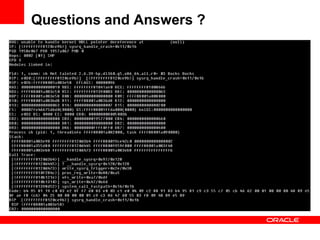
• Questions and Answers
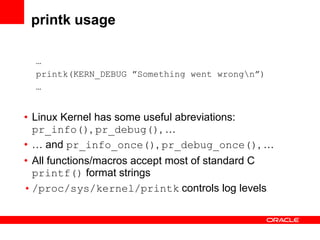
printk usage

  …
  printk(KERN_DEBUG ”Something went wrongn”)
  …


• Linux Kernel has some useful abreviations:
  pr_info(), pr_debug(), …
• … and pr_info_once(), pr_debug_once(), …
• All functions/macros accept most of standard C
  printf() format strings
• /proc/sys/kernel/printk controls log levels
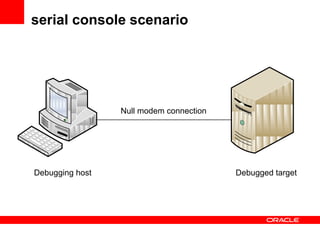
serial console scenario


                 Null modem connection


Debugging host                           Debugged target
printk and Linux serial/early console

• printk output is send usualy to graphic card by default
• This behavior is not very useful for debugging
  because output may disappear
• Serial console is a solution in this case
• Linux Kernel serial console activation:
       /boot/vmlinuz … console=ttyS0,115200n8 …
• Linux Kernel early console activation:
       /boot/vmlinuz … earlyprintk=ttyS0,115200 …
• Other useful Linux Kernel logging options:
  • debug
  • loglevel=<0-7>
printk and Xen serial console

• Xen serial console activation:
       /boot/xen.gz … com1=115200,8n1 console=com1 …
• Other Xen useful logging options:
  • sync_console
  • console_to_ring
  • loglvl=all
  • guest_loglvl=all
  • apic_verbosity=debug
serial console and asm x86
 USB debug port
• Serial port requires some initialization
• Good and working asm x86 example
  could be found in kexec-tools source
  (kexec-tools/purgatory/arch/i386/console-x86.c)

• USB EHCI debug port is similart solution
  to serial console
• Linux Kernel has support for USB debug port
• There is a RFC implementation for Xen, too
• However, machines must be connect
  through special device 
How to check logs

• Linux logs:
  • /var/log/dmesg
  • /var/log/syslog
  • /var/log/messages
• Xen logs:
  • xm dmesg
  • xl dmesg
printk summary

• Simple and reliable
• Does not interfere program run
  (in contrast to e.g. gdb)
• Every change in printk debugging code requires
  recompilation and restart (time and labor consuming)
• It is quiet difficult to use printk to analyze large
  structures and complicated code
gdb

• gdb/GDB is feature rich debugger
  known as GNU Debugger
• It allows developer to do:
    •   virtual memory analysis
    •   structures analysis
    •   multithreaded processes analysis
    •   many more…
•   gdb could use scripts to automate tasks
•   gdb could be used to do remote debugging
•   gdb is core element in other debugging tools (e.g. crash)
•   gdb requiers symbols to work properly
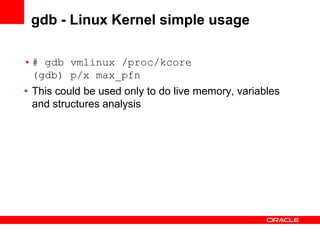
gdb - Linux Kernel simple usage

• # gdb vmlinux /proc/kcore
  (gdb) p/x max_pfn
• This could be used only to do live memory, variables
  and structures analysis
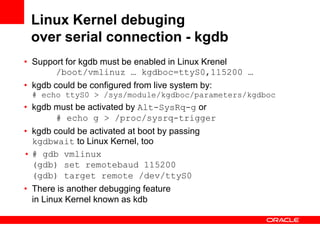
Linux Kernel debuging
 over serial connection - kgdb
• Support for kgdb must be enabled in Linux Krenel
       /boot/vmlinuz … kgdboc=ttyS0,115200 …
• kgdb could be configured from live system by:
 # echo ttyS0 > /sys/module/kgdboc/parameters/kgdboc
• kgdb must be activated by Alt-SysRq-g or
       # echo g > /proc/sysrq-trigger
• kgdb could be activated at boot by passing
  kgdbwait to Linux Kernel, too
• # gdb vmlinux
  (gdb) set remotebaud 115200
  (gdb) target remote /dev/ttyS0
• There is another debugging feature
  in Linux Kernel known as kdb
Xen dom0 debugging
 over serial connection - GDB stub
• Boot Xen with following options:
       /boot/xen.gz … com1=115200,8n1 
             com2=115200,8n1 
                     console=com1 gdb=com2…
• Press Ctrl-a * 3 and then % on serial console
• # gdb xen-syms
  (gdb) set remotebaud 115200
  (gdb) target remote /dev/ttyS0
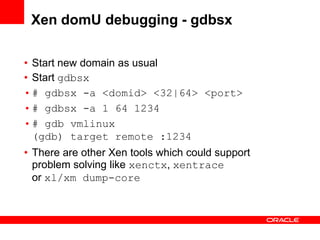
Xen domU debugging - gdbsx

• Start new domain as usual
• Start gdbsx
• # gdbsx -a <domid> <32|64> <port>
• # gdbsx -a 1 64 1234
• # gdb vmlinux
  (gdb) target remote :1234
• There are other Xen tools which could support
  problem solving like xenctx, xentrace
  or xl/xm dump-core
gdb summary

• gdb is powerfull tool
• gdb is quite diffcult to use especially by begginers
• …but there are some graphical frontends
  like GNU DDD
QEMU

• QEMU is a generic and open source machine emulator and
  virtualizer (http://wiki.qemu.org/Main_Page)
• Good to do some arch testing and virtualization (as is)
  but also excellent for debugging

• # qemu … -serial 
       telnet:127.0.0.1:10232,server …
• # telnet 127.0.0.1 10232

• # qemu … -debugcon 
       telnet:127.0.0.1:10233,server,nowait …
• asm x86: outb to 0xe9 port
• # telnet 127.0.0.1 10233
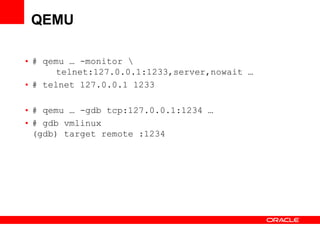
QEMU

• # qemu … -monitor 
       telnet:127.0.0.1:1233,server,nowait …
• # telnet 127.0.0.1 1233

• # qemu … -gdb tcp:127.0.0.1:1234 …
• # gdb vmlinux
  (gdb) target remote :1234
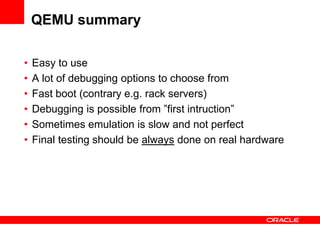
QEMU summary

•   Easy to use
•   A lot of debugging options to choose from
•   Fast boot (contrary e.g. rack servers)
•   Debugging is possible from ”first intruction”
•   Sometimes emulation is slow and not perfect
•   Final testing should be always done on real hardware
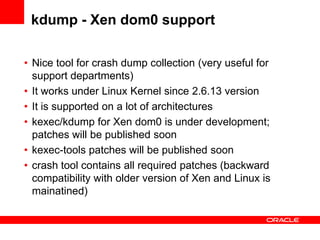
kdump - Xen dom0 support

• Nice tool for crash dump collection (very useful for
  support departments)
• It works under Linux Kernel since 2.6.13 version
• It is supported on a lot of architectures
• kexec/kdump for Xen dom0 is under development;
  patches will be published soon
• kexec-tools patches will be published soon
• crash tool contains all required patches (backward
  compatibility with older version of Xen and Linux is
  mainatined)
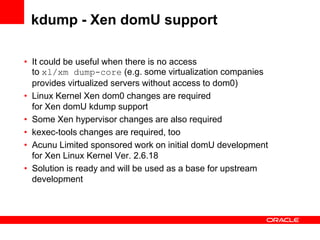
kdump - Xen domU support

• It could be useful when there is no access
  to xl/xm dump-core (e.g. some virtualization companies
  provides virtualized servers without access to dom0)
• Linux Kernel Xen dom0 changes are required
  for Xen domU kdump support
• Some Xen hypervisor changes are also required
• kexec-tools changes are required, too
• Acunu Limited sponsored work on initial domU development
  for Xen Linux Kernel Ver. 2.6.18
• Solution is ready and will be used as a base for upstream
  development
Documentation

•   linux/Documentation/sysctl/kernel.txt
•   linux/Documentation/kernel-parameters.txt
•   http://wiki.xen.org/
•   http://wiki.xen.org/wiki/Xen_Serial_Console
•   http://www.gnu.org/software/gdb/
•   http://www.gnu.org/software/ddd/
•   http://kgdb.wiki.kernel.org/
•   http://kernel.org/doc/htmldocs/kgdb.html
•   http://wiki.qemu.org/Main_Page
•   http://zhigang.org/wiki/XenDebugging
Questions and Answers ?
From printk to QEMU: Xen/Linux Kernel debugging

From printk to QEMU: Xen/Linux Kernel debugging

  • 2.
    <Insert Picture Here> Fromprintk to QEMU: Xen/Linux Kernel debugging Daniel Kiper - daniel.kiper@oracle.com
  • 3.
    Presentation plan • printk and companions • gdb • kgdb, GDB stub, … • QEMU • kdump • Documentation • Questions and Answers
  • 4.
    printk usage … printk(KERN_DEBUG ”Something went wrongn”) … • Linux Kernel has some useful abreviations: pr_info(), pr_debug(), … • … and pr_info_once(), pr_debug_once(), … • All functions/macros accept most of standard C printf() format strings • /proc/sys/kernel/printk controls log levels
  • 5.
    serial console scenario Null modem connection Debugging host Debugged target
  • 6.
    printk and Linuxserial/early console • printk output is send usualy to graphic card by default • This behavior is not very useful for debugging because output may disappear • Serial console is a solution in this case • Linux Kernel serial console activation: /boot/vmlinuz … console=ttyS0,115200n8 … • Linux Kernel early console activation: /boot/vmlinuz … earlyprintk=ttyS0,115200 … • Other useful Linux Kernel logging options: • debug • loglevel=<0-7>
  • 7.
    printk and Xenserial console • Xen serial console activation: /boot/xen.gz … com1=115200,8n1 console=com1 … • Other Xen useful logging options: • sync_console • console_to_ring • loglvl=all • guest_loglvl=all • apic_verbosity=debug
  • 8.
    serial console andasm x86 USB debug port • Serial port requires some initialization • Good and working asm x86 example could be found in kexec-tools source (kexec-tools/purgatory/arch/i386/console-x86.c) • USB EHCI debug port is similart solution to serial console • Linux Kernel has support for USB debug port • There is a RFC implementation for Xen, too • However, machines must be connect through special device 
  • 9.
    How to checklogs • Linux logs: • /var/log/dmesg • /var/log/syslog • /var/log/messages • Xen logs: • xm dmesg • xl dmesg
  • 10.
    printk summary • Simpleand reliable • Does not interfere program run (in contrast to e.g. gdb) • Every change in printk debugging code requires recompilation and restart (time and labor consuming) • It is quiet difficult to use printk to analyze large structures and complicated code
  • 11.
    gdb • gdb/GDB isfeature rich debugger known as GNU Debugger • It allows developer to do: • virtual memory analysis • structures analysis • multithreaded processes analysis • many more… • gdb could use scripts to automate tasks • gdb could be used to do remote debugging • gdb is core element in other debugging tools (e.g. crash) • gdb requiers symbols to work properly
  • 12.
    gdb - LinuxKernel simple usage • # gdb vmlinux /proc/kcore (gdb) p/x max_pfn • This could be used only to do live memory, variables and structures analysis
  • 13.
    Linux Kernel debuging over serial connection - kgdb • Support for kgdb must be enabled in Linux Krenel /boot/vmlinuz … kgdboc=ttyS0,115200 … • kgdb could be configured from live system by: # echo ttyS0 > /sys/module/kgdboc/parameters/kgdboc • kgdb must be activated by Alt-SysRq-g or # echo g > /proc/sysrq-trigger • kgdb could be activated at boot by passing kgdbwait to Linux Kernel, too • # gdb vmlinux (gdb) set remotebaud 115200 (gdb) target remote /dev/ttyS0 • There is another debugging feature in Linux Kernel known as kdb
  • 14.
    Xen dom0 debugging over serial connection - GDB stub • Boot Xen with following options: /boot/xen.gz … com1=115200,8n1 com2=115200,8n1 console=com1 gdb=com2… • Press Ctrl-a * 3 and then % on serial console • # gdb xen-syms (gdb) set remotebaud 115200 (gdb) target remote /dev/ttyS0
  • 15.
    Xen domU debugging- gdbsx • Start new domain as usual • Start gdbsx • # gdbsx -a <domid> <32|64> <port> • # gdbsx -a 1 64 1234 • # gdb vmlinux (gdb) target remote :1234 • There are other Xen tools which could support problem solving like xenctx, xentrace or xl/xm dump-core
  • 16.
    gdb summary • gdbis powerfull tool • gdb is quite diffcult to use especially by begginers • …but there are some graphical frontends like GNU DDD
  • 17.
    QEMU • QEMU isa generic and open source machine emulator and virtualizer (http://wiki.qemu.org/Main_Page) • Good to do some arch testing and virtualization (as is) but also excellent for debugging • # qemu … -serial telnet:127.0.0.1:10232,server … • # telnet 127.0.0.1 10232 • # qemu … -debugcon telnet:127.0.0.1:10233,server,nowait … • asm x86: outb to 0xe9 port • # telnet 127.0.0.1 10233
  • 18.
    QEMU • # qemu… -monitor telnet:127.0.0.1:1233,server,nowait … • # telnet 127.0.0.1 1233 • # qemu … -gdb tcp:127.0.0.1:1234 … • # gdb vmlinux (gdb) target remote :1234
  • 19.
    QEMU summary • Easy to use • A lot of debugging options to choose from • Fast boot (contrary e.g. rack servers) • Debugging is possible from ”first intruction” • Sometimes emulation is slow and not perfect • Final testing should be always done on real hardware
  • 20.
    kdump - Xendom0 support • Nice tool for crash dump collection (very useful for support departments) • It works under Linux Kernel since 2.6.13 version • It is supported on a lot of architectures • kexec/kdump for Xen dom0 is under development; patches will be published soon • kexec-tools patches will be published soon • crash tool contains all required patches (backward compatibility with older version of Xen and Linux is mainatined)
  • 21.
    kdump - XendomU support • It could be useful when there is no access to xl/xm dump-core (e.g. some virtualization companies provides virtualized servers without access to dom0) • Linux Kernel Xen dom0 changes are required for Xen domU kdump support • Some Xen hypervisor changes are also required • kexec-tools changes are required, too • Acunu Limited sponsored work on initial domU development for Xen Linux Kernel Ver. 2.6.18 • Solution is ready and will be used as a base for upstream development
  • 22.
    Documentation • linux/Documentation/sysctl/kernel.txt • linux/Documentation/kernel-parameters.txt • http://wiki.xen.org/ • http://wiki.xen.org/wiki/Xen_Serial_Console • http://www.gnu.org/software/gdb/ • http://www.gnu.org/software/ddd/ • http://kgdb.wiki.kernel.org/ • http://kernel.org/doc/htmldocs/kgdb.html • http://wiki.qemu.org/Main_Page • http://zhigang.org/wiki/XenDebugging
  • 23.