Linux
Distrbution
Automated
Testing
Aleksander Baranowski
EuroLinux
Testwarez 2018
Zakopane, 15th November 2018
[you@host creator]$ ./configure
[you@host creator]$ make
[you@host creator]$ make install
Divide
&&
Conquer
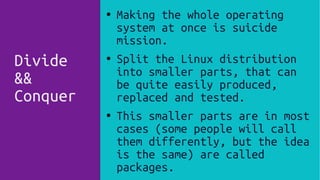
● Making the whole operating
system at once is suicide
mission.
● Split the Linux distribution
into smaller parts, that can
be quite easily produced,
replaced and tested.
● This smaller parts are in most
cases (some people will call
them differently, but the idea
is the same) are called
packages.
The
Basics
Glossary
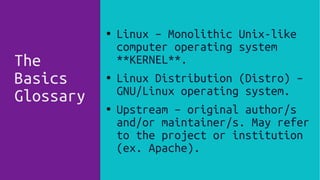
● Linux – Monolithic Unix-like
computer operating system
**KERNEL**.
● Linux Distribution (Distro) –
GNU/Linux operating system.
● Upstream – original author/s
and/or maintainer/s. May refer
to the project or institution
(ex. Apache).
The
Basics
Glossary
● Repository – Set of Packages
with metadata.
● System Image – File/files that
contains “frozen” version of
system – e.g. Installation
ISO.
●
Cloud Image – System image
that is provided in choosen
cloud solution.
[you@host ]$ pre_check
Please answer following:
1
● Which software should we pack?
● Sample: SSL/TLS – Google
Boring SSL, OpenSSL or BSD
LibreSSL?
● A lot of software depends on
this libraries, and they won't
provide compatible API/ABI.
2 ● Second fundamental problem is
software (package) versioning.
● LTS, ROLLING, HyBriD.
3
4
● How software will be packed?
● Source?
●
Ports?
● Binary?
[you@host ]$ clone packages
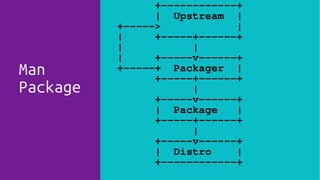
Man
Package
+------------+
| Upstream |
+-----> |
| +-----+------+
| |
| +-----v------+
+-----+ Packager |
+-----+------+
|
+-----v------+
| Package |
+-----+------+
|
+-----v------+
| Distro |
+------------+
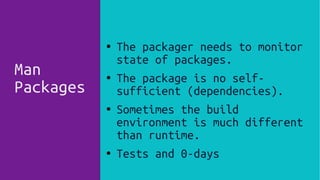
Man
Packages
● The packager needs to monitor
state of packages.
● The package is no self-
sufficient (dependencies).
● Sometimes the build
environment is much different
than runtime.
● Tests and 0-days
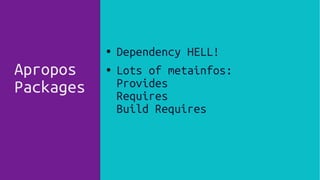
Apropos
Packages
● Dependency HELL!
● Lots of metainfos:
Provides
Requires
Build Requires
[you@host ]$ ./compile groups
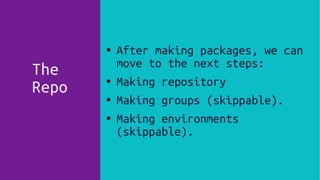
The
Repo
●
After making packages, we can
move to the next steps:
● Making repository
●
Making groups (skippable).
● Making environments
(skippable).
● After making packages, we can
move to the next steps:
● Making repository
● Making groups (skippable).
● Making environments
(skippable).
The
Repo
● Packages ID, Name, Version,
Release, etc.
●
Filelist provided by each
package.
● Checksums (e.g. sha256,
sha512)
● Changelogs.
● PGP/GPG keys used to sign
packages.
● Groups and environments.
The
Group
● Logically linked packages.
● Sample groups:
core
FTP Server
HTTP Server
Ruby Development
Python 3.6
The
Environment
● Use cases of our distro.
● Group of groups.
● Sample environments:
Developer Workstation
Gnome3 Desktop
KDE Plasma Desktop
[you@host creator]$ release me
Release
Images
● Holy Installation ISO
● Virtualization Images
● Cloud Images
● Containers
● Automatic installation
●
Release
Updates
● Time Based
● Point Based
●
Automated way
● Security packages can
disturbed the process.
[you@host creator]$ test me
Get(
Current,
State,
*args)
Community
Tested
● Tests Days.
● Testing repositories.
● Beta testing of whole
releases.
● No any meaningful tests/tests
sets on VCS.
● No CI/CD publicly available
solutions.
Community
Tested
● The current state might be
discouraging.
● Testing Linux distribution
means testing thousand of
packages.
[you@host t_utils]$ retest package
Challenges
Of
Package
Testing
● Package testing must be built
in build process.
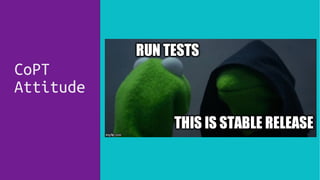
CoPT
Attitude
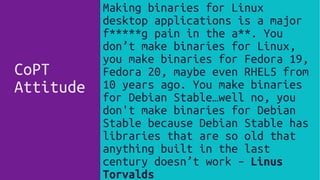
Making binaries for Linux
desktop applications is a major
f*****g pain in the a**. You
don’t make binaries for Linux,
you make binaries for Fedora 19,
Fedora 20, maybe even RHEL5 from
10 years ago. You make binaries
for Debian Stable…well no, you
don't make binaries for Debian
Stable because Debian Stable has
libraries that are so old that
anything built in the last
century doesn’t work – Linus
Torvalds
CoPT
Attitude
CoPT
Tests???
● Some project has next to not
existent tests sets.
● This is a common problem with
free/libre software.
●
The pattern is changing :).
CoPT
Tests!!!
● The reverse of the previous
one.
● Too many way to test software!
● Linux Kernel is great example.
CoPT
Less;
More
● Test patches introduced by
distribution.
● Test backported features, that
test cannot be backported.
● Package builders support for
tests.
● These tests are the easiest to
automate.
● Check the chosen attributes:
PGP/GPG
Checksums
License and description
Packager, Vendor, Provider
Build Host
Sources URL.
Test
On
Metadata
● Package builders (the programs
not the physical/virtual
machines) have minimal support
for testing.
● No snapshot, tests, revert
mechanism.
● Build != Runtime Environment.
Test
During
Package
Build
● Each package need different
means to be tested.
Test
During
Package
Build
● Each package need different
means to test.
● Read: How to runtests.
● Build != Runtime Environment.
Test
During
Package
Build
Challenges
Of
Package
Testing
● Package testing must be built
in build process.
[you@host t_utils]$ test repo
● Repositry is the set of
packages with metadata.
● Test CDN.
● Tests metadata.
Test
Repository
Metadata
● There are multiple operations
that can be achived with
working repository: Update,
Downgrade, Install, Group
Install, Env Install, Remove.
● Randomly selected, chained
● Test system consitency;
services (with default
configuration).
Test
Repository
$RANDOM
● We can make graph (V=packages,
E=dependency).
● Check for dependencies.
● Search isolated verticles.
● Extremly useful for updates
testing – neighbourhood.
Test
Repository
Graph
● Repoclosure – check if all
dependencies in repository can
be resolved.
● Make impact score. How many
packages are dependent,
calculated with nested
neighbourhood.
Test
Repository
Graph
[you@host t_utils]$ test use-case
● There are automation platform,
Puppet, Salt, Ansible.
● Puppet -> Puppet Forge, Salt
-> Salt Stack Formulas,
Ansible -> Ansible Galaxy
● Ready to use then test use
cases.
How
To
Obtain
Use Cases
● LAMP (Linux; Apache; MySQL;
PHP)
● NFS
● Samba
● Web server
● HA
Sample
Use Cases
● This is good idea to have core
test suite.
● Minimal acceptance tests that
can be always run.
● Mix of different tests, with
different test levels.
The
core
test
suite
[you@host t_utils]$ test image
● Each distribution finally need
at least one image that allows
to install the system.
● In most cases it’s the first
ISO is made on „donor”
computer.
● Since then most distributions
can be self-hosted.
● Installator that supports
unattended/automatic
deployment FTW!
The
Holy
One
First
ISO
● Installation ISO must go
through multiple tests:
● Install selected groups (about
20 on single ISO).
● Different FS.
● Different HW, bare metal or
virtualized.
The
Holy
One
First
ISO
● Each image should pass the
core test suite.
● The documentation of the
solution is beneficial.
● Sometimes we have to use third
party software and go their
tests.
Tests
On
Different
Images
● Allows testing whole
distribution lifecycle.
● Uses virtual machines to make
reproducible tests.
● Sponsored by SUSE.
● Tests with support for
keyboard, mouse input, gather
information from the serial
console, getting images from
the screen and much more.
OpenQA
open.qa
OpenQA
Like
Selenium
● For Linux Distros.
● With Perl :(.
[you@host t_utils]$ /o_utils list
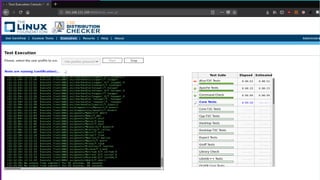
LSB
● LSB (Linux Stanard Base) was
made to reduce the cost of
support for Linux. Idea is
that it make different Linux
distributions more „unified”.
● ISO/IEC 23360-2 LSB 3.1↔
●
URL: www.linuxbase.org
(redirects to
linuxfoundation.org)
LSB
LSB
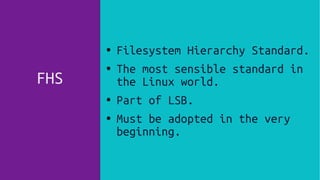
FHS
●
Filesystem Hierarchy Standard.
● The most sensible standard in
the Linux world.
●
Part of LSB.
● Must be adopted in the very
beginning.
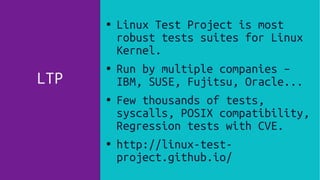
LTP
● Linux Test Project is most
robust tests suites for Linux
Kernel.
● Run by multiple companies –
IBM, SUSE, Fujitsu, Oracle...
● Few thousands of tests,
syscalls, POSIX compatibility,
Regression tests with CVE.
● http://linux-test-
project.github.io/
[you@host summary]$ ./run.sh
[you@host questions]$ $?

Linux Distribution Automated Testing

  • 2.
  • 3.
    [you@host creator]$ ./configure [you@hostcreator]$ make [you@host creator]$ make install
  • 4.
    Divide && Conquer ● Making thewhole operating system at once is suicide mission. ● Split the Linux distribution into smaller parts, that can be quite easily produced, replaced and tested. ● This smaller parts are in most cases (some people will call them differently, but the idea is the same) are called packages.
  • 5.
    The Basics Glossary ● Linux –Monolithic Unix-like computer operating system **KERNEL**. ● Linux Distribution (Distro) – GNU/Linux operating system. ● Upstream – original author/s and/or maintainer/s. May refer to the project or institution (ex. Apache).
  • 6.
    The Basics Glossary ● Repository –Set of Packages with metadata. ● System Image – File/files that contains “frozen” version of system – e.g. Installation ISO. ● Cloud Image – System image that is provided in choosen cloud solution.
  • 7.
  • 8.
    1 ● Which softwareshould we pack? ● Sample: SSL/TLS – Google Boring SSL, OpenSSL or BSD LibreSSL? ● A lot of software depends on this libraries, and they won't provide compatible API/ABI.
  • 9.
    2 ● Secondfundamental problem is software (package) versioning. ● LTS, ROLLING, HyBriD.
  • 10.
  • 11.
    4 ● How softwarewill be packed? ● Source? ● Ports? ● Binary?
  • 12.
  • 13.
    Man Package +------------+ | Upstream | +----->| | +-----+------+ | | | +-----v------+ +-----+ Packager | +-----+------+ | +-----v------+ | Package | +-----+------+ | +-----v------+ | Distro | +------------+
  • 14.
    Man Packages ● The packagerneeds to monitor state of packages. ● The package is no self- sufficient (dependencies). ● Sometimes the build environment is much different than runtime. ● Tests and 0-days
  • 15.
    Apropos Packages ● Dependency HELL! ●Lots of metainfos: Provides Requires Build Requires
  • 16.
  • 17.
    The Repo ● After making packages,we can move to the next steps: ● Making repository ● Making groups (skippable). ● Making environments (skippable). ● After making packages, we can move to the next steps: ● Making repository ● Making groups (skippable). ● Making environments (skippable).
  • 18.
    The Repo ● Packages ID,Name, Version, Release, etc. ● Filelist provided by each package. ● Checksums (e.g. sha256, sha512) ● Changelogs. ● PGP/GPG keys used to sign packages. ● Groups and environments.
  • 19.
    The Group ● Logically linkedpackages. ● Sample groups: core FTP Server HTTP Server Ruby Development Python 3.6
  • 20.
    The Environment ● Use casesof our distro. ● Group of groups. ● Sample environments: Developer Workstation Gnome3 Desktop KDE Plasma Desktop
  • 21.
  • 22.
    Release Images ● Holy InstallationISO ● Virtualization Images ● Cloud Images ● Containers ● Automatic installation ●
  • 23.
    Release Updates ● Time Based ●Point Based ● Automated way ● Security packages can disturbed the process.
  • 24.
  • 25.
  • 26.
    Community Tested ● Tests Days. ●Testing repositories. ● Beta testing of whole releases. ● No any meaningful tests/tests sets on VCS. ● No CI/CD publicly available solutions.
  • 27.
    Community Tested ● The currentstate might be discouraging. ● Testing Linux distribution means testing thousand of packages.
  • 28.
  • 29.
  • 30.
    CoPT Attitude Making binaries forLinux desktop applications is a major f*****g pain in the a**. You don’t make binaries for Linux, you make binaries for Fedora 19, Fedora 20, maybe even RHEL5 from 10 years ago. You make binaries for Debian Stable…well no, you don't make binaries for Debian Stable because Debian Stable has libraries that are so old that anything built in the last century doesn’t work – Linus Torvalds
  • 31.
  • 32.
    CoPT Tests??? ● Some projecthas next to not existent tests sets. ● This is a common problem with free/libre software. ● The pattern is changing :).
  • 33.
    CoPT Tests!!! ● The reverseof the previous one. ● Too many way to test software! ● Linux Kernel is great example.
  • 34.
    CoPT Less; More ● Test patchesintroduced by distribution. ● Test backported features, that test cannot be backported. ● Package builders support for tests.
  • 35.
    ● These testsare the easiest to automate. ● Check the chosen attributes: PGP/GPG Checksums License and description Packager, Vendor, Provider Build Host Sources URL. Test On Metadata
  • 36.
    ● Package builders(the programs not the physical/virtual machines) have minimal support for testing. ● No snapshot, tests, revert mechanism. ● Build != Runtime Environment. Test During Package Build
  • 37.
    ● Each packageneed different means to be tested. Test During Package Build
  • 38.
    ● Each packageneed different means to test. ● Read: How to runtests. ● Build != Runtime Environment. Test During Package Build
  • 39.
  • 40.
  • 41.
    ● Repositry isthe set of packages with metadata. ● Test CDN. ● Tests metadata. Test Repository Metadata
  • 42.
    ● There aremultiple operations that can be achived with working repository: Update, Downgrade, Install, Group Install, Env Install, Remove. ● Randomly selected, chained ● Test system consitency; services (with default configuration). Test Repository $RANDOM
  • 43.
    ● We canmake graph (V=packages, E=dependency). ● Check for dependencies. ● Search isolated verticles. ● Extremly useful for updates testing – neighbourhood. Test Repository Graph
  • 44.
    ● Repoclosure –check if all dependencies in repository can be resolved. ● Make impact score. How many packages are dependent, calculated with nested neighbourhood. Test Repository Graph
  • 45.
  • 46.
    ● There areautomation platform, Puppet, Salt, Ansible. ● Puppet -> Puppet Forge, Salt -> Salt Stack Formulas, Ansible -> Ansible Galaxy ● Ready to use then test use cases. How To Obtain Use Cases
  • 47.
    ● LAMP (Linux;Apache; MySQL; PHP) ● NFS ● Samba ● Web server ● HA Sample Use Cases
  • 48.
    ● This isgood idea to have core test suite. ● Minimal acceptance tests that can be always run. ● Mix of different tests, with different test levels. The core test suite
  • 49.
  • 50.
    ● Each distributionfinally need at least one image that allows to install the system. ● In most cases it’s the first ISO is made on „donor” computer. ● Since then most distributions can be self-hosted. ● Installator that supports unattended/automatic deployment FTW! The Holy One First ISO
  • 51.
    ● Installation ISOmust go through multiple tests: ● Install selected groups (about 20 on single ISO). ● Different FS. ● Different HW, bare metal or virtualized. The Holy One First ISO
  • 52.
    ● Each imageshould pass the core test suite. ● The documentation of the solution is beneficial. ● Sometimes we have to use third party software and go their tests. Tests On Different Images
  • 53.
    ● Allows testingwhole distribution lifecycle. ● Uses virtual machines to make reproducible tests. ● Sponsored by SUSE. ● Tests with support for keyboard, mouse input, gather information from the serial console, getting images from the screen and much more. OpenQA open.qa
  • 54.
    OpenQA Like Selenium ● For LinuxDistros. ● With Perl :(.
  • 55.
  • 56.
    LSB ● LSB (LinuxStanard Base) was made to reduce the cost of support for Linux. Idea is that it make different Linux distributions more „unified”. ● ISO/IEC 23360-2 LSB 3.1↔ ● URL: www.linuxbase.org (redirects to linuxfoundation.org)
  • 57.
  • 58.
  • 59.
    FHS ● Filesystem Hierarchy Standard. ●The most sensible standard in the Linux world. ● Part of LSB. ● Must be adopted in the very beginning.
  • 60.
    LTP ● Linux TestProject is most robust tests suites for Linux Kernel. ● Run by multiple companies – IBM, SUSE, Fujitsu, Oracle... ● Few thousands of tests, syscalls, POSIX compatibility, Regression tests with CVE. ● http://linux-test- project.github.io/
  • 61.
  • 62.