Vítězslav Čížek
vcizek@suse.com
Kristýna Streitová
kstreitova@suse.com
Keep up with openSUSE
Packaging
News in Packaging
About us
About us
●
Vítězslav Čížek
– SUSE Software Engineer (Pack team)
●
Maintaining crypto libraries (openssl, gnutls)
●
openSUSE Maintenance Team
●
Kristýna Streitová
– SUSE Software Engineer (Pack team)
●
Maintaining MariaDB, sudo, archiving packages, …
●
Python development (spec-cleaner, rpmlint)
What is this talk about?
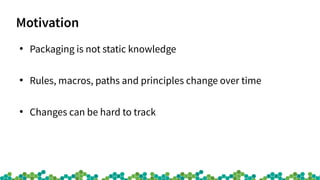
Motivation
●
Packaging is not static knowledge
●
Rules, macros, paths and principles change over time
●
Changes can be hard to track
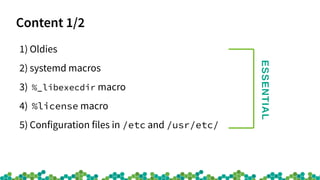
Content 1/2
1) Oldies
2) systemd macros
3) %_libexecdir macro
4) %license macro
5) Configuration files in /etc and /usr/etc/
ESSENTIAL
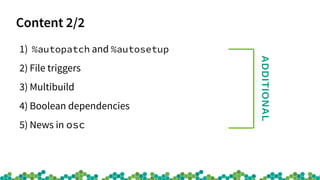
Content 2/2
1) %autopatch and %autosetup
2) File triggers
3) Multibuild
4) Boolean dependencies
5) News in osc
ADDITIONAL
More information
●
We wrote a comprehensive article
●
Contains more news, details and examples
●
Visit https://packageninjas.github.io/ (direct link)
Essential News
Oldies
●
PreReq is now Requires(pre)
●
Use /run, not /var/run
●
/bin, /sbin, /lib and /lib64 were merged into their
counterpart directories under /usr
●
SysV is dead, use systemd
systemd Macros
●
Used in packages with systemd support
●
In the past (hard dependency)
– %{?systemd_requires}
– BuildRequires: systemd-rpm-macros
●
Now (soft dependency)
– %{?systemd_ordering}
%_libexecdir Macro
●
Binaries that shouldn’t be executed directly by users
●
In the past
– Historically defined
– /usr/lib
●
Now
– FHS 3.0 standardizes dedicated location now
– /usr/libexec
%license
●
Macro used for installing licence files
●
In the past
– %doc LICENCE
– Licence file in /usr/share/doc/packages
●
Now
– %license LICENCE
– Licence file in /usr/share/licenses
Configuration files in /etc and /usr/etc
●
In the past
– All configuration files in /etc
●
Now
– Distribution provided configuration files in /usr/etc
– Configuration files changed by administrator in /etc
●
New macro
– %_distconfdir /usr/etc
Additional News
%autopatch and %autosetup
●
Macros for easier patch application
●
%autopatch
– Automatically applies all available patches
●
%autosetup
– Combines %setup and %autopatch
Patch1: openssl-1.1.0-html.patch
Patch2: openssl-truststore.patch
Patch3: openssl-pkgconfig.patch
Patch4: openssl-no-date.patch
Patch5: openssl-cipher.patch
%prep
%setup -q
%patch1 -p1
%patch2 -p1
%patch3 -p1
%patch4 -p1
%patch5 -p1
Patch1: openssl-1.1.0-html.patch
Patch2: openssl-truststore.patch
Patch3: openssl-pkgconfig.patch
Patch4: openssl-no-date.patch
Patch5: openssl-cipher.patch
%prep
%autosetup -p1
%autosetup example
RPM File Triggers
●
Scriplets executed when a file is installed in a specific location
●
Used for package post processing
●
Can replace cache-updating macros (e.g. glib schemas, icons,
desktop files)
●
Example (glib2)
%filetriggerin -- /usr/share/glib-2.0/schemas
/usr/bin/glib-compile-schemas /usr/share/glib-2.0/schemas
Multibuild
●
Allows building one spec file with different flavors
●
Example: libssh and libssh-test (libssh.spec)
●
_multibuild file lists flavors
<multibuild>
<package>test</package>
</multibuild>
%global flavor @BUILD_FLAVOR@%{nil}
%if "%{flavor}" == "test"
%bcond_without test
%endif
Boolean (Rich) Dependencies
●
Logical expressions simplifying dependencies
●
For Requires, Recommends, Conflicts, etc.
●
Operators: and, or, if, if-else, with, without, unless,
unless-else
●
Example:
– Recommends: (gdm or lightdm or sddm)
– Requires: (grub2-snapper-plugin if snapper)
– Conflicts: (python2 without python2_split_startup)
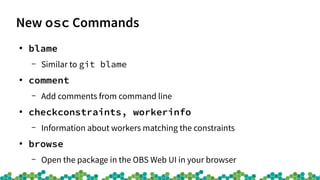
New osc Commands
●
blame
– Similar to git blame
●
comment
– Add comments from command line
●
checkconstraints, workerinfo
– Information about workers matching the constraints
●
browse
– Open the package in the OBS Web UI in your browser
New osc Commands’ Options
●
maintained --version
– Print versions of the package in various codestreams
●
rdiff --issues-only
– Print diff of the list of the fixed bugs or CVEs
●
request --incoming
– Print only incoming request for the specified project
●
deleterequest --all
– Delete entire project
Automatic cleaning
spec-cleaner
●
Cleans RPM spec file according to the style guide
– https://github.com/rpm-software-management/spec-cleaner
●
How to use it?
– $ spec-cleaner -i mypackage.spec
– $ spec-cleaner -d mypackage.spec
Q&A
Thank you for your attention.
Are there any questions?
Join Us at www.opensuse.org
License
This slide deck is licensed under the Creative Commons Attribution-ShareAlike 4.0 International license.
It can be shared and adapted for any purpose (even commercially) as long as Attribution is given and any
derivative work is distributed under the same license.
Details can be found at https://creativecommons.org/licenses/by-sa/4.0/
General Disclaimer
This document is not to be construed as a promise by any participating organisation to develop, deliver, or
market a product. It is not a commitment to deliver any material, code, or functionality, and should not be
relied upon in making purchasing decisions. openSUSE makes no representations or warranties with respect
to the contents of this document, and specifically disclaims any express or implied warranties of
merchantability or fitness for any particular purpose. The development, release, and timing of features or
functionality described for openSUSE products remains at the sole discretion of openSUSE. Further,
openSUSE reserves the right to revise this document and to make changes to its content, at any time,
without obligation to notify any person or entity of such revisions or changes. All openSUSE marks
referenced in this presentation are trademarks or registered trademarks of SUSE LLC, in the United States
and other countries. All third-party trademarks are the property of their respective owners.
Credits
Template
Richard Brown
rbrown@opensuse.org
Design & Inspiration
openSUSE Design Team
http://opensuse.github.io/branding-
guidelines/

Keep up with openSUSE Packaging

  • 1.
  • 2.
  • 3.
    About us ● Vítězslav Čížek –SUSE Software Engineer (Pack team) ● Maintaining crypto libraries (openssl, gnutls) ● openSUSE Maintenance Team ● Kristýna Streitová – SUSE Software Engineer (Pack team) ● Maintaining MariaDB, sudo, archiving packages, … ● Python development (spec-cleaner, rpmlint)
  • 4.
    What is thistalk about?
  • 5.
    Motivation ● Packaging is notstatic knowledge ● Rules, macros, paths and principles change over time ● Changes can be hard to track
  • 6.
    Content 1/2 1) Oldies 2)systemd macros 3) %_libexecdir macro 4) %license macro 5) Configuration files in /etc and /usr/etc/ ESSENTIAL
  • 7.
    Content 2/2 1) %autopatchand %autosetup 2) File triggers 3) Multibuild 4) Boolean dependencies 5) News in osc ADDITIONAL
  • 8.
    More information ● We wrotea comprehensive article ● Contains more news, details and examples ● Visit https://packageninjas.github.io/ (direct link)
  • 9.
  • 10.
    Oldies ● PreReq is nowRequires(pre) ● Use /run, not /var/run ● /bin, /sbin, /lib and /lib64 were merged into their counterpart directories under /usr ● SysV is dead, use systemd
  • 11.
    systemd Macros ● Used inpackages with systemd support ● In the past (hard dependency) – %{?systemd_requires} – BuildRequires: systemd-rpm-macros ● Now (soft dependency) – %{?systemd_ordering}
  • 12.
    %_libexecdir Macro ● Binaries thatshouldn’t be executed directly by users ● In the past – Historically defined – /usr/lib ● Now – FHS 3.0 standardizes dedicated location now – /usr/libexec
  • 13.
    %license ● Macro used forinstalling licence files ● In the past – %doc LICENCE – Licence file in /usr/share/doc/packages ● Now – %license LICENCE – Licence file in /usr/share/licenses
  • 14.
    Configuration files in/etc and /usr/etc ● In the past – All configuration files in /etc ● Now – Distribution provided configuration files in /usr/etc – Configuration files changed by administrator in /etc ● New macro – %_distconfdir /usr/etc
  • 15.
  • 16.
    %autopatch and %autosetup ● Macrosfor easier patch application ● %autopatch – Automatically applies all available patches ● %autosetup – Combines %setup and %autopatch
  • 17.
    Patch1: openssl-1.1.0-html.patch Patch2: openssl-truststore.patch Patch3:openssl-pkgconfig.patch Patch4: openssl-no-date.patch Patch5: openssl-cipher.patch %prep %setup -q %patch1 -p1 %patch2 -p1 %patch3 -p1 %patch4 -p1 %patch5 -p1 Patch1: openssl-1.1.0-html.patch Patch2: openssl-truststore.patch Patch3: openssl-pkgconfig.patch Patch4: openssl-no-date.patch Patch5: openssl-cipher.patch %prep %autosetup -p1 %autosetup example
  • 18.
    RPM File Triggers ● Scripletsexecuted when a file is installed in a specific location ● Used for package post processing ● Can replace cache-updating macros (e.g. glib schemas, icons, desktop files) ● Example (glib2) %filetriggerin -- /usr/share/glib-2.0/schemas /usr/bin/glib-compile-schemas /usr/share/glib-2.0/schemas
  • 19.
    Multibuild ● Allows building onespec file with different flavors ● Example: libssh and libssh-test (libssh.spec) ● _multibuild file lists flavors <multibuild> <package>test</package> </multibuild> %global flavor @BUILD_FLAVOR@%{nil} %if "%{flavor}" == "test" %bcond_without test %endif
  • 20.
    Boolean (Rich) Dependencies ● Logicalexpressions simplifying dependencies ● For Requires, Recommends, Conflicts, etc. ● Operators: and, or, if, if-else, with, without, unless, unless-else ● Example: – Recommends: (gdm or lightdm or sddm) – Requires: (grub2-snapper-plugin if snapper) – Conflicts: (python2 without python2_split_startup)
  • 21.
    New osc Commands ● blame –Similar to git blame ● comment – Add comments from command line ● checkconstraints, workerinfo – Information about workers matching the constraints ● browse – Open the package in the OBS Web UI in your browser
  • 22.
    New osc Commands’Options ● maintained --version – Print versions of the package in various codestreams ● rdiff --issues-only – Print diff of the list of the fixed bugs or CVEs ● request --incoming – Print only incoming request for the specified project ● deleterequest --all – Delete entire project
  • 23.
  • 24.
    spec-cleaner ● Cleans RPM specfile according to the style guide – https://github.com/rpm-software-management/spec-cleaner ● How to use it? – $ spec-cleaner -i mypackage.spec – $ spec-cleaner -d mypackage.spec
  • 25.
    Q&A Thank you foryour attention. Are there any questions?
  • 26.
    Join Us atwww.opensuse.org
  • 27.
    License This slide deckis licensed under the Creative Commons Attribution-ShareAlike 4.0 International license. It can be shared and adapted for any purpose (even commercially) as long as Attribution is given and any derivative work is distributed under the same license. Details can be found at https://creativecommons.org/licenses/by-sa/4.0/ General Disclaimer This document is not to be construed as a promise by any participating organisation to develop, deliver, or market a product. It is not a commitment to deliver any material, code, or functionality, and should not be relied upon in making purchasing decisions. openSUSE makes no representations or warranties with respect to the contents of this document, and specifically disclaims any express or implied warranties of merchantability or fitness for any particular purpose. The development, release, and timing of features or functionality described for openSUSE products remains at the sole discretion of openSUSE. Further, openSUSE reserves the right to revise this document and to make changes to its content, at any time, without obligation to notify any person or entity of such revisions or changes. All openSUSE marks referenced in this presentation are trademarks or registered trademarks of SUSE LLC, in the United States and other countries. All third-party trademarks are the property of their respective owners. Credits Template Richard Brown rbrown@opensuse.org Design & Inspiration openSUSE Design Team http://opensuse.github.io/branding- guidelines/