LinkedIn Boot Camp:
        Making It Work For You
                   June 6, 2012
North Shore Community College


 JULIA CLAIRE CAMPBELL, MPA
 978-578-1328
 JCAMPBEL04@NORTHSHORE.EDU
SOCIAL MEDIA RULES
 You   get out of social media what you put
  into it.
 It is not a silver bullet
  (sorry).
 It’s free – like a puppy
  is “free”.
 Less is always more.

 Quality
  over quantity.
                                               2
LINKEDIN             BEST PRACTICES
 •   What is LinkedIn?
      • LinkedIn is the world’s largest professional
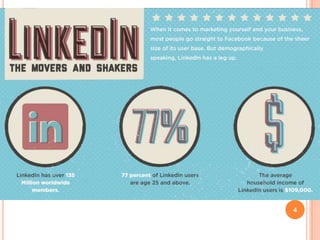
        network with over 120 million members and
        growing rapidly. LinkedIn connects you to your
        trusted contacts and helps you exchange
        knowledge, ideas, and opportunities with a
        broader network of professionals.
 •   Network professionally
 •   Post and find jobs

                                                         3
LINKEDIN             BEST PRACTICES
 •   What is LinkedIn?
      • LinkedIn is the world’s largest professional
        network with over 120 million members and
        growing rapidly. LinkedIn connects you to your
        trusted contacts and helps you exchange
        knowledge, ideas, and opportunities with a
        broader network of professionals.
 •   Network professionally
 •   Post and find jobs

                                                         4
LINKEDIN            BEST PRACTICES
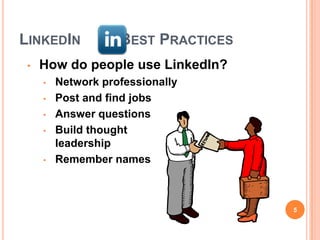
 •   How do people use LinkedIn?
     •   Network professionally
     •   Post and find jobs
     •   Answer questions
     •   Build thought
         leadership
     •   Remember names


                                     5
LINKEDIN             BEST PRACTICES
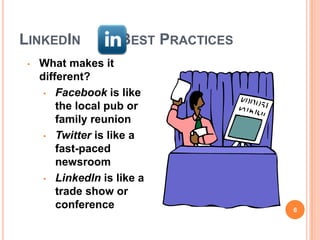
 •   What makes it
     different?
      • Facebook is like
         the local pub or
         family reunion
      • Twitter is like a
         fast-paced
         newsroom
      • LinkedIn is like a
         trade show or
         conference                   6
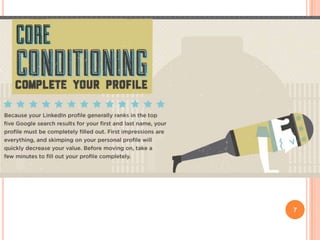
7
LINKEDIN            BEST PRACTICES
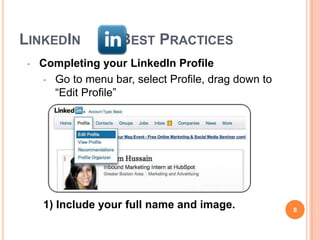
 •   Completing your LinkedIn Profile
     • Go to menu bar, select Profile, drag down to
       “Edit Profile”


     1) Include your full name and image.             8
LINKEDIN         BEST PRACTICES
   2) Personalize your Headline.


   Job seekers, use “Talented [Your Profession]
     Seeking New Opportunity” not “Unemployed”.
   Students, use “Aspiring [Your Profession]
     Seeking Internship” not “Student at [Your
     University]”.

                                                  9
LINKEDIN            BEST PRACTICES
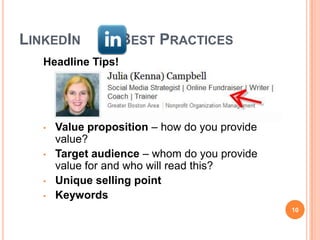
   Headline Tips!


   •   Value proposition – how do you provide
       value?
   •   Target audience – whom do you provide
       value for and who will read this?
   •   Unique selling point
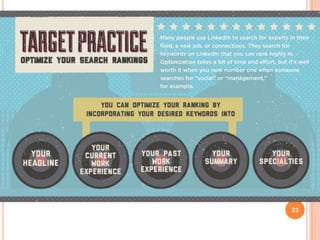
   •   Keywords
                                                10
LINKEDIN               BEST PRACTICES
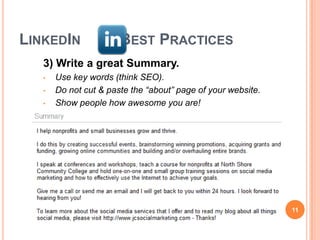
   3) Write a great Summary.
   •   Use key words (think SEO).
   •   Do not cut & paste the “about” page of your website.
   •   Show people how awesome you are!


                                                              11
LINKEDIN                BEST PRACTICES
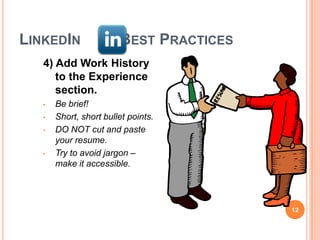
   4) Add Work History
      to the Experience
      section.
   •   Be brief!
   •   Short, short bullet points.
   •   DO NOT cut and paste
       your resume.
   •   Try to avoid jargon –
       make it accessible.


                                         12
LINKEDIN              BEST PRACTICES
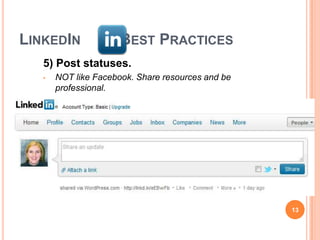
   5) Post statuses.
   •   NOT like Facebook. Share resources and be
       professional.


                                                   13
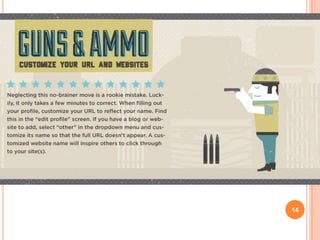
14
LINKEDIN             BEST PRACTICES
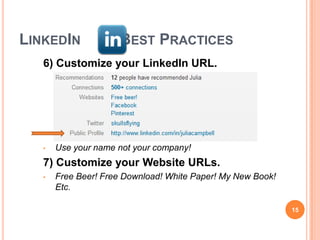
   6) Customize your LinkedIn URL.


   •   Use your name not your company!
   7) Customize your Website URLs.
   •   Free Beer! Free Download! White Paper! My New Book!
       Etc.

                                                             15
LINKEDIN               BEST PRACTICES
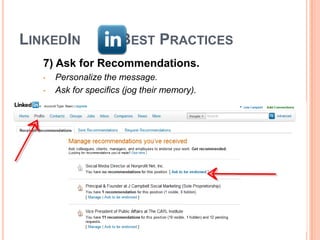
   7) Ask for Recommendations.
   •   Personalize the message.
   •   Ask for specifics (jog their memory).


                                               16
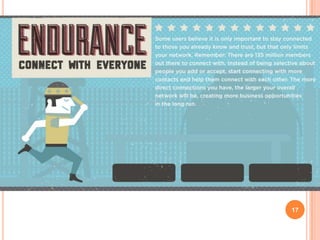
17
LINKEDIN         BEST PRACTICES
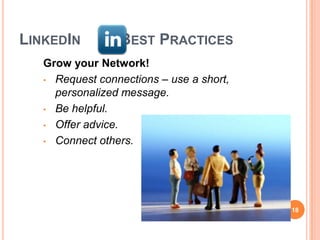
   Grow your Network!
   • Request connections – use a short,
     personalized message.
   • Be helpful.

   • Offer advice.

   • Connect others.


                                          18
LINKEDIN         BEST PRACTICES
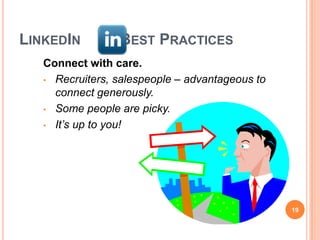
   Connect with care.
   • Recruiters, salespeople – advantageous to
     connect generously.
   • Some people are picky.

   • It’s up to you!


                                                 19
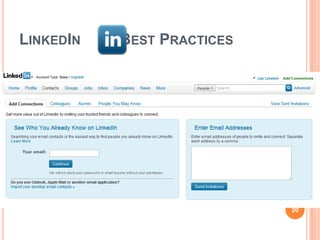
LINKEDIN   BEST PRACTICES


                            20
21
LINKEDIN   BEST PRACTICES


                            22
23
LINKEDIN        BEST PRACTICES
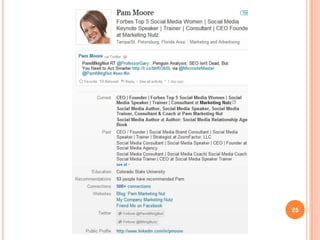
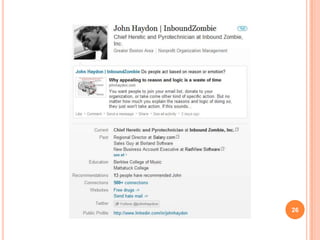
   Sample profiles
   Pam Moore
   John Haydon


                                 24
25
26
27
28
LINKEDIN              BEST PRACTICES
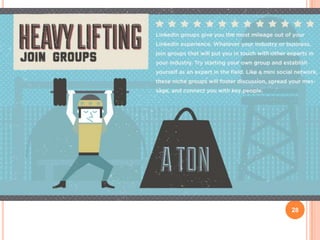
   Using Groups wisely
   •   Remember the social media rules!
   •   Choose Groups carefully – you can join 50
   •   Choose the ones that have the largest concentration of
       your ideal client or customer
   •   Smaller groups yield better results.
   •   “Most Popular Discussions”
   •   Schedule time to visit each group at least once a week
   •   Turn off email notifications if too overwhelming
   •   Follow the group rules and etiquette

                                                                29
30
LINKEDIN              BEST PRACTICES
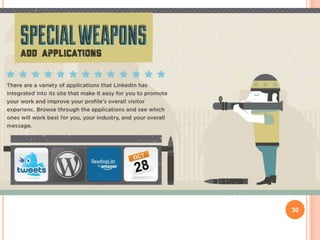
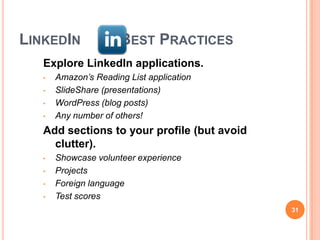
   Explore LinkedIn applications.
   •   Amazon’s Reading List application
   •   SlideShare (presentations)
   •   WordPress (blog posts)
   •   Any number of others!
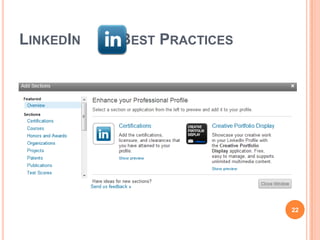
   Add sections to your profile (but avoid
     clutter).
   •   Showcase volunteer experience
   •   Projects
   •   Foreign language
   •   Test scores
                                             31
32
LINKEDIN             BEST PRACTICES
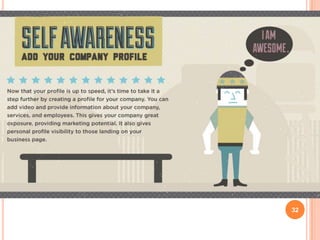
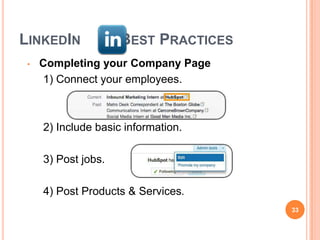
 •   Completing your Company Page
     1) Connect your employees.


     2) Include basic information.

     3) Post jobs.

     4) Post Products & Services.
                                      33
MORE RESOURCES
•   My blog –
    www.jcsocialmarketing.com
•   Mashable – www.mashable.com
•   HubSpot – www.hubspot.com
•   Social Media Examiner –
    www.socialmediaexaminer.com


                                  34

LinkedIn Boot Camp

  • 1.
    LinkedIn Boot Camp: Making It Work For You June 6, 2012 North Shore Community College JULIA CLAIRE CAMPBELL, MPA 978-578-1328 JCAMPBEL04@NORTHSHORE.EDU
  • 2.
    SOCIAL MEDIA RULES You get out of social media what you put into it.  It is not a silver bullet (sorry).  It’s free – like a puppy is “free”.  Less is always more.  Quality over quantity. 2
  • 3.
    LINKEDIN BEST PRACTICES • What is LinkedIn? • LinkedIn is the world’s largest professional network with over 120 million members and growing rapidly. LinkedIn connects you to your trusted contacts and helps you exchange knowledge, ideas, and opportunities with a broader network of professionals. • Network professionally • Post and find jobs 3
  • 4.
    LINKEDIN BEST PRACTICES • What is LinkedIn? • LinkedIn is the world’s largest professional network with over 120 million members and growing rapidly. LinkedIn connects you to your trusted contacts and helps you exchange knowledge, ideas, and opportunities with a broader network of professionals. • Network professionally • Post and find jobs 4
  • 5.
    LINKEDIN BEST PRACTICES • How do people use LinkedIn? • Network professionally • Post and find jobs • Answer questions • Build thought leadership • Remember names 5
  • 6.
    LINKEDIN BEST PRACTICES • What makes it different? • Facebook is like the local pub or family reunion • Twitter is like a fast-paced newsroom • LinkedIn is like a trade show or conference 6
  • 7.
  • 8.
    LINKEDIN BEST PRACTICES • Completing your LinkedIn Profile • Go to menu bar, select Profile, drag down to “Edit Profile” 1) Include your full name and image. 8
  • 9.
    LINKEDIN BEST PRACTICES 2) Personalize your Headline. Job seekers, use “Talented [Your Profession] Seeking New Opportunity” not “Unemployed”. Students, use “Aspiring [Your Profession] Seeking Internship” not “Student at [Your University]”. 9
  • 10.
    LINKEDIN BEST PRACTICES Headline Tips! • Value proposition – how do you provide value? • Target audience – whom do you provide value for and who will read this? • Unique selling point • Keywords 10
  • 11.
    LINKEDIN BEST PRACTICES 3) Write a great Summary. • Use key words (think SEO). • Do not cut & paste the “about” page of your website. • Show people how awesome you are! 11
  • 12.
    LINKEDIN BEST PRACTICES 4) Add Work History to the Experience section. • Be brief! • Short, short bullet points. • DO NOT cut and paste your resume. • Try to avoid jargon – make it accessible. 12
  • 13.
    LINKEDIN BEST PRACTICES 5) Post statuses. • NOT like Facebook. Share resources and be professional. 13
  • 14.
  • 15.
    LINKEDIN BEST PRACTICES 6) Customize your LinkedIn URL. • Use your name not your company! 7) Customize your Website URLs. • Free Beer! Free Download! White Paper! My New Book! Etc. 15
  • 16.
    LINKEDIN BEST PRACTICES 7) Ask for Recommendations. • Personalize the message. • Ask for specifics (jog their memory). 16
  • 17.
  • 18.
    LINKEDIN BEST PRACTICES Grow your Network! • Request connections – use a short, personalized message. • Be helpful. • Offer advice. • Connect others. 18
  • 19.
    LINKEDIN BEST PRACTICES Connect with care. • Recruiters, salespeople – advantageous to connect generously. • Some people are picky. • It’s up to you! 19
  • 20.
    LINKEDIN BEST PRACTICES 20
  • 21.
  • 22.
    LINKEDIN BEST PRACTICES 22
  • 23.
  • 24.
    LINKEDIN BEST PRACTICES Sample profiles Pam Moore John Haydon 24
  • 25.
  • 26.
  • 27.
  • 28.
  • 29.
    LINKEDIN BEST PRACTICES Using Groups wisely • Remember the social media rules! • Choose Groups carefully – you can join 50 • Choose the ones that have the largest concentration of your ideal client or customer • Smaller groups yield better results. • “Most Popular Discussions” • Schedule time to visit each group at least once a week • Turn off email notifications if too overwhelming • Follow the group rules and etiquette 29
  • 30.
  • 31.
    LINKEDIN BEST PRACTICES Explore LinkedIn applications. • Amazon’s Reading List application • SlideShare (presentations) • WordPress (blog posts) • Any number of others! Add sections to your profile (but avoid clutter). • Showcase volunteer experience • Projects • Foreign language • Test scores 31
  • 32.
  • 33.
    LINKEDIN BEST PRACTICES • Completing your Company Page 1) Connect your employees. 2) Include basic information. 3) Post jobs. 4) Post Products & Services. 33
  • 34.
    MORE RESOURCES • My blog – www.jcsocialmarketing.com • Mashable – www.mashable.com • HubSpot – www.hubspot.com • Social Media Examiner – www.socialmediaexaminer.com 34