Basics & Best
Practices
brought to you by
Bruce A. Bennett
Career Coach Corner
January 16, 2019
2
Introduction & Outline for session
Introduction
Professional Career in Media & Marketing Research
McHenry County Workforce Network Volunteer
Career Coach Corner Blog & Presenter
Outline
Why LinkedIn?
Navigation tabs
Enhancing your profile
Best Practices
Building your network
Searching
3
Notes & Goals for session
General Notes for Today
My contact info is on last slide
Workshop is interactive
Q/A & Parking lot
Red Arrows
Goals
Understand navigating through the website
Enhance your profile to maximize SEO
Create a relevant job search agent in LinkedIn
Identify industry related groups
Research employers on LinkedIn & the Internet
4
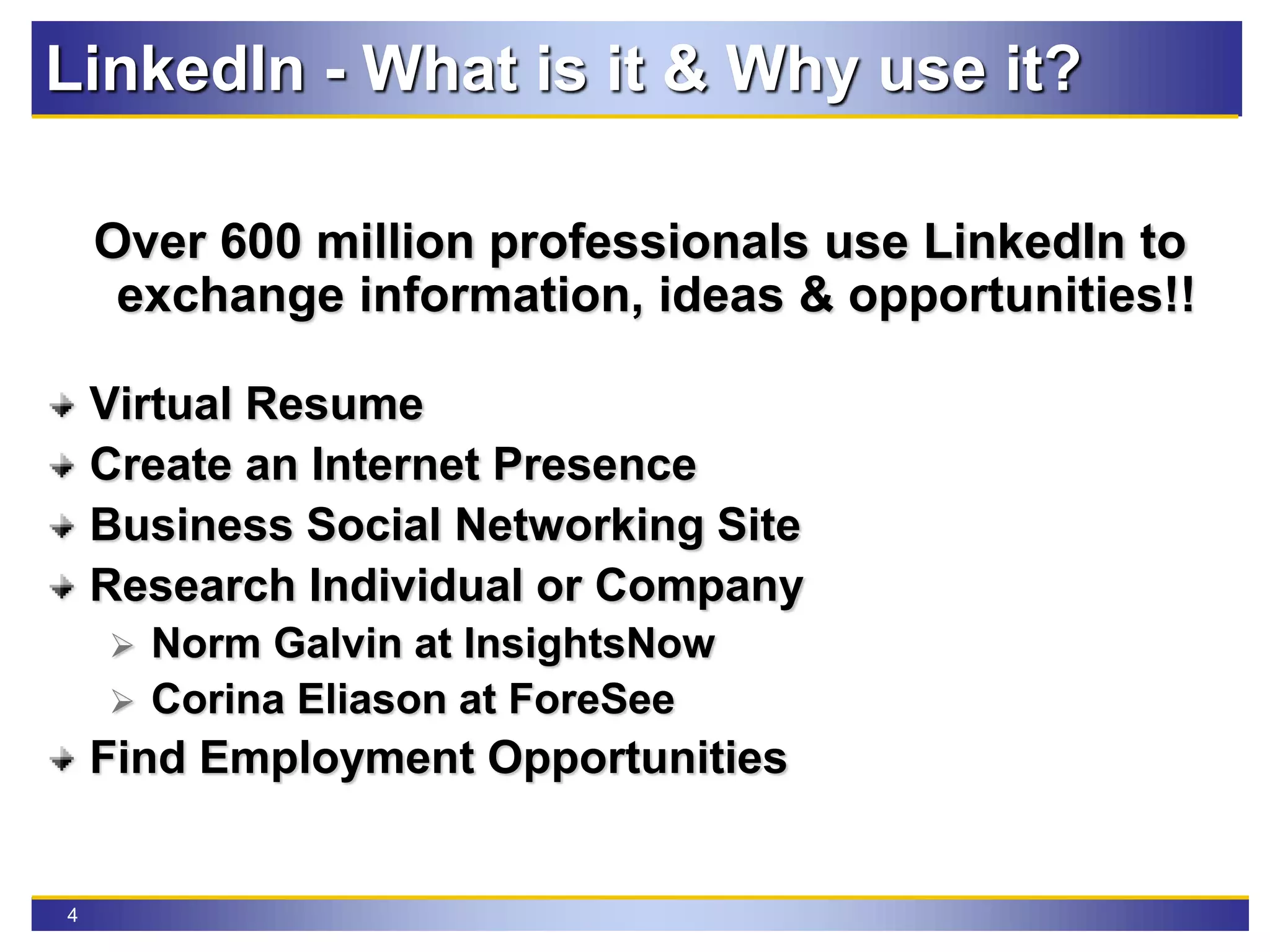
LinkedIn - What is it & Why use it?
Over 600 million professionals use LinkedIn to
exchange information, ideas & opportunities!!
Virtual Resume
Create an Internet Presence
Business Social Networking Site
Research Individual or Company
 Norm Galvin at InsightsNow
 Corina Eliason at ForeSee
Find Employment Opportunities
5
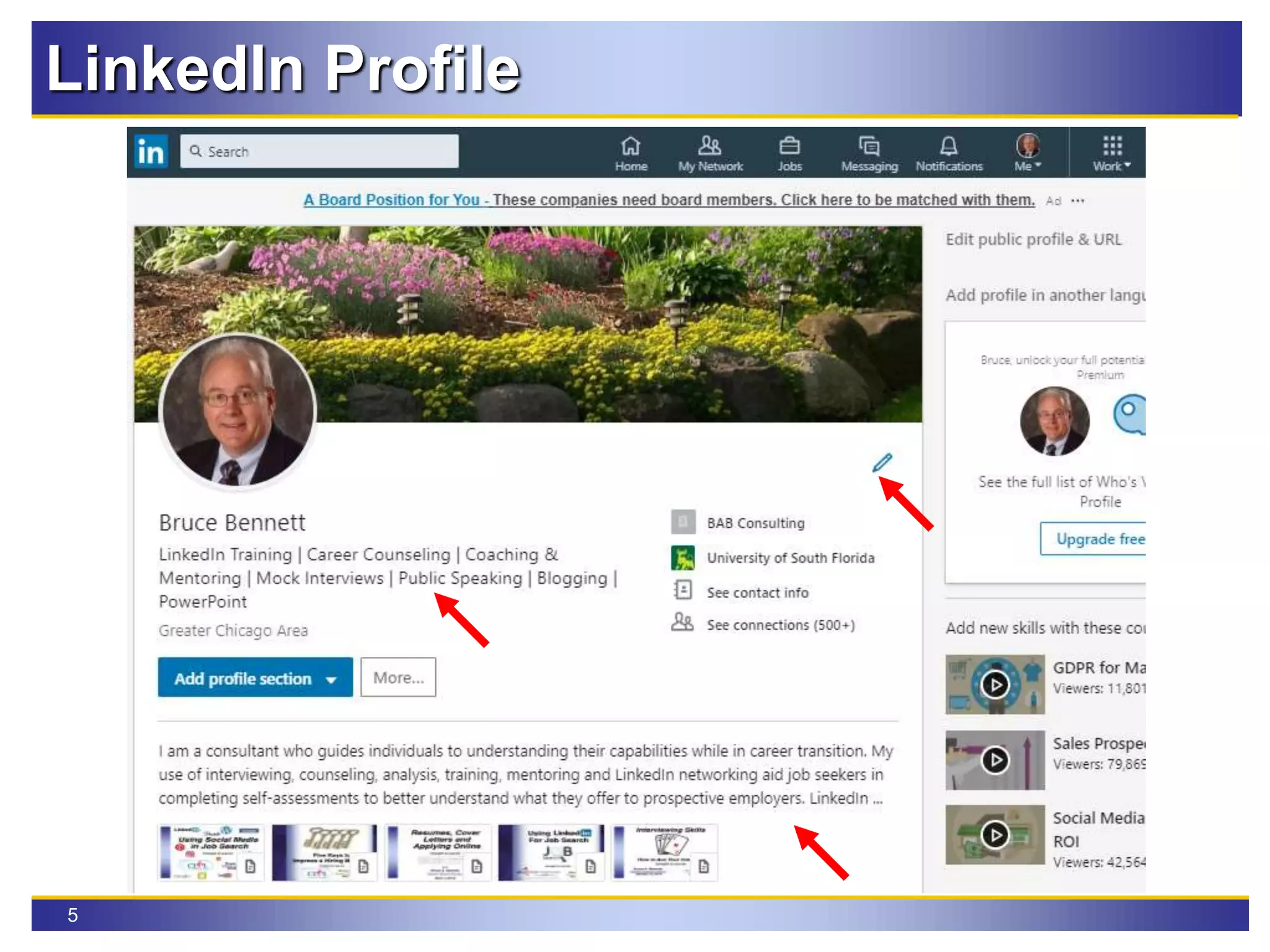
LinkedIn Profile
6
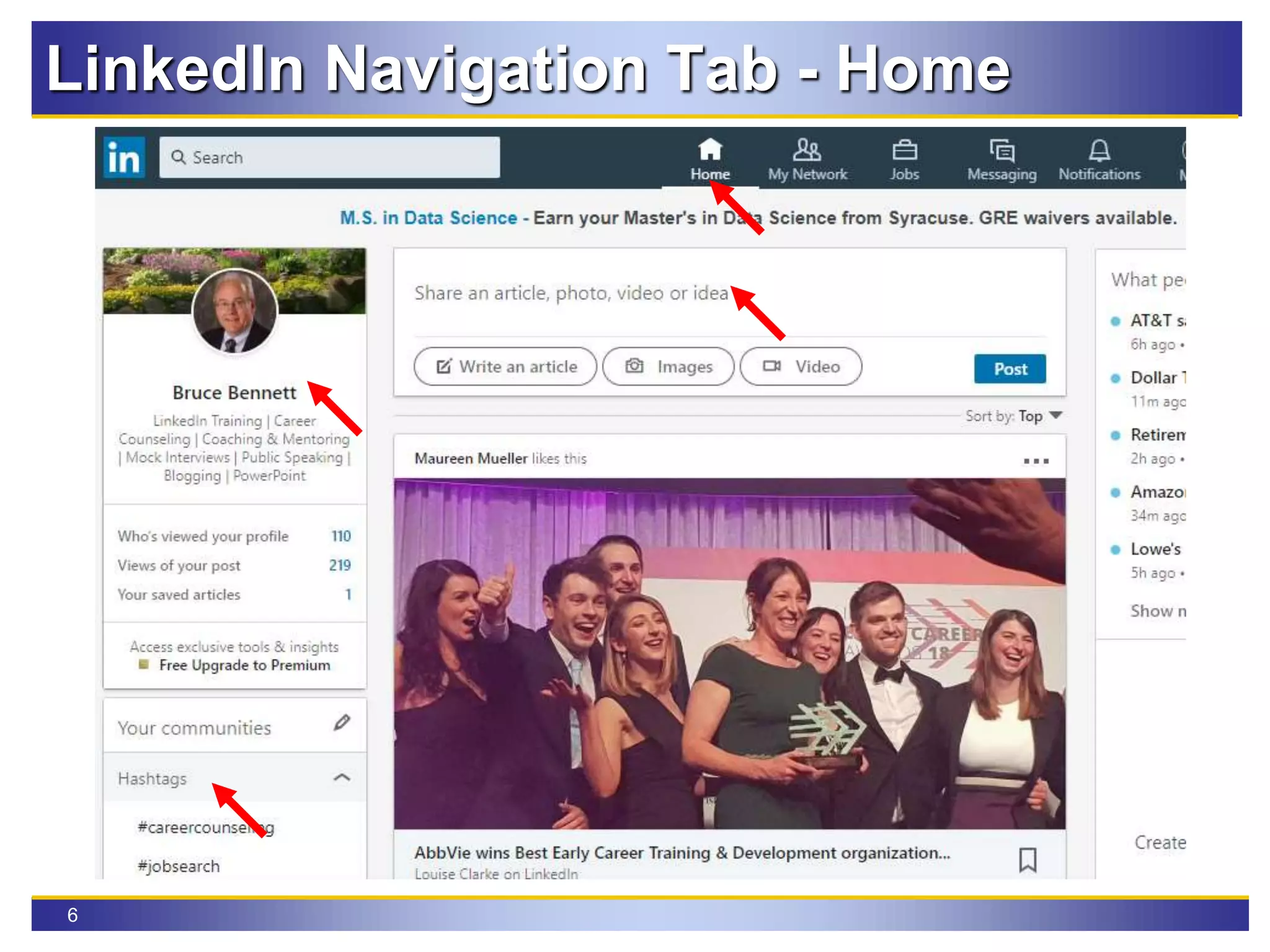
LinkedIn Navigation Tab - Home
7
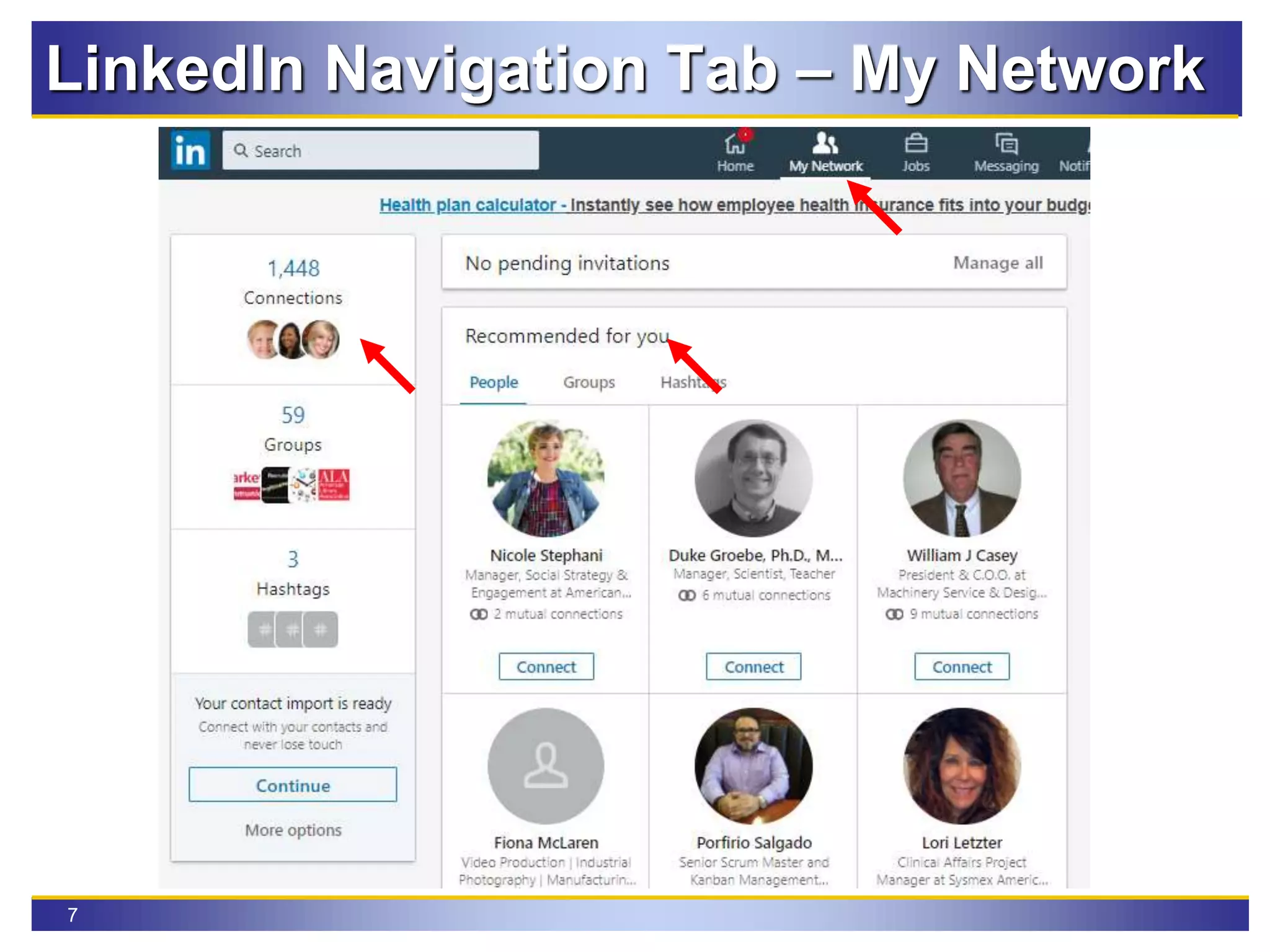
LinkedIn Navigation Tab – My Network
8
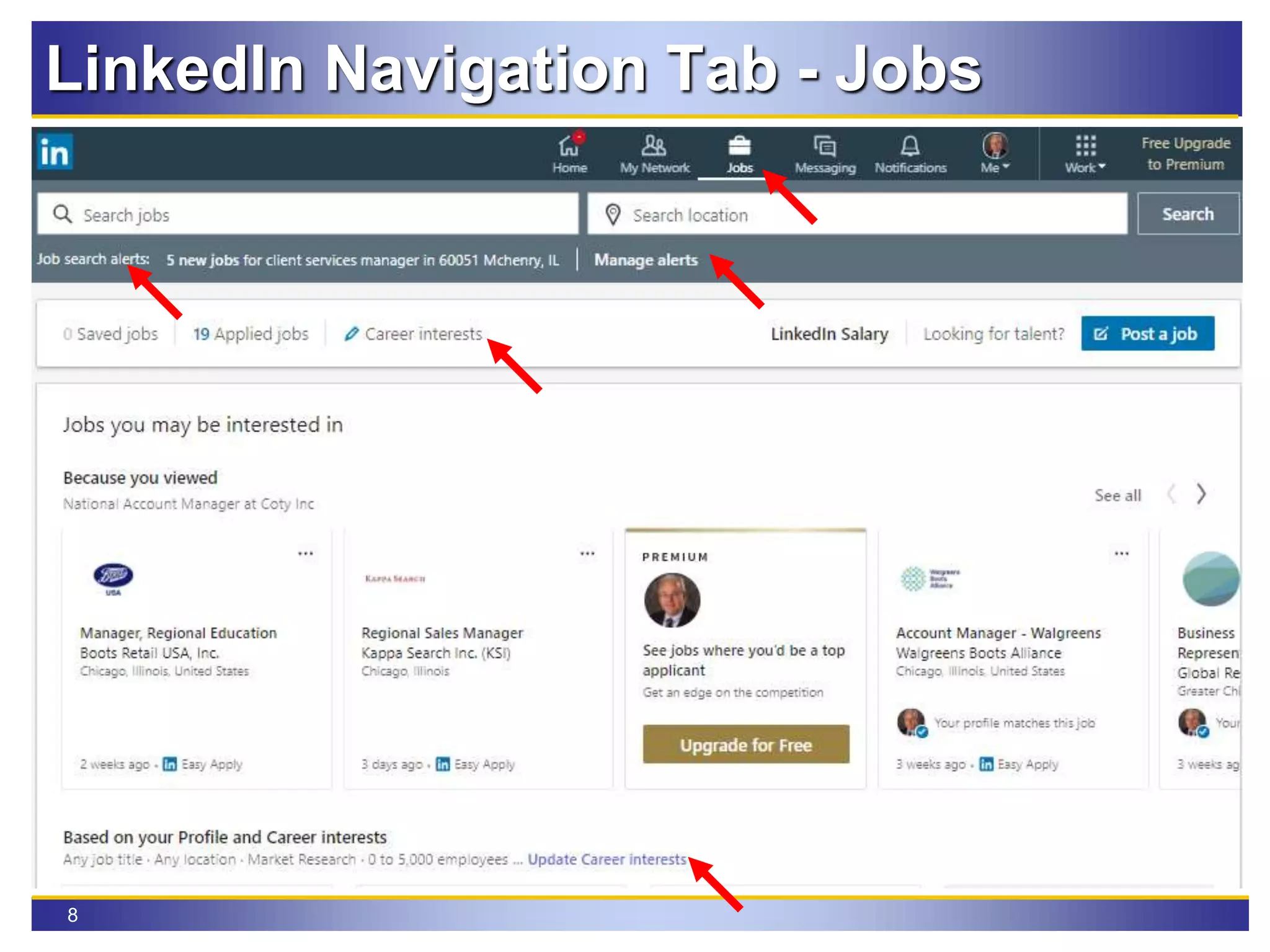
LinkedIn Navigation Tab - Jobs
9
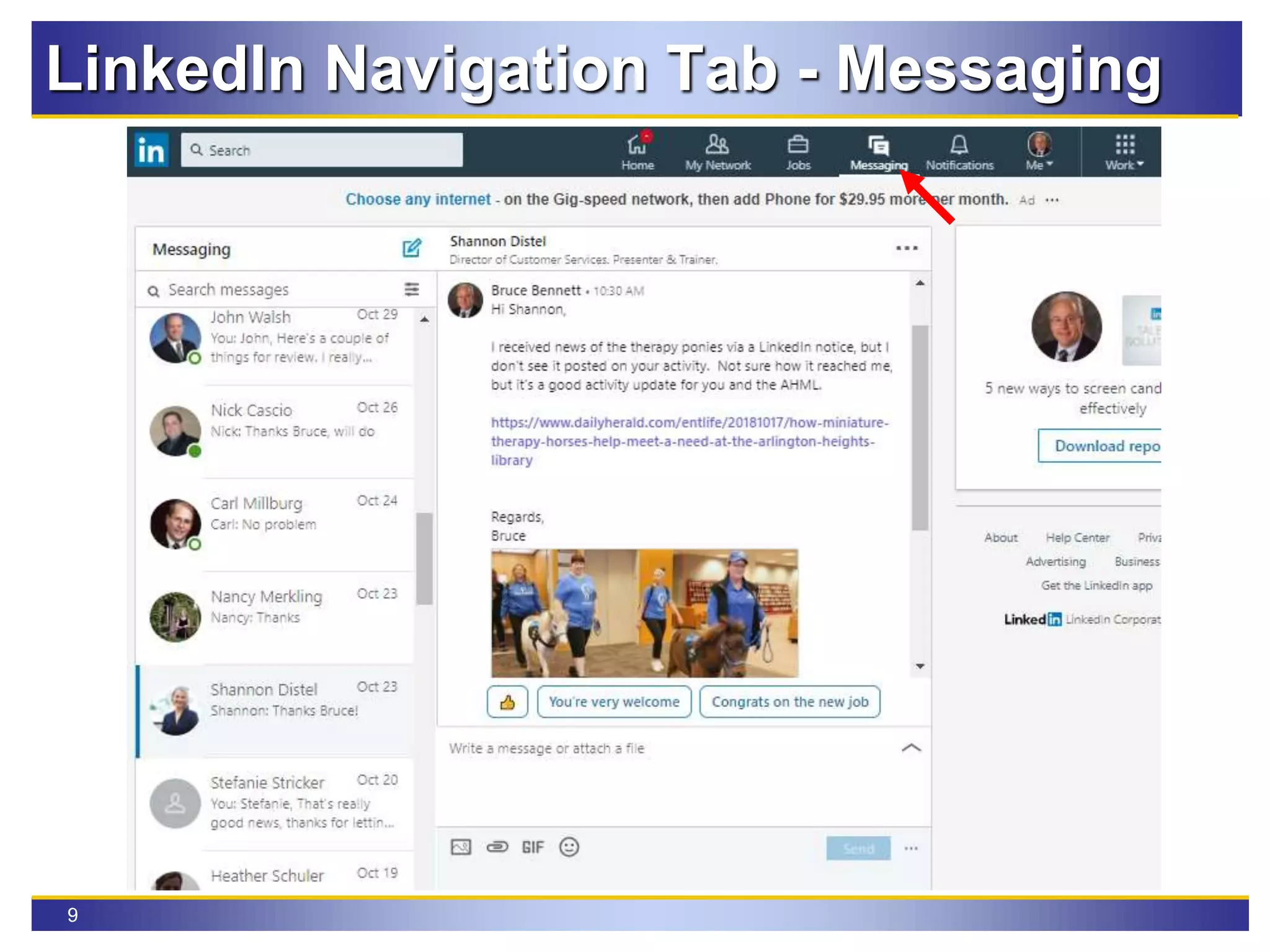
LinkedIn Navigation Tab - Messaging
10
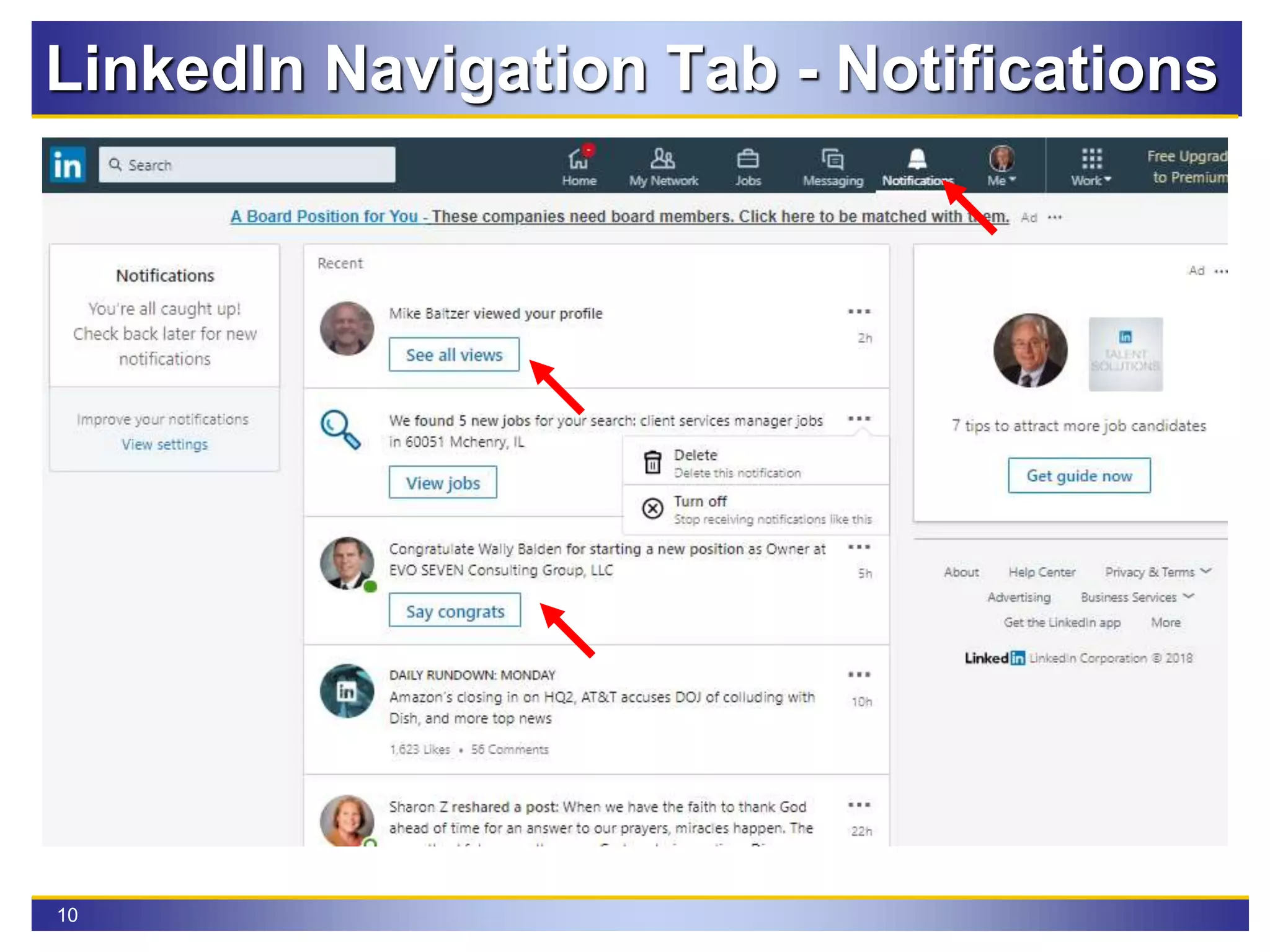
LinkedIn Navigation Tab - Notifications
11
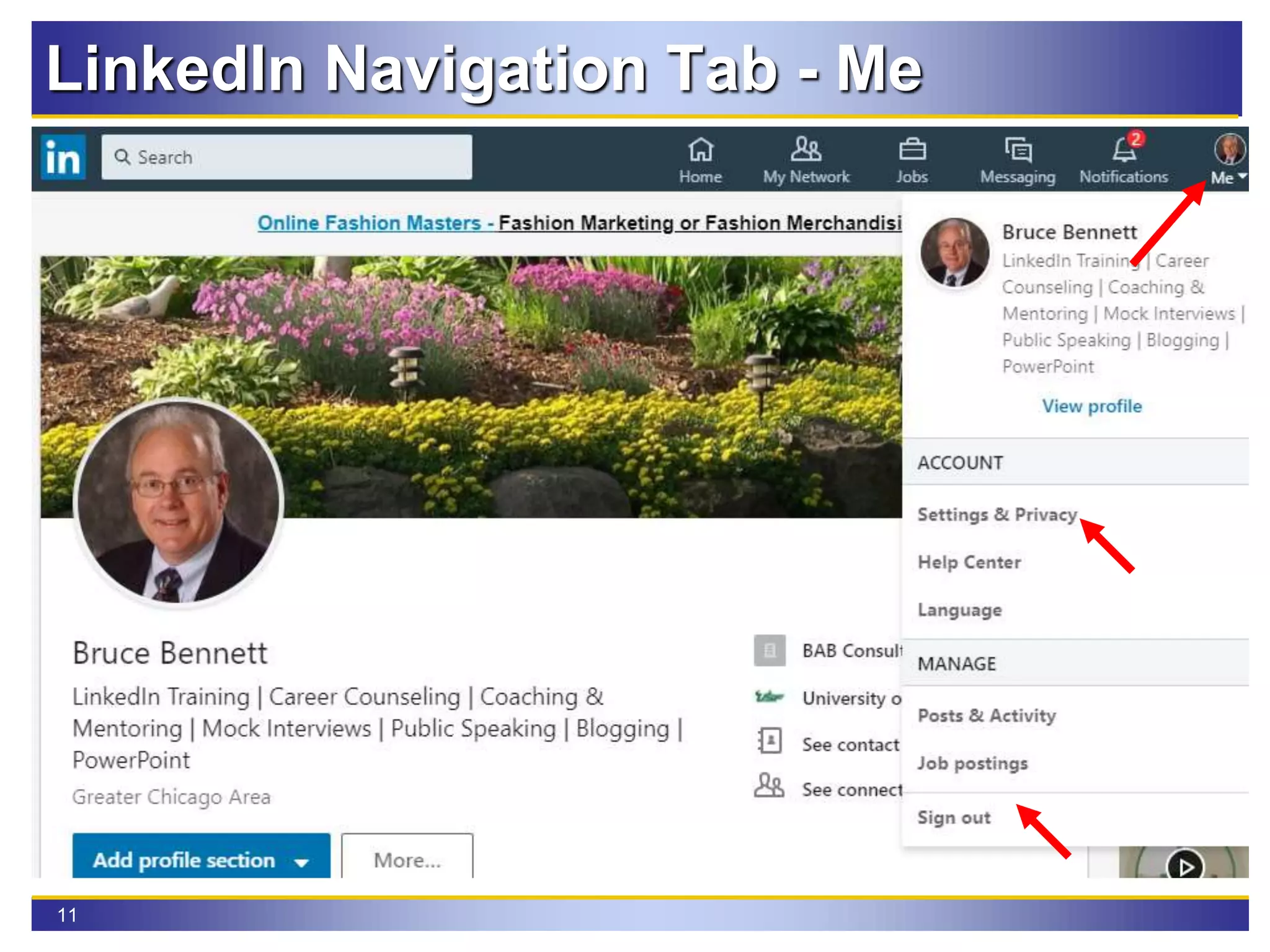
LinkedIn Navigation Tab - Me
12
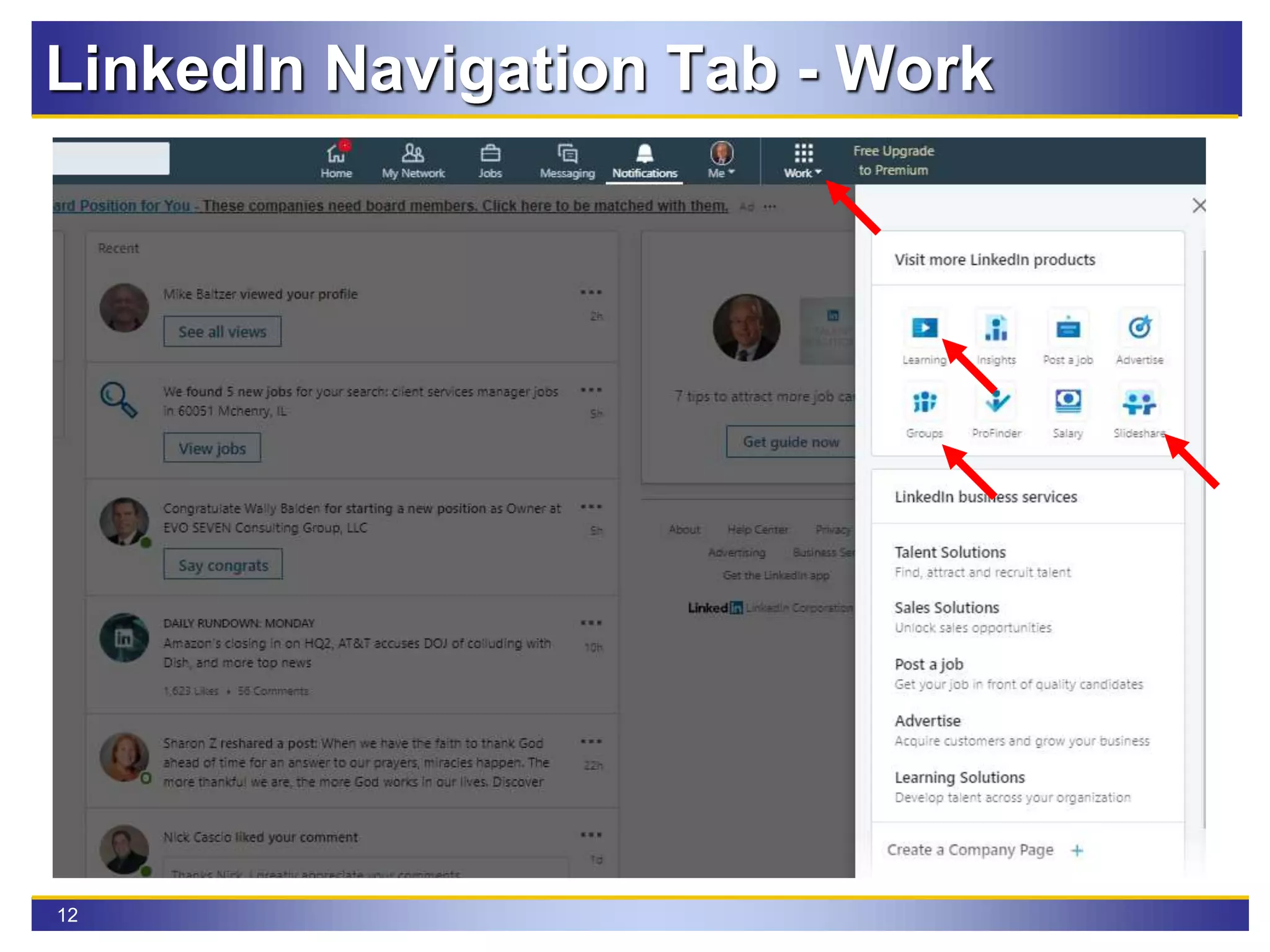
LinkedIn Navigation Tab - Work
13
LinkedIn Profile Nuances
Include Skills in your positions and headline
 Never use the word “Searching” Or “Opportunity” in your
headline. Searching is your problem, you want to be their
solution.
 You must focus your skills on a certain company, industry, or
particular level of profession. Zeroing in on an audience helps
them say yes to you when the fit is there!
 Avoid ALL of the 2018 top ten overused buzzwords on LinkedIn
used last year
Specialize, Experienced, Skilled, Leadership,
Passionate, Expert, Motivated, Creative,
Strategic, Focused
14
Optimize Your Important SKILLS
The first word in your headline gets the SEO results from
LinkedIn’s search algorithm.
Thus, it’s critical that you start your headline with your
most important SKILL.
Many members don’t understand this, so if you do it, you
will get powerful SEO results.
It matters because if you don’t come up high in search
results, then you won’t get the chance to convince
someone to click through to your profile.
LinkedIn Profile Nuances
15
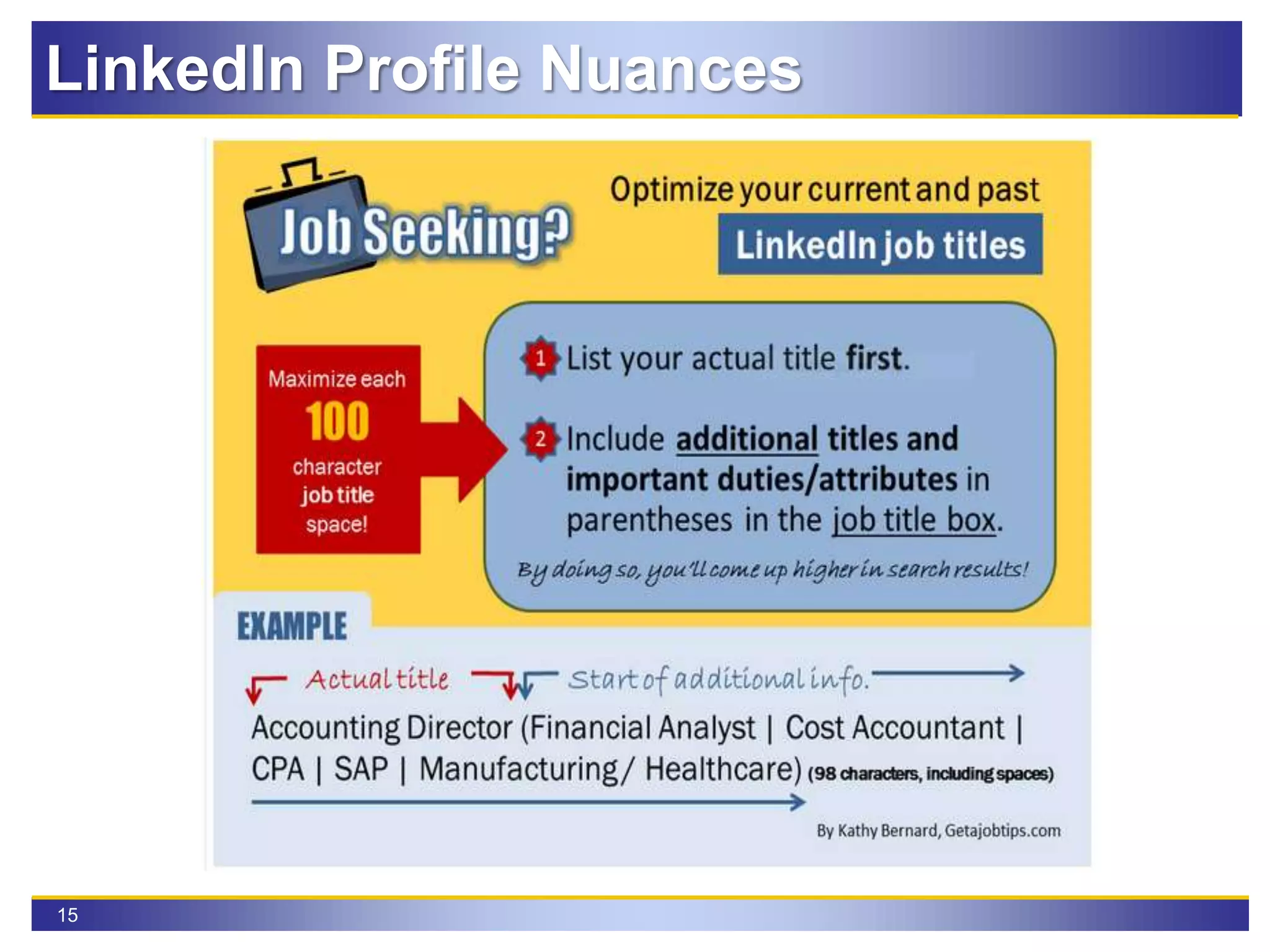
LinkedIn Profile Nuances
16
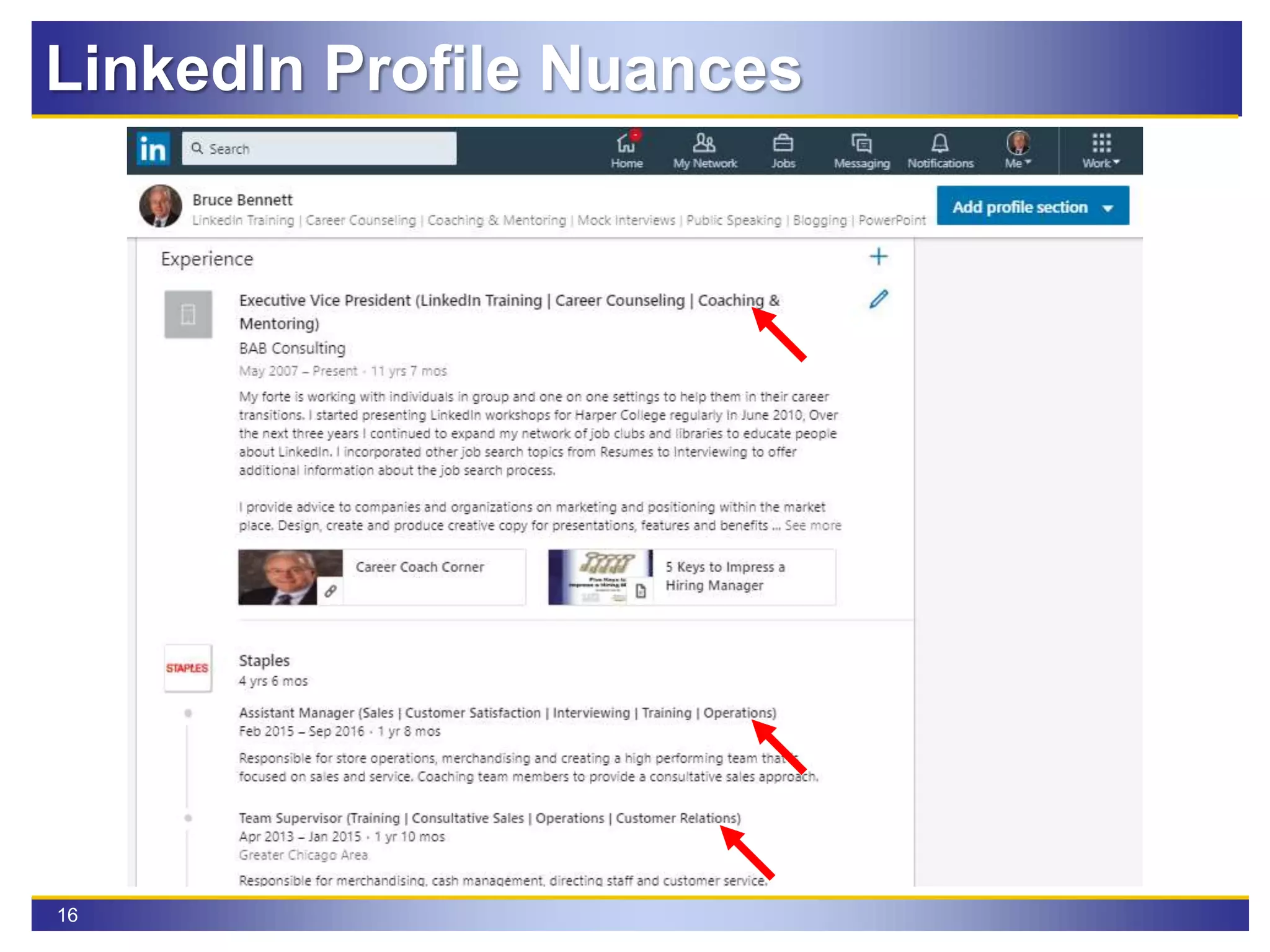
LinkedIn Profile Nuances
17
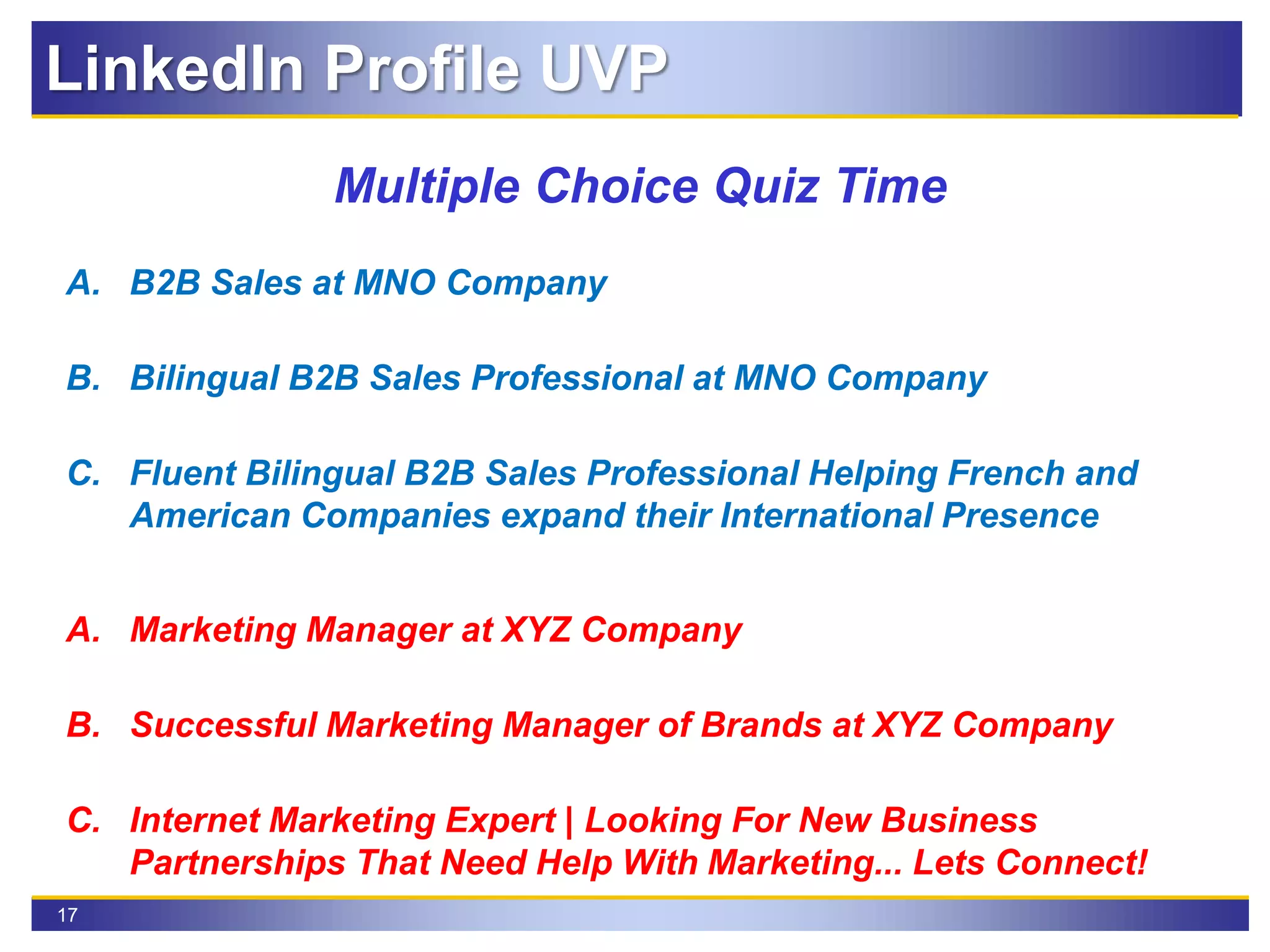
Multiple Choice Quiz Time
A. B2B Sales at MNO Company
B. Bilingual B2B Sales Professional at MNO Company
C. Fluent Bilingual B2B Sales Professional Helping French and
American Companies expand their International Presence
A. Marketing Manager at XYZ Company
B. Successful Marketing Manager of Brands at XYZ Company
C. Internet Marketing Expert | Looking For New Business
Partnerships That Need Help With Marketing... Lets Connect!
LinkedIn Profile UVP
18
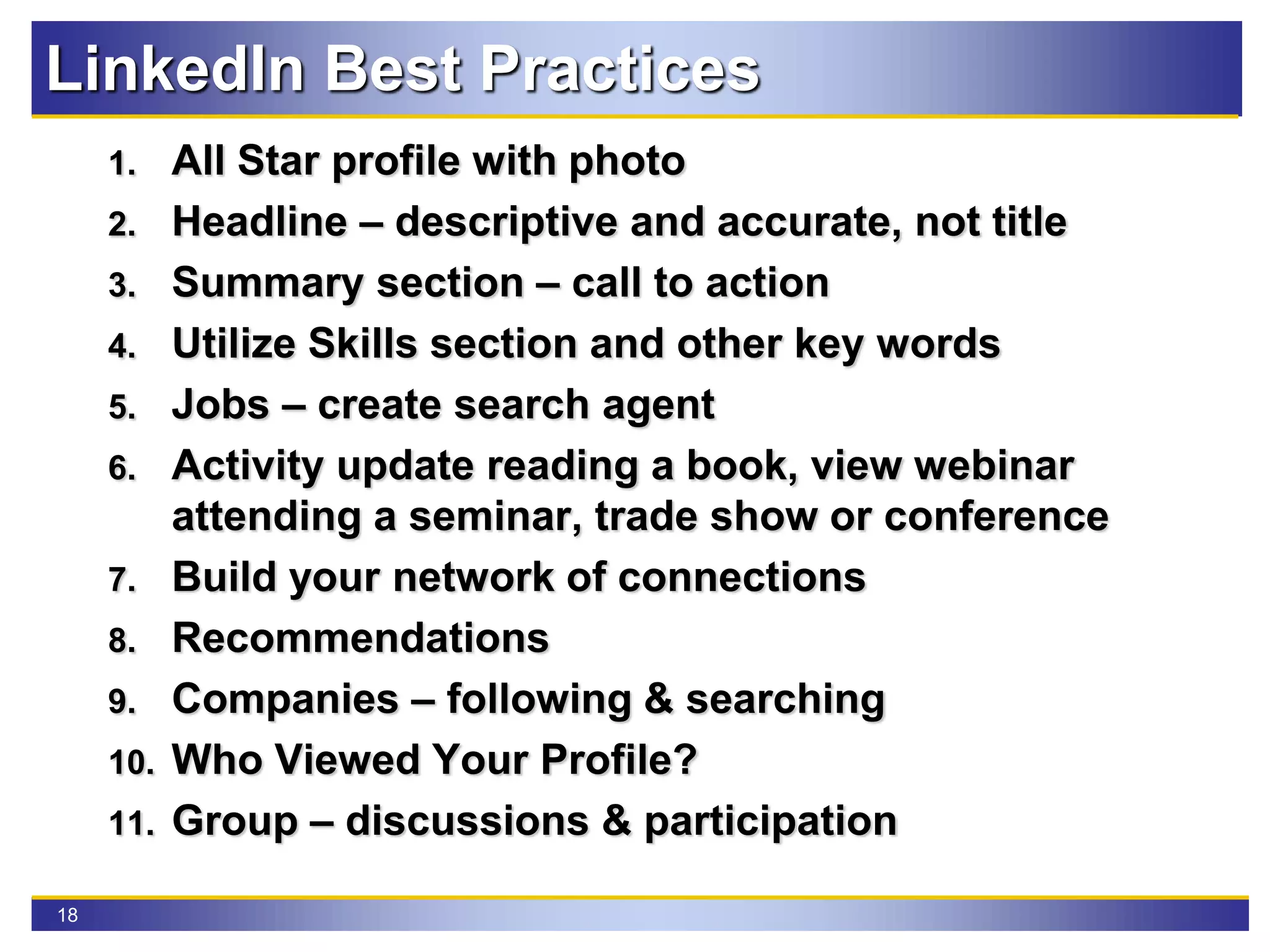
LinkedIn Best Practices
1. All Star profile with photo
2. Headline – descriptive and accurate, not title
3. Summary section – call to action
4. Utilize Skills section and other key words
5. Jobs – create search agent
6. Activity update reading a book, view webinar
attending a seminar, trade show or conference
7. Build your network of connections
8. Recommendations
9. Companies – following & searching
10. Who Viewed Your Profile?
11. Group – discussions & participation
19
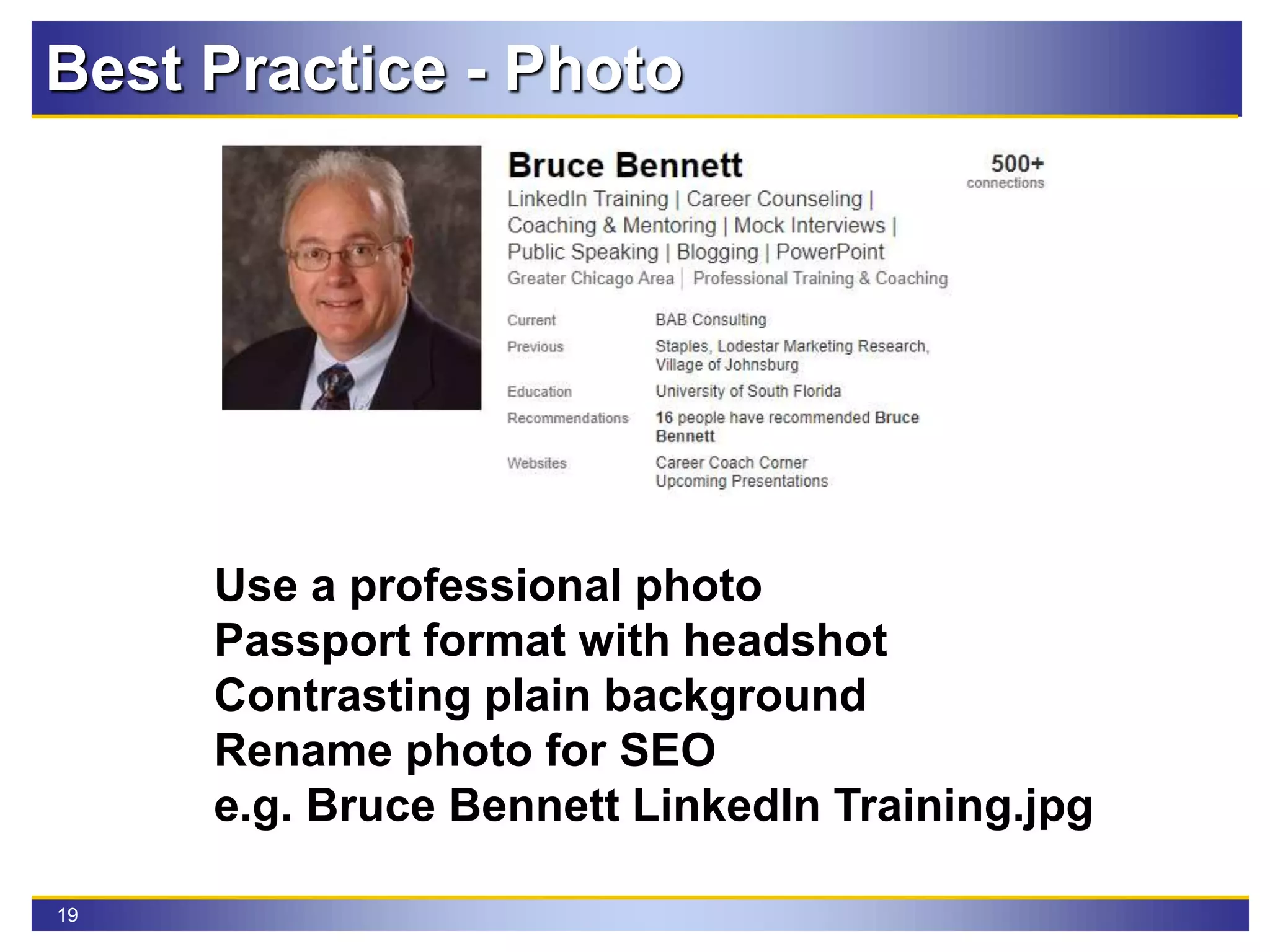
Best Practice - Photo
Use a professional photo
Passport format with headshot
Contrasting plain background
Rename photo for SEO
e.g. Bruce Bennett LinkedIn Training.jpg
20
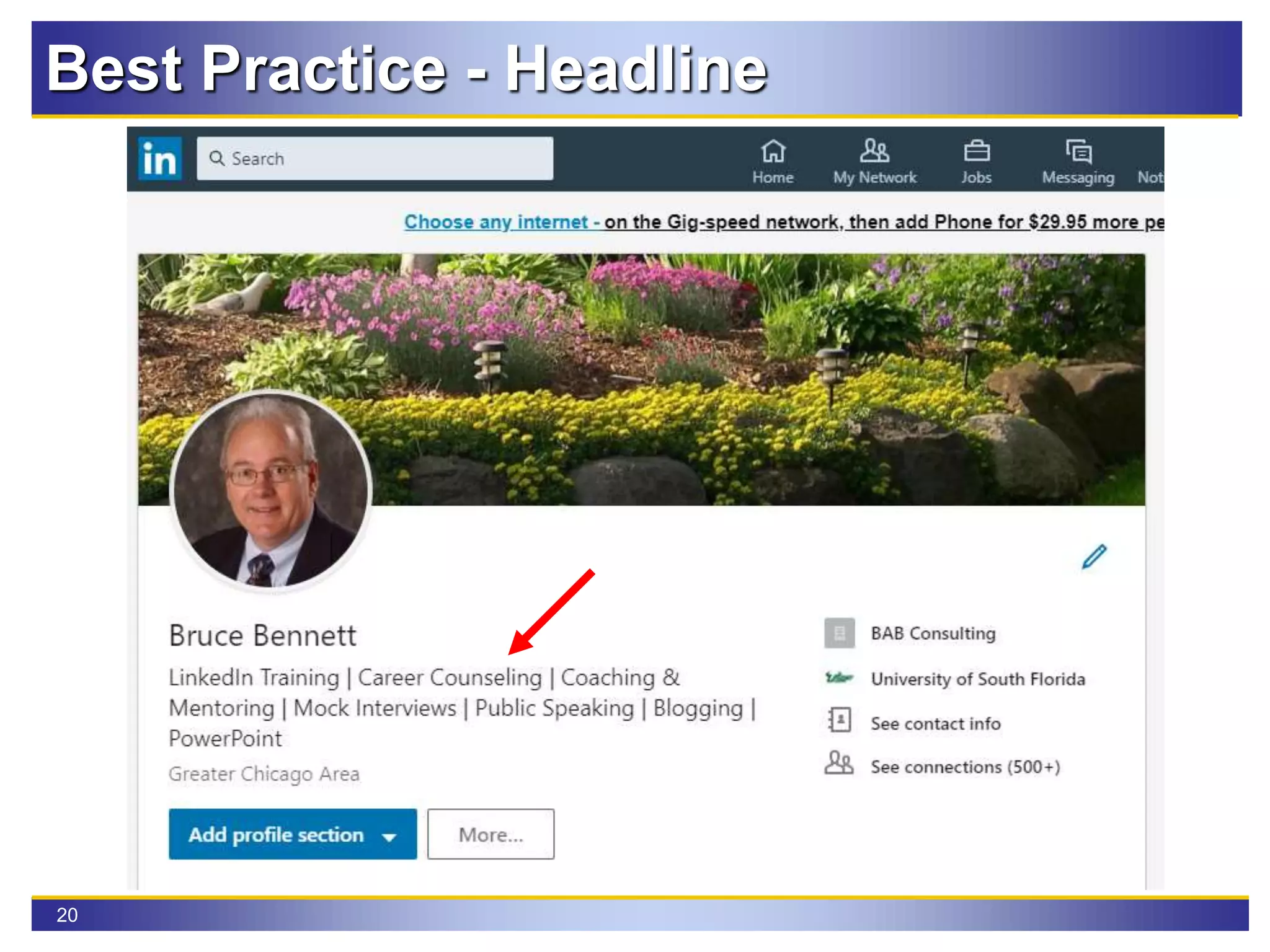
Best Practice - Headline
21
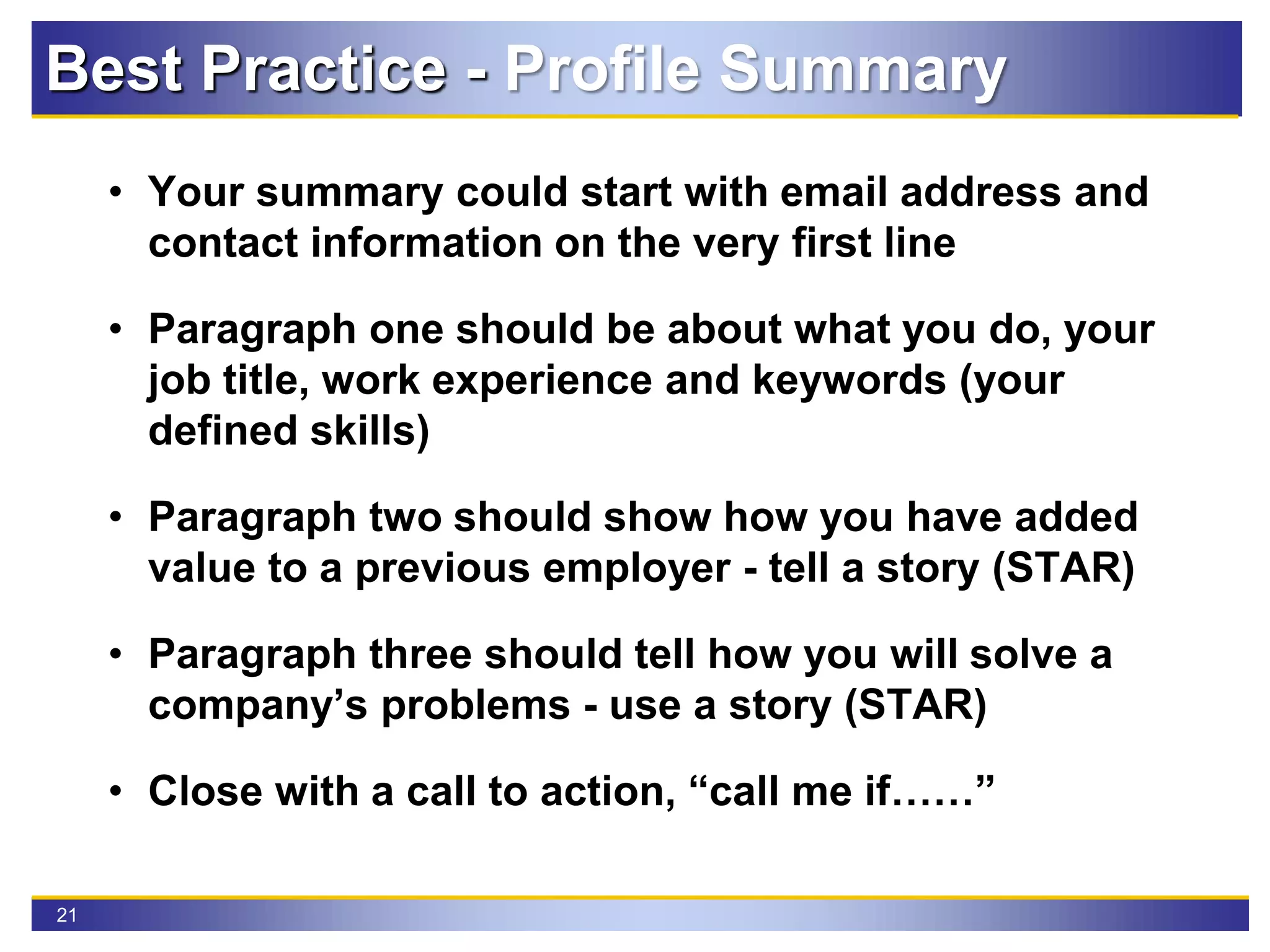
• Your summary could start with email address and
contact information on the very first line
• Paragraph one should be about what you do, your
job title, work experience and keywords (your
defined skills)
• Paragraph two should show how you have added
value to a previous employer - tell a story (STAR)
• Paragraph three should tell how you will solve a
company’s problems - use a story (STAR)
• Close with a call to action, “call me if……”
Best Practice - Profile Summary
22
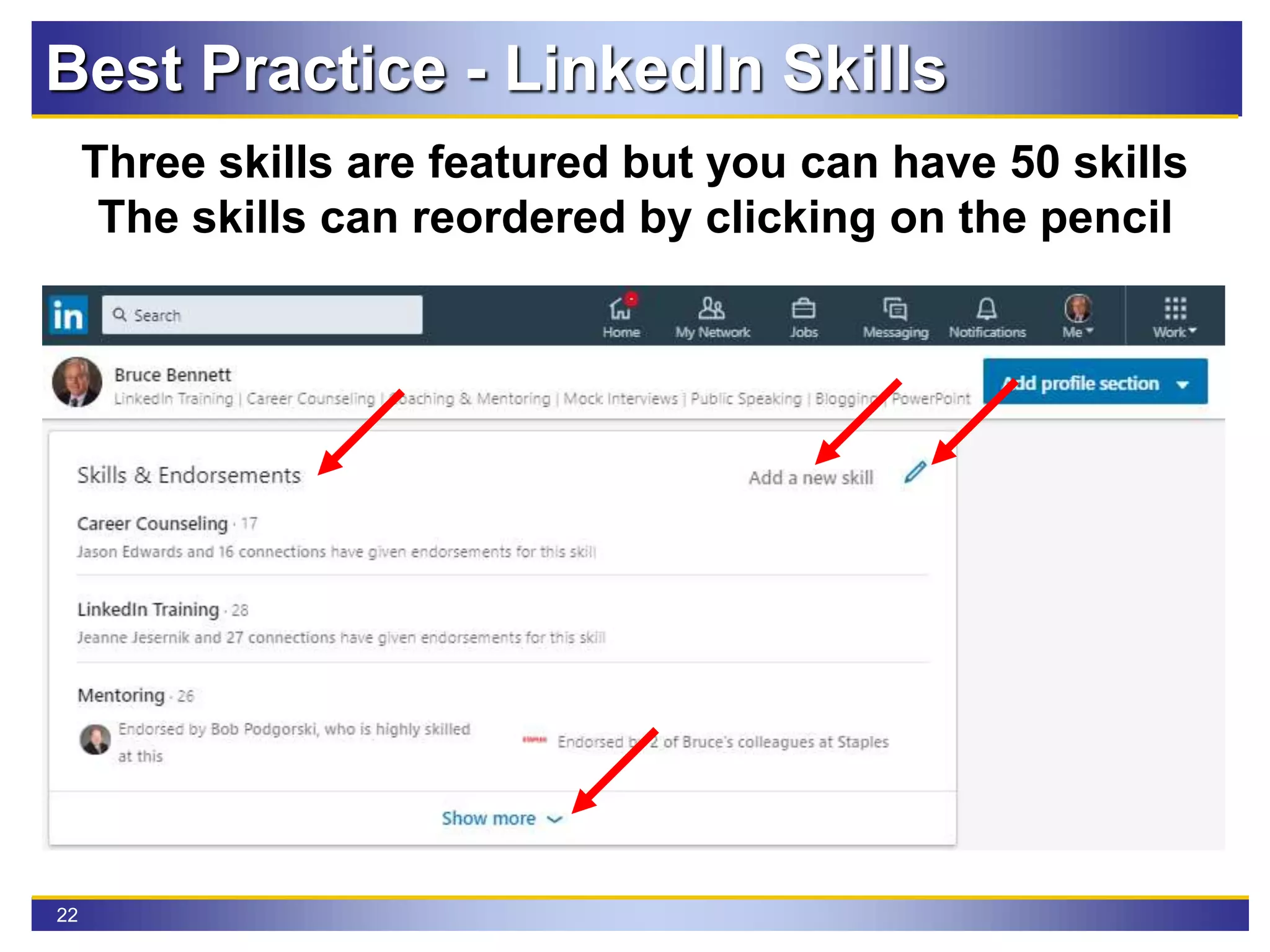
Three skills are featured but you can have 50 skills
The skills can reordered by clicking on the pencil
Best Practice - LinkedIn Skills
23
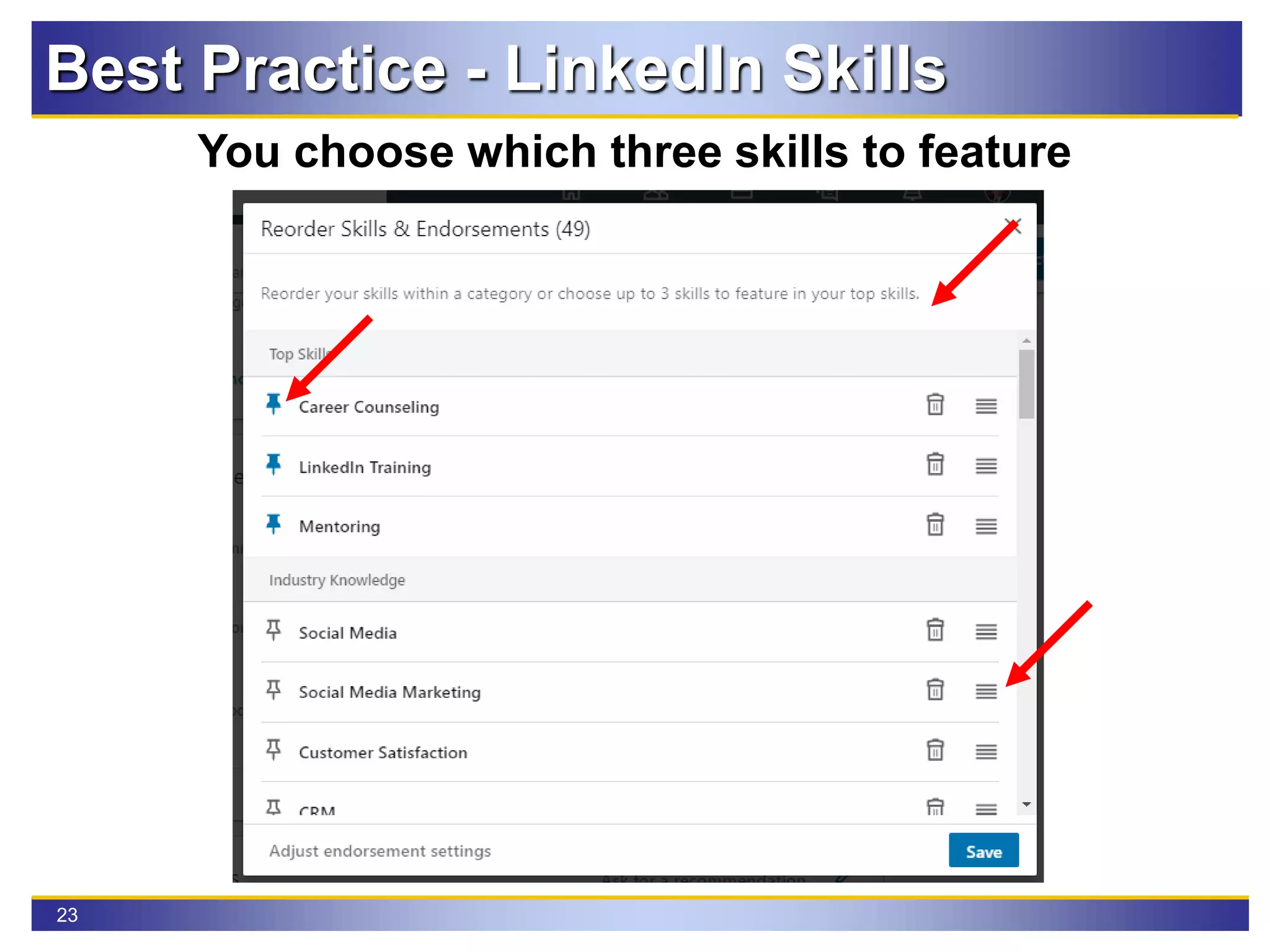
Best Practice - LinkedIn Skills
You choose which three skills to feature
24
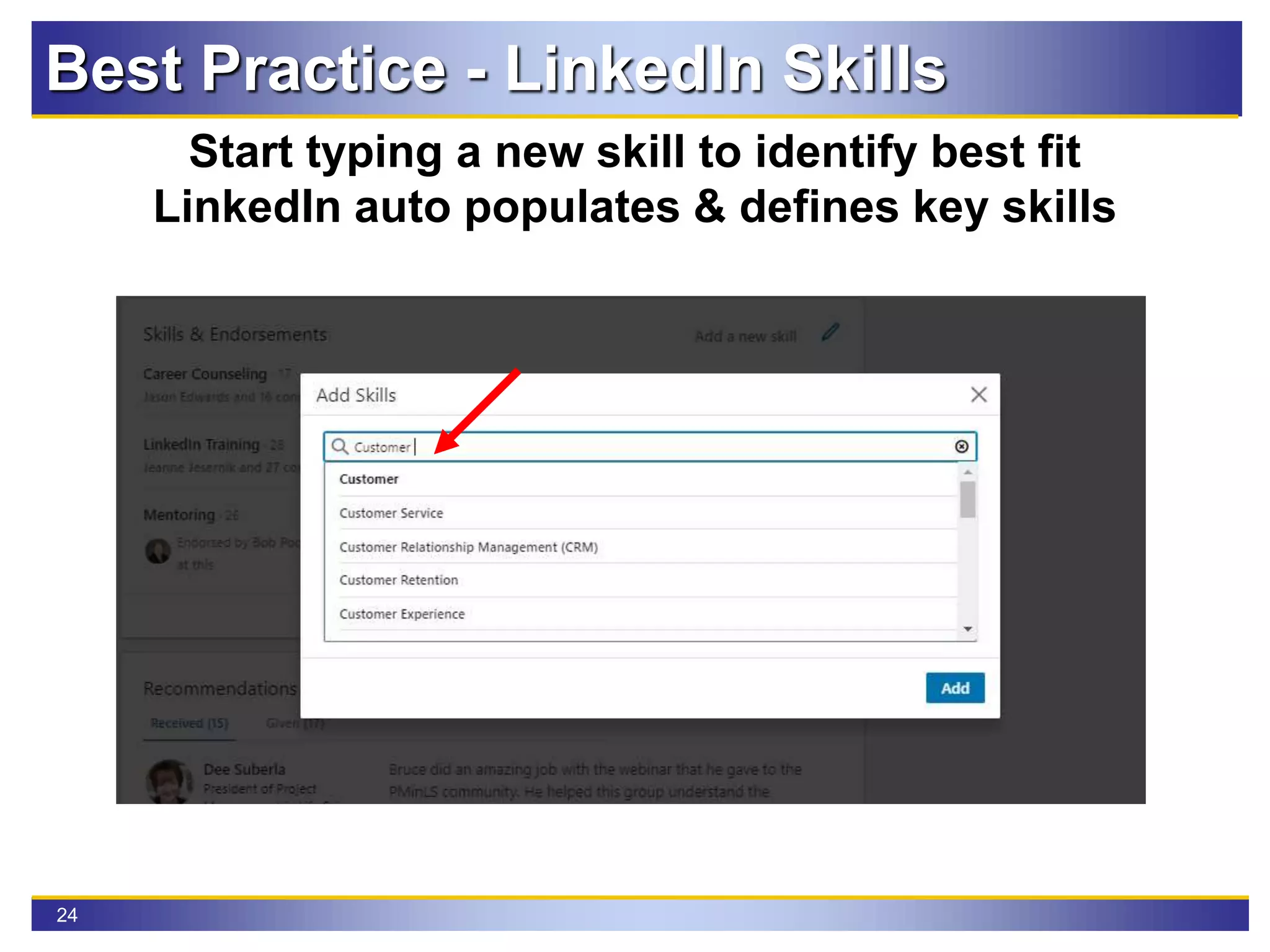
Best Practice - LinkedIn Skills
Start typing a new skill to identify best fit
LinkedIn auto populates & defines key skills
25
Best Practice - LinkedIn Skills
It is imperative to add all your skills to your profile
You might ask yourself why is it so important?
This Is Why I Emphasize Skills
26
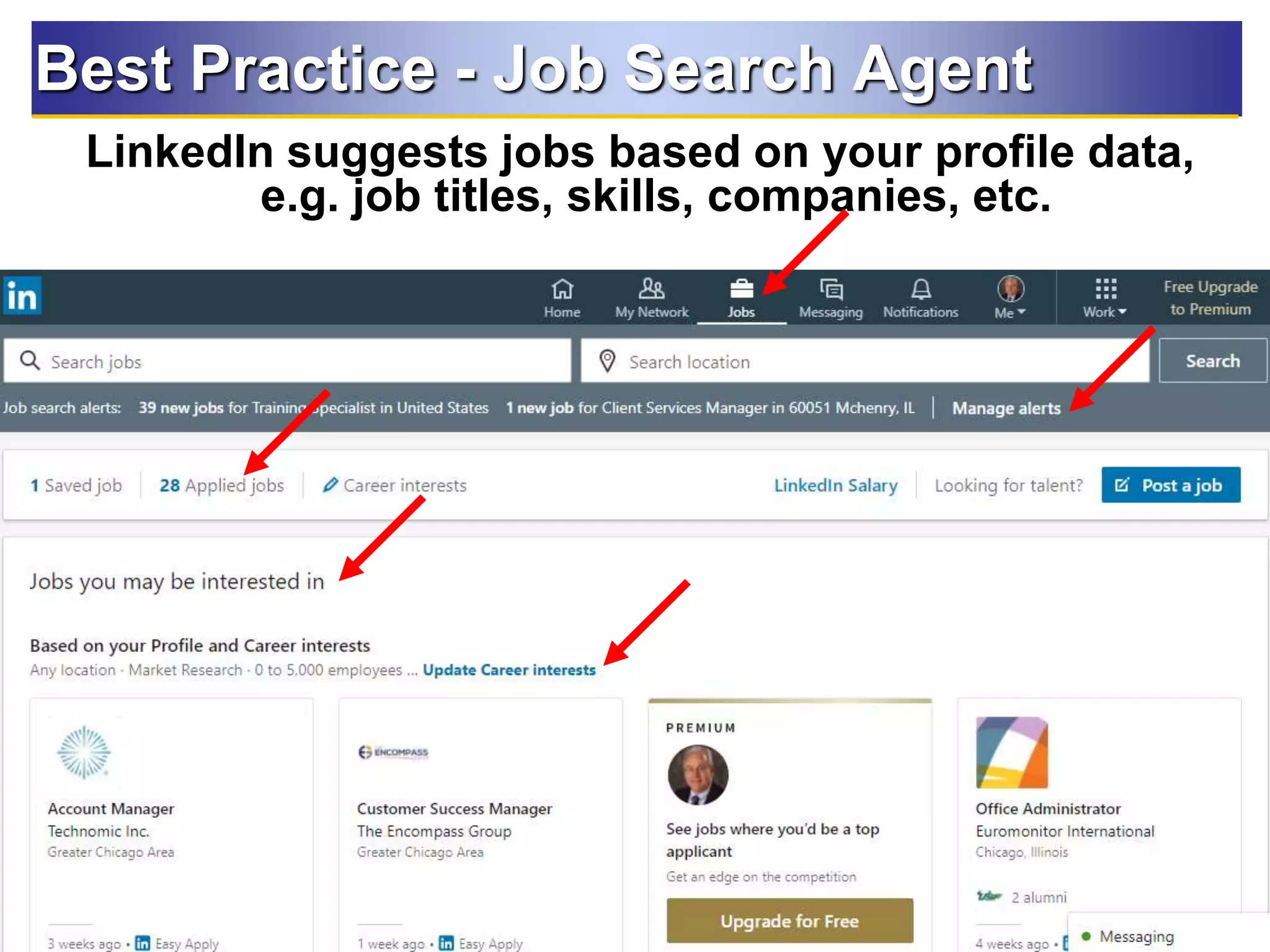
Best Practice - Job Search Agent
LinkedIn suggests jobs based on your profile data,
e.g. job titles, skills, companies, etc.
26
27
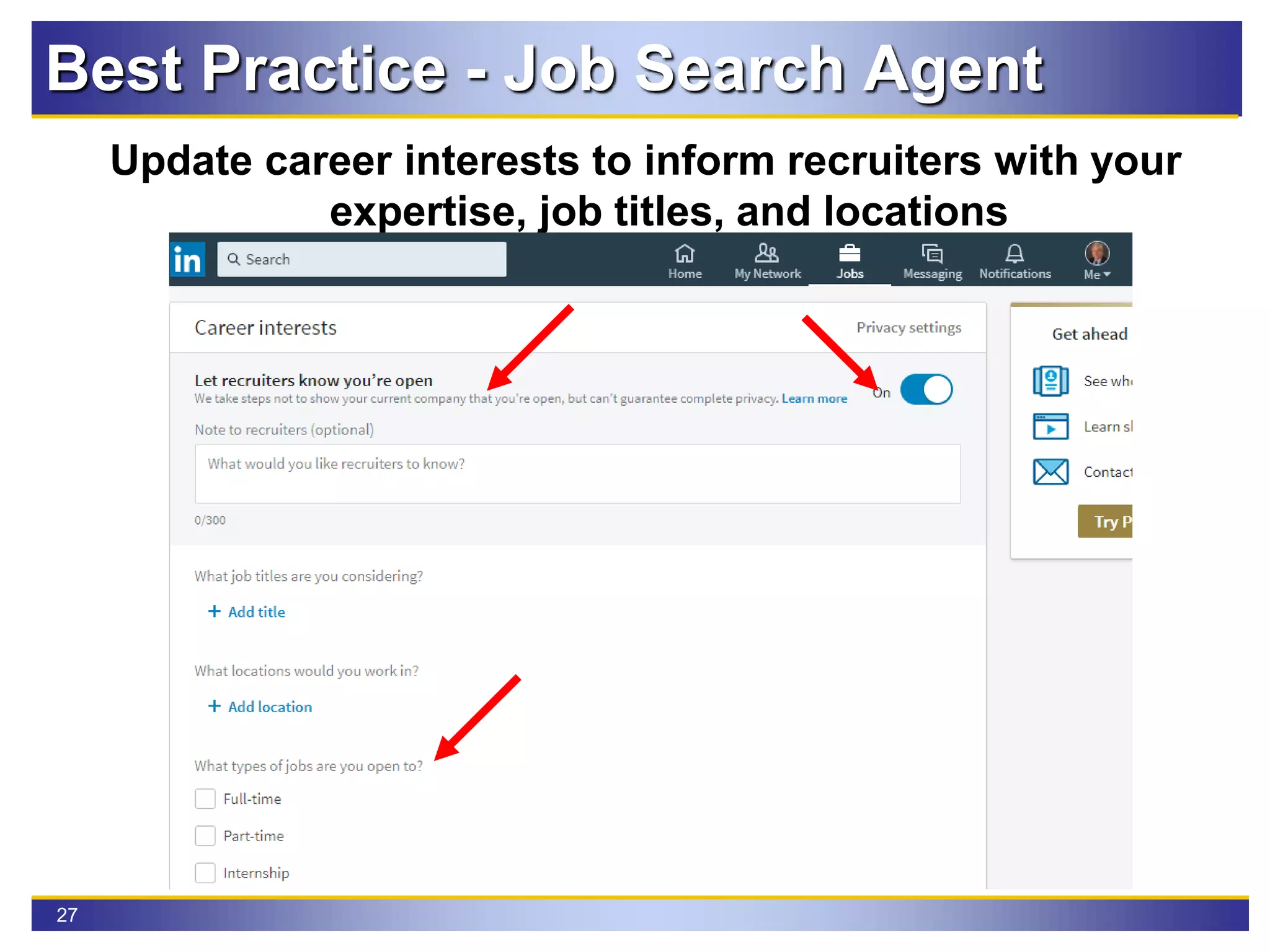
Update career interests to inform recruiters with your
expertise, job titles, and locations
Best Practice - Job Search Agent
28
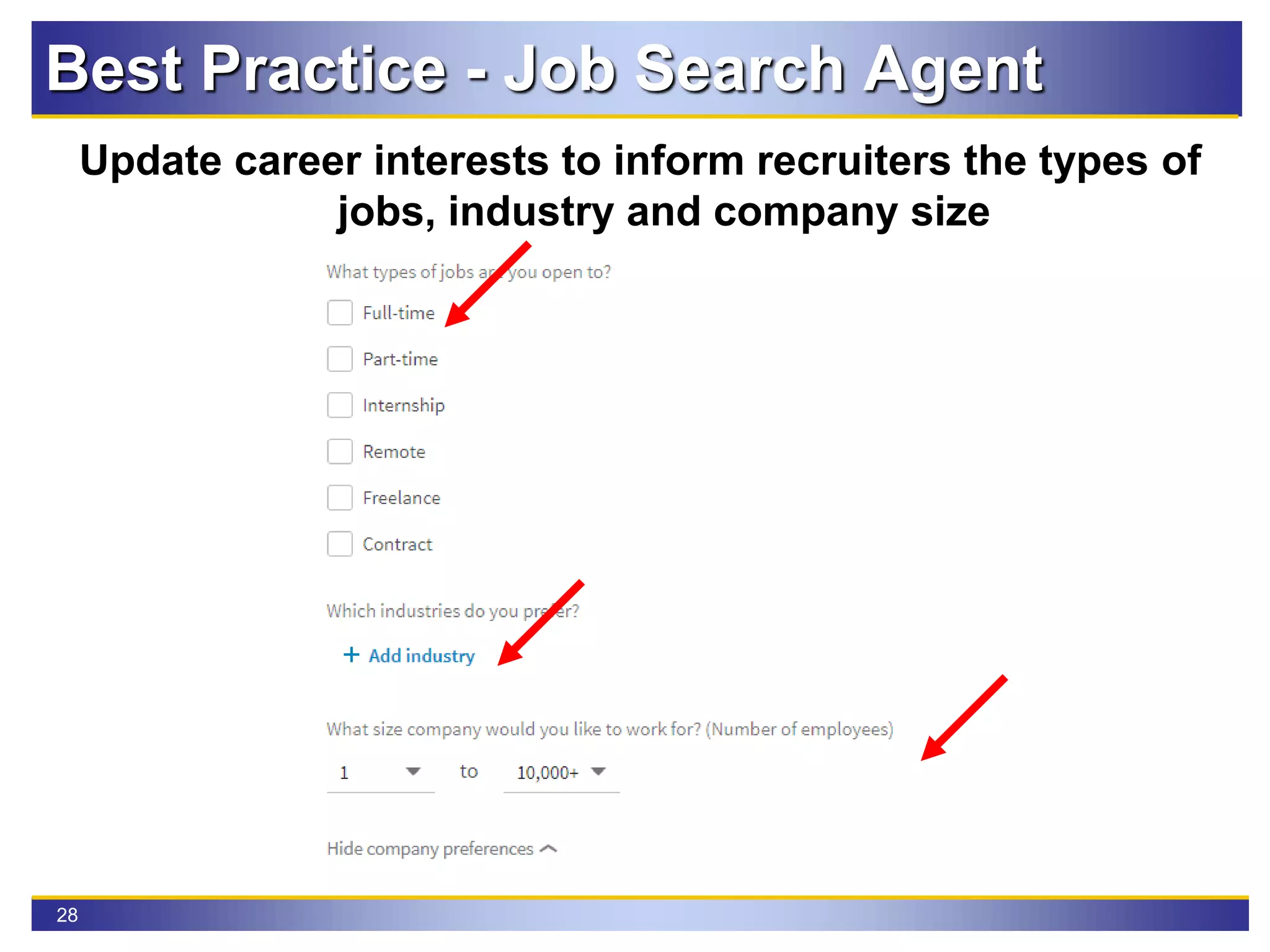
Update career interests to inform recruiters the types of
jobs, industry and company size
Best Practice - Job Search Agent
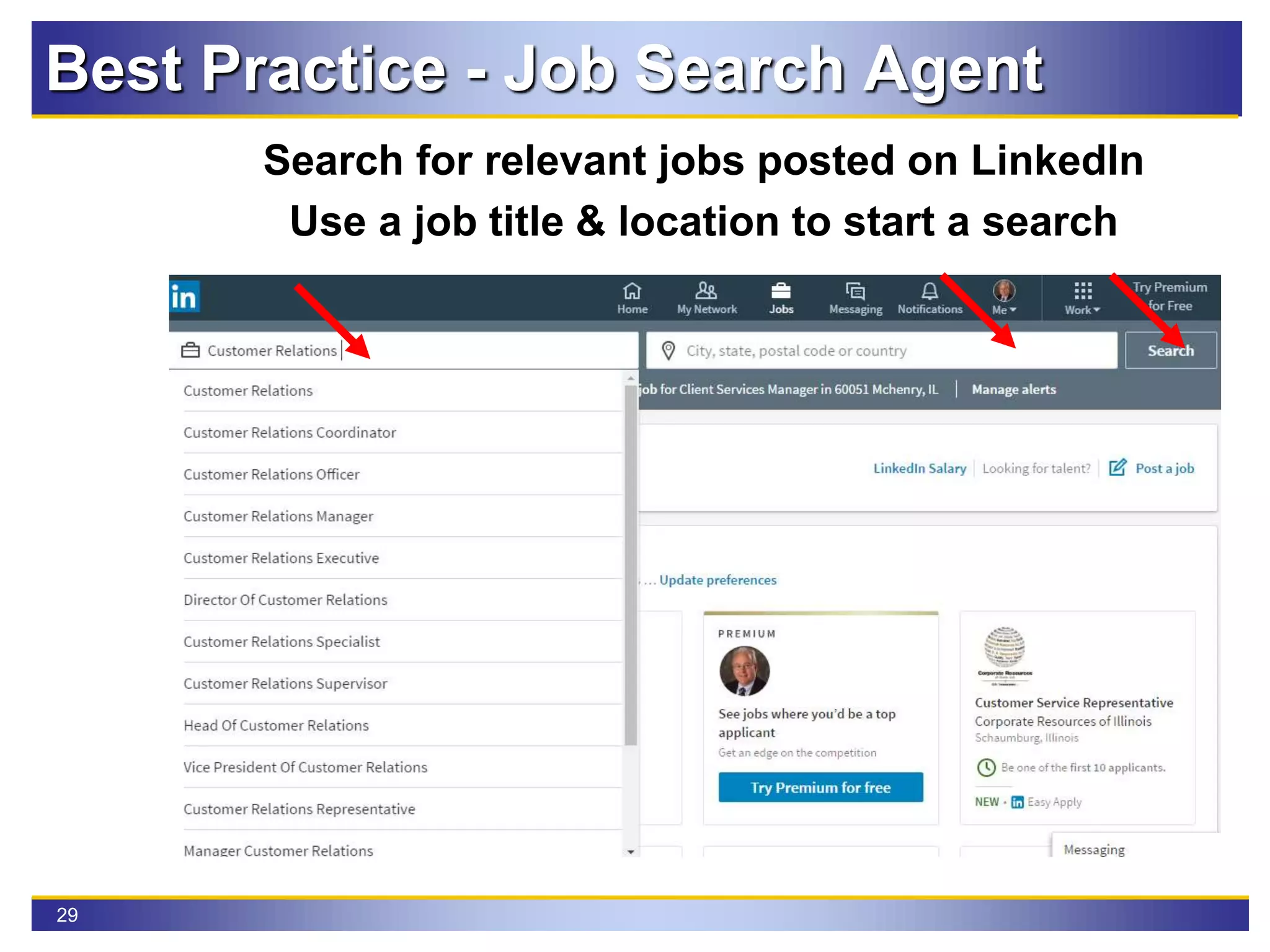
29
Search for relevant jobs posted on LinkedIn
Use a job title & location to start a search
Best Practice - Job Search Agent
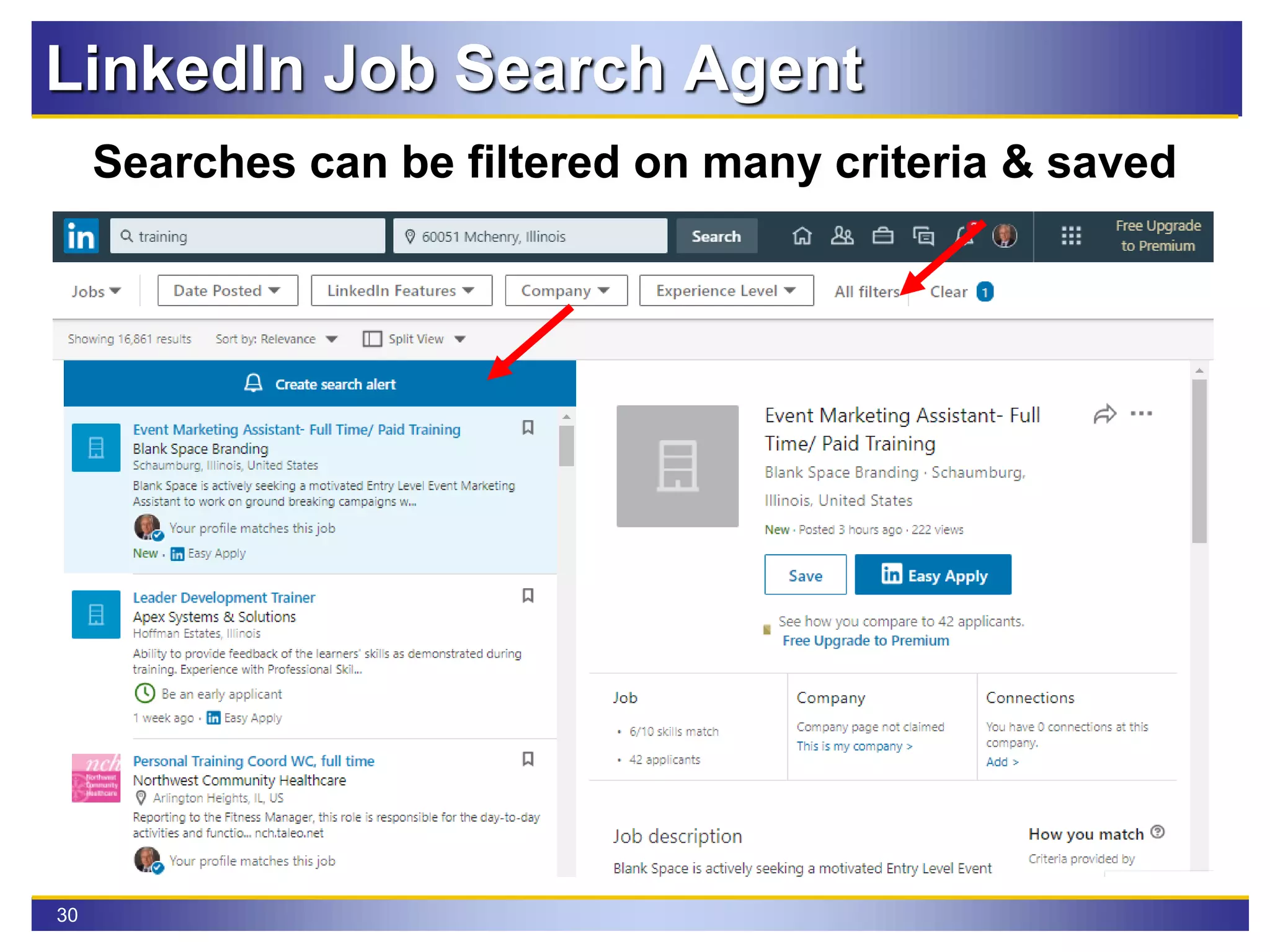
30
LinkedIn Job Search Agent
Searches can be filtered on many criteria & saved
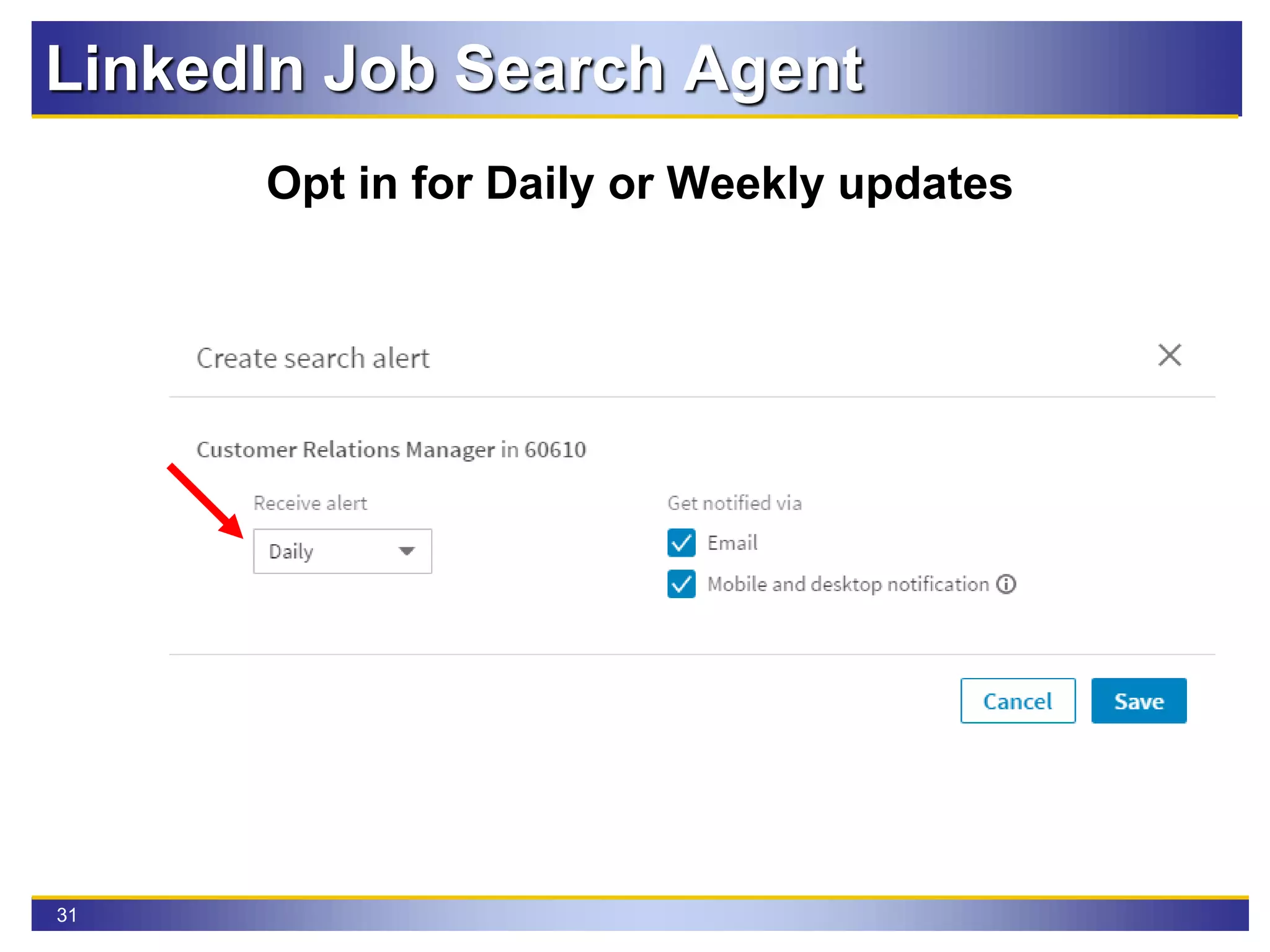
31
Opt in for Daily or Weekly updates
LinkedIn Job Search Agent
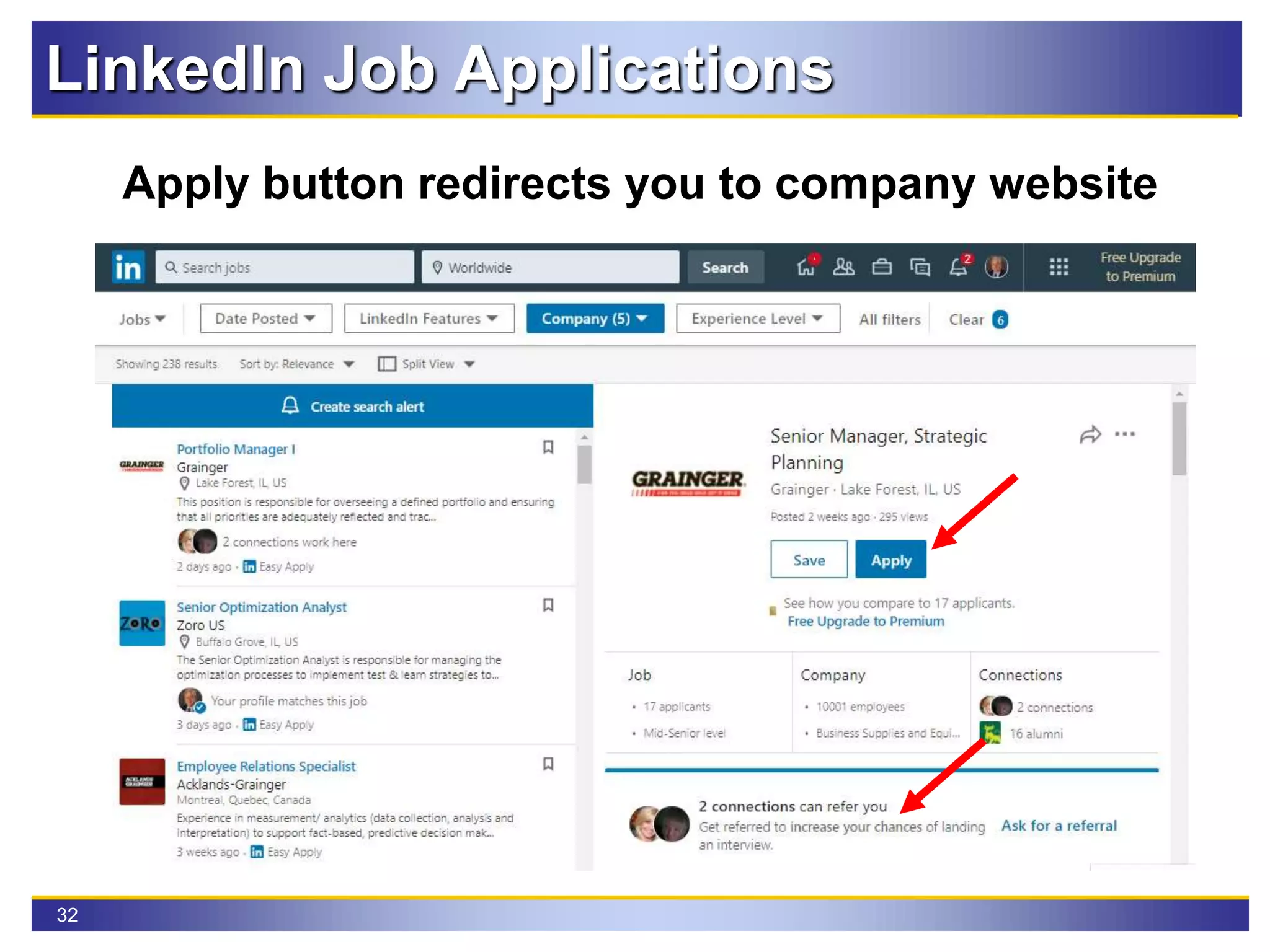
32
Apply button redirects you to company website
LinkedIn Job Applications
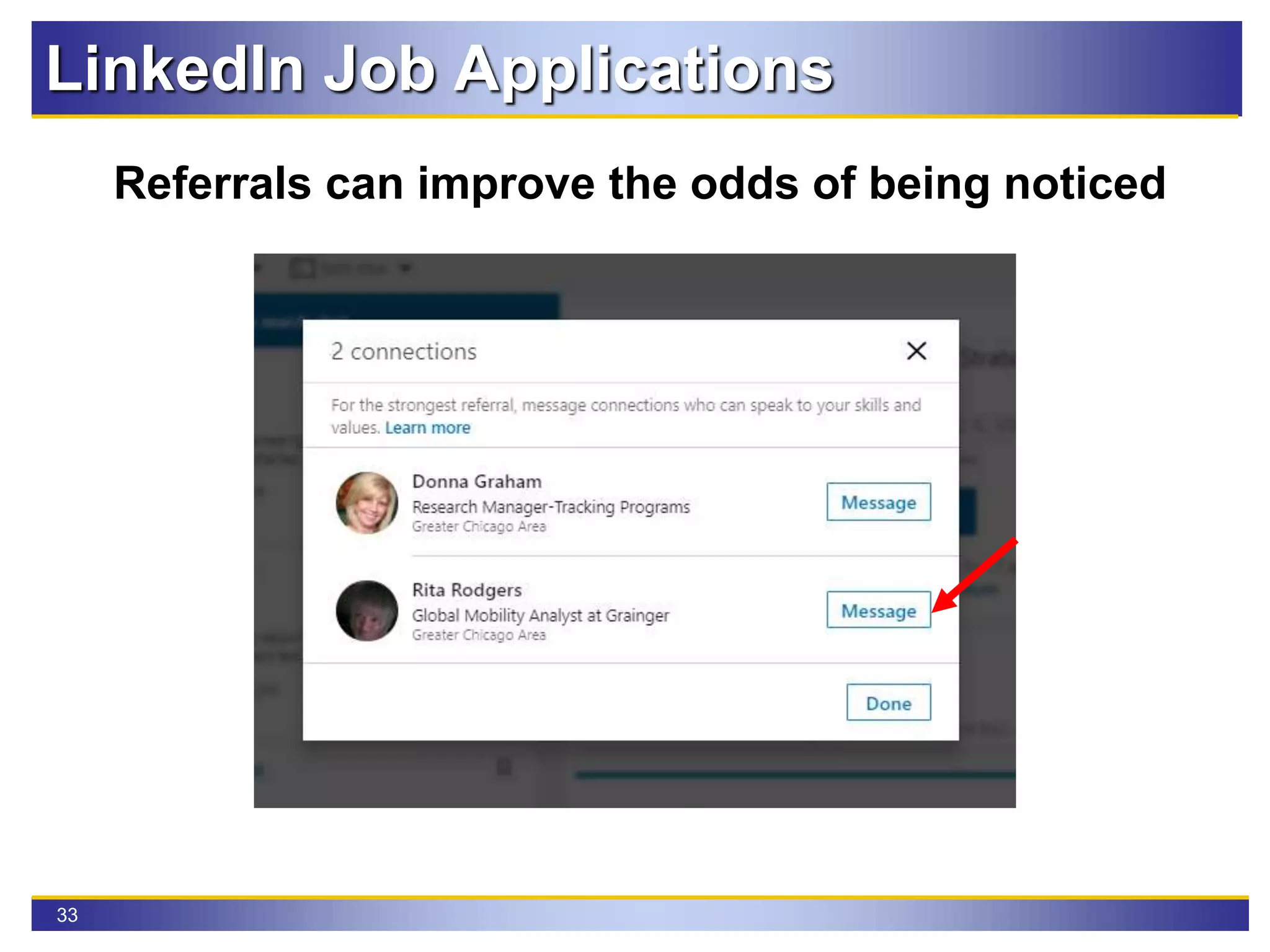
33
Referrals can improve the odds of being noticed
LinkedIn Job Applications
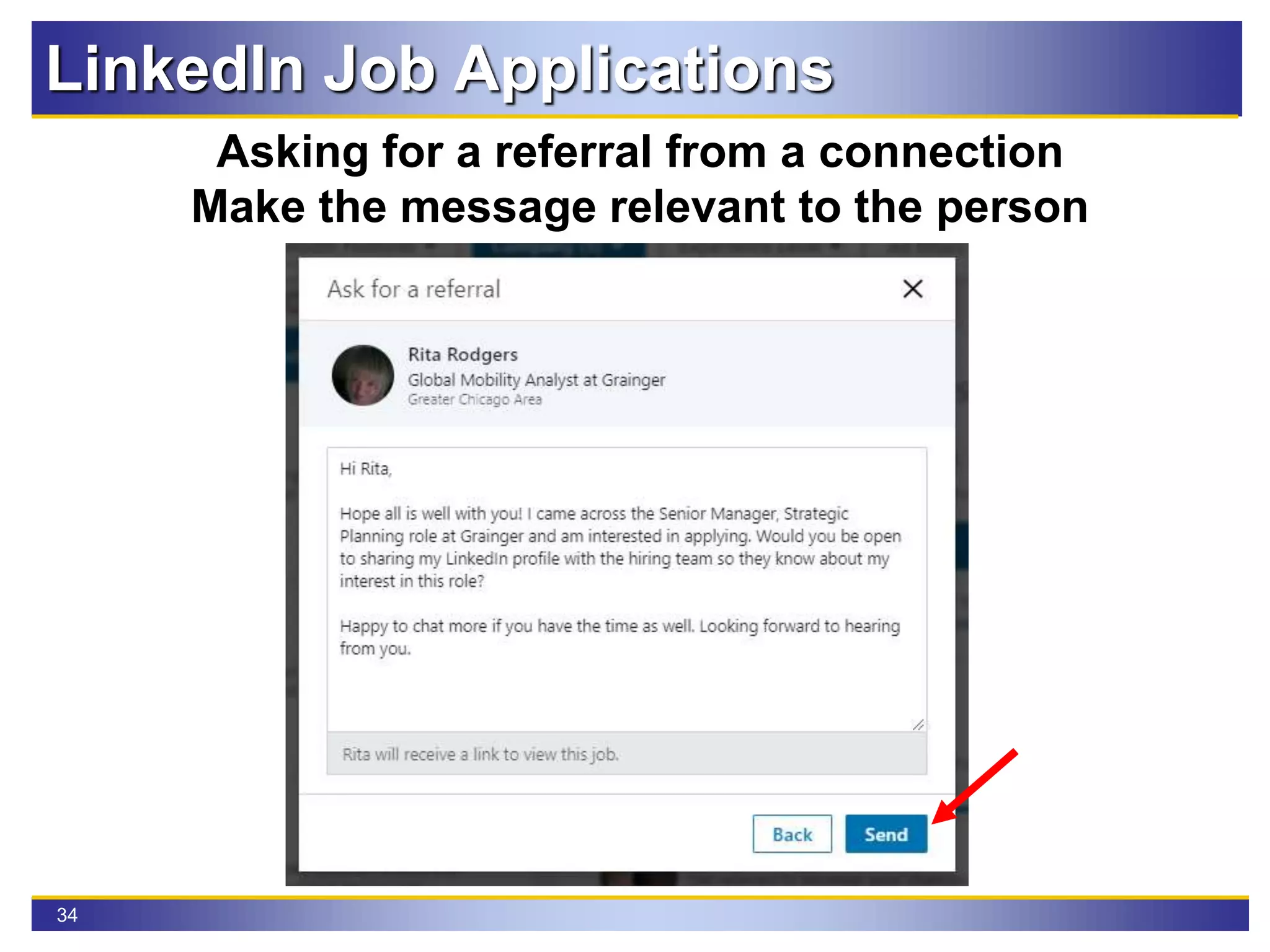
34
Asking for a referral from a connection
Make the message relevant to the person
LinkedIn Job Applications
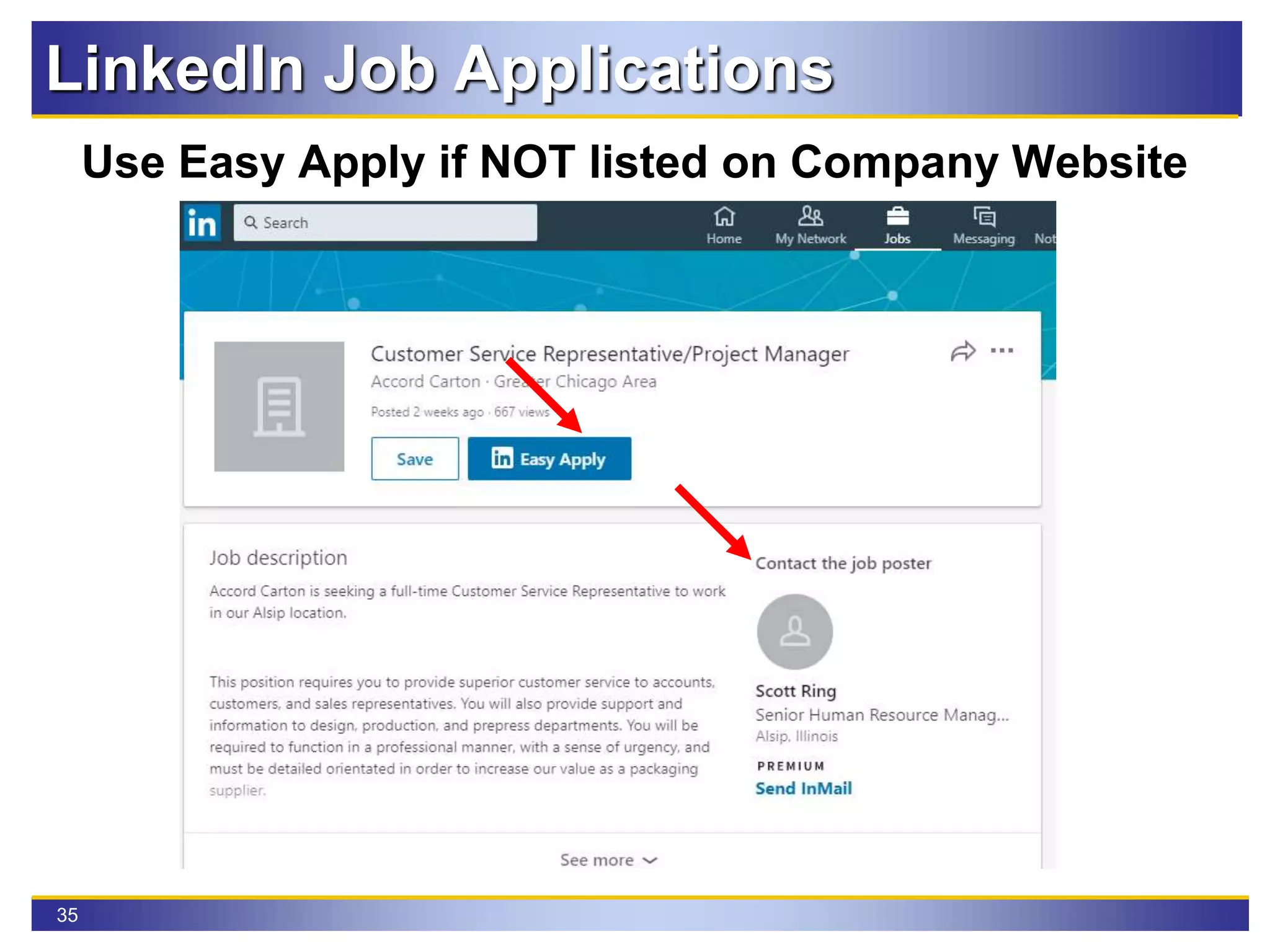
35
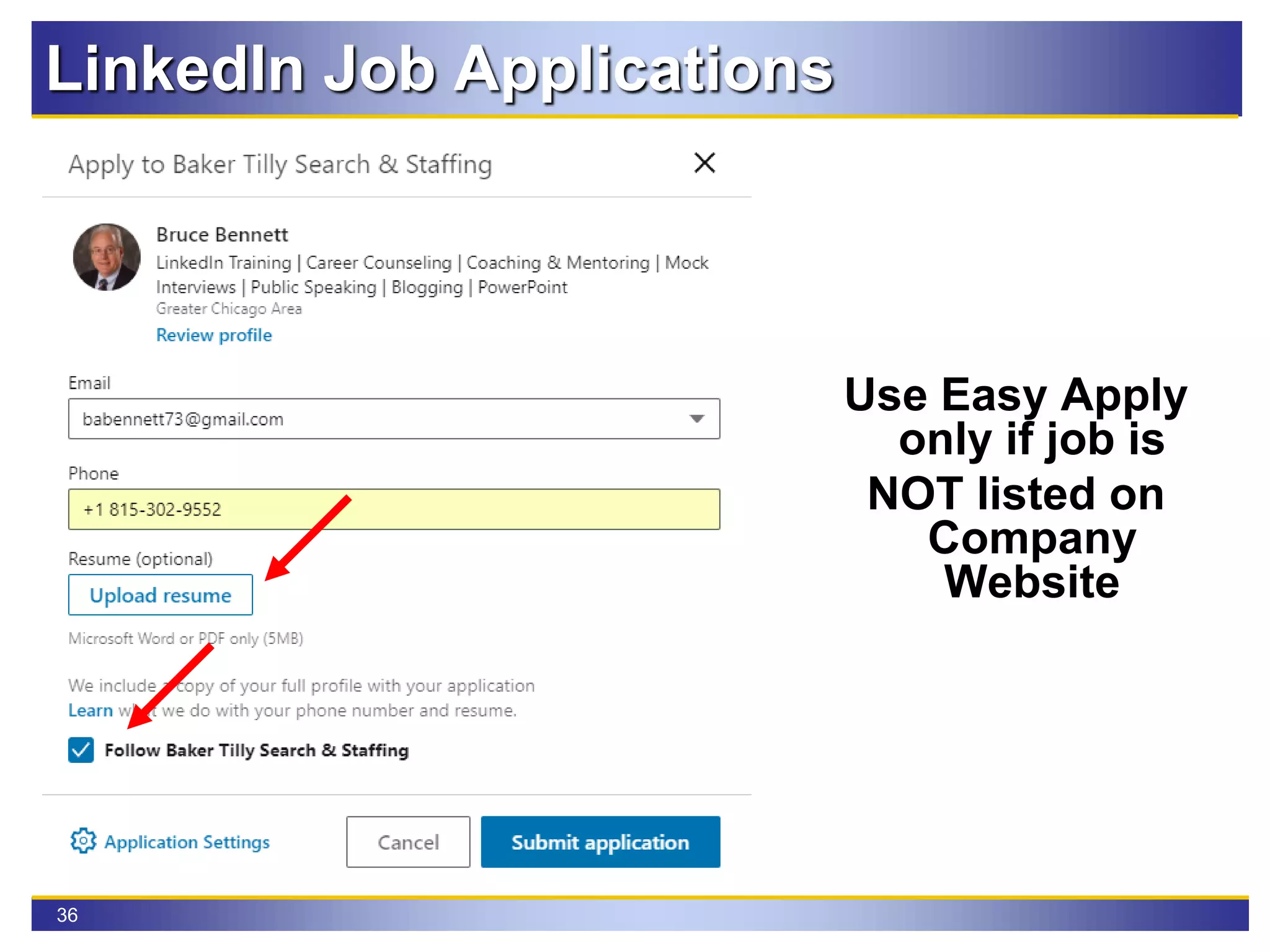
Use Easy Apply if NOT listed on Company Website
LinkedIn Job Applications
36
Use Easy Apply
only if job is
NOT listed on
Company
Website
LinkedIn Job Applications
37
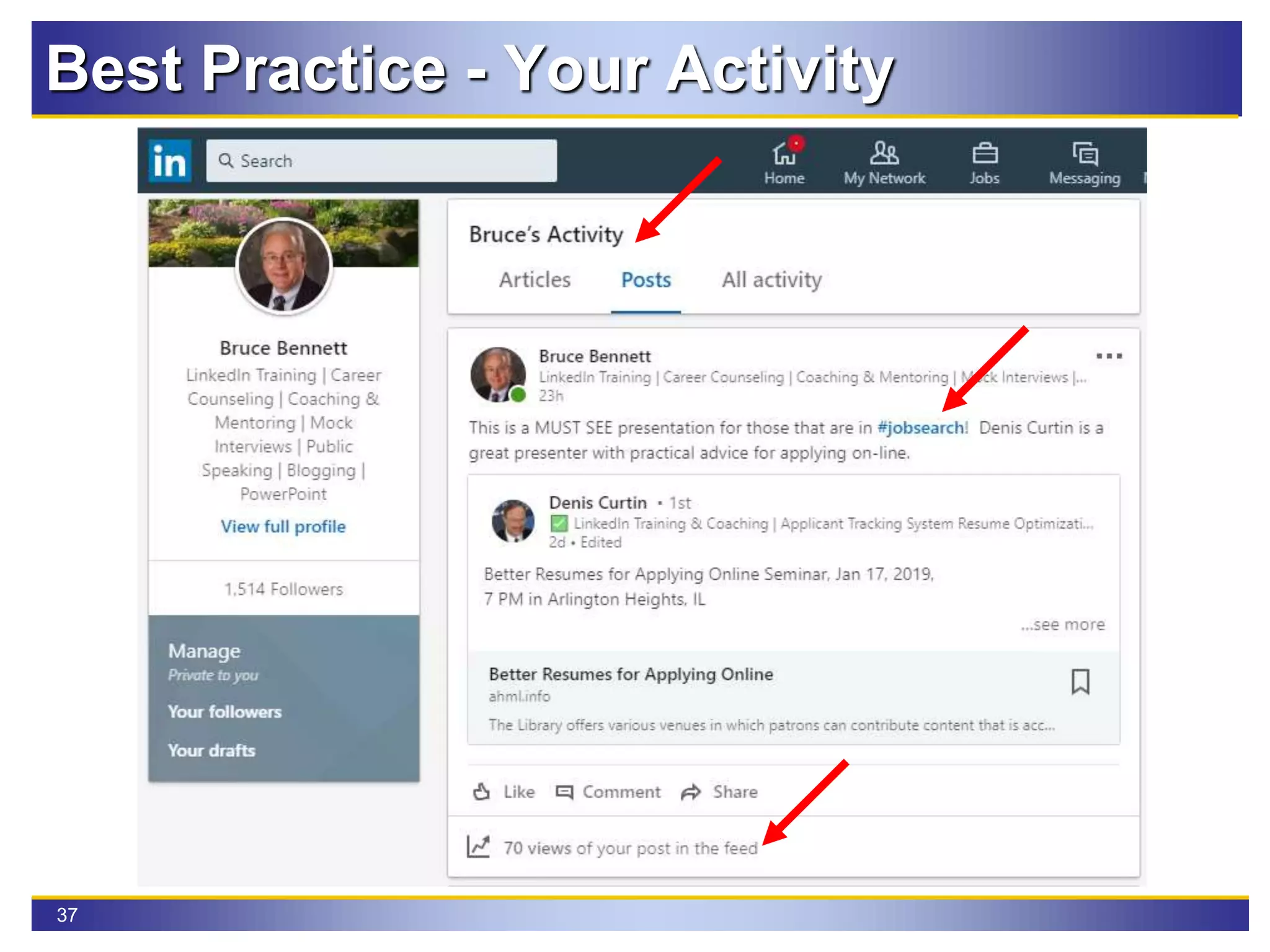
Best Practice - Your Activity
38
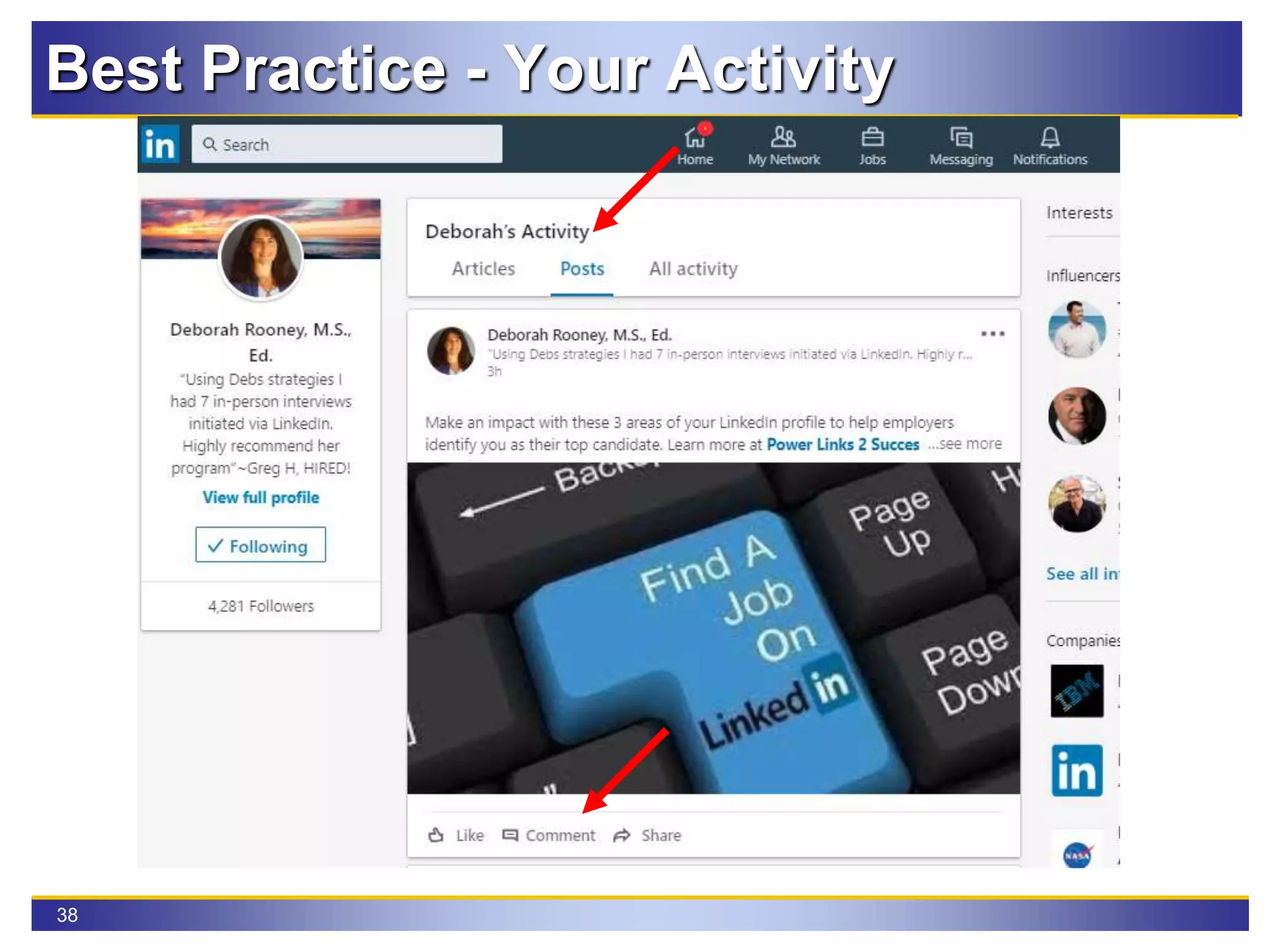
Best Practice - Your Activity
39
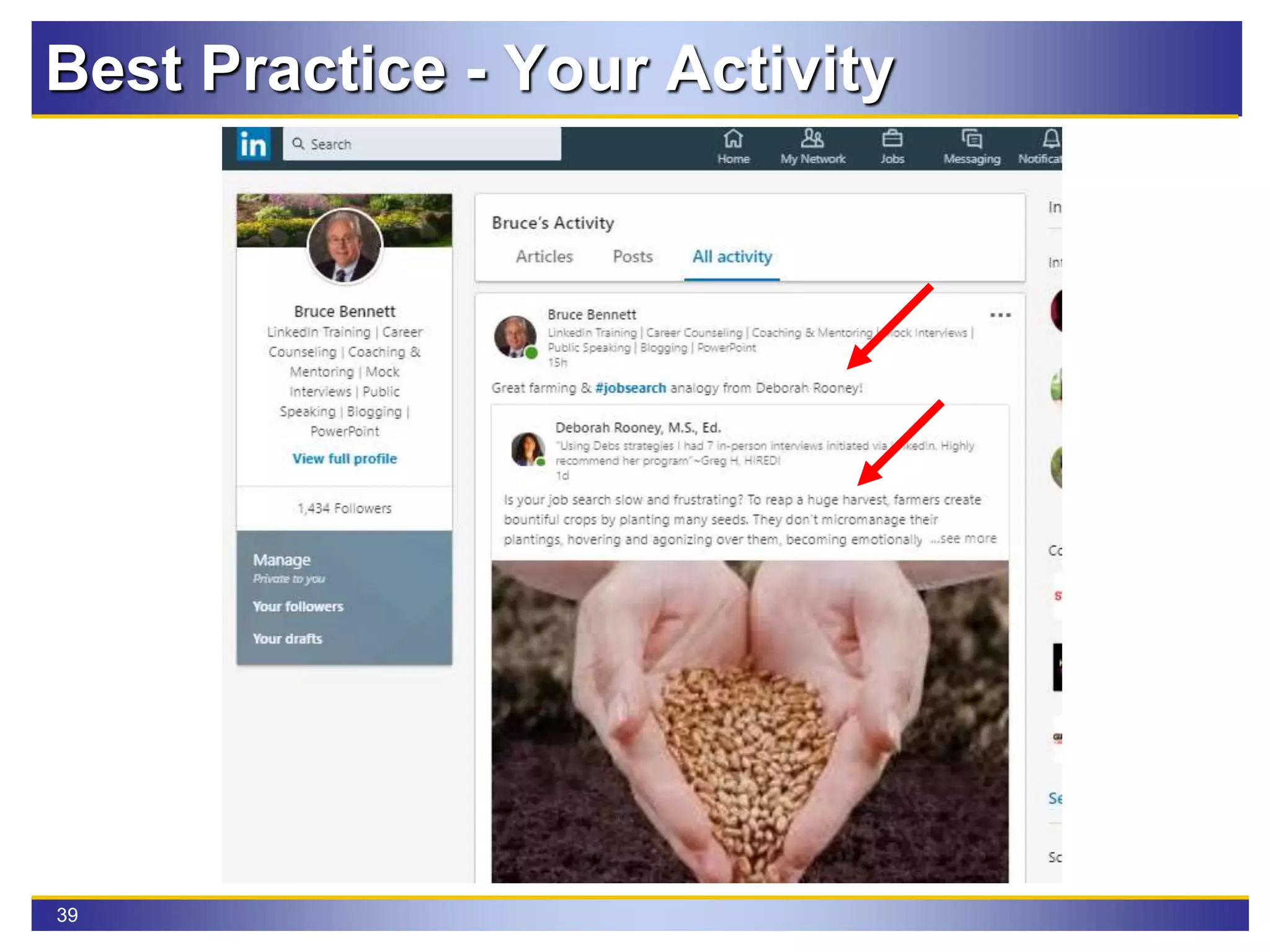
Best Practice - Your Activity
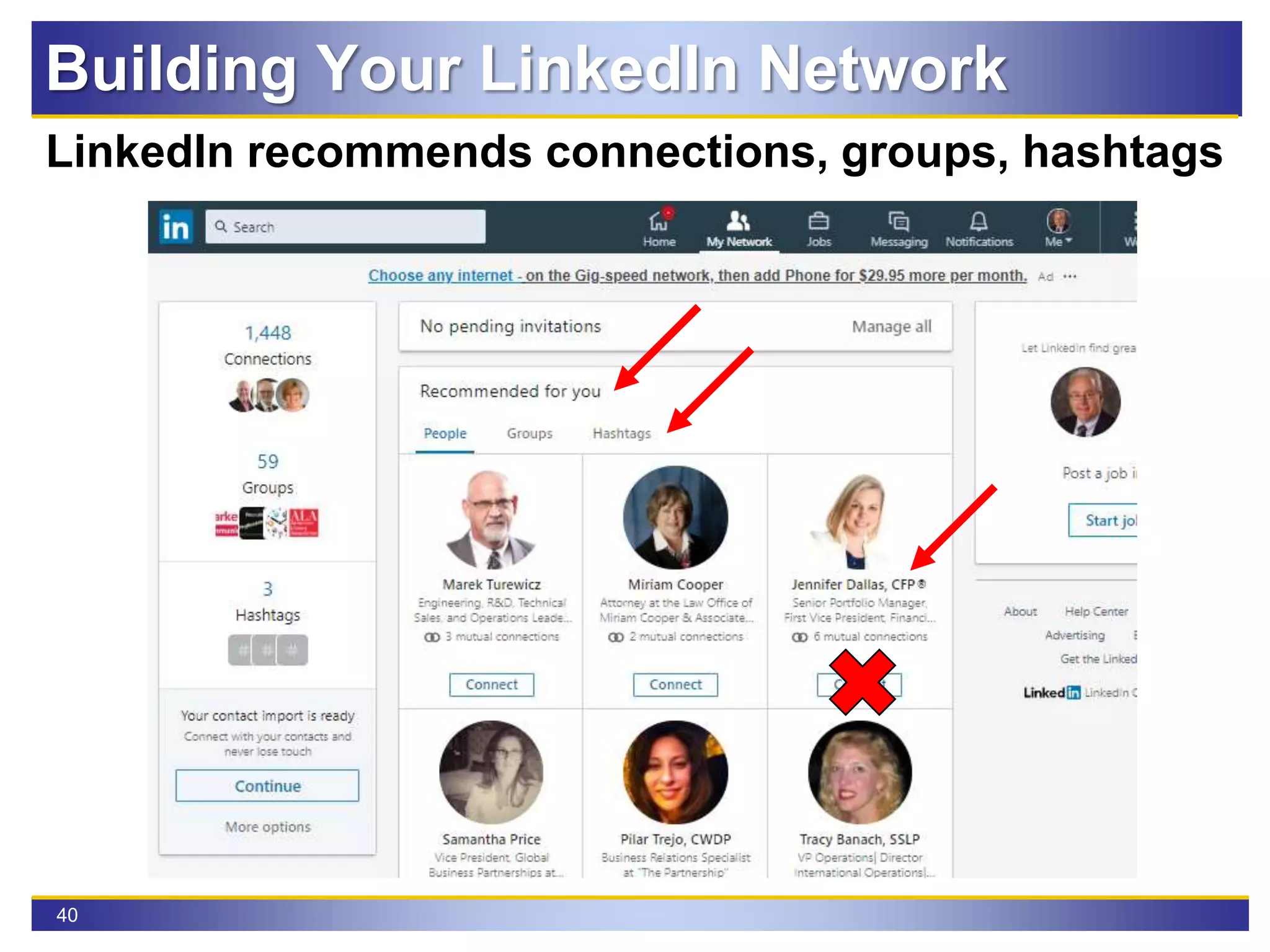
40
LinkedIn recommends connections, groups, hashtags
Building Your LinkedIn Network
41
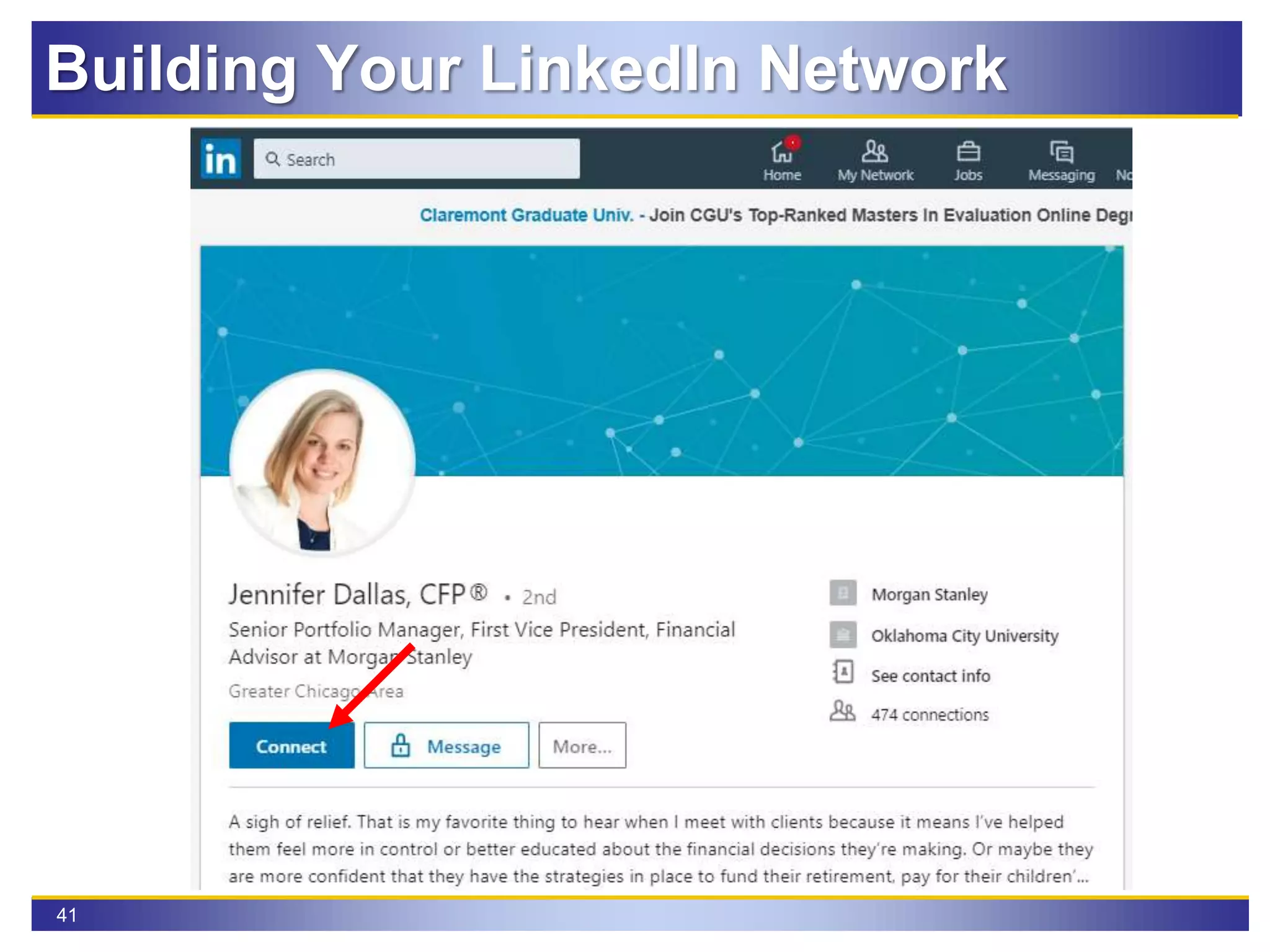
Click on blue Connect button
Building Your LinkedIn Network
42
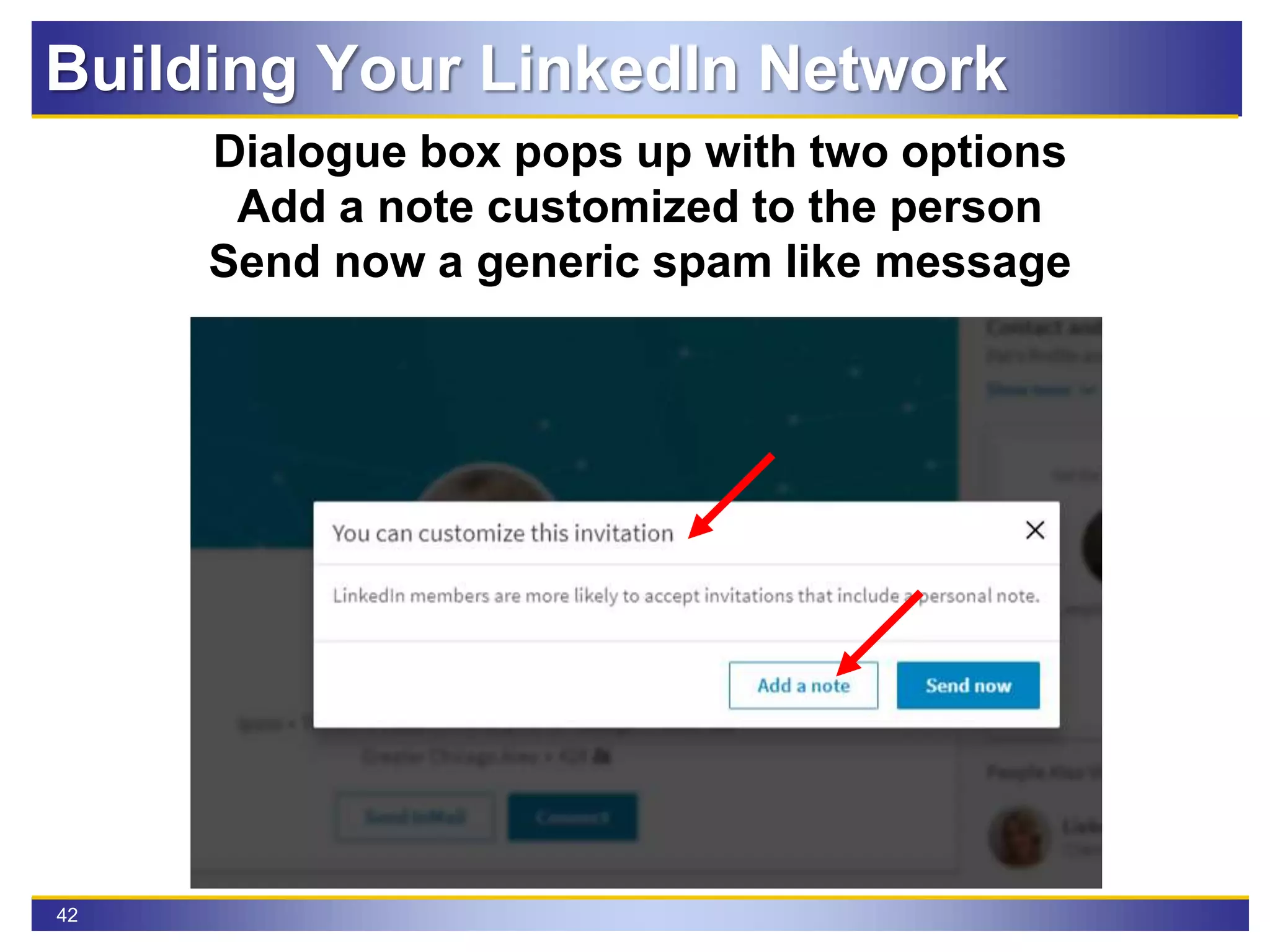
Dialogue box pops up with two options
Add a note customized to the person
Send now a generic spam like message
Building Your LinkedIn Network
43
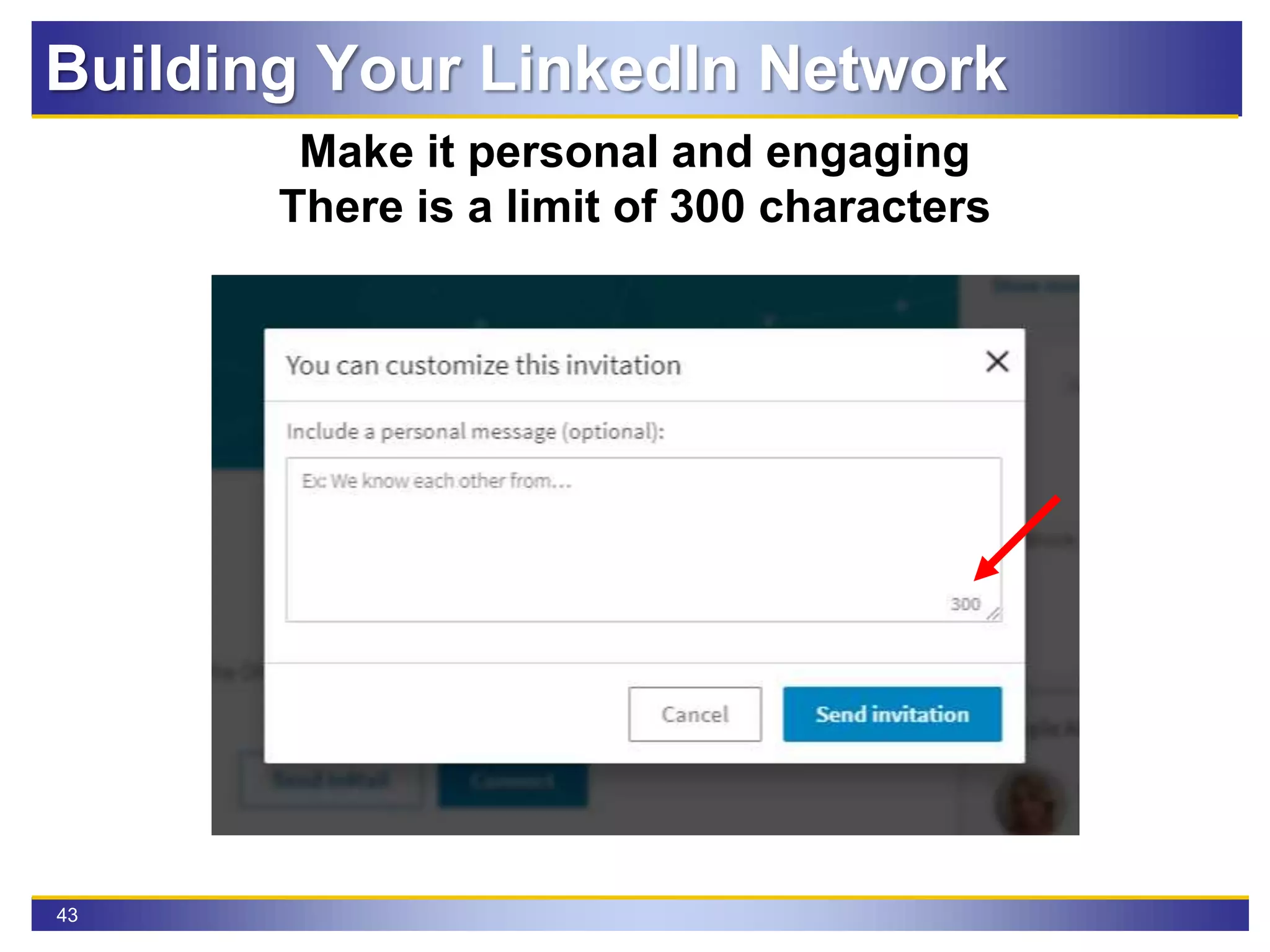
Make it personal and engaging
There is a limit of 300 characters
Building Your LinkedIn Network
44
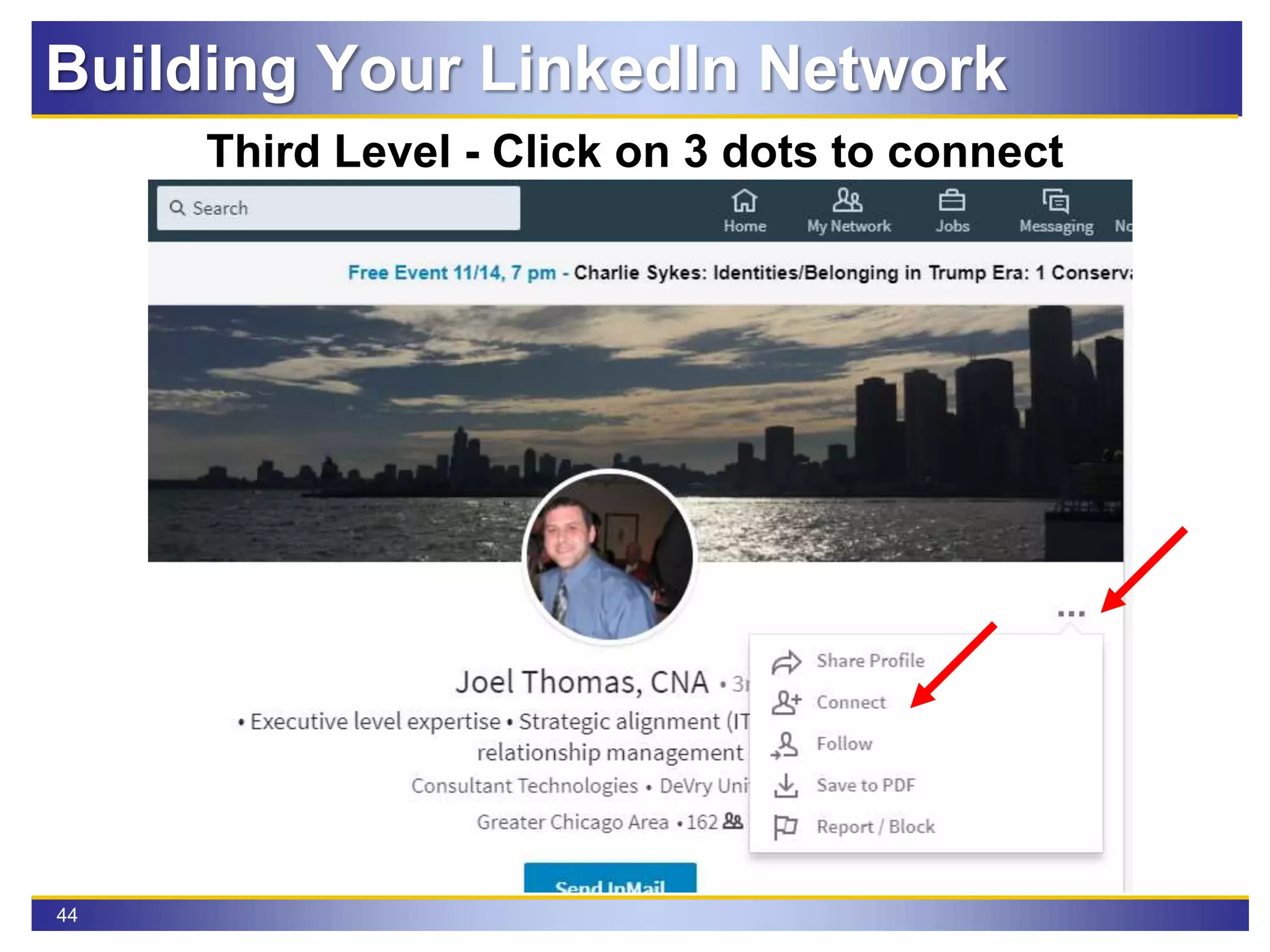
Third Level - Click on 3 dots to connect
Building Your LinkedIn Network
45
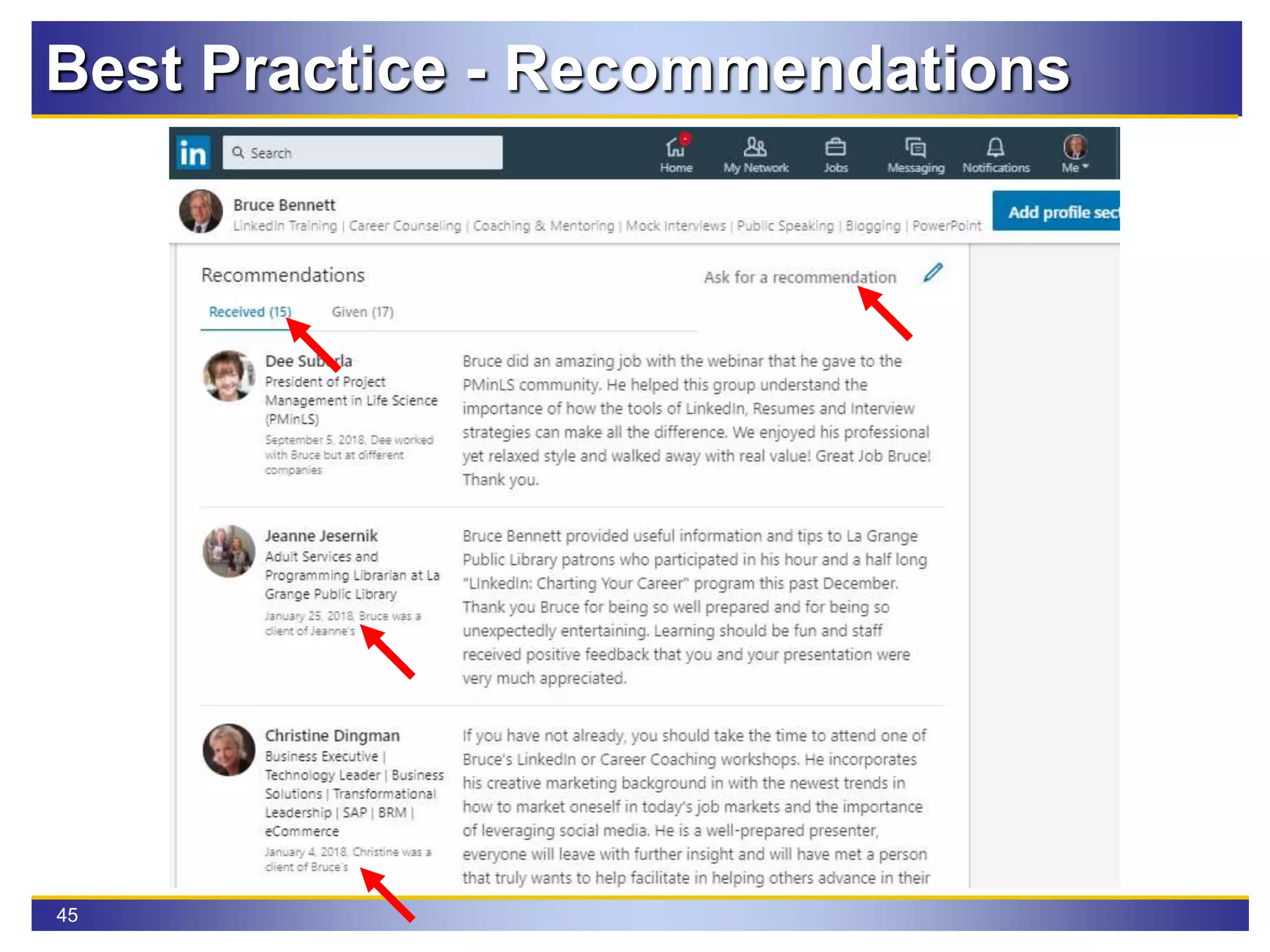
Best Practice - Recommendations
46
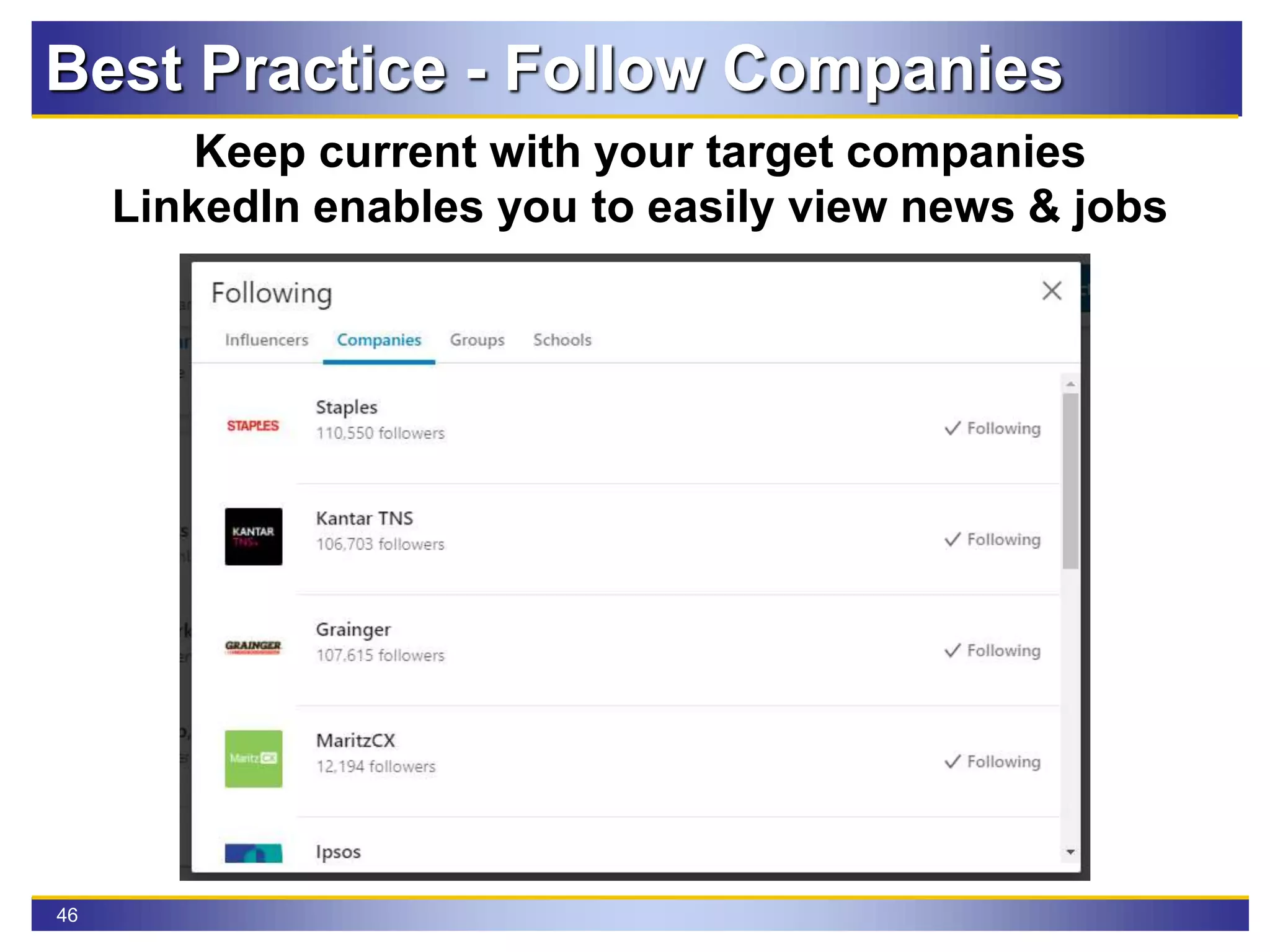
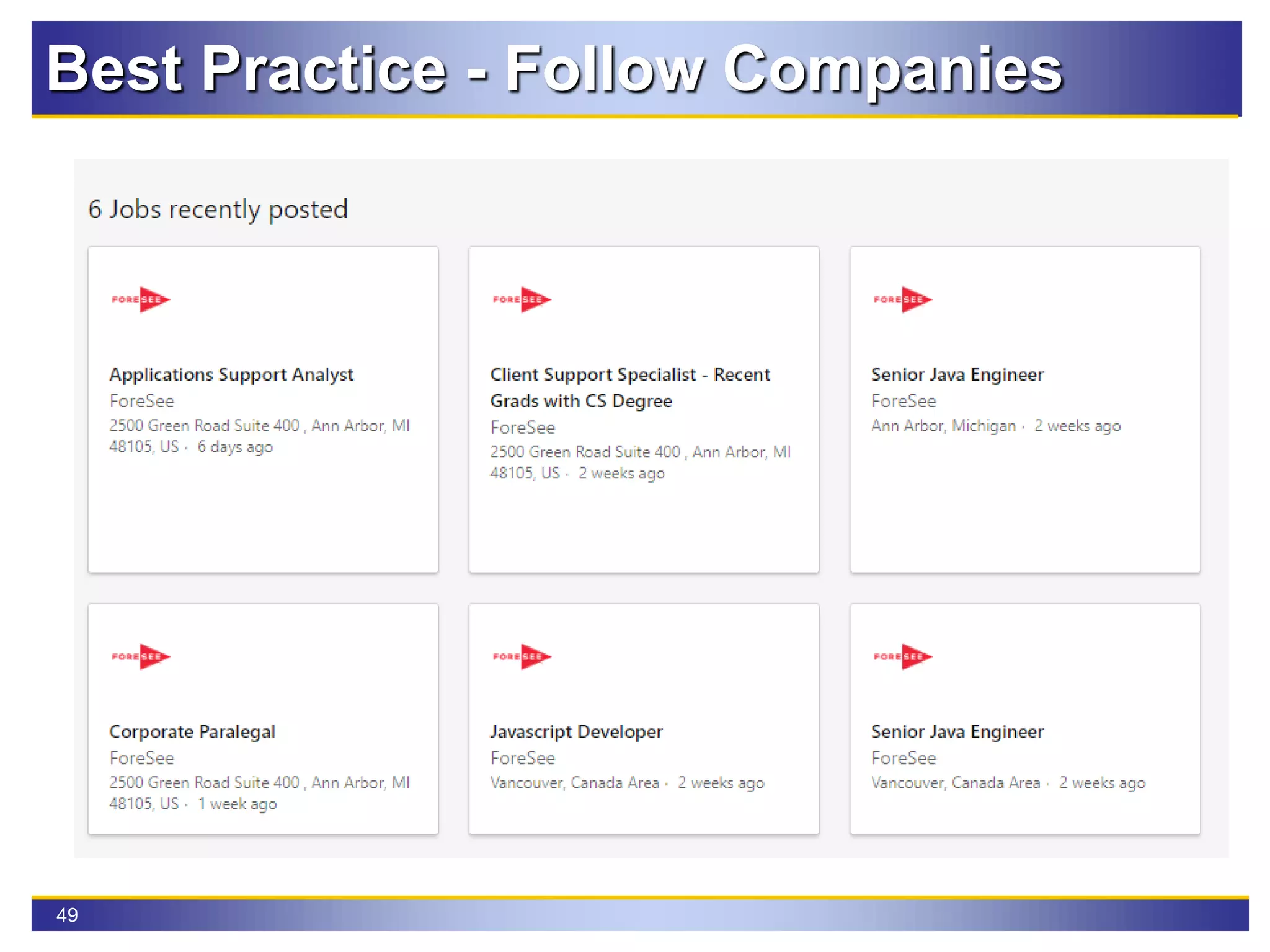
Best Practice - Follow Companies
Keep current with your target companies
LinkedIn enables you to easily view news & jobs
47
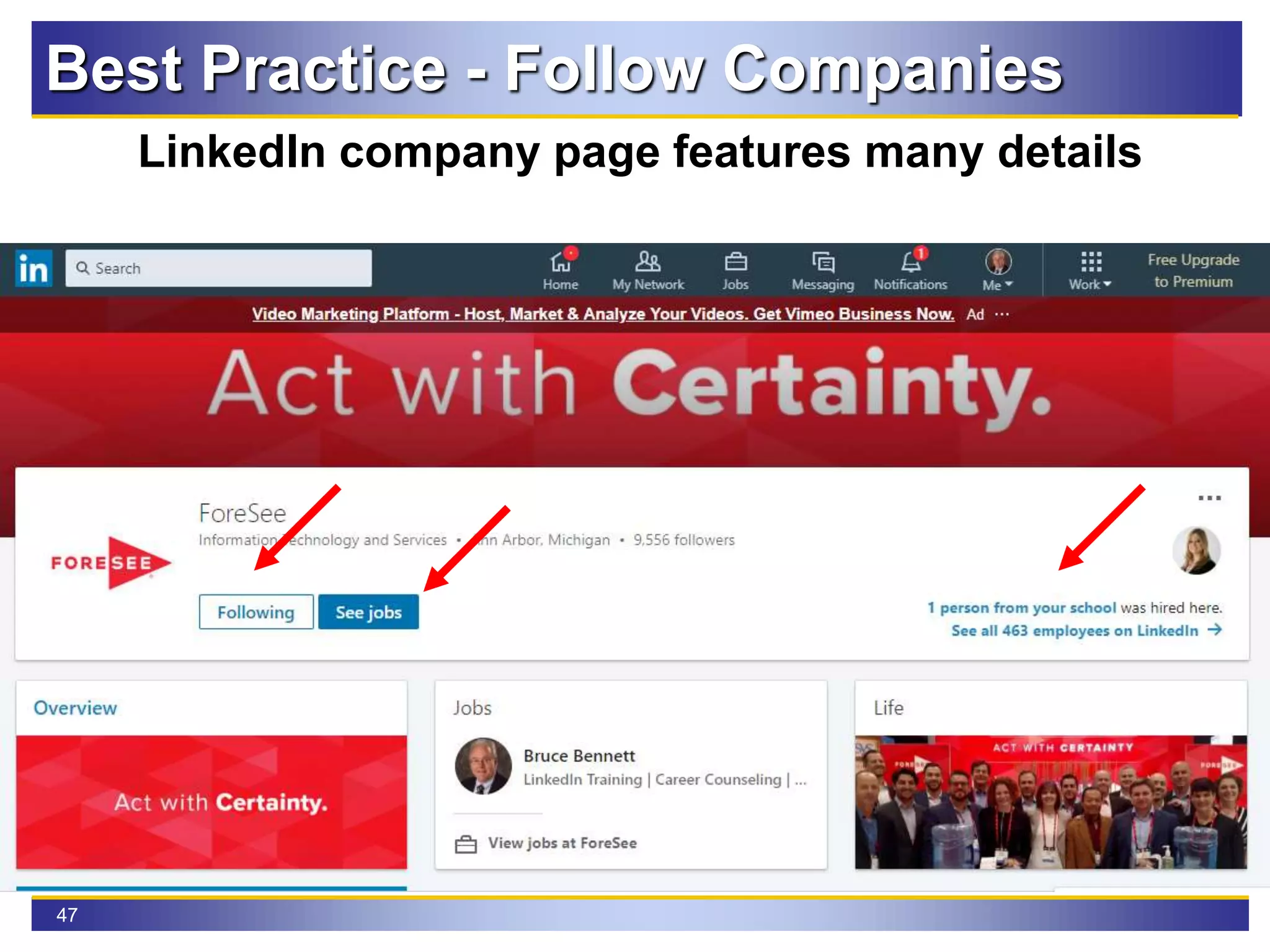
Best Practice - Follow Companies
LinkedIn company page features many details
48
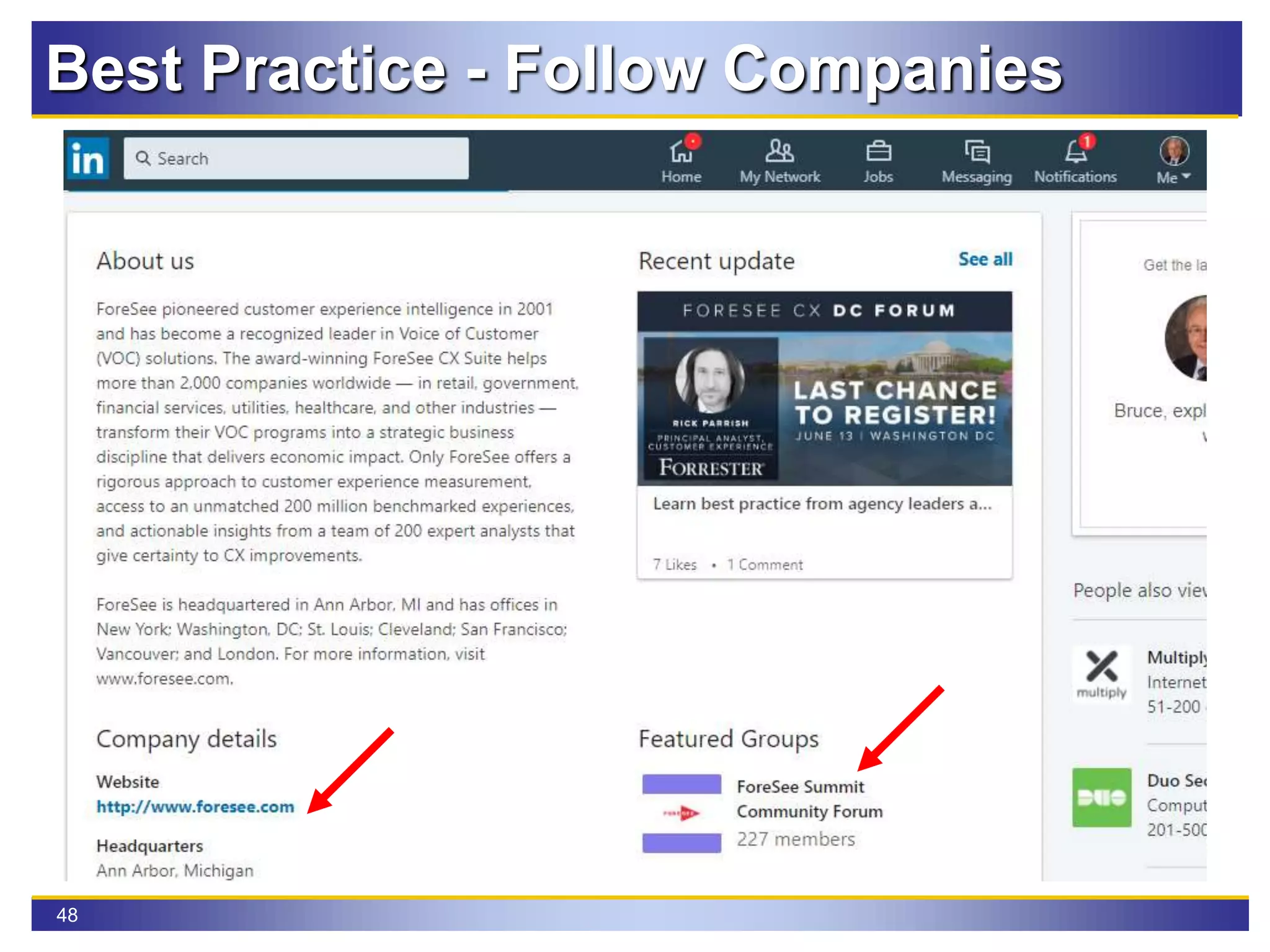
Best Practice - Follow Companies
49
Best Practice - Follow Companies
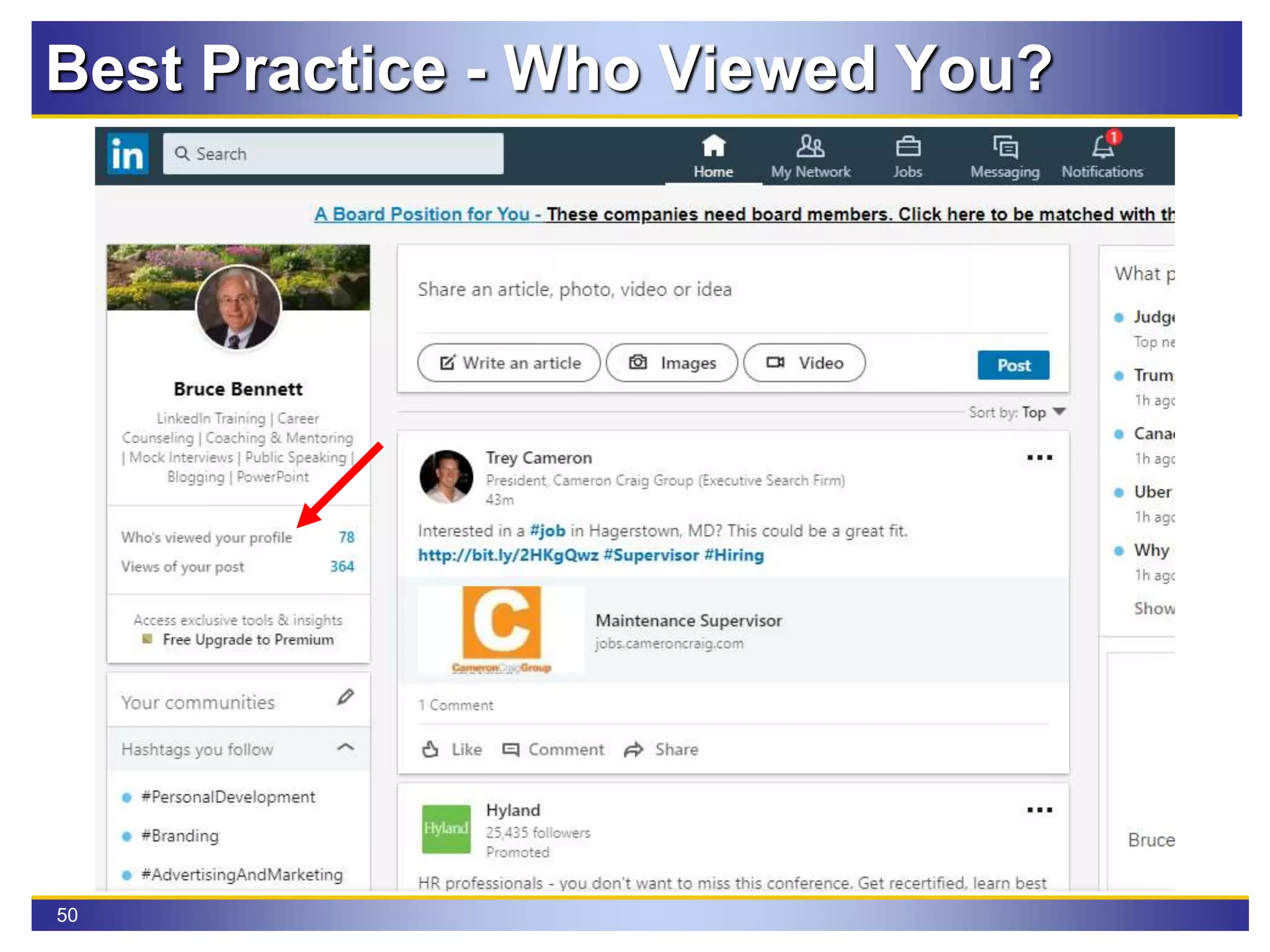
50
Best Practice - Who Viewed You?
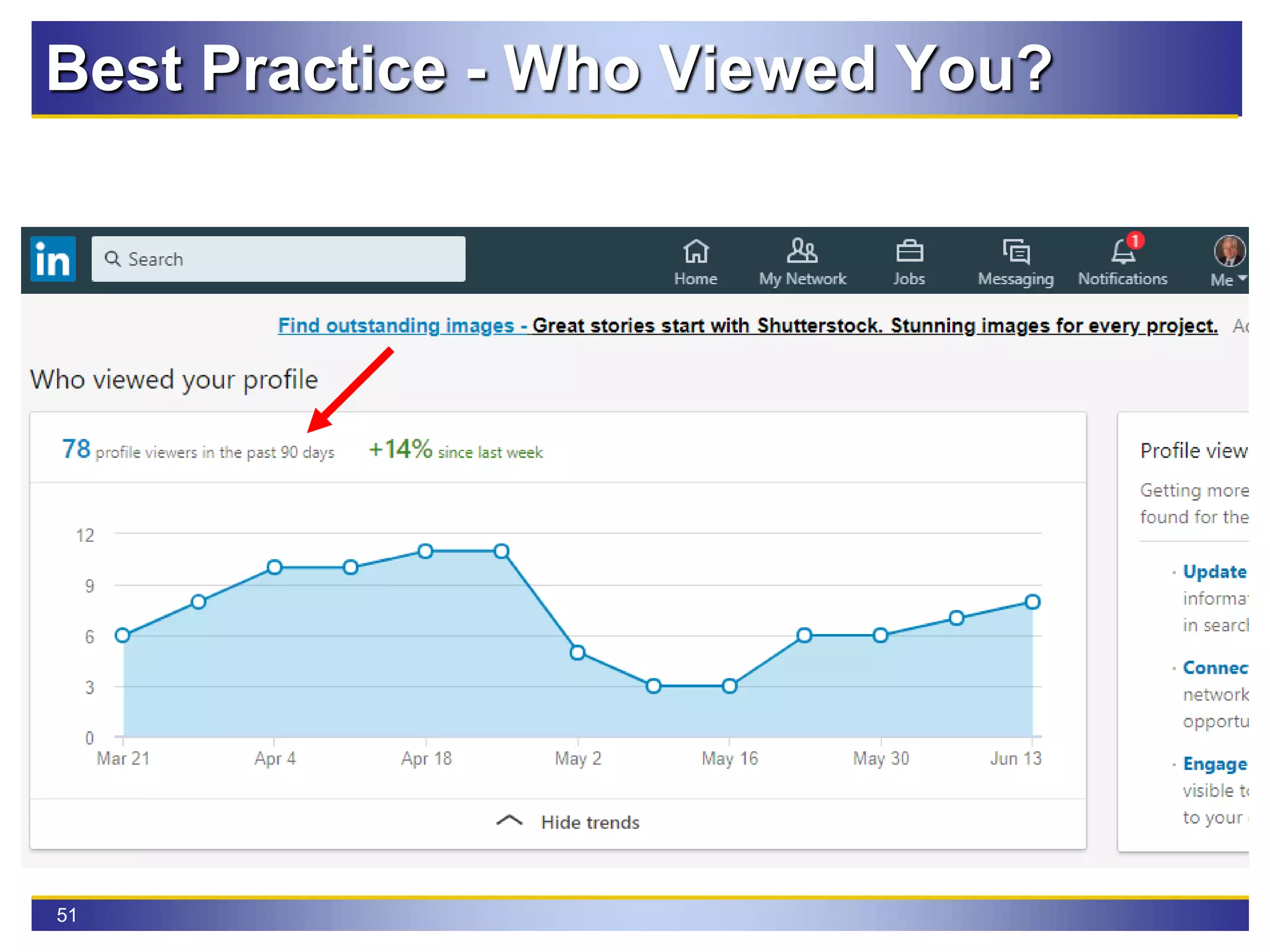
51
Best Practice - Who Viewed You?
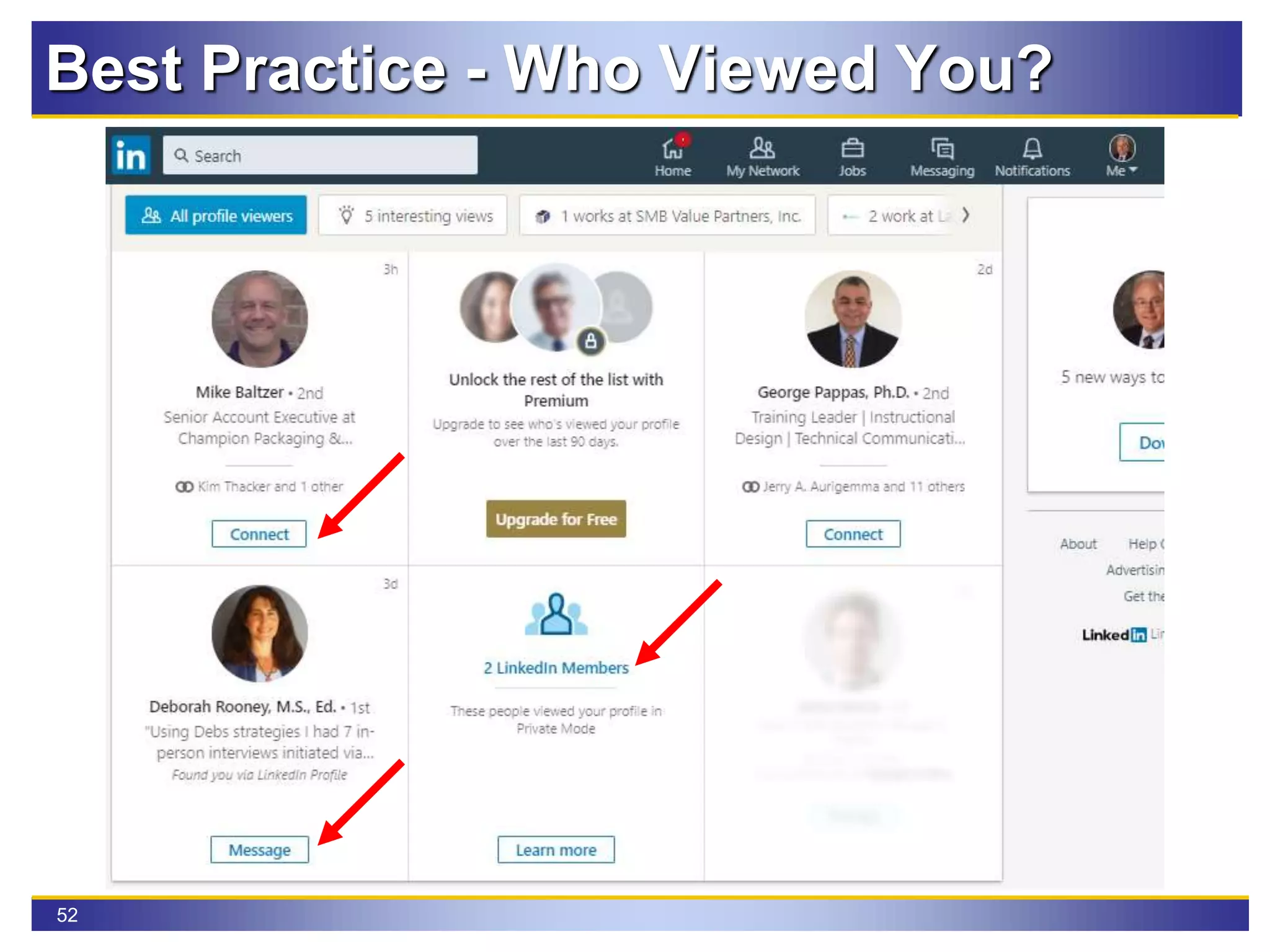
52
Best Practice - Who Viewed You?
53
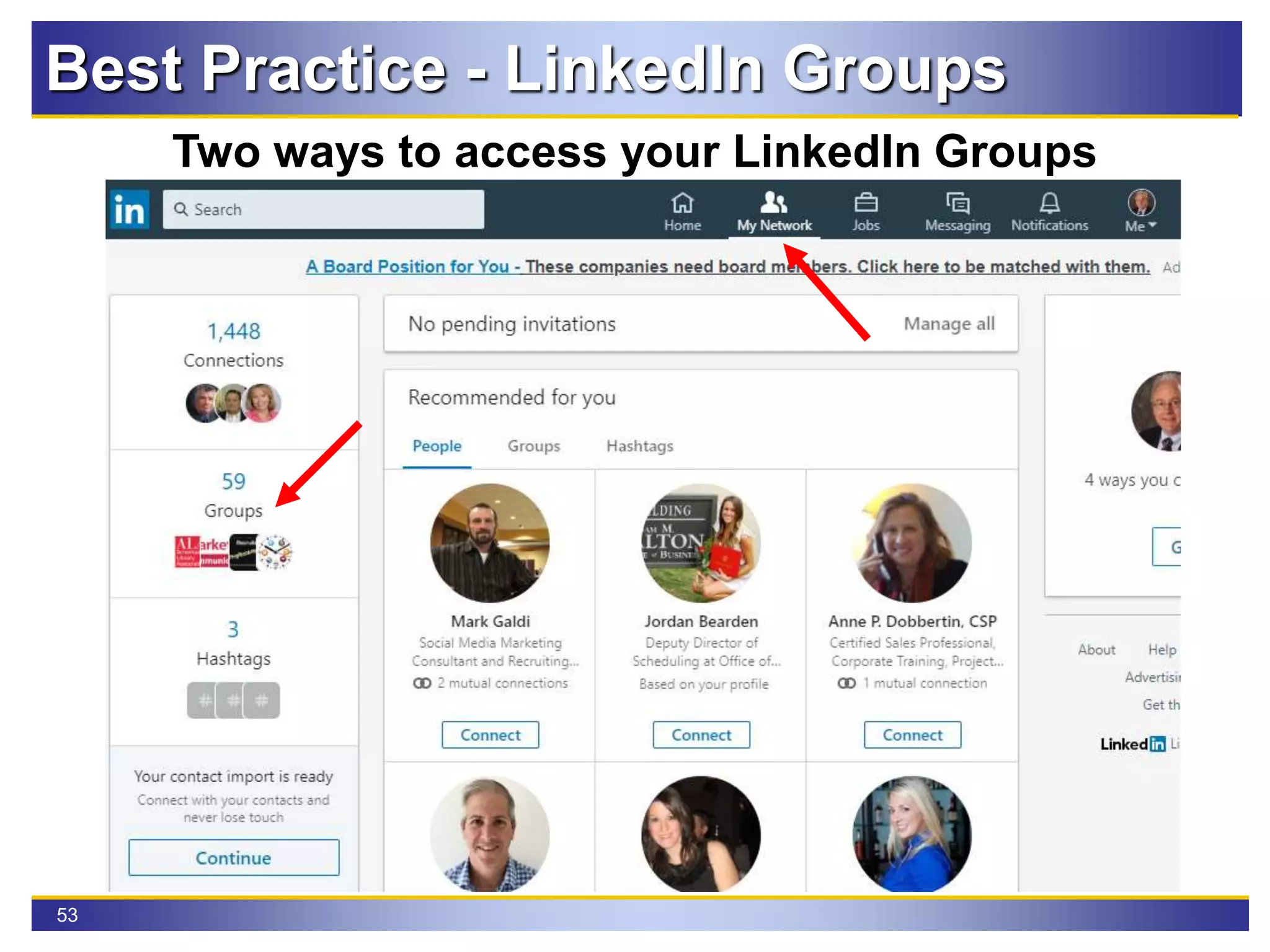
Best Practice - LinkedIn Groups
Two ways to access your LinkedIn Groups
54
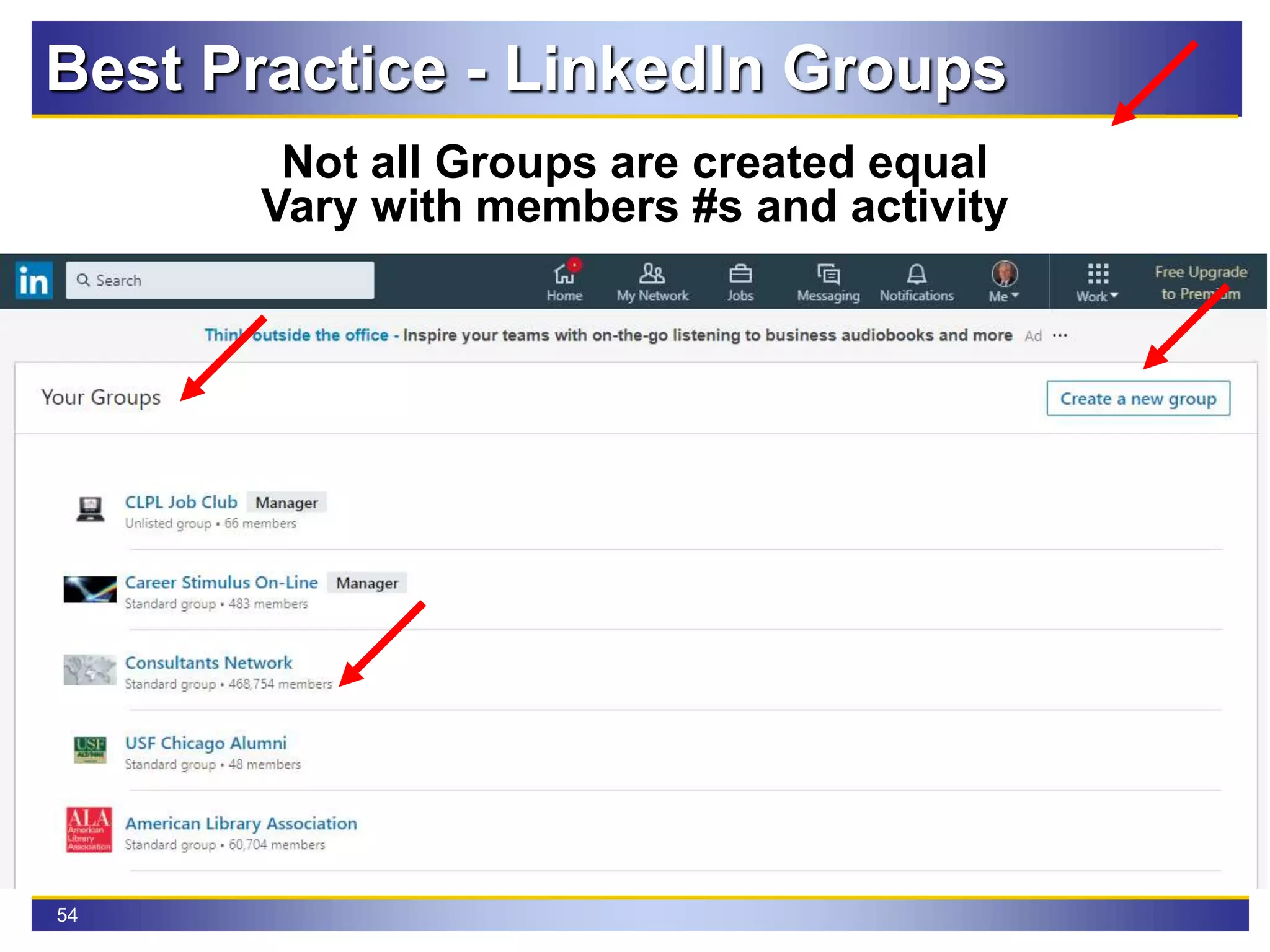
Best Practice - LinkedIn Groups
Not all Groups are created equal
Vary with members #s and activity
55
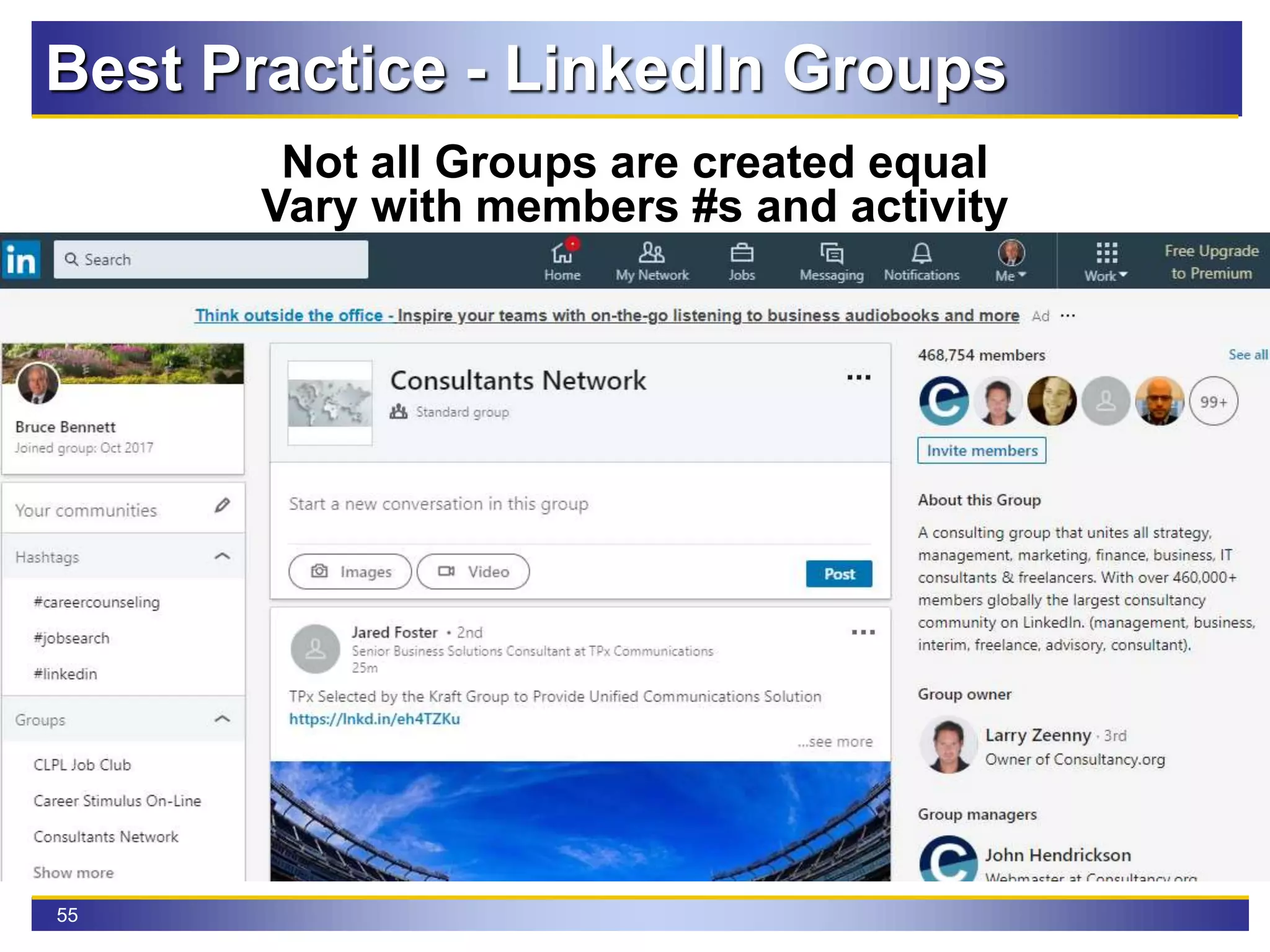
Best Practice - LinkedIn Groups
Not all Groups are created equal
Vary with members #s and activity
56
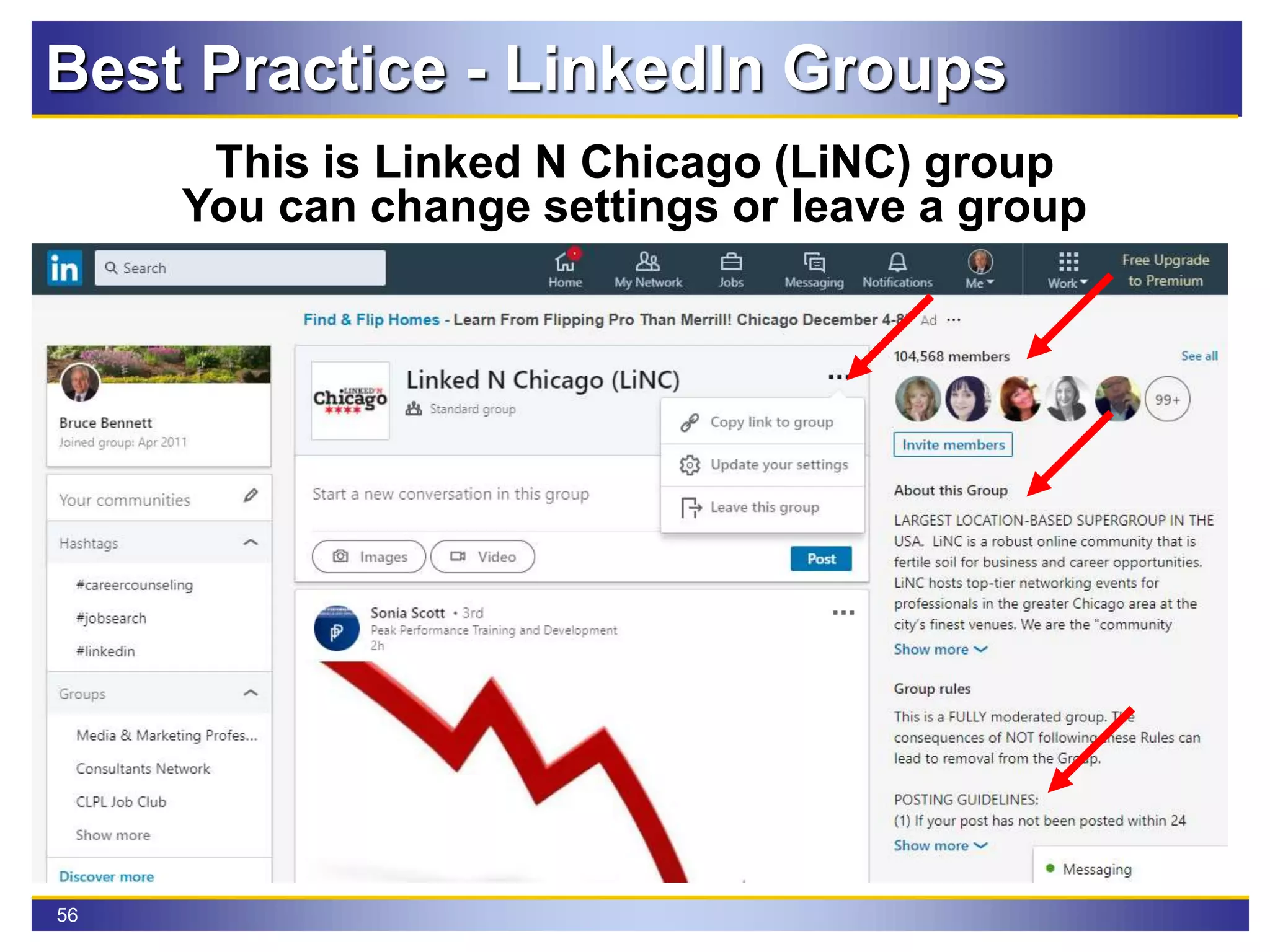
Best Practice - LinkedIn Groups
This is Linked N Chicago (LiNC) group
You can change settings or leave a group
57
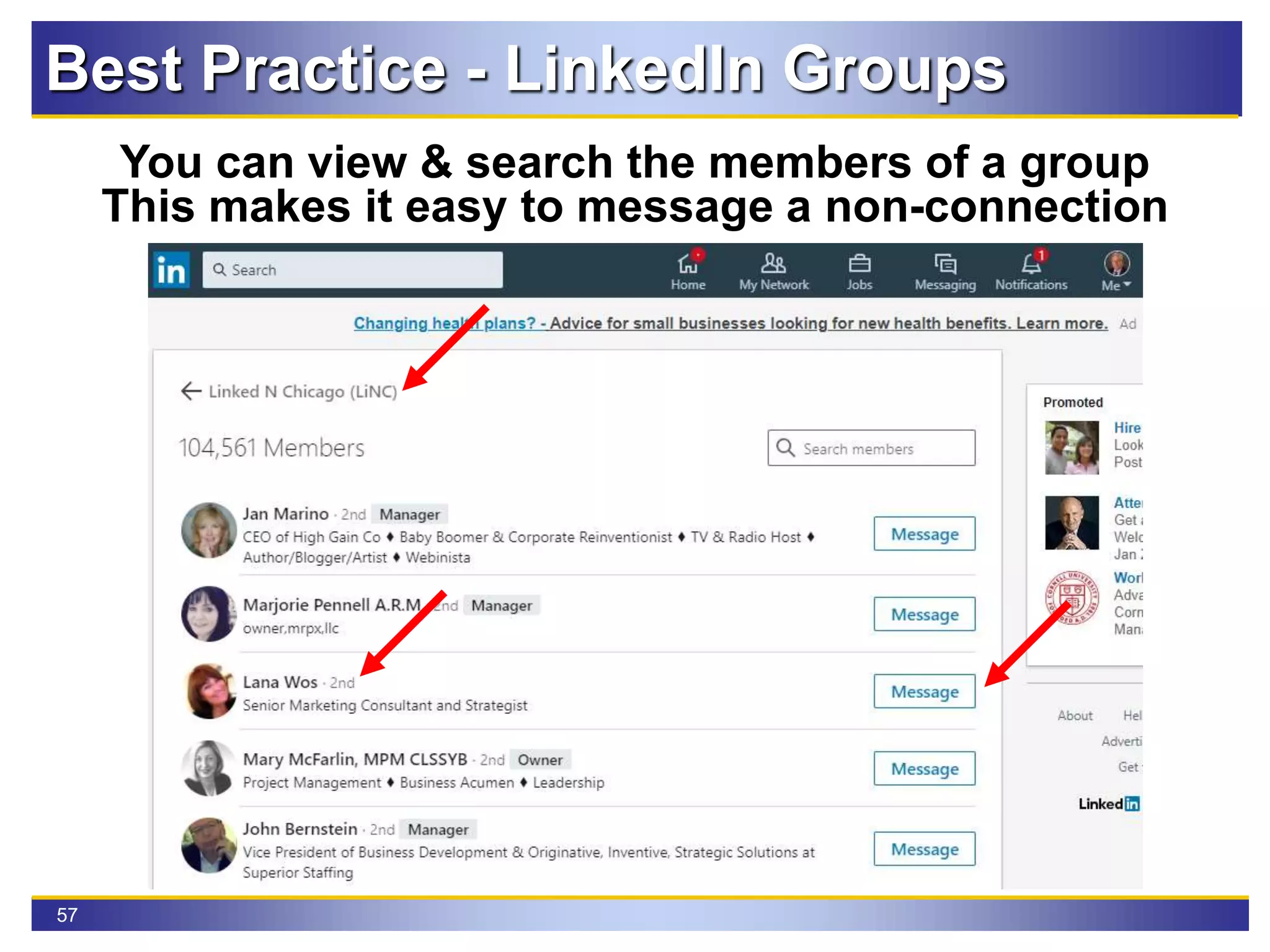
Best Practice - LinkedIn Groups
You can view & search the members of a group
This makes it easy to message a non-connection
58
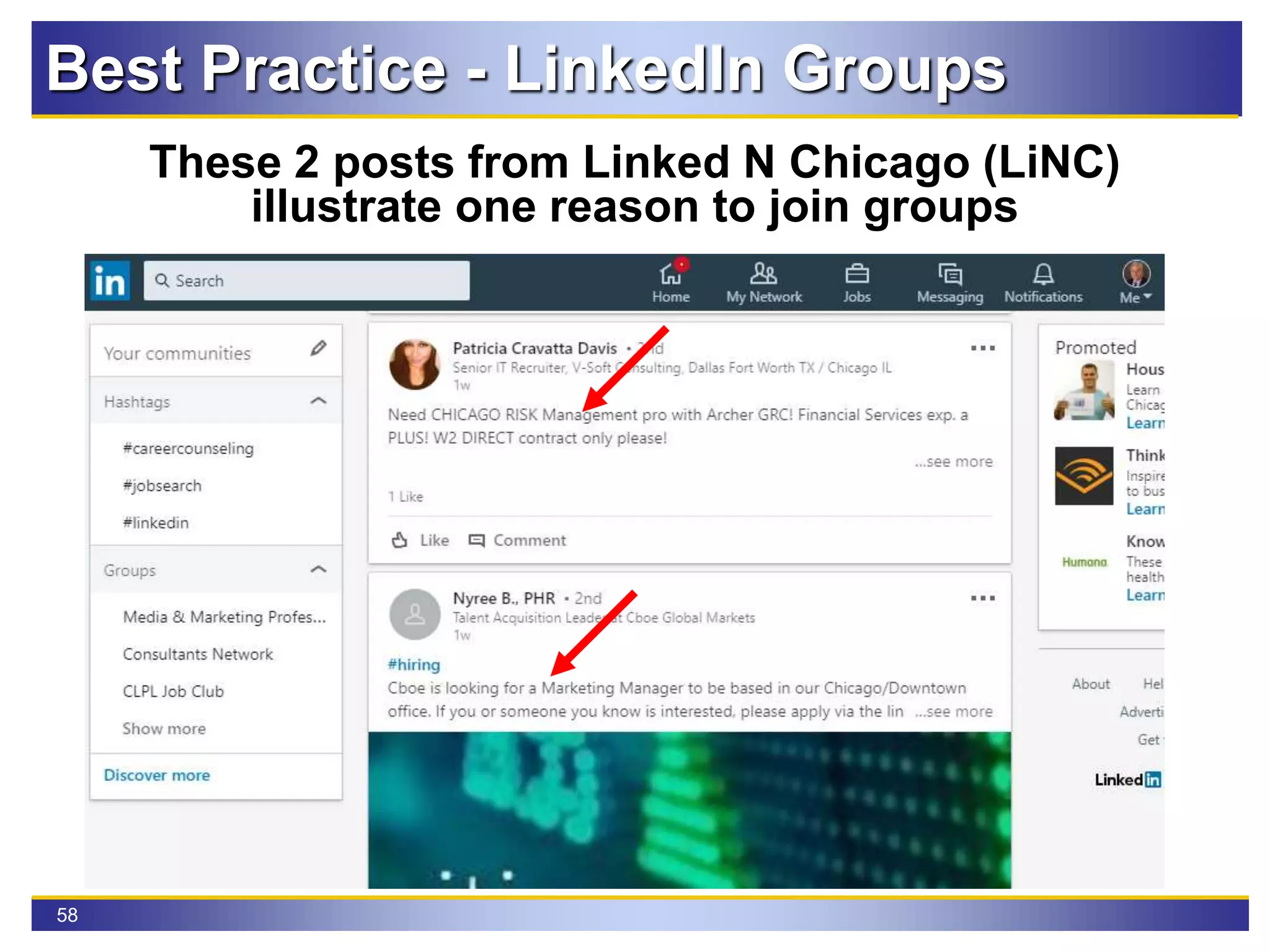
Best Practice - LinkedIn Groups
These 2 posts from Linked N Chicago (LiNC)
illustrate one reason to join groups
59
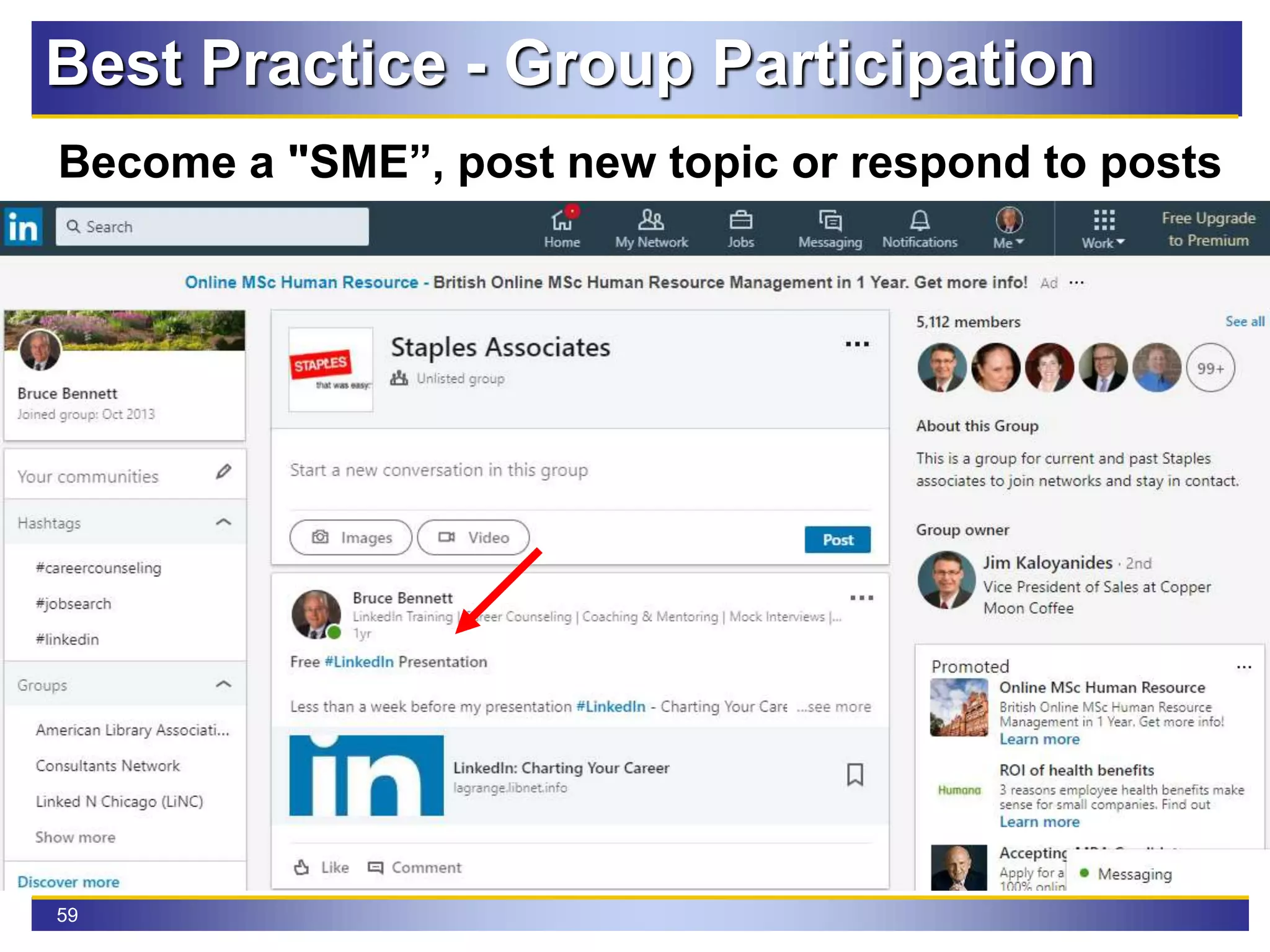
Best Practice - Group Participation
Become a "SME”, post new topic or respond to posts
60
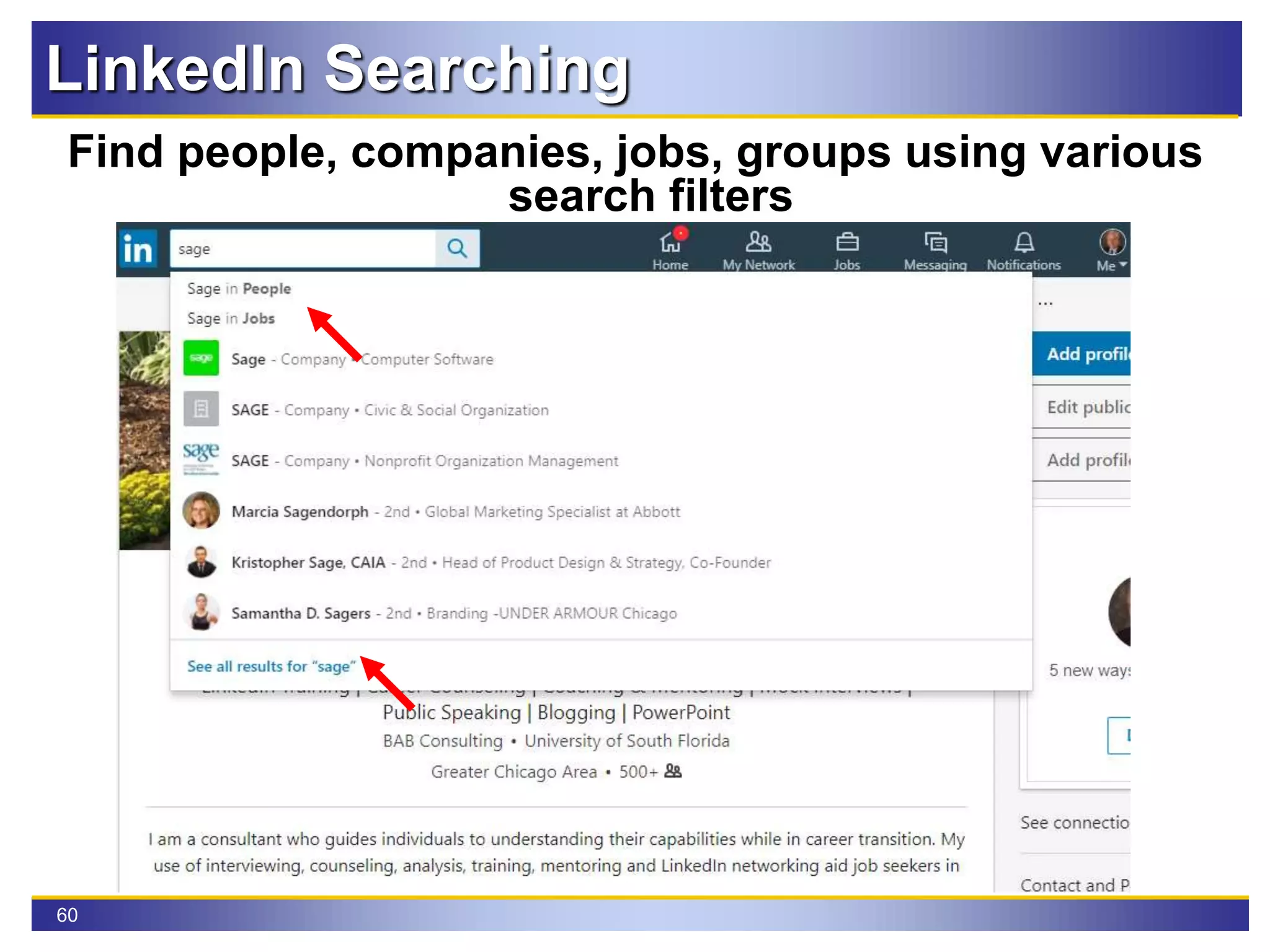
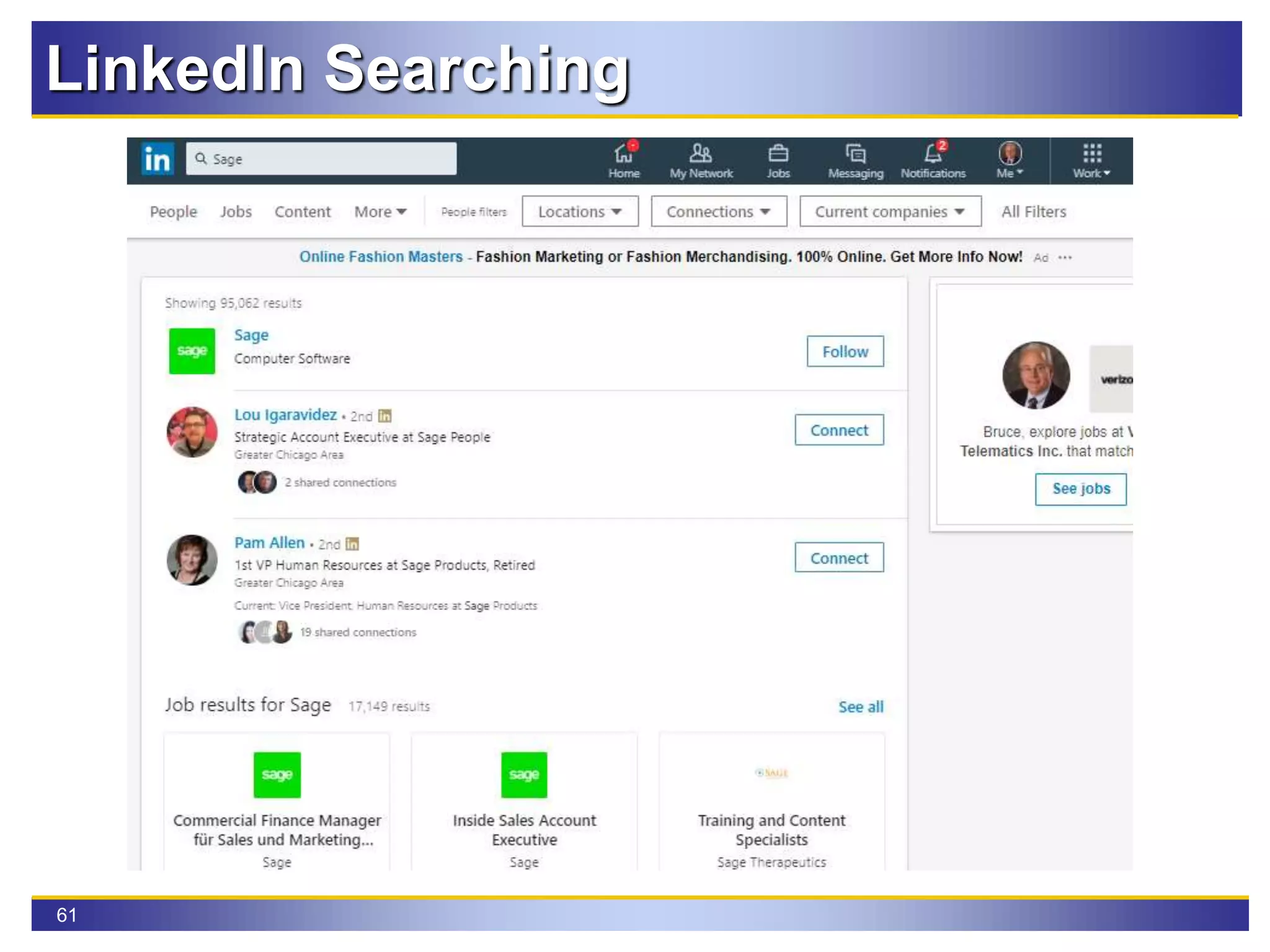
LinkedIn Searching
Find people, companies, jobs, groups using various
search filters
61
LinkedIn Searching
Searching has numerous filters
62
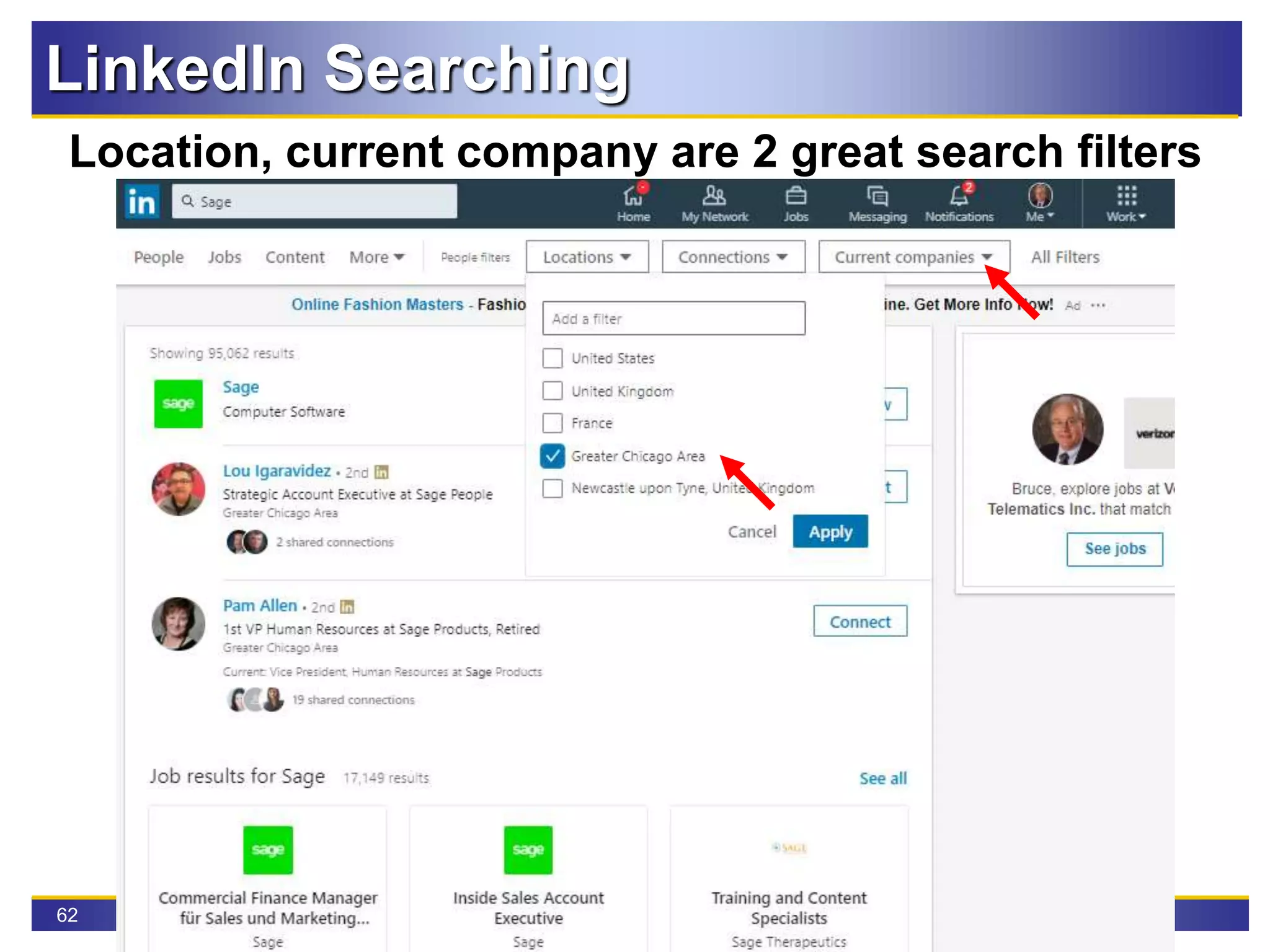
LinkedIn Searching
Location, current company are 2 great search filters
63
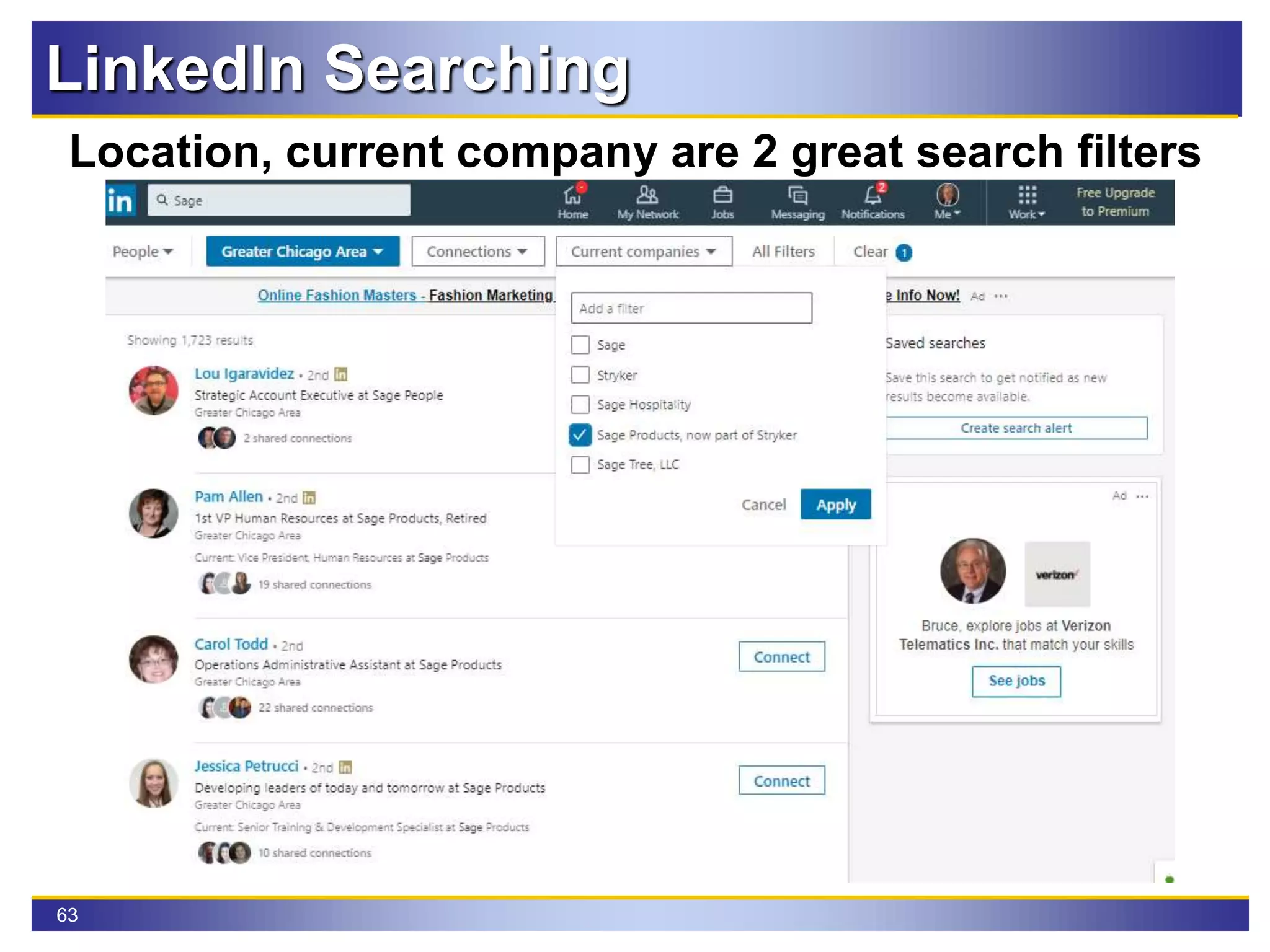
LinkedIn Searching
Location, current company are 2 great search filters
64
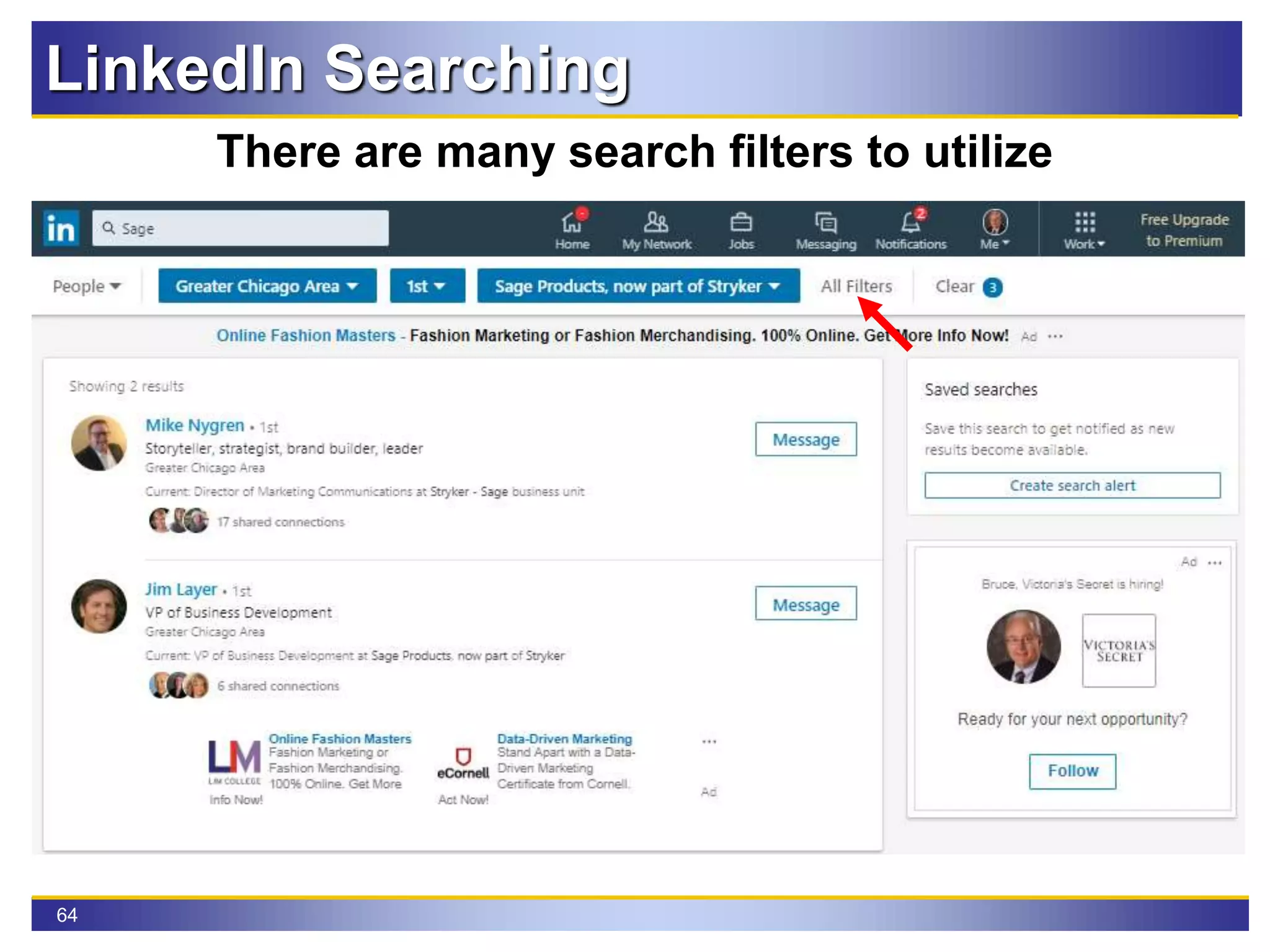
LinkedIn Searching
There are many search filters to utilize
65
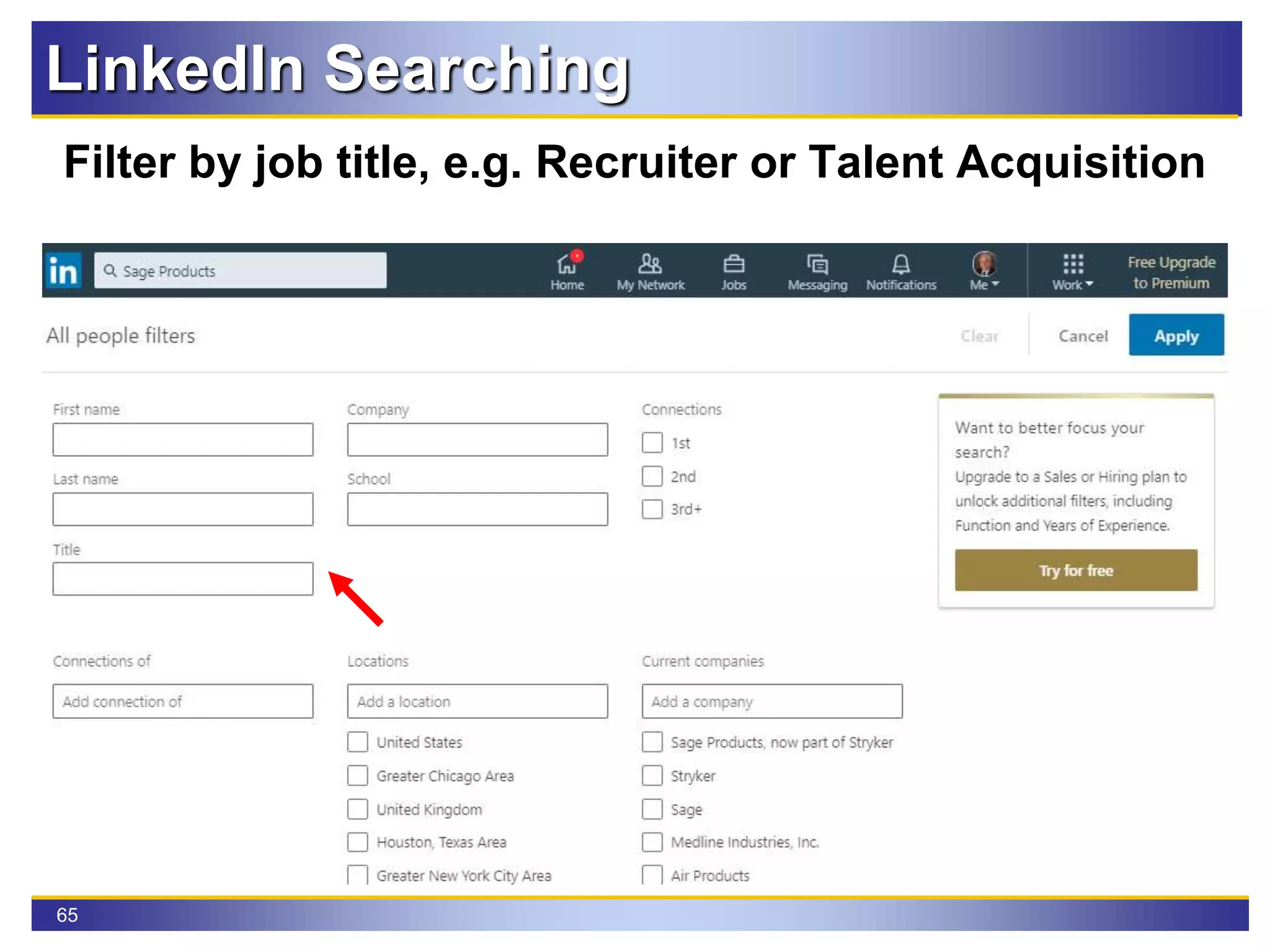
LinkedIn Searching
Filter by job title, e.g. Recruiter or Talent Acquisition
66
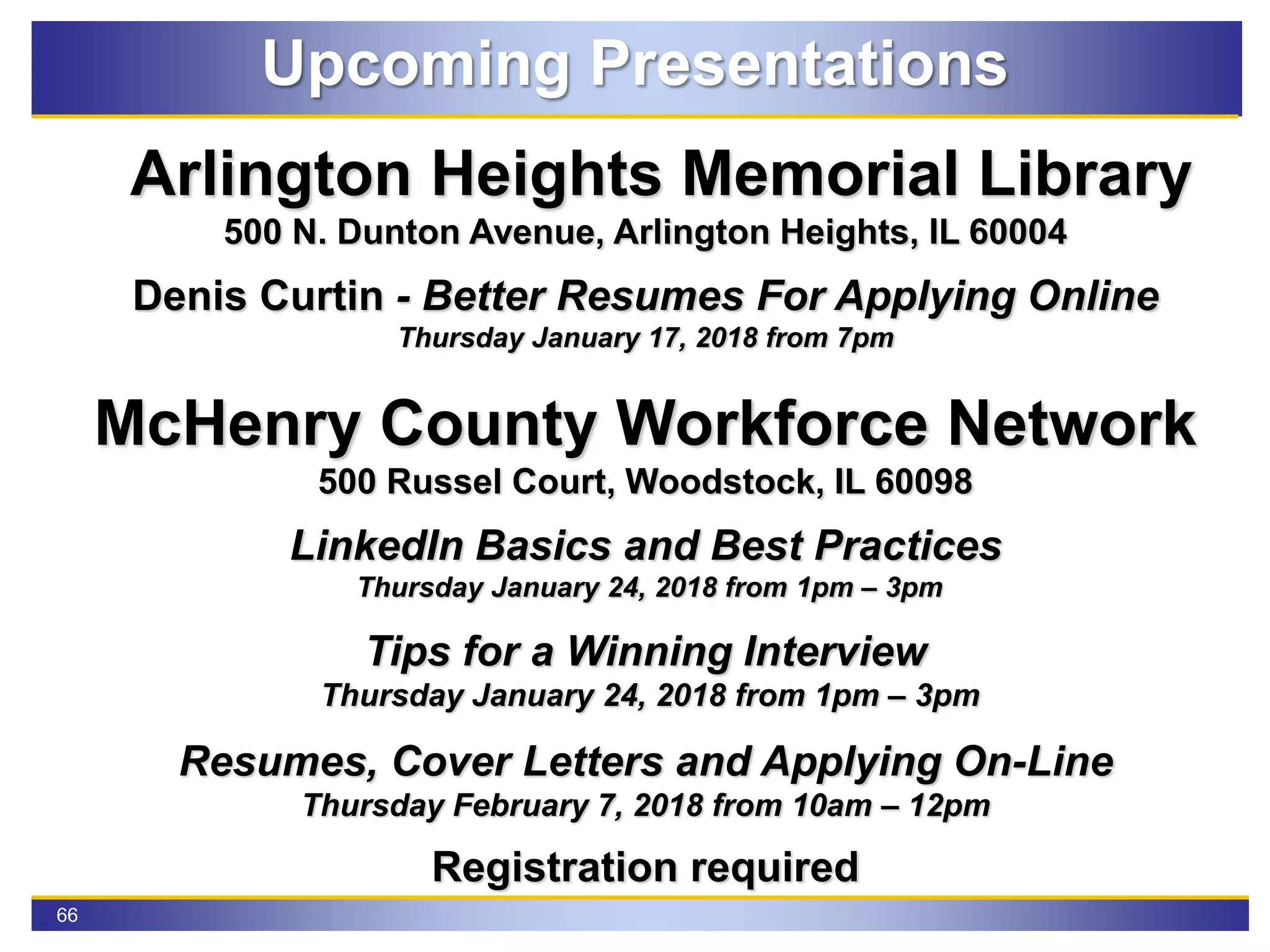
Upcoming Presentations
Arlington Heights Memorial Library
500 N. Dunton Avenue, Arlington Heights, IL 60004
Denis Curtin - Better Resumes For Applying Online
Thursday January 17, 2018 from 7pm
McHenry County Workforce Network
500 Russel Court, Woodstock, IL 60098
LinkedIn Basics and Best Practices
Thursday January 24, 2018 from 1pm – 3pm
Tips for a Winning Interview
Thursday January 24, 2018 from 1pm – 3pm
Resumes, Cover Letters and Applying On-Line
Thursday February 7, 2018 from 10am – 12pm
Registration required
Questions?
Feel free to follow up later or
connect with me on LinkedIn
Bruce A. Bennett
Mobile: 815-302-9552
Email: BABennett73@gmail.com
LinkedIn: http://www.linkedin.com/in/bruceabennett
Career Coach Corner Blog: http://bruce73.wordpress.com/

LinkedIn Basics & Best Practices

  • 1.
    Basics & Best Practices broughtto you by Bruce A. Bennett Career Coach Corner January 16, 2019
  • 2.
    2 Introduction & Outlinefor session Introduction Professional Career in Media & Marketing Research McHenry County Workforce Network Volunteer Career Coach Corner Blog & Presenter Outline Why LinkedIn? Navigation tabs Enhancing your profile Best Practices Building your network Searching
  • 3.
    3 Notes & Goalsfor session General Notes for Today My contact info is on last slide Workshop is interactive Q/A & Parking lot Red Arrows Goals Understand navigating through the website Enhance your profile to maximize SEO Create a relevant job search agent in LinkedIn Identify industry related groups Research employers on LinkedIn & the Internet
  • 4.
    4 LinkedIn - Whatis it & Why use it? Over 600 million professionals use LinkedIn to exchange information, ideas & opportunities!! Virtual Resume Create an Internet Presence Business Social Networking Site Research Individual or Company  Norm Galvin at InsightsNow  Corina Eliason at ForeSee Find Employment Opportunities
  • 5.
  • 6.
  • 7.
  • 8.
  • 9.
  • 10.
  • 11.
  • 12.
  • 13.
    13 LinkedIn Profile Nuances IncludeSkills in your positions and headline  Never use the word “Searching” Or “Opportunity” in your headline. Searching is your problem, you want to be their solution.  You must focus your skills on a certain company, industry, or particular level of profession. Zeroing in on an audience helps them say yes to you when the fit is there!  Avoid ALL of the 2018 top ten overused buzzwords on LinkedIn used last year Specialize, Experienced, Skilled, Leadership, Passionate, Expert, Motivated, Creative, Strategic, Focused
  • 14.
    14 Optimize Your ImportantSKILLS The first word in your headline gets the SEO results from LinkedIn’s search algorithm. Thus, it’s critical that you start your headline with your most important SKILL. Many members don’t understand this, so if you do it, you will get powerful SEO results. It matters because if you don’t come up high in search results, then you won’t get the chance to convince someone to click through to your profile. LinkedIn Profile Nuances
  • 15.
  • 16.
  • 17.
    17 Multiple Choice QuizTime A. B2B Sales at MNO Company B. Bilingual B2B Sales Professional at MNO Company C. Fluent Bilingual B2B Sales Professional Helping French and American Companies expand their International Presence A. Marketing Manager at XYZ Company B. Successful Marketing Manager of Brands at XYZ Company C. Internet Marketing Expert | Looking For New Business Partnerships That Need Help With Marketing... Lets Connect! LinkedIn Profile UVP
  • 18.
    18 LinkedIn Best Practices 1.All Star profile with photo 2. Headline – descriptive and accurate, not title 3. Summary section – call to action 4. Utilize Skills section and other key words 5. Jobs – create search agent 6. Activity update reading a book, view webinar attending a seminar, trade show or conference 7. Build your network of connections 8. Recommendations 9. Companies – following & searching 10. Who Viewed Your Profile? 11. Group – discussions & participation
  • 19.
    19 Best Practice -Photo Use a professional photo Passport format with headshot Contrasting plain background Rename photo for SEO e.g. Bruce Bennett LinkedIn Training.jpg
  • 20.
  • 21.
    21 • Your summarycould start with email address and contact information on the very first line • Paragraph one should be about what you do, your job title, work experience and keywords (your defined skills) • Paragraph two should show how you have added value to a previous employer - tell a story (STAR) • Paragraph three should tell how you will solve a company’s problems - use a story (STAR) • Close with a call to action, “call me if……” Best Practice - Profile Summary
  • 22.
    22 Three skills arefeatured but you can have 50 skills The skills can reordered by clicking on the pencil Best Practice - LinkedIn Skills
  • 23.
    23 Best Practice -LinkedIn Skills You choose which three skills to feature
  • 24.
    24 Best Practice -LinkedIn Skills Start typing a new skill to identify best fit LinkedIn auto populates & defines key skills
  • 25.
    25 Best Practice -LinkedIn Skills It is imperative to add all your skills to your profile You might ask yourself why is it so important? This Is Why I Emphasize Skills
  • 26.
    26 Best Practice -Job Search Agent LinkedIn suggests jobs based on your profile data, e.g. job titles, skills, companies, etc. 26
  • 27.
    27 Update career intereststo inform recruiters with your expertise, job titles, and locations Best Practice - Job Search Agent
  • 28.
    28 Update career intereststo inform recruiters the types of jobs, industry and company size Best Practice - Job Search Agent
  • 29.
    29 Search for relevantjobs posted on LinkedIn Use a job title & location to start a search Best Practice - Job Search Agent
  • 30.
    30 LinkedIn Job SearchAgent Searches can be filtered on many criteria & saved
  • 31.
    31 Opt in forDaily or Weekly updates LinkedIn Job Search Agent
  • 32.
    32 Apply button redirectsyou to company website LinkedIn Job Applications
  • 33.
    33 Referrals can improvethe odds of being noticed LinkedIn Job Applications
  • 34.
    34 Asking for areferral from a connection Make the message relevant to the person LinkedIn Job Applications
  • 35.
    35 Use Easy Applyif NOT listed on Company Website LinkedIn Job Applications
  • 36.
    36 Use Easy Apply onlyif job is NOT listed on Company Website LinkedIn Job Applications
  • 37.
    37 Best Practice -Your Activity
  • 38.
    38 Best Practice -Your Activity
  • 39.
    39 Best Practice -Your Activity
  • 40.
    40 LinkedIn recommends connections,groups, hashtags Building Your LinkedIn Network
  • 41.
    41 Click on blueConnect button Building Your LinkedIn Network
  • 42.
    42 Dialogue box popsup with two options Add a note customized to the person Send now a generic spam like message Building Your LinkedIn Network
  • 43.
    43 Make it personaland engaging There is a limit of 300 characters Building Your LinkedIn Network
  • 44.
    44 Third Level -Click on 3 dots to connect Building Your LinkedIn Network
  • 45.
    45 Best Practice -Recommendations
  • 46.
    46 Best Practice -Follow Companies Keep current with your target companies LinkedIn enables you to easily view news & jobs
  • 47.
    47 Best Practice -Follow Companies LinkedIn company page features many details
  • 48.
    48 Best Practice -Follow Companies
  • 49.
    49 Best Practice -Follow Companies
  • 50.
    50 Best Practice -Who Viewed You?
  • 51.
    51 Best Practice -Who Viewed You?
  • 52.
    52 Best Practice -Who Viewed You?
  • 53.
    53 Best Practice -LinkedIn Groups Two ways to access your LinkedIn Groups
  • 54.
    54 Best Practice -LinkedIn Groups Not all Groups are created equal Vary with members #s and activity
  • 55.
    55 Best Practice -LinkedIn Groups Not all Groups are created equal Vary with members #s and activity
  • 56.
    56 Best Practice -LinkedIn Groups This is Linked N Chicago (LiNC) group You can change settings or leave a group
  • 57.
    57 Best Practice -LinkedIn Groups You can view & search the members of a group This makes it easy to message a non-connection
  • 58.
    58 Best Practice -LinkedIn Groups These 2 posts from Linked N Chicago (LiNC) illustrate one reason to join groups
  • 59.
    59 Best Practice -Group Participation Become a "SME”, post new topic or respond to posts
  • 60.
    60 LinkedIn Searching Find people,companies, jobs, groups using various search filters
  • 61.
  • 62.
    62 LinkedIn Searching Location, currentcompany are 2 great search filters
  • 63.
    63 LinkedIn Searching Location, currentcompany are 2 great search filters
  • 64.
    64 LinkedIn Searching There aremany search filters to utilize
  • 65.
    65 LinkedIn Searching Filter byjob title, e.g. Recruiter or Talent Acquisition
  • 66.
    66 Upcoming Presentations Arlington HeightsMemorial Library 500 N. Dunton Avenue, Arlington Heights, IL 60004 Denis Curtin - Better Resumes For Applying Online Thursday January 17, 2018 from 7pm McHenry County Workforce Network 500 Russel Court, Woodstock, IL 60098 LinkedIn Basics and Best Practices Thursday January 24, 2018 from 1pm – 3pm Tips for a Winning Interview Thursday January 24, 2018 from 1pm – 3pm Resumes, Cover Letters and Applying On-Line Thursday February 7, 2018 from 10am – 12pm Registration required
  • 67.
    Questions? Feel free tofollow up later or connect with me on LinkedIn Bruce A. Bennett Mobile: 815-302-9552 Email: BABennett73@gmail.com LinkedIn: http://www.linkedin.com/in/bruceabennett Career Coach Corner Blog: http://bruce73.wordpress.com/