HOW TO MAXIMIZE
Flint Group
LinkedIn 101
Basics and best practices
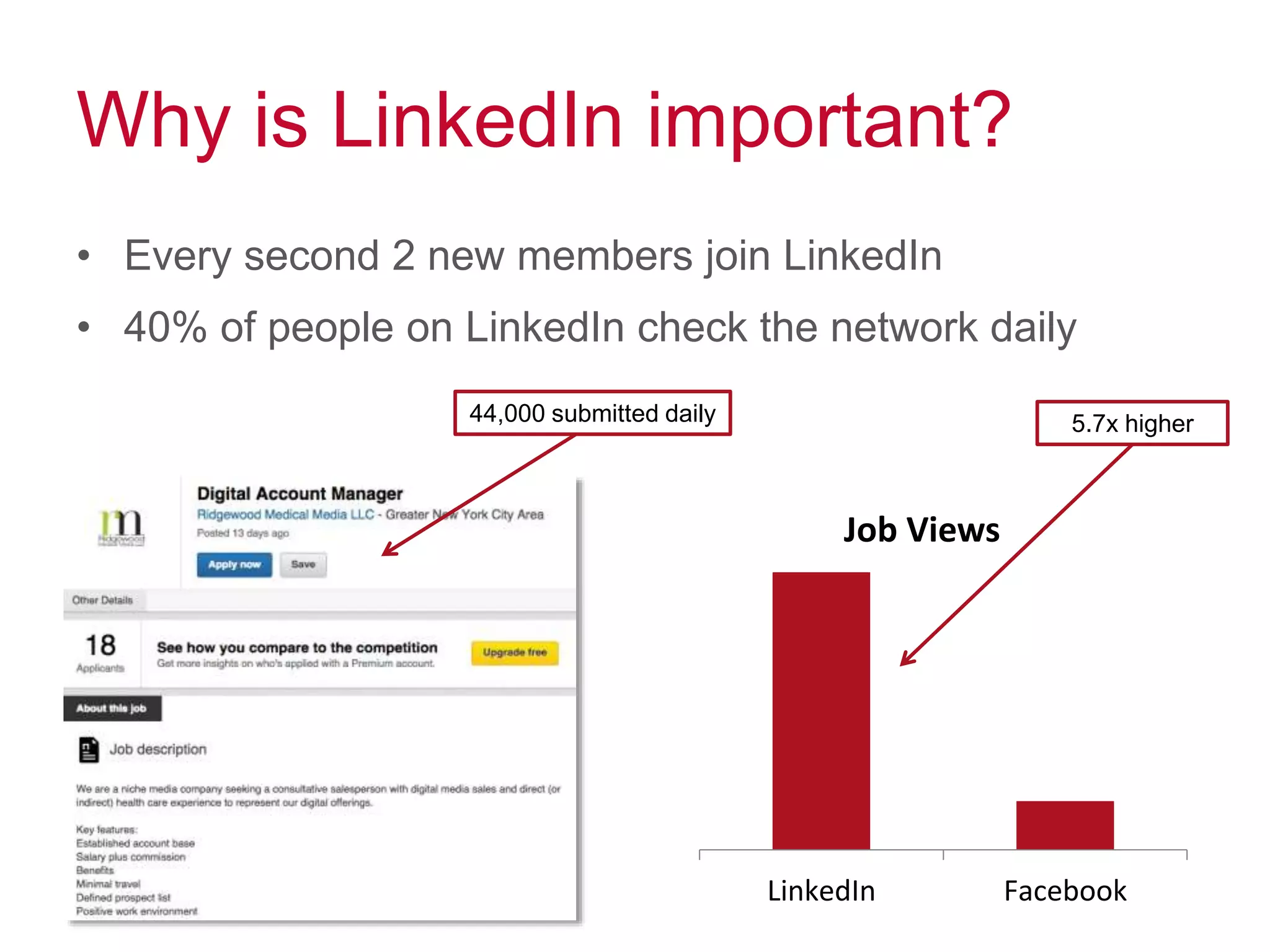
Why is LinkedIn important?
• Every second 2 new members join LinkedIn
• 40% of people on LinkedIn check the network daily
LinkedIn Facebook
Job Views
44,000 submitted daily 5.7x higher
Make your profile complete
People want to engage with humans, not resumes
• Headline – who are you? (the short & sweet version)
• Summary – tell your story
• Work experience & projects – what have you done?
• Skills – what can you do?
• Education – what training qualifies you?
• Organizations– how are you involved?
• Honors & awards– what have you exceeded in?
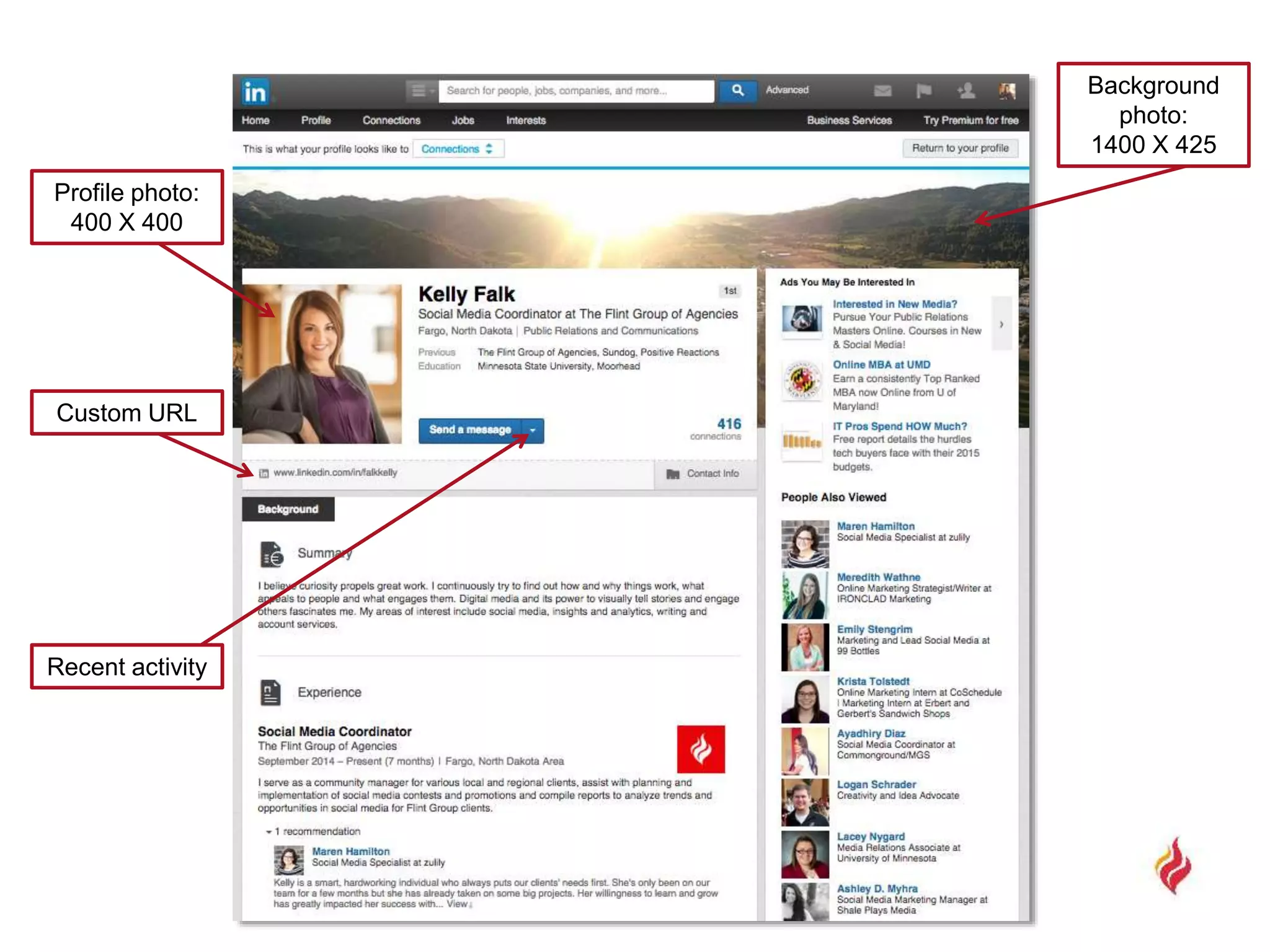
Profile photo:
400 X 400
Custom URL
Background
photo:
1400 X 425
Recent activity
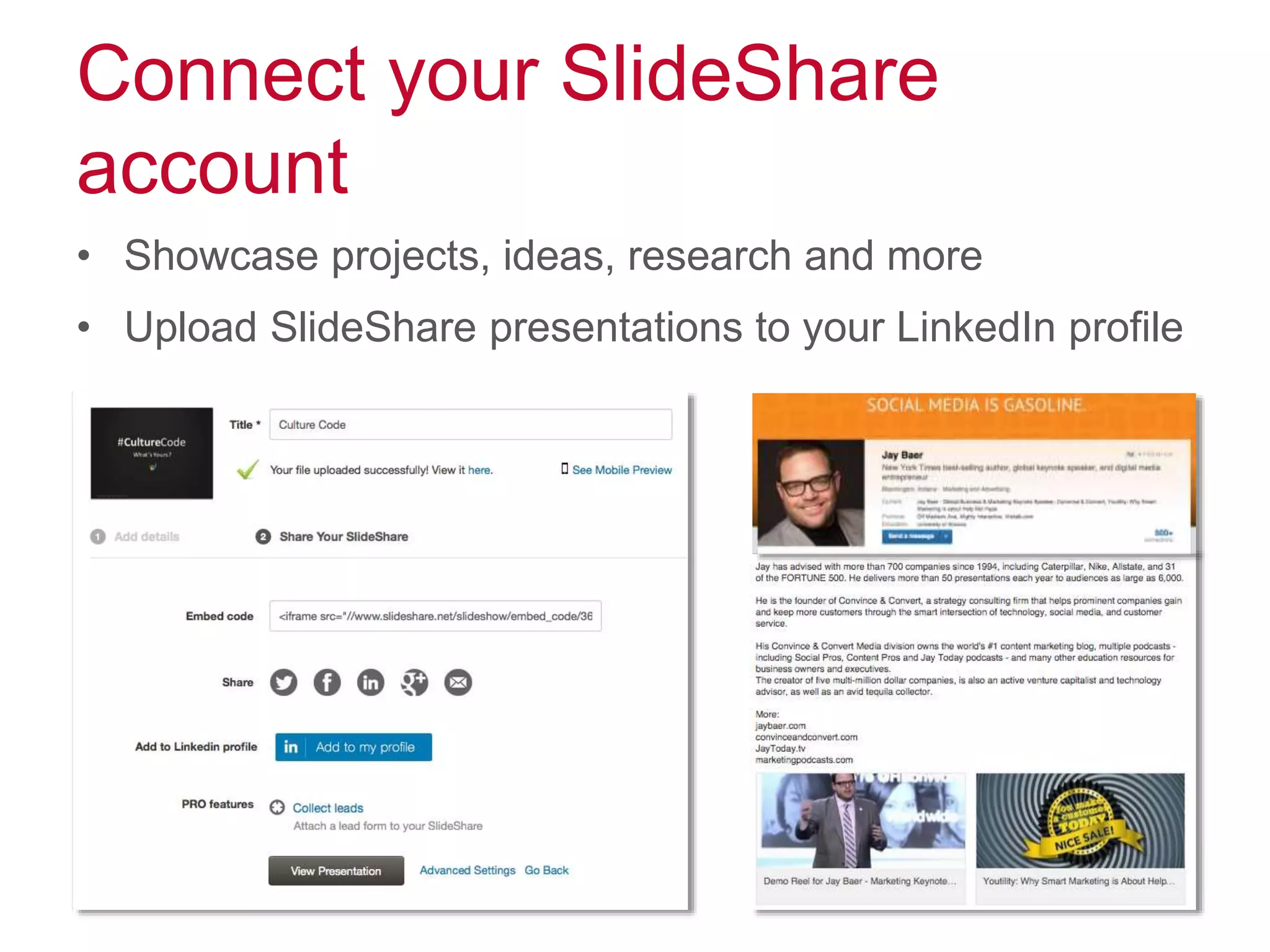
Connect your SlideShare
account
• Showcase projects, ideas, research and more
• Upload SlideShare presentations to your LinkedIn profile
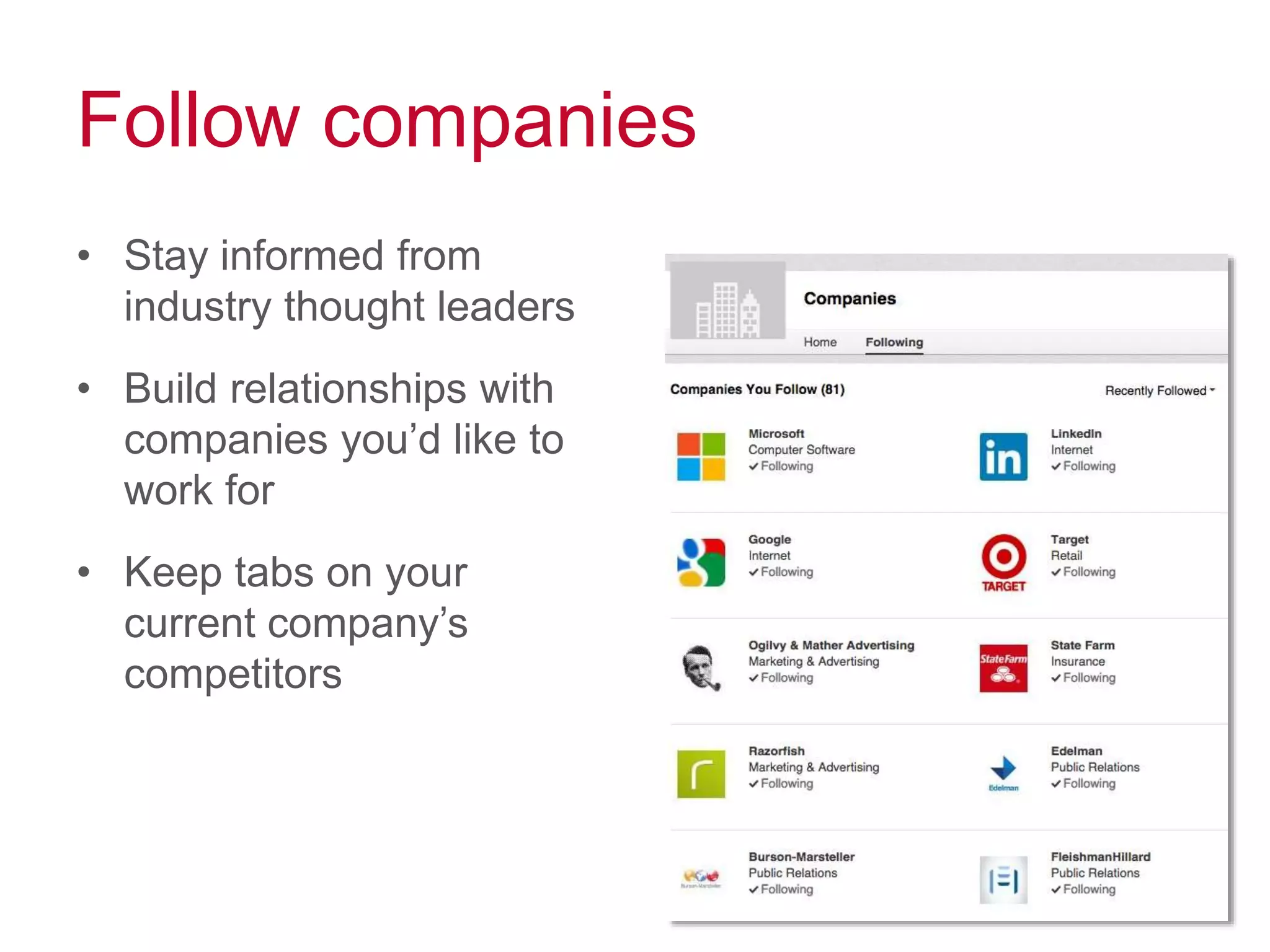
Follow companies
• Stay informed from
industry thought leaders
• Build relationships with
companies you’d like to
work for
• Keep tabs on your
current company’s
competitors
Share interesting content
• Demonstrate your knowledge and expertise
– industry news
– trends
– case studies
– business updates
• Share links to interesting articles and blog posts that
your connections will find valuable
• Publish your own articles using LinkedIn’s publishing
feature
• Check LinkedIn’s online magazine “Pulse” for inspiration
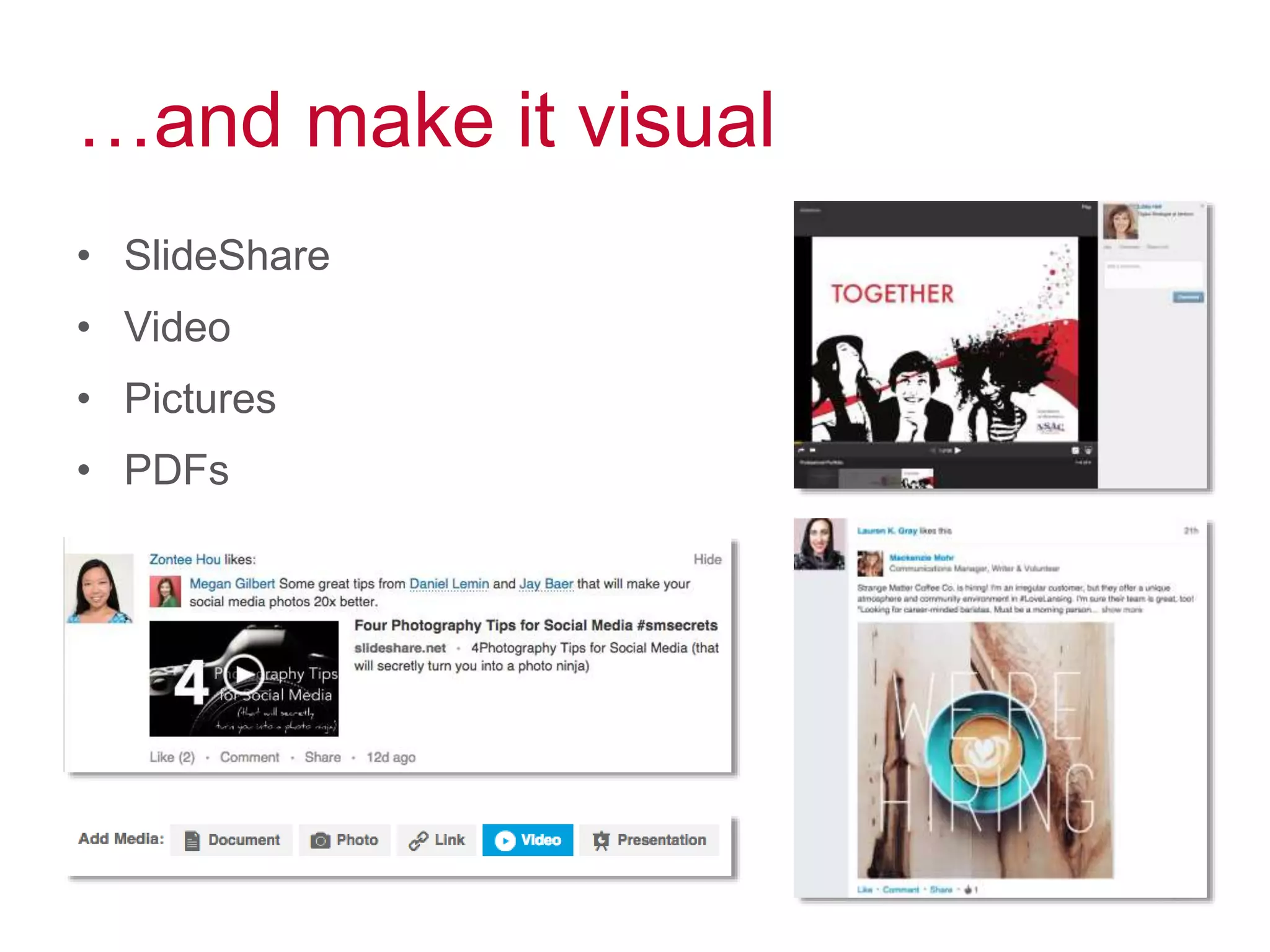
…and make it visual
• SlideShare
• Video
• Pictures
• PDFs
Growing your network
347 million professionals at your
fingertips
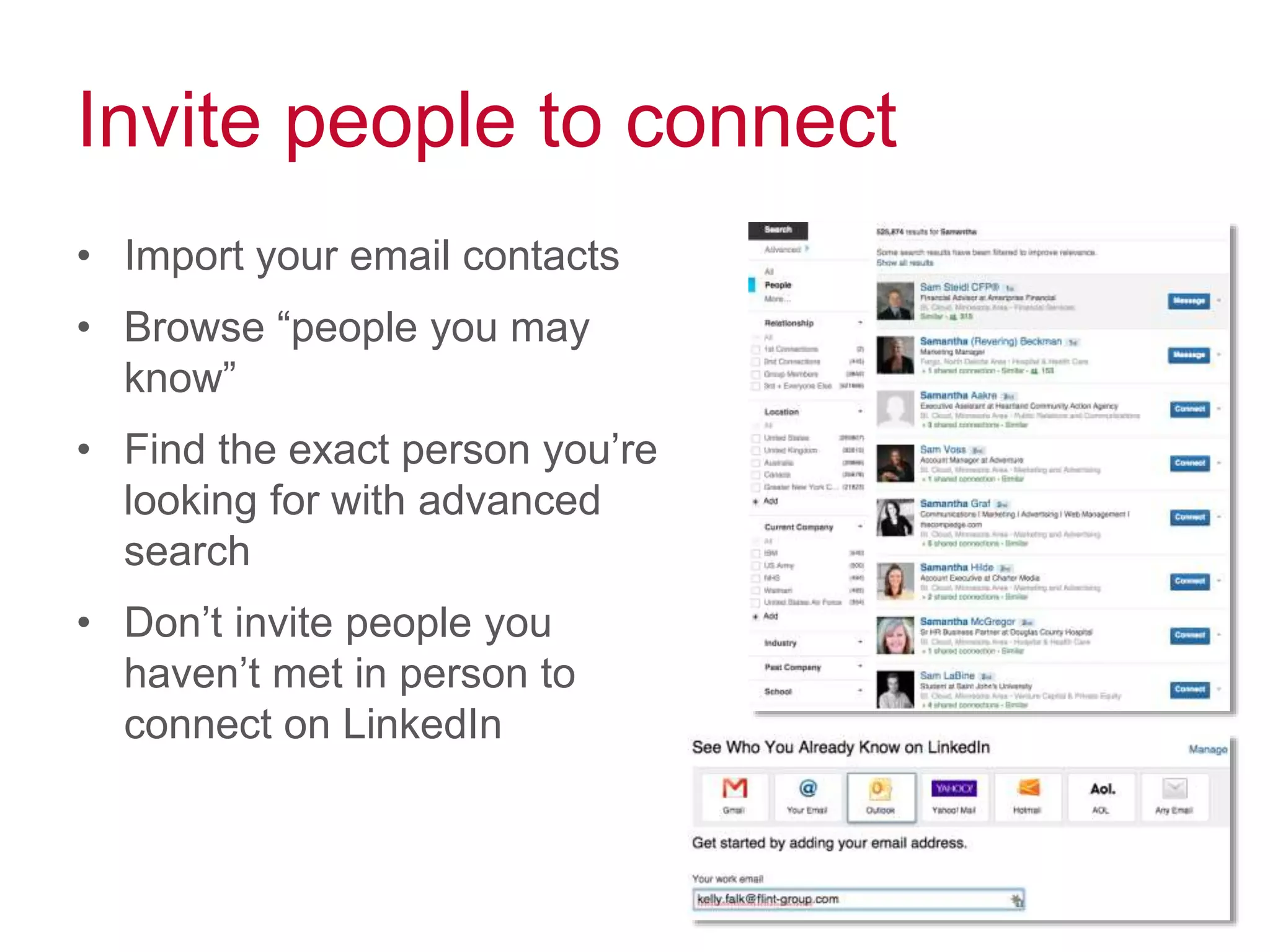
Invite people to connect
• Import your email contacts
• Browse “people you may
know”
• Find the exact person you’re
looking for with advanced
search
• Don’t invite people you
haven’t met in person to
connect on LinkedIn
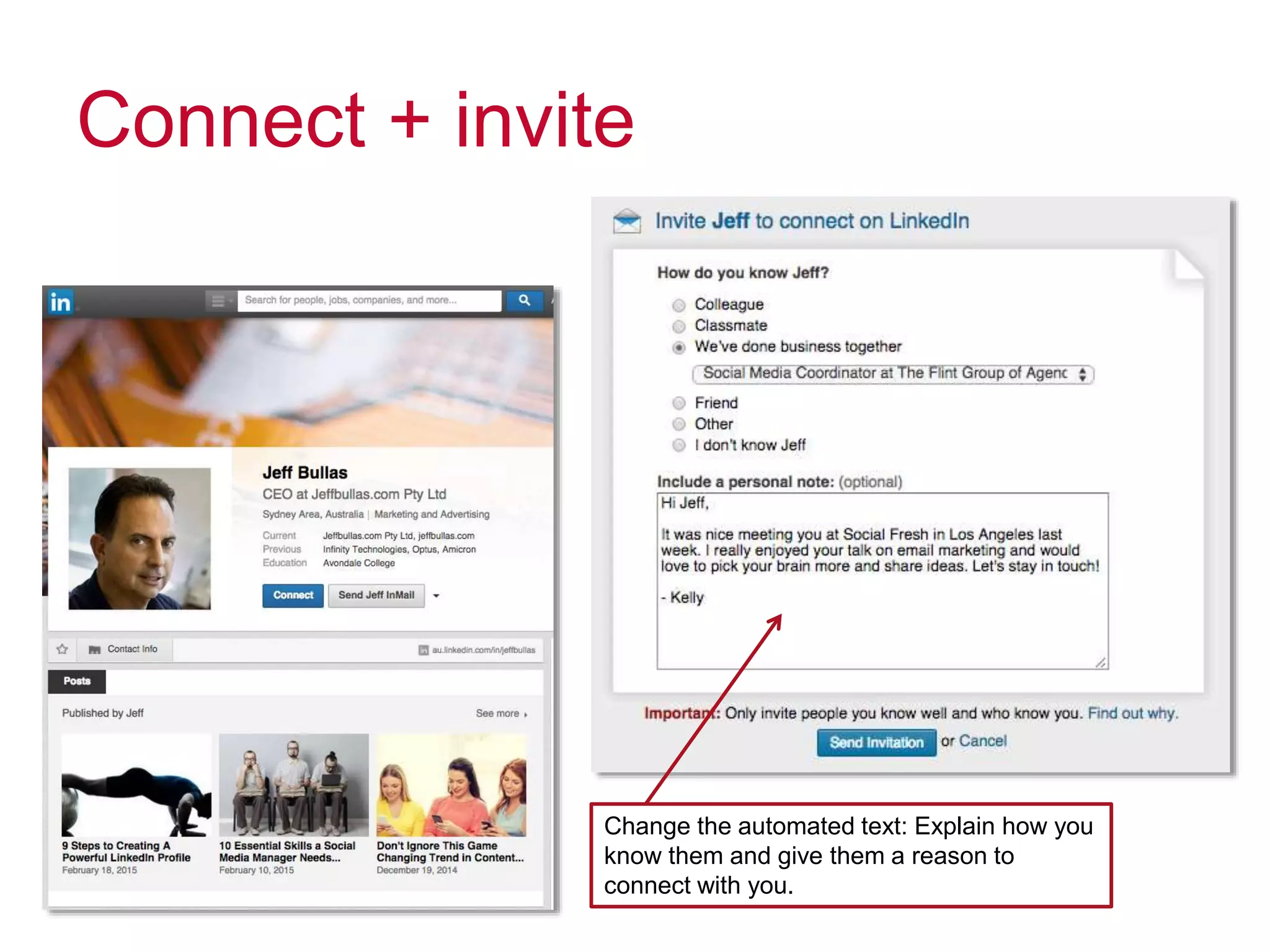
Connect + invite
Change the automated text: Explain how you
know them and give them a reason to
connect with you.
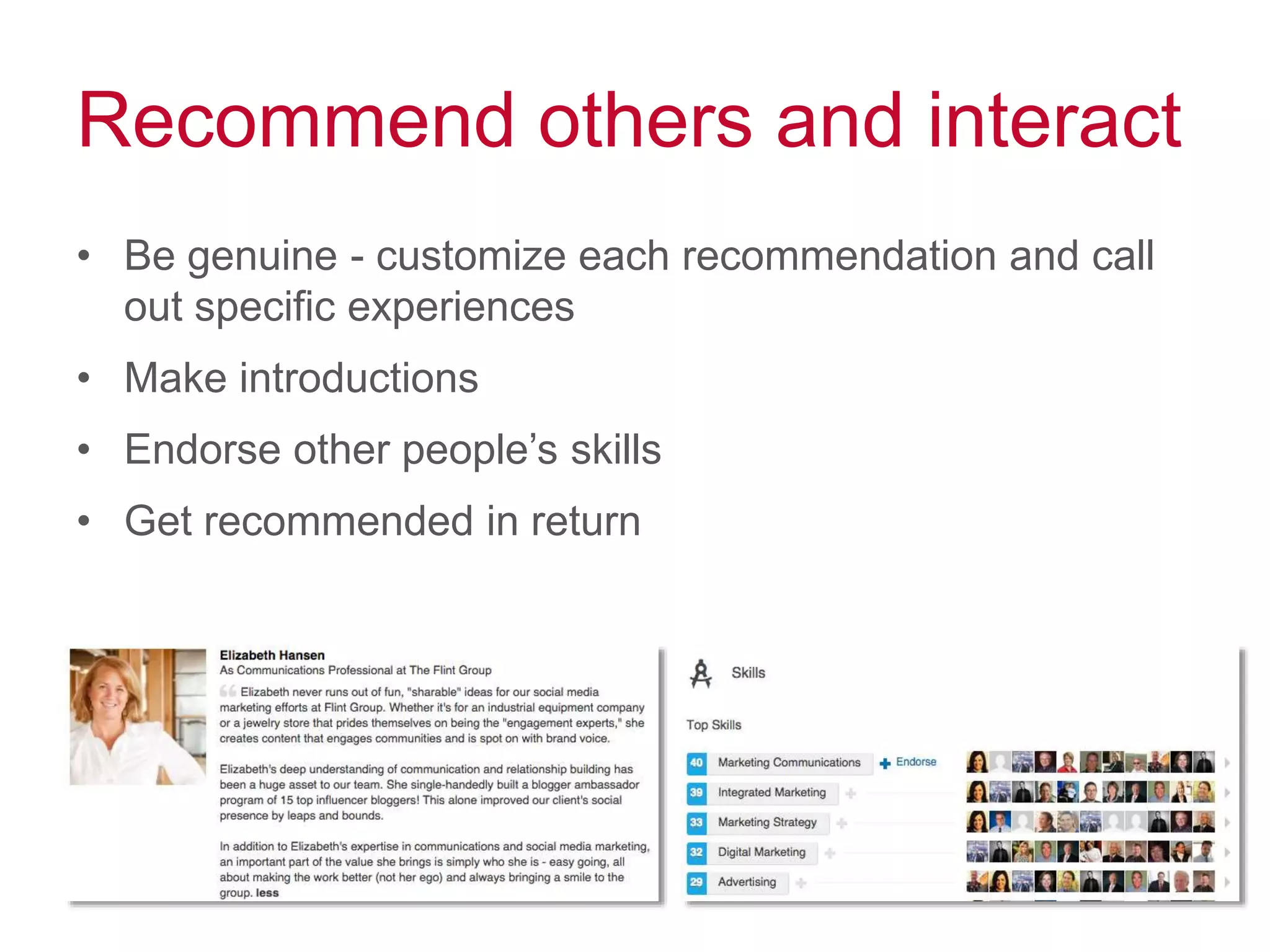
Recommend others and interact
• Be genuine - customize each recommendation and call
out specific experiences
• Make introductions
• Endorse other people’s skills
• Get recommended in return
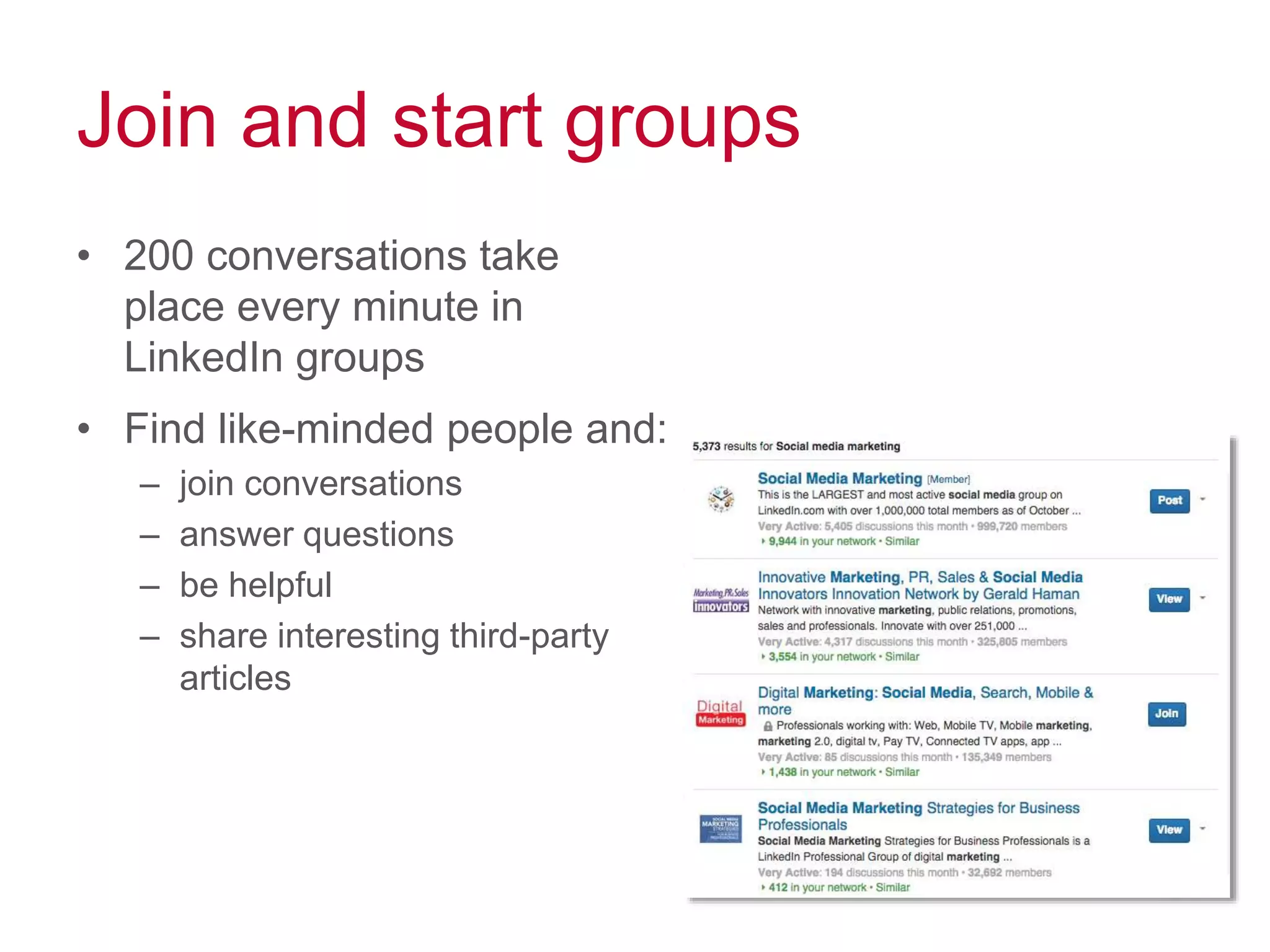
Join and start groups
• 200 conversations take
place every minute in
LinkedIn groups
• Find like-minded people and:
– join conversations
– answer questions
– be helpful
– share interesting third-party
articles
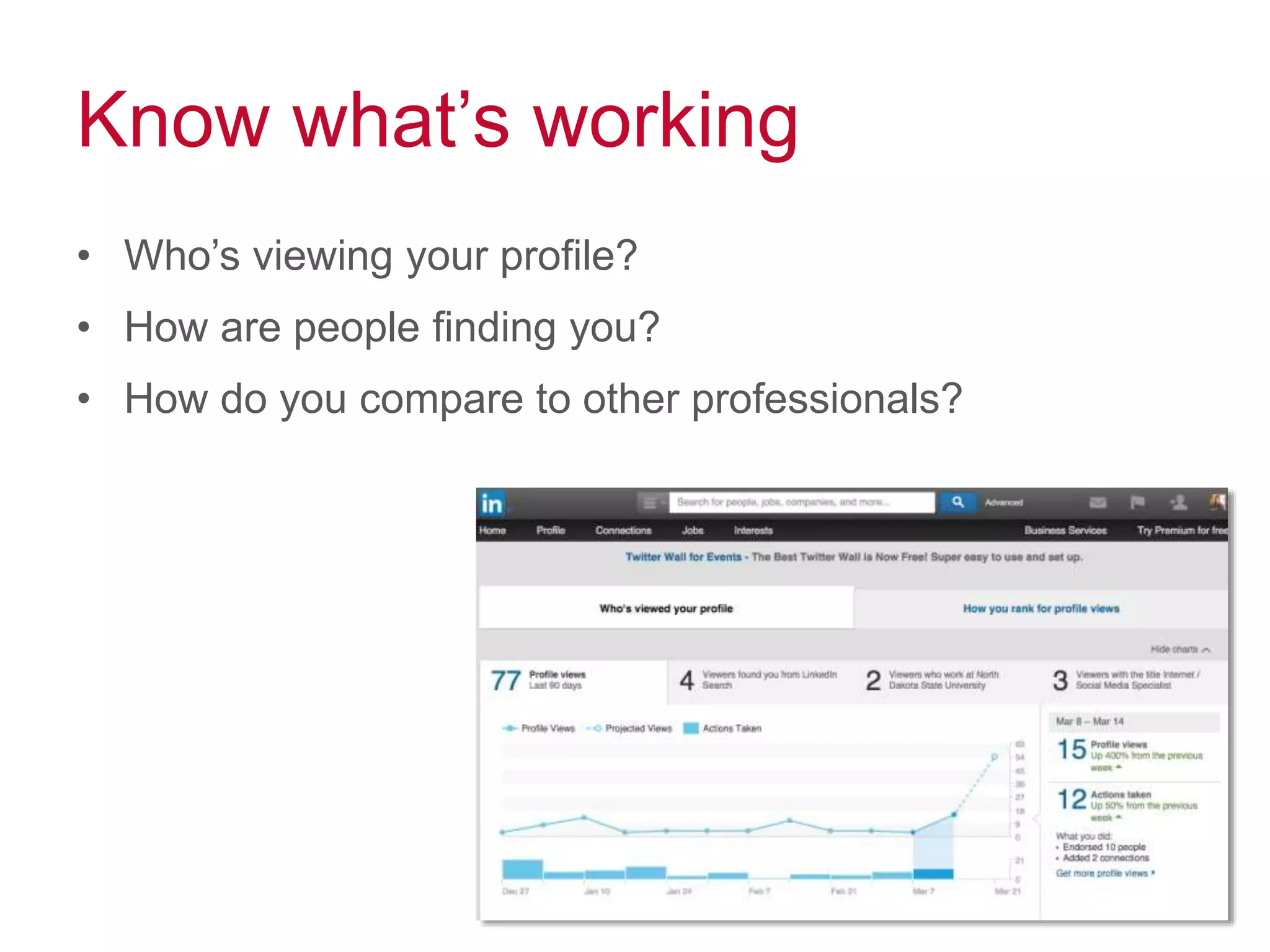
Know what’s working
• Who’s viewing your profile?
• How are people finding you?
• How do you compare to other professionals?
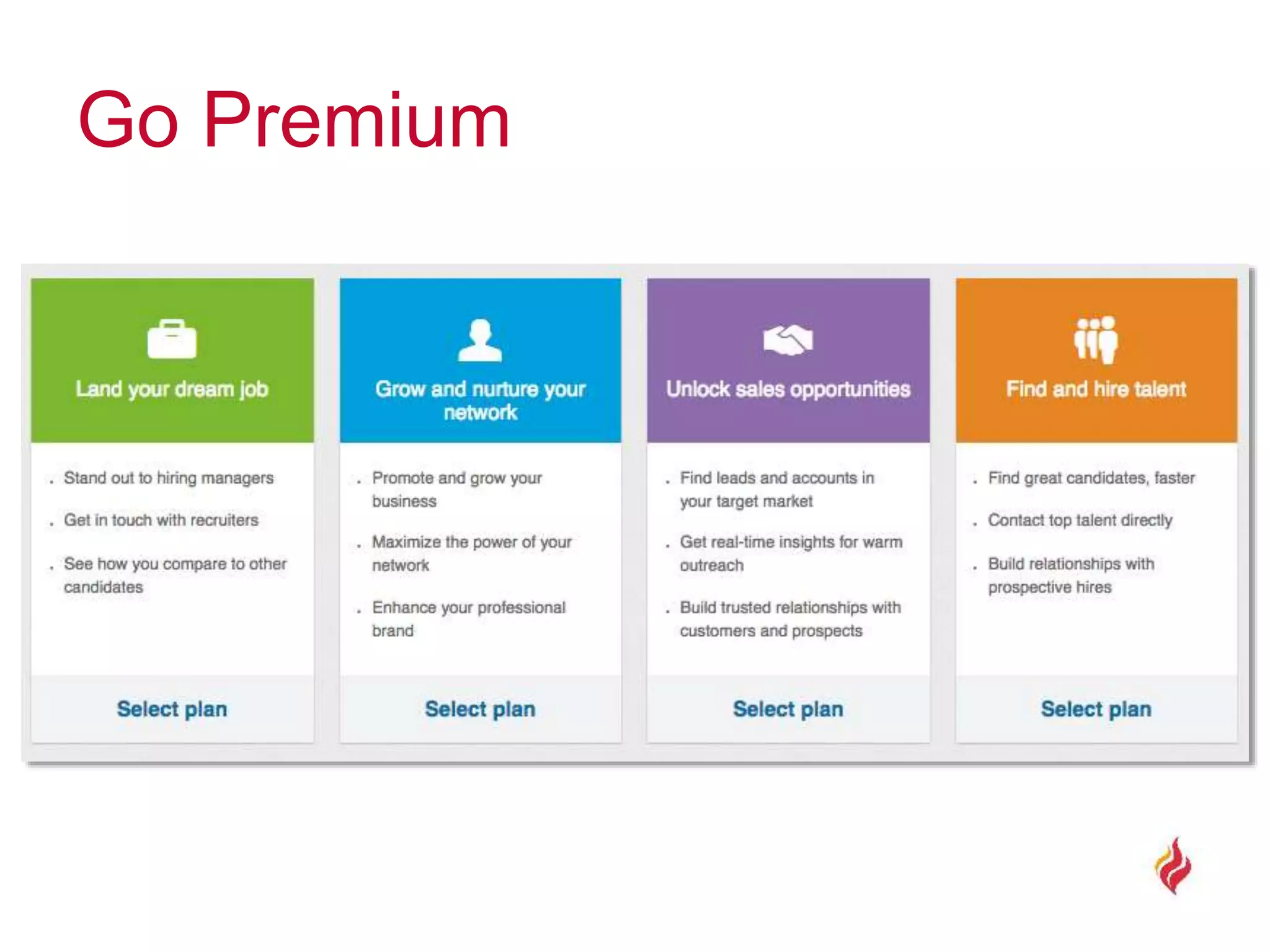
Go Premium
Go Premium
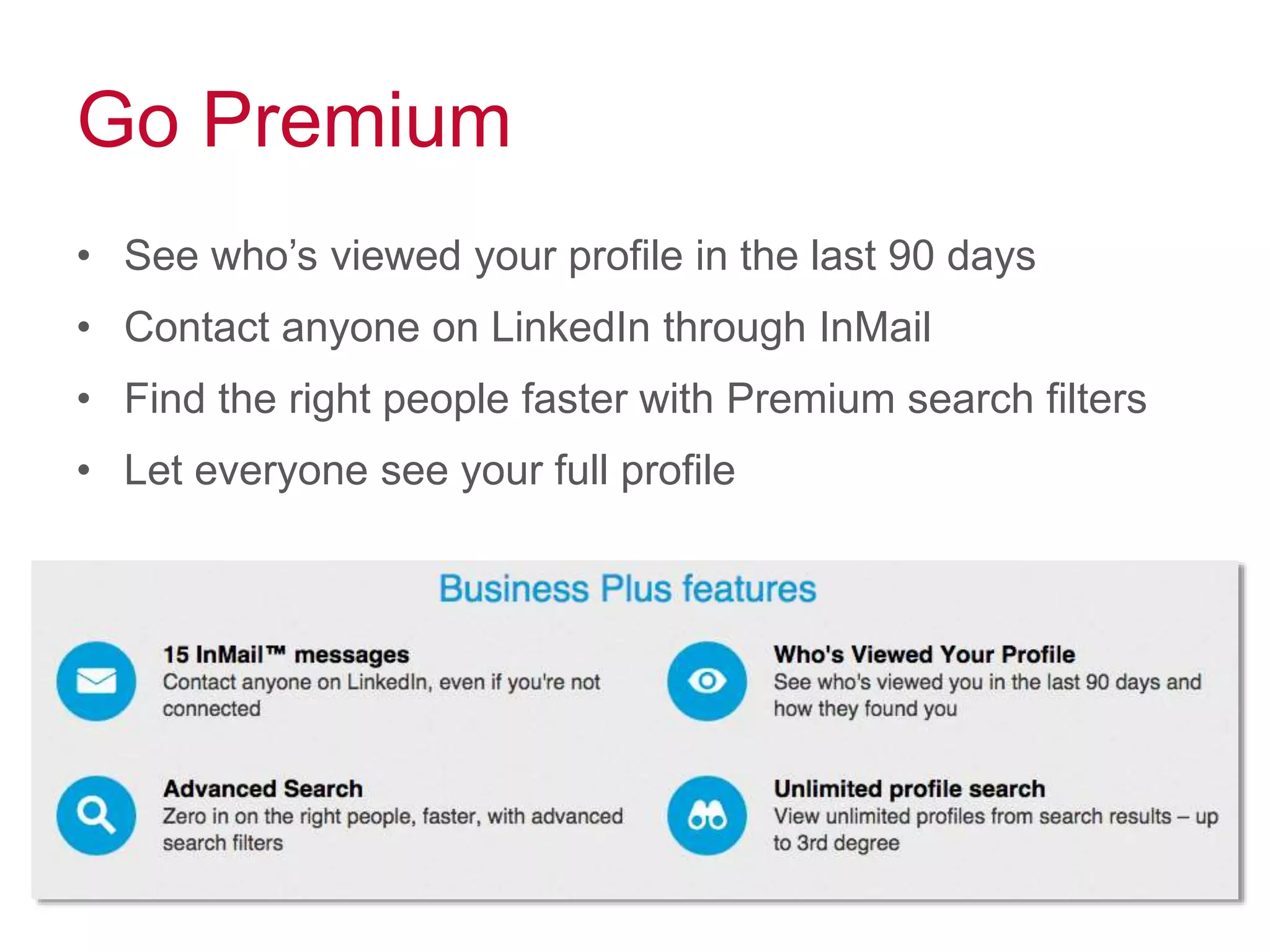
• See who’s viewed your profile in the last 90 days
• Contact anyone on LinkedIn through InMail
• Find the right people faster with Premium search filters
• Let everyone see your full profile
LinkedIn for business
A tool for recruitment and
new business
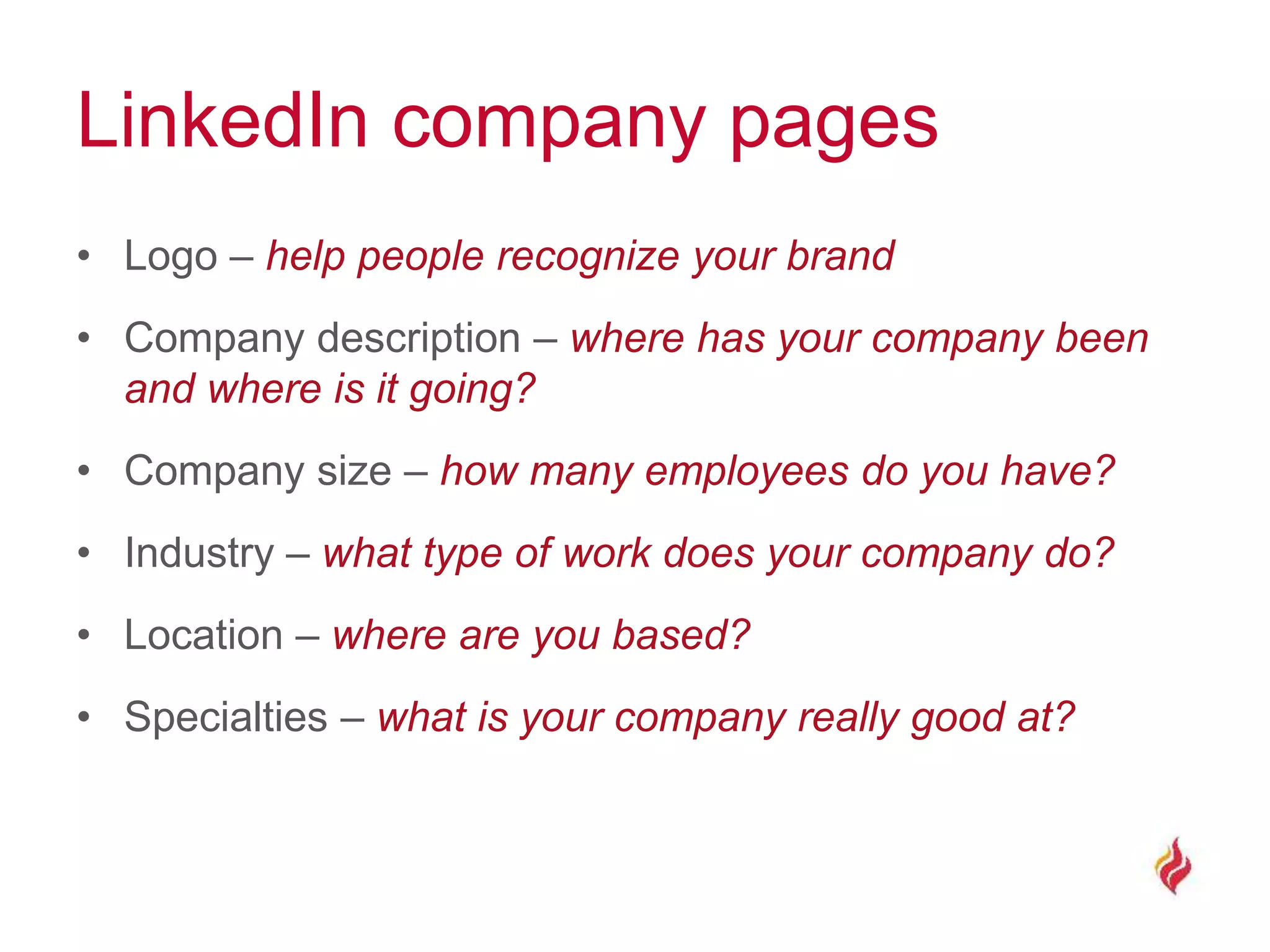
LinkedIn company pages
• Logo – help people recognize your brand
• Company description – where has your company been
and where is it going?
• Company size – how many employees do you have?
• Industry – what type of work does your company do?
• Location – where are you based?
• Specialties – what is your company really good at?
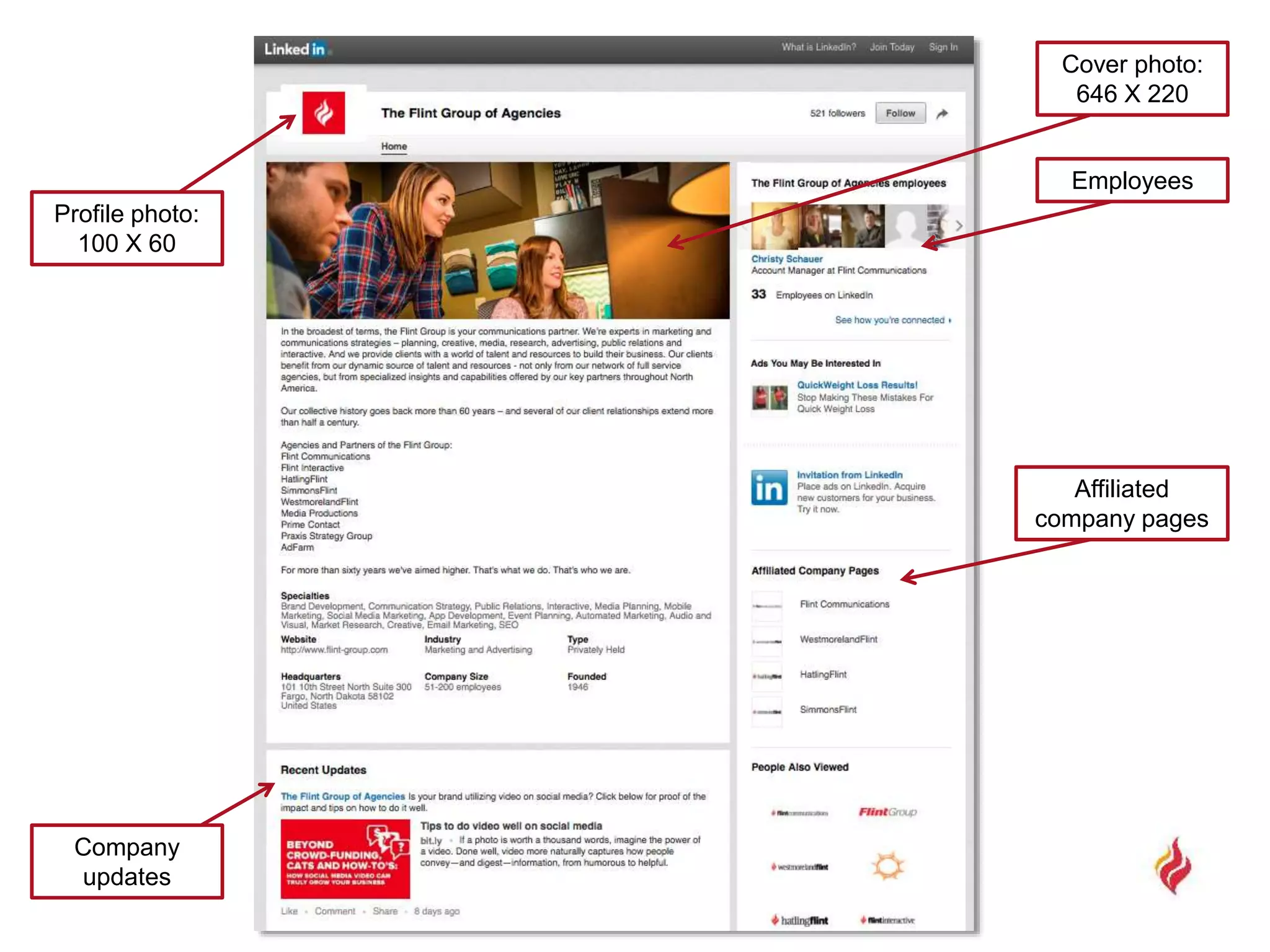
Profile photo:
100 X 60
Employees
Cover photo:
646 X 220
Affiliated
company pages
Company
updates
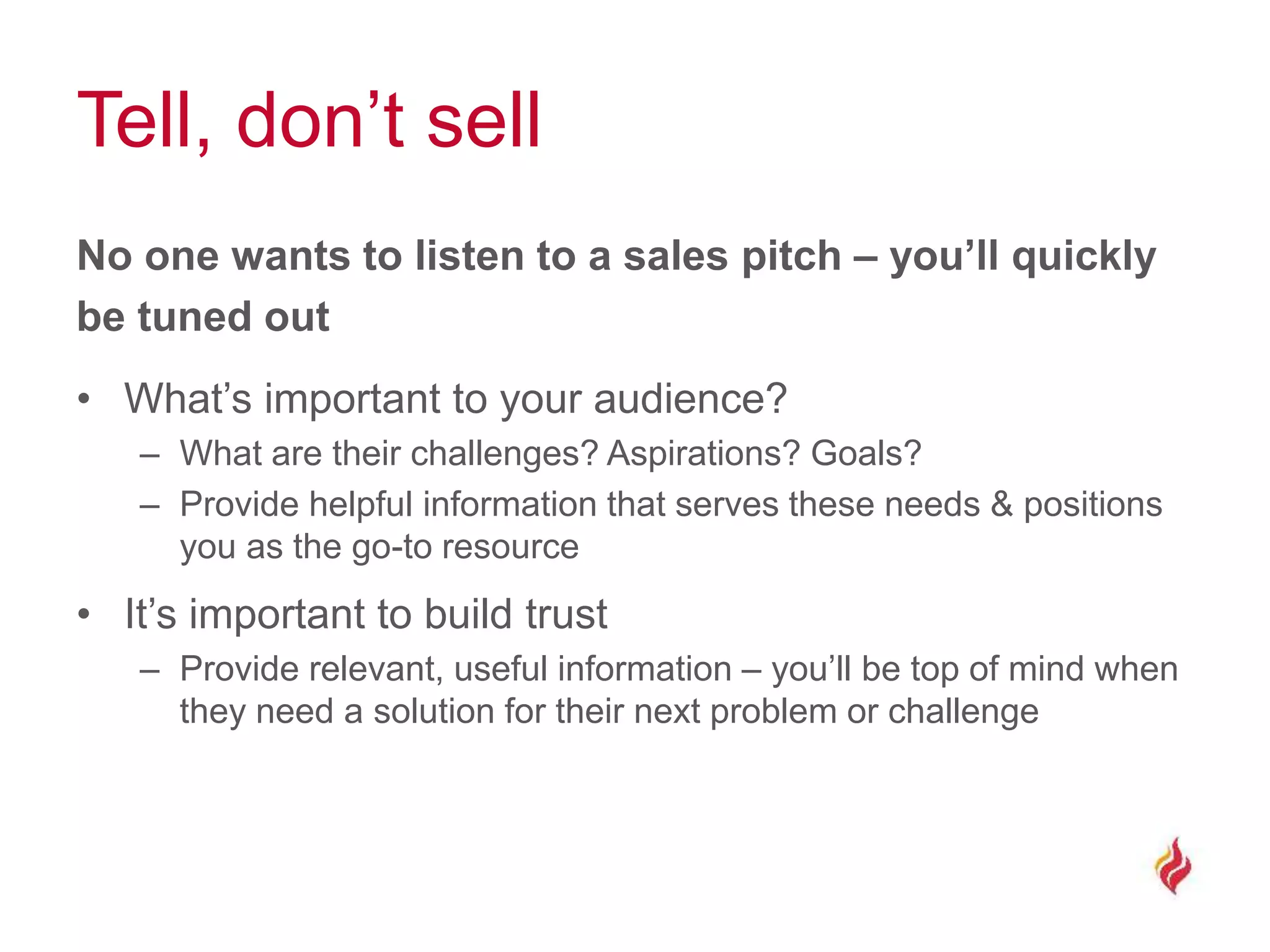
Tell, don’t sell
No one wants to listen to a sales pitch – you’ll quickly
be tuned out
• What’s important to your audience?
– What are their challenges? Aspirations? Goals?
– Provide helpful information that serves these needs & positions
you as the go-to resource
• It’s important to build trust
– Provide relevant, useful information – you’ll be top of mind when
they need a solution for their next problem or challenge
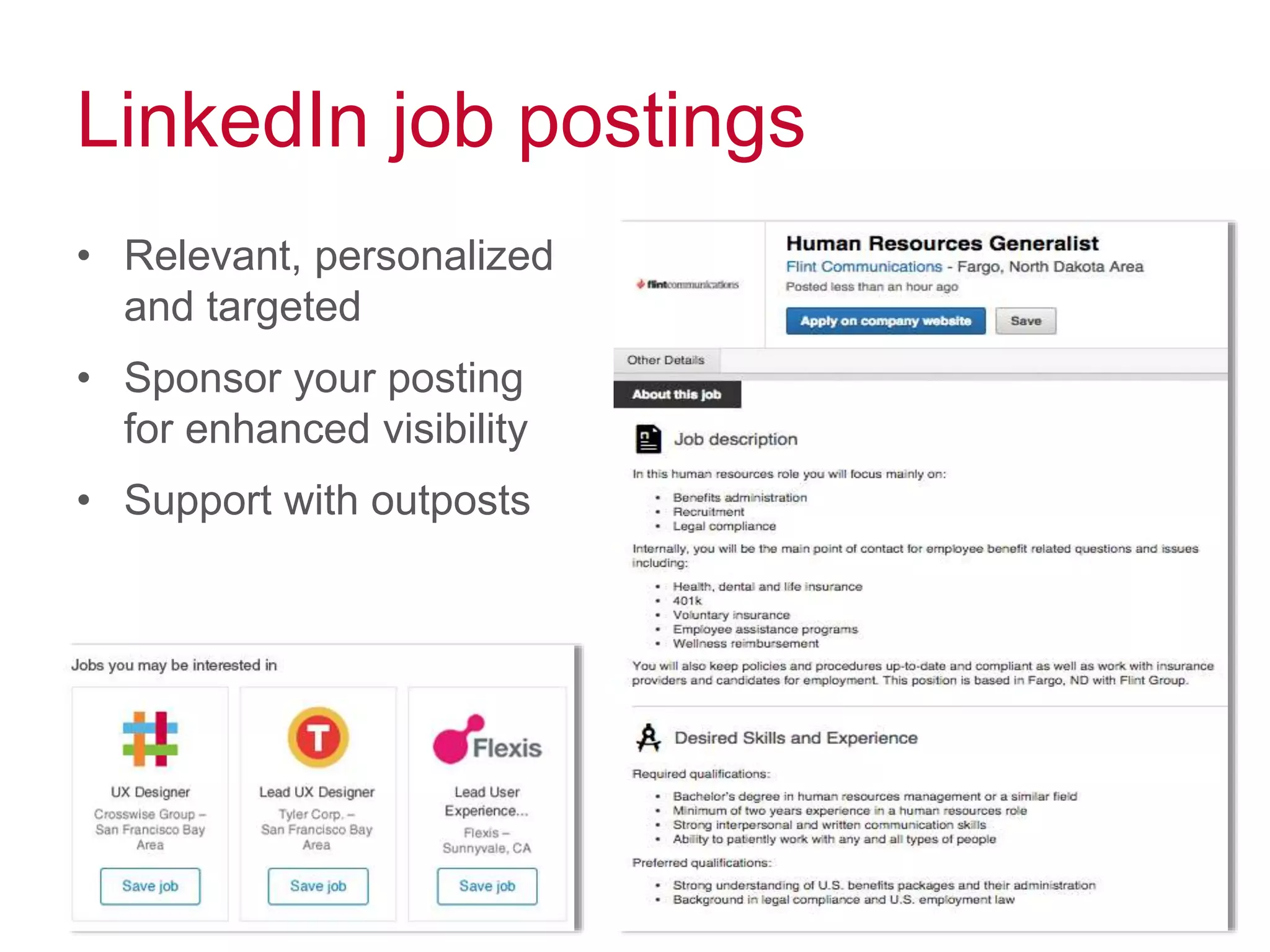
LinkedIn job postings
• Relevant, personalized
and targeted
• Sponsor your posting
for enhanced visibility
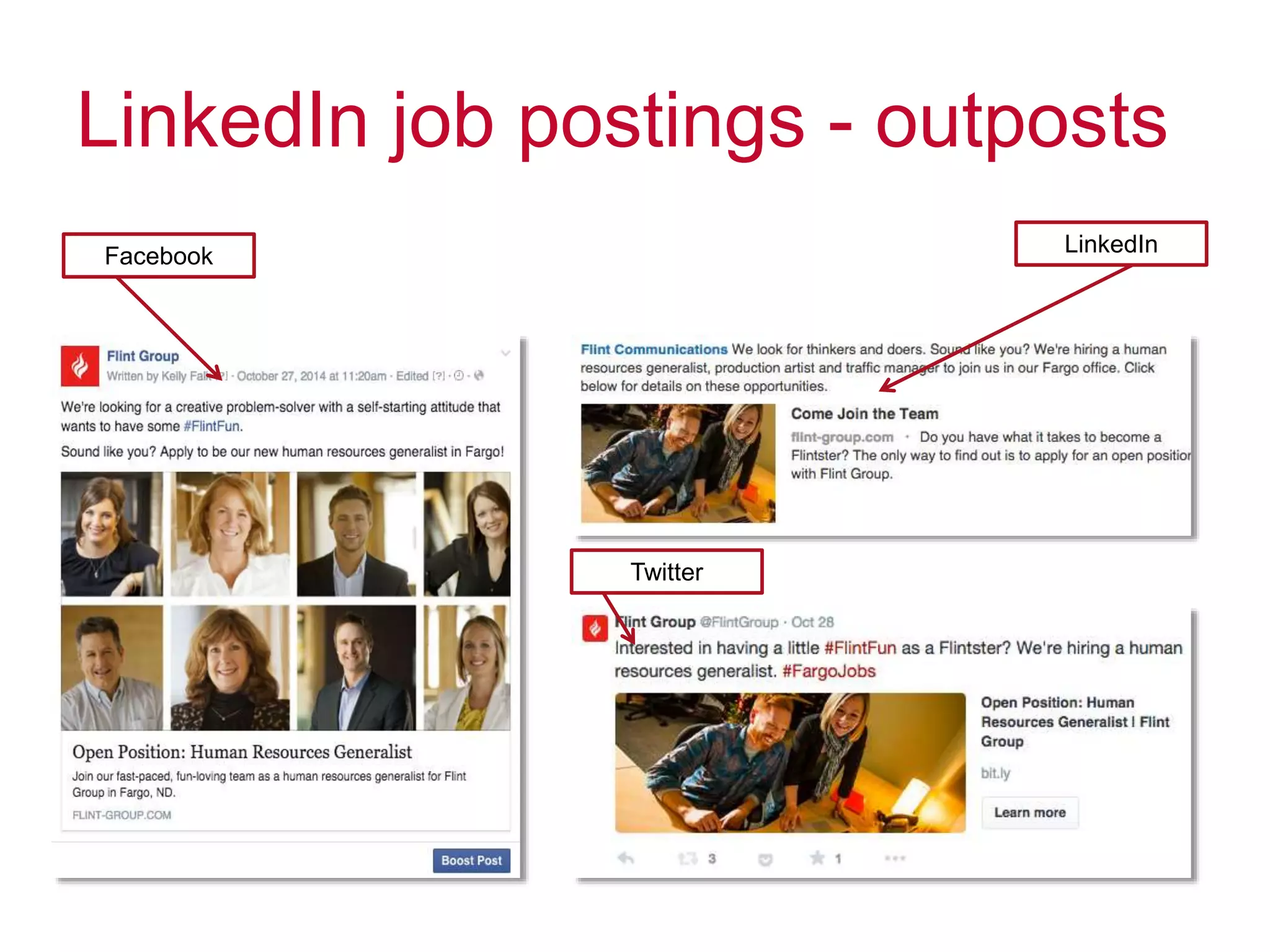
• Support with outposts
LinkedIn job postings - outposts
Facebook
Twitter
LinkedIn
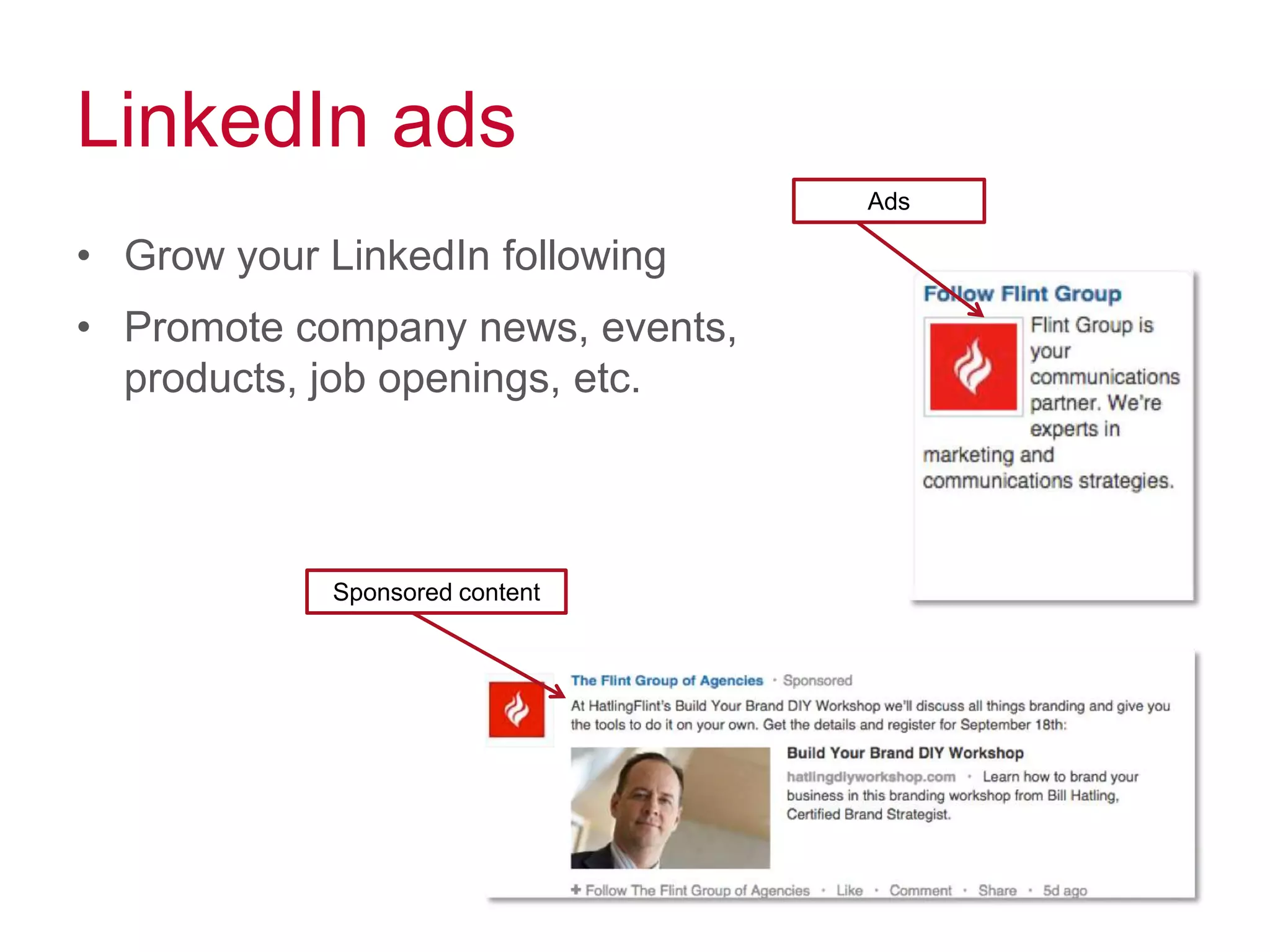
LinkedIn ads
• Grow your LinkedIn following
• Promote company news, events,
products, job openings, etc.
Sponsored content
Ads
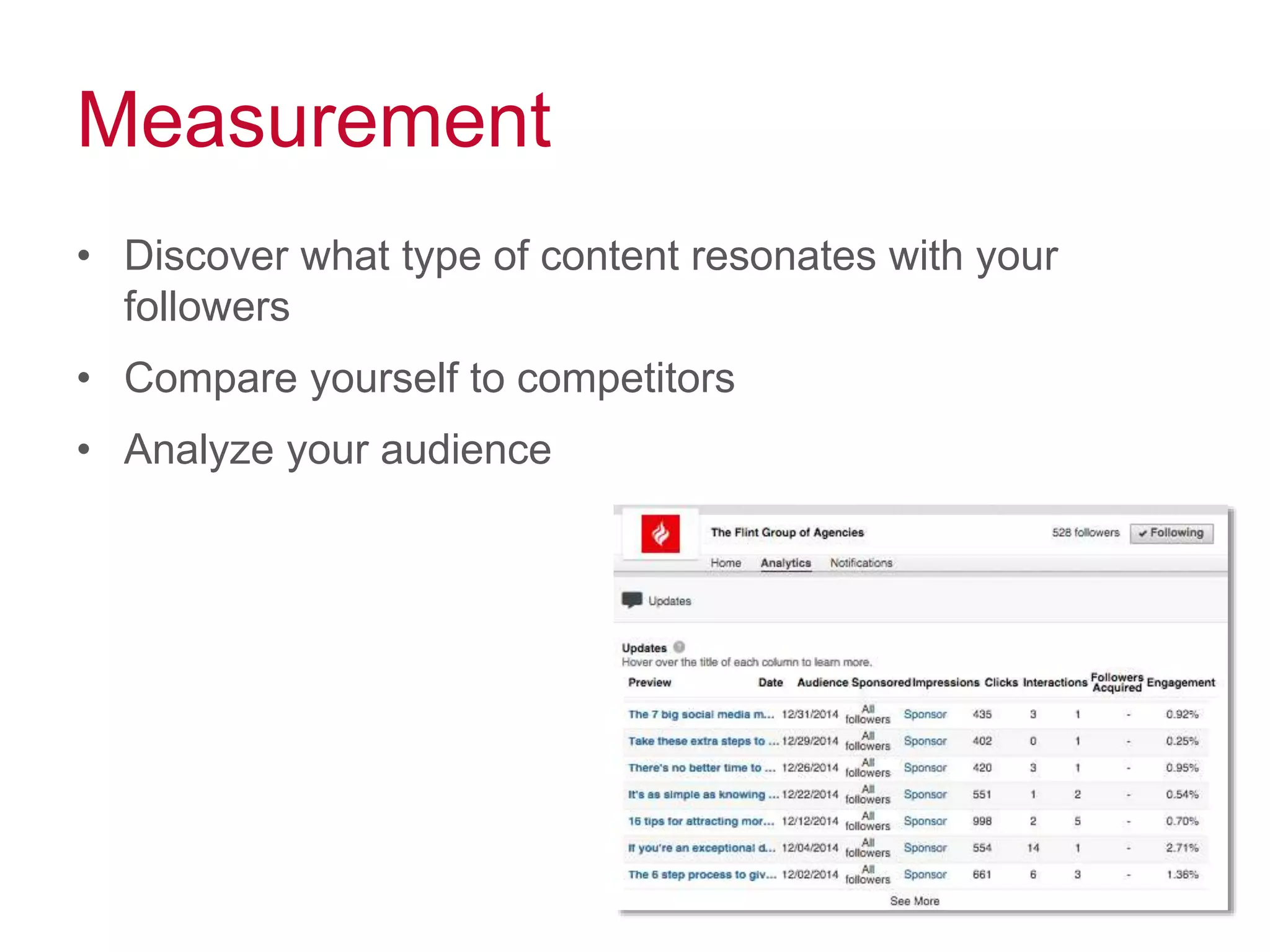
Measurement
• Discover what type of content resonates with your
followers
• Compare yourself to competitors
• Analyze your audience
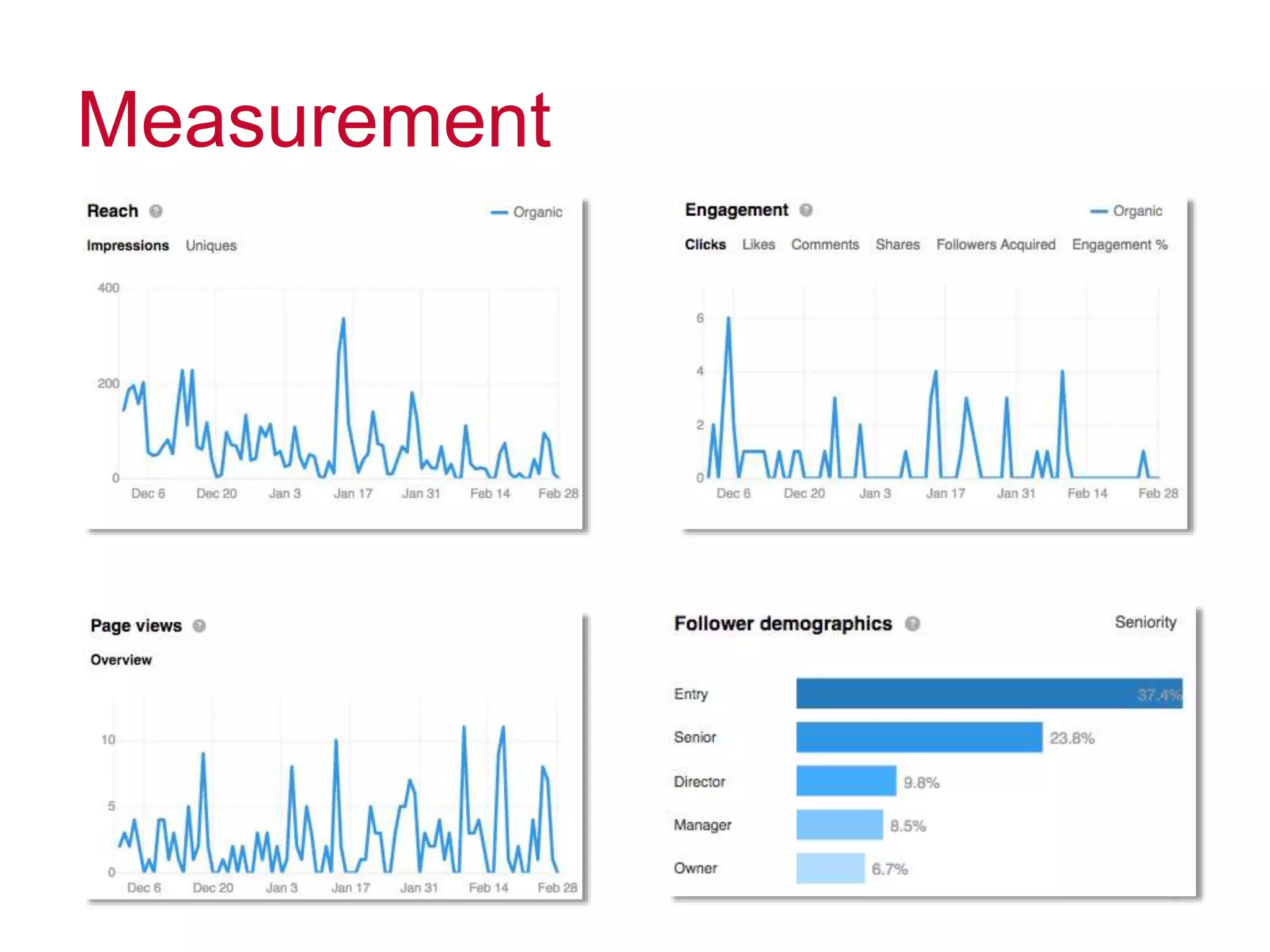
Measurement
Questions?
linkedin.com/company/the-flint-group-of-agencies
socialteam@flint-group.com
@flintgroup

How to Maximize LinkedIn

  • 1.
  • 2.
  • 3.
    Why is LinkedInimportant? • Every second 2 new members join LinkedIn • 40% of people on LinkedIn check the network daily LinkedIn Facebook Job Views 44,000 submitted daily 5.7x higher
  • 4.
    Make your profilecomplete People want to engage with humans, not resumes • Headline – who are you? (the short & sweet version) • Summary – tell your story • Work experience & projects – what have you done? • Skills – what can you do? • Education – what training qualifies you? • Organizations– how are you involved? • Honors & awards– what have you exceeded in?
  • 5.
    Profile photo: 400 X400 Custom URL Background photo: 1400 X 425 Recent activity
  • 6.
    Connect your SlideShare account •Showcase projects, ideas, research and more • Upload SlideShare presentations to your LinkedIn profile
  • 7.
    Follow companies • Stayinformed from industry thought leaders • Build relationships with companies you’d like to work for • Keep tabs on your current company’s competitors
  • 8.
    Share interesting content •Demonstrate your knowledge and expertise – industry news – trends – case studies – business updates • Share links to interesting articles and blog posts that your connections will find valuable • Publish your own articles using LinkedIn’s publishing feature • Check LinkedIn’s online magazine “Pulse” for inspiration
  • 9.
    …and make itvisual • SlideShare • Video • Pictures • PDFs
  • 10.
    Growing your network 347million professionals at your fingertips
  • 11.
    Invite people toconnect • Import your email contacts • Browse “people you may know” • Find the exact person you’re looking for with advanced search • Don’t invite people you haven’t met in person to connect on LinkedIn
  • 12.
    Connect + invite Changethe automated text: Explain how you know them and give them a reason to connect with you.
  • 13.
    Recommend others andinteract • Be genuine - customize each recommendation and call out specific experiences • Make introductions • Endorse other people’s skills • Get recommended in return
  • 14.
    Join and startgroups • 200 conversations take place every minute in LinkedIn groups • Find like-minded people and: – join conversations – answer questions – be helpful – share interesting third-party articles
  • 15.
    Know what’s working •Who’s viewing your profile? • How are people finding you? • How do you compare to other professionals?
  • 16.
  • 17.
    Go Premium • Seewho’s viewed your profile in the last 90 days • Contact anyone on LinkedIn through InMail • Find the right people faster with Premium search filters • Let everyone see your full profile
  • 18.
    LinkedIn for business Atool for recruitment and new business
  • 19.
    LinkedIn company pages •Logo – help people recognize your brand • Company description – where has your company been and where is it going? • Company size – how many employees do you have? • Industry – what type of work does your company do? • Location – where are you based? • Specialties – what is your company really good at?
  • 20.
    Profile photo: 100 X60 Employees Cover photo: 646 X 220 Affiliated company pages Company updates
  • 21.
    Tell, don’t sell Noone wants to listen to a sales pitch – you’ll quickly be tuned out • What’s important to your audience? – What are their challenges? Aspirations? Goals? – Provide helpful information that serves these needs & positions you as the go-to resource • It’s important to build trust – Provide relevant, useful information – you’ll be top of mind when they need a solution for their next problem or challenge
  • 22.
    LinkedIn job postings •Relevant, personalized and targeted • Sponsor your posting for enhanced visibility • Support with outposts
  • 23.
    LinkedIn job postings- outposts Facebook Twitter LinkedIn
  • 24.
    LinkedIn ads • Growyour LinkedIn following • Promote company news, events, products, job openings, etc. Sponsored content Ads
  • 25.
    Measurement • Discover whattype of content resonates with your followers • Compare yourself to competitors • Analyze your audience
  • 26.
  • 27.

Editor's Notes

  • #5 - Share in first person - Be personable - Contact information
  • #6 Profiles with photos have 14x more views