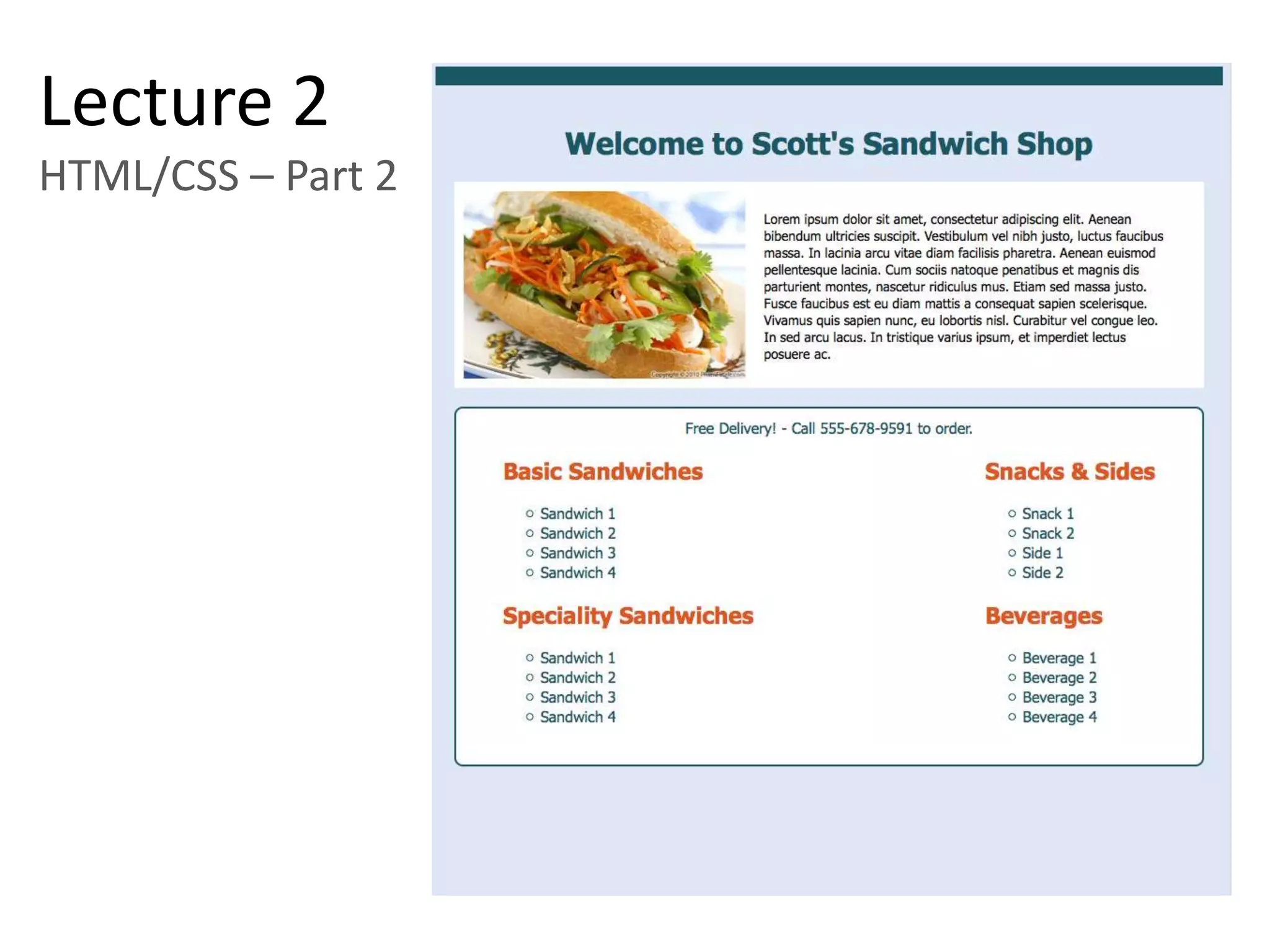
Lecture 2
HTML/CSS – Part 2
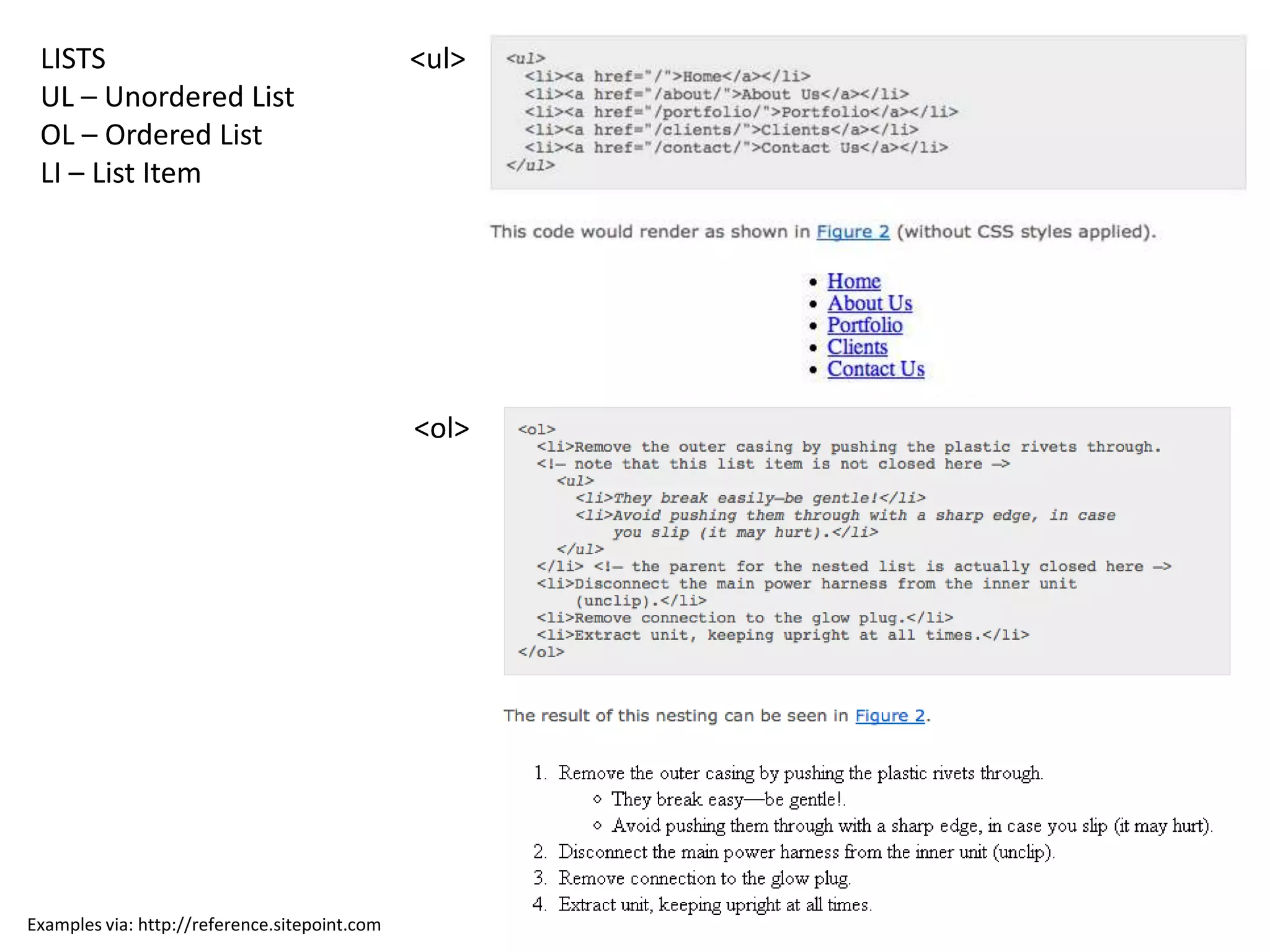
LISTS                                         <ul>
 UL – Unordered List
 OL – Ordered List
 LI – List Item


                                               <ol>


Examples via: http://reference.sitepoint.com
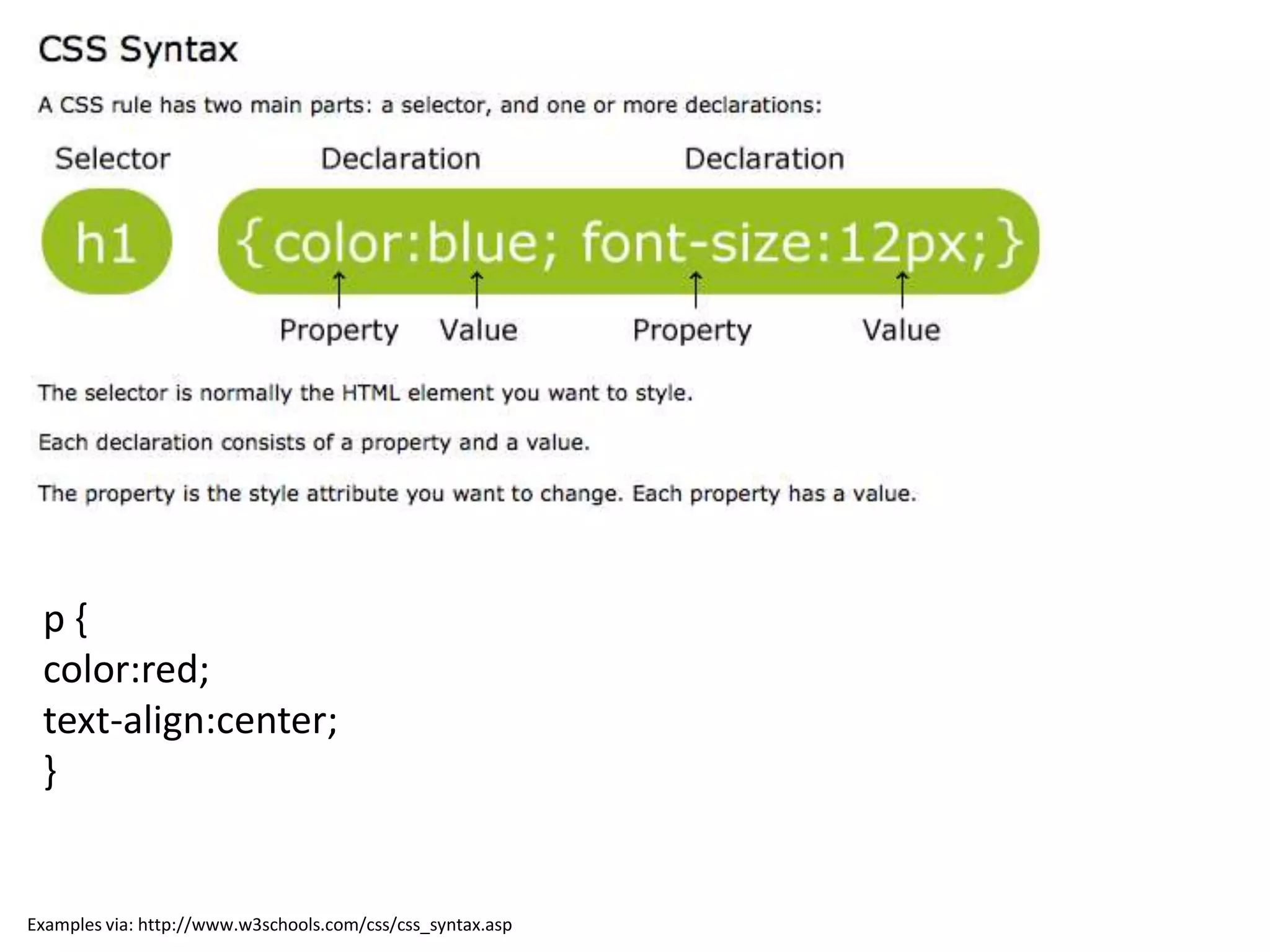
p{
 color:red;
 text-align:center;
 }


Examples via: http://www.w3schools.com/css/css_syntax.asp
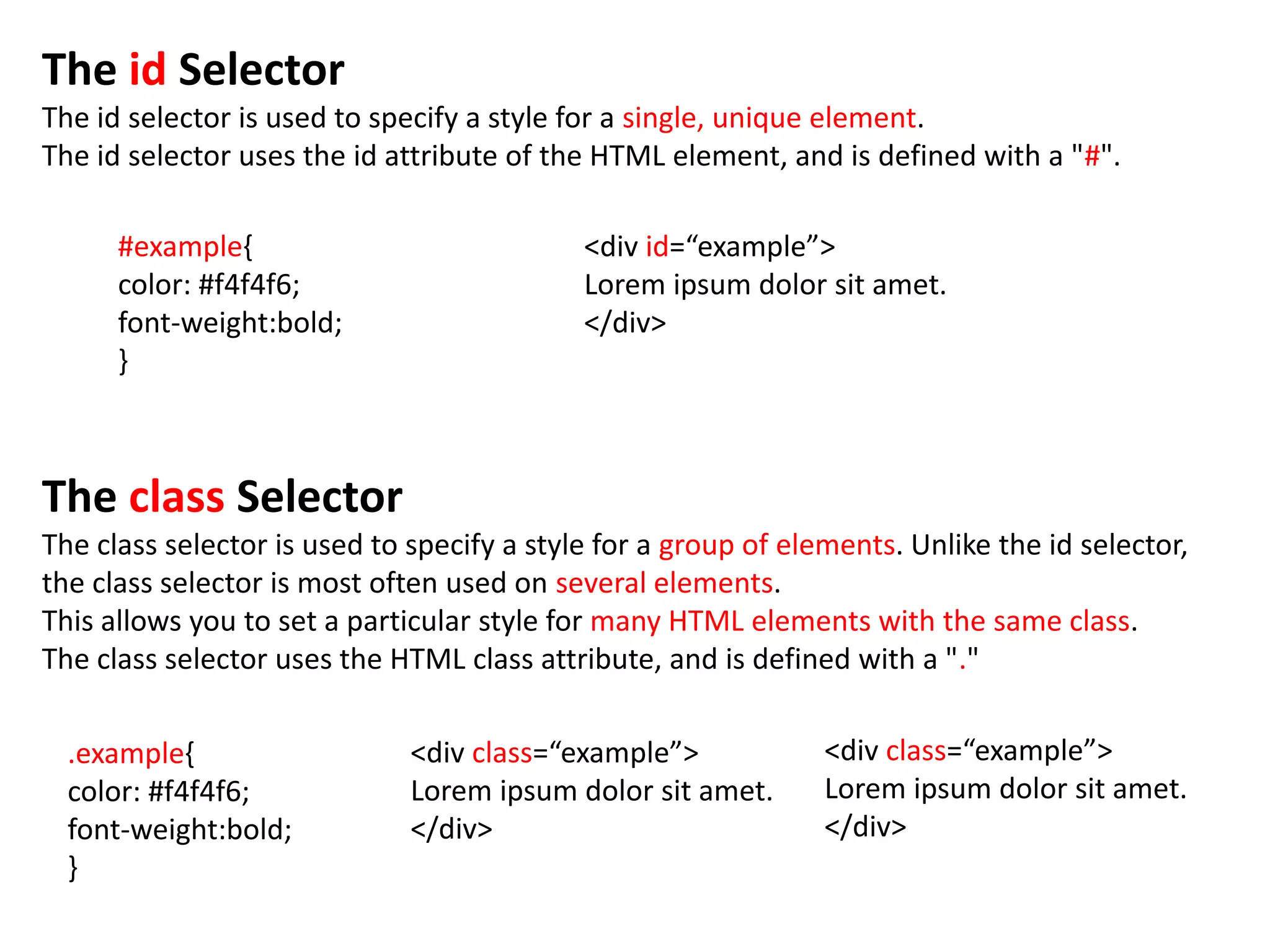
The id Selector
The id selector is used to specify a style for a single, unique element.
The id selector uses the id attribute of the HTML element, and is defined with a "#".

      #example{                             <div id=“example”>
      color: #f4f4f6;                       Lorem ipsum dolor sit amet.
      font-weight:bold;                     </div>
      }


The class Selector
The class selector is used to specify a style for a group of elements. Unlike the id selector,
the class selector is most often used on several elements.
This allows you to set a particular style for many HTML elements with the same class.
The class selector uses the HTML class attribute, and is defined with a "."

  .example{                   <div class=“example”>             <div class=“example”>
  color: #f4f4f6;             Lorem ipsum dolor sit amet.       Lorem ipsum dolor sit amet.
  font-weight:bold;           </div>                            </div>
  }
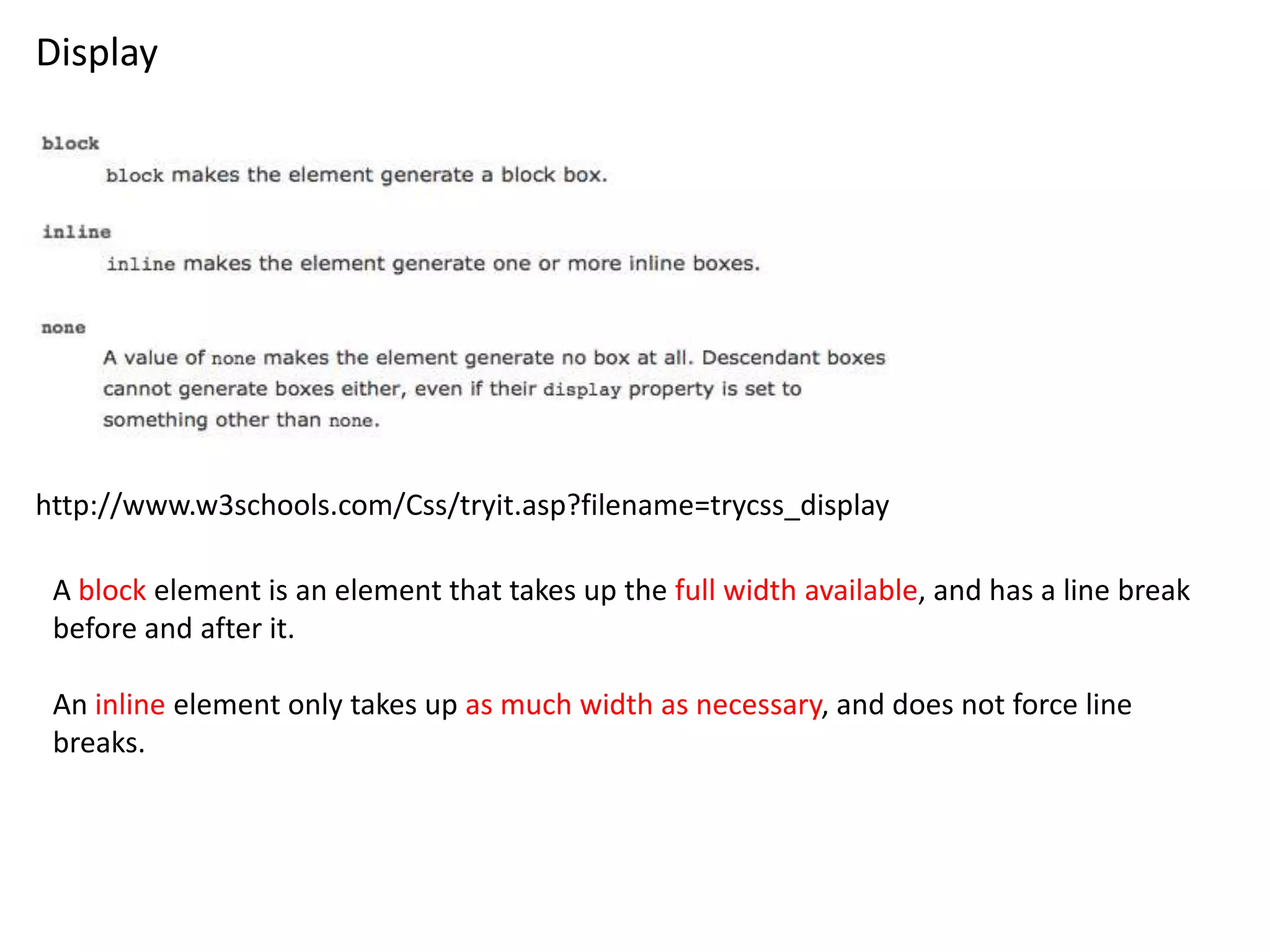
Display


http://www.w3schools.com/Css/tryit.asp?filename=trycss_display

 A block element is an element that takes up the full width available, and has a line break
 before and after it.

 An inline element only takes up as much width as necessary, and does not force line
 breaks.
Position
The CSS positioning properties allow you to position an element. It can also place an element
behind another, and specify what should happen when an element's content is too big.


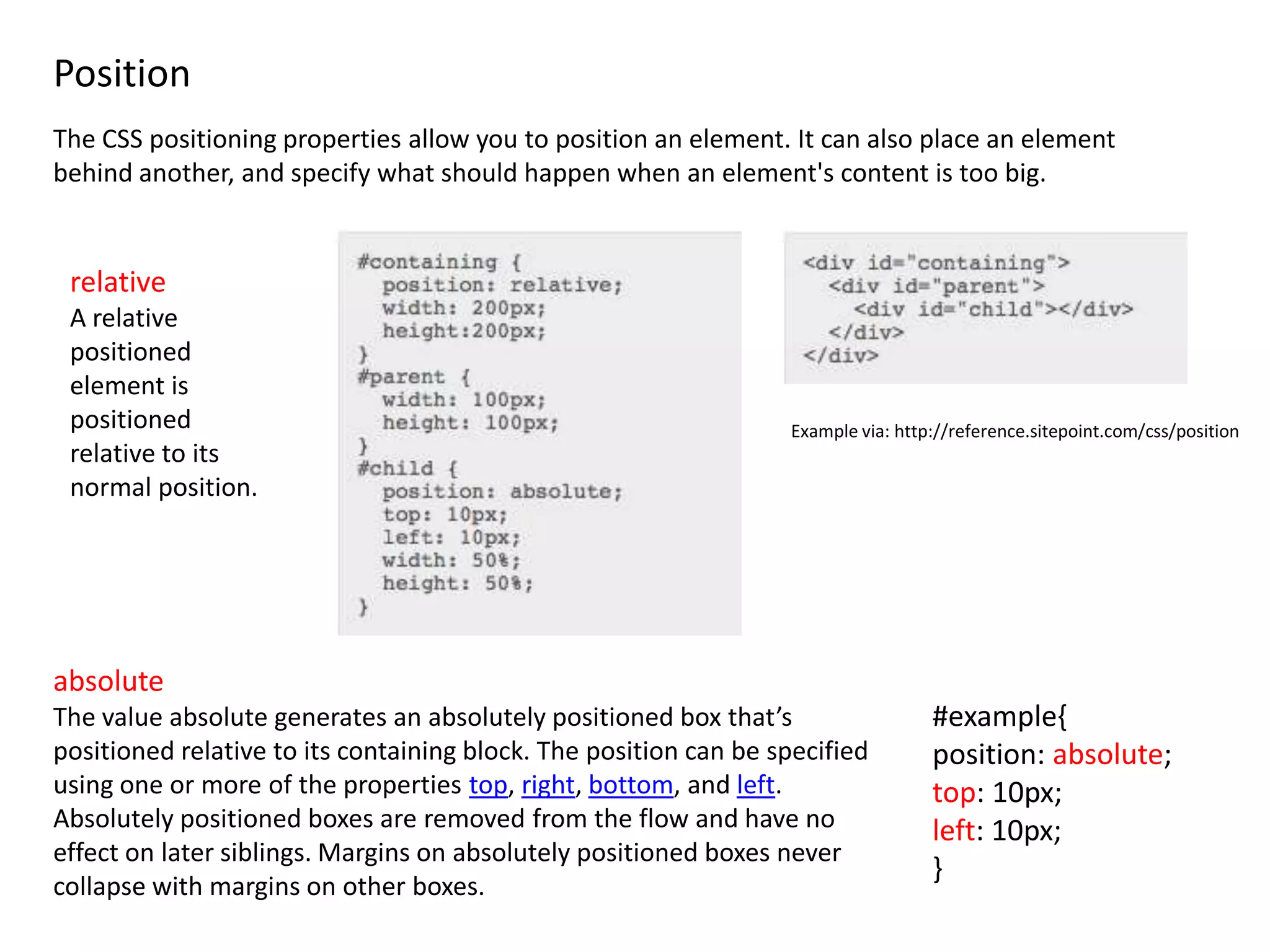
 relative
 A relative
 positioned
 element is
 positioned                                                       Example via: http://reference.sitepoint.com/css/position
 relative to its
 normal position.


absolute
The value absolute generates an absolutely positioned box that’s                   #example{
positioned relative to its containing block. The position can be specified         position: absolute;
using one or more of the properties top, right, bottom, and left.                  top: 10px;
Absolutely positioned boxes are removed from the flow and have no                  left: 10px;
effect on later siblings. Margins on absolutely positioned boxes never
                                                                                   }
collapse with margins on other boxes.
Float
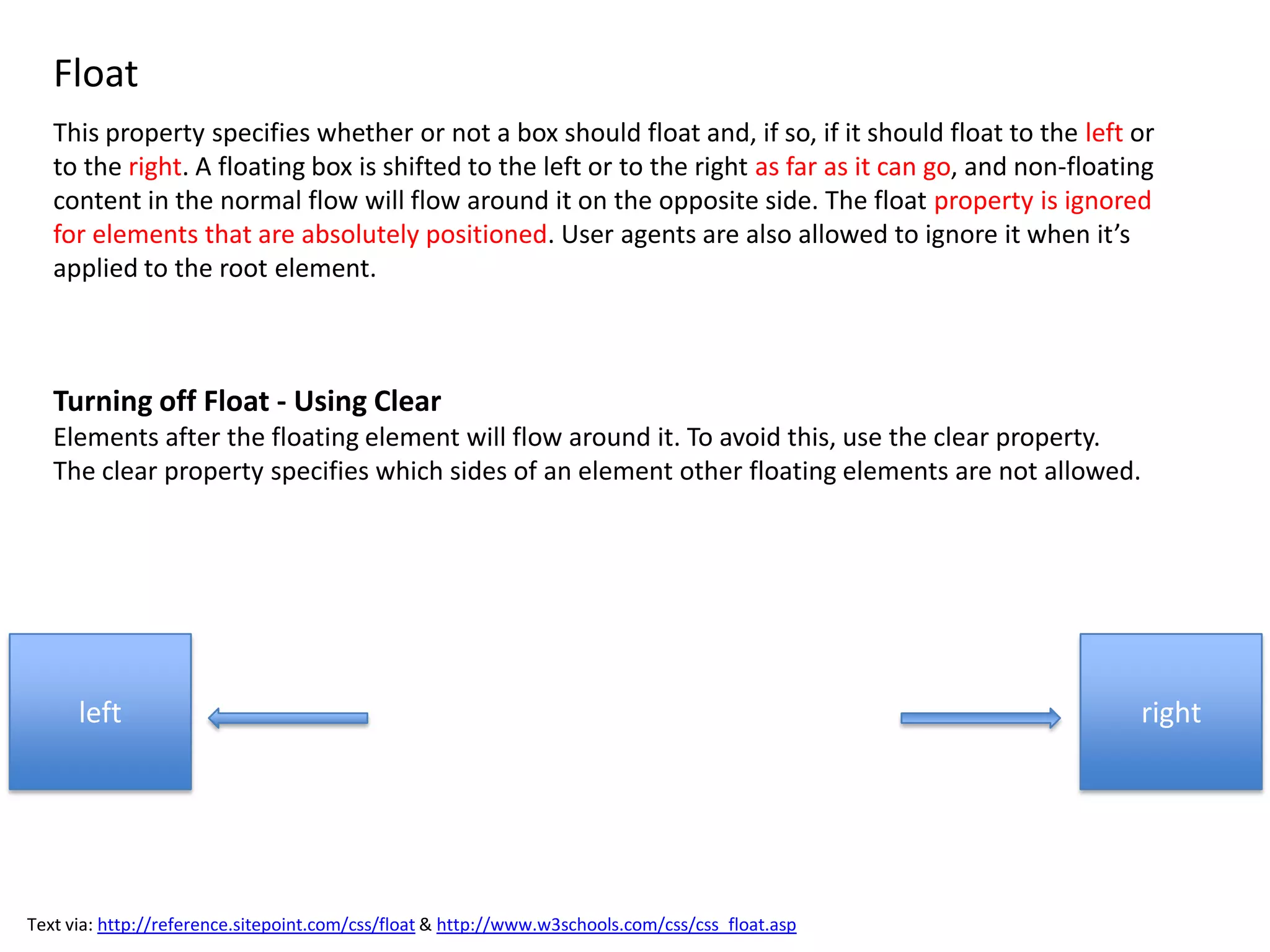
   This property specifies whether or not a box should float and, if so, if it should float to the left or
   to the right. A floating box is shifted to the left or to the right as far as it can go, and non-floating
   content in the normal flow will flow around it on the opposite side. The float property is ignored
   for elements that are absolutely positioned. User agents are also allowed to ignore it when it’s
   applied to the root element.


   Turning off Float - Using Clear
   Elements after the floating element will flow around it. To avoid this, use the clear property.
   The clear property specifies which sides of an element other floating elements are not allowed.


      left                                                                                                right


Text via: http://reference.sitepoint.com/css/float & http://www.w3schools.com/css/css_float.asp
Clear
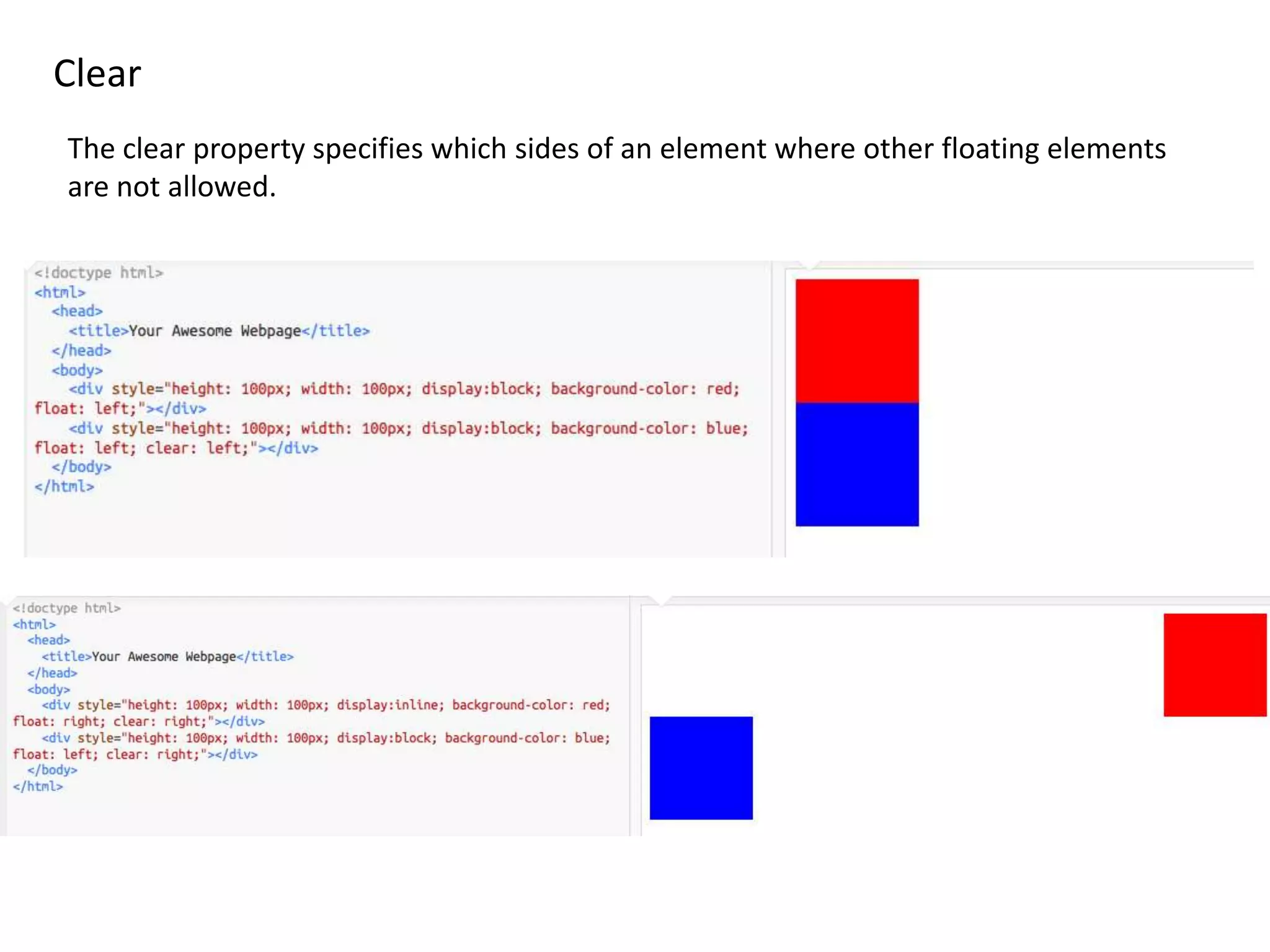
The clear property specifies which sides of an element where other floating elements
are not allowed.

Lesson2

  • 1.
  • 2.
    LISTS <ul> UL – Unordered List OL – Ordered List LI – List Item <ol> Examples via: http://reference.sitepoint.com
  • 3.
    p{ color:red; text-align:center; } Examples via: http://www.w3schools.com/css/css_syntax.asp
  • 4.
    The id Selector Theid selector is used to specify a style for a single, unique element. The id selector uses the id attribute of the HTML element, and is defined with a "#". #example{ <div id=“example”> color: #f4f4f6; Lorem ipsum dolor sit amet. font-weight:bold; </div> } The class Selector The class selector is used to specify a style for a group of elements. Unlike the id selector, the class selector is most often used on several elements. This allows you to set a particular style for many HTML elements with the same class. The class selector uses the HTML class attribute, and is defined with a "." .example{ <div class=“example”> <div class=“example”> color: #f4f4f6; Lorem ipsum dolor sit amet. Lorem ipsum dolor sit amet. font-weight:bold; </div> </div> }
  • 5.
    Display http://www.w3schools.com/Css/tryit.asp?filename=trycss_display A blockelement is an element that takes up the full width available, and has a line break before and after it. An inline element only takes up as much width as necessary, and does not force line breaks.
  • 6.
    Position The CSS positioningproperties allow you to position an element. It can also place an element behind another, and specify what should happen when an element's content is too big. relative A relative positioned element is positioned Example via: http://reference.sitepoint.com/css/position relative to its normal position. absolute The value absolute generates an absolutely positioned box that’s #example{ positioned relative to its containing block. The position can be specified position: absolute; using one or more of the properties top, right, bottom, and left. top: 10px; Absolutely positioned boxes are removed from the flow and have no left: 10px; effect on later siblings. Margins on absolutely positioned boxes never } collapse with margins on other boxes.
  • 7.
    Float This property specifies whether or not a box should float and, if so, if it should float to the left or to the right. A floating box is shifted to the left or to the right as far as it can go, and non-floating content in the normal flow will flow around it on the opposite side. The float property is ignored for elements that are absolutely positioned. User agents are also allowed to ignore it when it’s applied to the root element. Turning off Float - Using Clear Elements after the floating element will flow around it. To avoid this, use the clear property. The clear property specifies which sides of an element other floating elements are not allowed. left right Text via: http://reference.sitepoint.com/css/float & http://www.w3schools.com/css/css_float.asp
  • 8.
    Clear The clear propertyspecifies which sides of an element where other floating elements are not allowed.