Introduction
Task
Process
Conclusion
Evaluation
Home
Introduction
Task
Process
Conclusion
Evaluation
Home
Introduction
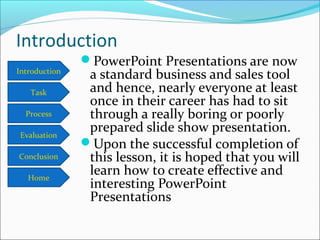
PowerPoint Presentations are now
a standard business and sales tool
and hence, nearly everyone at least
once in their career has had to sit
through a really boring or poorly
prepared slide show presentation.
Upon the successful completion of
this lesson, it is hoped that you will
learn how to create effective and
interesting PowerPoint
Presentations
Introduction
Task
Process
Conclusion
Evaluation
Home
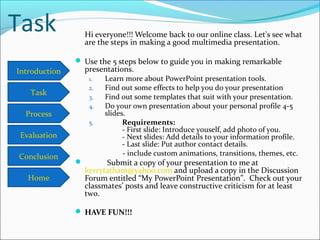
Task Hi everyone!!! Welcome back to our online class. Let's see what
are the steps in making a good multimedia presentation.
 Use the 5 steps below to guide you in making remarkable
presentations.
1. Learn more about PowerPoint presentation tools.
2. Find out some effects to help you do your presentation
3. Find out some templates that suit with your presentation.
4. Do your own presentation about your personal profile 4-5
slides.
5. Requirements:
- First slide: Introduce youself, add photo of you.
- Next slides: Add details to your information profile.
- Last slide: Put author contact details.
- include custom animations, transitions, themes, etc.
 Submit a copy of your presentation to me at
kerrytatham@yahoo.com and upload a copy in the Discussion
Forum entitled “My PowerPoint Presentation”. Check out your
classmates’ posts and leave constructive criticism for at least
two.
 HAVE FUN!!!
Introduction
Task
Process
Conclusion
Evaluation
Home
Process
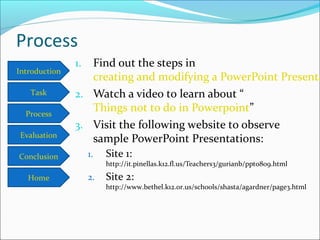
1. Find out the steps in
creating and modifying a PowerPoint Presenta
2. Watch a video to learn about “
Things not to do in Powerpoint”
3. Visit the following website to observe
sample PowerPoint Presentations:
1. Site 1:
http://it.pinellas.k12.fl.us/Teachers3/gurianb/ppt0809.html
2. Site 2:
http://www.bethel.k12.or.us/schools/shasta/agardner/page3.html
Introduction
Task
Process
Conclusion
Evaluation
Home
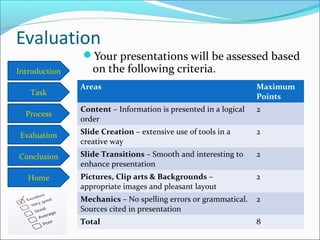
Evaluation
Your presentations will be assessed based
on the following criteria.
Areas Maximum
Points
Content – Information is presented in a logical
order
2
Slide Creation – extensive use of tools in a
creative way
2
Slide Transitions – Smooth and interesting to
enhance presentation
2
Pictures, Clip arts & Backgrounds –
appropriate images and pleasant layout
2
Mechanics – No spelling errors or grammatical.
Sources cited in presentation
2
Total 8
Introduction
Task
Process
Conclusion
Evaluation
Home
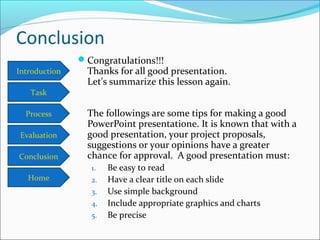
Conclusion
Congratulations!!!
Thanks for all good presentation.
Let's summarize this lesson again.
The followings are some tips for making a good
PowerPoint presentatione. It is known that with a
good presentation, your project proposals,
suggestions or your opinions have a greater
chance for approval. A good presentation must:
1. Be easy to read
2. Have a clear title on each slide
3. Use simple background
4. Include appropriate graphics and charts
5. Be precise
Introduction
Task
Process
Conclusion
Evaluation
Home
Conclusion
Congratulations!!!
Thanks for all good presentation.
Let's summarize this lesson again.
The followings are some tips for making a good
PowerPoint presentatione. It is known that with a
good presentation, your project proposals,
suggestions or your opinions have a greater
chance for approval. A good presentation must:
1. Be easy to read
2. Have a clear title on each slide
3. Use simple background
4. Include appropriate graphics and charts
5. Be precise

Lesson 3 webquest

  • 1.
  • 2.
    Introduction Task Process Conclusion Evaluation Home Introduction PowerPoint Presentations arenow a standard business and sales tool and hence, nearly everyone at least once in their career has had to sit through a really boring or poorly prepared slide show presentation. Upon the successful completion of this lesson, it is hoped that you will learn how to create effective and interesting PowerPoint Presentations
  • 3.
    Introduction Task Process Conclusion Evaluation Home Task Hi everyone!!!Welcome back to our online class. Let's see what are the steps in making a good multimedia presentation.  Use the 5 steps below to guide you in making remarkable presentations. 1. Learn more about PowerPoint presentation tools. 2. Find out some effects to help you do your presentation 3. Find out some templates that suit with your presentation. 4. Do your own presentation about your personal profile 4-5 slides. 5. Requirements: - First slide: Introduce youself, add photo of you. - Next slides: Add details to your information profile. - Last slide: Put author contact details. - include custom animations, transitions, themes, etc.  Submit a copy of your presentation to me at kerrytatham@yahoo.com and upload a copy in the Discussion Forum entitled “My PowerPoint Presentation”. Check out your classmates’ posts and leave constructive criticism for at least two.  HAVE FUN!!!
  • 4.
    Introduction Task Process Conclusion Evaluation Home Process 1. Find outthe steps in creating and modifying a PowerPoint Presenta 2. Watch a video to learn about “ Things not to do in Powerpoint” 3. Visit the following website to observe sample PowerPoint Presentations: 1. Site 1: http://it.pinellas.k12.fl.us/Teachers3/gurianb/ppt0809.html 2. Site 2: http://www.bethel.k12.or.us/schools/shasta/agardner/page3.html
  • 5.
    Introduction Task Process Conclusion Evaluation Home Evaluation Your presentations willbe assessed based on the following criteria. Areas Maximum Points Content – Information is presented in a logical order 2 Slide Creation – extensive use of tools in a creative way 2 Slide Transitions – Smooth and interesting to enhance presentation 2 Pictures, Clip arts & Backgrounds – appropriate images and pleasant layout 2 Mechanics – No spelling errors or grammatical. Sources cited in presentation 2 Total 8
  • 6.
    Introduction Task Process Conclusion Evaluation Home Conclusion Congratulations!!! Thanks for allgood presentation. Let's summarize this lesson again. The followings are some tips for making a good PowerPoint presentatione. It is known that with a good presentation, your project proposals, suggestions or your opinions have a greater chance for approval. A good presentation must: 1. Be easy to read 2. Have a clear title on each slide 3. Use simple background 4. Include appropriate graphics and charts 5. Be precise
  • 7.
    Introduction Task Process Conclusion Evaluation Home Conclusion Congratulations!!! Thanks for allgood presentation. Let's summarize this lesson again. The followings are some tips for making a good PowerPoint presentatione. It is known that with a good presentation, your project proposals, suggestions or your opinions have a greater chance for approval. A good presentation must: 1. Be easy to read 2. Have a clear title on each slide 3. Use simple background 4. Include appropriate graphics and charts 5. Be precise

Editor's Notes

  • #7 1. Easy to readA good presentation is easy to read, so you should use standard letters, like Arial or Times New Roman. Besides, use letters that are quite big, so your audience does not get difficulty to read the letters.2. A clear title on each slideYou should use bold, clear and easy to read letters on your each slide title.3. Simple backgroundNotice the background that you use on each slide that you create. Do not let the sentences you have written unclear to read because you wear too contrasting background.4. Graphics and ChartsUsing images such as charts and diagrams will help you to explain about the topic you are presenting better. In addition, by using graphics or charts, you will refresh the atmosphere and invite the attention of the audience.5. Stay focusJust write down the principal matters in connection with the topic you are presenting. Do not use too many words or sentences in a presentation slide, but simply write your title or course outline. You should also make sure that every slide you create is related to one another.6. Do not have too many slidesDo not make too many presentation slides for one topic you discuss. Make slides as efficiently as possible. If the topic you discuss is long indeed, a verbal explanation would be better.7. Speak clearlyWhen giving the presentation, try to speak clearly, so that the audience could understand the presentation you deliver. Most audiences think that PowerPoint presentation is not quite interesting and with your creativity and good conversation, you could change this view.8. Give opportunity to askIf possible, take the time to provide the opportunity for the audience to ask questions about things that are not understood from the presentation that you convey.9. Future Follow UpAnother important thing is to give audiences the opportunity to ask questions at another time on the topic of your presentation. So, do not hesitate to put down your e-mail list, no. phone or website at the end of your presentation. This could be a plus for you.