Effective PowerPoint PresentationsBy Drew Herrmann
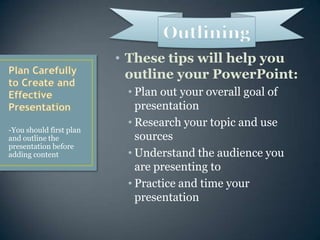
These tips will help you outline your PowerPoint:Plan out your overall goal of presentationResearch your topic and use sourcesUnderstand the audience you are presenting toPractice and time your presentationPlan Carefully to Create and Effective Presentation-You should first plan and outline the presentation before adding contentOutlining
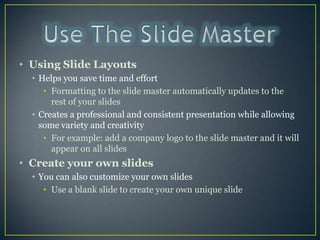
Use The Slide Master Using Slide LayoutsHelps you save time and effortFormatting to the slide master automatically updates to the rest of your slides Creates a professional and consistent presentation while allowing some variety and creativityFor example: add a company logo to the slide master and it will appear on all slidesCreate your own slidesYou can also customize your own slidesUse a blank slide to create your own unique slide
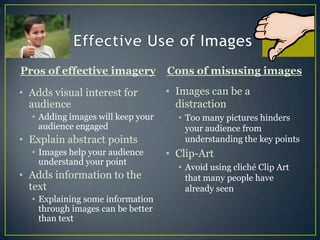
Effective Use of ImagesPros of effective imageryCons of misusing imagesImages can be a distractionToo many pictures hinders your audience from understanding the key pointsClip-ArtAvoid using cliché Clip Art that many people have already seenAdds visual interest for audienceAdding images will keep your audience engagedExplain abstract pointsImages help your audience understand your pointAdds information to the textExplaining some information through images can be better than text
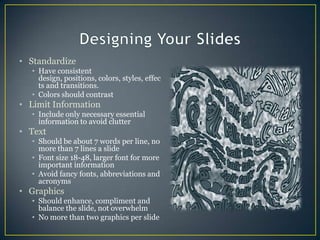
Designing Your SlidesStandardize Have consistent design, positions, colors, styles, effects and transitions.Colors should contrastLimit InformationInclude only necessary essential information to avoid clutterTextShould be about 7 words per line, no more than 7 lines a slideFont size 18-48, larger font for more important informationAvoid fancy fonts, abbreviations and acronymsGraphicsShould enhance, compliment and balance the slide, not overwhelmNo more than two graphics per slide
Adding Audio and Video EffectivelyVideo helps your audience understand key points and reignite attention if your topic is boring
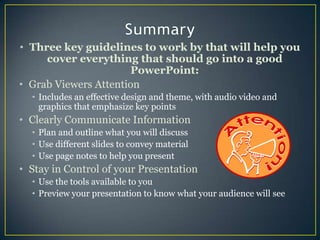
SummaryThree key guidelines to work by that will help you cover everything that should go into a good PowerPoint:Grab Viewers AttentionIncludes an effective design and theme, with audio video and graphics that emphasize key pointsClearly Communicate InformationPlan and outline what you will discussUse different slides to convey material Use page notes to help you presentStay in Control of your PresentationUse the tools available to you Preview your presentation to know what your audience will see
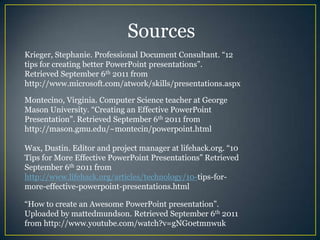
SourcesKrieger, Stephanie. Professional Document Consultant. “12 tips for creating better PowerPoint presentations”.Retrieved September 6th 2011 from http://www.microsoft.com/atwork/skills/presentations.aspxMontecino, Virginia. Computer Science teacher at George Mason University. “Creating an Effective PowerPoint Presentation”. Retrieved September 6th 2011 from http://mason.gmu.edu/~montecin/powerpoint.htmlWax, Dustin. Editor and project manager at lifehack.org. “10 Tips for More Effective PowerPoint Presentations” Retrieved September 6th 2011 from http://www.lifehack.org/articles/technology/10-tips-for-more-effective-powerpoint-presentations.html“How to create an Awesome PowerPoint presentation”. Uploaded by mattedmundson. Retrieved September 6th 2011 from http://www.youtube.com/watch?v=gNG0etmnwuk

Drew's effective powerpoint presentation

  • 1.
  • 2.
    These tips willhelp you outline your PowerPoint:Plan out your overall goal of presentationResearch your topic and use sourcesUnderstand the audience you are presenting toPractice and time your presentationPlan Carefully to Create and Effective Presentation-You should first plan and outline the presentation before adding contentOutlining
  • 3.
    Use The SlideMaster Using Slide LayoutsHelps you save time and effortFormatting to the slide master automatically updates to the rest of your slides Creates a professional and consistent presentation while allowing some variety and creativityFor example: add a company logo to the slide master and it will appear on all slidesCreate your own slidesYou can also customize your own slidesUse a blank slide to create your own unique slide
  • 4.
    Effective Use ofImagesPros of effective imageryCons of misusing imagesImages can be a distractionToo many pictures hinders your audience from understanding the key pointsClip-ArtAvoid using cliché Clip Art that many people have already seenAdds visual interest for audienceAdding images will keep your audience engagedExplain abstract pointsImages help your audience understand your pointAdds information to the textExplaining some information through images can be better than text
  • 5.
    Designing Your SlidesStandardizeHave consistent design, positions, colors, styles, effects and transitions.Colors should contrastLimit InformationInclude only necessary essential information to avoid clutterTextShould be about 7 words per line, no more than 7 lines a slideFont size 18-48, larger font for more important informationAvoid fancy fonts, abbreviations and acronymsGraphicsShould enhance, compliment and balance the slide, not overwhelmNo more than two graphics per slide
  • 6.
    Adding Audio andVideo EffectivelyVideo helps your audience understand key points and reignite attention if your topic is boring
  • 7.
    SummaryThree key guidelinesto work by that will help you cover everything that should go into a good PowerPoint:Grab Viewers AttentionIncludes an effective design and theme, with audio video and graphics that emphasize key pointsClearly Communicate InformationPlan and outline what you will discussUse different slides to convey material Use page notes to help you presentStay in Control of your PresentationUse the tools available to you Preview your presentation to know what your audience will see
  • 8.
    SourcesKrieger, Stephanie. ProfessionalDocument Consultant. “12 tips for creating better PowerPoint presentations”.Retrieved September 6th 2011 from http://www.microsoft.com/atwork/skills/presentations.aspxMontecino, Virginia. Computer Science teacher at George Mason University. “Creating an Effective PowerPoint Presentation”. Retrieved September 6th 2011 from http://mason.gmu.edu/~montecin/powerpoint.htmlWax, Dustin. Editor and project manager at lifehack.org. “10 Tips for More Effective PowerPoint Presentations” Retrieved September 6th 2011 from http://www.lifehack.org/articles/technology/10-tips-for-more-effective-powerpoint-presentations.html“How to create an Awesome PowerPoint presentation”. Uploaded by mattedmundson. Retrieved September 6th 2011 from http://www.youtube.com/watch?v=gNG0etmnwuk